Dr Nisha Arora
Data Structure in R
Contents
2
Variable assignment in R
Numerical Operators in R
In built functions in R
Infinity, NA and NAN values in R
Atomic data types in R
Objects in R
Subsetting in R
References & Resources
Variable Assignment in R
3
To assign value to a variable named ‘x’
x <- value or x = value
x <<- value
value -> x
value ->> x
Read more at
https://stat.ethz.ch/R-manual/R-
devel/library/base/html/assignOps.html
Variable Names
4
 Variable names in R are case-sensitive
 Variable names should not begin with numbers (e.g. 1x) or
symbols (e.g. %x).
 Variable names should not contain blank spaces: use
monthly_salary or monthly.salary (not monthly salary ).
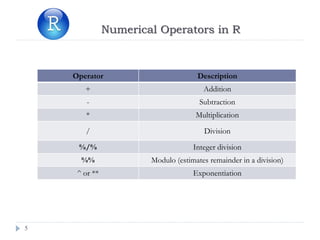
Numerical Operators in R
5
Operator Description
+ Addition
- Subtraction
* Multiplication
/ Division
%/% Integer division
%% Modulo (estimates remainder in a division)
^ or ** Exponentiation
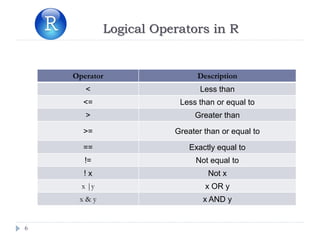
Logical Operators in R
6
Operator Description
< Less than
<= Less than or equal to
> Greater than
>= Greater than or equal to
== Exactly equal to
!= Not equal to
! x Not x
x |y x OR y
x & y x AND y
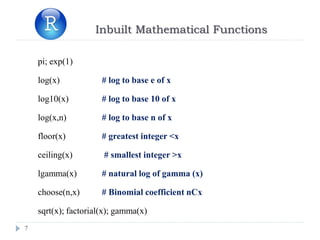
Inbuilt Mathematical Functions
7
pi; exp(1)
log(x) # log to base e of x
log10(x) # log to base 10 of x
log(x,n) # log to base n of x
floor(x) # greatest integer <x
ceiling(x) # smallest integer >x
lgamma(x) # natural log of gamma (x)
choose(n,x) # Binomial coefficient nCx
sqrt(x); factorial(x); gamma(x)
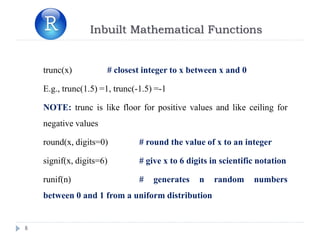
Inbuilt Mathematical Functions
8
trunc(x) # closest integer to x between x and 0
E.g., trunc(1.5) =1, trunc(-1.5) =-1
NOTE: trunc is like floor for positive values and like ceiling for
negative values
round(x, digits=0) # round the value of x to an integer
signif(x, digits=6) # give x to 6 digits in scientific notation
runif(n) # generates n random numbers
between 0 and 1 from a uniform distribution
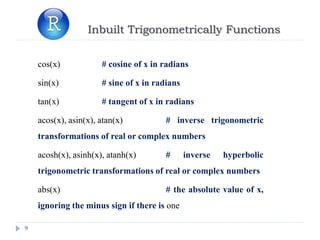
Inbuilt Trigonometrically Functions
9
cos(x) # cosine of x in radians
sin(x) # sine of x in radians
tan(x) # tangent of x in radians
acos(x), asin(x), atan(x) # inverse trigonometric
transformations of real or complex numbers
acosh(x), asinh(x), atanh(x) # inverse hyperbolic
trigonometric transformations of real or complex numbers
abs(x) # the absolute value of x,
ignoring the minus sign if there is one
10
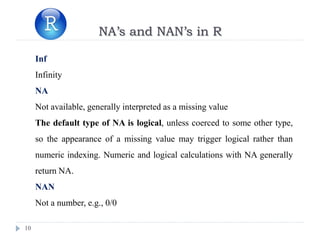
NA’s and NAN’s in R
Inf
Infinity
NA
Not available, generally interpreted as a missing value
The default type of NA is logical, unless coerced to some other type,
so the appearance of a missing value may trigger logical rather than
numeric indexing. Numeric and logical calculations with NA generally
return NA.
NAN
Not a number, e.g., 0/0
11
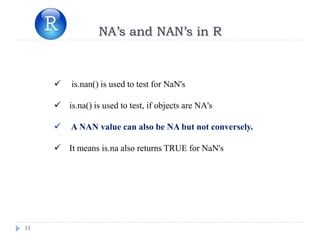
NA’s and NAN’s in R
 is.nan() is used to test for NaN's
 is.na() is used to test, if objects are NA's
 A NAN value can also be NA but not conversely.
 It means is.na also returns TRUE for NaN's
12
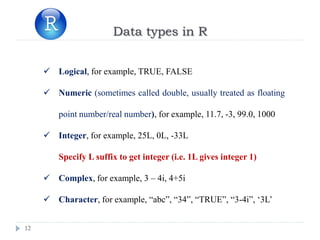
Data types in R
 Logical, for example, TRUE, FALSE
 Numeric (sometimes called double, usually treated as floating
point number/real number), for example, 11.7, -3, 99.0, 1000
 Integer, for example, 25L, 0L, -33L
Specify L suffix to get integer (i.e. 1L gives integer 1)
 Complex, for example, 3 – 4i, 4+5i
 Character, for example, “abc”, “34”, “TRUE”, “3-4i”, ‘3L’
13
Data types in R
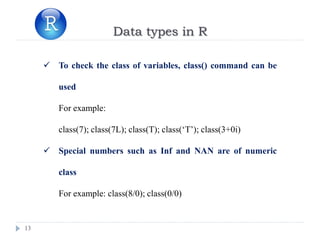
 To check the class of variables, class() command can be
used
For example:
class(7); class(7L); class(T); class(‘T’); class(3+0i)
 Special numbers such as Inf and NAN are of numeric
class
For example: class(8/0); class(0/0)
14
Coercion
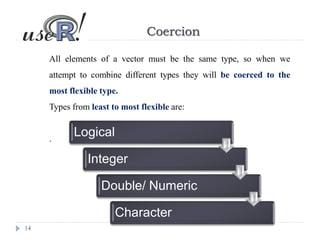
All elements of a vector must be the same type, so when we
attempt to combine different types they will be coerced to the
most flexible type.
Types from least to most flexible are:
.
Logical
Integer
Double/ Numeric
Character
15
Coercion
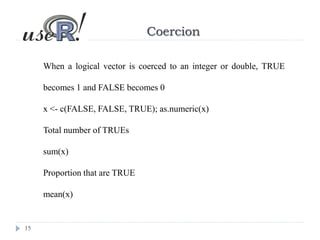
When a logical vector is coerced to an integer or double, TRUE
becomes 1 and FALSE becomes 0
x <- c(FALSE, FALSE, TRUE); as.numeric(x)
Total number of TRUEs
sum(x)
Proportion that are TRUE
mean(x)
16
Coercion in R
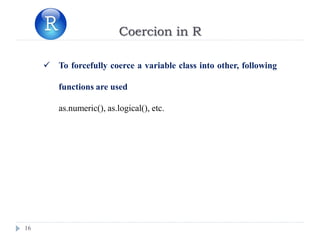
 To forcefully coerce a variable class into other, following
functions are used
as.numeric(), as.logical(), etc.
17
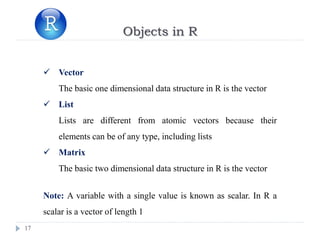
Objects in R
 Vector
The basic one dimensional data structure in R is the vector
 List
Lists are different from atomic vectors because their
elements can be of any type, including lists
 Matrix
The basic two dimensional data structure in R is the vector
Note: A variable with a single value is known as scalar. In R a
scalar is a vector of length 1
18
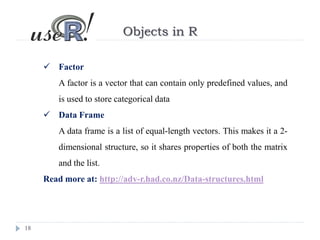
Objects in R
 Factor
A factor is a vector that can contain only predefined values, and
is used to store categorical data
 Data Frame
A data frame is a list of equal-length vectors. This makes it a 2-
dimensional structure, so it shares properties of both the matrix
and the list.
Read more at: http://adv-r.had.co.nz/Data-structures.html
19
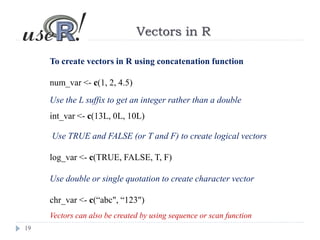
Vectors in R
To create vectors in R using concatenation function
num_var <- c(1, 2, 4.5)
Use the L suffix to get an integer rather than a double
int_var <- c(13L, 0L, 10L)
Use TRUE and FALSE (or T and F) to create logical vectors
log_var <- c(TRUE, FALSE, T, F)
Use double or single quotation to create character vector
chr_var <- c(“abc", “123")
Vectors can also be created by using sequence or scan function
20
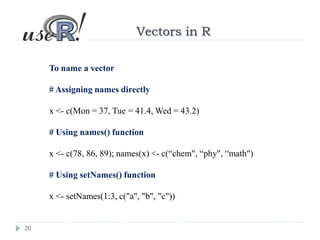
Vectors in R
To name a vector
# Assigning names directly
x <- c(Mon = 37, Tue = 41.4, Wed = 43.2)
# Using names() function
x <- c(78, 86, 89); names(x) <- c(“chem", “phy", “math")
# Using setNames() function
x <- setNames(1:3, c("a", "b", "c"))
21
Vector Subsetting
x = c(11,42,23,14,55);
names(x) = c('ajay', 'ravi', 'john', 'anjali', 'namrata'); x
x[2]; x[1:3]; x[5]; x[7]
# x[n] gives 'nth' element of vector x, there are only 6 elements,
so x[7] is NA
x['ajay']; x[c('ravi', 'namrata')] # To select elements by
names
22
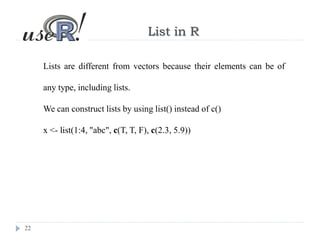
List in R
Lists are different from vectors because their elements can be of
any type, including lists.
We can construct lists by using list() instead of c()
x <- list(1:4, "abc", c(T, T, F), c(2.3, 5.9))
23
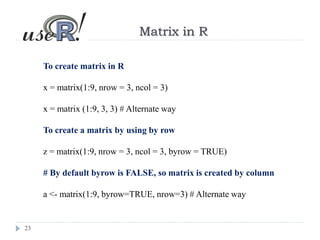
Matrix in R
To create matrix in R
x = matrix(1:9, nrow = 3, ncol = 3)
x = matrix (1:9, 3, 3) # Alternate way
To create a matrix by using by row
z = matrix(1:9, nrow = 3, ncol = 3, byrow = TRUE)
# By default byrow is FALSE, so matrix is created by column
a <- matrix(1:9, byrow=TRUE, nrow=3) # Alternate way
24
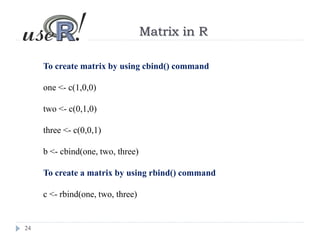
Matrix in R
To create matrix by using cbind() command
one <- c(1,0,0)
two <- c(0,1,0)
three <- c(0,0,1)
b <- cbind(one, two, three)
To create a matrix by using rbind() command
c <- rbind(one, two, three)
25
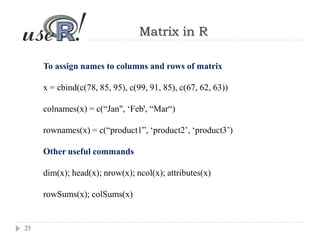
Matrix in R
To assign names to columns and rows of matrix
x = cbind(c(78, 85, 95), c(99, 91, 85), c(67, 62, 63))
colnames(x) = c(“Jan", ‘Feb', “Mar“)
rownames(x) = c(“product1”, ‘product2’, ‘product3’)
Other useful commands
dim(x); head(x); nrow(x); ncol(x); attributes(x)
rowSums(x); colSums(x)
26
Matrix Subsetting
To find sub matrices of a given matrix
x <- matrix(1:6, 2, 3)
x[1, 2] # Element of first row, second column [single element]
x[2, 1] # Element of second row, first column [single element]
x[2, ] # Matrix of all the elements of second row
x[, 1] # Matrix of all the elements of first column [matrix]
x[1:2, 3] # Elements of first & second row for third column only
27
Matrix Subsetting
To find sub matrices of a given matrix
x <- matrix(1:6, 2, 3)
By default, when a single element of a matrix is retrieved, it is returned
as a vector of length 1 rather than a 1 × 1 matrix.
This behaviour can be turned off by setting drop = FALSE.
x[1, 2] # Single element
x[1, 2, drop = FALSE] # Matrix of one row & one column
28
Matrix Subsetting
To find sub matrices of a given matrix
x <- matrix(1:6, 2, 3)
Similarly, sub-setting a single column or a single row results in a
vector, not a matrix (by default).
This behaviour can be turned off by setting drop = FALSE.
x[1, ] # Single row
x[1, , drop = FALSE] # Matrix of one row & one column
29
Matrix Subsetting
To find sub matrices of a given matrix
x = cbind(c(78, 85, 95), c(99, 91, 85), c(67, 62, 63))
x[ , 2]
x[ ,2:3]
x[ 2, 3]
x[1:2, 3]
For Matrix Algebra in R, refer:
http://www.statmethods.net/advstats/matrix.html
30
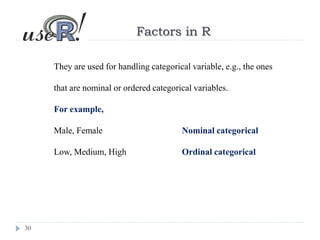
Factors in R
They are used for handling categorical variable, e.g., the ones
that are nominal or ordered categorical variables.
For example,
Male, Female Nominal categorical
Low, Medium, High Ordinal categorical
31
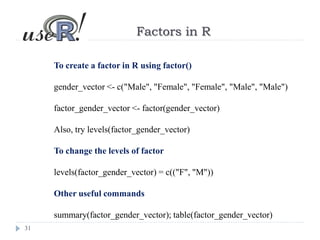
Factors in R
To create a factor in R using factor()
gender_vector <- c("Male", "Female", "Female", "Male", "Male")
factor_gender_vector <- factor(gender_vector)
Also, try levels(factor_gender_vector)
To change the levels of factor
levels(factor_gender_vector) = c(("F", "M"))
Other useful commands
summary(factor_gender_vector); table(factor_gender_vector)
32
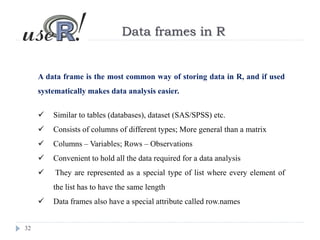
Data frames in R
A data frame is the most common way of storing data in R, and if used
systematically makes data analysis easier.
 Similar to tables (databases), dataset (SAS/SPSS) etc.
 Consists of columns of different types; More general than a matrix
 Columns – Variables; Rows – Observations
 Convenient to hold all the data required for a data analysis
 They are represented as a special type of list where every element of
the list has to have the same length
 Data frames also have a special attribute called row.names
33
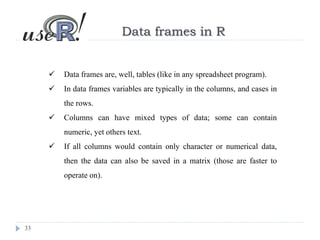
Data frames in R
 Data frames are, well, tables (like in any spreadsheet program).
 In data frames variables are typically in the columns, and cases in
the rows.
 Columns can have mixed types of data; some can contain
numeric, yet others text.
 If all columns would contain only character or numerical data,
then the data can also be saved in a matrix (those are faster to
operate on).
34
Data frames in R
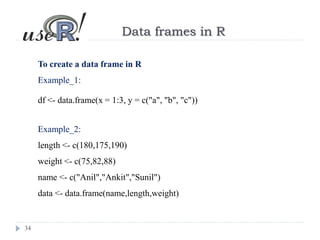
To create a data frame in R
Example_1:
df <- data.frame(x = 1:3, y = c("a", "b", "c"))
Example_2:
length <- c(180,175,190)
weight <- c(75,82,88)
name <- c("Anil","Ankit","Sunil")
data <- data.frame(name,length,weight)
35
Data frames in R
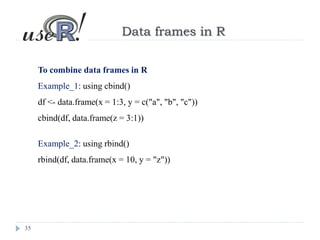
To combine data frames in R
Example_1: using cbind()
df <- data.frame(x = 1:3, y = c("a", "b", "c"))
cbind(df, data.frame(z = 3:1))
Example_2: using rbind()
rbind(df, data.frame(x = 10, y = "z"))
36
Data frames in R
To combine data frames in R
Example_1: using cbind()
df <- data.frame(x = 1:3, y = c("a", "b", "c"))
cbind(df, data.frame(z = 3:1))
Example_2: using rbind()
rbind(df, data.frame(x = 10, y = "z"))
37
Data Type Conversions
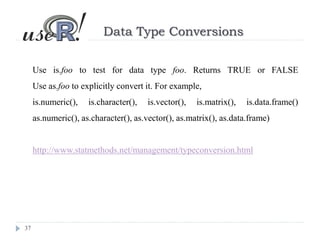
Use is.foo to test for data type foo. Returns TRUE or FALSE
Use as.foo to explicitly convert it. For example,
is.numeric(), is.character(), is.vector(), is.matrix(), is.data.frame()
as.numeric(), as.character(), as.vector(), as.matrix(), as.data.frame)
http://www.statmethods.net/management/typeconversion.html
38
Handling of missing values
X <- c(1:8,NA)
 Removing missing vlaues
mean(X, na.rm = T) or mean(X ,na.rm=TRUE)
 To check for the location of missing values within a vector
which(is.na(X))
 To assign this a large number, say, 999
X[which(is.na(X))] = 999
Read more at: http://www.statmethods.net/input/missingdata.html
39
Handling of missing values
x <- c(1, 2, NA, 4, NA, 5)
 Identify missing values
bad <- is.na(x)
 To remove missing values
x[!bad]
40
Handling of missing values
x <- c(1, 2, NA, 4, NA, 5); y <- c("a", "b", NA, "d", "e", NA)
df = data.frame(x,y)
 To take the subset of data frame with no missing value
good = complete.cases(x,y); good
 To take the subset of vector x with no missing value
x[good]
 To take the subset of vector y with no missing value
y[good]
References
41
• Crowley, M. J. (2007). The R Book. Chichester, New
England: John Wiley & Sons, Ltd.
• An Introduction to R by W. N. Venables, D. M. Smith
and the R Core Team
• R in a Nutshell by Joseph Adler: O’Reilly
• Teetor, P. (2011). R cookbook. Sebastopol, CA:
O’Reilly Media Inc.
References
42
http://www.r-bloggers.com/
http://www.inside-r.org/blogs
https://blog.rstudio.org/
http://www.statmethods.net/
http://stats.stackexchange.com
https://www.researchgate.net
https://www.quora.com
https://github.com
References
43
https://rpubs.com/
https://www.datacamp.com/
https://www.dataquest.io/
https://www.codeschool.com/
44
Reach Out to Me
http://stats.stackexchange.com/users/79100/learner
https://www.researchgate.net/profile/Nisha_Arora2/contributions
https://www.quora.com/profile/Nisha-Arora-9
https://github.com/arora123
nishaarora4@gmail.com
Thank You

2 data structure in R

  • 1.
    Dr Nisha Arora DataStructure in R
  • 2.
    Contents 2 Variable assignment inR Numerical Operators in R In built functions in R Infinity, NA and NAN values in R Atomic data types in R Objects in R Subsetting in R References & Resources
  • 3.
    Variable Assignment inR 3 To assign value to a variable named ‘x’ x <- value or x = value x <<- value value -> x value ->> x Read more at https://stat.ethz.ch/R-manual/R- devel/library/base/html/assignOps.html
  • 4.
    Variable Names 4  Variablenames in R are case-sensitive  Variable names should not begin with numbers (e.g. 1x) or symbols (e.g. %x).  Variable names should not contain blank spaces: use monthly_salary or monthly.salary (not monthly salary ).
  • 5.
    Numerical Operators inR 5 Operator Description + Addition - Subtraction * Multiplication / Division %/% Integer division %% Modulo (estimates remainder in a division) ^ or ** Exponentiation
  • 6.
    Logical Operators inR 6 Operator Description < Less than <= Less than or equal to > Greater than >= Greater than or equal to == Exactly equal to != Not equal to ! x Not x x |y x OR y x & y x AND y
  • 7.
    Inbuilt Mathematical Functions 7 pi;exp(1) log(x) # log to base e of x log10(x) # log to base 10 of x log(x,n) # log to base n of x floor(x) # greatest integer <x ceiling(x) # smallest integer >x lgamma(x) # natural log of gamma (x) choose(n,x) # Binomial coefficient nCx sqrt(x); factorial(x); gamma(x)
  • 8.
    Inbuilt Mathematical Functions 8 trunc(x)# closest integer to x between x and 0 E.g., trunc(1.5) =1, trunc(-1.5) =-1 NOTE: trunc is like floor for positive values and like ceiling for negative values round(x, digits=0) # round the value of x to an integer signif(x, digits=6) # give x to 6 digits in scientific notation runif(n) # generates n random numbers between 0 and 1 from a uniform distribution
  • 9.
    Inbuilt Trigonometrically Functions 9 cos(x)# cosine of x in radians sin(x) # sine of x in radians tan(x) # tangent of x in radians acos(x), asin(x), atan(x) # inverse trigonometric transformations of real or complex numbers acosh(x), asinh(x), atanh(x) # inverse hyperbolic trigonometric transformations of real or complex numbers abs(x) # the absolute value of x, ignoring the minus sign if there is one
  • 10.
    10 NA’s and NAN’sin R Inf Infinity NA Not available, generally interpreted as a missing value The default type of NA is logical, unless coerced to some other type, so the appearance of a missing value may trigger logical rather than numeric indexing. Numeric and logical calculations with NA generally return NA. NAN Not a number, e.g., 0/0
  • 11.
    11 NA’s and NAN’sin R  is.nan() is used to test for NaN's  is.na() is used to test, if objects are NA's  A NAN value can also be NA but not conversely.  It means is.na also returns TRUE for NaN's
  • 12.
    12 Data types inR  Logical, for example, TRUE, FALSE  Numeric (sometimes called double, usually treated as floating point number/real number), for example, 11.7, -3, 99.0, 1000  Integer, for example, 25L, 0L, -33L Specify L suffix to get integer (i.e. 1L gives integer 1)  Complex, for example, 3 – 4i, 4+5i  Character, for example, “abc”, “34”, “TRUE”, “3-4i”, ‘3L’
  • 13.
    13 Data types inR  To check the class of variables, class() command can be used For example: class(7); class(7L); class(T); class(‘T’); class(3+0i)  Special numbers such as Inf and NAN are of numeric class For example: class(8/0); class(0/0)
  • 14.
    14 Coercion All elements ofa vector must be the same type, so when we attempt to combine different types they will be coerced to the most flexible type. Types from least to most flexible are: . Logical Integer Double/ Numeric Character
  • 15.
    15 Coercion When a logicalvector is coerced to an integer or double, TRUE becomes 1 and FALSE becomes 0 x <- c(FALSE, FALSE, TRUE); as.numeric(x) Total number of TRUEs sum(x) Proportion that are TRUE mean(x)
  • 16.
    16 Coercion in R To forcefully coerce a variable class into other, following functions are used as.numeric(), as.logical(), etc.
  • 17.
    17 Objects in R Vector The basic one dimensional data structure in R is the vector  List Lists are different from atomic vectors because their elements can be of any type, including lists  Matrix The basic two dimensional data structure in R is the vector Note: A variable with a single value is known as scalar. In R a scalar is a vector of length 1
  • 18.
    18 Objects in R Factor A factor is a vector that can contain only predefined values, and is used to store categorical data  Data Frame A data frame is a list of equal-length vectors. This makes it a 2- dimensional structure, so it shares properties of both the matrix and the list. Read more at: http://adv-r.had.co.nz/Data-structures.html
  • 19.
    19 Vectors in R Tocreate vectors in R using concatenation function num_var <- c(1, 2, 4.5) Use the L suffix to get an integer rather than a double int_var <- c(13L, 0L, 10L) Use TRUE and FALSE (or T and F) to create logical vectors log_var <- c(TRUE, FALSE, T, F) Use double or single quotation to create character vector chr_var <- c(“abc", “123") Vectors can also be created by using sequence or scan function
  • 20.
    20 Vectors in R Toname a vector # Assigning names directly x <- c(Mon = 37, Tue = 41.4, Wed = 43.2) # Using names() function x <- c(78, 86, 89); names(x) <- c(“chem", “phy", “math") # Using setNames() function x <- setNames(1:3, c("a", "b", "c"))
  • 21.
    21 Vector Subsetting x =c(11,42,23,14,55); names(x) = c('ajay', 'ravi', 'john', 'anjali', 'namrata'); x x[2]; x[1:3]; x[5]; x[7] # x[n] gives 'nth' element of vector x, there are only 6 elements, so x[7] is NA x['ajay']; x[c('ravi', 'namrata')] # To select elements by names
  • 22.
    22 List in R Listsare different from vectors because their elements can be of any type, including lists. We can construct lists by using list() instead of c() x <- list(1:4, "abc", c(T, T, F), c(2.3, 5.9))
  • 23.
    23 Matrix in R Tocreate matrix in R x = matrix(1:9, nrow = 3, ncol = 3) x = matrix (1:9, 3, 3) # Alternate way To create a matrix by using by row z = matrix(1:9, nrow = 3, ncol = 3, byrow = TRUE) # By default byrow is FALSE, so matrix is created by column a <- matrix(1:9, byrow=TRUE, nrow=3) # Alternate way
  • 24.
    24 Matrix in R Tocreate matrix by using cbind() command one <- c(1,0,0) two <- c(0,1,0) three <- c(0,0,1) b <- cbind(one, two, three) To create a matrix by using rbind() command c <- rbind(one, two, three)
  • 25.
    25 Matrix in R Toassign names to columns and rows of matrix x = cbind(c(78, 85, 95), c(99, 91, 85), c(67, 62, 63)) colnames(x) = c(“Jan", ‘Feb', “Mar“) rownames(x) = c(“product1”, ‘product2’, ‘product3’) Other useful commands dim(x); head(x); nrow(x); ncol(x); attributes(x) rowSums(x); colSums(x)
  • 26.
    26 Matrix Subsetting To findsub matrices of a given matrix x <- matrix(1:6, 2, 3) x[1, 2] # Element of first row, second column [single element] x[2, 1] # Element of second row, first column [single element] x[2, ] # Matrix of all the elements of second row x[, 1] # Matrix of all the elements of first column [matrix] x[1:2, 3] # Elements of first & second row for third column only
  • 27.
    27 Matrix Subsetting To findsub matrices of a given matrix x <- matrix(1:6, 2, 3) By default, when a single element of a matrix is retrieved, it is returned as a vector of length 1 rather than a 1 × 1 matrix. This behaviour can be turned off by setting drop = FALSE. x[1, 2] # Single element x[1, 2, drop = FALSE] # Matrix of one row & one column
  • 28.
    28 Matrix Subsetting To findsub matrices of a given matrix x <- matrix(1:6, 2, 3) Similarly, sub-setting a single column or a single row results in a vector, not a matrix (by default). This behaviour can be turned off by setting drop = FALSE. x[1, ] # Single row x[1, , drop = FALSE] # Matrix of one row & one column
  • 29.
    29 Matrix Subsetting To findsub matrices of a given matrix x = cbind(c(78, 85, 95), c(99, 91, 85), c(67, 62, 63)) x[ , 2] x[ ,2:3] x[ 2, 3] x[1:2, 3] For Matrix Algebra in R, refer: http://www.statmethods.net/advstats/matrix.html
  • 30.
    30 Factors in R Theyare used for handling categorical variable, e.g., the ones that are nominal or ordered categorical variables. For example, Male, Female Nominal categorical Low, Medium, High Ordinal categorical
  • 31.
    31 Factors in R Tocreate a factor in R using factor() gender_vector <- c("Male", "Female", "Female", "Male", "Male") factor_gender_vector <- factor(gender_vector) Also, try levels(factor_gender_vector) To change the levels of factor levels(factor_gender_vector) = c(("F", "M")) Other useful commands summary(factor_gender_vector); table(factor_gender_vector)
  • 32.
    32 Data frames inR A data frame is the most common way of storing data in R, and if used systematically makes data analysis easier.  Similar to tables (databases), dataset (SAS/SPSS) etc.  Consists of columns of different types; More general than a matrix  Columns – Variables; Rows – Observations  Convenient to hold all the data required for a data analysis  They are represented as a special type of list where every element of the list has to have the same length  Data frames also have a special attribute called row.names
  • 33.
    33 Data frames inR  Data frames are, well, tables (like in any spreadsheet program).  In data frames variables are typically in the columns, and cases in the rows.  Columns can have mixed types of data; some can contain numeric, yet others text.  If all columns would contain only character or numerical data, then the data can also be saved in a matrix (those are faster to operate on).
  • 34.
    34 Data frames inR To create a data frame in R Example_1: df <- data.frame(x = 1:3, y = c("a", "b", "c")) Example_2: length <- c(180,175,190) weight <- c(75,82,88) name <- c("Anil","Ankit","Sunil") data <- data.frame(name,length,weight)
  • 35.
    35 Data frames inR To combine data frames in R Example_1: using cbind() df <- data.frame(x = 1:3, y = c("a", "b", "c")) cbind(df, data.frame(z = 3:1)) Example_2: using rbind() rbind(df, data.frame(x = 10, y = "z"))
  • 36.
    36 Data frames inR To combine data frames in R Example_1: using cbind() df <- data.frame(x = 1:3, y = c("a", "b", "c")) cbind(df, data.frame(z = 3:1)) Example_2: using rbind() rbind(df, data.frame(x = 10, y = "z"))
  • 37.
    37 Data Type Conversions Useis.foo to test for data type foo. Returns TRUE or FALSE Use as.foo to explicitly convert it. For example, is.numeric(), is.character(), is.vector(), is.matrix(), is.data.frame() as.numeric(), as.character(), as.vector(), as.matrix(), as.data.frame) http://www.statmethods.net/management/typeconversion.html
  • 38.
    38 Handling of missingvalues X <- c(1:8,NA)  Removing missing vlaues mean(X, na.rm = T) or mean(X ,na.rm=TRUE)  To check for the location of missing values within a vector which(is.na(X))  To assign this a large number, say, 999 X[which(is.na(X))] = 999 Read more at: http://www.statmethods.net/input/missingdata.html
  • 39.
    39 Handling of missingvalues x <- c(1, 2, NA, 4, NA, 5)  Identify missing values bad <- is.na(x)  To remove missing values x[!bad]
  • 40.
    40 Handling of missingvalues x <- c(1, 2, NA, 4, NA, 5); y <- c("a", "b", NA, "d", "e", NA) df = data.frame(x,y)  To take the subset of data frame with no missing value good = complete.cases(x,y); good  To take the subset of vector x with no missing value x[good]  To take the subset of vector y with no missing value y[good]
  • 41.
    References 41 • Crowley, M.J. (2007). The R Book. Chichester, New England: John Wiley & Sons, Ltd. • An Introduction to R by W. N. Venables, D. M. Smith and the R Core Team • R in a Nutshell by Joseph Adler: O’Reilly • Teetor, P. (2011). R cookbook. Sebastopol, CA: O’Reilly Media Inc.
  • 42.
  • 43.
  • 44.
    44 Reach Out toMe http://stats.stackexchange.com/users/79100/learner https://www.researchgate.net/profile/Nisha_Arora2/contributions https://www.quora.com/profile/Nisha-Arora-9 https://github.com/arora123 nishaarora4@gmail.com
  • 45.