How did you use new
 media technologies in
  the construction and
research, planning and
    evaluation stages?
Pre-Production
Slideshare


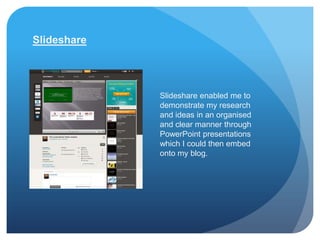
             Slideshare enabled me to
             demonstrate my research
             and ideas in an organised
             and clear manner through
             PowerPoint presentations
             which I could then embed
             onto my blog.
Bubbl.us


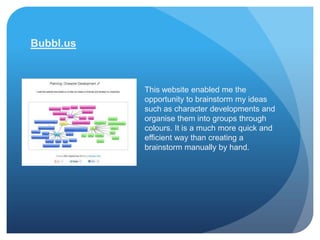
           This website enabled me the
           opportunity to brainstorm my ideas
           such as character developments and
           organise them into groups through
           colours. It is a much more quick and
           efficient way than creating a
           brainstorm manually by hand.
PollJunkie

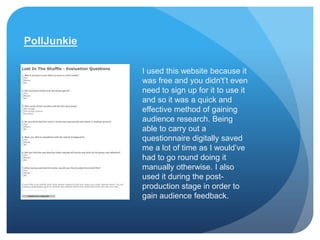
             I used this website because it
             was free and you didn't’t even
             need to sign up for it to use it
             and so it was a quick and
             effective method of gaining
             audience research. Being
             able to carry out a
             questionnaire digitally saved
             me a lot of time as I would’ve
             had to go round doing it
             manually otherwise. I also
             used it during the post-
             production stage in order to
             gain audience feedback.
Microsoft Office
This was a programme
that allowed me to do
many of the necessary
tasks.

             Microsoft Word came in handy in many of the stages of
             production however mainly during research and planning. It
             enabled me to write down all of my notes, ideas, research I
             had gained and more.

             Microsoft PowerPoint was another programme that I
             made a lot of use of. Being able to create slideshows
             with it provided me with a helpful and clear way to
             organise my notes, ideas and research.


             Many times arose where I needed to create a graph to display
             my data clearly and Microsoft Excel was very helpful with that. I
             was able to create graphs from entering my data in a short
             amount of time.
YouTube


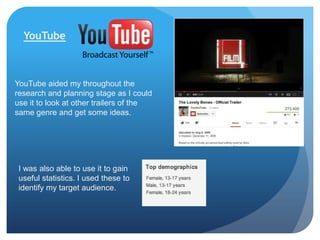
YouTube aided my throughout the
research and planning stage as I could
use it to look at other trailers of the
same genre and get some ideas.


 I was also able to use it to gain
 useful statistics. I used these to
 identify my target audience.
Blogspot


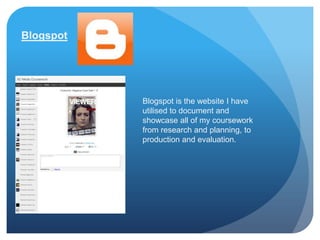
           Blogspot is the website I have
           utilised to document and
           showcase all of my coursework
           from research and planning, to
           production and evaluation.
Production
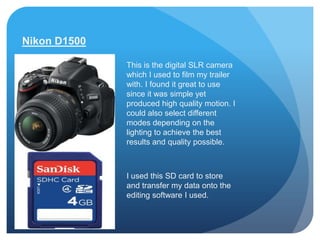
Nikon D1500

              This is the digital SLR camera
              which I used to film my trailer
              with. I found it great to use
              since it was simple yet
              produced high quality motion. I
              could also select different
              modes depending on the
              lighting to achieve the best
              results and quality possible.


              I used this SD card to store
              and transfer my data onto the
              editing software I used.
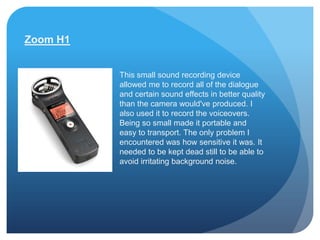
Zoom H1


          This small sound recording device
          allowed me to record all of the dialogue
          and certain sound effects in better quality
          than the camera would've produced. I
          also used it to record the voiceovers.
          Being so small made it portable and
          easy to transport. The only problem I
          encountered was how sensitive it was. It
          needed to be kept dead still to be able to
          avoid irritating background noise.
Post-Production
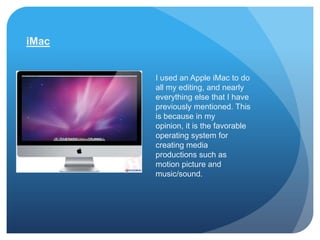
iMac


       I used an Apple iMac to do
       all my editing, and nearly
       everything else that I have
       previously mentioned. This
       is because in my
       opinion, it is the favorable
       operating system for
       creating media
       productions such as
       motion picture and
       music/sound.
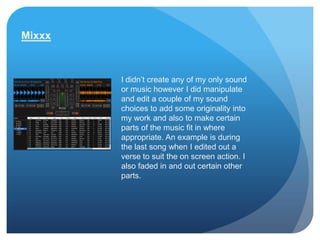
Mixxx


        I didn’t create any of my only sound
        or music however I did manipulate
        and edit a couple of my sound
        choices to add some originality into
        my work and also to make certain
        parts of the music fit in where
        appropriate. An example is during
        the last song when I edited out a
        verse to suit the on screen action. I
        also faded in and out certain other
        parts.
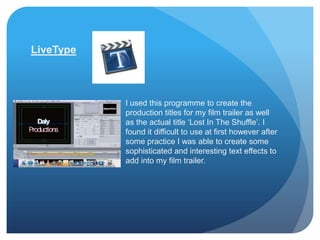
LiveType


           I used this programme to create the
           production titles for my film trailer as well
           as the actual title ‘Lost In The Shuffle’. I
           found it difficult to use at first however after
           some practice I was able to create some
           sophisticated and interesting text effects to
           add into my film trailer.
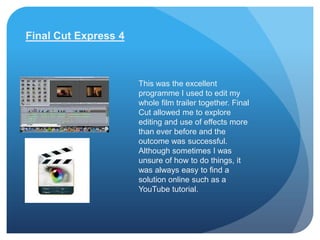
Final Cut Express 4


                      This was the excellent
                      programme I used to edit my
                      whole film trailer together. Final
                      Cut allowed me to explore
                      editing and use of effects more
                      than ever before and the
                      outcome was successful.
                      Although sometimes I was
                      unsure of how to do things, it
                      was always easy to find a
                      solution online such as a
                      YouTube tutorial.
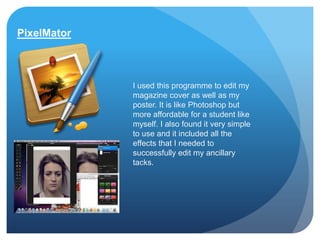
PixelMator


             I used this programme to edit my
             magazine cover as well as my
             poster. It is like Photoshop but
             more affordable for a student like
             myself. I also found it very simple
             to use and it included all the
             effects that I needed to
             successfully edit my ancillary
             tacks.
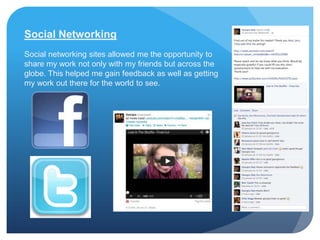
Social Networking
Social networking sites allowed me the opportunity to
share my work not only with my friends but across the
globe. This helped me gain feedback as well as getting
my work out there for the world to see.

Evaluation qu 4

  • 1.
    How did youuse new media technologies in the construction and research, planning and evaluation stages?
  • 2.
  • 3.
    Slideshare Slideshare enabled me to demonstrate my research and ideas in an organised and clear manner through PowerPoint presentations which I could then embed onto my blog.
  • 4.
    Bubbl.us This website enabled me the opportunity to brainstorm my ideas such as character developments and organise them into groups through colours. It is a much more quick and efficient way than creating a brainstorm manually by hand.
  • 5.
    PollJunkie I used this website because it was free and you didn't’t even need to sign up for it to use it and so it was a quick and effective method of gaining audience research. Being able to carry out a questionnaire digitally saved me a lot of time as I would’ve had to go round doing it manually otherwise. I also used it during the post- production stage in order to gain audience feedback.
  • 6.
    Microsoft Office This wasa programme that allowed me to do many of the necessary tasks. Microsoft Word came in handy in many of the stages of production however mainly during research and planning. It enabled me to write down all of my notes, ideas, research I had gained and more. Microsoft PowerPoint was another programme that I made a lot of use of. Being able to create slideshows with it provided me with a helpful and clear way to organise my notes, ideas and research. Many times arose where I needed to create a graph to display my data clearly and Microsoft Excel was very helpful with that. I was able to create graphs from entering my data in a short amount of time.
  • 7.
    YouTube YouTube aided mythroughout the research and planning stage as I could use it to look at other trailers of the same genre and get some ideas. I was also able to use it to gain useful statistics. I used these to identify my target audience.
  • 8.
    Blogspot Blogspot is the website I have utilised to document and showcase all of my coursework from research and planning, to production and evaluation.
  • 9.
  • 10.
    Nikon D1500 This is the digital SLR camera which I used to film my trailer with. I found it great to use since it was simple yet produced high quality motion. I could also select different modes depending on the lighting to achieve the best results and quality possible. I used this SD card to store and transfer my data onto the editing software I used.
  • 11.
    Zoom H1 This small sound recording device allowed me to record all of the dialogue and certain sound effects in better quality than the camera would've produced. I also used it to record the voiceovers. Being so small made it portable and easy to transport. The only problem I encountered was how sensitive it was. It needed to be kept dead still to be able to avoid irritating background noise.
  • 12.
  • 13.
    iMac I used an Apple iMac to do all my editing, and nearly everything else that I have previously mentioned. This is because in my opinion, it is the favorable operating system for creating media productions such as motion picture and music/sound.
  • 14.
    Mixxx I didn’t create any of my only sound or music however I did manipulate and edit a couple of my sound choices to add some originality into my work and also to make certain parts of the music fit in where appropriate. An example is during the last song when I edited out a verse to suit the on screen action. I also faded in and out certain other parts.
  • 15.
    LiveType I used this programme to create the production titles for my film trailer as well as the actual title ‘Lost In The Shuffle’. I found it difficult to use at first however after some practice I was able to create some sophisticated and interesting text effects to add into my film trailer.
  • 16.
    Final Cut Express4 This was the excellent programme I used to edit my whole film trailer together. Final Cut allowed me to explore editing and use of effects more than ever before and the outcome was successful. Although sometimes I was unsure of how to do things, it was always easy to find a solution online such as a YouTube tutorial.
  • 17.
    PixelMator I used this programme to edit my magazine cover as well as my poster. It is like Photoshop but more affordable for a student like myself. I also found it very simple to use and it included all the effects that I needed to successfully edit my ancillary tacks.
  • 18.
    Social Networking Social networkingsites allowed me the opportunity to share my work not only with my friends but across the globe. This helped me gain feedback as well as getting my work out there for the world to see.