© 2010 Autodesk
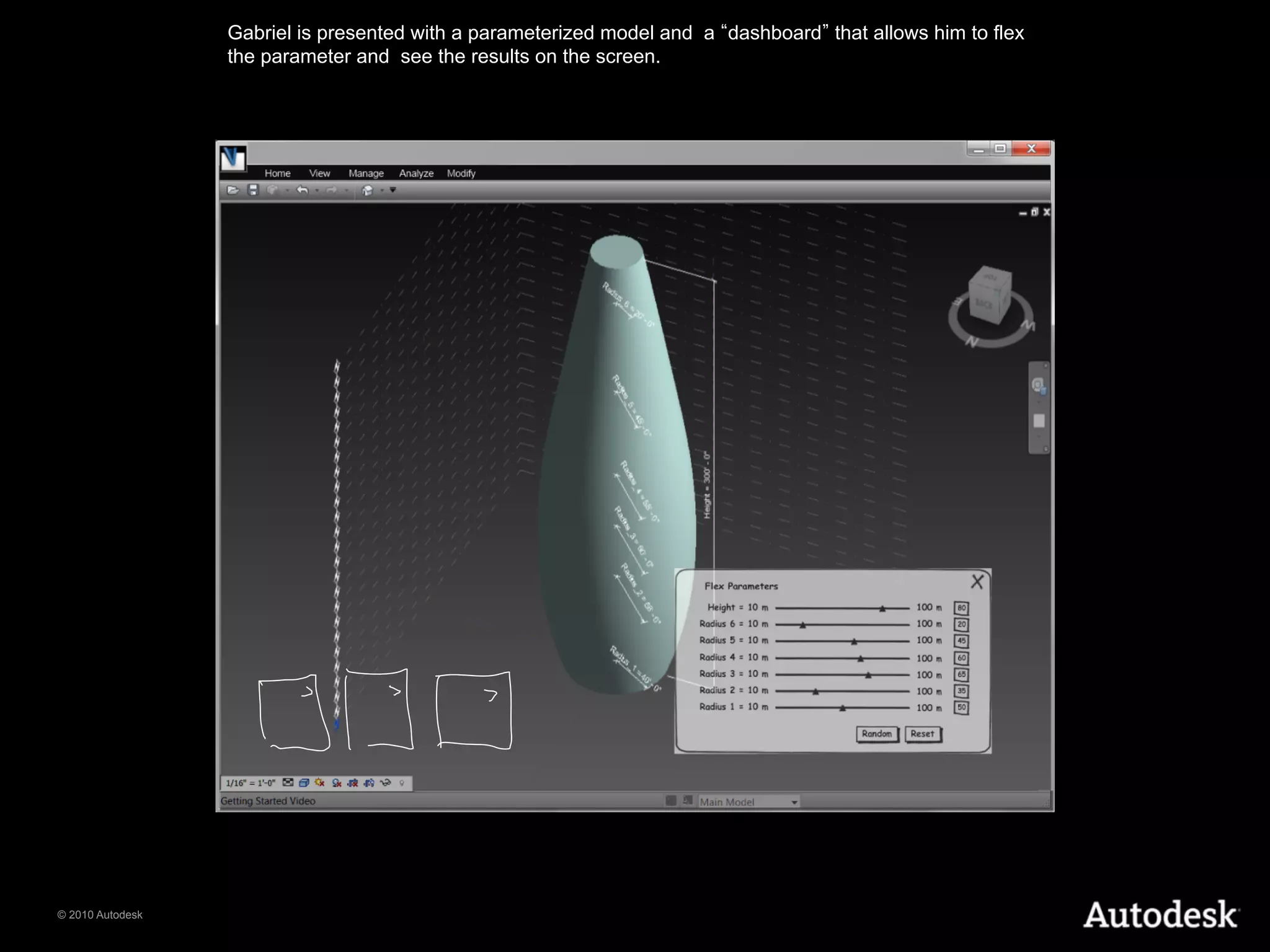
Gabriel is presented with a parameterized model and a dashboard that allows him to flex
                  the parameter and see the results on the screen.


© 2010 Autodesk
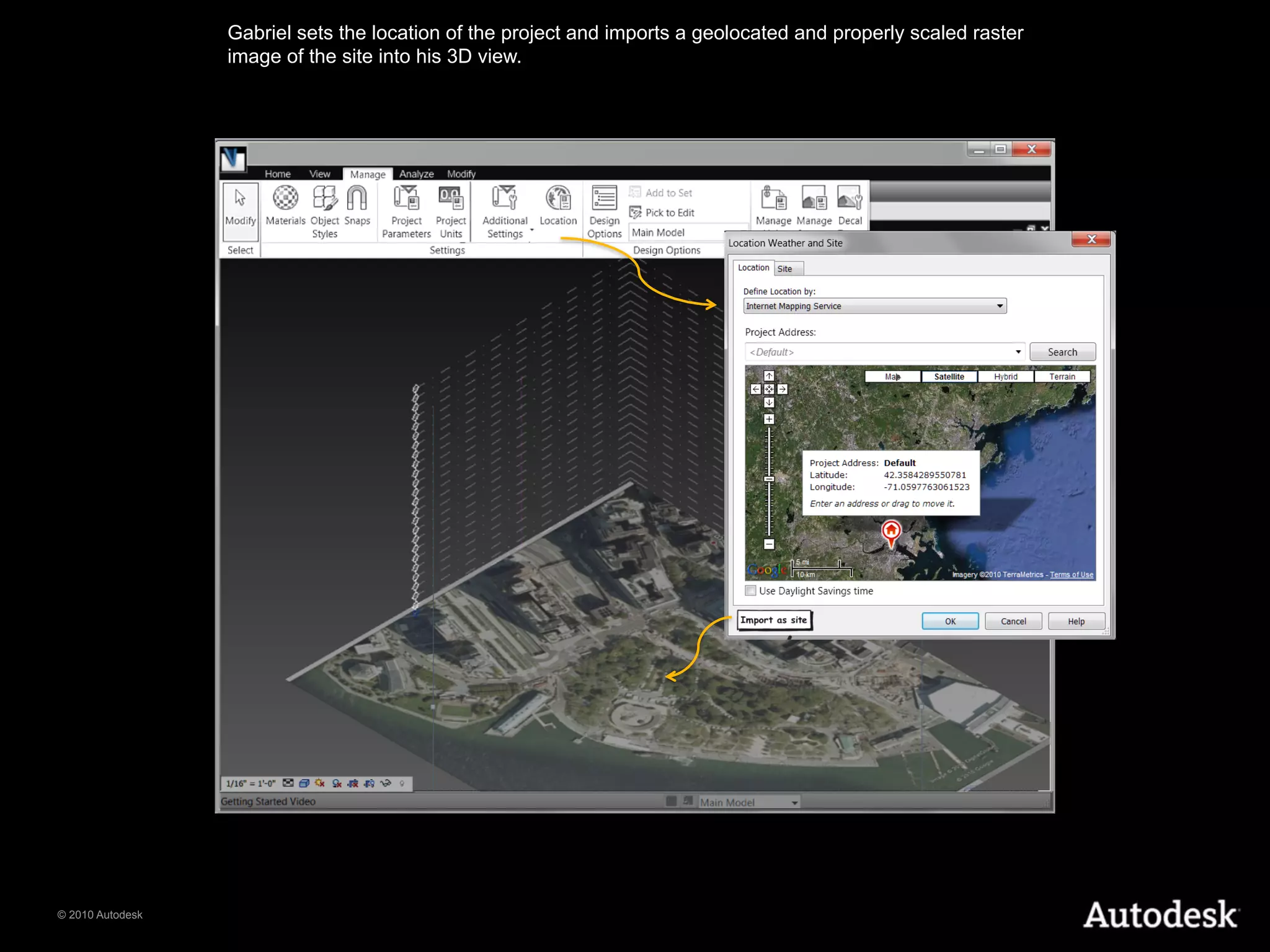
Gabriel sets the location of the project and imports a geolocated and properly scaled raster
                  image of the site into his 3D view.


© 2010 Autodesk
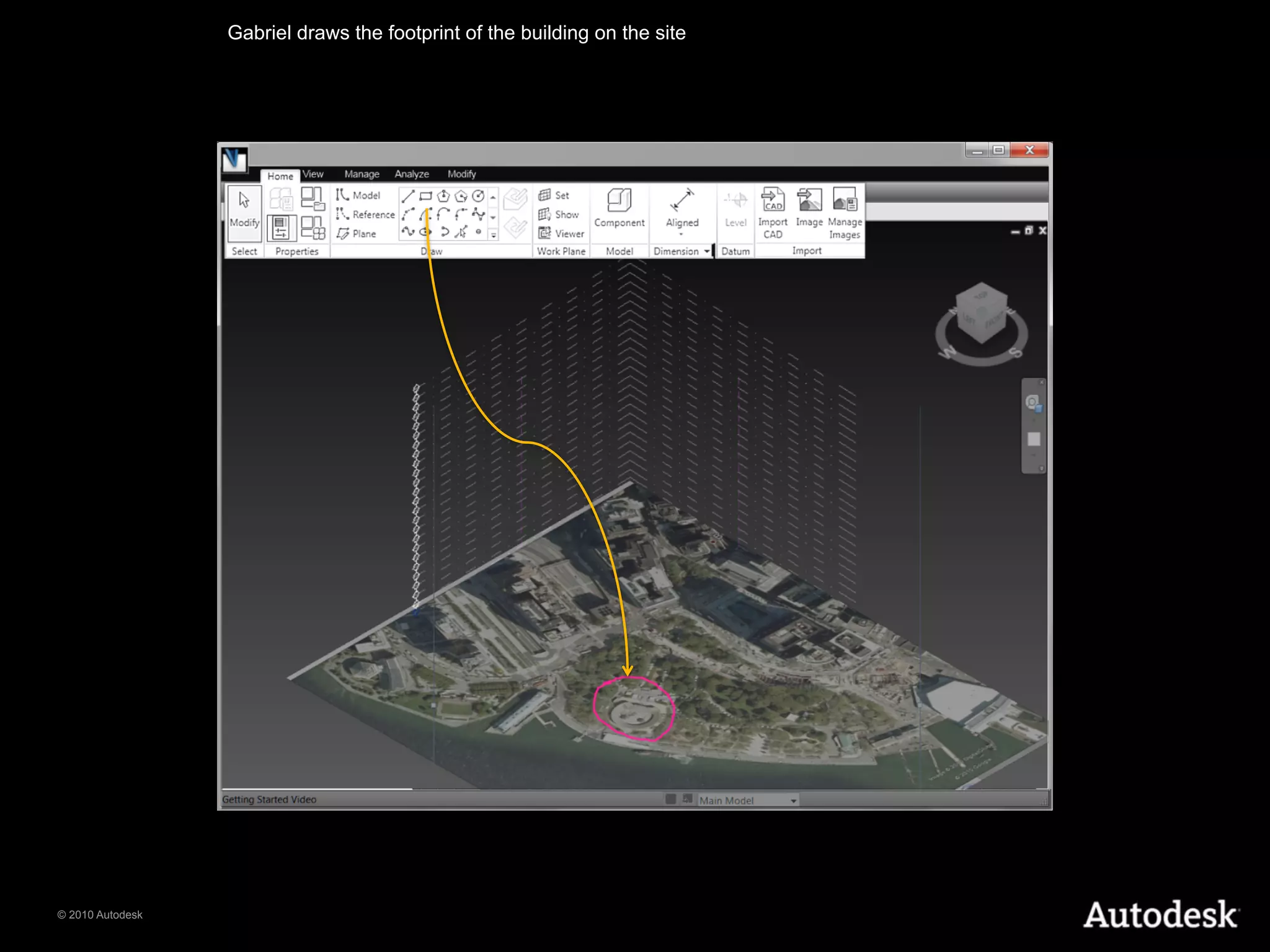
Gabriel draws the footprint of the building on the site


© 2010 Autodesk
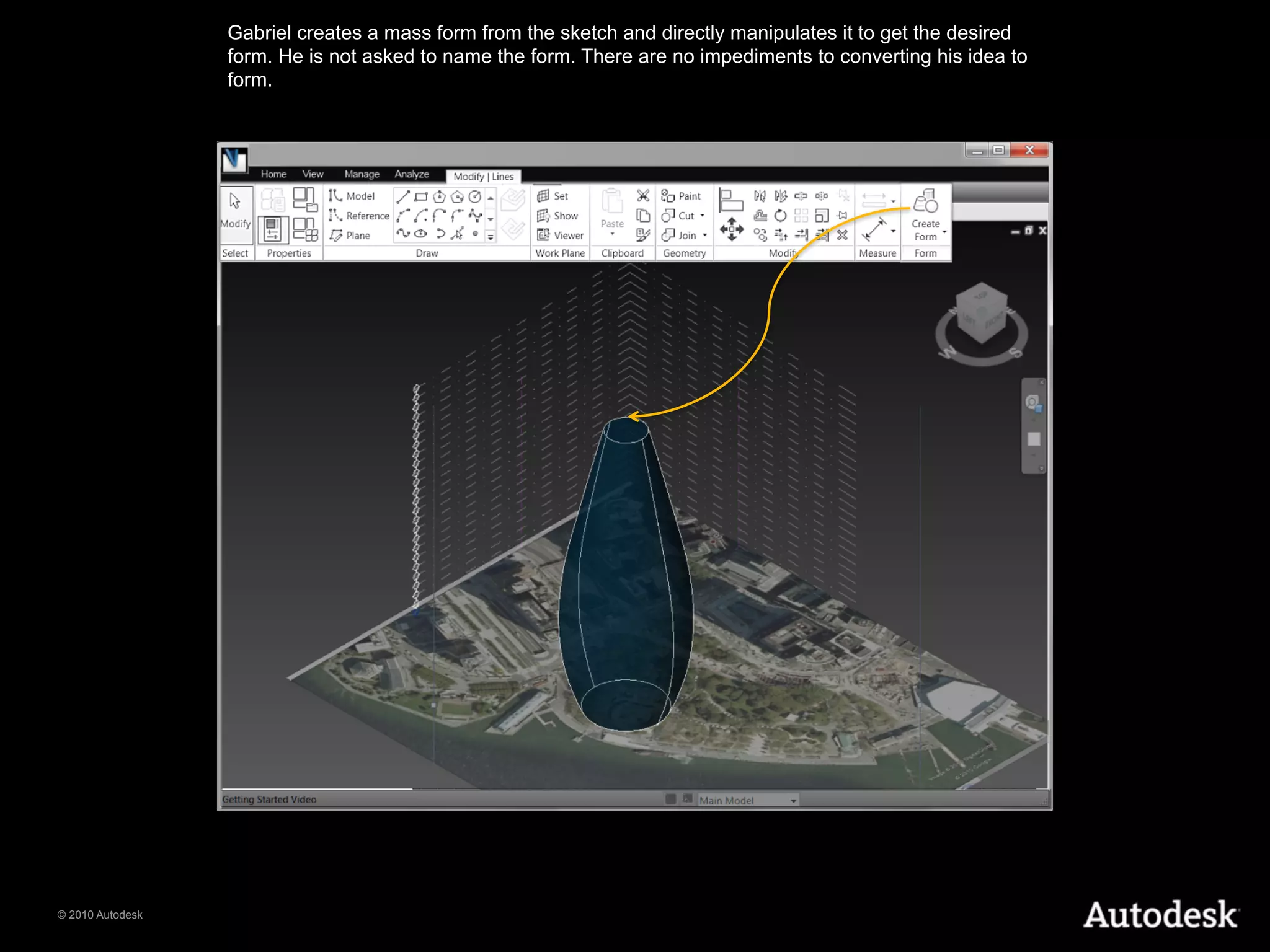
Gabriel creates a mass form from the sketch and directly manipulates it to get the desired
                  form. He is not asked to name the form. There are no impediments to converting his idea to
                  form.


© 2010 Autodesk
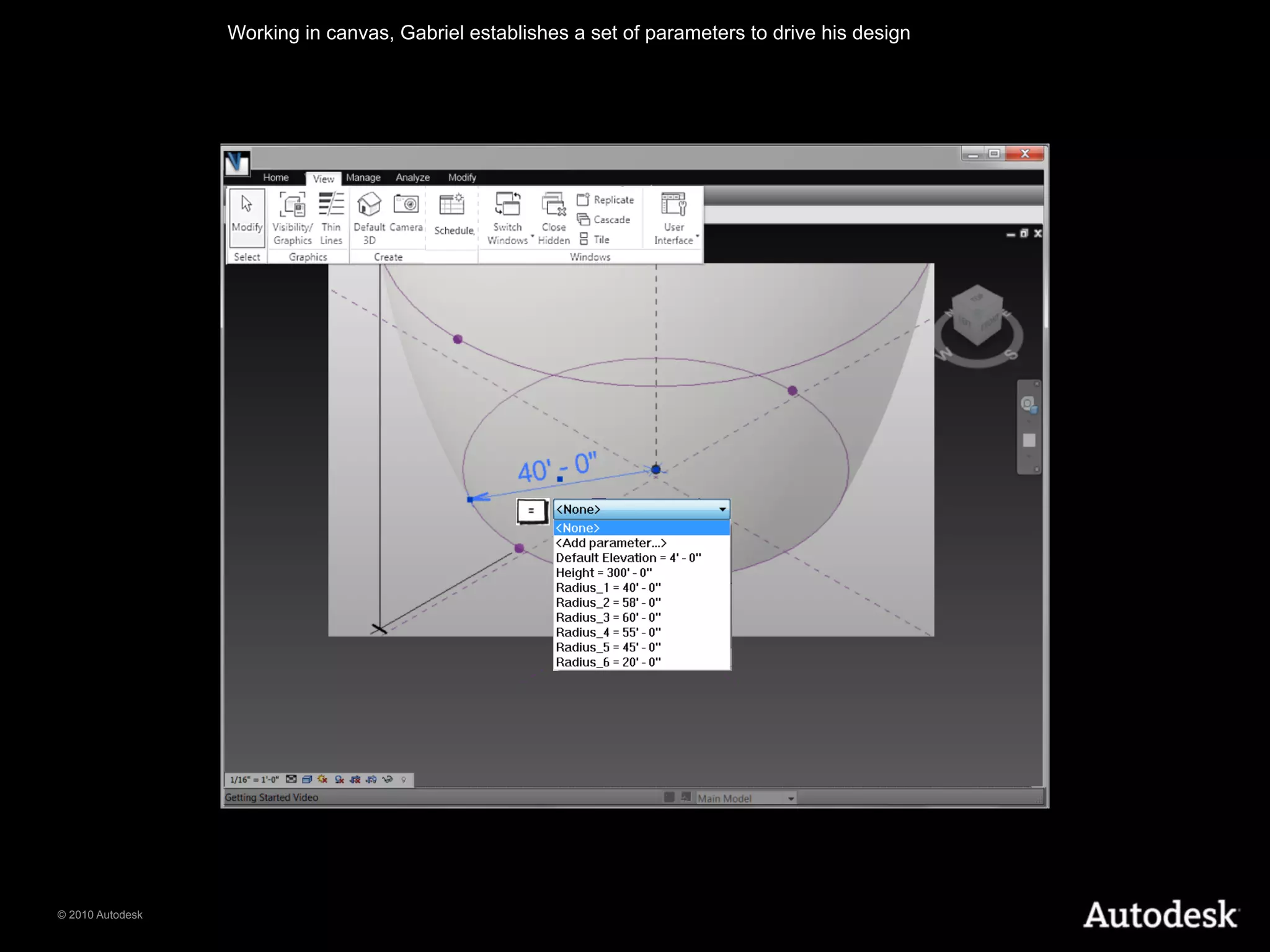
Working in canvas, Gabriel establishes a set of parameters to drive his design


© 2010 Autodesk
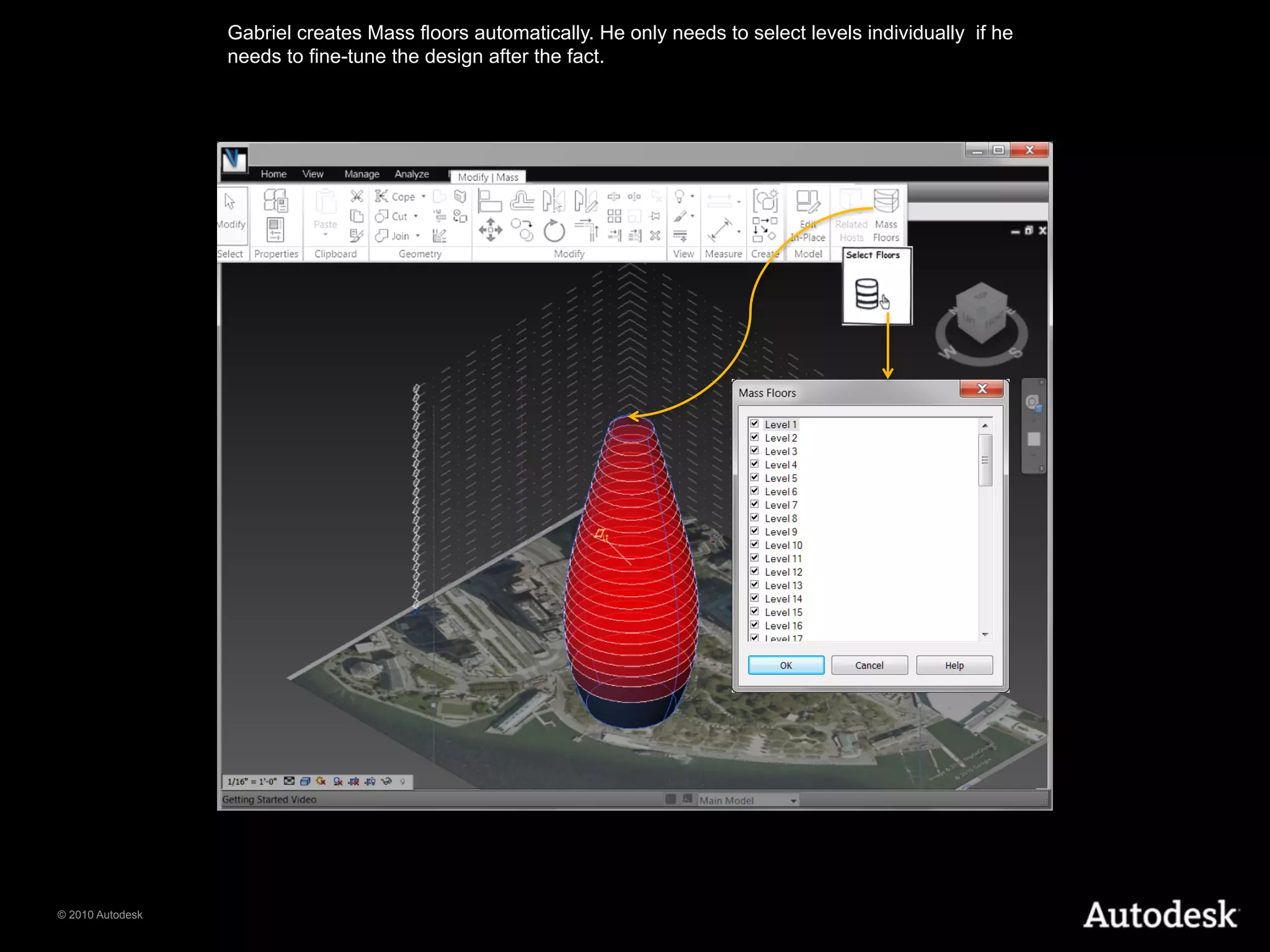
Gabriel creates Mass floors automatically. He only needs to select levels individually if he
                  needs to fine-tune the design after the fact.


© 2010 Autodesk
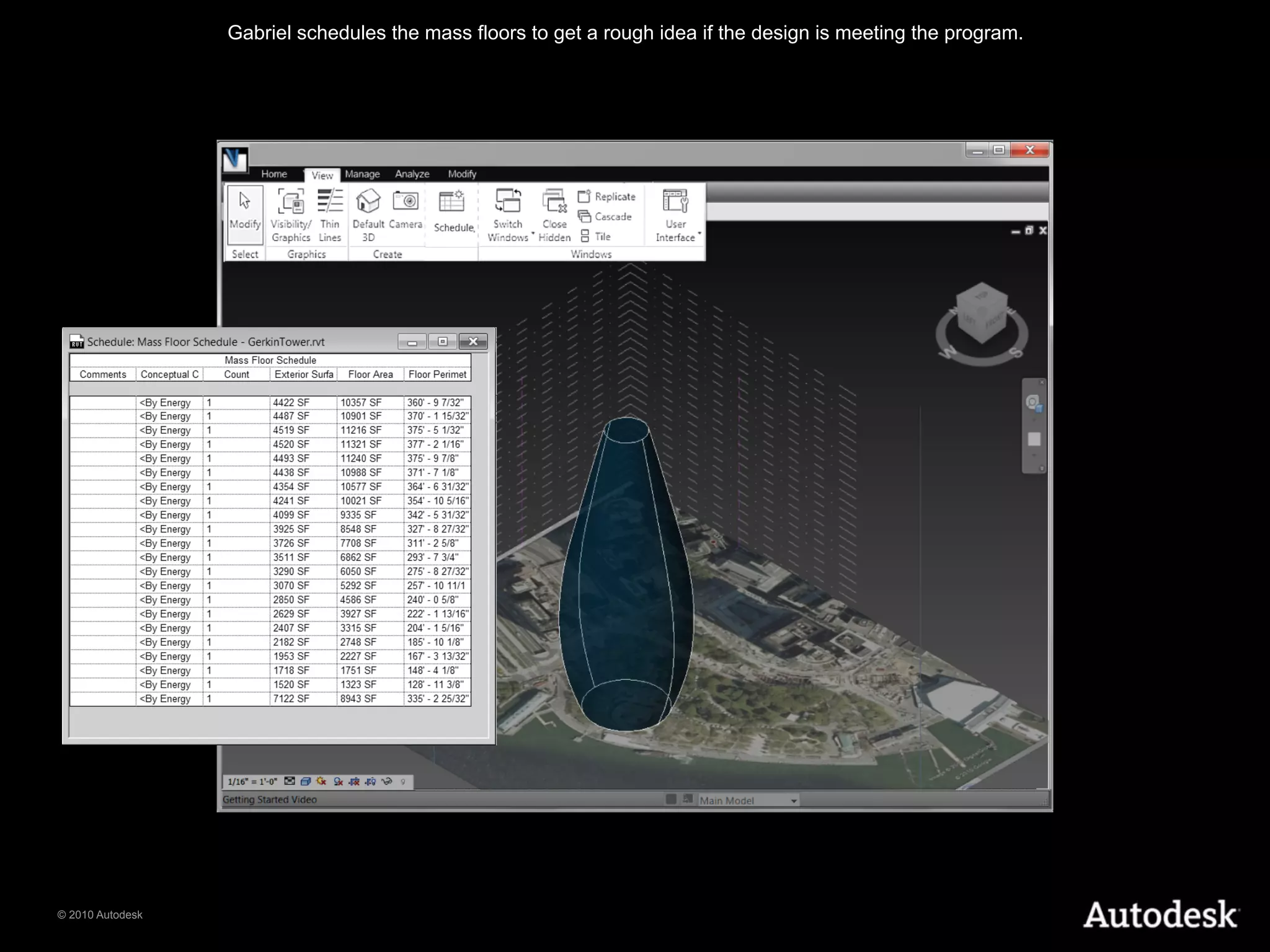
Gabriel schedules the mass floors to get a rough idea if the design is meeting the program.


© 2010 Autodesk
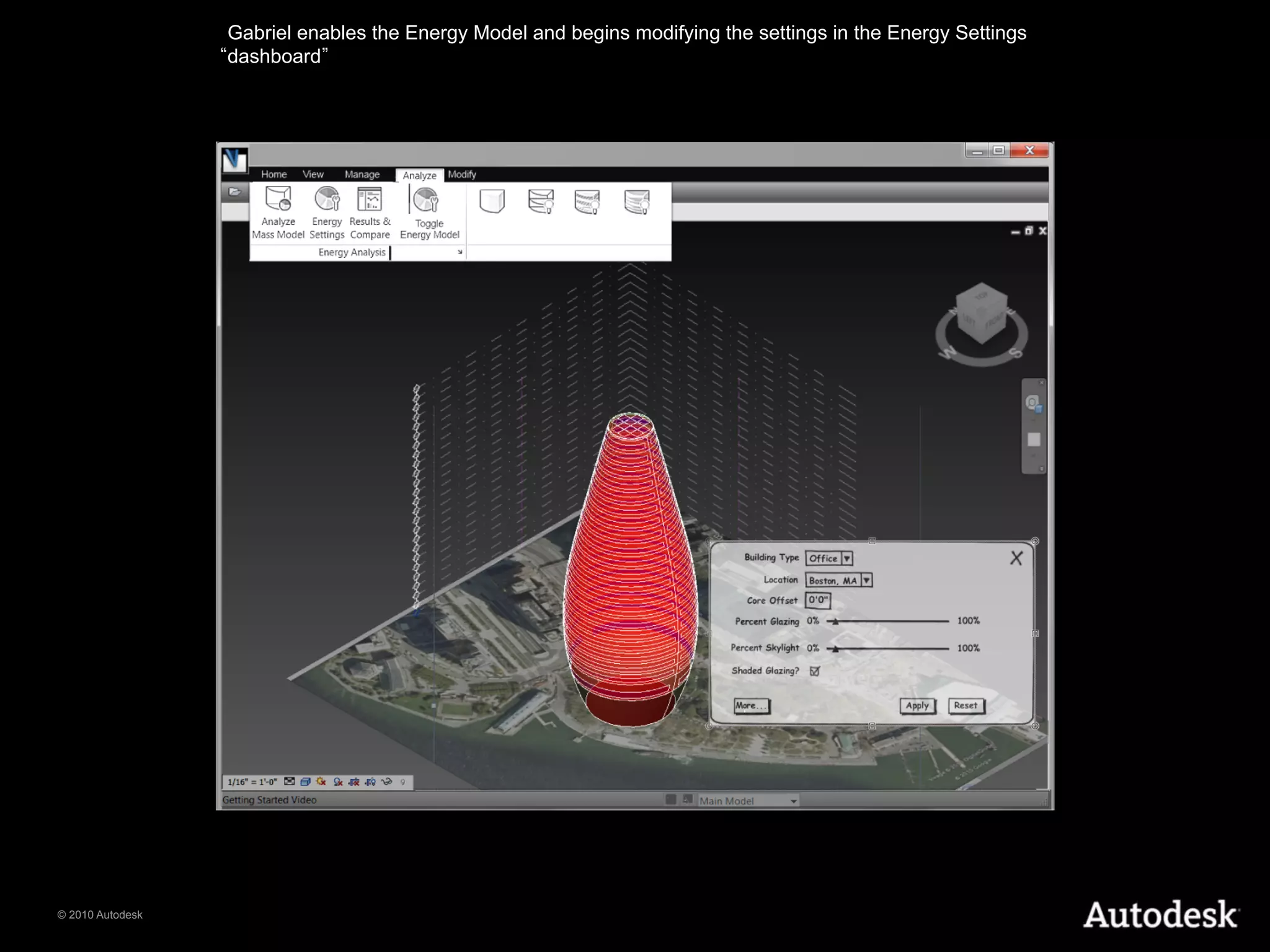
Gabriel enables the Energy Model and begins modifying the settings in the Energy Settings
                  dashboard


© 2010 Autodesk

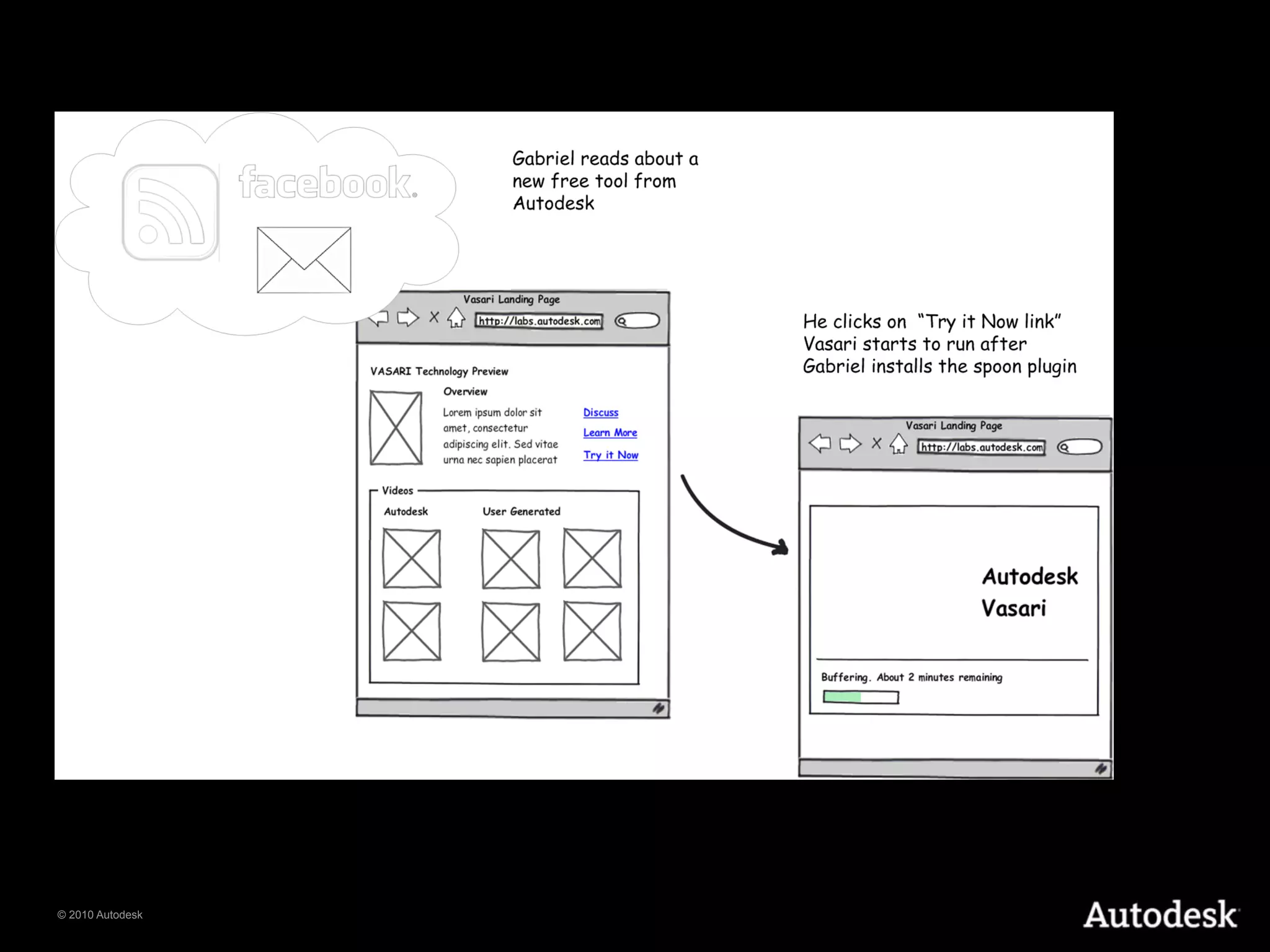
Project Vasari concept storyboard

  • 1.
  • 2.
    Gabriel is presentedwith a parameterized model and a dashboard that allows him to flex the parameter and see the results on the screen. © 2010 Autodesk
  • 3.
    Gabriel sets thelocation of the project and imports a geolocated and properly scaled raster image of the site into his 3D view. © 2010 Autodesk
  • 4.
    Gabriel draws thefootprint of the building on the site © 2010 Autodesk
  • 5.
    Gabriel creates amass form from the sketch and directly manipulates it to get the desired form. He is not asked to name the form. There are no impediments to converting his idea to form. © 2010 Autodesk
  • 6.
    Working in canvas,Gabriel establishes a set of parameters to drive his design © 2010 Autodesk
  • 7.
    Gabriel creates Massfloors automatically. He only needs to select levels individually if he needs to fine-tune the design after the fact. © 2010 Autodesk
  • 8.
    Gabriel schedules themass floors to get a rough idea if the design is meeting the program. © 2010 Autodesk
  • 9.
    Gabriel enables theEnergy Model and begins modifying the settings in the Energy Settings dashboard © 2010 Autodesk