Presented By
-Rahul Kumar
(Senior CAD Engineer-Product Design)
CADD CENTRE YELAHANKA
BANGALORE
What is AutoCAD ?
• AutoCAD is a computer-aided design (CAD)
program used for 2-D and 3-D design and
drafting.
• It is used for creating blueprints for
Buildings
Bridges
Computer chips
Machine parts
Advantages Of AutoCAD
Over Manual Drafting
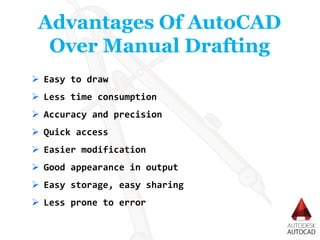
 Easy to draw
 Less time consumption
 Accuracy and precision
 Quick access
 Easier modification
 Good appearance in output
 Easy storage, easy sharing
 Less prone to error
Using AutoCAD you can Design with confidence.
AutoCAD is having a Intelligent tools which help simplify
your work, and innovative features improve your workflow.
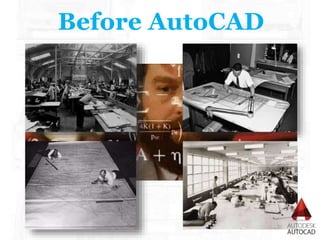
Before AutoCAD
҉Michael Riddle
҉ 1979 - Interact CAD
҉ Language used – SPL
҉ Software runs on marine chip 9900
҉JHON WALKER
҉ 1982 – Autodesk - 1ST Version AutoCAD
҉ Language used - .NET,JS,VBA,AUTOLISP
and VISUAL LISP
History Of AutoCAD
AutoCAD’s Applications:
• AutoCAD was initially created for
mechanical engineers, but very
quickly extended to encompass a range
of fields.
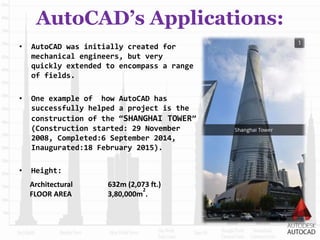
• One example of how AutoCAD has
successfully helped a project is the
construction of the “SHANGHAI TOWER”
(Construction started: 29 November
2008, Completed:6 September 2014,
Inaugurated:18 February 2015).
• Height:
Architectural
FLOOR AREA
632m (2,073 ft.)
3,80,000m
2
.
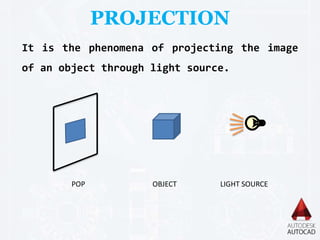
PROJECTION
It is the phenomena of projecting the image
of an object through light source.
POP OBJECT LIGHT SOURCE
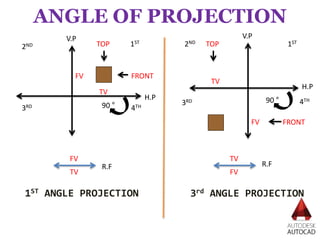
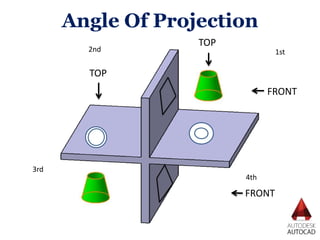
ANGLE OF PROJECTION
1ST2ND
3RD 4TH
1ST
2ND
3RD 4TH
FRONT
TOP TOP
TV
FV
FV
TV
90 °
90 °
FV
TV FV
TV
1ST ANGLE PROJECTION 3rd ANGLE PROJECTION
H.P
V.P
H.P
V.P
R.F R.F
FRONT
B
R F L
T
T
L F R
B
Angle Of Projection Symbols And
View Positions
1ST ANGLE PROJECTION 3rd ANGLE PROJECTION
Angle Of Projection
2nd 1st
3rd
4th
FRONT
TOP
FRONT
TOP
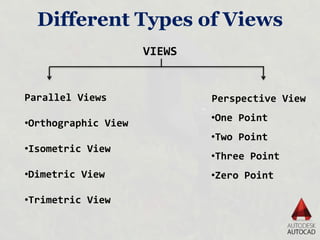
Different Types of Views
VIEWS
Parallel Views
•Orthographic View
•Isometric View
•Dimetric View
•Trimetric View
Perspective View
•One Point
•Two Point
•Three Point
•Zero Point
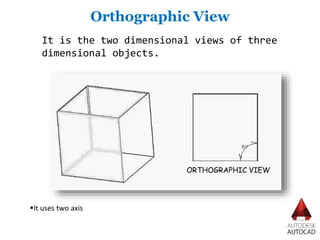
Orthographic View
It is the two dimensional views of three
dimensional objects.
It uses two axis
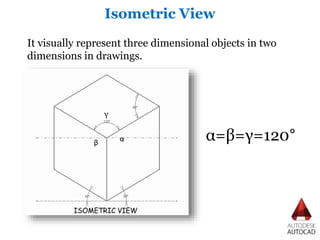
Isometric View
It visually represent three dimensional objects in two
dimensions in drawings.
α=β=γ=120°αβ
γ
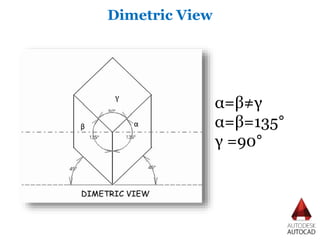
Dimetric View
α=β≠γ
α=β=135°
γ =90°
αβ
γ
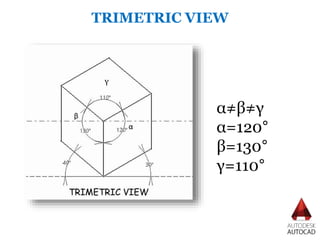
TRIMETRIC VIEW
α≠β≠γ
α=120°
β=130°
γ=110°
α
β
γ
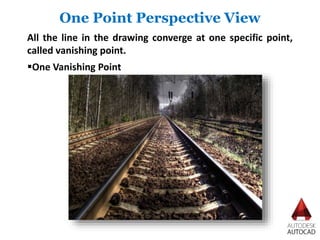
One Point Perspective View
All the line in the drawing converge at one specific point,
called vanishing point.
One Vanishing Point
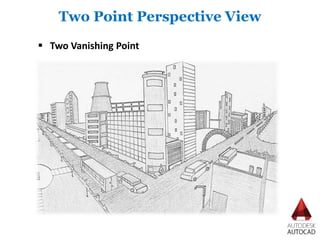
Two Point Perspective View
 Two Vanishing Point
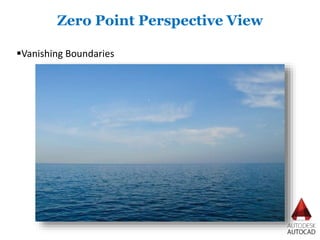
Vanishing Boundaries
Zero Point Perspective View
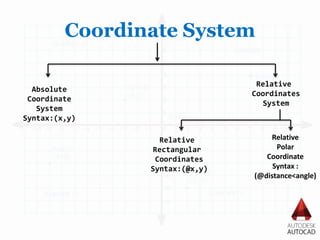
Coordinate System
Absolute
Coordinate
System
Syntax:(x,y)
Relative
Coordinates
System
Relative
Rectangular
Coordinates
Syntax:(@x,y)
Relative
Polar
Coordinate
Syntax :
(@distance<angle)
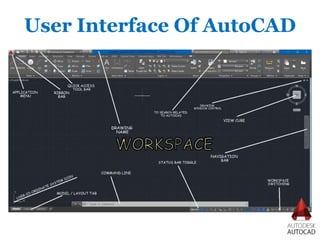
User Interface Of AutoCAD
Thank You !

Presentation On AutoCAD By Rahul Kumar

Editor's Notes

  • #5  and documentation software.
  • #7 IN 1982 they launched AutoCAD at COMDEX TRADE show in Las Vegas as the first CAD program in the world to run on PC.
  • #14 Take a minute and imagine you are shopping for a chair to go in your living room. You find the perfect one, but it is way too expensive. Fortunately, you have a cousin that builds furniture. Maybe he can build the chair for you! Describing the chair over the phone was more than a challenge. Your cousin suggests you send him pictures of the chair from multiple angles, along with the measurements. This experience illustrates the process that a furniture designer must go through in order for the manufacturer to create the chair as intended. Three-dimensional drawings can be used to show the overall concept and design, but they are often not clear or detailed enough. Orthographic drawings can help to overcome those challenges.