Module 5
Project Scope Management
Agus Suhanto
Module Overview
• Lesson 1: Key Concepts & Terms
• Lesson 2: Plan Scope Management
• Lesson 3: Collect Requirements
• Lesson 4: Define Scope
• Lesson 5: Create WBS
• Lesson 6: Validate Scope
• Lesson 7: Control Scope
Lesson 1: Key Concepts & Terms
• Definition of Scope
• Project Scope Management
• Key Terms
• Trends & Emerging Practices
• Tailoring Considerations
• Considerations for Adaptive Environment
Definition of Scope
• The term scope can refer to:
• Product scope: the features & functions that
characterize a product, service, or result .
• Project scope: the work performed to deliver a product,
service, or result with the specified features & functions.
• Project scope usually includes product scope.
• Requirement: a condition or capability that is
required to be present in a product, service, or
result.
Project Scope Management
Project scope management is the processes of
defining what work is required and then making
sure all of that work –and only that work– is
completed. [RITA9]
Key Terms
• Requirements traceability matrix: a grid that links
product requirements from their origin to the deliverables
that satisfy them.
• Work breakdown structure (WBS): a hierarchical
decomposition of the total scope of work.
• WBS dictionary: a document that provides detailed
deliverable, activity, & scheduling information about each
component in the WBS.
• Scope baseline: the approved version of scope statement,
WBS, and its associated WBS dictionary.
• Scope creep: the uncontrolled expansion to product or
project scope without adjustment to time, cost, and
resources.
Key Terms (continued)
• Decomposition: a technique used for dividing &
subdividing the project scope & deliverables into smaller,
more manageable parts.
• 100% rule: the total of the work at the lowest levels
should roll up to the higher level so that nothing is left out
and no extra work is performed.
• Control account: management control point where scope,
budget, & schedule are integrated and compared to
earned value for performance comparison.
• Work package: the lowest level of WBS structure
component.
• Planning package: a WBS component below the control
account and above the work package.
Trends & Emerging Practices
Collaborating with a Business Analyst to:
• Determine problems and identify business needs;
• Identify and recommend viable solutions for
meeting those needs;
• Elicit, document, and manage stakeholder
requirements in order to meet objectives;
• Facilitate the successful implementation of the
product, service, or result.
Tailoring Considerations
• Knowledge & requirements management
• Validation & control
• Development approach
• Stability of requirements
• Governance
Considerations for Adaptive Environments
• Agile methods spend less time defining scope in
the early stage.
• Agile methods spend more time establishing the
process for its ongoing discovery & refinement.
• Agile methods purposefully build & review
prototypes and release versions to refine the
requirements.
• Scope is defined and redefined throughout the
project.
• Requirements constitute the backlog (prioritized
feature list).
Lesson 2: Plan Scope Management
• Plan Scope Management Overview
• Plan Scope Management Data Flow
• Plan Scope Management Input
• Plan Scope Management Tools & Technique
• Plan Scope Management Output
Plan Scope Management Overview
Plan scope management is the process of creating
a scope management plan that documents how the
project and product scope will be defined,
validated, and controlled.
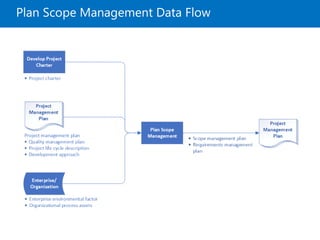
Plan Scope Management Data Flow
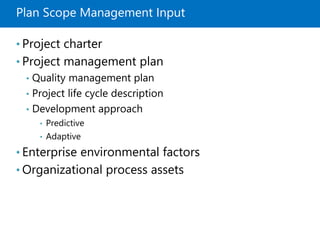
Plan Scope Management Input
• Project charter
• Project management plan
• Quality management plan
• Project life cycle description
• Development approach
• Predictive
• Adaptive
• Enterprise environmental factors
• Organizational process assets
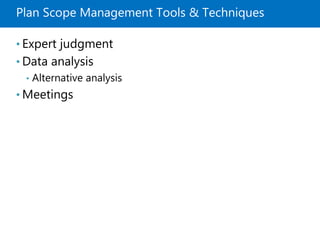
Plan Scope Management Tools & Techniques
• Expert judgment
• Data analysis
• Alternative analysis
• Meetings
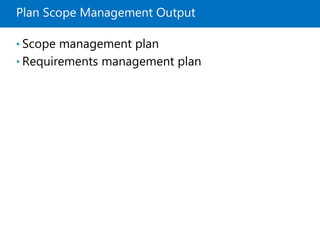
Plan Scope Management Output
• Scope management plan
• Requirements management plan
Lesson 3: Collect Requirements
• Collect Requirements Overview
• Collect Requirements Data Flow
• Collect Requirements Input
• Collect Requirements Tools & Techniques
• Collect Requirements Output
Collect Requirements Overview
Collect requirements is the process of determining,
documenting, and managing stakeholder needs and
requirements to meet objectives.
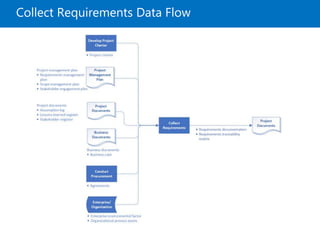
Collect Requirements Data Flow
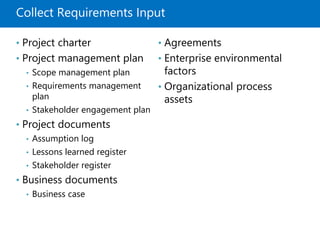
Collect Requirements Input
• Project charter
• Project management plan
• Scope management plan
• Requirements management
plan
• Stakeholder engagement plan
• Project documents
• Assumption log
• Lessons learned register
• Stakeholder register
• Business documents
• Business case
• Agreements
• Enterprise environmental
factors
• Organizational process
assets
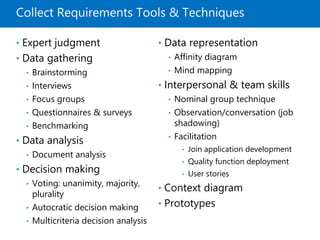
Collect Requirements Tools & Techniques
• Expert judgment
• Data gathering
• Brainstorming
• Interviews
• Focus groups
• Questionnaires & surveys
• Benchmarking
• Data analysis
• Document analysis
• Decision making
• Voting: unanimity, majority,
plurality
• Autocratic decision making
• Multicriteria decision analysis
• Data representation
• Affinity diagram
• Mind mapping
• Interpersonal & team skills
• Nominal group technique
• Observation/conversation (job
shadowing)
• Facilitation
• Join application development
• Quality function deployment
• User stories
• Context diagram
• Prototypes
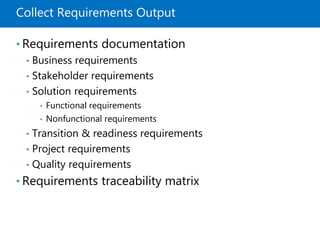
Collect Requirements Output
• Requirements documentation
• Business requirements
• Stakeholder requirements
• Solution requirements
• Functional requirements
• Nonfunctional requirements
• Transition & readiness requirements
• Project requirements
• Quality requirements
• Requirements traceability matrix
Lesson 4: Define Scope
• Define Scope Overview
• Define Scope Data Flow
• Define Scope Input
• Define Scope Tools & Techniques
• Define Scope Output
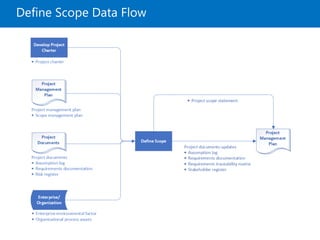
Define Scope Overview
Define scope is the process of developing a
detailed description of the project and product.
Define Scope Data Flow
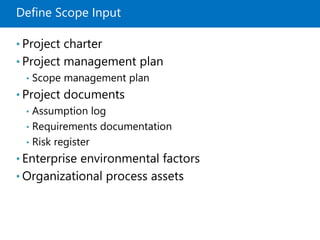
Define Scope Input
• Project charter
• Project management plan
• Scope management plan
• Project documents
• Assumption log
• Requirements documentation
• Risk register
• Enterprise environmental factors
• Organizational process assets
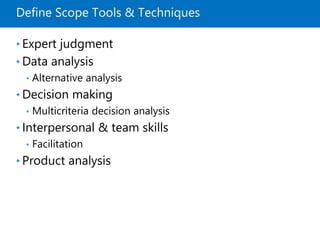
Define Scope Tools & Techniques
• Expert judgment
• Data analysis
• Alternative analysis
• Decision making
• Multicriteria decision analysis
• Interpersonal & team skills
• Facilitation
• Product analysis
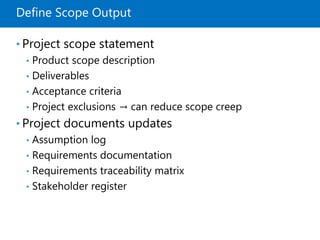
Define Scope Output
• Project scope statement
• Product scope description
• Deliverables
• Acceptance criteria
• Project exclusions → can reduce scope creep
• Project documents updates
• Assumption log
• Requirements documentation
• Requirements traceability matrix
• Stakeholder register
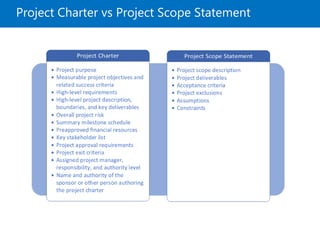
Project Charter vs Project Scope Statement
Lesson 5: Create WBS
• Create WBS Overview
• Create WBS Data Flow
• Create WBS Input
• Create WBS Tools & Techniques
• Create WBS Output
Create WBS Overview
Create WBS is the process of subdividing project
deliverables and project work into smaller, more
manageable components.
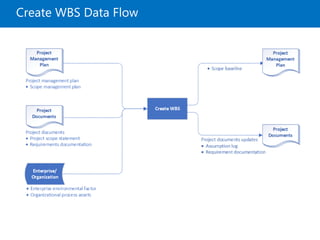
Create WBS Data Flow
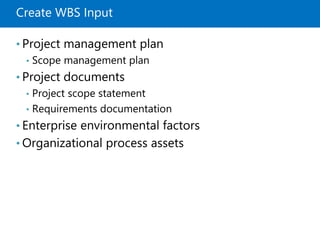
Create WBS Input
• Project management plan
• Scope management plan
• Project documents
• Project scope statement
• Requirements documentation
• Enterprise environmental factors
• Organizational process assets
Create WBS Tools & Techniques
• Expert judgment
• Decomposition
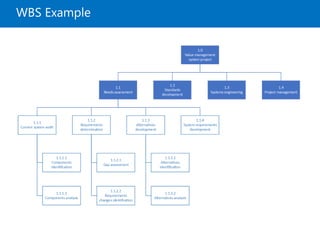
WBS Example
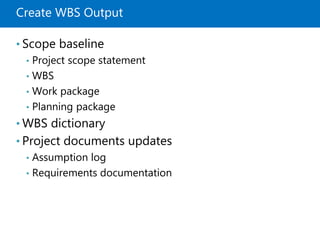
Create WBS Output
• Scope baseline
• Project scope statement
• WBS
• Work package
• Planning package
• WBS dictionary
• Project documents updates
• Assumption log
• Requirements documentation
WBS Component ≠ Activity
• WBS is deliverables-oriented
• Each work package should consist of nouns
(deliverables), not actions (activities).
• Further breakdown of work package into activities
is done as part of Define Activities process in
Project Schedule Management.
Lesson 6: Validate Scope
• Validate Scope Overview
• Validate Scope Data Flow
• Validate Scope Input
• Validate Scope Tools & Techniques
• Validate Scope Output
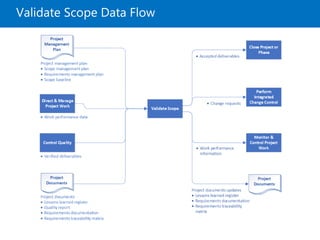
Validate Scope Overview
Validate scope is the process of formalizing
acceptance of the completed project deliverables.
Validate Scope Data Flow
Validate Scope Input
• Project management
plan
• Scope management plan
• Requirements
management plan
• Scope baseline
• Project documents
• Lessons learned register
• Quality reports
• Requirements
documentation
• Requirements traceability
matrix
• Verified deliverables
• Work performance data
Validate Scope Tools & Techniques
• Inspection (reviews, product reviews,
walkthroughs)
• Decision making
• Voting
Validate Scope Output
• Accepted deliverables → formally signed off
• Work performance information
• Change requests
• Project documents updates
• Lessons learned register
• Requirements documentation
• Requirements traceability matrix
Lesson 7: Control Scope
• Control Scope Overview
• Control Scope Data Flow
• Control Scope Input
• Control Scope Tools & Techniques
• Control Scope Output
Control Scope Overview
Control scope is the process of monitoring the
status of the project and product scope and
managing changes to the scope baseline.
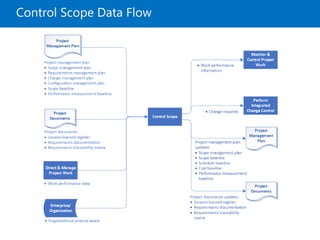
Control Scope Data Flow
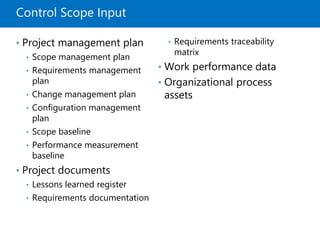
Control Scope Input
• Project management plan
• Scope management plan
• Requirements management
plan
• Change management plan
• Configuration management
plan
• Scope baseline
• Performance measurement
baseline
• Project documents
• Lessons learned register
• Requirements documentation
• Requirements traceability
matrix
• Work performance data
• Organizational process
assets
Control Scope Tools & Techniques
• Data analysis
• Variance analysis
• Trend analysis
Control Scope Output
• Work performance
information
• Change requests
• Project management plan
updates
• Scope management plan
• Scope baseline
• Schedule baseline
• Cost baseline
• Performance measurement
baseline
• Project documents updates
• Lessons learned register
• Requirements documentation
• Requirements traceability
matrix
Quiz
Module Reviews
References
• [PMBOK6] – The PMBOK 6th edition from pmi.org
• [RITA9] – Rita Mulcahy’s PMP Exam Prep 9th
edition from RMC Publications™

Project Scope Management - PMBOK6

  • 1.
    Module 5 Project ScopeManagement Agus Suhanto
  • 2.
    Module Overview • Lesson1: Key Concepts & Terms • Lesson 2: Plan Scope Management • Lesson 3: Collect Requirements • Lesson 4: Define Scope • Lesson 5: Create WBS • Lesson 6: Validate Scope • Lesson 7: Control Scope
  • 3.
    Lesson 1: KeyConcepts & Terms • Definition of Scope • Project Scope Management • Key Terms • Trends & Emerging Practices • Tailoring Considerations • Considerations for Adaptive Environment
  • 4.
    Definition of Scope •The term scope can refer to: • Product scope: the features & functions that characterize a product, service, or result . • Project scope: the work performed to deliver a product, service, or result with the specified features & functions. • Project scope usually includes product scope. • Requirement: a condition or capability that is required to be present in a product, service, or result.
  • 5.
    Project Scope Management Projectscope management is the processes of defining what work is required and then making sure all of that work –and only that work– is completed. [RITA9]
  • 6.
    Key Terms • Requirementstraceability matrix: a grid that links product requirements from their origin to the deliverables that satisfy them. • Work breakdown structure (WBS): a hierarchical decomposition of the total scope of work. • WBS dictionary: a document that provides detailed deliverable, activity, & scheduling information about each component in the WBS. • Scope baseline: the approved version of scope statement, WBS, and its associated WBS dictionary. • Scope creep: the uncontrolled expansion to product or project scope without adjustment to time, cost, and resources.
  • 7.
    Key Terms (continued) •Decomposition: a technique used for dividing & subdividing the project scope & deliverables into smaller, more manageable parts. • 100% rule: the total of the work at the lowest levels should roll up to the higher level so that nothing is left out and no extra work is performed. • Control account: management control point where scope, budget, & schedule are integrated and compared to earned value for performance comparison. • Work package: the lowest level of WBS structure component. • Planning package: a WBS component below the control account and above the work package.
  • 8.
    Trends & EmergingPractices Collaborating with a Business Analyst to: • Determine problems and identify business needs; • Identify and recommend viable solutions for meeting those needs; • Elicit, document, and manage stakeholder requirements in order to meet objectives; • Facilitate the successful implementation of the product, service, or result.
  • 9.
    Tailoring Considerations • Knowledge& requirements management • Validation & control • Development approach • Stability of requirements • Governance
  • 10.
    Considerations for AdaptiveEnvironments • Agile methods spend less time defining scope in the early stage. • Agile methods spend more time establishing the process for its ongoing discovery & refinement. • Agile methods purposefully build & review prototypes and release versions to refine the requirements. • Scope is defined and redefined throughout the project. • Requirements constitute the backlog (prioritized feature list).
  • 11.
    Lesson 2: PlanScope Management • Plan Scope Management Overview • Plan Scope Management Data Flow • Plan Scope Management Input • Plan Scope Management Tools & Technique • Plan Scope Management Output
  • 12.
    Plan Scope ManagementOverview Plan scope management is the process of creating a scope management plan that documents how the project and product scope will be defined, validated, and controlled.
  • 13.
  • 14.
    Plan Scope ManagementInput • Project charter • Project management plan • Quality management plan • Project life cycle description • Development approach • Predictive • Adaptive • Enterprise environmental factors • Organizational process assets
  • 15.
    Plan Scope ManagementTools & Techniques • Expert judgment • Data analysis • Alternative analysis • Meetings
  • 16.
    Plan Scope ManagementOutput • Scope management plan • Requirements management plan
  • 17.
    Lesson 3: CollectRequirements • Collect Requirements Overview • Collect Requirements Data Flow • Collect Requirements Input • Collect Requirements Tools & Techniques • Collect Requirements Output
  • 18.
    Collect Requirements Overview Collectrequirements is the process of determining, documenting, and managing stakeholder needs and requirements to meet objectives.
  • 19.
  • 20.
    Collect Requirements Input •Project charter • Project management plan • Scope management plan • Requirements management plan • Stakeholder engagement plan • Project documents • Assumption log • Lessons learned register • Stakeholder register • Business documents • Business case • Agreements • Enterprise environmental factors • Organizational process assets
  • 21.
    Collect Requirements Tools& Techniques • Expert judgment • Data gathering • Brainstorming • Interviews • Focus groups • Questionnaires & surveys • Benchmarking • Data analysis • Document analysis • Decision making • Voting: unanimity, majority, plurality • Autocratic decision making • Multicriteria decision analysis • Data representation • Affinity diagram • Mind mapping • Interpersonal & team skills • Nominal group technique • Observation/conversation (job shadowing) • Facilitation • Join application development • Quality function deployment • User stories • Context diagram • Prototypes
  • 22.
    Collect Requirements Output •Requirements documentation • Business requirements • Stakeholder requirements • Solution requirements • Functional requirements • Nonfunctional requirements • Transition & readiness requirements • Project requirements • Quality requirements • Requirements traceability matrix
  • 23.
    Lesson 4: DefineScope • Define Scope Overview • Define Scope Data Flow • Define Scope Input • Define Scope Tools & Techniques • Define Scope Output
  • 24.
    Define Scope Overview Definescope is the process of developing a detailed description of the project and product.
  • 25.
  • 26.
    Define Scope Input •Project charter • Project management plan • Scope management plan • Project documents • Assumption log • Requirements documentation • Risk register • Enterprise environmental factors • Organizational process assets
  • 27.
    Define Scope Tools& Techniques • Expert judgment • Data analysis • Alternative analysis • Decision making • Multicriteria decision analysis • Interpersonal & team skills • Facilitation • Product analysis
  • 28.
    Define Scope Output •Project scope statement • Product scope description • Deliverables • Acceptance criteria • Project exclusions → can reduce scope creep • Project documents updates • Assumption log • Requirements documentation • Requirements traceability matrix • Stakeholder register
  • 29.
    Project Charter vsProject Scope Statement
  • 30.
    Lesson 5: CreateWBS • Create WBS Overview • Create WBS Data Flow • Create WBS Input • Create WBS Tools & Techniques • Create WBS Output
  • 31.
    Create WBS Overview CreateWBS is the process of subdividing project deliverables and project work into smaller, more manageable components.
  • 32.
  • 33.
    Create WBS Input •Project management plan • Scope management plan • Project documents • Project scope statement • Requirements documentation • Enterprise environmental factors • Organizational process assets
  • 34.
    Create WBS Tools& Techniques • Expert judgment • Decomposition
  • 35.
  • 36.
    Create WBS Output •Scope baseline • Project scope statement • WBS • Work package • Planning package • WBS dictionary • Project documents updates • Assumption log • Requirements documentation
  • 37.
    WBS Component ≠Activity • WBS is deliverables-oriented • Each work package should consist of nouns (deliverables), not actions (activities). • Further breakdown of work package into activities is done as part of Define Activities process in Project Schedule Management.
  • 38.
    Lesson 6: ValidateScope • Validate Scope Overview • Validate Scope Data Flow • Validate Scope Input • Validate Scope Tools & Techniques • Validate Scope Output
  • 39.
    Validate Scope Overview Validatescope is the process of formalizing acceptance of the completed project deliverables.
  • 40.
  • 41.
    Validate Scope Input •Project management plan • Scope management plan • Requirements management plan • Scope baseline • Project documents • Lessons learned register • Quality reports • Requirements documentation • Requirements traceability matrix • Verified deliverables • Work performance data
  • 42.
    Validate Scope Tools& Techniques • Inspection (reviews, product reviews, walkthroughs) • Decision making • Voting
  • 43.
    Validate Scope Output •Accepted deliverables → formally signed off • Work performance information • Change requests • Project documents updates • Lessons learned register • Requirements documentation • Requirements traceability matrix
  • 44.
    Lesson 7: ControlScope • Control Scope Overview • Control Scope Data Flow • Control Scope Input • Control Scope Tools & Techniques • Control Scope Output
  • 45.
    Control Scope Overview Controlscope is the process of monitoring the status of the project and product scope and managing changes to the scope baseline.
  • 46.
  • 47.
    Control Scope Input •Project management plan • Scope management plan • Requirements management plan • Change management plan • Configuration management plan • Scope baseline • Performance measurement baseline • Project documents • Lessons learned register • Requirements documentation • Requirements traceability matrix • Work performance data • Organizational process assets
  • 48.
    Control Scope Tools& Techniques • Data analysis • Variance analysis • Trend analysis
  • 49.
    Control Scope Output •Work performance information • Change requests • Project management plan updates • Scope management plan • Scope baseline • Schedule baseline • Cost baseline • Performance measurement baseline • Project documents updates • Lessons learned register • Requirements documentation • Requirements traceability matrix
  • 50.
  • 51.
  • 52.
    References • [PMBOK6] –The PMBOK 6th edition from pmi.org • [RITA9] – Rita Mulcahy’s PMP Exam Prep 9th edition from RMC Publications™

Editor's Notes

  • #2 Presentation: 80 minutes Lab: 90 minutes After completing this module, students will be able to: Describe the architectural features of Microsoft SharePoint 2016. Identify new, deprecated, and removed features in SharePoint 2016. Describe the editions for SharePoint 2016 on-premises and Microsoft SharePoint Online. Required materials To teach this module, you need the Microsoft PowerPoint file 20339-2A_01.pptx. Preparation tasks To prepare for this module: Read all of the materials for this module. Practice performing the demonstrations and labs. Work through the Module Review and Takeaways section, and determine how you will use the information to reinforce student learning and promote knowledge transfer to on-the-job performance. As you prepare for this class, it is imperative that you complete the labs yourself. This gives you an understanding of how the labs work and the concepts that each covers, so that you can provide meaningful hints to students who might have issues. Furthermore, it will help guide your lecture to ensure that you discuss the concepts that the labs cover. Ask the students to start 20339-2A-NYC-DC1-A at this point, as per step 1 of the Lab.