Project Management
Presented by Ian Cuatico
Client Services Manager
ian@greenrope.com
Agenda
i. What is Project Management?
ii. Benefits
iii. Using Project Management and KANBAN Board
iv. Adding Tasks and Updates to Your Project
v. Project Timer
vi. Key Points
vii. Q & A
What is Project Management?
 Project management is the application of knowledge, skills, tools, and
techniques to project activities to meet the project requirements.
 GreenRopes Project manager is a handy tool to organize and keep track of
your projects by assigning projects and tasks to members of your team,
visually track the progress of these projects with timeline graphs, add
updates as the projects develops and receive automatic weekly updates and
create project deadlines that are automatically posted to your GreenRope
calendar.
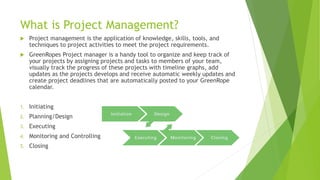
1. Initiating
2. Planning/Design
3. Executing
4. Monitoring and Controlling
5. Closing
Benefits
 Completing projects more quickly and cheaply. One of the biggest benefits of
using a common methodology is the value of reuse.
 Saving effort and cost with proactive scope management. Many projects have
difficulty managing scope, which results in additional effort and cost to the
project.
 Having a proactive issues management process helps ensure that problems are
resolved as quickly as possible.
 Communicating and managing expectations with customers, team members
and stakeholders more effectively. Many problems on a project can be
avoided with proactive and multifaceted communication.
 Improved financial management. This is the result of better project
definition, better estimating, more formal budgeting and better tracking of
the project actual costs against the budget.
Project Management
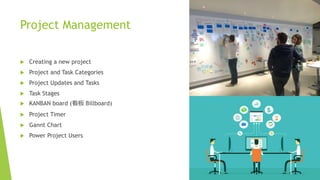
 Creating a new project
 Project and Task Categories
 Project Updates and Tasks
 Task Stages
 KANBAN board (看板 Billboard)
 Project Timer
 Gannt Chart
 Power Project Users
Key Points
 Project management allows you to organize and keep track of your projects
by assigning projects and tasks to members of your team, visually track the
progress of these projects.
 Different stages of project planning (You define what stages from creation to
completion)
 Well planned projects cut costs and create well managed efforts.
 Located within Apps>Projects.
 Create Projects, tasks, updates, power-users.
Contact:
Support@greenrope.com

Project management w/ GreenRope

  • 1.
    Project Management Presented byIan Cuatico Client Services Manager ian@greenrope.com
  • 2.
    Agenda i. What isProject Management? ii. Benefits iii. Using Project Management and KANBAN Board iv. Adding Tasks and Updates to Your Project v. Project Timer vi. Key Points vii. Q & A
  • 3.
    What is ProjectManagement?  Project management is the application of knowledge, skills, tools, and techniques to project activities to meet the project requirements.  GreenRopes Project manager is a handy tool to organize and keep track of your projects by assigning projects and tasks to members of your team, visually track the progress of these projects with timeline graphs, add updates as the projects develops and receive automatic weekly updates and create project deadlines that are automatically posted to your GreenRope calendar. 1. Initiating 2. Planning/Design 3. Executing 4. Monitoring and Controlling 5. Closing
  • 4.
    Benefits  Completing projectsmore quickly and cheaply. One of the biggest benefits of using a common methodology is the value of reuse.  Saving effort and cost with proactive scope management. Many projects have difficulty managing scope, which results in additional effort and cost to the project.  Having a proactive issues management process helps ensure that problems are resolved as quickly as possible.  Communicating and managing expectations with customers, team members and stakeholders more effectively. Many problems on a project can be avoided with proactive and multifaceted communication.  Improved financial management. This is the result of better project definition, better estimating, more formal budgeting and better tracking of the project actual costs against the budget.
  • 5.
    Project Management  Creatinga new project  Project and Task Categories  Project Updates and Tasks  Task Stages  KANBAN board (看板 Billboard)  Project Timer  Gannt Chart  Power Project Users
  • 6.
    Key Points  Projectmanagement allows you to organize and keep track of your projects by assigning projects and tasks to members of your team, visually track the progress of these projects.  Different stages of project planning (You define what stages from creation to completion)  Well planned projects cut costs and create well managed efforts.  Located within Apps>Projects.  Create Projects, tasks, updates, power-users.
  • 7.