Principles of Taxonomy

      Theresa Putkey
   Information Architect


      Copyright (C) Key Pointe Usability
              Consulting, Inc.
What We’ll Cover
•   A brief history lesson
•   A look at modern day taxonomies
•   Taxonomies purpose and uses
•   Building a taxonomy
•   Taxonomy maintenance
•   Transferring your skills


                 Copyright (C) Key Pointe Usability
                         Consulting, Inc.
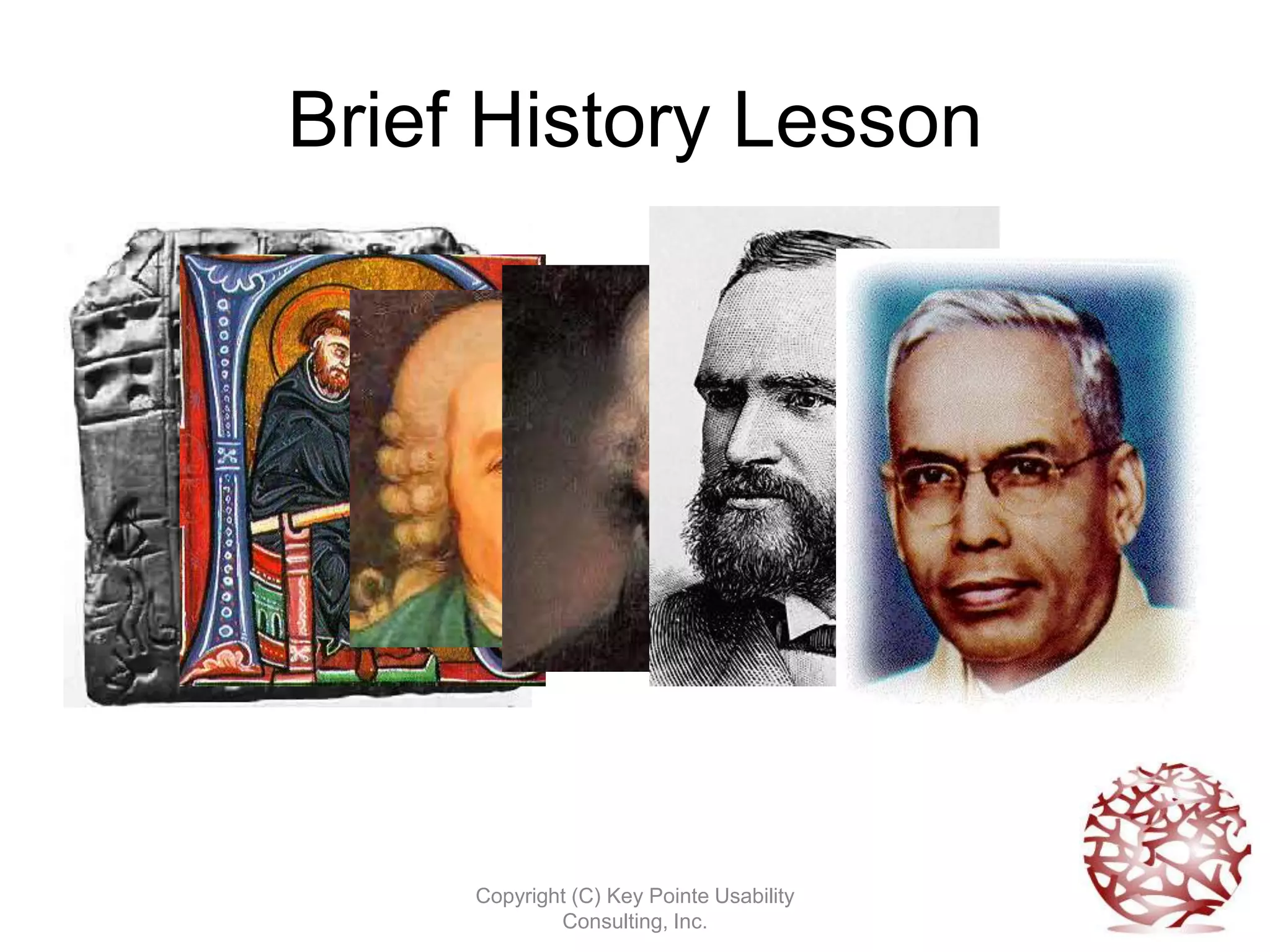
Brief History Lesson


     Copyright (C) Key Pointe Usability
             Consulting, Inc.
Modern Day Taxonomies
• We have information products that are
  extremely content heavy
• Managed with CMS, DAM, digital library
• Taxonomies help us re-use content
• Taxonomies help users find content


               Copyright (C) Key Pointe Usability
                       Consulting, Inc.
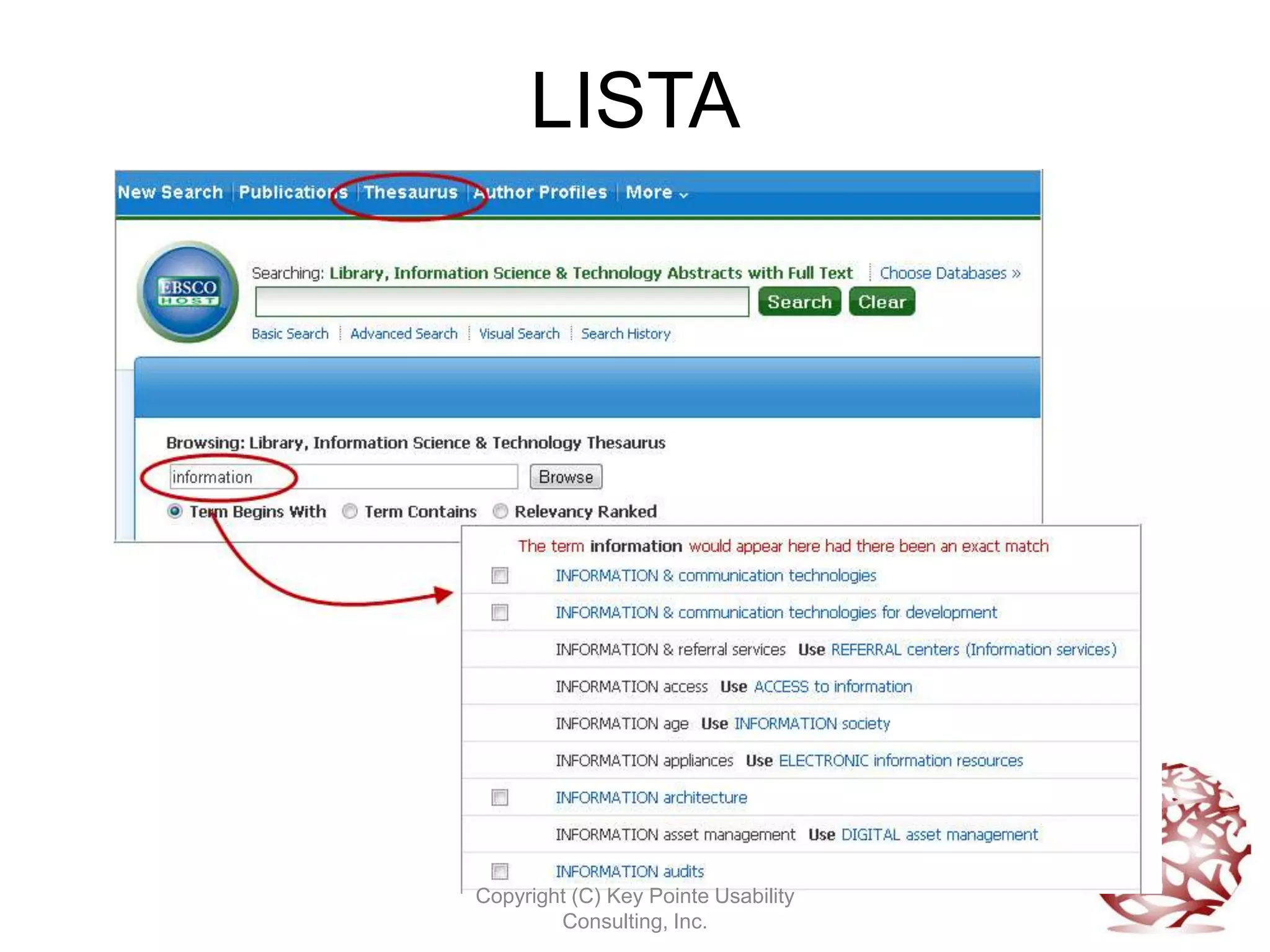
LISTA


Copyright (C) Key Pointe Usability
        Consulting, Inc.
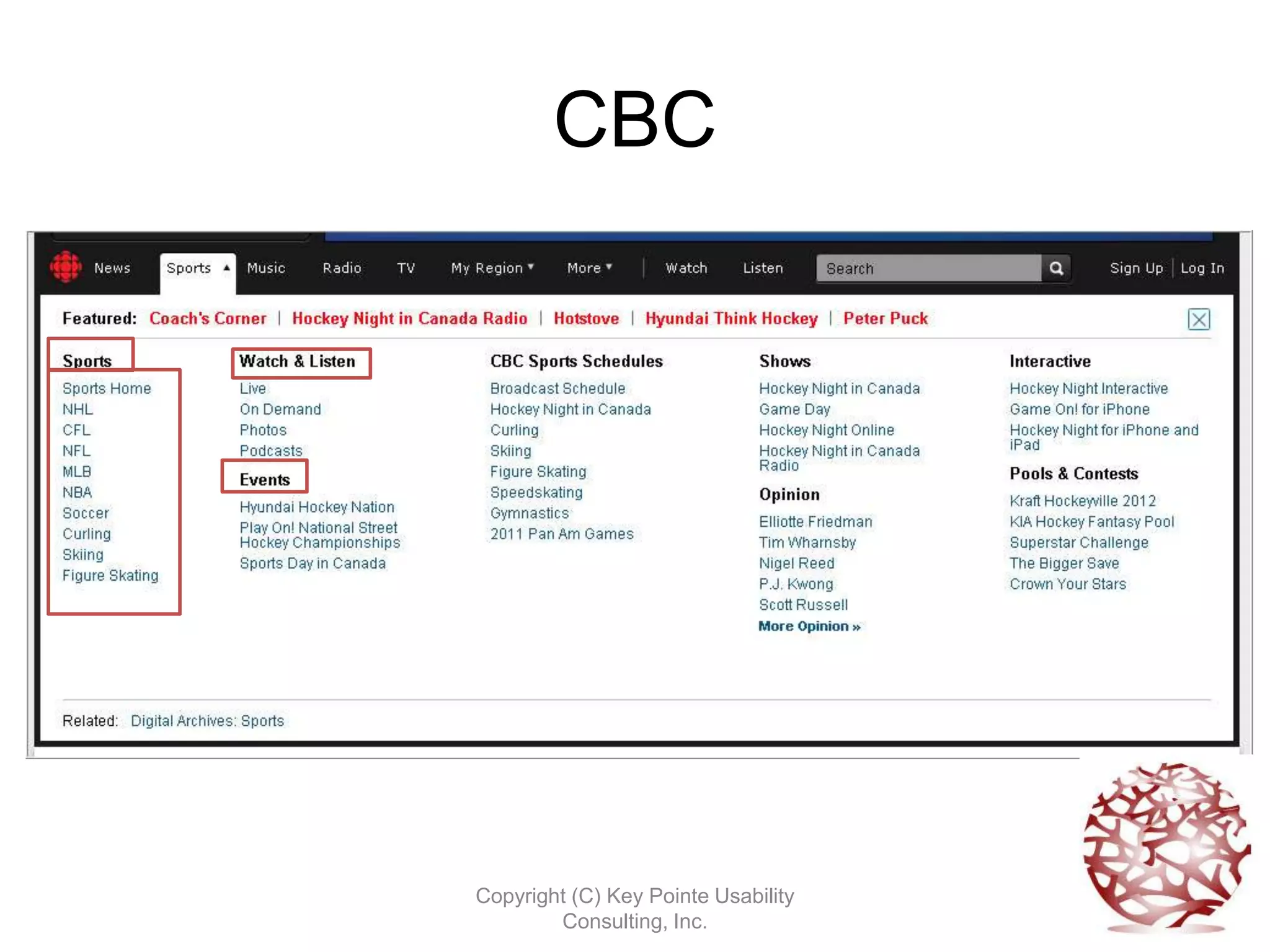
CBC


Copyright (C) Key Pointe Usability
        Consulting, Inc.
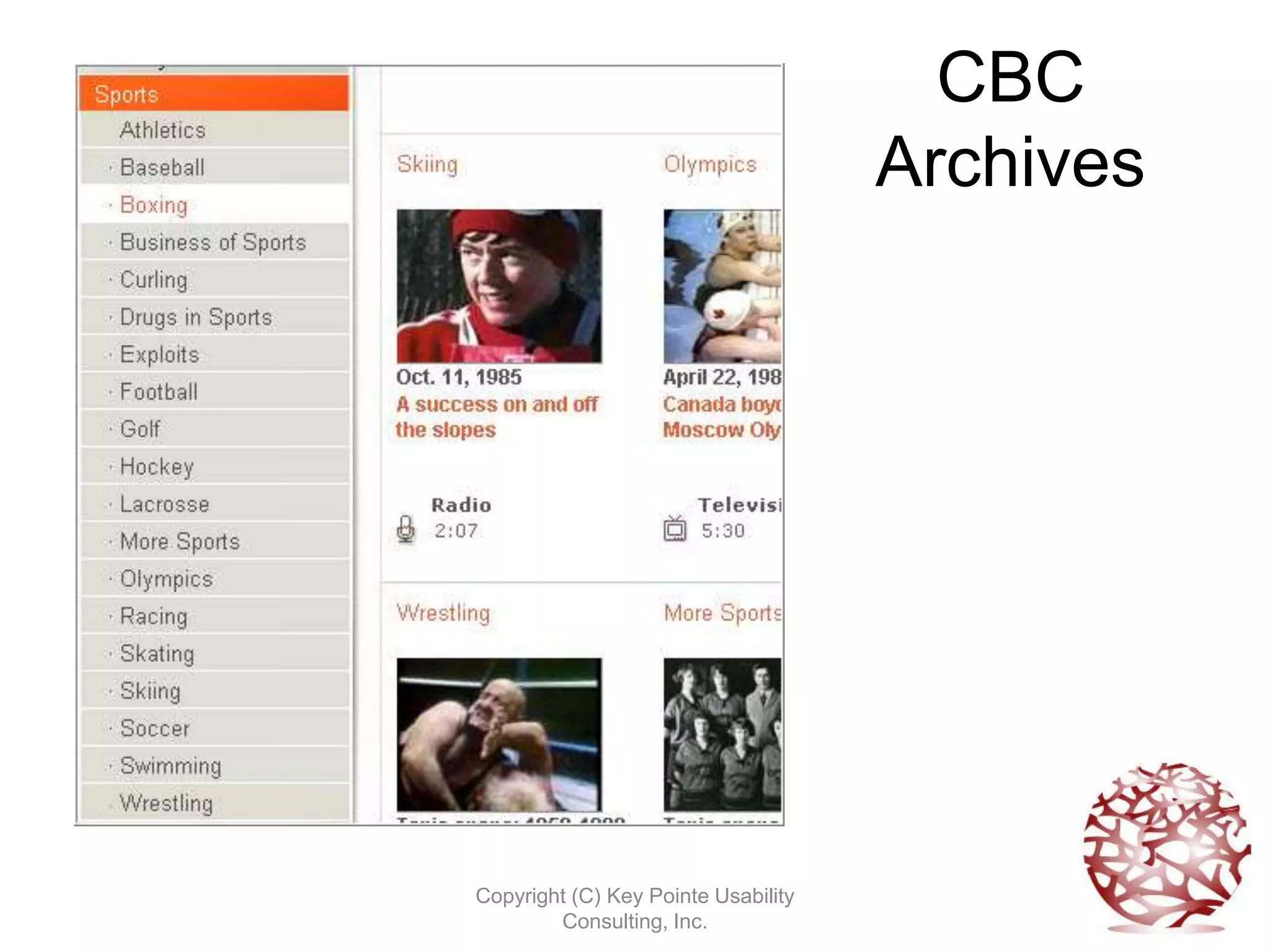
CBC
                                     Archives


Copyright (C) Key Pointe Usability
        Consulting, Inc.
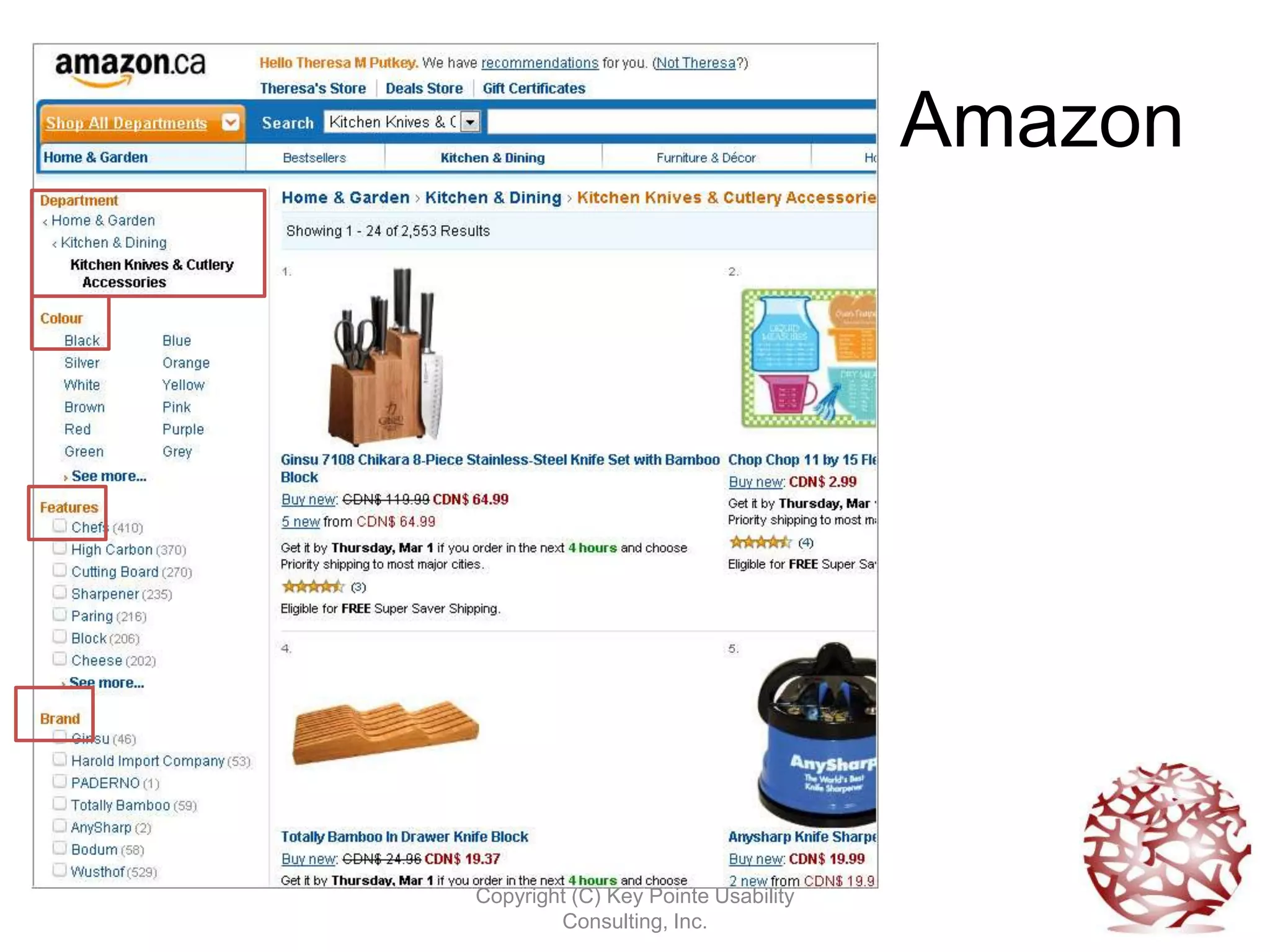
Amazon


Copyright (C) Key Pointe Usability
        Consulting, Inc.
Taxonomy Purpose
•   Find like items
•   Improve search results
•   Disambiguate terms
•   Differentiate between dissimilar items


                  Copyright (C) Key Pointe Usability
                          Consulting, Inc.
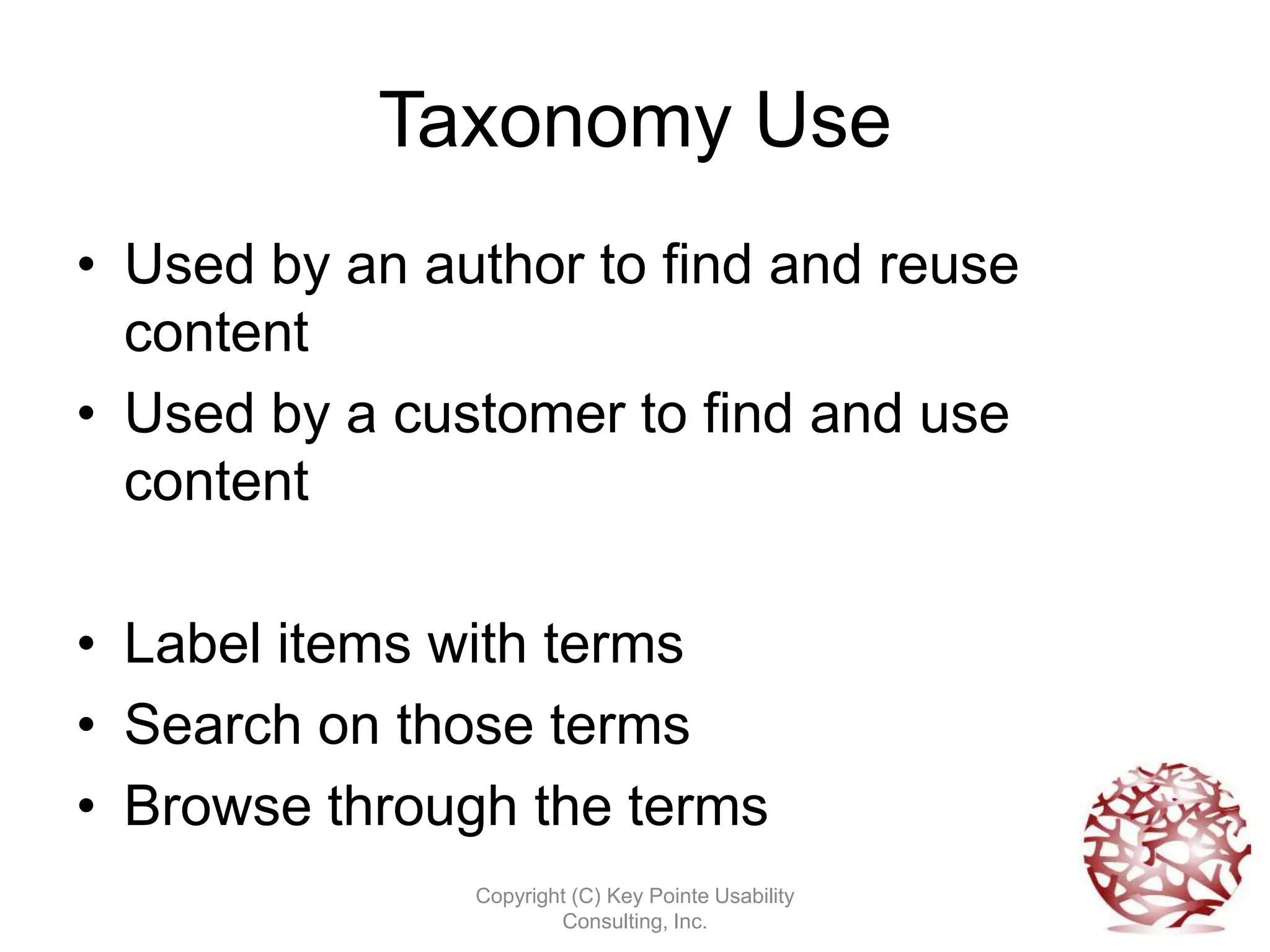
Taxonomy Use
• Used by an author to find and reuse
  content
• Used by a customer to find and use
  content

• Label items with terms
• Search on those terms
• Browse through the terms
               Copyright (C) Key Pointe Usability
                       Consulting, Inc.
Copyright (C) Key Pointe Usability
        Consulting, Inc.
Copyright (C) Key Pointe Usability
        Consulting, Inc.
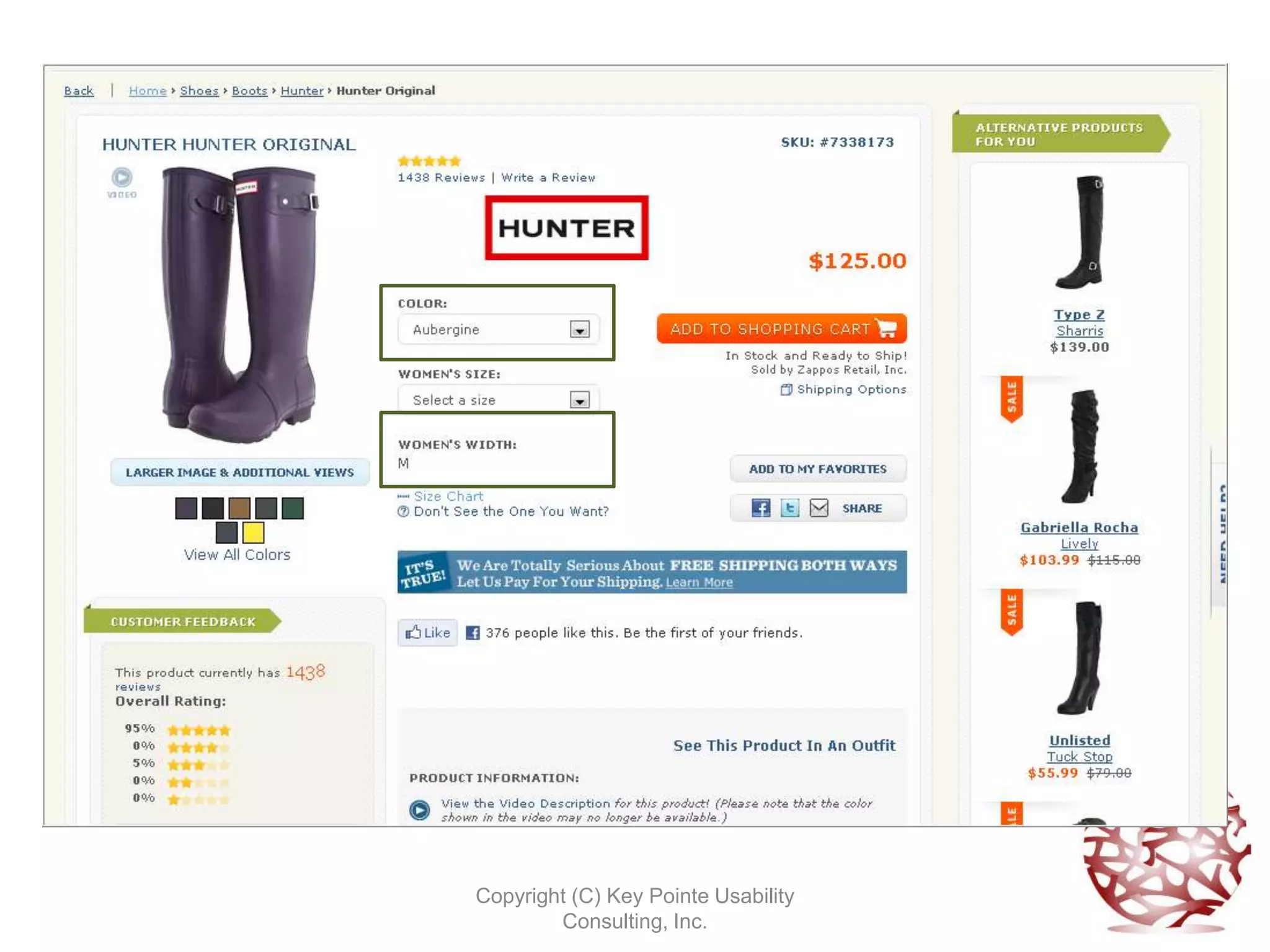
Metadata & Taxonomy
• Metadata is data about data, or
  information about information. We have a
  shoe, then we have information about the
  shoe.
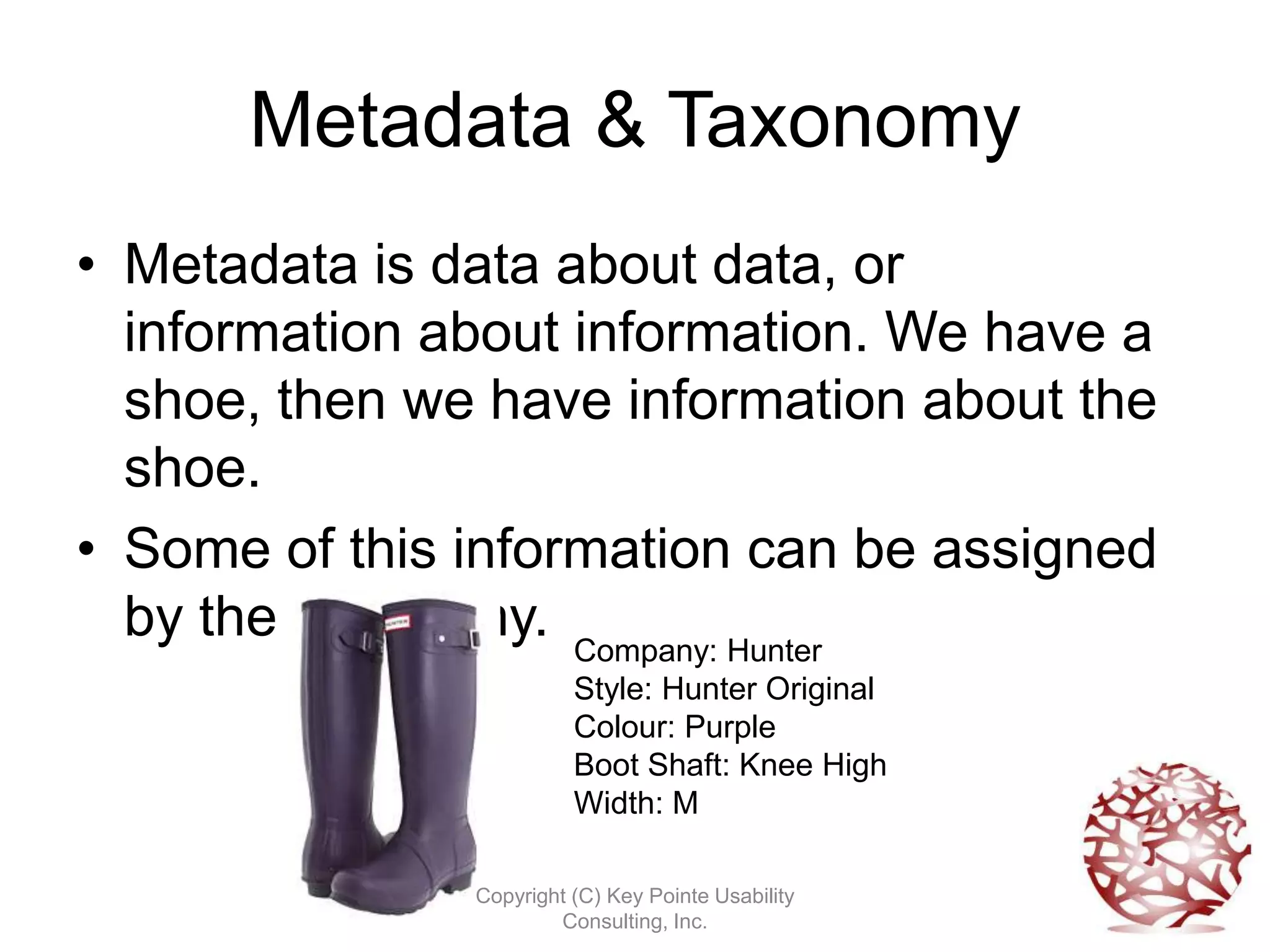
• Some of this information can be assigned
  by the taxonomy. Company: Hunter
                         Style: Hunter Original
                         Colour: Purple
                         Boot Shaft: Knee High
                         Width: M

               Copyright (C) Key Pointe Usability
                       Consulting, Inc.
What We’ll Cover
We’ve covered:
• A brief history lesson
• A look at modern day taxonomies
• Taxonomies purpose and uses
Now we’ll get into:
• Building a taxonomy
• Taxonomy maintenance
• Transferring your skills
              Copyright (C) Key Pointe Usability
                      Consulting, Inc.
Basics of Building a Taxonomy
• Do a content audit and assign keywords to
  each component.
• Pull out all the keywords into one list, then
  consolidate.
• Decide on your controlled vocabulary.


                Copyright (C) Key Pointe Usability
                        Consulting, Inc.
Ways to Categorize
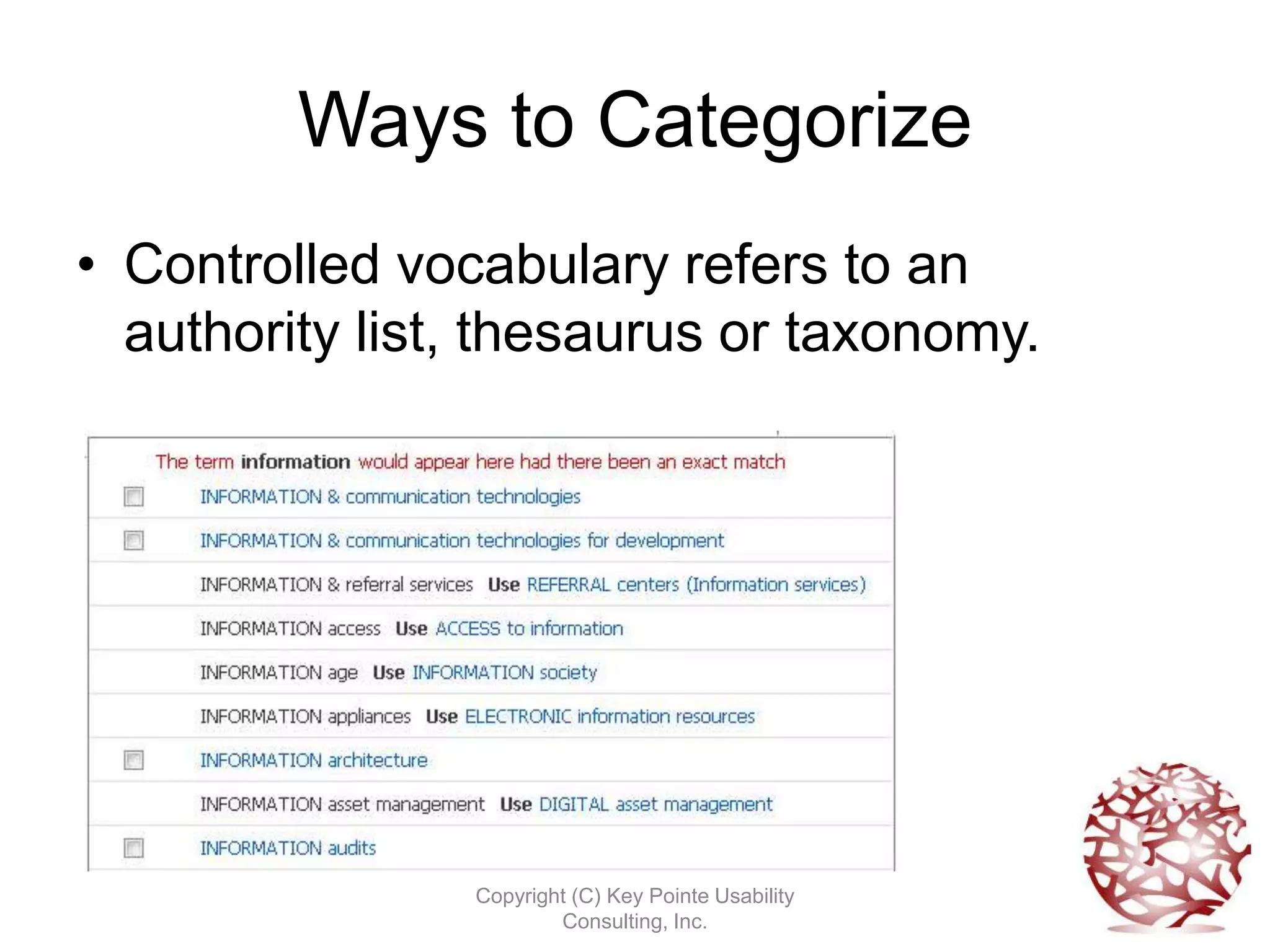
• Controlled vocabulary refers to an
  authority list, thesaurus or taxonomy.


                Copyright (C) Key Pointe Usability
                        Consulting, Inc.
Taxonomies
• Hierarchical and faceted
• Outlines relationships between items
• Used in computer systems to retrieve non-
  physical objects.
• Images, content components, documents,
  videos.


               Copyright (C) Key Pointe Usability
                       Consulting, Inc.
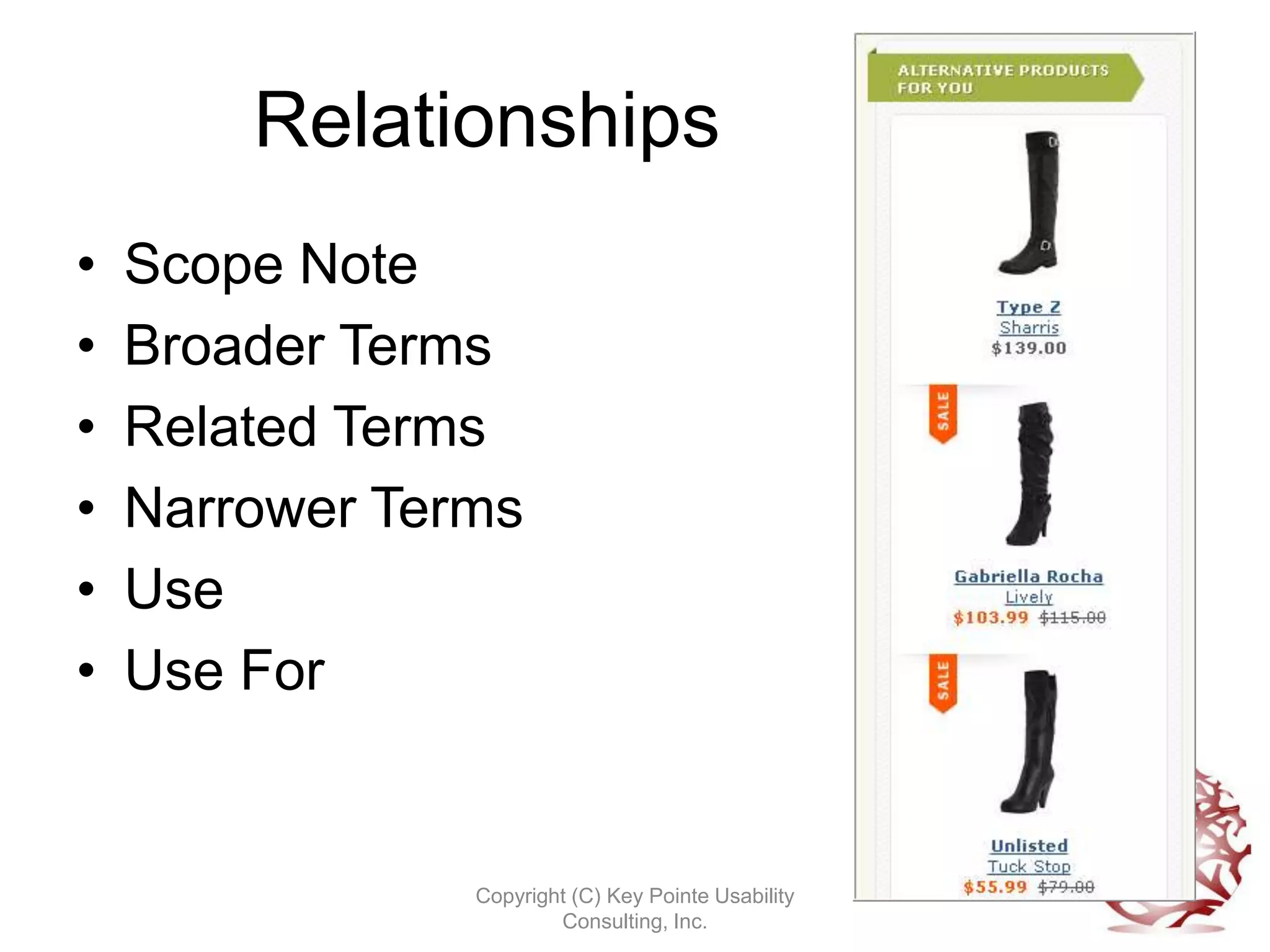
Relationships
•   Scope Note
•   Broader Terms
•   Related Terms
•   Narrower Terms
•   Use
•   Use For


                Copyright (C) Key Pointe Usability
                        Consulting, Inc.
Hierarchical Taxonomy
• Used when hierarchical structure of items
  is very important
• Preserves relationships
• But can be more difficult to navigate


               Copyright (C) Key Pointe Usability
                       Consulting, Inc.
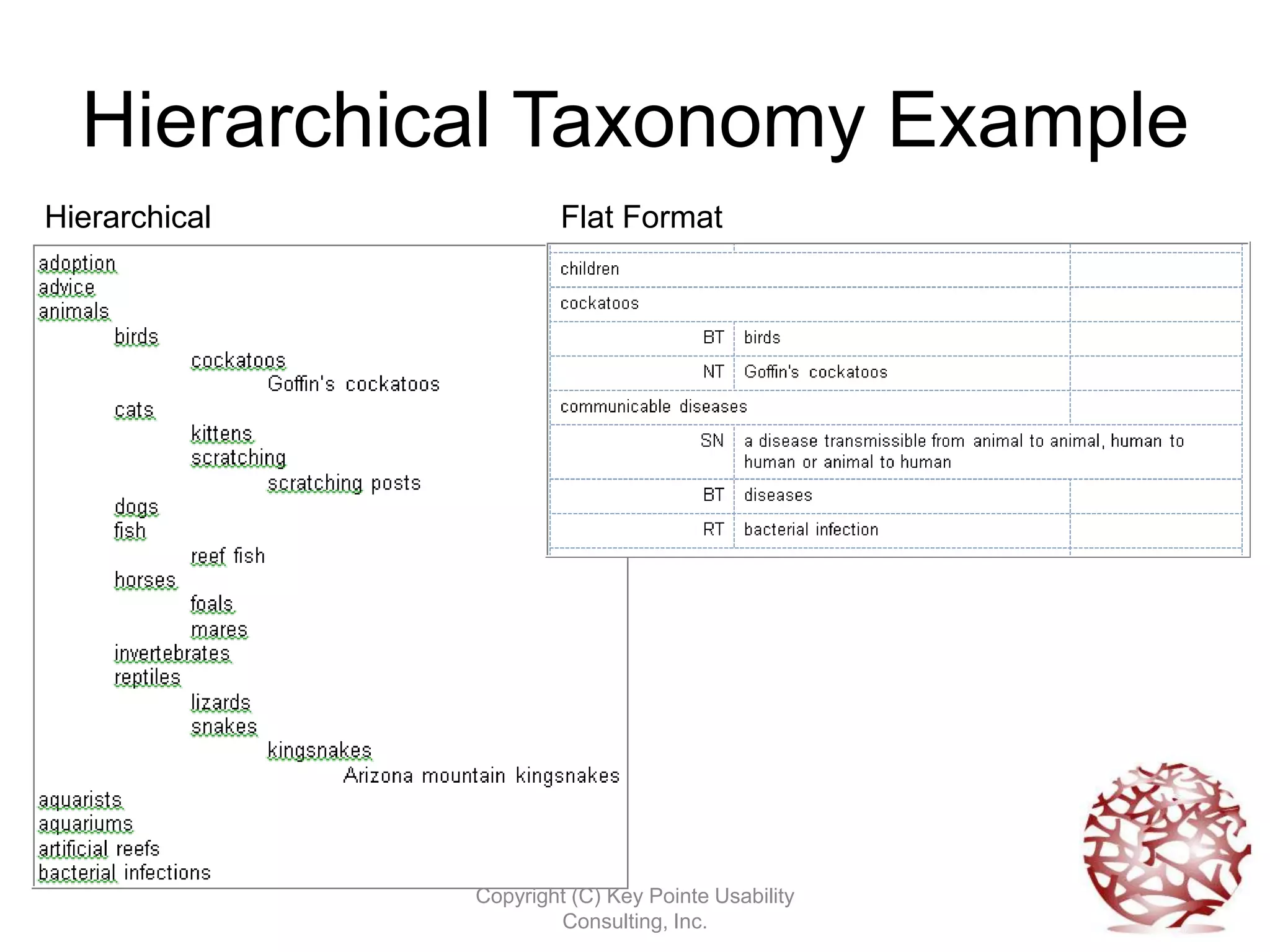
Hierarchical Taxonomy Example
Hierarchical            Flat Format
                        (Thesaurus)


               Copyright (C) Key Pointe Usability
                       Consulting, Inc.
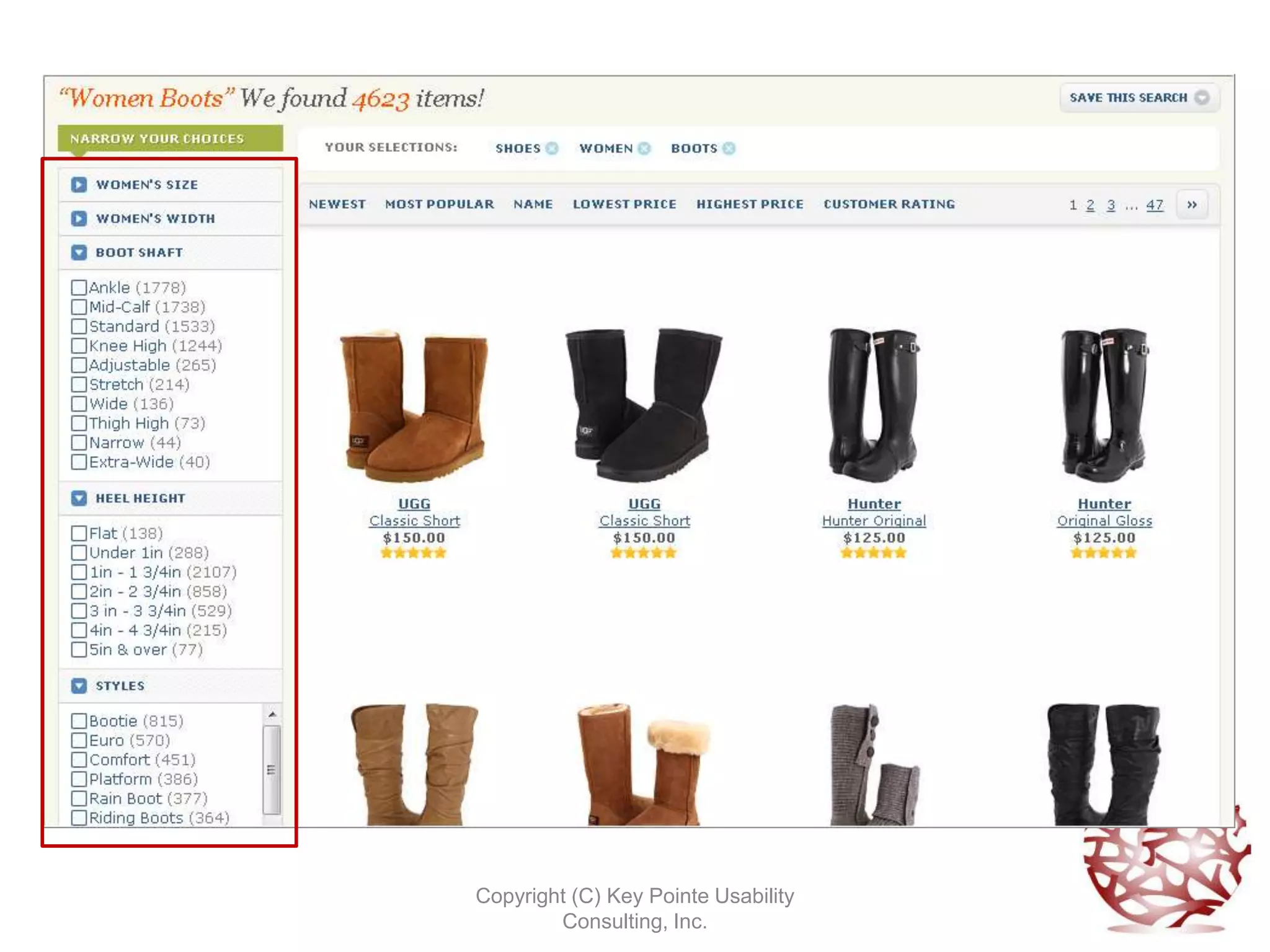
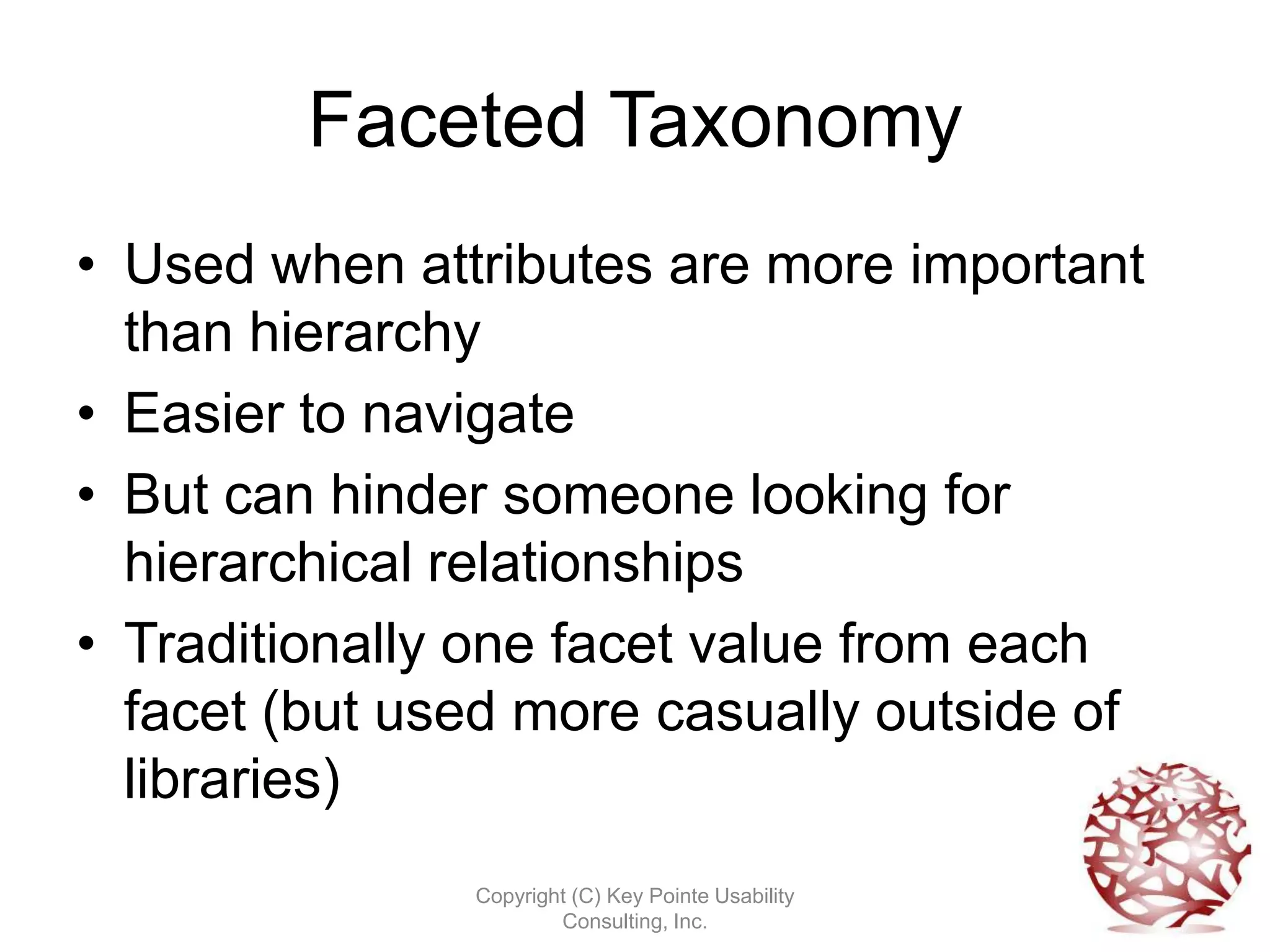
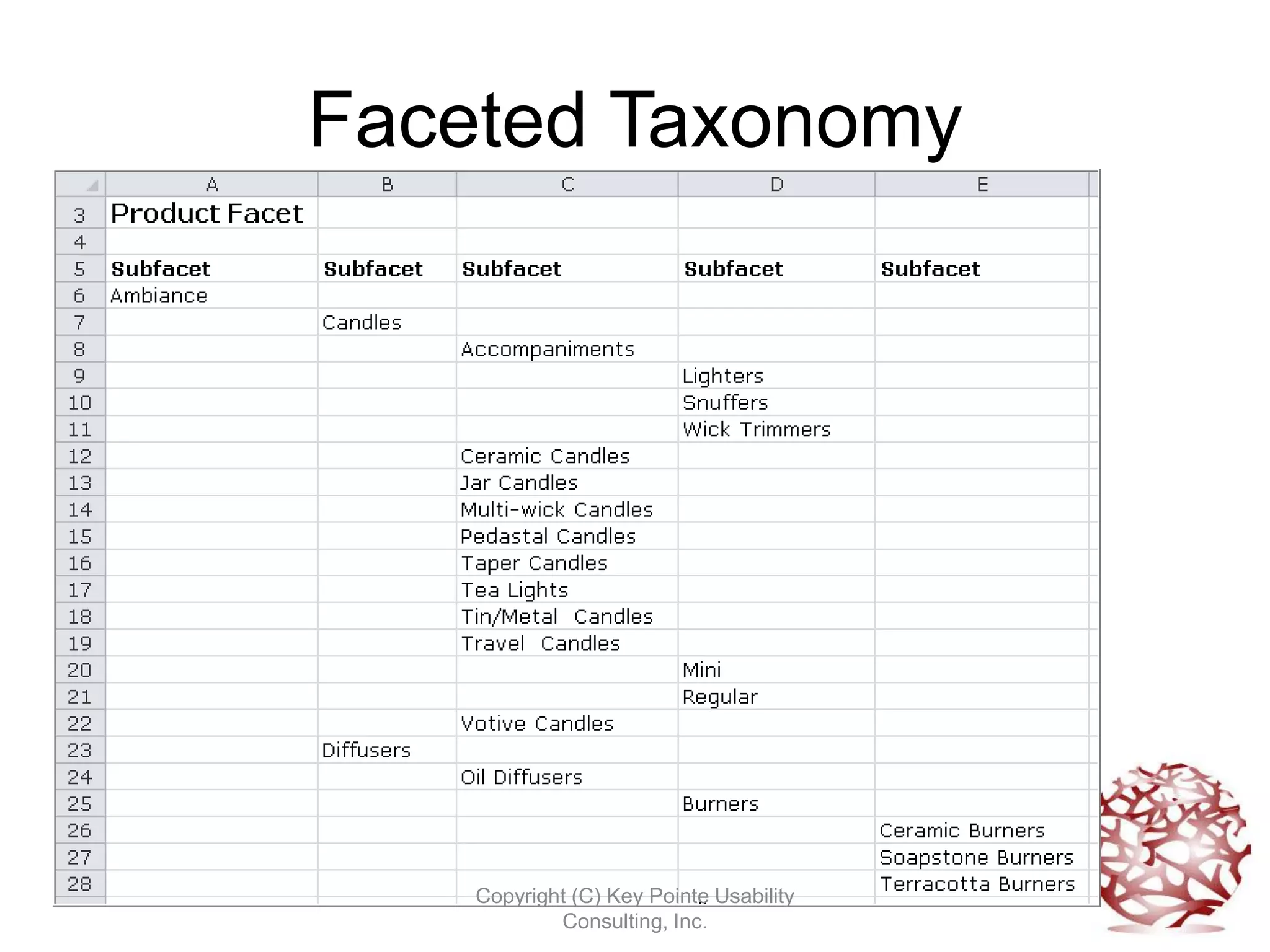
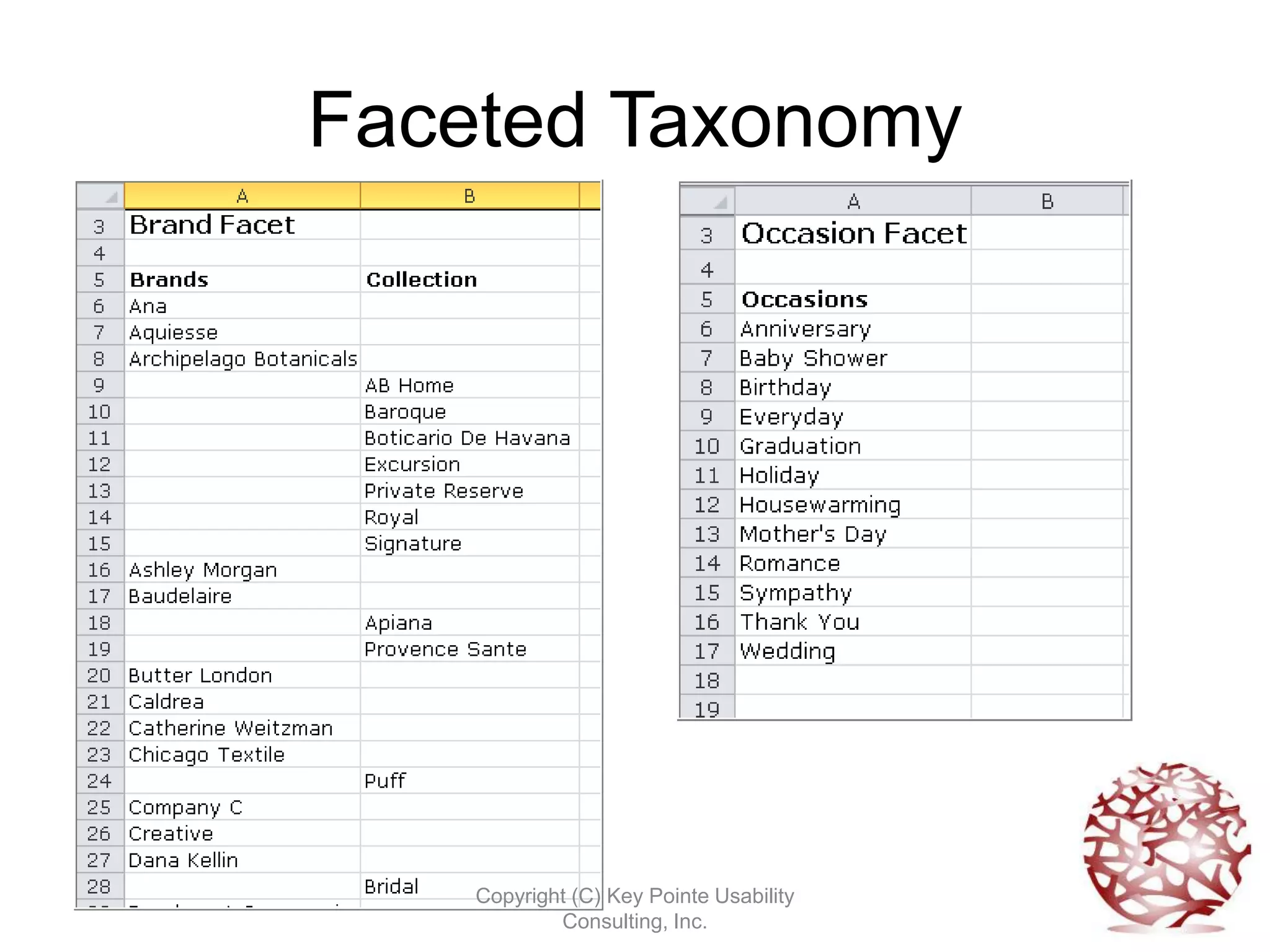
Faceted Taxonomy
• Used when attributes are more important
  than hierarchy
• Easier to navigate
• But can hinder someone looking for
  hierarchical relationships
• Traditionally one facet value from each
  facet (but used more casually outside of
  libraries)
               Copyright (C) Key Pointe Usability
                       Consulting, Inc.
Faceted Taxonomy


    Copyright (C) Key Pointe Usability
            Consulting, Inc.
Faceted Taxonomy


    Copyright (C) Key Pointe Usability
            Consulting, Inc.
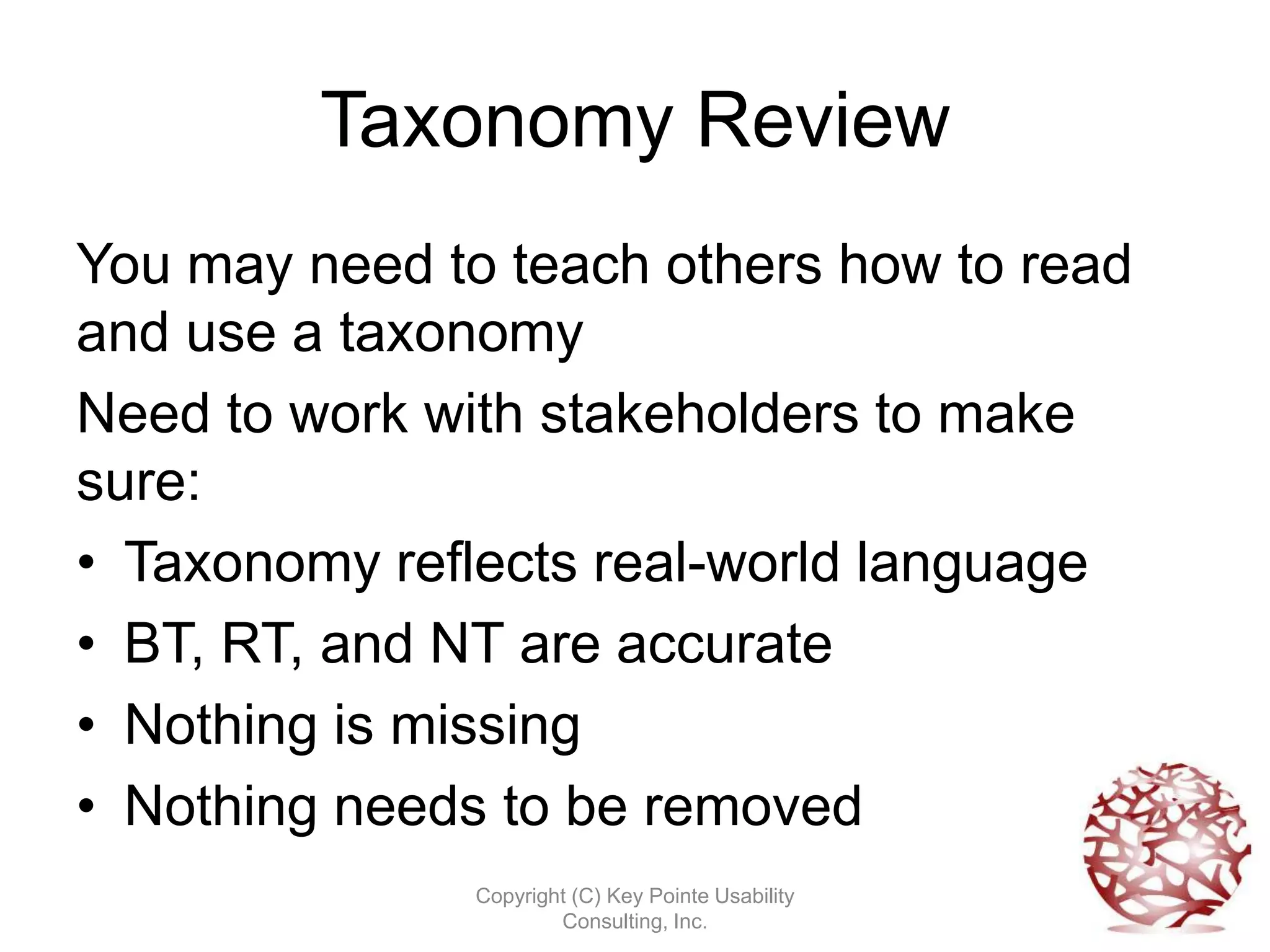
Taxonomy Review
You may need to teach others how to read
and use a taxonomy
Need to work with stakeholders to make
sure:
• Taxonomy reflects real-world language
• BT, RT, and NT are accurate
• Nothing is missing
• Nothing needs to be removed
               Copyright (C) Key Pointe Usability
                       Consulting, Inc.
Taxonomy Maintenance
• New content always being created
• Some of it may not have a “spot” and
  needs to be accommodated
• Keywords can be promoted to taxonomy
  terms
• Weekly, monthly, quarterly reviews
• Email list for suggestions and discussion

                Copyright (C) Key Pointe Usability
                        Consulting, Inc.
You, a Taxonomist
• Aware of content
• Aware of how people use content (authors
  and customers)
• Know how to classify information (think
  indexing)
• One of a few people interested and good
  at information organization
• Volunteer yourself
               Copyright (C) Key Pointe Usability
                       Consulting, Inc.
What We Covered
We covered:
• A brief history lesson
• A look at modern day taxonomies
• Taxonomies purpose and uses
• Building a taxonomy
• Taxonomy maintenance
• Transferring your skills

              Copyright (C) Key Pointe Usability
                      Consulting, Inc.
More Resources
• National Information Standards Organization (2004).
  Understanding metadata.
  http://www.niso.org/publications/press/Understanding
  Metadata.pdf
• Thesaurus Principles
  http://willpowerinfo.co.uk/thesprin.htm
• Metadata? Taxonomy? Thesauri? Topic Maps!
  http://www.ontopia.net/topicmaps/materials/tm-vs-
  thesauri.html
• Getty AAT
  http://www.getty.edu/research/tools/vocabularies/aat/
• Hedden, Heather. (2010). Accidental Taxonomist.
• Taylor, Arlene G. (2004). The organization of
  information, 2nd ed. Westport, CN: Libraries
  Unlimited.          Copyright (C) Key Pointe Usability
                         Consulting, Inc.
Sesame Street Taught Us


       Copyright (C) Key Pointe Usability
               Consulting, Inc.
Contact Info
•   604 563 6317
•   tputkey@keypointe.ca
•   www.keypointe.ca
•   @tputkey


                Copyright (C) Key Pointe Usability
                        Consulting, Inc.

Principles of Taxonomies

  • 1.
    Principles of Taxonomy Theresa Putkey Information Architect Copyright (C) Key Pointe Usability Consulting, Inc.
  • 2.
    What We’ll Cover • A brief history lesson • A look at modern day taxonomies • Taxonomies purpose and uses • Building a taxonomy • Taxonomy maintenance • Transferring your skills Copyright (C) Key Pointe Usability Consulting, Inc.
  • 3.
    Brief History Lesson Copyright (C) Key Pointe Usability Consulting, Inc.
  • 4.
    Modern Day Taxonomies •We have information products that are extremely content heavy • Managed with CMS, DAM, digital library • Taxonomies help us re-use content • Taxonomies help users find content Copyright (C) Key Pointe Usability Consulting, Inc.
  • 5.
    LISTA Copyright (C) KeyPointe Usability Consulting, Inc.
  • 6.
    CBC Copyright (C) KeyPointe Usability Consulting, Inc.
  • 7.
    CBC Archives Copyright (C) Key Pointe Usability Consulting, Inc.
  • 8.
    Amazon Copyright (C) KeyPointe Usability Consulting, Inc.
  • 9.
    Taxonomy Purpose • Find like items • Improve search results • Disambiguate terms • Differentiate between dissimilar items Copyright (C) Key Pointe Usability Consulting, Inc.
  • 10.
    Taxonomy Use • Usedby an author to find and reuse content • Used by a customer to find and use content • Label items with terms • Search on those terms • Browse through the terms Copyright (C) Key Pointe Usability Consulting, Inc.
  • 11.
    Copyright (C) KeyPointe Usability Consulting, Inc.
  • 12.
    Copyright (C) KeyPointe Usability Consulting, Inc.
  • 13.
    Metadata & Taxonomy •Metadata is data about data, or information about information. We have a shoe, then we have information about the shoe. • Some of this information can be assigned by the taxonomy. Company: Hunter Style: Hunter Original Colour: Purple Boot Shaft: Knee High Width: M Copyright (C) Key Pointe Usability Consulting, Inc.
  • 14.
    What We’ll Cover We’vecovered: • A brief history lesson • A look at modern day taxonomies • Taxonomies purpose and uses Now we’ll get into: • Building a taxonomy • Taxonomy maintenance • Transferring your skills Copyright (C) Key Pointe Usability Consulting, Inc.
  • 15.
    Basics of Buildinga Taxonomy • Do a content audit and assign keywords to each component. • Pull out all the keywords into one list, then consolidate. • Decide on your controlled vocabulary. Copyright (C) Key Pointe Usability Consulting, Inc.
  • 16.
    Ways to Categorize •Controlled vocabulary refers to an authority list, thesaurus or taxonomy. Copyright (C) Key Pointe Usability Consulting, Inc.
  • 17.
    Taxonomies • Hierarchical andfaceted • Outlines relationships between items • Used in computer systems to retrieve non- physical objects. • Images, content components, documents, videos. Copyright (C) Key Pointe Usability Consulting, Inc.
  • 18.
    Relationships • Scope Note • Broader Terms • Related Terms • Narrower Terms • Use • Use For Copyright (C) Key Pointe Usability Consulting, Inc.
  • 19.
    Hierarchical Taxonomy • Usedwhen hierarchical structure of items is very important • Preserves relationships • But can be more difficult to navigate Copyright (C) Key Pointe Usability Consulting, Inc.
  • 20.
    Hierarchical Taxonomy Example Hierarchical Flat Format (Thesaurus) Copyright (C) Key Pointe Usability Consulting, Inc.
  • 21.
    Faceted Taxonomy • Usedwhen attributes are more important than hierarchy • Easier to navigate • But can hinder someone looking for hierarchical relationships • Traditionally one facet value from each facet (but used more casually outside of libraries) Copyright (C) Key Pointe Usability Consulting, Inc.
  • 22.
    Faceted Taxonomy Copyright (C) Key Pointe Usability Consulting, Inc.
  • 23.
    Faceted Taxonomy Copyright (C) Key Pointe Usability Consulting, Inc.
  • 24.
    Taxonomy Review You mayneed to teach others how to read and use a taxonomy Need to work with stakeholders to make sure: • Taxonomy reflects real-world language • BT, RT, and NT are accurate • Nothing is missing • Nothing needs to be removed Copyright (C) Key Pointe Usability Consulting, Inc.
  • 25.
    Taxonomy Maintenance • Newcontent always being created • Some of it may not have a “spot” and needs to be accommodated • Keywords can be promoted to taxonomy terms • Weekly, monthly, quarterly reviews • Email list for suggestions and discussion Copyright (C) Key Pointe Usability Consulting, Inc.
  • 26.
    You, a Taxonomist •Aware of content • Aware of how people use content (authors and customers) • Know how to classify information (think indexing) • One of a few people interested and good at information organization • Volunteer yourself Copyright (C) Key Pointe Usability Consulting, Inc.
  • 27.
    What We Covered Wecovered: • A brief history lesson • A look at modern day taxonomies • Taxonomies purpose and uses • Building a taxonomy • Taxonomy maintenance • Transferring your skills Copyright (C) Key Pointe Usability Consulting, Inc.
  • 28.
    More Resources • NationalInformation Standards Organization (2004). Understanding metadata. http://www.niso.org/publications/press/Understanding Metadata.pdf • Thesaurus Principles http://willpowerinfo.co.uk/thesprin.htm • Metadata? Taxonomy? Thesauri? Topic Maps! http://www.ontopia.net/topicmaps/materials/tm-vs- thesauri.html • Getty AAT http://www.getty.edu/research/tools/vocabularies/aat/ • Hedden, Heather. (2010). Accidental Taxonomist. • Taylor, Arlene G. (2004). The organization of information, 2nd ed. Westport, CN: Libraries Unlimited. Copyright (C) Key Pointe Usability Consulting, Inc.
  • 29.
    Sesame Street TaughtUs Copyright (C) Key Pointe Usability Consulting, Inc.
  • 30.
    Contact Info • 604 563 6317 • tputkey@keypointe.ca • www.keypointe.ca • @tputkey Copyright (C) Key Pointe Usability Consulting, Inc.

Editor's Notes

  • #2 Who has heard the term taxonomy? Who knows what taxonomies are used for? Who here has experience creating a taxonomy? If you create indexes, then I assure you that you can create taxonomies. It’s just a matter of understanding some basics and getting the opportunity to do it. Not only is creating a taxonomy interesting work, but it can also help with information organization within your company and raise your usefulness profile. I’m sure you’ve encountered taxonomies on websites, even if you didn’t recognize them as such. There’s no mystery to them, but people don’t always understand why and how they’re created. That’s what we’ll talk about tonight.My background.
  • #4 Business men use clay tablets kept track of accounts and contracts – struggle to store them all and be able to find them again. During the Dark Ages (in the west), monks store the books, recopy them, organize them. With the printing press, a huge explosion of information. The world’s first information glut.Linneaus wants to classify all the species in the world and starts his taxonomy. Jefferson has his own extensive library which he classified. Donated to the LOC after that library burned in 1814 during the War of 1812. LOC subject headings started with Jefferson. NA libraries use.Melvil Dewey was the first to give us a “universal” classification scheme – a scheme that could be used by multiple libraries and easily implemented. He implemented his system using women to do the grunt work as he felt women were docile and wouldn’t question his system. They were also cheaper labourers. Ranganathan creates his colon classification based on facets, and gives modern day information professionals a basis for non-traditional classification schemes. Very useful in our modern day information glut.
  • #5 Start with some examples
  • #14 I liken taxonomies to drop-down lists. When you have to select from a drop-down list, that’s a predefined list somewhere. It controls your choice and ensures you enter information in a standardized format.
  • #17 An authority list is a list of the terms that may be used for a particular collection. Libraries maintain authority lists of authors’ names, so that Samuel Clemens, Samuel Longhorn Clemens, and Mark Twain are pulled together as the same person. To be precise:A taxonomy arranges the terms in the controlled vocabulary into a hierarchy without adding scope notes.Thesaurusis an authority list for authorized subject terms that adds features such as identifying the broader,narrower and related relationships between terms on the list, listing unauthorized terms and referring the user to the correct terms, listing scope notes. A lot of the work I do is divided between taxonomies and thesauri, though everyone calls them taxonomies.