Taxonomy 101
Theresa Putkey, Information Architect & Taxonomist
tputkey@keypointe.ca
@tputkey
www.keypointe.ca
In This Talk...
● What it is
● What it’s good for
● Definitions
● Learn more and integrate it into your work
What It Is
What It Is
An approach to categorizing “untraditional” information
Untraditional
Adjective
Not existing in or as part of a tradition; not customary or long-
established
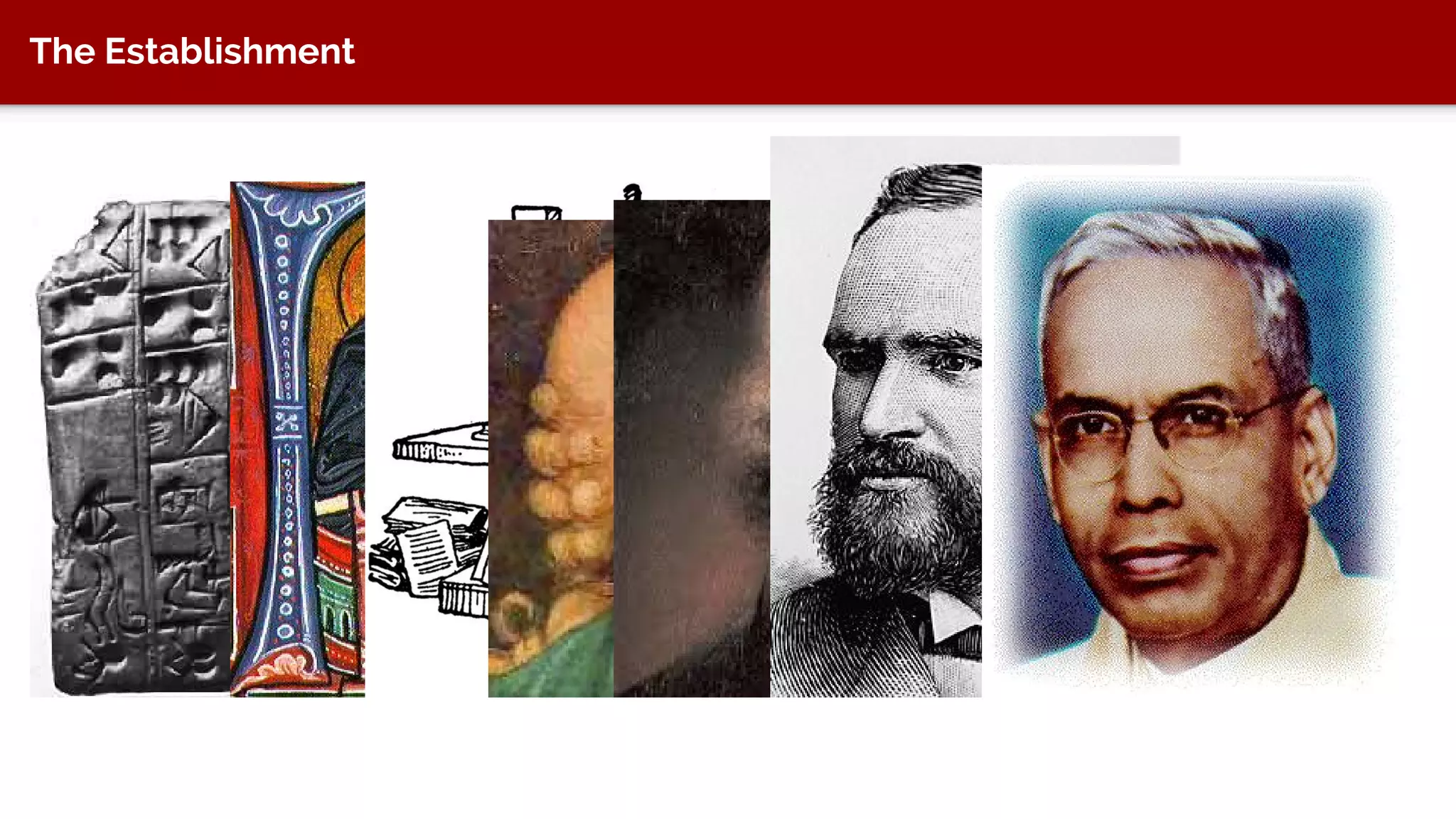
The Establishment
Example 1
A client had a lot of files related to their
product offerings. The files were a mess
across several network drives and personal
hard drives. They needed to implement a
digital asset management system to keep
track of the files. In a DAM, you need to
categorize files.
● File audit
● Taxonomy development
● Taxonomy training
● Implementation support in DAM
DAM Metadata
Example 1
A client had a lot of files related to
their product offerings. The files
were a mess across several
network drives and personal hard
drives.
They needed to implement a digital
asset management system to keep
track of the files. In a DAM, you
need to categorize files.
● File audit
● Taxonomy development
● Taxonomy training
● Implementation support in DAM
Example 2
Re-doing a Support website and
customers complain they can’t
find information
Call centre seeing a lot of
volume for questions that can
be answered online
● Content audit
● Taxonomy development
● Taxonomy training
Example 3
Redoing website and have a lot
of files. Users need to browse
these topics by different angles
and the company needs to
show that it is the definitive
resource for these topics.
● Content audit
● Taxonomy framework
● Taxonomy development
● Taxonomy training
More Complex Framework
Example 4
Redoing website to show better
value to members. Members
were confused about the
company’s vocabulary and
processes. Company needed to
show better value and
exhaustive content.
● Content audit
● Taxonomy framework
● Taxonomy development
● Taxonomy training
Simple Framework
What It’s Good For
Modern Day
We have software products that are extremely information heavy
Managed with wCMS, eCMS, cCMS, DAM, PIM, MAM
How do we keep track of all the things in those systems? Web pages,
videos, graphics, photos, master files, documents, PDFs, etc.
What It’s Good For
● Authors and editors can categorize “information” to find it again
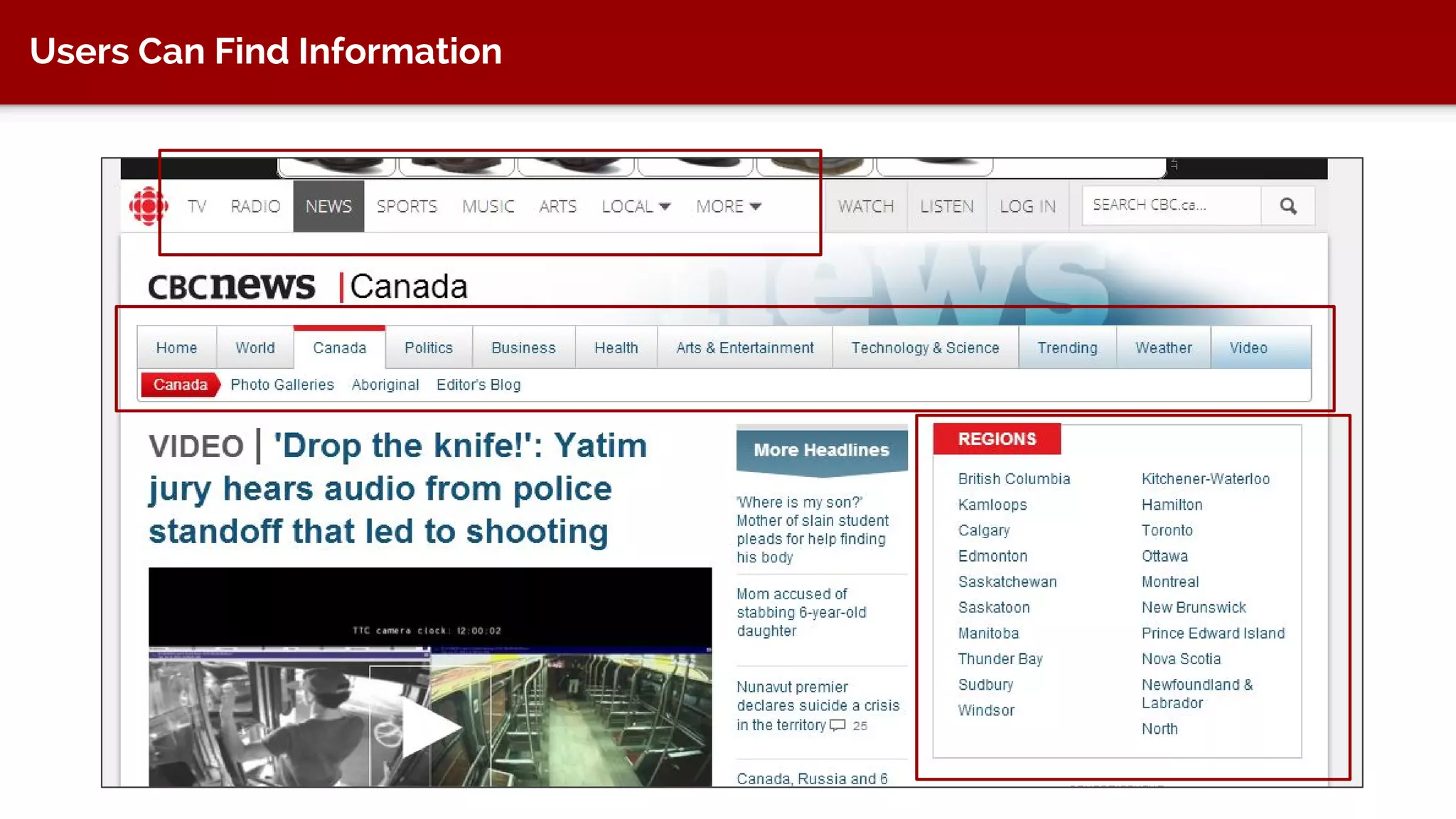
● Users can find information
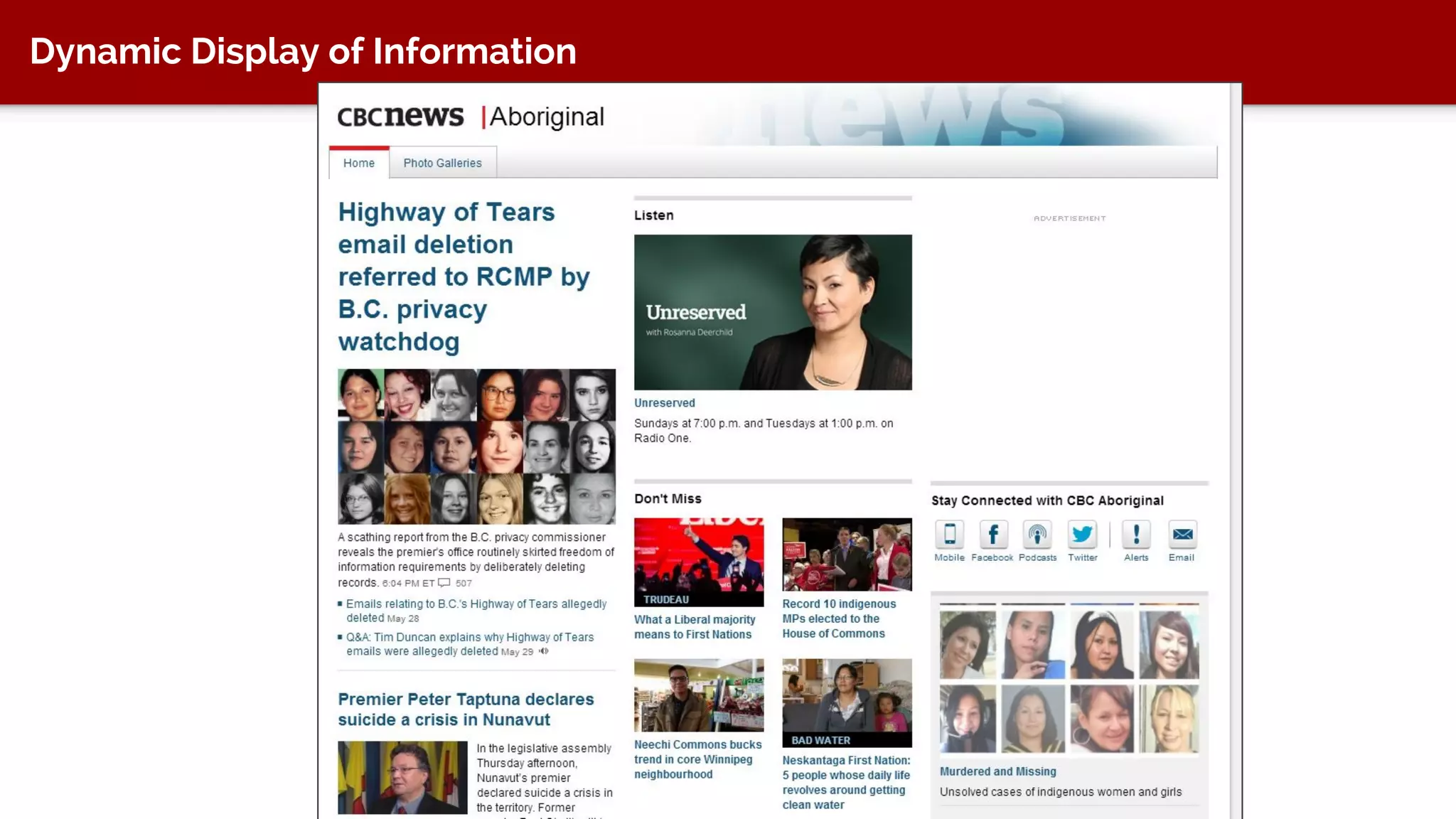
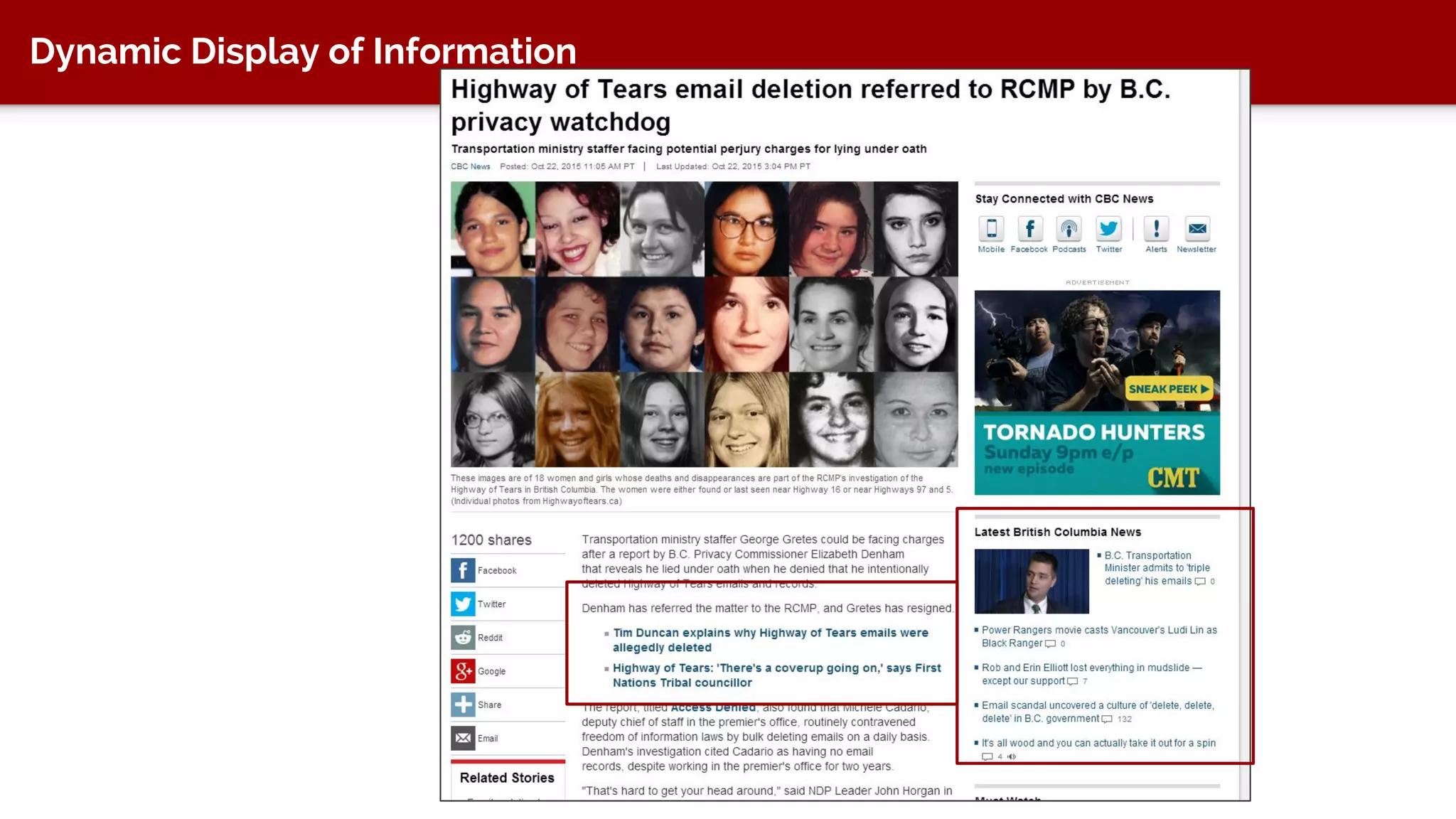
● Dynamically display information on a website (not building pages by
hand)
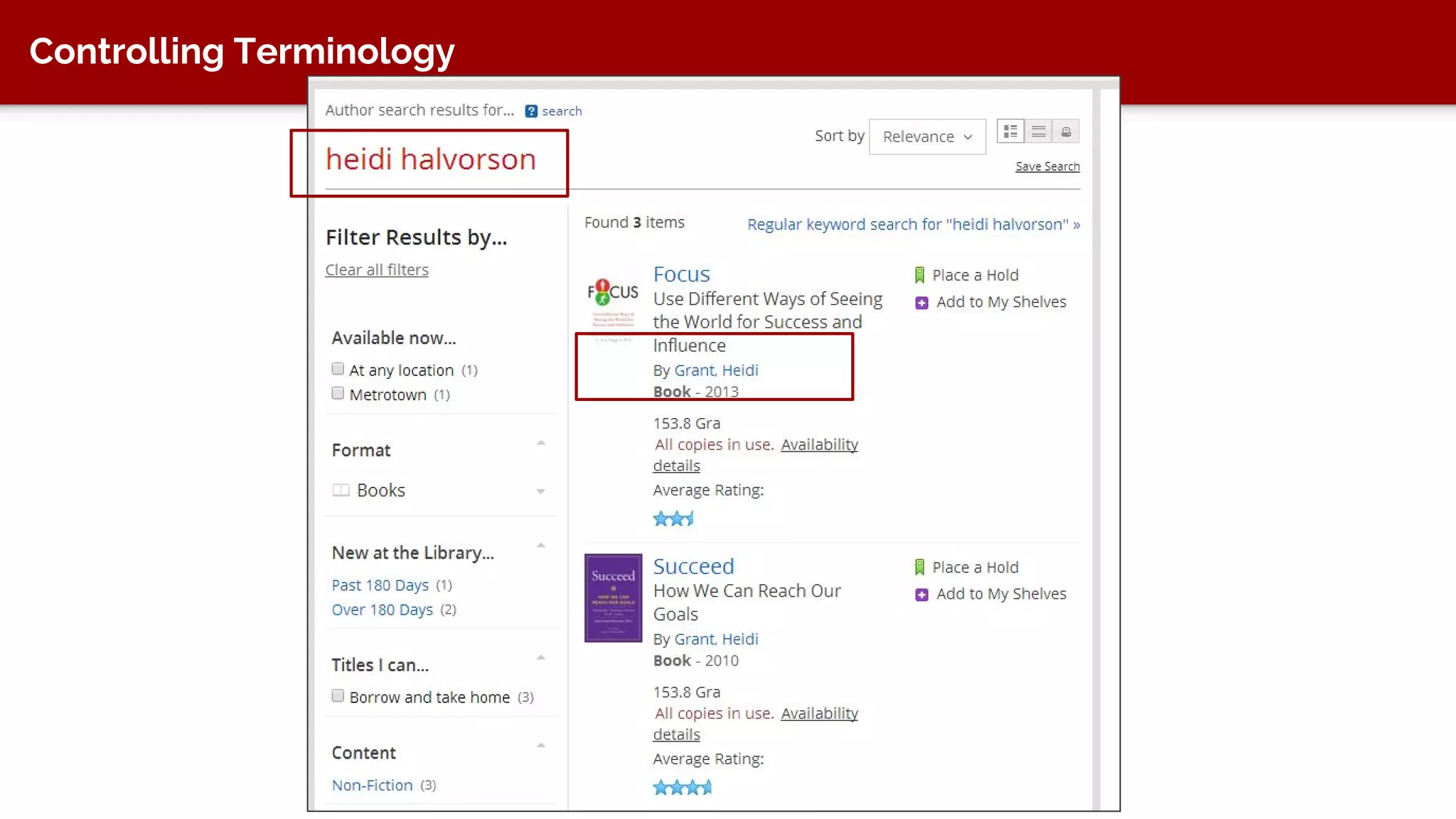
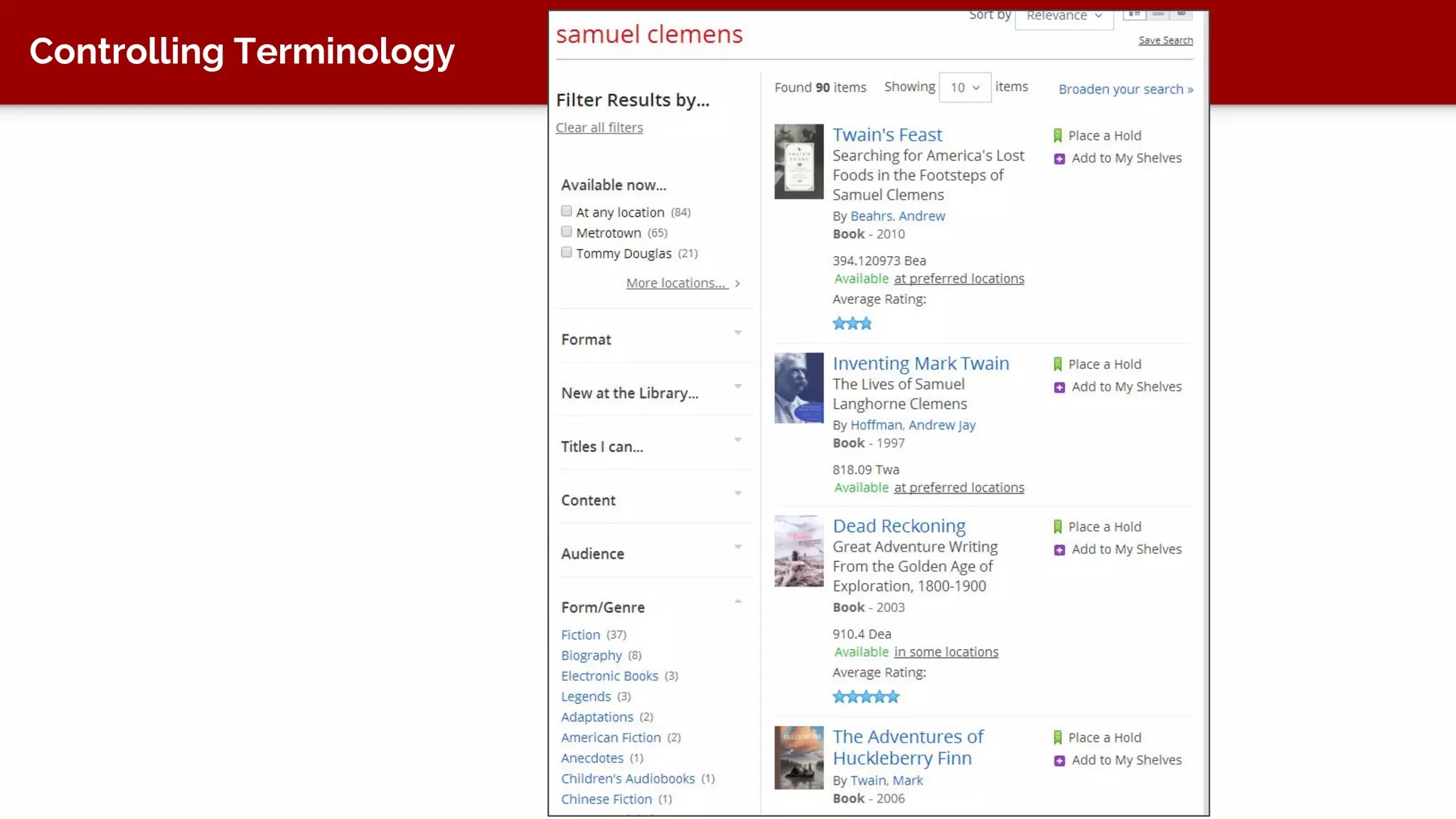
● Controlling terminology
● Provide more accurate search results
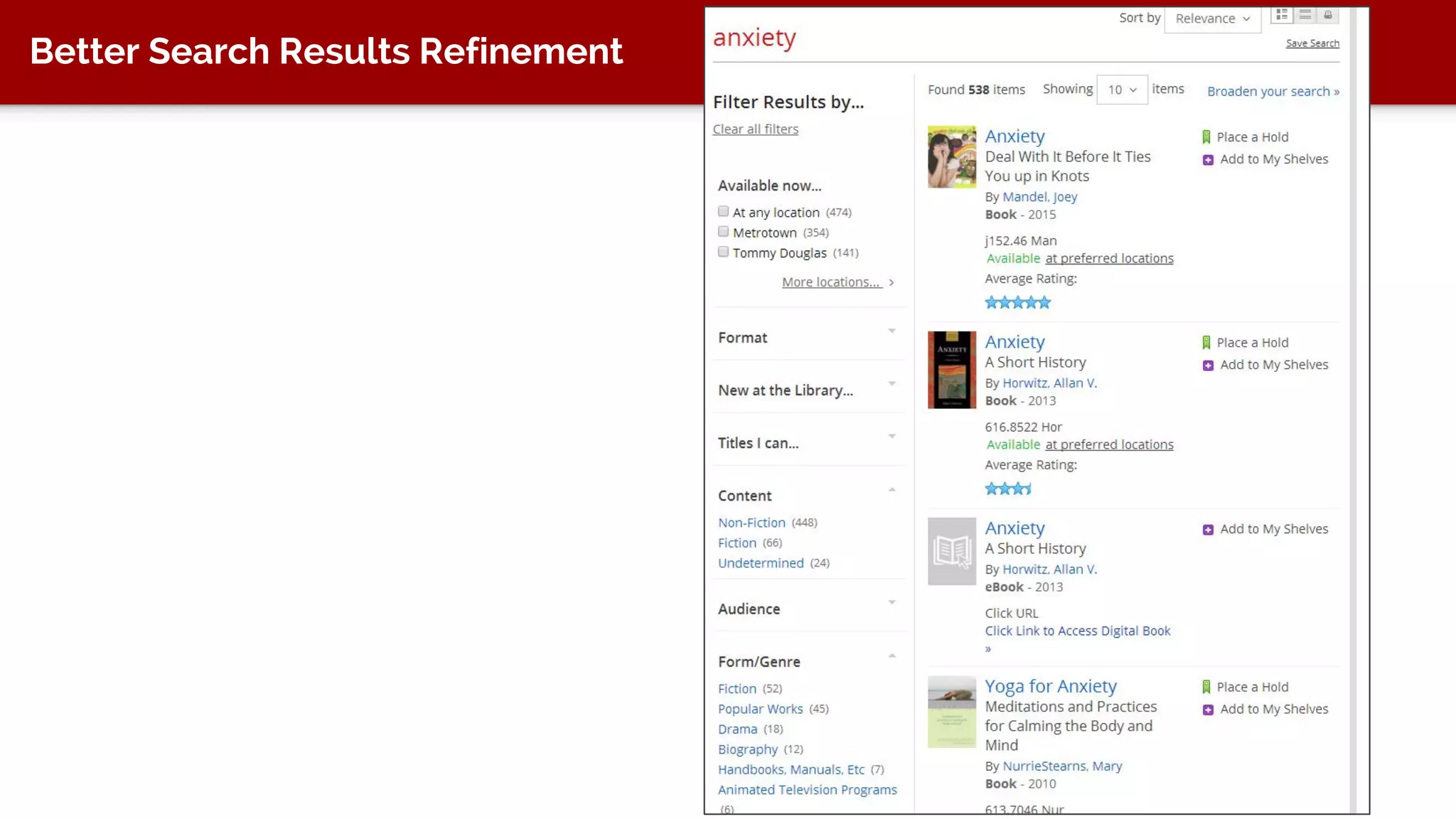
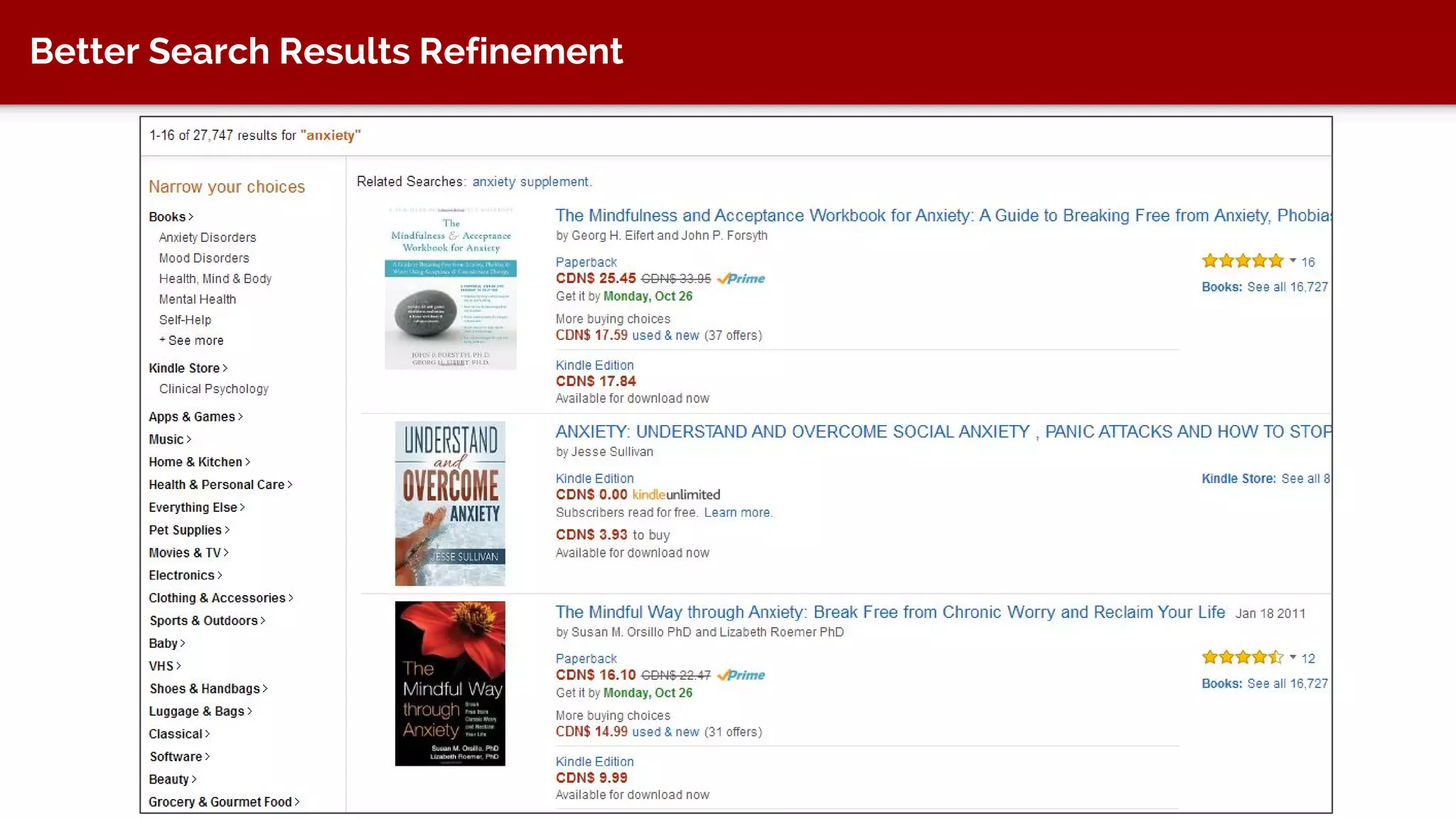
● Provide better search refinement
Information-As-Thing
The term "information" is also used attributively for objects, such as
data and documents, that are referred to as "information" because
they are regarded as being informative, as "having the quality of
imparting knowledge or communicating information; instructive."
Buckland, “Information as Thing” (1991)
http://people.ischool.berkeley.edu/~buckland/thing.html
Tag to Find Again
From Adobe CQ5 documentation
Users Can Find Information
Dynamic Display of Information
Controlling Terminology
Better Search Results Refinement
More Definitions
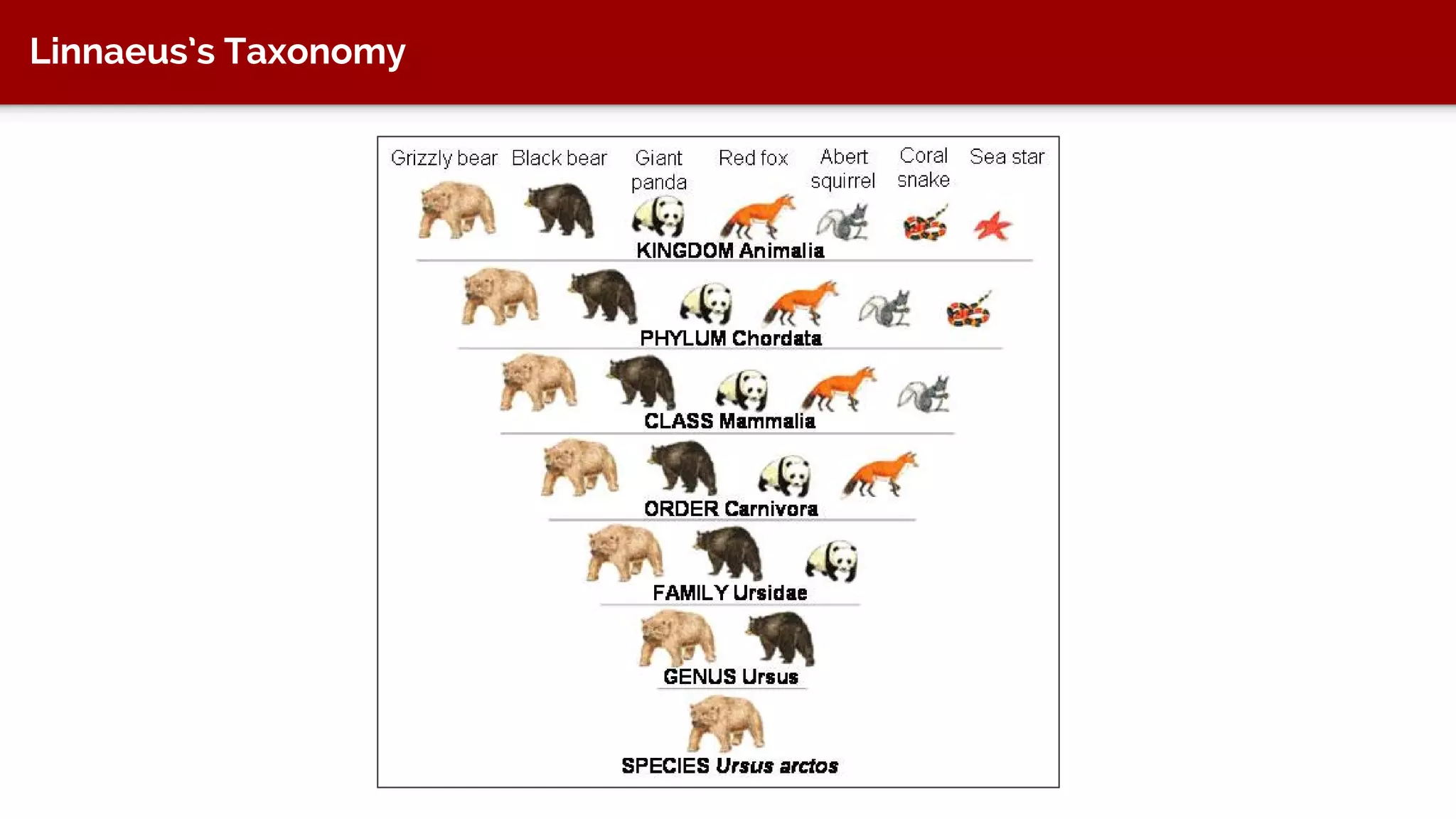
Hierarchical Taxonomy
● Used when hierarchical structure of items is very important and well-
understood
● Preserves relationships (parent-child, siblings)
● But can be more difficult to navigate because people have to know the
domain
Linnaeus’s Taxonomy
Faceted Taxonomy
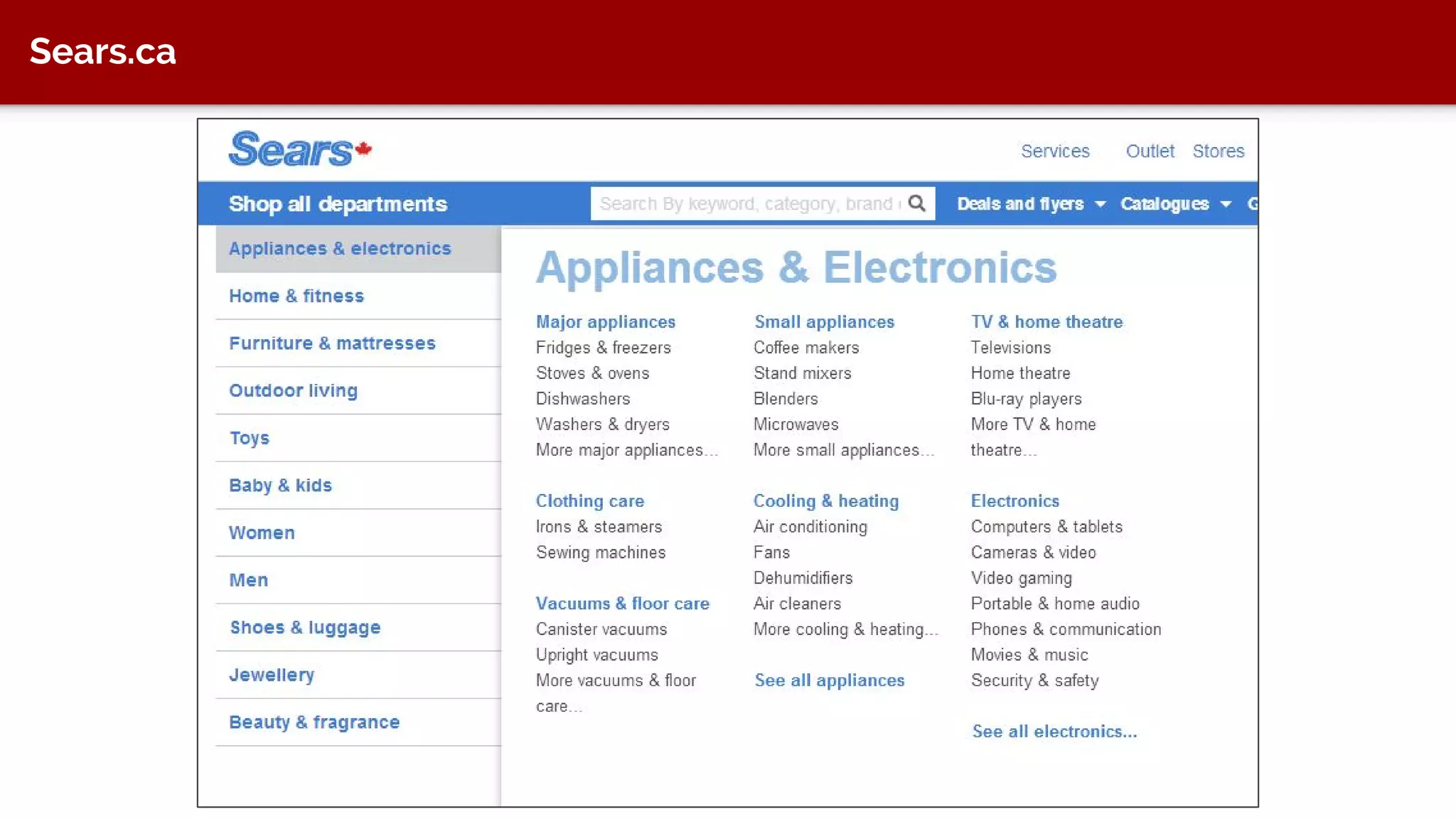
● Used when attributes are more important than hierarchy
● Facets are conceptually mutually exclusive
● Easier to navigate
● But can hinder someone looking for hierarchical relationships
● Used by many e-commerce websites
Sears.ca
Sears.ca
Learn More and Integrate It
Into Your Work
Use It!
● Start learning about how it can be used on a website, in a CMS, or other
digital product
● Technical writers - indexing
● Information architects - structure
● Content strategists - themes, topics
Project Approach
● User interviews: ask them what terms they use
● Search engine terms: what people are searching for on Google or Bing
that brings them to your site
● On-site search terms: On the site, what people are searching for
● Content audit: pick out keywords
● Put all these keywords together and start creating themes, topic areas,
etc.
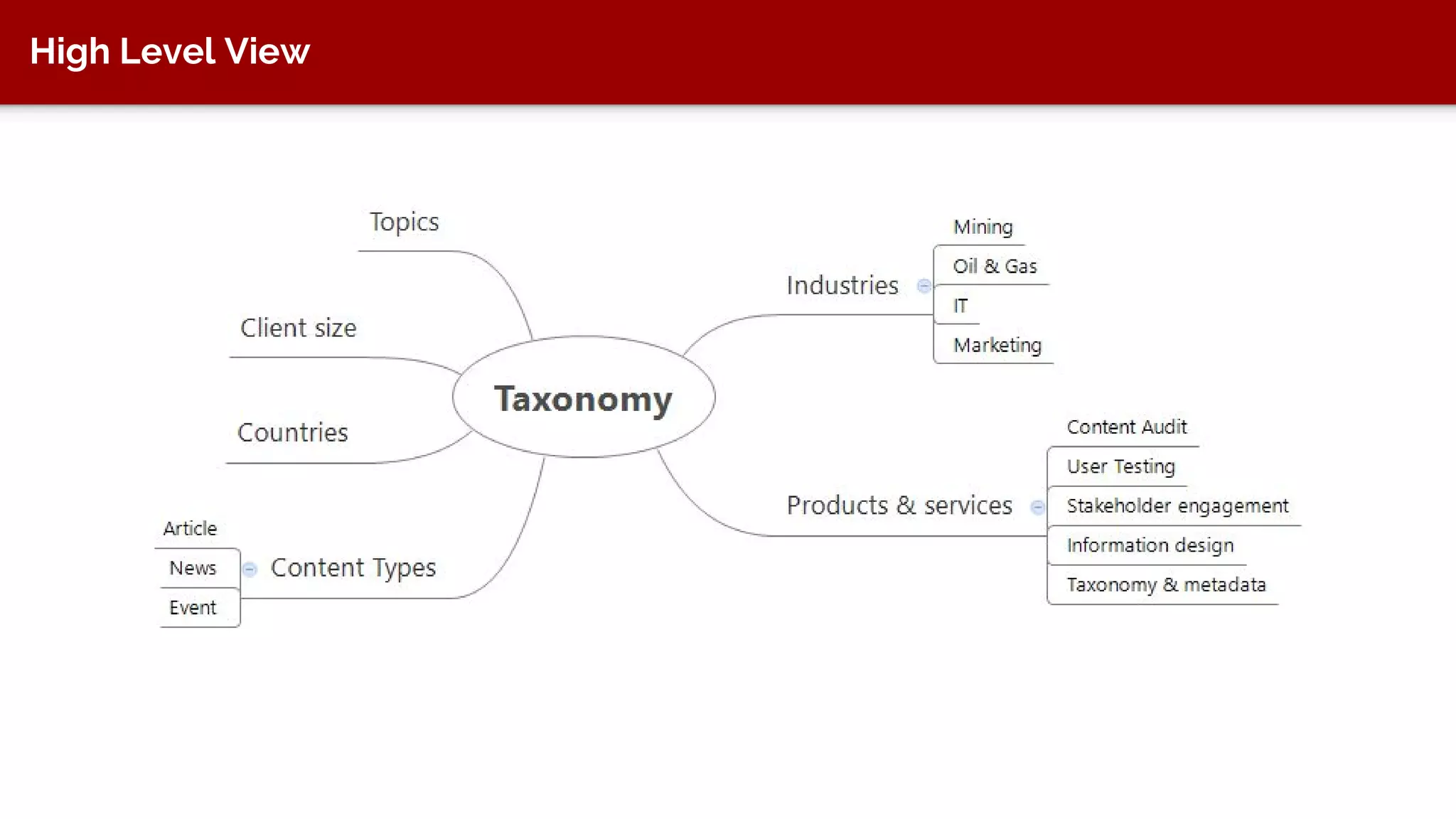
High Level View
Good Resources
Taxonomy posts
http://www.keypointe.ca/category/taxonomy-and-metadata/
When to use a hierarchical or faceted taxonomy
http://www.keypointe.ca/when-to-use-a-hierarchical-or-a-faceted-
taxonomy/
Faceted taxonomy resources
http://www.keypointe.ca/faceted-taxonomy-resource/
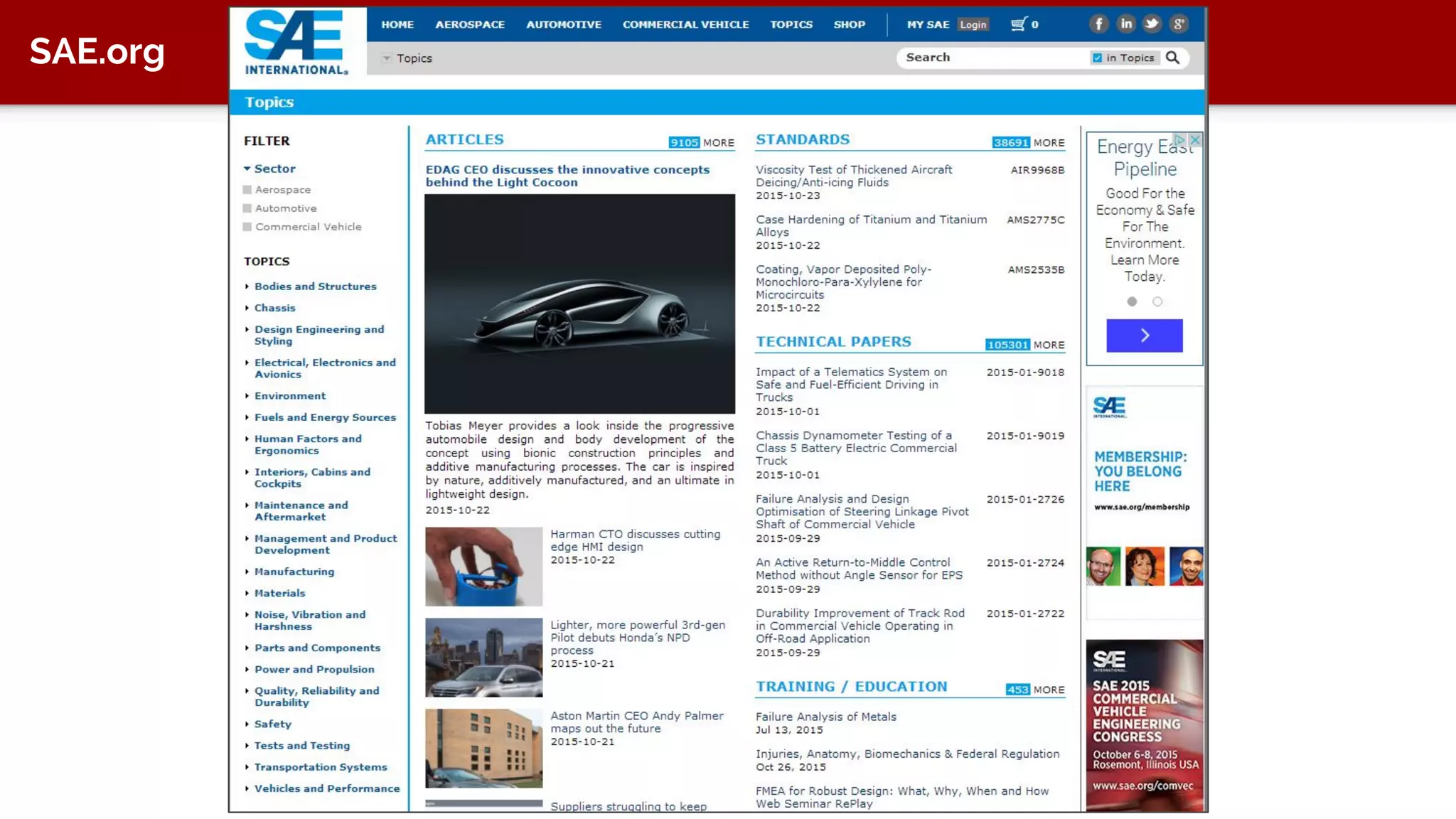
Taxonomies in Action
SAE.org
BT.com
BT.com
Craigslist
LinkedIn
Crutchfield.com
My Info Theresa Putkey
tputkey@keypointe.ca
www.keypointe.ca
@tputkey
ca.linkedin.com/in/tputkey
604 563 6317

Taxonomy 101

  • 1.
    Taxonomy 101 Theresa Putkey,Information Architect & Taxonomist tputkey@keypointe.ca @tputkey www.keypointe.ca
  • 2.
    In This Talk... ●What it is ● What it’s good for ● Definitions ● Learn more and integrate it into your work
  • 3.
  • 4.
    What It Is Anapproach to categorizing “untraditional” information Untraditional Adjective Not existing in or as part of a tradition; not customary or long- established
  • 5.
  • 6.
    Example 1 A clienthad a lot of files related to their product offerings. The files were a mess across several network drives and personal hard drives. They needed to implement a digital asset management system to keep track of the files. In a DAM, you need to categorize files. ● File audit ● Taxonomy development ● Taxonomy training ● Implementation support in DAM
  • 7.
  • 8.
    Example 1 A clienthad a lot of files related to their product offerings. The files were a mess across several network drives and personal hard drives. They needed to implement a digital asset management system to keep track of the files. In a DAM, you need to categorize files. ● File audit ● Taxonomy development ● Taxonomy training ● Implementation support in DAM
  • 9.
    Example 2 Re-doing aSupport website and customers complain they can’t find information Call centre seeing a lot of volume for questions that can be answered online ● Content audit ● Taxonomy development ● Taxonomy training
  • 10.
    Example 3 Redoing websiteand have a lot of files. Users need to browse these topics by different angles and the company needs to show that it is the definitive resource for these topics. ● Content audit ● Taxonomy framework ● Taxonomy development ● Taxonomy training
  • 11.
  • 12.
    Example 4 Redoing websiteto show better value to members. Members were confused about the company’s vocabulary and processes. Company needed to show better value and exhaustive content. ● Content audit ● Taxonomy framework ● Taxonomy development ● Taxonomy training
  • 13.
  • 14.
  • 15.
    Modern Day We havesoftware products that are extremely information heavy Managed with wCMS, eCMS, cCMS, DAM, PIM, MAM How do we keep track of all the things in those systems? Web pages, videos, graphics, photos, master files, documents, PDFs, etc.
  • 16.
    What It’s GoodFor ● Authors and editors can categorize “information” to find it again ● Users can find information ● Dynamically display information on a website (not building pages by hand) ● Controlling terminology ● Provide more accurate search results ● Provide better search refinement
  • 17.
    Information-As-Thing The term "information"is also used attributively for objects, such as data and documents, that are referred to as "information" because they are regarded as being informative, as "having the quality of imparting knowledge or communicating information; instructive." Buckland, “Information as Thing” (1991) http://people.ischool.berkeley.edu/~buckland/thing.html
  • 18.
    Tag to FindAgain From Adobe CQ5 documentation
  • 19.
    Users Can FindInformation
  • 20.
    Users Can FindInformation
  • 21.
    Dynamic Display ofInformation
  • 22.
    Dynamic Display ofInformation
  • 23.
  • 24.
  • 25.
  • 26.
  • 27.
  • 28.
  • 29.
    Hierarchical Taxonomy ● Usedwhen hierarchical structure of items is very important and well- understood ● Preserves relationships (parent-child, siblings) ● But can be more difficult to navigate because people have to know the domain
  • 30.
  • 31.
    Faceted Taxonomy ● Usedwhen attributes are more important than hierarchy ● Facets are conceptually mutually exclusive ● Easier to navigate ● But can hinder someone looking for hierarchical relationships ● Used by many e-commerce websites
  • 32.
  • 33.
  • 34.
    Learn More andIntegrate It Into Your Work
  • 35.
    Use It! ● Startlearning about how it can be used on a website, in a CMS, or other digital product ● Technical writers - indexing ● Information architects - structure ● Content strategists - themes, topics
  • 36.
    Project Approach ● Userinterviews: ask them what terms they use ● Search engine terms: what people are searching for on Google or Bing that brings them to your site ● On-site search terms: On the site, what people are searching for ● Content audit: pick out keywords ● Put all these keywords together and start creating themes, topic areas, etc.
  • 37.
  • 38.
    Good Resources Taxonomy posts http://www.keypointe.ca/category/taxonomy-and-metadata/ Whento use a hierarchical or faceted taxonomy http://www.keypointe.ca/when-to-use-a-hierarchical-or-a-faceted- taxonomy/ Faceted taxonomy resources http://www.keypointe.ca/faceted-taxonomy-resource/
  • 39.
  • 40.
  • 41.
  • 42.
  • 43.
  • 44.
  • 45.
  • 46.
    My Info TheresaPutkey tputkey@keypointe.ca www.keypointe.ca @tputkey ca.linkedin.com/in/tputkey 604 563 6317