Prime Targets in
Network Infrastructure

   An Ethical Hacker’s View


                         Peter Wood
                      Chief Executive Officer
                     First•Base Technologies
Who is Peter Wood?


  Worked in computers & electronics since 1969
  Founded First Base in 1989 (one of the first ethical hacking firms)
  CEO First Base Technologies LLP
  Social engineer & penetration tester
  Conference speaker and security „expert‟

  Member of ISACA Security Advisory Group
  Vice Chair of BCS Information Risk Management and Audit Group
  UK Chair, Corporate Executive Programme

  FBCS, CITP, CISSP, MIEEE, M.Inst.ISP
  Registered BCS Security Consultant
  Member of ACM, ISACA, ISSA, Mensa


Slide 2                                                                 © First Base Technologies 2013
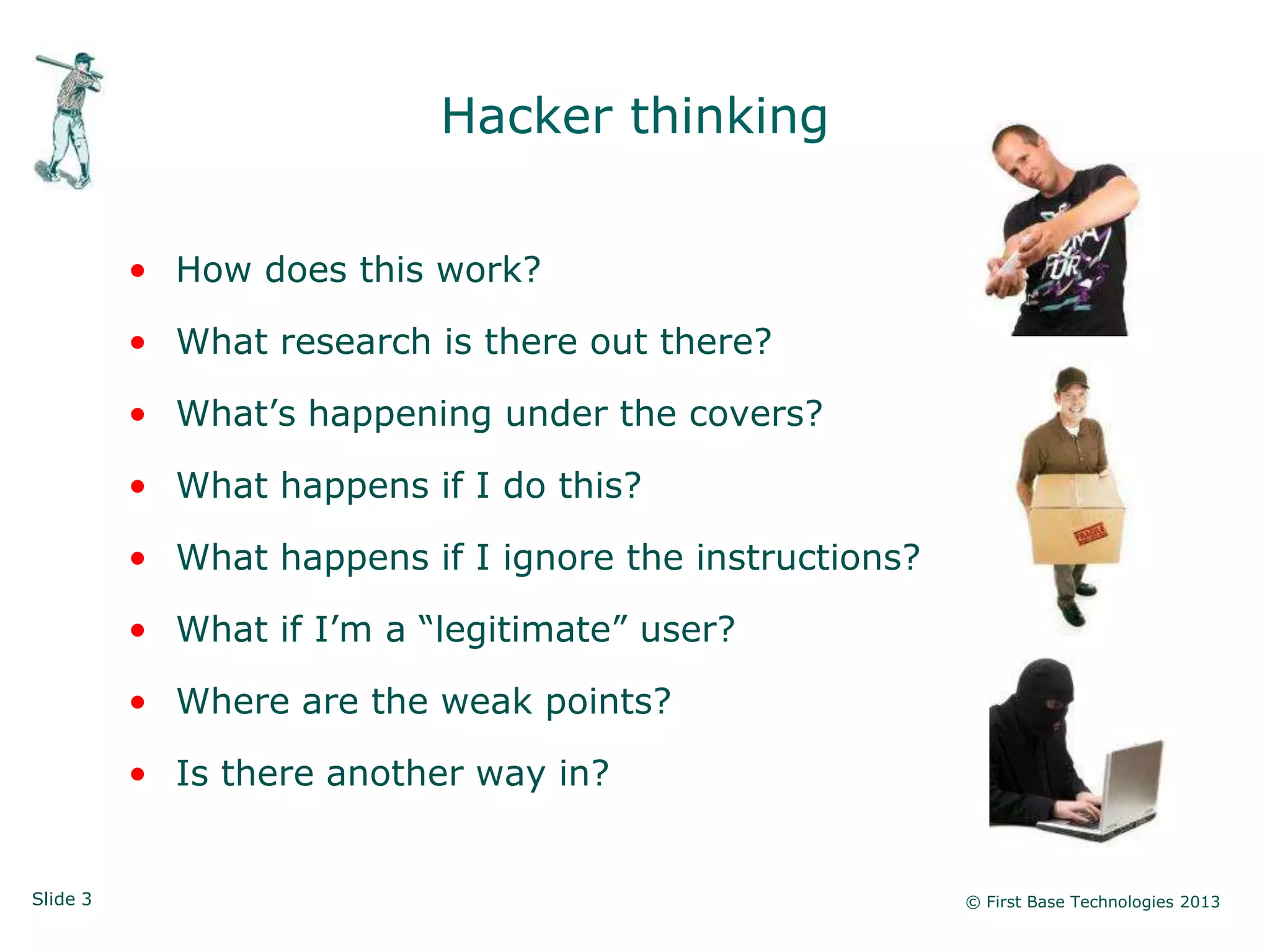
Hacker thinking


          • How does this work?

          • What research is there out there?

          • What‟s happening under the covers?

          • What happens if I do this?

          • What happens if I ignore the instructions?

          • What if I‟m a “legitimate” user?

          • Where are the weak points?

          • Is there another way in?


Slide 3                                                  © First Base Technologies 2013
Let’s start at the bottom …


Slide 4                            © First Base Technologies 2013
SNMP
                    Simple Network Management Protocol


          • A protocol developed to manage nodes (servers,
            workstations, routers, switches and hubs etc.) on an IP
            network
          • Enables network administrators to manage network
            performance, find and solve network problems, and
            plan for network growth
          • SNMP v1 is the de facto network management protocol
          • SNMP v1 authentication is performed by a „community
            string‟, in effect a type of shared password, which is
            transmitted in clear text


Slide 5                                                  © First Base Technologies 2013
SNMP Architecture


          • Managers: responsible for communicating with network
            devices that implement SNMP Agents
          • Agents: reside in devices such as servers, workstations,
            switches, routers, printers, etc.
          • Management Information Base (MIB): describe data
            objects to be managed by an Agent within a device


          • MIBs are text files, and the values in MIB data objects
            are communicated between Managers and Agents


Slide 6                                                   © First Base Technologies 2013
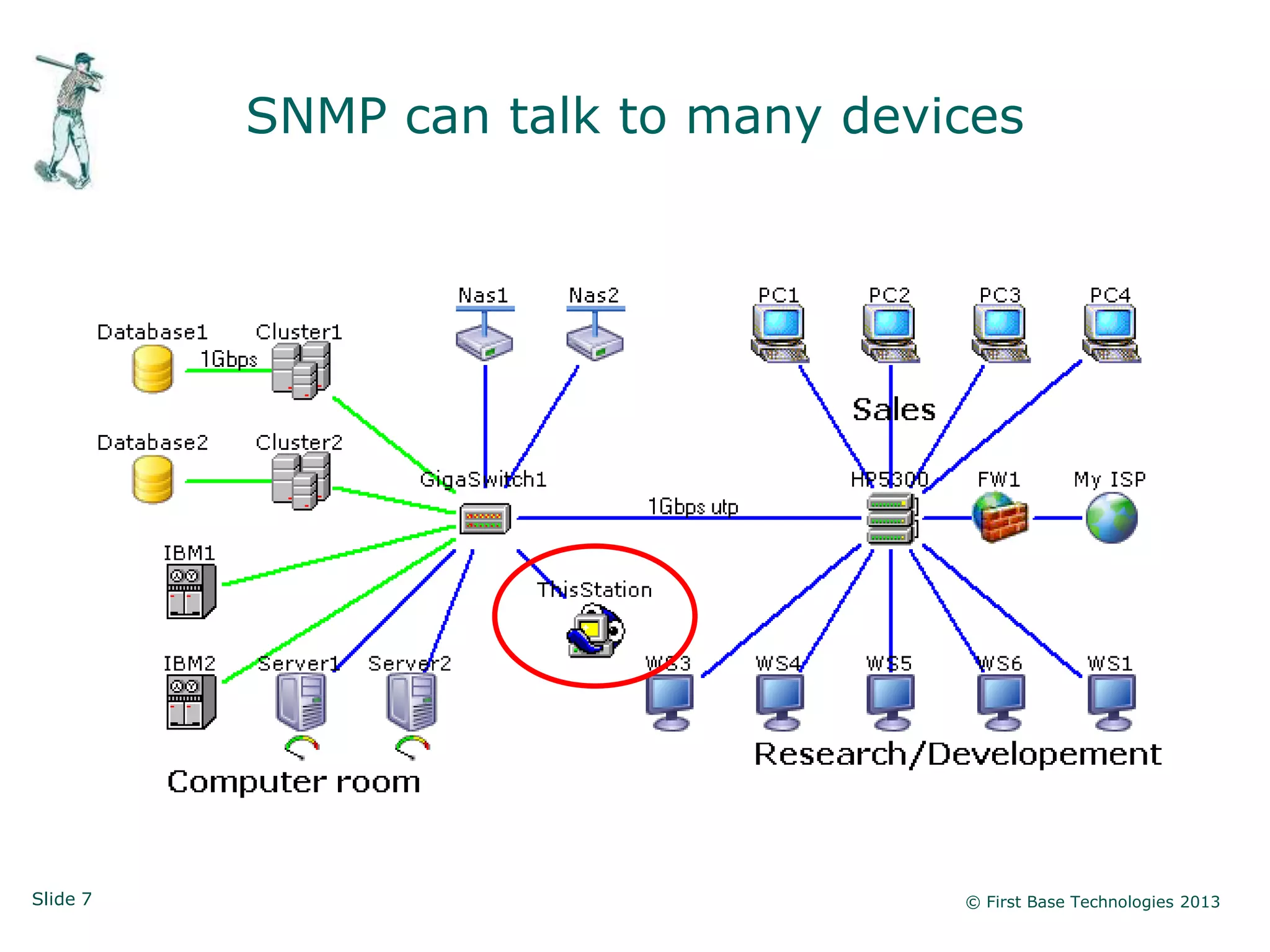
SNMP can talk to many devices


Slide 7                             © First Base Technologies 2013
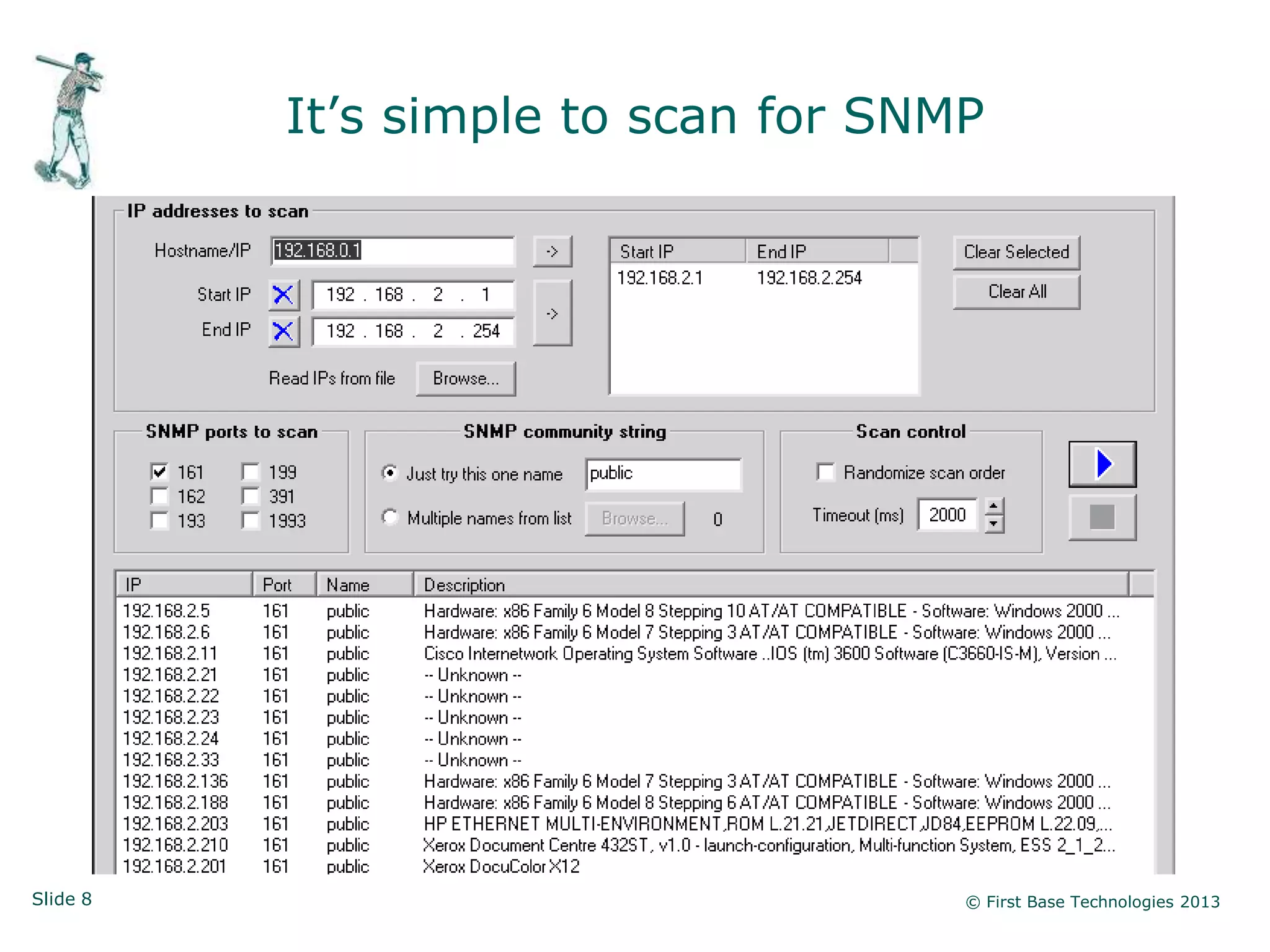
It‟s simple to scan for SNMP


Slide 8                              © First Base Technologies 2013
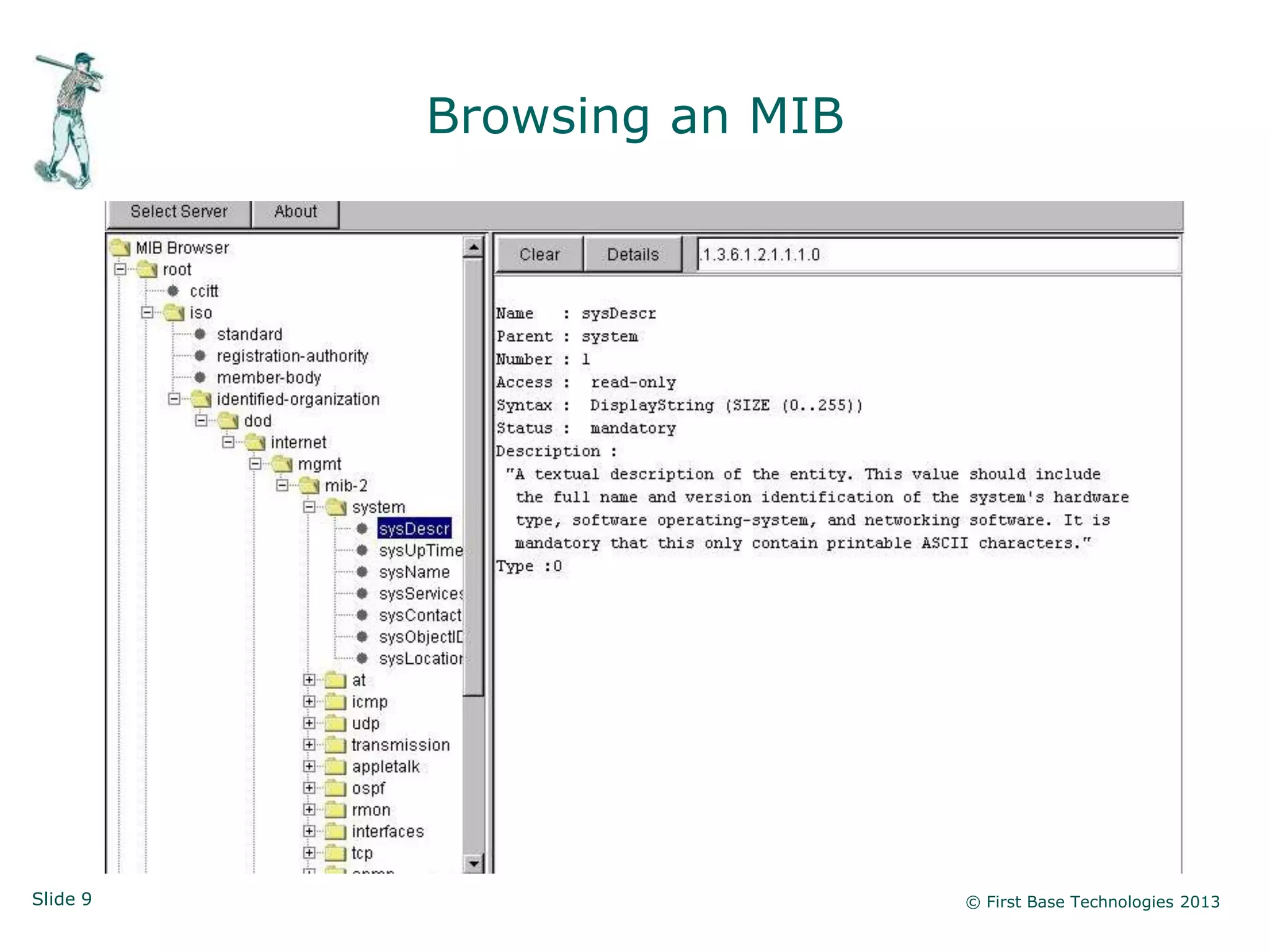
Browsing an MIB


Slide 9                     © First Base Technologies 2013
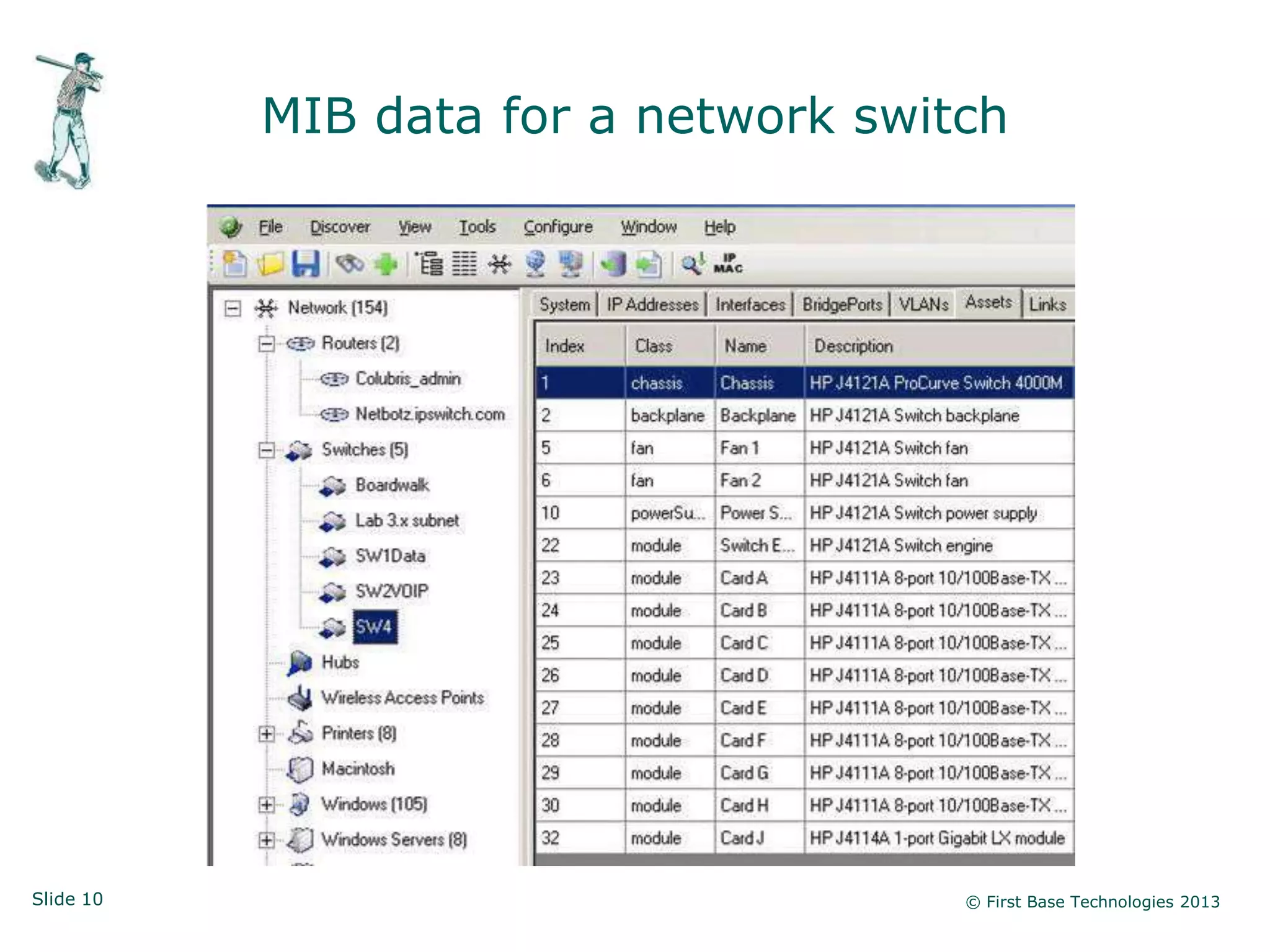
MIB data for a network switch


Slide 10                              © First Base Technologies 2013
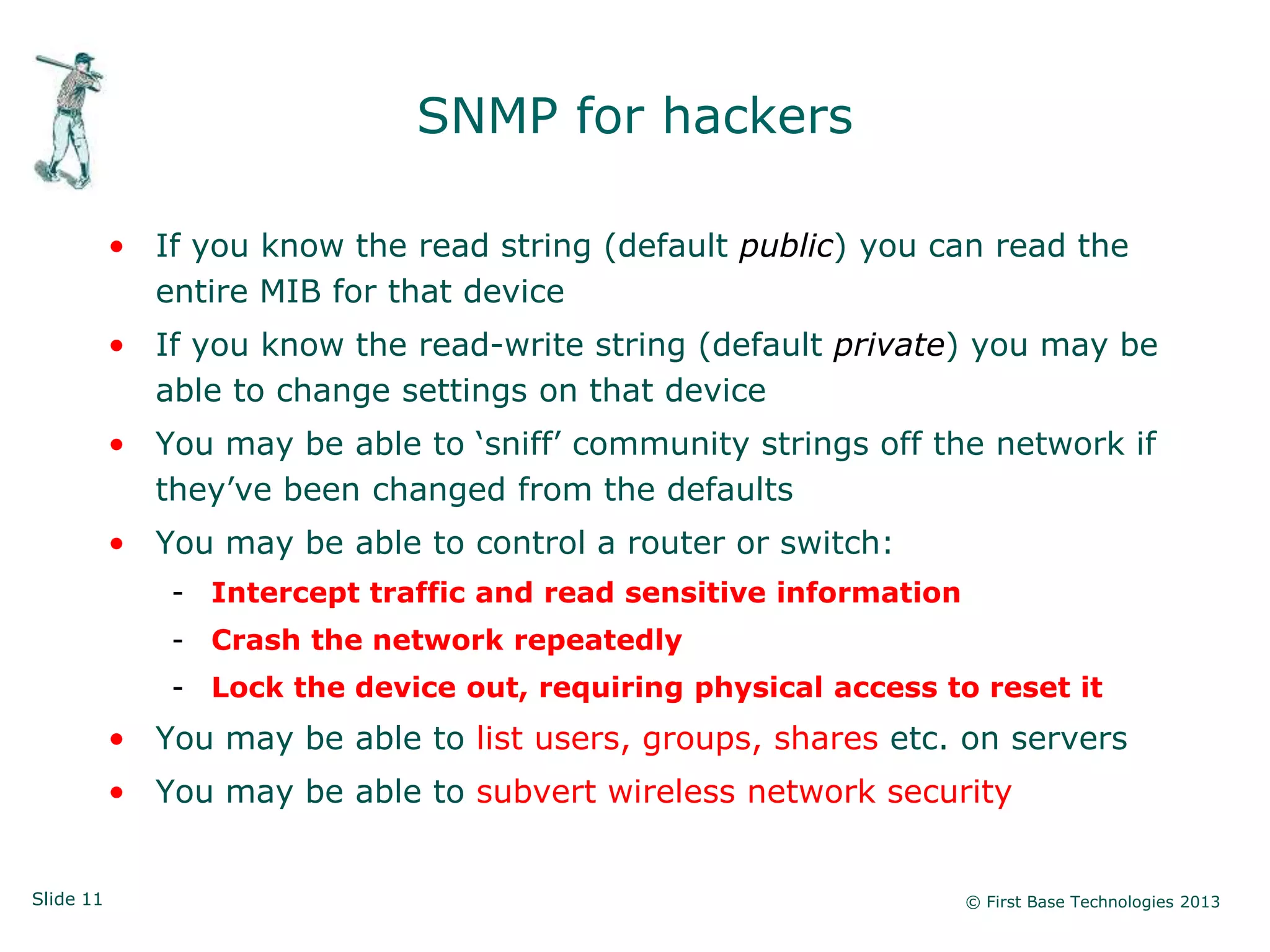
SNMP for hackers

           • If you know the read string (default public) you can read the
             entire MIB for that device
           • If you know the read-write string (default private) you may be
             able to change settings on that device
           • You may be able to „sniff‟ community strings off the network if
             they‟ve been changed from the defaults
           • You may be able to control a router or switch:
              - Intercept traffic and read sensitive information
              - Crash the network repeatedly
              - Lock the device out, requiring physical access to reset it
           • You may be able to list users, groups, shares etc. on servers
           • You may be able to subvert wireless network security


Slide 11                                                           © First Base Technologies 2013
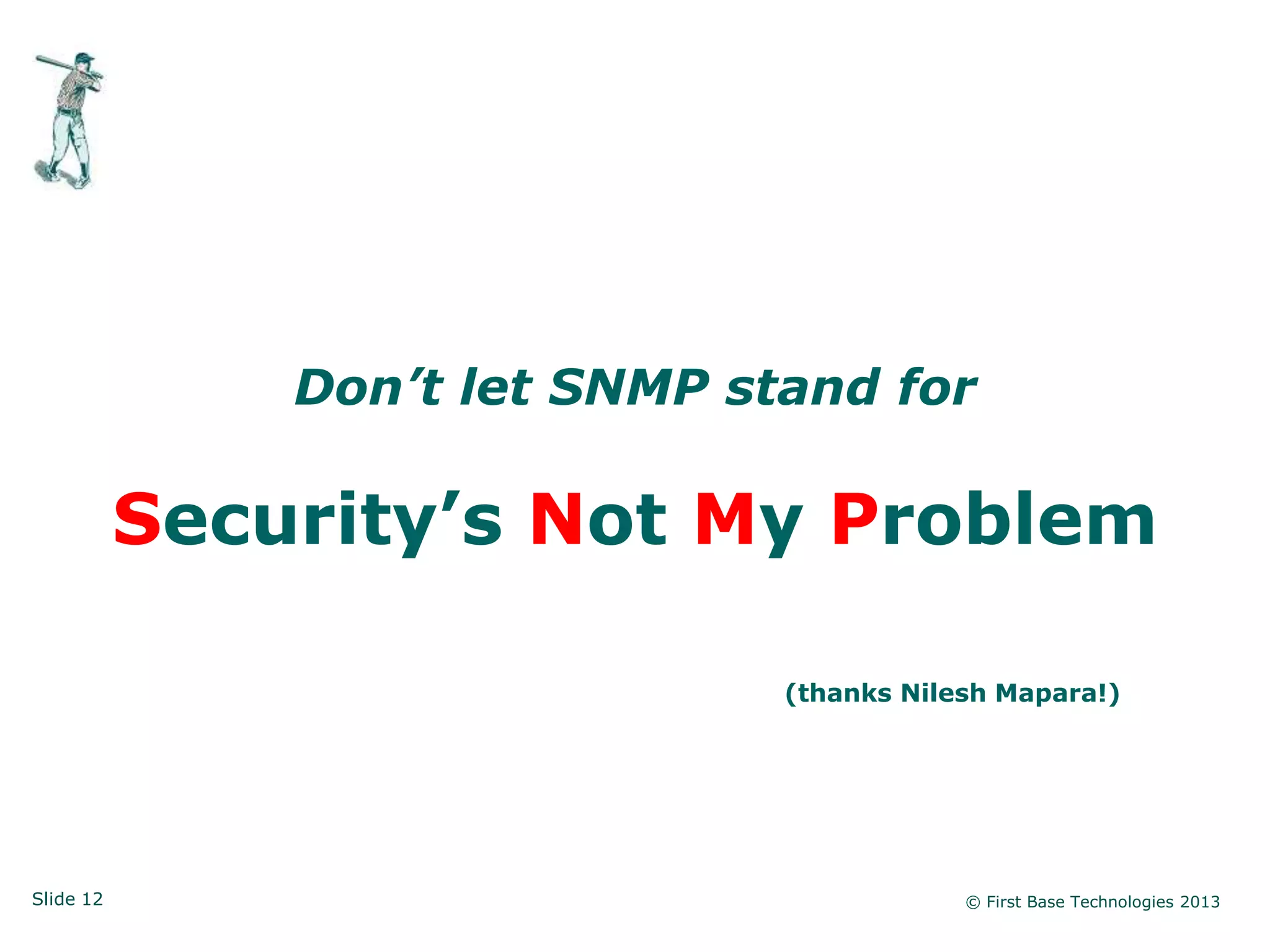
Don’t let SNMP stand for

           Security’s Not My Problem

                                (thanks Nilesh Mapara!)


Slide 12                                    © First Base Technologies 2013
What else is on the network …


Slide 13                            © First Base Technologies 2013
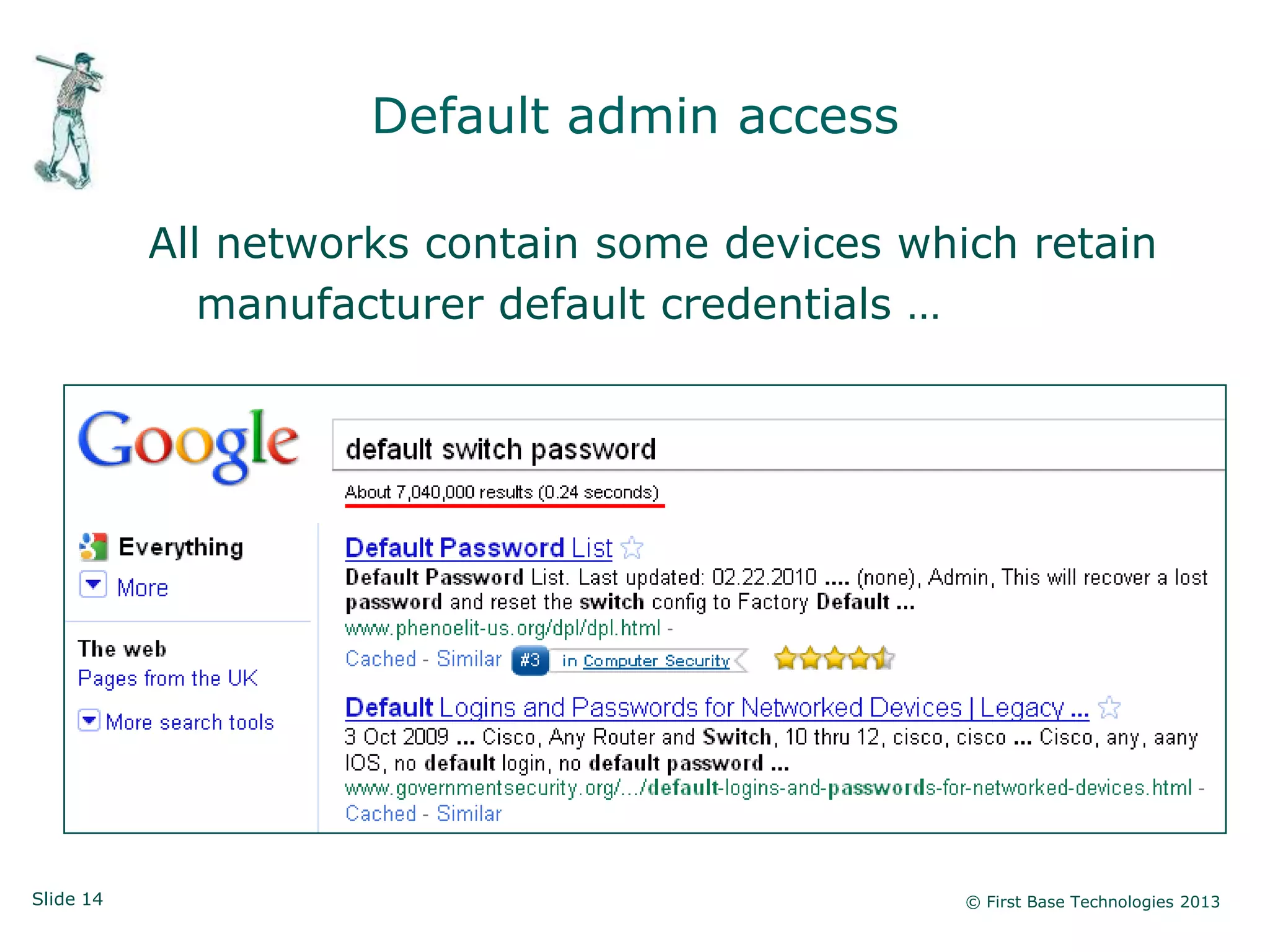
Default admin access

           All networks contain some devices which retain
              manufacturer default credentials …


Slide 14                                        © First Base Technologies 2013
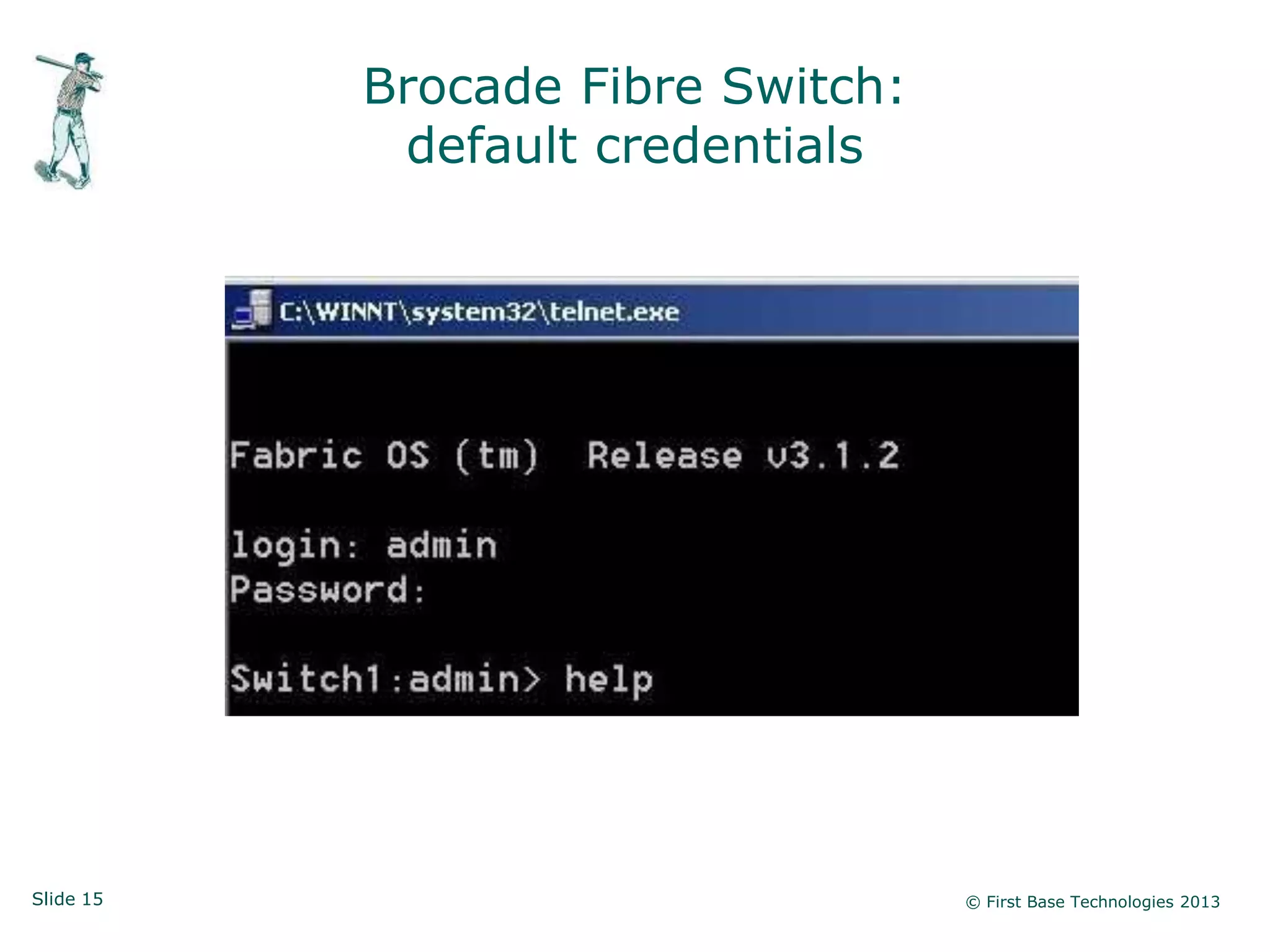
Brocade Fibre Switch:
            default credentials


Slide 15                           © First Base Technologies 2013
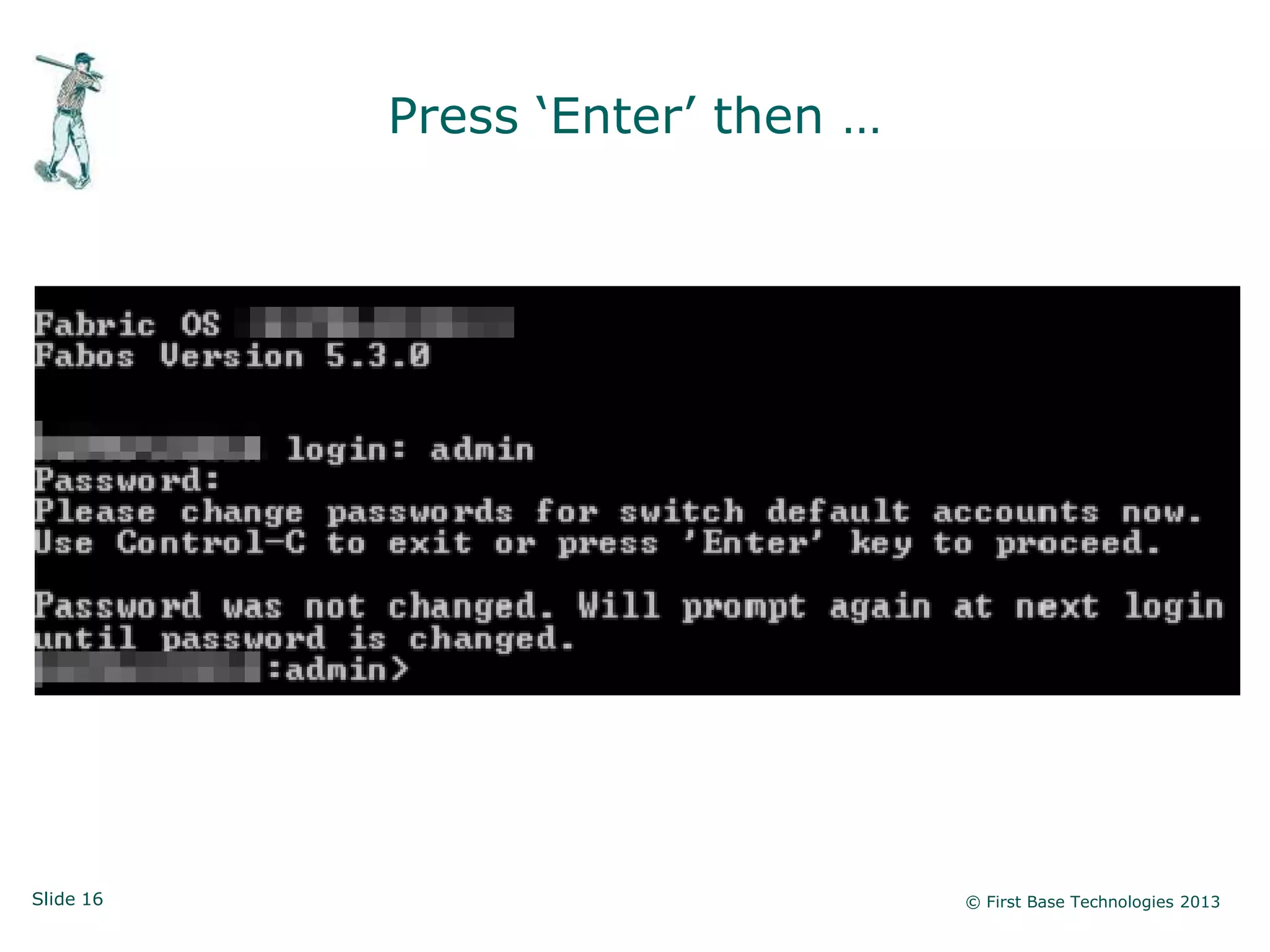
Press „Enter‟ then …


Slide 16                          © First Base Technologies 2013
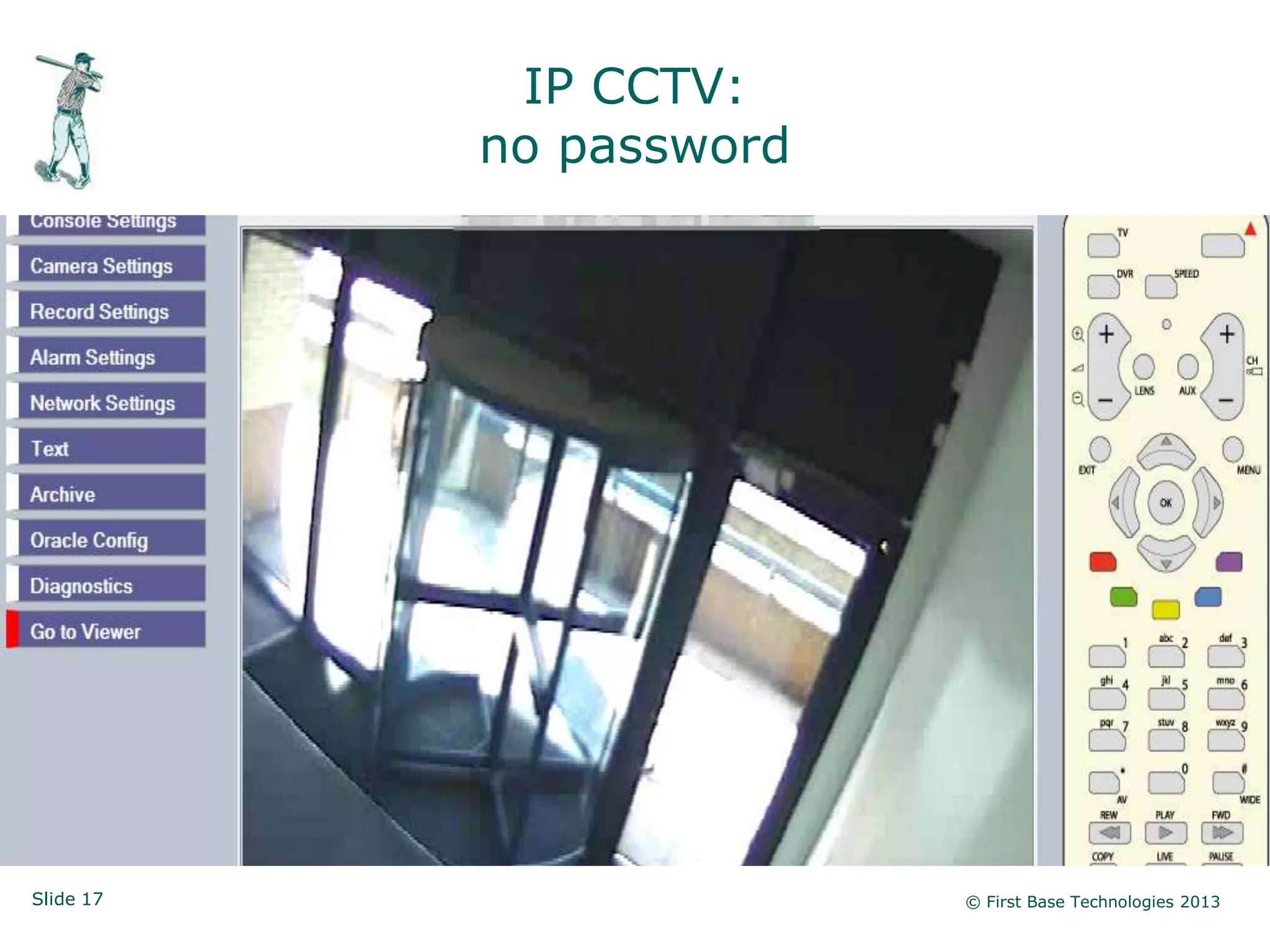
IP CCTV:
           no password


Slide 17                 © First Base Technologies 2013
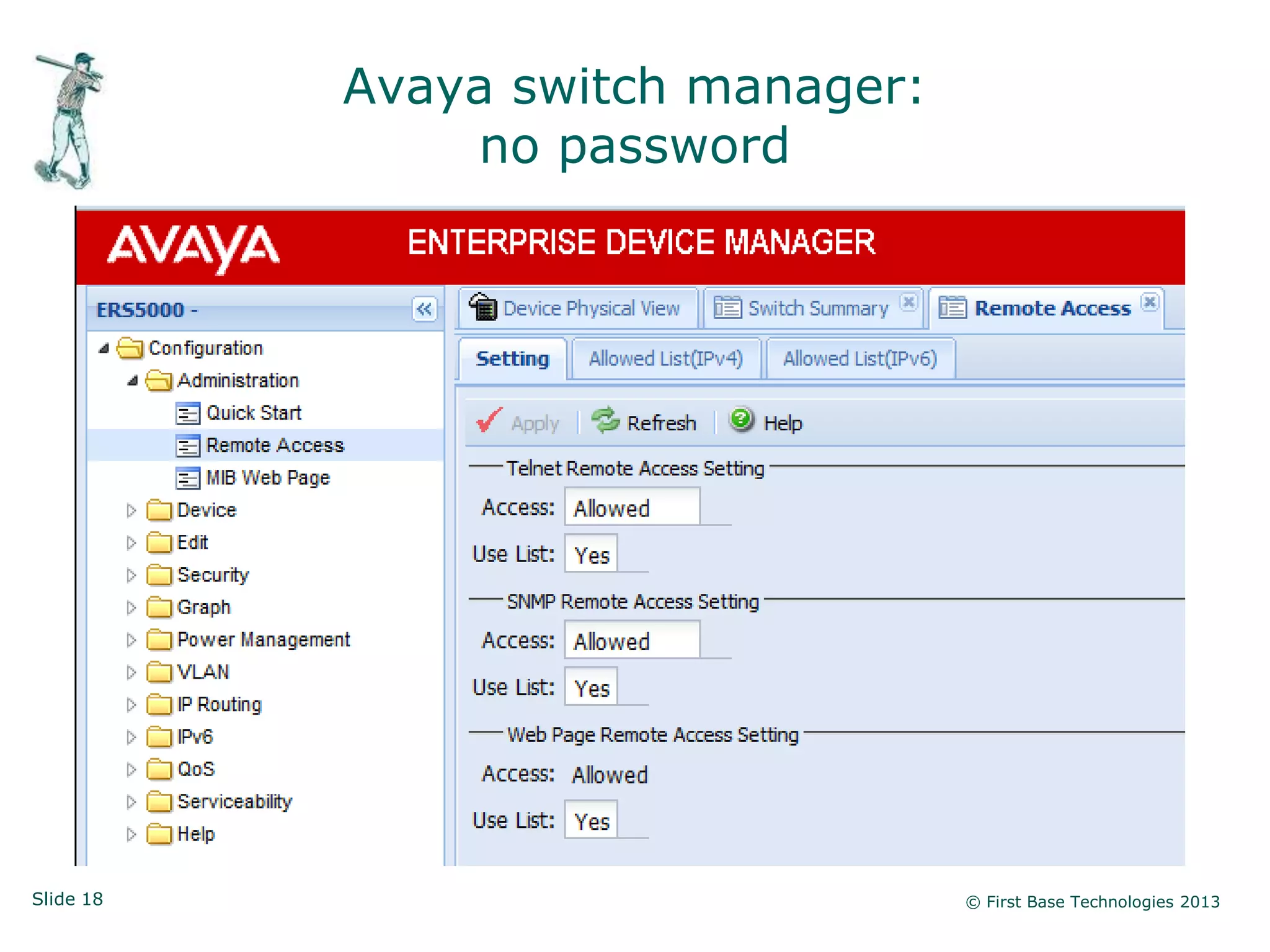
Avaya switch manager:
               no password


Slide 18                           © First Base Technologies 2013
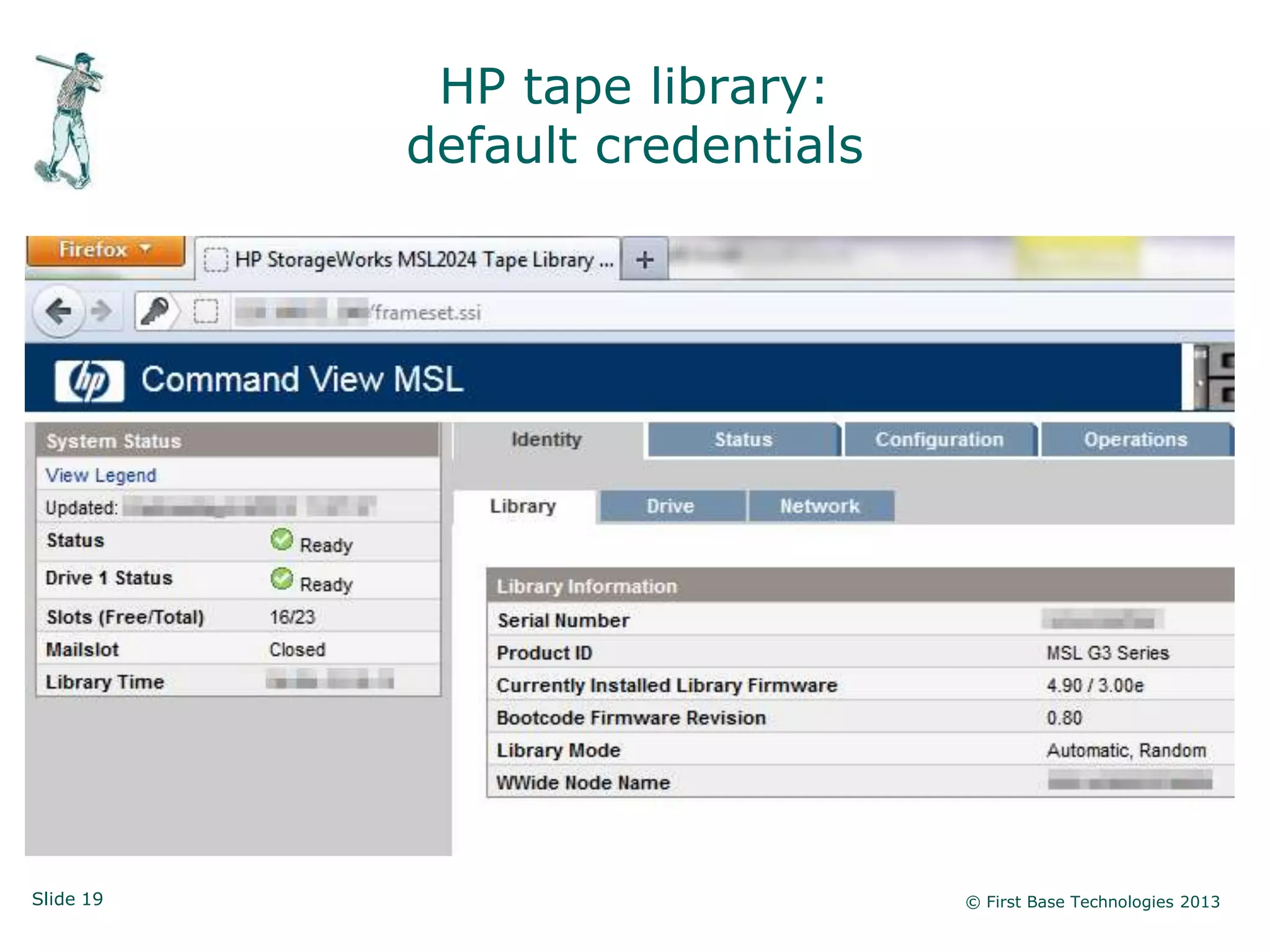
HP tape library:
           default credentials


Slide 19                         © First Base Technologies 2013
Network device compromise


           • SNMP on by default (often not required)

           • SNMP default community strings in use

           • Default admin logon credentials

           • No admin credentials at all

           • Cleat text admin (telnet, http)


           • Documented standards, regular network discovery
             and lots of training is the defence!


Slide 20                                               © First Base Technologies 2013
Windows Hacking


Slide 21                     © First Base Technologies 2013
Windows is complicated

           • Widows permissions are confusing

           • Default groups can be a problem (e.g. „everyone‟)

           • There isn‟t enough granularity:
              - Domain Admins / Enterprise Admins
              - Account Operators / Server Operators (seldom used)
              - The rest!
           • Confusion between domain accounts and local accounts

           • Windows password weaknesses are not understood

           • Usually way too many „Domain Admins‟


Slide 22                                                   © First Base Technologies 2013
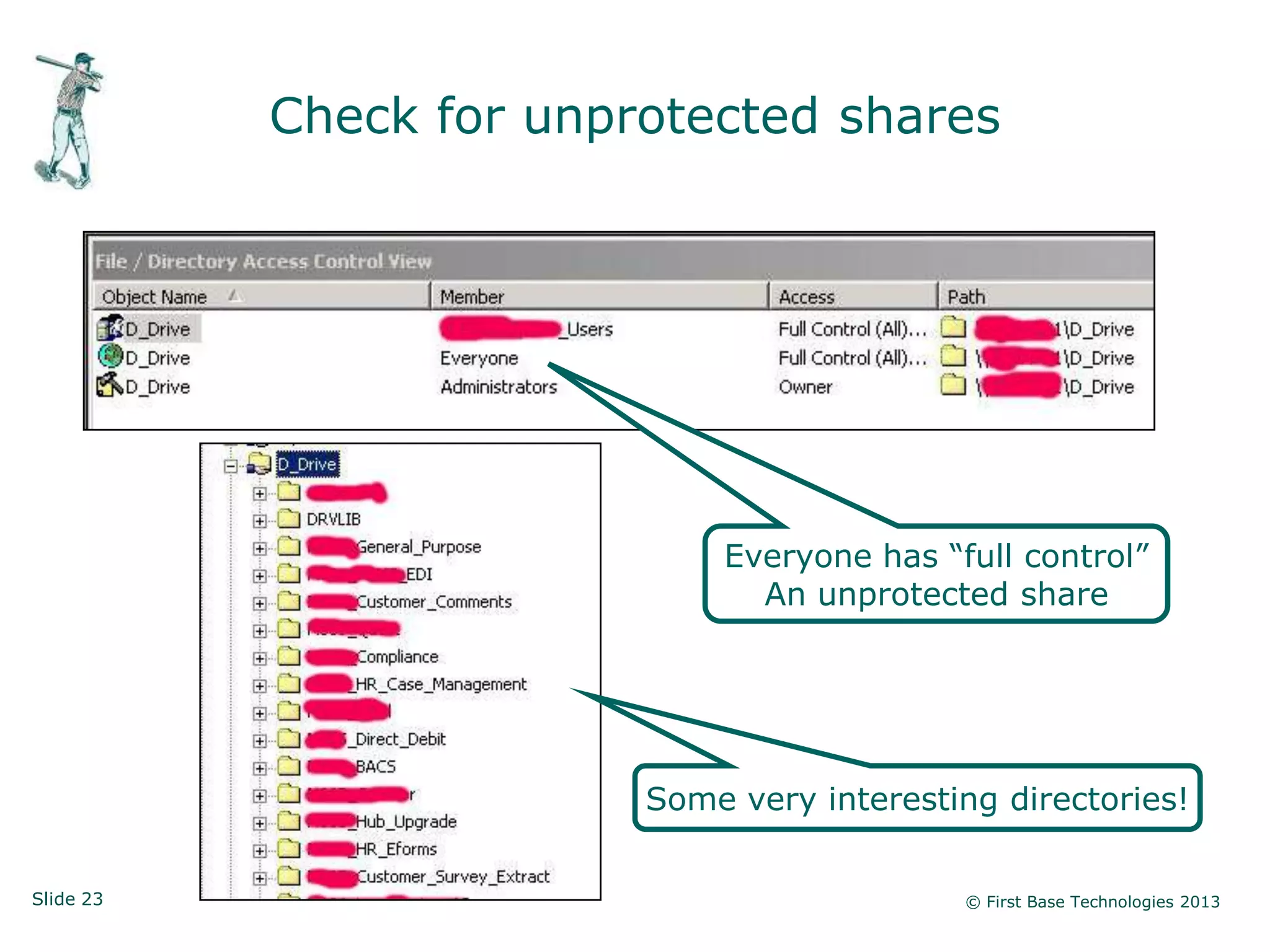
Check for unprotected shares


                             Everyone has “full control”
                               An unprotected share


                         Some very interesting directories!

Slide 23                                    © First Base Technologies 2013
Searching for sensitive data


           • Use a tool like Advanced Find and Replace

           • Search for documents containing “password”
             (files modified in last 6 months)

           • Use your imagination in search strings

           • Use your brain to select appropriate targets

           • Capture files even if they‟re password-protected
             (they can be cracked)


Slide 24                                                    © First Base Technologies 2013
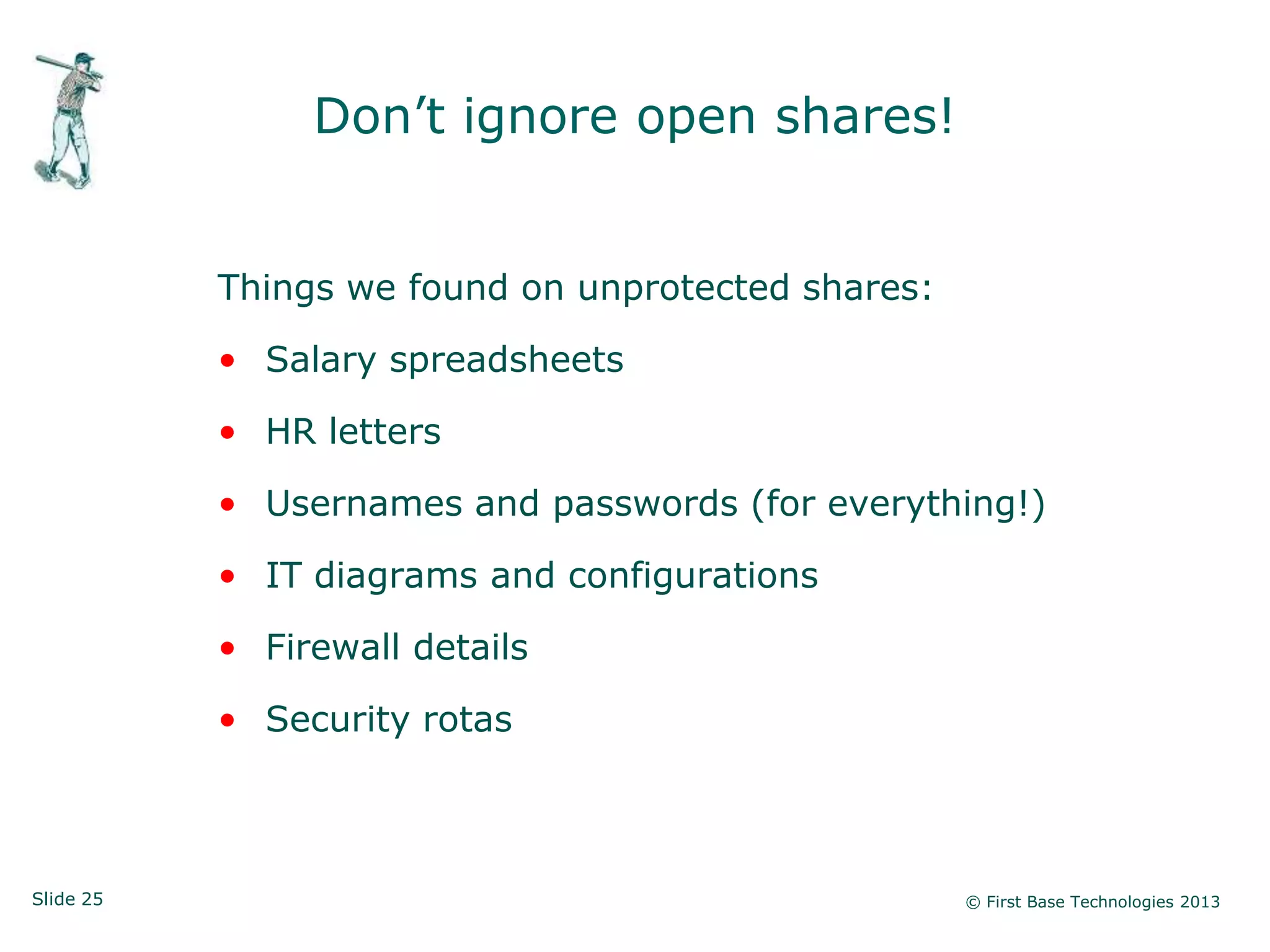
Don‟t ignore open shares!


           Things we found on unprotected shares:

           • Salary spreadsheets

           • HR letters

           • Usernames and passwords (for everything!)

           • IT diagrams and configurations

           • Firewall details

           • Security rotas


Slide 25                                            © First Base Technologies 2013
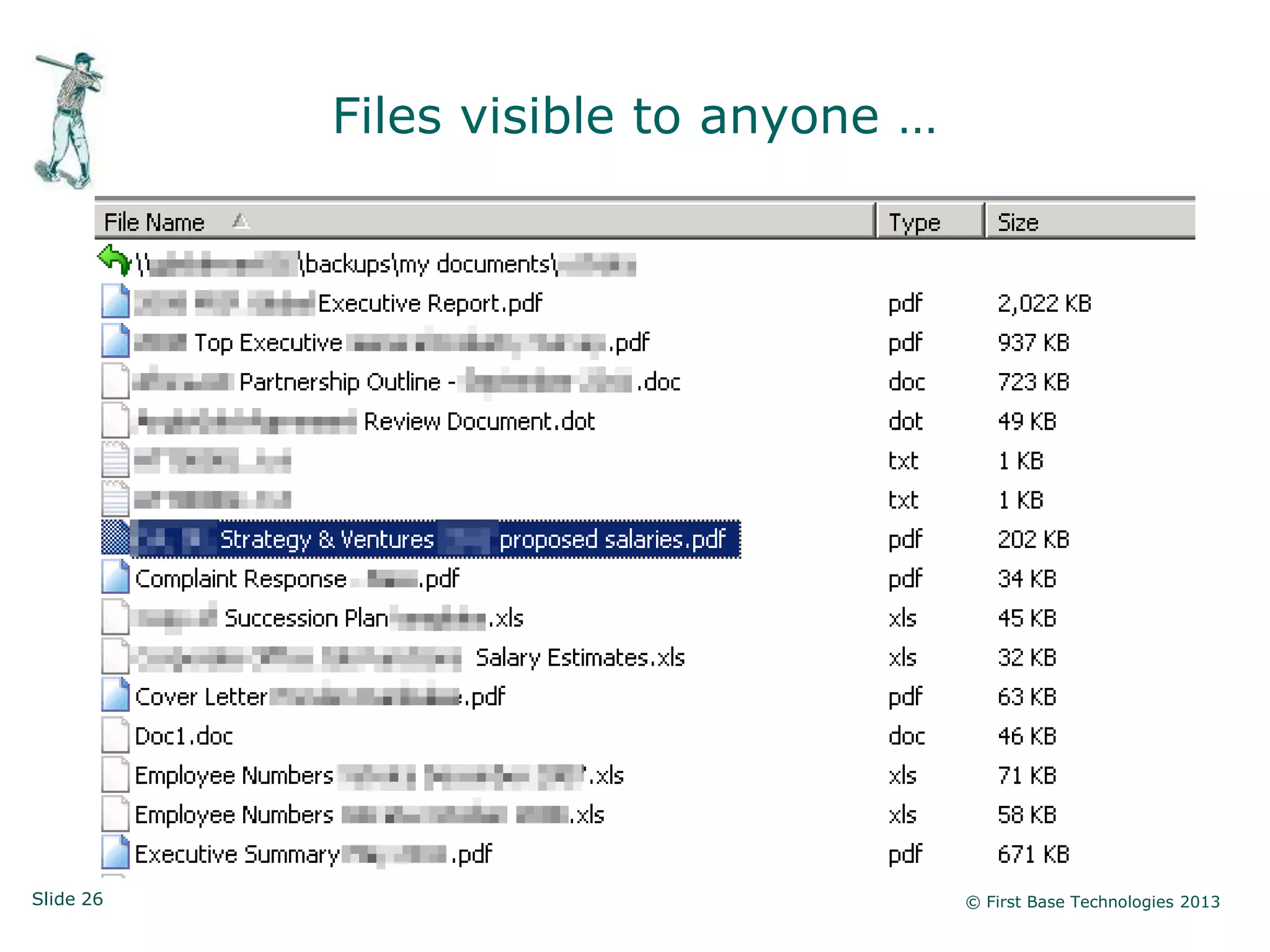
Files visible to anyone …


Slide 26                               © First Base Technologies 2013
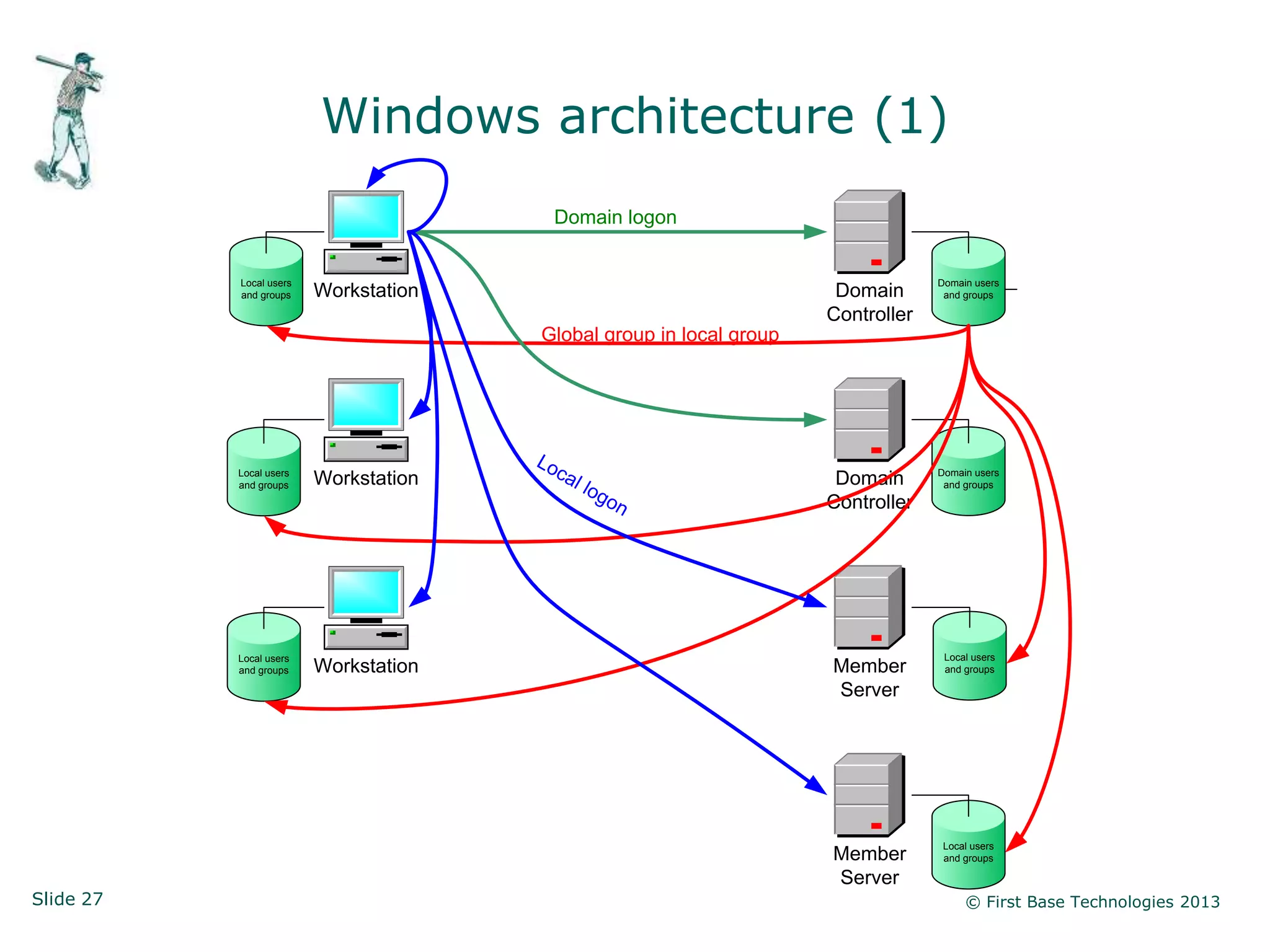
Windows architecture (1)
                                        Domain logon


           Local users                                                            Domain users
           and groups    Workstation                                  Domain       and groups

                                                                     Controller
                                       Global group in local group


                                       Lo
           Local users
                         Workstation        ca                        Domain      Domain users
           and groups                            l lo                              and groups
                                                        go           Controller
                                                             n


           Local users                                                             Local users
           and groups    Workstation                                 Member        and groups

                                                                     Server


                                                                                   Local users
                                                                     Member        and groups

                                                                     Server
Slide 27                                                                               © First Base Technologies 2013
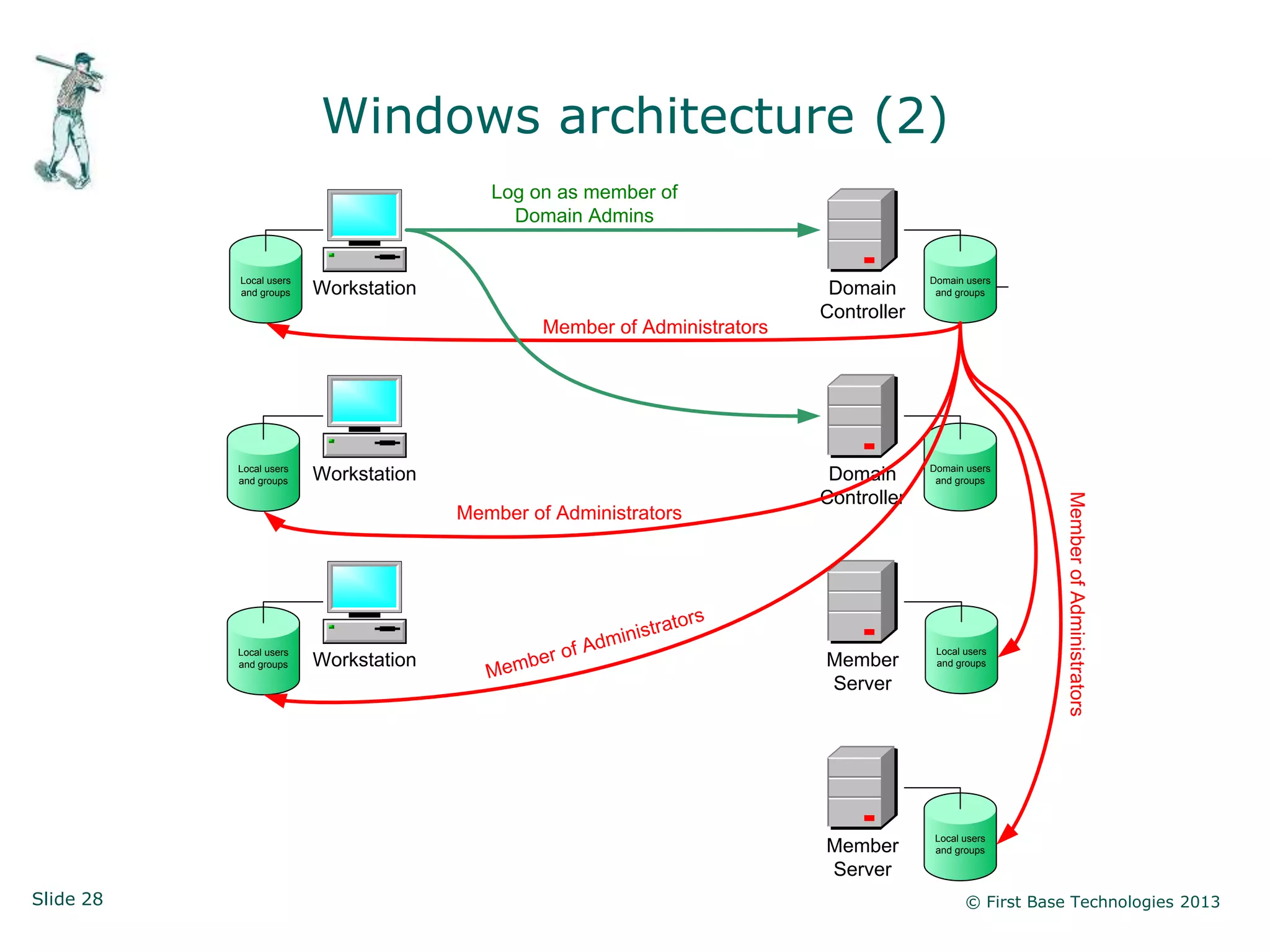
Windows architecture (2)
                                          Log on as member of
                                            Domain Admins


           Local users                                                                          Domain users
           and groups    Workstation                                                Domain       and groups

                                                                                   Controller
                                                   Member of Administrators


           Local users                                                                          Domain users
           and groups    Workstation                                                Domain       and groups

                                                                                   Controller


                                                                                                                  Member of Administrators
                                       Member of Administrators


                                                                              rs
                                                                 inis   trato
           Local users
                                                   er o   f Ad m                                 Local users
                         Workstation           b                                   Member
                                          Me m
           and groups                                                                            and groups

                                                                                   Server


                                                                                                 Local users
                                                                                   Member        and groups

                                                                                   Server
Slide 28                                                                                               © First Base Technologies 2013
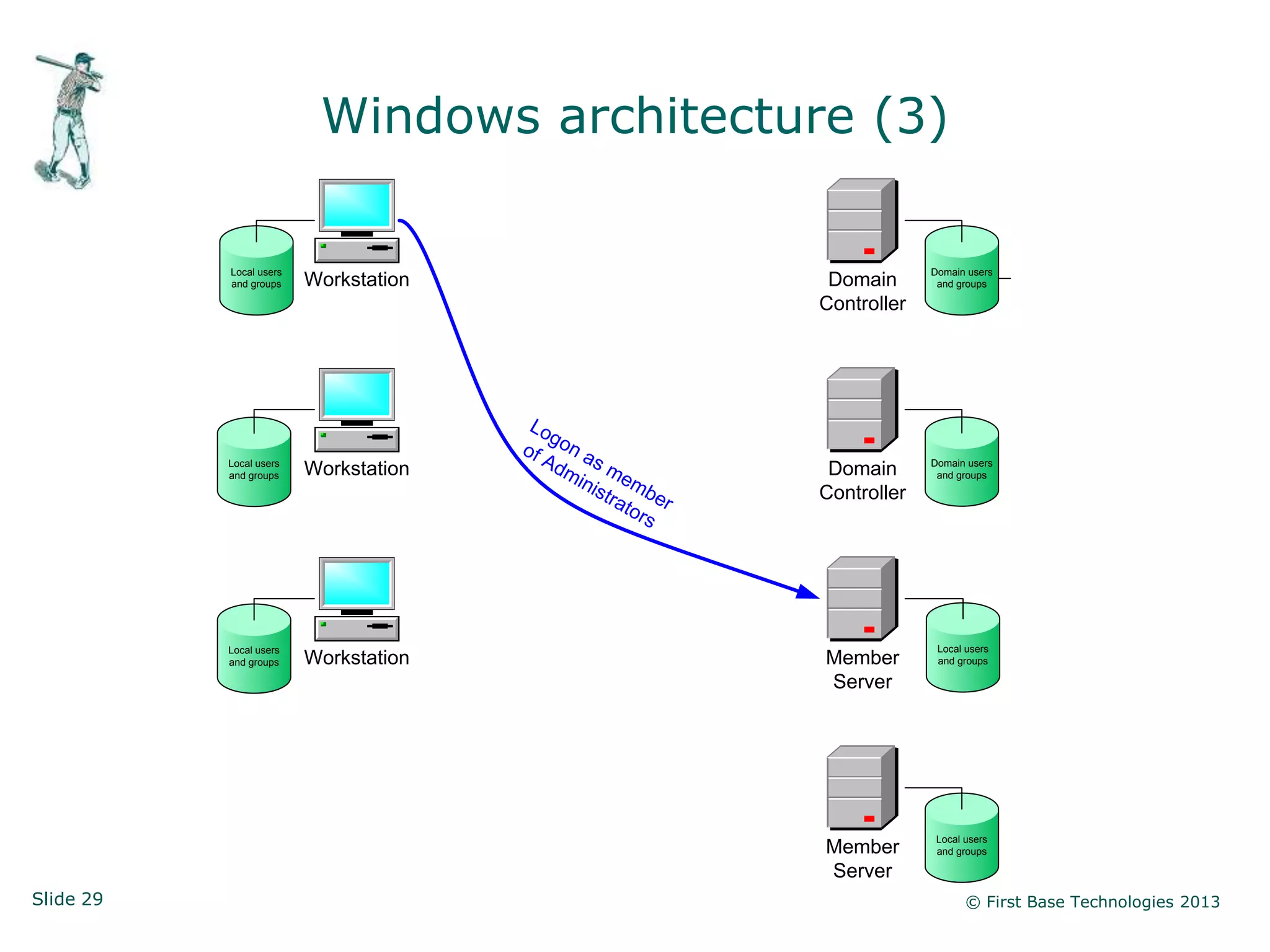
Windows architecture (3)

           Local users                                                         Domain users
           and groups    Workstation                               Domain       and groups

                                                                  Controller


                                        Lo
                                           g
                                       of on a
           Local users                   Ad s m                                Domain users
                         Workstation         mi                    Domain
           and groups
                                                n i s e mb                      and groups

                                                     tra      e   Controller
                                                         tor r
                                                            s


           Local users                                                          Local users
           and groups    Workstation                              Member        and groups

                                                                  Server


                                                                                Local users
                                                                  Member        and groups

                                                                  Server
Slide 29                                                                              © First Base Technologies 2013
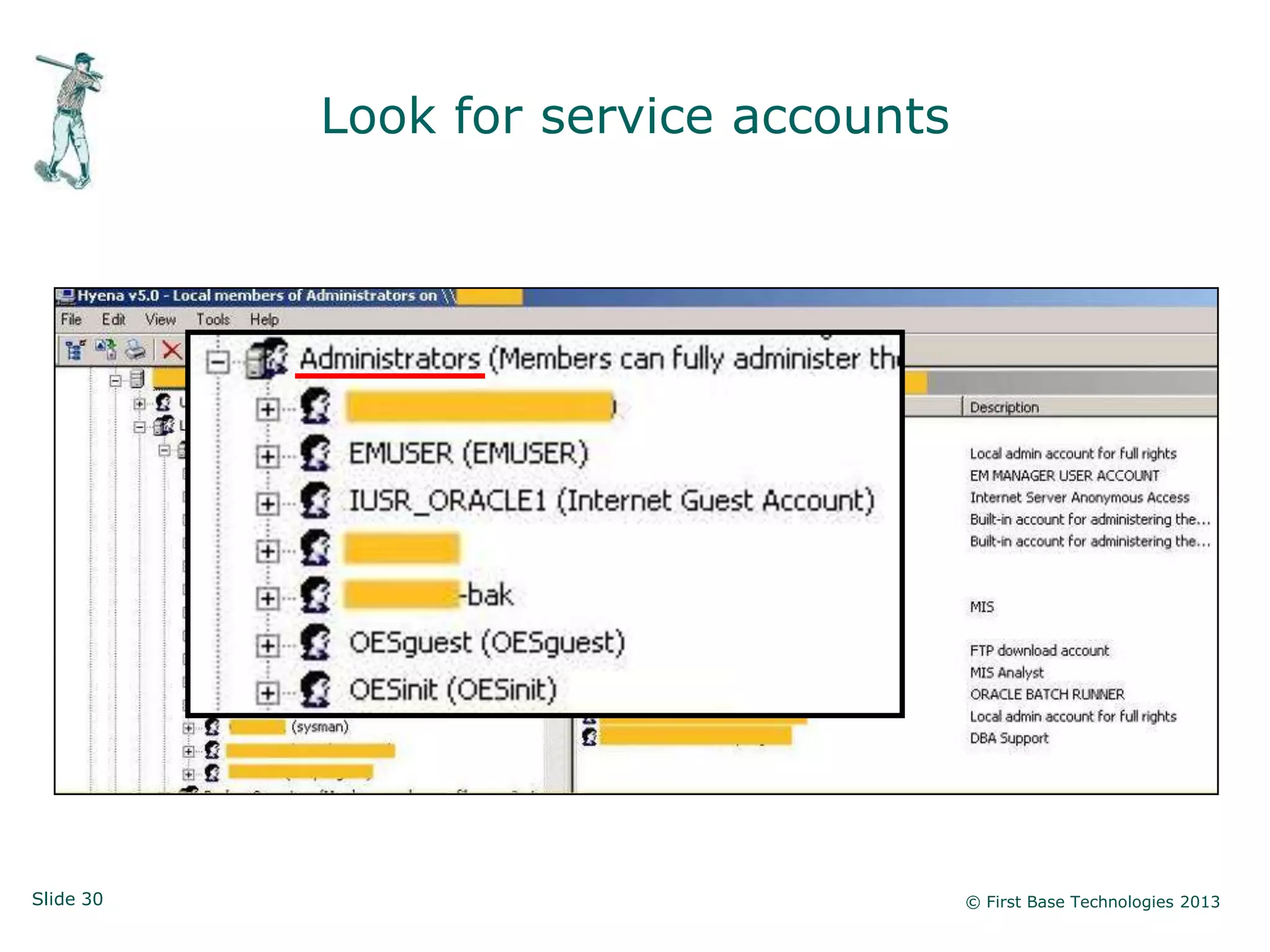
Look for service accounts


Slide 30                               © First Base Technologies 2013
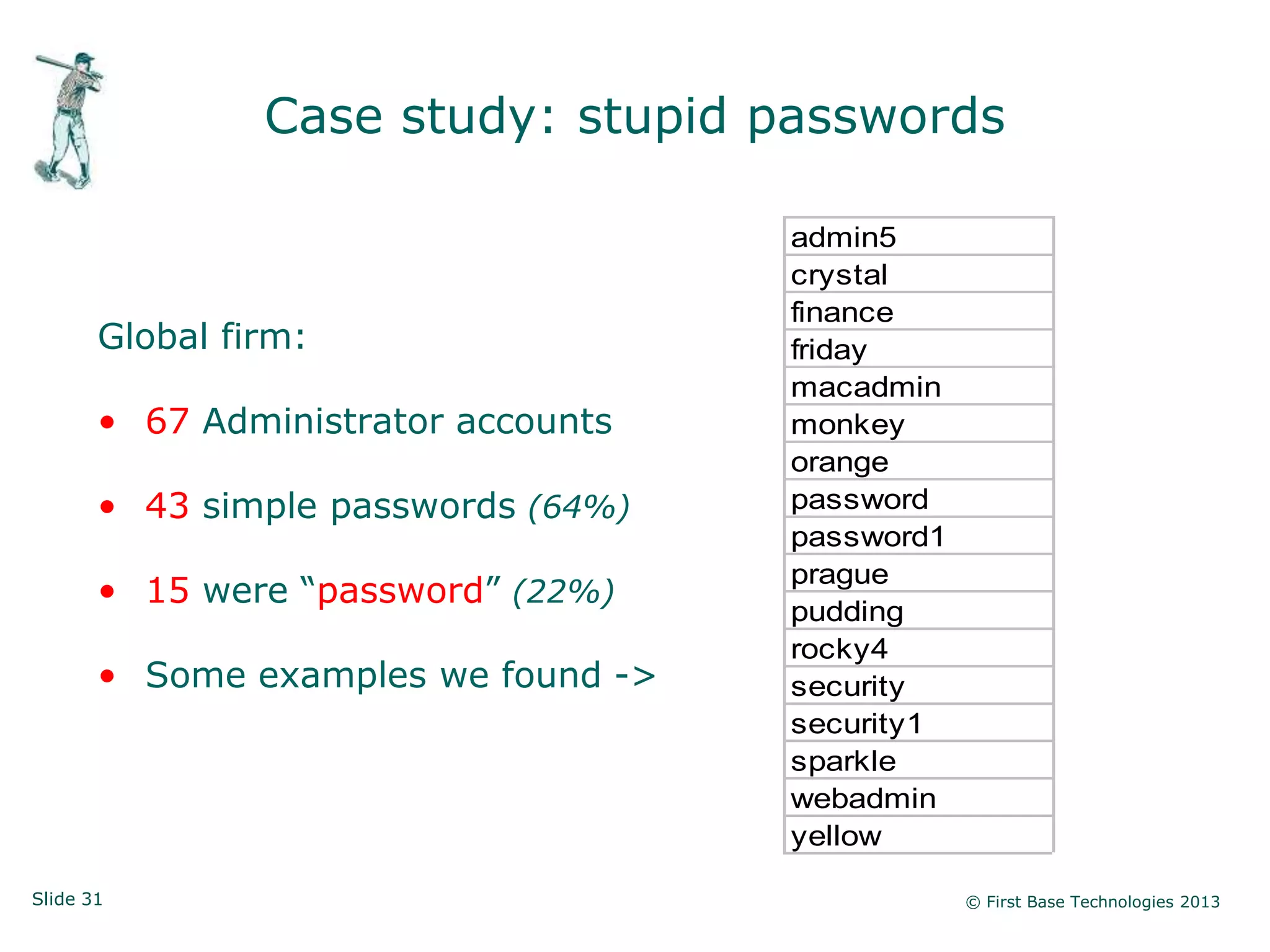
Case study: stupid passwords

                                     admin5
                                     crystal
                                     finance
       Global firm:                  friday
                                     macadmin
       • 67 Administrator accounts   monkey
                                     orange
       • 43 simple passwords (64%)   password
                                     password1
                                     prague
       • 15 were “password” (22%)
                                     pudding
                                     rocky4
       • Some examples we found ->   security
                                     security1
                                     sparkle
                                     webadmin
                                     yellow

Slide 31                                         © First Base Technologies 2013
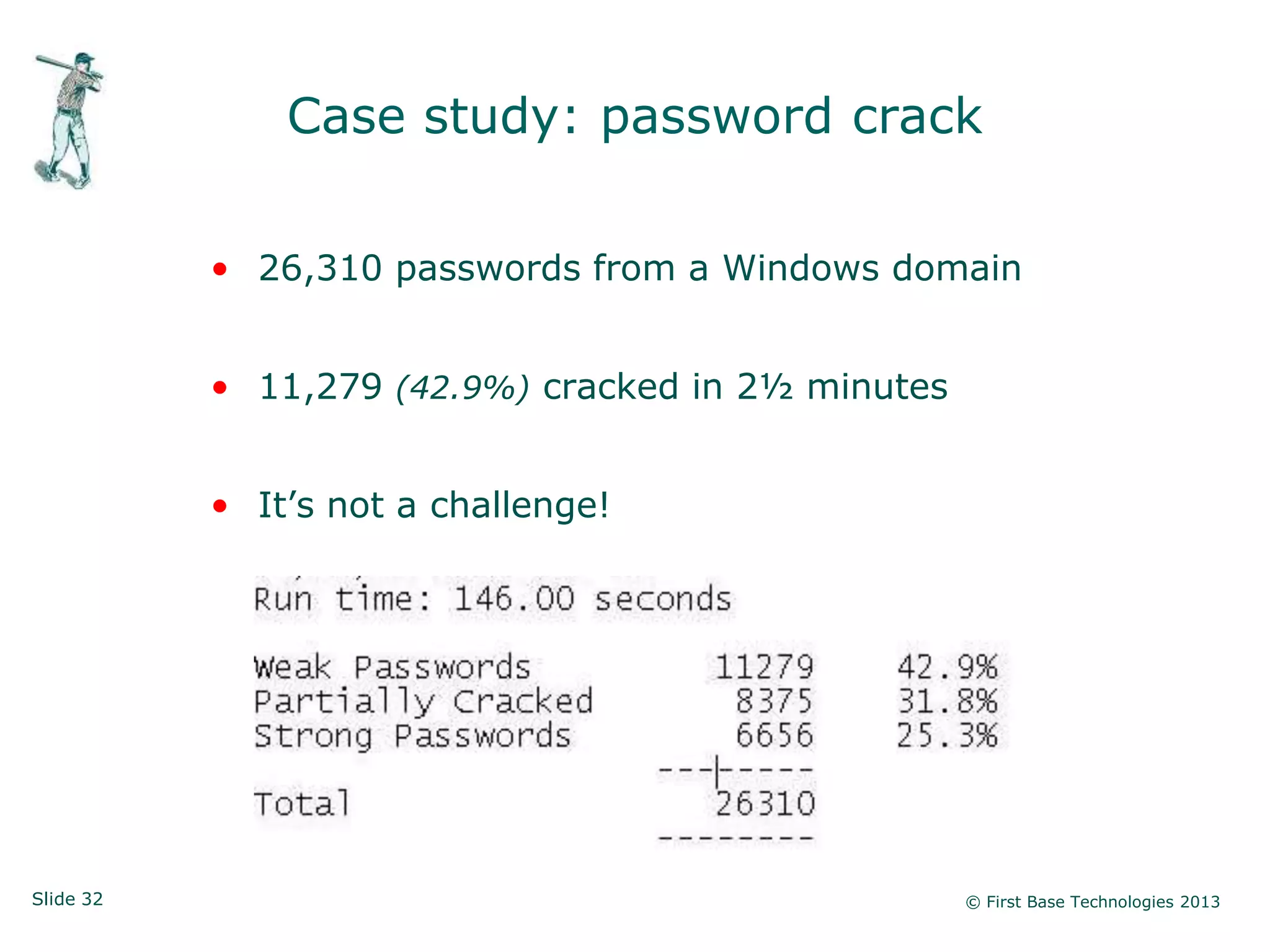
Case study: password crack

           • 26,310 passwords from a Windows domain


           • 11,279 (42.9%) cracked in 2½ minutes


           • It‟s not a challenge!


Slide 32                                            © First Base Technologies 2013
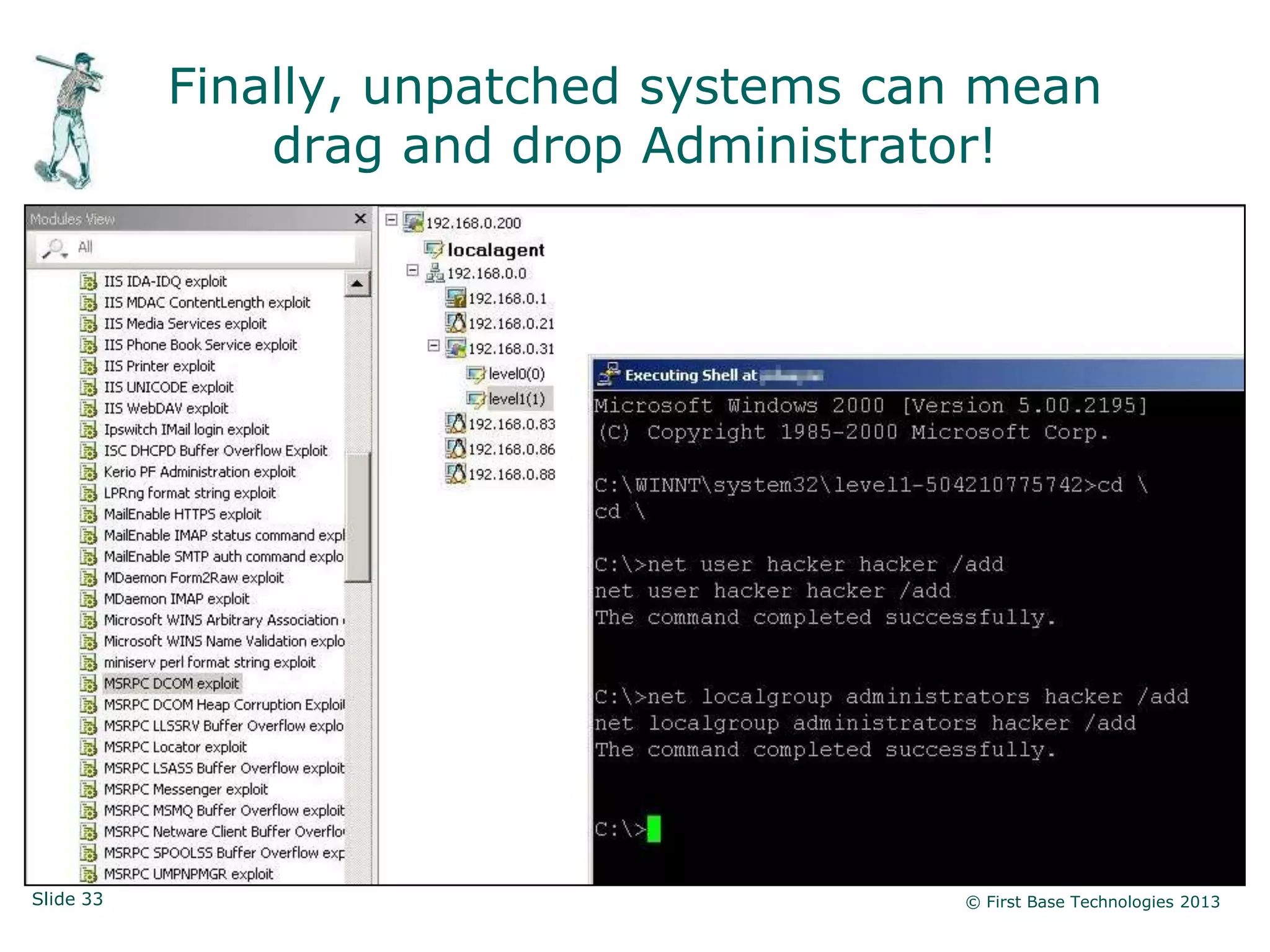
Finally, unpatched systems can mean
               drag and drop Administrator!


Slide 33                                © First Base Technologies 2013
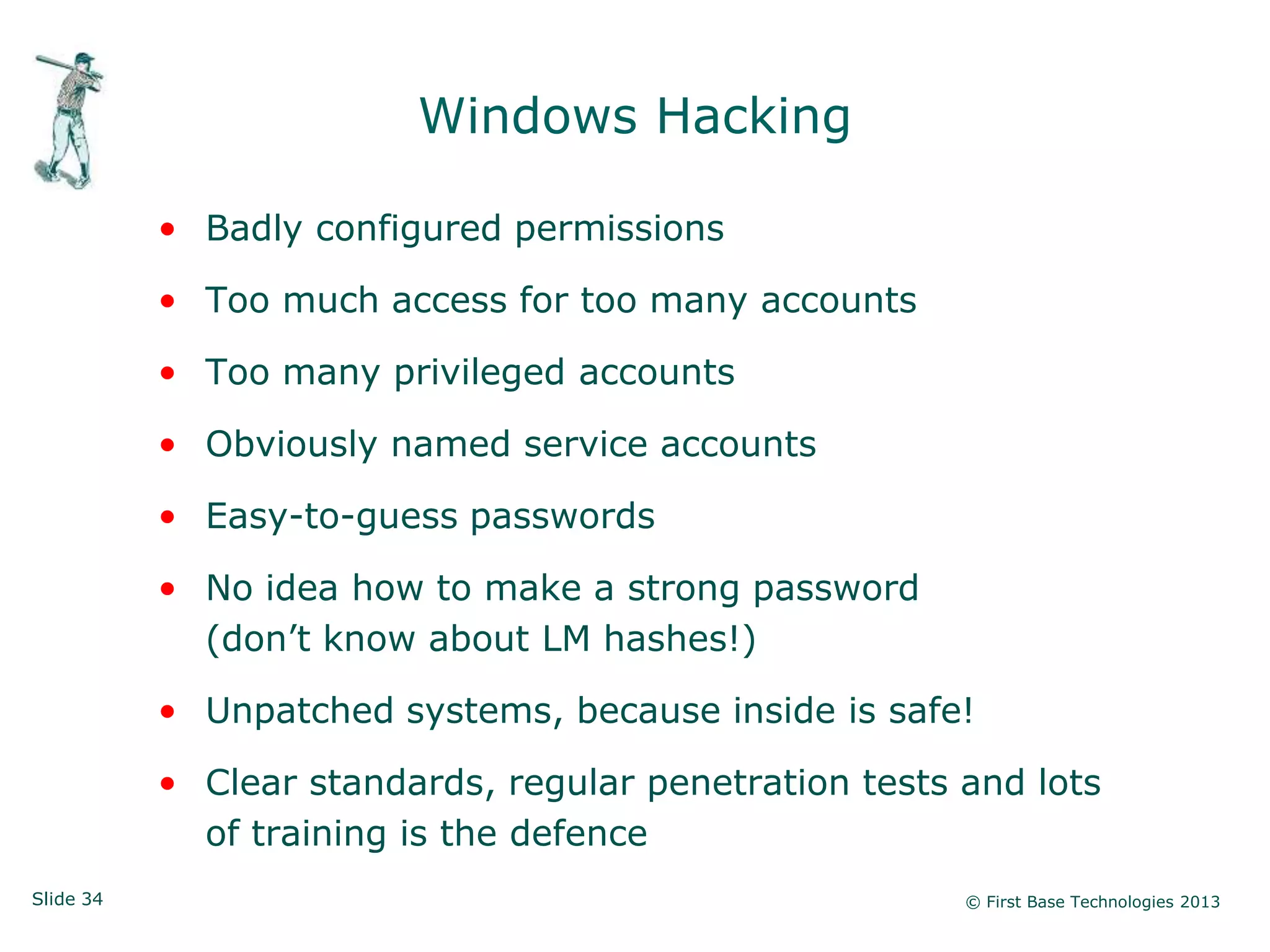
Windows Hacking

           • Badly configured permissions

           • Too much access for too many accounts

           • Too many privileged accounts

           • Obviously named service accounts

           • Easy-to-guess passwords

           • No idea how to make a strong password
             (don‟t know about LM hashes!)

           • Unpatched systems, because inside is safe!

           • Clear standards, regular penetration tests and lots
             of training is the defence
Slide 34                                                © First Base Technologies 2013
Physical Windows access


Slide 35                       © First Base Technologies 2013
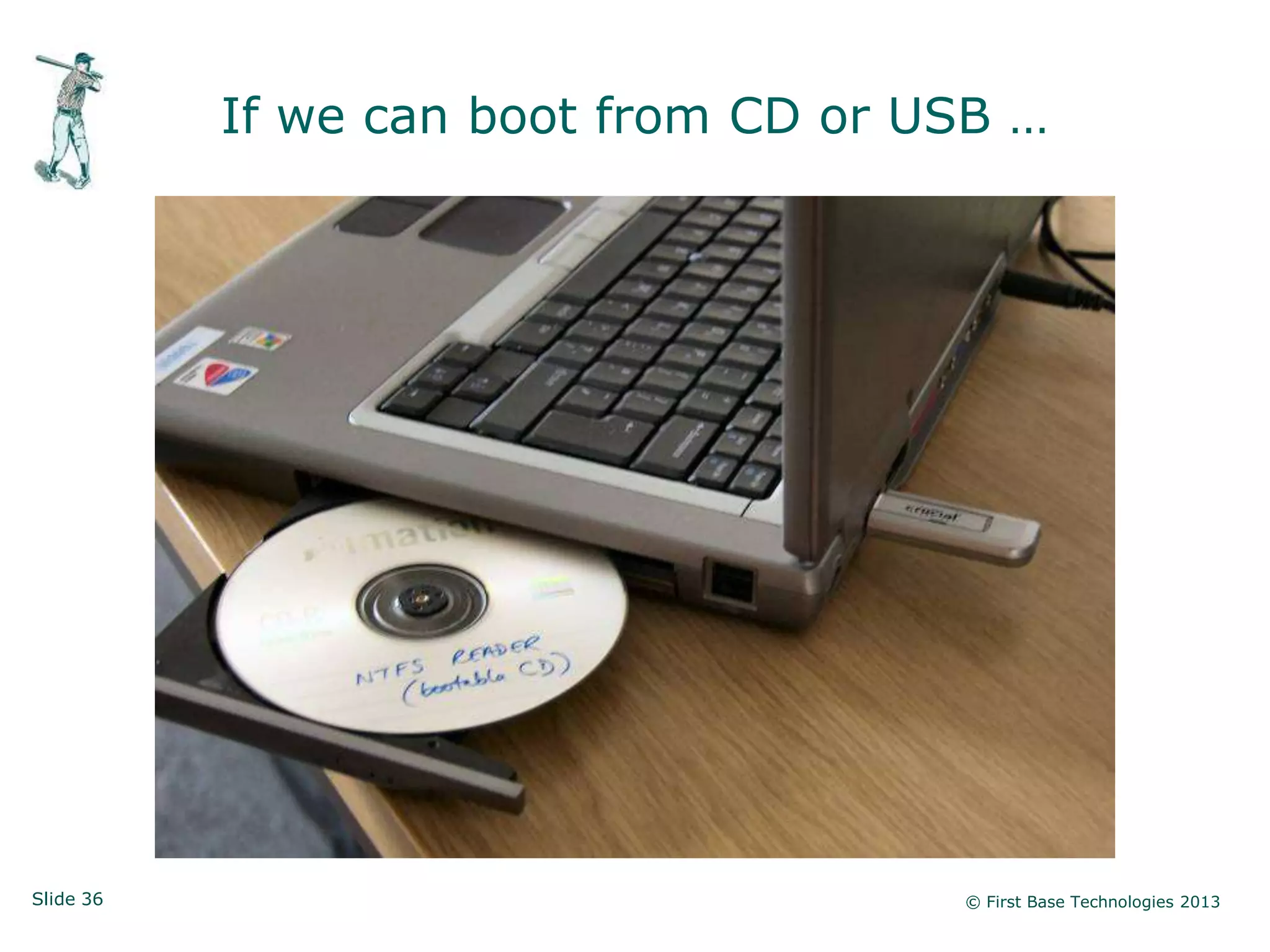
If we can boot from CD or USB …


Slide 36                              © First Base Technologies 2013
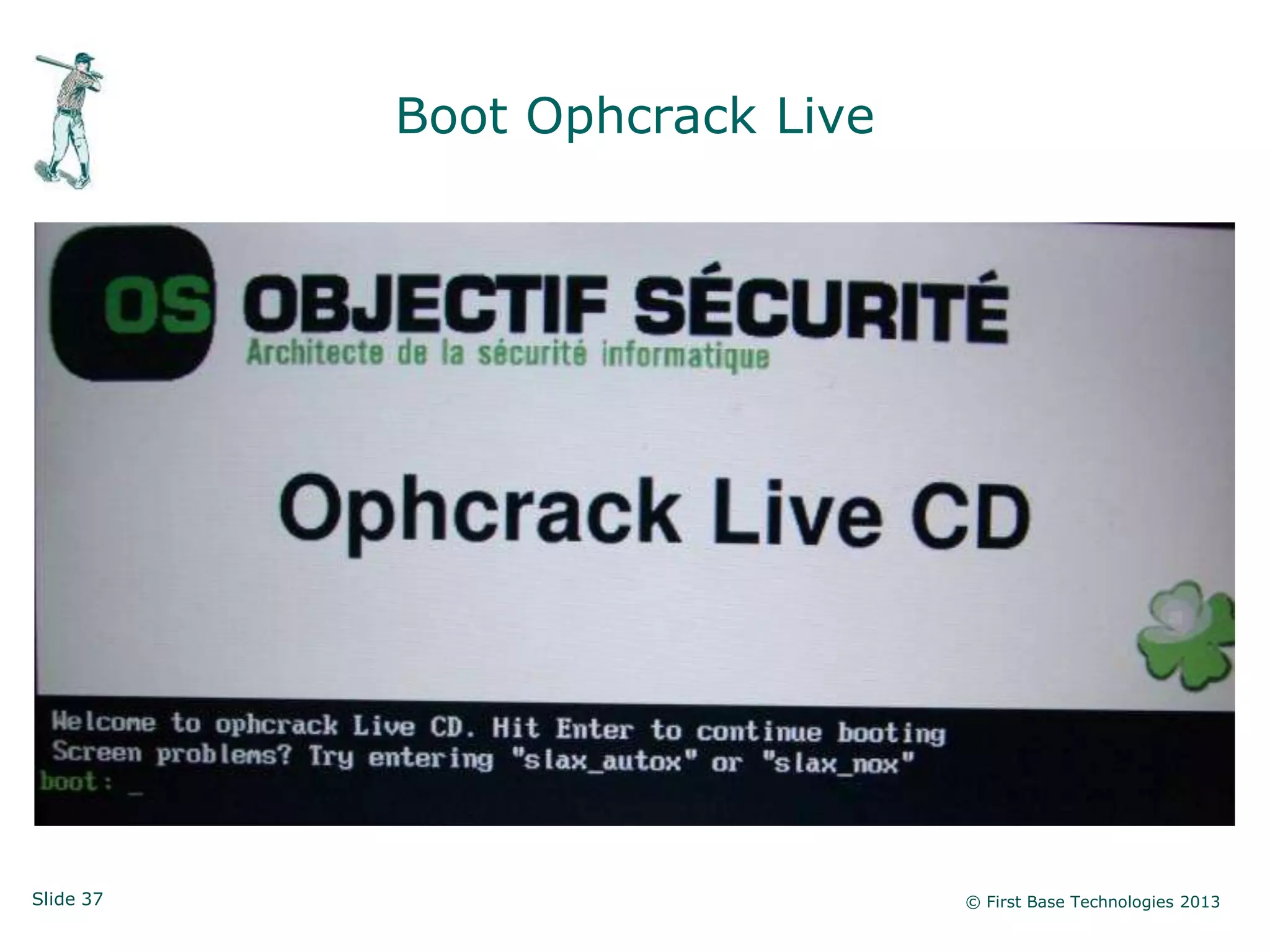
Boot Ophcrack Live


Slide 37                        © First Base Technologies 2013
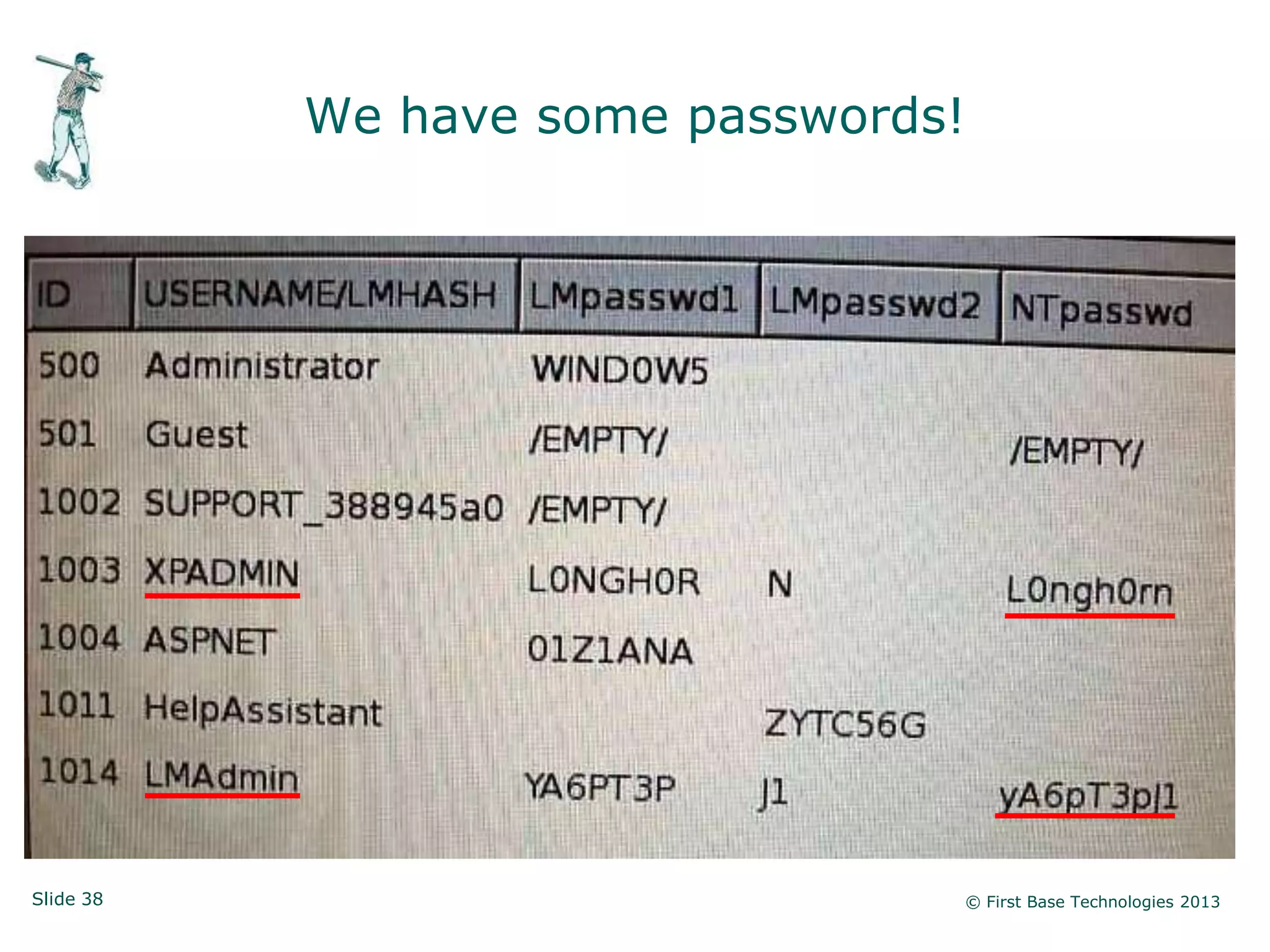
We have some passwords!


Slide 38                         © First Base Technologies 2013
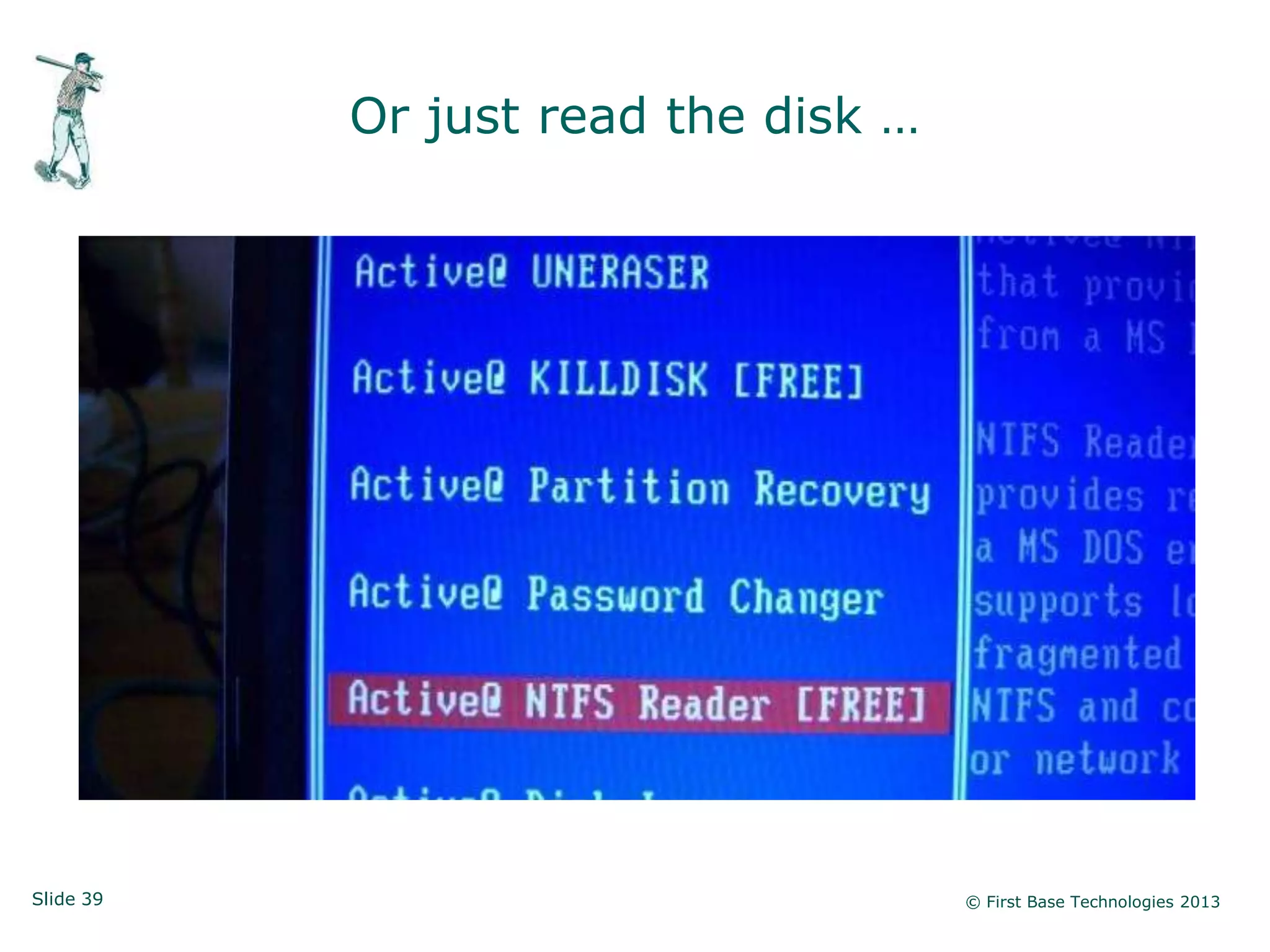
Or just read the disk …


Slide 39                             © First Base Technologies 2013
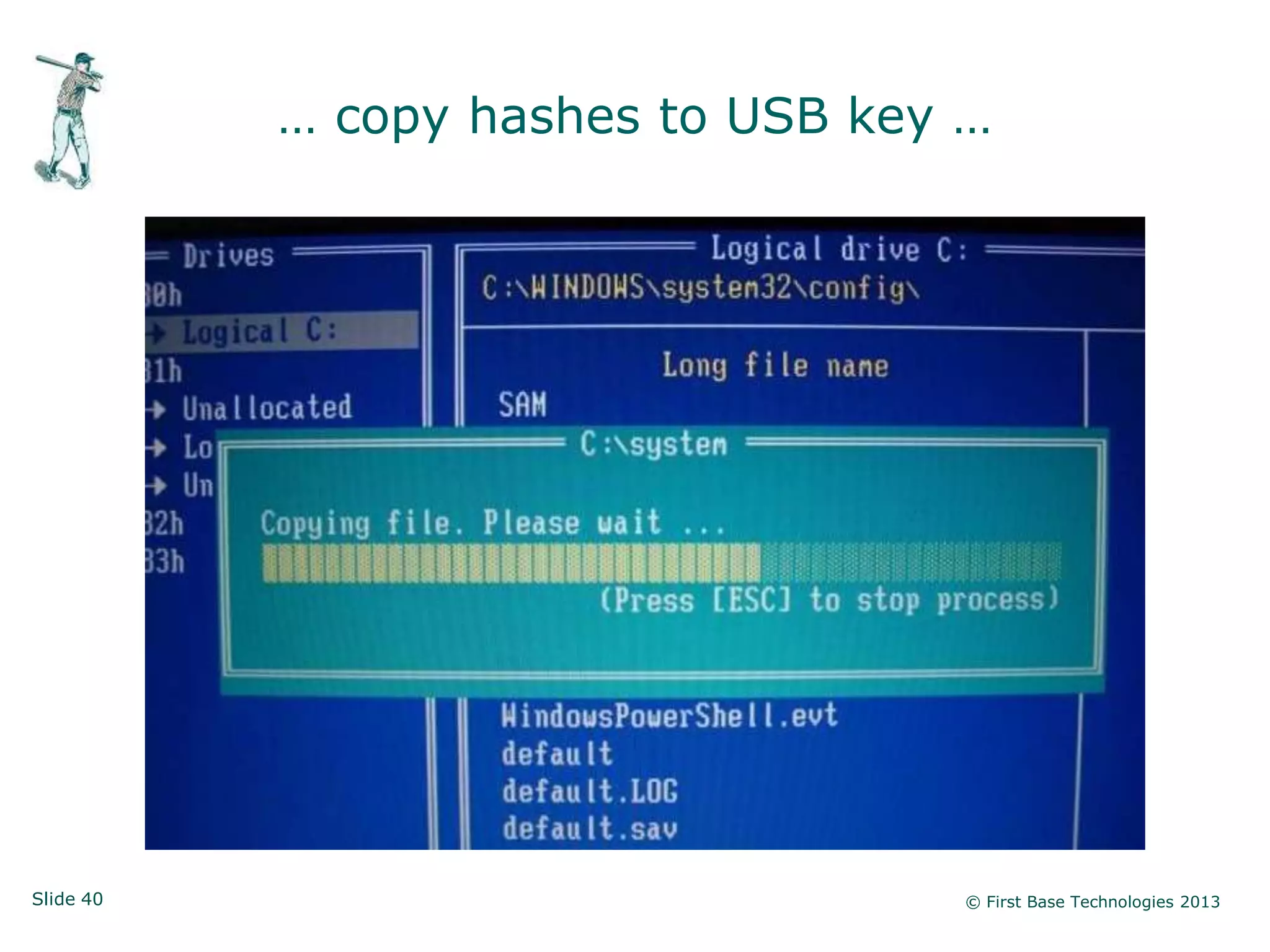
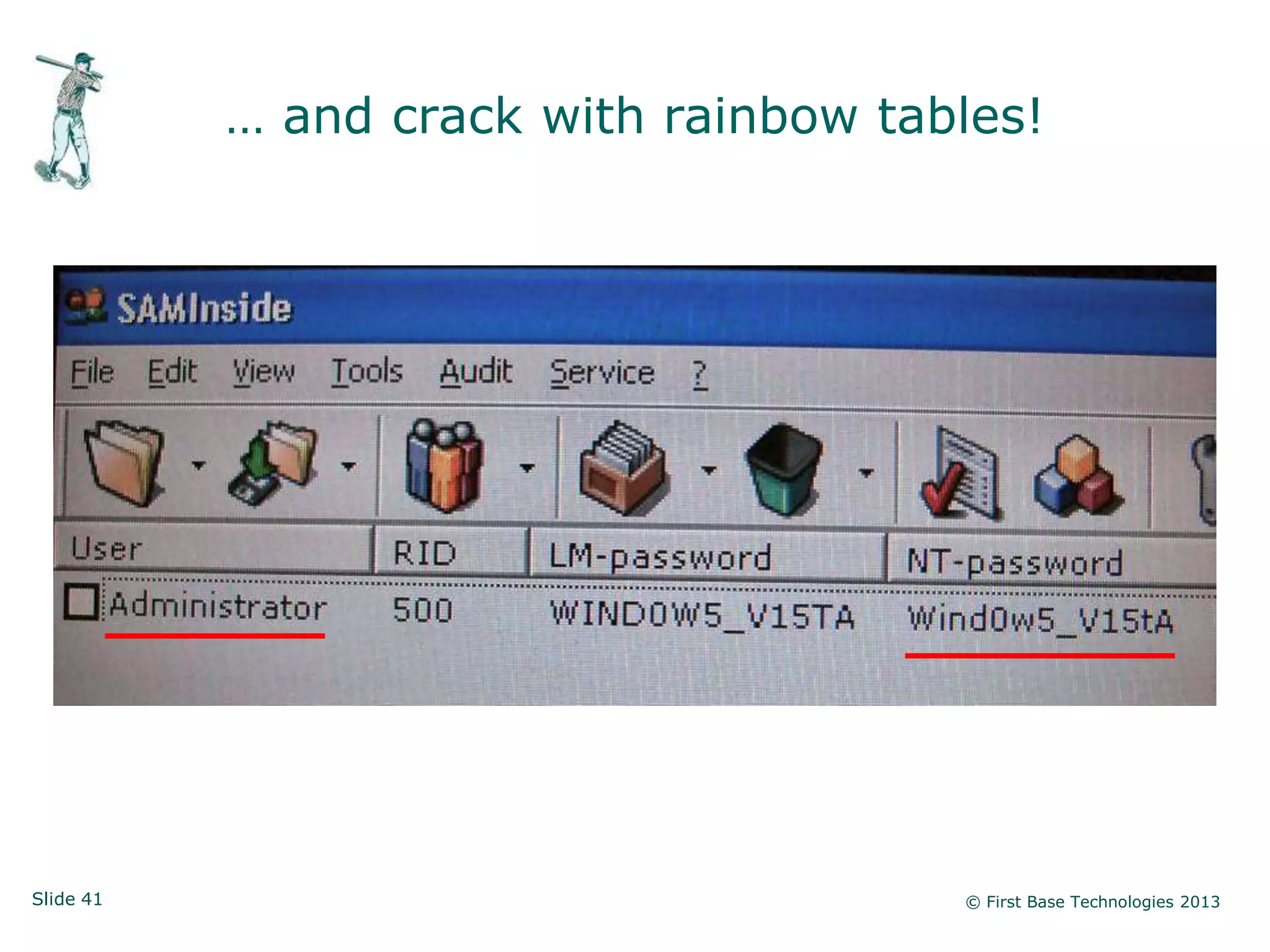
… copy hashes to USB key …


Slide 40                            © First Base Technologies 2013
… and crack with rainbow tables!


Slide 41                               © First Base Technologies 2013
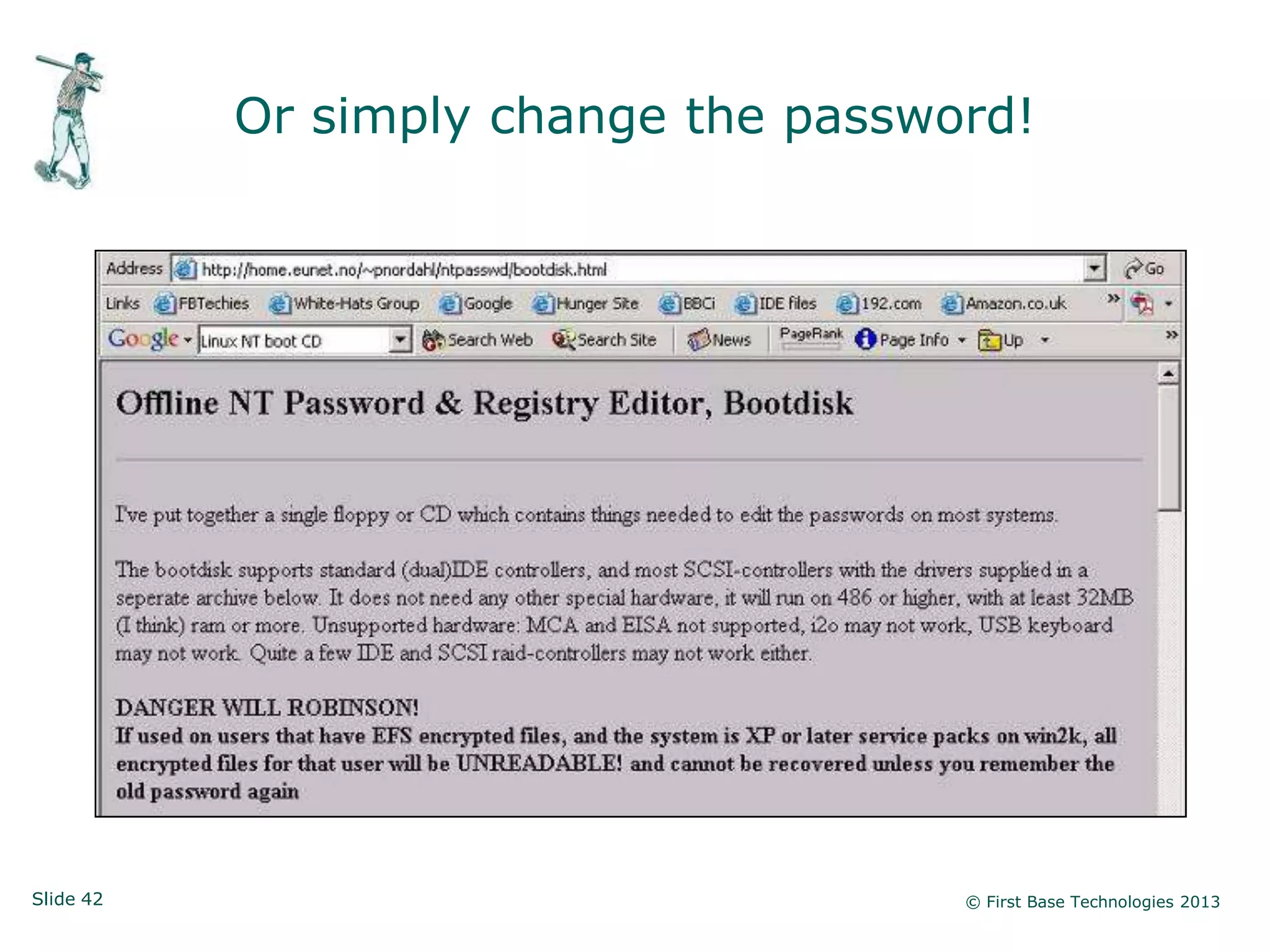
Or simply change the password!


Slide 42                              © First Base Technologies 2013
Desktop & Laptop Security


           • Native Windows security is ineffective if the attacker
             has physical access

           • Everything on local drives is visible

           • Everything on local drives can be subverted

           • For laptops, encryption is the best defence, coupled
             with lots of training

           • For desktops, visitor control and staff vigilance –
             again, lots of training

Slide 43                                                   © First Base Technologies 2013
Summary and Conclusions

           • Scan for SNMP and turn it off where you can

           • Look for neglected network devices and set passwords

           • Stop using clear text protocols

           • Find unprotected shares and files and protect them

           • Check for legacy Windows accounts and secure them

           • Patch internal systems up to date and harden them

           • Segment sensitive systems and firewall them

           • Protect physically accessible computers (esp. laptops)

           • Create pragmatic policies and train everyone!
Slide 44                                                 © First Base Technologies 2013
Need more information?


                Peter Wood
               Chief Executive Officer
           First Base Technologies LLP

            peterw@firstbase.co.uk

                http://firstbase.co.uk
               http://white-hats.co.uk
               http://peterwood.com

                Twitter: peterwoodx


Slide 45                                        © First Base Technologies 2013

Prime Targets in Network Infrastructure

  • 1.
    Prime Targets in NetworkInfrastructure An Ethical Hacker’s View Peter Wood Chief Executive Officer First•Base Technologies
  • 2.
    Who is PeterWood? Worked in computers & electronics since 1969 Founded First Base in 1989 (one of the first ethical hacking firms) CEO First Base Technologies LLP Social engineer & penetration tester Conference speaker and security „expert‟ Member of ISACA Security Advisory Group Vice Chair of BCS Information Risk Management and Audit Group UK Chair, Corporate Executive Programme FBCS, CITP, CISSP, MIEEE, M.Inst.ISP Registered BCS Security Consultant Member of ACM, ISACA, ISSA, Mensa Slide 2 © First Base Technologies 2013
  • 3.
    Hacker thinking • How does this work? • What research is there out there? • What‟s happening under the covers? • What happens if I do this? • What happens if I ignore the instructions? • What if I‟m a “legitimate” user? • Where are the weak points? • Is there another way in? Slide 3 © First Base Technologies 2013
  • 4.
    Let’s start atthe bottom … Slide 4 © First Base Technologies 2013
  • 5.
    SNMP Simple Network Management Protocol • A protocol developed to manage nodes (servers, workstations, routers, switches and hubs etc.) on an IP network • Enables network administrators to manage network performance, find and solve network problems, and plan for network growth • SNMP v1 is the de facto network management protocol • SNMP v1 authentication is performed by a „community string‟, in effect a type of shared password, which is transmitted in clear text Slide 5 © First Base Technologies 2013
  • 6.
    SNMP Architecture • Managers: responsible for communicating with network devices that implement SNMP Agents • Agents: reside in devices such as servers, workstations, switches, routers, printers, etc. • Management Information Base (MIB): describe data objects to be managed by an Agent within a device • MIBs are text files, and the values in MIB data objects are communicated between Managers and Agents Slide 6 © First Base Technologies 2013
  • 7.
    SNMP can talkto many devices Slide 7 © First Base Technologies 2013
  • 8.
    It‟s simple toscan for SNMP Slide 8 © First Base Technologies 2013
  • 9.
    Browsing an MIB Slide9 © First Base Technologies 2013
  • 10.
    MIB data fora network switch Slide 10 © First Base Technologies 2013
  • 11.
    SNMP for hackers • If you know the read string (default public) you can read the entire MIB for that device • If you know the read-write string (default private) you may be able to change settings on that device • You may be able to „sniff‟ community strings off the network if they‟ve been changed from the defaults • You may be able to control a router or switch: - Intercept traffic and read sensitive information - Crash the network repeatedly - Lock the device out, requiring physical access to reset it • You may be able to list users, groups, shares etc. on servers • You may be able to subvert wireless network security Slide 11 © First Base Technologies 2013
  • 12.
    Don’t let SNMPstand for Security’s Not My Problem (thanks Nilesh Mapara!) Slide 12 © First Base Technologies 2013
  • 13.
    What else ison the network … Slide 13 © First Base Technologies 2013
  • 14.
    Default admin access All networks contain some devices which retain manufacturer default credentials … Slide 14 © First Base Technologies 2013
  • 15.
    Brocade Fibre Switch: default credentials Slide 15 © First Base Technologies 2013
  • 16.
    Press „Enter‟ then… Slide 16 © First Base Technologies 2013
  • 17.
    IP CCTV: no password Slide 17 © First Base Technologies 2013
  • 18.
    Avaya switch manager: no password Slide 18 © First Base Technologies 2013
  • 19.
    HP tape library: default credentials Slide 19 © First Base Technologies 2013
  • 20.
    Network device compromise • SNMP on by default (often not required) • SNMP default community strings in use • Default admin logon credentials • No admin credentials at all • Cleat text admin (telnet, http) • Documented standards, regular network discovery and lots of training is the defence! Slide 20 © First Base Technologies 2013
  • 21.
    Windows Hacking Slide 21 © First Base Technologies 2013
  • 22.
    Windows is complicated • Widows permissions are confusing • Default groups can be a problem (e.g. „everyone‟) • There isn‟t enough granularity: - Domain Admins / Enterprise Admins - Account Operators / Server Operators (seldom used) - The rest! • Confusion between domain accounts and local accounts • Windows password weaknesses are not understood • Usually way too many „Domain Admins‟ Slide 22 © First Base Technologies 2013
  • 23.
    Check for unprotectedshares Everyone has “full control” An unprotected share Some very interesting directories! Slide 23 © First Base Technologies 2013
  • 24.
    Searching for sensitivedata • Use a tool like Advanced Find and Replace • Search for documents containing “password” (files modified in last 6 months) • Use your imagination in search strings • Use your brain to select appropriate targets • Capture files even if they‟re password-protected (they can be cracked) Slide 24 © First Base Technologies 2013
  • 25.
    Don‟t ignore openshares! Things we found on unprotected shares: • Salary spreadsheets • HR letters • Usernames and passwords (for everything!) • IT diagrams and configurations • Firewall details • Security rotas Slide 25 © First Base Technologies 2013
  • 26.
    Files visible toanyone … Slide 26 © First Base Technologies 2013
  • 27.
    Windows architecture (1) Domain logon Local users Domain users and groups Workstation Domain and groups Controller Global group in local group Lo Local users Workstation ca Domain Domain users and groups l lo and groups go Controller n Local users Local users and groups Workstation Member and groups Server Local users Member and groups Server Slide 27 © First Base Technologies 2013
  • 28.
    Windows architecture (2) Log on as member of Domain Admins Local users Domain users and groups Workstation Domain and groups Controller Member of Administrators Local users Domain users and groups Workstation Domain and groups Controller Member of Administrators Member of Administrators rs inis trato Local users er o f Ad m Local users Workstation b Member Me m and groups and groups Server Local users Member and groups Server Slide 28 © First Base Technologies 2013
  • 29.
    Windows architecture (3) Local users Domain users and groups Workstation Domain and groups Controller Lo g of on a Local users Ad s m Domain users Workstation mi Domain and groups n i s e mb and groups tra e Controller tor r s Local users Local users and groups Workstation Member and groups Server Local users Member and groups Server Slide 29 © First Base Technologies 2013
  • 30.
    Look for serviceaccounts Slide 30 © First Base Technologies 2013
  • 31.
    Case study: stupidpasswords admin5 crystal finance Global firm: friday macadmin • 67 Administrator accounts monkey orange • 43 simple passwords (64%) password password1 prague • 15 were “password” (22%) pudding rocky4 • Some examples we found -> security security1 sparkle webadmin yellow Slide 31 © First Base Technologies 2013
  • 32.
    Case study: passwordcrack • 26,310 passwords from a Windows domain • 11,279 (42.9%) cracked in 2½ minutes • It‟s not a challenge! Slide 32 © First Base Technologies 2013
  • 33.
    Finally, unpatched systemscan mean drag and drop Administrator! Slide 33 © First Base Technologies 2013
  • 34.
    Windows Hacking • Badly configured permissions • Too much access for too many accounts • Too many privileged accounts • Obviously named service accounts • Easy-to-guess passwords • No idea how to make a strong password (don‟t know about LM hashes!) • Unpatched systems, because inside is safe! • Clear standards, regular penetration tests and lots of training is the defence Slide 34 © First Base Technologies 2013
  • 35.
    Physical Windows access Slide35 © First Base Technologies 2013
  • 36.
    If we canboot from CD or USB … Slide 36 © First Base Technologies 2013
  • 37.
    Boot Ophcrack Live Slide37 © First Base Technologies 2013
  • 38.
    We have somepasswords! Slide 38 © First Base Technologies 2013
  • 39.
    Or just readthe disk … Slide 39 © First Base Technologies 2013
  • 40.
    … copy hashesto USB key … Slide 40 © First Base Technologies 2013
  • 41.
    … and crackwith rainbow tables! Slide 41 © First Base Technologies 2013
  • 42.
    Or simply changethe password! Slide 42 © First Base Technologies 2013
  • 43.
    Desktop & LaptopSecurity • Native Windows security is ineffective if the attacker has physical access • Everything on local drives is visible • Everything on local drives can be subverted • For laptops, encryption is the best defence, coupled with lots of training • For desktops, visitor control and staff vigilance – again, lots of training Slide 43 © First Base Technologies 2013
  • 44.
    Summary and Conclusions • Scan for SNMP and turn it off where you can • Look for neglected network devices and set passwords • Stop using clear text protocols • Find unprotected shares and files and protect them • Check for legacy Windows accounts and secure them • Patch internal systems up to date and harden them • Segment sensitive systems and firewall them • Protect physically accessible computers (esp. laptops) • Create pragmatic policies and train everyone! Slide 44 © First Base Technologies 2013
  • 45.
    Need more information? Peter Wood Chief Executive Officer First Base Technologies LLP peterw@firstbase.co.uk http://firstbase.co.uk http://white-hats.co.uk http://peterwood.com Twitter: peterwoodx Slide 45 © First Base Technologies 2013