List	
  of	
  blog	
  posts	
  I	
  used	
  MINDMEISTER	
  for:	


Ini:al	
  ideas	
  
Mindmeister	
  was	
  useful	
  for	
  mind	
  
maps	
  because	
  it	
  provided	
  me	
  with	
  
different	
  branches,	
  which	
  makes	
  
the	
  mind	
  map	
  clear	
  and	
  easy	
  to	
  
read.	
  This	
  website	
  allows	
  me	
  to	
  
change	
  text	
  colors	
  and	
  add	
  images,	
  
which	
  could	
  help	
  my	
  brainstorms	
  
appear	
  crea>ve.	
  I	
  took	
  advantage	
  of	
  
this,	
  which	
  is	
  shown	
  in	
  the	
  ini>al	
  
ideas	
  blog	
  post,	
  and	
  used	
  one	
  color	
  
for	
  each	
  idea,	
  making	
  the	
  text	
  that	
  
has	
  the	
  same	
  color	
  seem	
  as	
  if	
  it	
  is	
  
one	
  idea.	
  This	
  would	
  prevent	
  any	
  
confusion.	
  
I	
  used	
  Mindmeister	
  for	
  presen:ng	
  the	
  ini:al	
  ideas	
  my	
  group	
  and	
  I	
  came	
  up	
  with,	
  which	
  is	
  
part	
  of	
  the	
  planning	
  stage.	
  	
  
A	
  disadvantage	
  of	
  using	
  
Mindmeister	
  is	
  the	
  fact	
  that	
  I	
  
can	
  only	
  create	
  up	
  to	
  three	
  
mind	
  maps	
  so	
  I	
  would	
  have	
  to	
  
find	
  other	
  sites	
  that	
  allows	
  me	
  
to	
  create	
  mind	
  maps.	
  I	
  
struggled	
  to	
  find	
  the	
  embed	
  
code	
  on	
  Mindmeister	
  so	
  I	
  
searched	
  on	
  the	
  Internet	
  but	
  
could	
  not	
  find	
  possible	
  
results.	
  This	
  therefore	
  led	
  me	
  
to	
  print	
  screen	
  the	
  mind	
  map	
  
and	
  upload	
  it	
  to	
  my	
  blog	
  as	
  an	
  
image.	
  	
  
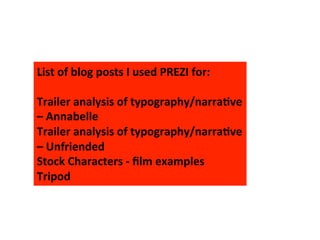
List	
  of	
  blog	
  posts	
  I	
  used	
  PREZI	
  for:	


Trailer	
  analysis	
  of	
  typography/narra>ve	
  
–	
  Annabelle	
  
Trailer	
  analysis	
  of	
  typography/narra>ve	
  
–	
  Unfriended	
  
Stock	
  Characters	
  -­‐	
  film	
  examples	
  
Tripod	
  
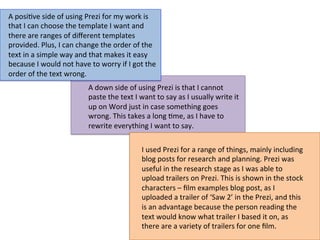
A	
  posi:ve	
  side	
  of	
  using	
  Prezi	
  for	
  my	
  work	
  is	
  
that	
  I	
  can	
  choose	
  the	
  template	
  I	
  want	
  and	
  
there	
  are	
  ranges	
  of	
  different	
  templates	
  
provided.	
  Plus,	
  I	
  can	
  change	
  the	
  order	
  of	
  the	
  
text	
  in	
  a	
  simple	
  way	
  and	
  that	
  makes	
  it	
  easy	
  
because	
  I	
  would	
  not	
  have	
  to	
  worry	
  if	
  I	
  got	
  the	
  
order	
  of	
  the	
  text	
  wrong.	
  	
  
A	
  down	
  side	
  of	
  using	
  Prezi	
  is	
  that	
  I	
  cannot	
  
paste	
  the	
  text	
  I	
  want	
  to	
  say	
  as	
  I	
  usually	
  write	
  it	
  
up	
  on	
  Word	
  just	
  in	
  case	
  something	
  goes	
  
wrong.	
  This	
  takes	
  a	
  long	
  :me,	
  as	
  I	
  have	
  to	
  
rewrite	
  everything	
  I	
  want	
  to	
  say.	
  	
  
I	
  used	
  Prezi	
  for	
  a	
  range	
  of	
  things,	
  mainly	
  including	
  
blog	
  posts	
  for	
  research	
  and	
  planning.	
  Prezi	
  was	
  
useful	
  in	
  the	
  research	
  stage	
  as	
  I	
  was	
  able	
  to	
  
upload	
  trailers	
  on	
  Prezi.	
  This	
  is	
  shown	
  in	
  the	
  stock	
  
characters	
  –	
  film	
  examples	
  blog	
  post,	
  as	
  I	
  
uploaded	
  a	
  trailer	
  of	
  ‘Saw	
  2’	
  in	
  the	
  Prezi,	
  and	
  this	
  
is	
  an	
  advantage	
  because	
  the	
  person	
  reading	
  the	
  
text	
  would	
  know	
  what	
  trailer	
  I	
  based	
  it	
  on,	
  as	
  
there	
  are	
  a	
  variety	
  of	
  trailers	
  for	
  one	
  film.	
  
List	
  of	
  blog	
  posts	
  I	
  used	
  PADLET	
  for:	


What	
  I	
  learnt	
  from	
  Photoshop	
  	
  
Padlet	
  
Is	
  
SoQware	
  
Used	
  
To	
  
Create	
  
presenta:ons	
  
I	
  used	
  padlet	
  once	
  because	
  I	
  found	
  it	
  
difficult	
  to	
  use	
  and	
  the	
  only	
  thing	
  I	
  managed	
  
to	
  figure	
  out	
  was	
  how	
  to	
  change	
  the	
  color	
  of	
  
the	
  text.	
  I	
  used	
  it	
  for	
  my	
  what	
  I	
  learnt	
  from	
  
Photoshop	
  blog	
  post,	
  which	
  was	
  useful	
  in	
  
the	
  research	
  stage	
  as	
  the	
  post	
  is	
  about	
  what	
  
Photoshop	
  has	
  taught	
  me.	
  I	
  did	
  not	
  use	
  
Photoshop	
  for	
  the	
  magazine	
  and	
  poster	
  but	
  
I	
  could	
  have	
  applied	
  the	
  things	
  I	
  learnt	
  to	
  
when	
  doing	
  the	
  magazine	
  and	
  poster.	
  	
  
List	
  of	
  blog	
  posts	
  I	
  used	
  SLIDES	
  for:	


Trailer	
  analysis	
  of	
  the	
  enigma/edi:ng	
  and	
  camera	
  –	
  Ex:nc:on	
  
Trailer	
  analysis	
  of	
  the	
  enigma/edi:ng	
  and	
  camera	
  shots	
  –	
  Unfriended	
  
Trailer	
  analysis	
  of	
  sound/target	
  audience	
  –	
  Annabelle	
  
Stock	
  characters	
  -­‐	
  different	
  types	
  	
  
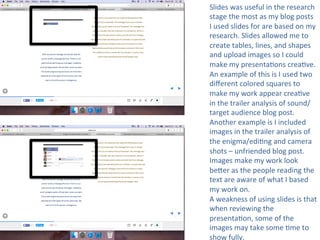
Slides	
  was	
  useful	
  in	
  the	
  research	
  
stage	
  the	
  most	
  as	
  my	
  blog	
  posts	
  
I	
  used	
  slides	
  for	
  are	
  based	
  on	
  my	
  
research.	
  Slides	
  allowed	
  me	
  to	
  
create	
  tables,	
  lines,	
  and	
  shapes	
  
and	
  upload	
  images	
  so	
  I	
  could	
  
make	
  my	
  presenta:ons	
  crea:ve.	
  
An	
  example	
  of	
  this	
  is	
  I	
  used	
  two	
  
different	
  colored	
  squares	
  to	
  
make	
  my	
  work	
  appear	
  crea:ve	
  
in	
  the	
  trailer	
  analysis	
  of	
  sound/
target	
  audience	
  blog	
  post.	
  
Another	
  example	
  is	
  I	
  included	
  
images	
  in	
  the	
  trailer	
  analysis	
  of	
  
the	
  enigma/edi:ng	
  and	
  camera	
  
shots	
  –	
  unfriended	
  blog	
  post.	
  
Images	
  make	
  my	
  work	
  look	
  
beWer	
  as	
  the	
  people	
  reading	
  the	
  
text	
  are	
  aware	
  of	
  what	
  I	
  based	
  
my	
  work	
  on.	
  	
  
A	
  weakness	
  of	
  using	
  slides	
  is	
  that	
  
when	
  reviewing	
  the	
  
presenta:on,	
  some	
  of	
  the	
  
images	
  may	
  take	
  some	
  :me	
  to	
  
show	
  fully.	
  
List	
  of	
  blog	
  posts	
  I	
  used	
  VISME	
  for:	


Trailer	
  analysis	
  of	
  the	
  enigma/edi:ng	
  and	
  camera	
  shots	
  –	
  Annabelle	
  
Trailer	
  analysis	
  of	
  sound/target	
  audience	
  -­‐	
  Unfriended	
  	
  
Visme	
  is	
  online	
  
presenta:on	
  
soQware	
  where	
  you	
  
can	
  create	
  your	
  own	
  
presenta:ons	
  
Visme	
  was	
  useful	
  in	
  the	
  research	
  stage	
  as	
  the	
  blog	
  
posts	
  I	
  used	
  visme	
  for	
  are	
  part	
  of	
  my	
  research.	
  
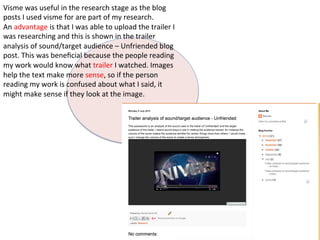
An	
  advantage	
  is	
  that	
  I	
  was	
  able	
  to	
  upload	
  the	
  trailer	
  I	
  
was	
  researching	
  and	
  this	
  is	
  shown	
  in	
  the	
  trailer	
  
analysis	
  of	
  sound/target	
  audience	
  –	
  Unfriended	
  blog	
  
post.	
  This	
  was	
  beneficial	
  because	
  the	
  people	
  reading	
  
my	
  work	
  would	
  know	
  what	
  trailer	
  I	
  watched.	
  Images	
  
help	
  the	
  text	
  make	
  more	
  sense,	
  so	
  if	
  the	
  person	
  
reading	
  my	
  work	
  is	
  confused	
  about	
  what	
  I	
  said,	
  it	
  
might	
  make	
  sense	
  if	
  they	
  look	
  at	
  the	
  image.	
  
List	
  of	
  blog	
  posts	
  I	
  used	
  POWTOON	
  for:	


Killers	
  -­‐	
  secondary	
  research	
  
Loca:ons	
  
Powtoon	
  is	
  ‘an	
  online	
  
business	
  presenta:on	
  
soQware	
  tool	
  
that	
  allows	
  you	
  to	
  
create	
  free,	
  
Cool,	
  
And	
  
awesome	
  animated	
  
videos’.	


(Powtoon)	
  
I	
  used	
  Powtoon	
  to	
  present	
  my	
  work,	
  which	
  was	
  
useful	
  in	
  the	
  research	
  stage	
  as	
  both	
  blog	
  posts	
  
I	
  used	
  it	
  for	
  are	
  part	
  of	
  the	
  research.	
  Powtoon	
  
has	
  a	
  range	
  of	
  themes	
  and	
  templates	
  to	
  
choose	
  from,	
  and	
  they	
  all	
  give	
  a	
  different	
  
atmosphere.	
  Powtoon	
  is	
  crea:ve	
  as	
  it	
  provides	
  
me	
  with	
  text	
  effects,	
  such	
  as	
  movement,	
  
shapes	
  and	
  images	
  and	
  this	
  helped	
  my	
  work	
  
appear	
  different.	
  Powtoon	
  allowed	
  me	
  to	
  
upload	
  images,	
  which	
  suits	
  with	
  the	
  text	
  I	
  
used;	
  such	
  as	
  I	
  included	
  images	
  of	
  the	
  loca:on	
  
with	
  explaining	
  the	
  reason	
  in	
  the	
  loca:on	
  post.	
  	
  
A	
  weakness	
  is	
  that	
  it	
  takes	
  a	
  long	
  :me	
  to	
  
upload.	
  
List	
  of	
  blog	
  posts	
  I	
  used	
  SLIDESHARE	
  for:	


Trailer	
  analysis	
  of	
  codes	
  and	
  conven:ons/how	
  does	
  the	
  trailer	
  start	
  –	
  Ex:nc:on	
  
Trailer	
  analysis	
  of	
  codes	
  and	
  conven:ons/how	
  does	
  the	
  trailer	
  start	
  –	
  Unfriended	
  
	
  Improvements	
  for	
  our	
  trailer	
  
Trailer	
  Conven:on	
  –	
  Jessabelle	
  
Genre	
  -­‐	
  Burton's	
  genre	
  theory	
  
Plots	
  &	
  stock	
  situa:ons	
  -­‐	
  different	
  shots	
  from	
  exis:ng	
  film	
  
Photos	
  of	
  shots	
  
Horror	
  film	
  poster	
  research	
  
Target	
  audience	
  
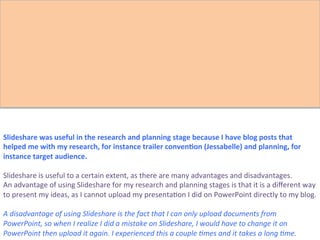
Slideshare	
  is	
  used	
  to	
  
upload	
  PowerPoint	
  
presenta:ons	
  	
  
Slideshare	
  was	
  useful	
  in	
  the	
  research	
  and	
  planning	
  stage	
  because	
  I	
  have	
  blog	
  posts	
  that	
  
helped	
  me	
  with	
  my	
  research,	
  for	
  instance	
  trailer	
  conven>on	
  (Jessabelle)	
  and	
  planning,	
  for	
  
instance	
  target	
  audience.	


Slideshare	
  is	
  useful	
  to	
  a	
  certain	
  extent,	
  as	
  there	
  are	
  many	
  advantages	
  and	
  disadvantages.	
  	
  
An	
  advantage	
  of	
  using	
  Slideshare	
  for	
  my	
  research	
  and	
  planning	
  stages	
  is	
  that	
  it	
  is	
  a	
  different	
  way	
  
to	
  present	
  my	
  ideas,	
  as	
  I	
  cannot	
  upload	
  my	
  presenta:on	
  I	
  did	
  on	
  PowerPoint	
  directly	
  to	
  my	
  blog.	


A	
  disadvantage	
  of	
  using	
  Slideshare	
  is	
  the	
  fact	
  that	
  I	
  can	
  only	
  upload	
  documents	
  from	
  
PowerPoint,	
  so	
  when	
  I	
  realize	
  I	
  did	
  a	
  mistake	
  on	
  Slideshare,	
  I	
  would	
  have	
  to	
  change	
  it	
  on	
  
PowerPoint	
  then	
  upload	
  it	
  again.	
  I	
  experienced	
  this	
  a	
  couple	
  ?mes	
  and	
  it	
  takes	
  a	
  long	
  ?me.	
  	
  
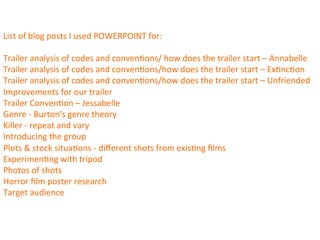
List	
  of	
  blog	
  posts	
  I	
  used	
  POWERPOINT	
  for:	


Trailer	
  analysis	
  of	
  codes	
  and	
  conven:ons/	
  how	
  does	
  the	
  trailer	
  start	
  –	
  Annabelle	
  
Trailer	
  analysis	
  of	
  codes	
  and	
  conven:ons/how	
  does	
  the	
  trailer	
  start	
  –	
  Ex:nc:on	
  
Trailer	
  analysis	
  of	
  codes	
  and	
  conven:ons/how	
  does	
  the	
  trailer	
  start	
  –	
  Unfriended	
  
Improvements	
  for	
  our	
  trailer	
  
Trailer	
  Conven:on	
  –	
  Jessabelle	
  
Genre	
  -­‐	
  Burton's	
  genre	
  theory	
  
Killer	
  -­‐	
  repeat	
  and	
  vary	
  
Introducing	
  the	
  group	
  
Plots	
  &	
  stock	
  situa:ons	
  -­‐	
  different	
  shots	
  from	
  exis:ng	
  films	
  
Experimen:ng	
  with	
  tripod	
  
Photos	
  of	
  shots	
  
Horror	
  film	
  poster	
  research	
  
Target	
  audience	
  	
  
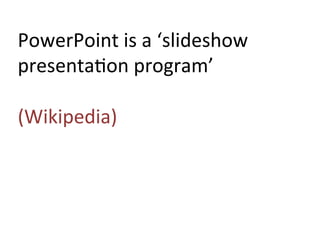
PowerPoint	
  is	
  a	
  ‘slideshow	
  
presenta:on	
  program’	


(Wikipedia)	
  
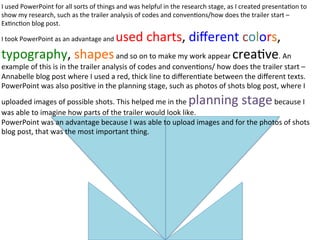
I	
  used	
  PowerPoint	
  for	
  all	
  sorts	
  of	
  things	
  and	
  was	
  helpful	
  in	
  the	
  research	
  stage,	
  as	
  I	
  created	
  presenta:on	
  to	
  
show	
  my	
  research,	
  such	
  as	
  the	
  trailer	
  analysis	
  of	
  codes	
  and	
  conven:ons/how	
  does	
  the	
  trailer	
  start	
  –	
  
Ex:nc:on	
  blog	
  post.	
  
I	
  took	
  PowerPoint	
  as	
  an	
  advantage	
  and	
  used	
  charts,	
  different	
  colors,	
  
typography,	
  shapes	
  and	
  so	
  on	
  to	
  make	
  my	
  work	
  appear	
  crea:ve.	
  An	
  
example	
  of	
  this	
  is	
  in	
  the	
  trailer	
  analysis	
  of	
  codes	
  and	
  conven:ons/	
  how	
  does	
  the	
  trailer	
  start	
  –	
  
Annabelle	
  blog	
  post	
  where	
  I	
  used	
  a	
  red,	
  thick	
  line	
  to	
  differen:ate	
  between	
  the	
  different	
  texts.	
  
PowerPoint	
  was	
  also	
  posi:ve	
  in	
  the	
  planning	
  stage,	
  such	
  as	
  photos	
  of	
  shots	
  blog	
  post,	
  where	
  I	
  
uploaded	
  images	
  of	
  possible	
  shots.	
  This	
  helped	
  me	
  in	
  the	
  planning	
  stage	
  because	
  I	
  
was	
  able	
  to	
  imagine	
  how	
  parts	
  of	
  the	
  trailer	
  would	
  look	
  like.	
  
PowerPoint	
  was	
  an	
  advantage	
  because	
  I	
  was	
  able	
  to	
  upload	
  images	
  and	
  for	
  the	
  photos	
  of	
  shots	
  
blog	
  post,	
  that	
  was	
  the	
  most	
  important	
  thing.	
  
List	
  of	
  blog	
  posts	
  I	
  used	
  WORD	
  for:	


Most	
  blog	
  posts	
  (NOT	
  A	
  BLOG	
  POST)	
  
my	
  missing	
  poster	
  
News	
  report	
  -­‐	
  helping	
  us	
  film	
  	
  
Word	
  is	
  a	
  ‘word	
  processor	
  
developed	
  my	
  MicrosoS’.	


(Wikipedia)	
  	
  
Word	
  is	
  popular	
  in	
  every	
  stage,	
  as	
  I	
  tend	
  to	
  write	
  my	
  ideas	
  on	
  Word	
  first	
  
then	
  copy	
  it	
  to	
  a	
  presenta:on	
  soQware/website.	
  Word	
  is	
  beneficial	
  
because	
  it	
  helped	
  correct	
  my	
  mistakes	
  and	
  is	
  there	
  for	
  a	
  backup,	
  just	
  in	
  
case	
  something	
  happens	
  to	
  my	
  work.	
  I	
  many	
  used	
  Word	
  for	
  texts,	
  such	
  as	
  
the	
  news	
  report	
  –	
  helping	
  us	
  film	
  blog	
  post,	
  which	
  includes	
  some	
  text	
  that	
  
the	
  news	
  reporter	
  was	
  meant	
  to	
  say.	
  However,	
  my	
  group	
  members	
  and	
  I	
  
did	
  not	
  use	
  the	
  paper	
  but	
  it	
  was	
  s:ll	
  good	
  to	
  have	
  some	
  text	
  of	
  what	
  the	
  
news	
  reporter	
  would	
  roughly	
  say.	
  This	
  therefore	
  shows	
  Word	
  was	
  useful	
  in	
  
the	
  planning	
  stage.	


I	
  used	
  Word	
  to	
  create	
  my	
  version	
  of	
  the	
  missing	
  poster,	
  as	
  I	
  thought	
  it	
  
would	
  be	
  easier	
  than	
  any	
  other	
  soQware/websites.	
  PowerPoint	
  was	
  
another	
  op:on	
  but	
  missing	
  posters	
  tended	
  to	
  be	
  ver:cal	
  and	
  PowerPoint	
  
usually	
  have	
  heir	
  pages	
  horizontal.	
  This	
  is	
  not	
  a	
  reason	
  to	
  choose	
  
PowerPoint	
  but	
  I	
  thought	
  Word	
  had	
  the	
  page	
  already	
  set	
  up.	
  	
  
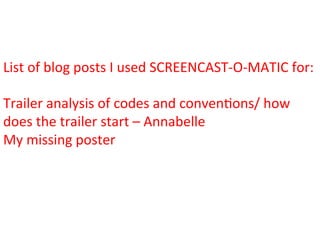
List	
  of	
  blog	
  posts	
  I	
  used	
  SCREENCAST-­‐O-­‐MATIC	
  for:	


Trailer	
  analysis	
  of	
  codes	
  and	
  conven:ons/	
  how	
  
does	
  the	
  trailer	
  start	
  –	
  Annabelle	
  
My	
  missing	
  poster	
  	
  
Screencast-­‐O-­‐Ma>c	
  is	
  
‘fast,	
  free	
  screen	
  
recording’.	


(Screencast-­‐o-­‐ma:c)	
  
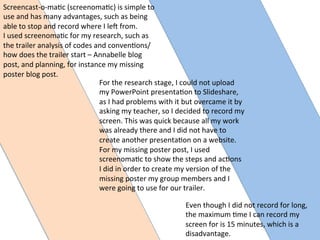
Even	
  though	
  I	
  did	
  not	
  record	
  for	
  long,	
  
the	
  maximum	
  :me	
  I	
  can	
  record	
  my	
  
screen	
  for	
  is	
  15	
  minutes,	
  which	
  is	
  a	
  
disadvantage.	
  	
  
Screencast-­‐o-­‐ma:c	
  (screenoma:c)	
  is	
  simple	
  to	
  
use	
  and	
  has	
  many	
  advantages,	
  such	
  as	
  being	
  
able	
  to	
  stop	
  and	
  record	
  where	
  I	
  leQ	
  from.	
  	
  
I	
  used	
  screenoma:c	
  for	
  my	
  research,	
  such	
  as	
  
the	
  trailer	
  analysis	
  of	
  codes	
  and	
  conven:ons/	
  
how	
  does	
  the	
  trailer	
  start	
  –	
  Annabelle	
  blog	
  
post,	
  and	
  planning,	
  for	
  instance	
  my	
  missing	
  
poster	
  blog	
  post.	
  
For	
  the	
  research	
  stage,	
  I	
  could	
  not	
  upload	
  
my	
  PowerPoint	
  presenta:on	
  to	
  Slideshare,	
  
as	
  I	
  had	
  problems	
  with	
  it	
  but	
  overcame	
  it	
  by	
  
asking	
  my	
  teacher,	
  so	
  I	
  decided	
  to	
  record	
  my	
  
screen.	
  This	
  was	
  quick	
  because	
  all	
  my	
  work	
  
was	
  already	
  there	
  and	
  I	
  did	
  not	
  have	
  to	
  
create	
  another	
  presenta:on	
  on	
  a	
  website.	
  	
  
For	
  my	
  missing	
  poster	
  post,	
  I	
  used	
  
screenoma:c	
  to	
  show	
  the	
  steps	
  and	
  ac:ons	
  
I	
  did	
  in	
  order	
  to	
  create	
  my	
  version	
  of	
  the	
  
missing	
  poster	
  my	
  group	
  members	
  and	
  I	
  
were	
  going	
  to	
  use	
  for	
  our	
  trailer.	
  
List	
  of	
  blog	
  posts	
  I	
  used	
  EMAZE	
  for:	


Trailer	
  analysis	
  of	
  typography/narra:ve	
  –	
  Ex:nc:on	
  
How	
  to	
  make	
  a	
  poster	
  
Trailer	
  Structure	
  -­‐	
  Lost	
  Time	
  
Poster	
  analysis	
  -­‐	
  Tales	
  of	
  Halloween	
  
Killers	
  -­‐	
  primary	
  research	
  	
  
Emaze	
  is	
  ‘an	
  online	
  
presenta>on	
  soSware’.	


(Emaze)	
  
Emaze	
  was	
  useful	
  in	
  the	
  research	
  
stage,	
  as	
  I	
  presented	
  my	
  research	
  by	
  
using	
  emaze.	
  Emaze	
  was	
  an	
  
advantage	
  in	
  the	
  research	
  stage	
  as	
  it	
  
helped	
  me	
  present	
  my	
  work	
  in	
  a	
  
crea:ve	
  way.	
  
An	
  advantage	
  of	
  using	
  emaze	
  is	
  that	
  
it	
  gives	
  me	
  ranges	
  of	
  templates	
  to	
  
choose	
  from,	
  in	
  which	
  I	
  can	
  differ	
  
according	
  to	
  what	
  I	
  would	
  include.	
  
Emaze	
  allows	
  me	
  to	
  upload	
  images;	
  
shapes	
  and	
  videos,	
  helping	
  my	
  work	
  
appear	
  crea:ve	
  and	
  different.	
  

Presenting work evaluation question 4

  • 3.
    List  of  blog  posts  I  used  MINDMEISTER  for:     Ini:al  ideas  
  • 5.
    Mindmeister  was  useful  for  mind   maps  because  it  provided  me  with   different  branches,  which  makes   the  mind  map  clear  and  easy  to   read.  This  website  allows  me  to   change  text  colors  and  add  images,   which  could  help  my  brainstorms   appear  crea>ve.  I  took  advantage  of   this,  which  is  shown  in  the  ini>al   ideas  blog  post,  and  used  one  color   for  each  idea,  making  the  text  that   has  the  same  color  seem  as  if  it  is   one  idea.  This  would  prevent  any   confusion.   I  used  Mindmeister  for  presen:ng  the  ini:al  ideas  my  group  and  I  came  up  with,  which  is   part  of  the  planning  stage.     A  disadvantage  of  using   Mindmeister  is  the  fact  that  I   can  only  create  up  to  three   mind  maps  so  I  would  have  to   find  other  sites  that  allows  me   to  create  mind  maps.  I   struggled  to  find  the  embed   code  on  Mindmeister  so  I   searched  on  the  Internet  but   could  not  find  possible   results.  This  therefore  led  me   to  print  screen  the  mind  map   and  upload  it  to  my  blog  as  an   image.    
  • 7.
    List  of  blog  posts  I  used  PREZI  for:     Trailer  analysis  of  typography/narra>ve   –  Annabelle   Trailer  analysis  of  typography/narra>ve   –  Unfriended   Stock  Characters  -­‐  film  examples   Tripod  
  • 9.
    A  posi:ve  side  of  using  Prezi  for  my  work  is   that  I  can  choose  the  template  I  want  and   there  are  ranges  of  different  templates   provided.  Plus,  I  can  change  the  order  of  the   text  in  a  simple  way  and  that  makes  it  easy   because  I  would  not  have  to  worry  if  I  got  the   order  of  the  text  wrong.     A  down  side  of  using  Prezi  is  that  I  cannot   paste  the  text  I  want  to  say  as  I  usually  write  it   up  on  Word  just  in  case  something  goes   wrong.  This  takes  a  long  :me,  as  I  have  to   rewrite  everything  I  want  to  say.     I  used  Prezi  for  a  range  of  things,  mainly  including   blog  posts  for  research  and  planning.  Prezi  was   useful  in  the  research  stage  as  I  was  able  to   upload  trailers  on  Prezi.  This  is  shown  in  the  stock   characters  –  film  examples  blog  post,  as  I   uploaded  a  trailer  of  ‘Saw  2’  in  the  Prezi,  and  this   is  an  advantage  because  the  person  reading  the   text  would  know  what  trailer  I  based  it  on,  as   there  are  a  variety  of  trailers  for  one  film.  
  • 11.
    List  of  blog  posts  I  used  PADLET  for:     What  I  learnt  from  Photoshop    
  • 12.
    Padlet   Is   SoQware   Used   To   Create   presenta:ons  
  • 13.
    I  used  padlet  once  because  I  found  it   difficult  to  use  and  the  only  thing  I  managed   to  figure  out  was  how  to  change  the  color  of   the  text.  I  used  it  for  my  what  I  learnt  from   Photoshop  blog  post,  which  was  useful  in   the  research  stage  as  the  post  is  about  what   Photoshop  has  taught  me.  I  did  not  use   Photoshop  for  the  magazine  and  poster  but   I  could  have  applied  the  things  I  learnt  to   when  doing  the  magazine  and  poster.    
  • 15.
    List  of  blog  posts  I  used  SLIDES  for:     Trailer  analysis  of  the  enigma/edi:ng  and  camera  –  Ex:nc:on   Trailer  analysis  of  the  enigma/edi:ng  and  camera  shots  –  Unfriended   Trailer  analysis  of  sound/target  audience  –  Annabelle   Stock  characters  -­‐  different  types    
  • 17.
    Slides  was  useful  in  the  research   stage  the  most  as  my  blog  posts   I  used  slides  for  are  based  on  my   research.  Slides  allowed  me  to   create  tables,  lines,  and  shapes   and  upload  images  so  I  could   make  my  presenta:ons  crea:ve.   An  example  of  this  is  I  used  two   different  colored  squares  to   make  my  work  appear  crea:ve   in  the  trailer  analysis  of  sound/ target  audience  blog  post.   Another  example  is  I  included   images  in  the  trailer  analysis  of   the  enigma/edi:ng  and  camera   shots  –  unfriended  blog  post.   Images  make  my  work  look   beWer  as  the  people  reading  the   text  are  aware  of  what  I  based   my  work  on.     A  weakness  of  using  slides  is  that   when  reviewing  the   presenta:on,  some  of  the   images  may  take  some  :me  to   show  fully.  
  • 19.
    List  of  blog  posts  I  used  VISME  for:     Trailer  analysis  of  the  enigma/edi:ng  and  camera  shots  –  Annabelle   Trailer  analysis  of  sound/target  audience  -­‐  Unfriended    
  • 20.
    Visme  is  online   presenta:on   soQware  where  you   can  create  your  own   presenta:ons  
  • 21.
    Visme  was  useful  in  the  research  stage  as  the  blog   posts  I  used  visme  for  are  part  of  my  research.   An  advantage  is  that  I  was  able  to  upload  the  trailer  I   was  researching  and  this  is  shown  in  the  trailer   analysis  of  sound/target  audience  –  Unfriended  blog   post.  This  was  beneficial  because  the  people  reading   my  work  would  know  what  trailer  I  watched.  Images   help  the  text  make  more  sense,  so  if  the  person   reading  my  work  is  confused  about  what  I  said,  it   might  make  sense  if  they  look  at  the  image.  
  • 23.
    List  of  blog  posts  I  used  POWTOON  for:     Killers  -­‐  secondary  research   Loca:ons  
  • 24.
    Powtoon  is  ‘an  online   business  presenta:on   soQware  tool   that  allows  you  to   create  free,   Cool,   And   awesome  animated   videos’.     (Powtoon)  
  • 25.
    I  used  Powtoon  to  present  my  work,  which  was   useful  in  the  research  stage  as  both  blog  posts   I  used  it  for  are  part  of  the  research.  Powtoon   has  a  range  of  themes  and  templates  to   choose  from,  and  they  all  give  a  different   atmosphere.  Powtoon  is  crea:ve  as  it  provides   me  with  text  effects,  such  as  movement,   shapes  and  images  and  this  helped  my  work   appear  different.  Powtoon  allowed  me  to   upload  images,  which  suits  with  the  text  I   used;  such  as  I  included  images  of  the  loca:on   with  explaining  the  reason  in  the  loca:on  post.     A  weakness  is  that  it  takes  a  long  :me  to   upload.  
  • 28.
    List  of  blog  posts  I  used  SLIDESHARE  for:     Trailer  analysis  of  codes  and  conven:ons/how  does  the  trailer  start  –  Ex:nc:on   Trailer  analysis  of  codes  and  conven:ons/how  does  the  trailer  start  –  Unfriended    Improvements  for  our  trailer   Trailer  Conven:on  –  Jessabelle   Genre  -­‐  Burton's  genre  theory   Plots  &  stock  situa:ons  -­‐  different  shots  from  exis:ng  film   Photos  of  shots   Horror  film  poster  research   Target  audience  
  • 29.
    Slideshare  is  used  to   upload  PowerPoint   presenta:ons    
  • 30.
    Slideshare  was  useful  in  the  research  and  planning  stage  because  I  have  blog  posts  that   helped  me  with  my  research,  for  instance  trailer  conven>on  (Jessabelle)  and  planning,  for   instance  target  audience.       Slideshare  is  useful  to  a  certain  extent,  as  there  are  many  advantages  and  disadvantages.     An  advantage  of  using  Slideshare  for  my  research  and  planning  stages  is  that  it  is  a  different  way   to  present  my  ideas,  as  I  cannot  upload  my  presenta:on  I  did  on  PowerPoint  directly  to  my  blog.       A  disadvantage  of  using  Slideshare  is  the  fact  that  I  can  only  upload  documents  from   PowerPoint,  so  when  I  realize  I  did  a  mistake  on  Slideshare,  I  would  have  to  change  it  on   PowerPoint  then  upload  it  again.  I  experienced  this  a  couple  ?mes  and  it  takes  a  long  ?me.    
  • 32.
    List  of  blog  posts  I  used  POWERPOINT  for:     Trailer  analysis  of  codes  and  conven:ons/  how  does  the  trailer  start  –  Annabelle   Trailer  analysis  of  codes  and  conven:ons/how  does  the  trailer  start  –  Ex:nc:on   Trailer  analysis  of  codes  and  conven:ons/how  does  the  trailer  start  –  Unfriended   Improvements  for  our  trailer   Trailer  Conven:on  –  Jessabelle   Genre  -­‐  Burton's  genre  theory   Killer  -­‐  repeat  and  vary   Introducing  the  group   Plots  &  stock  situa:ons  -­‐  different  shots  from  exis:ng  films   Experimen:ng  with  tripod   Photos  of  shots   Horror  film  poster  research   Target  audience    
  • 33.
    PowerPoint  is  a  ‘slideshow   presenta:on  program’     (Wikipedia)  
  • 34.
    I  used  PowerPoint  for  all  sorts  of  things  and  was  helpful  in  the  research  stage,  as  I  created  presenta:on  to   show  my  research,  such  as  the  trailer  analysis  of  codes  and  conven:ons/how  does  the  trailer  start  –   Ex:nc:on  blog  post.   I  took  PowerPoint  as  an  advantage  and  used  charts,  different  colors,   typography,  shapes  and  so  on  to  make  my  work  appear  crea:ve.  An   example  of  this  is  in  the  trailer  analysis  of  codes  and  conven:ons/  how  does  the  trailer  start  –   Annabelle  blog  post  where  I  used  a  red,  thick  line  to  differen:ate  between  the  different  texts.   PowerPoint  was  also  posi:ve  in  the  planning  stage,  such  as  photos  of  shots  blog  post,  where  I   uploaded  images  of  possible  shots.  This  helped  me  in  the  planning  stage  because  I   was  able  to  imagine  how  parts  of  the  trailer  would  look  like.   PowerPoint  was  an  advantage  because  I  was  able  to  upload  images  and  for  the  photos  of  shots   blog  post,  that  was  the  most  important  thing.  
  • 36.
    List  of  blog  posts  I  used  WORD  for:     Most  blog  posts  (NOT  A  BLOG  POST)   my  missing  poster   News  report  -­‐  helping  us  film    
  • 37.
    Word  is  a  ‘word  processor   developed  my  MicrosoS’.     (Wikipedia)    
  • 38.
    Word  is  popular  in  every  stage,  as  I  tend  to  write  my  ideas  on  Word  first   then  copy  it  to  a  presenta:on  soQware/website.  Word  is  beneficial   because  it  helped  correct  my  mistakes  and  is  there  for  a  backup,  just  in   case  something  happens  to  my  work.  I  many  used  Word  for  texts,  such  as   the  news  report  –  helping  us  film  blog  post,  which  includes  some  text  that   the  news  reporter  was  meant  to  say.  However,  my  group  members  and  I   did  not  use  the  paper  but  it  was  s:ll  good  to  have  some  text  of  what  the   news  reporter  would  roughly  say.  This  therefore  shows  Word  was  useful  in   the  planning  stage.       I  used  Word  to  create  my  version  of  the  missing  poster,  as  I  thought  it   would  be  easier  than  any  other  soQware/websites.  PowerPoint  was   another  op:on  but  missing  posters  tended  to  be  ver:cal  and  PowerPoint   usually  have  heir  pages  horizontal.  This  is  not  a  reason  to  choose   PowerPoint  but  I  thought  Word  had  the  page  already  set  up.    
  • 40.
    List  of  blog  posts  I  used  SCREENCAST-­‐O-­‐MATIC  for:     Trailer  analysis  of  codes  and  conven:ons/  how   does  the  trailer  start  –  Annabelle   My  missing  poster    
  • 41.
    Screencast-­‐O-­‐Ma>c  is   ‘fast,  free  screen   recording’.     (Screencast-­‐o-­‐ma:c)  
  • 42.
    Even  though  I  did  not  record  for  long,   the  maximum  :me  I  can  record  my   screen  for  is  15  minutes,  which  is  a   disadvantage.     Screencast-­‐o-­‐ma:c  (screenoma:c)  is  simple  to   use  and  has  many  advantages,  such  as  being   able  to  stop  and  record  where  I  leQ  from.     I  used  screenoma:c  for  my  research,  such  as   the  trailer  analysis  of  codes  and  conven:ons/   how  does  the  trailer  start  –  Annabelle  blog   post,  and  planning,  for  instance  my  missing   poster  blog  post.   For  the  research  stage,  I  could  not  upload   my  PowerPoint  presenta:on  to  Slideshare,   as  I  had  problems  with  it  but  overcame  it  by   asking  my  teacher,  so  I  decided  to  record  my   screen.  This  was  quick  because  all  my  work   was  already  there  and  I  did  not  have  to   create  another  presenta:on  on  a  website.     For  my  missing  poster  post,  I  used   screenoma:c  to  show  the  steps  and  ac:ons   I  did  in  order  to  create  my  version  of  the   missing  poster  my  group  members  and  I   were  going  to  use  for  our  trailer.  
  • 44.
    List  of  blog  posts  I  used  EMAZE  for:     Trailer  analysis  of  typography/narra:ve  –  Ex:nc:on   How  to  make  a  poster   Trailer  Structure  -­‐  Lost  Time   Poster  analysis  -­‐  Tales  of  Halloween   Killers  -­‐  primary  research    
  • 45.
    Emaze  is  ‘an  online   presenta>on  soSware’.     (Emaze)  
  • 46.
    Emaze  was  useful  in  the  research   stage,  as  I  presented  my  research  by   using  emaze.  Emaze  was  an   advantage  in  the  research  stage  as  it   helped  me  present  my  work  in  a   crea:ve  way.   An  advantage  of  using  emaze  is  that   it  gives  me  ranges  of  templates  to   choose  from,  in  which  I  can  differ   according  to  what  I  would  include.   Emaze  allows  me  to  upload  images;   shapes  and  videos,  helping  my  work   appear  crea:ve  and  different.