INPUT DEVICES

Enter all your data: sounds, pictures, letters, numbers and
symbols.
INPUT DEVICE
   Any hardware component that allows a user
    to enter data and instructions into a computer
    for processing.

   Input: any data or instructions that are
    entered into the computer.
TYPES OF INPUT DEVICES

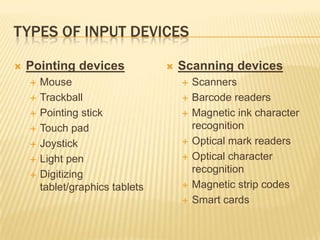
   Pointing devices                 Scanning devices
       Mouse                            Scanners
       Trackball                        Barcode readers
       Pointing stick                   Magnetic ink character
       Touch pad                         recognition
       Joystick                         Optical mark readers
       Light pen                        Optical character
       Digitizing                        recognition
        tablet/graphics tablets          Magnetic strip codes
                                         Smart cards
TYPES OF INPUT DEVICES

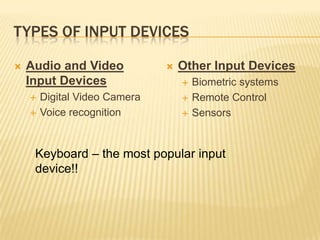
   Audio and Video               Other Input Devices
    Input Devices                     Biometric systems
       Digital Video Camera          Remote Control
       Voice recognition             Sensors


     Keyboard – the most popular input
     device!!
KEYBOARD
   The set of typewriter-like
    keys that enables you to
    enter data into a computer.
•   The keys on computer
    keyboards are often
    classified as follows:
    –   Alphanumeric keys --
        letters and numbers
    –   Punctuation keys --
        comma, period, semicolon,
        and so on.
    –   Special keys -- function
        keys, control keys, arrow
        keys, Caps Lock key, and so
        on.
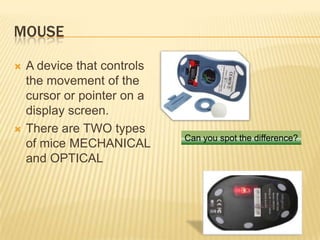
MOUSE

   A device that controls
    the movement of the
    cursor or pointer on a
    display screen.
   There are TWO types
                             Can you spot the difference?
    of mice MECHANICAL
    and OPTICAL
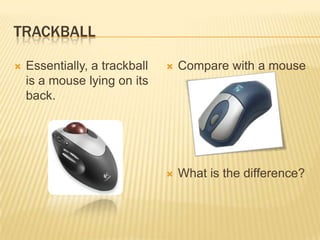
TRACKBALL

   Essentially, a trackball      Compare with a mouse
    is a mouse lying on its
    back.


                                  What is the difference?
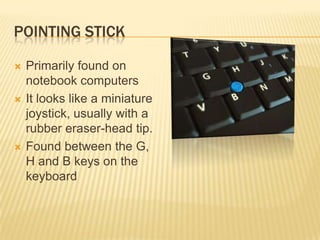
POINTING STICK

   Primarily found on
    notebook computers
   It looks like a miniature
    joystick, usually with a
    rubber eraser-head tip.
   Found between the G,
    H and B keys on the
    keyboard
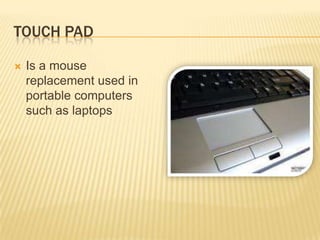
TOUCH PAD

   Is a mouse
    replacement used in
    portable computers
    such as laptops
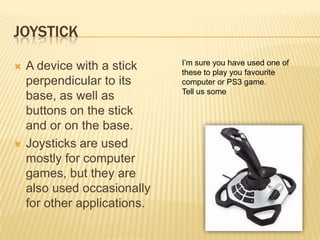
JOYSTICK
                              I’m sure you have used one of
   A device with a stick     these to play you favourite
    perpendicular to its      computer or PS3 game.
                              Tell us some
    base, as well as
    buttons on the stick
    and or on the base.
   Joysticks are used
    mostly for computer
    games, but they are
    also used occasionally
    for other applications.
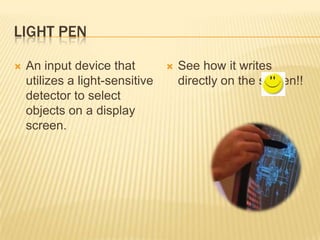
LIGHT PEN

   An input device that            See how it writes
    utilizes a light-sensitive       directly on the screen!!
    detector to select
    objects on a display
    screen.
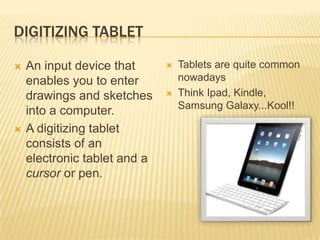
DIGITIZING TABLET

   An input device that         Tablets are quite common
    enables you to enter          nowadays
    drawings and sketches        Think Ipad, Kindle,
                                  Samsung Galaxy...Kool!!
    into a computer.
   A digitizing tablet
    consists of an
    electronic tablet and a
    cursor or pen.
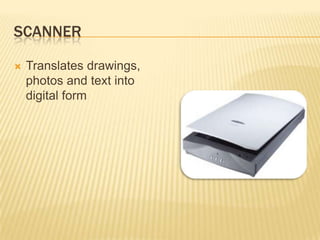
SCANNER

   Translates drawings,
    photos and text into
    digital form
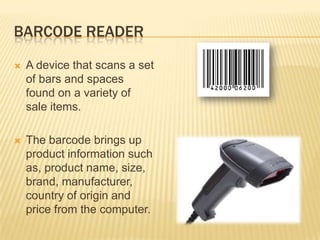
BARCODE READER

   A device that scans a set
    of bars and spaces
    found on a variety of
    sale items.

   The barcode brings up
    product information such
    as, product name, size,
    brand, manufacturer,
    country of origin and
    price from the computer.
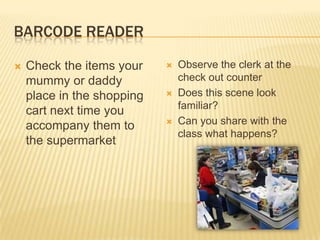
BARCODE READER

   Check the items your       Observe the clerk at the
    mummy or daddy              check out counter
    place in the shopping      Does this scene look
                                familiar?
    cart next time you
    accompany them to          Can you share with the
                                class what happens?
    the supermarket
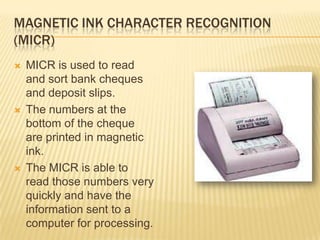
MAGNETIC INK CHARACTER RECOGNITION
(MICR)
   MICR is used to read
    and sort bank cheques
    and deposit slips.
   The numbers at the
    bottom of the cheque
    are printed in magnetic
    ink.
   The MICR is able to
    read those numbers very
    quickly and have the
    information sent to a
    computer for processing.
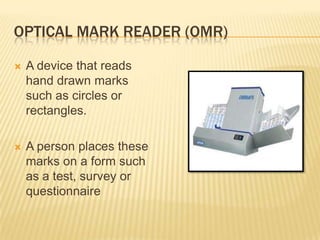
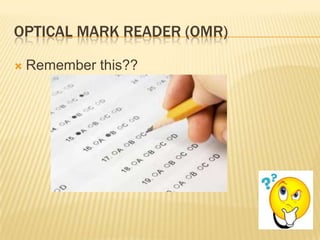
OPTICAL MARK READER (OMR)

   A device that reads
    hand drawn marks
    such as circles or
    rectangles.

   A person places these
    marks on a form such
    as a test, survey or
    questionnaire
OPTICAL MARK READER (OMR)

   Remember this??
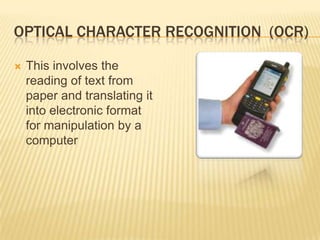
OPTICAL CHARACTER RECOGNITION (OCR)

   This involves the
    reading of text from
    paper and translating it
    into electronic format
    for manipulation by a
    computer
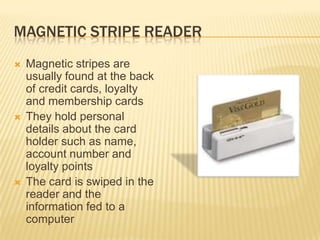
MAGNETIC STRIPE READER
   Magnetic stripes are
    usually found at the back
    of credit cards, loyalty
    and membership cards
   They hold personal
    details about the card
    holder such as name,
    account number and
    loyalty points
   The card is swiped in the
    reader and the
    information fed to a
    computer
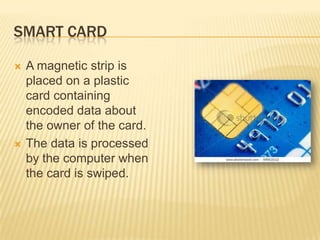
SMART CARD

   A magnetic strip is
    placed on a plastic
    card containing
    encoded data about
    the owner of the card.
   The data is processed
    by the computer when
    the card is swiped.
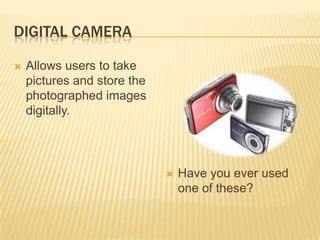
DIGITAL CAMERA

   Allows users to take
    pictures and store the
    photographed images
    digitally.


                                Have you ever used
                                 one of these?
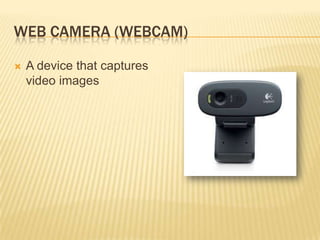
WEB CAMERA (WEBCAM)

   A device that captures
    video images
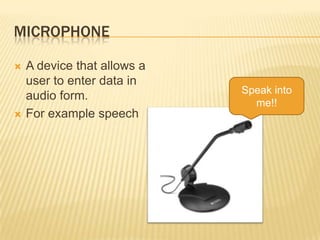
MICROPHONE

   A device that allows a
    user to enter data in
                             Speak into
    audio form.
                               me!!
   For example speech
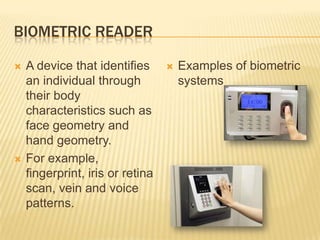
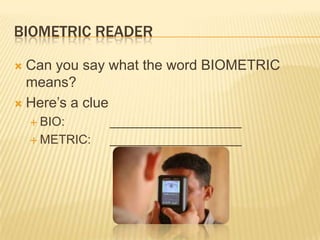
BIOMETRIC READER

   A device that identifies         Examples of biometric
    an individual through             systems
    their body
    characteristics such as
    face geometry and
    hand geometry.
   For example,
    fingerprint, iris or retina
    scan, vein and voice
    patterns.
BIOMETRIC READER

 Can you say what the word BIOMETRIC
  means?
 Here’s a clue
     BIO:      ___________________
     METRIC:   ___________________
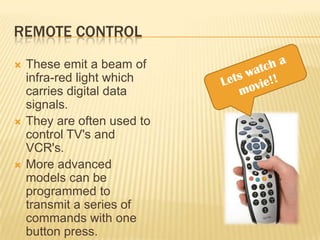
REMOTE CONTROL
   These emit a beam of
    infra-red light which
    carries digital data
    signals.
   They are often used to
    control TV's and
    VCR's.
   More advanced
    models can be
    programmed to
    transmit a series of
    commands with one
    button press.
SENSOR

 These detect changes in the physical or
  chemical environment and convert them into
  electrical signals. These signals can then be
  digitised and used by the computer.
 They measure quantities such as light,
  temperature and pressure
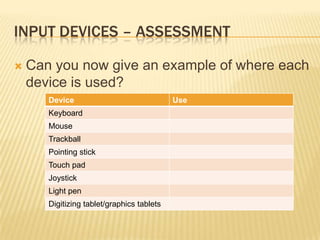
INPUT DEVICES – ASSESSMENT

   Can you now give an example of where each
    device is used?
       Device                               Use
       Keyboard
       Mouse
       Trackball
       Pointing stick
       Touch pad
       Joystick
       Light pen
       Digitizing tablet/graphics tablets
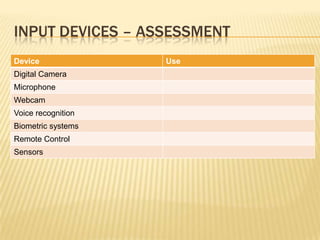
INPUT DEVICES – ASSESSMENT
Device              Use
Digital Camera
Microphone
Webcam
Voice recognition
Biometric systems
Remote Control
Sensors
Input Devices

  • 1.
    INPUT DEVICES Enter allyour data: sounds, pictures, letters, numbers and symbols.
  • 2.
    INPUT DEVICE  Any hardware component that allows a user to enter data and instructions into a computer for processing.  Input: any data or instructions that are entered into the computer.
  • 3.
    TYPES OF INPUTDEVICES  Pointing devices  Scanning devices  Mouse  Scanners  Trackball  Barcode readers  Pointing stick  Magnetic ink character  Touch pad recognition  Joystick  Optical mark readers  Light pen  Optical character  Digitizing recognition tablet/graphics tablets  Magnetic strip codes  Smart cards
  • 4.
    TYPES OF INPUTDEVICES  Audio and Video  Other Input Devices Input Devices  Biometric systems  Digital Video Camera  Remote Control  Voice recognition  Sensors Keyboard – the most popular input device!!
  • 5.
    KEYBOARD  The set of typewriter-like keys that enables you to enter data into a computer. • The keys on computer keyboards are often classified as follows: – Alphanumeric keys -- letters and numbers – Punctuation keys -- comma, period, semicolon, and so on. – Special keys -- function keys, control keys, arrow keys, Caps Lock key, and so on.
  • 6.
    MOUSE  A device that controls the movement of the cursor or pointer on a display screen.  There are TWO types Can you spot the difference? of mice MECHANICAL and OPTICAL
  • 7.
    TRACKBALL  Essentially, a trackball  Compare with a mouse is a mouse lying on its back.  What is the difference?
  • 8.
    POINTING STICK  Primarily found on notebook computers  It looks like a miniature joystick, usually with a rubber eraser-head tip.  Found between the G, H and B keys on the keyboard
  • 9.
    TOUCH PAD  Is a mouse replacement used in portable computers such as laptops
  • 10.
    JOYSTICK I’m sure you have used one of  A device with a stick these to play you favourite perpendicular to its computer or PS3 game. Tell us some base, as well as buttons on the stick and or on the base.  Joysticks are used mostly for computer games, but they are also used occasionally for other applications.
  • 11.
    LIGHT PEN  An input device that  See how it writes utilizes a light-sensitive directly on the screen!! detector to select objects on a display screen.
  • 12.
    DIGITIZING TABLET  An input device that  Tablets are quite common enables you to enter nowadays drawings and sketches  Think Ipad, Kindle, Samsung Galaxy...Kool!! into a computer.  A digitizing tablet consists of an electronic tablet and a cursor or pen.
  • 13.
    SCANNER  Translates drawings, photos and text into digital form
  • 14.
    BARCODE READER  A device that scans a set of bars and spaces found on a variety of sale items.  The barcode brings up product information such as, product name, size, brand, manufacturer, country of origin and price from the computer.
  • 15.
    BARCODE READER  Check the items your  Observe the clerk at the mummy or daddy check out counter place in the shopping  Does this scene look familiar? cart next time you accompany them to  Can you share with the class what happens? the supermarket
  • 16.
    MAGNETIC INK CHARACTERRECOGNITION (MICR)  MICR is used to read and sort bank cheques and deposit slips.  The numbers at the bottom of the cheque are printed in magnetic ink.  The MICR is able to read those numbers very quickly and have the information sent to a computer for processing.
  • 17.
    OPTICAL MARK READER(OMR)  A device that reads hand drawn marks such as circles or rectangles.  A person places these marks on a form such as a test, survey or questionnaire
  • 18.
    OPTICAL MARK READER(OMR)  Remember this??
  • 19.
    OPTICAL CHARACTER RECOGNITION(OCR)  This involves the reading of text from paper and translating it into electronic format for manipulation by a computer
  • 20.
    MAGNETIC STRIPE READER  Magnetic stripes are usually found at the back of credit cards, loyalty and membership cards  They hold personal details about the card holder such as name, account number and loyalty points  The card is swiped in the reader and the information fed to a computer
  • 21.
    SMART CARD  A magnetic strip is placed on a plastic card containing encoded data about the owner of the card.  The data is processed by the computer when the card is swiped.
  • 22.
    DIGITAL CAMERA  Allows users to take pictures and store the photographed images digitally.  Have you ever used one of these?
  • 23.
    WEB CAMERA (WEBCAM)  A device that captures video images
  • 24.
    MICROPHONE  A device that allows a user to enter data in Speak into audio form. me!!  For example speech
  • 25.
    BIOMETRIC READER  A device that identifies  Examples of biometric an individual through systems their body characteristics such as face geometry and hand geometry.  For example, fingerprint, iris or retina scan, vein and voice patterns.
  • 26.
    BIOMETRIC READER  Canyou say what the word BIOMETRIC means?  Here’s a clue  BIO: ___________________  METRIC: ___________________
  • 27.
    REMOTE CONTROL  These emit a beam of infra-red light which carries digital data signals.  They are often used to control TV's and VCR's.  More advanced models can be programmed to transmit a series of commands with one button press.
  • 28.
    SENSOR  These detectchanges in the physical or chemical environment and convert them into electrical signals. These signals can then be digitised and used by the computer.  They measure quantities such as light, temperature and pressure
  • 29.
    INPUT DEVICES –ASSESSMENT  Can you now give an example of where each device is used? Device Use Keyboard Mouse Trackball Pointing stick Touch pad Joystick Light pen Digitizing tablet/graphics tablets
  • 30.
    INPUT DEVICES –ASSESSMENT Device Use Digital Camera Microphone Webcam Voice recognition Biometric systems Remote Control Sensors