Licensing OER and other Materials
for Teachers and Curriculum Administrators/Specialists

Image: Danilela Hartmann

Jason Neffer, M.Sci., ABD
Montana Digital Academy
the University of Montana

@techsavvyteach
http://www.techsavvyteacher.com
Paperless Handouts:
http://www.workshophandouts.com/licensingoer
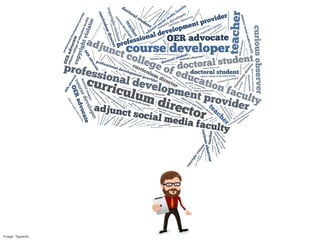
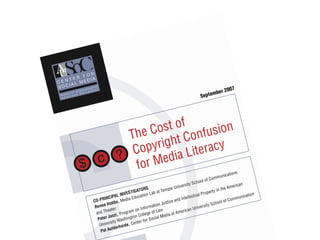
My vantage point…
Image: Tagxedo
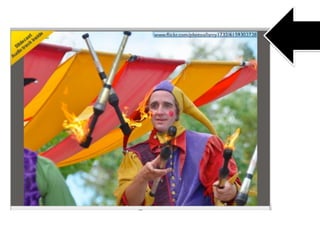
Image: Frog Miller/Available via CC BY
Image: Frog Miller available by CC BY
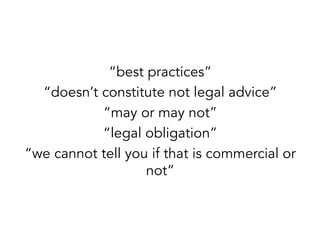
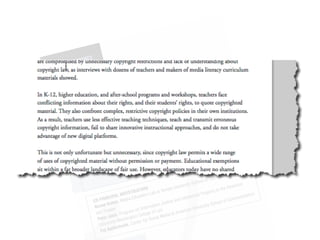
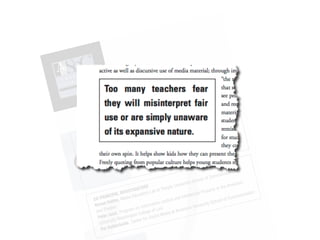
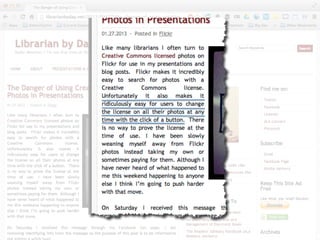
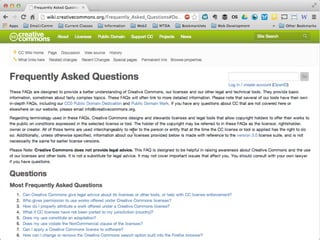
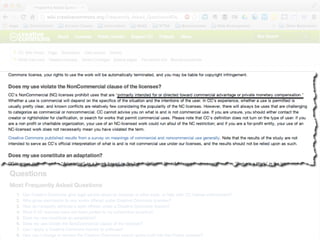
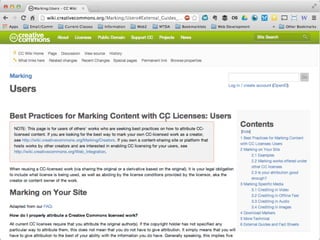
“best practices”
“doesn’t constitute not legal advice”
“may or may not”
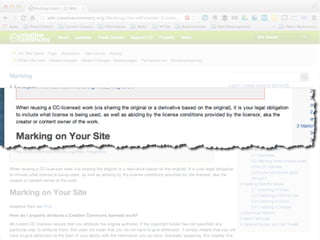
“legal obligation”
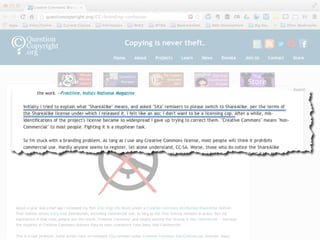
“we cannot tell you if that is commercial or
not”
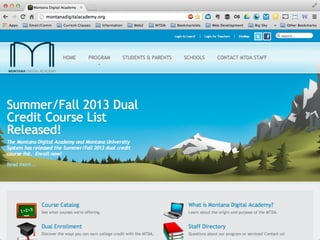
The problem…
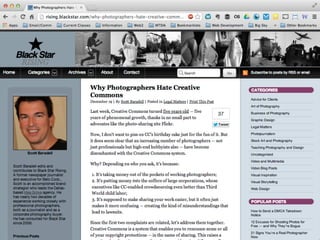
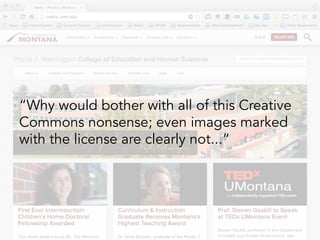
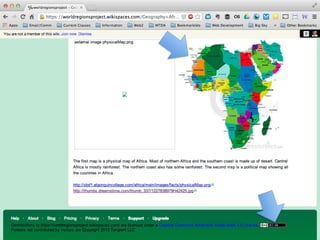
“Why would bother with all of this Creative
Commons nonsense; even images marked
with the license are clearly not...”
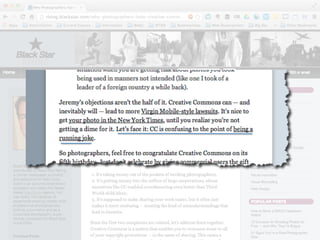
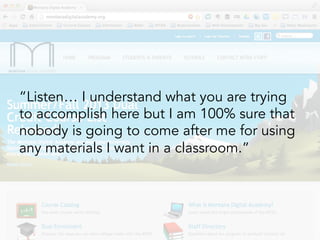
“Listen… I understand what you are trying
to accomplish here but I am 100% sure that
nobody is going to come after me for using
any materials I want in a classroom.”
So what?
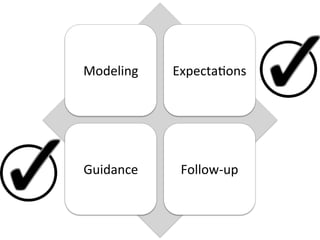
Broad Philosophy
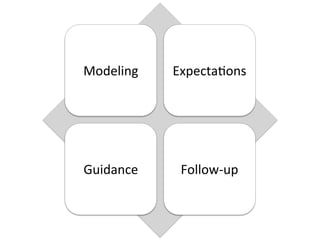
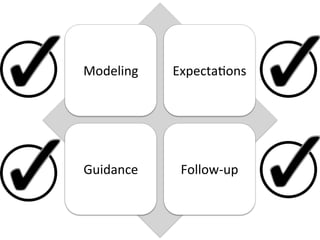
Modeling	


Expecta0ons	
  

Guidance	
  

Follow-­‐up	
  
Licensing Your Own Materials
Modeling	


Expecta0ons	
  

Guidance	
  

Follow-­‐up	
  
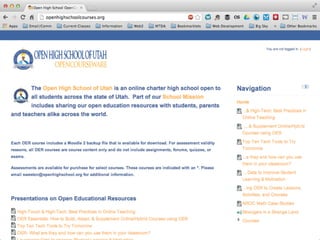
h8p://jasonlinks.net/oerpolicy	
  
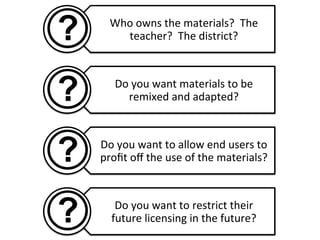
Who	
  owns	
  the	
  materials?	
  	
  The	
  
teacher?	
  	
  The	
  district?	
  

Do	
  you	
  want	
  materials	
  to	
  be	
  
remixed	
  and	
  adapted?	
  

Do	
  you	
  want	
  to	
  allow	
  end	
  users	
  to	
  
profit	
  off	
  the	
  use	
  of	
  the	
  materials?	
  

Do	
  you	
  want	
  to	
  restrict	
  their	
  
future	
  licensing	
  in	
  the	
  future?	
  
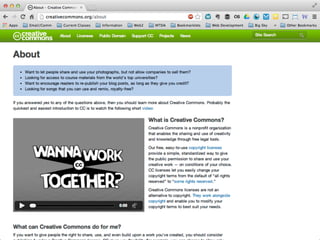
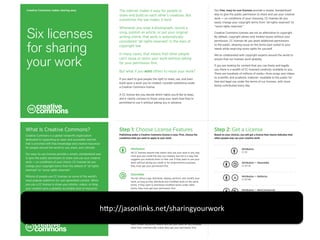
Creative Commons makes sharing easy

The internet makes it easy for people to
share and build on each other’s creations. But
sometimes the law makes it hard.

Six licenses
for sharing
your work

Whenever you snap a photograph, record a
song, publish an article, or put your original
writing online, that work is automatically
considered “all rights reserved” in the eyes of
copyright law.
In many cases, that means that other people
can’t reuse or remix your work without asking
for your permission first.
But what if you want others to reuse your work?
If you want to give people the right to share, use, and even
build upon a work you’ve created, consider publishing under
a Creative Commons license.

Our free, easy-to-use licenses provide a simple, standardized
way to give the public permission to share and use your creative
work — on conditions of your choosing. CC licenses let you
easily change your copyright terms from “all rights reserved” to
“some rights reserved.”
Creative Commons licenses are not an alternative to copyright.
By default, copyright allows only limited reuses without your
permission. CC licenses let you grant additional permissions
to the public, allowing reuse on the terms best suited to your
needs while reserving some rights for yourself.
We’ve collaborated with copyright experts around the world to
ensure that our licenses work globally.
If you are looking for content that you can freely and legally
use, there is a wealth of CC-licensed creativity available to you.
There are hundreds of millions of works—from songs and videos
to scientific and academic material—available to the public for
free and legal use under the terms of our licenses, with more
being contributed every day.

A CC license lets you decide which rights you’d like to keep,
and it clearly conveys to those using your work how they’re
permitted to use it without asking you in advance.

What Is Creative Commons?

Step 1: Choose License Features

Step 2: Get a License

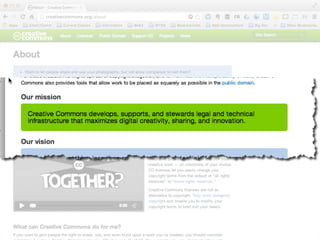
Creative Commons is a global nonprofit organization
dedicated to supporting an open and accessible internet
that is enriched with free knowledge and creative resources
for people around the world to use, share, and cultivate.

Publishing under a Creative Commons license is easy. First, choose the
conditions that you want to apply to your work.

Based on your choices, you will get a license that clearly indicates how
other people may use your creative work.

Our easy-to-use licenses provide a simple, standardized way
to give the public permission to share and use your creative
work — on conditions of your choice. CC licenses let you
change your copyright terms from the default of “all rights
reserved” to “some rights reserved.”
Millions of people use CC licenses on some of the world’s
most popular platforms for user-generated content. When
you use a CC license to share your photos, videos, or blog,
your creation joins a globally accessible pool of resources
that includes the work of artists, educators, scientists, and
governments.
Creative Commons has waived all copyright and
related or neighboring rights to this guide using the
CC0 Public Domain Dedication.

Attribution

Attribution

All CC licenses require that others who use your work in any way
must give you credit the way you request, but not in a way that
suggests you endorse them or their use. If they want to use your
work without giving you credit or for endorsement purposes,
they must get your permission first.

CC BY

ShareAlike
You let others copy, distribute, display, perform, and modify your
work, as long as they distribute any modified work on the same
terms. If they want to distribute modified works under other
terms, they must get your permission first.

Attribution — ShareAlike
CC BY-SA

Attribution — NoDerivs
CC BY-ND

Attribution — NonCommercial
CC BY-NC

NoDerivs
You let others copy, distribute, display, and perform only original
copies of your work. If they want to modify your work, they must
get your permission first.

h8p://jasonlinks.net/sharingyourwork	
  
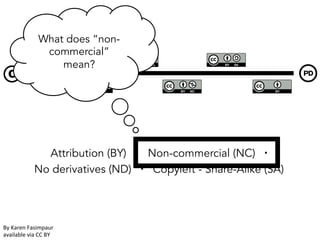
NonCommercial
You let others copy, distribute, display, perform, and (unless you
have chosen NoDerivs) modify and use your work for any purpose
other than commercially unless they get your permission first.

Attribution — NonCommercial — ShareAlike
CC BY-NC-SA

Attribution — NonCommercial — NoDerivs
CC BY-NC-ND
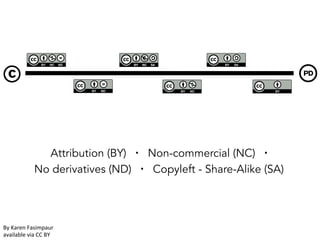
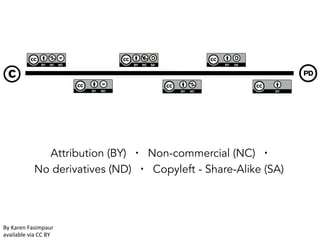
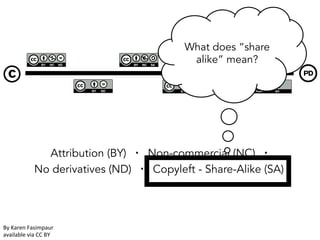
Attribution (BY) ▪ Non-commercial (NC) ▪
No derivatives (ND) ▪ Copyleft - Share-Alike (SA)‫‏‬

By	
  Karen	
  Fasimpaur	
  
available	
  via	
  CC	
  BY	
  	
  
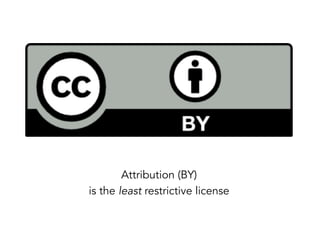
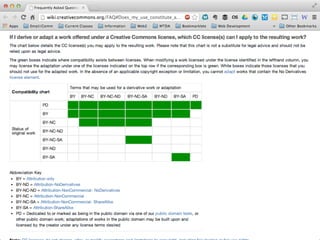
Attribution (BY)
is the least restrictive license
1.  Check with your district on materials
ownership/permission to release resources
as open resources.
2.  Be certain that you are vetting OER
materials you are using before you release
and mind the restrictions.
3.  Confirm and verify what any place that you
release your materials is also putting your
correct license choice in association with
your materials.

If you are a teacher…
1.  Learn with your staff to make sure that they
understand the reason for openly releasing
materials before they do so.
2.  Pull teachers into the decision of which license
to use, but make an institutional decision.
3.  Check to see how your materials are used
elsewhere (ask for an email!).
4.  Share successes with your staff to encourage
future development.
5.  Develop specific guidance and workflow on
HOW licenses are displayed and where
materials are released.

If you are an administrator…
Purposeful decision-making
Use of OER Materials in Your School
Modeling	


Expecta0ons	
  

Guidance	
  

Follow-­‐up	
  
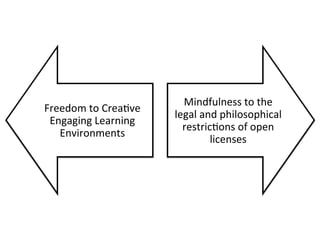
Freedom	
  to	
  Crea0ve	
  
Engaging	
  Learning	
  
Environments	
  

Mindfulness	
  to	
  the	
  
legal	
  and	
  philosophical	
  
restric0ons	
  of	
  open	
  
licenses	
  
Perfectly okay to acknowledge
Perfectly okay to acknowledge that this is complex…
complexity exists in this discussion…
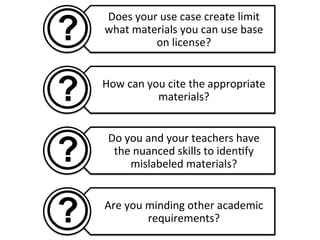
Does	
  your	
  use	
  case	
  create	
  limit	
  
what	
  materials	
  you	
  can	
  use	
  base	
  
on	
  license?	
  
How	
  can	
  you	
  cite	
  the	
  appropriate	
  
materials?	
  
Do	
  you	
  and	
  your	
  teachers	
  have	
  
the	
  nuanced	
  skills	
  to	
  iden0fy	
  
mislabeled	
  materials?	
  
Are	
  you	
  minding	
  other	
  academic	
  
requirements?	
  
Attribution (BY) ▪ Non-commercial (NC) ▪
No derivatives (ND) ▪ Copyleft - Share-Alike (SA)‫‏‬

By	
  Karen	
  Fasimpaur	
  
available	
  via	
  CC	
  BY	
  	
  
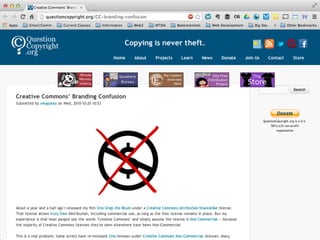
What does “noncommercial”
mean?

Attribution (BY) ▪ Non-commercial (NC) ▪
No derivatives (ND) ▪ Copyleft - Share-Alike (SA)‫‏‬

By	
  Karen	
  Fasimpaur	
  
available	
  via	
  CC	
  BY	
  	
  
What does “share
alike” mean?

Attribution (BY) ▪ Non-commercial (NC) ▪
No derivatives (ND) ▪ Copyleft - Share-Alike (SA)‫‏‬

By	
  Karen	
  Fasimpaur	
  
available	
  via	
  CC	
  BY	
  	
  
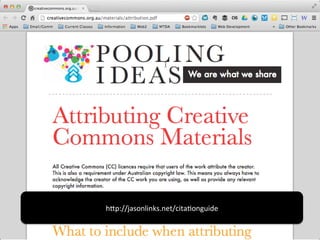
h8p://jasonlinks.net/cita0onguide	
  
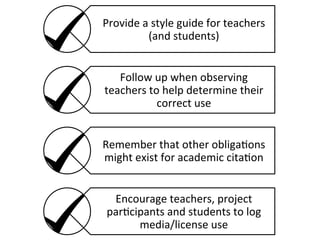
Provide	
  a	
  style	
  guide	
  for	
  teachers	
  
(and	
  students)	
  
Follow	
  up	
  when	
  observing	
  
teachers	
  to	
  help	
  determine	
  their	
  
correct	
  use	
  
Remember	
  that	
  other	
  obliga0ons	
  
might	
  exist	
  for	
  academic	
  cita0on	
  
Encourage	
  teachers,	
  project	
  
par0cipants	
  and	
  students	
  to	
  log	
  
media/license	
  use	
  
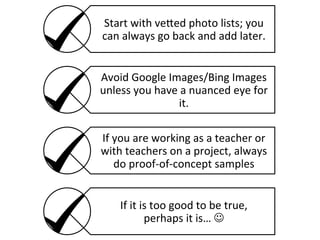
Start	
  with	
  ve8ed	
  photo	
  lists;	
  you	
  
can	
  always	
  go	
  back	
  and	
  add	
  later.	
  
Avoid	
  Google	
  Images/Bing	
  Images	
  
unless	
  you	
  have	
  a	
  nuanced	
  eye	
  for	
  
it.	
  
If	
  you	
  are	
  working	
  as	
  a	
  teacher	
  or	
  
with	
  teachers	
  on	
  a	
  project,	
  always	
  
do	
  proof-­‐of-­‐concept	
  samples	
  
If	
  it	
  is	
  too	
  good	
  to	
  be	
  true,	
  
perhaps	
  it	
  is…	
  J	
  
Purposeful decision-making
Websites:
www.neiffer.com
www.techsavvyteacher.com
www.montanadigitalacademy.org
www.umt.edu
Email:
Neiffer(at)gmail.com
Twitter:
techsavvyteach
Google Plus:
gplus.to/techsavvyteacher

Licensing OER and other Materials for Teachers and Curriculum Administrators/Specialists

  • 1.
    Licensing OER andother Materials for Teachers and Curriculum Administrators/Specialists Image: Danilela Hartmann Jason Neffer, M.Sci., ABD Montana Digital Academy the University of Montana @techsavvyteach http://www.techsavvyteacher.com
  • 2.
  • 3.
  • 4.
  • 5.
  • 6.
    Image: Frog Milleravailable by CC BY
  • 7.
    “best practices” “doesn’t constitutenot legal advice” “may or may not” “legal obligation” “we cannot tell you if that is commercial or not”
  • 8.
  • 19.
    “Why would botherwith all of this Creative Commons nonsense; even images marked with the license are clearly not...”
  • 22.
    “Listen… I understandwhat you are trying to accomplish here but I am 100% sure that nobody is going to come after me for using any materials I want in a classroom.”
  • 23.
  • 26.
  • 27.
    Modeling     Expecta0ons   Guidance   Follow-­‐up  
  • 28.
  • 29.
    Modeling     Expecta0ons   Guidance   Follow-­‐up  
  • 30.
  • 34.
    Who  owns  the  materials?    The   teacher?    The  district?   Do  you  want  materials  to  be   remixed  and  adapted?   Do  you  want  to  allow  end  users  to   profit  off  the  use  of  the  materials?   Do  you  want  to  restrict  their   future  licensing  in  the  future?  
  • 36.
    Creative Commons makessharing easy The internet makes it easy for people to share and build on each other’s creations. But sometimes the law makes it hard. Six licenses for sharing your work Whenever you snap a photograph, record a song, publish an article, or put your original writing online, that work is automatically considered “all rights reserved” in the eyes of copyright law. In many cases, that means that other people can’t reuse or remix your work without asking for your permission first. But what if you want others to reuse your work? If you want to give people the right to share, use, and even build upon a work you’ve created, consider publishing under a Creative Commons license. Our free, easy-to-use licenses provide a simple, standardized way to give the public permission to share and use your creative work — on conditions of your choosing. CC licenses let you easily change your copyright terms from “all rights reserved” to “some rights reserved.” Creative Commons licenses are not an alternative to copyright. By default, copyright allows only limited reuses without your permission. CC licenses let you grant additional permissions to the public, allowing reuse on the terms best suited to your needs while reserving some rights for yourself. We’ve collaborated with copyright experts around the world to ensure that our licenses work globally. If you are looking for content that you can freely and legally use, there is a wealth of CC-licensed creativity available to you. There are hundreds of millions of works—from songs and videos to scientific and academic material—available to the public for free and legal use under the terms of our licenses, with more being contributed every day. A CC license lets you decide which rights you’d like to keep, and it clearly conveys to those using your work how they’re permitted to use it without asking you in advance. What Is Creative Commons? Step 1: Choose License Features Step 2: Get a License Creative Commons is a global nonprofit organization dedicated to supporting an open and accessible internet that is enriched with free knowledge and creative resources for people around the world to use, share, and cultivate. Publishing under a Creative Commons license is easy. First, choose the conditions that you want to apply to your work. Based on your choices, you will get a license that clearly indicates how other people may use your creative work. Our easy-to-use licenses provide a simple, standardized way to give the public permission to share and use your creative work — on conditions of your choice. CC licenses let you change your copyright terms from the default of “all rights reserved” to “some rights reserved.” Millions of people use CC licenses on some of the world’s most popular platforms for user-generated content. When you use a CC license to share your photos, videos, or blog, your creation joins a globally accessible pool of resources that includes the work of artists, educators, scientists, and governments. Creative Commons has waived all copyright and related or neighboring rights to this guide using the CC0 Public Domain Dedication. Attribution Attribution All CC licenses require that others who use your work in any way must give you credit the way you request, but not in a way that suggests you endorse them or their use. If they want to use your work without giving you credit or for endorsement purposes, they must get your permission first. CC BY ShareAlike You let others copy, distribute, display, perform, and modify your work, as long as they distribute any modified work on the same terms. If they want to distribute modified works under other terms, they must get your permission first. Attribution — ShareAlike CC BY-SA Attribution — NoDerivs CC BY-ND Attribution — NonCommercial CC BY-NC NoDerivs You let others copy, distribute, display, and perform only original copies of your work. If they want to modify your work, they must get your permission first. h8p://jasonlinks.net/sharingyourwork   NonCommercial You let others copy, distribute, display, perform, and (unless you have chosen NoDerivs) modify and use your work for any purpose other than commercially unless they get your permission first. Attribution — NonCommercial — ShareAlike CC BY-NC-SA Attribution — NonCommercial — NoDerivs CC BY-NC-ND
  • 37.
    Attribution (BY) ▪Non-commercial (NC) ▪ No derivatives (ND) ▪ Copyleft - Share-Alike (SA)‫‏‬ By  Karen  Fasimpaur   available  via  CC  BY    
  • 38.
    Attribution (BY) is theleast restrictive license
  • 39.
    1.  Check withyour district on materials ownership/permission to release resources as open resources. 2.  Be certain that you are vetting OER materials you are using before you release and mind the restrictions. 3.  Confirm and verify what any place that you release your materials is also putting your correct license choice in association with your materials. If you are a teacher…
  • 40.
    1.  Learn withyour staff to make sure that they understand the reason for openly releasing materials before they do so. 2.  Pull teachers into the decision of which license to use, but make an institutional decision. 3.  Check to see how your materials are used elsewhere (ask for an email!). 4.  Share successes with your staff to encourage future development. 5.  Develop specific guidance and workflow on HOW licenses are displayed and where materials are released. If you are an administrator…
  • 41.
  • 42.
    Use of OERMaterials in Your School
  • 43.
    Modeling     Expecta0ons   Guidance   Follow-­‐up  
  • 44.
    Freedom  to  Crea0ve   Engaging  Learning   Environments   Mindfulness  to  the   legal  and  philosophical   restric0ons  of  open   licenses  
  • 45.
    Perfectly okay toacknowledge Perfectly okay to acknowledge that this is complex… complexity exists in this discussion…
  • 46.
    Does  your  use  case  create  limit   what  materials  you  can  use  base   on  license?   How  can  you  cite  the  appropriate   materials?   Do  you  and  your  teachers  have   the  nuanced  skills  to  iden0fy   mislabeled  materials?   Are  you  minding  other  academic   requirements?  
  • 47.
    Attribution (BY) ▪Non-commercial (NC) ▪ No derivatives (ND) ▪ Copyleft - Share-Alike (SA)‫‏‬ By  Karen  Fasimpaur   available  via  CC  BY    
  • 48.
    What does “noncommercial” mean? Attribution(BY) ▪ Non-commercial (NC) ▪ No derivatives (ND) ▪ Copyleft - Share-Alike (SA)‫‏‬ By  Karen  Fasimpaur   available  via  CC  BY    
  • 51.
    What does “share alike”mean? Attribution (BY) ▪ Non-commercial (NC) ▪ No derivatives (ND) ▪ Copyleft - Share-Alike (SA)‫‏‬ By  Karen  Fasimpaur   available  via  CC  BY    
  • 56.
  • 57.
    Provide  a  style  guide  for  teachers   (and  students)   Follow  up  when  observing   teachers  to  help  determine  their   correct  use   Remember  that  other  obliga0ons   might  exist  for  academic  cita0on   Encourage  teachers,  project   par0cipants  and  students  to  log   media/license  use  
  • 59.
    Start  with  ve8ed  photo  lists;  you   can  always  go  back  and  add  later.   Avoid  Google  Images/Bing  Images   unless  you  have  a  nuanced  eye  for   it.   If  you  are  working  as  a  teacher  or   with  teachers  on  a  project,  always   do  proof-­‐of-­‐concept  samples   If  it  is  too  good  to  be  true,   perhaps  it  is…  J  
  • 63.
  • 64.