5
4
3
2
1
STA
RT
MY NAME IS
HELLO!
PRABJOT SINGH
WELCOM
E
INDUSTRIAL TRAINING
REPORT ON
about
history
timeline
teams
services
follow
tttfdd
history
history
timeline
teams
services
follow
In 1989, whilst working at CERN Tim Berners-
Lee proposed to create a global hypertext project,
which later became known as the World Wide Web
During 1991 to 1993 the World Wide Web was
born. Text-only pages could be viewed using a
simple line-mode Browser. In 1993 Marc
Andreessen and Eric Bin, created the Mosaic
browser. At the time there were multiple browsers,
however the majority of them were Unix-based and
naturally text heavy. There had been no integrated
approach to graphic design elements such as images
or sounds. The Mosaic browser broke this mould.
The W3C was created in October 1994 to "lead the
World Wide Web to its full potential by developing
common protocols that promote its evolution and
ensure its interoperability. Throughout 1996 to
1999 the browser wars began,
as Microsoft and Netscape fought for ultimate
browser dominance.
Tim Berners-lee
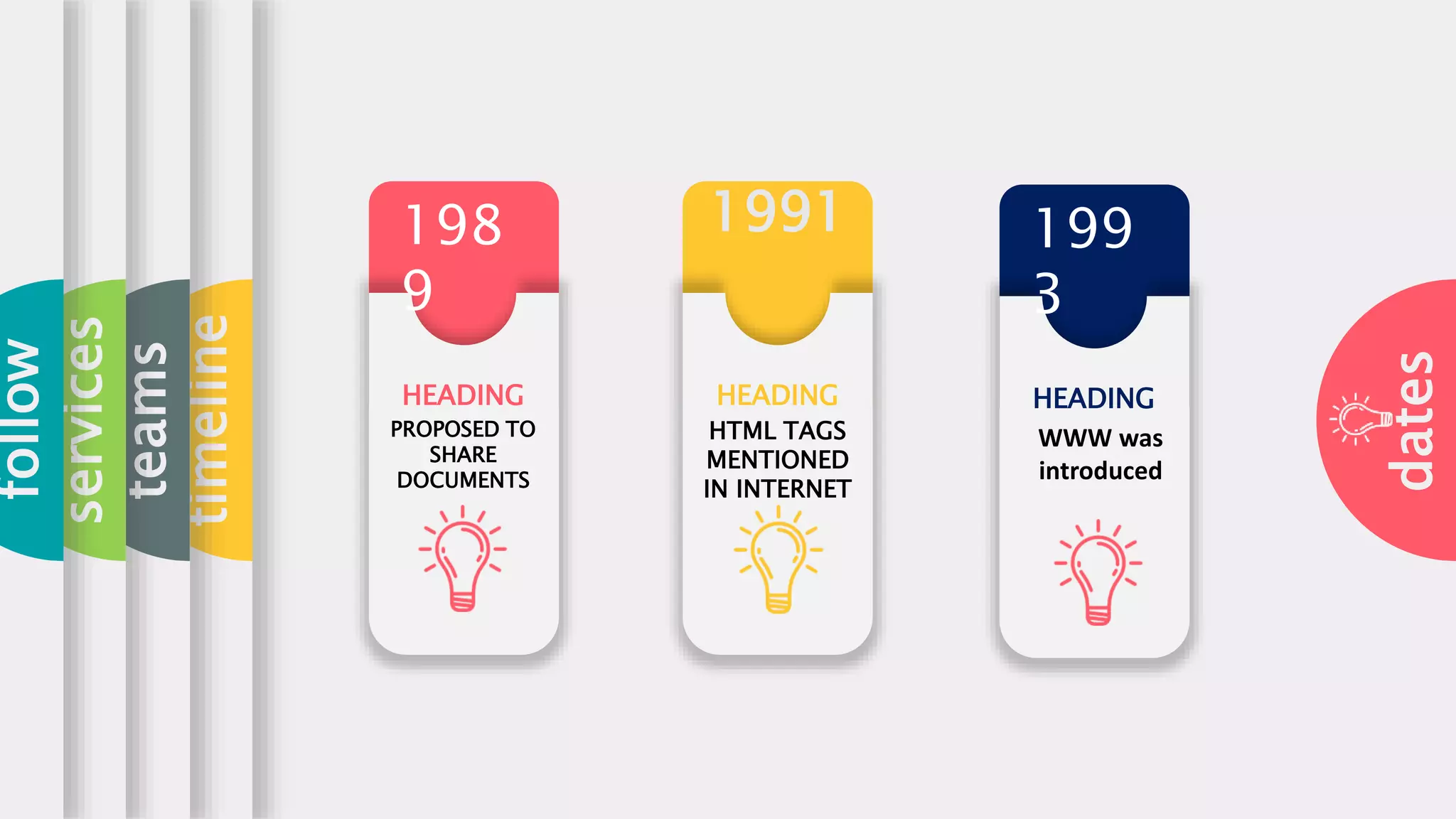
dates
timeline
teams
services
follow
1991
HEADING
PROPOSED TO
SHARE
DOCUMENTS
HEADING
HTML TAGS
MENTIONED
IN INTERNET
198
9
HEADING
199
3
WWW was
introduced
about
history
timeline
teams
services
follow
1 2 3
TIM BERNER’S
LEE
PROFESSOR AT
THE MASSACHUSSETS
INSTITUTE OF
TECHNOLOGY
Inventor of the World
Wide Web
MARC
ANDREESSEN
ERIC J. BIN
CO-FOUNDER OF
NETSCAPE
American software
programmer who is the
co-creator of MOSIAC
CO-AUTHOR
OF MOSIAC
American entrepre
neur and software
engineer.
about
history
purpose
teams
services
follow
HEADING
Web design is
important
because it
impacts how
your audience
perceives your
brand.
HEADING HEADING
The
impression
you make on
them can
either get
them to
remain on
your page and
learn about
your business
. Your
design gives
them insight
as to how
you view
your
audience.
about
history
timeline
teams
topics
follow
HTML TAGS
: An HTML tag surrounds the
content and apply meaning to
it. It is
written between < and >
brackets
HTML
FORMATTING
HTML
JAVASCRIPT
A Script is a small program
which is used with HTML to
make web pages more
attractive, dynamic and
interactive,
such as an alert popup window
on mouse click. Currently, the
most popular scripting
language is JavaScript used for
websites.
HTML
CLASSES
The HTML class attribute is used to
specify a single or multiple class
names for an HTML
element. The class name can be used
by CSS and JavaScript to do some
tasks for HTML ELEMENTS
HTML CSS
CSS stands for Cascading Style
Sheets. It is a style sheet
language which is used to
describe the look and
formatting of a document
written in Markup language. It
provides an
additional feature to HTML.
HTML ATTRIBUTES
An attribute in HTML provides
extra information about the
element,
and it is applied within the
start tag. An HTML attribute
contains two fields:
name & value.
HTML Formatting is a process
of formatting text for better
look and feel. HTML provides
us ability to format text with
about
history
timeline
teams
TAGS
TAGS
TAGS
A
B
C
01
02
03
04
MAIN SYNTAX
<element
attribute_name="value">content</element>
STYLE ATTRIBUTE
<p style="height: 50px; color: blue">It will add
style property in element</p>
TITLE ATTRIBUTE
With <h1> tag:
1. <h1 title="This is heading tag">Example of
title attribute</h1>
With <p> tag:
1. <p title="This is paragraph tag">Move the
cursor over the heading and paragrap
h, and you will see a description as a
tooltip</p>
ATTRUBUTES
1
TITLE 01
This is a logical tag, which tells the browser
that the text is
important.
STRONG
2
TITLE 01
This tag is used to underline text written
between it.
UNDERLINE
3
TITLE 01
This tag is used to highlight text...
HIGHLIGHT
FORMATTING
JAVASCRIPT
CSS
C A S C A D I N G S T Y L E S H E E T
CSS stands for Cascading Style Sheets. It is a style sheet language which is used to
describe the look and formatting of a document written in markup language. It provides an
additional feature to HTML. It is generally used with HTML to change the style of web pages
and user interfaces. It can also be used with any kind of XML documents including plain
XML, SVG and XUL.
CSS is used along with HTML and JavaScript in most websites to create user interfaces for
web applications and user interfaces for many mobile applications.
W H AT I S C S S
CSS
7
W H Y U S E
C S S ?
L E A R N
M O R E
USE OF CSS
These are the three major benefits of CSS:
1) Solves a big problem
Before CSS, tags like font, color, background style, element alignments, border and size has
to be repeated on every web page. This was a very long process. For example: If you are
developing a large website where fonts and color information are added on every single
page, it will be become a long and expensive process. CSS was created to solve this
problem. It was a W3C recommendation.
2) Saves a lot of time
CSS style definitions are saved in external CSS files so it is possible to change the entire
website by changing just one file.
3) Provide more attributes
CSS provides more detailed attributes than plain HTML to define the look and feel of the
website.
7
C S S
S Y N T A X
L E A R N
M O R E
SYNTAX OF CSS
A CSS rule set contains a selector and a declaration block.
Selector: Selector indicates the HTML element you want to style. It could be any tag like
<h1>, <title> etc.
Declaration Block: The declaration block can contain one or more declarations
separated by a semicolon. For the above example, there are two declarations:
1. color: yellow;
2. font-size: 11 px;
Each declaration contains a property name and value, separated by a colon.
Property: A Property is a type of attribute of HTML element. It could be color, border
etc.
Value: Values are assigned to CSS properties. In the above example, value "yellow" is
assigned to color property.
PROGRAM
1. Selector{Property1: value1; Property2: value2; ..........;}
1. <!DOCTYPE html>
2. <html>
3. <head>
4. <style>
5. p{
P R O G R A M
SOME PROGRAMS
<!DOCTYPE html>
<html>
<head>
<title>Form in HTML</title>
</head>
<body>
<h2>Registration form</h2>
<form>
<fieldset>
<legend>User personal information</legend>
<label>Enter your full name</label><br>
<input type="text" name="name"><br>
<label>Enter your email</label><br>
<input type="email" name="email"><br>
<label>Enter your password</label><br>
<input type="password" name="pass"><br>
<label>confirm your password</label><br>
HTML
OUTPUT OF THE PROGRAM
PROGRAM OF
DEFINING A
HTML CLASS
To create an HTML class, firstly define style
for HTML class using <style> tag within
<head> section as following example:
1. <!DOCTYPE html>
2. <html>
3. <head>
4. <style>
5. .headings{
6. color: lightgreen;
7. font-family: cursive;
8. background-color: black; }
9. </style>
10. </head>
11. <body>
12. <h1 class="headings">This is first
heading</h1>
13. <h2 class="headings">This is Second
heading</h2>
14. <h3 class="headings">This is third
heading</h3>
15. <h4 class="headings">This is fourth
heading</h4>
16. </body>
17. </html>
OUTPUT OF DEFINING HTML CLASS
CONCLUSION
Online Result Analysis
System makes entire process
online where there will be
ease of work, ,
ease of storing data, Result
can be accessed by the
students, Better efficiency of
data flow. No
Data loss. It gives ease to the
students to check their result
easily and reduction of paper
work
takes place.

Ppt of web designing

  • 1.
  • 2.
  • 3.
  • 4.
    tttfdd history history timeline teams services follow In 1989, whilstworking at CERN Tim Berners- Lee proposed to create a global hypertext project, which later became known as the World Wide Web During 1991 to 1993 the World Wide Web was born. Text-only pages could be viewed using a simple line-mode Browser. In 1993 Marc Andreessen and Eric Bin, created the Mosaic browser. At the time there were multiple browsers, however the majority of them were Unix-based and naturally text heavy. There had been no integrated approach to graphic design elements such as images or sounds. The Mosaic browser broke this mould. The W3C was created in October 1994 to "lead the World Wide Web to its full potential by developing common protocols that promote its evolution and ensure its interoperability. Throughout 1996 to 1999 the browser wars began, as Microsoft and Netscape fought for ultimate browser dominance. Tim Berners-lee
  • 5.
  • 6.
    about history timeline teams services follow 1 2 3 TIMBERNER’S LEE PROFESSOR AT THE MASSACHUSSETS INSTITUTE OF TECHNOLOGY Inventor of the World Wide Web MARC ANDREESSEN ERIC J. BIN CO-FOUNDER OF NETSCAPE American software programmer who is the co-creator of MOSIAC CO-AUTHOR OF MOSIAC American entrepre neur and software engineer.
  • 7.
    about history purpose teams services follow HEADING Web design is important becauseit impacts how your audience perceives your brand. HEADING HEADING The impression you make on them can either get them to remain on your page and learn about your business . Your design gives them insight as to how you view your audience.
  • 8.
    about history timeline teams topics follow HTML TAGS : AnHTML tag surrounds the content and apply meaning to it. It is written between < and > brackets HTML FORMATTING HTML JAVASCRIPT A Script is a small program which is used with HTML to make web pages more attractive, dynamic and interactive, such as an alert popup window on mouse click. Currently, the most popular scripting language is JavaScript used for websites. HTML CLASSES The HTML class attribute is used to specify a single or multiple class names for an HTML element. The class name can be used by CSS and JavaScript to do some tasks for HTML ELEMENTS HTML CSS CSS stands for Cascading Style Sheets. It is a style sheet language which is used to describe the look and formatting of a document written in Markup language. It provides an additional feature to HTML. HTML ATTRIBUTES An attribute in HTML provides extra information about the element, and it is applied within the start tag. An HTML attribute contains two fields: name & value. HTML Formatting is a process of formatting text for better look and feel. HTML provides us ability to format text with
  • 9.
  • 10.
    01 02 03 04 MAIN SYNTAX <element attribute_name="value">content</element> STYLE ATTRIBUTE <pstyle="height: 50px; color: blue">It will add style property in element</p> TITLE ATTRIBUTE With <h1> tag: 1. <h1 title="This is heading tag">Example of title attribute</h1> With <p> tag: 1. <p title="This is paragraph tag">Move the cursor over the heading and paragrap h, and you will see a description as a tooltip</p> ATTRUBUTES
  • 11.
    1 TITLE 01 This isa logical tag, which tells the browser that the text is important. STRONG 2 TITLE 01 This tag is used to underline text written between it. UNDERLINE 3 TITLE 01 This tag is used to highlight text... HIGHLIGHT FORMATTING
  • 12.
  • 13.
    CSS C A SC A D I N G S T Y L E S H E E T CSS stands for Cascading Style Sheets. It is a style sheet language which is used to describe the look and formatting of a document written in markup language. It provides an additional feature to HTML. It is generally used with HTML to change the style of web pages and user interfaces. It can also be used with any kind of XML documents including plain XML, SVG and XUL. CSS is used along with HTML and JavaScript in most websites to create user interfaces for web applications and user interfaces for many mobile applications. W H AT I S C S S CSS
  • 14.
    7 W H YU S E C S S ? L E A R N M O R E USE OF CSS These are the three major benefits of CSS: 1) Solves a big problem Before CSS, tags like font, color, background style, element alignments, border and size has to be repeated on every web page. This was a very long process. For example: If you are developing a large website where fonts and color information are added on every single page, it will be become a long and expensive process. CSS was created to solve this problem. It was a W3C recommendation. 2) Saves a lot of time CSS style definitions are saved in external CSS files so it is possible to change the entire website by changing just one file. 3) Provide more attributes CSS provides more detailed attributes than plain HTML to define the look and feel of the website.
  • 15.
    7 C S S SY N T A X L E A R N M O R E SYNTAX OF CSS A CSS rule set contains a selector and a declaration block. Selector: Selector indicates the HTML element you want to style. It could be any tag like <h1>, <title> etc. Declaration Block: The declaration block can contain one or more declarations separated by a semicolon. For the above example, there are two declarations: 1. color: yellow; 2. font-size: 11 px; Each declaration contains a property name and value, separated by a colon. Property: A Property is a type of attribute of HTML element. It could be color, border etc. Value: Values are assigned to CSS properties. In the above example, value "yellow" is assigned to color property. PROGRAM 1. Selector{Property1: value1; Property2: value2; ..........;} 1. <!DOCTYPE html> 2. <html> 3. <head> 4. <style> 5. p{ P R O G R A M
  • 16.
    SOME PROGRAMS <!DOCTYPE html> <html> <head> <title>Formin HTML</title> </head> <body> <h2>Registration form</h2> <form> <fieldset> <legend>User personal information</legend> <label>Enter your full name</label><br> <input type="text" name="name"><br> <label>Enter your email</label><br> <input type="email" name="email"><br> <label>Enter your password</label><br> <input type="password" name="pass"><br> <label>confirm your password</label><br> HTML
  • 17.
  • 18.
    PROGRAM OF DEFINING A HTMLCLASS To create an HTML class, firstly define style for HTML class using <style> tag within <head> section as following example: 1. <!DOCTYPE html> 2. <html> 3. <head> 4. <style> 5. .headings{ 6. color: lightgreen; 7. font-family: cursive; 8. background-color: black; } 9. </style> 10. </head> 11. <body> 12. <h1 class="headings">This is first heading</h1> 13. <h2 class="headings">This is Second heading</h2> 14. <h3 class="headings">This is third heading</h3> 15. <h4 class="headings">This is fourth heading</h4> 16. </body> 17. </html>
  • 19.
  • 20.
    CONCLUSION Online Result Analysis Systemmakes entire process online where there will be ease of work, , ease of storing data, Result can be accessed by the students, Better efficiency of data flow. No Data loss. It gives ease to the students to check their result easily and reduction of paper work takes place.