Dr. Julie Novkov, A.B., J.D., M.A., Ph.D.
     Department of Political Science
           Rockefeller College
        University at Albany, SUNY
                Albany, NY
              United States
               Planet Earth
Using PPT to Structure a Talk
 Highlight and emphasize main theme of the talk
 Provide individual slides to cover each main point
 Present findings in clear, accessible ways
 Finish out by highlighting main findings and
  implications of the research
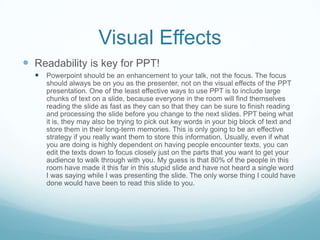
Visual Effects
 Readability is key for PPT!
   Powerpoint should be an enhancement to your talk, not the focus. The focus
     should always be on you as the presenter, not on the visual effects of the PPT
     presentation. One of the least effective ways to use PPT is to include large
     chunks of text on a slide, because everyone in the room will find themselves
     reading the slide as fast as they can so that they can be sure to finish reading
     and processing the slide before you change to the next slides. PPT being what
     it is, they may also be trying to pick out key words in your big block of text and
     store them in their long-term memories. This is only going to be an effective
     strategy if you really want them to store this information. Usually, even if what
     you are doing is highly dependent on having people encounter texts, you can
     edit the texts down to focus closely just on the parts that you want to get your
     audience to walk through with you. My guess is that 80% of the people in this
     room have made it this far in this stupid slide and have not heard a single word
     I was saying while I was presenting the slide. The only worse thing I could have
     done would have been to read this slide to you.
Visual effects
Don’t do boring PPT


                                                     Source: “Syrian ministry calls on citizens,” April
                                                        19, 2011, The Australian australian.com


                                              Choose images wisely
             “Fred Phelps’ Adorable
      Grandson,”August 5, 2009, Queerty.com


                            Avoid overload
Visual Effects
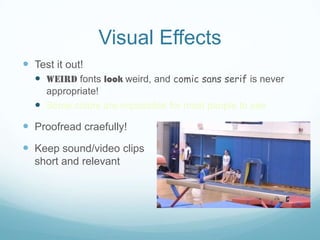
 Test it out!
   Weird fonts look weird, and comic sans serif is never
    appropriate!
   Some colors are impossible for most people to see
 Proofread craefully!
 Keep sound/video clips
  short and relevant
Closing the talk
 Highlight your main theme
 Address implications of your research
 Engage in subtle self-promotion, including mentioning
  future research plans
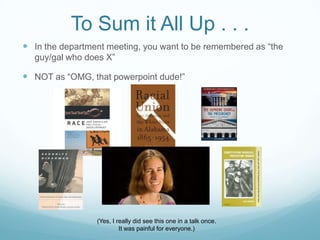
To Sum it All Up . . .
 In the department meeting, you want to be remembered as “the
  guy/gal who does X”

 NOT as “OMG, that powerpoint dude!”


                 (Yes, I really did see this one in a talk once.
                          It was painful for everyone.)

Powerpoint for Academic Job Talks

  • 1.
    Dr. Julie Novkov,A.B., J.D., M.A., Ph.D. Department of Political Science Rockefeller College University at Albany, SUNY Albany, NY United States Planet Earth
  • 2.
    Using PPT toStructure a Talk  Highlight and emphasize main theme of the talk  Provide individual slides to cover each main point  Present findings in clear, accessible ways  Finish out by highlighting main findings and implications of the research
  • 3.
    Visual Effects  Readabilityis key for PPT!  Powerpoint should be an enhancement to your talk, not the focus. The focus should always be on you as the presenter, not on the visual effects of the PPT presentation. One of the least effective ways to use PPT is to include large chunks of text on a slide, because everyone in the room will find themselves reading the slide as fast as they can so that they can be sure to finish reading and processing the slide before you change to the next slides. PPT being what it is, they may also be trying to pick out key words in your big block of text and store them in their long-term memories. This is only going to be an effective strategy if you really want them to store this information. Usually, even if what you are doing is highly dependent on having people encounter texts, you can edit the texts down to focus closely just on the parts that you want to get your audience to walk through with you. My guess is that 80% of the people in this room have made it this far in this stupid slide and have not heard a single word I was saying while I was presenting the slide. The only worse thing I could have done would have been to read this slide to you.
  • 4.
    Visual effects Don’t doboring PPT Source: “Syrian ministry calls on citizens,” April 19, 2011, The Australian australian.com Choose images wisely “Fred Phelps’ Adorable Grandson,”August 5, 2009, Queerty.com Avoid overload
  • 5.
    Visual Effects  Testit out!  Weird fonts look weird, and comic sans serif is never appropriate!  Some colors are impossible for most people to see  Proofread craefully!  Keep sound/video clips short and relevant
  • 6.
    Closing the talk Highlight your main theme  Address implications of your research  Engage in subtle self-promotion, including mentioning future research plans
  • 7.
    To Sum itAll Up . . .  In the department meeting, you want to be remembered as “the guy/gal who does X”  NOT as “OMG, that powerpoint dude!” (Yes, I really did see this one in a talk once. It was painful for everyone.)