Learning Design Implementation
         for e-Learning


              Mohammad Issack SANTALLY

         Senior Lecturer in Educational Technology
    Virtual Centre for Innovative Learning Technologies
                  University of Mauritius
Menu


Defining features of distance education, the DE paradox and the
teacher-student-content relationship.

The two systemic approaches to Distance Education

Conceptual Frameworks for Educational Processes


Courseware Authoring Processes and e-Learning Metaphors

Activity-based Learning Designs
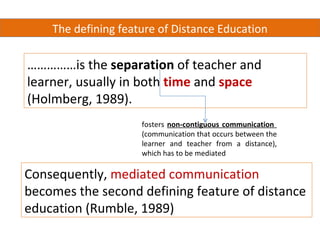
The defining feature of Distance Education

……………is the separation of teacher and
learner, usually in both time and space
(Holmberg, 1989).
                     fosters non-contiguous communication
                     (communication that occurs between the
                     learner and teacher from a distance),
                     which has to be mediated

Consequently, mediated communication
becomes the second defining feature of distance
education (Rumble, 1989)
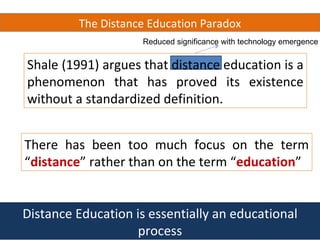
The Distance Education Paradox
                     Reduced significance with technology emergence


Shale (1991) argues that distance education is a
phenomenon that has proved its existence
without a standardized definition.


There has been too much focus on the term
“distance” rather than on the term “education”


Distance Education is essentially an educational
                   process
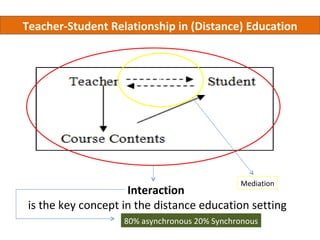
Teacher-Student Relationship in (Distance) Education


                              f


                          f


                                               Mediation
                     Interaction
 is the key concept in the distance education setting
                    80% asynchronous 20% Synchronous
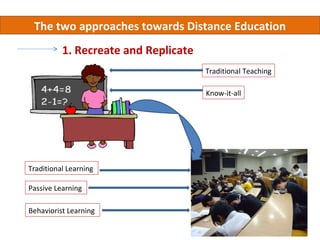
The two approaches towards Distance Education
          1. Recreate and Replicate
                                      Traditional Teaching

                                      Know-it-all


Traditional Learning

Passive Learning

Behaviorist Learning
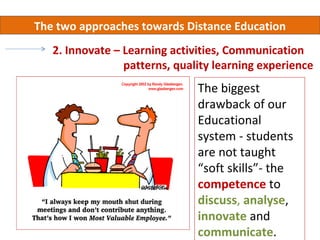
The two approaches towards Distance Education
   2. Innovate – Learning activities, Communication
                 patterns, quality learning experience
                               The biggest
                               drawback of our
                               Educational
                               system - students
                               are not taught
                               “soft skills”- the
                               competence to
                               discuss, analyse,
                               innovate and
                               communicate.
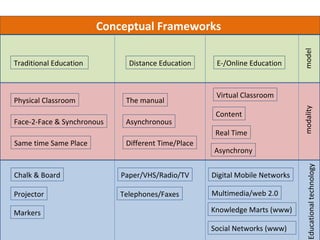
Conceptual Frameworks


                                                                              model
Traditional Education         Distance Education     E-/Online Education


                                                     Virtual Classroom
Physical Classroom           The manual


                                                                              modality
                                                     Content
Face-2-Face & Synchronous    Asynchronous
                                                     Real Time
Same time Same Place         Different Time/Place
                                                    Asynchrony


                                                                                Educational technology
Chalk & Board               Paper/VHS/Radio/TV      Digital Mobile Networks

Projector                   Telephones/Faxes        Multimedia/web 2.0

Markers                                             Knowledge Marts (www)

                                                    Social Networks (www)
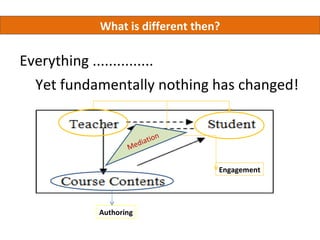
What is different then?

Everything ...............
  Yet fundamentally nothing has changed!


                             n
                     d iatio
                  Me

                                 Engagement


           Authoring
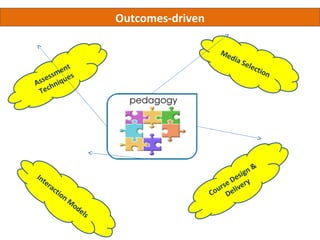
Outcomes-driven

                                                          Me
                                                             dia
                                                                 Sel e
        m  e nt                                                          ctio
                                                                              n
    e ss q u e s
As s h n i
 Tec


                                                                      &
In                                                               sign
     te
          ra                                                e D e ry
             c   tio                                     urs elive
                     n                                 Co D
                         M
                          od
                               els
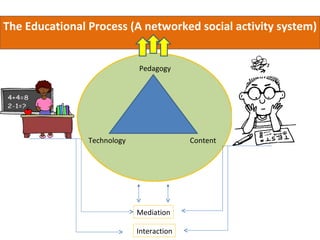
The Educational Process (A networked social activity system)


                             Pedagogy


                Technology                 Content


                             Mediation

                             Interaction
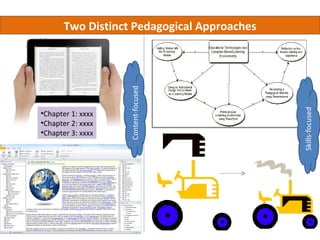
Two Distinct Pedagogical Approaches


                   Content-focused


                                             Skills-focused
•Chapter 1: xxxx
•Chapter 2: xxxx
•Chapter 3: xxxx
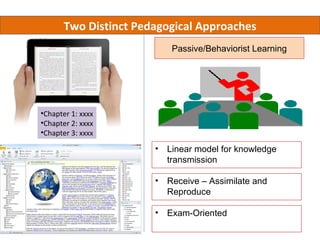
Two Distinct Pedagogical Approaches
                          Passive/Behaviorist Learning


•Chapter 1: xxxx
•Chapter 2: xxxx
•Chapter 3: xxxx

                       • Linear model for knowledge
                         transmission

                       • Receive – Assimilate and
                         Reproduce

                       • Exam-Oriented
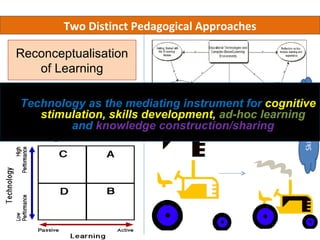
Two Distinct Pedagogical Approaches

Reconceptualisation
   of Learning
 Learn anytime,
anywhere, butas the mediating instrument for cognitive
 Technology more


                                                   Skills-focused
important of all - learn development, ad-hoc learning
     stimulation, skills
differently,and knowledge construction/sharing
             just-in-time
learning
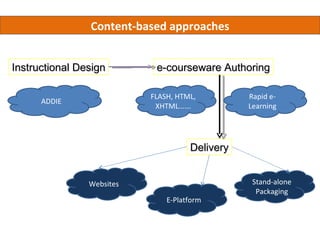
Content-based approaches


Instructional Design        e-courseware Authoring

                           FLASH, HTML,         Rapid e-
      ADDIE
                            XHTML......         Learning


                                     Delivery


                Websites                         Stand-alone
                                                  Packaging
                               E-Platform
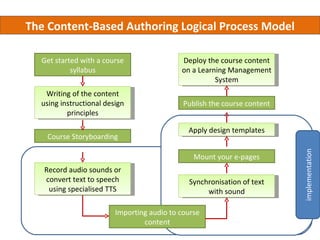
The Content-Based Authoring Logical Process Model

  Get started with a course                 Deploy the course content
           syllabus                         on a Learning Management
                                                      System
   Writing of the content
  using instructional design                 Publish the course content
          principles

                                              Apply design templates
    Course Storyboarding


                                                                          implementation
                                                Mount your e-pages
   Record audio sounds or
   convert text to speech                     Synchronisation of text
    using specialised TTS                          with sound

                         Importing audio to course
                                 content
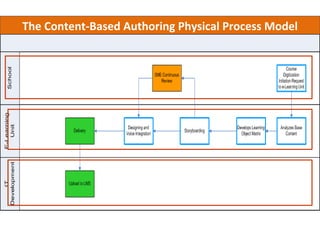
The Content-Based Authoring Physical Process Model
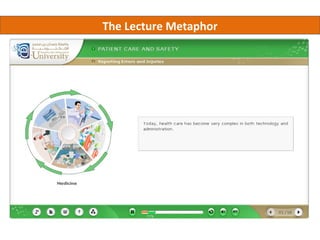
The Lecture Metaphor
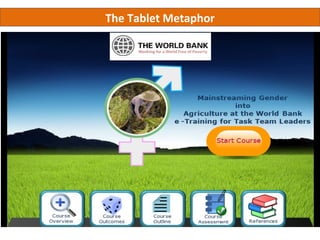
The Tablet Metaphor
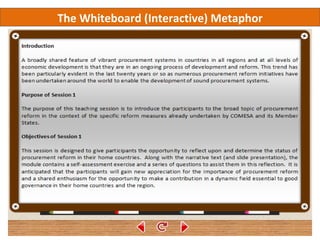
The Whiteboard (Interactive) Metaphor
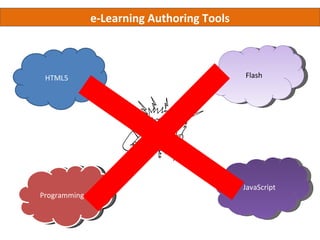
e-Learning Authoring Tools


 HTML5                                     Flash


                                           JavaScript
Programming
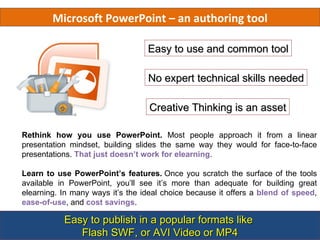
Microsoft PowerPoint – an authoring tool

                                  Easy to use and common tool

                                  No expert technical skills needed

                                  Creative Thinking is an asset

Rethink how you use PowerPoint. Most people approach it from a linear
presentation mindset, building slides the same way they would for face-to-face
presentations. That just doesn’t work for elearning.

Learn to use PowerPoint’s features. Once you scratch the surface of the tools
available in PowerPoint, you’ll see it’s more than adequate for building great
elearning. In many ways it’s the ideal choice because it offers a blend of speed,
ease-of-use, and cost savings.

           Easy to publish in a popular formats like
              Flash SWF, or AVI Video or MP4
Welcome to the E-learning Course on
       Presentation Software


                                        How
                                        to…


              Welcome to this
                Course on
  Potentia       Getting          How to            Softwar
  ls of the
    Tool
              Rapid e-Learning
                 Started          enhanc
                                     e
                                                         e
                                                    Communit
                                  learnin            y Forum
                                    g?
                                              E-learning Course


 Course                     Course
Overview                   Objectives
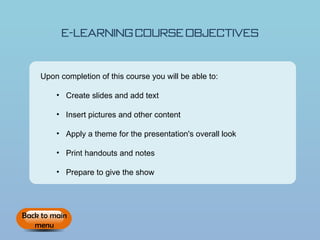
E-learning Course Objectives


    Upon completion of this course you will be able to:

         • Create slides and add text

         • Insert pictures and other content

         • Apply a theme for the presentation's overall look

         • Print handouts and notes

         • Prepare to give the show


Back to main
   menu
Potential of the Tool – Presentation
                Software
                               How
                               to…


Potential     Getting       How to      Software
 of the       Started      enhance      Community
  Tool                     learning       Forum
                              ?


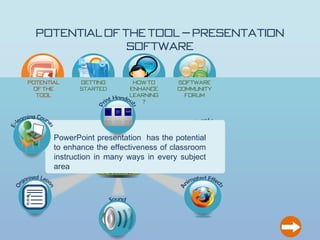
       PowerPoint presentation has the potential
       to enhance the effectiveness of classroom
       instruction in many ways in every subject
                     PowerPoint
       area
                      Features
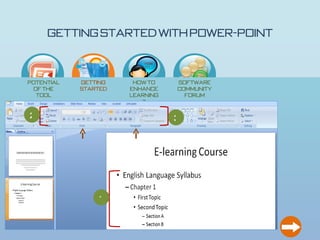
Getting Started with Power-Point

                            How
                            to…


Potential    Getting     How to    Software
 of the      Started    enhance    Community
  Tool                  learning     Forum
                           ?

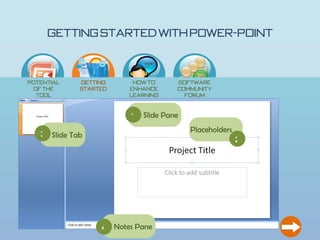
                        1 Slide Pane
                                       Placeholders
   3 Slide Tab
                                                      2


                  4 Notes Pane
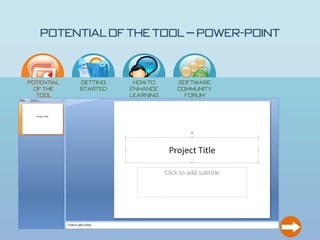
Potential of the Tool – Power-Point

                                           How
                                           to…


  Potential         Getting            How to             Software
   of the           Started           enhance             Community
    Tool                              learning              Forum
                                         ?

PowerPoint is a multi-faceted application and used for more than presentations

     • Can easily input images

     • Templates are built in for different appearances

     • Can add notes pages

     • Can easily add media and recordings

     • More exciting than a simple word document or hand written presentation
Getting Started with Power-Point

                          How
                          to…


Potential   Getting    How to    Software
 of the     Started   enhance    Community
  Tool                learning     Forum
                         ?

2                                3


                1
Getting Started with Power-Point

                          How
                          to…


Potential   Getting    How to       Software
 of the     Started   enhance       Community
  Tool                learning        Forum
                         ?


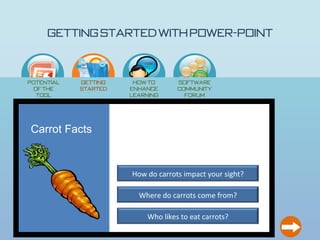
Carrot Facts


                      How do carrots impact your sight?

                        Where do carrots come from?

                           Who likes to eat carrots?
Getting Started with Power-Point

                             How
                             to…


Potential      Getting    How to       Software
 of the        Started   enhance       Community
  Tool                   learning        Forum
                            ?

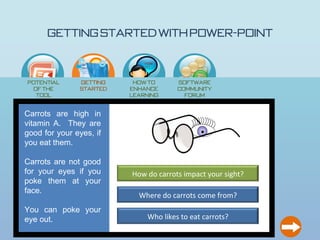
Carrots are high in
vitamin A. They are
good for your eyes, if
you eat them.

Carrots are not good
for your eyes if you     How do carrots impact your sight?
poke them at your
face.
                           Where do carrots come from?
You can poke your
eye out.                      Who likes to eat carrots?
Getting Started with Power-Point

                             How
                             to…


Potential      Getting    How to       Software
 of the        Started   enhance       Community
  Tool                   learning        Forum
                            ?
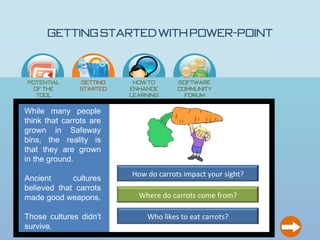
While many people
think that carrots are
grown in Safeway
bins, the reality is
that they are grown
in the ground.
                         How do carrots impact your sight?
Ancient      cultures
believed that carrots
made good weapons.         Where do carrots come from?

Those cultures didn't         Who likes to eat carrots?
survive.
Getting Started with Power-Point

                            How
                            to…


Potential     Getting    How to       Software
 of the       Started   enhance       Community
  Tool                  learning        Forum
                           ?

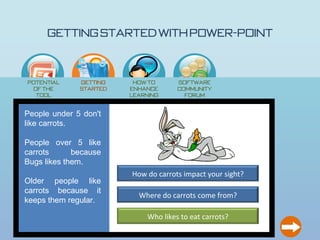
People under 5 don't
like carrots.

People over 5 like
carrots      because
Bugs likes them.
                        How do carrots impact your sight?
Older people like
carrots because it
                          Where do carrots come from?
keeps them regular.

                             Who likes to eat carrots?
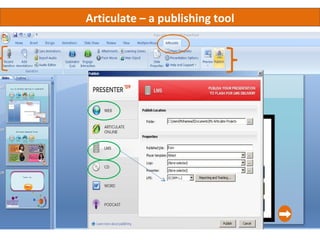
Articulate – a publishing tool
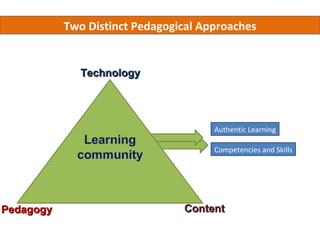
Two Distinct Pedagogical Approaches


              Technology


                                      Authentic Learning

                                      Competencies and Skills


Pedagogy                        Content

Learning Design Implementations for Distance e-Learning

  • 1.
    Learning Design Implementation for e-Learning Mohammad Issack SANTALLY Senior Lecturer in Educational Technology Virtual Centre for Innovative Learning Technologies University of Mauritius
  • 2.
    Menu Defining features ofdistance education, the DE paradox and the teacher-student-content relationship. The two systemic approaches to Distance Education Conceptual Frameworks for Educational Processes Courseware Authoring Processes and e-Learning Metaphors Activity-based Learning Designs
  • 3.
    The defining featureof Distance Education ……………is the separation of teacher and learner, usually in both time and space (Holmberg, 1989). fosters non-contiguous communication (communication that occurs between the learner and teacher from a distance), which has to be mediated Consequently, mediated communication becomes the second defining feature of distance education (Rumble, 1989)
  • 4.
    The Distance EducationParadox Reduced significance with technology emergence Shale (1991) argues that distance education is a phenomenon that has proved its existence without a standardized definition. There has been too much focus on the term “distance” rather than on the term “education” Distance Education is essentially an educational process
  • 5.
    Teacher-Student Relationship in(Distance) Education f f Mediation Interaction is the key concept in the distance education setting 80% asynchronous 20% Synchronous
  • 6.
    The two approachestowards Distance Education 1. Recreate and Replicate Traditional Teaching Know-it-all Traditional Learning Passive Learning Behaviorist Learning
  • 7.
    The two approachestowards Distance Education 2. Innovate – Learning activities, Communication patterns, quality learning experience The biggest drawback of our Educational system - students are not taught “soft skills”- the competence to discuss, analyse, innovate and communicate.
  • 8.
    Conceptual Frameworks model Traditional Education Distance Education E-/Online Education Virtual Classroom Physical Classroom The manual modality Content Face-2-Face & Synchronous Asynchronous Real Time Same time Same Place Different Time/Place Asynchrony Educational technology Chalk & Board Paper/VHS/Radio/TV Digital Mobile Networks Projector Telephones/Faxes Multimedia/web 2.0 Markers Knowledge Marts (www) Social Networks (www)
  • 9.
    What is differentthen? Everything ............... Yet fundamentally nothing has changed! n d iatio Me Engagement Authoring
  • 10.
    Outcomes-driven Me dia Sel e m e nt ctio n e ss q u e s As s h n i Tec & In sign te ra e D e ry c tio urs elive n Co D M od els
  • 11.
    The Educational Process(A networked social activity system) Pedagogy Technology Content Mediation Interaction
  • 12.
    Two Distinct PedagogicalApproaches Content-focused Skills-focused •Chapter 1: xxxx •Chapter 2: xxxx •Chapter 3: xxxx
  • 13.
    Two Distinct PedagogicalApproaches Passive/Behaviorist Learning •Chapter 1: xxxx •Chapter 2: xxxx •Chapter 3: xxxx • Linear model for knowledge transmission • Receive – Assimilate and Reproduce • Exam-Oriented
  • 14.
    Two Distinct PedagogicalApproaches Reconceptualisation of Learning Learn anytime, anywhere, butas the mediating instrument for cognitive Technology more Skills-focused important of all - learn development, ad-hoc learning stimulation, skills differently,and knowledge construction/sharing just-in-time learning
  • 15.
    Content-based approaches Instructional Design e-courseware Authoring FLASH, HTML, Rapid e- ADDIE XHTML...... Learning Delivery Websites Stand-alone Packaging E-Platform
  • 16.
    The Content-Based AuthoringLogical Process Model Get started with a course Deploy the course content syllabus on a Learning Management System Writing of the content using instructional design Publish the course content principles Apply design templates Course Storyboarding implementation Mount your e-pages Record audio sounds or convert text to speech Synchronisation of text using specialised TTS with sound Importing audio to course content
  • 17.
    The Content-Based AuthoringPhysical Process Model
  • 18.
  • 19.
  • 21.
  • 22.
    e-Learning Authoring Tools HTML5 Flash JavaScript Programming
  • 23.
    Microsoft PowerPoint –an authoring tool Easy to use and common tool No expert technical skills needed Creative Thinking is an asset Rethink how you use PowerPoint. Most people approach it from a linear presentation mindset, building slides the same way they would for face-to-face presentations. That just doesn’t work for elearning. Learn to use PowerPoint’s features. Once you scratch the surface of the tools available in PowerPoint, you’ll see it’s more than adequate for building great elearning. In many ways it’s the ideal choice because it offers a blend of speed, ease-of-use, and cost savings. Easy to publish in a popular formats like Flash SWF, or AVI Video or MP4
  • 24.
    Welcome to theE-learning Course on Presentation Software How to… Welcome to this Course on Potentia Getting How to Softwar ls of the Tool Rapid e-Learning Started enhanc e e Communit learnin y Forum g? E-learning Course Course Course Overview Objectives
  • 25.
    E-learning Course Objectives Upon completion of this course you will be able to: • Create slides and add text • Insert pictures and other content • Apply a theme for the presentation's overall look • Print handouts and notes • Prepare to give the show Back to main menu
  • 26.
    Potential of theTool – Presentation Software How to… Potential Getting How to Software of the Started enhance Community Tool learning Forum ? PowerPoint presentation has the potential to enhance the effectiveness of classroom instruction in many ways in every subject PowerPoint area Features
  • 27.
    Getting Started withPower-Point How to… Potential Getting How to Software of the Started enhance Community Tool learning Forum ? 1 Slide Pane Placeholders 3 Slide Tab 2 4 Notes Pane
  • 28.
    Potential of theTool – Power-Point How to… Potential Getting How to Software of the Started enhance Community Tool learning Forum ? PowerPoint is a multi-faceted application and used for more than presentations • Can easily input images • Templates are built in for different appearances • Can add notes pages • Can easily add media and recordings • More exciting than a simple word document or hand written presentation
  • 29.
    Getting Started withPower-Point How to… Potential Getting How to Software of the Started enhance Community Tool learning Forum ? 2 3 1
  • 30.
    Getting Started withPower-Point How to… Potential Getting How to Software of the Started enhance Community Tool learning Forum ? Carrot Facts How do carrots impact your sight? Where do carrots come from? Who likes to eat carrots?
  • 31.
    Getting Started withPower-Point How to… Potential Getting How to Software of the Started enhance Community Tool learning Forum ? Carrots are high in vitamin A. They are good for your eyes, if you eat them. Carrots are not good for your eyes if you How do carrots impact your sight? poke them at your face. Where do carrots come from? You can poke your eye out. Who likes to eat carrots?
  • 32.
    Getting Started withPower-Point How to… Potential Getting How to Software of the Started enhance Community Tool learning Forum ? While many people think that carrots are grown in Safeway bins, the reality is that they are grown in the ground. How do carrots impact your sight? Ancient cultures believed that carrots made good weapons. Where do carrots come from? Those cultures didn't Who likes to eat carrots? survive.
  • 33.
    Getting Started withPower-Point How to… Potential Getting How to Software of the Started enhance Community Tool learning Forum ? People under 5 don't like carrots. People over 5 like carrots because Bugs likes them. How do carrots impact your sight? Older people like carrots because it Where do carrots come from? keeps them regular. Who likes to eat carrots?
  • 34.
    Articulate – apublishing tool
  • 35.
    Two Distinct PedagogicalApproaches Technology Authentic Learning Competencies and Skills Pedagogy Content

Editor's Notes

  • #8 Because distance education has to be mediated it has to rely on technology and its evolution. Technology therefore provides an ideal ground for innovation to take place.
  • #31 Just click on each of the 3 three blue rectangle and you will be amazed to see how the presentation software can present something so simple and easy to build and yet so interesting.