


Power Platform Tools of Office 365
What to use When
Joel Oleson
Microsoft MVP & RD
Director, Perficient
@joeloleson
Joel365 – collabshow.com
http://bit.ly/O365PowerTools
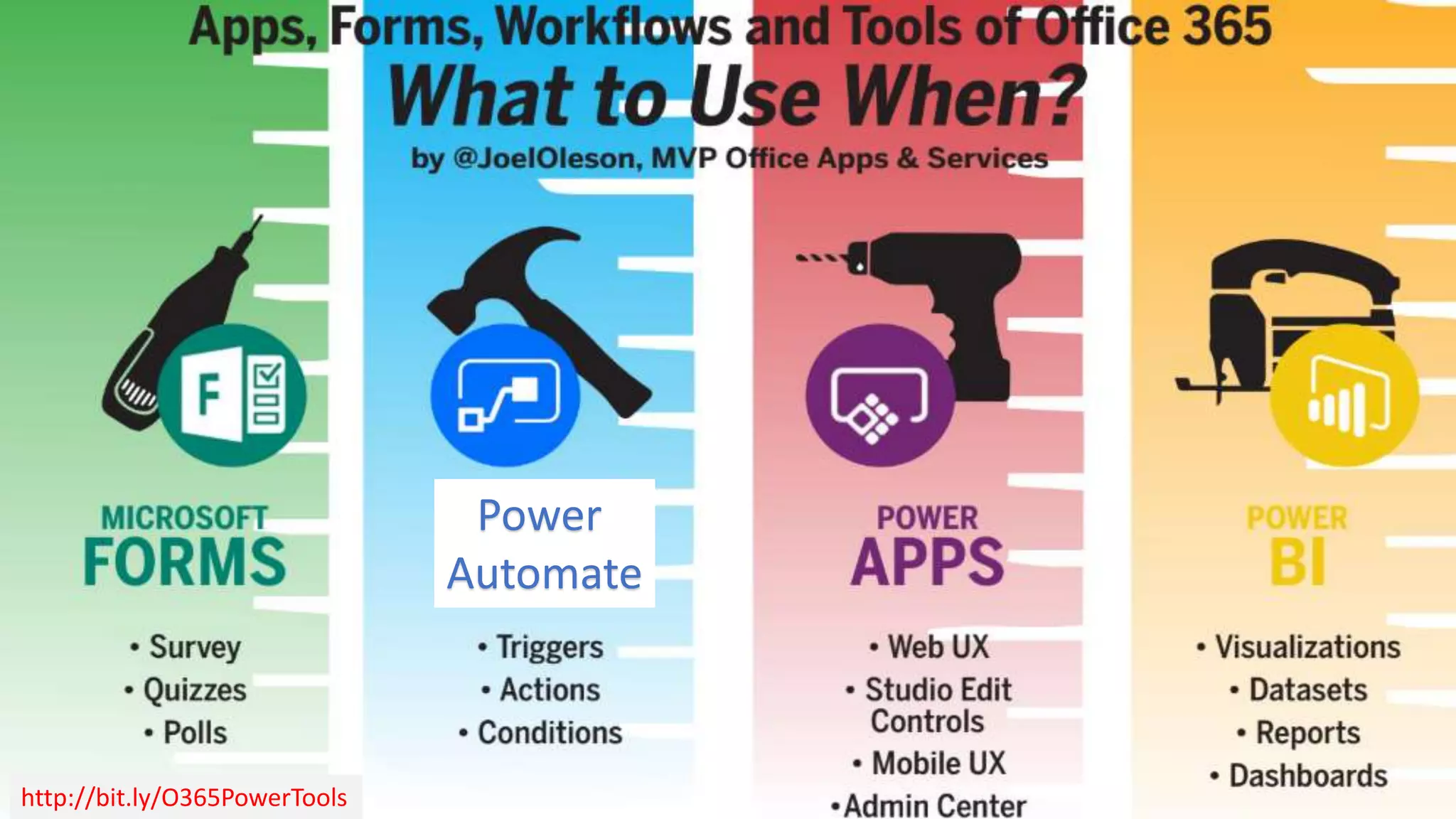
Power
Automate
Audience Poll: What are you presently using to
develop applications in SharePoint?
Your efforts to resuscitate InfoPath
and SP Designer are futile…
It is time to move on…
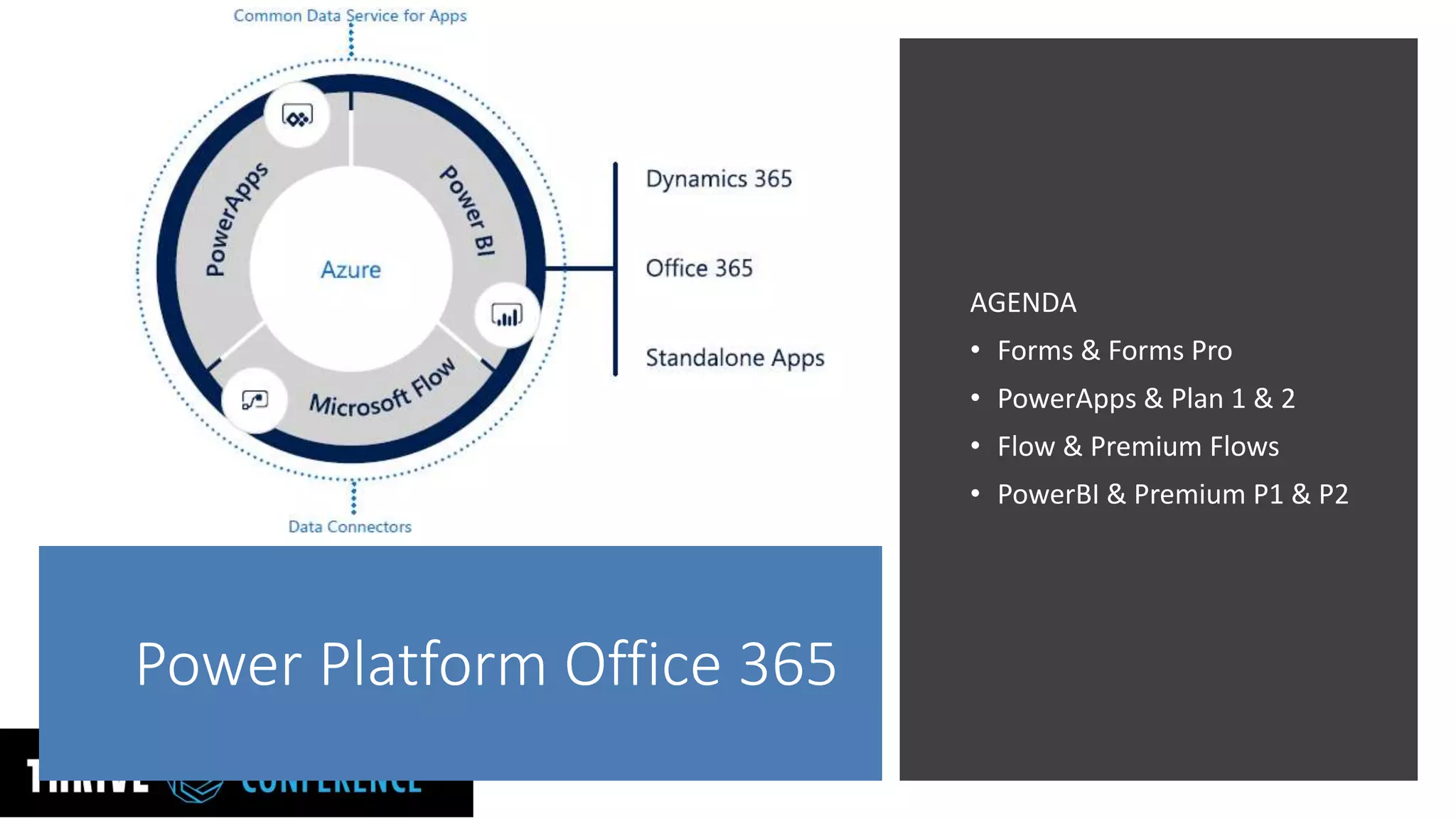
Power Platform Office 365
AGENDA
• Forms & Forms Pro
• PowerApps & Plan 1 & 2
• Flow & Premium Flows
• PowerBI & Premium P1 & P2
MS Forms Performance…
Enterprise Ready… (out of preview)
• Quick Forms, Surveys, Polls,
• Anonymous forms
• SOC Compliance Level C & GDPR compliance
with configuration
• Data is encrypted at rest
• Office Web App with Web front-end & SQL
Azure as back-end
• Branching, Likert scales, 50,000+ responses
• Forms can be used standalone or within
applications such as Excel, SharePoint, Teams,
Flow, and Sway.
Forms is Enterprise Ready: http://bit.ly/2H6ybUP
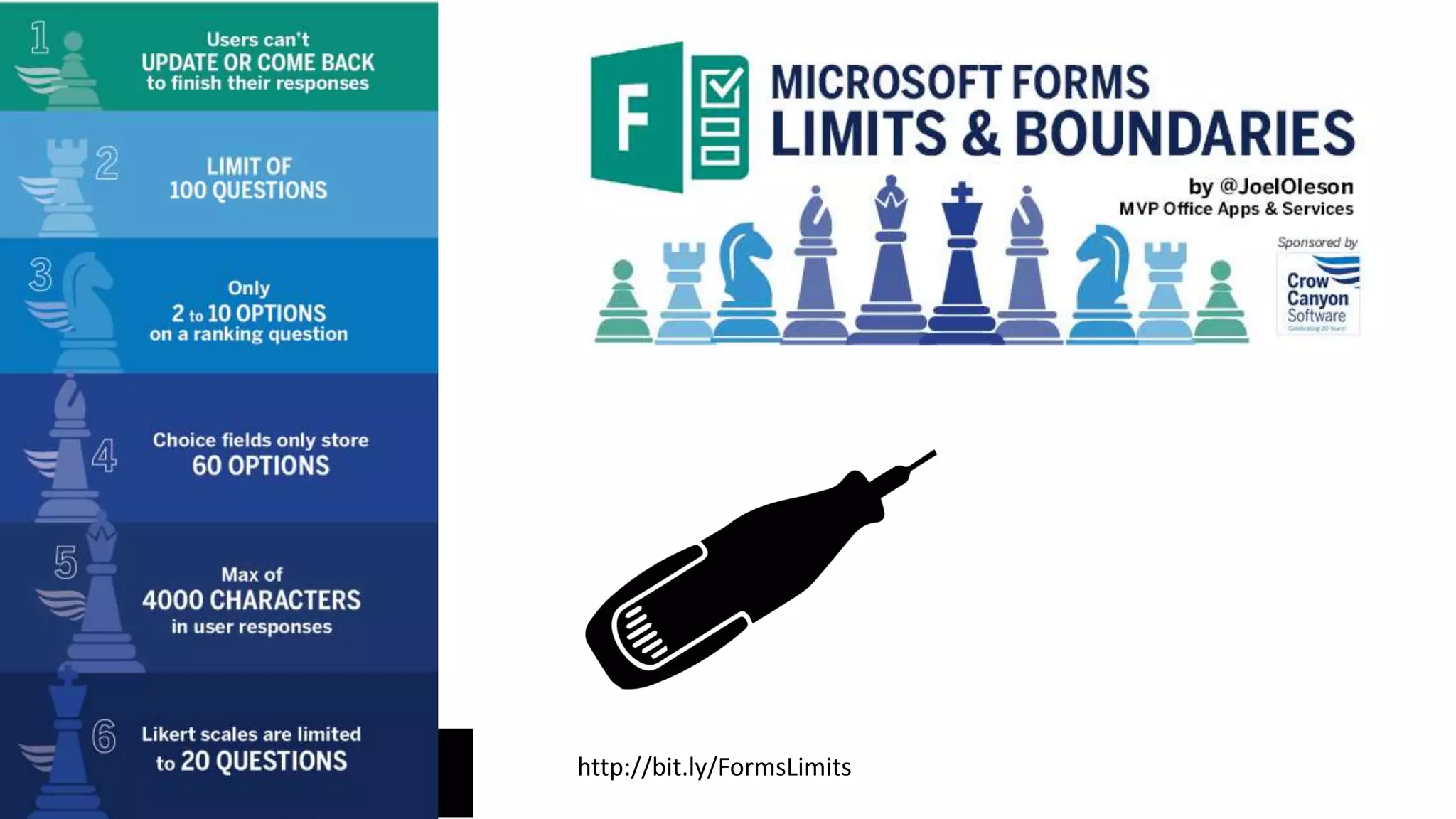
http://bit.ly/FormsLimits
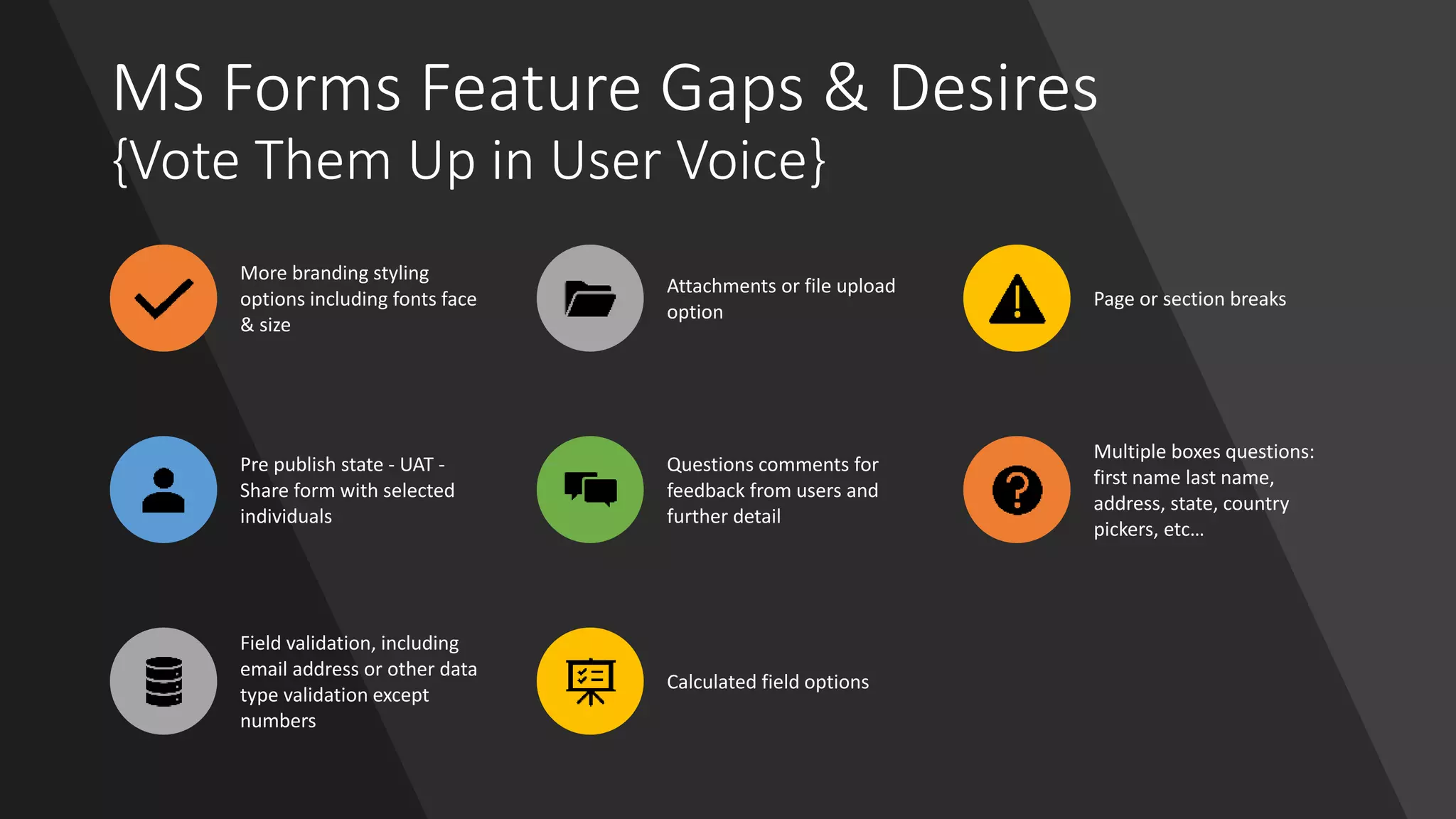
MS Forms Feature Gaps & Desires
{Vote Them Up in User Voice}
More branding styling
options including fonts face
& size
Attachments or file upload
option
Page or section breaks
Pre publish state - UAT -
Share form with selected
individuals
Questions comments for
feedback from users and
further detail
Multiple boxes questions:
first name last name,
address, state, country
pickers, etc…
Field validation, including
email address or other data
type validation except
numbers
Calculated field options
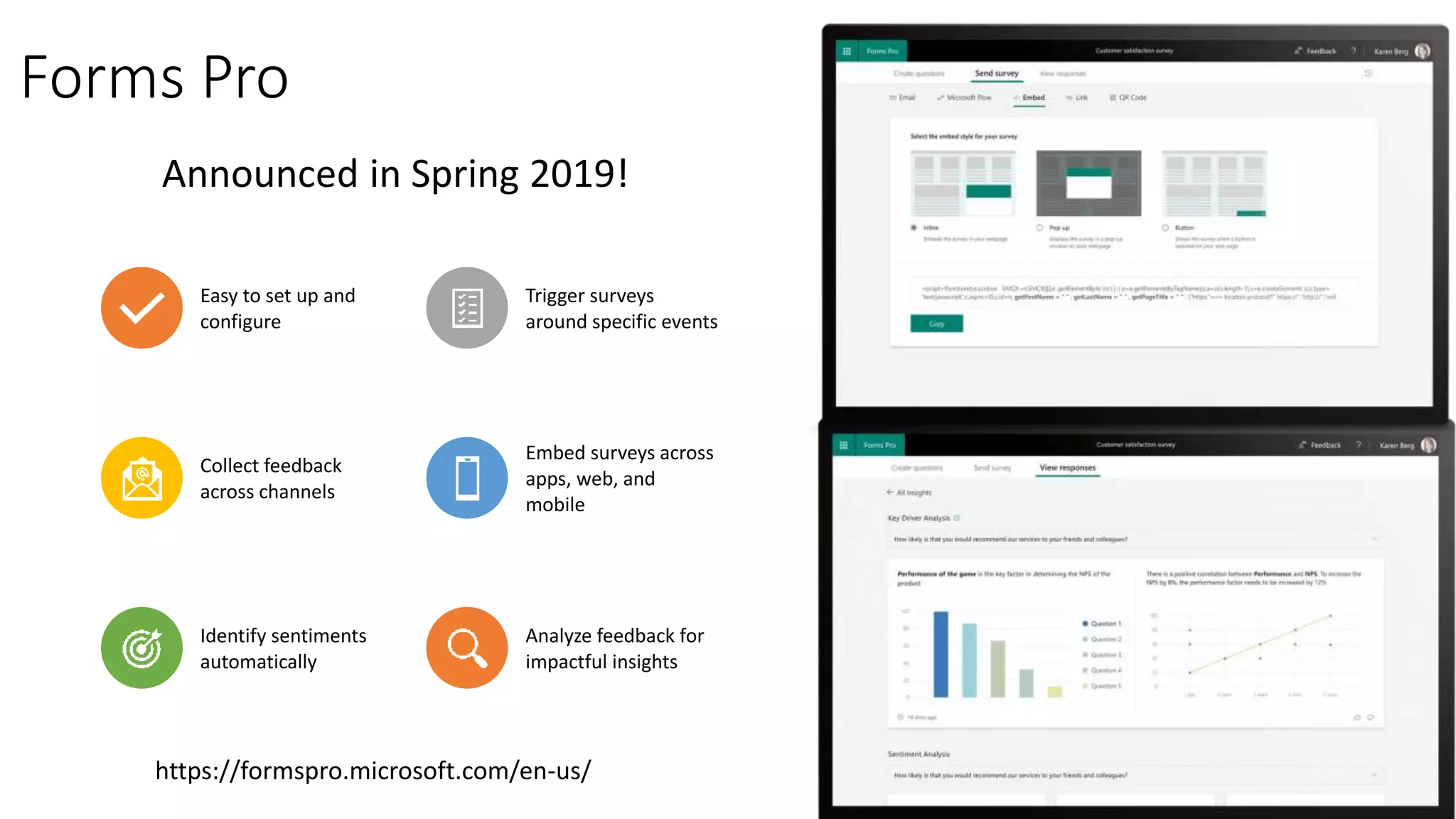
Forms Pro
Easy to set up and
configure
Trigger surveys
around specific events
Collect feedback
across channels
Embed surveys across
apps, web, and
mobile
Identify sentiments
automatically
Analyze feedback for
impactful insights
Announced in Spring 2019!
https://formspro.microsoft.com/en-us/
PowerApps
Performance
• Rich UX custom forms and apps
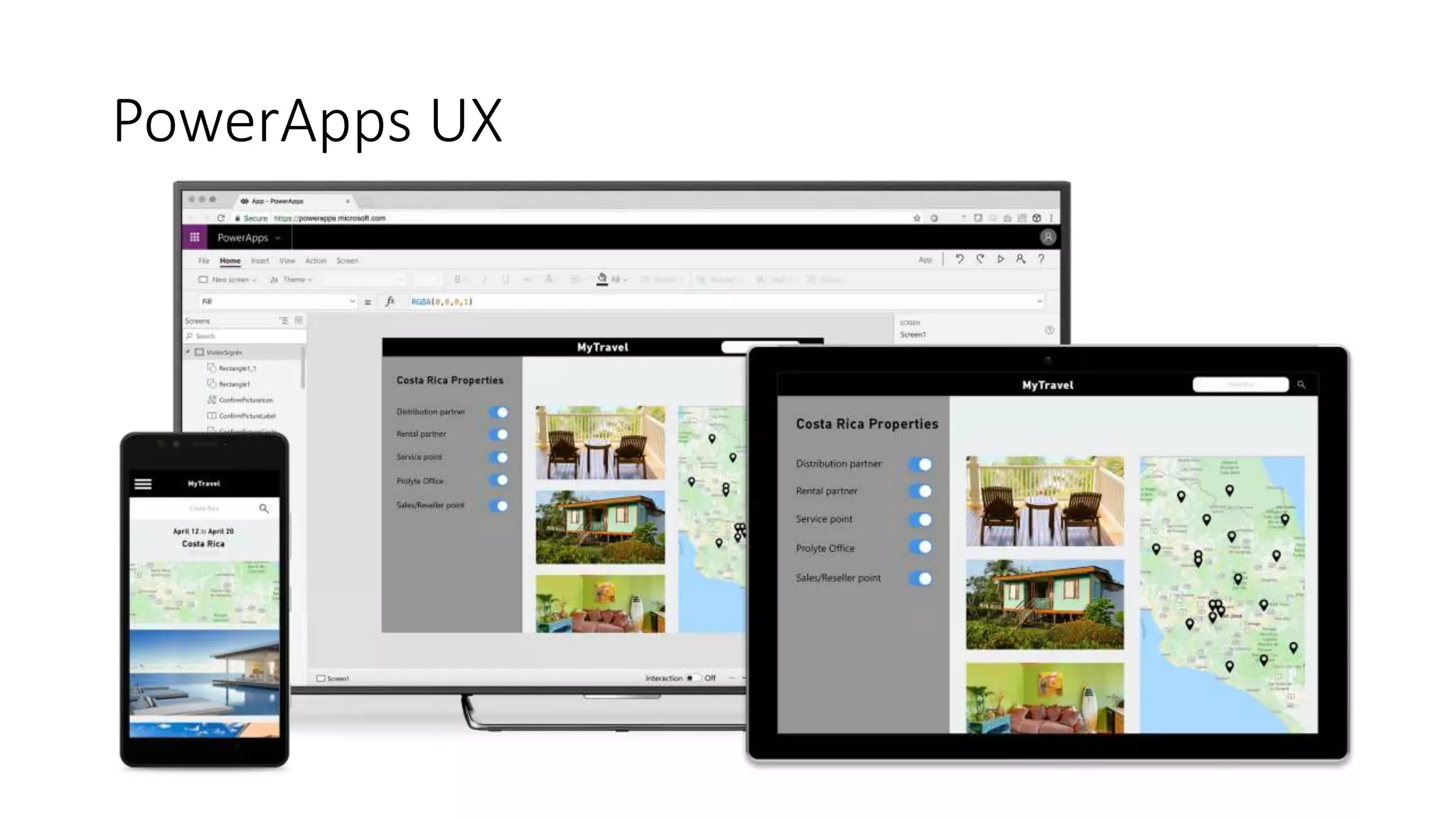
• Clientless – Responsive, designed Web & Mobile First
• Access to acceleration, camera, GPS & location data, the
connection information
• Build Apps in hours not months
• Allowing developers to seamlessly extend app capabilities using
Azure Functions
• Custom connectors to connect to 200+ custom or legacy systems.
• Rapid prototyping and iterations
• Embed forms and applications (New MS search extensions)
• Customize your SharePoint list forms
• Connect data to Power BI for reporting for your app
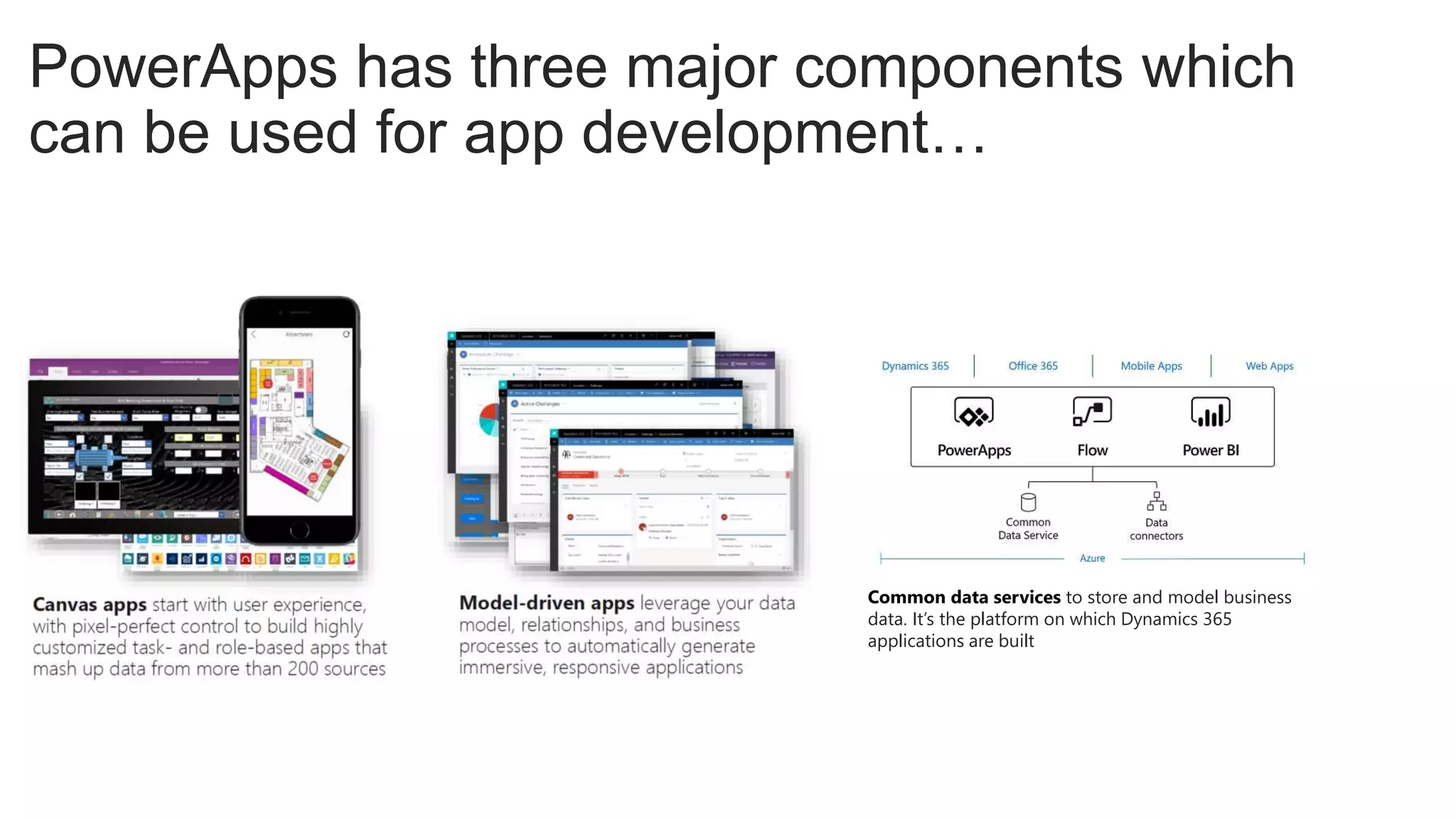
PowerApps has three major components which
can be used for app development…
Common data services to store and model business
data. It’s the platform on which Dynamics 365
applications are built
PowerApps UX
Limits of Power Apps
• Limited Offline - Offline forms or apps scenarios in which in the past
InfoPath client could be used without an Internet connection. Canvas
apps do have some offline capabilities.
• No Rich XML document - scenarios in which forms can be moved,
shared, reopened, edited, or processed for data.
• No Anonymous/Guest Access - PowerApps supports licensed users
in the same organization except through PowerApps Portal.
• PowerApps limit Row Data of 2000 (Use non-delegable
queries to work on max of 2000 records used to be 500) Creating a local
connection can get you to 4000. Working with large data sets can be
complex
• No Export Format for Printing and Archiving – no
underlying document or way to export to PDF or reopen a form
• Not Always a No Code Solution - It can get complicated even
for power users… Built to deliver code, using APIs, outputting JSON, and
making REST calls.
• Connections May Require Power Apps Plan 1 or 2 - Certain
Features like premium connectors or access to on premises data require
plan 1 or plan 2 including SQL storage and common data service
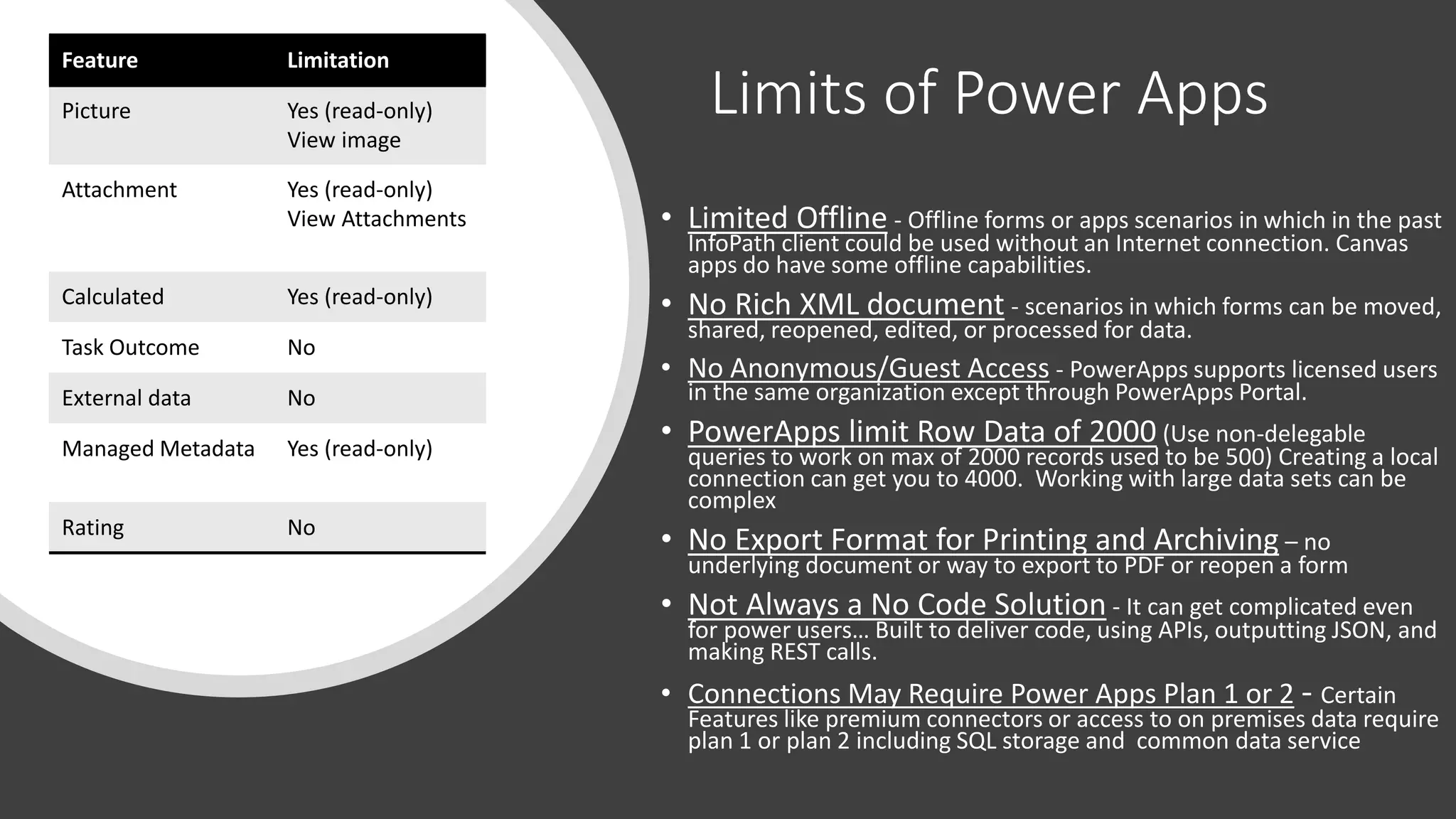
Feature Limitation
Picture Yes (read-only)
View image
Attachment Yes (read-only)
View Attachments
Calculated Yes (read-only)
Task Outcome No
External data No
Managed Metadata Yes (read-only)
Rating No
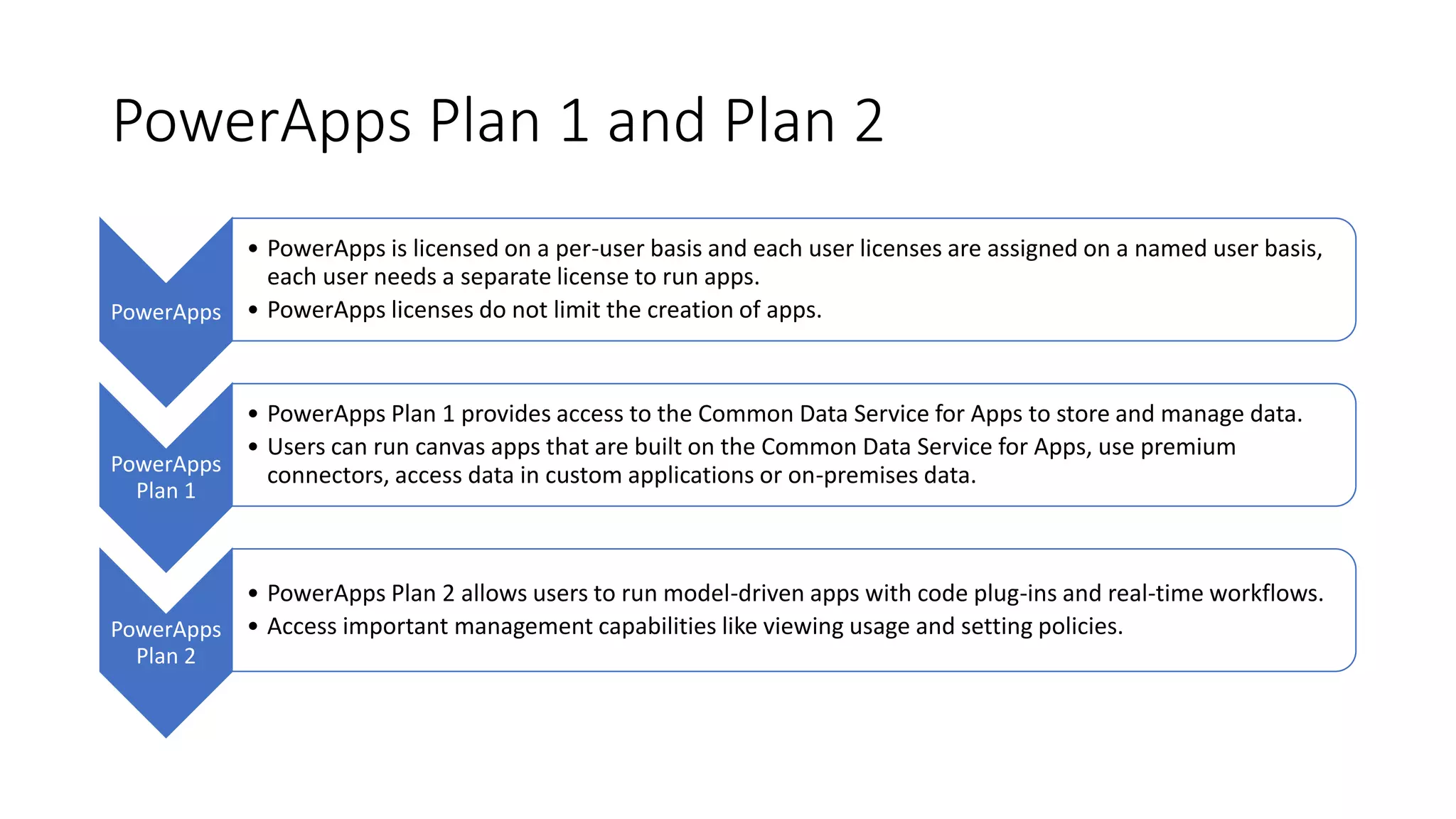
PowerApps Plan 1 and Plan 2
PowerApps
• PowerApps is licensed on a per-user basis and each user licenses are assigned on a named user basis,
each user needs a separate license to run apps.
• PowerApps licenses do not limit the creation of apps.
PowerApps
Plan 1
• PowerApps Plan 1 provides access to the Common Data Service for Apps to store and manage data.
• Users can run canvas apps that are built on the Common Data Service for Apps, use premium
connectors, access data in custom applications or on-premises data.
PowerApps
Plan 2
• PowerApps Plan 2 allows users to run model-driven apps with code plug-ins and real-time workflows.
• Access important management capabilities like viewing usage and setting policies.
Power Automate
Performance
Microsoft Flow is cloud-
based service designed to
build simple workflows to
automate tasks and business
processes.
Designed to help move
responsibility of Line-of-
business integration closer
to the business itself.
IT decision makers who want
to empower line-of-business
partners to create their own
solutions
Powerful adaptable business
application platform that
includes PowerApps, the
Common Data Service,
Dynamics 365, and Office
365.
Logic Apps
• Logic Apps is the workflow engine for Flow. It enables pro-developers
to visually create or programmatically configure workflows in Azure. A
connector in Logic Apps enables users to automate EAI, Business to
business (B2B) and Business to consumer (B2C) scenarios while
reaping the benefits of source control, testing, support, and
operations.
• In Logic Apps, you can use enterprise connectors to create logic app
workflows and automate processes between cloud apps and cloud
services.
Custom Connectors
A connector is a proxy or a
wrapper around an API that
allows the underlying service
to talk to Microsoft Flow,
PowerApps and Logic Apps.
It provides a way for users to
connect their accounts and
leverage a set of pre-
built actions and triggers to
build their apps and
workflows.
Connectors provides tables,
you add your data source and
then select the table in the
data source that you want to
manage.
PowerApps both retrieves
table data into your app and
updates data in your data
source for you.
Power BI
Performance
• Power BI is a business analytics solution that
lets you visualize your data
• Share insights across your organization
• Embed them in your app or website
• Connect to hundreds of data sources
• Bring your data to life with live dashboards and
reports.
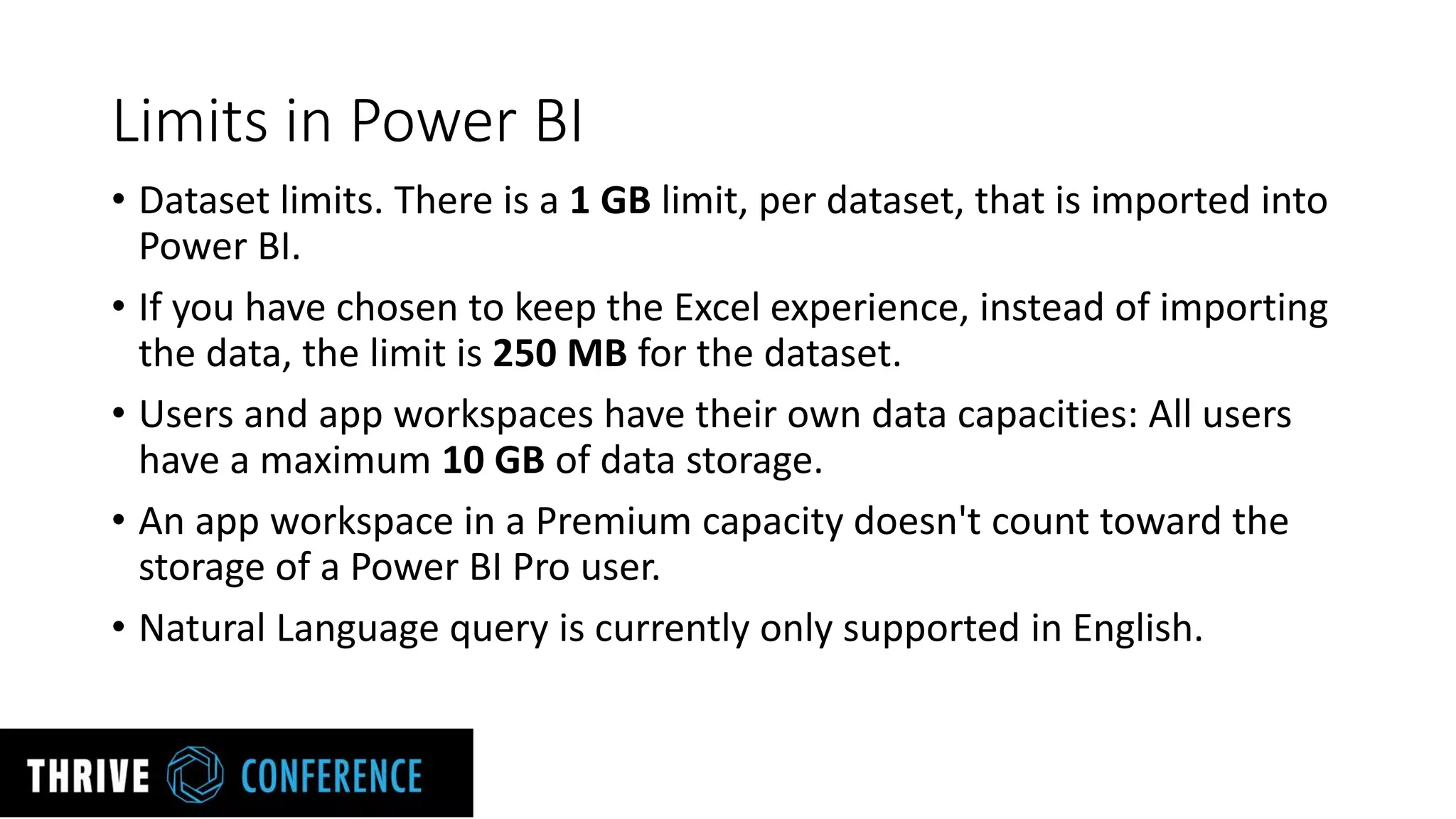
Limits in Power BI
• Dataset limits. There is a 1 GB limit, per dataset, that is imported into
Power BI.
• If you have chosen to keep the Excel experience, instead of importing
the data, the limit is 250 MB for the dataset.
• Users and app workspaces have their own data capacities: All users
have a maximum 10 GB of data storage.
• An app workspace in a Premium capacity doesn't count toward the
storage of a Power BI Pro user.
• Natural Language query is currently only supported in English.
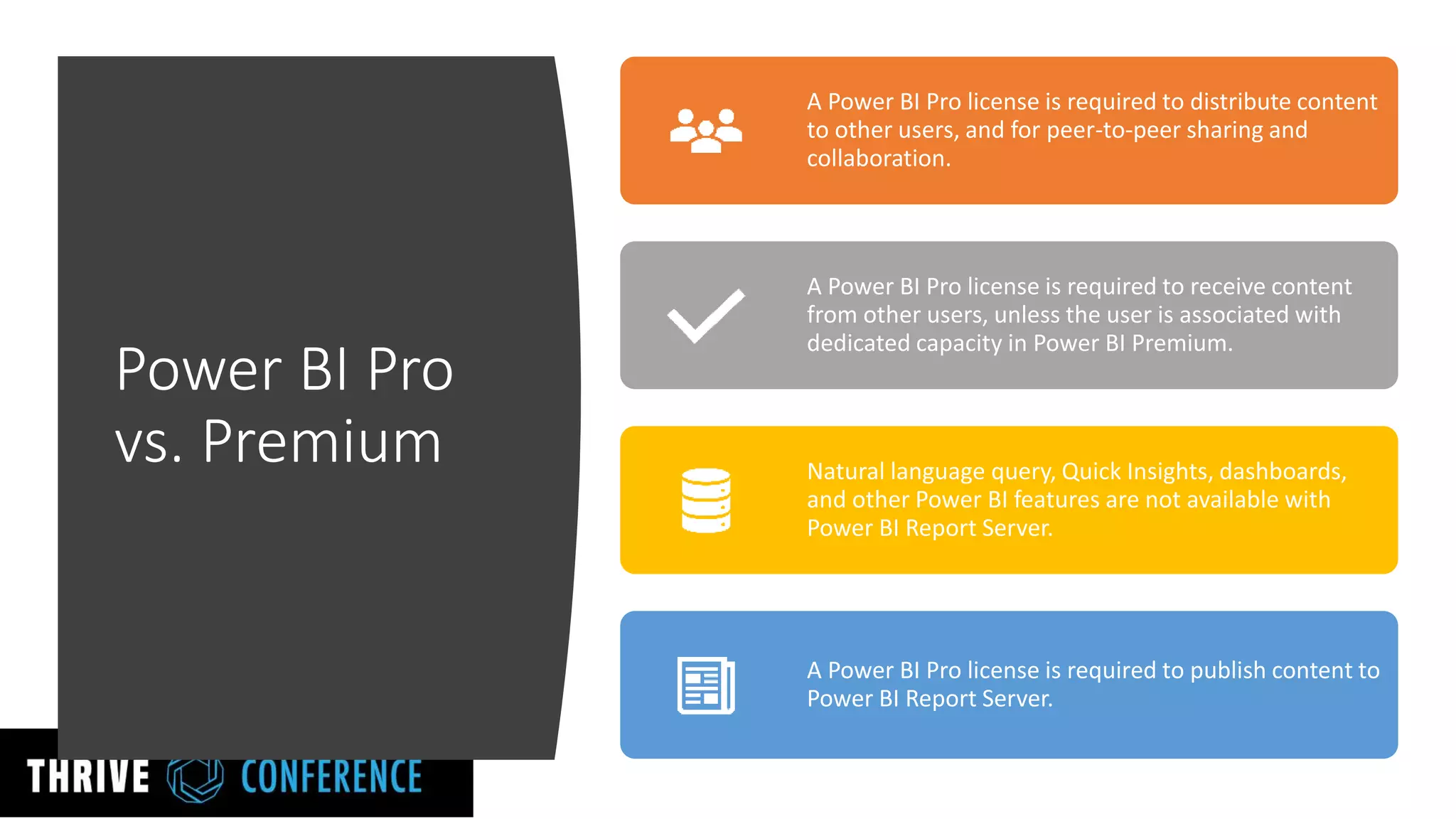
Power BI Pro
vs. Premium
A Power BI Pro license is required to distribute content
to other users, and for peer-to-peer sharing and
collaboration.
A Power BI Pro license is required to receive content
from other users, unless the user is associated with
dedicated capacity in Power BI Premium.
Natural language query, Quick Insights, dashboards,
and other Power BI features are not available with
Power BI Report Server.
A Power BI Pro license is required to publish content to
Power BI Report Server.
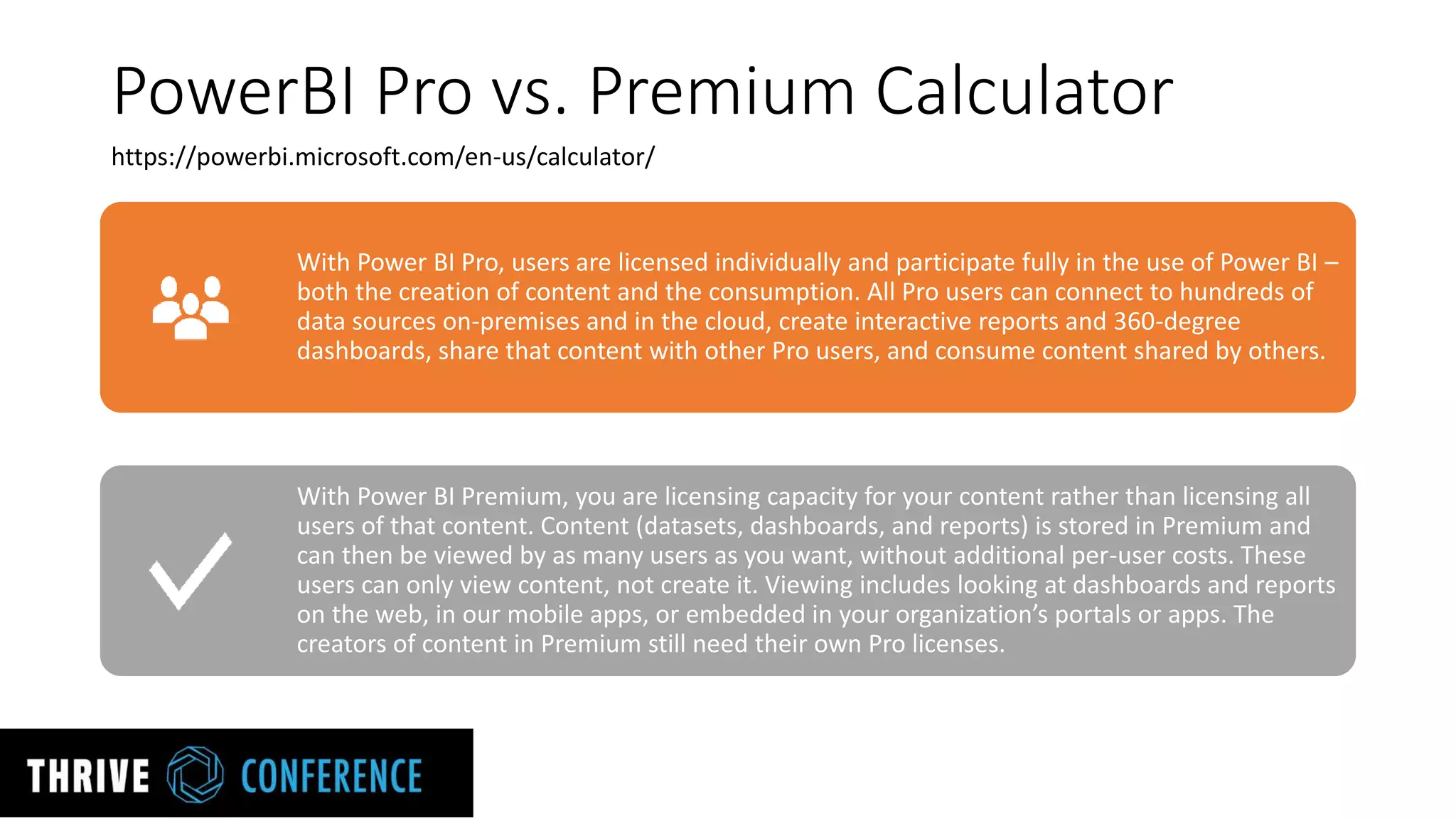
PowerBI Pro vs. Premium Calculator
With Power BI Pro, users are licensed individually and participate fully in the use of Power BI –
both the creation of content and the consumption. All Pro users can connect to hundreds of
data sources on-premises and in the cloud, create interactive reports and 360-degree
dashboards, share that content with other Pro users, and consume content shared by others.
With Power BI Premium, you are licensing capacity for your content rather than licensing all
users of that content. Content (datasets, dashboards, and reports) is stored in Premium and
can then be viewed by as many users as you want, without additional per-user costs. These
users can only view content, not create it. Viewing includes looking at dashboards and reports
on the web, in our mobile apps, or embedded in your organization’s portals or apps. The
creators of content in Premium still need their own Pro licenses.
https://powerbi.microsoft.com/en-us/calculator/
Joel Oleson
Joel.Oleson@Perficient.com
Linkedin.com/in/joeloleson
@joeloleson
Let’s Connect!

Power Platform Tools of Office 365 What to Use When

  • 1.
    Power Platform Toolsof Office 365 What to use When Joel Oleson Microsoft MVP & RD Director, Perficient @joeloleson Joel365 – collabshow.com
  • 2.
  • 3.
    Audience Poll: Whatare you presently using to develop applications in SharePoint?
  • 4.
    Your efforts toresuscitate InfoPath and SP Designer are futile… It is time to move on…
  • 6.
    Power Platform Office365 AGENDA • Forms & Forms Pro • PowerApps & Plan 1 & 2 • Flow & Premium Flows • PowerBI & Premium P1 & P2
  • 7.
    MS Forms Performance… EnterpriseReady… (out of preview) • Quick Forms, Surveys, Polls, • Anonymous forms • SOC Compliance Level C & GDPR compliance with configuration • Data is encrypted at rest • Office Web App with Web front-end & SQL Azure as back-end • Branching, Likert scales, 50,000+ responses • Forms can be used standalone or within applications such as Excel, SharePoint, Teams, Flow, and Sway. Forms is Enterprise Ready: http://bit.ly/2H6ybUP
  • 8.
  • 9.
    MS Forms FeatureGaps & Desires {Vote Them Up in User Voice} More branding styling options including fonts face & size Attachments or file upload option Page or section breaks Pre publish state - UAT - Share form with selected individuals Questions comments for feedback from users and further detail Multiple boxes questions: first name last name, address, state, country pickers, etc… Field validation, including email address or other data type validation except numbers Calculated field options
  • 10.
    Forms Pro Easy toset up and configure Trigger surveys around specific events Collect feedback across channels Embed surveys across apps, web, and mobile Identify sentiments automatically Analyze feedback for impactful insights Announced in Spring 2019! https://formspro.microsoft.com/en-us/
  • 11.
    PowerApps Performance • Rich UXcustom forms and apps • Clientless – Responsive, designed Web & Mobile First • Access to acceleration, camera, GPS & location data, the connection information • Build Apps in hours not months • Allowing developers to seamlessly extend app capabilities using Azure Functions • Custom connectors to connect to 200+ custom or legacy systems. • Rapid prototyping and iterations • Embed forms and applications (New MS search extensions) • Customize your SharePoint list forms • Connect data to Power BI for reporting for your app
  • 12.
    PowerApps has threemajor components which can be used for app development… Common data services to store and model business data. It’s the platform on which Dynamics 365 applications are built
  • 13.
  • 14.
    Limits of PowerApps • Limited Offline - Offline forms or apps scenarios in which in the past InfoPath client could be used without an Internet connection. Canvas apps do have some offline capabilities. • No Rich XML document - scenarios in which forms can be moved, shared, reopened, edited, or processed for data. • No Anonymous/Guest Access - PowerApps supports licensed users in the same organization except through PowerApps Portal. • PowerApps limit Row Data of 2000 (Use non-delegable queries to work on max of 2000 records used to be 500) Creating a local connection can get you to 4000. Working with large data sets can be complex • No Export Format for Printing and Archiving – no underlying document or way to export to PDF or reopen a form • Not Always a No Code Solution - It can get complicated even for power users… Built to deliver code, using APIs, outputting JSON, and making REST calls. • Connections May Require Power Apps Plan 1 or 2 - Certain Features like premium connectors or access to on premises data require plan 1 or plan 2 including SQL storage and common data service Feature Limitation Picture Yes (read-only) View image Attachment Yes (read-only) View Attachments Calculated Yes (read-only) Task Outcome No External data No Managed Metadata Yes (read-only) Rating No
  • 15.
    PowerApps Plan 1and Plan 2 PowerApps • PowerApps is licensed on a per-user basis and each user licenses are assigned on a named user basis, each user needs a separate license to run apps. • PowerApps licenses do not limit the creation of apps. PowerApps Plan 1 • PowerApps Plan 1 provides access to the Common Data Service for Apps to store and manage data. • Users can run canvas apps that are built on the Common Data Service for Apps, use premium connectors, access data in custom applications or on-premises data. PowerApps Plan 2 • PowerApps Plan 2 allows users to run model-driven apps with code plug-ins and real-time workflows. • Access important management capabilities like viewing usage and setting policies.
  • 16.
    Power Automate Performance Microsoft Flowis cloud- based service designed to build simple workflows to automate tasks and business processes. Designed to help move responsibility of Line-of- business integration closer to the business itself. IT decision makers who want to empower line-of-business partners to create their own solutions Powerful adaptable business application platform that includes PowerApps, the Common Data Service, Dynamics 365, and Office 365.
  • 17.
    Logic Apps • LogicApps is the workflow engine for Flow. It enables pro-developers to visually create or programmatically configure workflows in Azure. A connector in Logic Apps enables users to automate EAI, Business to business (B2B) and Business to consumer (B2C) scenarios while reaping the benefits of source control, testing, support, and operations. • In Logic Apps, you can use enterprise connectors to create logic app workflows and automate processes between cloud apps and cloud services.
  • 18.
    Custom Connectors A connectoris a proxy or a wrapper around an API that allows the underlying service to talk to Microsoft Flow, PowerApps and Logic Apps. It provides a way for users to connect their accounts and leverage a set of pre- built actions and triggers to build their apps and workflows. Connectors provides tables, you add your data source and then select the table in the data source that you want to manage. PowerApps both retrieves table data into your app and updates data in your data source for you.
  • 19.
    Power BI Performance • PowerBI is a business analytics solution that lets you visualize your data • Share insights across your organization • Embed them in your app or website • Connect to hundreds of data sources • Bring your data to life with live dashboards and reports.
  • 20.
    Limits in PowerBI • Dataset limits. There is a 1 GB limit, per dataset, that is imported into Power BI. • If you have chosen to keep the Excel experience, instead of importing the data, the limit is 250 MB for the dataset. • Users and app workspaces have their own data capacities: All users have a maximum 10 GB of data storage. • An app workspace in a Premium capacity doesn't count toward the storage of a Power BI Pro user. • Natural Language query is currently only supported in English.
  • 21.
    Power BI Pro vs.Premium A Power BI Pro license is required to distribute content to other users, and for peer-to-peer sharing and collaboration. A Power BI Pro license is required to receive content from other users, unless the user is associated with dedicated capacity in Power BI Premium. Natural language query, Quick Insights, dashboards, and other Power BI features are not available with Power BI Report Server. A Power BI Pro license is required to publish content to Power BI Report Server.
  • 22.
    PowerBI Pro vs.Premium Calculator With Power BI Pro, users are licensed individually and participate fully in the use of Power BI – both the creation of content and the consumption. All Pro users can connect to hundreds of data sources on-premises and in the cloud, create interactive reports and 360-degree dashboards, share that content with other Pro users, and consume content shared by others. With Power BI Premium, you are licensing capacity for your content rather than licensing all users of that content. Content (datasets, dashboards, and reports) is stored in Premium and can then be viewed by as many users as you want, without additional per-user costs. These users can only view content, not create it. Viewing includes looking at dashboards and reports on the web, in our mobile apps, or embedded in your organization’s portals or apps. The creators of content in Premium still need their own Pro licenses. https://powerbi.microsoft.com/en-us/calculator/
  • 23.