Human Interactive
a computer system is made up of various
elements.
each of these elements affects the interaction.
– input devices – text entry and pointing
– output devices – screen (small&large), digital paper
– virtual reality – special interaction and display devices
– physical interaction – e.g. sound, haptic, bio-sensing
– paper – as output (print) and input (scan)
– memory – RAM & permanent media, capacity & access
– processing – speed of processing, networks
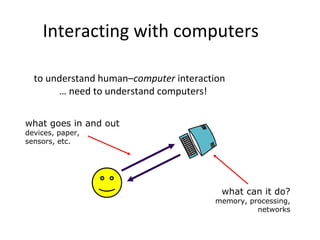
Interacting with computers
to understand human–computer interaction
… need to understand computers!
what goes in and out
devices, paper,
sensors, etc.
what can it do?
memory, processing,
networks
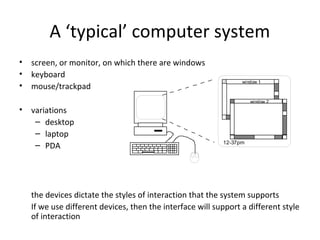
A ‘typical’ computer system
• screen, or monitor, on which there are windows
• keyboard
• mouse/trackpad
• variations
– desktop
– laptop
– PDA
the devices dictate the styles of interaction that the system supports
If we use different devices, then the interface will support a different style
of interaction
window 1
window 2
12-37pm
How many computers …
in your house?
– PC
– TV, VCR, DVD, HiFi,
cable/satellite TV
– microwave, cooker,
washing machine
– central heating
– security system
can you think of more?
in your pockets?
– PDA
– phone, camera
– smart card, card with
magnetic strip?
– electronic car key
– USB memory
try your pockets and
bags
Interactivity?
Long ago in a galaxy far away … batch processing
– punched card stacks or large data files prepared
– long wait ….
– line printer output
… and if it is not right …
Now most computing is interactive
– rapid feedback
– the user in control (most of the time)
– doing rather than thinking …
Is faster always better?
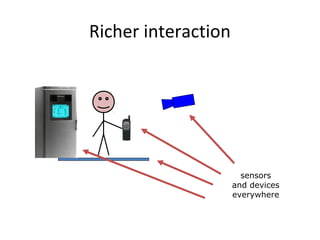
Richer interaction
sensors
and devices
everywhere

POLITEKNIK MALAYSIA

  • 1.
  • 2.
    a computer systemis made up of various elements. each of these elements affects the interaction. – input devices – text entry and pointing – output devices – screen (small&large), digital paper – virtual reality – special interaction and display devices – physical interaction – e.g. sound, haptic, bio-sensing – paper – as output (print) and input (scan) – memory – RAM & permanent media, capacity & access – processing – speed of processing, networks
  • 3.
    Interacting with computers tounderstand human–computer interaction … need to understand computers! what goes in and out devices, paper, sensors, etc. what can it do? memory, processing, networks
  • 4.
    A ‘typical’ computersystem • screen, or monitor, on which there are windows • keyboard • mouse/trackpad • variations – desktop – laptop – PDA the devices dictate the styles of interaction that the system supports If we use different devices, then the interface will support a different style of interaction window 1 window 2 12-37pm
  • 5.
    How many computers… in your house? – PC – TV, VCR, DVD, HiFi, cable/satellite TV – microwave, cooker, washing machine – central heating – security system can you think of more? in your pockets? – PDA – phone, camera – smart card, card with magnetic strip? – electronic car key – USB memory try your pockets and bags
  • 6.
    Interactivity? Long ago ina galaxy far away … batch processing – punched card stacks or large data files prepared – long wait …. – line printer output … and if it is not right … Now most computing is interactive – rapid feedback – the user in control (most of the time) – doing rather than thinking … Is faster always better?
  • 7.