
Planning & Customizing Office 2010 for your EnvironmentAndy O'Donald, Product Manager
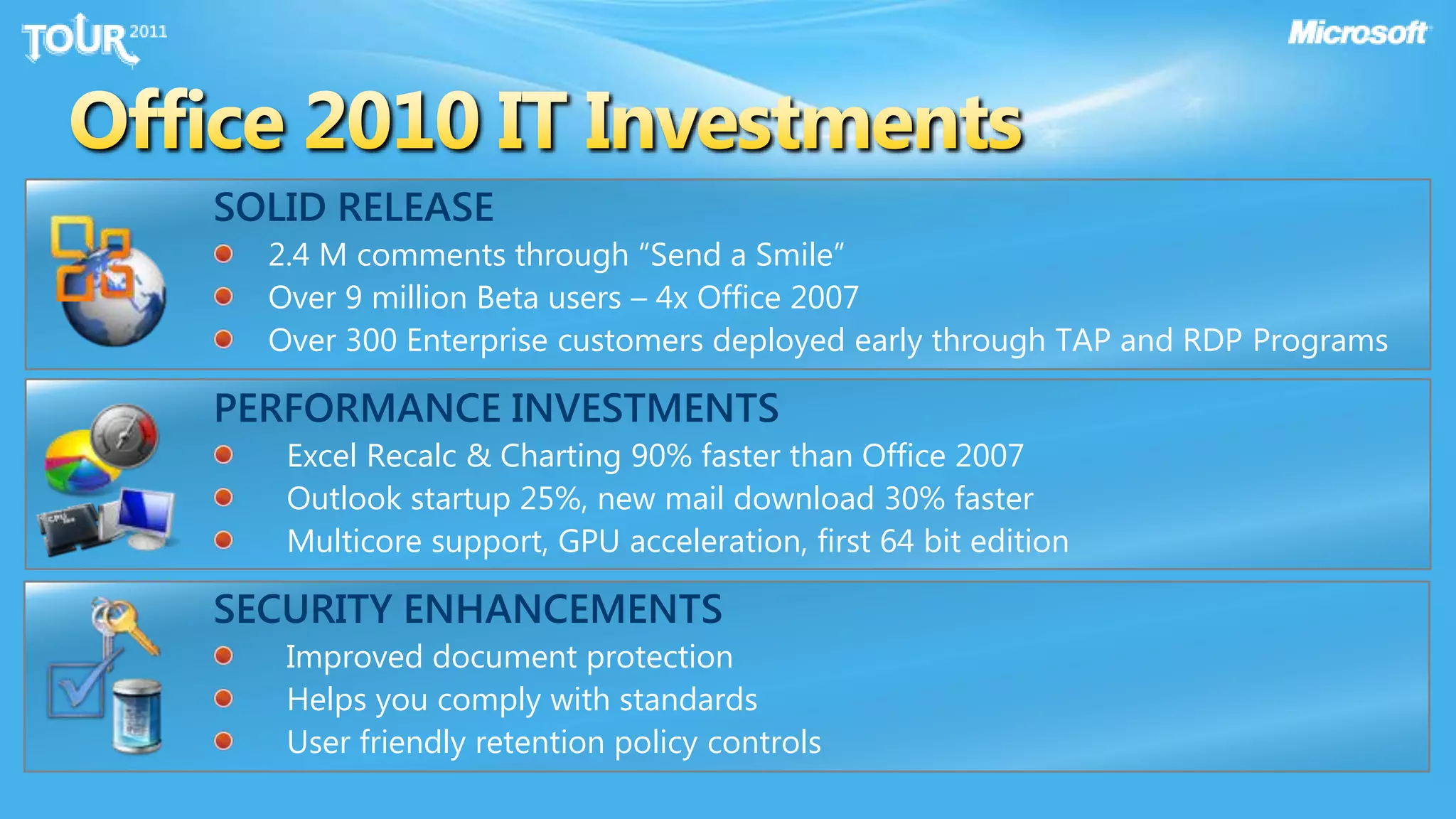
Office 2010 IT InvestmentsSOLID RELEASE2.4 M comments through “Send a Smile”Over 9 million Beta users – 4x Office 2007Over 300 Enterprise customers deployed early through TAP and RDP ProgramsPERFORMANCE INVESTMENTSExcel Recalc & Charting 90% faster than Office 2007Outlook startup 25%, new mail download 30% fasterMulticore support, GPU acceleration, first 64 bit editionSECURITY ENHANCEMENTSImproved document protectionHelps you comply with standardsUser friendly retention policy controls
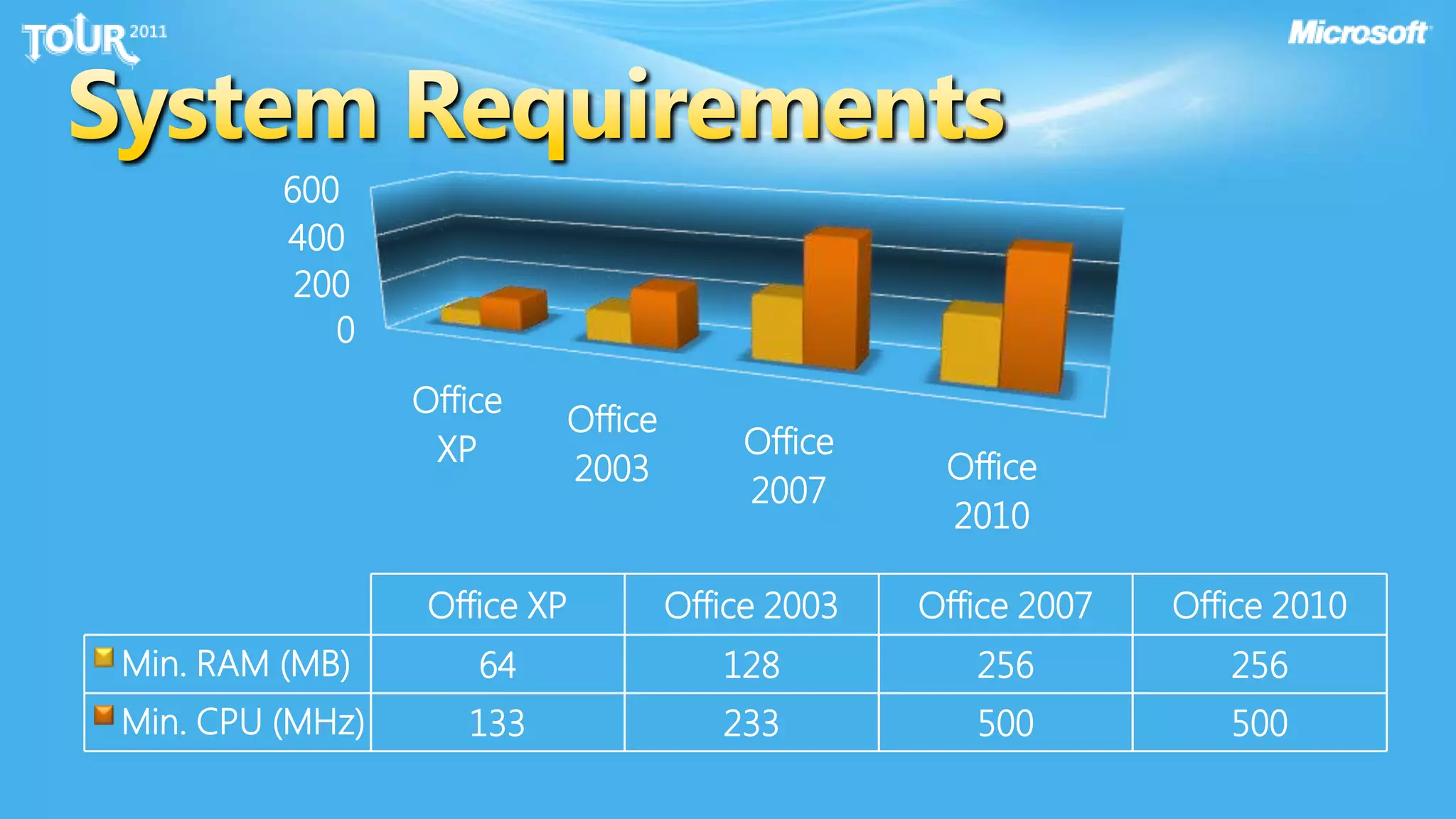
System Requirements
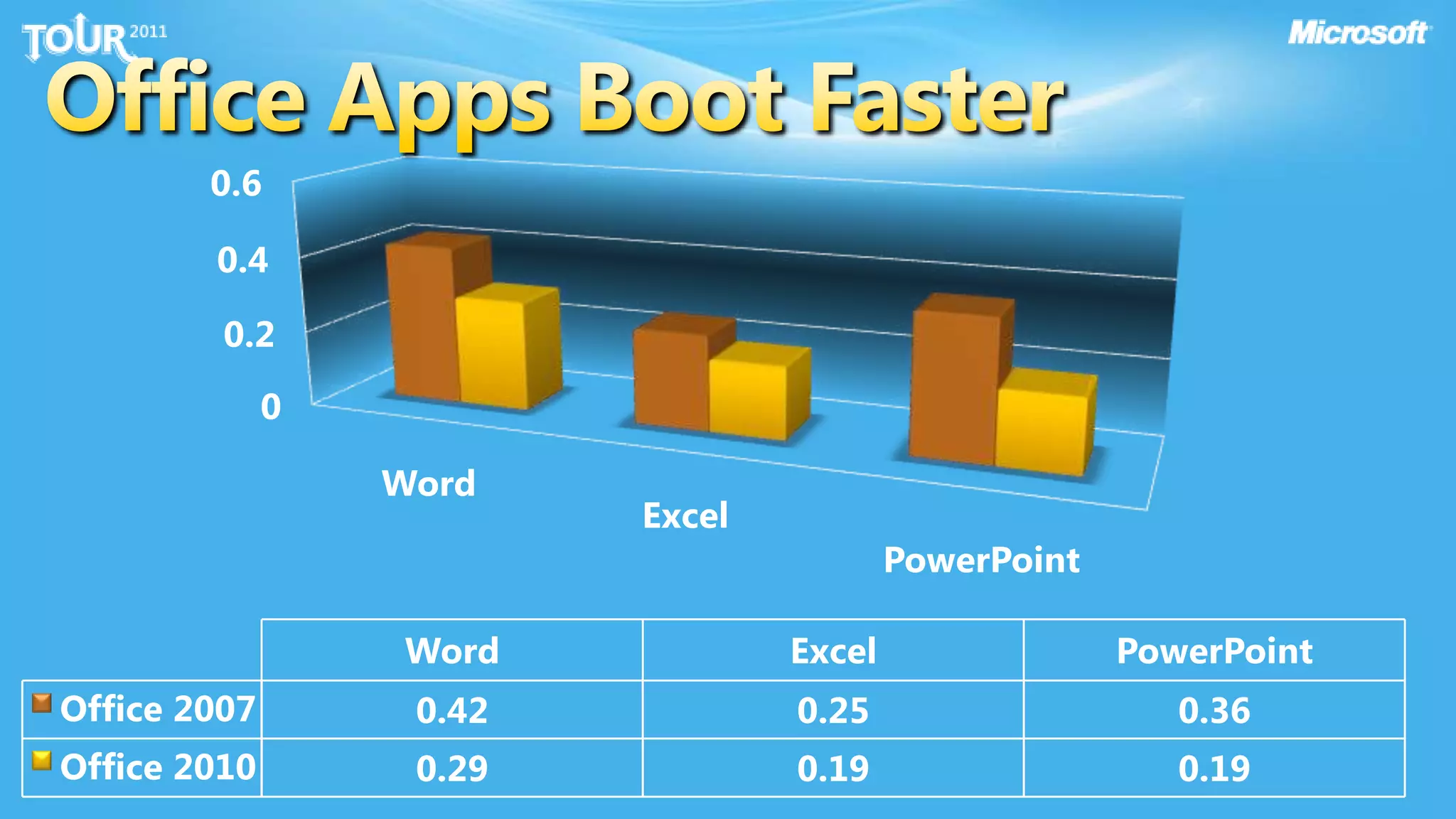
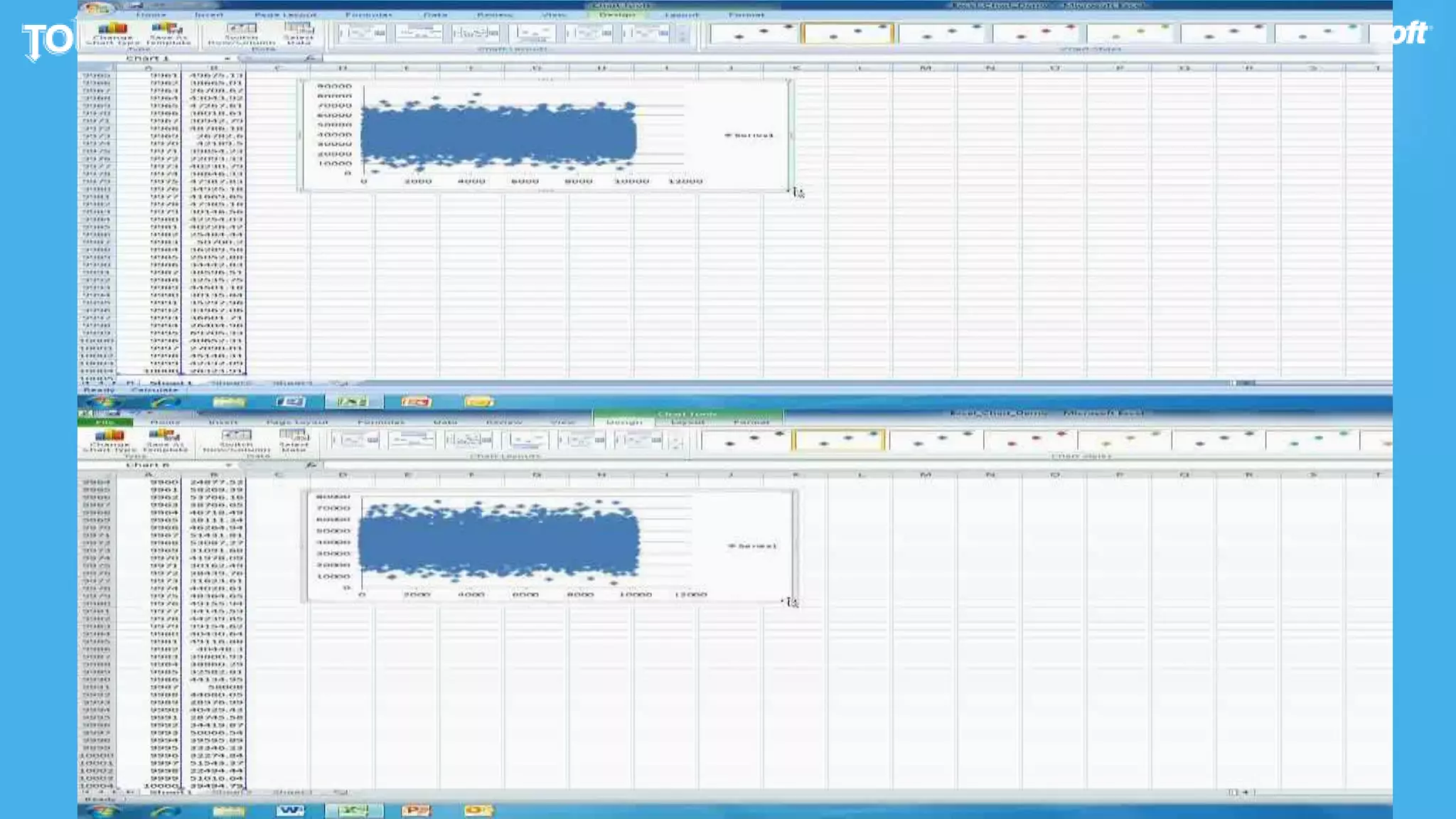
Office Apps Boot Faster
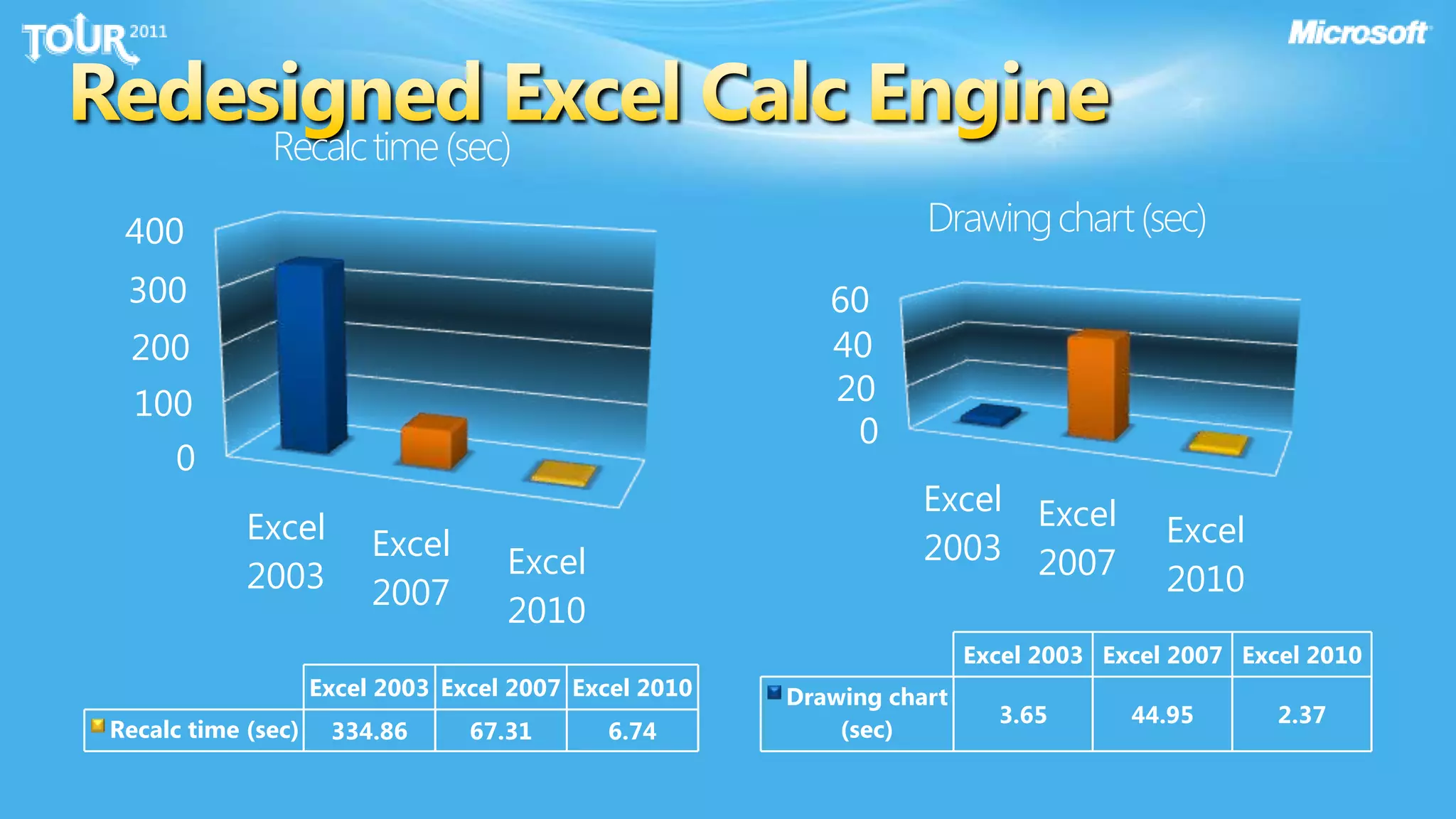
Redesigned Excel Calc Engine
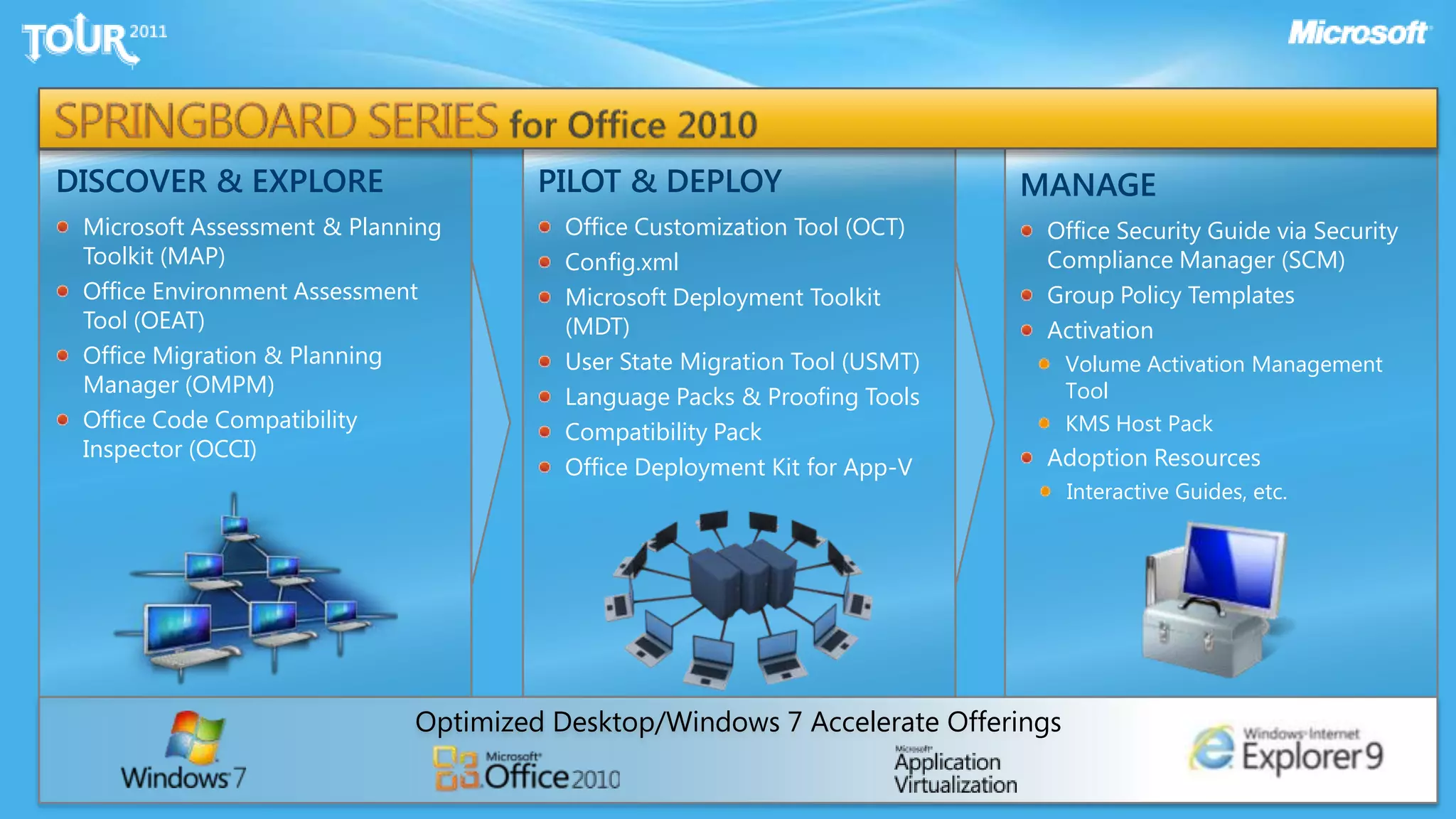
SPRINGBOARD SERIES for Office 2010PILOT & DEPLOYOffice Customization Tool (OCT)Config.xmlMicrosoft Deployment Toolkit (MDT)User State Migration Tool (USMT)Language Packs & Proofing ToolsCompatibility PackOffice Deployment Kit for App-VDISCOVER & EXPLOREMicrosoft Assessment & Planning Toolkit (MAP)Office Environment Assessment Tool (OEAT)Office Migration & Planning Manager (OMPM)Office Code Compatibility Inspector (OCCI)MANAGEOffice Security Guide via Security Compliance Manager (SCM)Group Policy TemplatesActivation Volume Activation Management ToolKMS Host PackAdoption ResourcesInteractive Guides, etc.Optimized Desktop/Windows 7 Accelerate Offerings
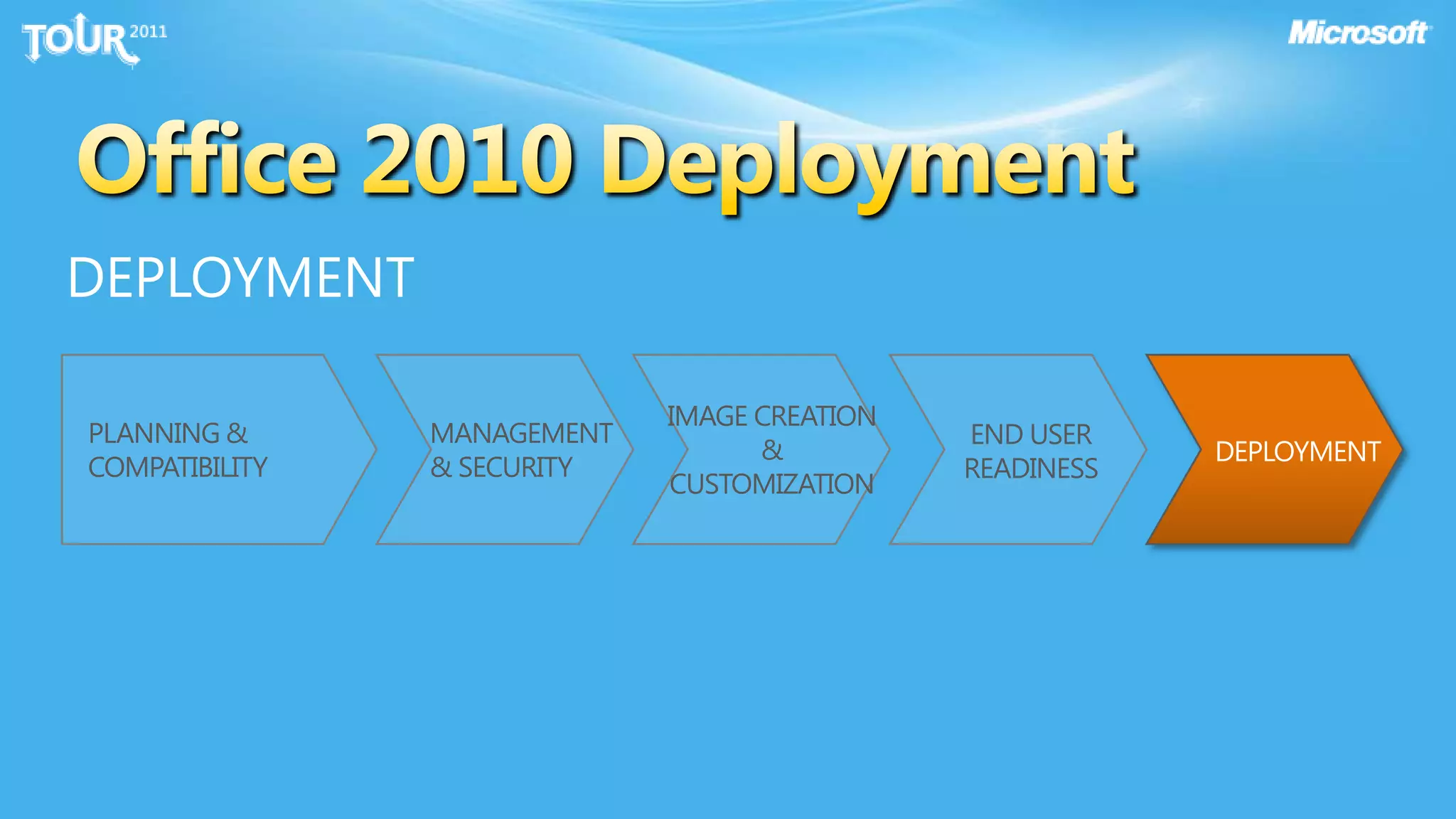
Office 2010 DeploymentPLANNING & COMPATIBILITYPLANNING & COMPATIBILITY
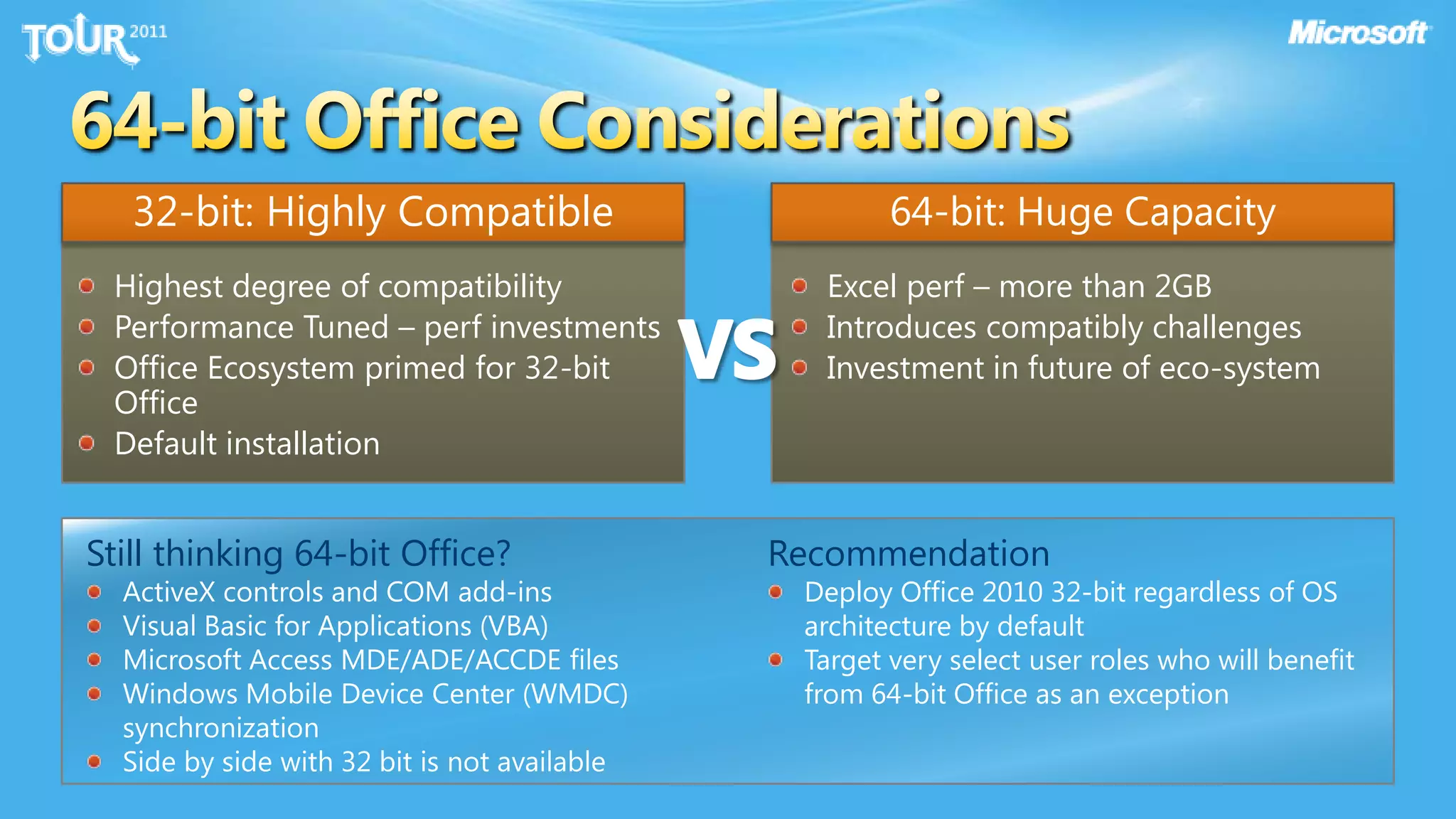
64-bit Office Considerations32-bit: Highly Compatible64-bit: Huge CapacityVSHighest degree of compatibilityPerformance Tuned – perf investmentsOffice Ecosystem primed for 32-bit OfficeDefault installationExcel perf – more than 2GBIntroduces compatibly challengesInvestment in future of eco-systemStill thinking 64-bit Office?ActiveX controls and COM add-insVisual Basic for Applications (VBA)Microsoft Access MDE/ADE/ACCDE files Windows Mobile Device Center (WMDC) synchronization Side by side with 32 bit is not availableRecommendationDeploy Office 2010 32-bit regardless of OS architecture by defaultTarget very select user roles who will benefit from 64-bit Office as an exception
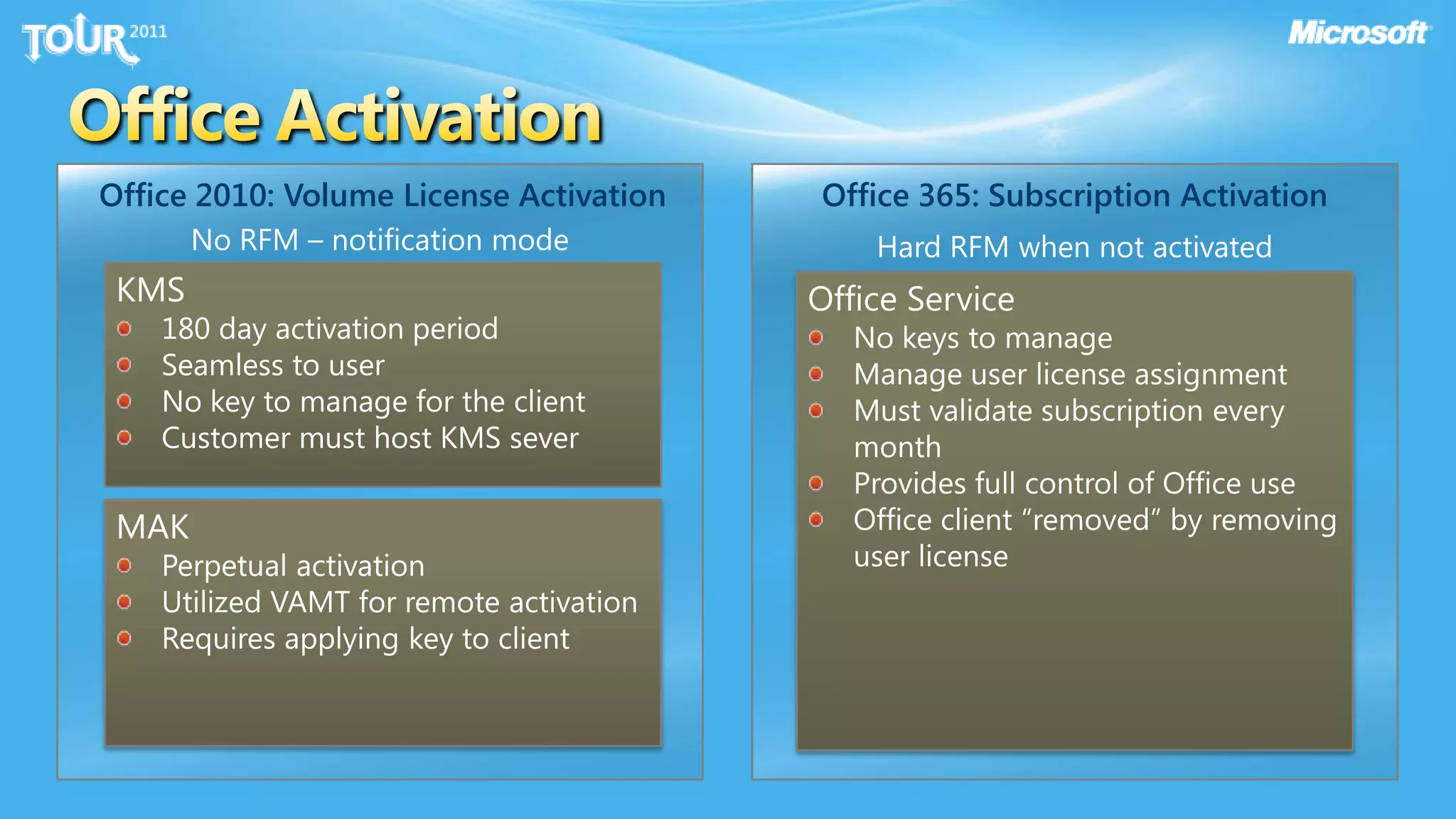
Office ActivationOffice 2010: Volume License ActivationOffice 365: Subscription ActivationNo RFM – notification modeHard RFM when not activatedKMS180 day activation periodSeamless to userNo key to manage for the clientCustomer must host KMS severOffice ServiceNo keys to manageManage user license assignmentMust validate subscription every monthProvides full control of Office useOffice client “removed” by removing user licenseMAKPerpetual activationUtilized VAMT for remote activationRequires applying key to client
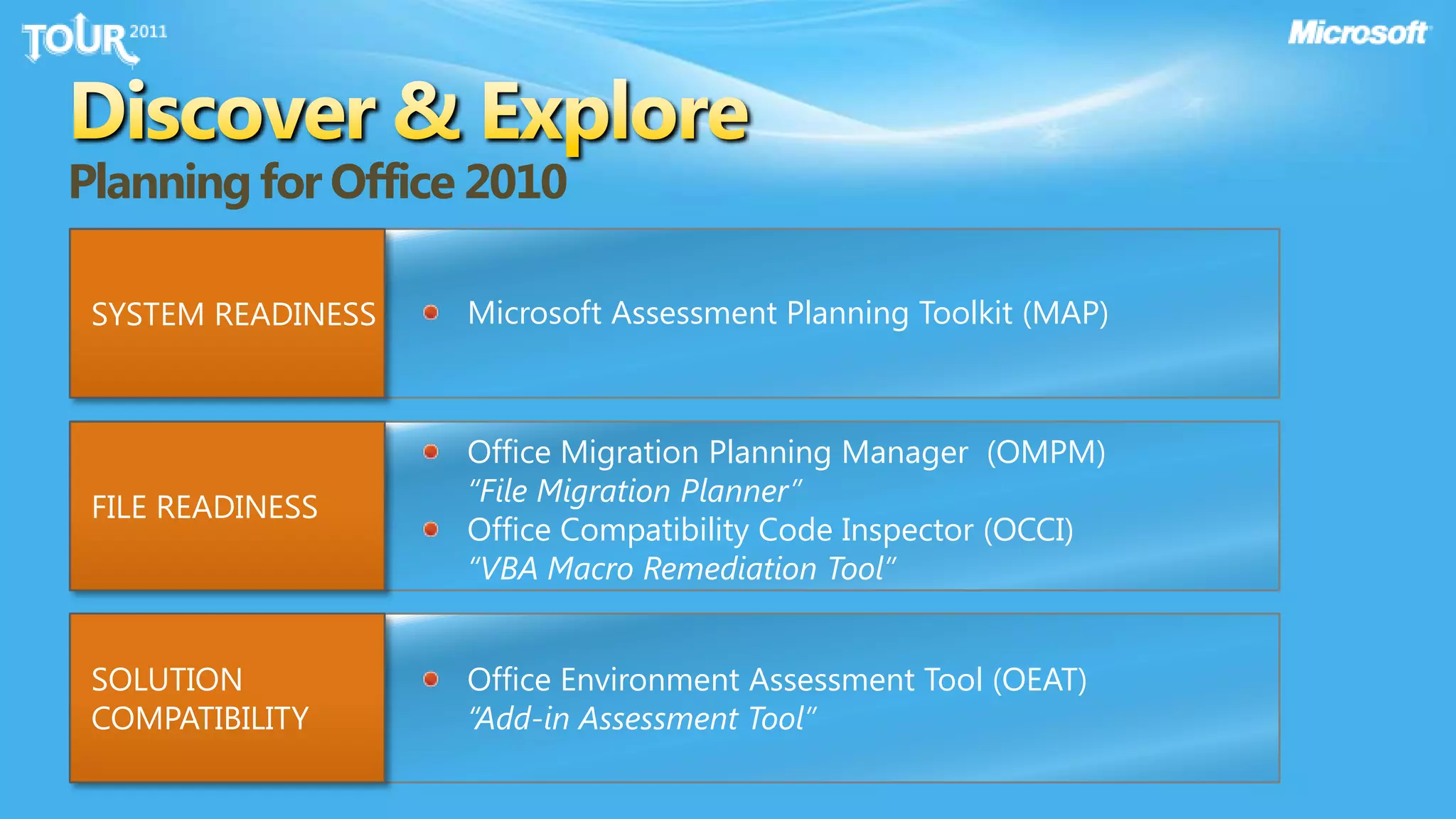
Discover & ExplorePlanning for Office 2010Microsoft Assessment Planning Toolkit (MAP)SYSTEM READINESSOffice Migration Planning Manager  (OMPM) “File Migration Planner”Office Compatibility Code Inspector (OCCI)“VBA Macro Remediation Tool”FILE READINESS SOLUTION COMPATIBILITYOffice Environment Assessment Tool (OEAT) “Add-in Assessment Tool”
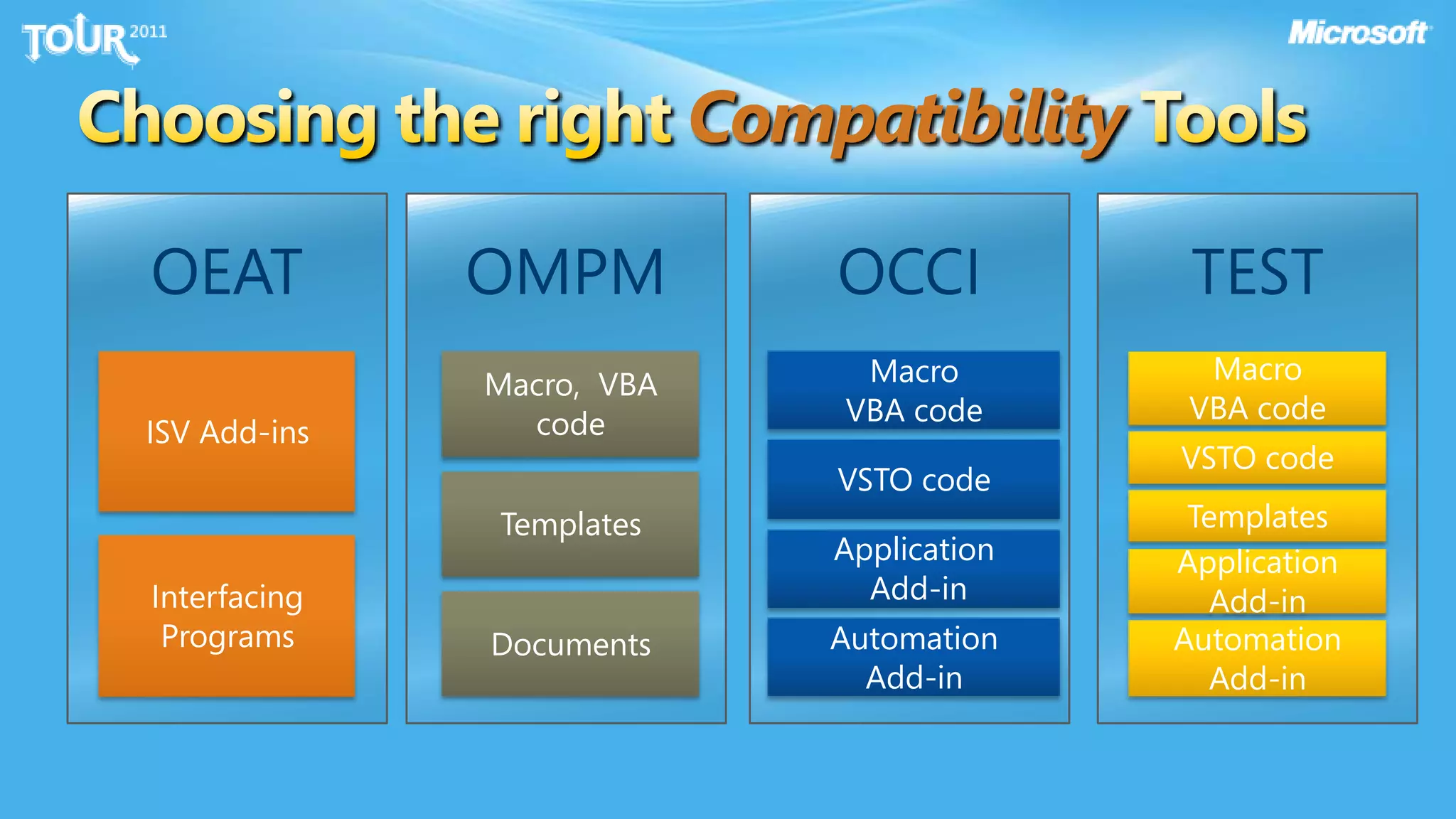
Choosing the right Compatibility Tools
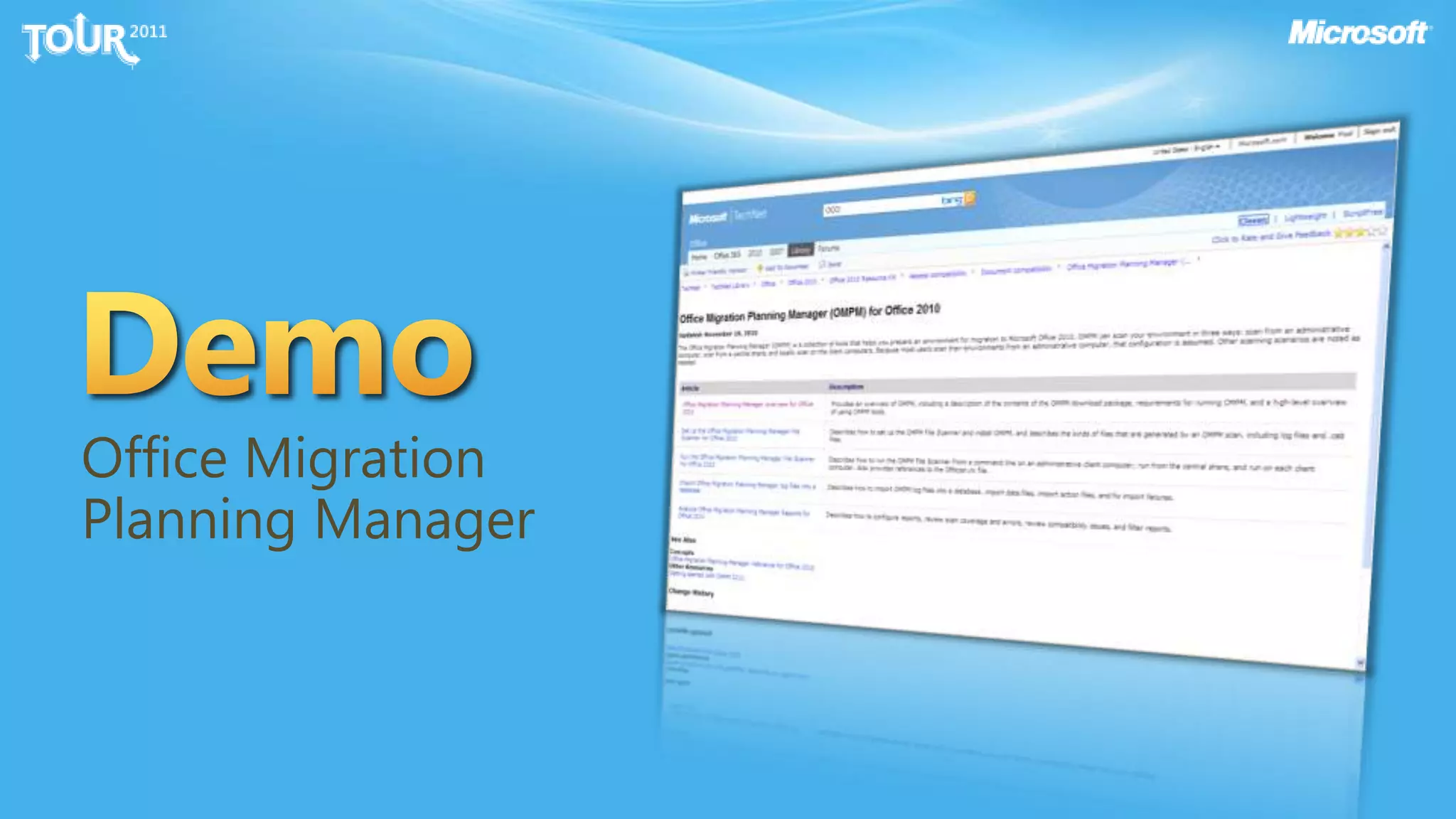
DemoOffice Migration Planning Manager
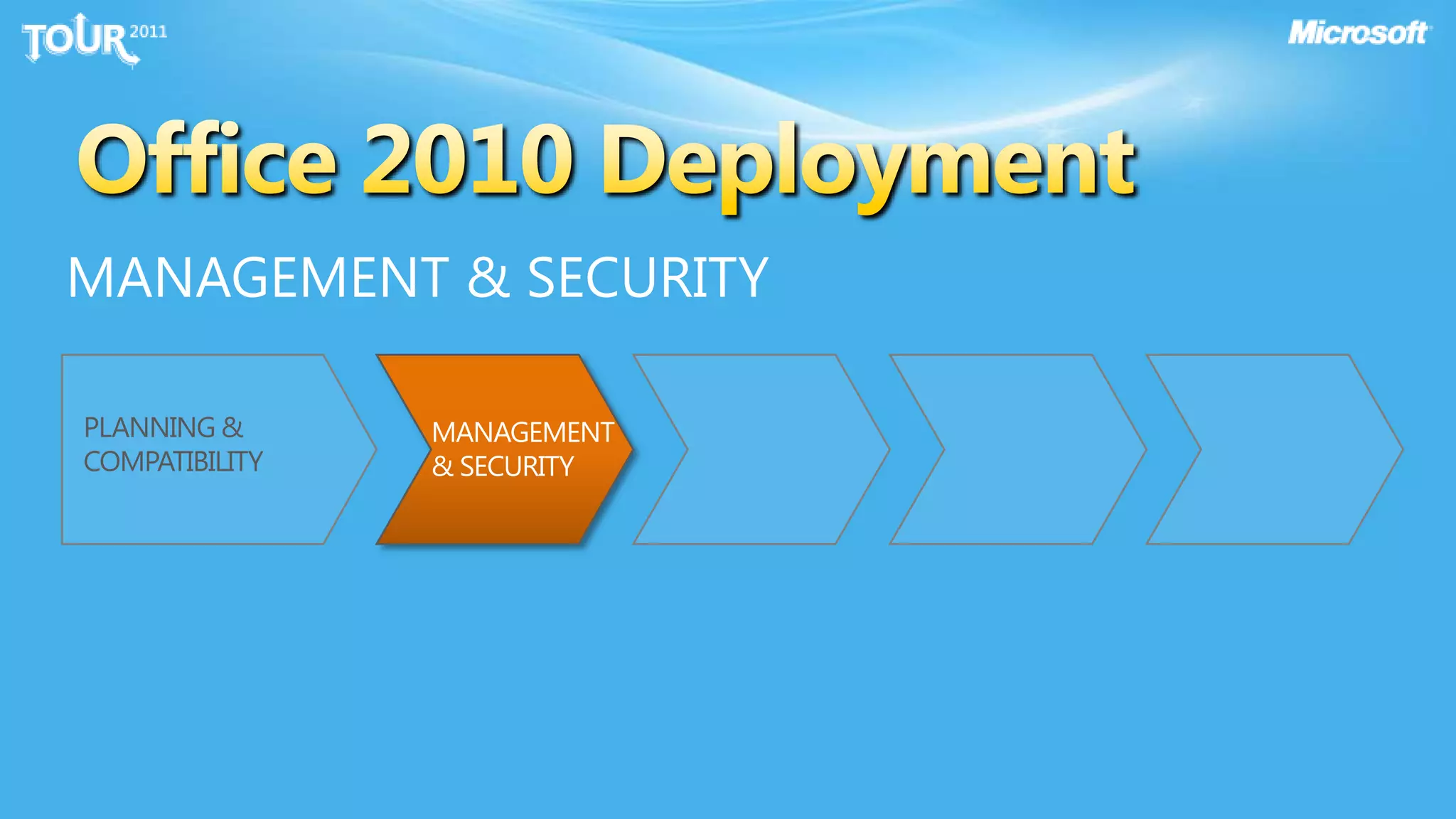
Office 2010 DeploymentMANAGEMENT & SECURITYPLANNING & COMPATIBILITYMANAGEMENT & SECURITY
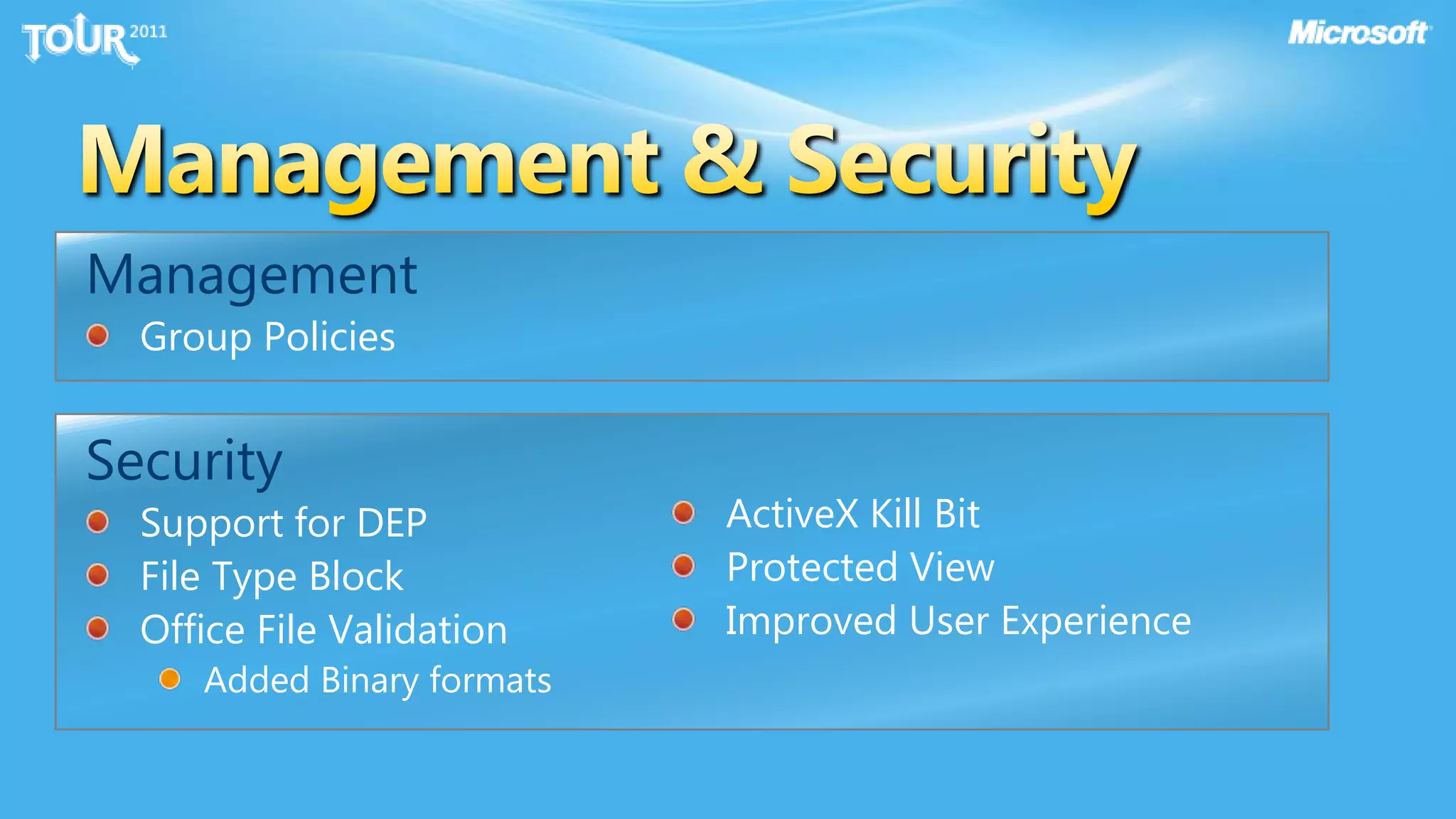
Management & SecurityManagementGroup PoliciesSecuritySupport for DEPFile Type BlockOffice File Validation Added Binary formatsActiveX Kill BitProtected ViewImproved User Experience
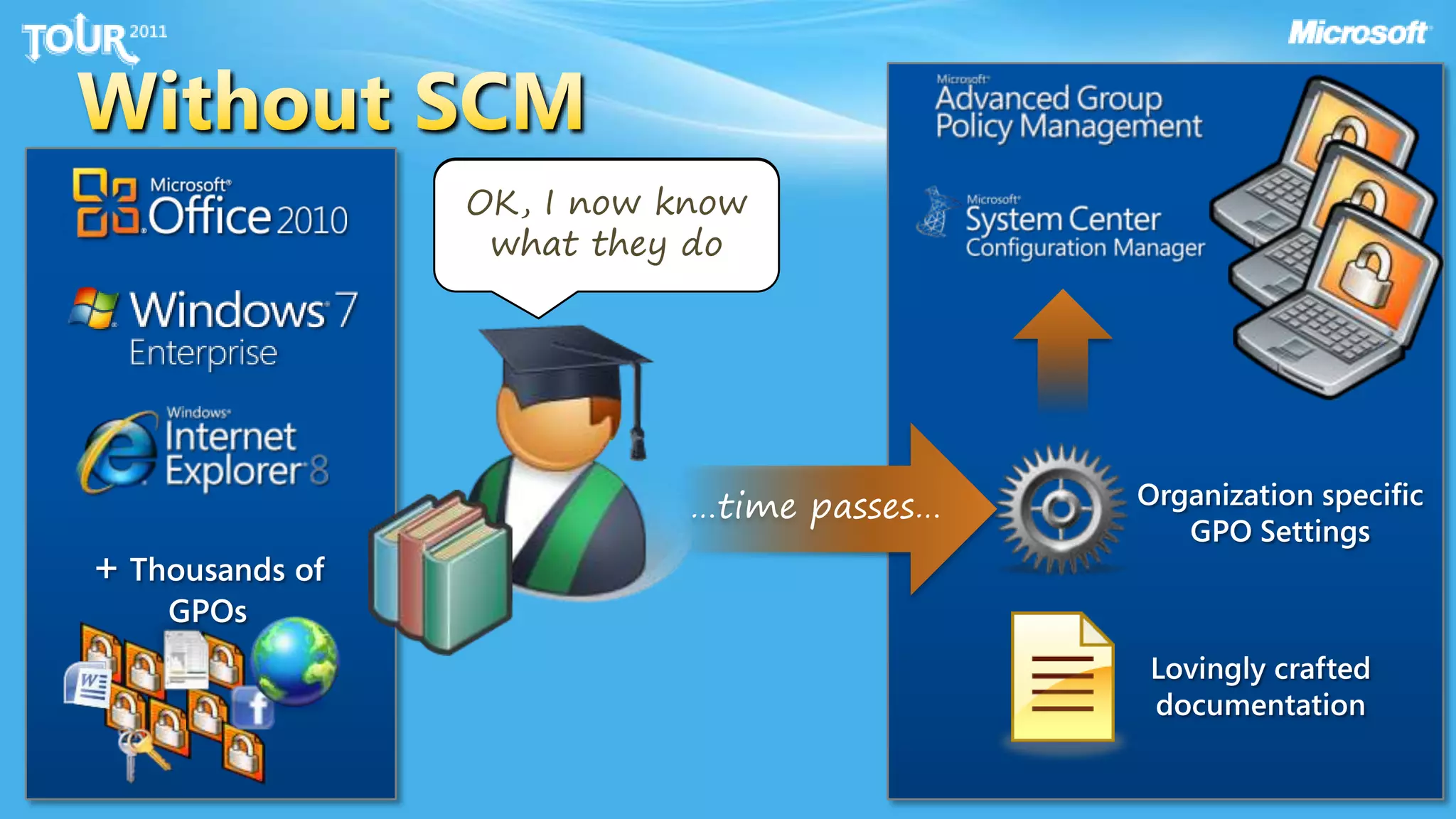
Without SCMI need to secure the desktop!OK, I now know what they do…time passes…Organization specific GPO Settings+ Thousands of GPOsLovingly crafted documentation
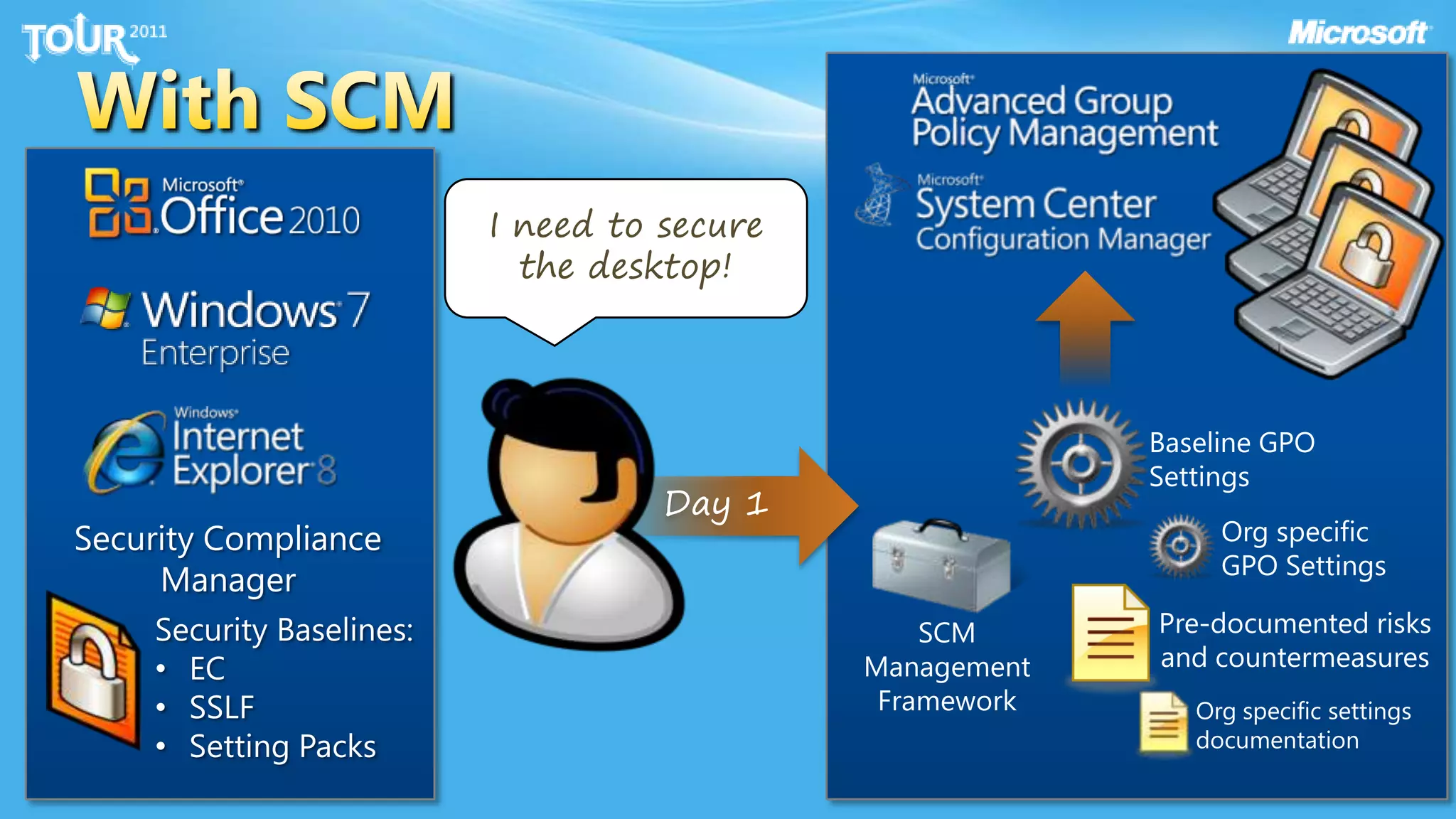
With SCMI need to secure the desktop!Baseline GPOSettingsDay 1Org specific GPO SettingsSecurity Compliance ManagerPre-documented risks and countermeasuresSecurity Baselines:EC
SSLF
Setting PacksSCM Management FrameworkOrg specific settings documentation
DemoSCM
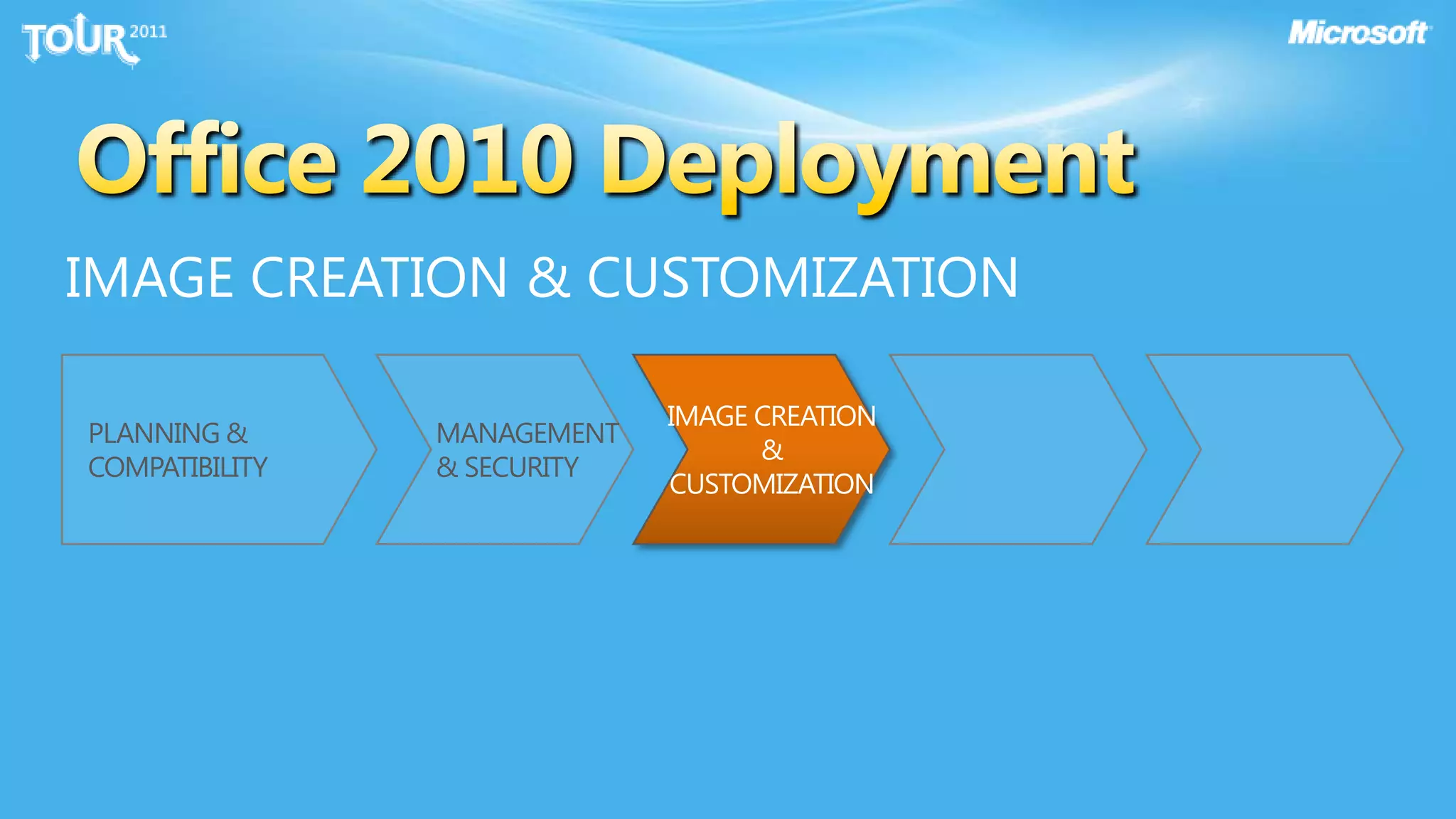
Office 2010 DeploymentIMAGE CREATION & CUSTOMIZATIONIMAGE CREATION & CUSTOMIZATIONPLANNING & COMPATIBILITYMANAGEMENT & SECURITY
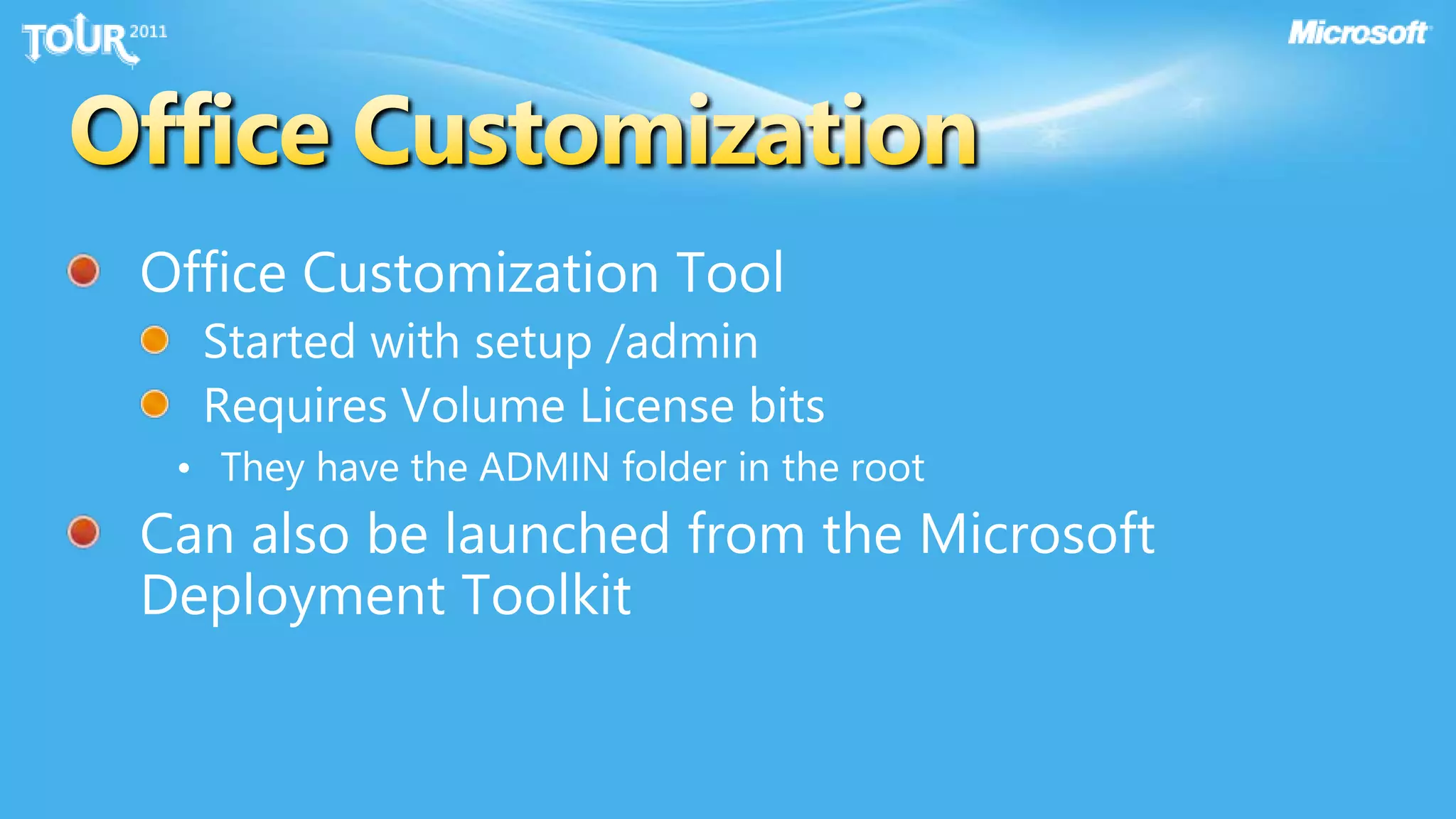
Office Customization ToolStarted with setup /adminRequires Volume License bits They have the ADMIN folder in the rootCan also be launched from the Microsoft Deployment ToolkitOffice Customization
Office Language Packs & Proofing ToolsOffice is a language neutral productLocale applied with language packsLanguage Packs (each language adds ~400MB-1+GB)Add language packs to source locationCustomize languages – config.xml & MDTDefault action is to match OSProofing Tools (complete toolkit is Related proofing tools are included in language packReview option to gain coverage with language packProofing tools can be added Configured with proofing tools config.xml
DemoOCT
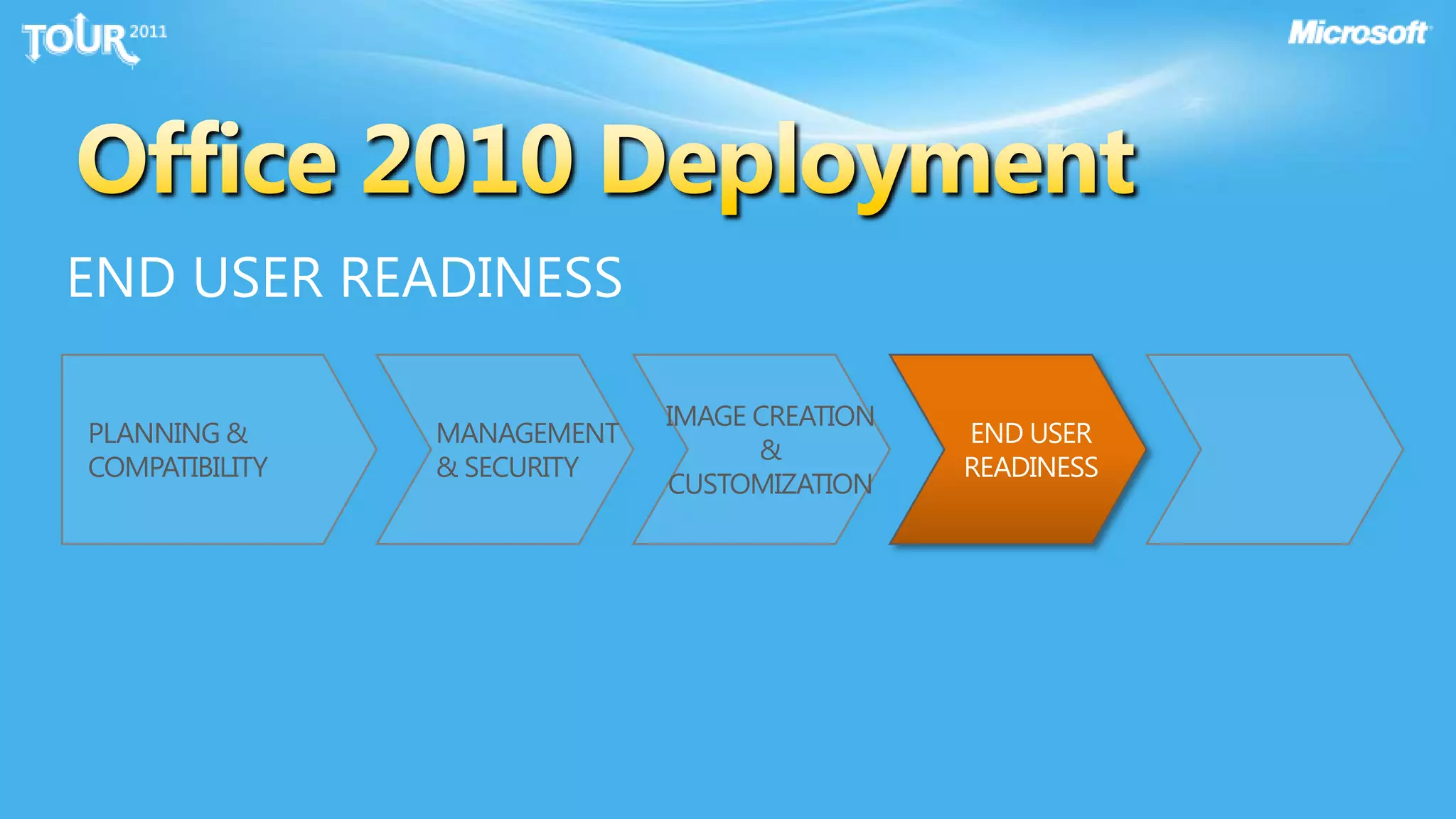
Office 2010 DeploymentEND USER READINESSIMAGE CREATION & CUSTOMIZATIONPLANNING & COMPATIBILITYMANAGEMENT & SECURITYEND USER READINESS
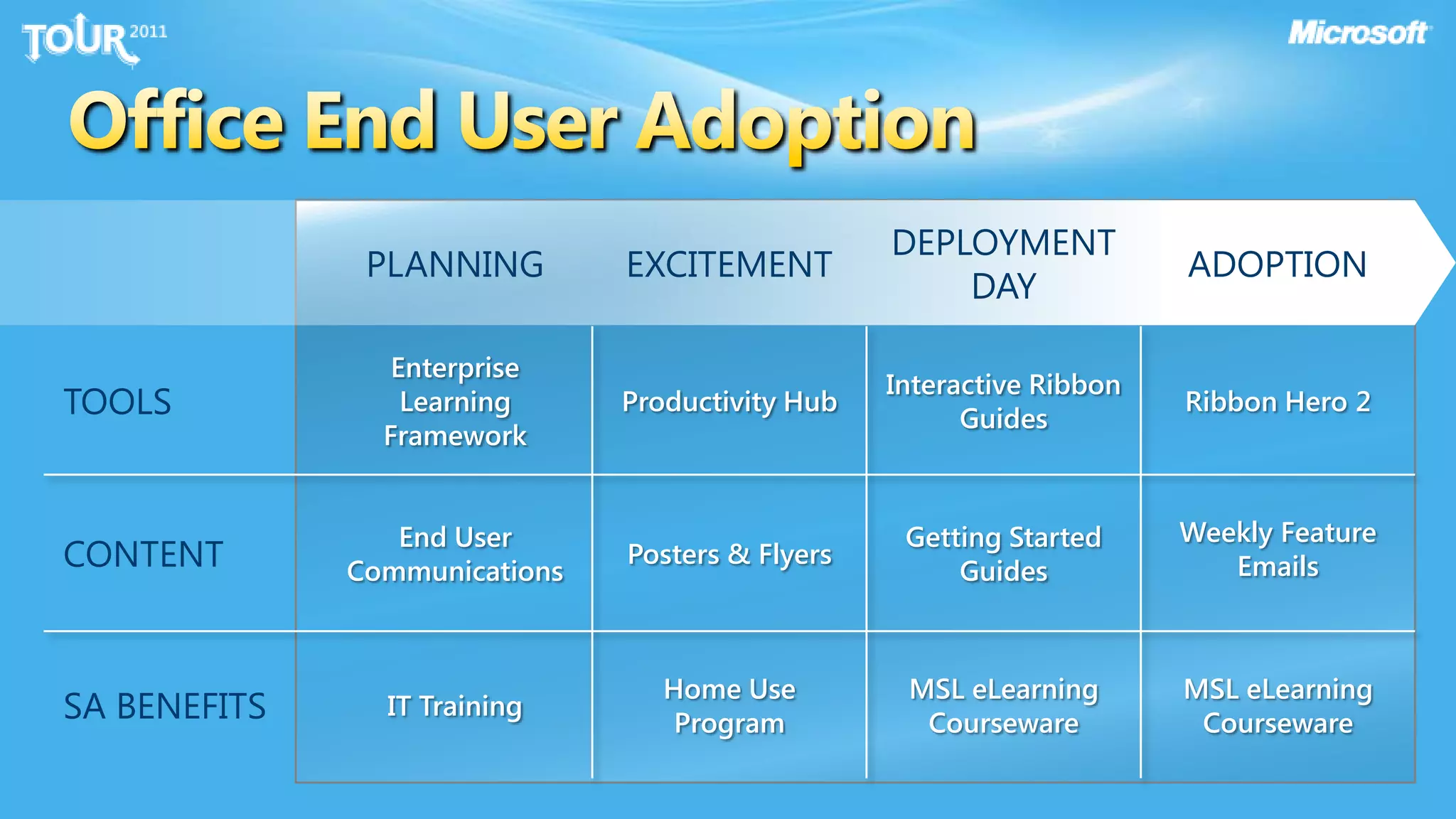
Office End User Adoption
DemoAdoption tools
Office 2010 DeploymentDEPLOYMENTIMAGE CREATION & CUSTOMIZATIONPLANNING & COMPATIBILITYMANAGEMENT & SECURITYEND USER READINESSDEPLOYMENT

Planning customizing office 2010 for your environment online

  • 1.
    Planning & CustomizingOffice 2010 for your EnvironmentAndy O'Donald, Product Manager
  • 2.
    Office 2010 ITInvestmentsSOLID RELEASE2.4 M comments through “Send a Smile”Over 9 million Beta users – 4x Office 2007Over 300 Enterprise customers deployed early through TAP and RDP ProgramsPERFORMANCE INVESTMENTSExcel Recalc & Charting 90% faster than Office 2007Outlook startup 25%, new mail download 30% fasterMulticore support, GPU acceleration, first 64 bit editionSECURITY ENHANCEMENTSImproved document protectionHelps you comply with standardsUser friendly retention policy controls
  • 3.
  • 4.
  • 5.
  • 7.
    SPRINGBOARD SERIES forOffice 2010PILOT & DEPLOYOffice Customization Tool (OCT)Config.xmlMicrosoft Deployment Toolkit (MDT)User State Migration Tool (USMT)Language Packs & Proofing ToolsCompatibility PackOffice Deployment Kit for App-VDISCOVER & EXPLOREMicrosoft Assessment & Planning Toolkit (MAP)Office Environment Assessment Tool (OEAT)Office Migration & Planning Manager (OMPM)Office Code Compatibility Inspector (OCCI)MANAGEOffice Security Guide via Security Compliance Manager (SCM)Group Policy TemplatesActivation Volume Activation Management ToolKMS Host PackAdoption ResourcesInteractive Guides, etc.Optimized Desktop/Windows 7 Accelerate Offerings
  • 8.
    Office 2010 DeploymentPLANNING& COMPATIBILITYPLANNING & COMPATIBILITY
  • 9.
    64-bit Office Considerations32-bit:Highly Compatible64-bit: Huge CapacityVSHighest degree of compatibilityPerformance Tuned – perf investmentsOffice Ecosystem primed for 32-bit OfficeDefault installationExcel perf – more than 2GBIntroduces compatibly challengesInvestment in future of eco-systemStill thinking 64-bit Office?ActiveX controls and COM add-insVisual Basic for Applications (VBA)Microsoft Access MDE/ADE/ACCDE files Windows Mobile Device Center (WMDC) synchronization Side by side with 32 bit is not availableRecommendationDeploy Office 2010 32-bit regardless of OS architecture by defaultTarget very select user roles who will benefit from 64-bit Office as an exception
  • 10.
    Office ActivationOffice 2010:Volume License ActivationOffice 365: Subscription ActivationNo RFM – notification modeHard RFM when not activatedKMS180 day activation periodSeamless to userNo key to manage for the clientCustomer must host KMS severOffice ServiceNo keys to manageManage user license assignmentMust validate subscription every monthProvides full control of Office useOffice client “removed” by removing user licenseMAKPerpetual activationUtilized VAMT for remote activationRequires applying key to client
  • 11.
    Discover & ExplorePlanningfor Office 2010Microsoft Assessment Planning Toolkit (MAP)SYSTEM READINESSOffice Migration Planning Manager (OMPM) “File Migration Planner”Office Compatibility Code Inspector (OCCI)“VBA Macro Remediation Tool”FILE READINESS SOLUTION COMPATIBILITYOffice Environment Assessment Tool (OEAT) “Add-in Assessment Tool”
  • 12.
    Choosing the rightCompatibility Tools
  • 13.
  • 14.
    Office 2010 DeploymentMANAGEMENT& SECURITYPLANNING & COMPATIBILITYMANAGEMENT & SECURITY
  • 15.
    Management & SecurityManagementGroupPoliciesSecuritySupport for DEPFile Type BlockOffice File Validation Added Binary formatsActiveX Kill BitProtected ViewImproved User Experience
  • 16.
    Without SCMI needto secure the desktop!OK, I now know what they do…time passes…Organization specific GPO Settings+ Thousands of GPOsLovingly crafted documentation
  • 17.
    With SCMI needto secure the desktop!Baseline GPOSettingsDay 1Org specific GPO SettingsSecurity Compliance ManagerPre-documented risks and countermeasuresSecurity Baselines:EC
  • 18.
  • 19.
    Setting PacksSCM ManagementFrameworkOrg specific settings documentation
  • 20.
  • 21.
    Office 2010 DeploymentIMAGECREATION & CUSTOMIZATIONIMAGE CREATION & CUSTOMIZATIONPLANNING & COMPATIBILITYMANAGEMENT & SECURITY
  • 22.
    Office Customization ToolStartedwith setup /adminRequires Volume License bits They have the ADMIN folder in the rootCan also be launched from the Microsoft Deployment ToolkitOffice Customization
  • 23.
    Office Language Packs& Proofing ToolsOffice is a language neutral productLocale applied with language packsLanguage Packs (each language adds ~400MB-1+GB)Add language packs to source locationCustomize languages – config.xml & MDTDefault action is to match OSProofing Tools (complete toolkit is Related proofing tools are included in language packReview option to gain coverage with language packProofing tools can be added Configured with proofing tools config.xml
  • 24.
  • 25.
    Office 2010 DeploymentENDUSER READINESSIMAGE CREATION & CUSTOMIZATIONPLANNING & COMPATIBILITYMANAGEMENT & SECURITYEND USER READINESS
  • 26.
  • 27.
  • 28.
    Office 2010 DeploymentDEPLOYMENTIMAGECREATION & CUSTOMIZATIONPLANNING & COMPATIBILITYMANAGEMENT & SECURITYEND USER READINESSDEPLOYMENT
  • 29.
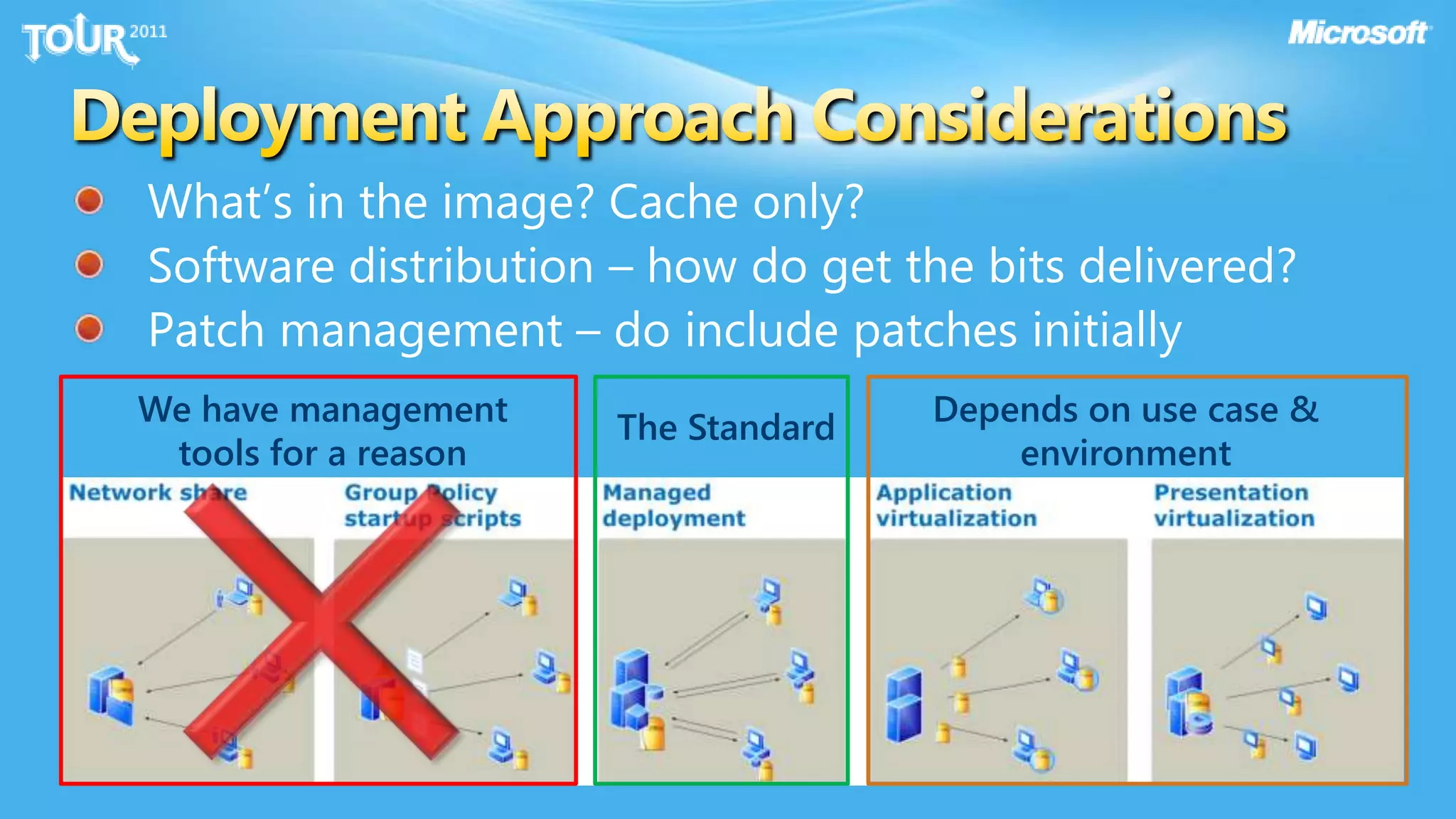
    Deployment Approach ConsiderationsWhat’sin the image? Cache only?Software distribution – how do get the bits delivered?Patch management – do include patches initiallyDepends on use case & environmentWe have management tools for a reasonThe Standard
  • 30.

Editor's Notes

  • #3 Word 2010 can boot about 30 percent faster than Word 2007Excel 2010 can boot almost 25 percent faster than Excel 2007PowerPoint 2010 can boot almost 50 percent faster than PowerPoint 2007Complex Word documents can now be saved up to 45 percent faster. Very large Excel spreadsheets can now be opened up to 21 percent faster.Typical PowerPoint presentations can now be opened up to 62 percent faster.
  • #4 1st Chartrecalculation is now 90 percent faster on Excel 2010 than it was on Excel 2007, and almost 98 percent faster than on Excel 2003. 2nd chart:The above figure shows that the speed at which charts can be drawn in Excel 2010 is around 95 percent faster than in Excel 2007, or in other words drawing a chart takes only about 5 percent as much time in Excel 2010 as it does in Excel 2007. Interestingly, chart drawing performance is only 35 percent faster in Excel 2010 than in Excel 2003, but this is explained by the much greater complexity of chart types and styles available in Excel 2007 and later, which makes it difficult to make a meaningful comparison of chart drawing speeds between Excel 2010 and Excel 2003. 42.58seconds ->0.709667minutes *10Times chart per day *1000Finance employees =7096.667 minutes = 118.2778 hours saved!
  • #12 System ReadinessInventory Office Applications Assess hardware & OS readinessSuggests key upgradesSummary proposal of 2010 readinessFile Readiness Scan & identify potential format deltasIdentify potential macro issues – bulk scanning & analysisMigrate Office files to OpenXML formatsGuide remediation of VBA macrosSolution CompatibilityIdentify interfacing add-ins & interfacesTag known compatible apps
  • #20 Languages – do I bake in all languages – that can get big