PLACEMENT CELL
 In today’s modern, sophisticated and fast world, Online
PLACEMENT CELL have become a medium of communication
among the internet users. On one end it is informative,
convenient and cost effective. ONLINE PLACEMENT CELL
focused on building online communities of people having
shared interests. PLACEMENT CELL have common themes of
providing best jobs , person-to-company interaction and
creation of shared & collaborative content.
Introduction
 A Placement Cell site can be a good way to make
connections with people with similar interests and
goals.
 Facilitates open communication, leading to
enhanced Job Information discovery and delivery
 Build new connection, awareness, and Company
response
 Provides an opportunity to widen business
contacts
Placement Cell Benefits
 Convenient and easy to use
 Placement Cell site provides different categorized
Job Opportunity . It also allow user to upload their
resume.
1. User registration
There are four major section .
 Home section
 New Registration section
 About Us section
 Contact Us section
Online placement Cell Registration
Process
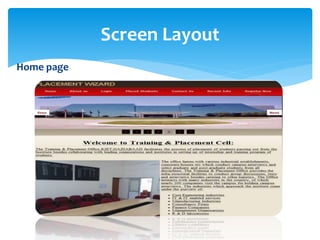
Home section:
In this section, user can view the information of Placement
Portal.
 Take Overview of Different Companies .
 User can Register our self on Website.
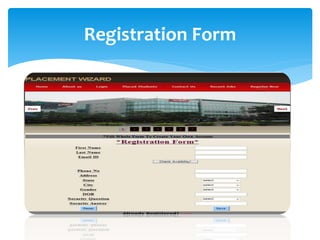
New Registration Section:
 In this section, user can Register our self on the Placement Cell
Portal.
 User can fill our personal detail for making our new account on
the Placement Cell Portal.
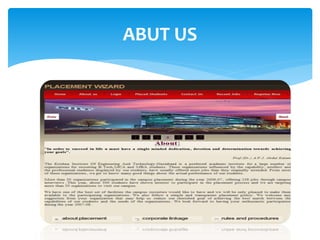
About Us Section:
 In this section user can view the information related to the Our
Placement .
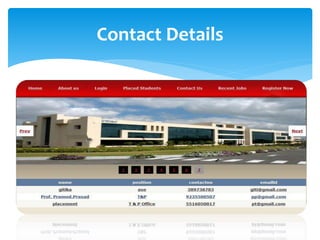
Contact Us Section:
 User can view the information of the Site Person.
 In order to avoid above existing problem we are
design existing system as online Training and
Placement system, so that whatever the information,
TPO has to pass to the student and he or she can
inform online. All the resume send by the student which
can be maintain in the database .It reduce the paper
work and storage area. Save time & work-load for TPC
Staff and students. Easy to access. Avoid fake Entry. Only
Eligible students get chance. Improve accuracy in result.
It has user friendly interface having quick authenticated
access to documents.
PROJECT OBJECTIVE
 Project has a big scope to do. We Students can maintain their
information and can update it. Notifications are sent to
students about the companies. Students can access previous
information about placement. This system has scope of
improvement amendments. In future, sector can
communicate with each other online. All currently active
enquires can also be added in the website to view if
online. This application can be modified from time to
time as per the changing requirement of the user
with lesser cost also the backend of the application can
be changed as per the storage requirement of the
application and to provide more security level features.
The limitation with the application can also be looked
into and enhancement can be made as per user
requirement.
SCOPE AND LIMITATIONS
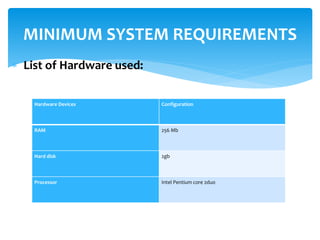
 List of Hardware used:
MINIMUM SYSTEM REQUIREMENTS
Hardware Devices Configuration
RAM 256 Mb
Hard disk 2gb
Processor Intel Pentium core 2duo
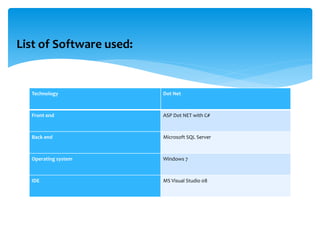
List of Software used:
Technology Dot Net
Front end ASP Dot NET with C#
Back end Microsoft SQL Server
Operating system Windows 7
IDE MS Visual Studio 08
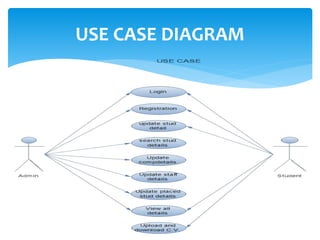
 Use case diagrams are used to visualize, specify, construct, and document
the (intended) behavior of the system, during requirements capture and
analysis.
 A use case is a contract of an interaction between the system and an
actor.
 Provide a way for developers, domain experts and end-users to
communicate.
 Serve as basis for testing.
 Use case diagrams contain use cases, actors, and their relationships Use
case
1. Use cases specify desired behavior.
2. A use case is a description of a set of sequences of actions, including
variants, a system Performs to yield an observable result of value to an
actor.
 3. Each sequence represents an interaction of actors with the system.
USE CASE DIAGRAM
USE CASE DIAGRAM
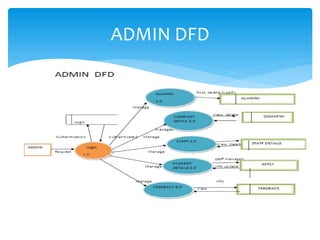
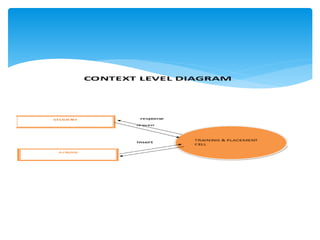
 Data Flow Diagramming is a means of representing a system at
any level of detail with a graphic network of symbols showing
data flows, data stores, data processes, and data
sources/destination.
Data Flow Diagram
ADMIN DFD
Home page
Screen Layout
ABUT US
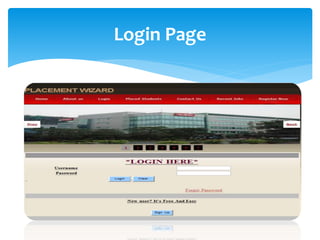
Login Page
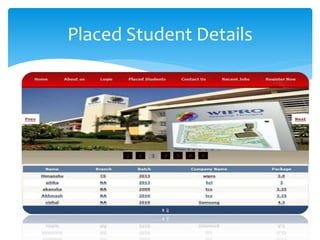
Placed Student Details
Contact Details
Registration Form
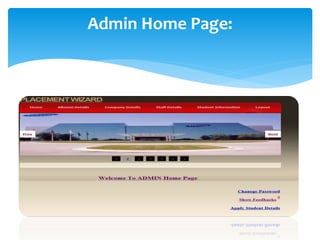
Admin Home Page:
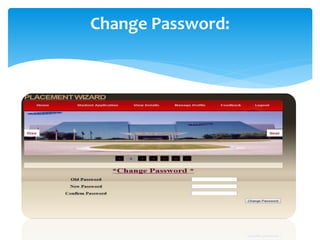
Change Password:
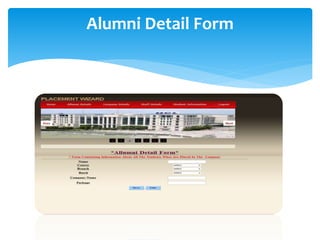
Alumni Detail Form
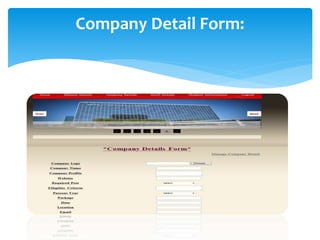
Company Detail Form:
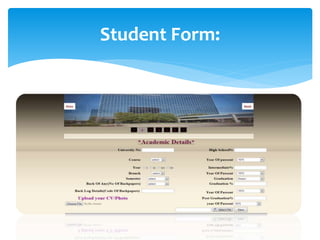
Student Form:
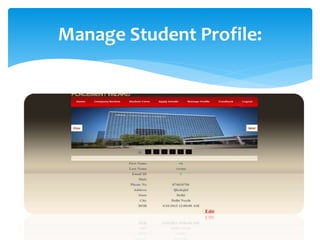
Manage Student Profile:
 We can also send mail to all the students who are
eligible for recruitment.
 The Admit card (hall ticket) can be provided on the
website.
 We can show the overall results of students.
 Student can be notified about the TPO Announcements.
FUTURE EXTENSIONS:
Placement Cell project

Placement Cell project

  • 1.
  • 2.
     In today’smodern, sophisticated and fast world, Online PLACEMENT CELL have become a medium of communication among the internet users. On one end it is informative, convenient and cost effective. ONLINE PLACEMENT CELL focused on building online communities of people having shared interests. PLACEMENT CELL have common themes of providing best jobs , person-to-company interaction and creation of shared & collaborative content. Introduction
  • 3.
     A PlacementCell site can be a good way to make connections with people with similar interests and goals.  Facilitates open communication, leading to enhanced Job Information discovery and delivery  Build new connection, awareness, and Company response  Provides an opportunity to widen business contacts Placement Cell Benefits
  • 4.
     Convenient andeasy to use  Placement Cell site provides different categorized Job Opportunity . It also allow user to upload their resume.
  • 5.
    1. User registration Thereare four major section .  Home section  New Registration section  About Us section  Contact Us section Online placement Cell Registration Process
  • 6.
    Home section: In thissection, user can view the information of Placement Portal.  Take Overview of Different Companies .  User can Register our self on Website. New Registration Section:  In this section, user can Register our self on the Placement Cell Portal.  User can fill our personal detail for making our new account on the Placement Cell Portal.
  • 7.
    About Us Section: In this section user can view the information related to the Our Placement . Contact Us Section:  User can view the information of the Site Person.
  • 8.
     In orderto avoid above existing problem we are design existing system as online Training and Placement system, so that whatever the information, TPO has to pass to the student and he or she can inform online. All the resume send by the student which can be maintain in the database .It reduce the paper work and storage area. Save time & work-load for TPC Staff and students. Easy to access. Avoid fake Entry. Only Eligible students get chance. Improve accuracy in result. It has user friendly interface having quick authenticated access to documents. PROJECT OBJECTIVE
  • 9.
     Project hasa big scope to do. We Students can maintain their information and can update it. Notifications are sent to students about the companies. Students can access previous information about placement. This system has scope of improvement amendments. In future, sector can communicate with each other online. All currently active enquires can also be added in the website to view if online. This application can be modified from time to time as per the changing requirement of the user with lesser cost also the backend of the application can be changed as per the storage requirement of the application and to provide more security level features. The limitation with the application can also be looked into and enhancement can be made as per user requirement. SCOPE AND LIMITATIONS
  • 10.
     List ofHardware used: MINIMUM SYSTEM REQUIREMENTS Hardware Devices Configuration RAM 256 Mb Hard disk 2gb Processor Intel Pentium core 2duo
  • 11.
    List of Softwareused: Technology Dot Net Front end ASP Dot NET with C# Back end Microsoft SQL Server Operating system Windows 7 IDE MS Visual Studio 08
  • 12.
     Use casediagrams are used to visualize, specify, construct, and document the (intended) behavior of the system, during requirements capture and analysis.  A use case is a contract of an interaction between the system and an actor.  Provide a way for developers, domain experts and end-users to communicate.  Serve as basis for testing.  Use case diagrams contain use cases, actors, and their relationships Use case 1. Use cases specify desired behavior. 2. A use case is a description of a set of sequences of actions, including variants, a system Performs to yield an observable result of value to an actor.  3. Each sequence represents an interaction of actors with the system. USE CASE DIAGRAM
  • 13.
  • 14.
     Data FlowDiagramming is a means of representing a system at any level of detail with a graphic network of symbols showing data flows, data stores, data processes, and data sources/destination. Data Flow Diagram
  • 15.
  • 17.
  • 18.
  • 19.
  • 20.
  • 21.
  • 22.
  • 23.
  • 24.
  • 25.
  • 26.
  • 27.
  • 28.
  • 29.
     We canalso send mail to all the students who are eligible for recruitment.  The Admit card (hall ticket) can be provided on the website.  We can show the overall results of students.  Student can be notified about the TPO Announcements. FUTURE EXTENSIONS: