Science

cookie.com
The purpose of having this tool by
      the creator of the tool
1. Help children to build the skills needed
   for success in school
2. While playing, these fun educational
   games, children learn to read with
   phonics, build skills in math, language,
   social studies, science and many more.
3. This website educational video
   encourage children to keep on learning
   even though is after school hours.
Educational values on the tool
1. This software can be used in the
   classroom whereby there are large
   numbers of children.
2. This is the most time efficient to teach
   children and to share knowledge to the
   children.
3. Children will benefit because everyone
   will be the same thing at the same time.
Educational values on the tool
4. This software children will master their
   learning in their own pace.
Educational values on the tool
• Boring and not interesting for the children
• This website also will give the children the
  lack of “deeper – understanding” and the
  hands – on learning as well
• In addition to that, there is no application
  in the real life of the children because the
  children rarely make a relation of why
  these things are important to the children
  daily living
Usage of the tool in classroom or at
               home
• Article regarding families with problem,
  environment, and encourage children to
  have fun in math.
• Useful for parents to prepare their children
  for kindergarten or just some additional
  activities that the children can do after
  their kindergarten.
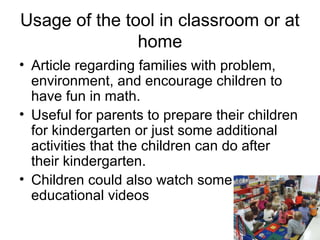
• Children could also watch some
  educational videos
Suitability for young children
• Suitable for children between ages 3 to 7.
• For kindergarten going children, can enjoy
  some simple games, crafts and
  worksheets, while the older children can
  enjoy a challenging games, crafts and
  worksheets as well.
Pedagogical approaches
• Reinforced in a way of repetition, instructional
  cues, drill and practice processes strengthens
  the exhibition of desired behaviour.
• The child will only focus on one clear goal, to get
  the correct answer and the child behaviour will
  respond towards the goal that has been set.
• Teacher will know the child weakness and
  strengthens are.
Pedagogical approaches
• The games in the games section gives the child chance
  to compete with other players to beat each other high
  scores.
• This area has some constructivism. It no longer teacher
  led but student led has the child is urged to be actively
  involved in their own process learning.
• The child has a prior knowledge of the subjects that have
  been learned might help or hurt the construction
  meaning.
• The child experience can be their past experiences,
  culture and their environment, sometimes the teacher or
  the parent need to spend time to correct the child's prior
  knowledge before the new learning can occur.
Curriculum focus area(s)
1.    Wild animals
2.    Farm animals
3.    Transportation
4.    The five senses
5.    Seasons
6.    Animal maze
7.    Butterfly life cycle
8.    Grow plant
9.    Jigsaw safari
10.   Animal quiz
Pros and cons of the tool
• Easy to navigate around
• The games, activities, worksheets, videos,
  stories, preschool, arts and crafts and blog icons
  are neatly arranged at the top and categorized it
  so that it is easy for children to look for it.
• The icons mention above are also categorize by
  age groups so children can select the age group
  of their choice and play the games, do the
  worksheets, watch some videos, read some
  stories and do some arts and crafts.
Pros and cons about the tool
• This website has no advertisement at all
• The website layout is simple and
  attractive, pleasing to the eyes not so
  complicated design
• Takes a while to load the game as there
  are many graphics, sound, and animation
  to load.
Pros and cons about the tool
• More like the drill and practice games.
• The latest edition of the Adobe Flash Player
  (11.3) can't support this website as it will
  constantly crash. What the parents or the
  teacher could do is to download a lower version
  of the Adobe Flash Player (10.1).
• The bottom right corner of the website page has
  a leader board section. This is not really
  encouraged because the children will be
  addicted to the game just so to beat the high
  score of the other player.

Science yct 137 grp presentation

  • 1.
  • 2.
    The purpose ofhaving this tool by the creator of the tool 1. Help children to build the skills needed for success in school 2. While playing, these fun educational games, children learn to read with phonics, build skills in math, language, social studies, science and many more. 3. This website educational video encourage children to keep on learning even though is after school hours.
  • 3.
    Educational values onthe tool 1. This software can be used in the classroom whereby there are large numbers of children. 2. This is the most time efficient to teach children and to share knowledge to the children. 3. Children will benefit because everyone will be the same thing at the same time.
  • 4.
    Educational values onthe tool 4. This software children will master their learning in their own pace.
  • 5.
    Educational values onthe tool • Boring and not interesting for the children • This website also will give the children the lack of “deeper – understanding” and the hands – on learning as well • In addition to that, there is no application in the real life of the children because the children rarely make a relation of why these things are important to the children daily living
  • 6.
    Usage of thetool in classroom or at home • Article regarding families with problem, environment, and encourage children to have fun in math. • Useful for parents to prepare their children for kindergarten or just some additional activities that the children can do after their kindergarten. • Children could also watch some educational videos
  • 7.
    Suitability for youngchildren • Suitable for children between ages 3 to 7. • For kindergarten going children, can enjoy some simple games, crafts and worksheets, while the older children can enjoy a challenging games, crafts and worksheets as well.
  • 8.
    Pedagogical approaches • Reinforcedin a way of repetition, instructional cues, drill and practice processes strengthens the exhibition of desired behaviour. • The child will only focus on one clear goal, to get the correct answer and the child behaviour will respond towards the goal that has been set. • Teacher will know the child weakness and strengthens are.
  • 9.
    Pedagogical approaches • Thegames in the games section gives the child chance to compete with other players to beat each other high scores. • This area has some constructivism. It no longer teacher led but student led has the child is urged to be actively involved in their own process learning. • The child has a prior knowledge of the subjects that have been learned might help or hurt the construction meaning. • The child experience can be their past experiences, culture and their environment, sometimes the teacher or the parent need to spend time to correct the child's prior knowledge before the new learning can occur.
  • 10.
    Curriculum focus area(s) 1. Wild animals 2. Farm animals 3. Transportation 4. The five senses 5. Seasons 6. Animal maze 7. Butterfly life cycle 8. Grow plant 9. Jigsaw safari 10. Animal quiz
  • 11.
    Pros and consof the tool • Easy to navigate around • The games, activities, worksheets, videos, stories, preschool, arts and crafts and blog icons are neatly arranged at the top and categorized it so that it is easy for children to look for it. • The icons mention above are also categorize by age groups so children can select the age group of their choice and play the games, do the worksheets, watch some videos, read some stories and do some arts and crafts.
  • 12.
    Pros and consabout the tool • This website has no advertisement at all • The website layout is simple and attractive, pleasing to the eyes not so complicated design • Takes a while to load the game as there are many graphics, sound, and animation to load.
  • 13.
    Pros and consabout the tool • More like the drill and practice games. • The latest edition of the Adobe Flash Player (11.3) can't support this website as it will constantly crash. What the parents or the teacher could do is to download a lower version of the Adobe Flash Player (10.1). • The bottom right corner of the website page has a leader board section. This is not really encouraged because the children will be addicted to the game just so to beat the high score of the other player.