Integrate at Lightning Speed with
Salesforce Connect!
Phoenix Developer User Group
February 15, 2017
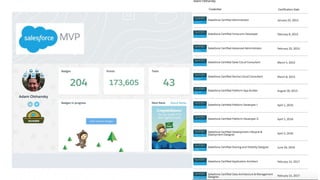
Adam Olshansky
Salesforce Developer at YouTube,
Salesforce MVP, 13X Certified
@adam17amo
AdamToArchitect.com
Overview
● Salesforce Connect empowers Admins to Integrate
● Setup and Demo
● Considerations & Road Map
Salesforce Connect empowers
Admins
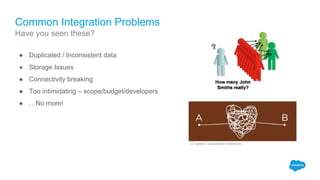
Common Integration Problems
● Duplicated / Inconsistent data
● Storage Issues
● Connectivity breaking
● Too intimidating – scope/budget/developers
● …No more!
Have you seen these?
The Point:
Allows anyone to integrate
Salesforce with other systems…
without a line of code!!!
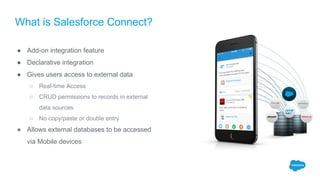
What is Salesforce Connect?
● Add-on integration feature
● Declarative integration
● Gives users access to external data
○ Real-time Access
○ CRUD permissions to records in external
data sources
○ No copy/paste or double entry
● Allows external databases to be accessed
via Mobile devices
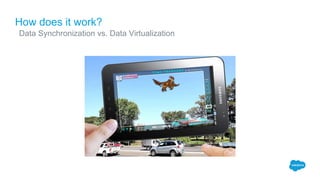
How does it work?
Data Synchronization vs. Data Virtualization
​ ​
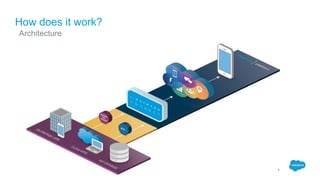
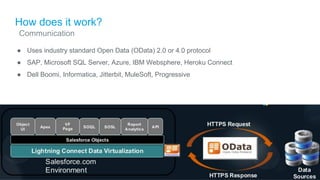
How does it work?
Architecture
​ ​
How does it work?
● Uses industry standard Open Data (OData) 2.0 or 4.0 protocol
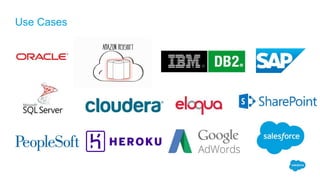
● SAP, Microsoft SQL Server, Azure, IBM Websphere, Heroku Connect
● Dell Boomi, Informatica, Jitterbit, MuleSoft, Progressive
Communication
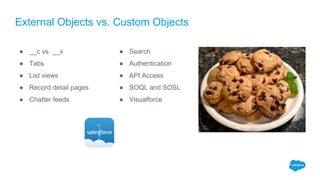
External Objects vs. Custom Objects
● __c vs. __x
● Tabs
● List views
● Record detail pages
● Chatter feeds
● Search
● Authentication
● API Access
● SOQL and SOSL
● Visualforce
Security Considerations
● Authentication Options
○ Named Principal
○ Per user (based on source)
● Record Level Security based on source
○ Salesforce sharing rules unavailable
● Still need to grant users object- and field-level access to the
Salesforce External Objects
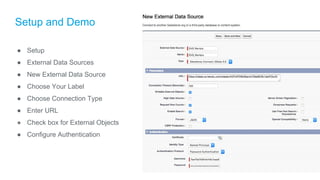
Setup and Demo
Setup and Demo
● Setup
● External Data Sources
● New External Data Source
● Choose Your Label
● Choose Connection Type
● Enter URL
● Check box for External Objects
● Configure Authentication
What You Just Saw
● Created a successful connection
● Added 2 external objects
● Displayed and manipulated external data in Salesforce in real time
● Created and modified data in an external system FROM Salesforce
● Created a report on the external data
● No code required!
New Lookup Options
External Lookup
● Links any Salesforce object to an external object
● Field on a Salesforce object corresponds to external ID field (not standard ID field) on an external object
Indirect Lookup
● Links an external object to any Salesforce object
● Field on an external object corresponds to external ID field (not standard ID field) on a Salesforce object
DEMO #2!
What You Just Saw
● Linked Payments external object to external Customers object via External Lookup
Relationship
● Linked external Customers object to standard Account object via Indirect Lookup Relationship
○ External ID field on Account needed first (Store ID)
● Was able to edit page layouts like any normal object
● Minimal difference between objects not in Salesforce and normal custom objects
● No code required!
Considerations
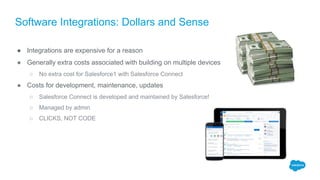
Software Integrations: Dollars and Sense
● Integrations are expensive for a reason
● Generally extra costs associated with building on multiple devices
○ No extra cost for Salesforce1 with Salesforce Connect
● Costs for development, maintenance, updates
○ Salesforce Connect is developed and maintained by Salesforce!
○ Managed by admin
○ CLICKS, NOT CODE
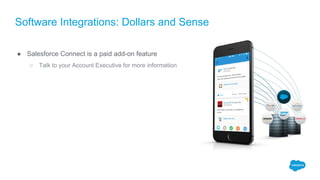
Software Integrations: Dollars and Sense
● Salesforce Connect is a paid add-on feature
○ Talk to your Account Executive for more information
Use Cases
Extending the Capabilities
Custom Adapters
● For connections other than OData
● Open to sources other than OData
● Source needs an API
● Developers can program custom adapters
● Apex Connector Framework
● Admins manage the connection
Salesforce Cross-Org Adapter
● Connect to another Salesforce org
● Data virtualization
○ Salesforce to Salesforce is a classic sync,
data sharing
Limitations (for now)
● 200 external object limit
● Approval processes
● Validation rules
● Workflow rules
● Record types
● Triggers
● Formula fields
● Picklists
Summary
Summary
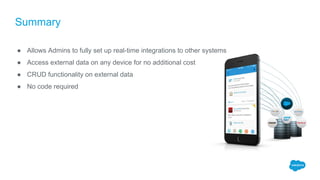
● Allows Admins to fully set up real-time integrations to other systems
● Access external data on any device for no additional cost
● CRUD functionality on external data
● No code required
​
Awesome! How do I get started???
● Do the Trailhead modules on Salesforce Connect!
● Do a Proof of Concept for your Decision Makers
○ Connect a Developer Org to one of your business end points
● Join the Official Success Group on the Success Community to learn more
○ bit.ly/sfconnectchatter (SF Connect Chatter)
Thank Y u

Phx User Group Salesforce Connect

  • 1.
    Integrate at LightningSpeed with Salesforce Connect! Phoenix Developer User Group February 15, 2017
  • 2.
    Adam Olshansky Salesforce Developerat YouTube, Salesforce MVP, 13X Certified @adam17amo AdamToArchitect.com
  • 4.
    Overview ● Salesforce Connectempowers Admins to Integrate ● Setup and Demo ● Considerations & Road Map
  • 5.
  • 6.
    Common Integration Problems ●Duplicated / Inconsistent data ● Storage Issues ● Connectivity breaking ● Too intimidating – scope/budget/developers ● …No more! Have you seen these?
  • 7.
    The Point: Allows anyoneto integrate Salesforce with other systems… without a line of code!!!
  • 8.
    What is SalesforceConnect? ● Add-on integration feature ● Declarative integration ● Gives users access to external data ○ Real-time Access ○ CRUD permissions to records in external data sources ○ No copy/paste or double entry ● Allows external databases to be accessed via Mobile devices
  • 9.
    How does itwork? Data Synchronization vs. Data Virtualization ​ ​
  • 10.
    How does itwork? Architecture ​ ​
  • 11.
    How does itwork? ● Uses industry standard Open Data (OData) 2.0 or 4.0 protocol ● SAP, Microsoft SQL Server, Azure, IBM Websphere, Heroku Connect ● Dell Boomi, Informatica, Jitterbit, MuleSoft, Progressive Communication
  • 12.
    External Objects vs.Custom Objects ● __c vs. __x ● Tabs ● List views ● Record detail pages ● Chatter feeds ● Search ● Authentication ● API Access ● SOQL and SOSL ● Visualforce
  • 13.
    Security Considerations ● AuthenticationOptions ○ Named Principal ○ Per user (based on source) ● Record Level Security based on source ○ Salesforce sharing rules unavailable ● Still need to grant users object- and field-level access to the Salesforce External Objects
  • 14.
  • 15.
    Setup and Demo ●Setup ● External Data Sources ● New External Data Source ● Choose Your Label ● Choose Connection Type ● Enter URL ● Check box for External Objects ● Configure Authentication
  • 16.
    What You JustSaw ● Created a successful connection ● Added 2 external objects ● Displayed and manipulated external data in Salesforce in real time ● Created and modified data in an external system FROM Salesforce ● Created a report on the external data ● No code required!
  • 17.
    New Lookup Options ExternalLookup ● Links any Salesforce object to an external object ● Field on a Salesforce object corresponds to external ID field (not standard ID field) on an external object Indirect Lookup ● Links an external object to any Salesforce object ● Field on an external object corresponds to external ID field (not standard ID field) on a Salesforce object DEMO #2!
  • 18.
    What You JustSaw ● Linked Payments external object to external Customers object via External Lookup Relationship ● Linked external Customers object to standard Account object via Indirect Lookup Relationship ○ External ID field on Account needed first (Store ID) ● Was able to edit page layouts like any normal object ● Minimal difference between objects not in Salesforce and normal custom objects ● No code required!
  • 19.
  • 20.
    Software Integrations: Dollarsand Sense ● Integrations are expensive for a reason ● Generally extra costs associated with building on multiple devices ○ No extra cost for Salesforce1 with Salesforce Connect ● Costs for development, maintenance, updates ○ Salesforce Connect is developed and maintained by Salesforce! ○ Managed by admin ○ CLICKS, NOT CODE
  • 21.
    Software Integrations: Dollarsand Sense ● Salesforce Connect is a paid add-on feature ○ Talk to your Account Executive for more information
  • 22.
  • 23.
    Extending the Capabilities CustomAdapters ● For connections other than OData ● Open to sources other than OData ● Source needs an API ● Developers can program custom adapters ● Apex Connector Framework ● Admins manage the connection Salesforce Cross-Org Adapter ● Connect to another Salesforce org ● Data virtualization ○ Salesforce to Salesforce is a classic sync, data sharing
  • 24.
    Limitations (for now) ●200 external object limit ● Approval processes ● Validation rules ● Workflow rules ● Record types ● Triggers ● Formula fields ● Picklists
  • 25.
  • 26.
    Summary ● Allows Adminsto fully set up real-time integrations to other systems ● Access external data on any device for no additional cost ● CRUD functionality on external data ● No code required ​
  • 27.
    Awesome! How doI get started??? ● Do the Trailhead modules on Salesforce Connect! ● Do a Proof of Concept for your Decision Makers ○ Connect a Developer Org to one of your business end points ● Join the Official Success Group on the Success Community to learn more ○ bit.ly/sfconnectchatter (SF Connect Chatter)
  • 28.