PHARO IOT
Using Pharo to playing with GPIOs and sensors on
IoT devices remotely
HELLO!
Marcus Denker
CR1 Inria (tenured researcher)
marcus.denker@inria.fr
Allex Oliveira
IoT Engineer
allex.oliveira@msn.com
SUMMARY
1 – OVERVIEW
2 – INSTALLATION
3 – PLAYING
4 – PERSONAL WEATHER STATION
5 – THE FUTURE
1 - OVERVIEW
• Created by Rmod Team, a research team
from INRIA (France)
• Written by Denis Kudriashov in 2016/17
dionisiydk@gmail.com
• In 2018, Allex Oliveira joined the Rmod Team
to continue the project 
1 - OVERVIEW
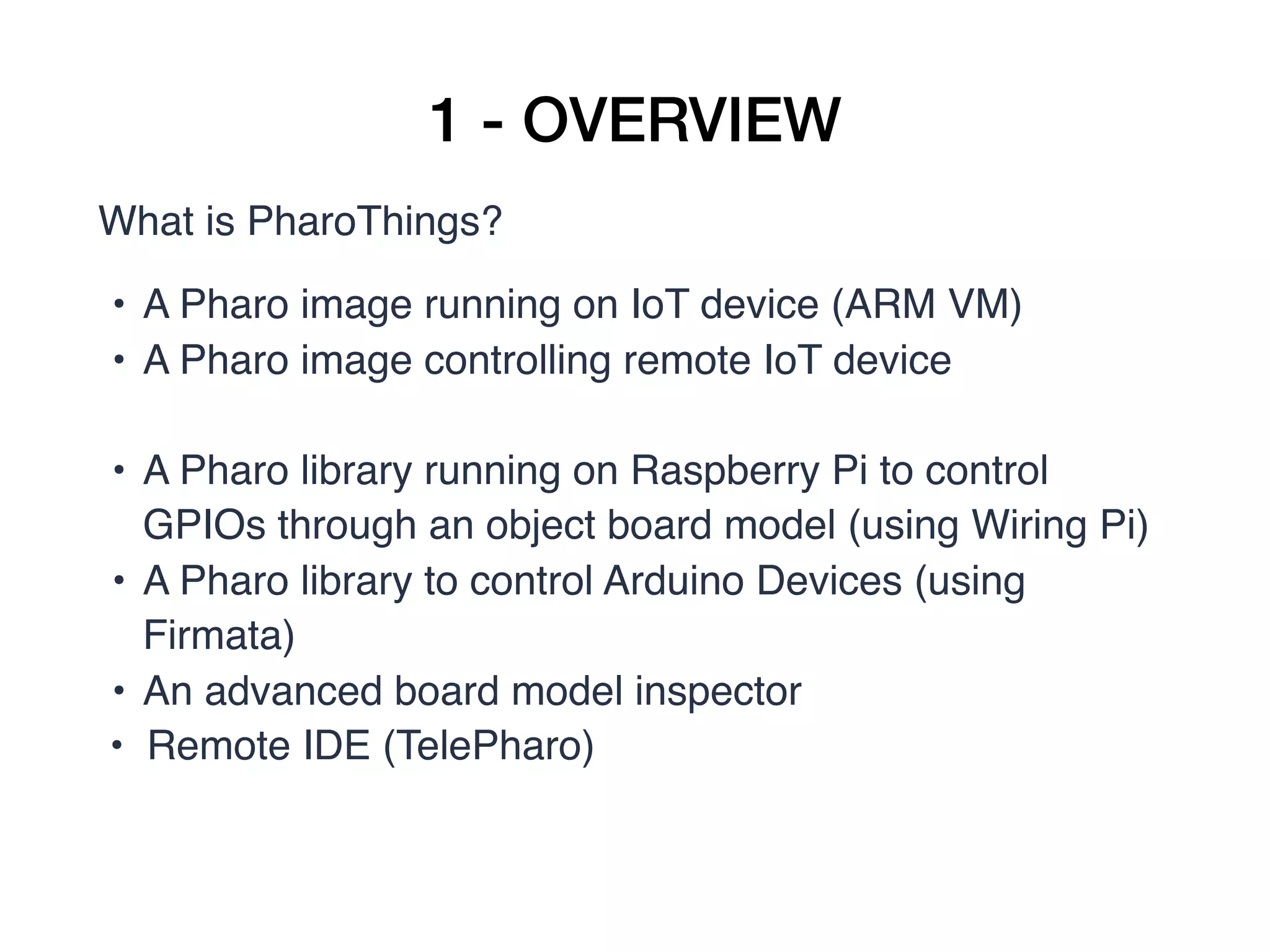
What is PharoThings?
• A Pharo image running on IoT device (ARM VM)
• A Pharo image controlling remote IoT device
• A Pharo library running on Raspberry Pi to control
GPIOs through an object board model (using Wiring Pi) 
• A Pharo library to control Arduino Devices (using
Firmata)
• An advanced board model inspector
• Remote IDE (TelePharo)
1 - OVERVIEW
1 - OVERVIEW
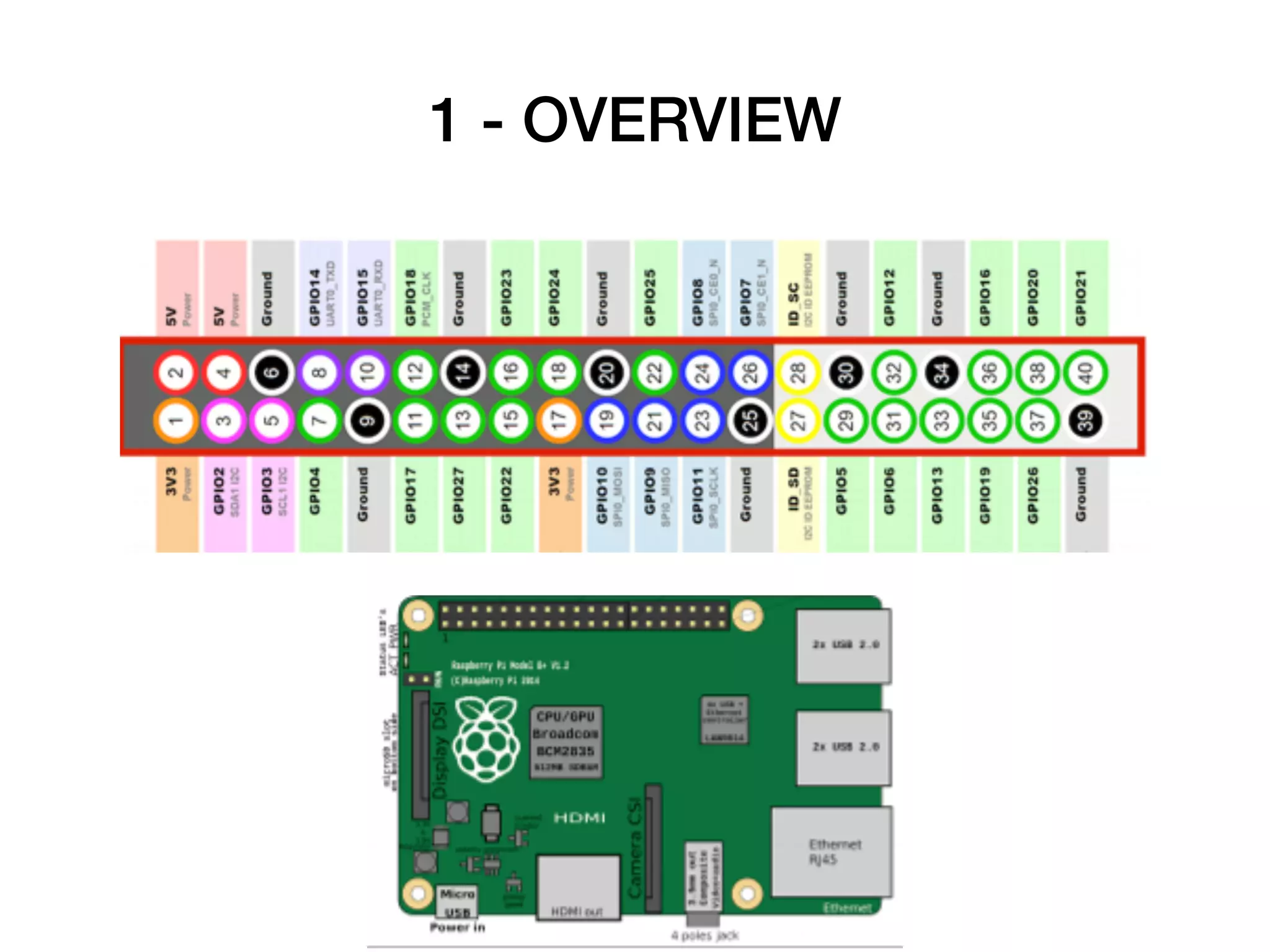
• GPIO pins (general-purpose input/output), I2C,
SPI
• Board modelling library which simplifies board
configuration
• Raspberry Pi only (for now) 
1 - OVERVIEW
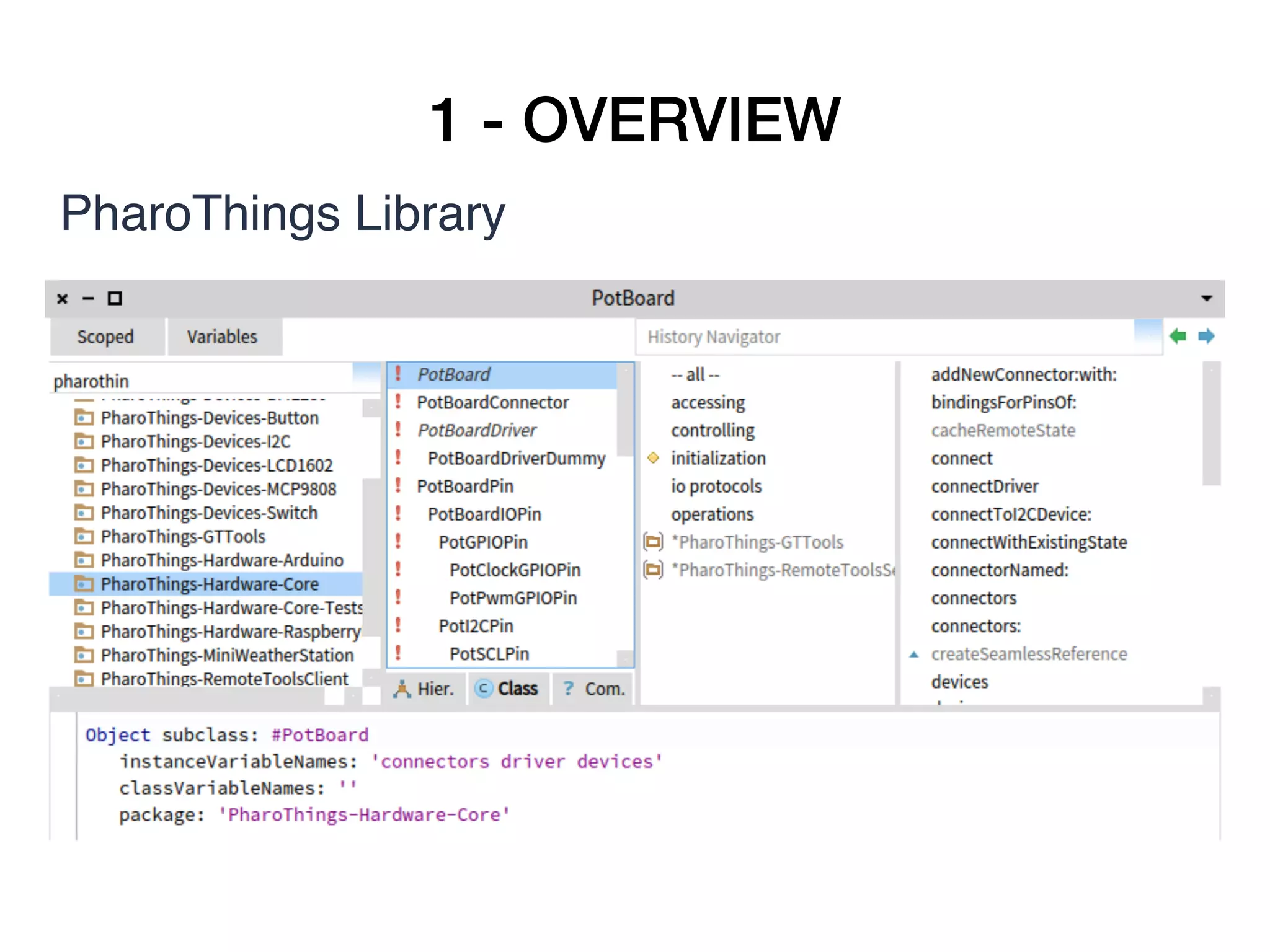
PharoThings Library
1 - OVERVIEW
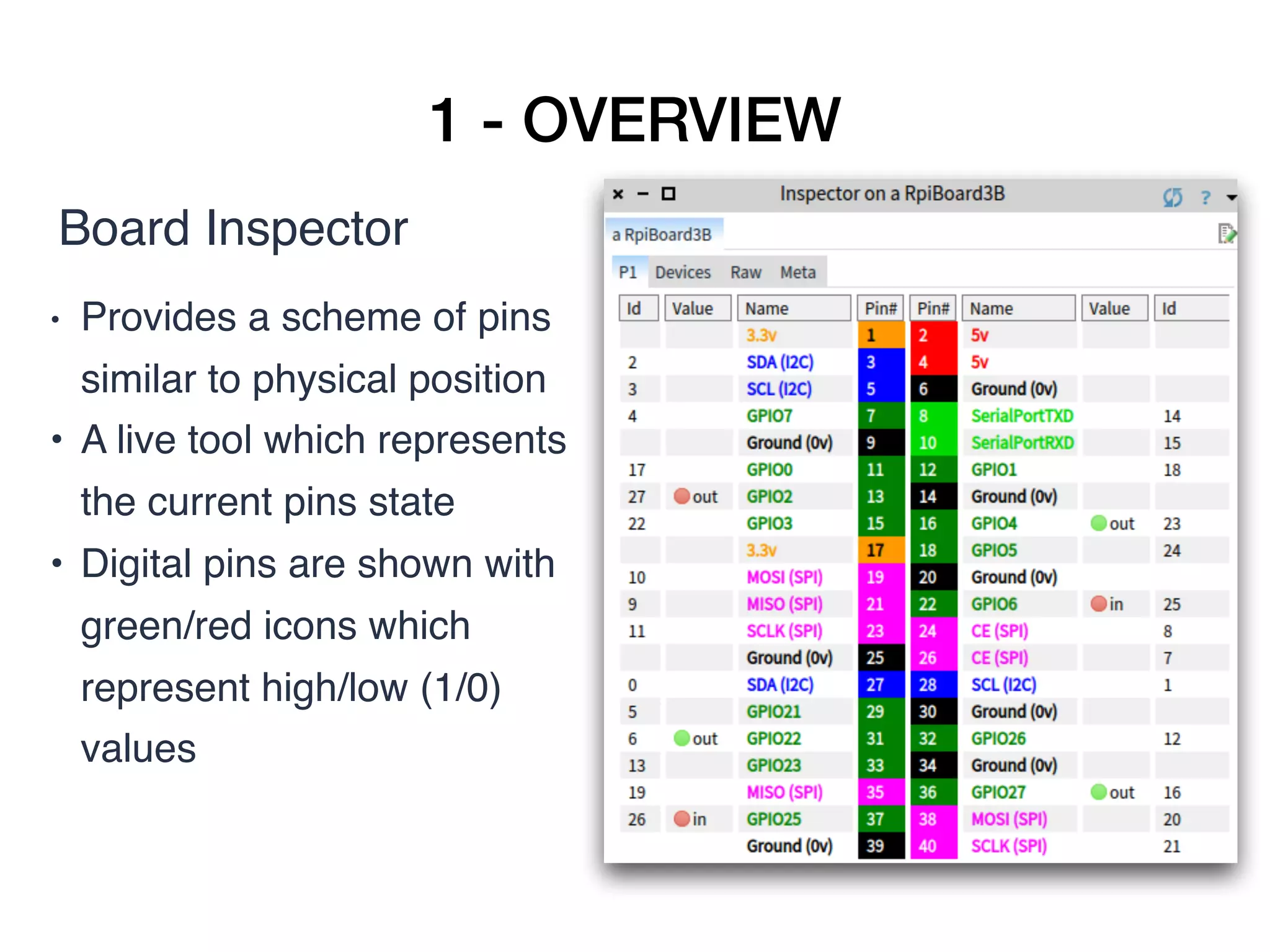
Board Inspector
• Provides a scheme of pins
similar to physical position
• A live tool which represents
the current pins state
• Digital pins are shown with
green/red icons which
represent high/low (1/0)
values
1 - OVERVIEW
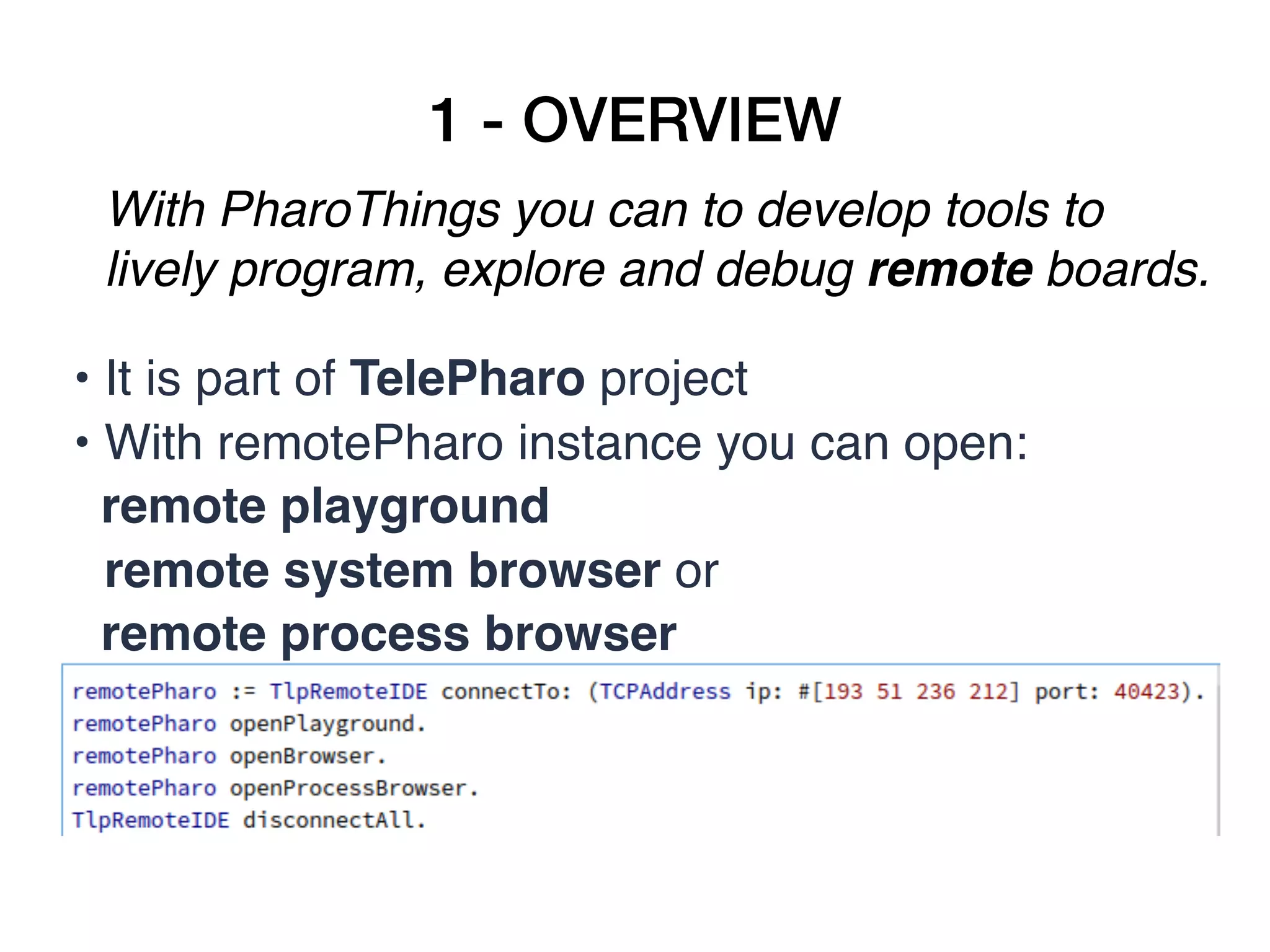
With PharoThings you can to develop tools to
lively program, explore and debug remote boards.
• It is part of TelePharo project
• With remotePharo instance you can open:
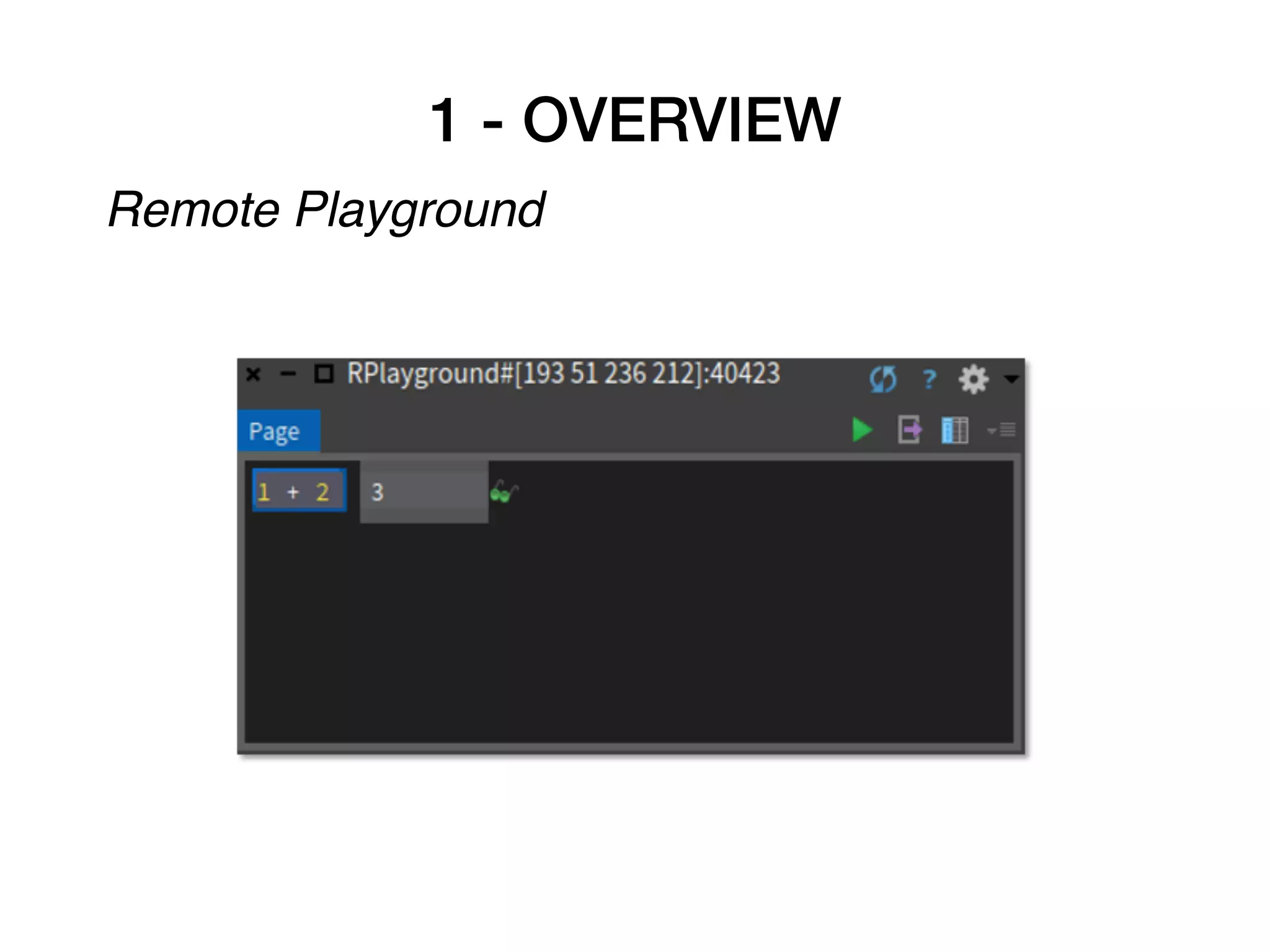
remote playground 

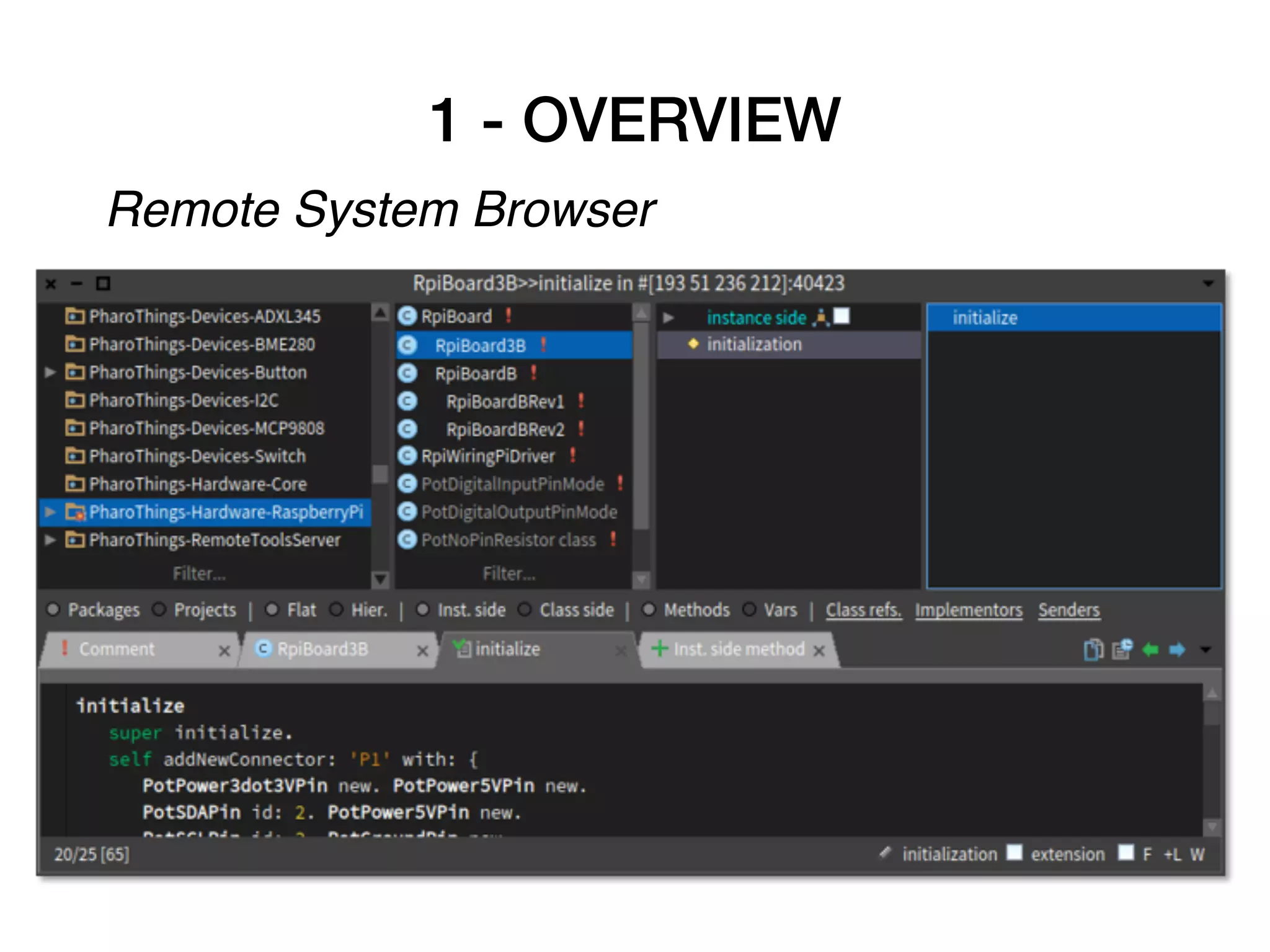
remote system browser or
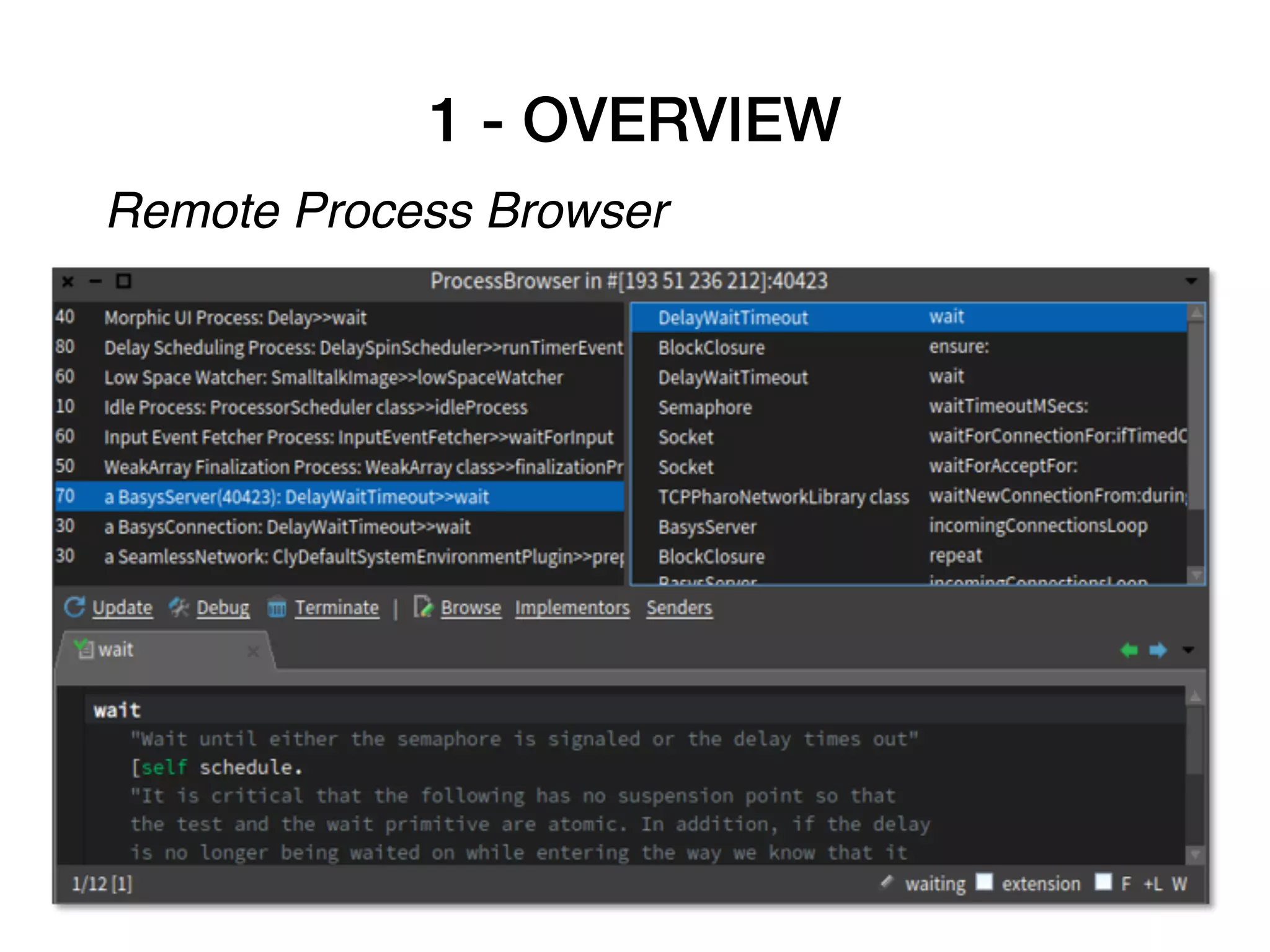
remote process browser
1 - OVERVIEW
Remote Playground
1 - OVERVIEW
Remote System Browser
1 - OVERVIEW
Remote Process Browser
2 - INSTALLATION
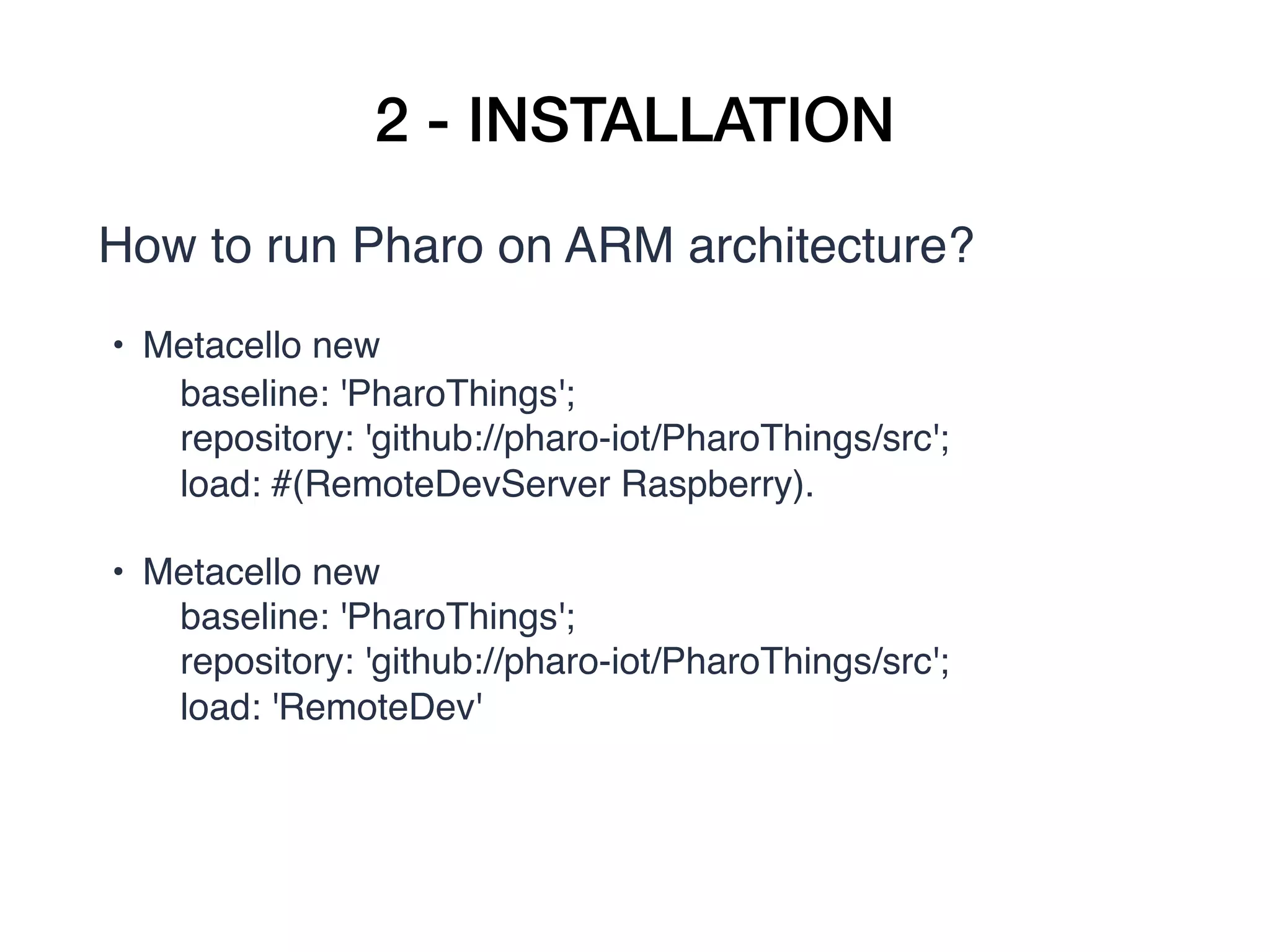
How to run Pharo on ARM architecture?
• Metacello new
       baseline: 'PharoThings';
       repository: 'github://pharo-iot/PharoThings/src';
       load: #(RemoteDevServer Raspberry).
• Metacello new
       baseline: 'PharoThings';
       repository: 'github://pharo-iot/PharoThings/src';
       load: 'RemoteDev'
2 - INSTALLATION
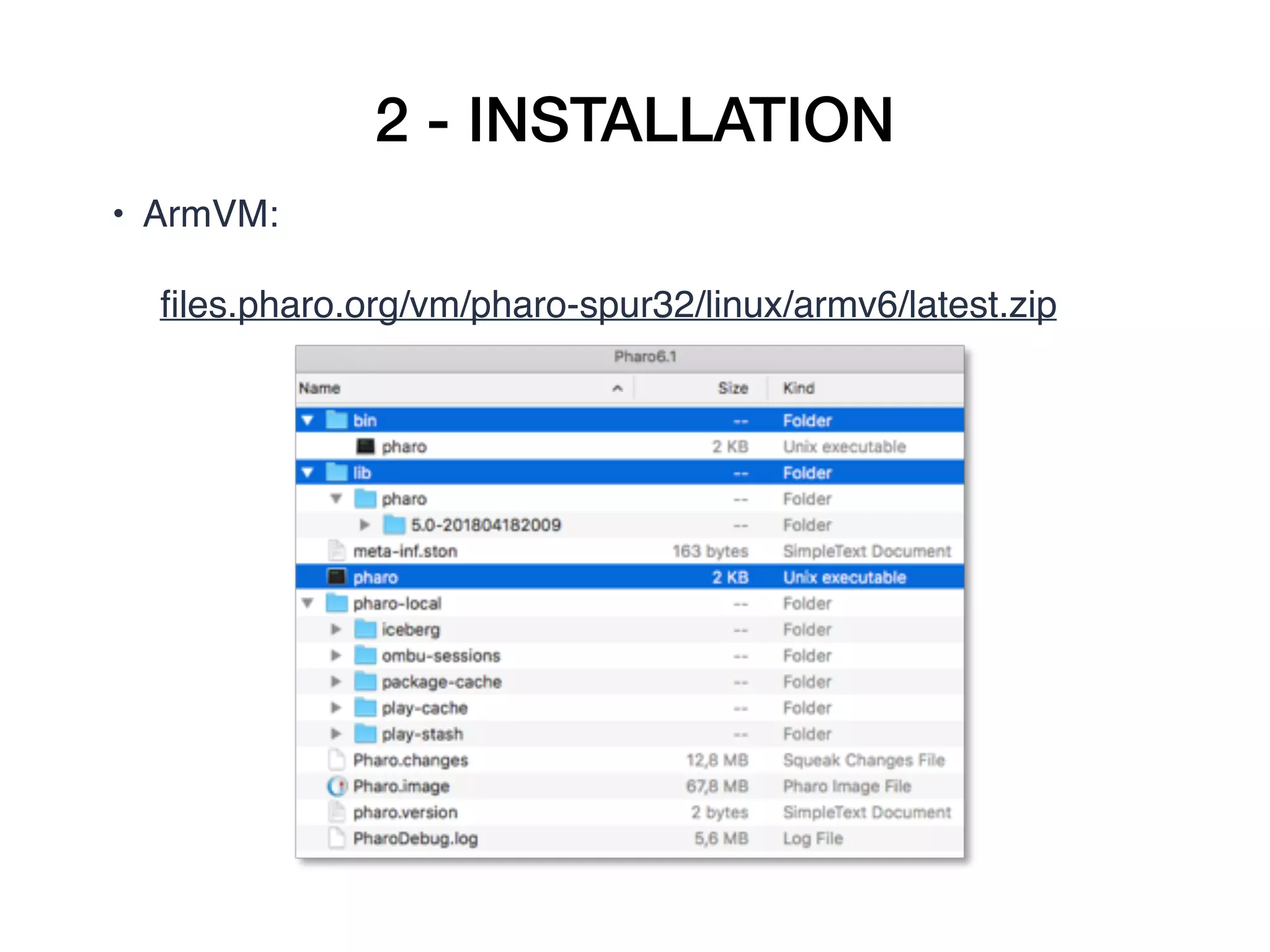
• ArmVM:  

     files.pharo.org/vm/pharo-spur32/linux/armv6/latest.zip
2 - INSTALLATION
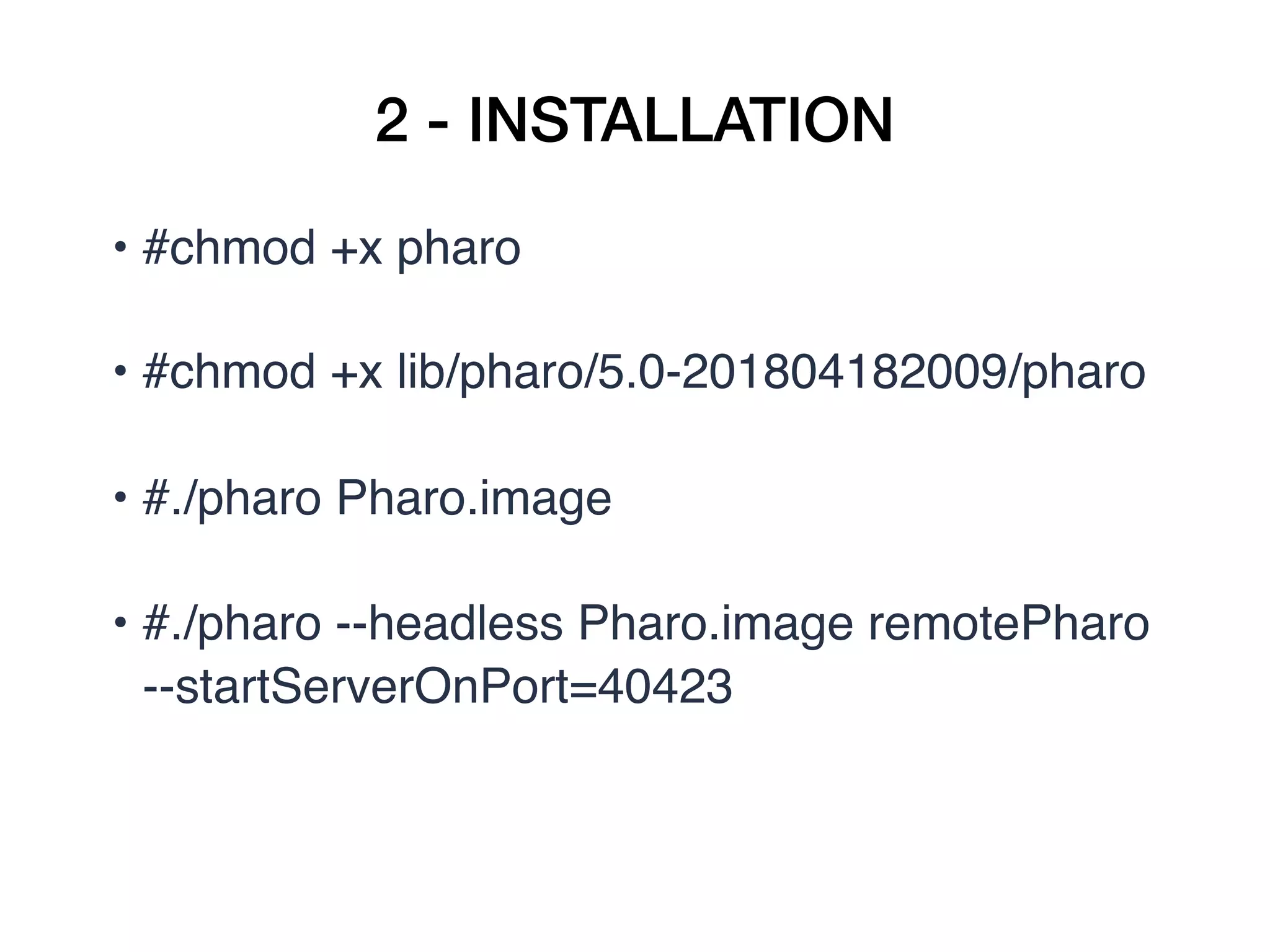
• #chmod +x pharo
• #chmod +x lib/pharo/5.0-201804182009/pharo
• #./pharo Pharo.image
• #./pharo --headless Pharo.image remotePharo 
--startServerOnPort=40423
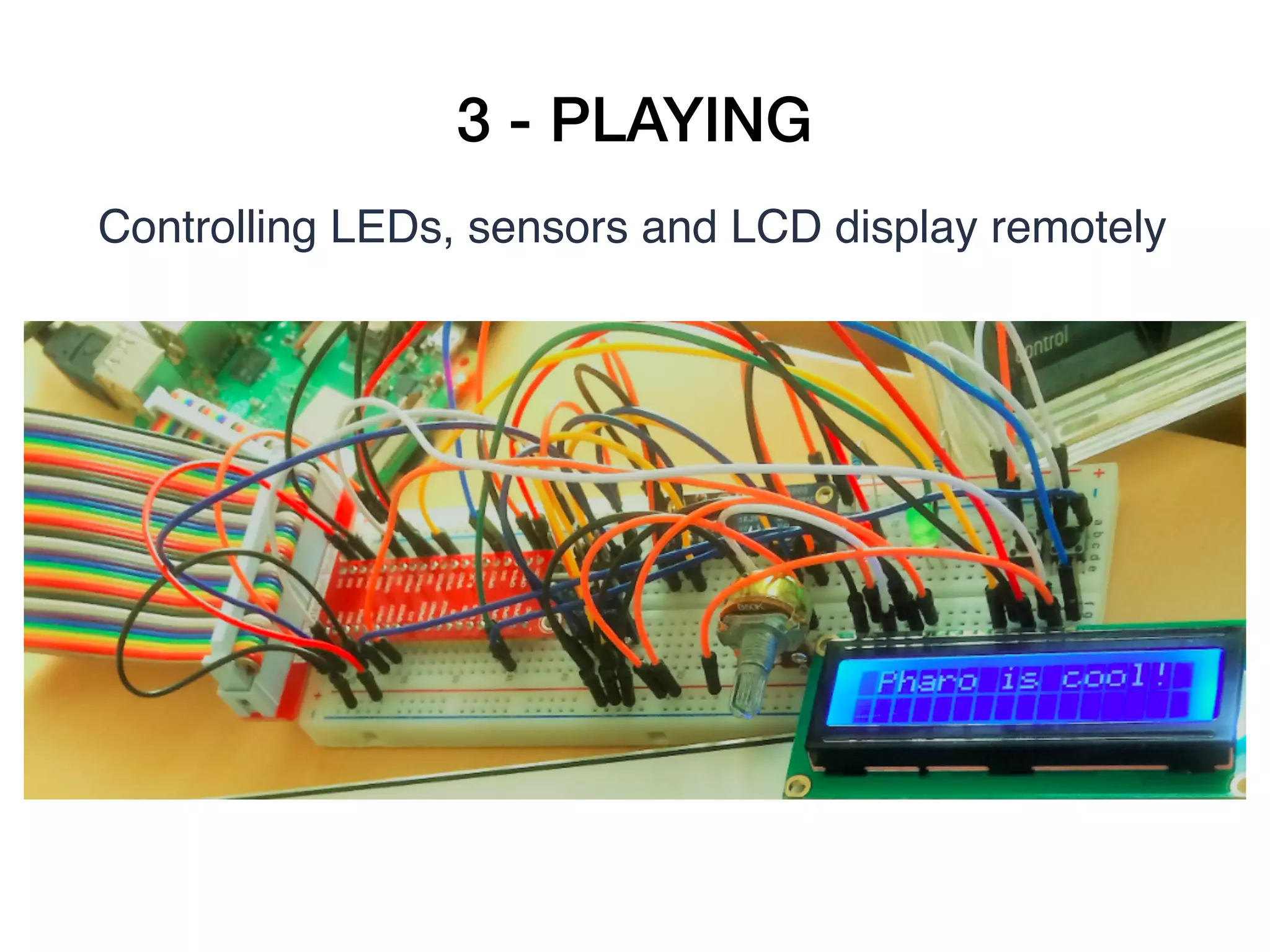
3 - PLAYING
Controlling LEDs, sensors and LCD display remotely
3 - PLAYING
Playing with LEDs and Buttons
• 1 Raspberry Pi (any model) connected to your
network (wired or wireless)
• 1 Breadboard
• 2 LEDs
• 2 Buttons
• 2 Resistors (330ohms)
• Jumper wires
3 - PLAYING
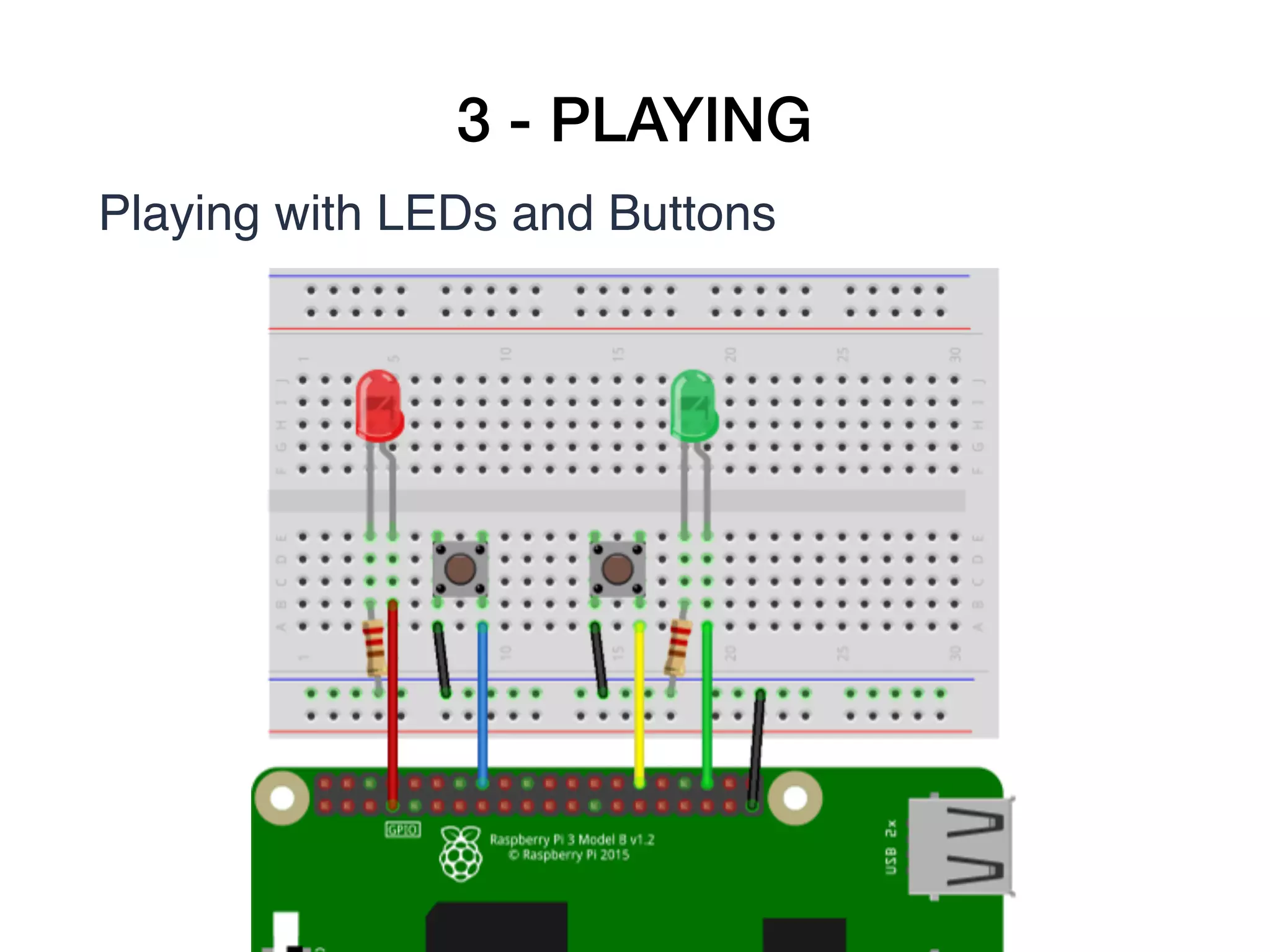
Playing with LEDs and Buttons
3 - PLAYING
Playing with LEDs and Buttons

ledRed := gpio22.
ledRed beDigitalOutput.
ledRed value: 1.
ledRed toggleDigitalValue.

buttonRed := gpio25.
buttonRed beDigitalInput.
buttonRed enablePullUpResister.
buttonProcess := [ [100 milliSeconds wait. 

ledRed value: (buttonRed value=0) asBit

] repeat 

] forkNamed: 'button process'.
buttonProcess terminate.
3 - PLAYING
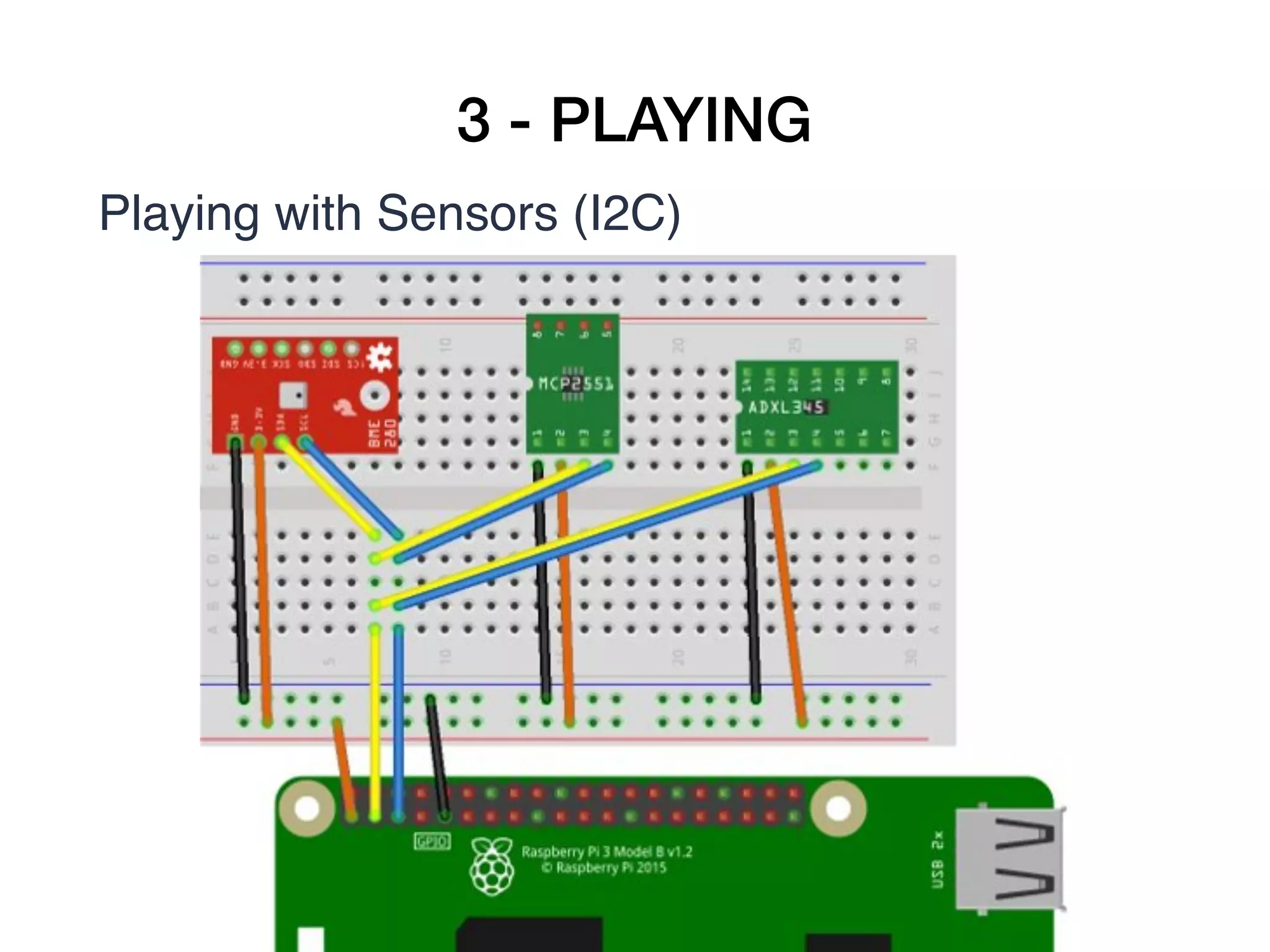
Playing with Sensors (I2C)
1 Raspberry Pi (any model) connected to your netw
ork (wired or wireless)
• 1 Breadboard
• 1 BME280 sensor
(Temperature, pressure and humidity)
• 1 MCP9808 sensor (Temperature)
• 1 ADXL345 sensor (Acelerometer, axis X, Y and Z)
• Jumper wires
3 - PLAYING
Playing with Sensors (I2C)


3 - PLAYING
Playing with Sensors (I2C)
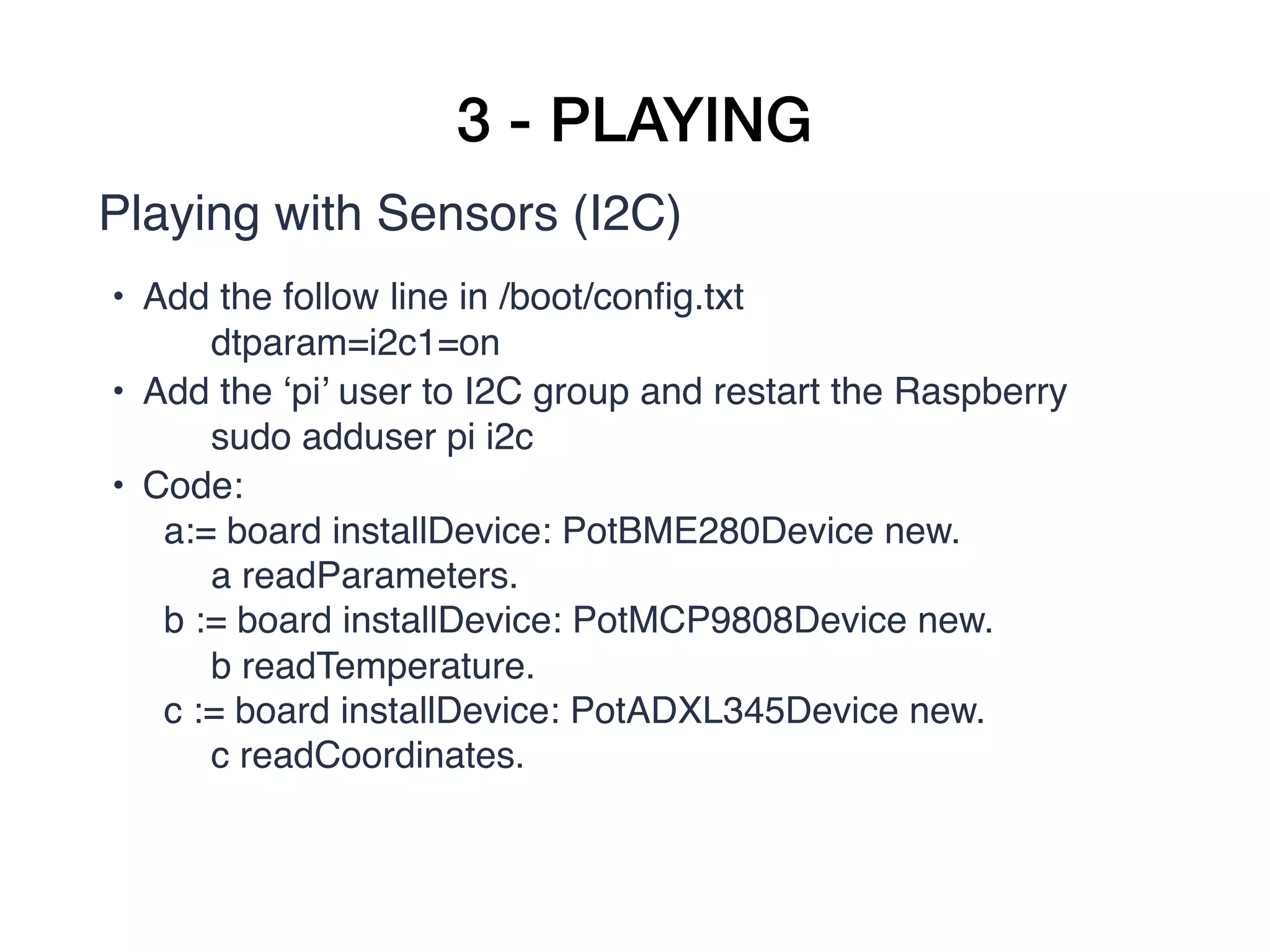
• Add the follow line in /boot/config.txt
dtparam=i2c1=on
• Add the ‘pi’ user to I2C group and restart the Raspberry
sudo adduser pi i2c
• Code:
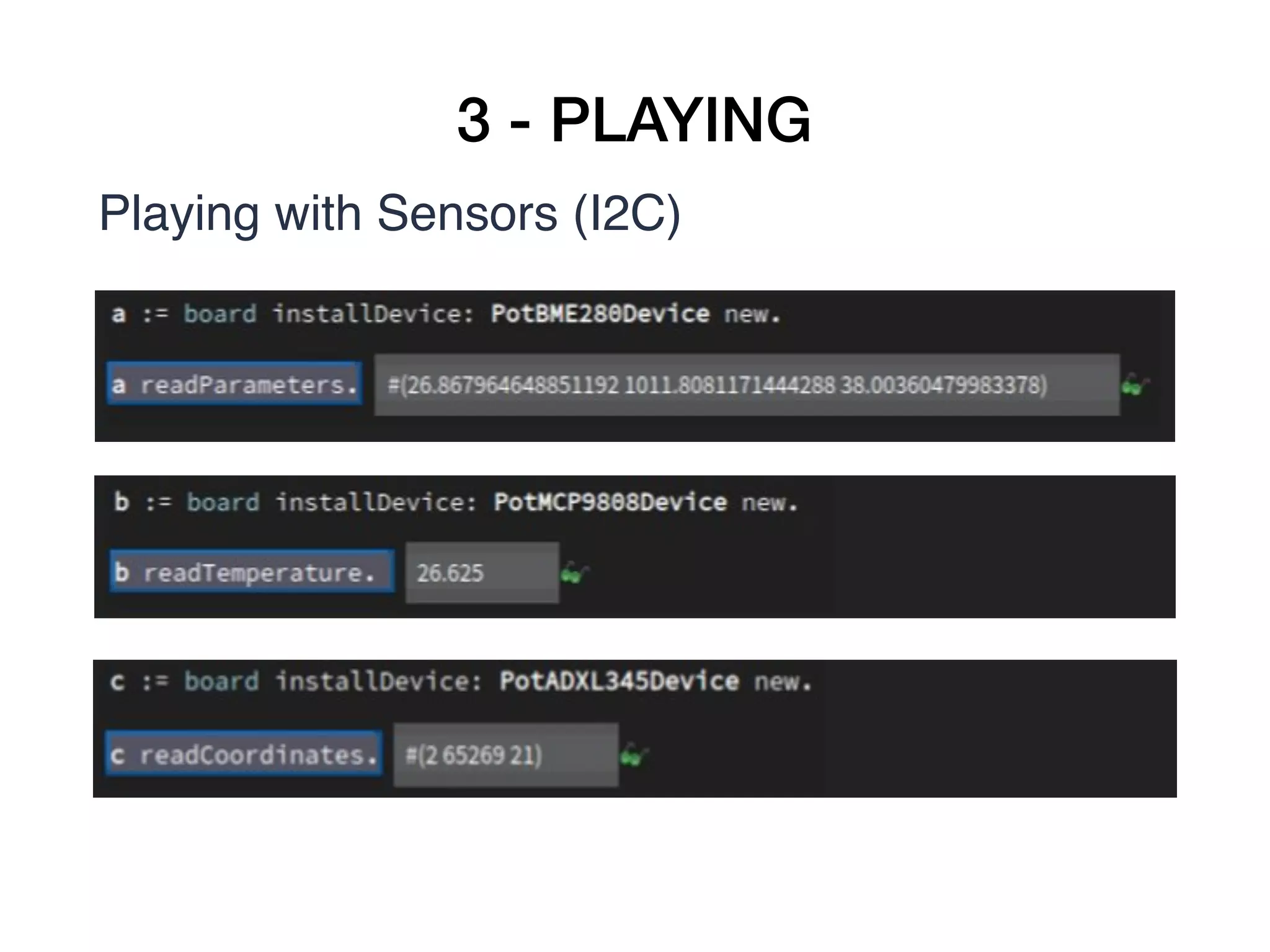
a:= board installDevice: PotBME280Device new. 

a readParameters. 
b := board installDevice: PotMCP9808Device new. 

b readTemperature. 
c := board installDevice: PotADXL345Device new. 

c readCoordinates. 
3 - PLAYING
Playing with Sensors (I2C)
3 - PLAYING
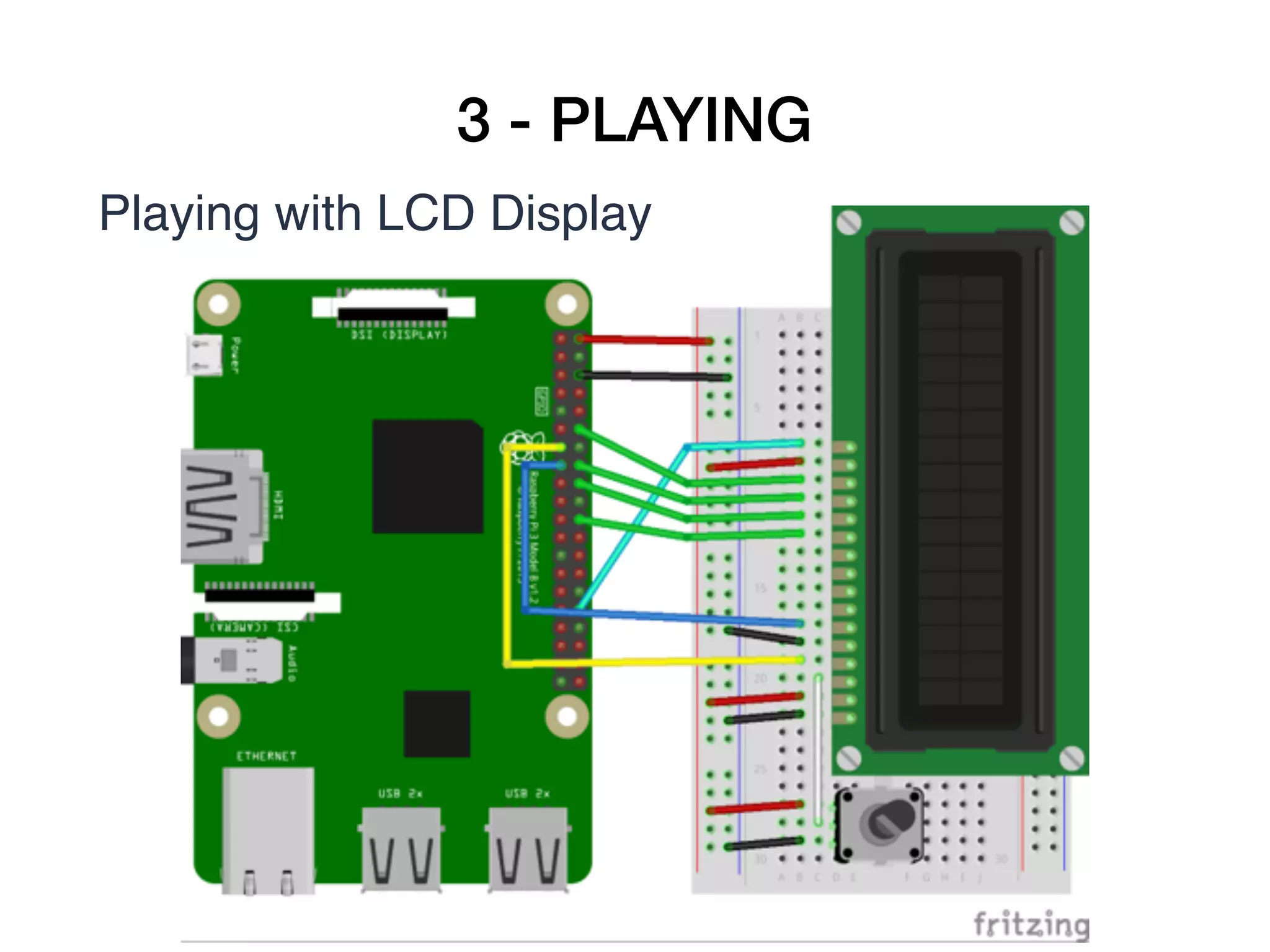
Playing with LCD Display
1 Raspberry Pi (any model) connected to your netw
ork (wired or wireless)
• 1 Breadboard
• 1 LCD 1602
• Jumper wires 


3 - PLAYING
Playing with LCD Display


3 - PLAYING
Playing with LCD Display
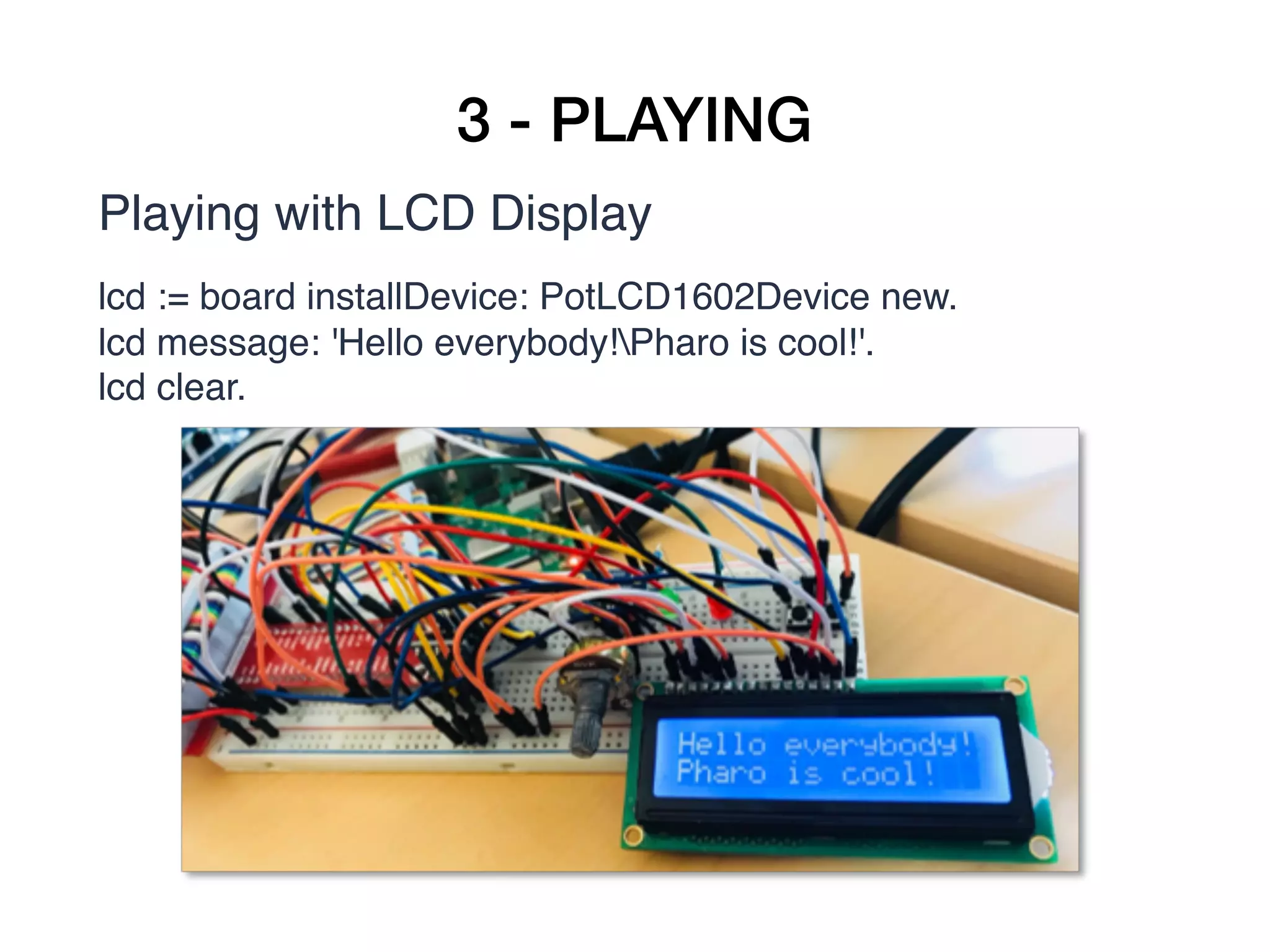
lcd := board installDevice: PotLCD1602Device new.
lcd message: 'Hello everybody!Pharo is cool!'.
lcd clear.


4 - PERSONAL WEATHER STATION
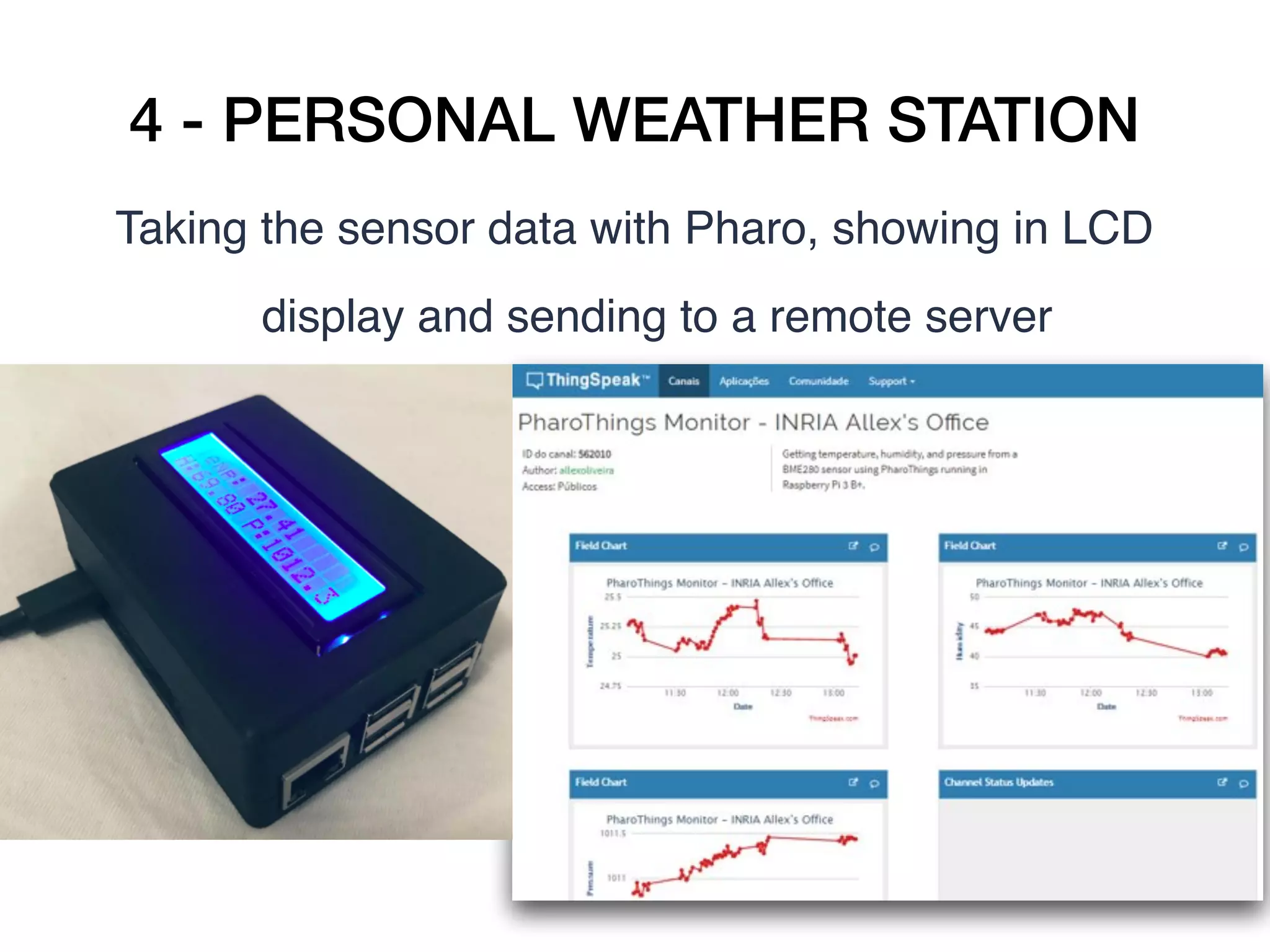
Taking the sensor data with Pharo, showing in LCD
display and sending to a remote server
4 - PERSONAL WEATHER STATION
• We will run PharoThings in a Raspberry Pi 

• To collect the sensor data (BME280)
temperature, humidity and pressure 

• Show this data in a LCD 

• Send the data to a remote server
4 - PERSONAL WEATHER STATION
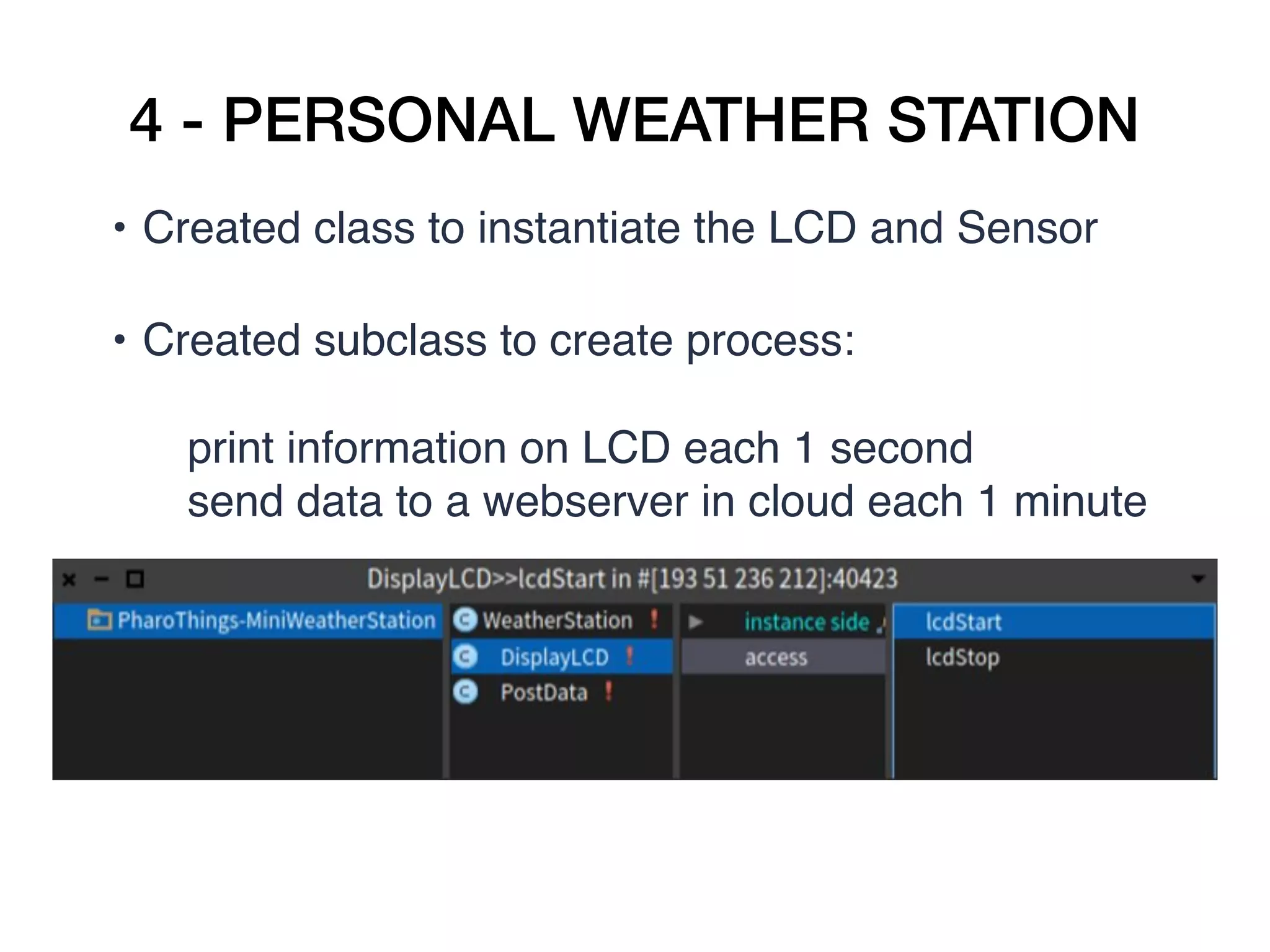
• Created class to instantiate the LCD and Sensor  

• Created subclass to create process: 

print information on LCD each 1 second
send data to a webserver in cloud each 1 minute 

4 - PERSONAL WEATHER STATION
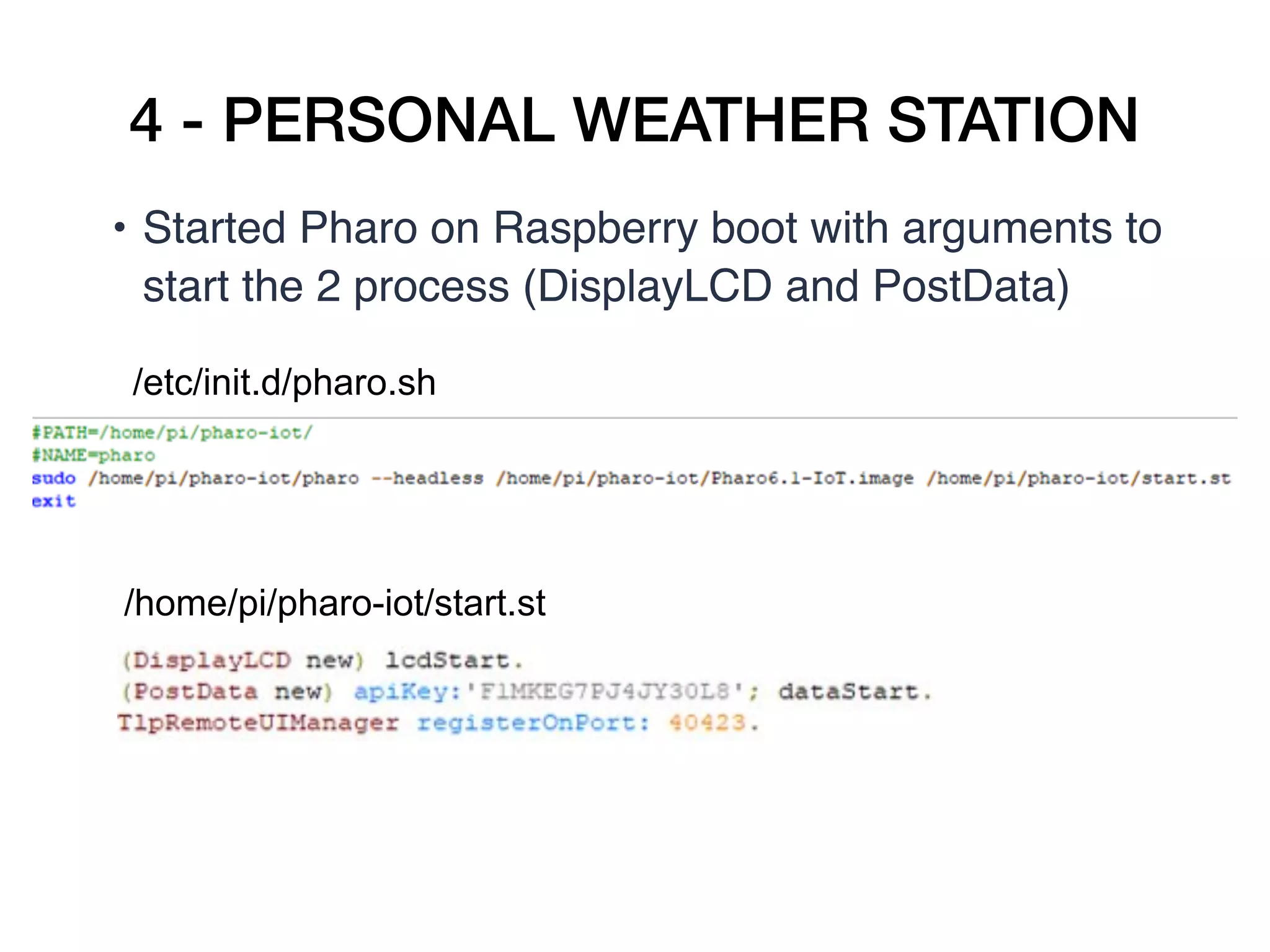
• Started Pharo on Raspberry boot with arguments to
start the 2 process (DisplayLCD and PostData)
/etc/init.d/pharo.sh
/home/pi/pharo-iot/start.st
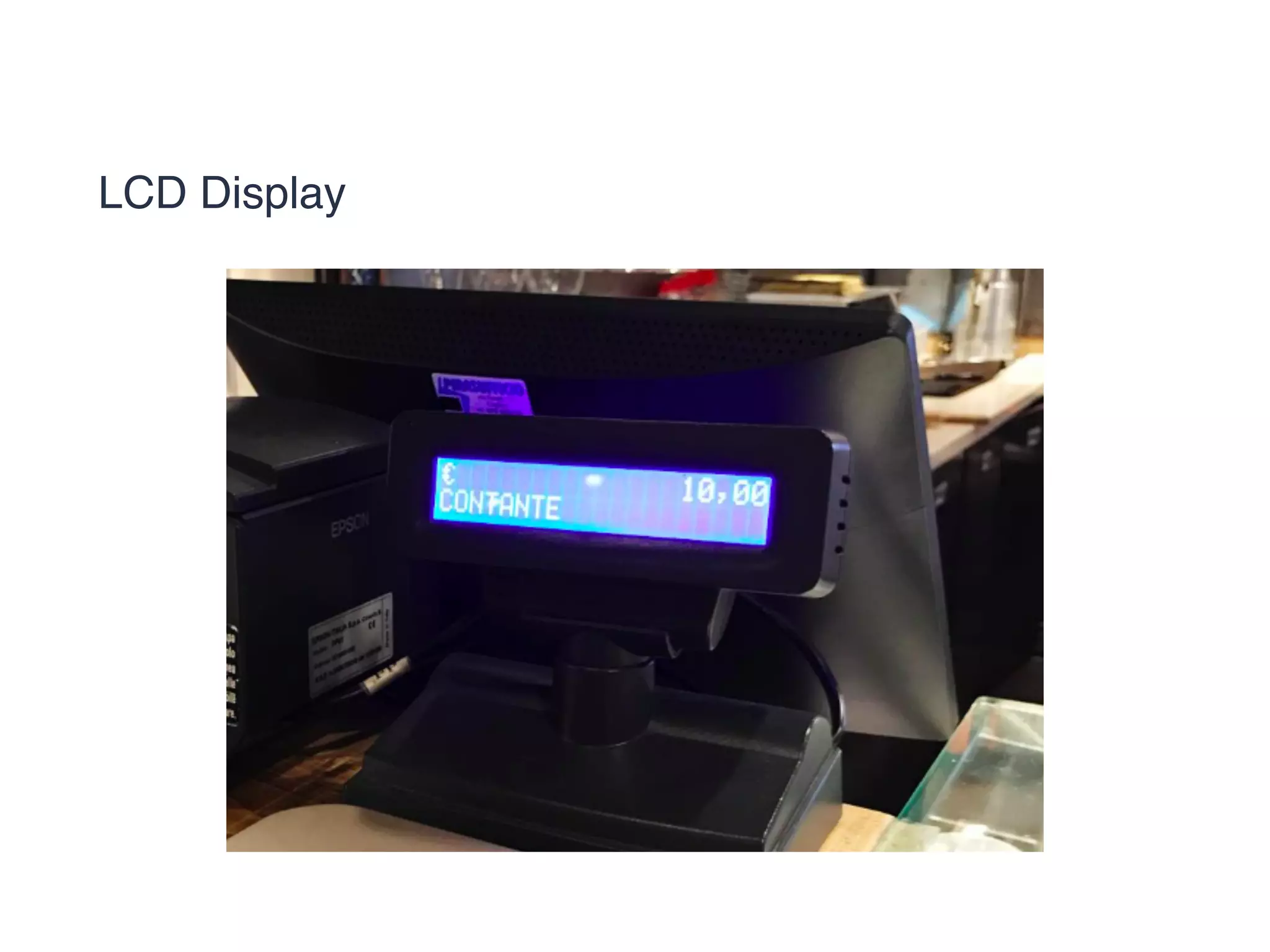
LCD Display
5 - THE FUTURE
Projects and news
• Beaglebone models 

• Zeroconf for armVM + PharoThings 

• Remote refactoring 

• Security 
5 - THE FUTURE
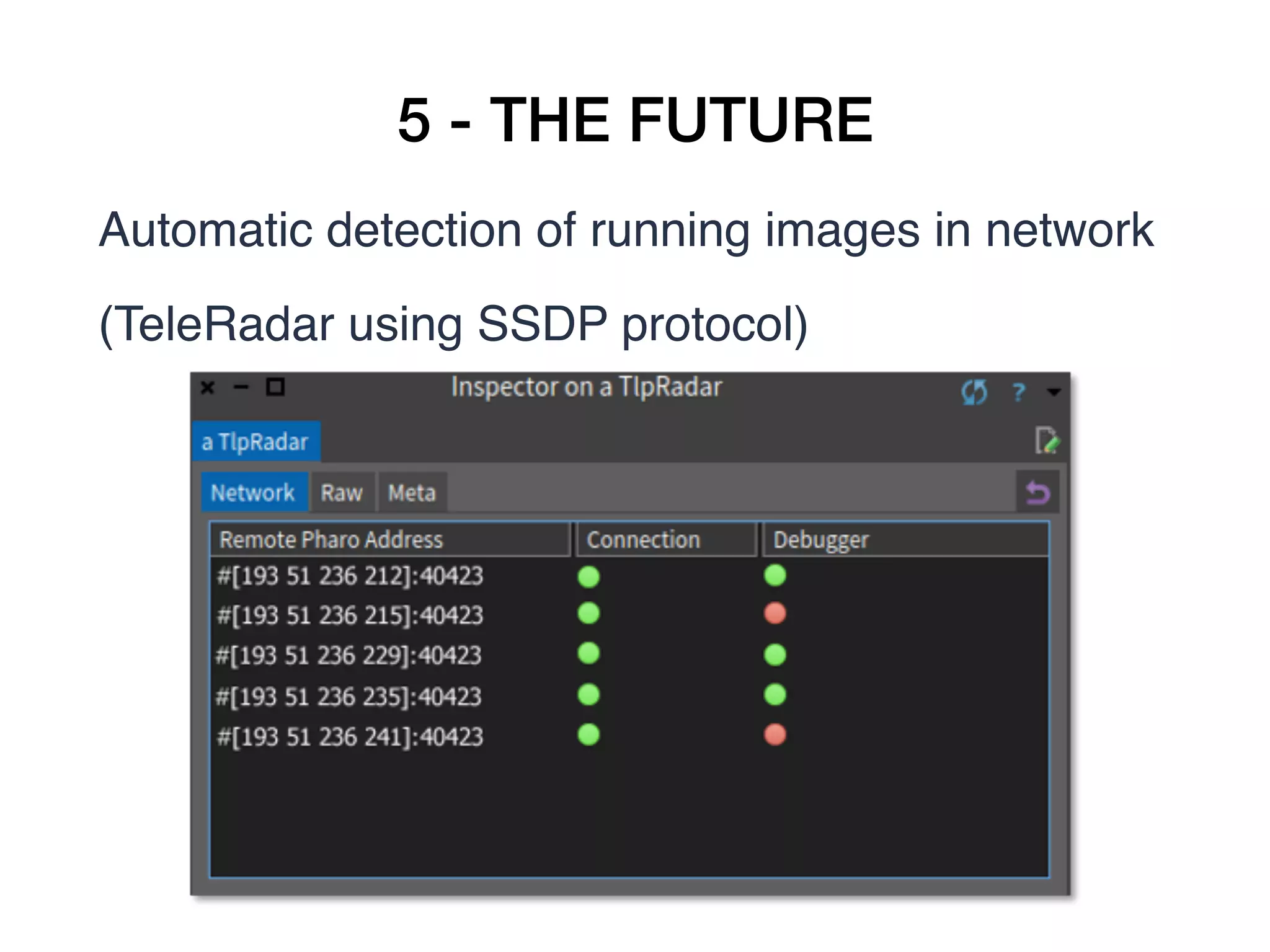
Automatic detection of running images in network 
(TeleRadar using SSDP protocol)
5 - THE FUTURE
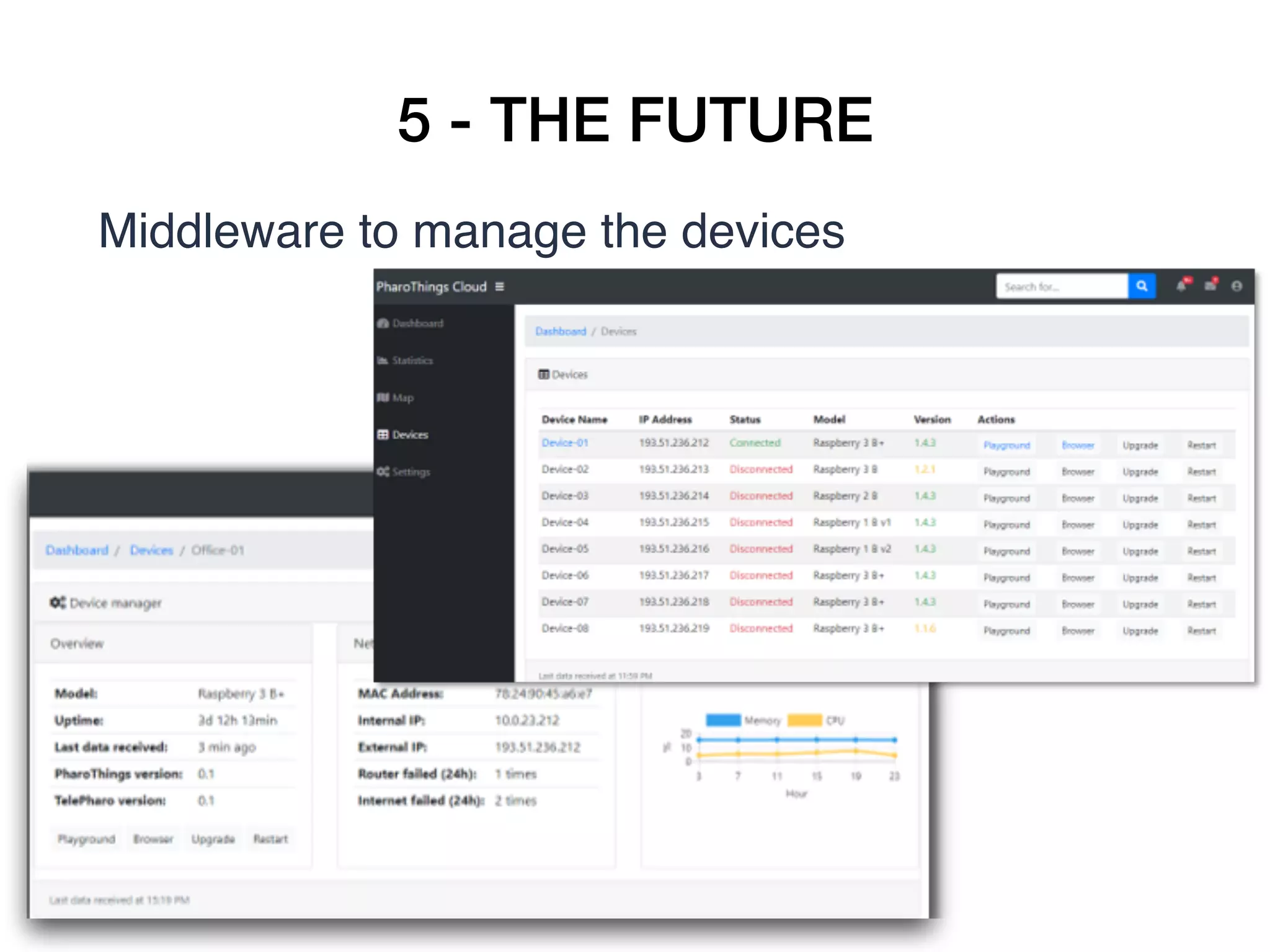
Middleware to manage the devices
5 - THE FUTURE
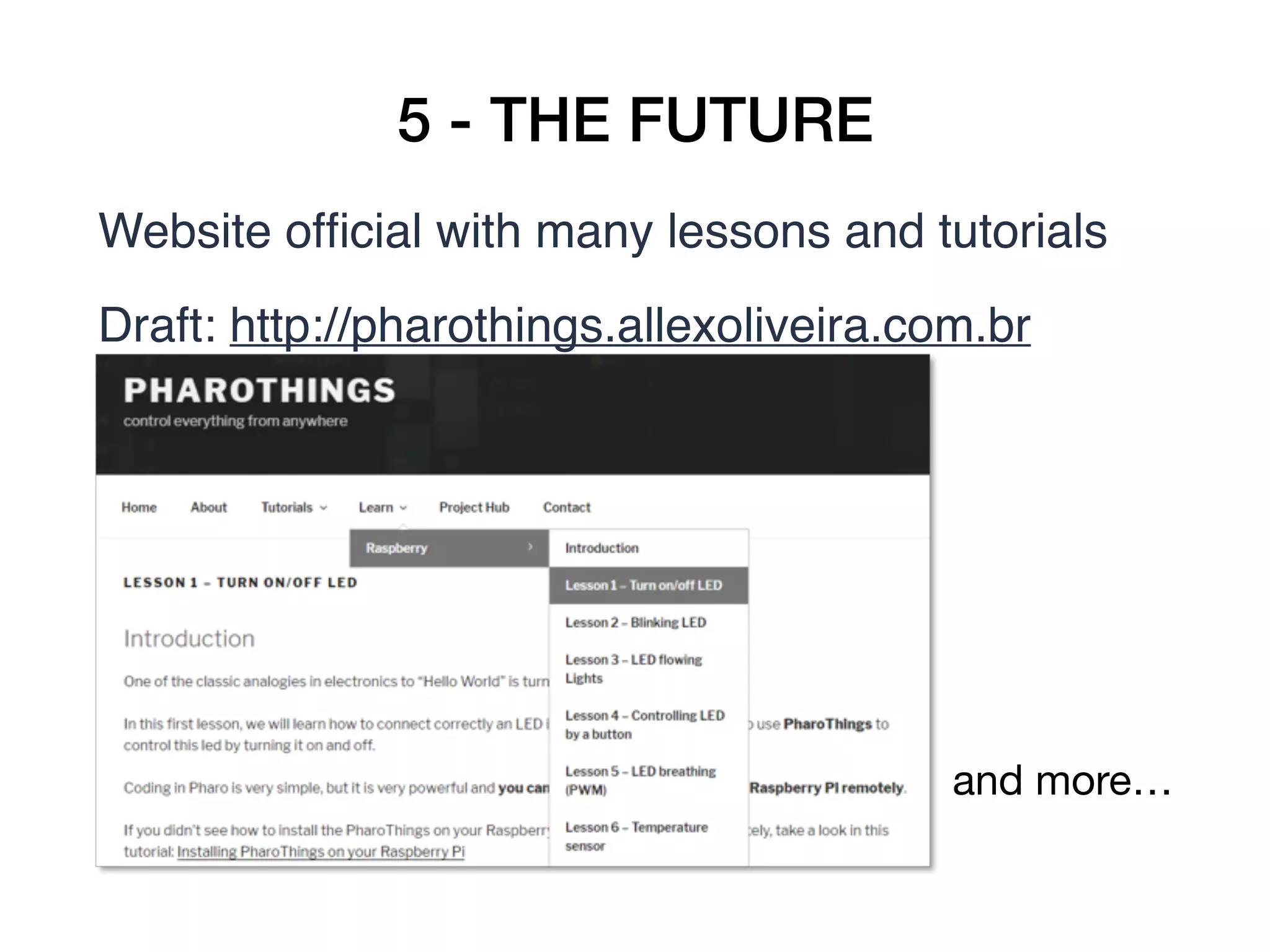
Website official with many lessons and tutorials
Draft: http://pharothings.allexoliveira.com.br
and more…
WITH PHAROTHINGS YOU CAN
• Dynamically update your running board
• Interact remotely with pins  and boards
• Modify the system while it is running (create new
board, change code)
• Make your changes persistent
Easy, powerful.
THANKS!
Any questions?
marcus.denker@inria.fr
allex.oliveira@msn.com
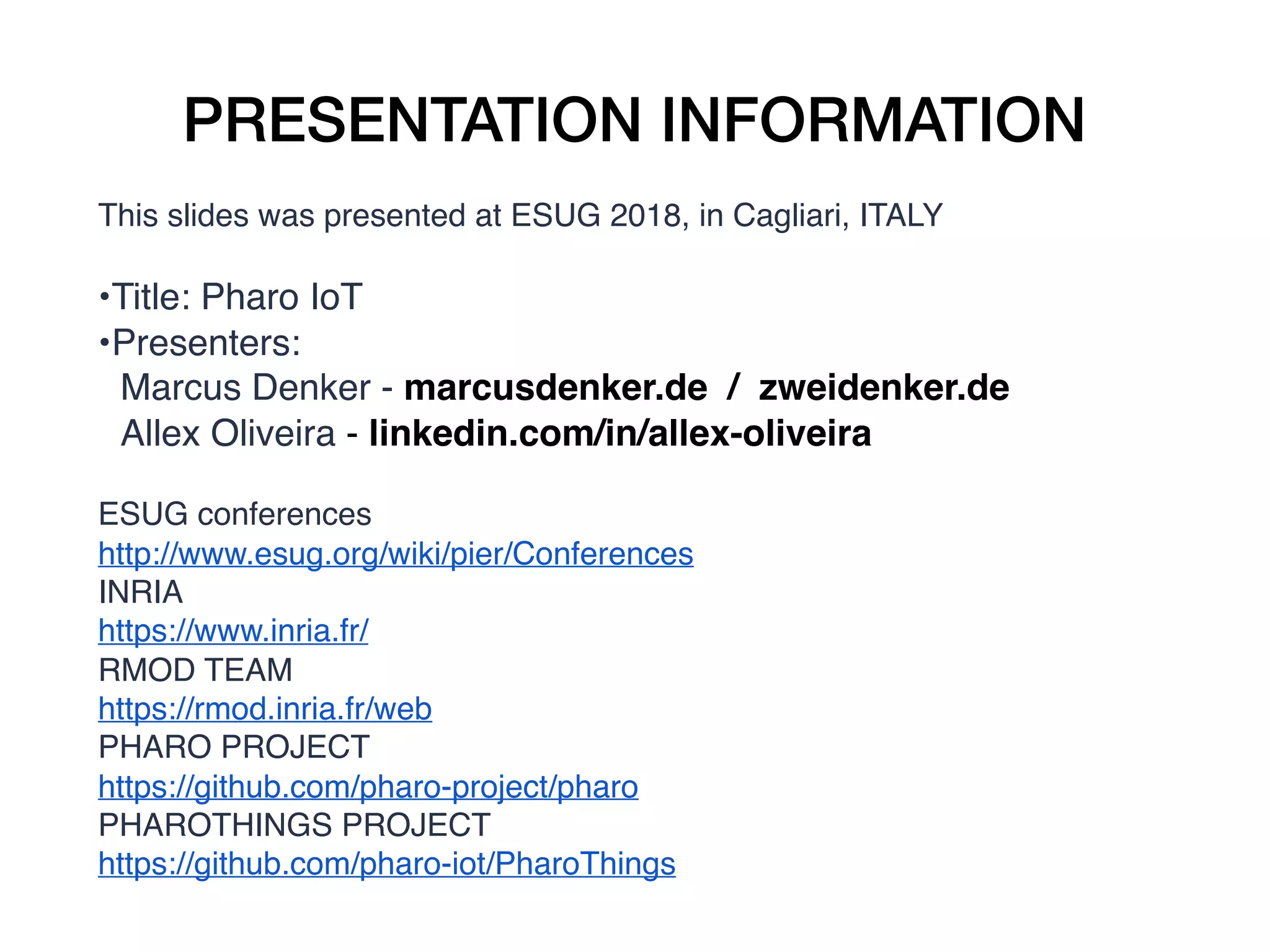
PRESENTATION INFORMATION
This slides was presented at ESUG 2018, in Cagliari, ITALY
•Title: Pharo IoT
•Presenters:
Marcus Denker - marcusdenker.de / zweidenker.de
Allex Oliveira - linkedin.com/in/allex-oliveira
ESUG conferences
http://www.esug.org/wiki/pier/Conferences
INRIA
https://www.inria.fr/
RMOD TEAM
https://rmod.inria.fr/web
PHARO PROJECT
https://github.com/pharo-project/pharo
PHAROTHINGS PROJECT
https://github.com/pharo-iot/PharoThings

Pharo IoT: Using Pharo to playing with GPIOs and sensors on IoT devices remotely

  • 1.
    PHARO IOT Using Pharoto playing with GPIOs and sensors on IoT devices remotely
  • 2.
    HELLO! Marcus Denker CR1 Inria(tenured researcher) marcus.denker@inria.fr Allex Oliveira IoT Engineer allex.oliveira@msn.com
  • 3.
    SUMMARY 1 – OVERVIEW 2– INSTALLATION 3 – PLAYING 4 – PERSONAL WEATHER STATION 5 – THE FUTURE
  • 4.
    1 - OVERVIEW •Created by Rmod Team, a research team from INRIA (France) • Written by Denis Kudriashov in 2016/17 dionisiydk@gmail.com • In 2018, Allex Oliveira joined the Rmod Team to continue the project 
  • 5.
    1 - OVERVIEW Whatis PharoThings? • A Pharo image running on IoT device (ARM VM) • A Pharo image controlling remote IoT device • A Pharo library running on Raspberry Pi to control GPIOs through an object board model (using Wiring Pi)  • A Pharo library to control Arduino Devices (using Firmata) • An advanced board model inspector • Remote IDE (TelePharo)
  • 6.
  • 7.
    1 - OVERVIEW •GPIO pins (general-purpose input/output), I2C, SPI • Board modelling library which simplifies board configuration • Raspberry Pi only (for now) 
  • 8.
  • 9.
    1 - OVERVIEW BoardInspector • Provides a scheme of pins similar to physical position • A live tool which represents the current pins state • Digital pins are shown with green/red icons which represent high/low (1/0) values
  • 10.
    1 - OVERVIEW WithPharoThings you can to develop tools to lively program, explore and debug remote boards. • It is part of TelePharo project • With remotePharo instance you can open: remote playground 
 remote system browser or remote process browser
  • 11.
  • 12.
    1 - OVERVIEW RemoteSystem Browser
  • 13.
    1 - OVERVIEW RemoteProcess Browser
  • 14.
    2 - INSTALLATION Howto run Pharo on ARM architecture? • Metacello new        baseline: 'PharoThings';        repository: 'github://pharo-iot/PharoThings/src';        load: #(RemoteDevServer Raspberry). • Metacello new        baseline: 'PharoThings';        repository: 'github://pharo-iot/PharoThings/src';        load: 'RemoteDev'
  • 15.
    2 - INSTALLATION •ArmVM:  
      files.pharo.org/vm/pharo-spur32/linux/armv6/latest.zip
  • 16.
    2 - INSTALLATION •#chmod +x pharo • #chmod +x lib/pharo/5.0-201804182009/pharo • #./pharo Pharo.image • #./pharo --headless Pharo.image remotePharo  --startServerOnPort=40423
  • 17.
    3 - PLAYING ControllingLEDs, sensors and LCD display remotely
  • 18.
    3 - PLAYING Playingwith LEDs and Buttons • 1 Raspberry Pi (any model) connected to your network (wired or wireless) • 1 Breadboard • 2 LEDs • 2 Buttons • 2 Resistors (330ohms) • Jumper wires
  • 19.
    3 - PLAYING Playingwith LEDs and Buttons
  • 20.
    3 - PLAYING Playingwith LEDs and Buttons 
ledRed := gpio22. ledRed beDigitalOutput. ledRed value: 1. ledRed toggleDigitalValue.
 buttonRed := gpio25. buttonRed beDigitalInput. buttonRed enablePullUpResister. buttonProcess := [ [100 milliSeconds wait. 
 ledRed value: (buttonRed value=0) asBit
 ] repeat 
 ] forkNamed: 'button process'. buttonProcess terminate.
  • 21.
    3 - PLAYING Playingwith Sensors (I2C) 1 Raspberry Pi (any model) connected to your netw ork (wired or wireless) • 1 Breadboard • 1 BME280 sensor (Temperature, pressure and humidity) • 1 MCP9808 sensor (Temperature) • 1 ADXL345 sensor (Acelerometer, axis X, Y and Z) • Jumper wires
  • 22.
    3 - PLAYING Playingwith Sensors (I2C) 
 

  • 23.
    3 - PLAYING Playingwith Sensors (I2C) • Add the follow line in /boot/config.txt dtparam=i2c1=on • Add the ‘pi’ user to I2C group and restart the Raspberry sudo adduser pi i2c • Code: a:= board installDevice: PotBME280Device new. 
 a readParameters.  b := board installDevice: PotMCP9808Device new. 
 b readTemperature.  c := board installDevice: PotADXL345Device new. 
 c readCoordinates. 
  • 24.
    3 - PLAYING Playingwith Sensors (I2C)
  • 25.
    3 - PLAYING Playingwith LCD Display 1 Raspberry Pi (any model) connected to your netw ork (wired or wireless) • 1 Breadboard • 1 LCD 1602 • Jumper wires 
 

  • 26.
    3 - PLAYING Playingwith LCD Display 
 

  • 27.
    3 - PLAYING Playingwith LCD Display lcd := board installDevice: PotLCD1602Device new. lcd message: 'Hello everybody!Pharo is cool!'. lcd clear. 
 

  • 28.
    4 - PERSONALWEATHER STATION Taking the sensor data with Pharo, showing in LCD display and sending to a remote server
  • 29.
    4 - PERSONALWEATHER STATION • We will run PharoThings in a Raspberry Pi 
 • To collect the sensor data (BME280) temperature, humidity and pressure 
 • Show this data in a LCD 
 • Send the data to a remote server
  • 30.
    4 - PERSONALWEATHER STATION • Created class to instantiate the LCD and Sensor  
 • Created subclass to create process: 
 print information on LCD each 1 second send data to a webserver in cloud each 1 minute 

  • 31.
    4 - PERSONALWEATHER STATION • Started Pharo on Raspberry boot with arguments to start the 2 process (DisplayLCD and PostData) /etc/init.d/pharo.sh /home/pi/pharo-iot/start.st
  • 32.
  • 33.
    5 - THEFUTURE Projects and news • Beaglebone models 
 • Zeroconf for armVM + PharoThings 
 • Remote refactoring 
 • Security 
  • 34.
    5 - THEFUTURE Automatic detection of running images in network  (TeleRadar using SSDP protocol)
  • 35.
    5 - THEFUTURE Middleware to manage the devices
  • 36.
    5 - THEFUTURE Website official with many lessons and tutorials Draft: http://pharothings.allexoliveira.com.br and more…
  • 37.
    WITH PHAROTHINGS YOUCAN • Dynamically update your running board • Interact remotely with pins  and boards • Modify the system while it is running (create new board, change code) • Make your changes persistent Easy, powerful. THANKS! Any questions? marcus.denker@inria.fr allex.oliveira@msn.com
  • 38.
    PRESENTATION INFORMATION This slideswas presented at ESUG 2018, in Cagliari, ITALY •Title: Pharo IoT •Presenters: Marcus Denker - marcusdenker.de / zweidenker.de Allex Oliveira - linkedin.com/in/allex-oliveira ESUG conferences http://www.esug.org/wiki/pier/Conferences INRIA https://www.inria.fr/ RMOD TEAM https://rmod.inria.fr/web PHARO PROJECT https://github.com/pharo-project/pharo PHAROTHINGS PROJECT https://github.com/pharo-iot/PharoThings