Cross-platform app with Pharo
The Pharo Launcher case
Christophe Demarey, ESUG 2018, Cagliari
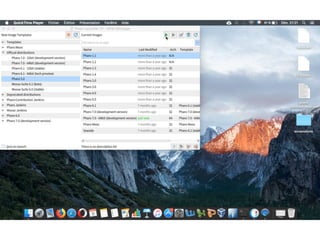
Pharo Launcher
Photo: https://www.maxpixel.net/static/photo/1x/Smoke-Rocket-Nasa-Rocket-Launch-Take-Off-Side-View-67723.jpg
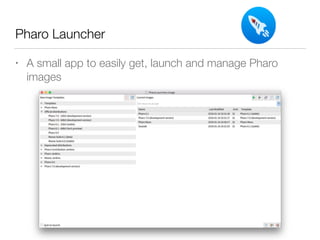
Pharo Launcher
• A small app to easily get, launch and manage Pharo
images
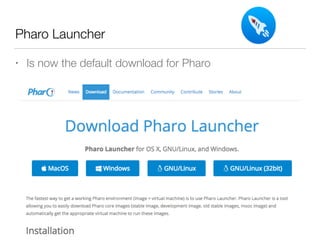
Pharo Launcher
• Is now the default download for Pharo
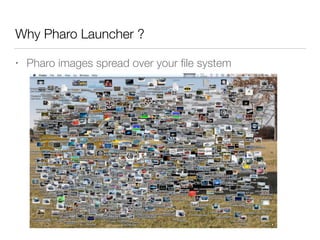
Why Pharo Launcher ?
• Pharo images spread over your file system
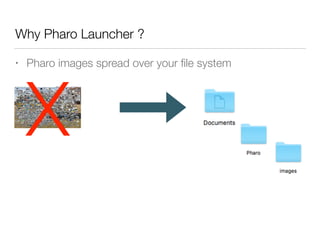
Why Pharo Launcher ?
• Pharo images spread over your file system
X
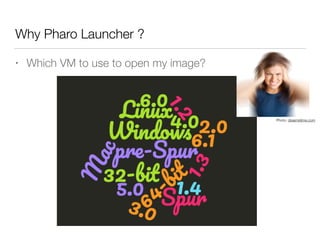
Why Pharo Launcher ?
• Which VM to use to open my image?
Photo: dreamstime.com
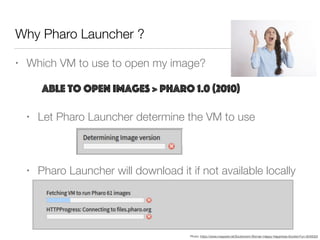
Why Pharo Launcher ?
• Which VM to use to open my image?
• Let Pharo Launcher determine the VM to use
• Pharo Launcher will download it if not available locally
Photo: https://www.maxpixel.net/Excitement-Woman-Happy-Happiness-Excited-Fun-2649320
Able to open images > Pharo 1.0 (2010)
Pharo Launcher
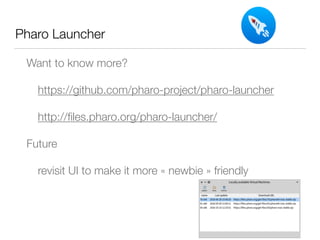
Want to know more?
https://github.com/pharo-project/pharo-launcher
http://files.pharo.org/pharo-launcher/
Future
revisit UI to make it more « newbie » friendly
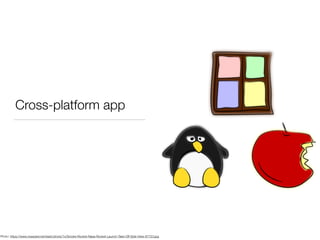
Cross-platform app
Photo: https://www.maxpixel.net/static/photo/1x/Smoke-Rocket-Nasa-Rocket-Launch-Take-Off-Side-View-67723.jpg
Pharo Launcher
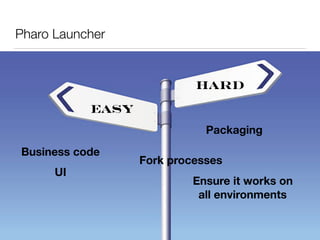
• easy / not easy
easy
Hard
Business code
UI
Packaging
Fork processes
Ensure it works on

all environments
Pharo Launcher
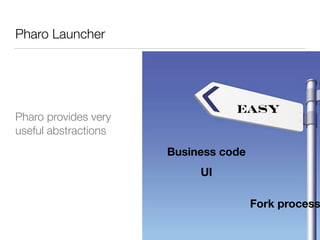
• easy / not easy
easy
Business code
UI
Pharo provides very
useful abstractions
Fork process
• Late-bound reference to a file or directory in relation to a
well-known location on the filesystem, called an origin.
• When asked to perform concrete operation, look up the
current location of my origin, and resolve path against it.
examples:

FileLocator home

FileLocator desktop

FileLocator workingDirectory
FileLocator
FileReference
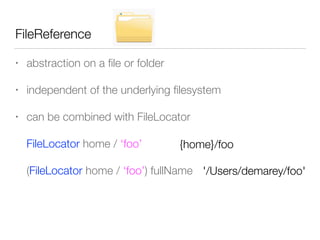
• abstraction on a file or folder
• independent of the underlying filesystem
• can be combined with FileLocator
FileLocator home / ‘foo’
(FileLocator home / ‘foo’) fullName
{home}/foo
'/Users/demarey/foo'
OSPlatform
Get information on the underlying Operating System
• OSPlatform current family
• OSPlatform current isUnix32
• OSPlatform current isWindows64
#Unix #Windows #MacOS #MacOSX
Environment variables
Read and set values of system environment variables
• OSEnvironment current getEnv: ‘PATH’
• OSEnvironment current setEnv: ‘FOO’ value: ‘bar’
Pharo Launcher needs to fork processes 

and manage them
• wait for a process completion, exit code, capture std
output
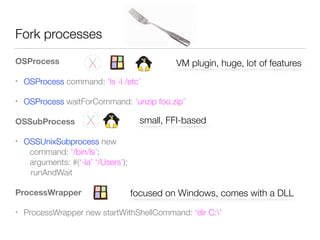
Fork processes
Fork processes
OSProcess
• OSProcess command: ‘ls -l /etc’
• OSProcess waitForCommand: ‘unzip foo.zip’
OSSubProcess
• OSSUnixSubprocess new

	 command: ‘/bin/ls’;

	 arguments: #(‘-la’ ‘/Users’);

runAndWait
ProcessWrapper
• ProcessWrapper new startWithShellCommand: ‘dir C:’
small, FFI-based
VM plugin, huge, lot of features
focused on Windows, comes with a DLL
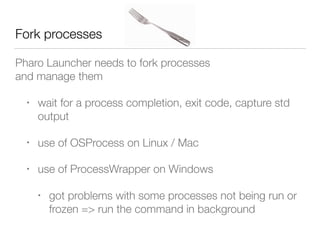
Pharo Launcher needs to fork processes 

and manage them
• wait for a process completion, exit code, capture std
output
• use of OSProcess on Linux / Mac
• use of ProcessWrapper on Windows
• got problems with some processes not being run or
frozen => run the command in background
Fork processes
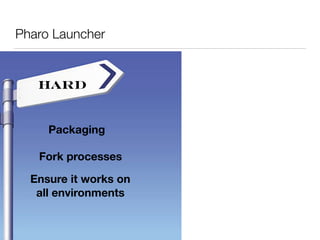
Pharo Launcher
Hard
Packaging
Fork processes
Ensure it works on

all environments
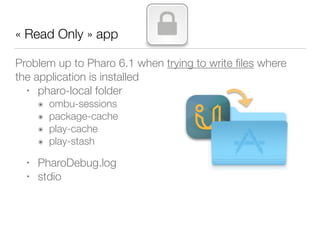
« Read Only » app
Problem up to Pharo 6.1 when trying to write files where
the application is installed
• pharo-local folder
๏ ombu-sessions
๏ package-cache
๏ play-cache
๏ play-stash
• PharoDebug.log
• stdio
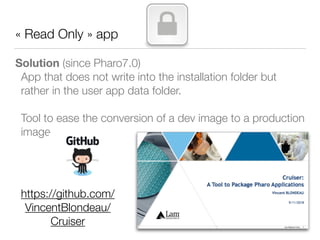
« Read Only » app
Solution (since Pharo7.0)
App that does not write into the installation folder but
rather in the user app data folder.
Tool to ease the conversion of a dev image to a production
image
https://github.com/
VincentBlondeau/
Cruiser
App packaging
Needed for a smooth installation
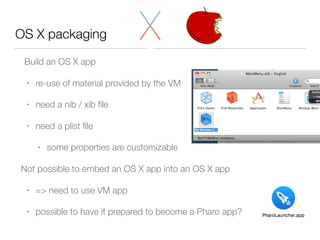
OS X packaging
Build an OS X app
• re-use of material provided by the VM
• need a nib / xib file
• need a plist file
• some properties are customizable
Not possible to embed an OS X app into an OS X app
• => need to use VM app
• possible to have it prepared to become a Pharo app?
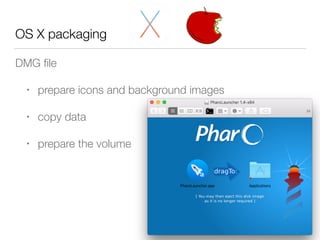
OS X packaging
DMG file
• prepare icons and background images
• copy data
• prepare the volume
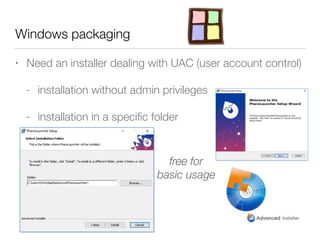
Windows packaging
• Need an installer dealing with UAC (user account control)
- installation without admin privileges
- installation in a specific folder
free for 

basic usage
Linux packaging
• Distribution via a zip file
• Better option would be to build distribution-specific
packages, i.e. .deb, .rpm, etc.
- take a lot of time to set up
- first needed for Pharo itself
?
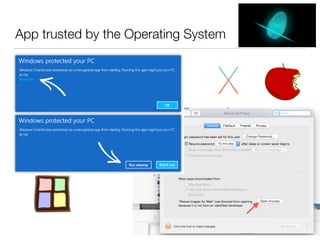
App trusted by the Operating System
Solution: sign executables and installer
Need a certificate issued by a trusted authority
- developer certificate on OS X
- publicly issued code signing certificate 

Sign executable with tools provided by the OS
Automate the process (need to store certificates safely)
Pharo Launcher signing documentation:

https://github.com/pharo-project/pharo-launcher/tree/development/signing
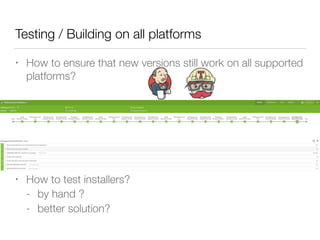
Testing / Building on all platforms
• How to ensure that new versions still work on all supported
platforms?
• How to test installers?
- by hand ?
- better solution?
Issues
• How to reproduce issues report?
• most functionalities covers by unit / functional tests


• most problems comes from environment

- different OS version

- different configuration

- etc.

=> need same OS version, 

same configuration to reproduce
Conclusion
Conclusion
• Writing a cross-platform app is doable!
• some classes ease a lot writing a cross-platform app

=> use them
• Testing problems

- use CI as much as possible

- involve users for detailed bug reports, co-investigation
• Would be nice to have an effort 

towards a packaging tool 

for Smalltalk / Pharo apps
Cross-platform development with Pharo - The PharoLauncher case

Cross-platform development with Pharo - The PharoLauncher case

  • 1.
    Cross-platform app withPharo The Pharo Launcher case Christophe Demarey, ESUG 2018, Cagliari
  • 2.
  • 3.
    Pharo Launcher • Asmall app to easily get, launch and manage Pharo images
  • 4.
    Pharo Launcher • Isnow the default download for Pharo
  • 5.
    Why Pharo Launcher? • Pharo images spread over your file system
  • 6.
    Why Pharo Launcher? • Pharo images spread over your file system X
  • 7.
    Why Pharo Launcher? • Which VM to use to open my image? Photo: dreamstime.com
  • 8.
    Why Pharo Launcher? • Which VM to use to open my image? • Let Pharo Launcher determine the VM to use • Pharo Launcher will download it if not available locally Photo: https://www.maxpixel.net/Excitement-Woman-Happy-Happiness-Excited-Fun-2649320 Able to open images > Pharo 1.0 (2010)
  • 9.
    Pharo Launcher Want toknow more? https://github.com/pharo-project/pharo-launcher http://files.pharo.org/pharo-launcher/ Future revisit UI to make it more « newbie » friendly
  • 10.
  • 11.
    Pharo Launcher • easy/ not easy easy Hard Business code UI Packaging Fork processes Ensure it works on
 all environments
  • 12.
    Pharo Launcher • easy/ not easy easy Business code UI Pharo provides very useful abstractions Fork process
  • 13.
    • Late-bound referenceto a file or directory in relation to a well-known location on the filesystem, called an origin. • When asked to perform concrete operation, look up the current location of my origin, and resolve path against it. examples:
 FileLocator home
 FileLocator desktop
 FileLocator workingDirectory FileLocator
  • 14.
    FileReference • abstraction ona file or folder • independent of the underlying filesystem • can be combined with FileLocator FileLocator home / ‘foo’ (FileLocator home / ‘foo’) fullName {home}/foo '/Users/demarey/foo'
  • 15.
    OSPlatform Get information onthe underlying Operating System • OSPlatform current family • OSPlatform current isUnix32 • OSPlatform current isWindows64 #Unix #Windows #MacOS #MacOSX
  • 16.
    Environment variables Read andset values of system environment variables • OSEnvironment current getEnv: ‘PATH’ • OSEnvironment current setEnv: ‘FOO’ value: ‘bar’
  • 17.
    Pharo Launcher needsto fork processes 
 and manage them • wait for a process completion, exit code, capture std output Fork processes
  • 18.
    Fork processes OSProcess • OSProcesscommand: ‘ls -l /etc’ • OSProcess waitForCommand: ‘unzip foo.zip’ OSSubProcess • OSSUnixSubprocess new
 command: ‘/bin/ls’;
 arguments: #(‘-la’ ‘/Users’);
 runAndWait ProcessWrapper • ProcessWrapper new startWithShellCommand: ‘dir C:’ small, FFI-based VM plugin, huge, lot of features focused on Windows, comes with a DLL
  • 19.
    Pharo Launcher needsto fork processes 
 and manage them • wait for a process completion, exit code, capture std output • use of OSProcess on Linux / Mac • use of ProcessWrapper on Windows • got problems with some processes not being run or frozen => run the command in background Fork processes
  • 20.
  • 21.
    « Read Only » app Problemup to Pharo 6.1 when trying to write files where the application is installed • pharo-local folder ๏ ombu-sessions ๏ package-cache ๏ play-cache ๏ play-stash • PharoDebug.log • stdio
  • 22.
    « Read Only » app Solution(since Pharo7.0) App that does not write into the installation folder but rather in the user app data folder. Tool to ease the conversion of a dev image to a production image https://github.com/ VincentBlondeau/ Cruiser
  • 23.
    App packaging Needed fora smooth installation
  • 24.
    OS X packaging Buildan OS X app • re-use of material provided by the VM • need a nib / xib file • need a plist file • some properties are customizable Not possible to embed an OS X app into an OS X app • => need to use VM app • possible to have it prepared to become a Pharo app?
  • 25.
    OS X packaging DMGfile • prepare icons and background images • copy data • prepare the volume
  • 26.
    Windows packaging • Needan installer dealing with UAC (user account control) - installation without admin privileges - installation in a specific folder free for 
 basic usage
  • 27.
    Linux packaging • Distributionvia a zip file • Better option would be to build distribution-specific packages, i.e. .deb, .rpm, etc. - take a lot of time to set up - first needed for Pharo itself ?
  • 28.
    App trusted bythe Operating System
  • 29.
    App trusted bythe Operating System Solution: sign executables and installer Need a certificate issued by a trusted authority - developer certificate on OS X - publicly issued code signing certificate 
 Sign executable with tools provided by the OS Automate the process (need to store certificates safely) Pharo Launcher signing documentation:
 https://github.com/pharo-project/pharo-launcher/tree/development/signing
  • 30.
    Testing / Buildingon all platforms • How to ensure that new versions still work on all supported platforms? • How to test installers? - by hand ? - better solution?
  • 31.
    Issues • How toreproduce issues report? • most functionalities covers by unit / functional tests
 
 • most problems comes from environment
 - different OS version
 - different configuration
 - etc.
 => need same OS version, 
 same configuration to reproduce
  • 32.
  • 33.
    Conclusion • Writing across-platform app is doable! • some classes ease a lot writing a cross-platform app
 => use them • Testing problems
 - use CI as much as possible
 - involve users for detailed bug reports, co-investigation • Would be nice to have an effort 
 towards a packaging tool 
 for Smalltalk / Pharo apps