From the
Internet of
Things to the
Web of Things
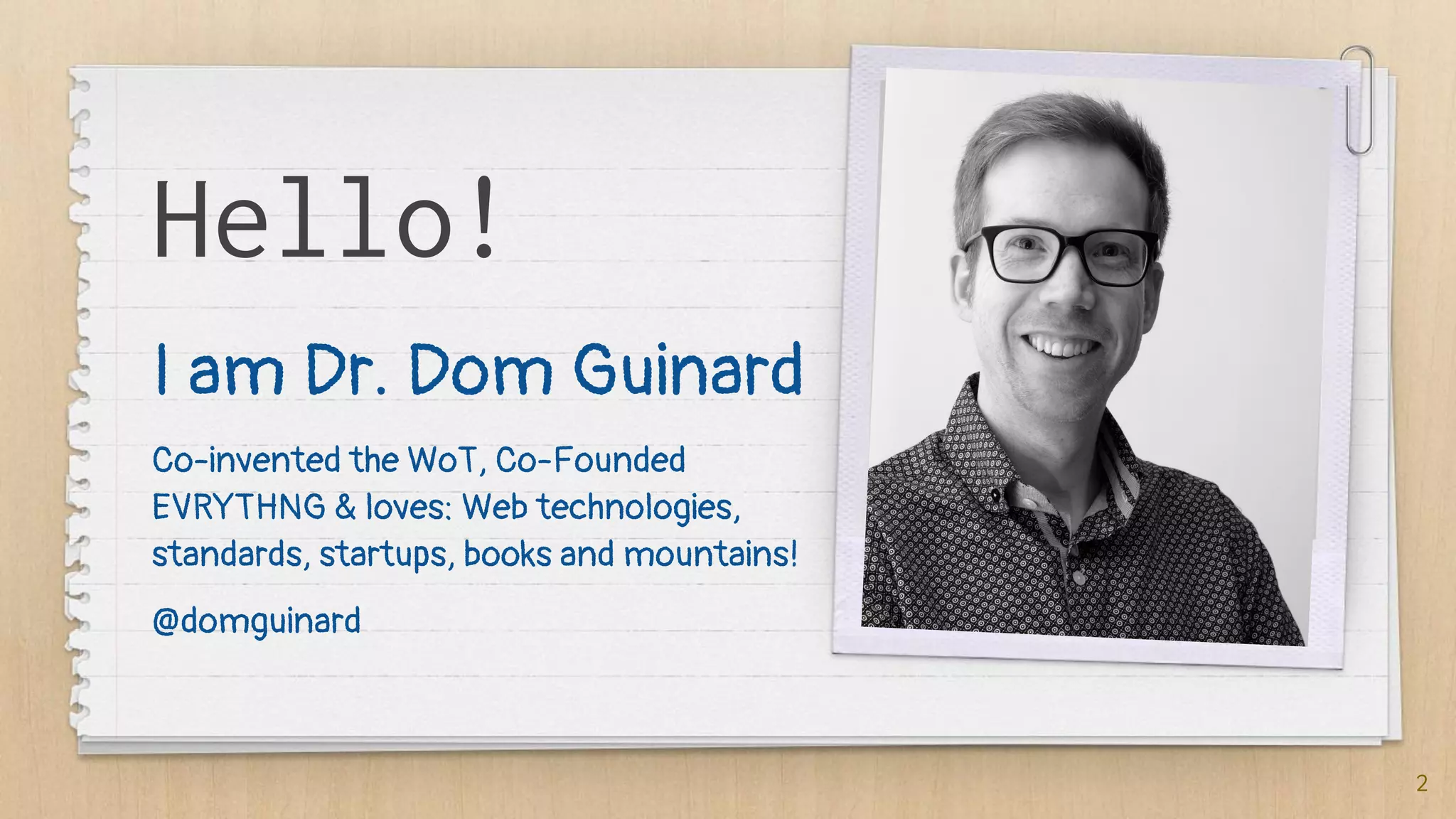
Hello!
I am Dr. Dom Guinard
Co-invented the WoT, Co-Founded
EVRYTHNG & loves: Web technologies,
standards, startups, books and mountains!
@domguinard
2
If I tell you...
✗ NPM
✗ GPIOs
✗ PIR
✗ LPWAN
✗ MQTT
✗ WoT
✗ REST
✗ Websockets
✗ NodeRED
✗ IFTTT
✗ Ethereum
✗ Tensorflow
3
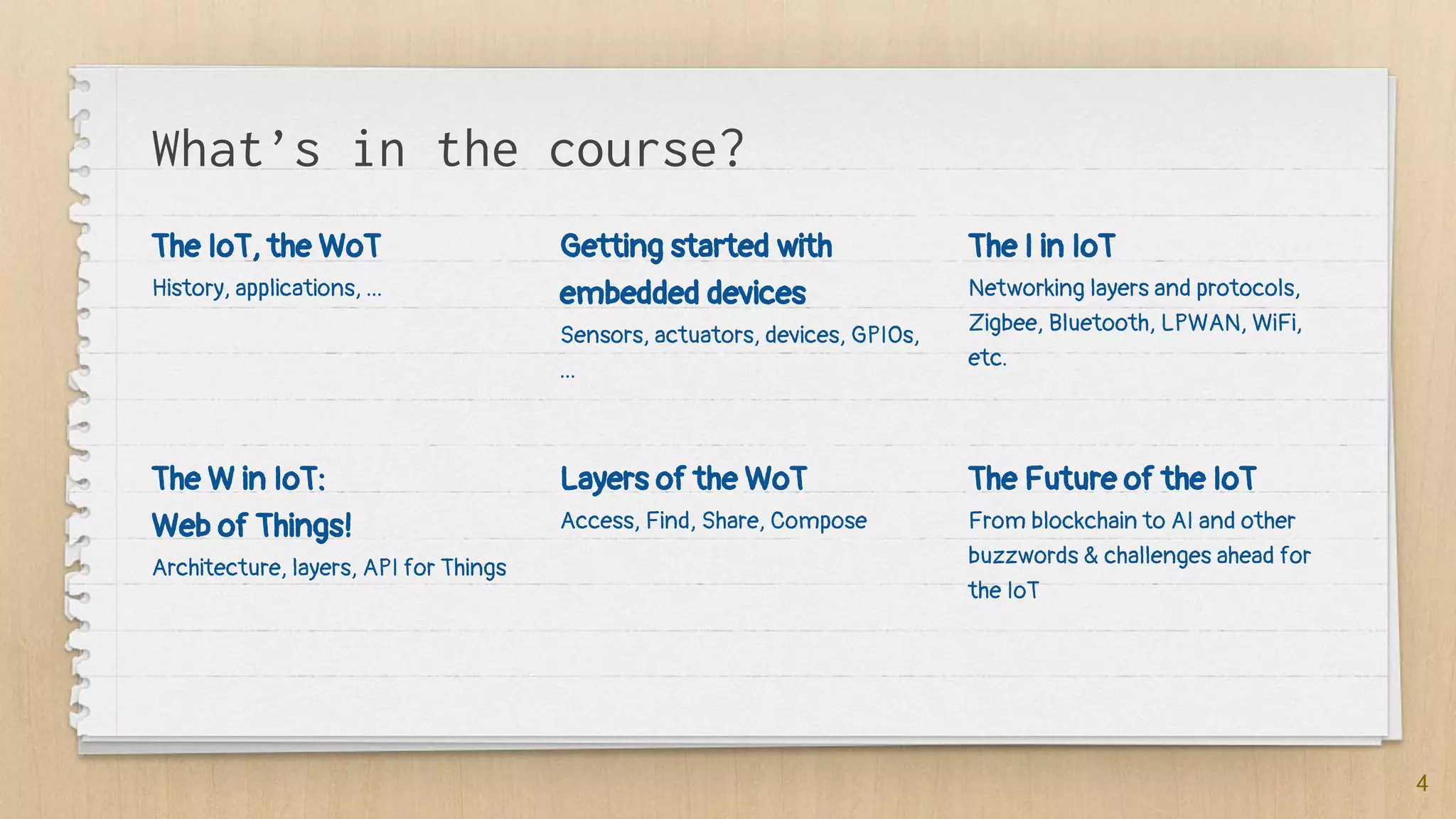
What’s in the course?
The IoT, the WoT
History, applications, ...
Getting started with
embedded devices
Sensors, actuators, devices, GPIOs,
...
The I in IoT
Networking layers and protocols,
Zigbee, Bluetooth, LPWAN, WiFi,
etc.
4
The W in IoT:
Web of Things!
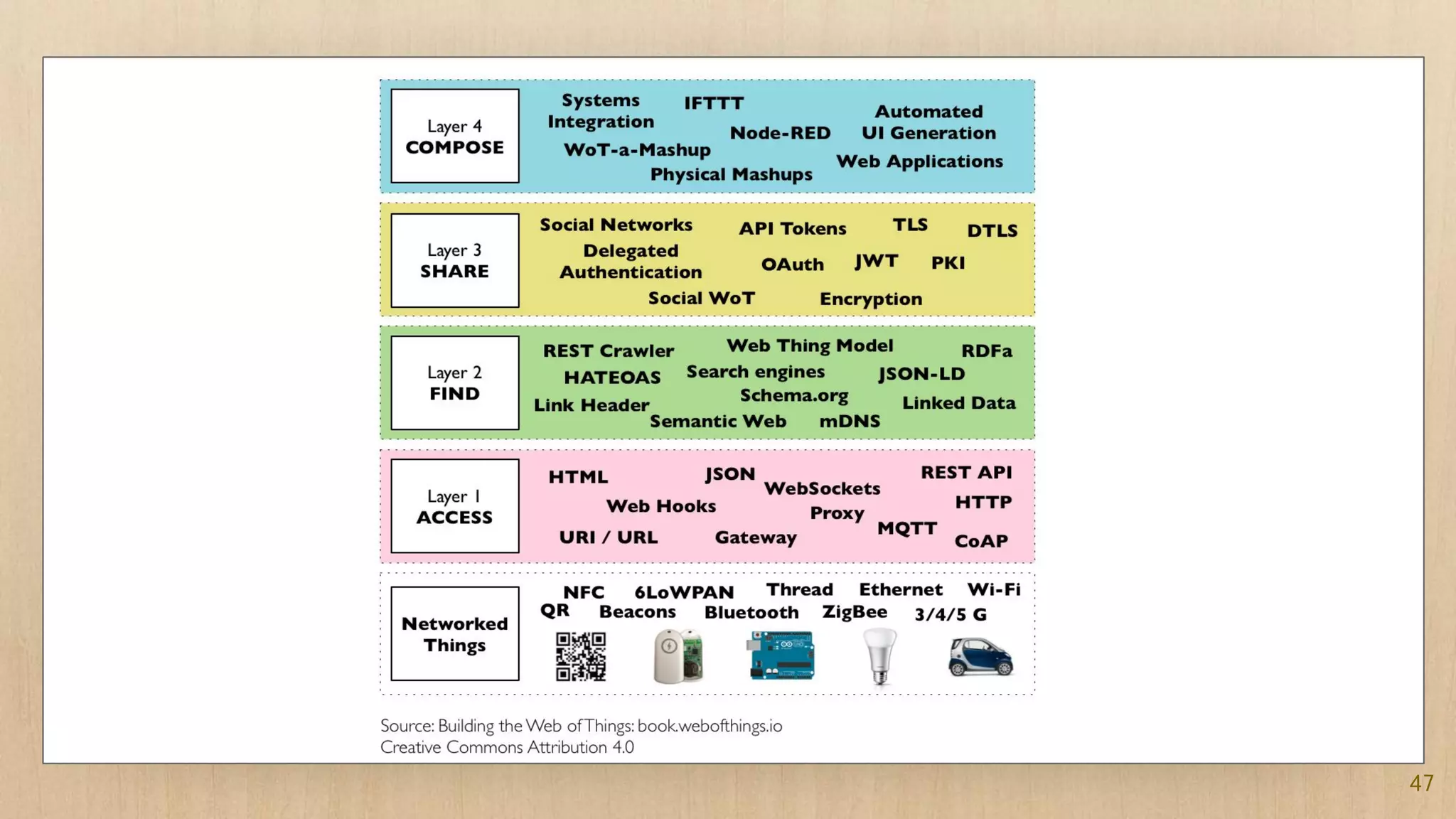
Architecture, layers, API for Things
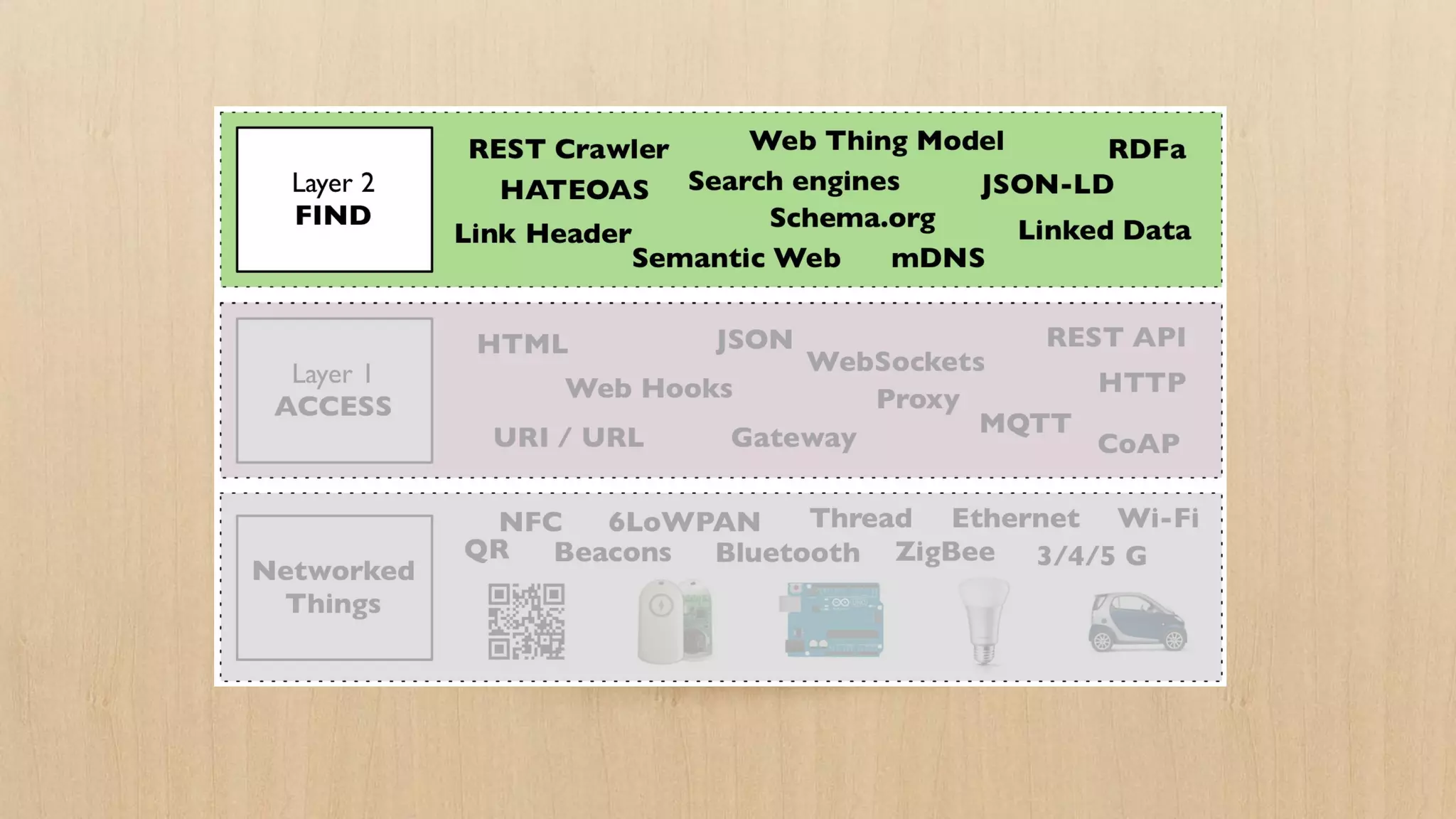
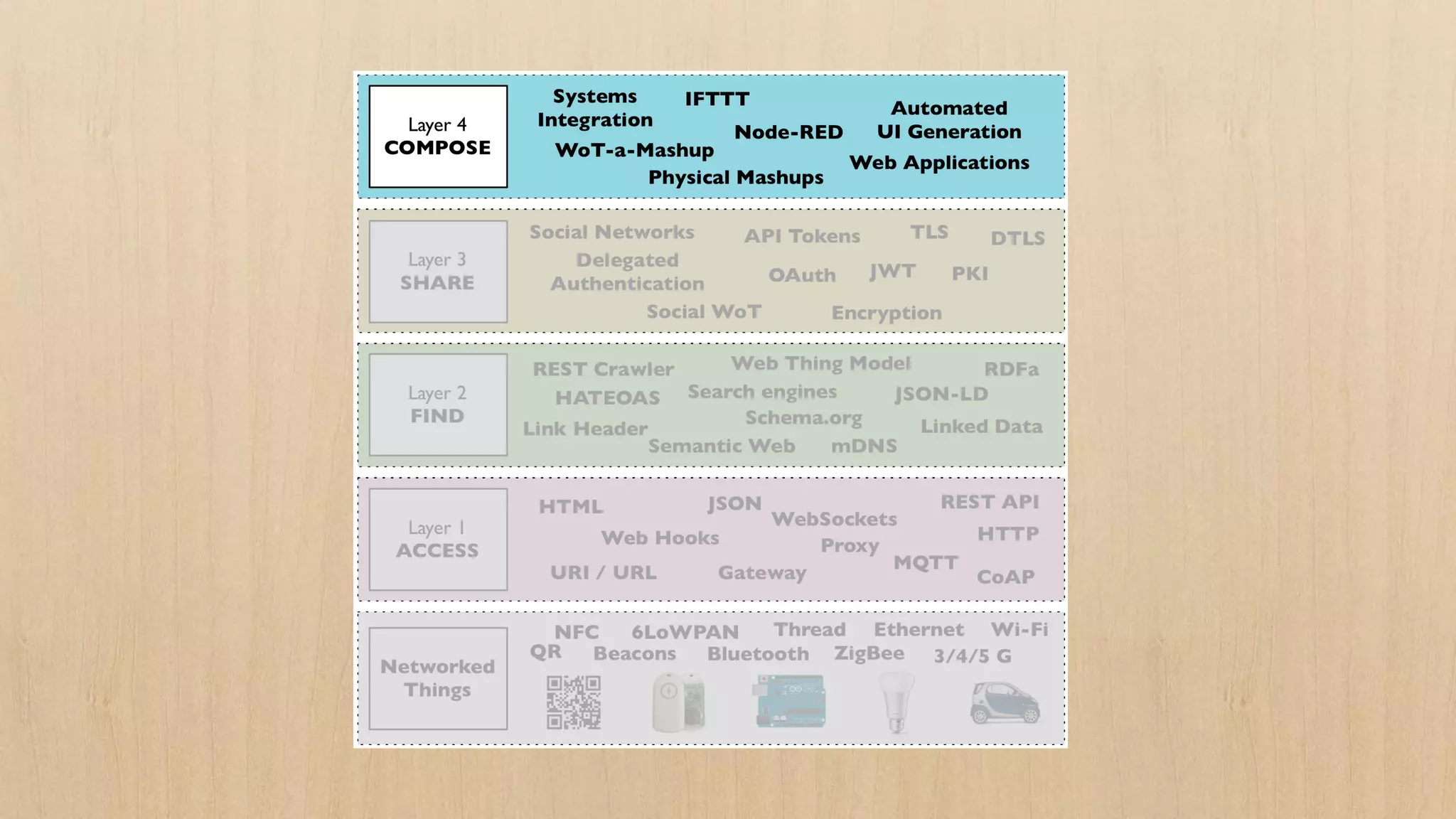
Layers of the WoT
Access, Find, Share, Compose
The Future of the IoT
From blockchain to AI and other
buzzwords & challenges ahead for
the IoT
The Web of Things Book!
Course largely based on the book
Books and kits options on:
http://book.webofthings.io
Use 39guinard
To get 39% discount on Manning
5
1. The IoT
“[...] the phrase "Internet of Things"
started life as the title of a
presentation I made at Procter &
Gamble (P&G) in 1999. Linking the
new idea of RFID in P&G's supply
chain to the then-red-hot topic of
the Internet [...]”
[@Kevin_Ashton]
7
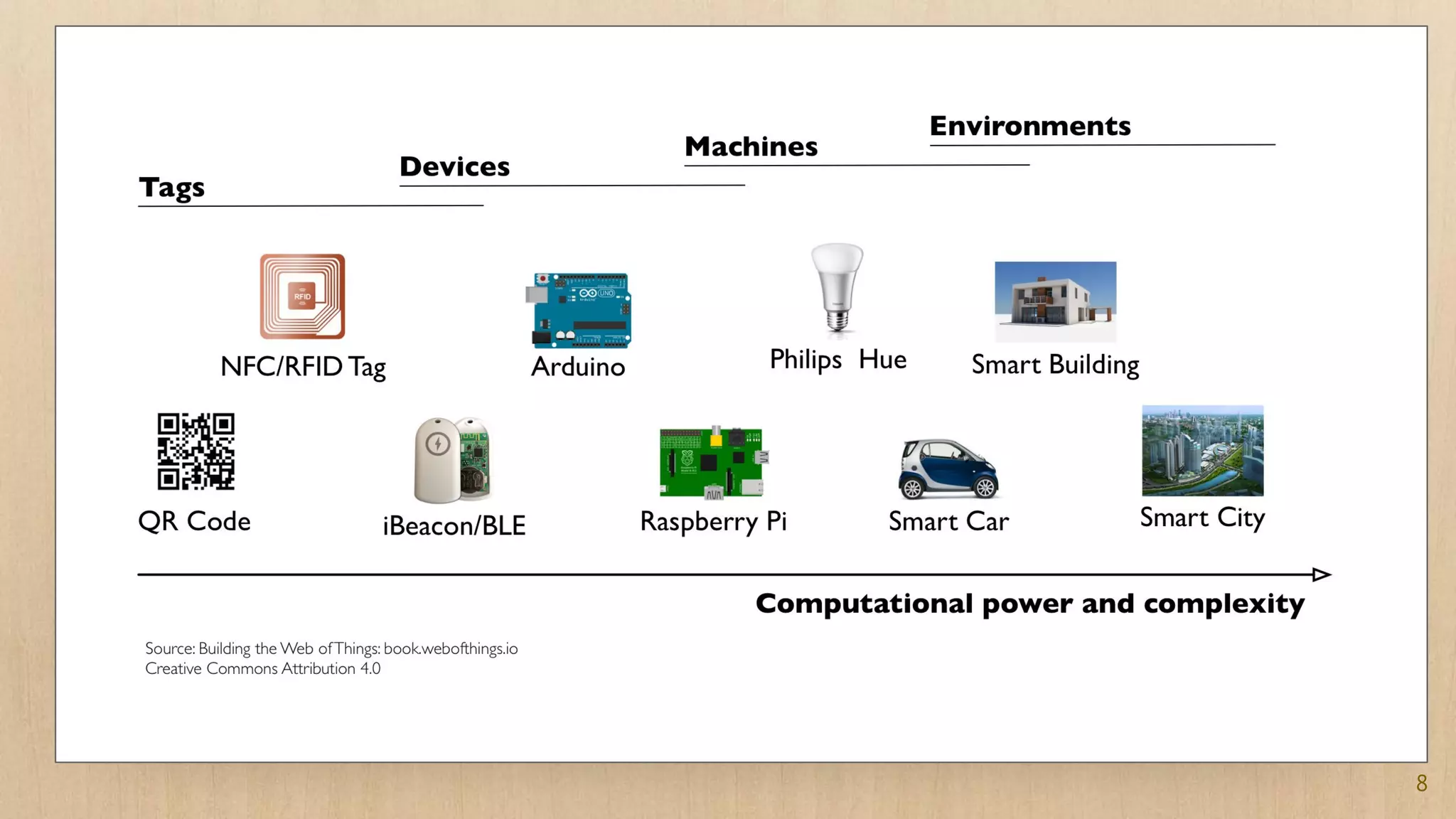
8
9
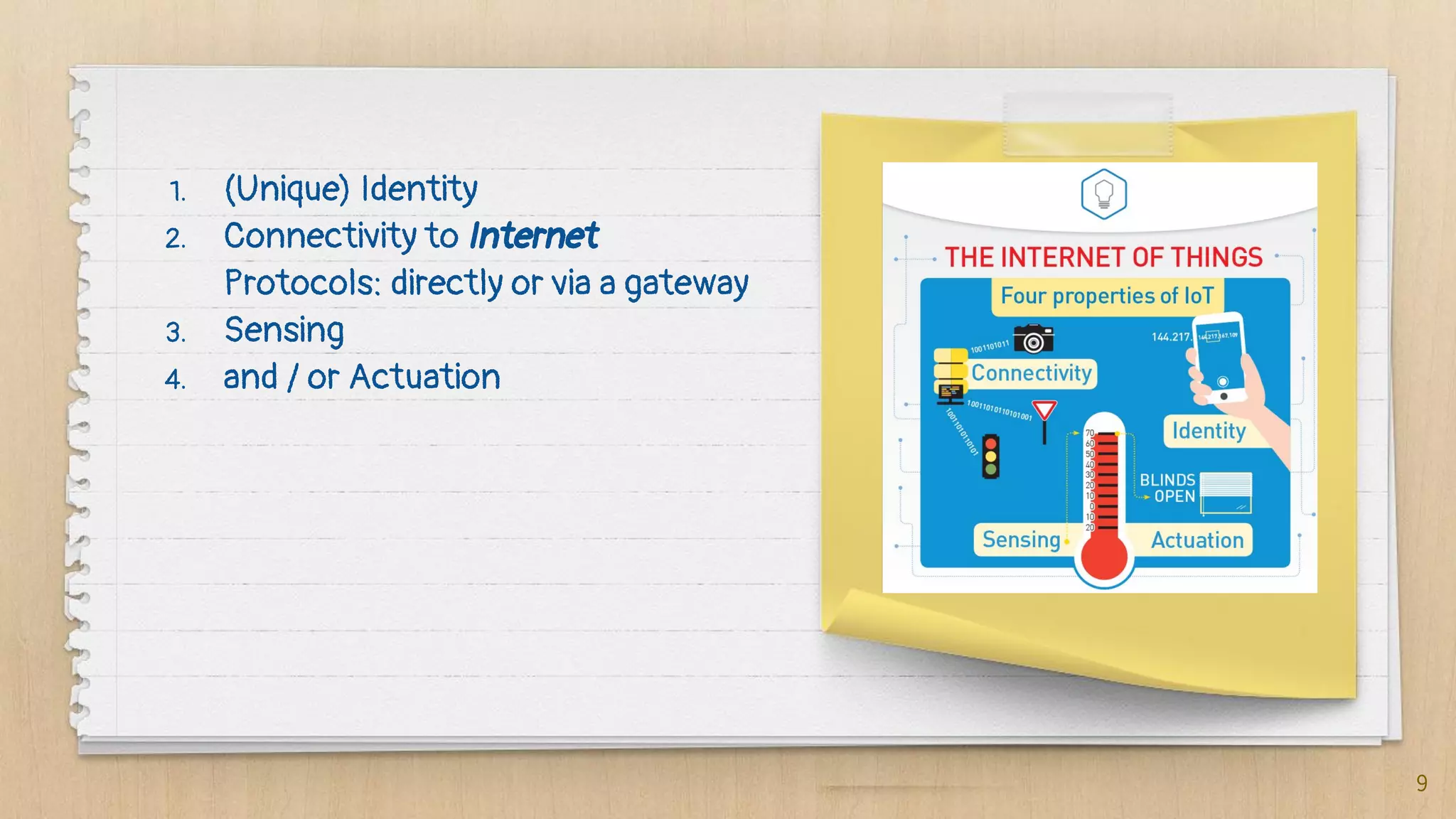
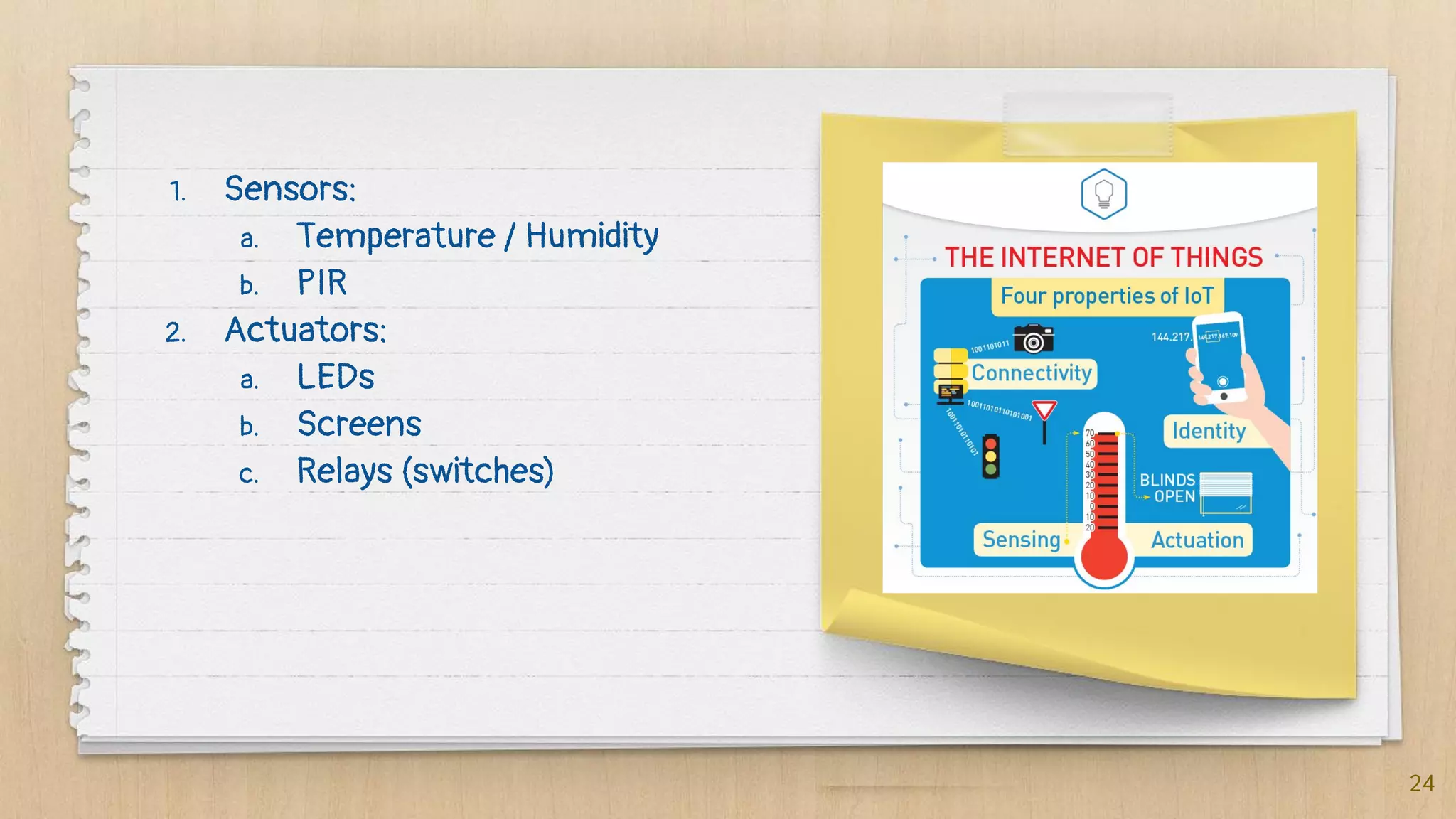
1. (Unique) Identity
2. Connectivity to Internet
Protocols: directly or via a gateway
3. Sensing
4. and / or Actuation
Application Domains
Consumer IoT
Smart homes, quantified
self, wearables, consumer
marketing, assisted living,
etc.
Commercial IoT
Smart supply chains,
smart buildings,
connected medical
devices, connected cars,
etc.
Industrial IoT
Smart cities, smart grids,
Industry 4.0, smart
manufacturing
10
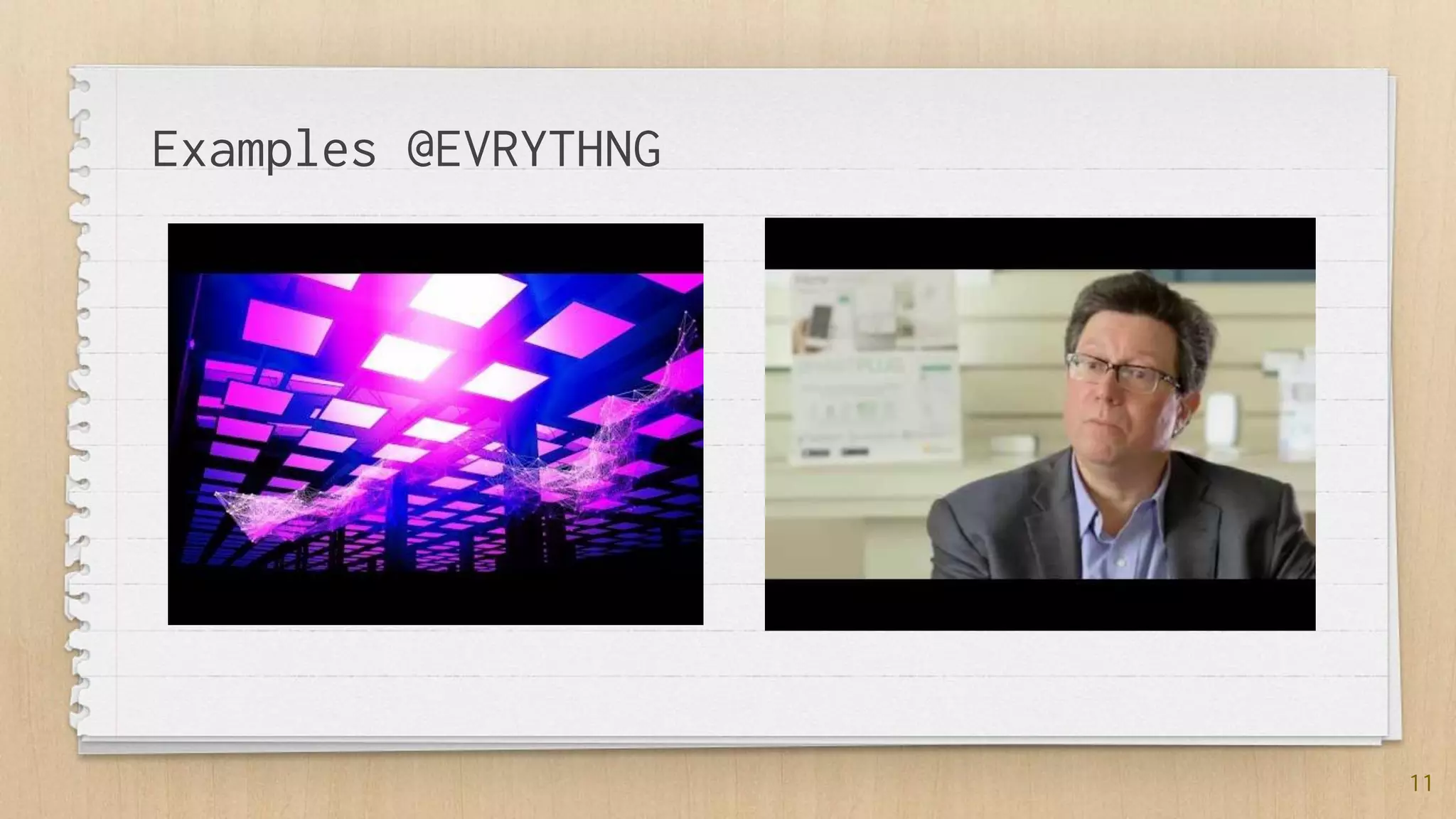
Examples @EVRYTHNG
11
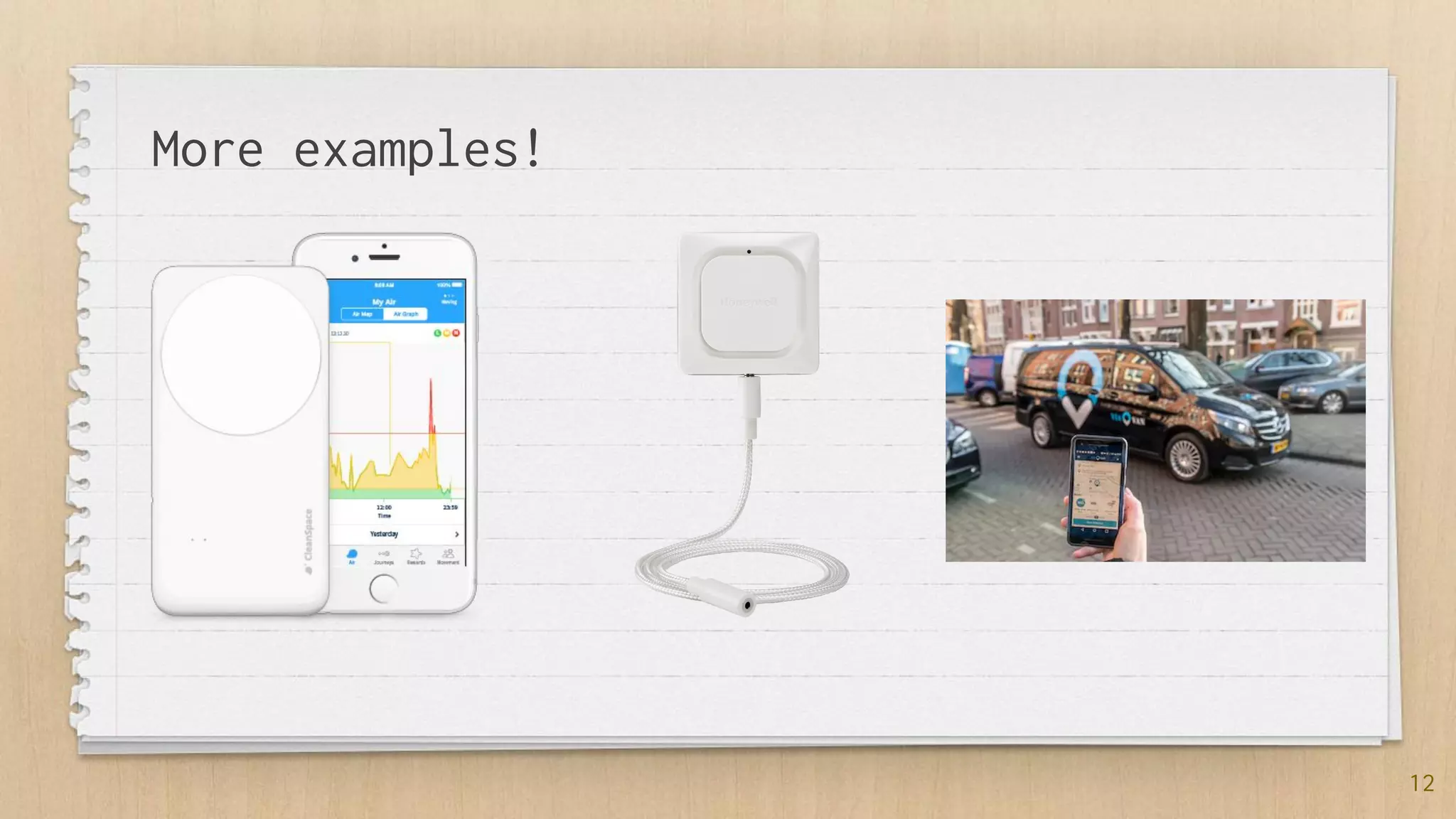
More examples!
12
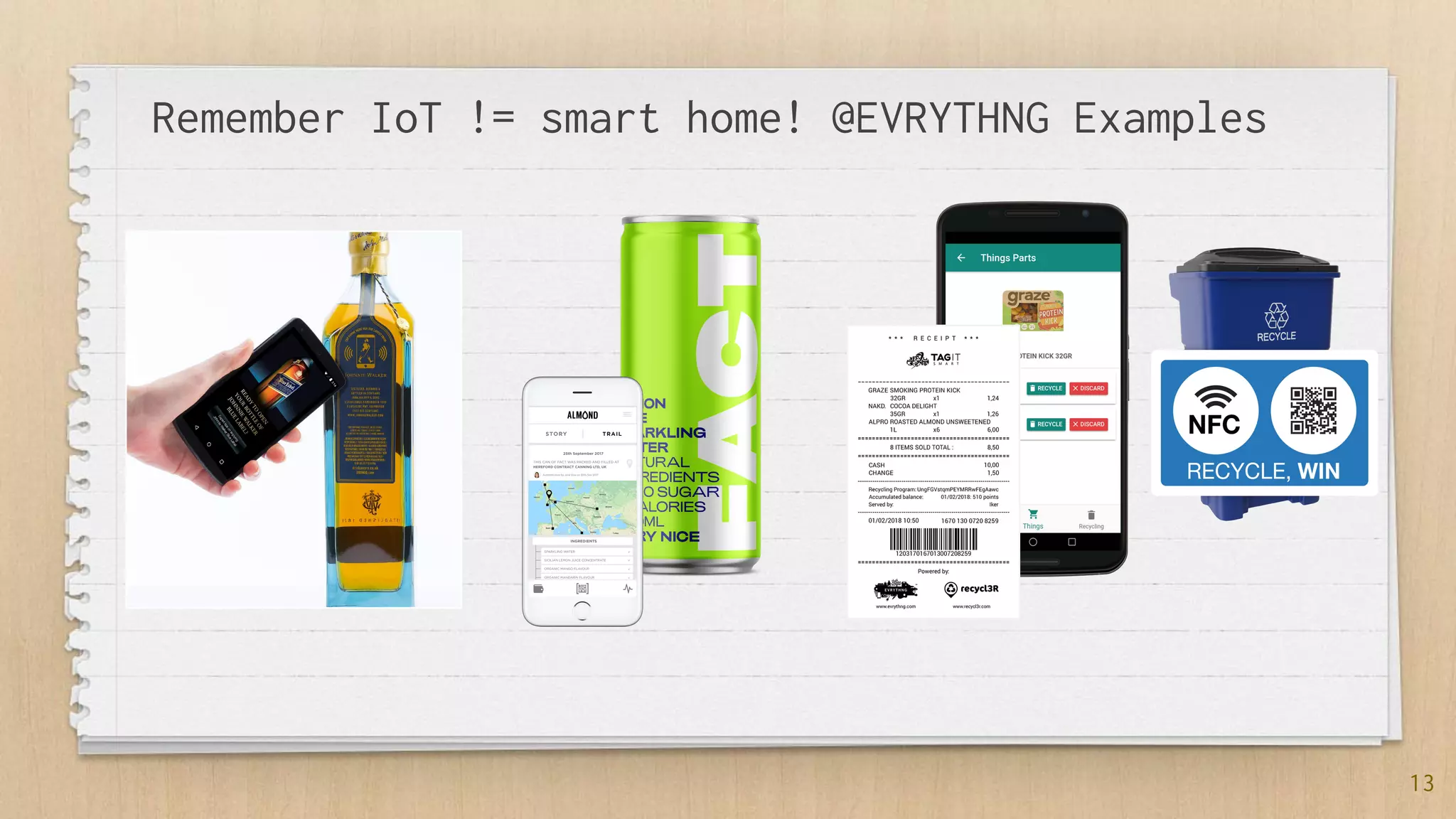
Remember IoT != smart home! @EVRYTHNG Examples
13
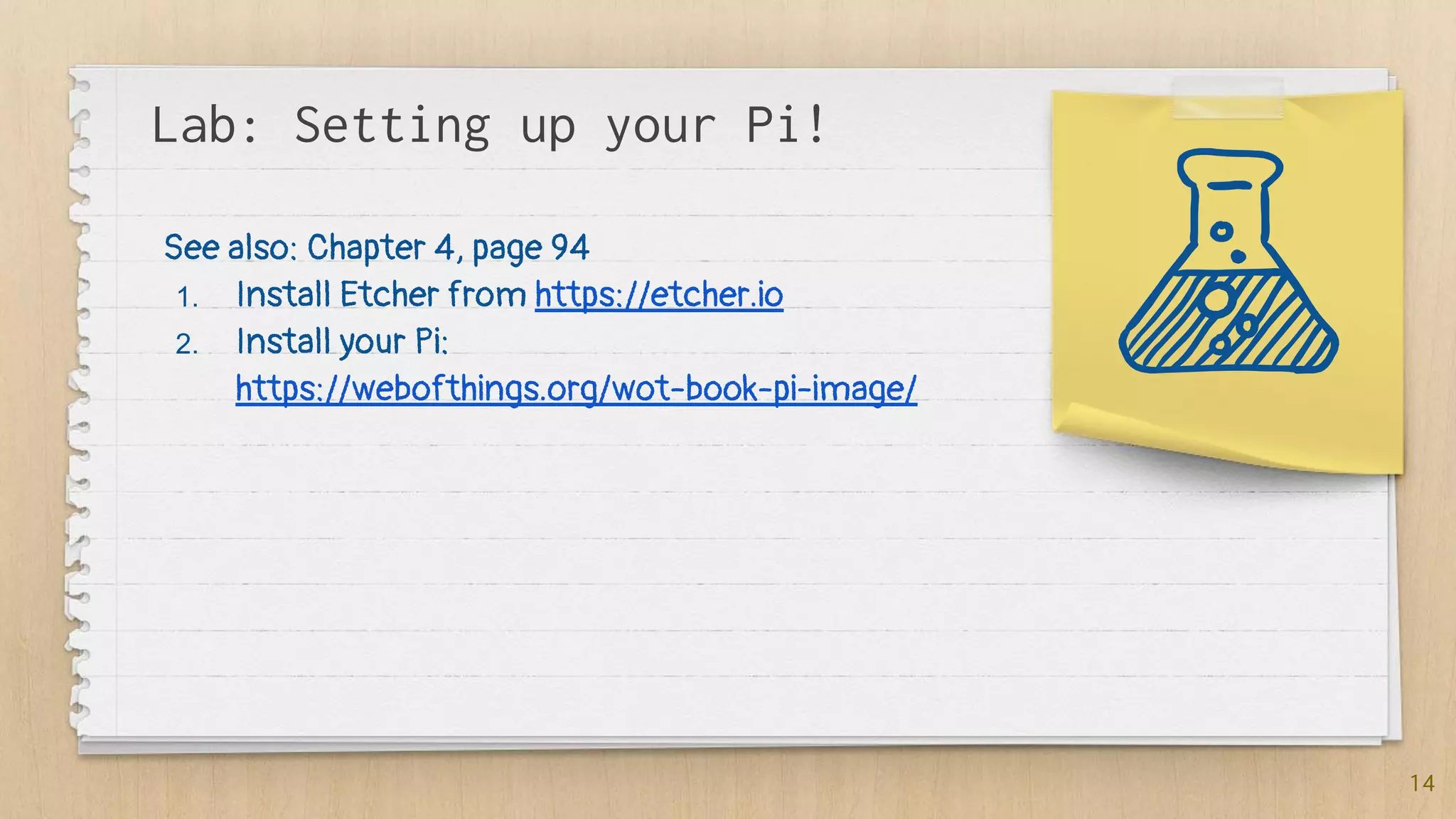
Lab: Setting up your Pi!
14
See also: Chapter 4, page 94
1. Install Etcher from https://etcher.io
2. Install your Pi:
https://webofthings.org/wot-book-pi-image/
2. Getting
started with
embedded
devices
16
VS
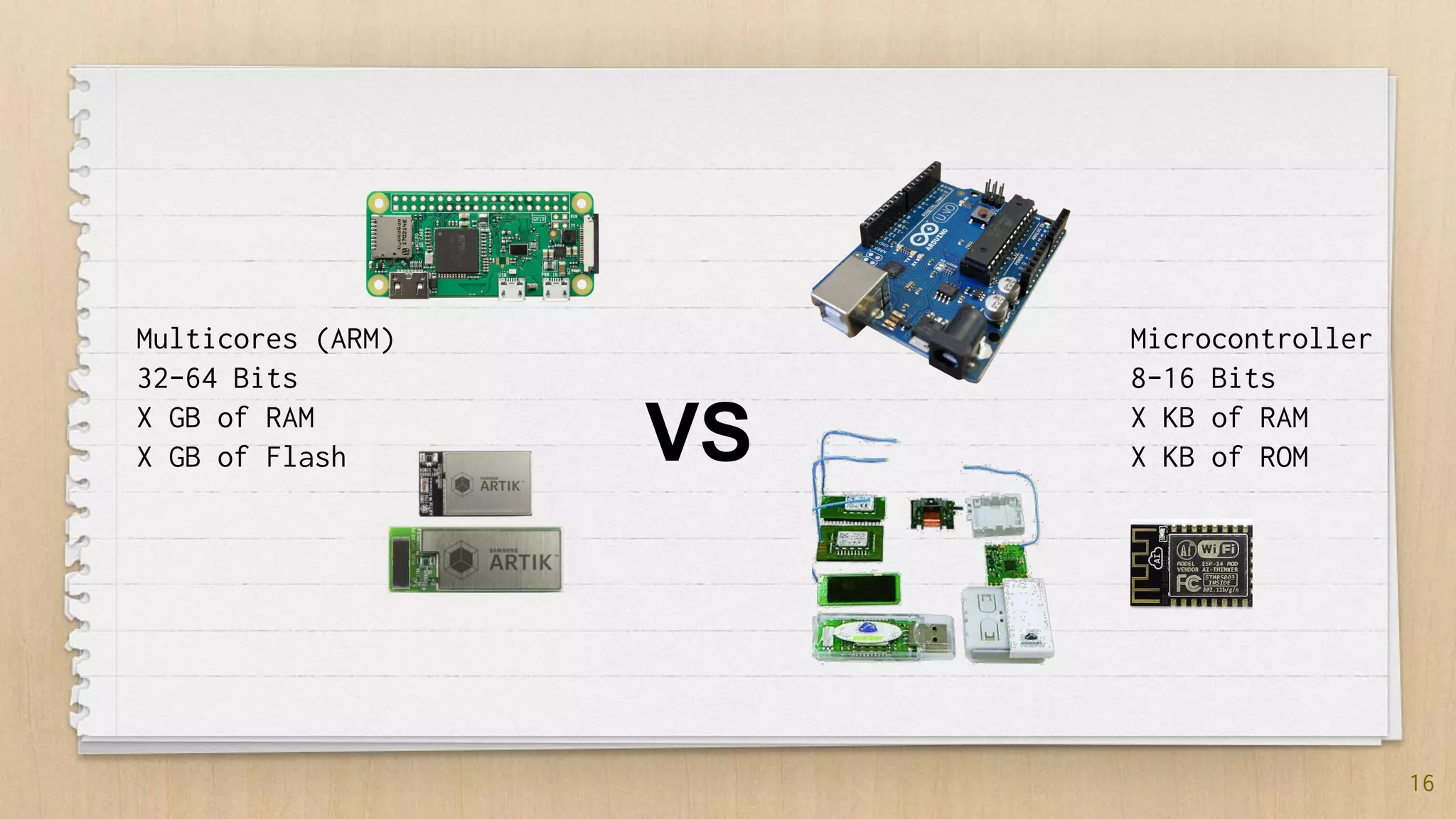
Multicores (ARM)
32-64 Bits
X GB of RAM
X GB of Flash
Microcontroller
8-16 Bits
X KB of RAM
X KB of ROM
17
18
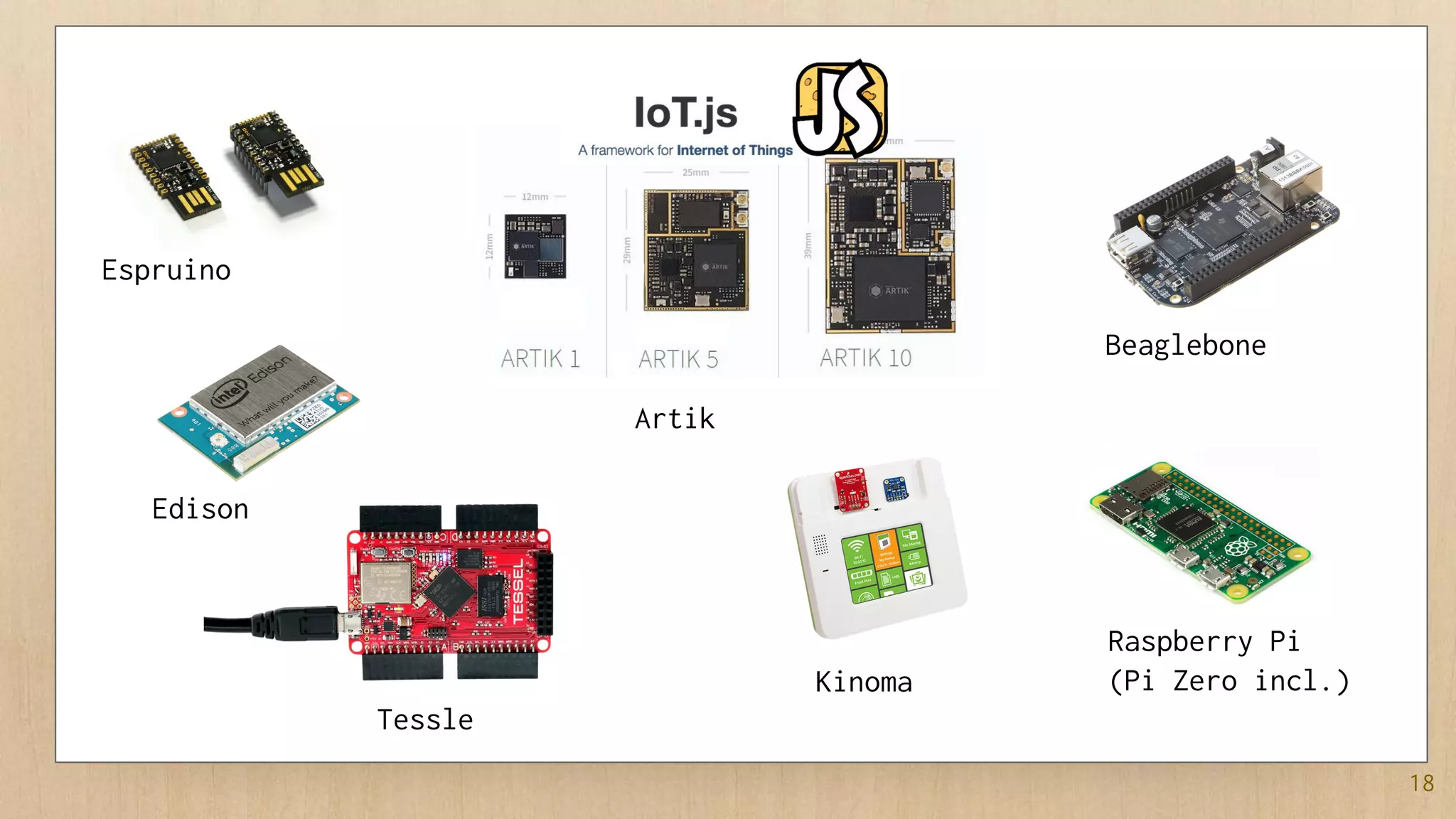
Espruino
Edison
Tessle
Artik
Kinoma
Beaglebone
Raspberry Pi
(Pi Zero incl.)
19
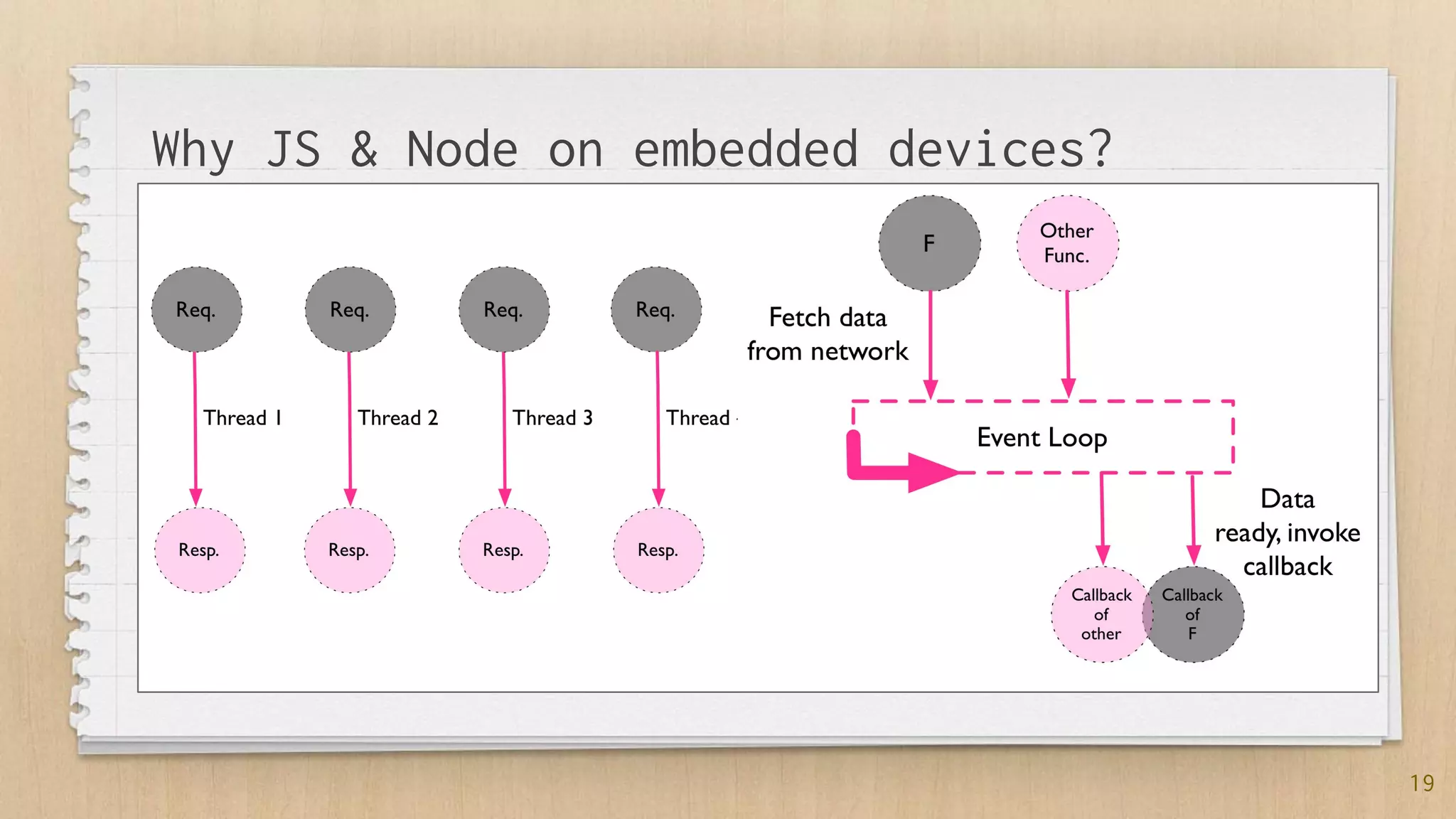
Why JS & Node on embedded devices?
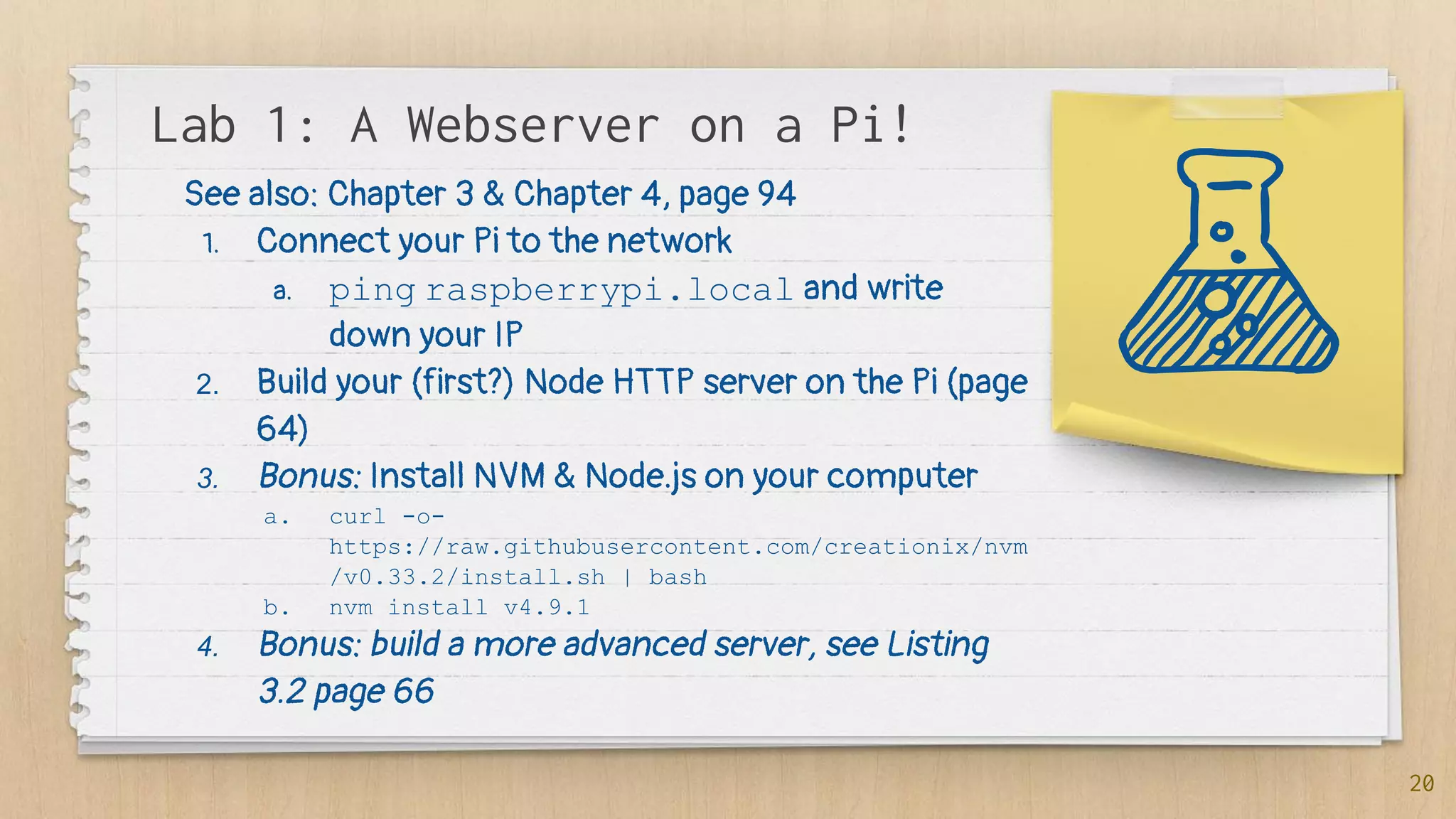
Lab 1: A Webserver on a Pi!
20
See also: Chapter 3 & Chapter 4, page 94
1. Connect your Pi to the network
a. ping raspberrypi.local and write
down your IP
2. Build your (first?) Node HTTP server on the Pi (page
64)
3. Bonus: Install NVM & Node.js on your computer
a. curl -o-
https://raw.githubusercontent.com/creationix/nvm
/v0.33.2/install.sh | bash
b. nvm install v4.9.1
4. Bonus: build a more advanced server, see Listing
3.2 page 66
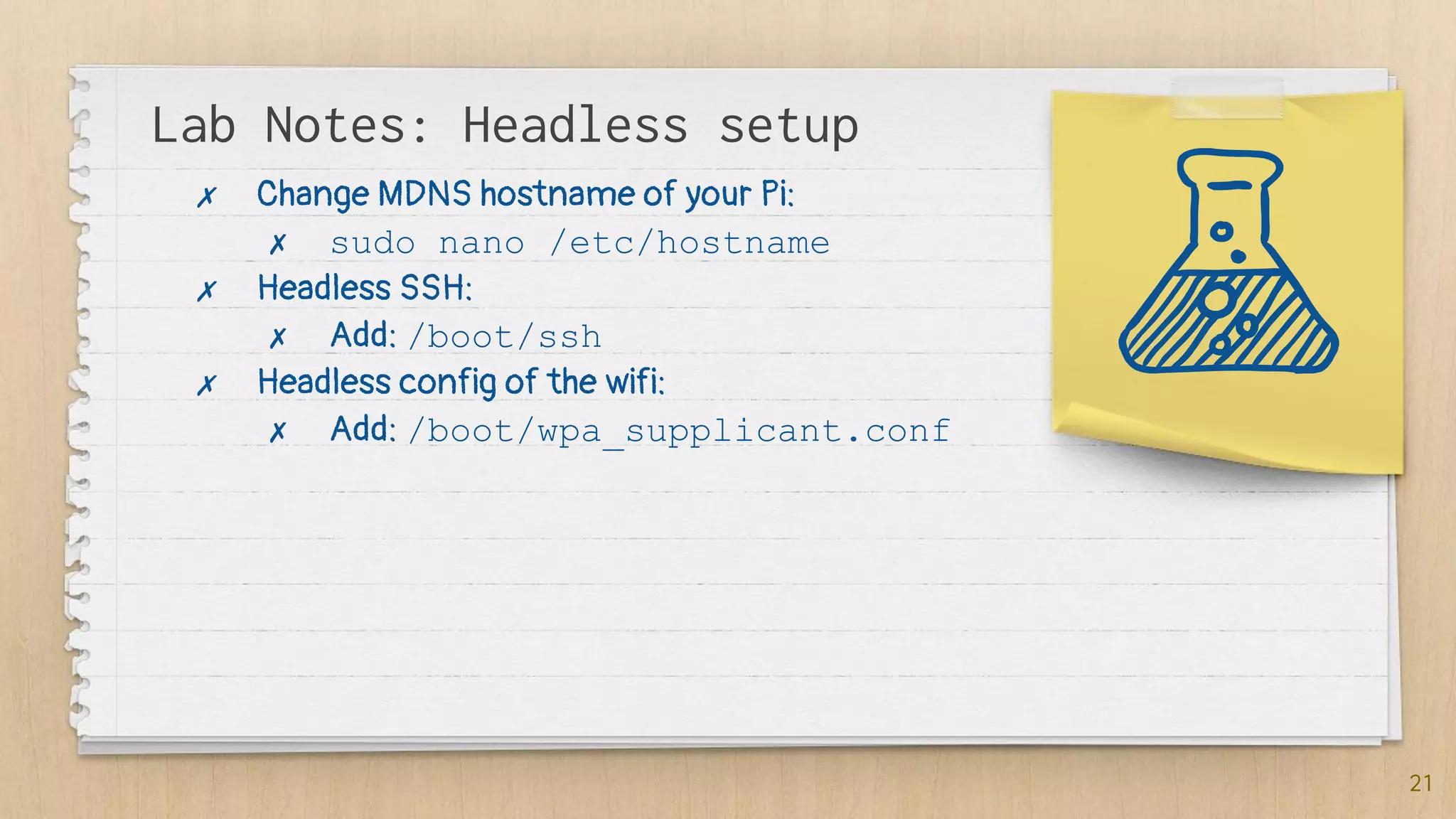
Lab Notes: Headless setup
21
✗ Change MDNS hostname of your Pi:
✗ sudo nano /etc/hostname
✗ Headless SSH:
✗ Add: /boot/ssh
✗ Headless config of the wifi:
✗ Add: /boot/wpa_supplicant.conf
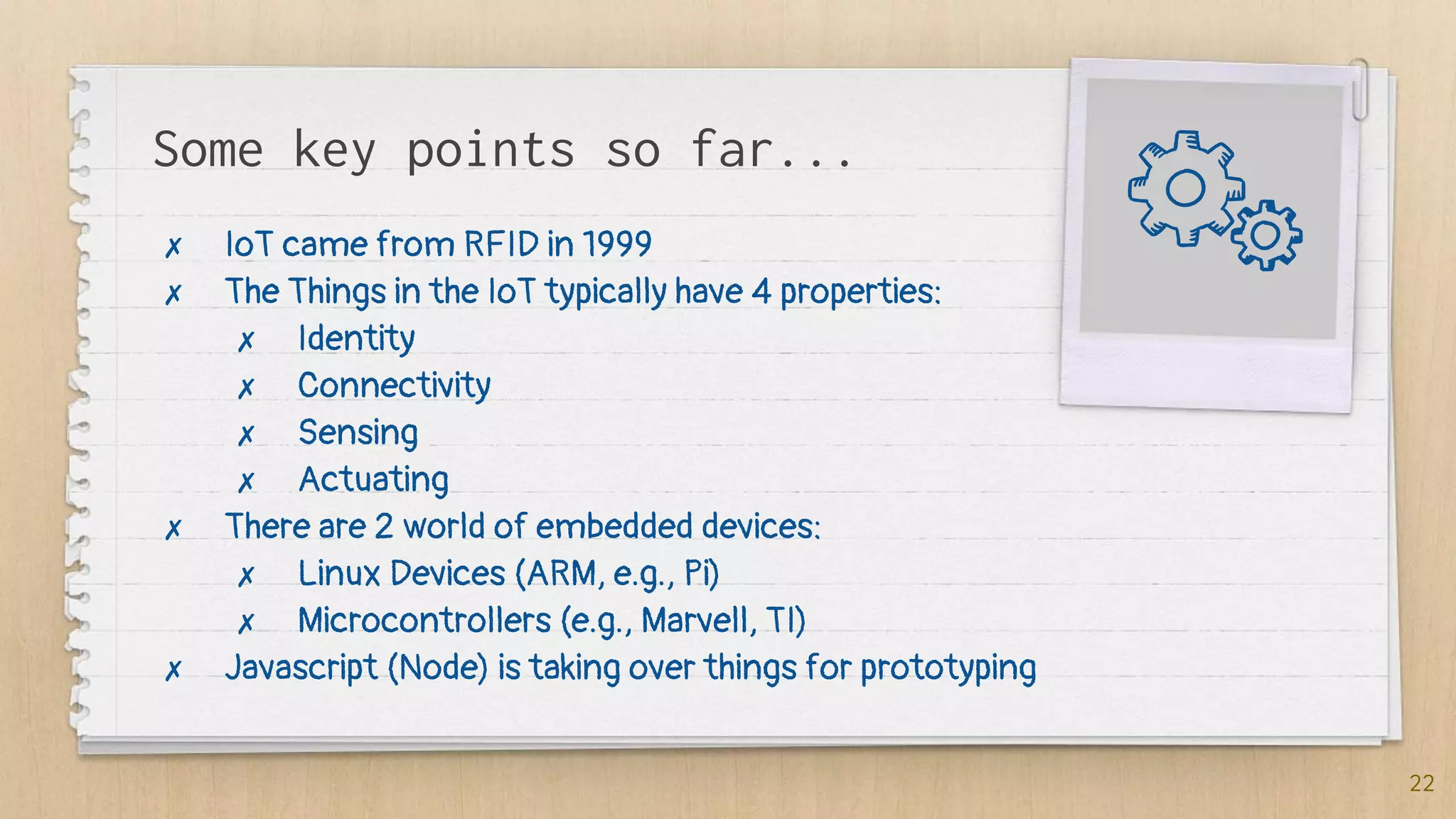
Some key points so far...
✗ IoT came from RFID in 1999
✗ The Things in the IoT typically have 4 properties:
✗ Identity
✗ Connectivity
✗ Sensing
✗ Actuating
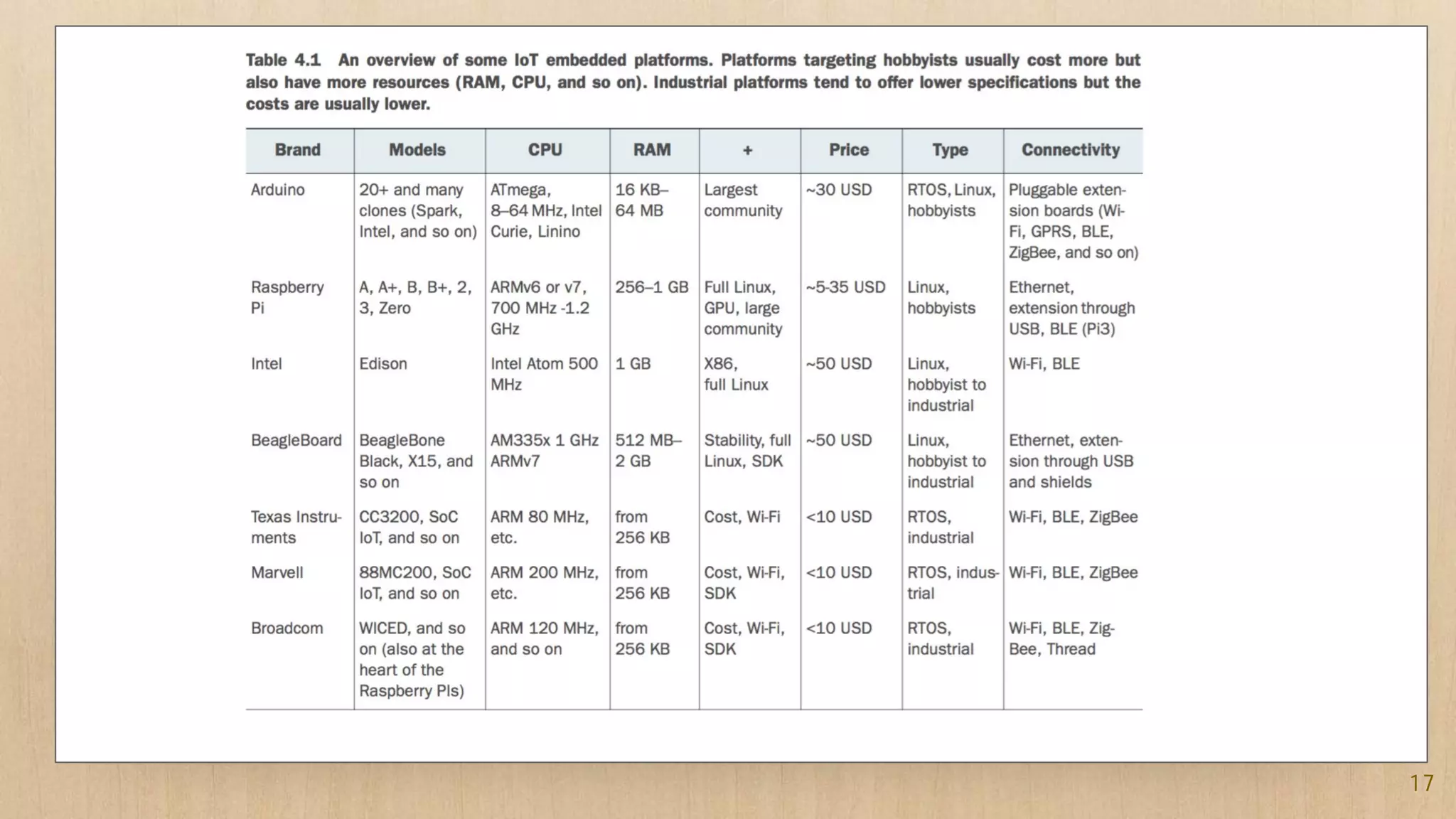
✗ There are 2 world of embedded devices:
✗ Linux Devices (ARM, e.g., Pi)
✗ Microcontrollers (e.g., Marvell, TI)
✗ Javascript (Node) is taking over things for prototyping
22
3. Sensors &
Actuators
(via GPIOs)
24
1. Sensors:
a. Temperature / Humidity
b. PIR
2. Actuators:
a. LEDs
b. Screens
c. Relays (switches)
25
26
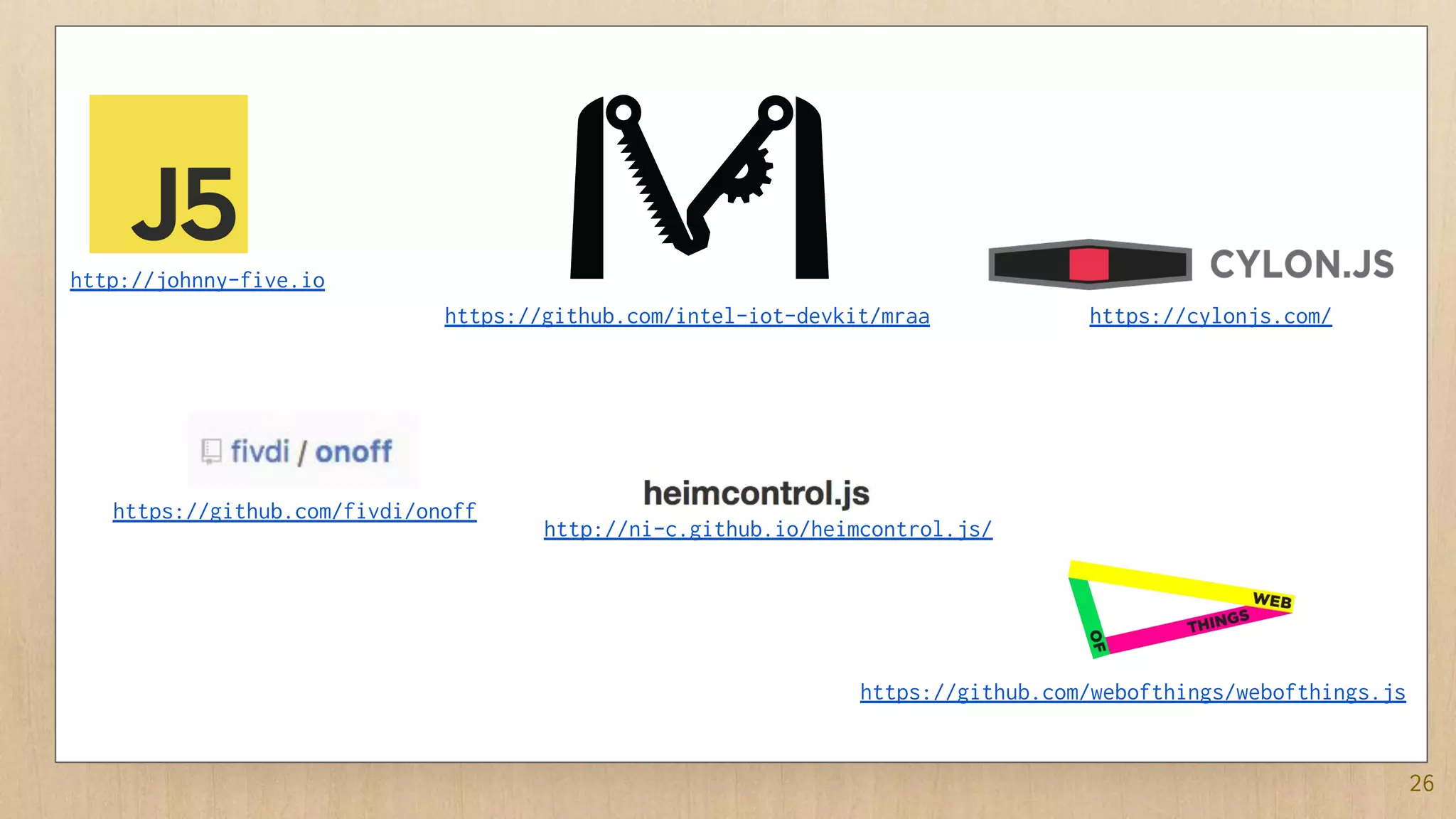
http://johnny-five.io
https://github.com/fivdi/onoff
https://github.com/intel-iot-devkit/mraa https://cylonjs.com/
http://ni-c.github.io/heimcontrol.js/
https://github.com/webofthings/webofthings.js
27
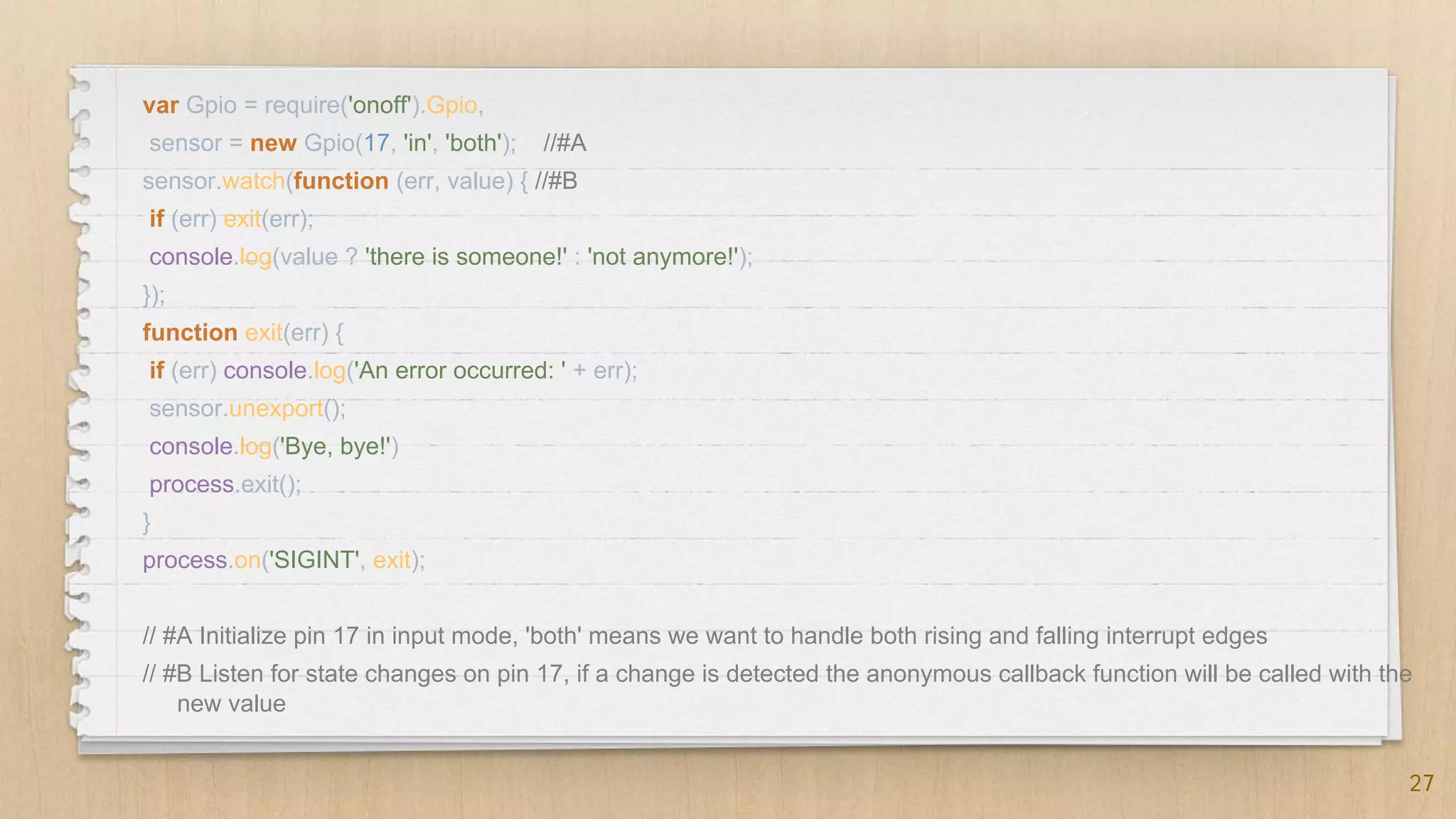
var Gpio = require('onoff').Gpio,
sensor = new Gpio(17, 'in', 'both'); //#A
sensor.watch(function (err, value) { //#B
if (err) exit(err);
console.log(value ? 'there is someone!' : 'not anymore!');
});
function exit(err) {
if (err) console.log('An error occurred: ' + err);
sensor.unexport();
console.log('Bye, bye!')
process.exit();
}
process.on('SIGINT', exit);
// #A Initialize pin 17 in input mode, 'both' means we want to handle both rising and falling interrupt edges
// #B Listen for state changes on pin 17, if a change is detected the anonymous callback function will be called with the
new value
28
Lab 2: GPIOs
29
See also: Chapter 4, from page 102
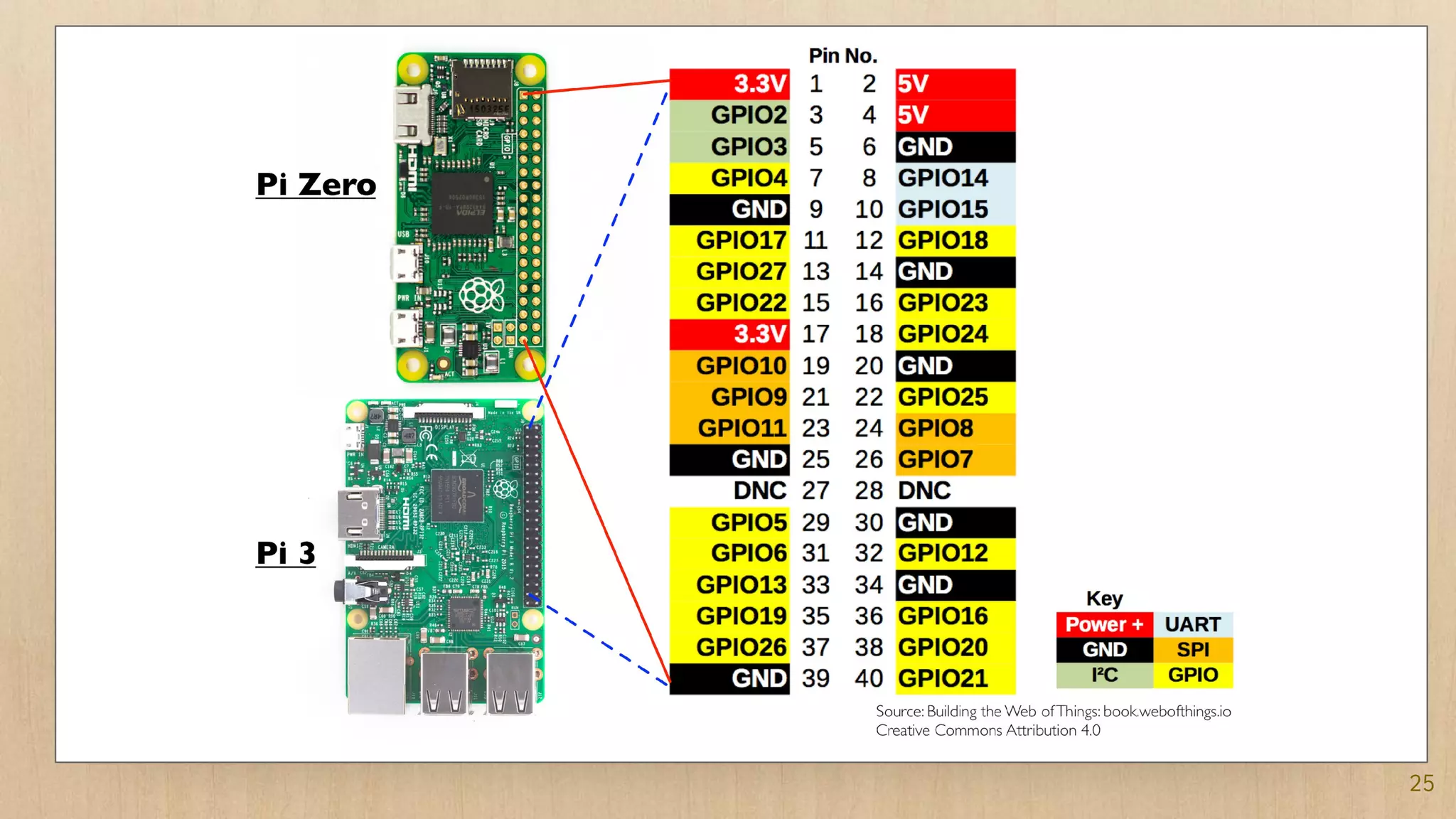
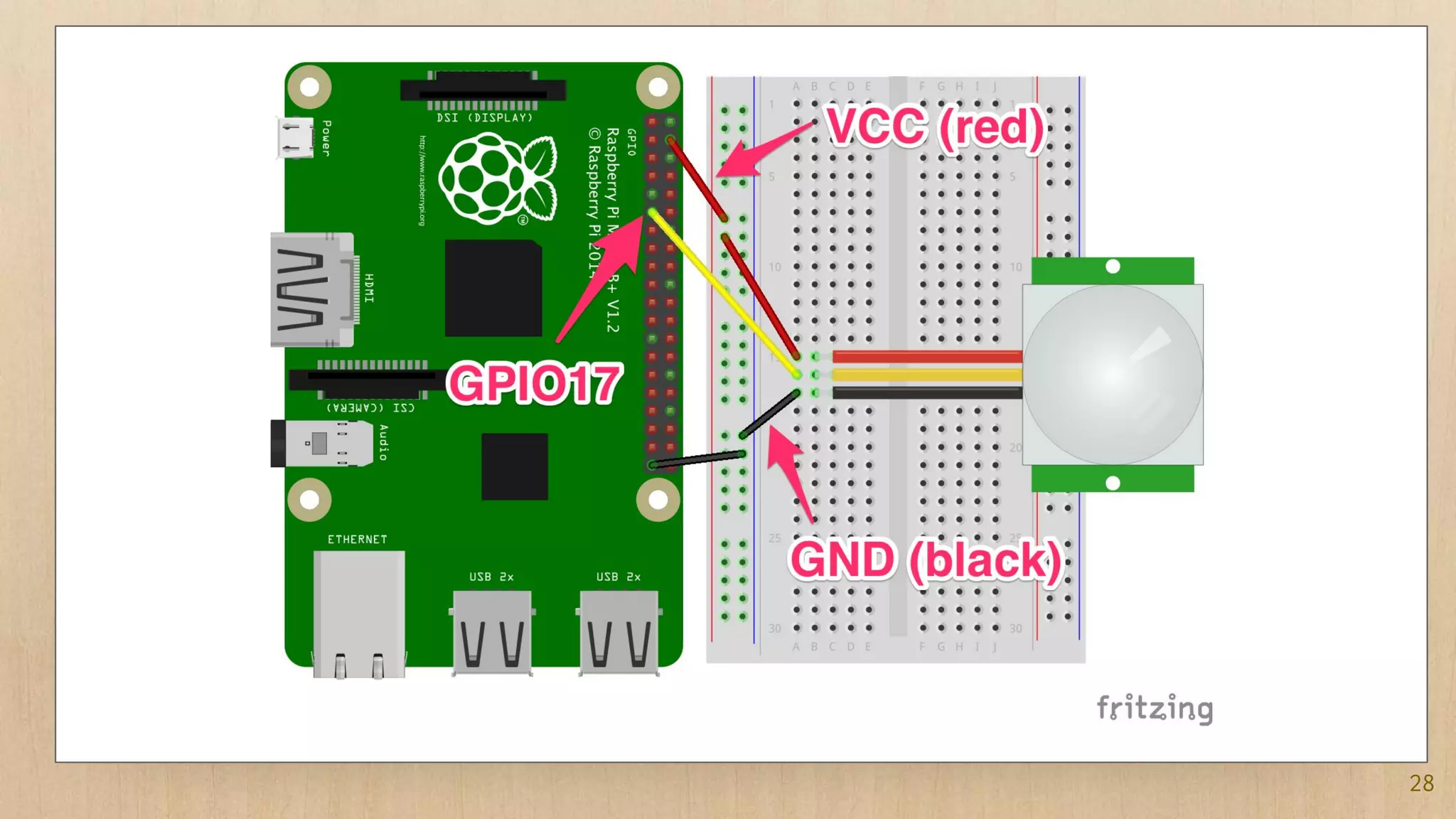
1. Setup the PIR sensor (see page 104)
2. Connect it to onoff.js code (see
chapter4-gpios/pir.js)
3. Bonus: setup the DHT sensor (see Chapter 4 from
page 105)
4. The I in IoT:
The Networks
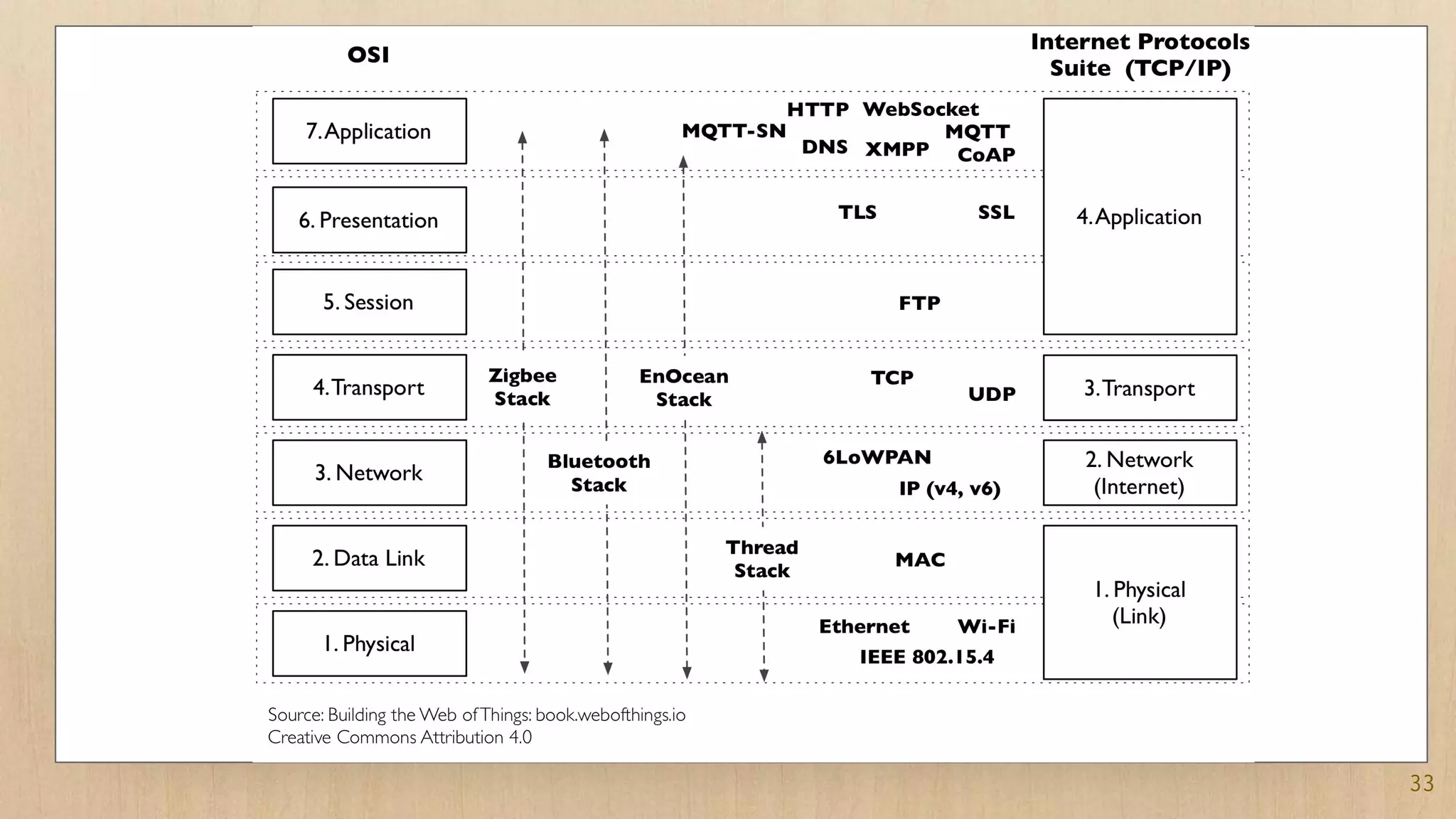
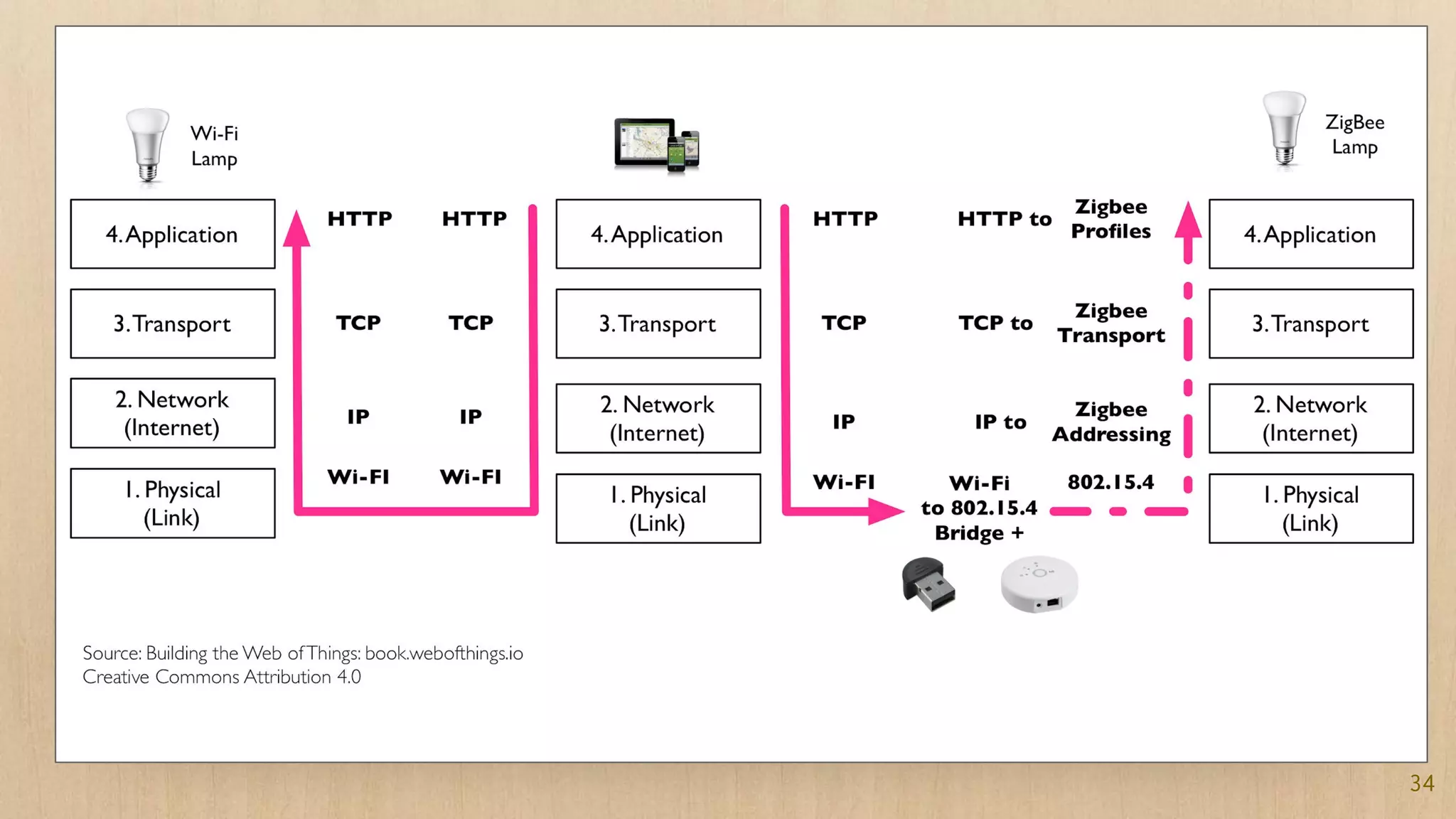
Categories of protocols
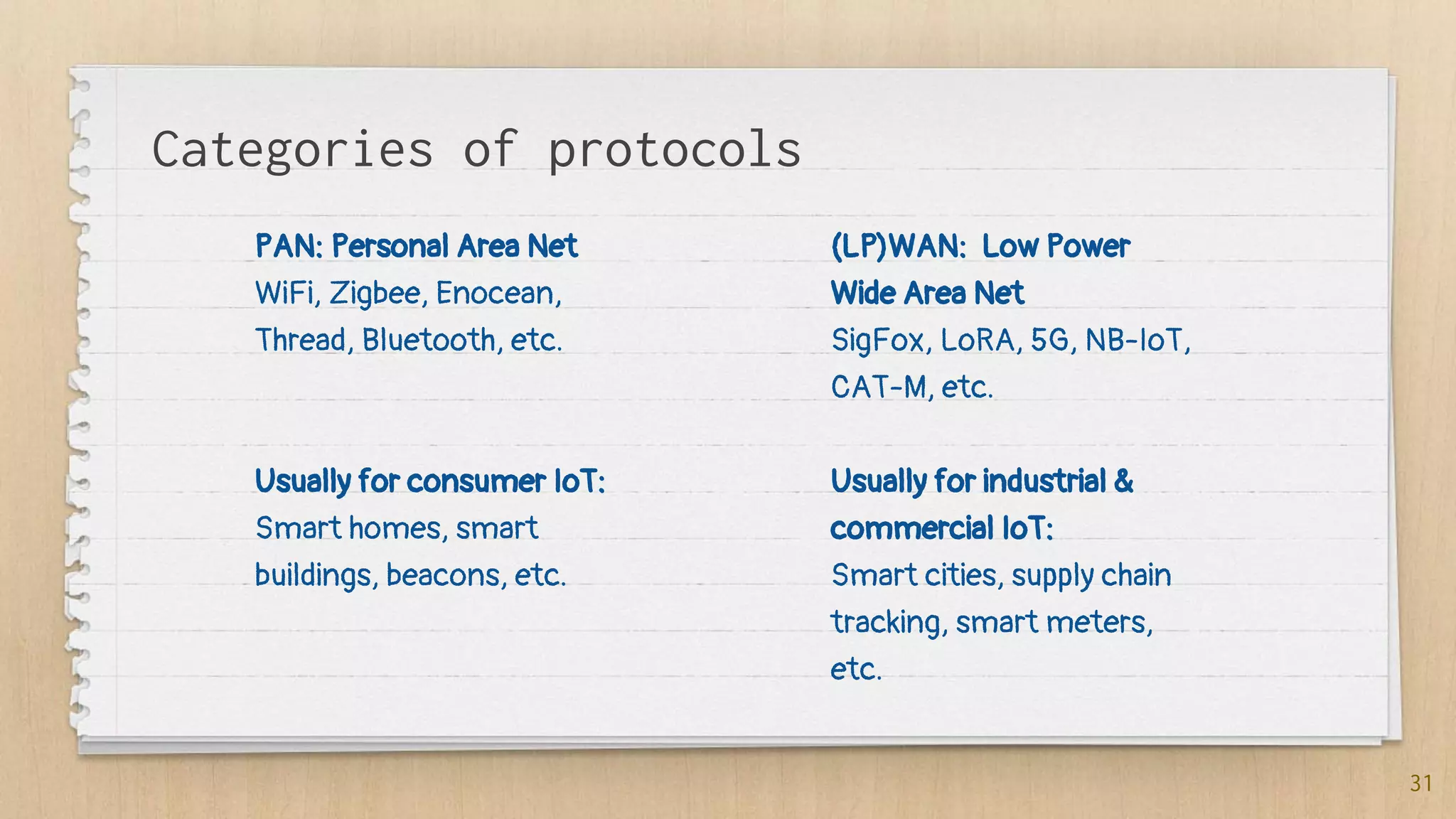
PAN: Personal Area Net
WiFi, Zigbee, Enocean,
Thread, Bluetooth, etc.
Usually for consumer IoT:
Smart homes, smart
buildings, beacons, etc.
(LP)WAN: Low Power
Wide Area Net
SigFox, LoRA, 5G, NB-IoT,
CAT-M, etc.
Usually for industrial &
commercial IoT:
Smart cities, supply chain
tracking, smart meters,
etc.
31
32
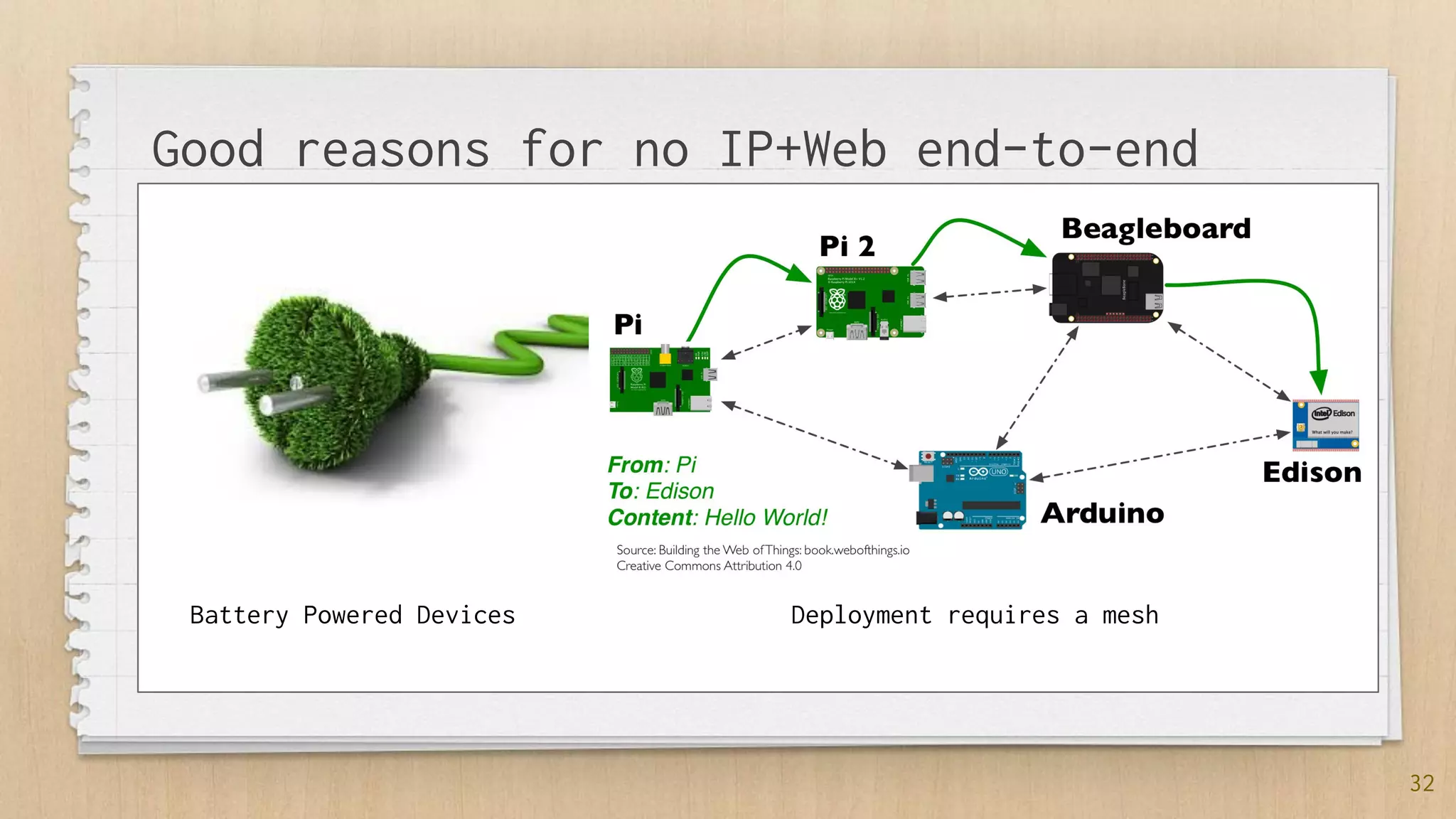
Good reasons for no IP+Web end-to-end
Battery Powered Devices Deployment requires a mesh
33
34
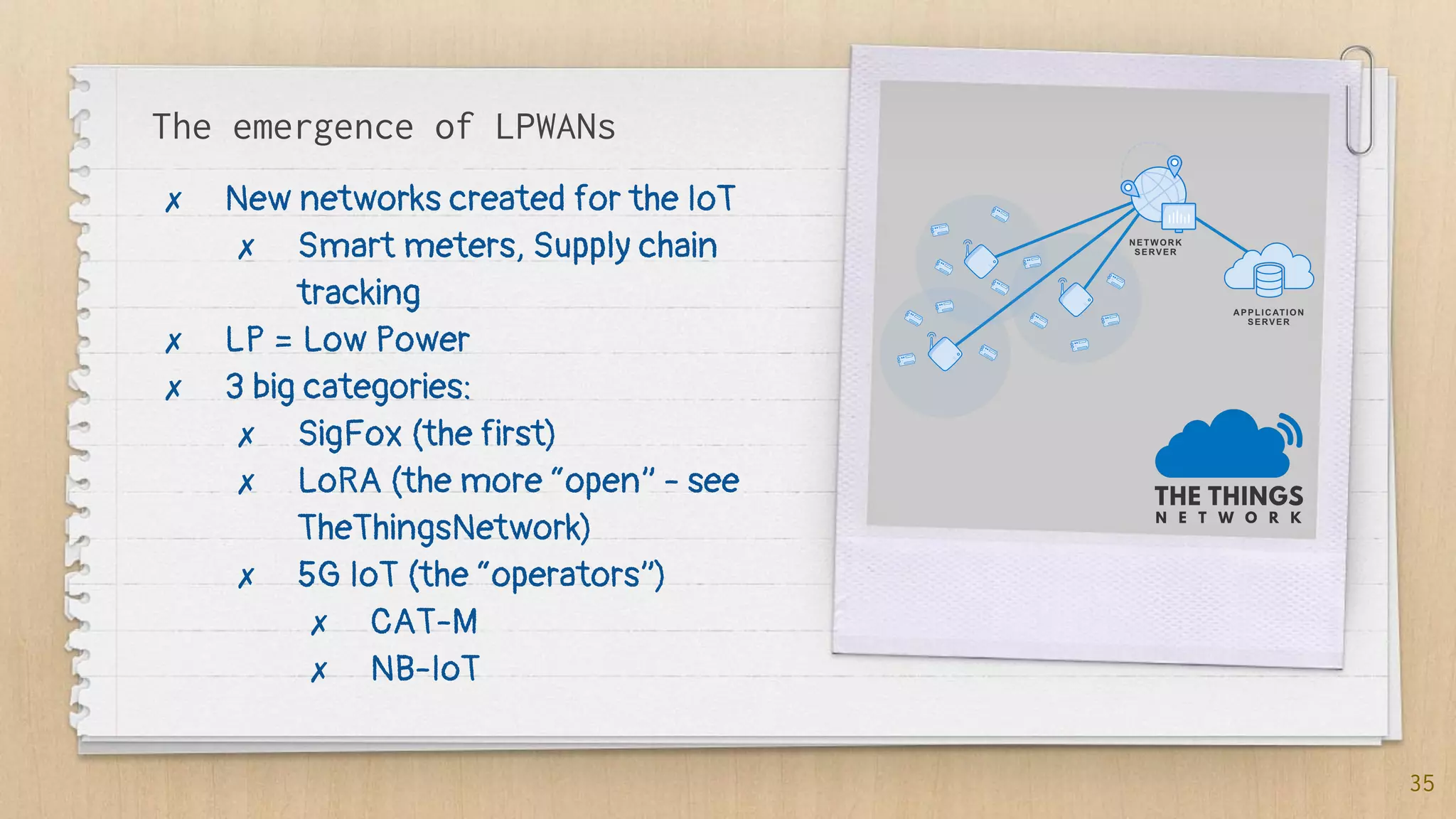
The emergence of LPWANs
✗ New networks created for the IoT
✗ Smart meters, Supply chain
tracking
✗ LP = Low Power
✗ 3 big categories:
✗ SigFox (the first)
✗ LoRA (the more “open” - see
TheThingsNetwork)
✗ 5G IoT (the “operators”)
✗ CAT-M
✗ NB-IoT
35
Demo: LPWAN & TTN
36
✗ Using a TTN Node
✗ Communicating with EVRYTHNG
Some key points so far...
✗ Sensors and Actuators are integrated to IoT
prototypes (and products) via GPIOs
✗ There are a lot of networking technologies involved in
the IoT. In particular because of the energy
consumption of WiFi and need for mesh.
✗ Very low-power protocols are emerging (LPWAN)
37
5. The W in IoT:
The Web of
Things
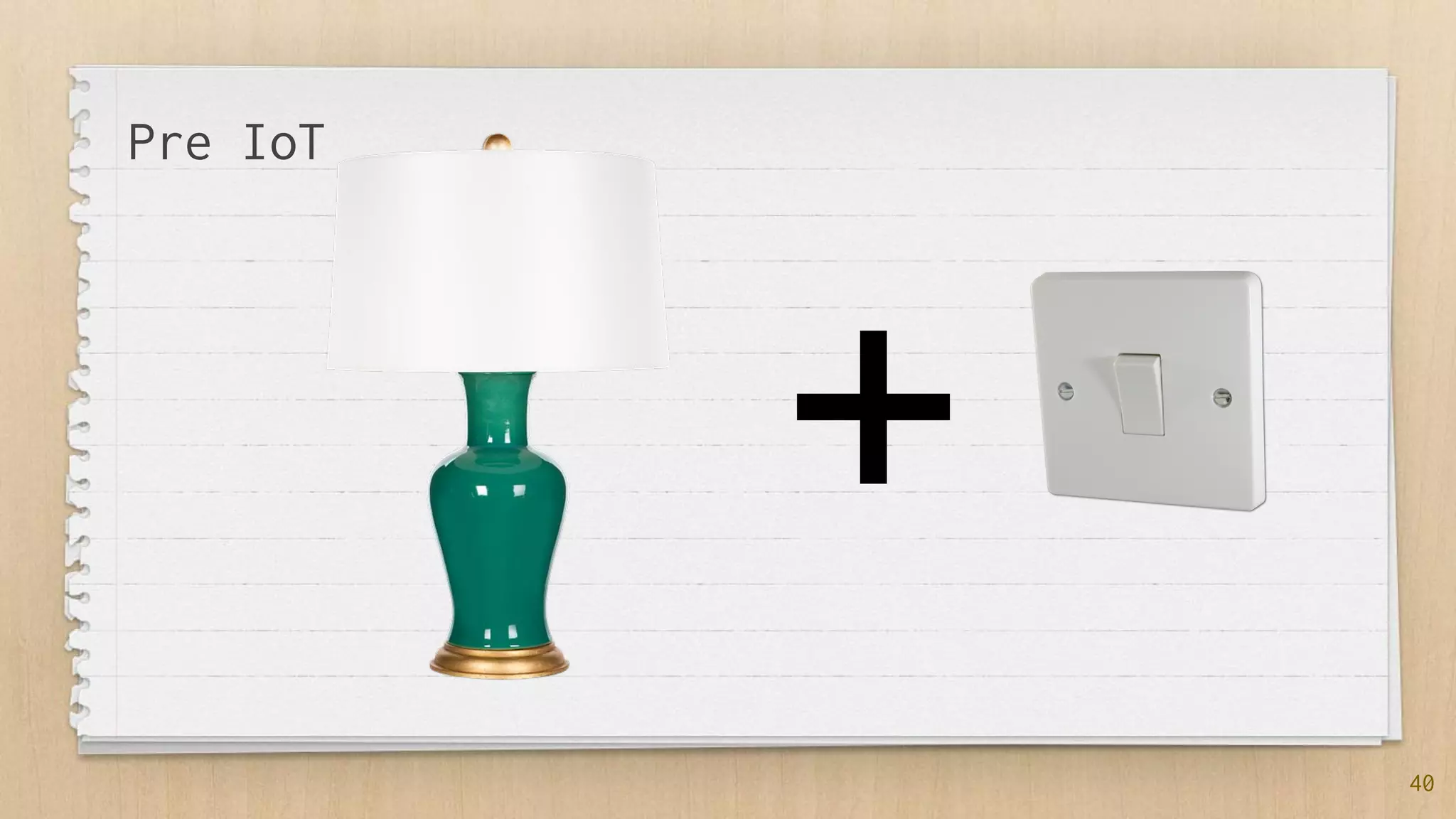
“The IoT is a science primarily
focusing on creating the
most complex ways of
turning lights on.”
[@domguinard]
39
40
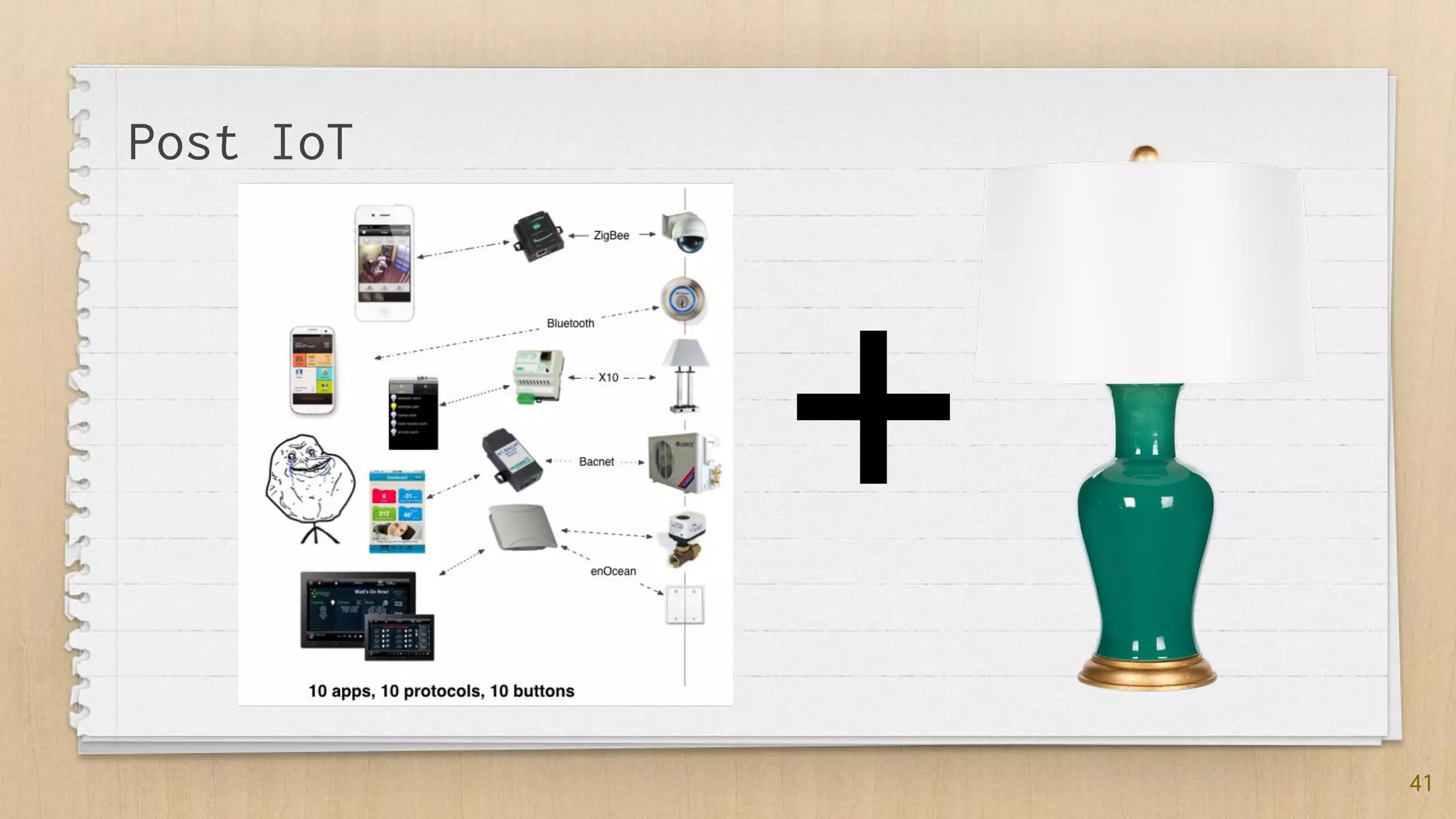
+
Pre IoT
41
+
Post IoT
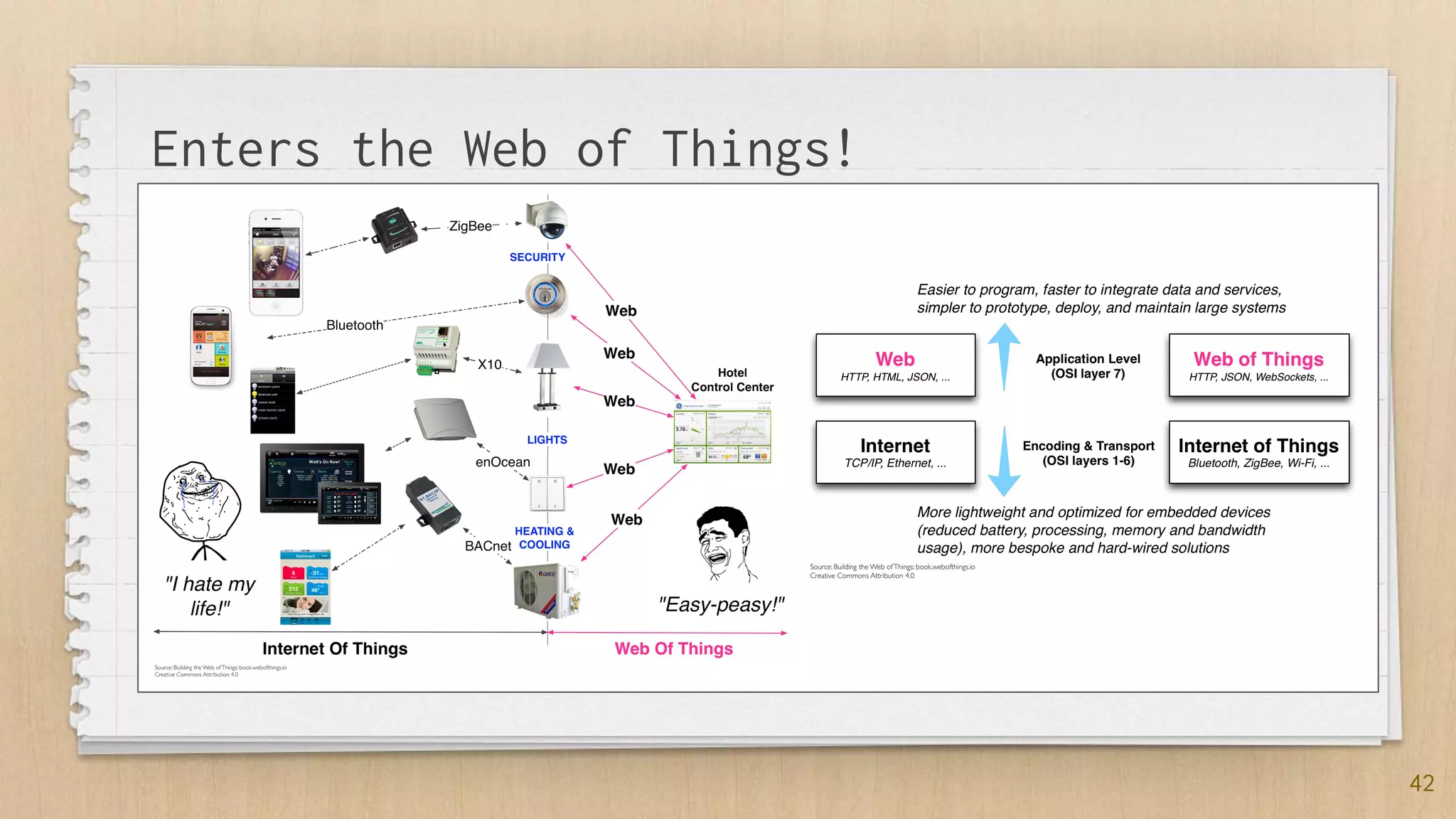
42
Enters the Web of Things!
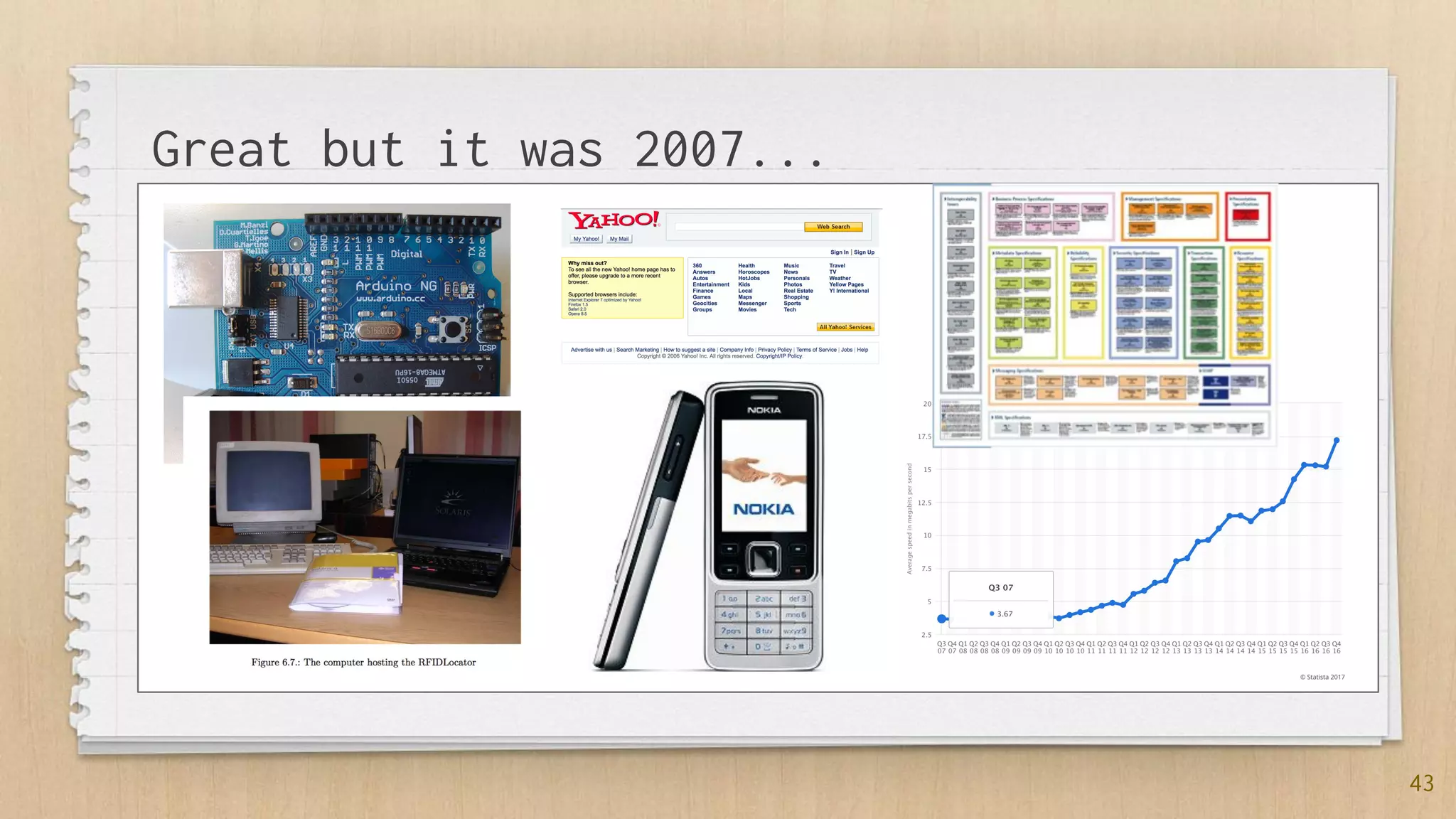
43
Great but it was 2007...
“The Web on Devices? Yeah,
sure… NOT!”
[@theEmbeddedCommunity,
2007]
44
45
46
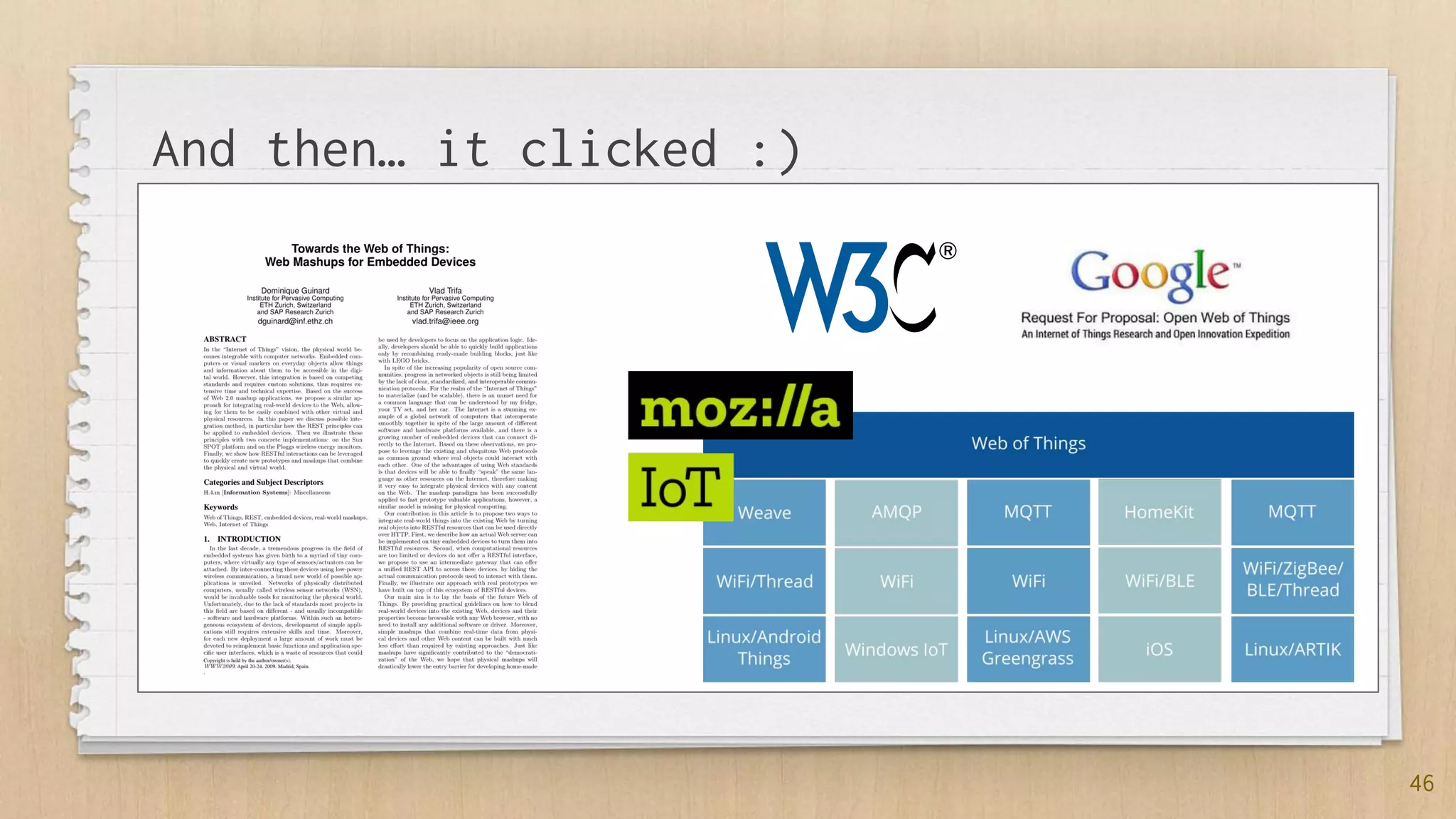
And then… it clicked :)
47
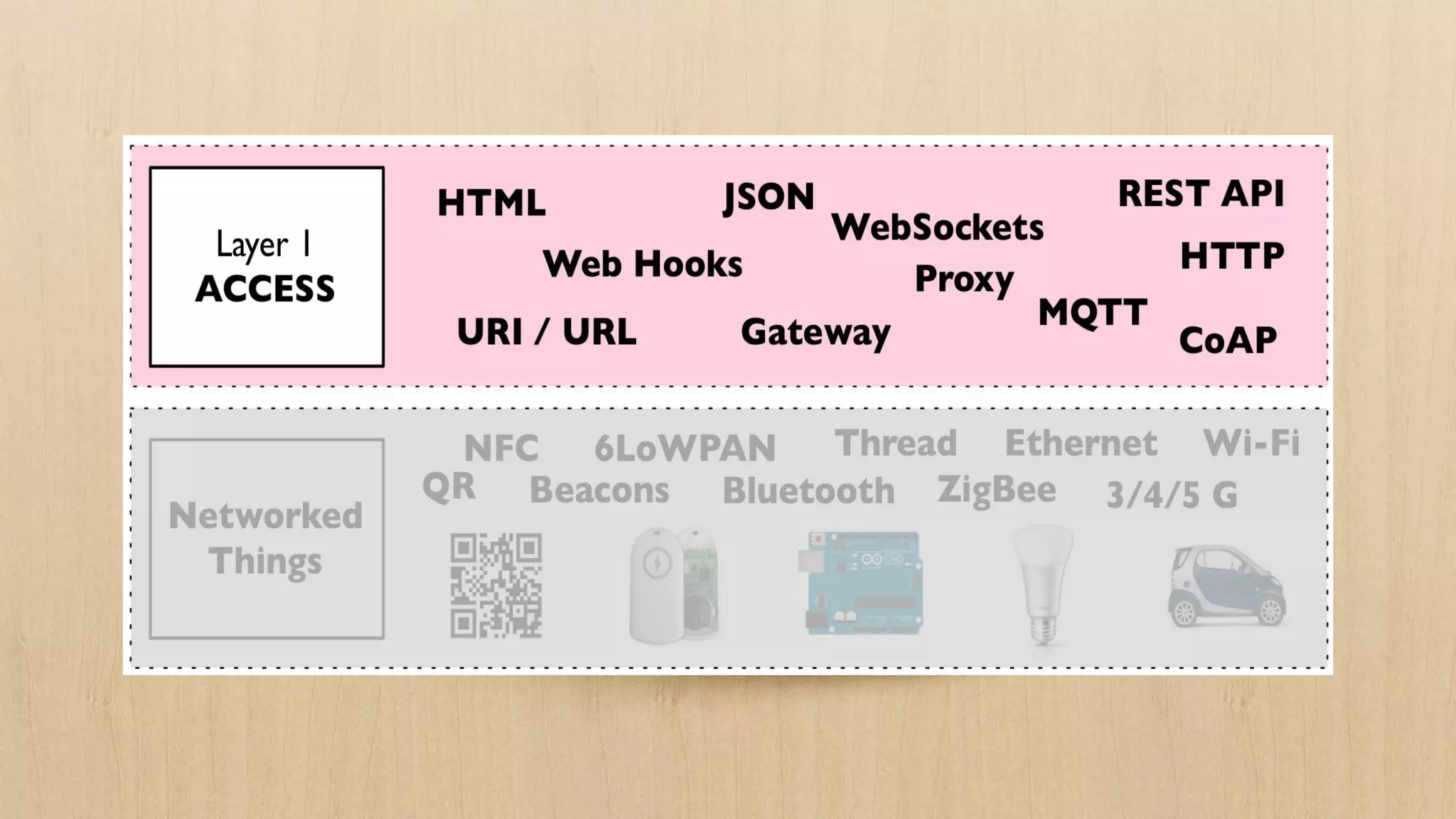
5.1 Access:
The API of
Things
Dom Guinard
CTO & Co-founder
51
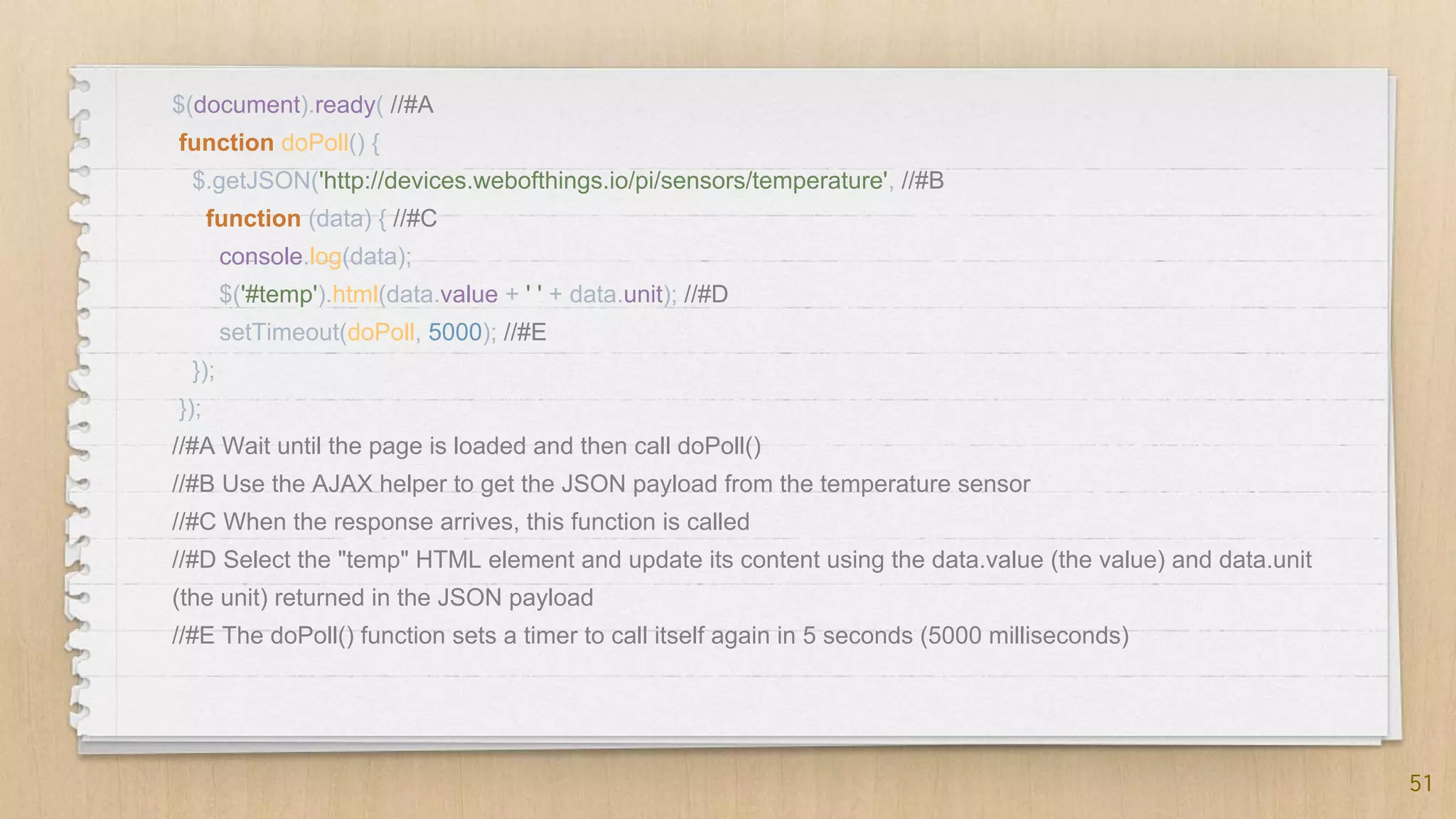
$(document).ready( //#A
function doPoll() {
$.getJSON('http://devices.webofthings.io/pi/sensors/temperature', //#B
function (data) { //#C
console.log(data);
$('#temp').html(data.value + ' ' + data.unit); //#D
setTimeout(doPoll, 5000); //#E
});
});
//#A Wait until the page is loaded and then call doPoll()
//#B Use the AJAX helper to get the JSON payload from the temperature sensor
//#C When the response arrives, this function is called
//#D Select the "temp" HTML element and update its content using the data.value (the value) and data.unit
(the unit) returned in the JSON payload
//#E The doPoll() function sets a timer to call itself again in 5 seconds (5000 milliseconds)
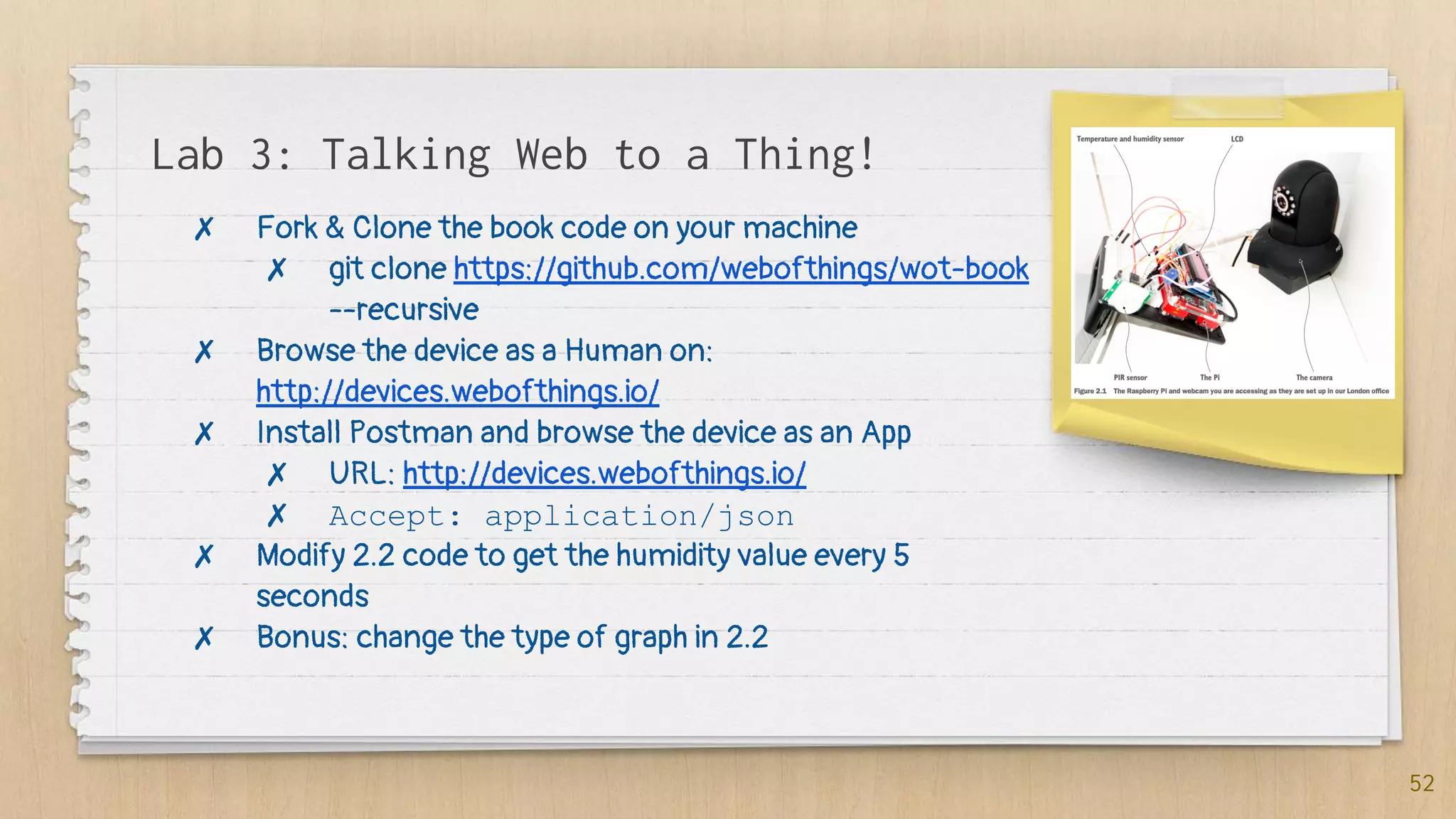
Lab 3: Talking Web to a Thing!
52
✗ Fork & Clone the book code on your machine
✗ git clone https://github.com/webofthings/wot-book
--recursive
✗ Browse the device as a Human on:
http://devices.webofthings.io/
✗ Install Postman and browse the device as an App
✗ URL: http://devices.webofthings.io/
✗ Accept: application/json
✗ Modify 2.2 code to get the humidity value every 5
seconds
✗ Bonus: change the type of graph in 2.2
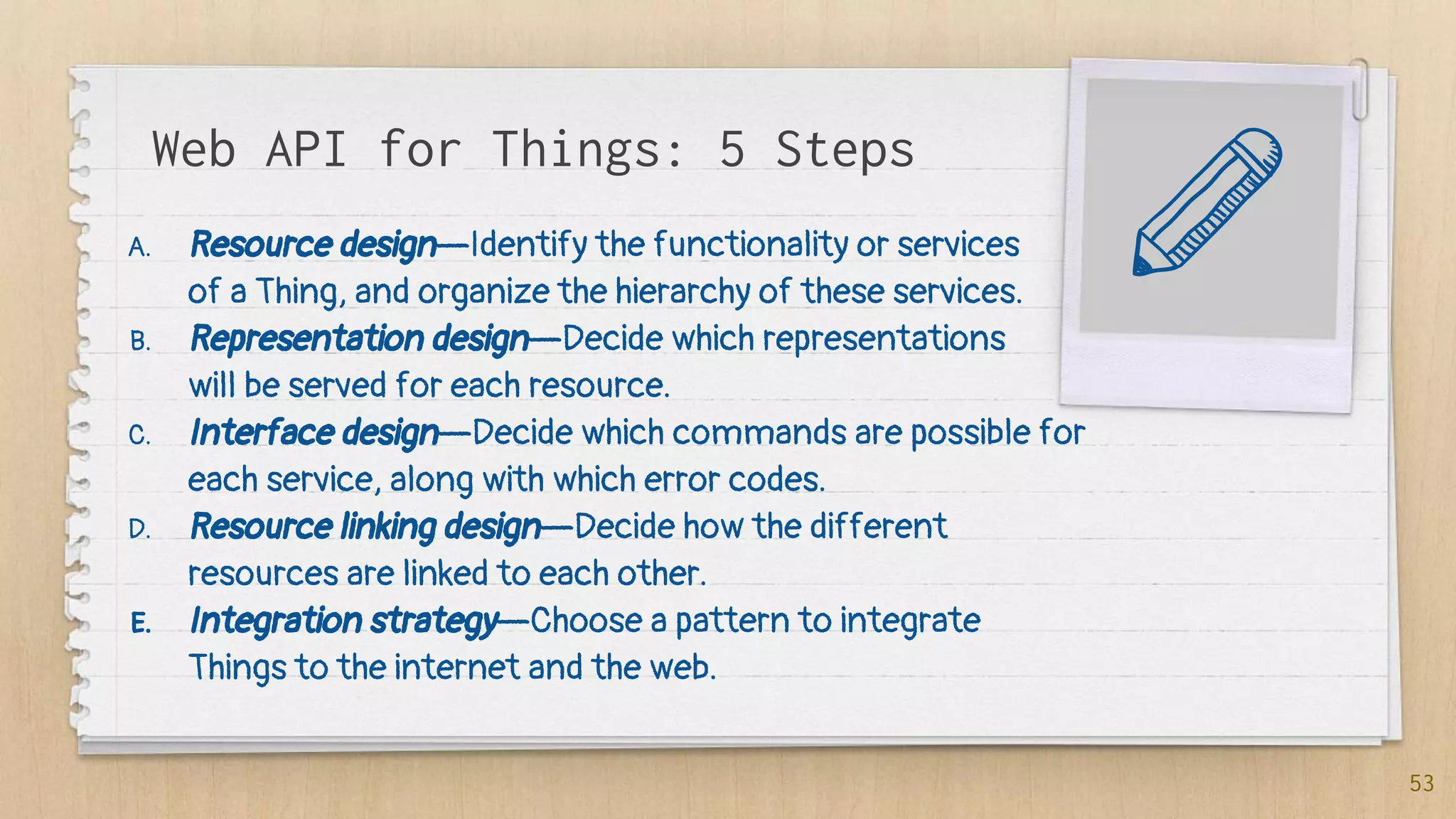
Web API for Things: 5 Steps
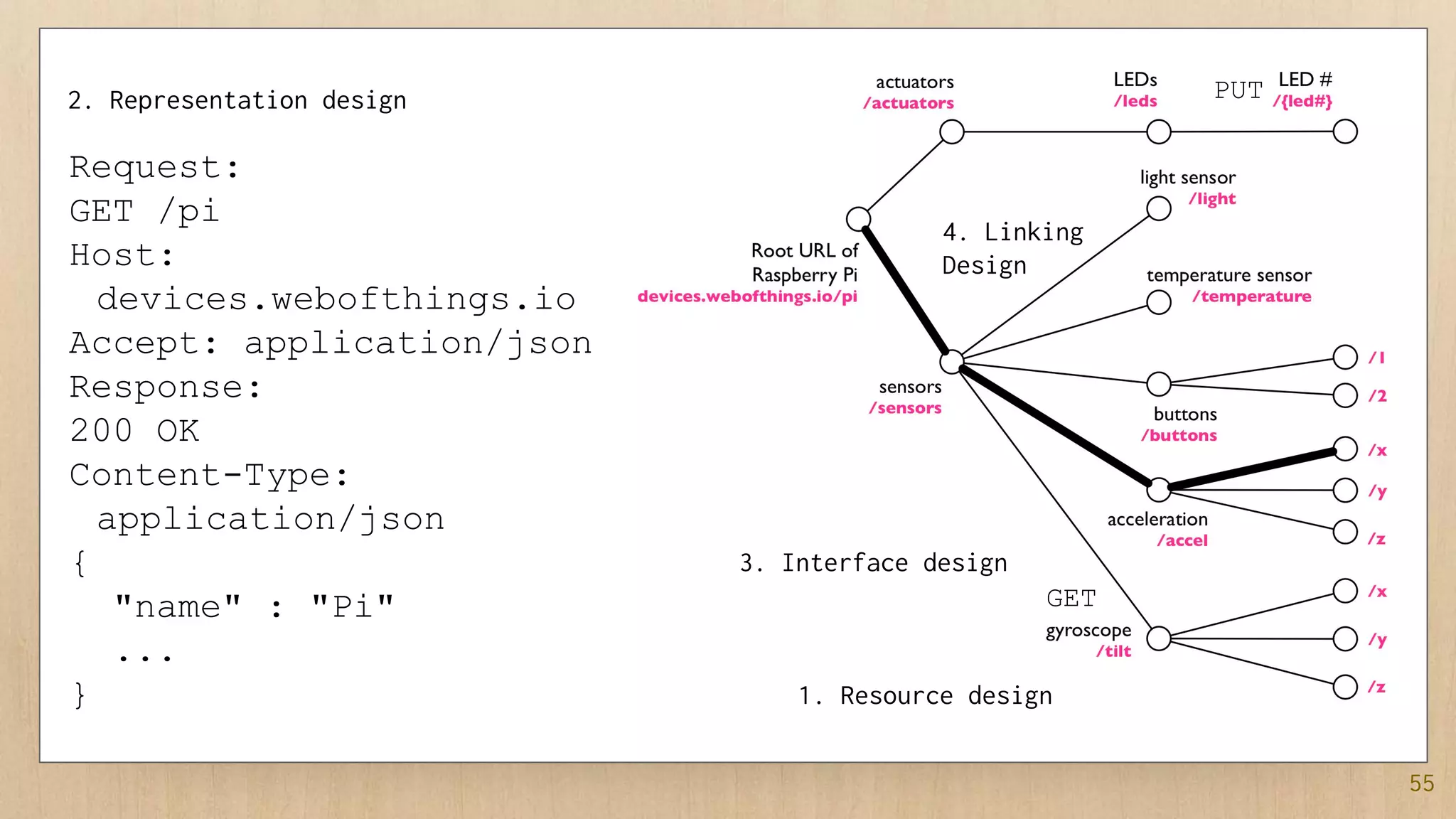
A. Resource design—Identify the functionality or services
of a Thing, and organize the hierarchy of these services.
B. Representation design—Decide which representations
will be served for each resource.
C. Interface design—Decide which commands are possible for
each service, along with which error codes.
D. Resource linking design—Decide how the different
resources are linked to each other.
E. Integration strategy—Choose a pattern to integrate
Things to the internet and the web.
53
Resources,
Representations
& Links
55
Request:
GET /pi
Host:
devices.webofthings.io
Accept: application/json
Response:
200 OK
Content-Type:
application/json
{
"name" : "Pi"
...
} 1. Resource design
2. Representation design
3. Interface design
GET
PUT
4. Linking
Design
56
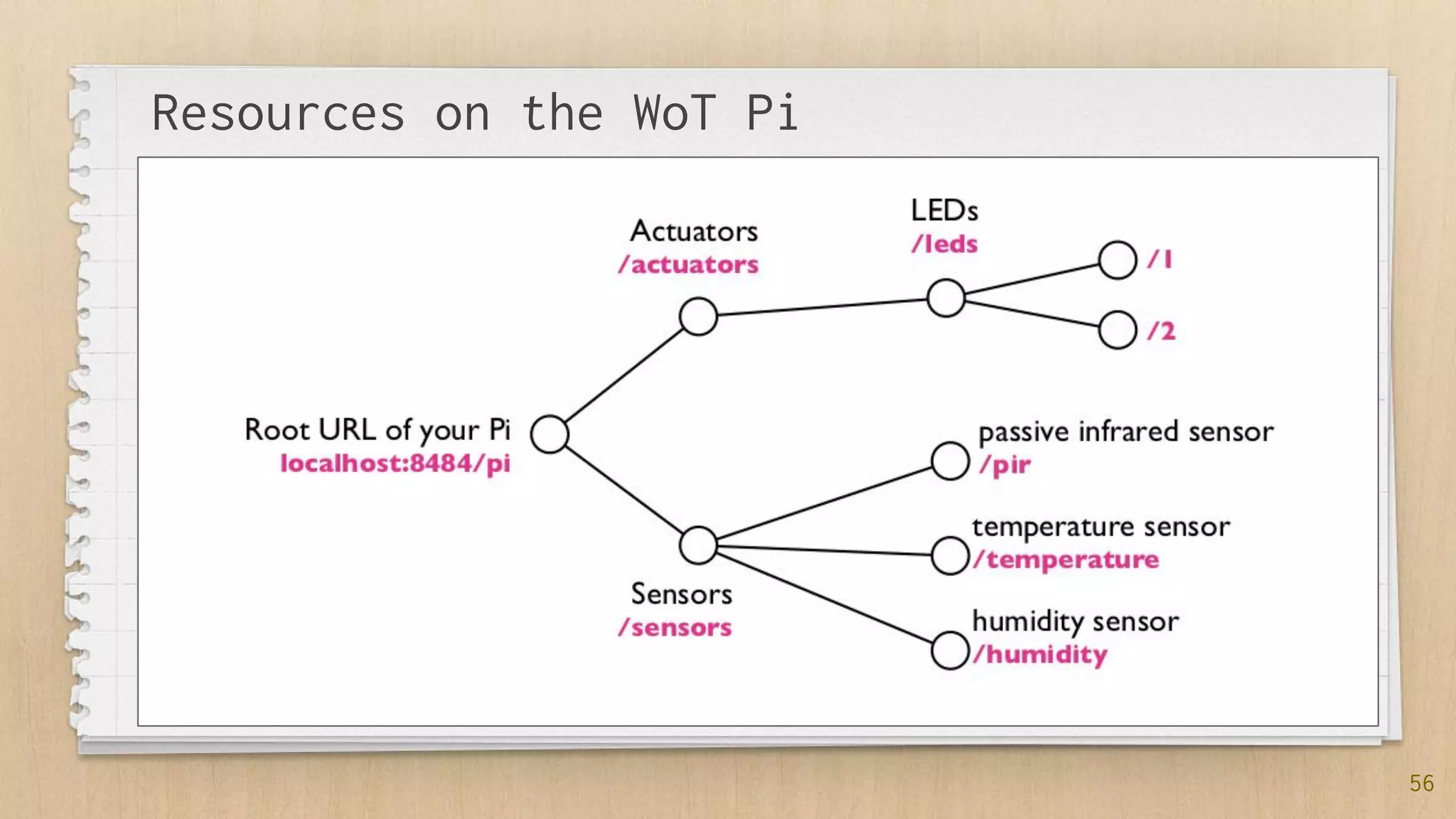
Resources on the WoT Pi
57
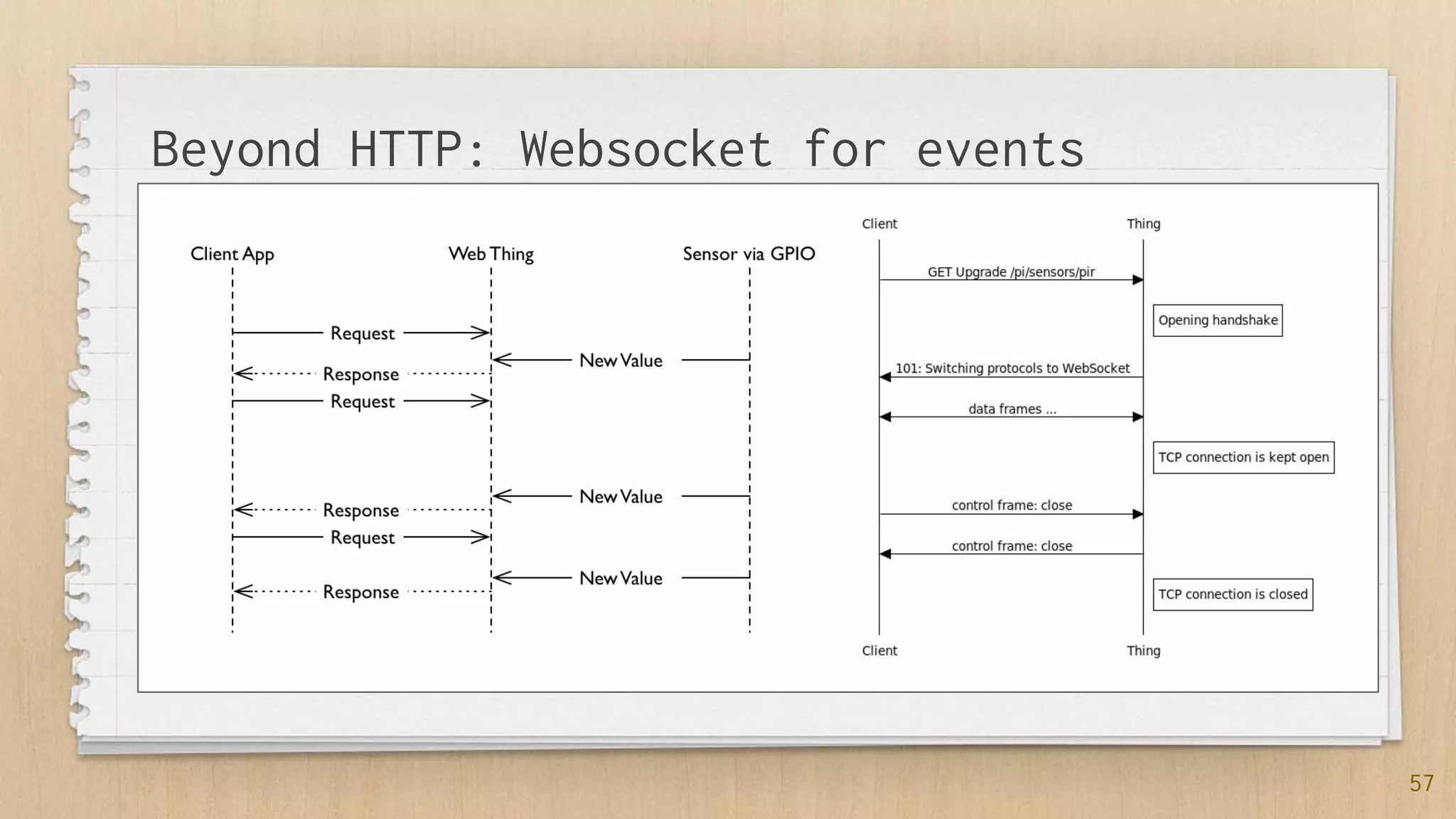
Beyond HTTP: Websocket for events
58
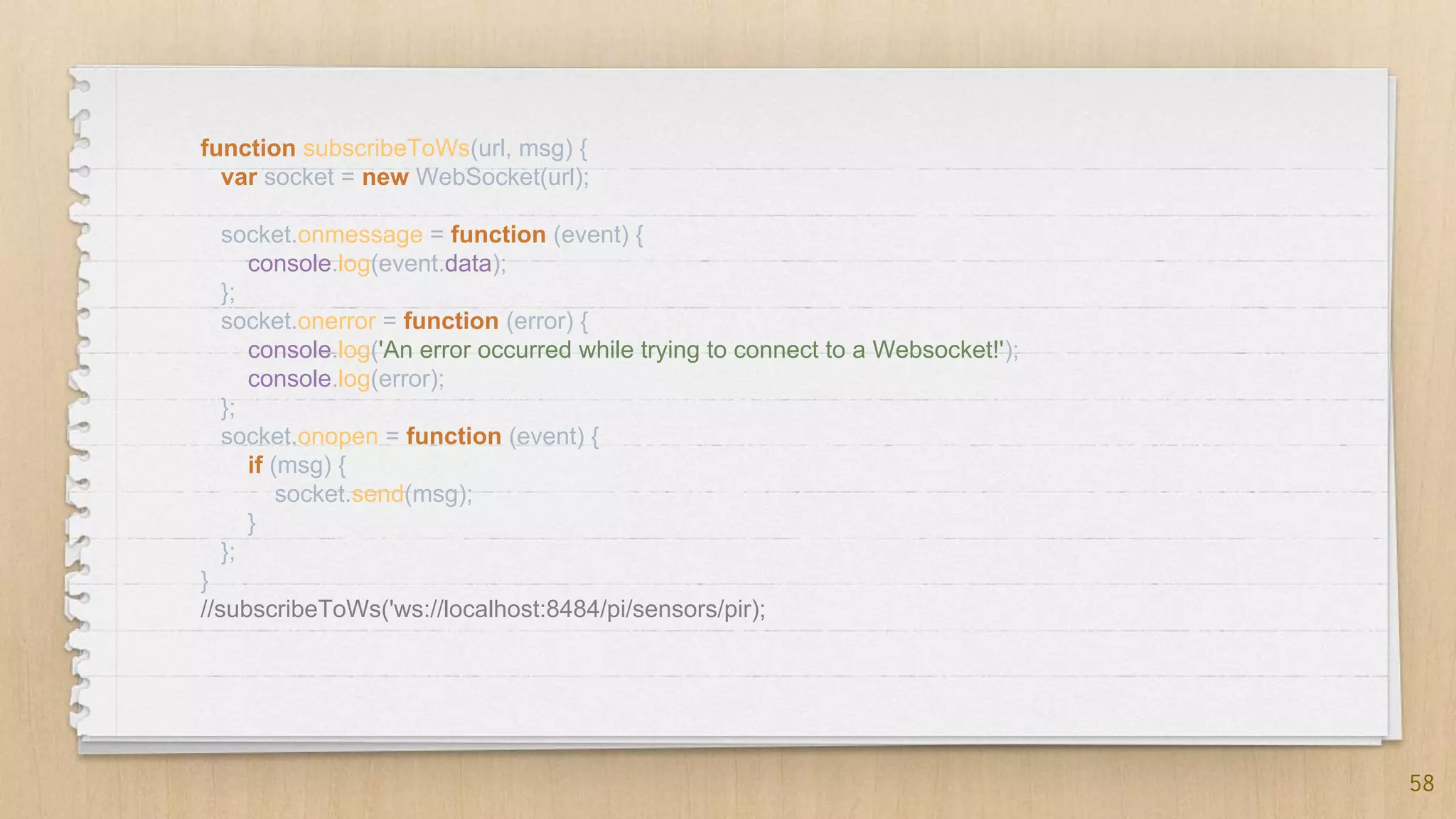
function subscribeToWs(url, msg) {
var socket = new WebSocket(url);
socket.onmessage = function (event) {
console.log(event.data);
};
socket.onerror = function (error) {
console.log('An error occurred while trying to connect to a Websocket!');
console.log(error);
};
socket.onopen = function (event) {
if (msg) {
socket.send(msg);
}
};
}
//subscribeToWs('ws://localhost:8484/pi/sensors/pir);
59
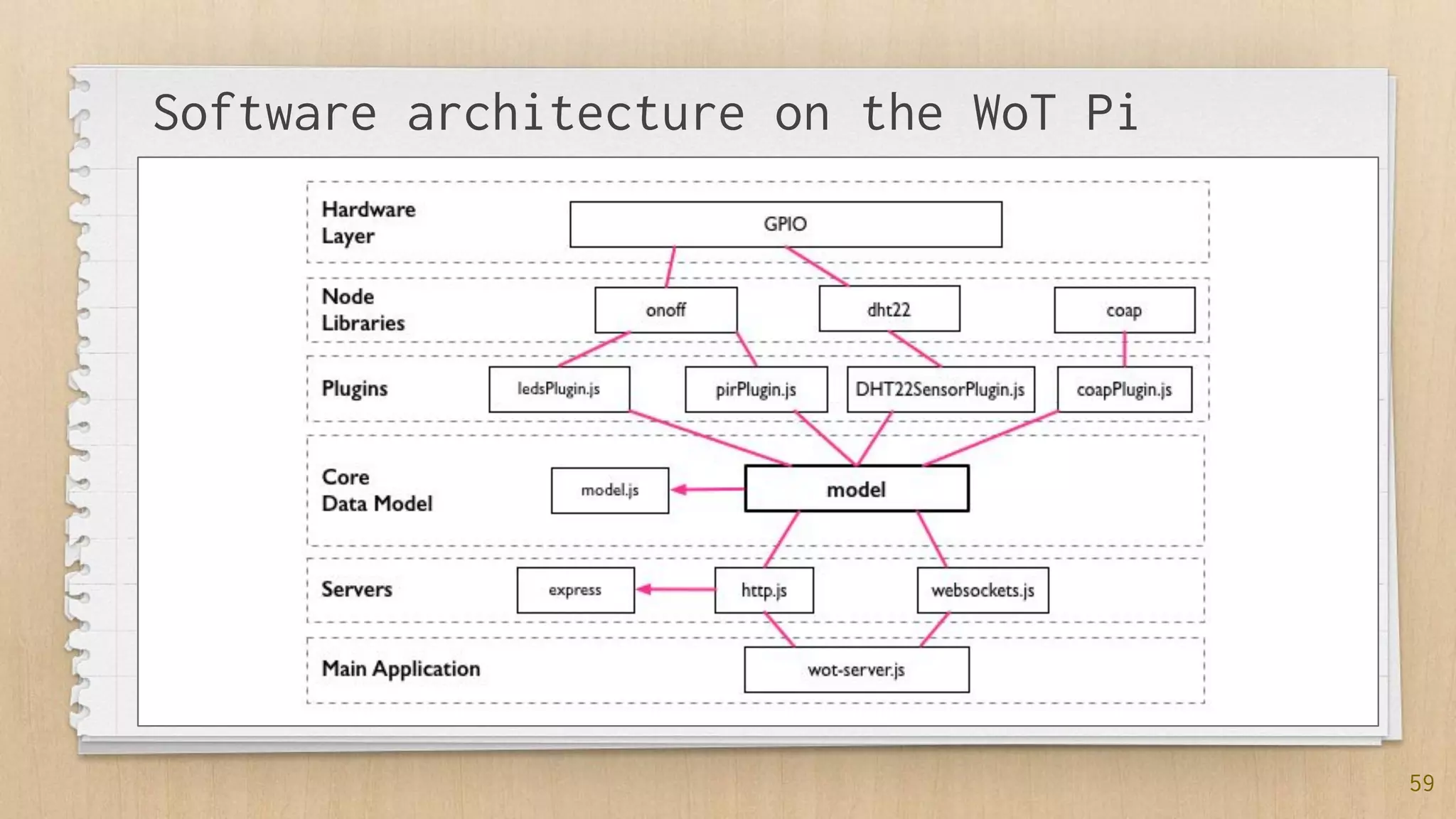
Software architecture on the WoT Pi
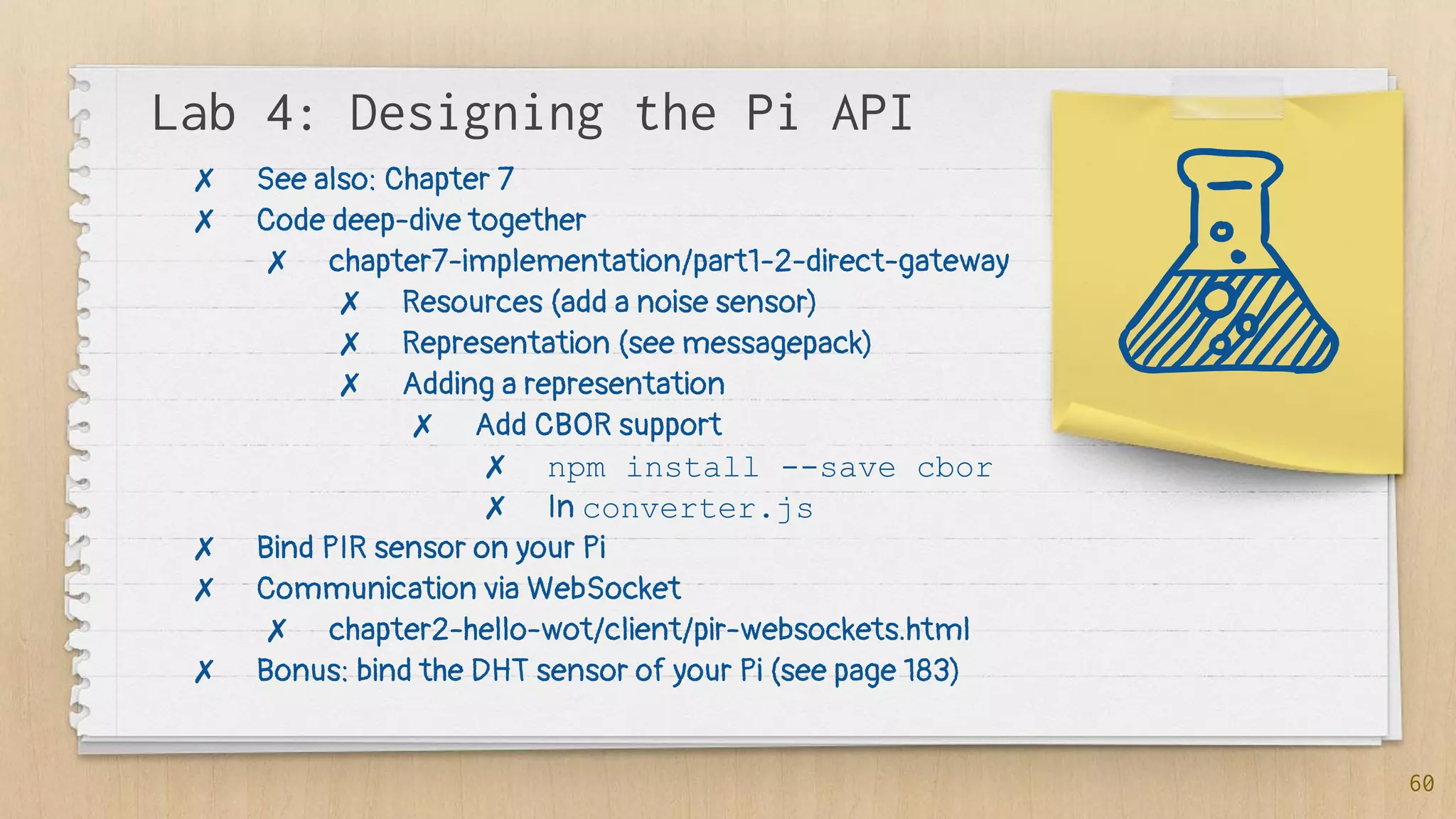
Lab 4: Designing the Pi API
60
✗ See also: Chapter 7
✗ Code deep-dive together
✗ chapter7-implementation/part1-2-direct-gateway
✗ Resources (add a noise sensor)
✗ Representation (see messagepack)
✗ Adding a representation
✗ Add CBOR support
✗ npm install --save cbor
✗ In converter.js
✗ Bind PIR sensor on your Pi
✗ Communication via WebSocket
✗ chapter2-hello-wot/client/pir-websockets.html
✗ Bonus: bind the DHT sensor of your Pi (see page 183)
Step 5:
Integration
Strategy
62
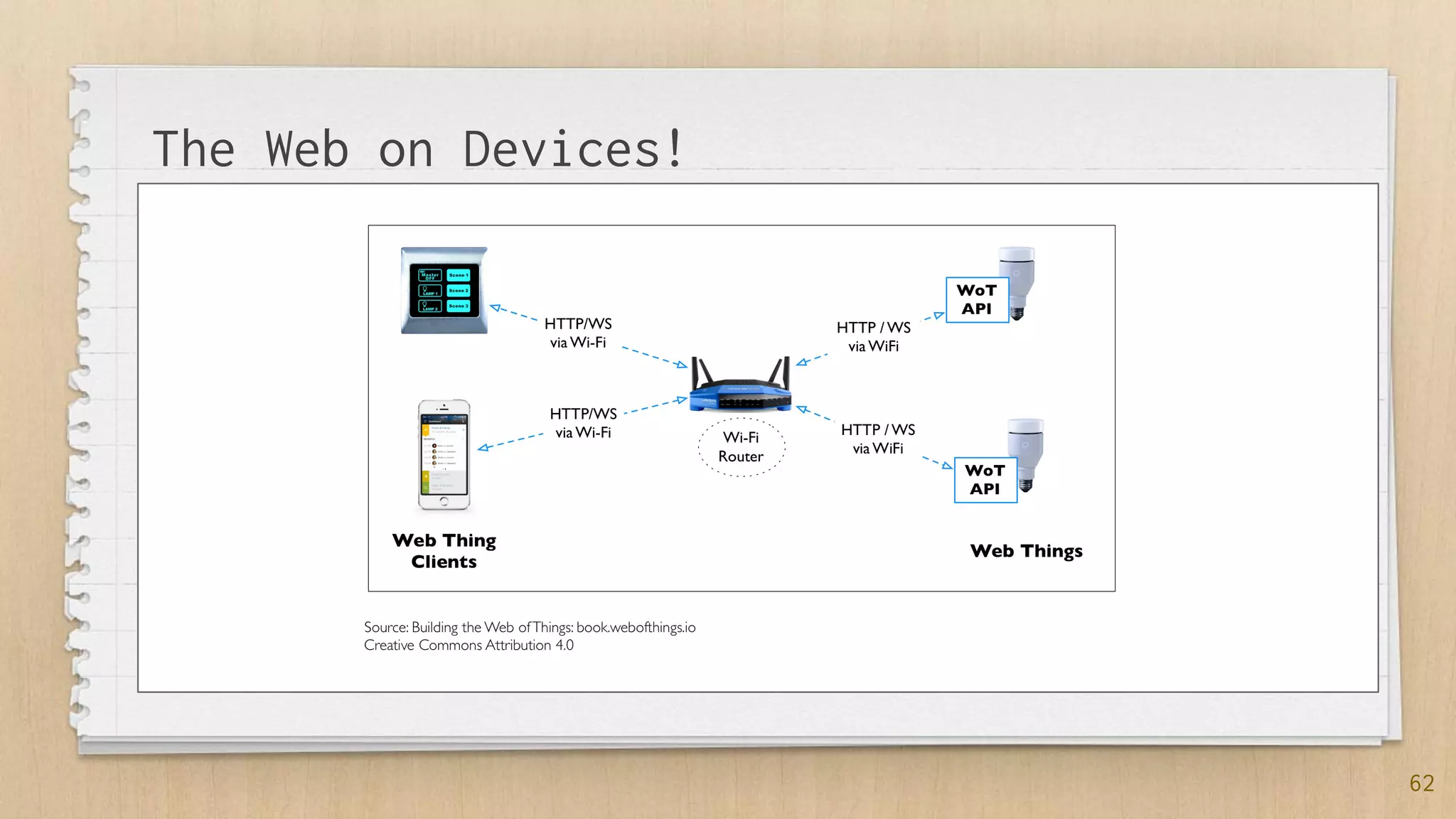
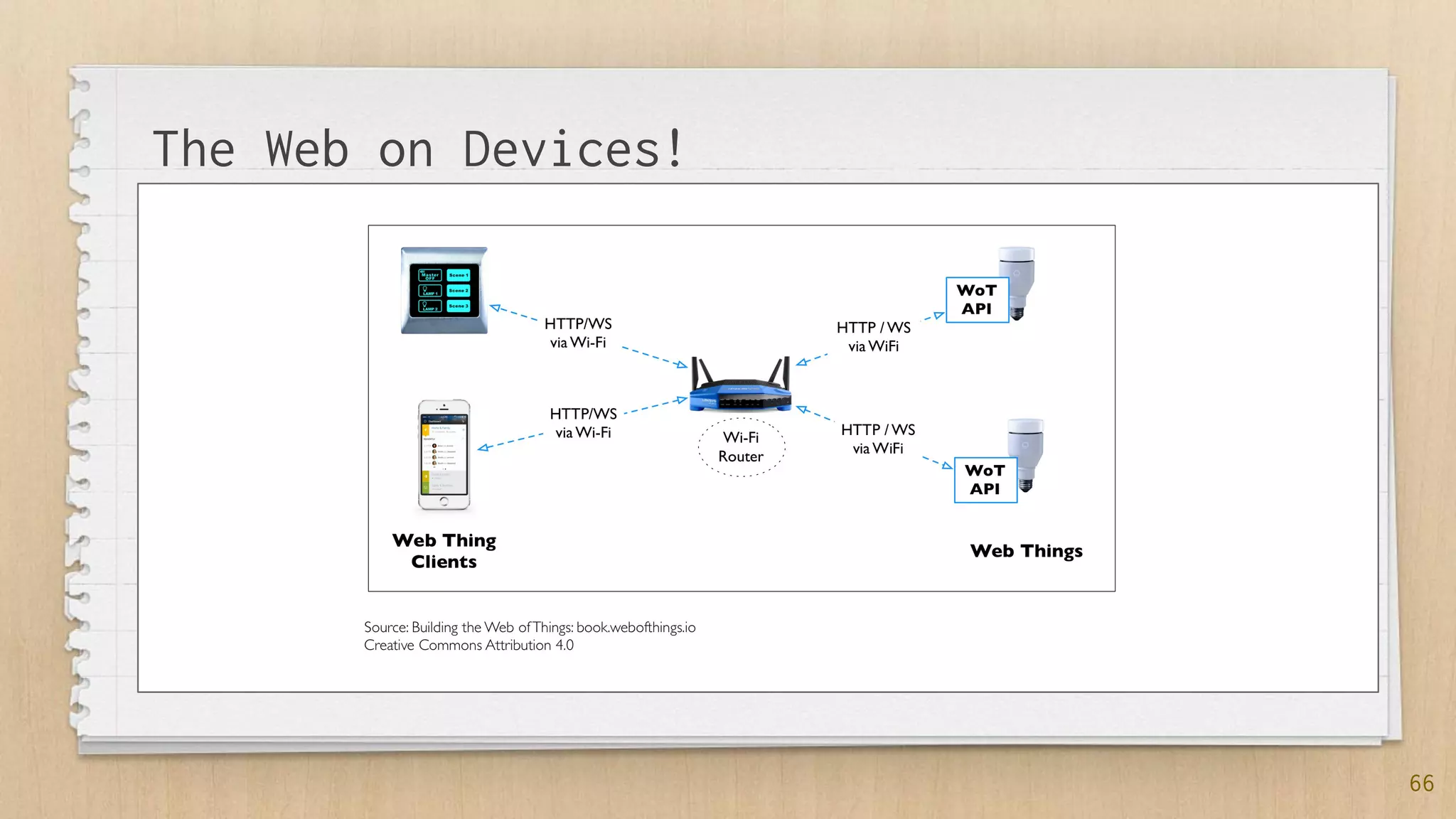
The Web on Devices!
63
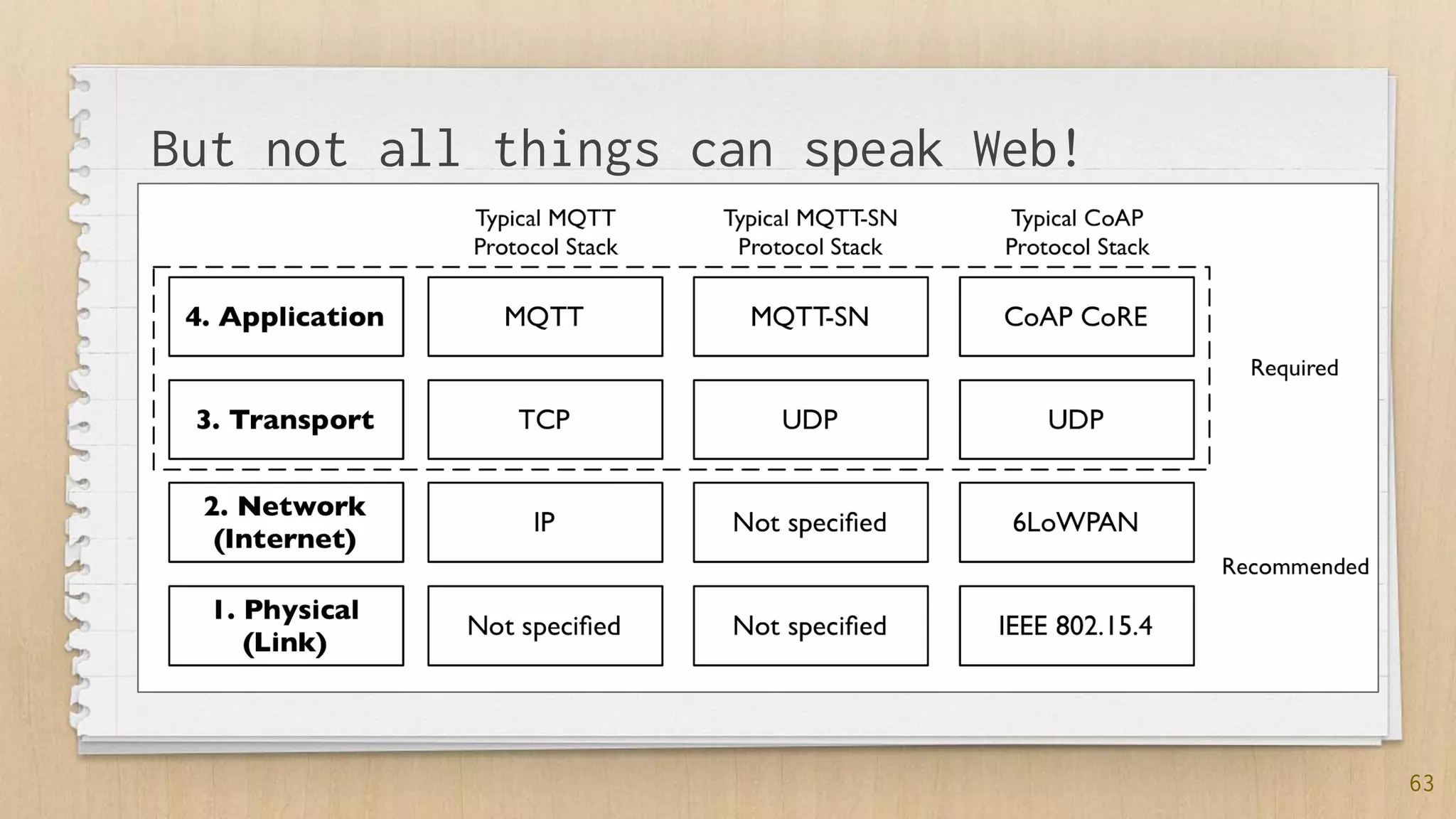
But not all things can speak Web!
64
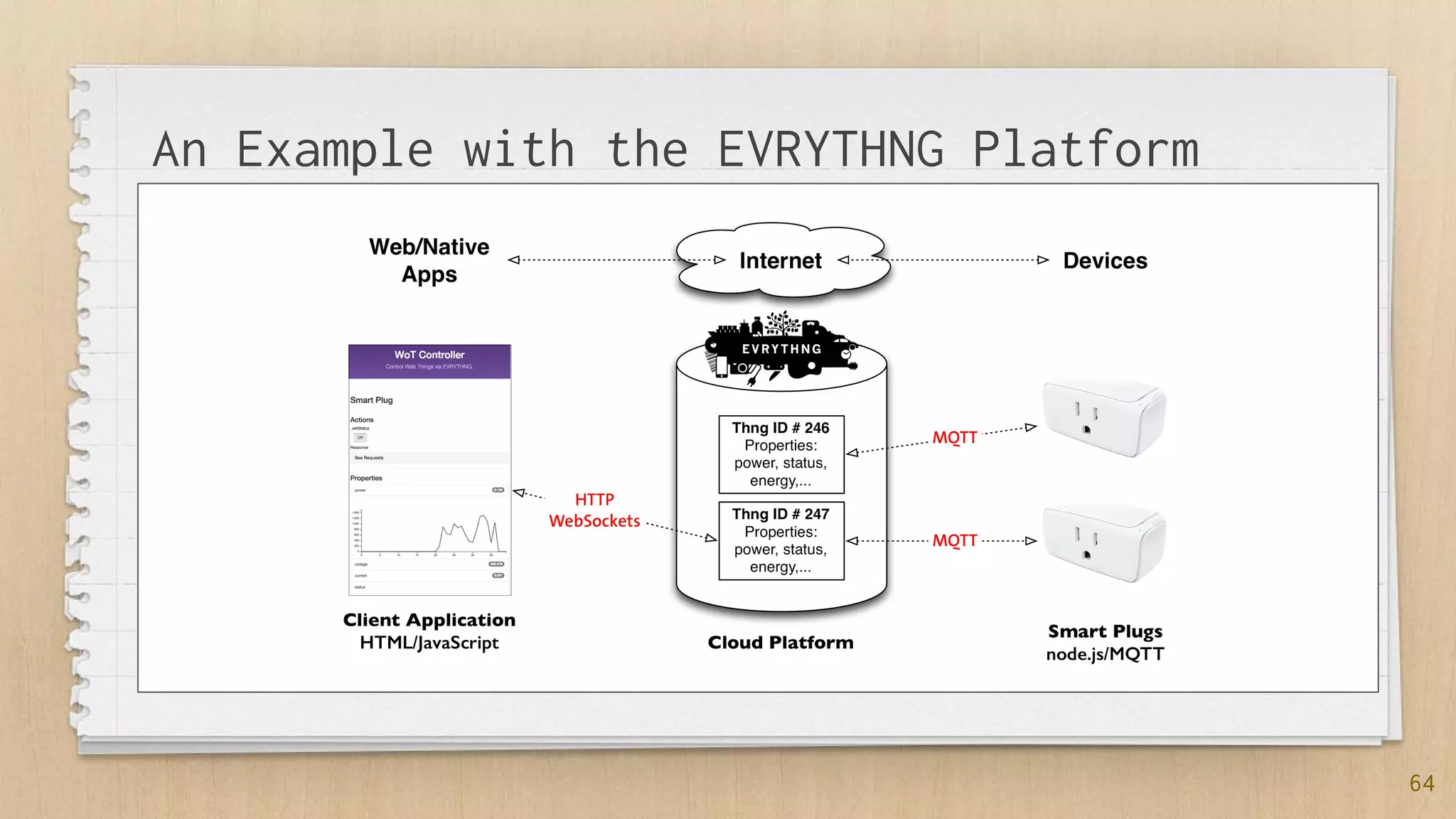
An Example with the EVRYTHNG Platform
65
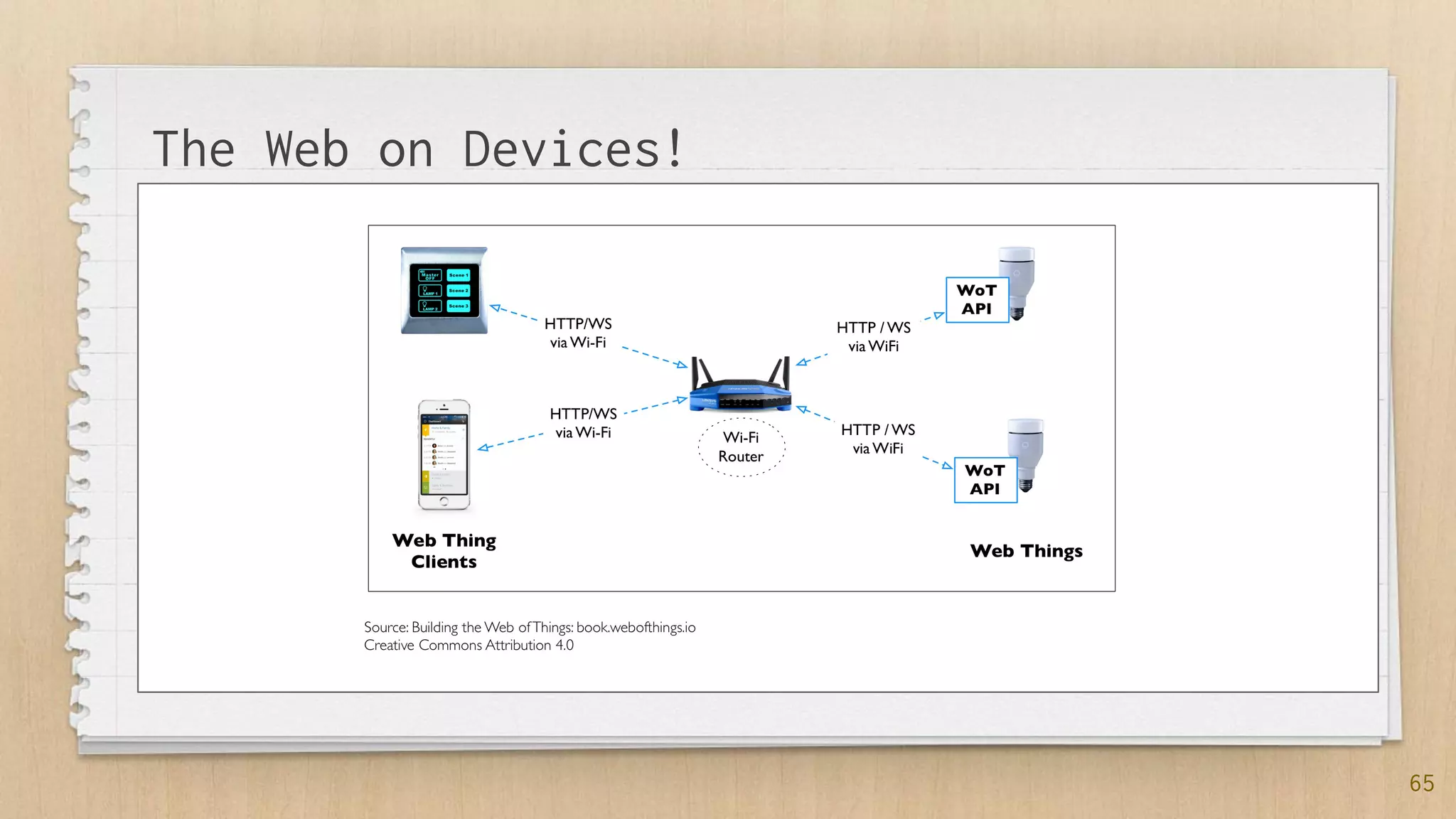
The Web on Devices!
66
The Web on Devices!
Lab 5: Gateways
67
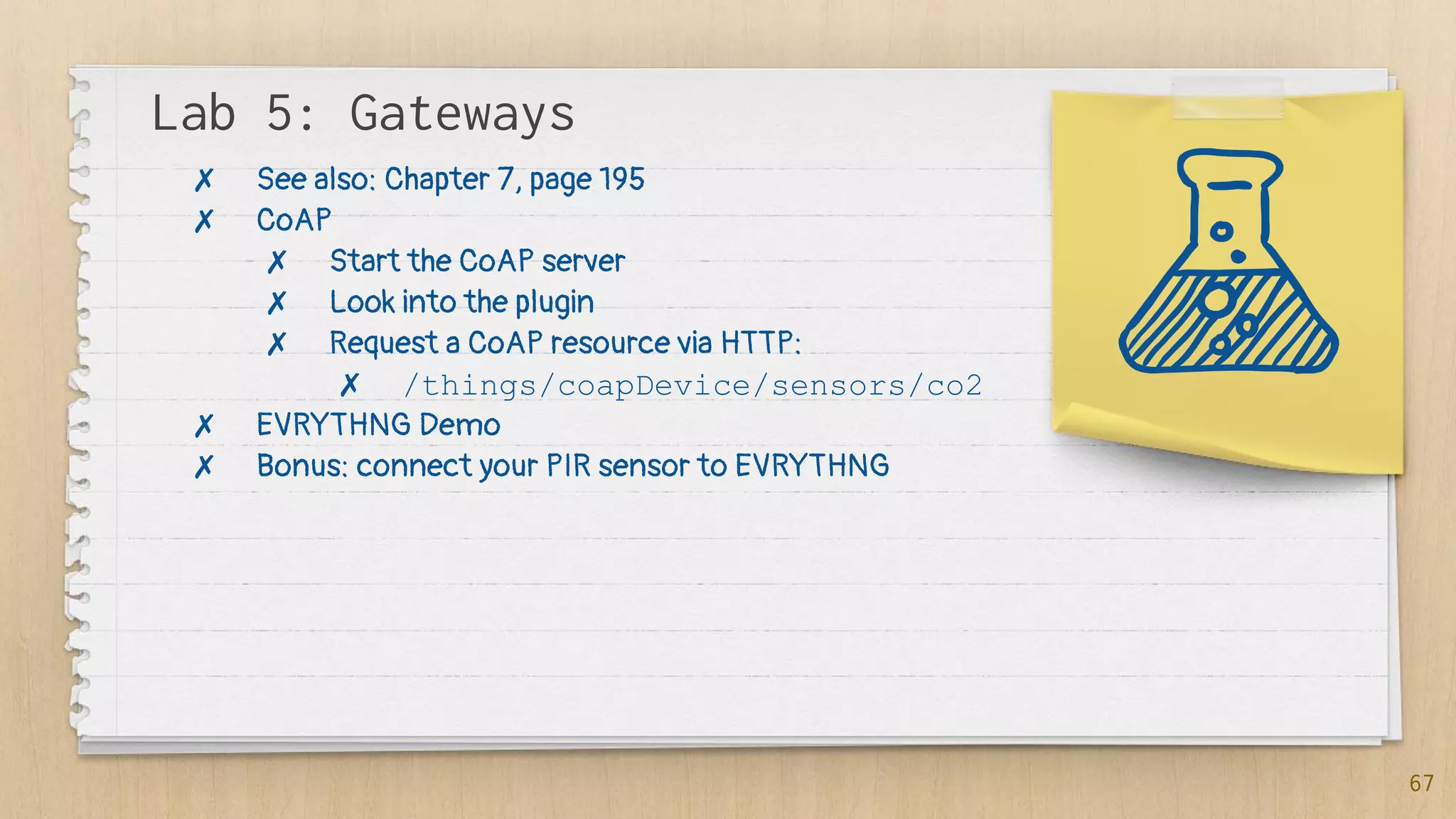
✗ See also: Chapter 7, page 195
✗ CoAP
✗ Start the CoAP server
✗ Look into the plugin
✗ Request a CoAP resource via HTTP:
✗ /things/coapDevice/sensors/co2
✗ EVRYTHNG Demo
✗ Bonus: connect your PIR sensor to EVRYTHNG
5.2 Find:
The Findability
of Things
70
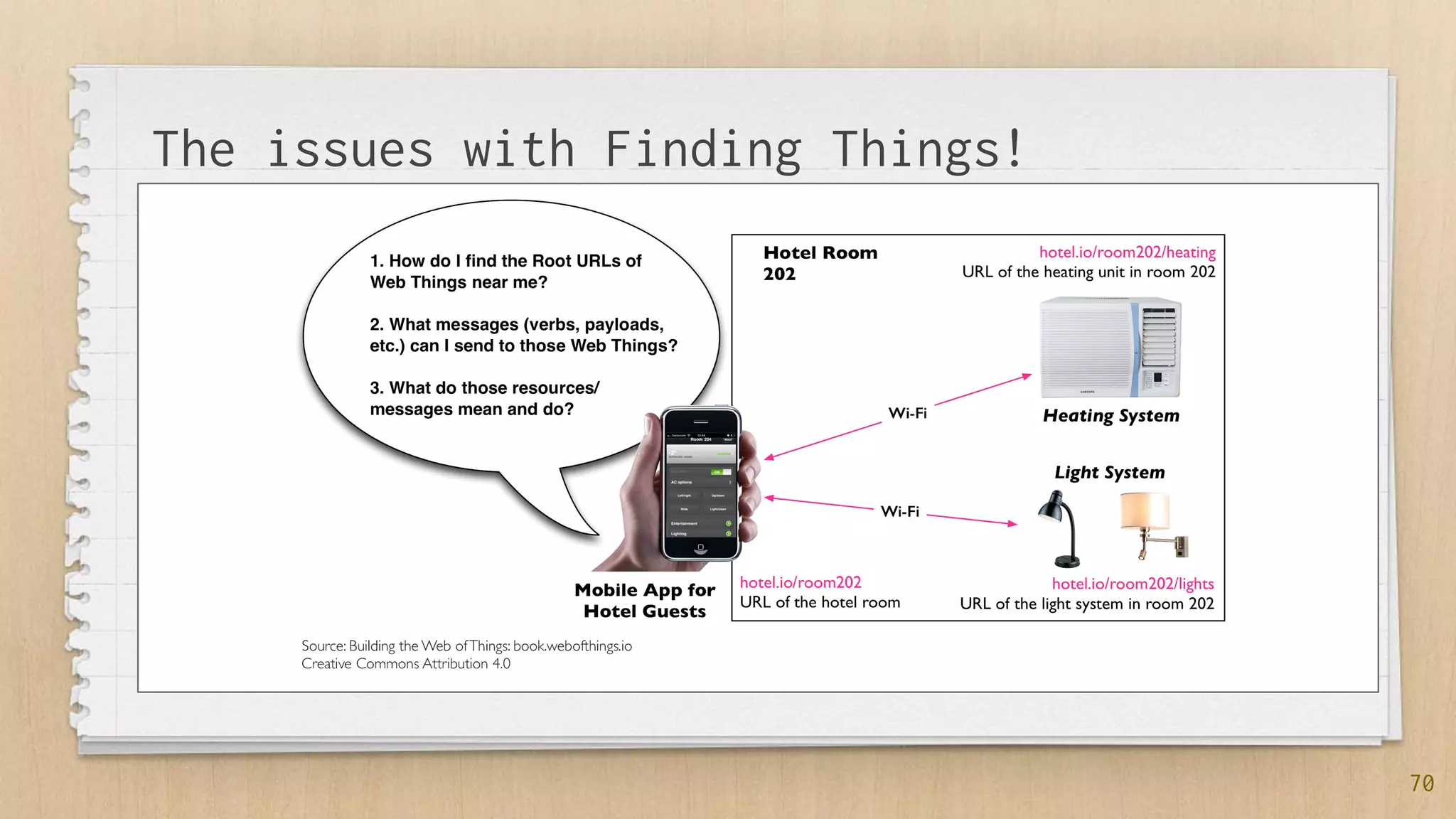
The issues with Finding Things!
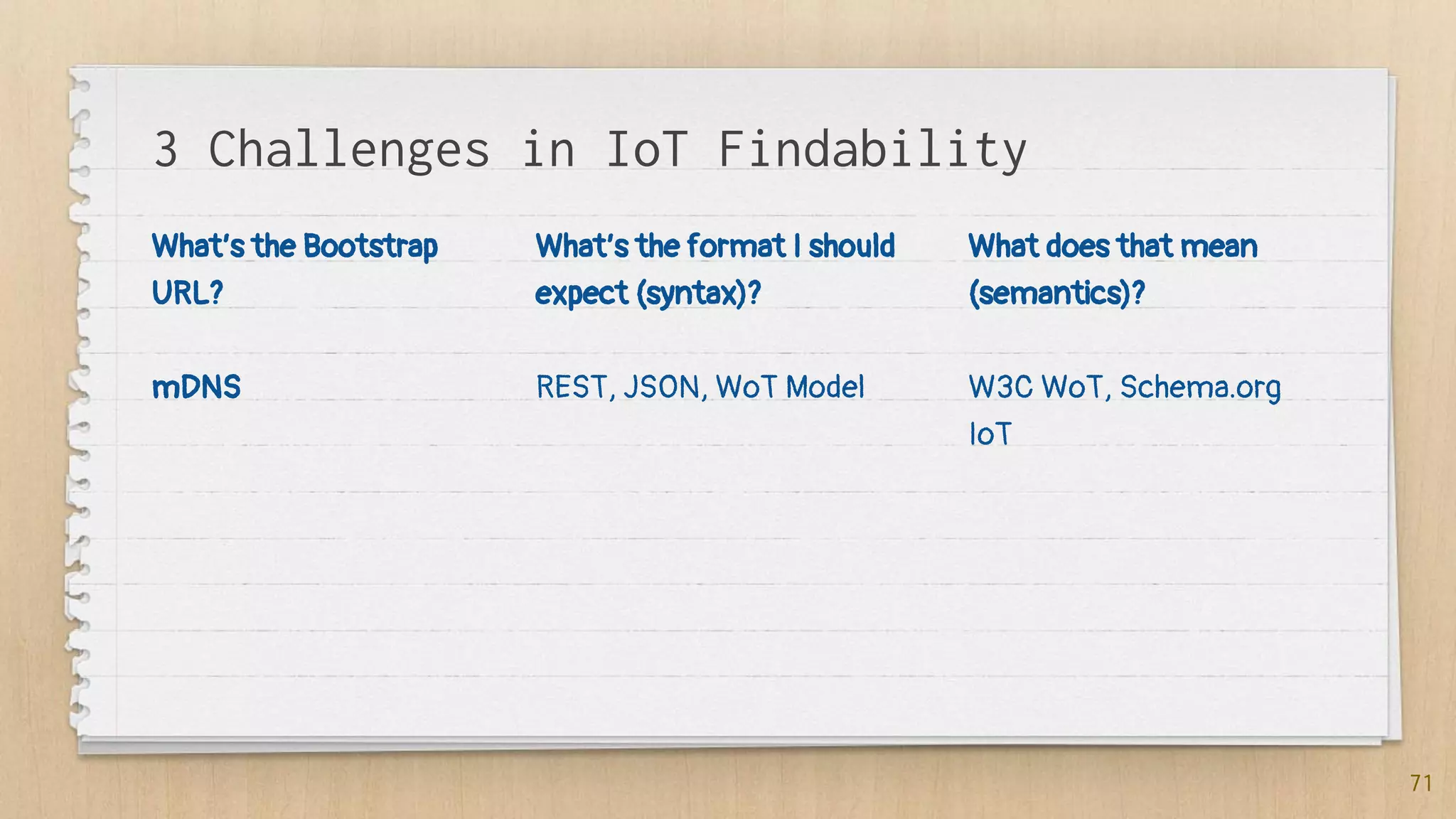
3 Challenges in IoT Findability
What’s the Bootstrap
URL?
mDNS
What’s the format I should
expect (syntax)?
REST, JSON, WoT Model
What does that mean
(semantics)?
W3C WoT, Schema.org
IoT
71
How to find the URL of a Thing? mDNS!
service up: {
interfaceIndex: 4,
type:
{ name: 'http',
protocol: 'tcp',
subtypes: [],
fullyQualified: true },
replyDomain: 'local.',
flags: 3,
name: 'Brother MFC-8520DN',
networkInterface: 'en0',
fullname:
'Brother032MFC-8520DN._http._tc
p.local.',
host: 'EVT-BW-BROTHER.local', The
service
port: 80, local IP address
addresses: [ '192.168.0.6' ]
}
72
✗ mDNS clients listen for mDNS
messages (on UDP)
✗ DNS tables are populated from
what they catch
✗ Your Pi broadcasts mDNS
messages as we speak!
73
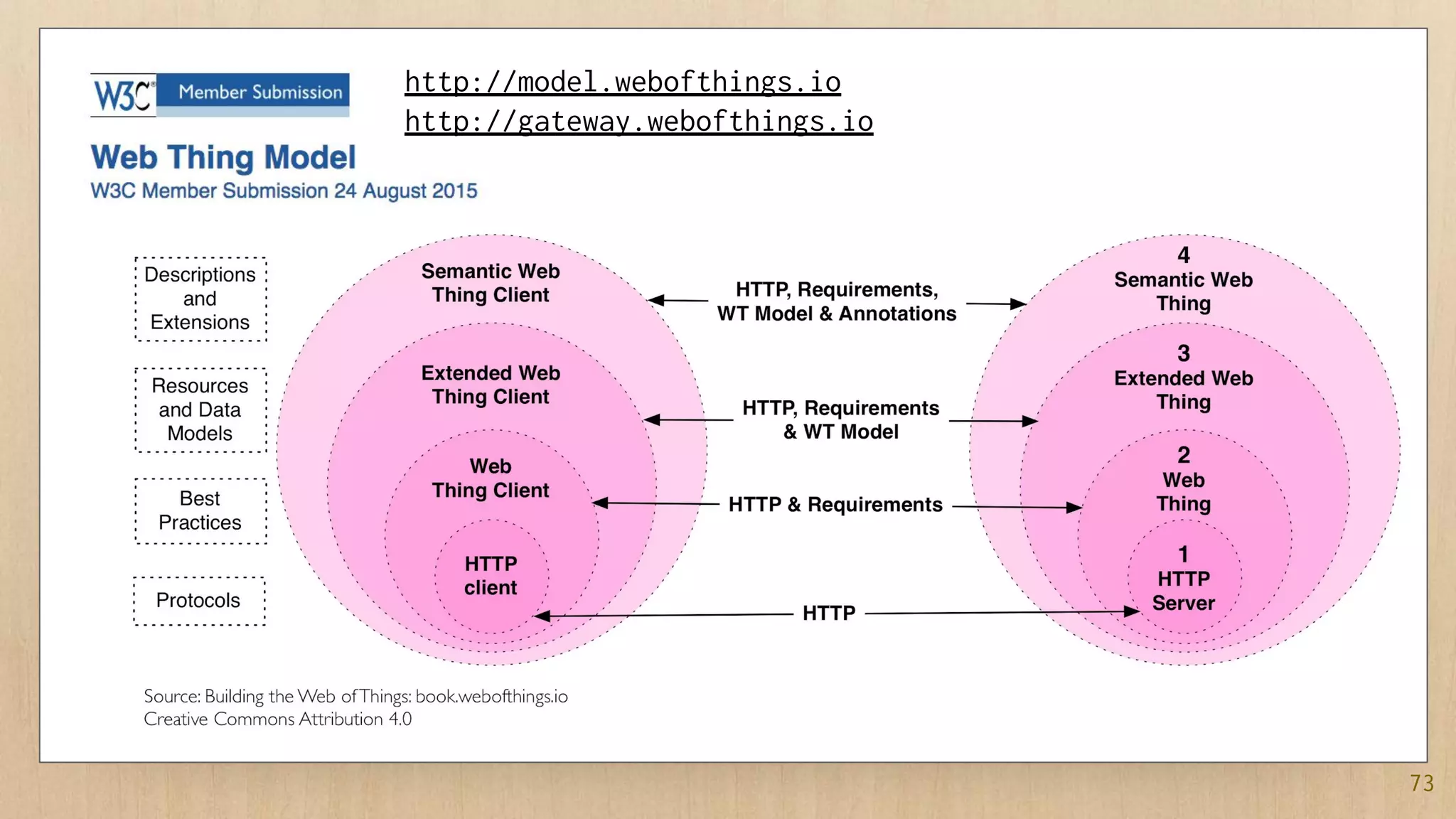
http://model.webofthings.io
http://gateway.webofthings.io
74
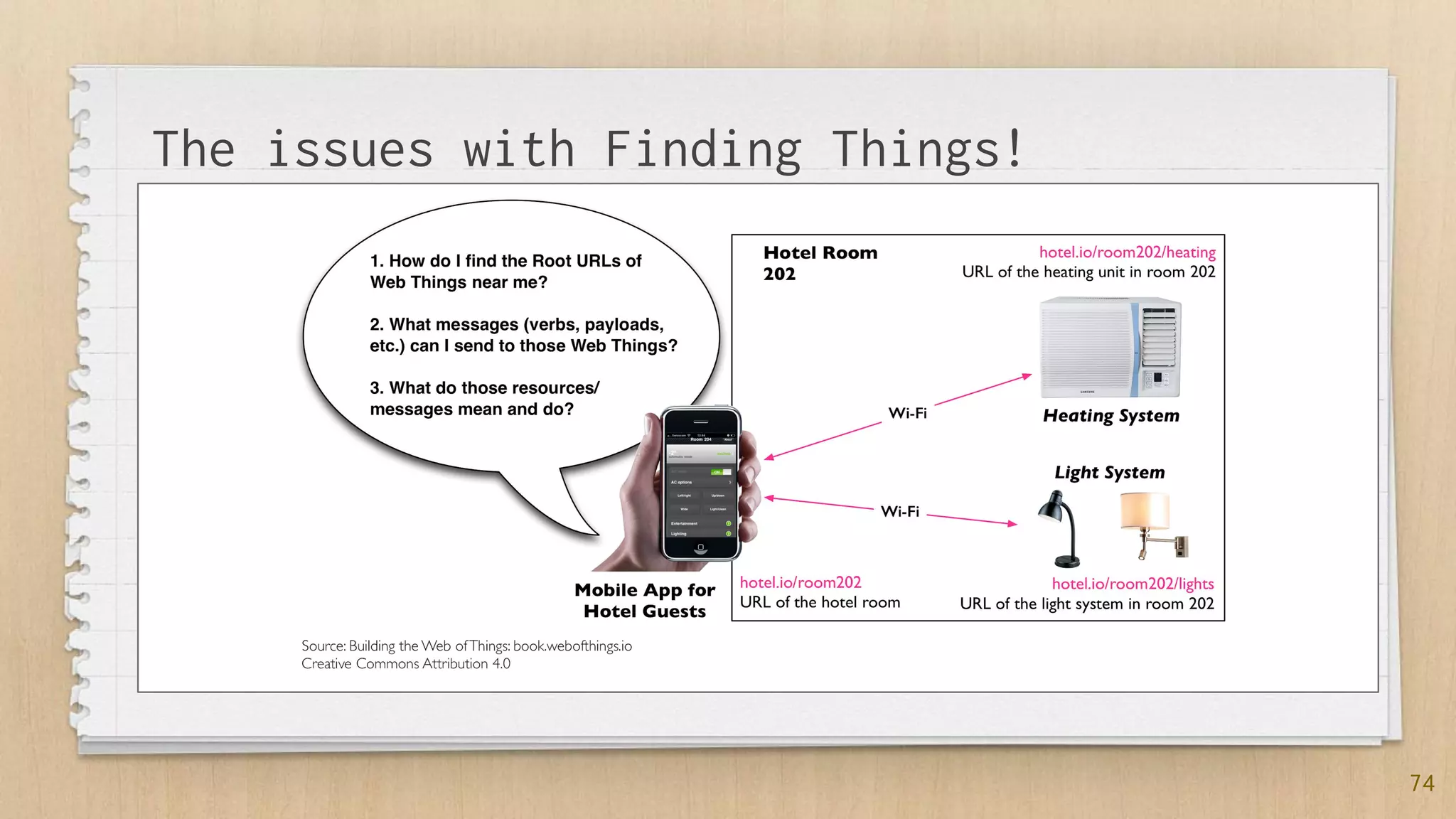
The issues with Finding Things!
75
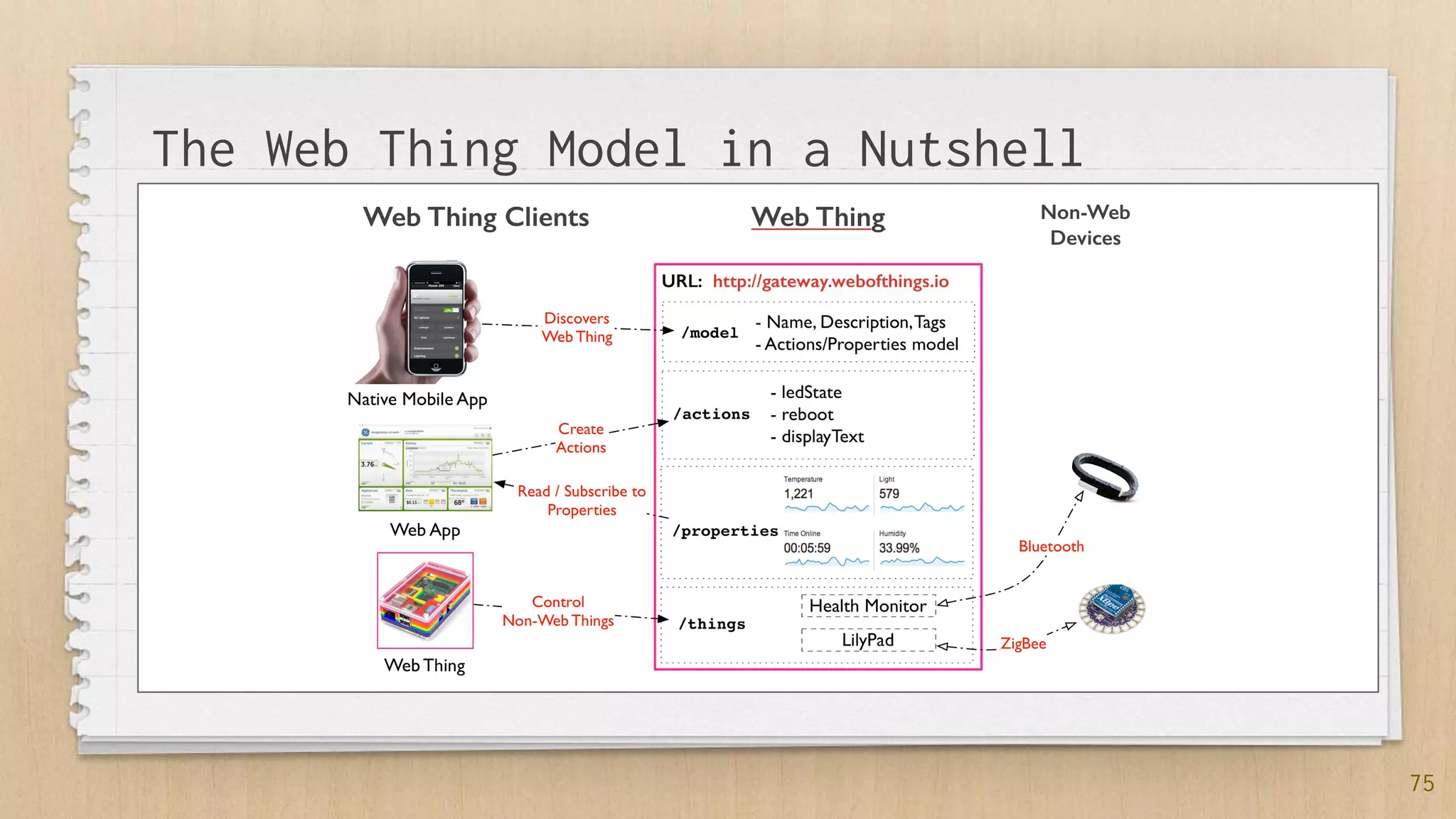
The Web Thing Model in a Nutshell
The WoT Model Continues @ W3C
{
"@context": ["http://www.w3.org/ns/td",
{"iot": "http://iotschema.org/"}],
"@type" : "Thing",
"id": "urn:dev:wot:com:example:servient:lamp",
...
"security": [{"scheme": "psk"}],
"properties": {
"status": {
"@type" : "iot:SwitchStatus",
"description" : "Shows the current status of the
lamp",
"writable": false,
"observable": false,
…
"actions": {
"toggle": {
"@type" : "iot:SwitchStatus",
"description" : "Turn on or off the lamp",
"forms": [{
"href": "coaps://mylamp.example.com/toggle",
"mediaType": "application/json"
76
✗ Model:
✗ Things
✗ Properties
✗ Actions
✗ Events
✗ Extensible via
SemanticWeb
✗ https://schema.org
https://w3c.github.io/wot-thing-description/
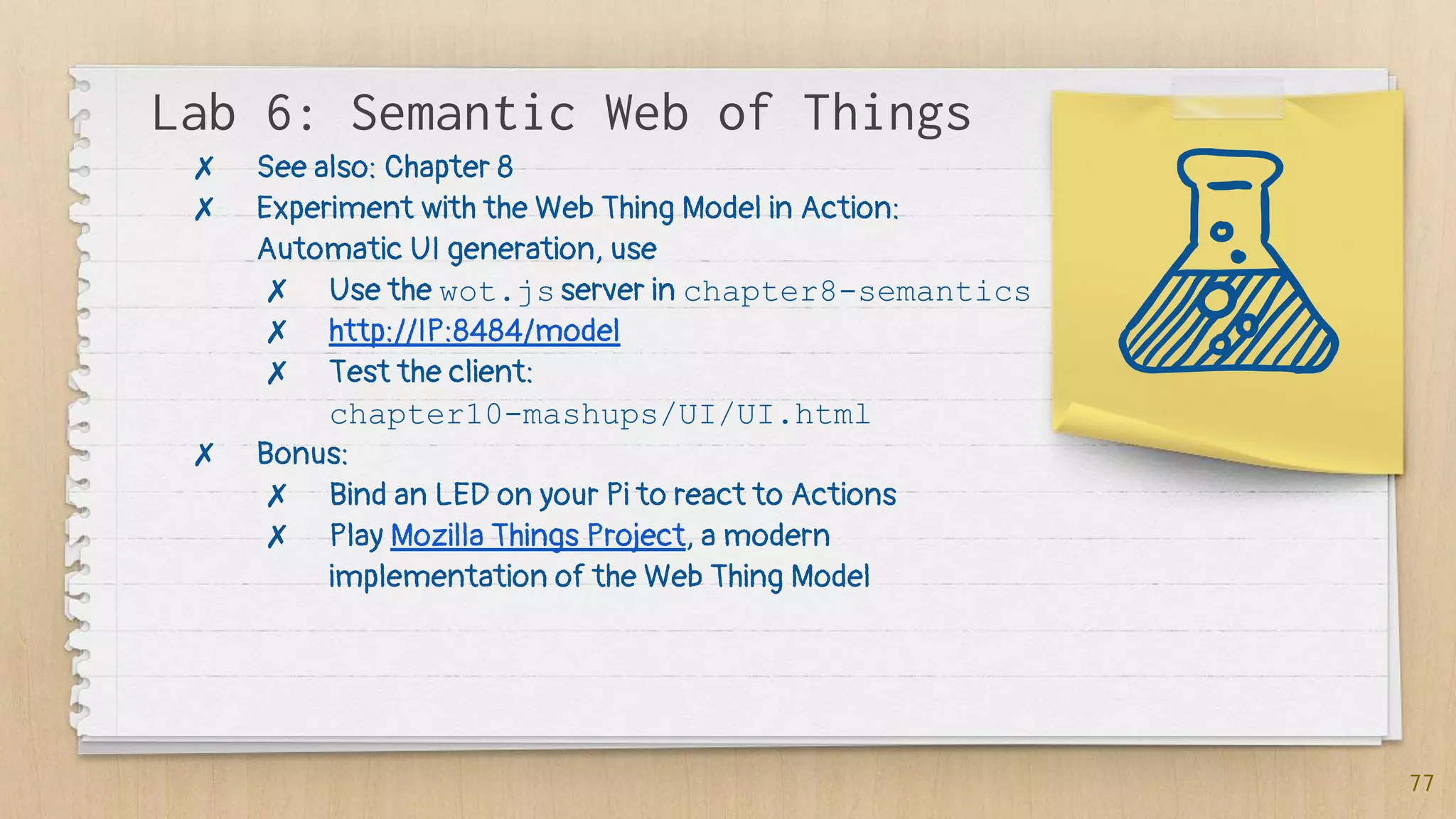
Lab 6: Semantic Web of Things
77
✗ See also: Chapter 8
✗ Experiment with the Web Thing Model in Action:
Automatic UI generation, use
✗ Use the wot.js server in chapter8-semantics
✗ http://IP:8484/model
✗ Test the client:
chapter10-mashups/UI/UI.html
✗ Bonus:
✗ Bind an LED on your Pi to react to Actions
✗ Play Mozilla Things Project, a modern
implementation of the Web Thing Model
5.3 Secure &
Share
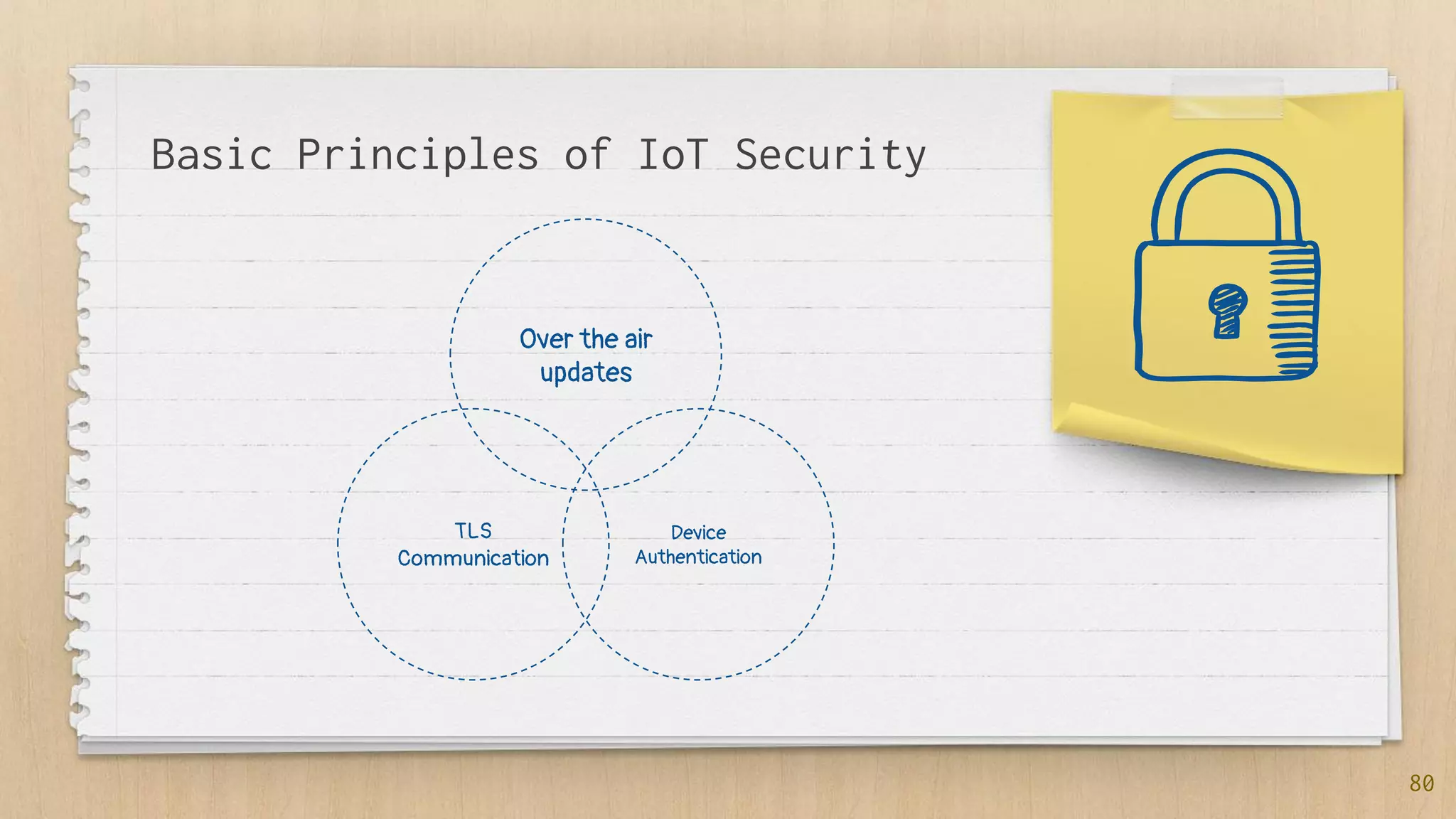
Basic Principles of IoT Security
Over the air
updates
TLS
Communication
Device
Authentication
80
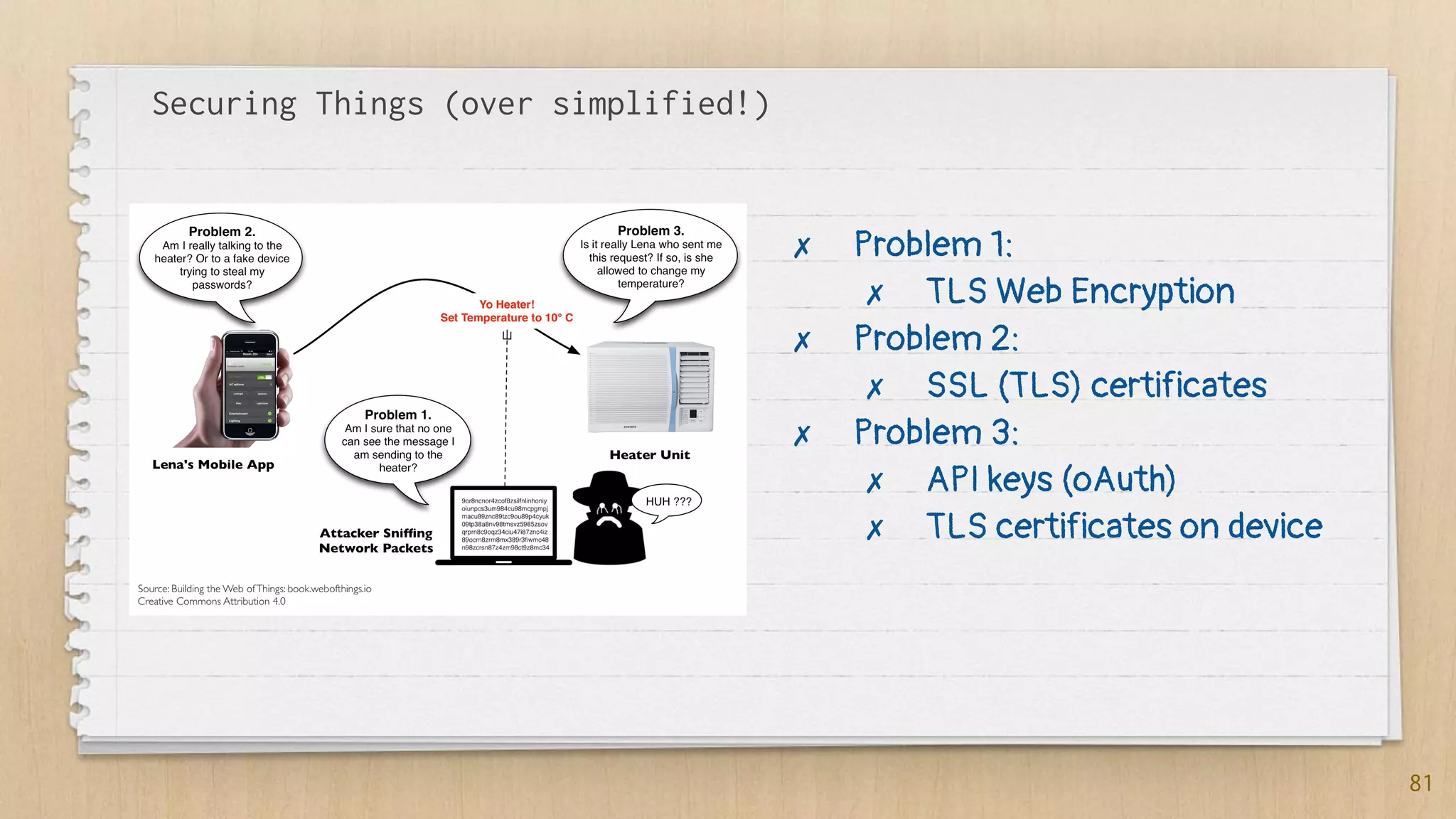
Securing Things (over simplified!)
81
✗ Problem 1:
✗ TLS Web Encryption
✗ Problem 2:
✗ SSL (TLS) certificates
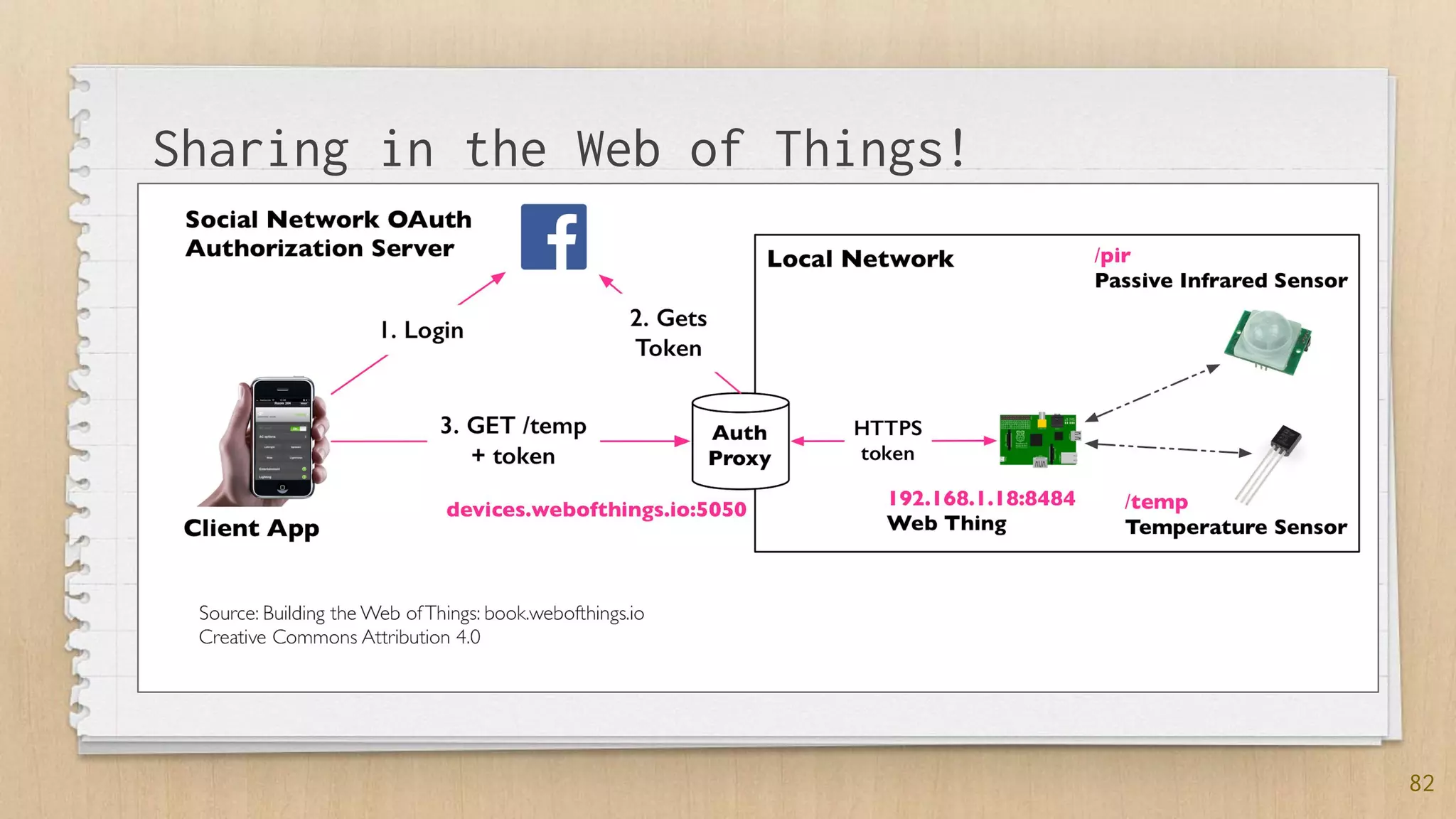
✗ Problem 3:
✗ API keys (oAuth)
✗ TLS certificates on device
82
Sharing in the Web of Things!
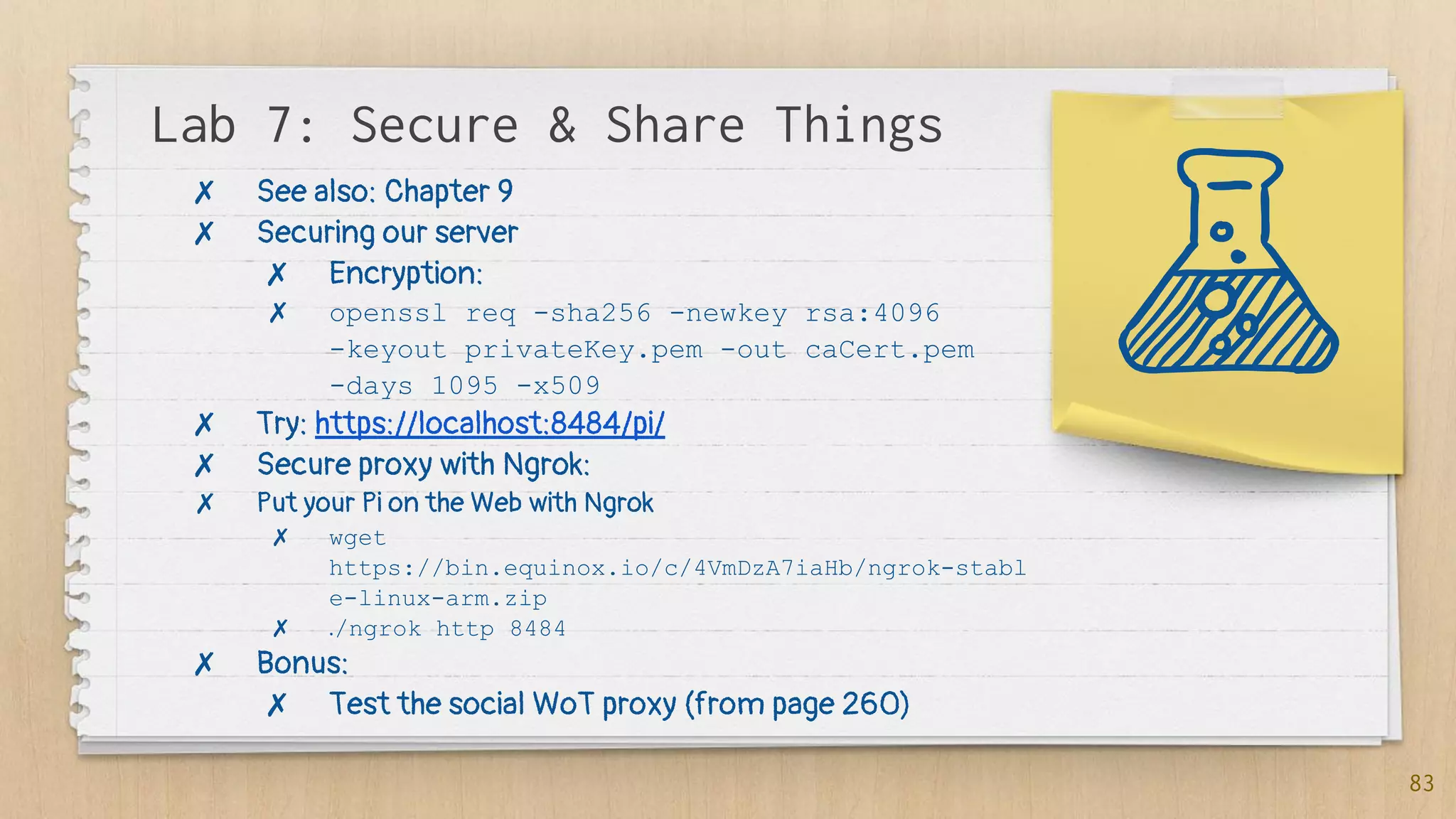
Lab 7: Secure & Share Things
83
✗ See also: Chapter 9
✗ Securing our server
✗ Encryption:
✗ openssl req -sha256 -newkey rsa:4096
-keyout privateKey.pem -out caCert.pem
-days 1095 -x509
✗ Try: https://localhost:8484/pi/
✗ Secure proxy with Ngrok:
✗ Put your Pi on the Web with Ngrok
✗ wget
https://bin.equinox.io/c/4VmDzA7iaHb/ngrok-stabl
e-linux-arm.zip
✗ ./ngrok http 8484
✗ Bonus:
✗ Test the social WoT proxy (from page 260)
5.4 Compose:
Physical Mashups
86
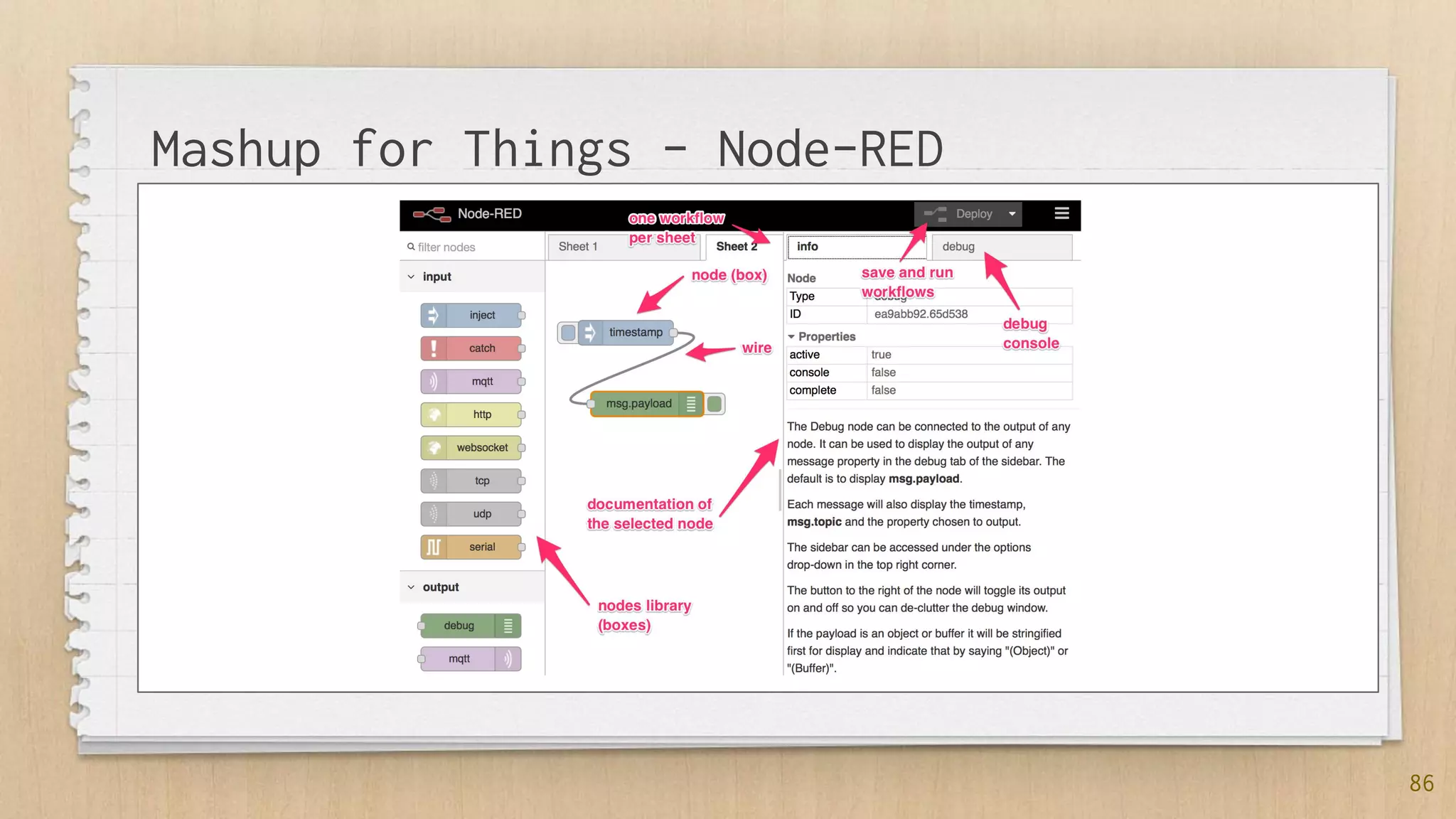
Mashup for Things - Node-RED
87
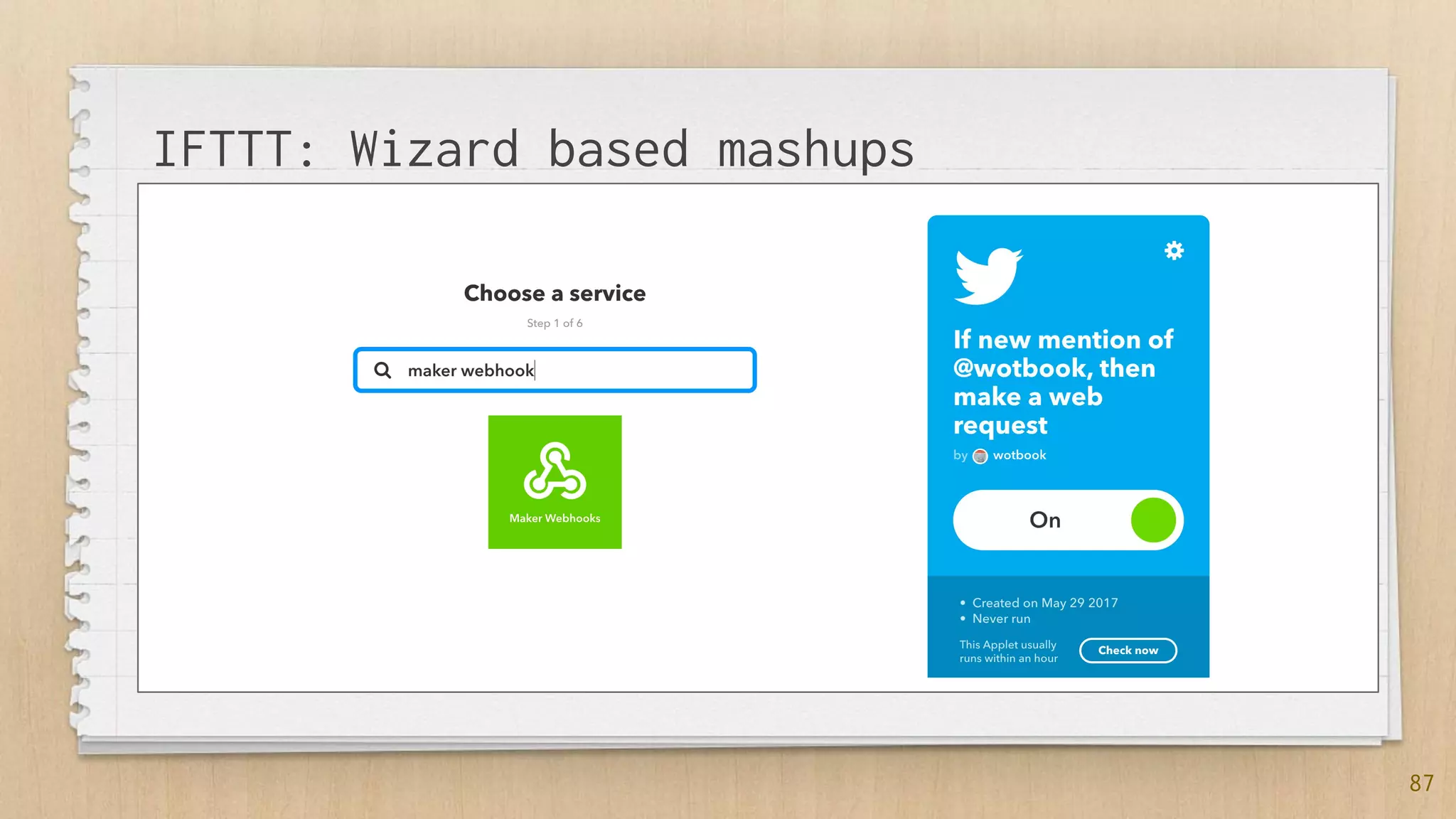
IFTTT: Wizard based mashups
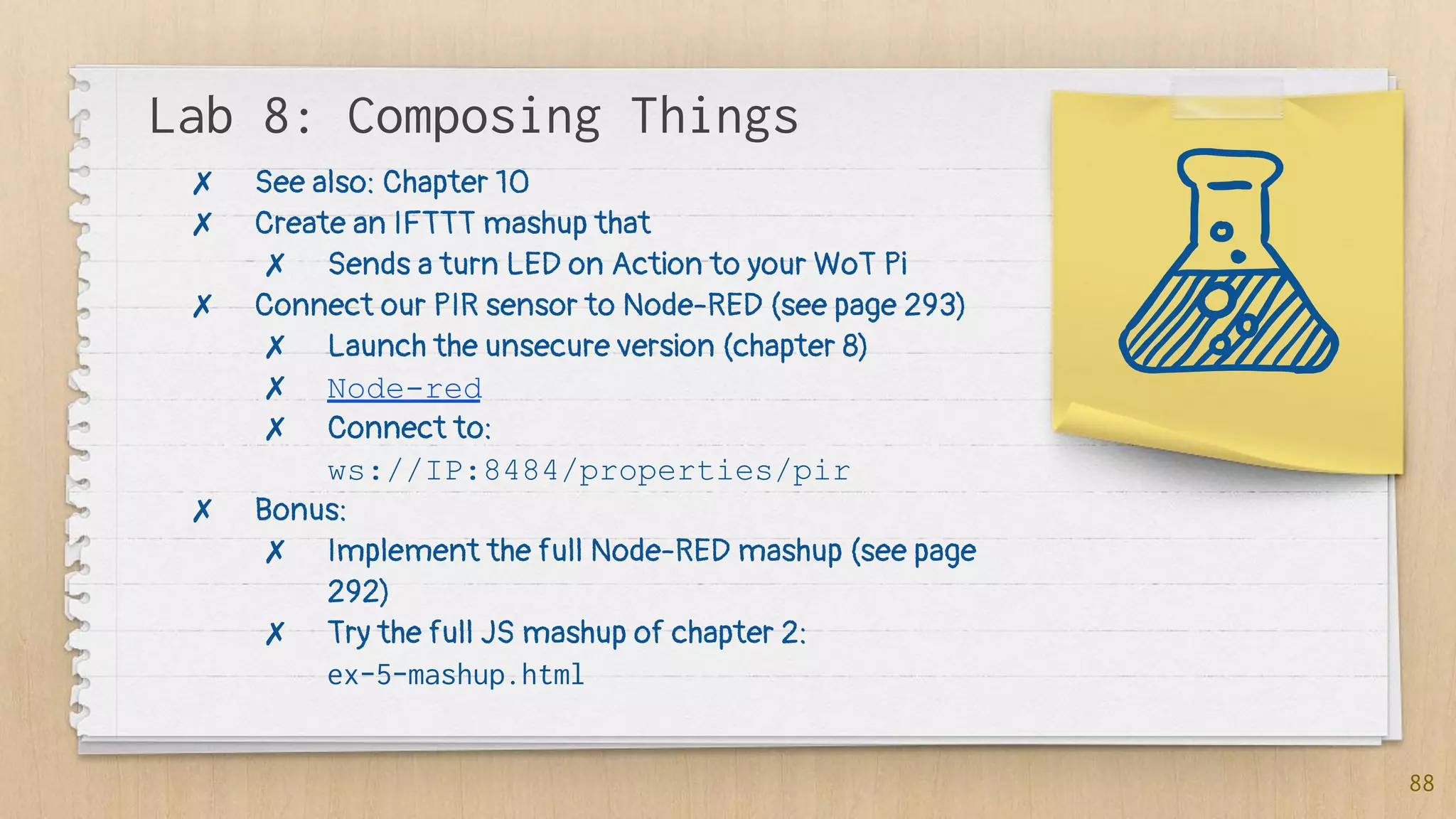
Lab 8: Composing Things
88
✗ See also: Chapter 10
✗ Create an IFTTT mashup that
✗ Sends a turn LED on Action to your WoT Pi
✗ Connect our PIR sensor to Node-RED (see page 293)
✗ Launch the unsecure version (chapter 8)
✗ Node-red
✗ Connect to:
ws://IP:8484/properties/pir
✗ Bonus:
✗ Implement the full Node-RED mashup (see page
292)
✗ Try the full JS mashup of chapter 2:
ex-5-mashup.html
Links
✗ Web of Things Community
✗ WoT @ W3C and WoT W3C Architecture
✗ Mozilla WoT
89
6. The Future of
Things
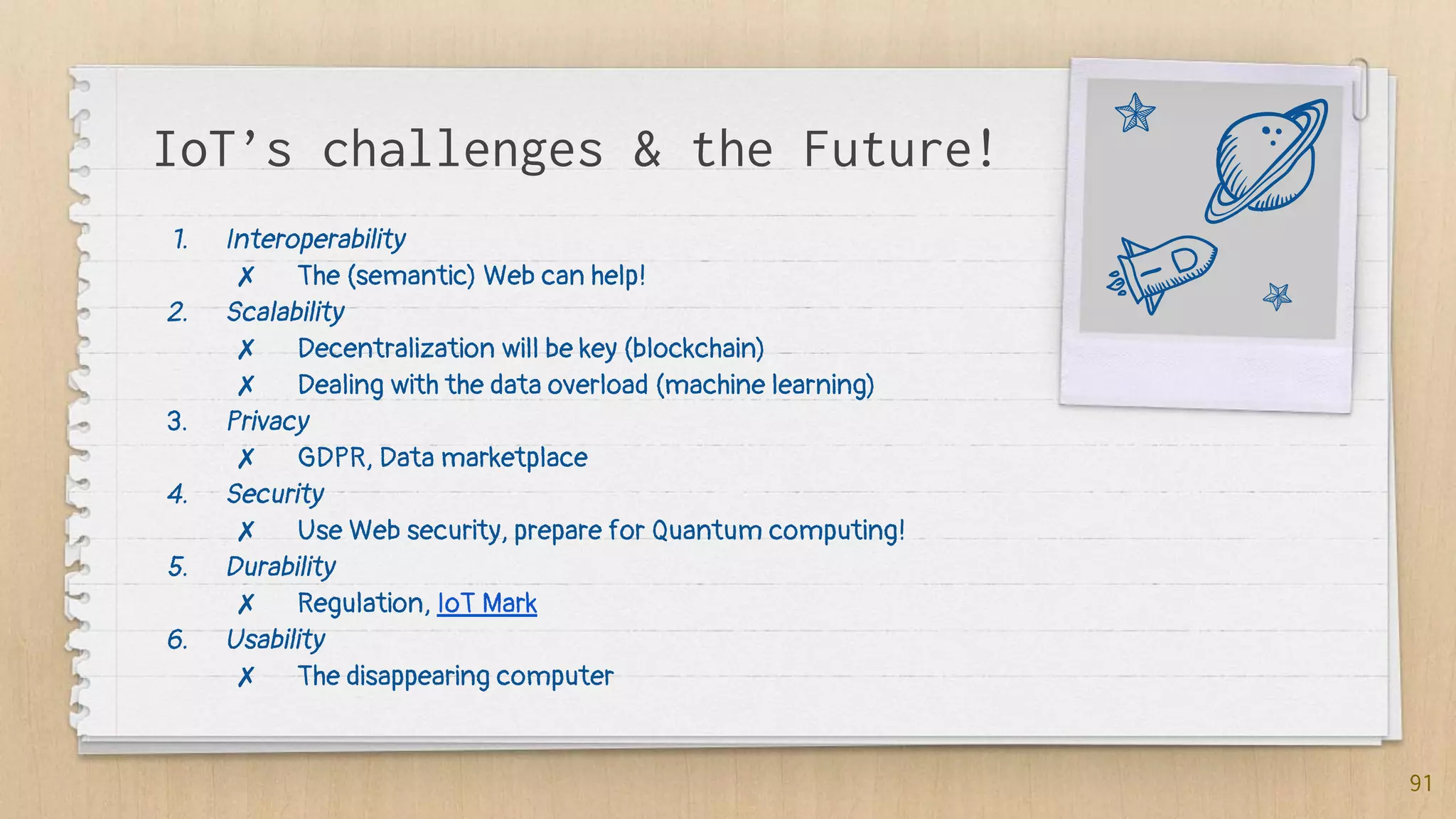
IoT’s challenges & the Future!
1. Interoperability
✗ The (semantic) Web can help!
2. Scalability
✗ Decentralization will be key (blockchain)
✗ Dealing with the data overload (machine learning)
3. Privacy
✗ GDPR, Data marketplace
4. Security
✗ Use Web security, prepare for Quantum computing!
5. Durability
✗ Regulation, IoT Mark
6. Usability
✗ The disappearing computer
91
Key takeaways
✗ The IoT is here and now, 20 billion connected objects
expected to join by 2022, enormous opportunity
but significant challenges
✗ Networks are evolving to support the special needs
of Things
✗ Interoperability is key, the Web can help at many levels
92
93
Thanks!
You can find me at:
✗ @domguinard
✗ dom@guinard.org
✗ http://dom.guinard.org
✗ https://webofthings.org
SlidesCarnival icons are editable shapes.
This means that you can:
● Resize them without losing quality.
● Change fill color and opacity.
Isn’t that nice? :)
Examples:
94

From the internet of things to the web of things course

  • 1.
    From the Internet of Thingsto the Web of Things
  • 2.
    Hello! I am Dr.Dom Guinard Co-invented the WoT, Co-Founded EVRYTHNG & loves: Web technologies, standards, startups, books and mountains! @domguinard 2
  • 3.
    If I tellyou... ✗ NPM ✗ GPIOs ✗ PIR ✗ LPWAN ✗ MQTT ✗ WoT ✗ REST ✗ Websockets ✗ NodeRED ✗ IFTTT ✗ Ethereum ✗ Tensorflow 3
  • 4.
    What’s in thecourse? The IoT, the WoT History, applications, ... Getting started with embedded devices Sensors, actuators, devices, GPIOs, ... The I in IoT Networking layers and protocols, Zigbee, Bluetooth, LPWAN, WiFi, etc. 4 The W in IoT: Web of Things! Architecture, layers, API for Things Layers of the WoT Access, Find, Share, Compose The Future of the IoT From blockchain to AI and other buzzwords & challenges ahead for the IoT
  • 5.
    The Web ofThings Book! Course largely based on the book Books and kits options on: http://book.webofthings.io Use 39guinard To get 39% discount on Manning 5
  • 6.
  • 7.
    “[...] the phrase"Internet of Things" started life as the title of a presentation I made at Procter & Gamble (P&G) in 1999. Linking the new idea of RFID in P&G's supply chain to the then-red-hot topic of the Internet [...]” [@Kevin_Ashton] 7
  • 8.
  • 9.
    9 1. (Unique) Identity 2.Connectivity to Internet Protocols: directly or via a gateway 3. Sensing 4. and / or Actuation
  • 10.
    Application Domains Consumer IoT Smarthomes, quantified self, wearables, consumer marketing, assisted living, etc. Commercial IoT Smart supply chains, smart buildings, connected medical devices, connected cars, etc. Industrial IoT Smart cities, smart grids, Industry 4.0, smart manufacturing 10
  • 11.
  • 12.
  • 13.
    Remember IoT !=smart home! @EVRYTHNG Examples 13
  • 14.
    Lab: Setting upyour Pi! 14 See also: Chapter 4, page 94 1. Install Etcher from https://etcher.io 2. Install your Pi: https://webofthings.org/wot-book-pi-image/
  • 15.
  • 16.
    16 VS Multicores (ARM) 32-64 Bits XGB of RAM X GB of Flash Microcontroller 8-16 Bits X KB of RAM X KB of ROM
  • 17.
  • 18.
  • 19.
    19 Why JS &Node on embedded devices?
  • 20.
    Lab 1: AWebserver on a Pi! 20 See also: Chapter 3 & Chapter 4, page 94 1. Connect your Pi to the network a. ping raspberrypi.local and write down your IP 2. Build your (first?) Node HTTP server on the Pi (page 64) 3. Bonus: Install NVM & Node.js on your computer a. curl -o- https://raw.githubusercontent.com/creationix/nvm /v0.33.2/install.sh | bash b. nvm install v4.9.1 4. Bonus: build a more advanced server, see Listing 3.2 page 66
  • 21.
    Lab Notes: Headlesssetup 21 ✗ Change MDNS hostname of your Pi: ✗ sudo nano /etc/hostname ✗ Headless SSH: ✗ Add: /boot/ssh ✗ Headless config of the wifi: ✗ Add: /boot/wpa_supplicant.conf
  • 22.
    Some key pointsso far... ✗ IoT came from RFID in 1999 ✗ The Things in the IoT typically have 4 properties: ✗ Identity ✗ Connectivity ✗ Sensing ✗ Actuating ✗ There are 2 world of embedded devices: ✗ Linux Devices (ARM, e.g., Pi) ✗ Microcontrollers (e.g., Marvell, TI) ✗ Javascript (Node) is taking over things for prototyping 22
  • 23.
  • 24.
    24 1. Sensors: a. Temperature/ Humidity b. PIR 2. Actuators: a. LEDs b. Screens c. Relays (switches)
  • 25.
  • 26.
  • 27.
    27 var Gpio =require('onoff').Gpio, sensor = new Gpio(17, 'in', 'both'); //#A sensor.watch(function (err, value) { //#B if (err) exit(err); console.log(value ? 'there is someone!' : 'not anymore!'); }); function exit(err) { if (err) console.log('An error occurred: ' + err); sensor.unexport(); console.log('Bye, bye!') process.exit(); } process.on('SIGINT', exit); // #A Initialize pin 17 in input mode, 'both' means we want to handle both rising and falling interrupt edges // #B Listen for state changes on pin 17, if a change is detected the anonymous callback function will be called with the new value
  • 28.
  • 29.
    Lab 2: GPIOs 29 Seealso: Chapter 4, from page 102 1. Setup the PIR sensor (see page 104) 2. Connect it to onoff.js code (see chapter4-gpios/pir.js) 3. Bonus: setup the DHT sensor (see Chapter 4 from page 105)
  • 30.
    4. The Iin IoT: The Networks
  • 31.
    Categories of protocols PAN:Personal Area Net WiFi, Zigbee, Enocean, Thread, Bluetooth, etc. Usually for consumer IoT: Smart homes, smart buildings, beacons, etc. (LP)WAN: Low Power Wide Area Net SigFox, LoRA, 5G, NB-IoT, CAT-M, etc. Usually for industrial & commercial IoT: Smart cities, supply chain tracking, smart meters, etc. 31
  • 32.
    32 Good reasons forno IP+Web end-to-end Battery Powered Devices Deployment requires a mesh
  • 33.
  • 34.
  • 35.
    The emergence ofLPWANs ✗ New networks created for the IoT ✗ Smart meters, Supply chain tracking ✗ LP = Low Power ✗ 3 big categories: ✗ SigFox (the first) ✗ LoRA (the more “open” - see TheThingsNetwork) ✗ 5G IoT (the “operators”) ✗ CAT-M ✗ NB-IoT 35
  • 36.
    Demo: LPWAN &TTN 36 ✗ Using a TTN Node ✗ Communicating with EVRYTHNG
  • 37.
    Some key pointsso far... ✗ Sensors and Actuators are integrated to IoT prototypes (and products) via GPIOs ✗ There are a lot of networking technologies involved in the IoT. In particular because of the energy consumption of WiFi and need for mesh. ✗ Very low-power protocols are emerging (LPWAN) 37
  • 38.
    5. The Win IoT: The Web of Things
  • 39.
    “The IoT isa science primarily focusing on creating the most complex ways of turning lights on.” [@domguinard] 39
  • 40.
  • 41.
  • 42.
  • 43.
    43 Great but itwas 2007...
  • 44.
    “The Web onDevices? Yeah, sure… NOT!” [@theEmbeddedCommunity, 2007] 44
  • 45.
  • 46.
  • 47.
  • 48.
  • 50.
  • 51.
    51 $(document).ready( //#A function doPoll(){ $.getJSON('http://devices.webofthings.io/pi/sensors/temperature', //#B function (data) { //#C console.log(data); $('#temp').html(data.value + ' ' + data.unit); //#D setTimeout(doPoll, 5000); //#E }); }); //#A Wait until the page is loaded and then call doPoll() //#B Use the AJAX helper to get the JSON payload from the temperature sensor //#C When the response arrives, this function is called //#D Select the "temp" HTML element and update its content using the data.value (the value) and data.unit (the unit) returned in the JSON payload //#E The doPoll() function sets a timer to call itself again in 5 seconds (5000 milliseconds)
  • 52.
    Lab 3: TalkingWeb to a Thing! 52 ✗ Fork & Clone the book code on your machine ✗ git clone https://github.com/webofthings/wot-book --recursive ✗ Browse the device as a Human on: http://devices.webofthings.io/ ✗ Install Postman and browse the device as an App ✗ URL: http://devices.webofthings.io/ ✗ Accept: application/json ✗ Modify 2.2 code to get the humidity value every 5 seconds ✗ Bonus: change the type of graph in 2.2
  • 53.
    Web API forThings: 5 Steps A. Resource design—Identify the functionality or services of a Thing, and organize the hierarchy of these services. B. Representation design—Decide which representations will be served for each resource. C. Interface design—Decide which commands are possible for each service, along with which error codes. D. Resource linking design—Decide how the different resources are linked to each other. E. Integration strategy—Choose a pattern to integrate Things to the internet and the web. 53
  • 54.
  • 55.
    55 Request: GET /pi Host: devices.webofthings.io Accept: application/json Response: 200OK Content-Type: application/json { "name" : "Pi" ... } 1. Resource design 2. Representation design 3. Interface design GET PUT 4. Linking Design
  • 56.
  • 57.
  • 58.
    58 function subscribeToWs(url, msg){ var socket = new WebSocket(url); socket.onmessage = function (event) { console.log(event.data); }; socket.onerror = function (error) { console.log('An error occurred while trying to connect to a Websocket!'); console.log(error); }; socket.onopen = function (event) { if (msg) { socket.send(msg); } }; } //subscribeToWs('ws://localhost:8484/pi/sensors/pir);
  • 59.
  • 60.
    Lab 4: Designingthe Pi API 60 ✗ See also: Chapter 7 ✗ Code deep-dive together ✗ chapter7-implementation/part1-2-direct-gateway ✗ Resources (add a noise sensor) ✗ Representation (see messagepack) ✗ Adding a representation ✗ Add CBOR support ✗ npm install --save cbor ✗ In converter.js ✗ Bind PIR sensor on your Pi ✗ Communication via WebSocket ✗ chapter2-hello-wot/client/pir-websockets.html ✗ Bonus: bind the DHT sensor of your Pi (see page 183)
  • 61.
  • 62.
    62 The Web onDevices!
  • 63.
    63 But not allthings can speak Web!
  • 64.
    64 An Example withthe EVRYTHNG Platform
  • 65.
    65 The Web onDevices!
  • 66.
    66 The Web onDevices!
  • 67.
    Lab 5: Gateways 67 ✗See also: Chapter 7, page 195 ✗ CoAP ✗ Start the CoAP server ✗ Look into the plugin ✗ Request a CoAP resource via HTTP: ✗ /things/coapDevice/sensors/co2 ✗ EVRYTHNG Demo ✗ Bonus: connect your PIR sensor to EVRYTHNG
  • 68.
  • 70.
    70 The issues withFinding Things!
  • 71.
    3 Challenges inIoT Findability What’s the Bootstrap URL? mDNS What’s the format I should expect (syntax)? REST, JSON, WoT Model What does that mean (semantics)? W3C WoT, Schema.org IoT 71
  • 72.
    How to findthe URL of a Thing? mDNS! service up: { interfaceIndex: 4, type: { name: 'http', protocol: 'tcp', subtypes: [], fullyQualified: true }, replyDomain: 'local.', flags: 3, name: 'Brother MFC-8520DN', networkInterface: 'en0', fullname: 'Brother032MFC-8520DN._http._tc p.local.', host: 'EVT-BW-BROTHER.local', The service port: 80, local IP address addresses: [ '192.168.0.6' ] } 72 ✗ mDNS clients listen for mDNS messages (on UDP) ✗ DNS tables are populated from what they catch ✗ Your Pi broadcasts mDNS messages as we speak!
  • 73.
  • 74.
    74 The issues withFinding Things!
  • 75.
    75 The Web ThingModel in a Nutshell
  • 76.
    The WoT ModelContinues @ W3C { "@context": ["http://www.w3.org/ns/td", {"iot": "http://iotschema.org/"}], "@type" : "Thing", "id": "urn:dev:wot:com:example:servient:lamp", ... "security": [{"scheme": "psk"}], "properties": { "status": { "@type" : "iot:SwitchStatus", "description" : "Shows the current status of the lamp", "writable": false, "observable": false, … "actions": { "toggle": { "@type" : "iot:SwitchStatus", "description" : "Turn on or off the lamp", "forms": [{ "href": "coaps://mylamp.example.com/toggle", "mediaType": "application/json" 76 ✗ Model: ✗ Things ✗ Properties ✗ Actions ✗ Events ✗ Extensible via SemanticWeb ✗ https://schema.org https://w3c.github.io/wot-thing-description/
  • 77.
    Lab 6: SemanticWeb of Things 77 ✗ See also: Chapter 8 ✗ Experiment with the Web Thing Model in Action: Automatic UI generation, use ✗ Use the wot.js server in chapter8-semantics ✗ http://IP:8484/model ✗ Test the client: chapter10-mashups/UI/UI.html ✗ Bonus: ✗ Bind an LED on your Pi to react to Actions ✗ Play Mozilla Things Project, a modern implementation of the Web Thing Model
  • 78.
  • 80.
    Basic Principles ofIoT Security Over the air updates TLS Communication Device Authentication 80
  • 81.
    Securing Things (oversimplified!) 81 ✗ Problem 1: ✗ TLS Web Encryption ✗ Problem 2: ✗ SSL (TLS) certificates ✗ Problem 3: ✗ API keys (oAuth) ✗ TLS certificates on device
  • 82.
    82 Sharing in theWeb of Things!
  • 83.
    Lab 7: Secure& Share Things 83 ✗ See also: Chapter 9 ✗ Securing our server ✗ Encryption: ✗ openssl req -sha256 -newkey rsa:4096 -keyout privateKey.pem -out caCert.pem -days 1095 -x509 ✗ Try: https://localhost:8484/pi/ ✗ Secure proxy with Ngrok: ✗ Put your Pi on the Web with Ngrok ✗ wget https://bin.equinox.io/c/4VmDzA7iaHb/ngrok-stabl e-linux-arm.zip ✗ ./ngrok http 8484 ✗ Bonus: ✗ Test the social WoT proxy (from page 260)
  • 84.
  • 86.
  • 87.
  • 88.
    Lab 8: ComposingThings 88 ✗ See also: Chapter 10 ✗ Create an IFTTT mashup that ✗ Sends a turn LED on Action to your WoT Pi ✗ Connect our PIR sensor to Node-RED (see page 293) ✗ Launch the unsecure version (chapter 8) ✗ Node-red ✗ Connect to: ws://IP:8484/properties/pir ✗ Bonus: ✗ Implement the full Node-RED mashup (see page 292) ✗ Try the full JS mashup of chapter 2: ex-5-mashup.html
  • 89.
    Links ✗ Web ofThings Community ✗ WoT @ W3C and WoT W3C Architecture ✗ Mozilla WoT 89
  • 90.
    6. The Futureof Things
  • 91.
    IoT’s challenges &the Future! 1. Interoperability ✗ The (semantic) Web can help! 2. Scalability ✗ Decentralization will be key (blockchain) ✗ Dealing with the data overload (machine learning) 3. Privacy ✗ GDPR, Data marketplace 4. Security ✗ Use Web security, prepare for Quantum computing! 5. Durability ✗ Regulation, IoT Mark 6. Usability ✗ The disappearing computer 91
  • 92.
    Key takeaways ✗ TheIoT is here and now, 20 billion connected objects expected to join by 2022, enormous opportunity but significant challenges ✗ Networks are evolving to support the special needs of Things ✗ Interoperability is key, the Web can help at many levels 92
  • 93.
    93 Thanks! You can findme at: ✗ @domguinard ✗ dom@guinard.org ✗ http://dom.guinard.org ✗ https://webofthings.org
  • 94.
    SlidesCarnival icons areeditable shapes. This means that you can: ● Resize them without losing quality. ● Change fill color and opacity. Isn’t that nice? :) Examples: 94