Personal Time
Management
a.k.a.
Managing the Most Critical
Project of All: Yourself
Resources at tinyurl.com/unyslaptm
Jill Hurst-Wahl
@jill_hw
hurst@hurstassociates.com
www.digitization101.com
Elaine Lasda
@elainelibrarian
elasda@albany.edu
https://elaine.lasda.net
SCHOOL OF INFORMATION STUDIES | SYRACUSE UNIVERSITY 2
Getting Things Done (GTD)
Methodology, not a specific system
Core idea:
Your head is not the place for your project
plans or to-do lists
SCHOOL OF INFORMATION STUDIES | SYRACUSE UNIVERSITY 3
GTD Basic Concepts
Capture everything – every project, every to-do
Clarify what needs to be done
Ask what the next action is (and write it down!)
Organize those next actions by category and priority
Focus!
Do a weekly review and update your “list”
SCHOOL OF INFORMATION STUDIES | SYRACUSE UNIVERSITY 4
Key System Components
• Time Management/Scheduling
• Procrastination vs. “Strategic Procrastination”
• Pomodoro Technique
• Structure/Workflow
• GTD a well-honed option
• Other “gurus”
• My mish-mosh system
Tool #1: Toodledo
• Uses GTD functionality
• Comprehensive approach
• Phone app (android and iOS)
• Good for:
• detailed lists, outlines, tracking, personal stuff
• Group functionality costs $$$
• Scheduling and prioritizing
• Granular level planning
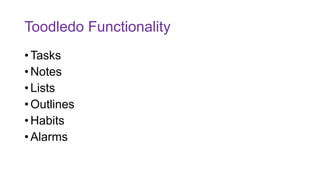
Toodledo Functionality
• Tasks
• Notes
• Lists
• Outlines
• Habits
• Alarms
Tool #2:Trello
• Visual functionality
• Phone apps
• Integration
• Good for:
• Teams & collaborations
• Flexible project management
• Visual display/map of project pipelines
• Colors, “stickers” etc.
• Storing/linking/mapping to files used in project
• Other external integrations
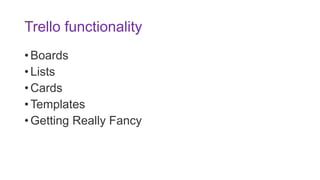
Trello functionality
• Boards
• Lists
• Cards
• Templates
• Getting Really Fancy
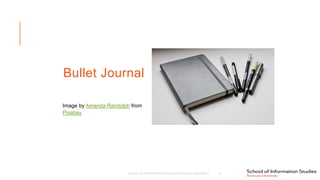
Bullet Journal
Image by Amanda Randolph from
Pixabay
SCHOOL OF INFORMATION STUDIES | SYRACUSE UNIVERSITY 10
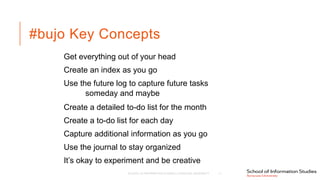
#bujo Key Concepts
Get everything out of your head
Create an index as you go
Use the future log to capture future tasks
someday and maybe
Create a detailed to-do list for the month
Create a to-do list for each day
Capture additional information as you go
Use the journal to stay organized
It’s okay to experiment and be creative
SCHOOL OF INFORMATION STUDIES | SYRACUSE UNIVERSITY 11
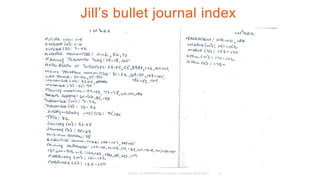
Jill’s bullet journal index
SCHOOL OF INFORMATION STUDIES | SYRACUSE UNIVERSITY 12
SCHOOL OF INFORMATION STUDIES | SYRACUSE UNIVERSITY 13
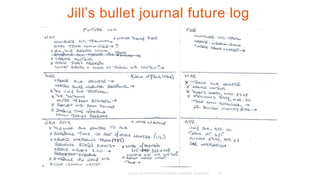
Jill’s bullet journal future log
SCHOOL OF INFORMATION STUDIES | SYRACUSE UNIVERSITY 14
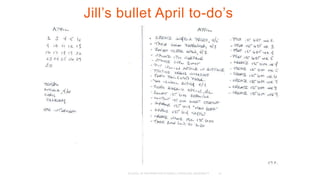
Jill’s bullet April to-do’s
SCHOOL OF INFORMATION STUDIES | SYRACUSE UNIVERSITY 15
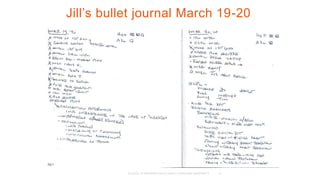
Jill’s bullet journal March 19-20
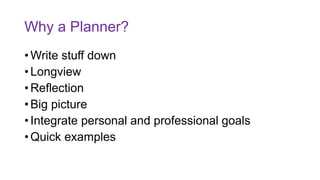
Why a Planner?
• Write stuff down
• Longview
• Reflection
• Big picture
• Integrate personal and professional goals
• Quick examples
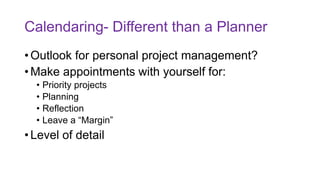
Calendaring- Different than a Planner
• Outlook for personal project management?
• Make appointments with yourself for:
• Priority projects
• Planning
• Reflection
• Leave a “Margin”
• Level of detail
Final Thoughts
• "Prioritize Prioritization"!
• Strategies and Potential Pitfalls
• Self-care and Focus
What are YOUR #ProTips?

Personal Time Management

  • 1.
  • 2.
    a.k.a. Managing the MostCritical Project of All: Yourself Resources at tinyurl.com/unyslaptm Jill Hurst-Wahl @jill_hw hurst@hurstassociates.com www.digitization101.com Elaine Lasda @elainelibrarian elasda@albany.edu https://elaine.lasda.net SCHOOL OF INFORMATION STUDIES | SYRACUSE UNIVERSITY 2
  • 3.
    Getting Things Done(GTD) Methodology, not a specific system Core idea: Your head is not the place for your project plans or to-do lists SCHOOL OF INFORMATION STUDIES | SYRACUSE UNIVERSITY 3
  • 4.
    GTD Basic Concepts Captureeverything – every project, every to-do Clarify what needs to be done Ask what the next action is (and write it down!) Organize those next actions by category and priority Focus! Do a weekly review and update your “list” SCHOOL OF INFORMATION STUDIES | SYRACUSE UNIVERSITY 4
  • 5.
    Key System Components •Time Management/Scheduling • Procrastination vs. “Strategic Procrastination” • Pomodoro Technique • Structure/Workflow • GTD a well-honed option • Other “gurus” • My mish-mosh system
  • 6.
    Tool #1: Toodledo •Uses GTD functionality • Comprehensive approach • Phone app (android and iOS) • Good for: • detailed lists, outlines, tracking, personal stuff • Group functionality costs $$$ • Scheduling and prioritizing • Granular level planning
  • 7.
    Toodledo Functionality • Tasks •Notes • Lists • Outlines • Habits • Alarms
  • 8.
    Tool #2:Trello • Visualfunctionality • Phone apps • Integration • Good for: • Teams & collaborations • Flexible project management • Visual display/map of project pipelines • Colors, “stickers” etc. • Storing/linking/mapping to files used in project • Other external integrations
  • 9.
    Trello functionality • Boards •Lists • Cards • Templates • Getting Really Fancy
  • 10.
    Bullet Journal Image byAmanda Randolph from Pixabay SCHOOL OF INFORMATION STUDIES | SYRACUSE UNIVERSITY 10
  • 11.
    #bujo Key Concepts Geteverything out of your head Create an index as you go Use the future log to capture future tasks someday and maybe Create a detailed to-do list for the month Create a to-do list for each day Capture additional information as you go Use the journal to stay organized It’s okay to experiment and be creative SCHOOL OF INFORMATION STUDIES | SYRACUSE UNIVERSITY 11
  • 12.
    Jill’s bullet journalindex SCHOOL OF INFORMATION STUDIES | SYRACUSE UNIVERSITY 12
  • 13.
    SCHOOL OF INFORMATIONSTUDIES | SYRACUSE UNIVERSITY 13 Jill’s bullet journal future log
  • 14.
    SCHOOL OF INFORMATIONSTUDIES | SYRACUSE UNIVERSITY 14 Jill’s bullet April to-do’s
  • 15.
    SCHOOL OF INFORMATIONSTUDIES | SYRACUSE UNIVERSITY 15 Jill’s bullet journal March 19-20
  • 16.
    Why a Planner? •Write stuff down • Longview • Reflection • Big picture • Integrate personal and professional goals • Quick examples
  • 17.
    Calendaring- Different thana Planner • Outlook for personal project management? • Make appointments with yourself for: • Priority projects • Planning • Reflection • Leave a “Margin” • Level of detail
  • 18.
    Final Thoughts • "PrioritizePrioritization"! • Strategies and Potential Pitfalls • Self-care and Focus
  • 19.
    What are YOUR#ProTips?

Editor's Notes

  • #6 §  time carving & management Pomodoro technique procrastination not a matter of "self control"; a mater of "emotional regulation" (source) "strategic procrastination" print mail "batching" non urgent tasks Productivity tools should not have Ads!
  • #8 §  components and how they are usedTasks due, dates prioritize, folders,, filter search create tasks by email - email import function keyboard codes to organize reminders and alarms can be emailed or texted to you batch add multiple tasks in the non-Quick add area can set defaults to batch tasks with common elements can batch edit to all have same due date star tasks Due dates can be natural language eyball ->Filter hides tasks not in filter arrows -> sort sot on more than one criterion through sort bar Search set "rules" with common searches and save them Hotlist any "next action" high priorotiy, or star edite hotlist settings to configure can have hotlist emailed to you Notes record ideas and put in folder lectures, journaling, ideas tec. sort and browse put in folders html tgags can gbe used and clickable URLS show up can be timestamped printable and duplicabl;e Lists track anything fields with ritch text, sort and filter sortable/searchable description up top or keywords edit columns actually a mini spreadsheet drag n drop, resize, reorder, edit columns sort rows/filter rows print, duplicate, imprt, export Outlines plannign heirarchy, drag n drop max 30 lines in free version workflowy Habits tracking, behavior change, daily log, alarms & reminders track goals log with check marks, numbers and stars? choose tasks and schedule set reminders inbox view shows habits "don't break the chain" - seinfeld Dashboard configurealble trending & logging summary chartgs and graphs action menuc can print dupe import export, and archive -> can be reactivated Alarms due date and time, reminders, etc. email/text/browser can be configured
  • #10 Basic functionality Boards "list of lists" entire workspace Lists Groups of cards in columns examples Done/today/to do/watch/later Cathy Mazak ones Office party ones Cards items that make up lists §  examples of templates available from blogs, gurus, etc. §  my examnples §  teams Getting fancy: interoperability attach google drive and dropbox docus evernote cards created out of emails add due dates (colored badging)
  • #18 "outlook is based on a workflow standard 75 years ago" §  notifications §  flag or import emails to system §  Carve out appointments or dates with self and make them inviolable!
  • #19 "Prioritize Prioritization"! focus on high-value activites eisenhower box 20% rule "be ruthless at dedicating 90 minutes to priority goals! Time tracking audit to determine what you're spending energy on Strategies and Potential Pitfalls Kannemant & Twersky: Planning fallacy importance of hand-writing things down Declutter your desk put phone where you can't hear it shut down email/deal with in batches self care and focus take breaks/recharge stay away from internet/social media get enought sleep, sun, excercize