February 27, 2015
Ai University
Lessons learned from 9 years in the Ai trenches
Ninja Productivity Tricks
Earning my black belt
We are all always works
in progress - I’m going
to share a bit about my
journey of improving
how I manage my day
and my life overall.
Hofstra Volleyball Team circa 2002
I played sports growing up and throughout college, time management and productivity was all about me. I didn’t
have to worry about tasks that others were doing. I didn’t have to set expectations with people about timing (I
couldn’t tell a professor that I’d be two days late with an assignment)… It was, here’s your homework, here are
your projects to get done, be at the gym for practice at 2pm, etc. The structure was set for me and I just had to
figure out how to balance keeping up with school work and playing volleyball / traveling and having a life outside
of both.
Alexander Interactive circa 2005
I went from a volleyball team in college to this team of less than a dozen here at Ai as
an intern in college in our office on Park Ave South. I wore many hats, and the concept
of managing time and tasks for others was something I struggled with. I didn’t know
how to prioritize, because I didn’t have a full view of what was in the mix. I often stayed
late at the office because I didn’t have a system to help me.
Treo
Blackberry
Enter the Treo. Alex
(our CEO) and I had a
system where he would
get a new phone, and I
would get his old
phone. The concept of
a digital calendar, tasks
always in my hand,
rather than a paper
notebook entered my
world.
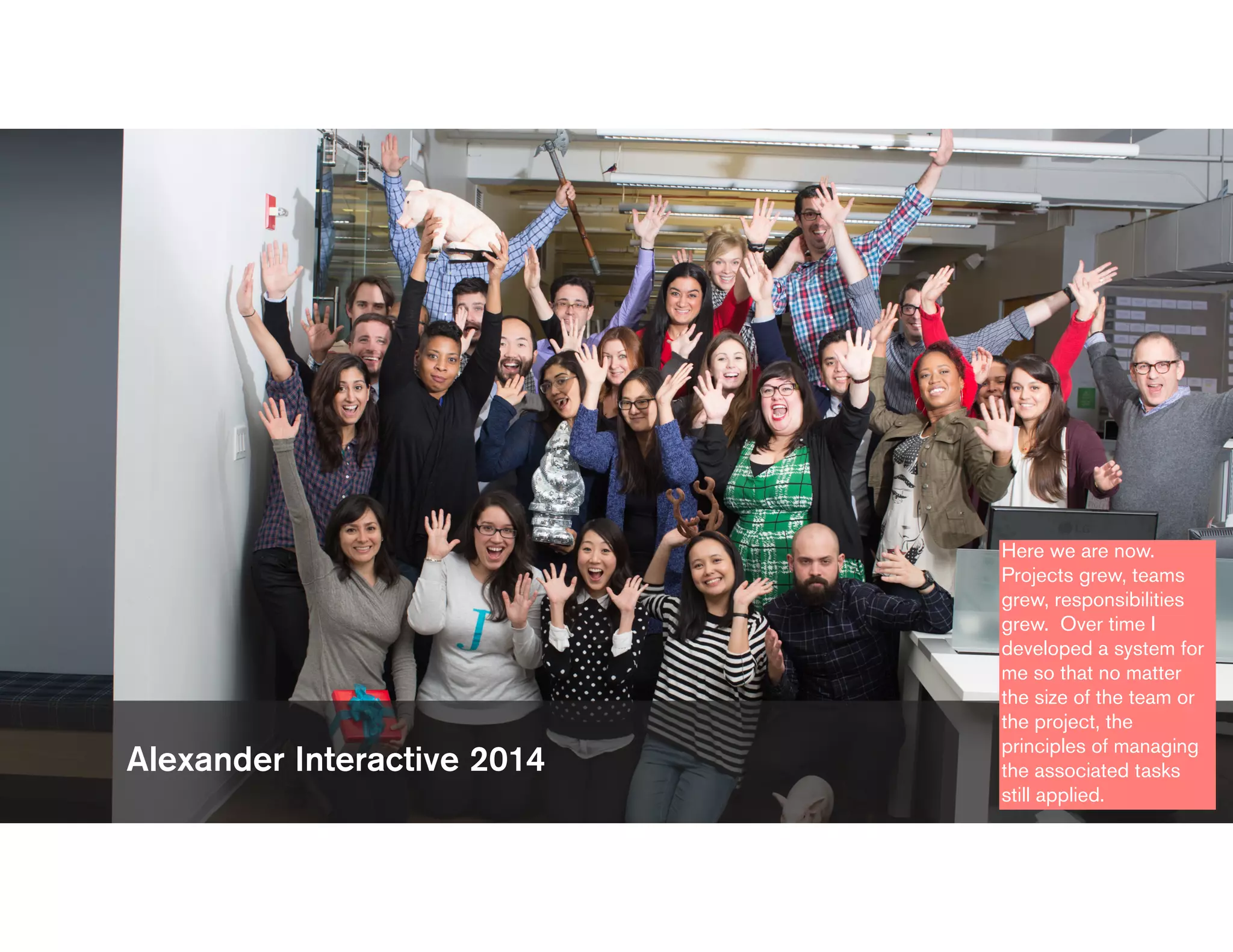
Alexander Interactive 2014
Here we are now.
Projects grew, teams
grew, responsibilities
grew. Over time I
developed a system for
me so that no matter
the size of the team or
the project, the
principles of managing
the associated tasks
still applied.
“Like all PMs at Ai, she values the
intersection of well-defined
processes for ensuring success,
repeatability of that success, and
overall efficiency with the practical
realities of getting stuff (i.e., great
work) done for Clients.”
This was recently written in an intro email of one of our new employees. For me,
repeatability is the key here. We’re not trying to re-invent the wheel with every project.
The process I use to manage work projects is the same process I use to manage trips I
take, fundraisers I plan, my wedding, etc.
The "busy business of busyness."
I read a lot of productivity blogs and
recently I read an article that quoted
Tracey Foulkes, CEO of a company
called Get Organised South Africa,
says too many of us are in the "busy
business of busyness."
"We're always rushing from meeting
to meeting and drowning in work.
It’s not about doing more; it's about
making wiser choices."
You need a system in
place that allows you to
make wiser choices and
see the full picture.
Every day, do something that you must
do, something that you should do, and
something that you want to do.
So, when you ask me how I can get all of my work done but still
make time to be with my friends, family, and workout - the process I
follow is how I do it, and you can do it too. I have a system in place
that allows me to get stuff done, make priority calls, and still be
able to do things I want to do.
Maintaining Control
The second I feel like I
don’t have control of
what I need to
accomplish or what my
teams need to
accomplish, I freak.
Maintaining Control
• How do you plan your day? (tools and approach)
• How well do you stick to your plan?
• On days where you don’t stay on plan, why?
We all go through this.
We have a plan for the
day, things come up,
our to-do list goes out
the window, we end up
staying late or leaving
early with anxiety, etc.
Maintaining Control
• One home
• Instant and easy access from anywhere
• Confidence that everything is covered
• Minimized distractions
• Quick ways to accomplish it all
I feel like I’m in control
of my tasks and my day
when the following
things are true.
Maintaining control
means I hit deadlines, I
can set set appropriate
expectations, I can
manage my personal
time, etc. Everything
I’m about to go through
allows me to maintain
that control.
Meet the Playas
Over the past 9 years
I’ve tried a million tools.
I keep coming back to a
core set that work for
me so that sense of
control and comfort and
less stress are real. I’m
not looking to have
everyone adopt my
entire way of working.
It’s not the only way,
and different
personalities and brains
think in different ways
and need different
views, but we all share
common needs in terms
of things we need to
solve.
My GTD Army
I use every single one of
these tools daily. This is
my GTD (Getting
Things Done) Army.
This may seem like a lot, but most of them are doing the
work for me. I set it and forget it. There are things I need to
manage, and each of these things needs a home.
Task Management
This is, bar far, the most
important tool in my
toolbox. Without
Todoist, my work would
not get done.
Data Management
File Management
• My new “local” - so I
can access files on my
computer / phone
• My transfer tool from
phone to computer
I’m that person who can
always find that photo
no one else can
because of how I’ve
tagged it and put it into
albums. Flickr is my
tool for photo storage.
It’s the forever home for
my photos.
Speed & Automation Tools
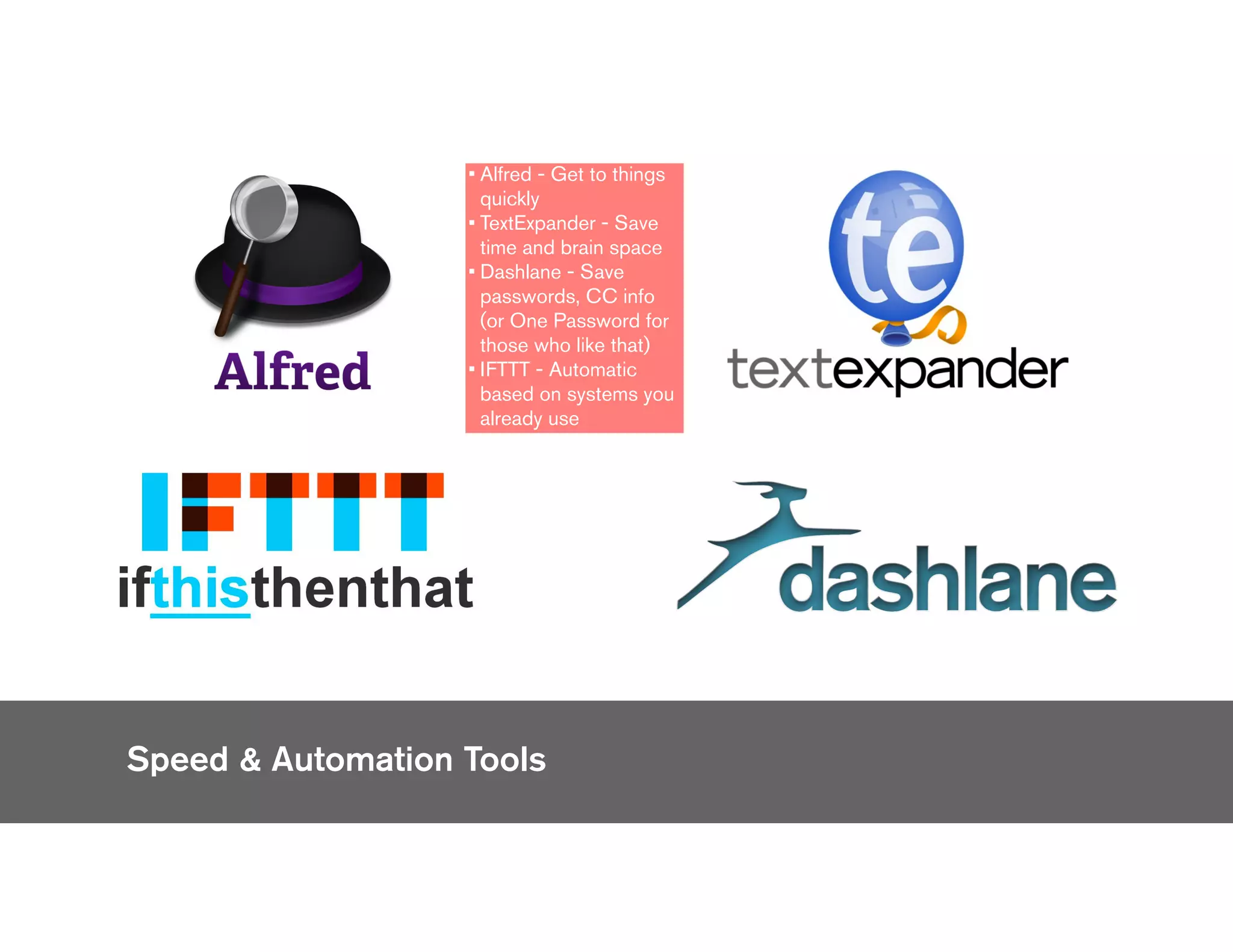
• Alfred - Get to things
quickly
• TextExpander - Save
time and brain space
• Dashlane - Save
passwords, CC info
(or One Password for
those who like that)
• IFTTT - Automatic
based on systems you
already use
Speed & Automation
Reference Later Tools
Speed & Automation ToolsReference Later Repositories
• Feedly - aggregator of all things I want to
read separated by topic
• Pocket - save to read for later
• Pinterest - save to buy or browse later
• Evernote also falls into this bucket of
reference later repositories
ONE
The key here, again, is
that everything I need to
do or manage has a
home, and that’s when I
stay calm and know that
things are under
control. Everything has
a home, not multiple
homes - that’s what
gives me the sense of
control and relieves
anxiety.
Tactics my army and I
use to go to battle Feeding off of the Inbox
Zero and Evernote AiU
sessions that Alex and
Josh ran, I’m going to
dive a little deeper into
some of the tactical
ways I use the systems I
just mentioned in order
to manage my days
here at Ai, and really, my
life.
Get on a cycle
01
Practice
Inbox Zero
• A repeatable, dependable
system to empty your
inbox, follow up with
everyone, and stay in
control of your digital (and
physical) life.
• A system for processing
our messages and
converting them into
appropriate actions as
quickly as possible.
I cycle through my Inbox and my Todoist
task list multiple times throughout the
day. Those feeds are ever-changing
and always have incoming things and
things I’m finished dealing with. Trust
your search.
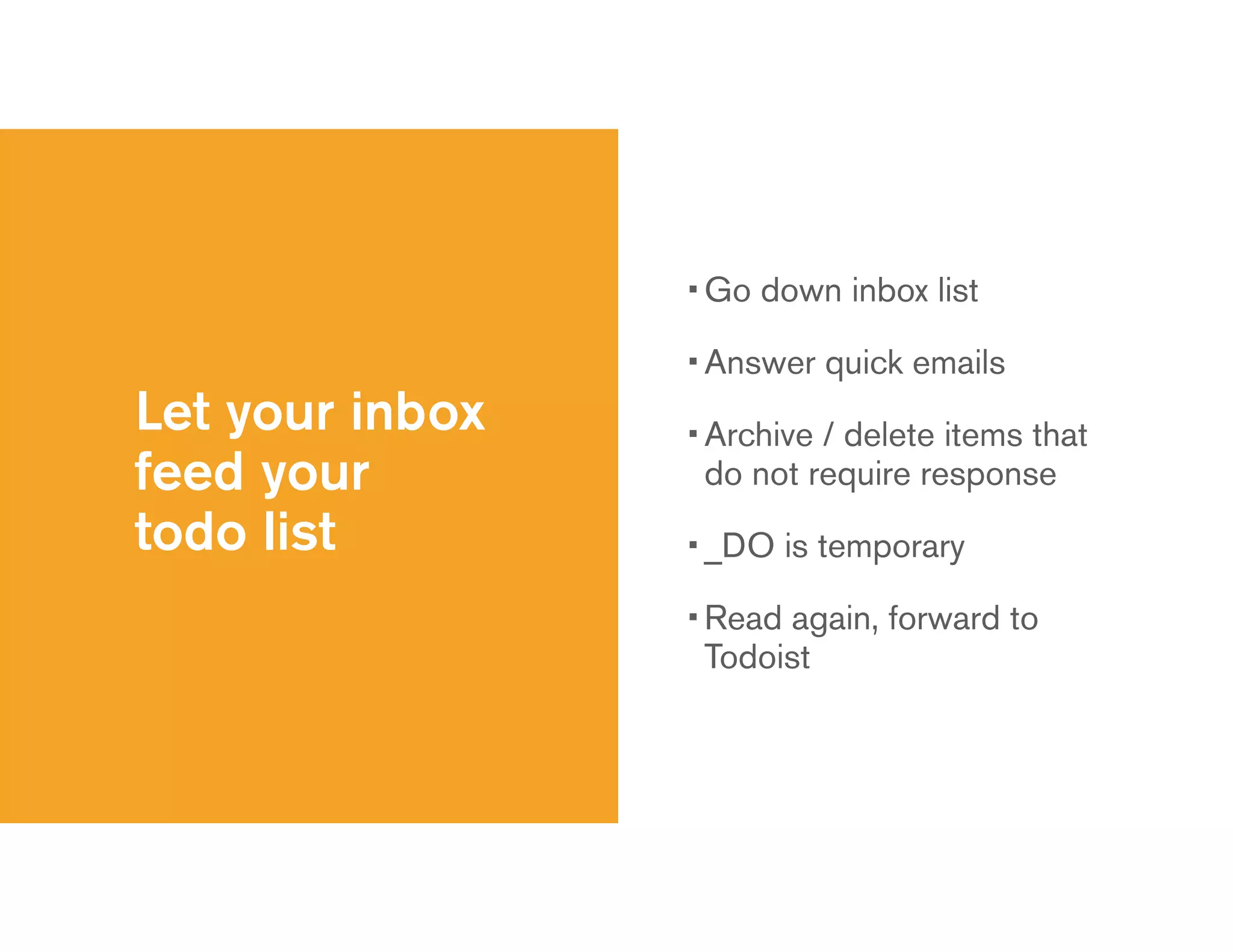
Let your inbox
feed your
todo list
• Go down inbox list
• Answer quick emails
• Archive / delete items that
do not require response
• _DO is temporary
• Read again, forward to
Todoist
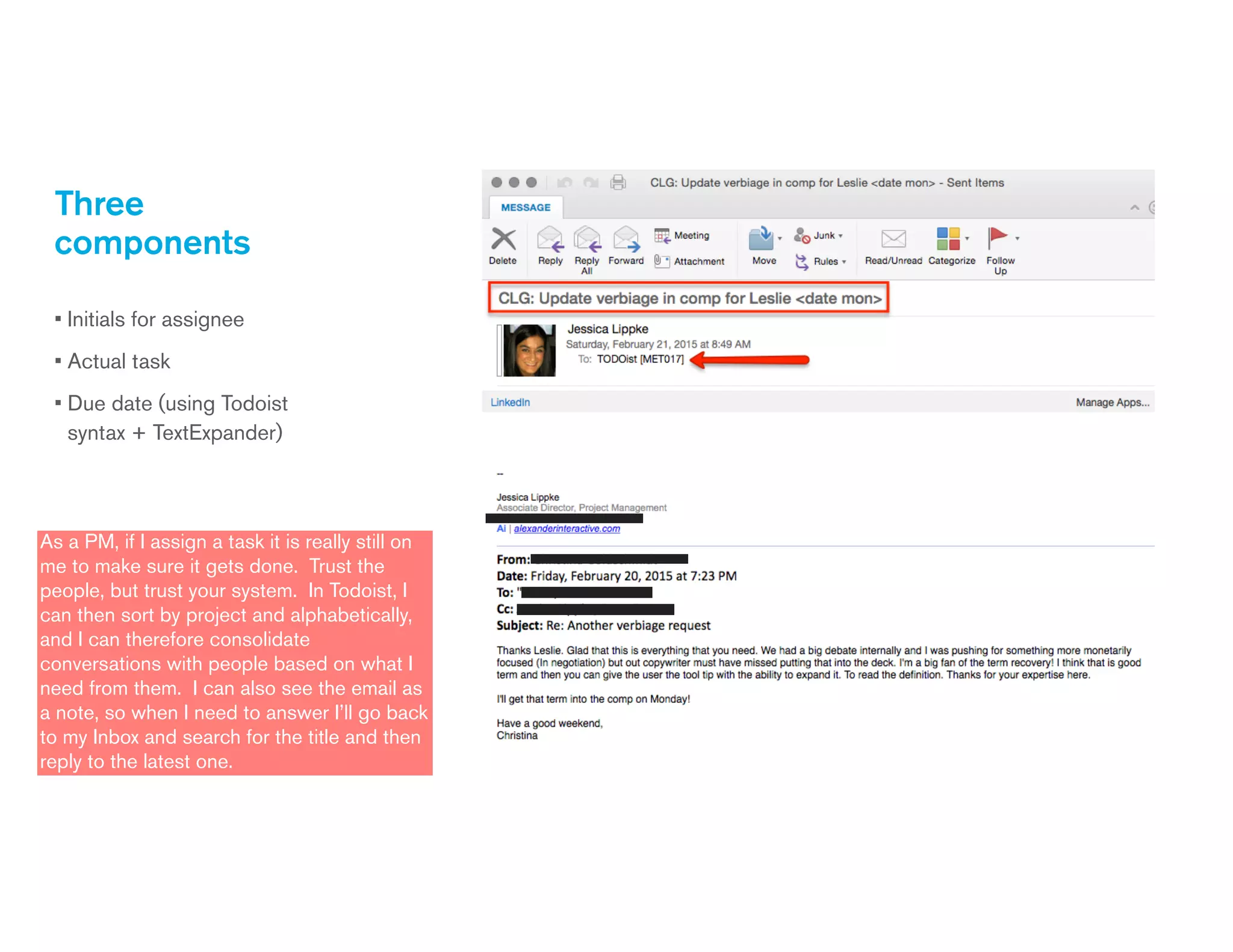
Three
components
• Initials for assignee
• Actual task
• Due date (using Todoist
syntax + TextExpander)
As a PM, if I assign a task it is really still on
me to make sure it gets done. Trust the
people, but trust your system. In Todoist, I
can then sort by project and alphabetically,
and I can therefore consolidate
conversations with people based on what I
need from them. I can also see the email as
a note, so when I need to answer I’ll go back
to my Inbox and search for the title and then
reply to the latest one.
Get on a cycle
• Go through your inbox
• Go through your to-do list
• Check your calendar often
• Assess, re-assess, set expectations, do
Check your calendar before
you leave for the day and
your to-do list for the next
day before you walk out the
door. If your calendar “free
time” does not line up with
the time it will take to
complete everything in your
to-do list then you need to
re-asses and reset
expectations. You’re only
setting yourself up for
failure if those things don’t
line up.
Photo
management
example
• Take a photo on iPhone
• Automatic upload to
Dropbox
• Check Camera Uploads
folder
• Edit photos as desired
• Upload to Flickr
You can skip Dropbox
and editing and just go
straight to Flickr from
your phone.
Set it and forget it
02
Let Todoist do
the work
• Once that task for
Christina is in Todoist, I
can forget about it until it
comes up in my feed
• Online order management
• Recurring activitiesFor me, things will happen and get done if I write it
down, assign it, and give it a due date, and that’s
what my Todoist workflow allows me to do. I have a
project specifically for orders that I place online so I
can check off that I received it once I do. It is the
only project where tasks don’t have due dates
because they aren’t tasks, it’s just a list, but a list I
want to make sure I’m checking regularly.
Recurring Activities
For recurring activities,
have them include
notes that you need to
reference every time
when completing it.
Let Evernote
do some
work, too!
• Software licenses
• Wifi passwords
• Packing list
• “How to” archive
• Company meeting ideas
• Forward to Evernote from email.
• Why aren’t my Wifi passwords in Dashlane? Because I’m often just taking a photo of a device or a post-it note that
someone has or whiteboard at Client office - don’t have to type it.
• For packing lists, I duplicate the checklist, print it, check it off each time I use it.
• Examples of things I have in my “How to” archive are manuals for things I own, steps to turning on my BBQ, etc.
• When Josh asks for ideas for the company meeting I already have a set of things saved and tagged in Evernote to send
him in bulk.
And then let
IFTTT in on
the party.
• Never miss a blog post
from Ai
• Never miss an Instagram
post by your favorite place
• Never duplicate effort
Never duplicate effort - upload
something in one place and it will
automatically upload in another if you
connect channels.
Implement visual cues
03
These are equivalent to what we
do for users on websites in our
UX/Designs to make it easy for
them to get done what they are
looking to get done.
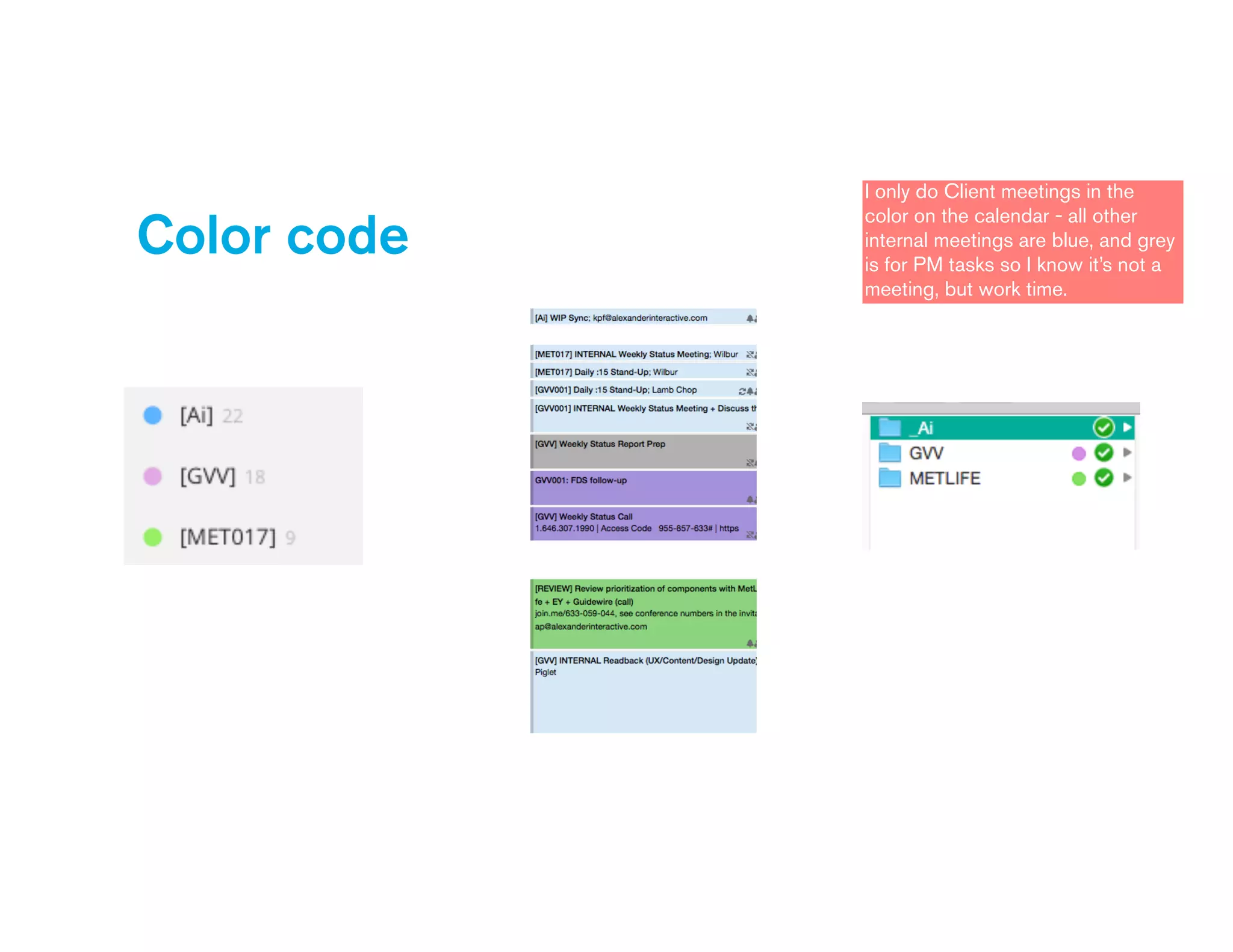
Color code
• Todoist projects
• Calendar categories
• Folders
Color code to recognize
colors associated with
projects (keep colors
consistent across tools)
Color code
I only do Client meetings in the
color on the calendar - all other
internal meetings are blue, and grey
is for PM tasks so I know it’s not a
meeting, but work time.
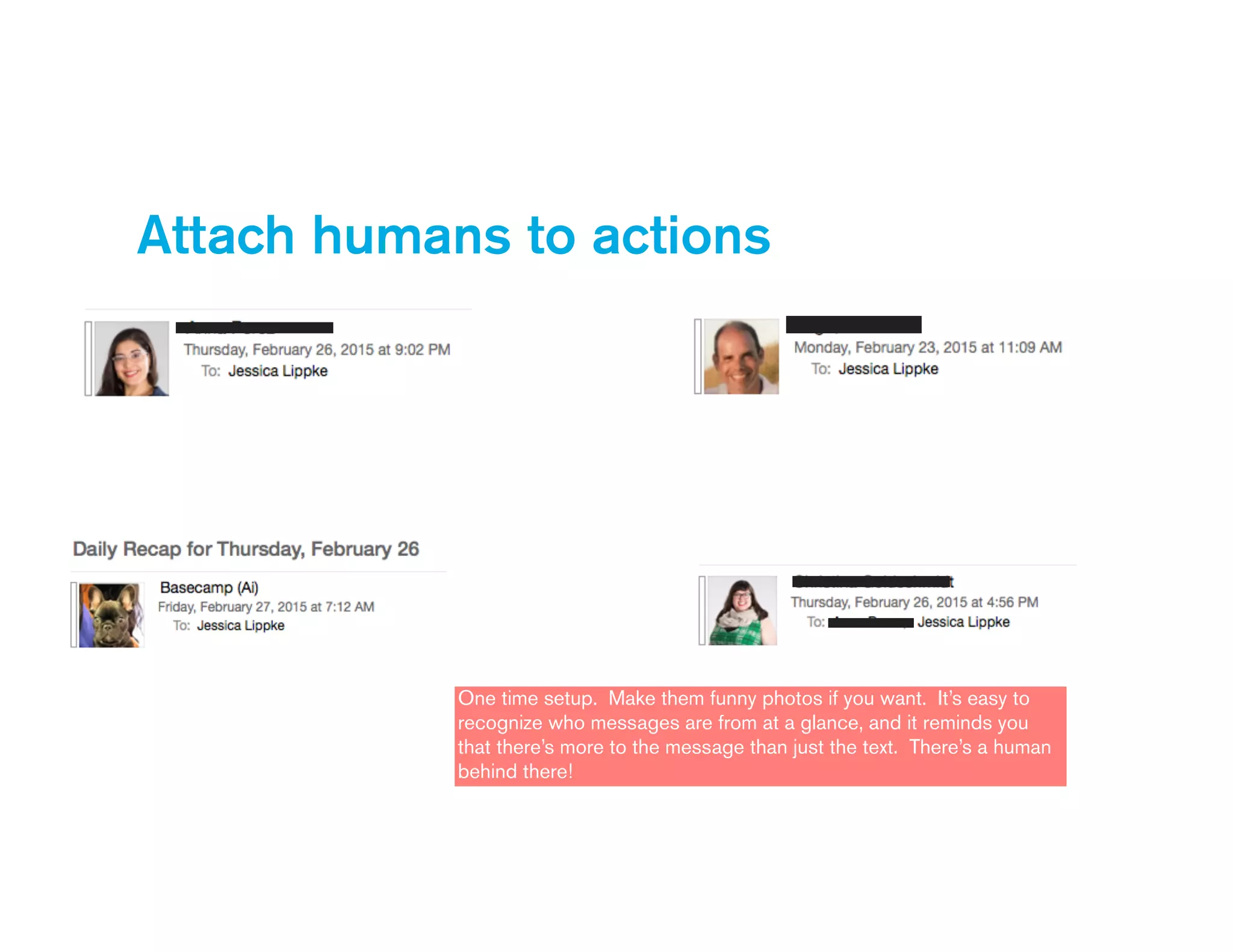
Attach humans to actions
One time setup. Make them funny photos if you want. It’s easy to
recognize who messages are from at a glance, and it reminds you
that there’s more to the message than just the text. There’s a human
behind there!
Action-based iPhone screen folders
Visual cues can still be
text. I sort my iPhone
folders by verb -
“watch, listen, pay, eat”
etc.
Easily and quickly identify things
• Create iPhone alarms
based on what you are
waking up for and
when.
• Add photos and
emoticons to contacts
so it is easy to
associate messages
and calls.
• My husband gets a
heart and my friend
with a star tattoo gets
a star emoticon. Easy
to find them when
scanning a list.
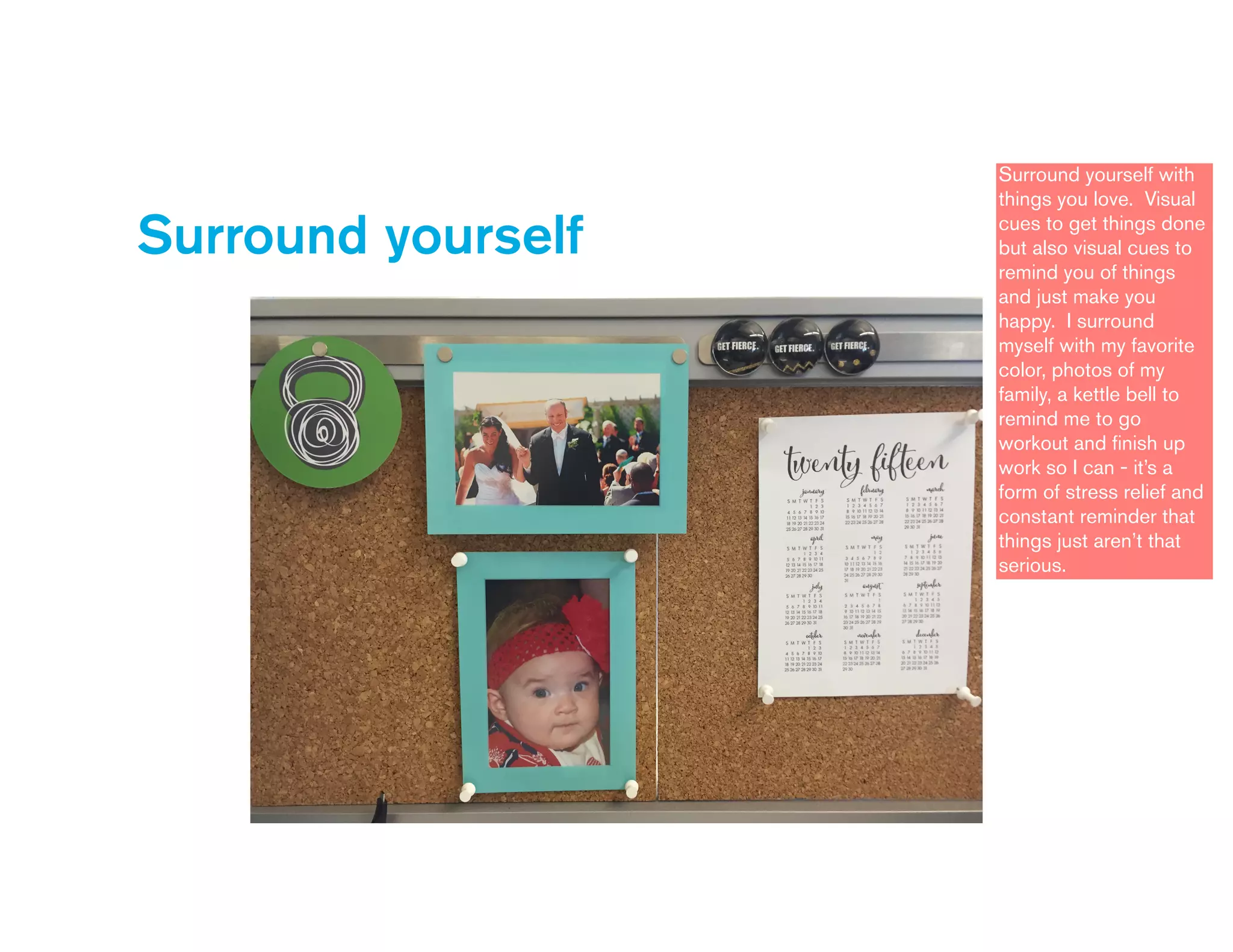
Surround yourself
Surround yourself with
things you love. Visual
cues to get things done
but also visual cues to
remind you of things
and just make you
happy. I surround
myself with my favorite
color, photos of my
family, a kettle bell to
remind me to go
workout and finish up
work so I can - it’s a
form of stress relief and
constant reminder that
things just aren’t that
serious.
Keep things lean and
clean
04
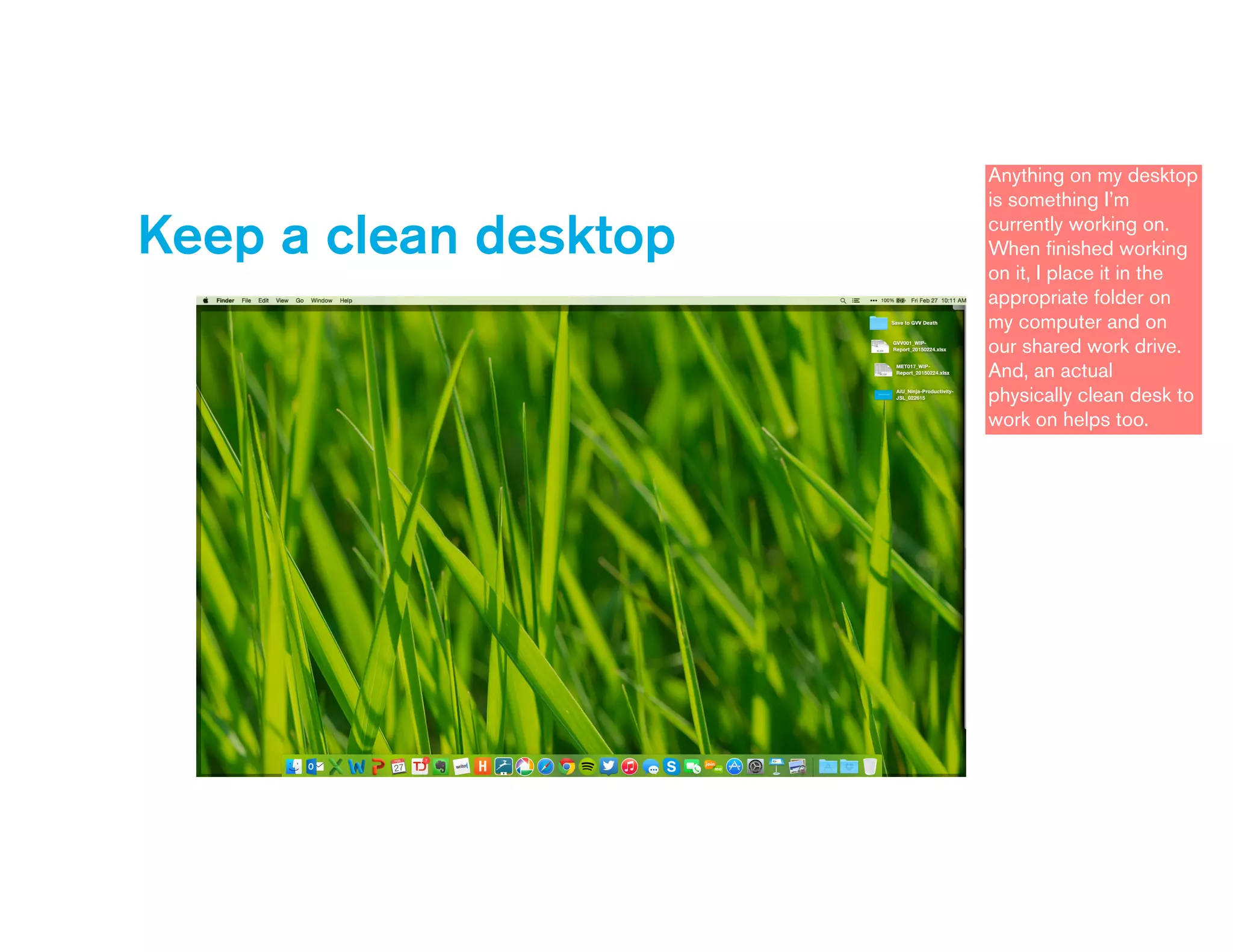
Keep a clean desktop
Anything on my desktop
is something I’m
currently working on.
When finished working
on it, I place it in the
appropriate folder on
my computer and on
our shared work drive.
And, an actual
physically clean desk to
work on helps too.
Short and sweet
I have this personal rule
that things must be on
one line in my to-do list
so I can easily can
down the list.
Take shortcuts
05
Take
shortcuts
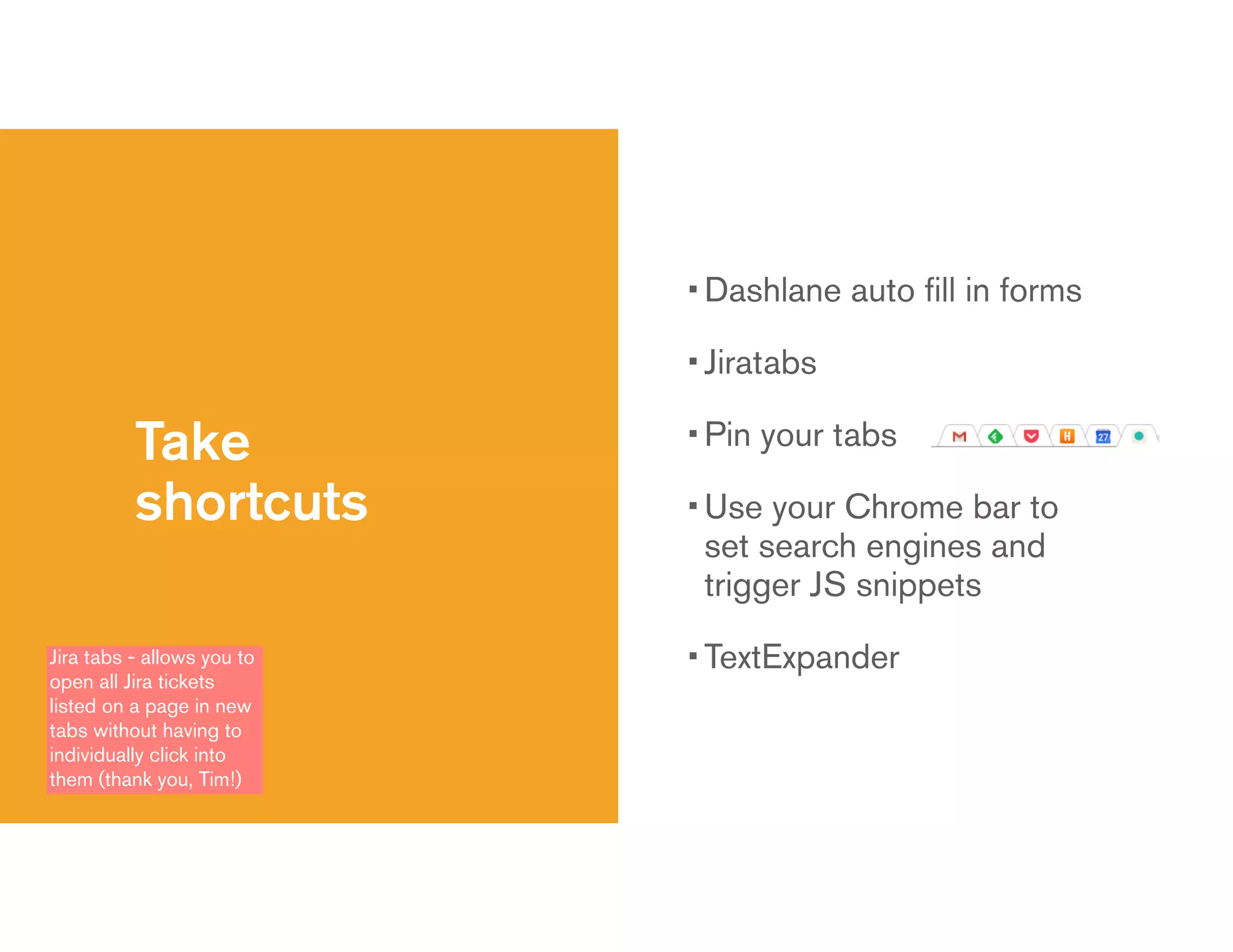
• Dashlane auto fill in forms
• Jiratabs
• Pin your tabs
• Use your Chrome bar to
set search engines and
trigger JS snippets
• TextExpanderJira tabs - allows you to
open all Jira tickets
listed on a page in new
tabs without having to
individually click into
them (thank you, Tim!)
Chrome bar
Easy access to URLs I
go to all the time by
using text shortcuts
instead of typing the
entire URL.
My fave TextExpander snippets
These are all set it and
forget it. By typing
“meetingnotes” I get my
template at the start of
every meeting to take
notes.
Silence the unnecessary
06
Shhhh…
• Clean desktop
• No Outlook notifications
• No IM notifications
• No badges (VIP only)
• Search for unsubscribe
• Do not disturbThis goes along with minimizing distraction to feel in
control. Notifications and badges are only on for
things that I want to tell me what to do. Otherwise,
I’m in control, and I decide when to look and when to
respond.
Share the wealth
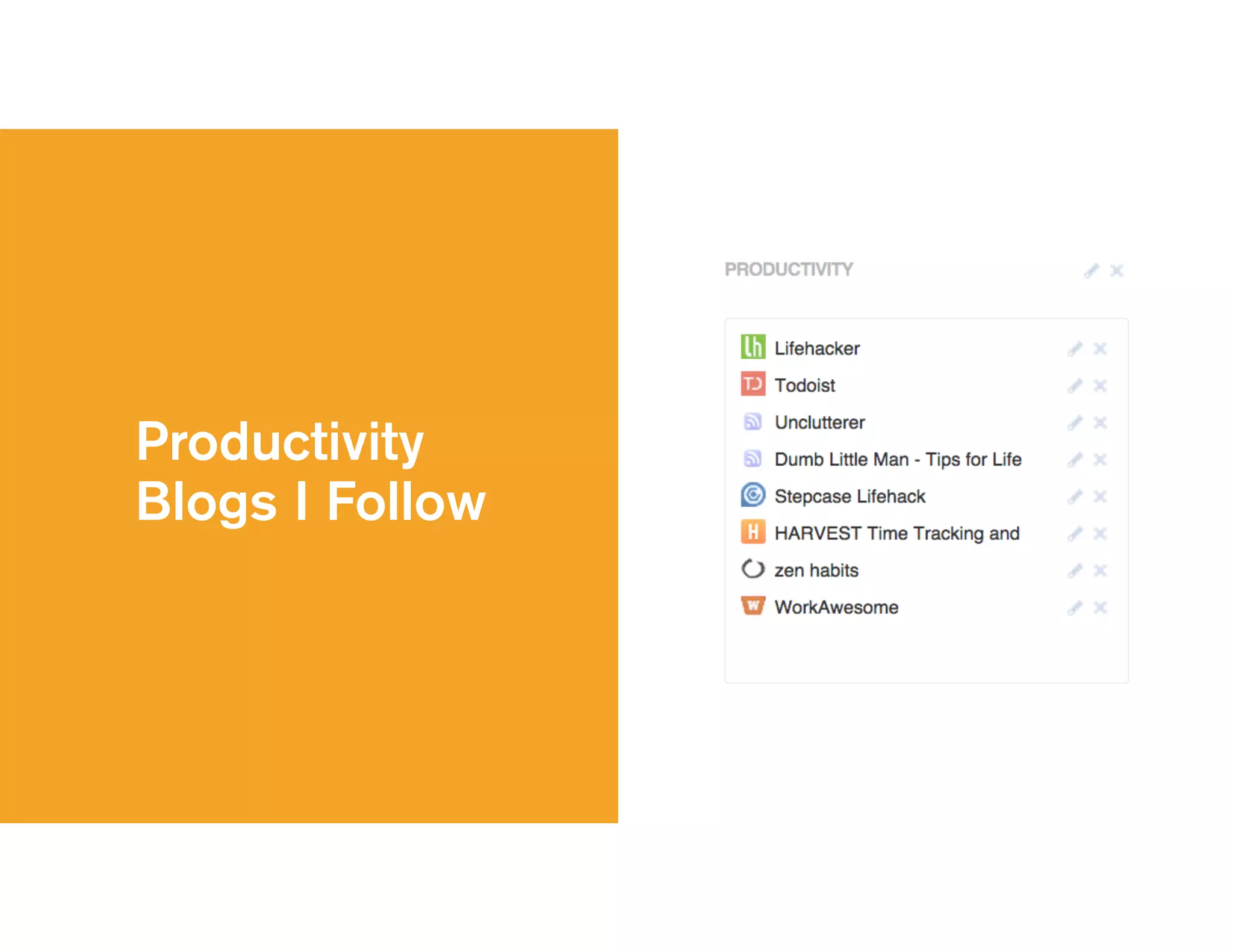
Productivity
Blogs I Follow
Questions?
Holla’ anytime.
Jessica Lippke
Associate Director, Project Management

jsl@alexanderinteractive.com
linkedin.com/in/jessicalippke
facebook.com/jessica.s.lippke
twitter.com/jessicalippke

AiU: Ninja Productivity Tricks

  • 1.
    February 27, 2015 AiUniversity Lessons learned from 9 years in the Ai trenches Ninja Productivity Tricks
  • 2.
    Earning my blackbelt We are all always works in progress - I’m going to share a bit about my journey of improving how I manage my day and my life overall.
  • 3.
    Hofstra Volleyball Teamcirca 2002 I played sports growing up and throughout college, time management and productivity was all about me. I didn’t have to worry about tasks that others were doing. I didn’t have to set expectations with people about timing (I couldn’t tell a professor that I’d be two days late with an assignment)… It was, here’s your homework, here are your projects to get done, be at the gym for practice at 2pm, etc. The structure was set for me and I just had to figure out how to balance keeping up with school work and playing volleyball / traveling and having a life outside of both.
  • 4.
    Alexander Interactive circa2005 I went from a volleyball team in college to this team of less than a dozen here at Ai as an intern in college in our office on Park Ave South. I wore many hats, and the concept of managing time and tasks for others was something I struggled with. I didn’t know how to prioritize, because I didn’t have a full view of what was in the mix. I often stayed late at the office because I didn’t have a system to help me.
  • 5.
    Treo Blackberry Enter the Treo.Alex (our CEO) and I had a system where he would get a new phone, and I would get his old phone. The concept of a digital calendar, tasks always in my hand, rather than a paper notebook entered my world.
  • 6.
    Alexander Interactive 2014 Herewe are now. Projects grew, teams grew, responsibilities grew. Over time I developed a system for me so that no matter the size of the team or the project, the principles of managing the associated tasks still applied.
  • 7.
    “Like all PMsat Ai, she values the intersection of well-defined processes for ensuring success, repeatability of that success, and overall efficiency with the practical realities of getting stuff (i.e., great work) done for Clients.” This was recently written in an intro email of one of our new employees. For me, repeatability is the key here. We’re not trying to re-invent the wheel with every project. The process I use to manage work projects is the same process I use to manage trips I take, fundraisers I plan, my wedding, etc.
  • 8.
    The "busy businessof busyness." I read a lot of productivity blogs and recently I read an article that quoted Tracey Foulkes, CEO of a company called Get Organised South Africa, says too many of us are in the "busy business of busyness."
  • 9.
    "We're always rushingfrom meeting to meeting and drowning in work. It’s not about doing more; it's about making wiser choices." You need a system in place that allows you to make wiser choices and see the full picture.
  • 10.
    Every day, dosomething that you must do, something that you should do, and something that you want to do. So, when you ask me how I can get all of my work done but still make time to be with my friends, family, and workout - the process I follow is how I do it, and you can do it too. I have a system in place that allows me to get stuff done, make priority calls, and still be able to do things I want to do.
  • 11.
    Maintaining Control The secondI feel like I don’t have control of what I need to accomplish or what my teams need to accomplish, I freak.
  • 12.
    Maintaining Control • Howdo you plan your day? (tools and approach) • How well do you stick to your plan? • On days where you don’t stay on plan, why? We all go through this. We have a plan for the day, things come up, our to-do list goes out the window, we end up staying late or leaving early with anxiety, etc.
  • 13.
    Maintaining Control • Onehome • Instant and easy access from anywhere • Confidence that everything is covered • Minimized distractions • Quick ways to accomplish it all I feel like I’m in control of my tasks and my day when the following things are true. Maintaining control means I hit deadlines, I can set set appropriate expectations, I can manage my personal time, etc. Everything I’m about to go through allows me to maintain that control.
  • 14.
    Meet the Playas Overthe past 9 years I’ve tried a million tools. I keep coming back to a core set that work for me so that sense of control and comfort and less stress are real. I’m not looking to have everyone adopt my entire way of working. It’s not the only way, and different personalities and brains think in different ways and need different views, but we all share common needs in terms of things we need to solve.
  • 15.
    My GTD Army Iuse every single one of these tools daily. This is my GTD (Getting Things Done) Army.
  • 16.
    This may seemlike a lot, but most of them are doing the work for me. I set it and forget it. There are things I need to manage, and each of these things needs a home.
  • 17.
    Task Management This is,bar far, the most important tool in my toolbox. Without Todoist, my work would not get done.
  • 18.
  • 19.
    File Management • Mynew “local” - so I can access files on my computer / phone • My transfer tool from phone to computer
  • 20.
    I’m that personwho can always find that photo no one else can because of how I’ve tagged it and put it into albums. Flickr is my tool for photo storage. It’s the forever home for my photos.
  • 21.
    Speed & AutomationTools • Alfred - Get to things quickly • TextExpander - Save time and brain space • Dashlane - Save passwords, CC info (or One Password for those who like that) • IFTTT - Automatic based on systems you already use
  • 22.
    Speed & Automation ReferenceLater Tools Speed & Automation ToolsReference Later Repositories • Feedly - aggregator of all things I want to read separated by topic • Pocket - save to read for later • Pinterest - save to buy or browse later • Evernote also falls into this bucket of reference later repositories
  • 23.
    ONE The key here,again, is that everything I need to do or manage has a home, and that’s when I stay calm and know that things are under control. Everything has a home, not multiple homes - that’s what gives me the sense of control and relieves anxiety.
  • 24.
    Tactics my armyand I use to go to battle Feeding off of the Inbox Zero and Evernote AiU sessions that Alex and Josh ran, I’m going to dive a little deeper into some of the tactical ways I use the systems I just mentioned in order to manage my days here at Ai, and really, my life.
  • 25.
    Get on acycle 01
  • 26.
    Practice Inbox Zero • Arepeatable, dependable system to empty your inbox, follow up with everyone, and stay in control of your digital (and physical) life. • A system for processing our messages and converting them into appropriate actions as quickly as possible. I cycle through my Inbox and my Todoist task list multiple times throughout the day. Those feeds are ever-changing and always have incoming things and things I’m finished dealing with. Trust your search.
  • 27.
    Let your inbox feedyour todo list • Go down inbox list • Answer quick emails • Archive / delete items that do not require response • _DO is temporary • Read again, forward to Todoist
  • 28.
    Three components • Initials forassignee • Actual task • Due date (using Todoist syntax + TextExpander) As a PM, if I assign a task it is really still on me to make sure it gets done. Trust the people, but trust your system. In Todoist, I can then sort by project and alphabetically, and I can therefore consolidate conversations with people based on what I need from them. I can also see the email as a note, so when I need to answer I’ll go back to my Inbox and search for the title and then reply to the latest one.
  • 29.
    Get on acycle • Go through your inbox • Go through your to-do list • Check your calendar often • Assess, re-assess, set expectations, do Check your calendar before you leave for the day and your to-do list for the next day before you walk out the door. If your calendar “free time” does not line up with the time it will take to complete everything in your to-do list then you need to re-asses and reset expectations. You’re only setting yourself up for failure if those things don’t line up.
  • 30.
    Photo management example • Take aphoto on iPhone • Automatic upload to Dropbox • Check Camera Uploads folder • Edit photos as desired • Upload to Flickr You can skip Dropbox and editing and just go straight to Flickr from your phone.
  • 31.
    Set it andforget it 02
  • 32.
    Let Todoist do thework • Once that task for Christina is in Todoist, I can forget about it until it comes up in my feed • Online order management • Recurring activitiesFor me, things will happen and get done if I write it down, assign it, and give it a due date, and that’s what my Todoist workflow allows me to do. I have a project specifically for orders that I place online so I can check off that I received it once I do. It is the only project where tasks don’t have due dates because they aren’t tasks, it’s just a list, but a list I want to make sure I’m checking regularly.
  • 33.
    Recurring Activities For recurringactivities, have them include notes that you need to reference every time when completing it.
  • 34.
    Let Evernote do some work,too! • Software licenses • Wifi passwords • Packing list • “How to” archive • Company meeting ideas • Forward to Evernote from email. • Why aren’t my Wifi passwords in Dashlane? Because I’m often just taking a photo of a device or a post-it note that someone has or whiteboard at Client office - don’t have to type it. • For packing lists, I duplicate the checklist, print it, check it off each time I use it. • Examples of things I have in my “How to” archive are manuals for things I own, steps to turning on my BBQ, etc. • When Josh asks for ideas for the company meeting I already have a set of things saved and tagged in Evernote to send him in bulk.
  • 35.
    And then let IFTTTin on the party. • Never miss a blog post from Ai • Never miss an Instagram post by your favorite place • Never duplicate effort Never duplicate effort - upload something in one place and it will automatically upload in another if you connect channels.
  • 36.
    Implement visual cues 03 Theseare equivalent to what we do for users on websites in our UX/Designs to make it easy for them to get done what they are looking to get done.
  • 37.
    Color code • Todoistprojects • Calendar categories • Folders Color code to recognize colors associated with projects (keep colors consistent across tools)
  • 38.
    Color code I onlydo Client meetings in the color on the calendar - all other internal meetings are blue, and grey is for PM tasks so I know it’s not a meeting, but work time.
  • 39.
    Attach humans toactions One time setup. Make them funny photos if you want. It’s easy to recognize who messages are from at a glance, and it reminds you that there’s more to the message than just the text. There’s a human behind there!
  • 40.
    Action-based iPhone screenfolders Visual cues can still be text. I sort my iPhone folders by verb - “watch, listen, pay, eat” etc.
  • 41.
    Easily and quicklyidentify things • Create iPhone alarms based on what you are waking up for and when. • Add photos and emoticons to contacts so it is easy to associate messages and calls. • My husband gets a heart and my friend with a star tattoo gets a star emoticon. Easy to find them when scanning a list.
  • 42.
    Surround yourself Surround yourselfwith things you love. Visual cues to get things done but also visual cues to remind you of things and just make you happy. I surround myself with my favorite color, photos of my family, a kettle bell to remind me to go workout and finish up work so I can - it’s a form of stress relief and constant reminder that things just aren’t that serious.
  • 43.
    Keep things leanand clean 04
  • 44.
    Keep a cleandesktop Anything on my desktop is something I’m currently working on. When finished working on it, I place it in the appropriate folder on my computer and on our shared work drive. And, an actual physically clean desk to work on helps too.
  • 45.
    Short and sweet Ihave this personal rule that things must be on one line in my to-do list so I can easily can down the list.
  • 46.
  • 47.
    Take shortcuts • Dashlane autofill in forms • Jiratabs • Pin your tabs • Use your Chrome bar to set search engines and trigger JS snippets • TextExpanderJira tabs - allows you to open all Jira tickets listed on a page in new tabs without having to individually click into them (thank you, Tim!)
  • 48.
    Chrome bar Easy accessto URLs I go to all the time by using text shortcuts instead of typing the entire URL.
  • 49.
    My fave TextExpandersnippets These are all set it and forget it. By typing “meetingnotes” I get my template at the start of every meeting to take notes.
  • 50.
  • 51.
    Shhhh… • Clean desktop •No Outlook notifications • No IM notifications • No badges (VIP only) • Search for unsubscribe • Do not disturbThis goes along with minimizing distraction to feel in control. Notifications and badges are only on for things that I want to tell me what to do. Otherwise, I’m in control, and I decide when to look and when to respond.
  • 52.
  • 53.
  • 54.
  • 55.
    Holla’ anytime. Jessica Lippke AssociateDirector, Project Management
 jsl@alexanderinteractive.com linkedin.com/in/jessicalippke facebook.com/jessica.s.lippke twitter.com/jessicalippke