Performance Based Task
MAT Technology Competency #3
Richard B. Guidone Quinnipiac University, 2017
Important!
Links on these slides contain references to the Google for Education site and must
be completed as part of the training before you begin your presentation.
Slide #3, Slide #12, Slide # 14 and Slide #16 all contain blue highlighted words
that refer you to the GFE site.
All other links are important and provide you with background so that your
presentation will stand out. Please click and follow all of them.
2
Description of Task
In order to demonstrate what you have learned through the technology modules,
your next task is to collaborate to create a multimedia presentation (using Google
Slides) around a topic that is of interest to you and your group and that is something
you would be able to use in your teaching.
Richard B. Guidone Quinnipiac University, 2017
3
Task Continued….
For example, if you are an English teacher candidate, you might create a presentation on
how to teach the poetry of Robert Frost or Langston Hughes Similarly, if you are an
elementary teacher candidate, you might create a presentation on some aspect of the
curriculum covered by your district.
4
Description of the components of your presentation
There are multiple ways to creatively incorporate these components in your
presentation, so please use the information below as a guide rather than a prescription
for completing your final project. At the same time, the following components are
required and must be included, in some way, in your multi-media presentation.
5
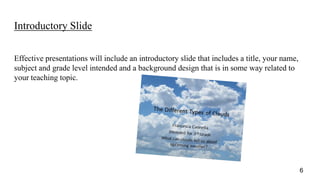
Introductory Slide
Effective presentations will include an introductory slide that includes a title, your name,
subject and grade level intended and a background design that is in some way related to
your teaching topic.
6
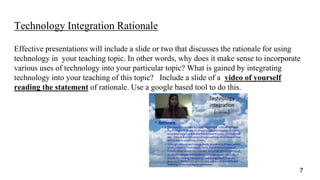
Technology Integration Rationale
Effective presentations will include a slide or two that discusses the rationale for using
technology in your teaching topic. In other words, why does it make sense to incorporate
various uses of technology into your particular topic? What is gained by integrating
technology into your teaching of this topic? Include a slide of a video of yourself
reading the statement of rationale. Use a google based tool to do this.
7
Evaluation and Citation of Internet Content
Effective presentations will in some way address the reliability of websites
included in your project, and will cite the URLs from which materials were
taken. Use links in your text and put complete url’s in the notes section of
your slide. See notes view below.
8
Images from the Internet
Effective presentations will include locating at least one of each of the
following from the Internet that are related to your teaching topic, as well as
a brief explanation of how these might be useful in teaching about your
topic: One blog page, one podcast and one YouTube-like instructional video
from Kahn Academy or other teaching site.on your topic.
9
Internet Resources
Effective presentations will include the URLs to at least three agencies or
organizations related in some way to your teaching topic, as well as brief
description of the agency/organization and/or how the website might be
used in support of your topic.
Richard B. Guidone Quinnipiac University, 2017
10
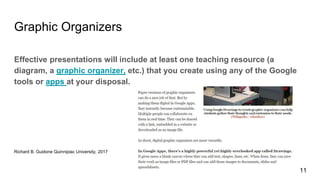
Graphic Organizers
Effective presentations will include at least one teaching resource (a
diagram, a graphic organizer, etc.) that you create using any of the Google
tools or apps at your disposal.
Richard B. Guidone Quinnipiac University, 2017
11
Teaching Materials
Effective presentations will include at least four different teaching materials that
were found at and/or created through at least two different websites. Materials
should be varied and interactive(i.e., a worksheet, a story, a word-search, etc.)
and should clearly support your teaching topic. Another might be a link to a site
that describes just the perfect app that relates in some way to your topic. A fourth
link might be to a Smartboard site that contains useful references that you might
use with your students.
Richard B. Guidone Quinnipiac University, 2017
12
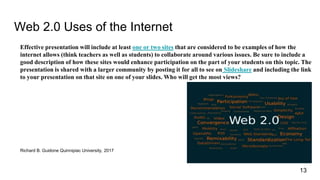
Web 2.0 Uses of the Internet
Effective presentation will include at least one or two sites that are considered to be examples of how the
internet allows (think teachers as well as students) to collaborate around various issues. Be sure to include a
good description of how these sites would enhance participation on the part of your students on this topic. The
presentation is shared with a larger community by posting it for all to see on Slideshare and including the link
to your presentation on that site on one of your slides. Who will get the most views?
Richard B. Guidone Quinnipiac University, 2017
13
Use and Design of Presentation
Effective presentations will work – that is, links will take users to specified websites,
images and/or video. Clips will open and/or appear, and the presentation will
transition from one slide to the next without too many distracting transitions. In
addition, effective presentations will reflect the principles of good design.
14
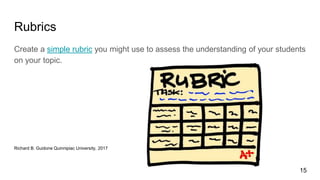
Rubrics
Create a simple rubric you might use to assess the understanding of your students
on your topic.
Richard B. Guidone Quinnipiac University, 2017
15
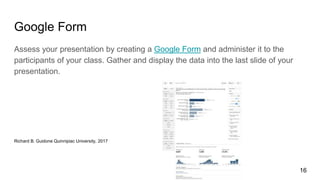
Google Form
Assess your presentation by creating a Google Form and administer it to the
participants of your class. Gather and display the data into the last slide of your
presentation.
Richard B. Guidone Quinnipiac University, 2017
16
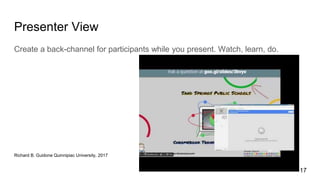
Presenter View
Create a back-channel for participants while you present. Watch, learn, do.
Richard B. Guidone Quinnipiac University, 2017
17

Performance Based Task Module #3

  • 1.
    Performance Based Task MATTechnology Competency #3 Richard B. Guidone Quinnipiac University, 2017
  • 2.
    Important! Links on theseslides contain references to the Google for Education site and must be completed as part of the training before you begin your presentation. Slide #3, Slide #12, Slide # 14 and Slide #16 all contain blue highlighted words that refer you to the GFE site. All other links are important and provide you with background so that your presentation will stand out. Please click and follow all of them. 2
  • 3.
    Description of Task Inorder to demonstrate what you have learned through the technology modules, your next task is to collaborate to create a multimedia presentation (using Google Slides) around a topic that is of interest to you and your group and that is something you would be able to use in your teaching. Richard B. Guidone Quinnipiac University, 2017 3
  • 4.
    Task Continued…. For example,if you are an English teacher candidate, you might create a presentation on how to teach the poetry of Robert Frost or Langston Hughes Similarly, if you are an elementary teacher candidate, you might create a presentation on some aspect of the curriculum covered by your district. 4
  • 5.
    Description of thecomponents of your presentation There are multiple ways to creatively incorporate these components in your presentation, so please use the information below as a guide rather than a prescription for completing your final project. At the same time, the following components are required and must be included, in some way, in your multi-media presentation. 5
  • 6.
    Introductory Slide Effective presentationswill include an introductory slide that includes a title, your name, subject and grade level intended and a background design that is in some way related to your teaching topic. 6
  • 7.
    Technology Integration Rationale Effectivepresentations will include a slide or two that discusses the rationale for using technology in your teaching topic. In other words, why does it make sense to incorporate various uses of technology into your particular topic? What is gained by integrating technology into your teaching of this topic? Include a slide of a video of yourself reading the statement of rationale. Use a google based tool to do this. 7
  • 8.
    Evaluation and Citationof Internet Content Effective presentations will in some way address the reliability of websites included in your project, and will cite the URLs from which materials were taken. Use links in your text and put complete url’s in the notes section of your slide. See notes view below. 8
  • 9.
    Images from theInternet Effective presentations will include locating at least one of each of the following from the Internet that are related to your teaching topic, as well as a brief explanation of how these might be useful in teaching about your topic: One blog page, one podcast and one YouTube-like instructional video from Kahn Academy or other teaching site.on your topic. 9
  • 10.
    Internet Resources Effective presentationswill include the URLs to at least three agencies or organizations related in some way to your teaching topic, as well as brief description of the agency/organization and/or how the website might be used in support of your topic. Richard B. Guidone Quinnipiac University, 2017 10
  • 11.
    Graphic Organizers Effective presentationswill include at least one teaching resource (a diagram, a graphic organizer, etc.) that you create using any of the Google tools or apps at your disposal. Richard B. Guidone Quinnipiac University, 2017 11
  • 12.
    Teaching Materials Effective presentationswill include at least four different teaching materials that were found at and/or created through at least two different websites. Materials should be varied and interactive(i.e., a worksheet, a story, a word-search, etc.) and should clearly support your teaching topic. Another might be a link to a site that describes just the perfect app that relates in some way to your topic. A fourth link might be to a Smartboard site that contains useful references that you might use with your students. Richard B. Guidone Quinnipiac University, 2017 12
  • 13.
    Web 2.0 Usesof the Internet Effective presentation will include at least one or two sites that are considered to be examples of how the internet allows (think teachers as well as students) to collaborate around various issues. Be sure to include a good description of how these sites would enhance participation on the part of your students on this topic. The presentation is shared with a larger community by posting it for all to see on Slideshare and including the link to your presentation on that site on one of your slides. Who will get the most views? Richard B. Guidone Quinnipiac University, 2017 13
  • 14.
    Use and Designof Presentation Effective presentations will work – that is, links will take users to specified websites, images and/or video. Clips will open and/or appear, and the presentation will transition from one slide to the next without too many distracting transitions. In addition, effective presentations will reflect the principles of good design. 14
  • 15.
    Rubrics Create a simplerubric you might use to assess the understanding of your students on your topic. Richard B. Guidone Quinnipiac University, 2017 15
  • 16.
    Google Form Assess yourpresentation by creating a Google Form and administer it to the participants of your class. Gather and display the data into the last slide of your presentation. Richard B. Guidone Quinnipiac University, 2017 16
  • 17.
    Presenter View Create aback-channel for participants while you present. Watch, learn, do. Richard B. Guidone Quinnipiac University, 2017 17

Editor's Notes

  • #4 Richard B. Guidone Quinnipiac University, 2017
  • #5 Richard B. Guidone Quinnipiac University, 2017
  • #6 Richard B. Guidone Quinnipiac University, 2017
  • #7 Richard B. Guidone Quinnipiac University, 2017
  • #8 Richard B. Guidone Quinnipiac University, 2017
  • #9 https://docs.oracle.com/javase/tutorial/networking/urls/definition.html Richard B. Guidone Quinnipiac University, 2017
  • #10 https://beta.scholastic.com/teachers/articles/teaching-content/top-14-teacher-blogs/ Good list for teachers on the best teacher blogs with lots of links to other sites. https://www.edutopia.org/blog/best-education-podcasts-betty-ray Podcasts are not just for students. Teacher to teacher sites engage you as a teacher to be .Richard B. Guidone Quinnipiac University, 2017
  • #14 https://commons.wikimedia.org/wiki/File:Web_2.0_Map.svg