Presentation and Video Creation
Workshop
Effectively Convey
Your Project to
Audience
Auzi Asfarian
Computer Scientist, User Experience Designer,
and Coffee Drinker in IPB University
Presented at: CSAgri Summer Course 2022. 15 September 2022. IPB
University
1
Outline
1. Making effective presentation and video.
2. Some technical stuff to making presentation
and video materials.
2
3
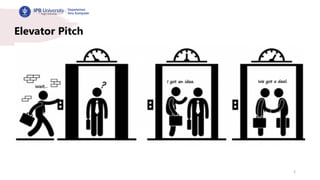
Elevator Pitch
4
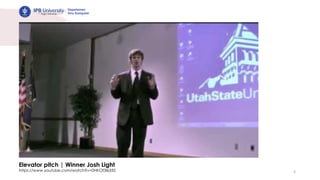
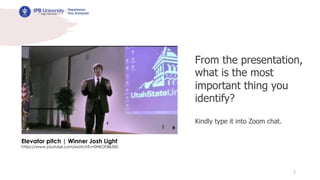
Elevator pitch | Winner Josh Light
https://www.youtube.com/watch?v=0HKOf3l6350
5
Elevator pitch | Winner Josh Light
https://www.youtube.com/watch?v=0HKOf3l6350
From the presentation,
what is the most
important thing you
identify?
Kindly type it into Zoom chat.
6
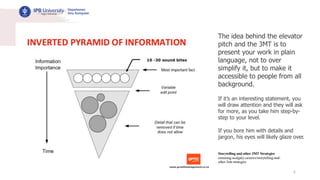
The idea behind the elevator
pitch and the 3MT is to
present your work in plain
language, not to over
simplify it, but to make it
accessible to people from all
background.
If it’s an interesting statement, you
will draw attention and they will ask
for more, as you take him step-by-
step to your level.
If you bore him with details and
jargon, his eyes will likely glaze over.
Storytelling and other 3MT Strategies
cumming.ucalgary.ca/news/storytelling-and-
other-3mt-strategies
7
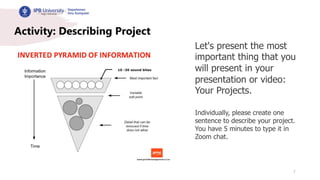
Activity: Describing Project
Let's present the most
important thing that you
will present in your
presentation or video:
Your Projects.
Individually, please create one
sentence to describe your project.
You have 5 minutes to type it in
Zoom chat.
8
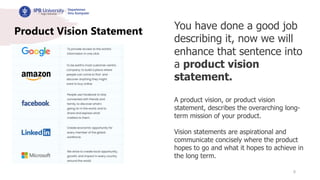
Product Vision Statement You have done a good job
describing it, now we will
enhance that sentence into
a product vision
statement.
A product vision, or product vision
statement, describes the overarching long-
term mission of your product.
Vision statements are aspirational and
communicate concisely where the product
hopes to go and what it hopes to achieve in
the long term.
9
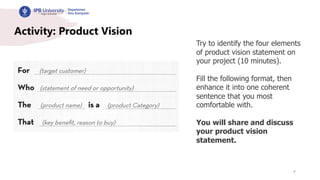
Activity: Product Vision
Try to identify the four elements
of product vision statement on
your project (10 minutes).
Fill the following format, then
enhance it into one coherent
sentence that you most
comfortable with.
You will share and discuss
your product vision
statement.
10
threeminutethesis.uq.edu.au/resources/3mt-competitor-guide
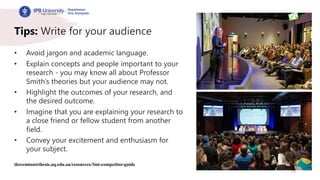
Tips: Write for your audience
• Avoid jargon and academic language.
• Explain concepts and people important to your
research - you may know all about Professor
Smith’s theories but your audience may not.
• Highlight the outcomes of your research, and
the desired outcome.
• Imagine that you are explaining your research to
a close friend or fellow student from another
field.
• Convey your excitement and enthusiasm for
your subject.
11
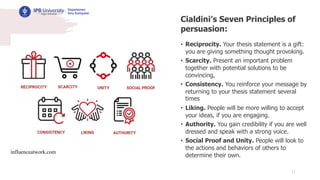
Cialdini’s Seven Principles of
persuasion:
• Reciprocity. Your thesis statement is a gift:
you are giving something thought provoking.
• Scarcity. Present an important problem
together with potential solutions to be
convincing,
• Consistency. You reinforce your message by
returning to your thesis statement several
times
• Liking. People will be more willing to accept
your ideas, if you are engaging.
• Authority. You gain credibility if you are well
dressed and speak with a strong voice.
• Social Proof and Unity. People will look to
the actions and behaviors of others to
determine their own.
influenceatwork.com
12
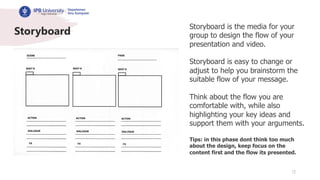
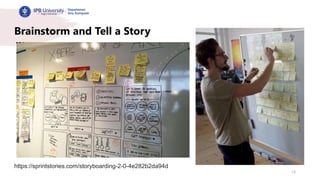
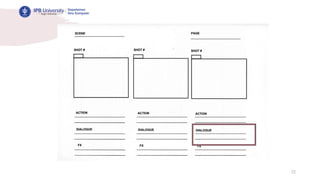
Storyboard
Storyboard is the media for your
group to design the flow of your
presentation and video.
Storyboard is easy to change or
adjust to help you brainstorm the
suitable flow of your message.
Think about the flow you are
comfortable with, while also
highlighting your key ideas and
support them with your arguments.
Tips: in this phase dont think too much
about the design, keep focus on the
content first and the flow its presented.
13
https://sprintstories.com/storyboarding-2-0-4e282b2da94d
Brainstorm and Tell a Story
14
https://sprintstories.com/storyboarding-2-0-4e282b2da94d
Brainstorm and Tell a Story
15
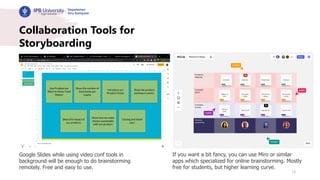
Collaboration Tools for
Storyboarding
Google Slides while using video conf tools in
background will be enough to do brainstorming
remotely. Free and easy to use.
If you want a bit fancy, you can use Miro or similar
apps which specialized for online brainstorming. Mostly
free for students, but higher learning curve.
16
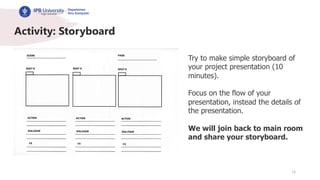
Activity: Storyboard
Try to make simple storyboard of
your project presentation (10
minutes).
Focus on the flow of your
presentation, instead the details of
the presentation.
We will join back to main room
and share your storyboard.
17
Knaflic CN. Storytelling with data: A data visualization guide for
business professionals. John Wiley & Sons; 2015 Nov 2.
A Visual that Strengthen Your Story
18
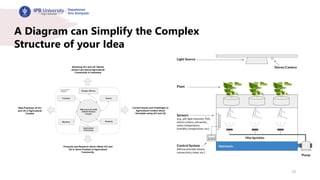
A Diagram can Simplify the Complex
Structure of your Idea
19
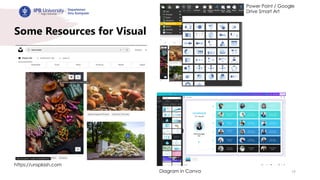
Some Resources for Visual
https://unsplash.com
Power Point / Google
Drive Smart Art
Diagram in Canva
20
threeminutethesis.uq.edu.au/resources/3mt-competitor-guide
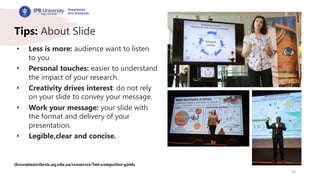
Tips: About Slide
• Less is more: audience want to listen
to you
• Personal touches: easier to understand
the impact of your research.
• Creativity drives interest: do not rely
on your slide to convey your message.
• Work your message: your slide with
the format and delivery of your
presentation.
• Legible,clear and concise.
21
threeminutethesis.uq.edu.au/resources/3mt-competitor-guide
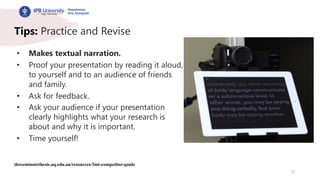
Tips: Practice and Revise
• Makes textual narration.
• Proof your presentation by reading it aloud,
to yourself and to an audience of friends
and family.
• Ask for feedback.
• Ask your audience if your presentation
clearly highlights what your research is
about and why it is important.
• Time yourself!
22
23
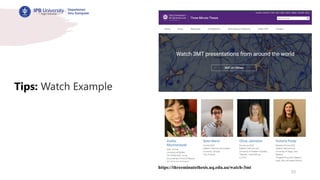
https://threeminutethesis.uq.edu.au/watch-3mt
Tips: Watch Example
24
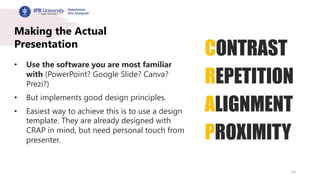
Making the Actual
Presentation
• Use the software you are most familiar
with (PowerPoint? Google Slide? Canva?
Prezi?)
• But implements good design principles.
• Easiest way to achieve this is to use a design
template. They are already designed with
CRAP in mind, but need personal touch from
presenter.
CONTRAST
REPETITION
ALIGNMENT
PROXIMITY
25
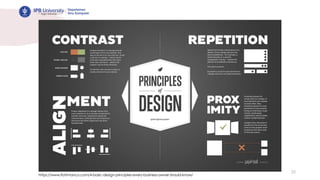
https://www.flottmanco.com/4-basic-design-principles-every-business-owner-should-know/
26
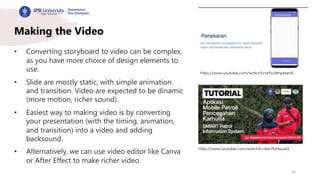
Making the Video
• Converting storyboard to video can be complex,
as you have more choice of design elements to
use.
• Slide are mostly static, with simple animation
and transition. Video are expected to be dinamic
(more motion, richer sound).
• Easiest way to making video is by converting
your presentation (with the timing, animation,
and transition) into a video and adding
backsound.
• Alternatively, we can use video editor like Canva
or After Effect to make richer video.
https://www.youtube.com/watch?v=kPoJWnpMzmE
https://www.youtube.com/watch?v=kkh7bV6xu6Q
27
Exporting Power Point to Video
28
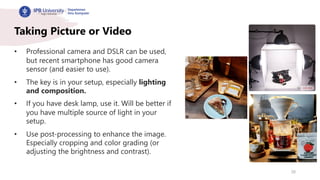
Taking Picture or Video
• Professional camera and DSLR can be used,
but recent smartphone has good camera
sensor (and easier to use).
• The key is in your setup, especially lighting
and composition.
• If you have desk lamp, use it. Will be better if
you have multiple source of light in your
setup.
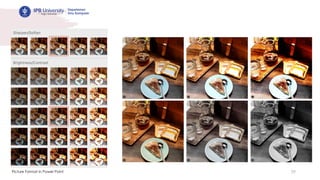
• Use post-processing to enhance the image.
Especially cropping and color grading (or
adjusting the brightness and contrast).
29
Picture Format in Power Point
30
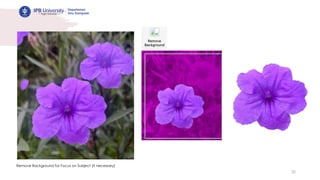
Remove Background for Focus on Subject (if necessary)
31
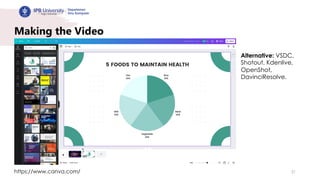
Making the Video
https://www.canva.com/
Alternative: VSDC,
Shotout, Kdenlive,
OpenShot,
DavinciResolve.
32
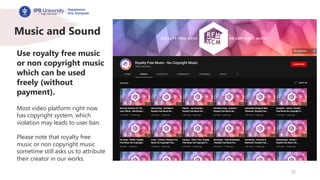
Music and Sound
Use royalty free music
or non copyright music
which can be used
freely (without
payment).
Most video platform right now
has copyright system, which
violation may leads to user ban.
Please note that royalty free
music or non copyright music
sometime still asks us to attribute
their creator in our works.
33
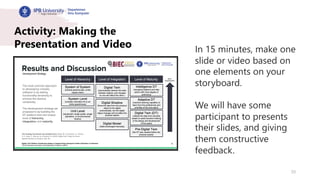
Activity: Making the
Presentation and Video In 15 minutes, make one
slide or video based on
one elements on your
storyboard.
We will have some
participant to presents
their slides, and giving
them constructive
feedback.
Terima Kasih
34

CS-AGRI Presentation and Video Editing Workshop.pdf

  • 1.
    Presentation and VideoCreation Workshop Effectively Convey Your Project to Audience Auzi Asfarian Computer Scientist, User Experience Designer, and Coffee Drinker in IPB University Presented at: CSAgri Summer Course 2022. 15 September 2022. IPB University 1
  • 2.
    Outline 1. Making effectivepresentation and video. 2. Some technical stuff to making presentation and video materials. 2
  • 3.
  • 4.
    4 Elevator pitch |Winner Josh Light https://www.youtube.com/watch?v=0HKOf3l6350
  • 5.
    5 Elevator pitch |Winner Josh Light https://www.youtube.com/watch?v=0HKOf3l6350 From the presentation, what is the most important thing you identify? Kindly type it into Zoom chat.
  • 6.
    6 The idea behindthe elevator pitch and the 3MT is to present your work in plain language, not to over simplify it, but to make it accessible to people from all background. If it’s an interesting statement, you will draw attention and they will ask for more, as you take him step-by- step to your level. If you bore him with details and jargon, his eyes will likely glaze over. Storytelling and other 3MT Strategies cumming.ucalgary.ca/news/storytelling-and- other-3mt-strategies
  • 7.
    7 Activity: Describing Project Let'spresent the most important thing that you will present in your presentation or video: Your Projects. Individually, please create one sentence to describe your project. You have 5 minutes to type it in Zoom chat.
  • 8.
    8 Product Vision StatementYou have done a good job describing it, now we will enhance that sentence into a product vision statement. A product vision, or product vision statement, describes the overarching long- term mission of your product. Vision statements are aspirational and communicate concisely where the product hopes to go and what it hopes to achieve in the long term.
  • 9.
    9 Activity: Product Vision Tryto identify the four elements of product vision statement on your project (10 minutes). Fill the following format, then enhance it into one coherent sentence that you most comfortable with. You will share and discuss your product vision statement.
  • 10.
    10 threeminutethesis.uq.edu.au/resources/3mt-competitor-guide Tips: Write foryour audience • Avoid jargon and academic language. • Explain concepts and people important to your research - you may know all about Professor Smith’s theories but your audience may not. • Highlight the outcomes of your research, and the desired outcome. • Imagine that you are explaining your research to a close friend or fellow student from another field. • Convey your excitement and enthusiasm for your subject.
  • 11.
    11 Cialdini’s Seven Principlesof persuasion: • Reciprocity. Your thesis statement is a gift: you are giving something thought provoking. • Scarcity. Present an important problem together with potential solutions to be convincing, • Consistency. You reinforce your message by returning to your thesis statement several times • Liking. People will be more willing to accept your ideas, if you are engaging. • Authority. You gain credibility if you are well dressed and speak with a strong voice. • Social Proof and Unity. People will look to the actions and behaviors of others to determine their own. influenceatwork.com
  • 12.
    12 Storyboard Storyboard is themedia for your group to design the flow of your presentation and video. Storyboard is easy to change or adjust to help you brainstorm the suitable flow of your message. Think about the flow you are comfortable with, while also highlighting your key ideas and support them with your arguments. Tips: in this phase dont think too much about the design, keep focus on the content first and the flow its presented.
  • 13.
  • 14.
  • 15.
    15 Collaboration Tools for Storyboarding GoogleSlides while using video conf tools in background will be enough to do brainstorming remotely. Free and easy to use. If you want a bit fancy, you can use Miro or similar apps which specialized for online brainstorming. Mostly free for students, but higher learning curve.
  • 16.
    16 Activity: Storyboard Try tomake simple storyboard of your project presentation (10 minutes). Focus on the flow of your presentation, instead the details of the presentation. We will join back to main room and share your storyboard.
  • 17.
    17 Knaflic CN. Storytellingwith data: A data visualization guide for business professionals. John Wiley & Sons; 2015 Nov 2. A Visual that Strengthen Your Story
  • 18.
    18 A Diagram canSimplify the Complex Structure of your Idea
  • 19.
    19 Some Resources forVisual https://unsplash.com Power Point / Google Drive Smart Art Diagram in Canva
  • 20.
    20 threeminutethesis.uq.edu.au/resources/3mt-competitor-guide Tips: About Slide •Less is more: audience want to listen to you • Personal touches: easier to understand the impact of your research. • Creativity drives interest: do not rely on your slide to convey your message. • Work your message: your slide with the format and delivery of your presentation. • Legible,clear and concise.
  • 21.
    21 threeminutethesis.uq.edu.au/resources/3mt-competitor-guide Tips: Practice andRevise • Makes textual narration. • Proof your presentation by reading it aloud, to yourself and to an audience of friends and family. • Ask for feedback. • Ask your audience if your presentation clearly highlights what your research is about and why it is important. • Time yourself!
  • 22.
  • 23.
  • 24.
    24 Making the Actual Presentation •Use the software you are most familiar with (PowerPoint? Google Slide? Canva? Prezi?) • But implements good design principles. • Easiest way to achieve this is to use a design template. They are already designed with CRAP in mind, but need personal touch from presenter. CONTRAST REPETITION ALIGNMENT PROXIMITY
  • 25.
  • 26.
    26 Making the Video •Converting storyboard to video can be complex, as you have more choice of design elements to use. • Slide are mostly static, with simple animation and transition. Video are expected to be dinamic (more motion, richer sound). • Easiest way to making video is by converting your presentation (with the timing, animation, and transition) into a video and adding backsound. • Alternatively, we can use video editor like Canva or After Effect to make richer video. https://www.youtube.com/watch?v=kPoJWnpMzmE https://www.youtube.com/watch?v=kkh7bV6xu6Q
  • 27.
  • 28.
    28 Taking Picture orVideo • Professional camera and DSLR can be used, but recent smartphone has good camera sensor (and easier to use). • The key is in your setup, especially lighting and composition. • If you have desk lamp, use it. Will be better if you have multiple source of light in your setup. • Use post-processing to enhance the image. Especially cropping and color grading (or adjusting the brightness and contrast).
  • 29.
  • 30.
    30 Remove Background forFocus on Subject (if necessary)
  • 31.
    31 Making the Video https://www.canva.com/ Alternative:VSDC, Shotout, Kdenlive, OpenShot, DavinciResolve.
  • 32.
    32 Music and Sound Useroyalty free music or non copyright music which can be used freely (without payment). Most video platform right now has copyright system, which violation may leads to user ban. Please note that royalty free music or non copyright music sometime still asks us to attribute their creator in our works.
  • 33.
    33 Activity: Making the Presentationand Video In 15 minutes, make one slide or video based on one elements on your storyboard. We will have some participant to presents their slides, and giving them constructive feedback.
  • 34.