The Paperless Classroom Eric Wilson Physics Teacher Red Lion Area High School
Overview Identify what we do in our classrooms Identify what we want our students to be able to do Give students the skills to be successful Repetition is key Technology is a great way to differentiate instruction! The key is to start small - if not for yourself, then for your students!
Instructional Analysis What do we have our students do in our classrooms? Notes Homework / Class Work / Activities Labs Projects Tests / Quizzes
Ways to make student  work  paperless Notes, Homework, Class Work, Activities  Use of word processing applications Basic word processing skills Equation Editor Importing pictures / diagrams PowerPoint is another option
Ways to make student  work  paperless Labs Word processing Word, Pages Data tables Excel, Numbers, Word, Pages Graphs Excel, Numbers, Datastudio, Logger Pro Pictures / Videos of Labs Photobooth, iMovie, Moviemaker, Digital Camera, Photostory
Ways to make student  work  paperless Projects Give students rubric Use any of the above mentioned applications to differentiate the project.  (Additionally: Garage Band) Tests / Quizzes Blackboard Immediate feedback, textbook “canned” quizzes or exams – often times are editable Moodle
Other Activities Online Discussion Boards Blackboard, Moodle Closure Activities Blogs, Wiki, Podcast, Email reflection of understanding and knowledge
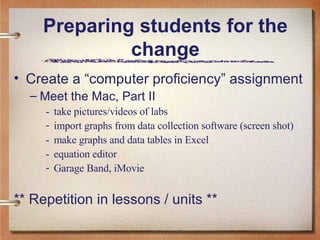
Preparing students for the change Create a “computer proficiency” assignment Meet the Mac, Part II - take pictures/videos of labs import graphs from data collection software (screen shot) - make graphs and data tables in Excel - equation editor Garage Band, iMovie ** Repetition in lessons / units **
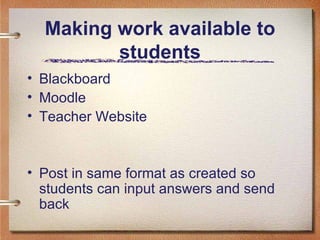
Making work available to students Blackboard Moodle Teacher Website Post in same format as created so students can input answers and send back
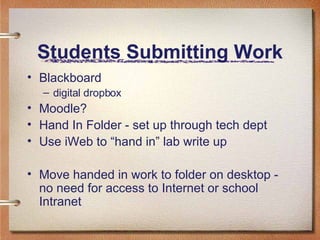
Students Submitting Work Blackboard digital dropbox Moodle? Hand In Folder - set up through tech dept Use iWeb to “hand in” lab write up Move handed in work to folder on desktop - no need for access to Internet or school Intranet
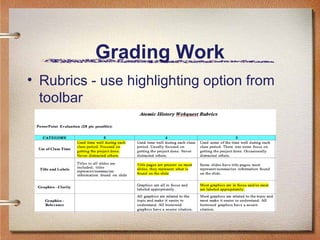
Grading Work Rubrics - use highlighting option from toolbar
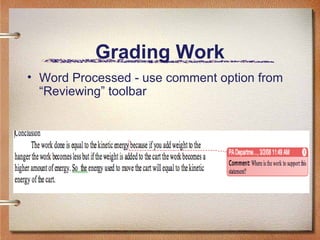
Grading Work Word Processed - use comment option from “Reviewing” toolbar
Handing Back Work Send as message through Blackboard Attach graded work (file) Moodle? Hand Back folder - set up through tech dept
Summary Wide variety of ways to go paperless Start small One exercise at a time, then reflect Pros / Cons Does this work for you / your students? Questions/Comments [email_address]

Paperless Classroom

  • 1.
    The Paperless ClassroomEric Wilson Physics Teacher Red Lion Area High School
  • 2.
    Overview Identify whatwe do in our classrooms Identify what we want our students to be able to do Give students the skills to be successful Repetition is key Technology is a great way to differentiate instruction! The key is to start small - if not for yourself, then for your students!
  • 3.
    Instructional Analysis Whatdo we have our students do in our classrooms? Notes Homework / Class Work / Activities Labs Projects Tests / Quizzes
  • 4.
    Ways to makestudent work paperless Notes, Homework, Class Work, Activities Use of word processing applications Basic word processing skills Equation Editor Importing pictures / diagrams PowerPoint is another option
  • 5.
    Ways to makestudent work paperless Labs Word processing Word, Pages Data tables Excel, Numbers, Word, Pages Graphs Excel, Numbers, Datastudio, Logger Pro Pictures / Videos of Labs Photobooth, iMovie, Moviemaker, Digital Camera, Photostory
  • 6.
    Ways to makestudent work paperless Projects Give students rubric Use any of the above mentioned applications to differentiate the project. (Additionally: Garage Band) Tests / Quizzes Blackboard Immediate feedback, textbook “canned” quizzes or exams – often times are editable Moodle
  • 7.
    Other Activities OnlineDiscussion Boards Blackboard, Moodle Closure Activities Blogs, Wiki, Podcast, Email reflection of understanding and knowledge
  • 8.
    Preparing students forthe change Create a “computer proficiency” assignment Meet the Mac, Part II - take pictures/videos of labs import graphs from data collection software (screen shot) - make graphs and data tables in Excel - equation editor Garage Band, iMovie ** Repetition in lessons / units **
  • 9.
    Making work availableto students Blackboard Moodle Teacher Website Post in same format as created so students can input answers and send back
  • 10.
    Students Submitting WorkBlackboard digital dropbox Moodle? Hand In Folder - set up through tech dept Use iWeb to “hand in” lab write up Move handed in work to folder on desktop - no need for access to Internet or school Intranet
  • 11.
    Grading Work Rubrics- use highlighting option from toolbar
  • 12.
    Grading Work WordProcessed - use comment option from “Reviewing” toolbar
  • 13.
    Handing Back WorkSend as message through Blackboard Attach graded work (file) Moodle? Hand Back folder - set up through tech dept
  • 14.
    Summary Wide varietyof ways to go paperless Start small One exercise at a time, then reflect Pros / Cons Does this work for you / your students? Questions/Comments [email_address]