Free your printingwith PaperCut MobilityPrint
Free BYOD solution
& Google Cloud Print alternative
Make the switch from Google Cloud Print to easy printing from
Chromebooks, iPads, iPhones, Macs, Windows, and Android devices.
All simpler than ever to set up. All 100% free.
Feature-rich and easy to use
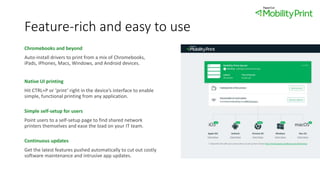
Chromebooks and beyond
Auto-install drivers to print from a mix of Chromebooks,
iPads, iPhones, Macs, Windows, and Android devices.
Native UI printing
Hit CTRL+P or ‘print’ right in the device’s interface to enable
simple, functional printing from any application.
Simple self-setup for users
Point users to a self-setup page to find shared network
printers themselves and ease the load on your IT team.
Continuous updates
Get the latest features pushed automatically to cut out costly
software maintenance and intrusive app updates.
Why Mobility Print is free
We’re passionate about making easy BYOD printing a
reality for everyone. No catch, no phishing – just a
solution we view as a basic printing need.
And if you find yourself wanting to track and control
printing in the future, we can set you up with a
solution to perfectly complement Mobility Print.
Get it now: papercut.com/products/free-software/mobility-print/
Do more with your BYOD printing
More than meets the eye, Mobility Print leverages
powerful features and products to get the most
out of everyday printing, every day.
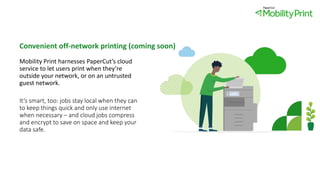
Convenient off-network printing (coming soon)
Mobility Print harnesses PaperCut’s cloud
service to let users print when they’re
outside your network, or on an untrusted
guest network.
It’s smart, too: jobs stay local when they can
to keep things quick and only use internet
when necessary – and cloud jobs compress
and encrypt to save on space and keep your
data safe.
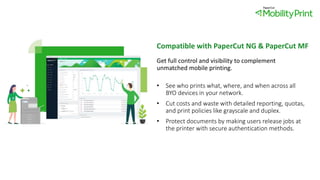
Compatible with PaperCut NG & PaperCut MF
Get full control and visibility to complement
unmatched mobile printing.
• See who prints what, where, and when across all
BYO devices in your network.
• Cut costs and waste with detailed reporting, quotas,
and print policies like grayscale and duplex.
• Protect documents by making users release jobs at
the printer with secure authentication methods.
Globally proven and preferred
Over 10 million people happily use Mobility Print all over
the world – from schools to law firms and large
enterprise businesses.
And luckily for us, sysadmins are all too happy to share
their experiences across Reddit, EduGeek, Spiceworks,
and many more of the web’s go-tos for tech.
Partnered for your benefit
PaperCut works with Google to optimize printing on Chromebooks, the
most adopted device in education – with enterprise businesses
following suit. Today, Google officially endorses Mobility Print as a
leading alternative to Google Cloud Print.

PaperCut Mobility Print

  • 1.
    Free your printingwithPaperCut MobilityPrint
  • 2.
    Free BYOD solution &Google Cloud Print alternative Make the switch from Google Cloud Print to easy printing from Chromebooks, iPads, iPhones, Macs, Windows, and Android devices. All simpler than ever to set up. All 100% free.
  • 3.
    Feature-rich and easyto use Chromebooks and beyond Auto-install drivers to print from a mix of Chromebooks, iPads, iPhones, Macs, Windows, and Android devices. Native UI printing Hit CTRL+P or ‘print’ right in the device’s interface to enable simple, functional printing from any application. Simple self-setup for users Point users to a self-setup page to find shared network printers themselves and ease the load on your IT team. Continuous updates Get the latest features pushed automatically to cut out costly software maintenance and intrusive app updates.
  • 4.
    Why Mobility Printis free We’re passionate about making easy BYOD printing a reality for everyone. No catch, no phishing – just a solution we view as a basic printing need. And if you find yourself wanting to track and control printing in the future, we can set you up with a solution to perfectly complement Mobility Print. Get it now: papercut.com/products/free-software/mobility-print/
  • 5.
    Do more withyour BYOD printing More than meets the eye, Mobility Print leverages powerful features and products to get the most out of everyday printing, every day.
  • 6.
    Convenient off-network printing(coming soon) Mobility Print harnesses PaperCut’s cloud service to let users print when they’re outside your network, or on an untrusted guest network. It’s smart, too: jobs stay local when they can to keep things quick and only use internet when necessary – and cloud jobs compress and encrypt to save on space and keep your data safe.
  • 7.
    Compatible with PaperCutNG & PaperCut MF Get full control and visibility to complement unmatched mobile printing. • See who prints what, where, and when across all BYO devices in your network. • Cut costs and waste with detailed reporting, quotas, and print policies like grayscale and duplex. • Protect documents by making users release jobs at the printer with secure authentication methods.
  • 8.
    Globally proven andpreferred Over 10 million people happily use Mobility Print all over the world – from schools to law firms and large enterprise businesses. And luckily for us, sysadmins are all too happy to share their experiences across Reddit, EduGeek, Spiceworks, and many more of the web’s go-tos for tech.
  • 9.
    Partnered for yourbenefit PaperCut works with Google to optimize printing on Chromebooks, the most adopted device in education – with enterprise businesses following suit. Today, Google officially endorses Mobility Print as a leading alternative to Google Cloud Print.