Completecontrolover
Print,copy,scanandfax.
PaperCut MF is a simple, low cost software application that lets you take control
and manage your printers, copiers and multi-function devices.
Eliminatewaste,encourageresponsiblebehaviorandmakeusersand
departmentsaccountablefortheirprintusage.
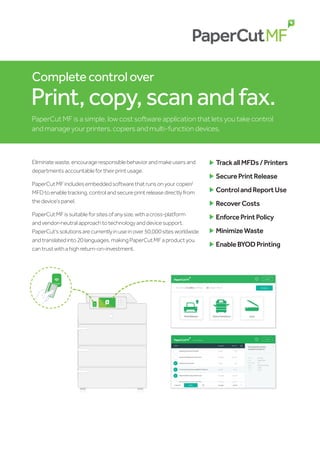
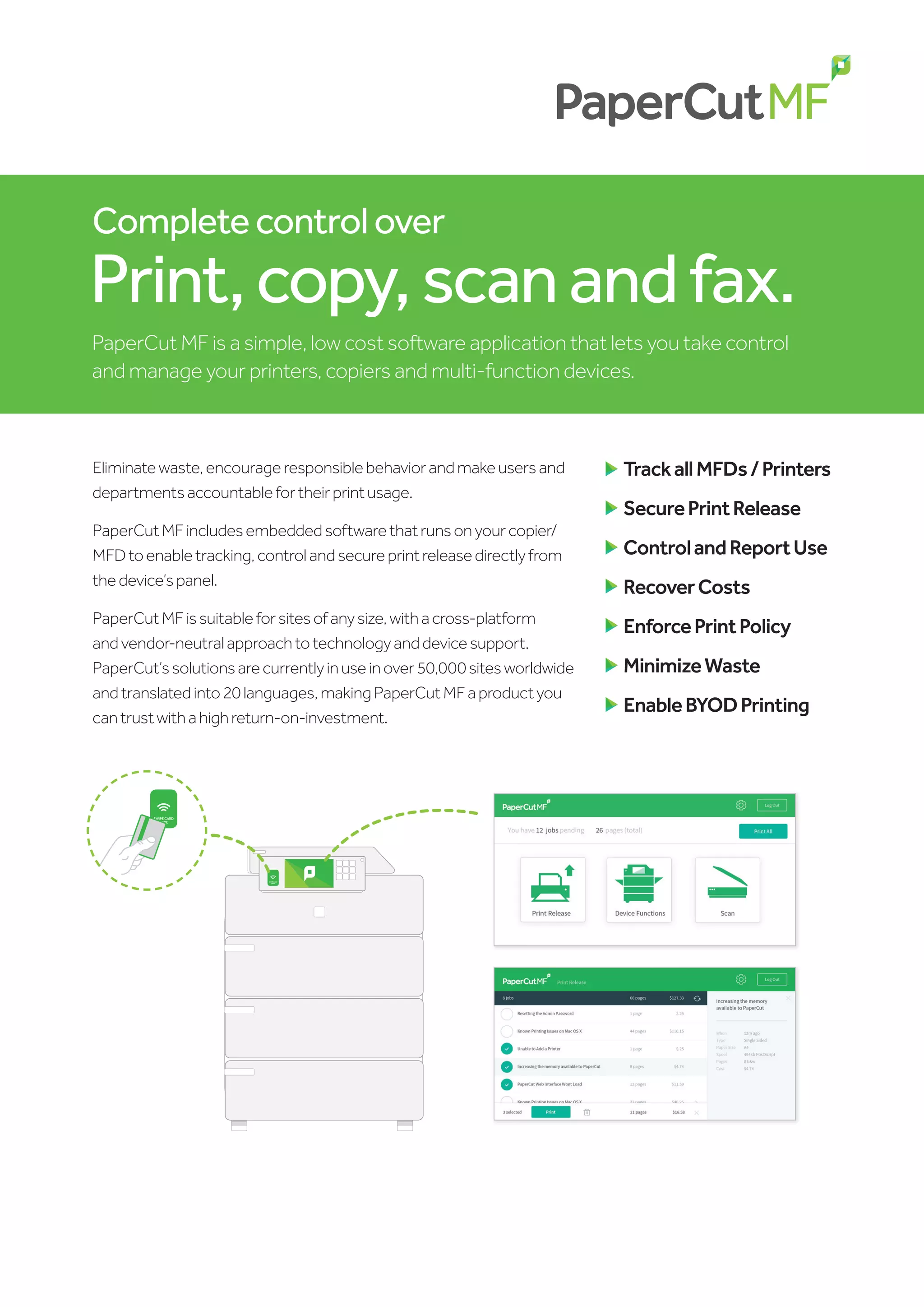
PaperCutMFincludesembeddedsoftwarethatrunsonyourcopier/
MFDtoenabletracking,controlandsecureprintreleasedirectlyfrom
thedevice’spanel.
PaperCutMFissuitableforsitesofanysize,withacross-platform
andvendor-neutralapproachtotechnologyanddevicesupport.
PaperCut’ssolutionsarecurrentlyinuseinover50,000sitesworldwide
andtranslatedinto20languages,makingPaperCutMFaproductyou
cantrustwithahighreturn-on-investment.
	
TrackallMFDs/Printers
	
SecurePrintRelease
	
ControlandReportUse
	
RecoverCosts
	
EnforcePrintPolicy
	
MinimizeWaste
	
EnableBYODPrinting
SWIPE CARD
HERE
SWIPE CARD
HERE
Intuitive & Easy to use
PaperCut MF is regarded as the simplest system of its type
to deploy and manage. System administrators have full
access to administration and configuration via a familiar web
interface. It offers:
	 User directory (eg. Active Directory and others)
integration and automatic user account creation
	 Secure print release and Find-Me printing
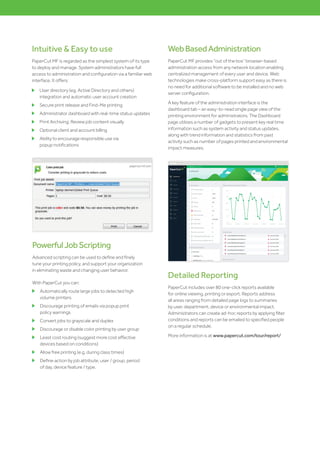
	 Administrator dashboard with real-time status updates
	 Print Archiving: Review job content visually
	 Optional client and account billing
	 Ability to encourage responsible use via
popup notifications
Detailed Reporting
PaperCut includes over 80 one-click reports available
for online viewing, printing or export. Reports address
all areas ranging from detailed page logs to summaries
by user, department, device or environmental impact.
Administrators can create ad-hoc reports by applying filter
conditions and reports can be emailed to specified people
on a regular schedule.
More information is at www.papercut.com/tour/report/
PowerfulJobScripting
Advanced scripting can be used to define and finely
tune your printing policy, and support your organization
in eliminating waste and changing user behavior.
With PaperCut you can:
	 Automatically route large jobs to detected high
volume printers
	 Discourage printing of emails via popup print
policy warnings
	 Convert jobs to grayscale and duplex
	 Discourage or disable color printing by user group
	 Least cost routing (suggest more cost effective
devices based on conditions)
	 Allow free printing (e.g. during class times)
	 Define action by job attribute, user / group, period
of day, device feature / type.
WebBasedAdministration
PaperCut MF provides “out of the box” browser-based
administration access from any network location enabling
centralized management of every user and device. Web
technologies make cross-platform support easy as there is
no need for additional software to be installed and no web
server configuration.
A key feature of the administration interface is the
dashboard tab – an easy-to-read single page view of the
printing environment for administrators. The Dashboard
page utilizes a number of gadgets to present key real time
information such as system activity and status updates,
along with trend information and statistics from past
activity such as number of pages printed and environmental
impact measures.
PrintArchiving&Watermarking
PaperCut administrators can utilise these features to
ensure users are answerable to their printing.
PaperCut’s Print Archiving empowers approved
administrators to browse and review the content of print
activity within their environment. Alongside the powerful
tracking and reporting functionality built into PaperCut,
this gives system administrators a wide range of auditing
functions.
Watermarking can automatically add a username or other
metadata to the bottom of every
page e.g. to indicate the document
owner. Watermarking may include
a unique digital signature which
allows you to track document origin
to enhance security and encourage
responsible printing.
Secure Print Release
Today’s MFDs are smarter. They have touch screens and
the ability to run software directly on the device’s panel.
PaperCut leverages this technology to bring new features
to each device.
One of the key features is user authentication – only
allowing device access to authorized users. At the
simplest level users can authenticate with network
username and password via an onscreen keyboard. In
addition many environments will implement ID card
authentication. Card numbers can be extracted from your
network’s user directory or a database (e.g. door access
control system), alternatively users can self-associate their
card on first-use.
Card types include magnetic stripe, proximity (HID, Mifare
& Legic) and bar codes, and PaperCut supports many
brands of USB card readers including RFIdeas, Elatec and
OmniKey. Off the shelf standard USB and network card
readers are available from leading suppliers. PaperCut have
a global network of hardware experts (Authorized Solutions
Centers) should you require technical assistance, advice or
onsite support of both software and hardware.
SolvemobileandBYODprinting
Managing printing is getting hard! As more and more
mobile devices enter the market, people’s desire to print
from these continues to increase. PaperCut has a range of
simple solutions to allow users to print from whatever BYOD
or mobile device at their disposal. No matter the operating
system, their location, the file format or the brand of printer
our solutions can manage it.
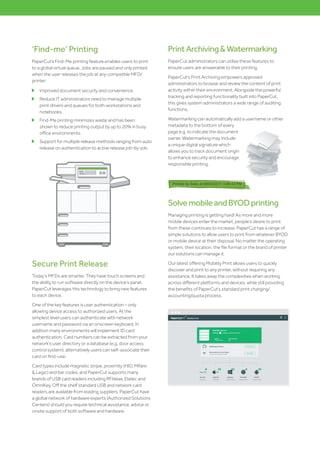
Our latest offering Mobility Print allows users to quickly
discover and print to any printer, without requiring any
assistance. It takes away the complexities when working
across different platforms and devices, while still providing
the benefits of PaperCut’s standard print charging/
accounting/quota process.
‘Find-me’ Printing
PaperCut’s Find-Me printing feature enables users to print
to a global virtual queue. Jobs are paused and only printed
when the user releases the job at any compatible MFD/
printer:
	 Improved document security and convenience.
	 Reduce IT administrators need to manage multiple
print drivers and queues for both workstations and
notebooks.
	 Find-Me printing minimizes waste and has been
shown to reduce printing output by up to 20% in busy
office environments.
	 Support for multiple release methods ranging from auto
release on authentication to active release job-by-job.
Reseller sales@bist.co.uk
www.bist.co.uk
Managing Quotas
Users can operate in either credit or debit, with defined
account rules including how and how often an account
is credited. Use network groups to define how additional
quota/credit is assigned. Use network groups to define
how additional quota/credit is assigned; for example, allow
a specific group of users to accumulate their quota while
others operate on a “use it or lose it” basis.
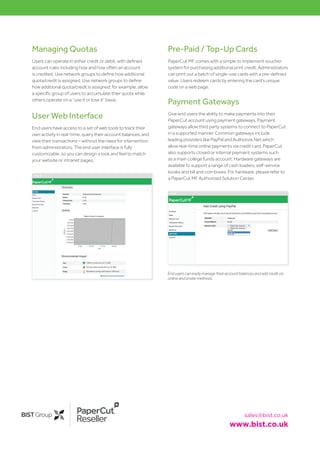
User Web Interface
End users have access to a set of web tools to track their
own activity in real-time, query their account balances, and
view their transactions – without the need for intervention
from administrators. The end user interface is fully
customizable, so you can design a look and feel to match
your website or intranet pages.
Enduserscaneasilymanagetheiraccountbalancesandaddcreditvia
onlineandonsitemethods
Pre-Paid / Top-Up Cards
PaperCut MF comes with a simple to implement voucher
system for purchasing additional print credit. Administrators
can print out a batch of single-use cards with a pre-defined
value. Users redeem cards by entering the card’s unique
code on a web page.
Payment Gateways
Give end users the ability to make payments into their
PaperCut account using payment gateways. Payment
gateways allow third party systems to connect to PaperCut
in a supported manner. Common gateways include
leading providers like PayPal and Authorize.Net which
allow real-time online payments via credit card. PaperCut
also supports closed or internal payment systems such
as a main college funds account. Hardware gateways are
available to support a range of cash loaders, self-service
kiosks and bill and coin boxes. For hardware, please refer to
a PaperCut MF Authorized Solution Center.

PaperCut-MF

  • 1.
    Completecontrolover Print,copy,scanandfax. PaperCut MF isa simple, low cost software application that lets you take control and manage your printers, copiers and multi-function devices. Eliminatewaste,encourageresponsiblebehaviorandmakeusersand departmentsaccountablefortheirprintusage. PaperCutMFincludesembeddedsoftwarethatrunsonyourcopier/ MFDtoenabletracking,controlandsecureprintreleasedirectlyfrom thedevice’spanel. PaperCutMFissuitableforsitesofanysize,withacross-platform andvendor-neutralapproachtotechnologyanddevicesupport. PaperCut’ssolutionsarecurrentlyinuseinover50,000sitesworldwide andtranslatedinto20languages,makingPaperCutMFaproductyou cantrustwithahighreturn-on-investment. TrackallMFDs/Printers SecurePrintRelease ControlandReportUse RecoverCosts EnforcePrintPolicy MinimizeWaste EnableBYODPrinting SWIPE CARD HERE SWIPE CARD HERE
  • 2.
    Intuitive & Easyto use PaperCut MF is regarded as the simplest system of its type to deploy and manage. System administrators have full access to administration and configuration via a familiar web interface. It offers: User directory (eg. Active Directory and others) integration and automatic user account creation Secure print release and Find-Me printing Administrator dashboard with real-time status updates Print Archiving: Review job content visually Optional client and account billing Ability to encourage responsible use via popup notifications Detailed Reporting PaperCut includes over 80 one-click reports available for online viewing, printing or export. Reports address all areas ranging from detailed page logs to summaries by user, department, device or environmental impact. Administrators can create ad-hoc reports by applying filter conditions and reports can be emailed to specified people on a regular schedule. More information is at www.papercut.com/tour/report/ PowerfulJobScripting Advanced scripting can be used to define and finely tune your printing policy, and support your organization in eliminating waste and changing user behavior. With PaperCut you can: Automatically route large jobs to detected high volume printers Discourage printing of emails via popup print policy warnings Convert jobs to grayscale and duplex Discourage or disable color printing by user group Least cost routing (suggest more cost effective devices based on conditions) Allow free printing (e.g. during class times) Define action by job attribute, user / group, period of day, device feature / type. WebBasedAdministration PaperCut MF provides “out of the box” browser-based administration access from any network location enabling centralized management of every user and device. Web technologies make cross-platform support easy as there is no need for additional software to be installed and no web server configuration. A key feature of the administration interface is the dashboard tab – an easy-to-read single page view of the printing environment for administrators. The Dashboard page utilizes a number of gadgets to present key real time information such as system activity and status updates, along with trend information and statistics from past activity such as number of pages printed and environmental impact measures.
  • 3.
    PrintArchiving&Watermarking PaperCut administrators canutilise these features to ensure users are answerable to their printing. PaperCut’s Print Archiving empowers approved administrators to browse and review the content of print activity within their environment. Alongside the powerful tracking and reporting functionality built into PaperCut, this gives system administrators a wide range of auditing functions. Watermarking can automatically add a username or other metadata to the bottom of every page e.g. to indicate the document owner. Watermarking may include a unique digital signature which allows you to track document origin to enhance security and encourage responsible printing. Secure Print Release Today’s MFDs are smarter. They have touch screens and the ability to run software directly on the device’s panel. PaperCut leverages this technology to bring new features to each device. One of the key features is user authentication – only allowing device access to authorized users. At the simplest level users can authenticate with network username and password via an onscreen keyboard. In addition many environments will implement ID card authentication. Card numbers can be extracted from your network’s user directory or a database (e.g. door access control system), alternatively users can self-associate their card on first-use. Card types include magnetic stripe, proximity (HID, Mifare & Legic) and bar codes, and PaperCut supports many brands of USB card readers including RFIdeas, Elatec and OmniKey. Off the shelf standard USB and network card readers are available from leading suppliers. PaperCut have a global network of hardware experts (Authorized Solutions Centers) should you require technical assistance, advice or onsite support of both software and hardware. SolvemobileandBYODprinting Managing printing is getting hard! As more and more mobile devices enter the market, people’s desire to print from these continues to increase. PaperCut has a range of simple solutions to allow users to print from whatever BYOD or mobile device at their disposal. No matter the operating system, their location, the file format or the brand of printer our solutions can manage it. Our latest offering Mobility Print allows users to quickly discover and print to any printer, without requiring any assistance. It takes away the complexities when working across different platforms and devices, while still providing the benefits of PaperCut’s standard print charging/ accounting/quota process. ‘Find-me’ Printing PaperCut’s Find-Me printing feature enables users to print to a global virtual queue. Jobs are paused and only printed when the user releases the job at any compatible MFD/ printer: Improved document security and convenience. Reduce IT administrators need to manage multiple print drivers and queues for both workstations and notebooks. Find-Me printing minimizes waste and has been shown to reduce printing output by up to 20% in busy office environments. Support for multiple release methods ranging from auto release on authentication to active release job-by-job.
  • 4.
    Reseller sales@bist.co.uk www.bist.co.uk Managing Quotas Userscan operate in either credit or debit, with defined account rules including how and how often an account is credited. Use network groups to define how additional quota/credit is assigned. Use network groups to define how additional quota/credit is assigned; for example, allow a specific group of users to accumulate their quota while others operate on a “use it or lose it” basis. User Web Interface End users have access to a set of web tools to track their own activity in real-time, query their account balances, and view their transactions – without the need for intervention from administrators. The end user interface is fully customizable, so you can design a look and feel to match your website or intranet pages. Enduserscaneasilymanagetheiraccountbalancesandaddcreditvia onlineandonsitemethods Pre-Paid / Top-Up Cards PaperCut MF comes with a simple to implement voucher system for purchasing additional print credit. Administrators can print out a batch of single-use cards with a pre-defined value. Users redeem cards by entering the card’s unique code on a web page. Payment Gateways Give end users the ability to make payments into their PaperCut account using payment gateways. Payment gateways allow third party systems to connect to PaperCut in a supported manner. Common gateways include leading providers like PayPal and Authorize.Net which allow real-time online payments via credit card. PaperCut also supports closed or internal payment systems such as a main college funds account. Hardware gateways are available to support a range of cash loaders, self-service kiosks and bill and coin boxes. For hardware, please refer to a PaperCut MF Authorized Solution Center.