Overview of Web Technology
Intro & Purpose Not an engineering class Provide guidance that can save you time, money and needless effort Show how all the pieces fit together Describe opportunities you may not have been aware of Provide clarity on the implications of various options
Types of Web Accounts Blog account Pre-packaged design Pre-configured business account Shared hosting VPS hosting (Virtual Private Server) Dedicated hosting Colocation
Methods for Constructing Web Sites Hand coding with a text editor Hand coding with a code editor Hand coding with Server Side Includes Dedicated web development application Scripting language (using either text editor, code editor or web dev app)
Domains and sub-domains Your domain points to your ISP's internal DNS (Domain Name Server) Sub-domains are directories within a domain, i.e. directories on the server Function like standalone web sites Can share central style sheet, graphics Can help with email routing Implications for use of cookies
HTML & XHTML HTML at version 4.01, but HTML 5 on the horizon XHTML (Extensible Hypertext Markup Language) based on XML (Extensible Markup Language) Main difference is in conformity to XML W3C Validation Service: http://validator.w3c.org
HTML & XHTML Use "view source" to check sites. Craigslist: HTML 4.01 Facebook: XHTML 1.0 - strict Google: deliberately undeclared Amazon: deliberately undeclared
CSS - Cascading Style Sheets Truly useful, important and accessible, because you can practice simply within the browser, with no web account The difference between ugly or elegant, barely readable or a true visual pleasure Carefully applied, can add beauty, usability and functionality with no increase in file size or load time
CSS - Cascading Style Sheets Means for controlling the appearance of elements of a web site &quot;Cascading&quot; because rules may be modified along a &quot;stream&quot; of instances Separate file, within the <head> tag, or within elements as &quot;inline&quot; styles Now completely inseparable from HTML Combined with JavaScript for DHTML
Essentials of Search Engine Optimization Must contain text, not just text embedded in graphics Text must be relevant to how you want your site to be found HTML title is crucial Description and keyword meta-tag on each page you want indexed
Adobe Flash Wonderful tool, often misused and overused Powerful interactivity Vector-based: possibility of small file sizes, even with complex graphics and interactivity
Adobe Flash Text within Flash indexed by some search engines, notably Google Text embedded within graphics in Flash not indexed by search engines Pages internal to Flash cannot be bookmarked Steep learning curve May tie you to a designer, and make it difficult to modify your site yourself
HTML versus Flash Flash can do things HTML cannot, and vice versa. HTML may seem plain, but HTML is easier to work with. To use Flash, you must have the program, or hire a designer. To use HTML, you just need a text editor, and some knowledge.
Graphics Formats Basics - Summary JPEG: Good for photos, not so good for crisp graphics or text GIF: Good for crisp graphics or text, not so good for photos PNG: Good for photos or crisp graphics and text, with discretion
Graphics Formats Lossless versus Lossy JPEG: Variably lossy GIF: Lossless PNG: Lossless
Graphics Formats Number of colors JPEG: unlimited GIF: 256 maximum PNG: unlimited
Graphics Formats Transparency JPEG: no GIF: yes, but only one level, for only one color PNG: yes, 254 levels
Graphics Formats Animation JPEG: no GIF: yes PNG: no
JavaScript Now a crucial part of web sites Used on its own, or in combination with CSS for DHTML, XML for AJAX Contained in the page itself, or loaded from a separate file Functions within the browser, so you don't need a web account to practice
JavaScript Many free scripts available, which you can immediately use as is or modify Debugging available in Firefox Error Console Cross-browser and cross-platform testing still essential
DHTML Despite the acronym, not actually a language Large set of techniques combining HTML, JavaScript and CSS Trend toward consistency of function within browsers, but still requires careful cross-browser testing Easy to form crushes on cute little functions, often hard to justify them
Scripting Languages Major leap in capabilities Easy to get started, but lots to learn Unlike HTML, CSS and JavaScript, typically function on the server, so you need a web account
Scripting Languages PHP: Most widespread use ASP - Active Server Pages: Microsoft product, some additional capabilities specific to Microsoft Perl: Long history, exceptional with processing text, partly superseded by newer languages
Scripting Languages JSP - Java Server Pages: Based on underlying Java technology, pages compiled into &quot;servlets&quot; by JSP compiler Python: High level language, can be used as scripting language via mod_python on Apache server
Scripting Languages All major scripting languages have vast capabilities. Conversion to a different language later may be prohibitively demanding. Some combinations of scripting language and database are easier to work with than others. The combination of PHP and MySQL is in increasingly common use.
Web Databases Major leap in capabilities, major advantages Included with nearly all shared hosting accounts Relatively easy to learn the basics Must know a scripting language Virtually any scripting language can be used with virtually any database
Web Databases Data integrity Sorting, filtering and selectively displaying large amounts of structured information Modifying web content from any web browser, from anywhere in the world Storing user input in structured form Exporting information in structured form
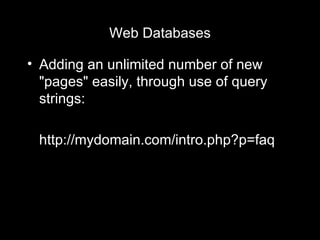
Web Databases Adding an unlimited number of new &quot;pages&quot; easily, through use of query strings: http://mydomain.com/intro.php?p=faq
Web Databases MySQL most common PHP/MySQL combination most common Web-based administration using PHPMyAdmin included with most shared hosting accounts PHPMyAdmin readily available through cPanel, also included with most shared hosting accounts
AJAX Asynchronous JavaScript and XML Like DHTML, a set of techniques combining technologies Best known example: Google maps Increasingly common functions, such as text entry &quot;guess-ahead&quot; Can increase usability and decrease load time
AJAX You must know JavaScript and XML at a minimum, and most applications require a database Development can be demanding Growing libraries of free AJAX apps available
Most Common Fundamental Mistakes Using a pre-packaged design because it's &quot;easier&quot; Using Flash exclusively, especially on the home page Using too many graphics, and in the wrong format for the nature of the image
Most Common Fundamental Mistakes Choosing technologies that, for your purposes, are too difficult to manage Using an approach that makes it difficult to expand, and locks you in to that approach Choosing technologies or approaches that bind you to a particular vendor
Overview of Web Technology

Overview of Web Technology Intro

  • 1.
    Overview of WebTechnology
  • 2.
    Intro & PurposeNot an engineering class Provide guidance that can save you time, money and needless effort Show how all the pieces fit together Describe opportunities you may not have been aware of Provide clarity on the implications of various options
  • 3.
    Types of WebAccounts Blog account Pre-packaged design Pre-configured business account Shared hosting VPS hosting (Virtual Private Server) Dedicated hosting Colocation
  • 4.
    Methods for ConstructingWeb Sites Hand coding with a text editor Hand coding with a code editor Hand coding with Server Side Includes Dedicated web development application Scripting language (using either text editor, code editor or web dev app)
  • 5.
    Domains and sub-domainsYour domain points to your ISP's internal DNS (Domain Name Server) Sub-domains are directories within a domain, i.e. directories on the server Function like standalone web sites Can share central style sheet, graphics Can help with email routing Implications for use of cookies
  • 6.
    HTML & XHTMLHTML at version 4.01, but HTML 5 on the horizon XHTML (Extensible Hypertext Markup Language) based on XML (Extensible Markup Language) Main difference is in conformity to XML W3C Validation Service: http://validator.w3c.org
  • 7.
    HTML & XHTMLUse &quot;view source&quot; to check sites. Craigslist: HTML 4.01 Facebook: XHTML 1.0 - strict Google: deliberately undeclared Amazon: deliberately undeclared
  • 8.
    CSS - CascadingStyle Sheets Truly useful, important and accessible, because you can practice simply within the browser, with no web account The difference between ugly or elegant, barely readable or a true visual pleasure Carefully applied, can add beauty, usability and functionality with no increase in file size or load time
  • 9.
    CSS - CascadingStyle Sheets Means for controlling the appearance of elements of a web site &quot;Cascading&quot; because rules may be modified along a &quot;stream&quot; of instances Separate file, within the <head> tag, or within elements as &quot;inline&quot; styles Now completely inseparable from HTML Combined with JavaScript for DHTML
  • 10.
    Essentials of SearchEngine Optimization Must contain text, not just text embedded in graphics Text must be relevant to how you want your site to be found HTML title is crucial Description and keyword meta-tag on each page you want indexed
  • 11.
    Adobe Flash Wonderfultool, often misused and overused Powerful interactivity Vector-based: possibility of small file sizes, even with complex graphics and interactivity
  • 12.
    Adobe Flash Textwithin Flash indexed by some search engines, notably Google Text embedded within graphics in Flash not indexed by search engines Pages internal to Flash cannot be bookmarked Steep learning curve May tie you to a designer, and make it difficult to modify your site yourself
  • 13.
    HTML versus FlashFlash can do things HTML cannot, and vice versa. HTML may seem plain, but HTML is easier to work with. To use Flash, you must have the program, or hire a designer. To use HTML, you just need a text editor, and some knowledge.
  • 14.
    Graphics Formats Basics- Summary JPEG: Good for photos, not so good for crisp graphics or text GIF: Good for crisp graphics or text, not so good for photos PNG: Good for photos or crisp graphics and text, with discretion
  • 15.
    Graphics Formats Losslessversus Lossy JPEG: Variably lossy GIF: Lossless PNG: Lossless
  • 16.
    Graphics Formats Numberof colors JPEG: unlimited GIF: 256 maximum PNG: unlimited
  • 17.
    Graphics Formats TransparencyJPEG: no GIF: yes, but only one level, for only one color PNG: yes, 254 levels
  • 18.
    Graphics Formats AnimationJPEG: no GIF: yes PNG: no
  • 19.
    JavaScript Now acrucial part of web sites Used on its own, or in combination with CSS for DHTML, XML for AJAX Contained in the page itself, or loaded from a separate file Functions within the browser, so you don't need a web account to practice
  • 20.
    JavaScript Many freescripts available, which you can immediately use as is or modify Debugging available in Firefox Error Console Cross-browser and cross-platform testing still essential
  • 21.
    DHTML Despite theacronym, not actually a language Large set of techniques combining HTML, JavaScript and CSS Trend toward consistency of function within browsers, but still requires careful cross-browser testing Easy to form crushes on cute little functions, often hard to justify them
  • 22.
    Scripting Languages Majorleap in capabilities Easy to get started, but lots to learn Unlike HTML, CSS and JavaScript, typically function on the server, so you need a web account
  • 23.
    Scripting Languages PHP:Most widespread use ASP - Active Server Pages: Microsoft product, some additional capabilities specific to Microsoft Perl: Long history, exceptional with processing text, partly superseded by newer languages
  • 24.
    Scripting Languages JSP- Java Server Pages: Based on underlying Java technology, pages compiled into &quot;servlets&quot; by JSP compiler Python: High level language, can be used as scripting language via mod_python on Apache server
  • 25.
    Scripting Languages Allmajor scripting languages have vast capabilities. Conversion to a different language later may be prohibitively demanding. Some combinations of scripting language and database are easier to work with than others. The combination of PHP and MySQL is in increasingly common use.
  • 26.
    Web Databases Majorleap in capabilities, major advantages Included with nearly all shared hosting accounts Relatively easy to learn the basics Must know a scripting language Virtually any scripting language can be used with virtually any database
  • 27.
    Web Databases Dataintegrity Sorting, filtering and selectively displaying large amounts of structured information Modifying web content from any web browser, from anywhere in the world Storing user input in structured form Exporting information in structured form
  • 28.
    Web Databases Addingan unlimited number of new &quot;pages&quot; easily, through use of query strings: http://mydomain.com/intro.php?p=faq
  • 29.
    Web Databases MySQLmost common PHP/MySQL combination most common Web-based administration using PHPMyAdmin included with most shared hosting accounts PHPMyAdmin readily available through cPanel, also included with most shared hosting accounts
  • 30.
    AJAX Asynchronous JavaScriptand XML Like DHTML, a set of techniques combining technologies Best known example: Google maps Increasingly common functions, such as text entry &quot;guess-ahead&quot; Can increase usability and decrease load time
  • 31.
    AJAX You mustknow JavaScript and XML at a minimum, and most applications require a database Development can be demanding Growing libraries of free AJAX apps available
  • 32.
    Most Common FundamentalMistakes Using a pre-packaged design because it's &quot;easier&quot; Using Flash exclusively, especially on the home page Using too many graphics, and in the wrong format for the nature of the image
  • 33.
    Most Common FundamentalMistakes Choosing technologies that, for your purposes, are too difficult to manage Using an approach that makes it difficult to expand, and locks you in to that approach Choosing technologies or approaches that bind you to a particular vendor
  • 34.
    Overview of WebTechnology

Editor's Notes

  • #3 Fast pace Overview, not nitty gritty details, which will be covered in upcoming classes Not an engineering class If there is something you don&apos;t understand, please refer to the MS Word supplement, available on line, and then do your own research Huge range of options now available at low cost Let&apos;s first look at choices as to type of web account
  • #4 By increasing price, capability and complexity Blog account may be free, but doesn&apos;t do much, and isn&apos;t expandable Pre-packaged design may be easy to set up, but will quickly hem you in Pre-configured business account is often a good choice for small businesses which will never require specialized functions Shared hosting is the &amp;quot;sweet spot,&amp;quot; in which you can get a truly amazing range of capabilities, all for only about $9.95 per month VPS hosting differs from shared hosting in that your account functions as though it were its own individual server Dedicated hosting means you rent a server in the facility on which you are the only account (minimum $150 per month, can be much more) Colocation means you own a server that is located in the ISP&apos;s facility, and either they manage it, you manage it remotely, or a combination In this class, we will concentrate on the &amp;quot;sweet spot&amp;quot; of a shared hosting account. Let&apos;s now take a look at a range of methods for constructing web sites.
  • #5 Hand coding with just a text editor can be done for HTML, CSS, JavaScript and even scripting languages, all to be covered later. Any text editor will do, including Notepad on Windows, or TextEdit on the Mac. Lots of code editors available. Please do your own research. Server Side Includes can give you quick, basic experience with some interactivity. Server Side Includes are files with an extension of .shtml, which tells the server to read the file, scanning for commands such as &amp;quot;include an external file here,&amp;quot; or &amp;quot;show when this page was last modified.&amp;quot; Dedicated web development applications make many things easier, but may limit specialized development. If you really want the full power of web technology, you have to use a scripting language.
  • #6 Sub-domains are useful, but be careful not to get carried away. Can share central style sheet, use their own style sheet, use a modified form of a central style sheet, or combinations. In advanced applications, can be used for email routing Careful with the cookies!
  • #7 Don&apos;t get hung up on this, because it&apos;s ok to not specify which is used by your web site.
  • #8 The command to view HTML source code is specific to your browser. Please look it up for your browser of choice.
  • #9 This a truly important technology that is easily accessible, because you can practice with CSS within your browser, without even being on the Internet, or having a web account.
  • #12 Explanation of vector-based graphics versus pixel-based graphics NEXT: You must understand the disadvantages of using Flash!
  • #15 Bad choice as to graphics format can make your site look horrible, and be terribly slow--the worst of both worlds. Quick explanation of RLE - run-length encoding - and its use in GIF NEXT: Lossless versus lossy
  • #16 Why would you ever be willing to lose information? To reduce file size, and speed up loading of your pages, and because if you do things right, only an expert can tell the difference. NEXT: Number of colors
  • #17 &amp;quot;Unlimited&amp;quot; actually means 16.7 million colors. NEXT: Transparency
  • #18 NEXT: Animation
  • #19 NEXT: Break time of 10 minutes
  • #20 In the early days, JavaScript was used primarily for simple functions such as rollovers. JavaScript files loaded as external files within a page are cached by the browser, which means if you use the same JavaScript functions across multiple pages, you can speed up load time of successive pages.
  • #22 Dynamic Hypertext Markup Language Use more and more prevalent, becoming an essential aspect of web site technique
  • #23 This is where the real fun begins, where the possibilities truly open up, and where the real work is involved. Can be set up to run on your own computer, but most people just use the server, to reflect real world conditions. NEXT: Scripting languages, one by one.
  • #25 Nevermind if you don&apos;t know what &amp;quot;mod_python&amp;quot; or &amp;quot;Apache server&amp;quot; mean. It&apos;s easy enough to look that stuff up. NEXT: Choice of scripting language
  • #26 NEXT: Web databases
  • #27 NEXT: Now let&apos;s look at some of the advantages.
  • #30 Brief explanation of cPanel. NEXT: AJAX
  • #32 The good news: growing libraries of free apps
  • #33 That pre-packaged design sure won&apos;t be &amp;quot;easier&amp;quot; when you have to start from scratch when you quickly outgrow it. Does anybody here actually like seeing that &amp;quot;loading&amp;quot; graphic and watching those &amp;quot;splash&amp;quot; pages?
  • #34 It&apos;s all too easy to be talked into using a technology just because someone you&apos;re working with wants to use the technology. You have to decide whether it actually makes sense long term to use that technology.