



Responsive
WebDesign
MOBILE TABLET DESKTOP
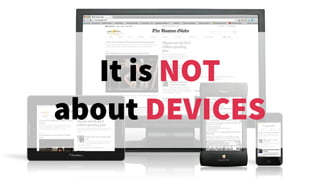
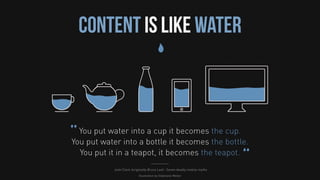
It is NOT
about DEVICES
It is about
CONTENT & CONTEXT
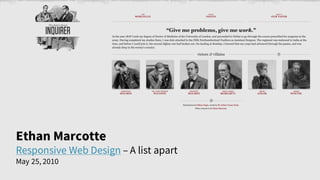
Ethan Marcotte
Responsive Web Design – A list apart
May 25, 2010
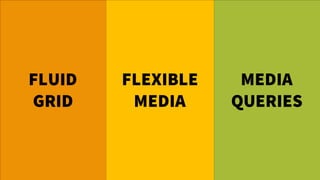
FLUID
GRID
FLEXIBLE
MEDIA
MEDIA
QUERIES
Origin of
GRID
SYSTEMS
Print Design
Graphic Design
Swiss Design
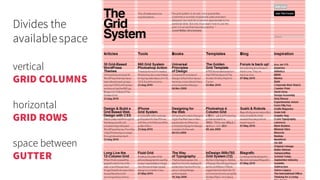
Divides the
availablespace
vertical
GRID COLUMNS
horizontal
GRID ROWS
space between
GUTTER
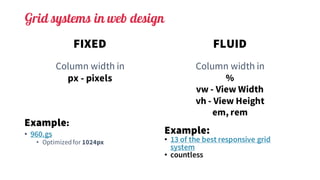
Grid systems in web design
FIXED
Column width in
px - pixels
Example:
• 960.gs
• Optimizedfor 1024px
FLUID
Column width in
%
vw - View Width
vh - View Height
em, rem
Example:
• 13 of the best responsive grid
system
• countless
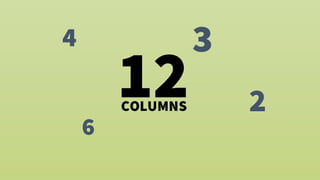
4 3
6
212COLUMNS
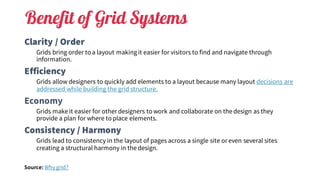
Benefit of Grid Systems
Clarity / Order
Grids bring order to a layout makingit easier for visitors to find and navigate through
information.
Efficiency
Grids allow designers to quickly add elements to a layout because many layout decisions are
addressed while building the grid structure.
Economy
Grids make it easier for other designers to work and collaborate on the design as they
provide a plan for where to place elements.
Consistency / Harmony
Grids lead to consistency in the layout of pages across a single site or even several sites
creating a structural harmony in the design.
Source:	Whygrid?
FLEXIBLE
MEDIA
IMAGES
VIDEOS
TYPOGRAPHY
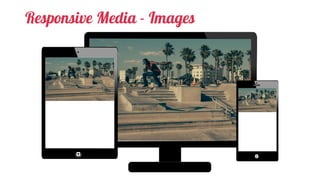
Responsive Media - Images
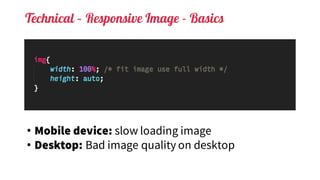
Technical – Responsive Image - Basics
• Mobile device: slow loading image
• Desktop: Bad image quality on desktop
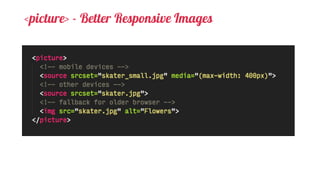
<picture> - Better Responsive Images
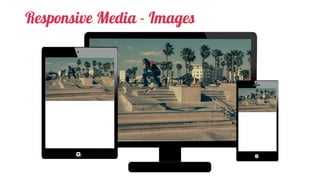
Responsive Media - Images
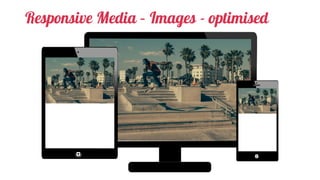
Responsive Media – Images - optimised
Responsive Media – Images -SVG
Scalable Vector Graphics
XML based definition of a vector
graphics
Native drawing in browser
Scales without getting blurry
Replacement for: GIF, Icon Fonts
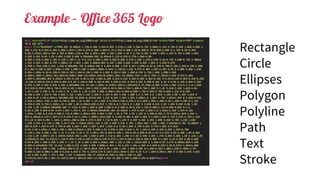
Example – Office 365 Logo
Rectangle
Circle
Ellipses
Polygon
Polyline
Path
Text
Stroke
How to use SVG in HTML
• Directly embed in HTML
• Use it as background in CSS
• <img> tag
• <object> embedding
• Data embed
Base64
data:image/svg+xml;base64,PHN2ZyB4bWxucz0iaHR0cDovL...
UTF-8, not encoded
data:image/svg+xml;charset=UTF-8,<svg ...> ... </svg>
UTF-8, optimized encoding for compatibility
data:image/svg+xml;charset=UTF-8,%3Csvg xmlns='http://...’
Fully URL encodedASCII
data:image/svg+xml;charset=US-ASCII,%3Csvg%20xmlns%3D%...
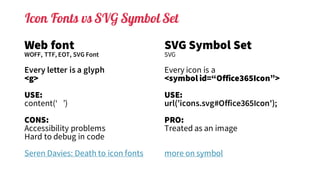
Icon Fonts vs SVG Symbol Set
Web font
WOFF, TTF, EOT, SVG Font
Every letter is a glyph
<g>
USE:
content(‘ ’)
CONS:
Accessibility problems
Hard to debug in code
Seren Davies: Death to icon fonts
SVG Symbol Set
SVG
Every icon is a
<symbol id=“Office365Icon”>
USE:
url(’icons.svg#Office365Icon');
PRO:
Treated as an image
more on symbol
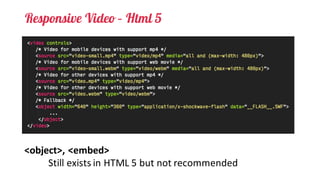
Responsive Video – Html 5
<object>,	<embed>
Still	exists	in	HTML	5	but	not	recommended
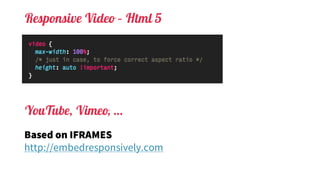
Responsive Video – Html 5
Based on IFRAMES
http://embedresponsively.com
YouTube, Vimeo, …
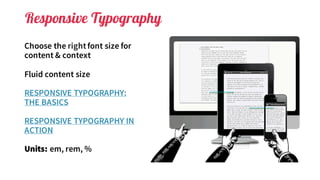
Responsive Typography
Choose the rightfont size for
content & context
Fluid content size
RESPONSIVE TYPOGRAPHY:
THE BASICS
RESPONSIVE TYPOGRAPHY IN
ACTION
Units: em, rem, %
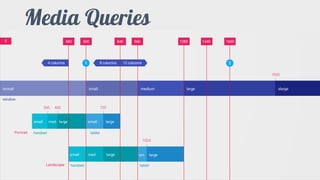
Media Queries
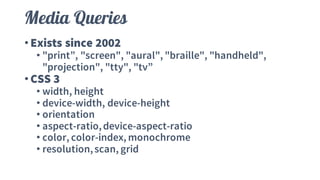
Media Queries
•Exists since 2002
• "print”, "screen", "aural", "braille", "handheld",
"projection", "tty", "tv”
•CSS 3
• width, height
• device-width, device-height
• orientation
• aspect-ratio,device-aspect-ratio
• color, color-index, monochrome
• resolution,scan, grid
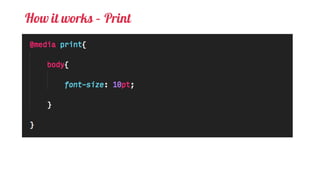
How it works – Print
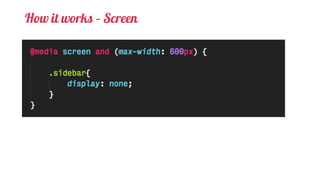
How it works – Screen
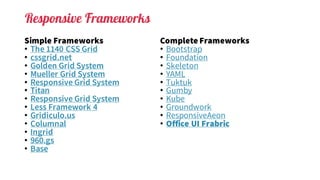
Responsive Frameworks
Simple Frameworks
• The 1140 CSS Grid
• cssgrid.net
• Golden Grid System
• Mueller Grid System
• Responsive Grid System
• Titan
• Responsive Grid System
• Less Framework 4
• Gridiculo.us
• Columnal
• Ingrid
• 960.gs
• Base
Complete Frameworks
• Bootstrap
• Foundation
• Skeleton
• YAML
• Tuktuk
• Gumby
• Kube
• Groundwork
• ResponsiveAeon
• Office UI Frabric
FRAMEWORKS
ARE GREAT
BUT …
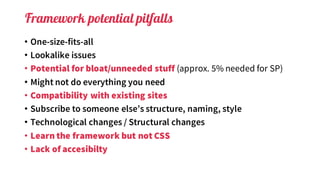
Framework potential pitfalls
• One-size-fits-all
• Lookalike issues
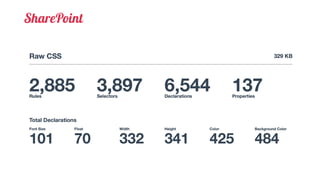
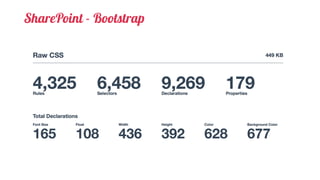
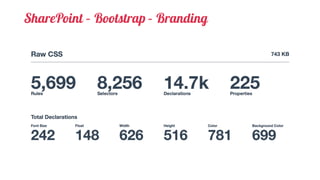
• Potential for bloat/unneeded stuff (approx. 5% needed for SP)
• Might not do everything you need
• Compatibility with existing sites
• Subscribe to someone else’s structure, naming, style
• Technological changes / Structural changes
• Learn the framework but not CSS
• Lack of accesibilty
SharePoint
SharePoint - Bootstrap
SharePoint – Bootstrap – Branding
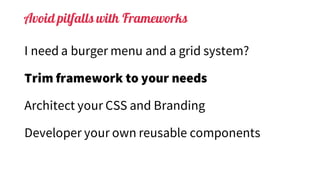
Avoid pitfalls with Frameworks
I need a burger menu and a grid system?
Trim framework to your needs
Architect your CSS and Branding
Developer your own reusable components
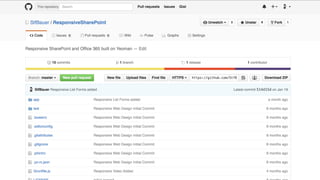
Responsive Web Design and SharePoint

Responsive Web Design and SharePoint

  • 1.
  • 2.
  • 4.
  • 5.
  • 7.
    Ethan Marcotte Responsive WebDesign – A list apart May 25, 2010
  • 8.
  • 9.
  • 10.
  • 11.
    Grid systems inweb design FIXED Column width in px - pixels Example: • 960.gs • Optimizedfor 1024px FLUID Column width in % vw - View Width vh - View Height em, rem Example: • 13 of the best responsive grid system • countless
  • 12.
  • 13.
    Benefit of GridSystems Clarity / Order Grids bring order to a layout makingit easier for visitors to find and navigate through information. Efficiency Grids allow designers to quickly add elements to a layout because many layout decisions are addressed while building the grid structure. Economy Grids make it easier for other designers to work and collaborate on the design as they provide a plan for where to place elements. Consistency / Harmony Grids lead to consistency in the layout of pages across a single site or even several sites creating a structural harmony in the design. Source: Whygrid?
  • 14.
  • 15.
  • 16.
    Technical – ResponsiveImage - Basics • Mobile device: slow loading image • Desktop: Bad image quality on desktop
  • 17.
    <picture> - BetterResponsive Images
  • 18.
  • 19.
    Responsive Media –Images - optimised
  • 20.
    Responsive Media –Images -SVG Scalable Vector Graphics XML based definition of a vector graphics Native drawing in browser Scales without getting blurry Replacement for: GIF, Icon Fonts
  • 21.
    Example – Office365 Logo Rectangle Circle Ellipses Polygon Polyline Path Text Stroke
  • 22.
    How to useSVG in HTML • Directly embed in HTML • Use it as background in CSS • <img> tag • <object> embedding • Data embed Base64 data:image/svg+xml;base64,PHN2ZyB4bWxucz0iaHR0cDovL... UTF-8, not encoded data:image/svg+xml;charset=UTF-8,<svg ...> ... </svg> UTF-8, optimized encoding for compatibility data:image/svg+xml;charset=UTF-8,%3Csvg xmlns='http://...’ Fully URL encodedASCII data:image/svg+xml;charset=US-ASCII,%3Csvg%20xmlns%3D%...
  • 23.
    Icon Fonts vsSVG Symbol Set Web font WOFF, TTF, EOT, SVG Font Every letter is a glyph <g> USE: content(‘ ’) CONS: Accessibility problems Hard to debug in code Seren Davies: Death to icon fonts SVG Symbol Set SVG Every icon is a <symbol id=“Office365Icon”> USE: url(’icons.svg#Office365Icon'); PRO: Treated as an image more on symbol
  • 24.
    Responsive Video –Html 5 <object>, <embed> Still exists in HTML 5 but not recommended
  • 25.
    Responsive Video –Html 5 Based on IFRAMES http://embedresponsively.com YouTube, Vimeo, …
  • 27.
    Responsive Typography Choose therightfont size for content & context Fluid content size RESPONSIVE TYPOGRAPHY: THE BASICS RESPONSIVE TYPOGRAPHY IN ACTION Units: em, rem, %
  • 28.
  • 29.
    Media Queries •Exists since2002 • "print”, "screen", "aural", "braille", "handheld", "projection", "tty", "tv” •CSS 3 • width, height • device-width, device-height • orientation • aspect-ratio,device-aspect-ratio • color, color-index, monochrome • resolution,scan, grid
  • 30.
    How it works– Print
  • 31.
    How it works– Screen
  • 32.
    Responsive Frameworks Simple Frameworks •The 1140 CSS Grid • cssgrid.net • Golden Grid System • Mueller Grid System • Responsive Grid System • Titan • Responsive Grid System • Less Framework 4 • Gridiculo.us • Columnal • Ingrid • 960.gs • Base Complete Frameworks • Bootstrap • Foundation • Skeleton • YAML • Tuktuk • Gumby • Kube • Groundwork • ResponsiveAeon • Office UI Frabric
  • 33.
  • 34.
    Framework potential pitfalls •One-size-fits-all • Lookalike issues • Potential for bloat/unneeded stuff (approx. 5% needed for SP) • Might not do everything you need • Compatibility with existing sites • Subscribe to someone else’s structure, naming, style • Technological changes / Structural changes • Learn the framework but not CSS • Lack of accesibilty
  • 35.
  • 36.
  • 37.
  • 38.
    Avoid pitfalls withFrameworks I need a burger menu and a grid system? Trim framework to your needs Architect your CSS and Branding Developer your own reusable components