Web 101 for VFP Developers

        Mike Feltman
About me
   President F1 Technologies
   Toledo, OH USA
Agenda
   Getting Started
   HTML
   CSS
   Interacting with VFP
   Bonus?
Supply List
   Web Server
       IIS (Internet Information Server)
       Apache
   HTML Editor
       Standards: Microsoft Expression Web, FrontPage,
        Dreamweaver, Visual Studio.NET
       Popular Low Cost Alternatives: HotDog, CoffeeCup
       No-frills: Notepad, VFP
       Barf Bag: Word
   VFP Compatible Server Side Scripting Language
       Web Connection, Active FoxPro Pages (AFP) , FoxWeb or
        ActiveVFP
       ASP, ASP.NET & COM
Getting Started
   Create Folder
   Plan Directory Structure
   Map to Virtual Directory
   Set Permissions & Properties
   Create Default Page
Elements of a Web Site
   HTML Pages
   Graphics
   Cascading Style Sheets
   Script/Code
   Data
HTML Basics
   Hyper Text Markup Language
   Tag Based Language derived from SGML
   Tags enclosed in angle brackets
    <TagName> and </TagName>
   Tags may have properties <TagName
    Property=“value”>
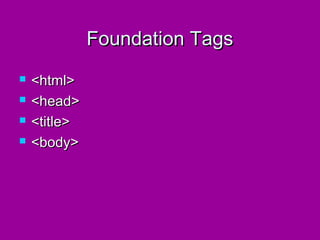
Foundation Tags
   <html>
   <head>
   <title>
   <body>
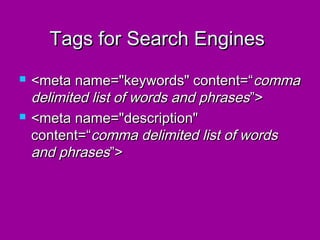
Tags for Search Engines
   <meta name="keywords" content=“ comma
    delimited list of words and phrases ”>
   <meta name="description"
    content=“comma delimited list of words
    and phrases”>
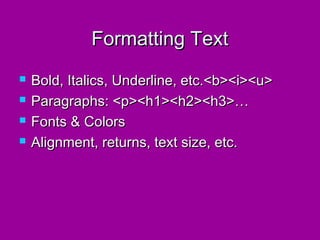
Formatting Text
   Bold, Italics, Underline, etc.<b><i><u>
   Paragraphs: <p><h1><h2><h3>…
   Fonts & Colors
   Alignment, returns, text size, etc.
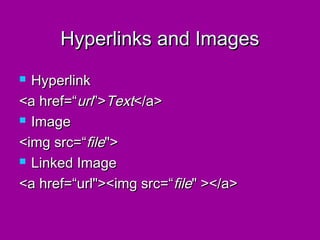
Hyperlinks and Images
 Hyperlink
<a href=“url”>Text</a>
 Image

<img src=“file">
 Linked Image

<a href=“url"><img src=“file" ></a>
Lists
   Numbered <ol>
       Type A,a,1,i
   Directory <dir>
   Bulleted <ul>
   Menu <menu>
   Defined Terms <dl>
   Nested Lists
Tables
   <table>
   <tr>
   <td>
   <th>
Forms & Form Elements
   Text
   Text Area
   Option Buttons
   Lists
   Check Boxes
   Drop Downs
   Buttons
   Password
Form Processing
   All Data is Character
   Method: Post vs. Get
   Action = “url”
       Page w/ script, CGI, DLL, etc.
       mailto:yourname@somewhere.com
   Encoding Type (enctype)
       multipart/form-data (use w/ fileupload)
       application/x-www-form-urlencoded
       text/plain (default)
CSS
   Cascading Style Sheets
   Commands used to format text, objects & layout
   Saves time, improves maintainability, promotes
    standardization
   Cascading
       Same page within tag
       Same page within <HEAD>
       External
   We are only going to scratch the surface of what
    can be done with CSS here
CSS
   Format:
       Style { attribute: value; attribute: value}
       Style {
         attribute: value;
         attribute: value;
         }
   External Link: <link rel="stylesheet"
    type="text/css" href="sample.css">
Interacting with VFP
   The Basics
   Standard Objects
   Generating HTML
   Rendering Forms & Data Binding
   Processing Form Input
   mmm Cookies!
The Basics
   Web Connection & AFP are ISAPI Extensions
   WC & AFP files use <% and %> as script
    delimiters
   VFP Code can fall anywhere within a web page
    between delimiters
   Classic ASP is very similar except code is
    VBScript/Jscript that gets to VFP via COM.
   ASP.NET, PHP and other server platforms with
    COM support can also talk to VFP
VFP Hosts
   TekQuest.com
   Shelbynet.net
   DNGSolutions.com
Basic Sample Pages
   Hello World…
   Server Info
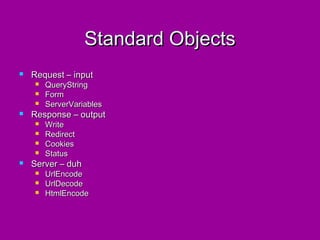
Standard Objects
   Request – input
       QueryString
       Form
       ServerVariables
   Response – output
       Write
       Redirect
       Cookies
       Status
   Server – duh
       UrlEncode
       UrlDecode
       HtmlEncode
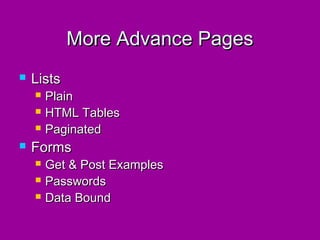
More Advance Pages
   Lists
       Plain
       HTML Tables
       Paginated
   Forms
       Get & Post Examples
       Passwords
       Data Bound
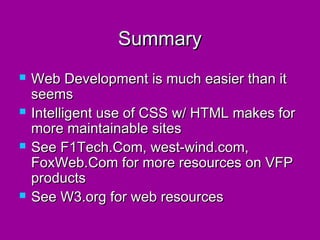
Summary
   Web Development is much easier than it
    seems
   Intelligent use of CSS w/ HTML makes for
    more maintainable sites
   See F1Tech.Com, west-wind.com,
    FoxWeb.Com for more resources on VFP
    products
   See W3.org for web resources
Thank you!

Remember to fill out your session
evaluation.

Web 101

  • 1.
    Web 101 forVFP Developers Mike Feltman
  • 2.
    About me  President F1 Technologies  Toledo, OH USA
  • 3.
    Agenda  Getting Started  HTML  CSS  Interacting with VFP  Bonus?
  • 4.
    Supply List  Web Server  IIS (Internet Information Server)  Apache  HTML Editor  Standards: Microsoft Expression Web, FrontPage, Dreamweaver, Visual Studio.NET  Popular Low Cost Alternatives: HotDog, CoffeeCup  No-frills: Notepad, VFP  Barf Bag: Word  VFP Compatible Server Side Scripting Language  Web Connection, Active FoxPro Pages (AFP) , FoxWeb or ActiveVFP  ASP, ASP.NET & COM
  • 5.
    Getting Started  Create Folder  Plan Directory Structure  Map to Virtual Directory  Set Permissions & Properties  Create Default Page
  • 6.
    Elements of aWeb Site  HTML Pages  Graphics  Cascading Style Sheets  Script/Code  Data
  • 7.
    HTML Basics  Hyper Text Markup Language  Tag Based Language derived from SGML  Tags enclosed in angle brackets <TagName> and </TagName>  Tags may have properties <TagName Property=“value”>
  • 8.
    Foundation Tags  <html>  <head>  <title>  <body>
  • 9.
    Tags for SearchEngines  <meta name="keywords" content=“ comma delimited list of words and phrases ”>  <meta name="description" content=“comma delimited list of words and phrases”>
  • 10.
    Formatting Text  Bold, Italics, Underline, etc.<b><i><u>  Paragraphs: <p><h1><h2><h3>…  Fonts & Colors  Alignment, returns, text size, etc.
  • 11.
    Hyperlinks and Images Hyperlink <a href=“url”>Text</a>  Image <img src=“file">  Linked Image <a href=“url"><img src=“file" ></a>
  • 12.
    Lists  Numbered <ol>  Type A,a,1,i  Directory <dir>  Bulleted <ul>  Menu <menu>  Defined Terms <dl>  Nested Lists
  • 13.
    Tables  <table>  <tr>  <td>  <th>
  • 14.
    Forms & FormElements  Text  Text Area  Option Buttons  Lists  Check Boxes  Drop Downs  Buttons  Password
  • 15.
    Form Processing  All Data is Character  Method: Post vs. Get  Action = “url”  Page w/ script, CGI, DLL, etc.  mailto:yourname@somewhere.com  Encoding Type (enctype)  multipart/form-data (use w/ fileupload)  application/x-www-form-urlencoded  text/plain (default)
  • 16.
    CSS  Cascading Style Sheets  Commands used to format text, objects & layout  Saves time, improves maintainability, promotes standardization  Cascading  Same page within tag  Same page within <HEAD>  External  We are only going to scratch the surface of what can be done with CSS here
  • 17.
    CSS  Format:  Style { attribute: value; attribute: value}  Style { attribute: value; attribute: value; }  External Link: <link rel="stylesheet" type="text/css" href="sample.css">
  • 18.
    Interacting with VFP  The Basics  Standard Objects  Generating HTML  Rendering Forms & Data Binding  Processing Form Input  mmm Cookies!
  • 19.
    The Basics  Web Connection & AFP are ISAPI Extensions  WC & AFP files use <% and %> as script delimiters  VFP Code can fall anywhere within a web page between delimiters  Classic ASP is very similar except code is VBScript/Jscript that gets to VFP via COM.  ASP.NET, PHP and other server platforms with COM support can also talk to VFP
  • 20.
    VFP Hosts  TekQuest.com  Shelbynet.net  DNGSolutions.com
  • 21.
    Basic Sample Pages  Hello World…  Server Info
  • 22.
    Standard Objects  Request – input  QueryString  Form  ServerVariables  Response – output  Write  Redirect  Cookies  Status  Server – duh  UrlEncode  UrlDecode  HtmlEncode
  • 23.
    More Advance Pages  Lists  Plain  HTML Tables  Paginated  Forms  Get & Post Examples  Passwords  Data Bound
  • 24.
    Summary  Web Development is much easier than it seems  Intelligent use of CSS w/ HTML makes for more maintainable sites  See F1Tech.Com, west-wind.com, FoxWeb.Com for more resources on VFP products  See W3.org for web resources
  • 25.
    Thank you! Remember tofill out your session evaluation.