Maaz Rasheed Malik
Oracle Functional
Consultant
 WHAT IS BUDGET
An estimate of costs, revenues, and resources over a specified period,
reflecting a reading of future financial conditions and goals.
 Steps of Implementation.
1. Creation of organization.
2. Budget of budget.
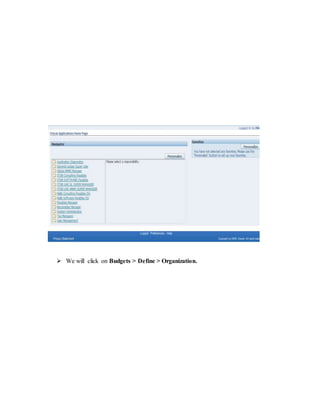
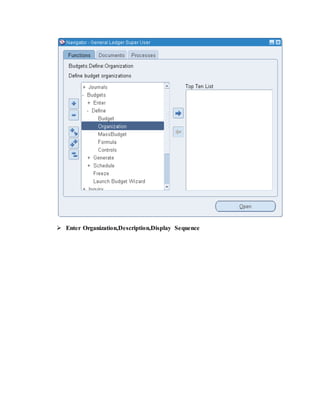
 We will click on Budgets > Define > Organization.
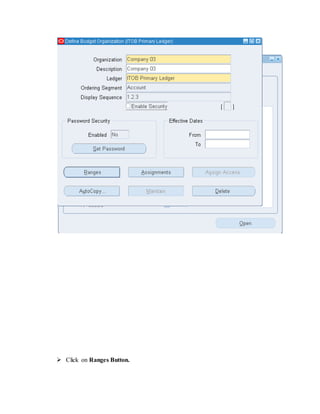
 Enter Organization,Description,Display Sequence
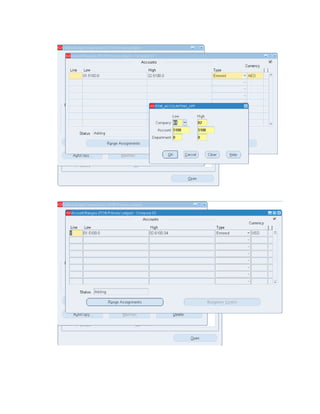
 Click on Ranges Button.
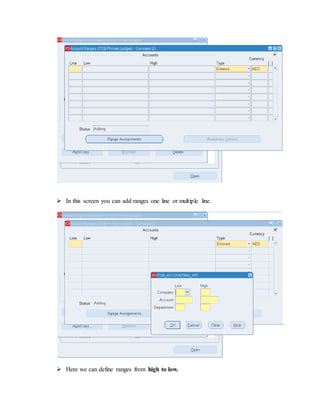
 In this screen you can add ranges one line or multiple line.
 Here we can define ranges from high to low.
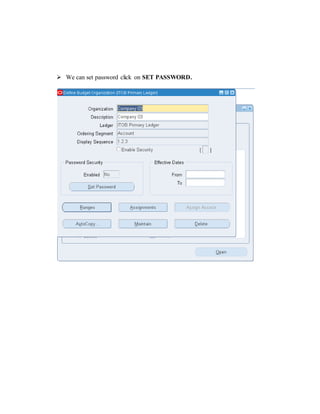
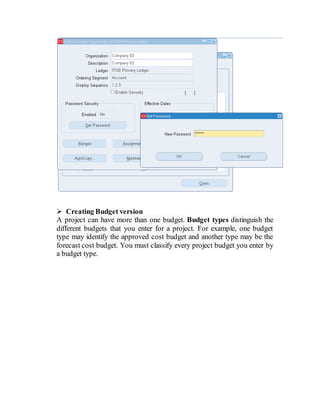
 We can set password click on SET PASSWORD.
 Creating Budget version
A project can have more than one budget. Budget types distinguish the
different budgets that you enter for a project. For example, one budget
type may identify the approved cost budget and another type may be the
forecast cost budget. You must classify every project budget you enter by
a budget type.
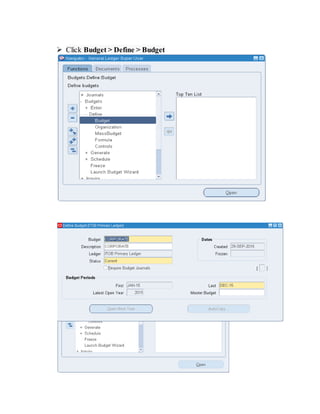
 Click Budget > Define > Budget
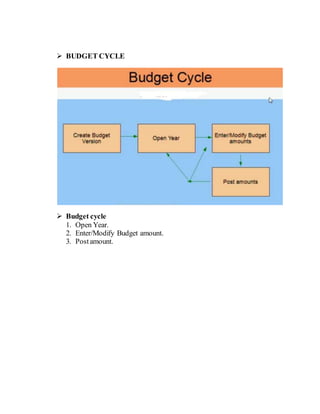
 BUDGET CYCLE
 Budget cycle
1. Open Year.
2. Enter/Modify Budget amount.
3. Postamount.
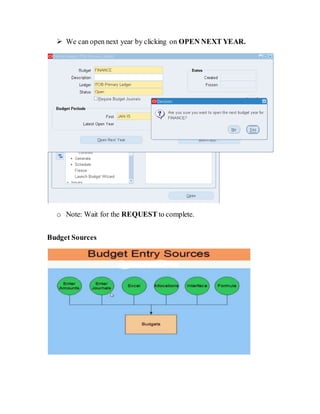
 We can open next year by clicking on OPEN NEXT YEAR.
o Note: Wait for the REQUEST to complete.
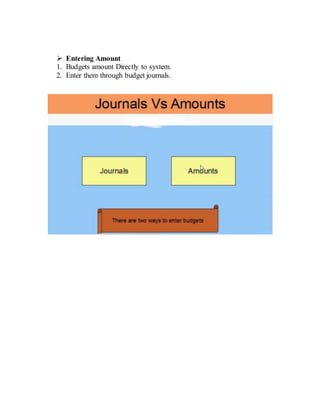
Budget Sources
 Entering Amount
1. Budgets amount Directly to system.
2. Enter them through budget journals.
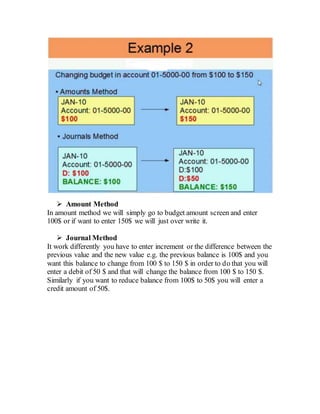
 Amount Method
In amount method we will simply go to budget amount screen and enter
100$ or if want to enter 150$ we will just over write it.
 Journal Method
It work differently you have to enter increment or the difference between the
previous value and the new value e.g. the previous balance is 100$ and you
want this balance to change from 100 $ to 150 $ in order to do that you will
enter a debit of 50 $ and that will change the balance from 100 $ to 150 $.
Similarly if you want to reduce balance from 100$ to 50$ you will enter a
credit amount of 50$.
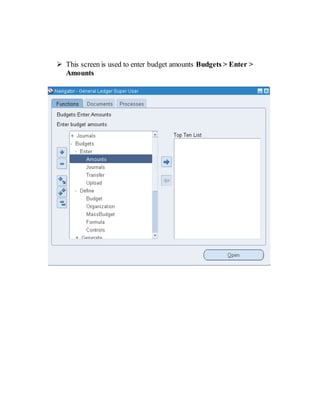
 This screen is used to enter budget amounts Budgets > Enter >
Amounts
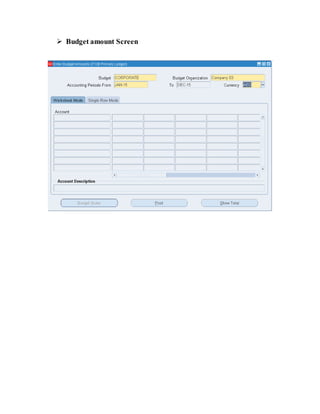
 Budget amount Screen
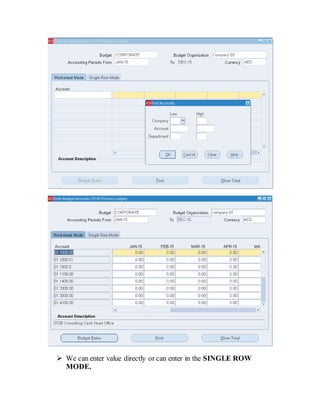
 We can enter value directly or can enter in the SINGLE ROW
MODE.
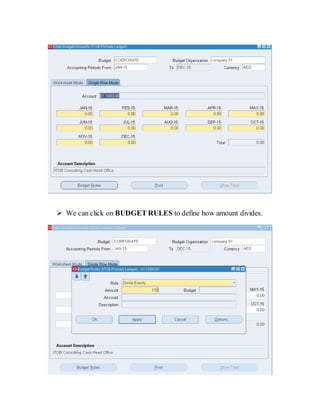
 We can click on BUDGET RULES to define how amount divides.
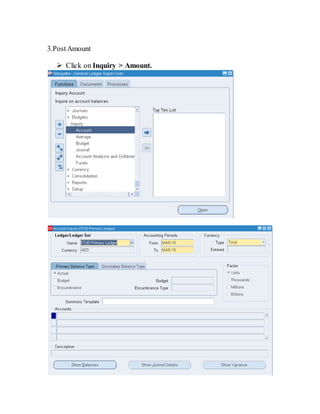
3.PostAmount
 Click on Inquiry > Amount.
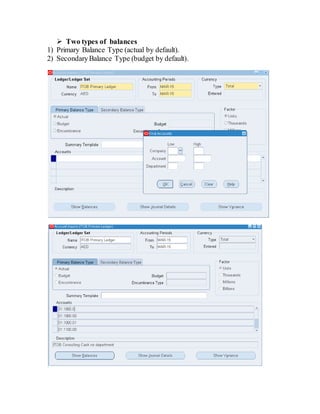
 Two types of balances
1) Primary Balance Type (actual by default).
2) SecondaryBalance Type (budget by default).
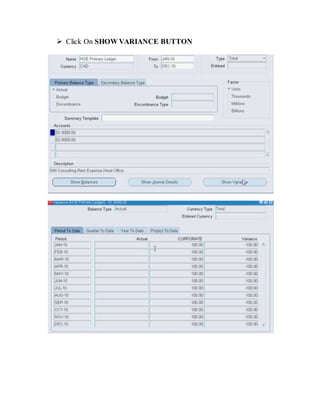
 Click On SHOW VARIANCE BUTTON
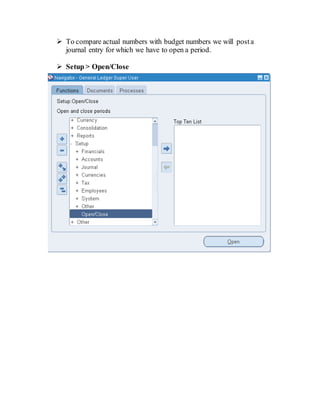
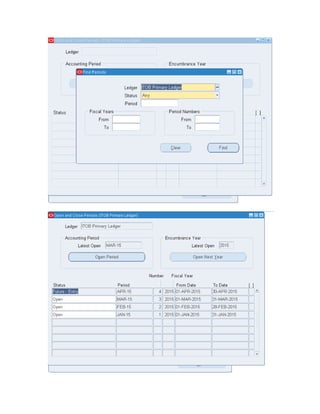
 To compare actual numbers with budget numbers we will posta
journal entry for which we have to open a period.
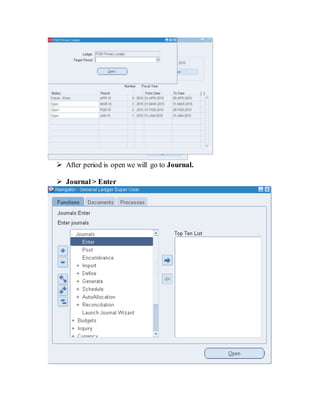
 Setup > Open/Close
 After period is open we will go to Journal.
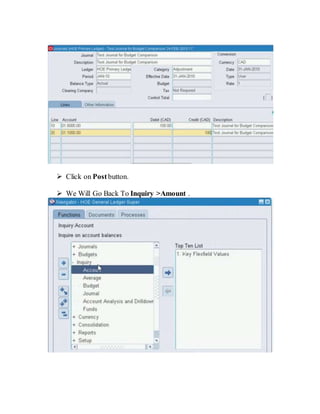
 Journal > Enter
 Click on Postbutton.
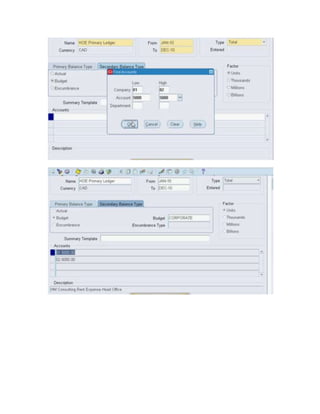
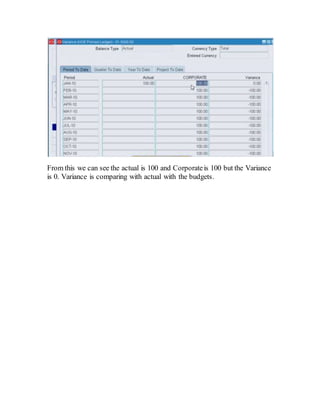
 We Will Go Back To Inquiry >Amount .
From this we can see the actual is 100 and Corporateis 100 but the Variance
is 0. Variance is comparing with actual with the budgets.

Oracle General Ledger R12 Budgeting Configuration

  • 1.
    Maaz Rasheed Malik OracleFunctional Consultant  WHAT IS BUDGET An estimate of costs, revenues, and resources over a specified period, reflecting a reading of future financial conditions and goals.  Steps of Implementation. 1. Creation of organization. 2. Budget of budget.
  • 2.
     We willclick on Budgets > Define > Organization.
  • 3.
  • 4.
     Click onRanges Button.
  • 5.
     In thisscreen you can add ranges one line or multiple line.  Here we can define ranges from high to low.
  • 7.
     We canset password click on SET PASSWORD.
  • 8.
     Creating Budgetversion A project can have more than one budget. Budget types distinguish the different budgets that you enter for a project. For example, one budget type may identify the approved cost budget and another type may be the forecast cost budget. You must classify every project budget you enter by a budget type.
  • 9.
     Click Budget> Define > Budget
  • 10.
     BUDGET CYCLE Budget cycle 1. Open Year. 2. Enter/Modify Budget amount. 3. Postamount.
  • 11.
     We canopen next year by clicking on OPEN NEXT YEAR. o Note: Wait for the REQUEST to complete. Budget Sources
  • 12.
     Entering Amount 1.Budgets amount Directly to system. 2. Enter them through budget journals.
  • 13.
     Amount Method Inamount method we will simply go to budget amount screen and enter 100$ or if want to enter 150$ we will just over write it.  Journal Method It work differently you have to enter increment or the difference between the previous value and the new value e.g. the previous balance is 100$ and you want this balance to change from 100 $ to 150 $ in order to do that you will enter a debit of 50 $ and that will change the balance from 100 $ to 150 $. Similarly if you want to reduce balance from 100$ to 50$ you will enter a credit amount of 50$.
  • 14.
     This screenis used to enter budget amounts Budgets > Enter > Amounts
  • 15.
  • 16.
     We canenter value directly or can enter in the SINGLE ROW MODE.
  • 17.
     We canclick on BUDGET RULES to define how amount divides.
  • 18.
    3.PostAmount  Click onInquiry > Amount.
  • 19.
     Two typesof balances 1) Primary Balance Type (actual by default). 2) SecondaryBalance Type (budget by default).
  • 20.
     Click OnSHOW VARIANCE BUTTON
  • 21.
     To compareactual numbers with budget numbers we will posta journal entry for which we have to open a period.  Setup > Open/Close
  • 23.
     After periodis open we will go to Journal.  Journal > Enter
  • 24.
     Click onPostbutton.  We Will Go Back To Inquiry >Amount .
  • 26.
    From this wecan see the actual is 100 and Corporateis 100 but the Variance is 0. Variance is comparing with actual with the budgets.