Copyright © 2007, Oracle. All rights reserved.
Oracle Cash Management Overview
Copyright © 2007, Oracle. All rights reserved.
Objectives
After completing this lesson, you should be able to do the
following:
• Describe the key features of Oracle Cash Management
• Describe the key concepts of the bank account model
• Describe the key concepts of reconciling bank
statements
• Describe the key concepts of cash forecasting, cash
positioning, and cash pools
Copyright © 2007, Oracle. All rights reserved.
Agenda
• Overview
• Bank account model
• Reconciling bank statements
• Cash Forecasting
• Cash Positioning
• Cash Pools
Copyright © 2007, Oracle. All rights reserved.
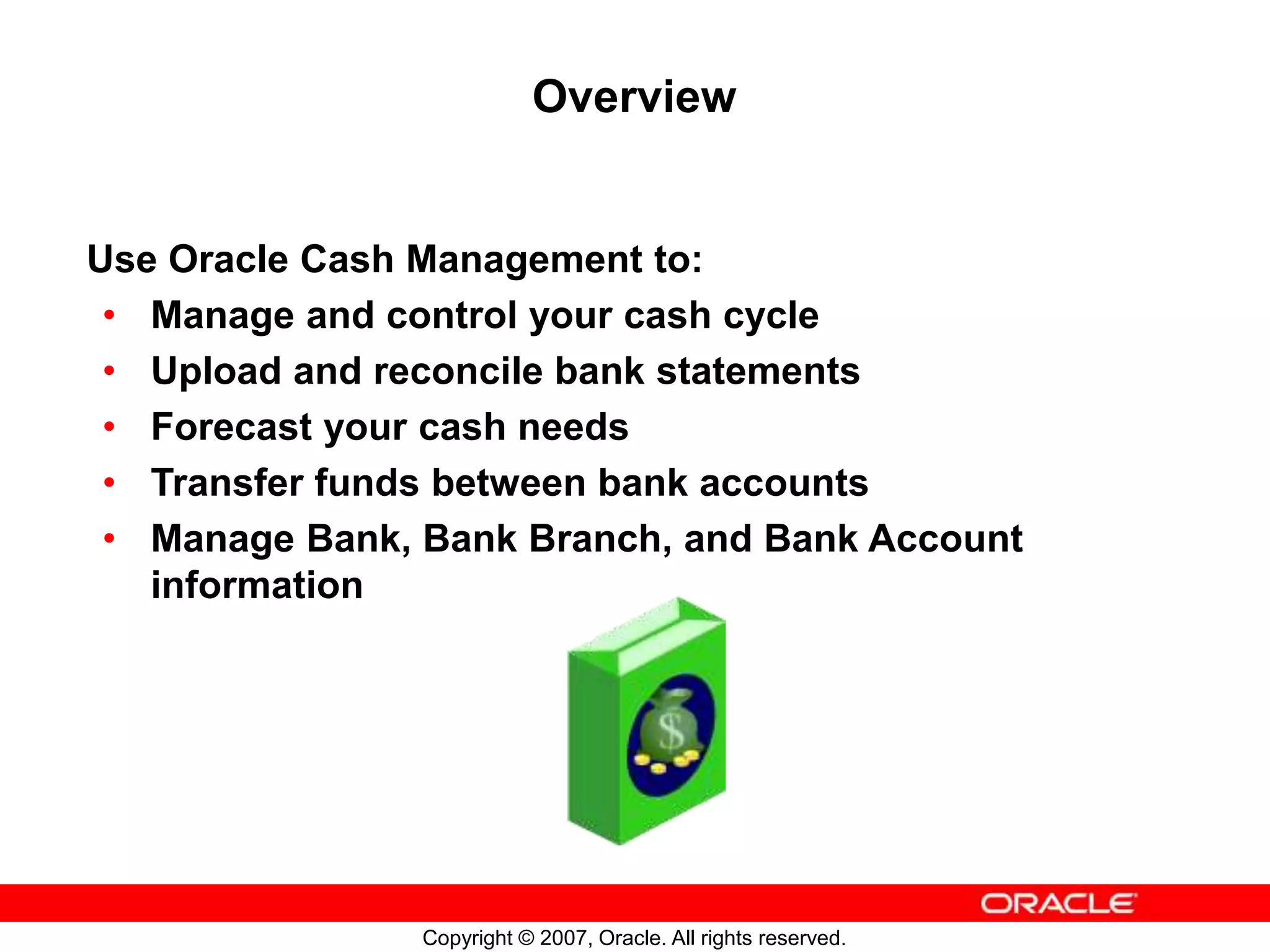
Overview
Use Oracle Cash Management to:
• Manage and control your cash cycle
• Upload and reconcile bank statements
• Forecast your cash needs
• Transfer funds between bank accounts
• Manage Bank, Bank Branch, and Bank Account
information
Copyright © 2007, Oracle. All rights reserved.
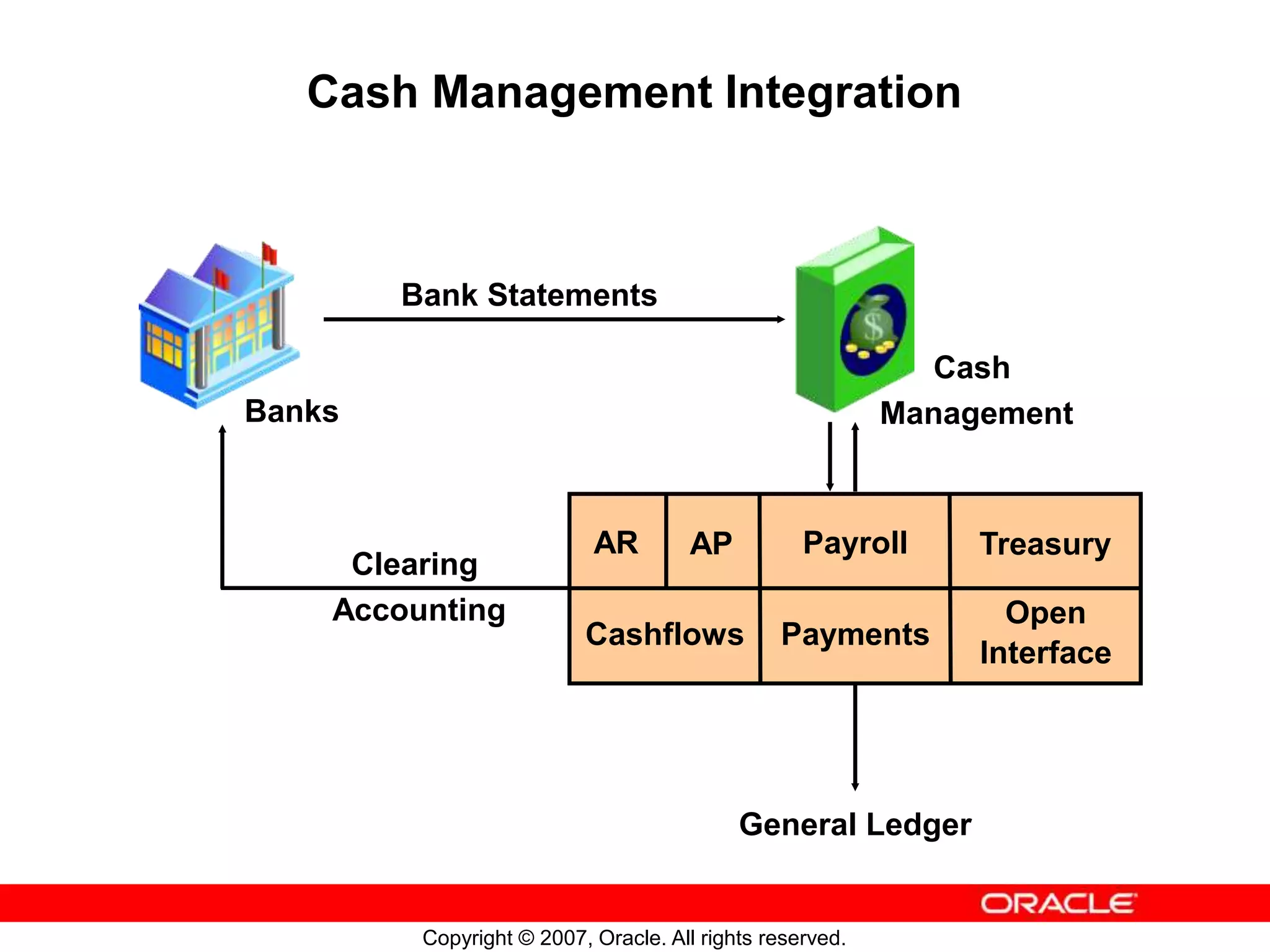
Cash Management Integration
Bank Statements
General Ledger
Clearing
Accounting
AR AP Payroll Treasury
Cashflows Payments
Open
Interface
Cash
Management
Banks
Copyright © 2007, Oracle. All rights reserved.
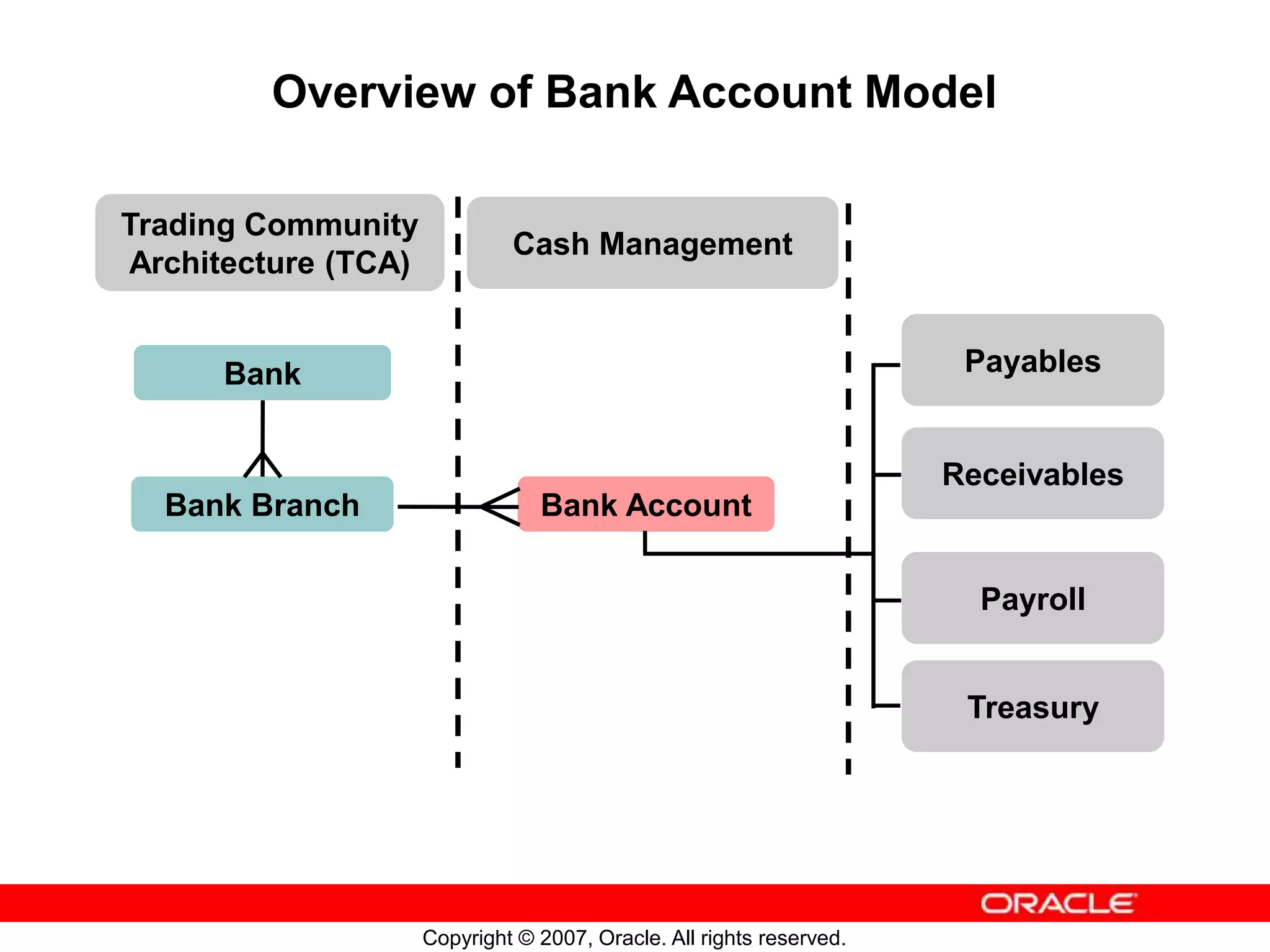
Overview of Bank Account Model
Bank
Bank Branch Bank Account
Trading Community
Architecture (TCA)
Cash Management
Treasury
Payables
Receivables
Payroll
Copyright © 2007, Oracle. All rights reserved.
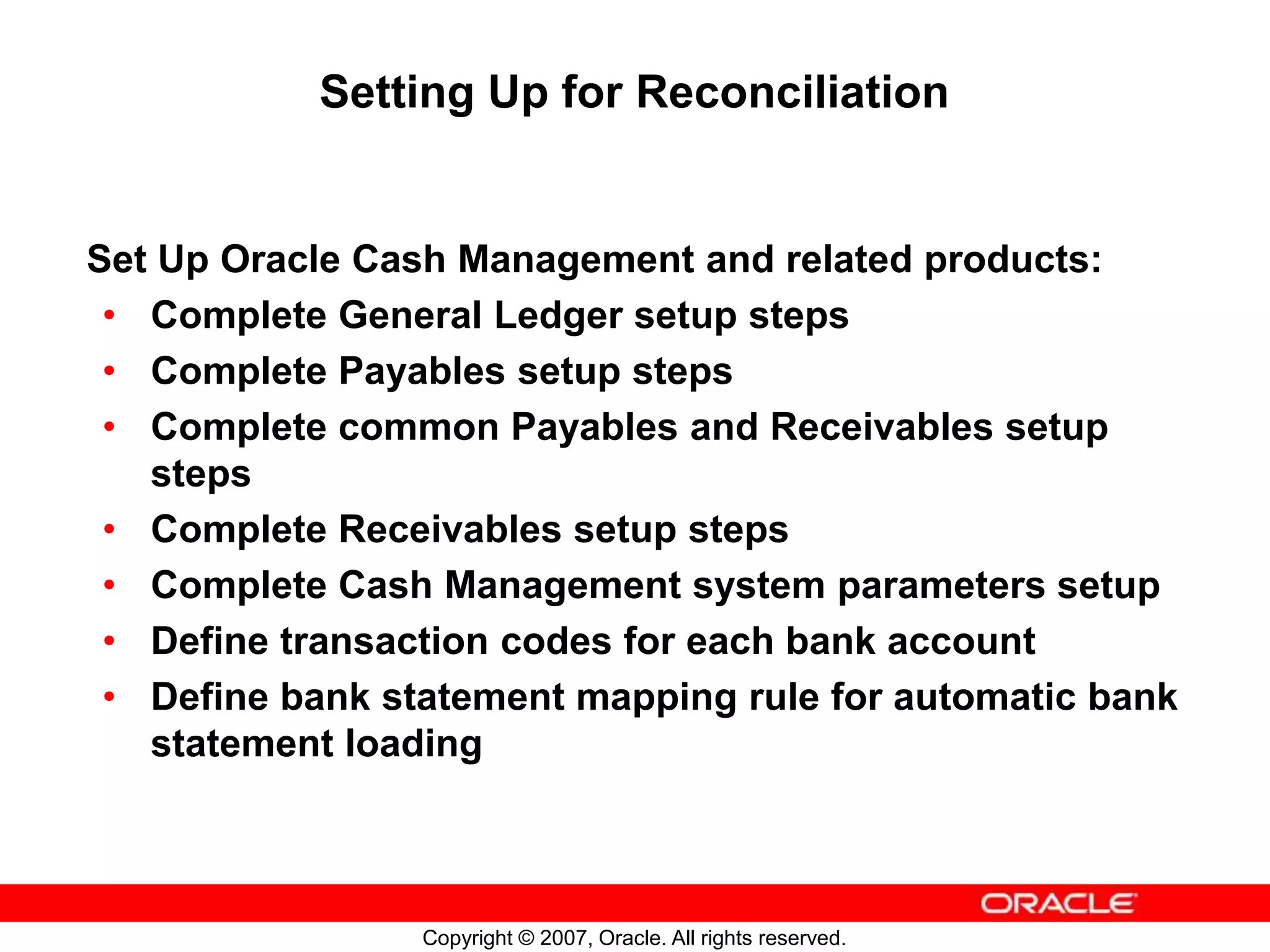
Setting Up for Reconciliation
Set Up Oracle Cash Management and related products:
• Complete General Ledger setup steps
• Complete Payables setup steps
• Complete common Payables and Receivables setup
steps
• Complete Receivables setup steps
• Complete Cash Management system parameters setup
• Define transaction codes for each bank account
• Define bank statement mapping rule for automatic bank
statement loading
Copyright © 2007, Oracle. All rights reserved.
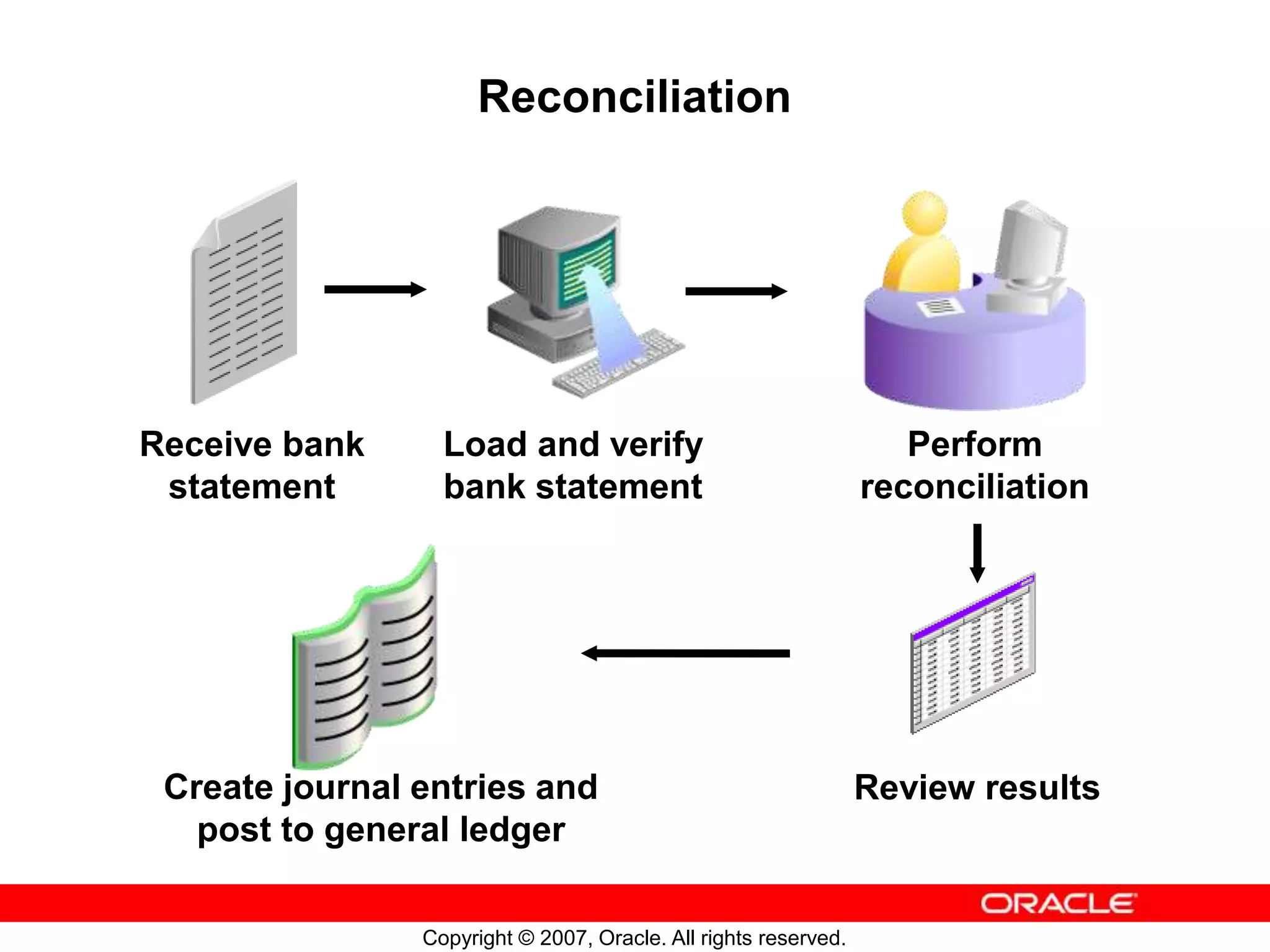
Reconciliation
Receive bank
statement
Load and verify
bank statement
Perform
reconciliation
Review results
Create journal entries and
post to general ledger
Copyright © 2007, Oracle. All rights reserved.
Reconciliation: Bank Statement Information
You can enter bank statement information manually
or automatically.
To import bank statements automatically, use the
Bank Statement Open Interface.
If you enter a bank statement manually, you enter the
bank statement header information and the
transaction lines.
Copyright © 2007, Oracle. All rights reserved.
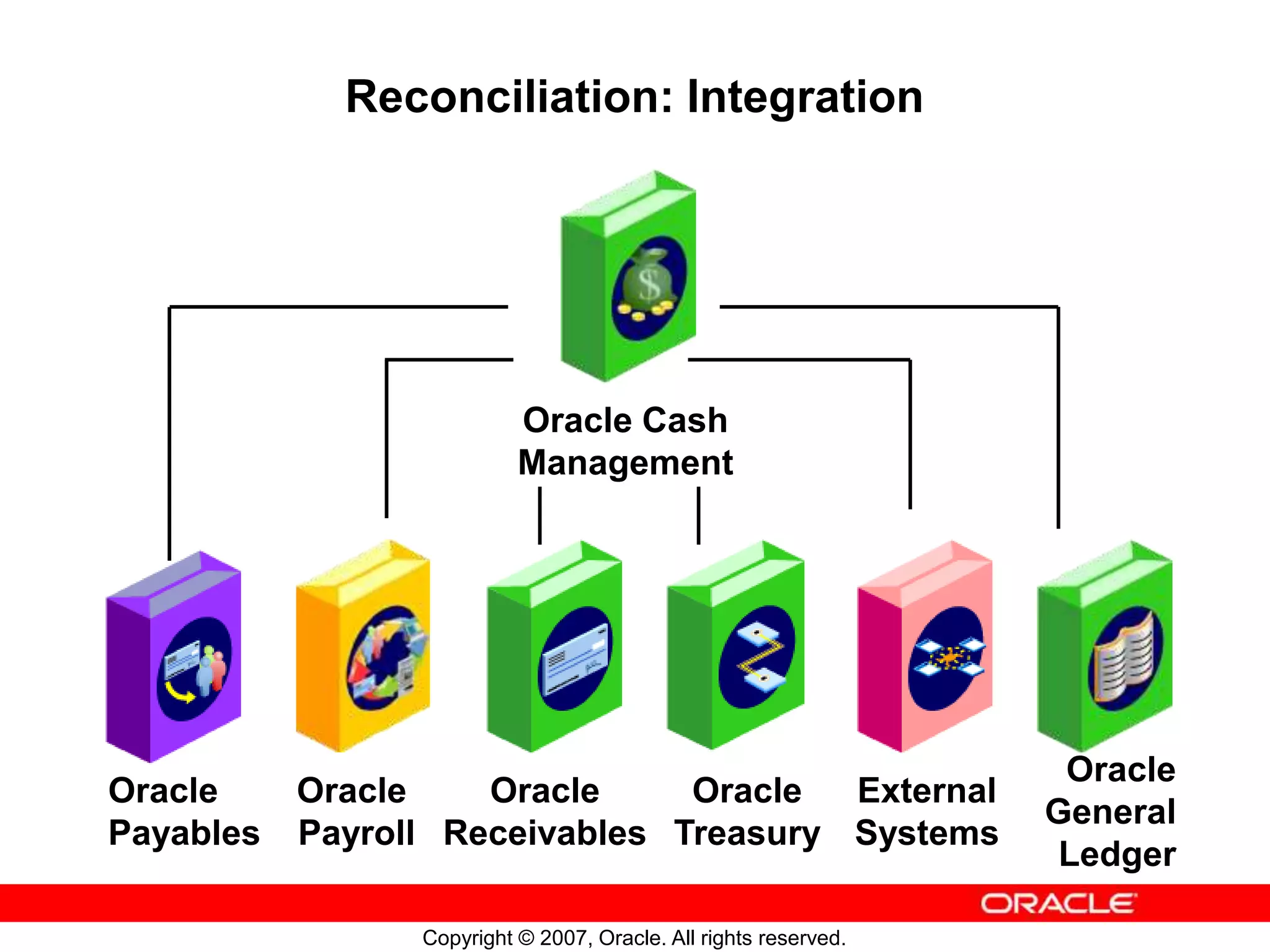
Reconciliation: Integration
Oracle Cash
Management
Oracle
Payables
Oracle
Payroll
Oracle
Receivables
Oracle
Treasury
Oracle
General
Ledger
External
Systems
Copyright © 2007, Oracle. All rights reserved.
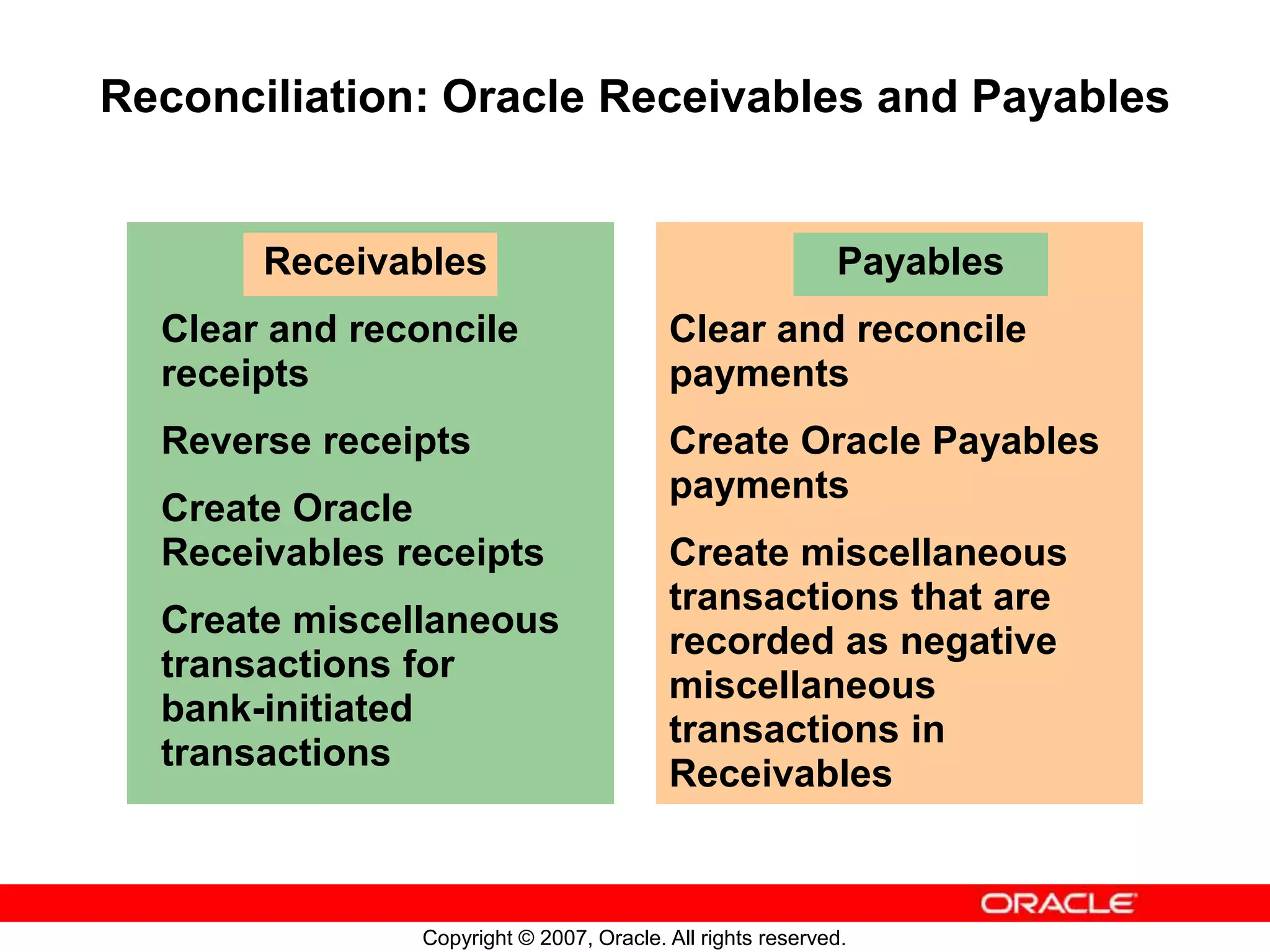
Receivables
Clear and reconcile
receipts
Reverse receipts
Create Oracle
Receivables receipts
Create miscellaneous
transactions for
bank-initiated
transactions
Reconciliation: Oracle Receivables and Payables
Payables
Clear and reconcile
payments
Create Oracle Payables
payments
Create miscellaneous
transactions that are
recorded as negative
miscellaneous
transactions in
Receivables
Copyright © 2007, Oracle. All rights reserved.
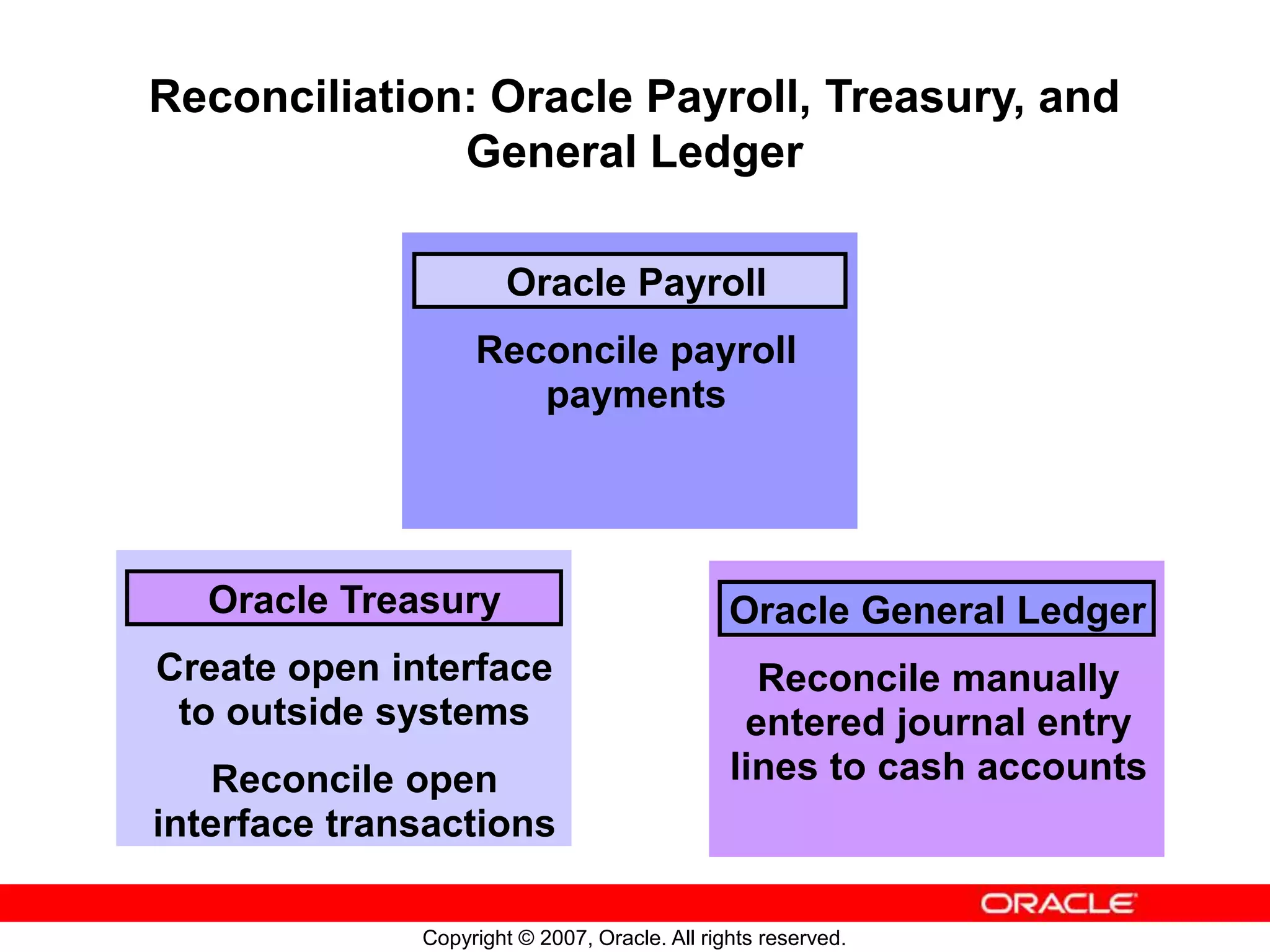
Oracle Payroll
Reconcile payroll
payments
Reconciliation: Oracle Payroll, Treasury, and
General Ledger
Oracle General Ledger
Reconcile manually
entered journal entry
lines to cash accounts
Oracle Treasury
Create open interface
to outside systems
Reconcile open
interface transactions
Copyright © 2007, Oracle. All rights reserved.
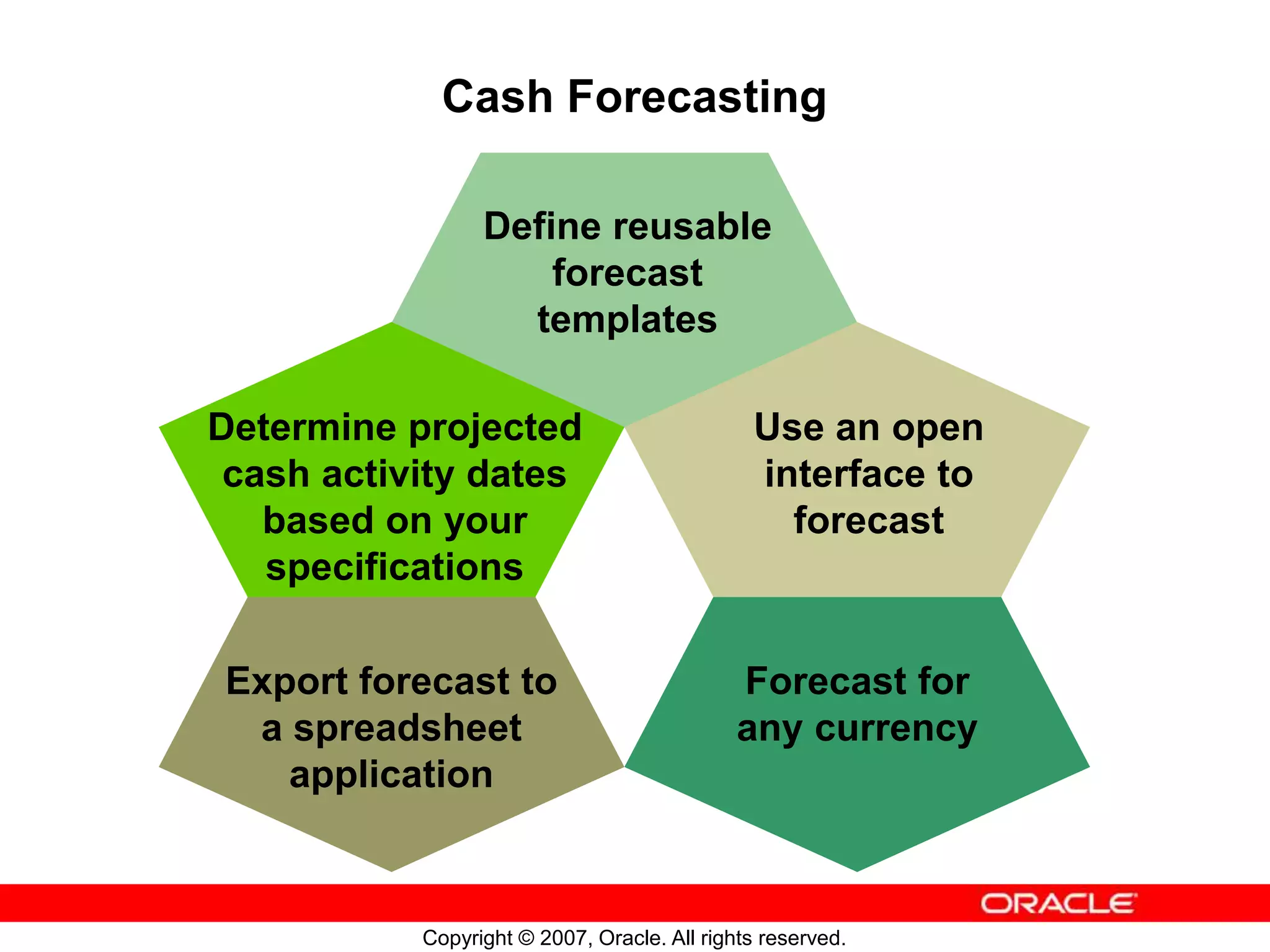
Cash Forecasting
Export forecast to
a spreadsheet
application
Forecast for
any currency
Use an open
interface to
forecast
Determine projected
cash activity dates
based on your
specifications
Define reusable
forecast
templates
Copyright © 2007, Oracle. All rights reserved.
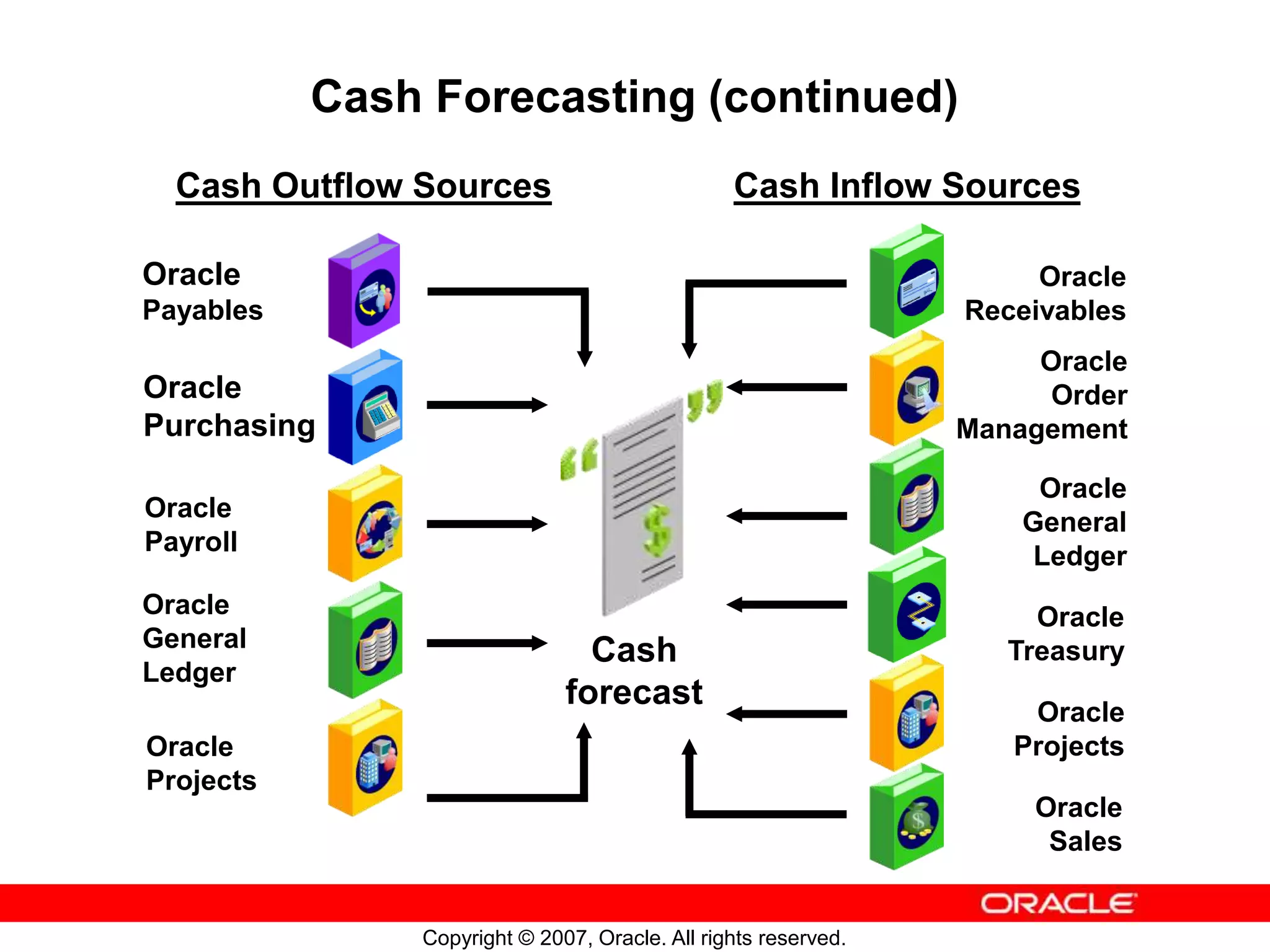
Cash Forecasting (continued)
Cash
forecast
Oracle
Order
Management
Oracle
Receivables
Oracle
General
Ledger
Cash Outflow Sources Cash Inflow Sources
Oracle
Sales
Oracle
General
Ledger
Oracle
Payables
Oracle
Purchasing
Oracle
Payroll
Oracle
Projects
Oracle
Treasury
Oracle
Projects
Copyright © 2007, Oracle. All rights reserved.
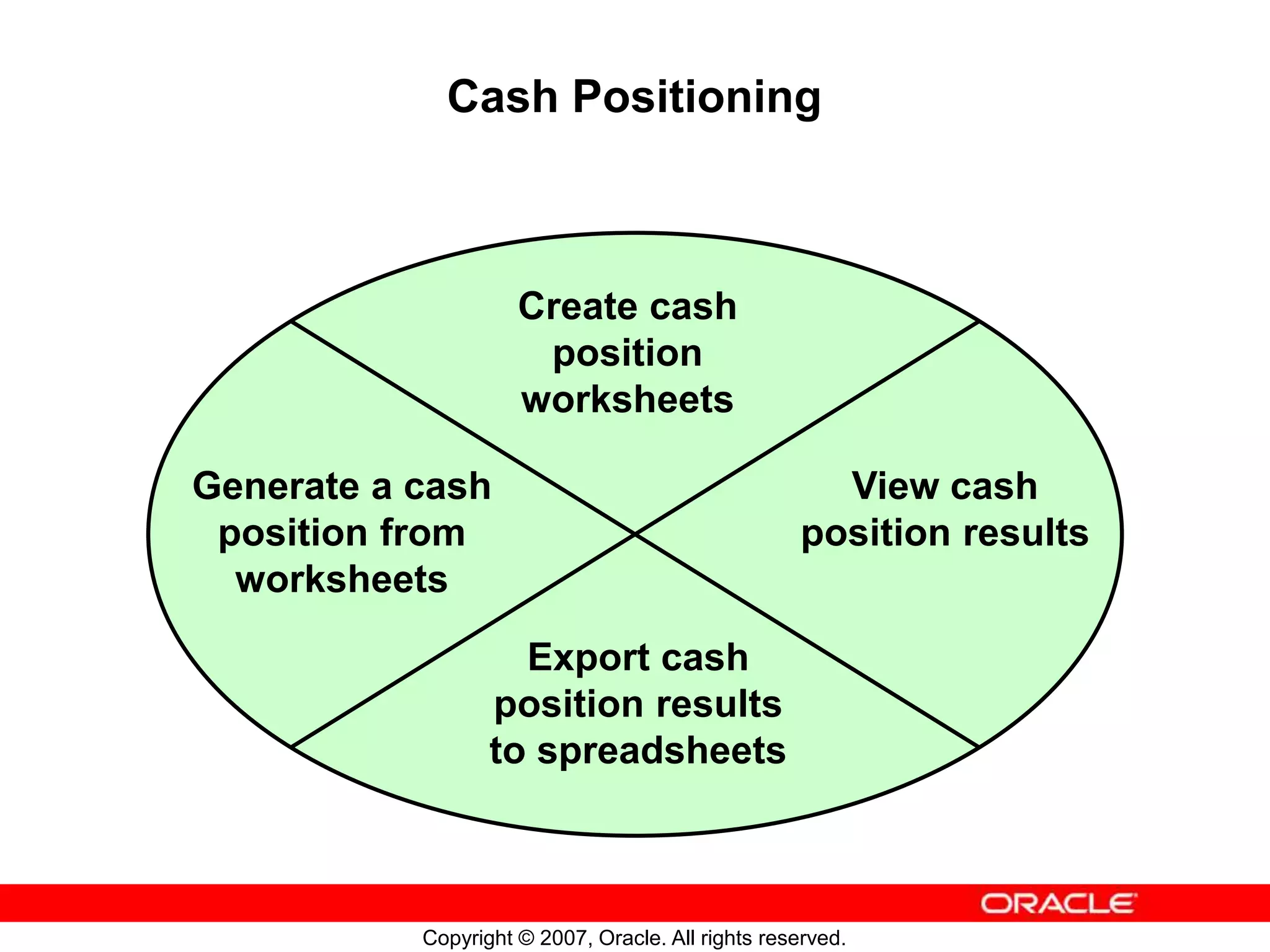
Cash Positioning
Create cash
position
worksheets
Generate a cash
position from
worksheets
View cash
position results
Export cash
position results
to spreadsheets
Copyright © 2007, Oracle. All rights reserved.
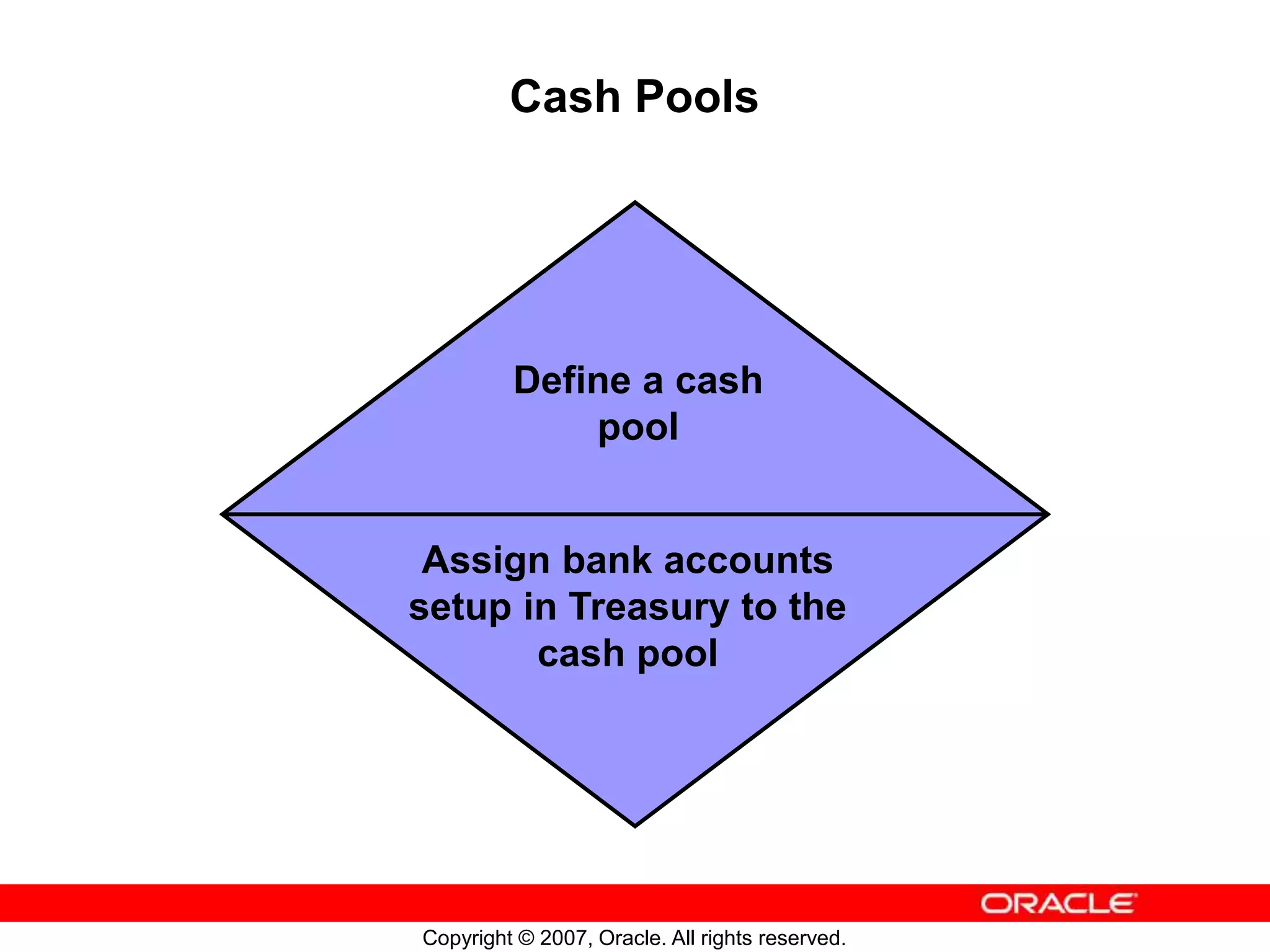
Cash Pools
Define a cash
pool
Assign bank accounts
setup in Treasury to the
cash pool
Copyright © 2007, Oracle. All rights reserved.
Oracle Cash Management Reports and Programs
Submit Oracle Cash
Management reports
from the Submit
Request window.
Oracle Cash
Management
provides reports for
reviewing and
analyzing your cash
management
activities.
Copyright © 2007, Oracle. All rights reserved.
Summary
In this lesson, you should have learned how to:
• Describe the key features of Oracle Cash
Management
• Describe the key concepts of the bank account
model
• Describe the key concepts of reconciling bank
statements
• Describe the key concepts of cash forecasting, cash
positioning, and cash pools

Oracle Cash Management

  • 1.
    Copyright © 2007,Oracle. All rights reserved. Oracle Cash Management Overview
  • 2.
    Copyright © 2007,Oracle. All rights reserved. Objectives After completing this lesson, you should be able to do the following: • Describe the key features of Oracle Cash Management • Describe the key concepts of the bank account model • Describe the key concepts of reconciling bank statements • Describe the key concepts of cash forecasting, cash positioning, and cash pools
  • 3.
    Copyright © 2007,Oracle. All rights reserved. Agenda • Overview • Bank account model • Reconciling bank statements • Cash Forecasting • Cash Positioning • Cash Pools
  • 4.
    Copyright © 2007,Oracle. All rights reserved. Overview Use Oracle Cash Management to: • Manage and control your cash cycle • Upload and reconcile bank statements • Forecast your cash needs • Transfer funds between bank accounts • Manage Bank, Bank Branch, and Bank Account information
  • 5.
    Copyright © 2007,Oracle. All rights reserved. Cash Management Integration Bank Statements General Ledger Clearing Accounting AR AP Payroll Treasury Cashflows Payments Open Interface Cash Management Banks
  • 6.
    Copyright © 2007,Oracle. All rights reserved. Overview of Bank Account Model Bank Bank Branch Bank Account Trading Community Architecture (TCA) Cash Management Treasury Payables Receivables Payroll
  • 7.
    Copyright © 2007,Oracle. All rights reserved. Setting Up for Reconciliation Set Up Oracle Cash Management and related products: • Complete General Ledger setup steps • Complete Payables setup steps • Complete common Payables and Receivables setup steps • Complete Receivables setup steps • Complete Cash Management system parameters setup • Define transaction codes for each bank account • Define bank statement mapping rule for automatic bank statement loading
  • 8.
    Copyright © 2007,Oracle. All rights reserved. Reconciliation Receive bank statement Load and verify bank statement Perform reconciliation Review results Create journal entries and post to general ledger
  • 9.
    Copyright © 2007,Oracle. All rights reserved. Reconciliation: Bank Statement Information You can enter bank statement information manually or automatically. To import bank statements automatically, use the Bank Statement Open Interface. If you enter a bank statement manually, you enter the bank statement header information and the transaction lines.
  • 10.
    Copyright © 2007,Oracle. All rights reserved. Reconciliation: Integration Oracle Cash Management Oracle Payables Oracle Payroll Oracle Receivables Oracle Treasury Oracle General Ledger External Systems
  • 11.
    Copyright © 2007,Oracle. All rights reserved. Receivables Clear and reconcile receipts Reverse receipts Create Oracle Receivables receipts Create miscellaneous transactions for bank-initiated transactions Reconciliation: Oracle Receivables and Payables Payables Clear and reconcile payments Create Oracle Payables payments Create miscellaneous transactions that are recorded as negative miscellaneous transactions in Receivables
  • 12.
    Copyright © 2007,Oracle. All rights reserved. Oracle Payroll Reconcile payroll payments Reconciliation: Oracle Payroll, Treasury, and General Ledger Oracle General Ledger Reconcile manually entered journal entry lines to cash accounts Oracle Treasury Create open interface to outside systems Reconcile open interface transactions
  • 13.
    Copyright © 2007,Oracle. All rights reserved. Cash Forecasting Export forecast to a spreadsheet application Forecast for any currency Use an open interface to forecast Determine projected cash activity dates based on your specifications Define reusable forecast templates
  • 14.
    Copyright © 2007,Oracle. All rights reserved. Cash Forecasting (continued) Cash forecast Oracle Order Management Oracle Receivables Oracle General Ledger Cash Outflow Sources Cash Inflow Sources Oracle Sales Oracle General Ledger Oracle Payables Oracle Purchasing Oracle Payroll Oracle Projects Oracle Treasury Oracle Projects
  • 15.
    Copyright © 2007,Oracle. All rights reserved. Cash Positioning Create cash position worksheets Generate a cash position from worksheets View cash position results Export cash position results to spreadsheets
  • 16.
    Copyright © 2007,Oracle. All rights reserved. Cash Pools Define a cash pool Assign bank accounts setup in Treasury to the cash pool
  • 17.
    Copyright © 2007,Oracle. All rights reserved. Oracle Cash Management Reports and Programs Submit Oracle Cash Management reports from the Submit Request window. Oracle Cash Management provides reports for reviewing and analyzing your cash management activities.
  • 18.
    Copyright © 2007,Oracle. All rights reserved. Summary In this lesson, you should have learned how to: • Describe the key features of Oracle Cash Management • Describe the key concepts of the bank account model • Describe the key concepts of reconciling bank statements • Describe the key concepts of cash forecasting, cash positioning, and cash pools

Editor's Notes

  • #5 Overview Oracle Cash Management is an enterprise cash management solution that helps you manage your liquidity and cash position. Manage and control your cash cycle: track closing ledger and available balances as well as month-to-date and year-to-date averages. Create all bank accounts centrally Transfer funds funds between bank accounts manually or automatically. Reconcile bank accounts Use cash pools to optimize funds Forecast your cash needs
  • #6 Cash Management Integration Cash Management integrates with: Banks Receivables: Receipts are available to Cash Management for reconciliation and clearing. Miscellaneous receipts can be created in Receivables from Cash Management to record bank charges or interest. Payables: Payments are available to Cash Management for reconciliation and clearing. General Ledger: Journal entries and cash account balances are available to Cash Management for reconciliation. Journal entries are created for bank account transfers and bank statement cash flows using Subledger Accounting and transferred to GL. Payroll Treasury Cash Management Cash flow: Cash flows generated from Bank Account Transfers and Bank Statement Cashflow programs are available for clearing and reconciliation. Open Interfaces
  • #7 Overview of Bank Account Model In previous releases, AP owned banks, bank branches, and bank accounts. Such bank accounts could also be used by AR. Payroll, and Treasury, however, had their own bank account models. In Release 12, in the new model shown on your screen, Banks and Bank Branches are created as Trading Community Architecture parties. The bank accounts are associated with Bank Branches but reside within the Cash Management application. During the bank account creation, you are able to define in which applications this bank account can be used.
  • #8 Setting Up for Reconciliation Before you set up Cash Management, you should set up Oracle Application responsibilities and users for the implementation. Cash Management provides three responsibilities: Cash Management, Bank Reconciliation, and Cash Forecasting. It uses data from Oracle General Ledger, Oracle Payables, Oracle Payroll Oracle Receivables and Oracle Treasury for bank statements reconciliation; It uses information from Oracle General Ledger, Oracle Order Management, Oracle Payables, Oracle Payroll, Oracle Purchasing, Oracle Projects, Oracle Sales, Oracle Treasury, and Oracle Receivables for cash forecasting. You must perform certain setup steps in these applications before you can use Cash Management with them.
  • #9 Reconciliation Enter the detailed bank information manually or electronically. Reconcile these information with your system transactions manually or automatically. While reconciling, you can create miscellaneous transactions for bank-originated entries and manually enter payments and receipts. You can manually or automatically clear payments, receipts, open interface and miscellaneous transactions before reconciliation to maintain current cash account balances. After reconciliation, review the Bank Statement Detail, Bank Statement Summary, and Bank Statement by Number Reports. You can post the accounting entries to your general ledger. You can reconcile your general ledger cash account balance to your bank account balance in Cash Management by printing the GL Reconciliation Report.
  • #11 Reconciliation: Integration Oracle Cash Management shares functionality with Receivables, Payables, Payroll, Treasury, General Ledger, and other external systems.
  • #14 Cash Forecasting Cash Forecasting is a planning tool for anticipating business cash inflow and outflow so that you can protect your cash needs and evaluate your liquidity position.
  • #16 Cash Positioning Cash Positioning is a planning tool for viewing your daily cash position by currency or bank account to protect your cash needs and evaluate your liquidity position. The daily cash positions are based on actual cash flows from various Oracle applications. You can generate a daily cash position from a single or multiple currencies, bank accounts, and legal entities.
  • #17 Cash Pools Cash pooling is a Cash Management technique for optimizing bank account balances at one or several banks. It is usually performed daily, by transaction, or by total net end-of-day balances. If your cash position includes cash pools, generate a cash leveling proposal. The cash leveling proposal is calculated online based on the sub account target balances and transfer amount calculation rules. For notional cash pools and physical cash pools with bank initiated sweeps, use the cash leveling proposal to approximate the projected closing balance of the concentration account, so that the investment or funding decisions could be made from the concentration account based on the projection. For physical cash pools that do not have bank initiated sweeps, generate Intercompany Funding Transactions and/or Inter-Account transfers from the cash leveling proposal. These transfers can then be included in the payment file and sent to the bank through Oracle Treasury.
  • #18 Oracle Cash Management Reports and Programs Refer to Practice – Create a New User [LAB3F67Y]