Optimizing ModSecurity on
NGINX and NGINX Plus
Christian Folini
January 9, 2018
Christian Folini
 PhD in Medieval History
 Program chair Swiss Cyber Storm Conf
 Working with ModSecurity since 2006
 Co-Lead of
OWASP ModSec Core Rule Set Project
 Author of “ModSecurity Handbook” 2ed
2
Replace box with
photo then send to
back
Program
 Introduction to ModSecurity
 Introduction to the OWASP ModSec Core Rule Set
 How to get this up an running on NGINX
 First steps at optimizing your setup
3
Introduction to ModSecurity
4
ModSecurity – Brief History

Started in 2002 by Ivan Ristić

Apache license since 2010

V3.0 in December 2017

Originally: Apache Module

Now: Server independent

Small dev team: Trustwave
5
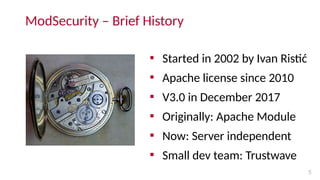
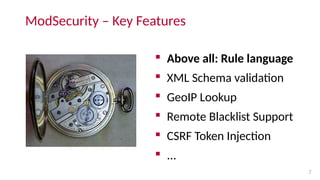
“ModSecurity is not a high-flying, cloud-
enabled, machine-learning mastermind.
It is better to think of ModSecurity as of a
mechanical watch. ”
– Christian Folini
6
ModSecurity – Key Features
 Above all: Rule language
 XML Schema validation
 GeoIP Lookup
 Remote Blacklist Support
 CSRF Token Injection
 ...
7
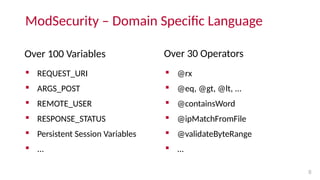
ModSecurity – Domain Specific Language
Over 100 Variables
 REQUEST_URI
 ARGS_POST
 REMOTE_USER
 RESPONSE_STATUS
 Persistent Session Variables
 ...
Over 30 Operators
 @rx
 @eq, @gt, @lt, ...
 @containsWord
 @ipMatchFromFile
 @validateByteRange
 ...
8
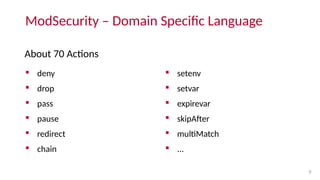
ModSecurity – Domain Specific Language
About 70 Actions
 deny
 drop
 pass
 pause
 redirect
 chain
 setenv
 setvar
 expirevar
 skipAfter
 multiMatch
 ...
9
ModSecurity – Rule Example I
10
Whitelisting rule allowing only parameter “firstname” matching a
predefined pattern:
SecRule ARGS:firstname "!@rx ^[a-zA-Z-]*$" "id:1000,deny"
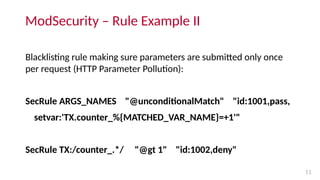
ModSecurity – Rule Example II
11
Blacklisting rule making sure parameters are submitted only once
per request (HTTP Parameter Pollution):
SecRule ARGS_NAMES "@unconditionalMatch" "id:1001,pass,
setvar:'TX.counter_%{MATCHED_VAR_NAME}=+1'"
SecRule TX:/counter_.*/ "@gt 1" "id:1002,deny"
Introduction to the
OWASP ModSecurity Core Rule Set
12
13
CRS – Brief History

Started in 2006 by Ofer Shezaf

Apache license

Team of 10 developers

v3.0 / CRS3 in November 2016
14
15
“The OWASP ModSecurity Core Rule Set is the
standard rule set used with ModSecurity.
It is the 1st
line of defense against attacks as
those described by the OWASP Top Ten.”
– Christian Folini
16
CRS – Key Features

Generic Blacklisting rule set

Scoring Mechanism

Variable Anomaly Thresholds

Paranoia Levels to adjust
aggressiveness of rules

Low rate of False Positives per
default
17
CRS – Rule Example: SQL Injection

920273 : Invalid character in request (outside of very strict set)

942100 : SQL Injection Attack Detected via libinjection

942130 : SQL Injection Attack: SQL Tautology Detected.

942180 : Detects basic SQL authentication bypass attempts 1/3

942390 : SQL Injection Attack

942432 : Restricted SQL Character Anomaly Detection (args)
18
19
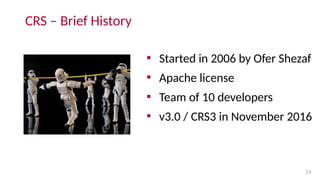
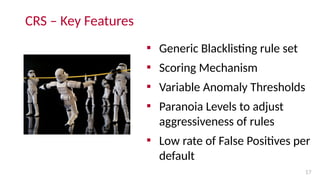
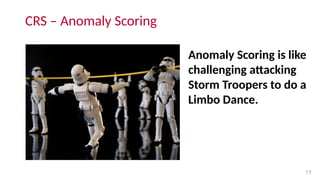
Anomaly Scoring is like
challenging attacking
Storm Troopers to do a
Limbo Dance.
CRS – Anomaly Scoring
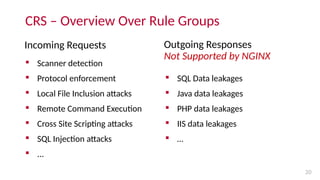
CRS – Overview Over Rule Groups
Incoming Requests
 Scanner detection
 Protocol enforcement
 Local File Inclusion attacks
 Remote Command Execution
 Cross Site Scripting attacks
 SQL Injection attacks
 ...
Outgoing Responses
Not Supported by NGINX
 SQL Data leakages
 Java data leakages
 PHP data leakages
 IIS data leakages
 …
20
21
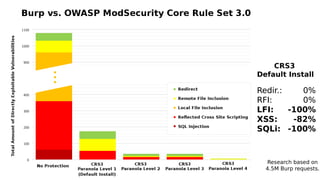
Redir.:
RFI:
LFI:
XSS:
SQLi:
CRS3
Default Install
Redir.:
RFI:
LFI:
XSS:
SQLi:
0%
0%
-100%
-82%
-100%
Research based on
4.5M Burp requests.
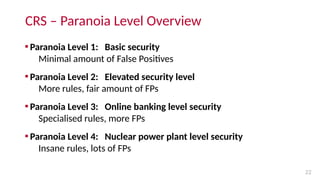
CRS – Paranoia Level Overview
22

Paranoia Level 1: Basic security
Minimal amount of False Positives

Paranoia Level 2: Elevated security level
More rules, fair amount of FPs

Paranoia Level 3: Online banking level security
Specialised rules, more FPs

Paranoia Level 4: Nuclear power plant level security
Insane rules, lots of FPs
Summary
23

ModSecurity is the ENGINE.

CRS is the default RULE SET that runs on top
of the engine. By default, it blocks over 80%.

With 3.0, ModSecurity / NGINX is ready for PRIME TIME.
How to get this up and running on
NGINX
24
ModSec on NGINX: Installation
25

ModSecurity 2.x was never really stable on NGINX

ModSecurity 3.0 only came out in December 2017

3.0 is not yet packaged by distributions

Compile it yourself

Get a precompiled binary with your
NGINX Plus WAF subscription
ModSec on NGINX: Basic Architecture
26
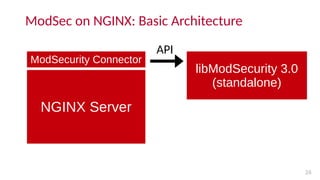
NGINX Server
ModSecurity Connector
libModSecurity 3.0
(standalone)
API
ModSec on NGINX: Compilation Overview
27

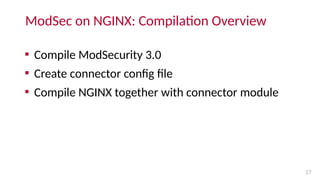
Compile ModSecurity 3.0

Create connector config file

Compile NGINX together with connector module
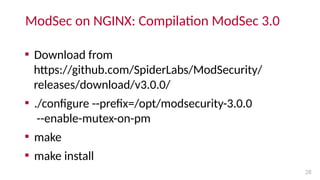
ModSec on NGINX: Compilation ModSec 3.0
28

Download from
https://github.com/SpiderLabs/ModSecurity/
releases/download/v3.0.0/

./configure --prefix=/opt/modsecurity-3.0.0
--enable-mutex-on-pm

make

make install
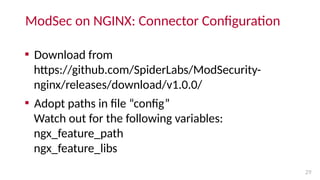
ModSec on NGINX: Connector Configuration
29

Download from
https://github.com/SpiderLabs/ModSecurity-
nginx/releases/download/v1.0.0/

Adopt paths in file “config”
Watch out for the following variables:
ngx_feature_path
ngx_feature_libs
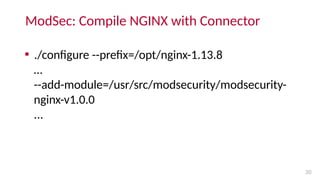
ModSec: Compile NGINX with Connector
30

./configure --prefix=/opt/nginx-1.13.8
…
--add-module=/usr/src/modsecurity/modsecurity-
nginx-v1.0.0
...
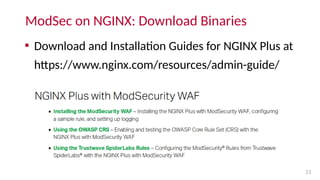
ModSec on NGINX: Download Binaries
31

Download and Installation Guides for NGINX Plus at
https://www.nginx.com/resources/admin-guide/
ModSec on NGINX: Advantages of NGINX Plus WAF
32

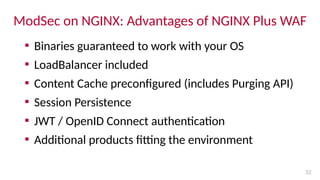
Binaries guaranteed to work with your OS

LoadBalancer included

Content Cache preconfigured (includes Purging API)

Session Persistence

JWT / OpenID Connect authentication

Additional products fitting the environment
ModSec on NGINX: CRS Quick Installation
33
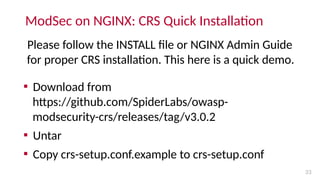
Please follow the INSTALL file or NGINX Admin Guide
for proper CRS installation. This here is a quick demo.

Download from
https://github.com/SpiderLabs/owasp-
modsecurity-crs/releases/tag/v3.0.2

Untar

Copy crs-setup.conf.example to crs-setup.conf
ModSec on NGINX: CRS Inclusion in nginx.conf
34
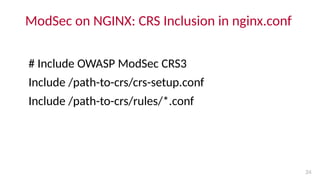
# Include OWASP ModSec CRS3
Include /path-to-crs/crs-setup.conf
Include /path-to-crs/rules/*.conf
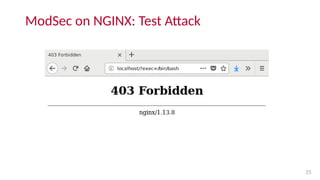
ModSec on NGINX: Test Attack
35
First Steps at Optimizing Your Setup
36
Example Rule Alert – Right out of Sysadmin Hell
37
2018/01/09 14:55:50 [info] 1167#1167: *1 ModSecurity: Warning. Matched
"Operator `PmFromFile' with parameter `lfi-os-files.data' against variable
`ARGS:test' (Value: `/etc/passwd' ) [file "/tmp/nginx-crs/rules/REQUEST-930-
APPLICATION-ATTACK-LFI.conf"] [line "71"] [id "930120"] [rev "4"] [msg "OS File
Access Attempt"] [data "Matched Data: etc/passwd found within ARGS:test:
/etc/passwd"] [severity "2"] [ver "OWASP_CRS/3.0.0"] [maturity "0"] [accuracy
"0"] [tag "application-multi"] [tag "language-multi"] [tag "platform-multi"] [tag
"attack-lfi"] [tag "OWASP_CRS/WEB_ATTACK/FILE_INJECTION"] [tag
"WASCTC/WASC-33"] [tag "OWASP_TOP_10/A4"] [tag "PCI/6.5.4"] [hostname
"127.0.0.1"] [uri "/index.html"] [unique_id "151550615052.381887"] [ref
"o1,10v21,11t:utf8toUnicode,t:urlDecodeUni,t:normalizePathWin,t:lowercase"],
client: 127.0.0.1, server: localhost, request: "GET /index.html?test=/etc/passwd
HTTP/1.1", host: "localhost"
Optimization: Learn to read the logs I
38
 ModSecurity Alerts very hard to read. Aliases to the rescue!
 Go to: https://www.netnea.com/cms/apache-tutorials/
 Download .apache-modsec.alias
Nevermind this was written for Apache.
The aliases work on NGINX too.
Optimization: Learn to read the logs II
39
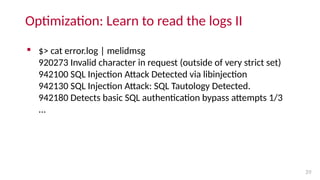
 $> cat error.log | melidmsg
920273 Invalid character in request (outside of very strict set)
942100 SQL Injection Attack Detected via libinjection
942130 SQL Injection Attack: SQL Tautology Detected.
942180 Detects basic SQL authentication bypass attempts 1/3
...
Optimization: More aliases in the collection
40
 meldata
 melidmsg
 melline
 melmsg
 meltags
 melunique_id
 ...
 sucs
 greppl[1-4]
 mappl
 pathsegs[1-5]
 col[1-20]
 Swapcolumns
 ...
Let NGINX Amplify help you monitor the logs
41
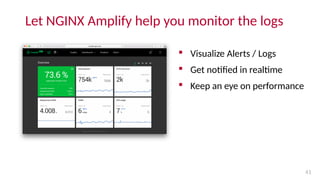
 Visualize Alerts / Logs
 Get notified in realtime
 Keep an eye on performance
Optimization : Adjust Anomaly Threshold

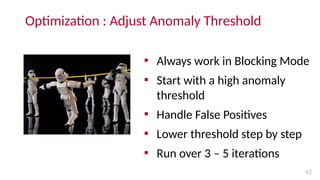
Always work in Blocking Mode

Start with a high anomaly
threshold

Handle False Positives

Lower threshold step by step

Run over 3 – 5 iterations
42
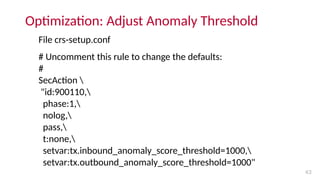
Optimization: Adjust Anomaly Threshold
43
File crs-setup.conf
# Uncomment this rule to change the defaults:
#
SecAction 
"id:900110,
phase:1,
nolog,
pass,
t:none,
setvar:tx.inbound_anomaly_score_threshold=1000,
setvar:tx.outbound_anomaly_score_threshold=1000"
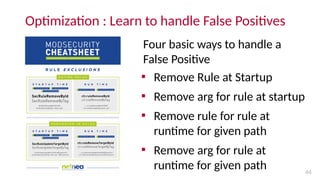
Optimization : Learn to handle False Positives

Remove Rule at Startup

Remove arg for rule at startup

Remove rule for rule at
runtime for given path

Remove arg for rule at
runtime for given path 44
Four basic ways to handle a
False Positive
Photos and other resources
45

Watch: https://www.flickr.com/photos/billadler/391674817

Limbo: https://www.flickr.com/photos/jdhancock/3605011903

CRS Release Poster: https://coreruleset.org/poster/

ModSecurity Cheatsheet:
https://netnea.com/cms/rule-exclusion-cheatsheet-download/

Aliases: https://netnea.com/cms/apache-tutorials/

Tutorials for Handling False Positives:
https://netnea.com/cms/apache-tutorials/
All Resources with exception of the Cheatsheet are released under a
Creative Commons license.
More from Christian Folini
 Follow me on twitter at @ChrFolini
 ModSecurity / CRS courses
in Frankfurt and Zurich, Switzerland
https://www.feistyduck.com
 ModSecurity Handbook
https://www.feistyduck.com
 Blogging at https://netnea.com and
https://coreruleset.org
46
Future ModSecurity Course Sites
 New York
 San Francisco Please get in touch via
 Amsterdam folini@netnea.com
 Geneva or @ChrFolini on twitter
 Barcelona
 Milano
47
If there is interest, we will do future
courses in:
And now on to the Q & A!
48
Optimizing ModSecurity on NGINX and NGINX Plus

Optimizing ModSecurity on NGINX and NGINX Plus

  • 1.
    Optimizing ModSecurity on NGINXand NGINX Plus Christian Folini January 9, 2018
  • 2.
    Christian Folini  PhDin Medieval History  Program chair Swiss Cyber Storm Conf  Working with ModSecurity since 2006  Co-Lead of OWASP ModSec Core Rule Set Project  Author of “ModSecurity Handbook” 2ed 2 Replace box with photo then send to back
  • 3.
    Program  Introduction toModSecurity  Introduction to the OWASP ModSec Core Rule Set  How to get this up an running on NGINX  First steps at optimizing your setup 3
  • 4.
  • 5.
    ModSecurity – BriefHistory  Started in 2002 by Ivan Ristić  Apache license since 2010  V3.0 in December 2017  Originally: Apache Module  Now: Server independent  Small dev team: Trustwave 5
  • 6.
    “ModSecurity is nota high-flying, cloud- enabled, machine-learning mastermind. It is better to think of ModSecurity as of a mechanical watch. ” – Christian Folini 6
  • 7.
    ModSecurity – KeyFeatures  Above all: Rule language  XML Schema validation  GeoIP Lookup  Remote Blacklist Support  CSRF Token Injection  ... 7
  • 8.
    ModSecurity – DomainSpecific Language Over 100 Variables  REQUEST_URI  ARGS_POST  REMOTE_USER  RESPONSE_STATUS  Persistent Session Variables  ... Over 30 Operators  @rx  @eq, @gt, @lt, ...  @containsWord  @ipMatchFromFile  @validateByteRange  ... 8
  • 9.
    ModSecurity – DomainSpecific Language About 70 Actions  deny  drop  pass  pause  redirect  chain  setenv  setvar  expirevar  skipAfter  multiMatch  ... 9
  • 10.
    ModSecurity – RuleExample I 10 Whitelisting rule allowing only parameter “firstname” matching a predefined pattern: SecRule ARGS:firstname "!@rx ^[a-zA-Z-]*$" "id:1000,deny"
  • 11.
    ModSecurity – RuleExample II 11 Blacklisting rule making sure parameters are submitted only once per request (HTTP Parameter Pollution): SecRule ARGS_NAMES "@unconditionalMatch" "id:1001,pass, setvar:'TX.counter_%{MATCHED_VAR_NAME}=+1'" SecRule TX:/counter_.*/ "@gt 1" "id:1002,deny"
  • 12.
    Introduction to the OWASPModSecurity Core Rule Set 12
  • 13.
  • 14.
    CRS – BriefHistory  Started in 2006 by Ofer Shezaf  Apache license  Team of 10 developers  v3.0 / CRS3 in November 2016 14
  • 15.
  • 16.
    “The OWASP ModSecurityCore Rule Set is the standard rule set used with ModSecurity. It is the 1st line of defense against attacks as those described by the OWASP Top Ten.” – Christian Folini 16
  • 17.
    CRS – KeyFeatures  Generic Blacklisting rule set  Scoring Mechanism  Variable Anomaly Thresholds  Paranoia Levels to adjust aggressiveness of rules  Low rate of False Positives per default 17
  • 18.
    CRS – RuleExample: SQL Injection  920273 : Invalid character in request (outside of very strict set)  942100 : SQL Injection Attack Detected via libinjection  942130 : SQL Injection Attack: SQL Tautology Detected.  942180 : Detects basic SQL authentication bypass attempts 1/3  942390 : SQL Injection Attack  942432 : Restricted SQL Character Anomaly Detection (args) 18
  • 19.
    19 Anomaly Scoring islike challenging attacking Storm Troopers to do a Limbo Dance. CRS – Anomaly Scoring
  • 20.
    CRS – OverviewOver Rule Groups Incoming Requests  Scanner detection  Protocol enforcement  Local File Inclusion attacks  Remote Command Execution  Cross Site Scripting attacks  SQL Injection attacks  ... Outgoing Responses Not Supported by NGINX  SQL Data leakages  Java data leakages  PHP data leakages  IIS data leakages  … 20
  • 21.
  • 22.
    CRS – ParanoiaLevel Overview 22  Paranoia Level 1: Basic security Minimal amount of False Positives  Paranoia Level 2: Elevated security level More rules, fair amount of FPs  Paranoia Level 3: Online banking level security Specialised rules, more FPs  Paranoia Level 4: Nuclear power plant level security Insane rules, lots of FPs
  • 23.
    Summary 23  ModSecurity is theENGINE.  CRS is the default RULE SET that runs on top of the engine. By default, it blocks over 80%.  With 3.0, ModSecurity / NGINX is ready for PRIME TIME.
  • 24.
    How to getthis up and running on NGINX 24
  • 25.
    ModSec on NGINX:Installation 25  ModSecurity 2.x was never really stable on NGINX  ModSecurity 3.0 only came out in December 2017  3.0 is not yet packaged by distributions  Compile it yourself  Get a precompiled binary with your NGINX Plus WAF subscription
  • 26.
    ModSec on NGINX:Basic Architecture 26 NGINX Server ModSecurity Connector libModSecurity 3.0 (standalone) API
  • 27.
    ModSec on NGINX:Compilation Overview 27  Compile ModSecurity 3.0  Create connector config file  Compile NGINX together with connector module
  • 28.
    ModSec on NGINX:Compilation ModSec 3.0 28  Download from https://github.com/SpiderLabs/ModSecurity/ releases/download/v3.0.0/  ./configure --prefix=/opt/modsecurity-3.0.0 --enable-mutex-on-pm  make  make install
  • 29.
    ModSec on NGINX:Connector Configuration 29  Download from https://github.com/SpiderLabs/ModSecurity- nginx/releases/download/v1.0.0/  Adopt paths in file “config” Watch out for the following variables: ngx_feature_path ngx_feature_libs
  • 30.
    ModSec: Compile NGINXwith Connector 30  ./configure --prefix=/opt/nginx-1.13.8 … --add-module=/usr/src/modsecurity/modsecurity- nginx-v1.0.0 ...
  • 31.
    ModSec on NGINX:Download Binaries 31  Download and Installation Guides for NGINX Plus at https://www.nginx.com/resources/admin-guide/
  • 32.
    ModSec on NGINX:Advantages of NGINX Plus WAF 32  Binaries guaranteed to work with your OS  LoadBalancer included  Content Cache preconfigured (includes Purging API)  Session Persistence  JWT / OpenID Connect authentication  Additional products fitting the environment
  • 33.
    ModSec on NGINX:CRS Quick Installation 33 Please follow the INSTALL file or NGINX Admin Guide for proper CRS installation. This here is a quick demo.  Download from https://github.com/SpiderLabs/owasp- modsecurity-crs/releases/tag/v3.0.2  Untar  Copy crs-setup.conf.example to crs-setup.conf
  • 34.
    ModSec on NGINX:CRS Inclusion in nginx.conf 34 # Include OWASP ModSec CRS3 Include /path-to-crs/crs-setup.conf Include /path-to-crs/rules/*.conf
  • 35.
    ModSec on NGINX:Test Attack 35
  • 36.
    First Steps atOptimizing Your Setup 36
  • 37.
    Example Rule Alert– Right out of Sysadmin Hell 37 2018/01/09 14:55:50 [info] 1167#1167: *1 ModSecurity: Warning. Matched "Operator `PmFromFile' with parameter `lfi-os-files.data' against variable `ARGS:test' (Value: `/etc/passwd' ) [file "/tmp/nginx-crs/rules/REQUEST-930- APPLICATION-ATTACK-LFI.conf"] [line "71"] [id "930120"] [rev "4"] [msg "OS File Access Attempt"] [data "Matched Data: etc/passwd found within ARGS:test: /etc/passwd"] [severity "2"] [ver "OWASP_CRS/3.0.0"] [maturity "0"] [accuracy "0"] [tag "application-multi"] [tag "language-multi"] [tag "platform-multi"] [tag "attack-lfi"] [tag "OWASP_CRS/WEB_ATTACK/FILE_INJECTION"] [tag "WASCTC/WASC-33"] [tag "OWASP_TOP_10/A4"] [tag "PCI/6.5.4"] [hostname "127.0.0.1"] [uri "/index.html"] [unique_id "151550615052.381887"] [ref "o1,10v21,11t:utf8toUnicode,t:urlDecodeUni,t:normalizePathWin,t:lowercase"], client: 127.0.0.1, server: localhost, request: "GET /index.html?test=/etc/passwd HTTP/1.1", host: "localhost"
  • 38.
    Optimization: Learn toread the logs I 38  ModSecurity Alerts very hard to read. Aliases to the rescue!  Go to: https://www.netnea.com/cms/apache-tutorials/  Download .apache-modsec.alias Nevermind this was written for Apache. The aliases work on NGINX too.
  • 39.
    Optimization: Learn toread the logs II 39  $> cat error.log | melidmsg 920273 Invalid character in request (outside of very strict set) 942100 SQL Injection Attack Detected via libinjection 942130 SQL Injection Attack: SQL Tautology Detected. 942180 Detects basic SQL authentication bypass attempts 1/3 ...
  • 40.
    Optimization: More aliasesin the collection 40  meldata  melidmsg  melline  melmsg  meltags  melunique_id  ...  sucs  greppl[1-4]  mappl  pathsegs[1-5]  col[1-20]  Swapcolumns  ...
  • 41.
    Let NGINX Amplifyhelp you monitor the logs 41  Visualize Alerts / Logs  Get notified in realtime  Keep an eye on performance
  • 42.
    Optimization : AdjustAnomaly Threshold  Always work in Blocking Mode  Start with a high anomaly threshold  Handle False Positives  Lower threshold step by step  Run over 3 – 5 iterations 42
  • 43.
    Optimization: Adjust AnomalyThreshold 43 File crs-setup.conf # Uncomment this rule to change the defaults: # SecAction "id:900110, phase:1, nolog, pass, t:none, setvar:tx.inbound_anomaly_score_threshold=1000, setvar:tx.outbound_anomaly_score_threshold=1000"
  • 44.
    Optimization : Learnto handle False Positives  Remove Rule at Startup  Remove arg for rule at startup  Remove rule for rule at runtime for given path  Remove arg for rule at runtime for given path 44 Four basic ways to handle a False Positive
  • 45.
    Photos and otherresources 45  Watch: https://www.flickr.com/photos/billadler/391674817  Limbo: https://www.flickr.com/photos/jdhancock/3605011903  CRS Release Poster: https://coreruleset.org/poster/  ModSecurity Cheatsheet: https://netnea.com/cms/rule-exclusion-cheatsheet-download/  Aliases: https://netnea.com/cms/apache-tutorials/  Tutorials for Handling False Positives: https://netnea.com/cms/apache-tutorials/ All Resources with exception of the Cheatsheet are released under a Creative Commons license.
  • 46.
    More from ChristianFolini  Follow me on twitter at @ChrFolini  ModSecurity / CRS courses in Frankfurt and Zurich, Switzerland https://www.feistyduck.com  ModSecurity Handbook https://www.feistyduck.com  Blogging at https://netnea.com and https://coreruleset.org 46
  • 47.
    Future ModSecurity CourseSites  New York  San Francisco Please get in touch via  Amsterdam folini@netnea.com  Geneva or @ChrFolini on twitter  Barcelona  Milano 47 If there is interest, we will do future courses in:
  • 48.
    And now onto the Q & A! 48