2
Definition of OperatingSystem (OS)
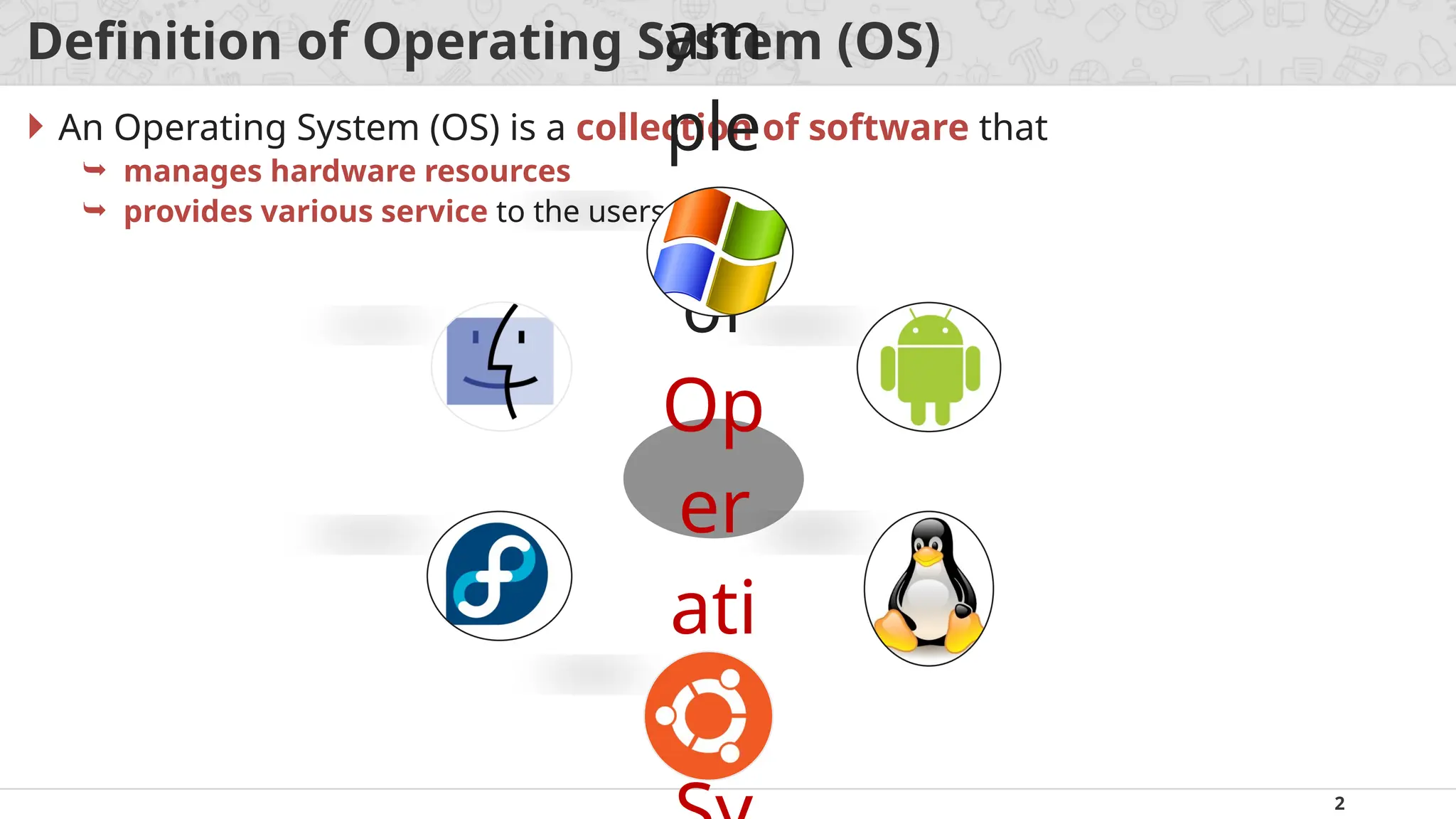
An Operating System (OS) is a collection of software that
manages hardware resources
provides various service to the users
am
ple
s
of
Op
er
ati
ng
3.
3
Where OS lies?(Interaction of OS & Hardware)
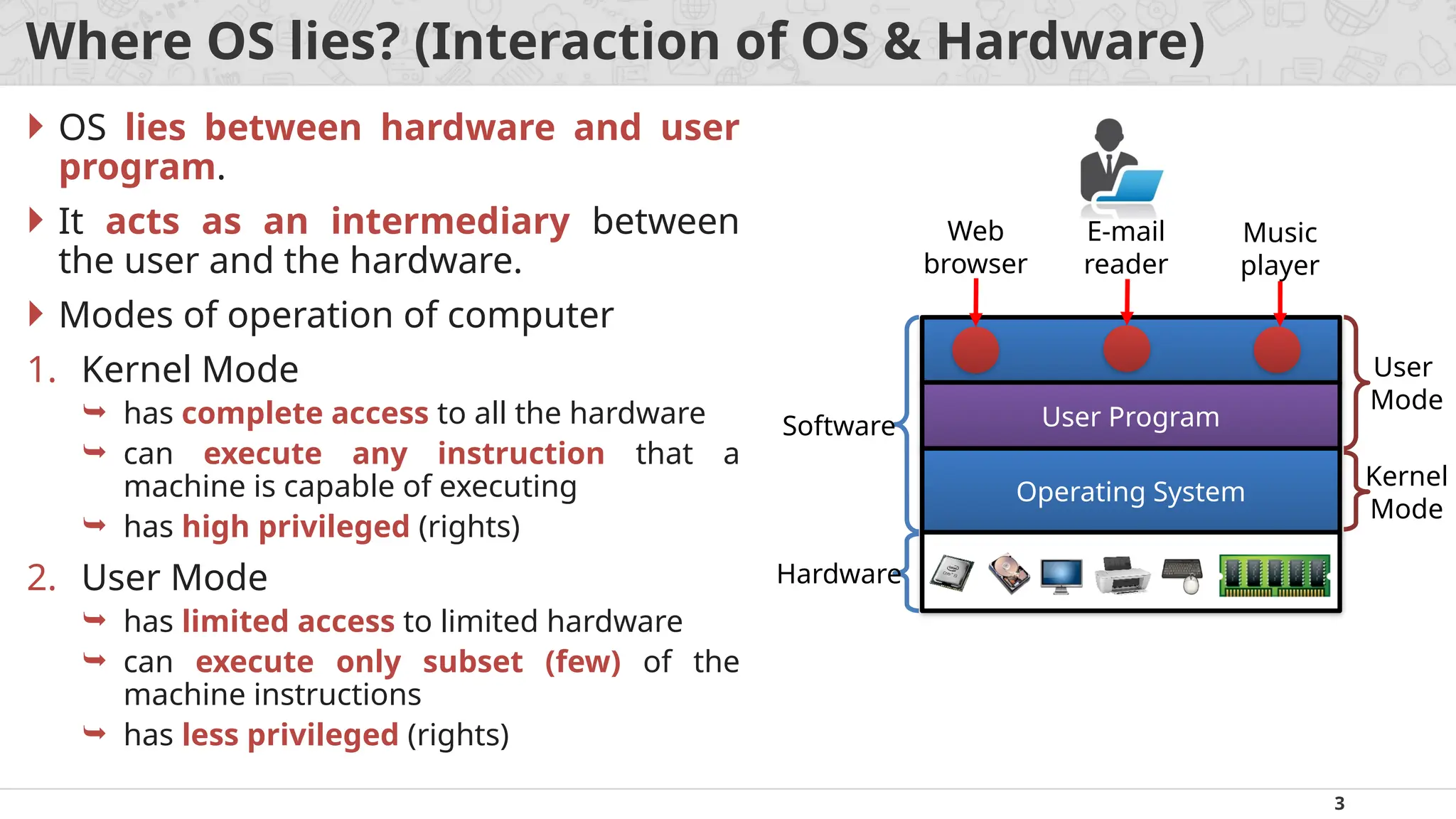
OS lies between hardware and user
program.
It acts as an intermediary between
the user and the hardware.
Modes of operation of computer
1. Kernel Mode
has complete access to all the hardware
can execute any instruction that a
machine is capable of executing
has high privileged (rights)
2. User Mode
has limited access to limited hardware
can execute only subset (few) of the
machine instructions
has less privileged (rights)
Web
browser
E-mail
reader
Music
player
User Program
Operating System
Software
Hardware
User
Mode
Kernel
Mode
4.
4
Objectives / Goalsof Operating System (OS)
Make the computer system convenient to use in an efficient manner.
Hide the details of the hardware resources from the users.
Provide users a convenient interface to use the computer system.
Act as an intermediary between the hardware and its users, making it easier
for the users to access and use other resources.
Manage the resources of a computer system.
Keep track of who is using which resource, granting resource requests, and
mediating conflicting requests from different programs and users.
Provide efficient and fair sharing of resources among users and programs.
5.
5
Generations / Historyof OS (First generation)
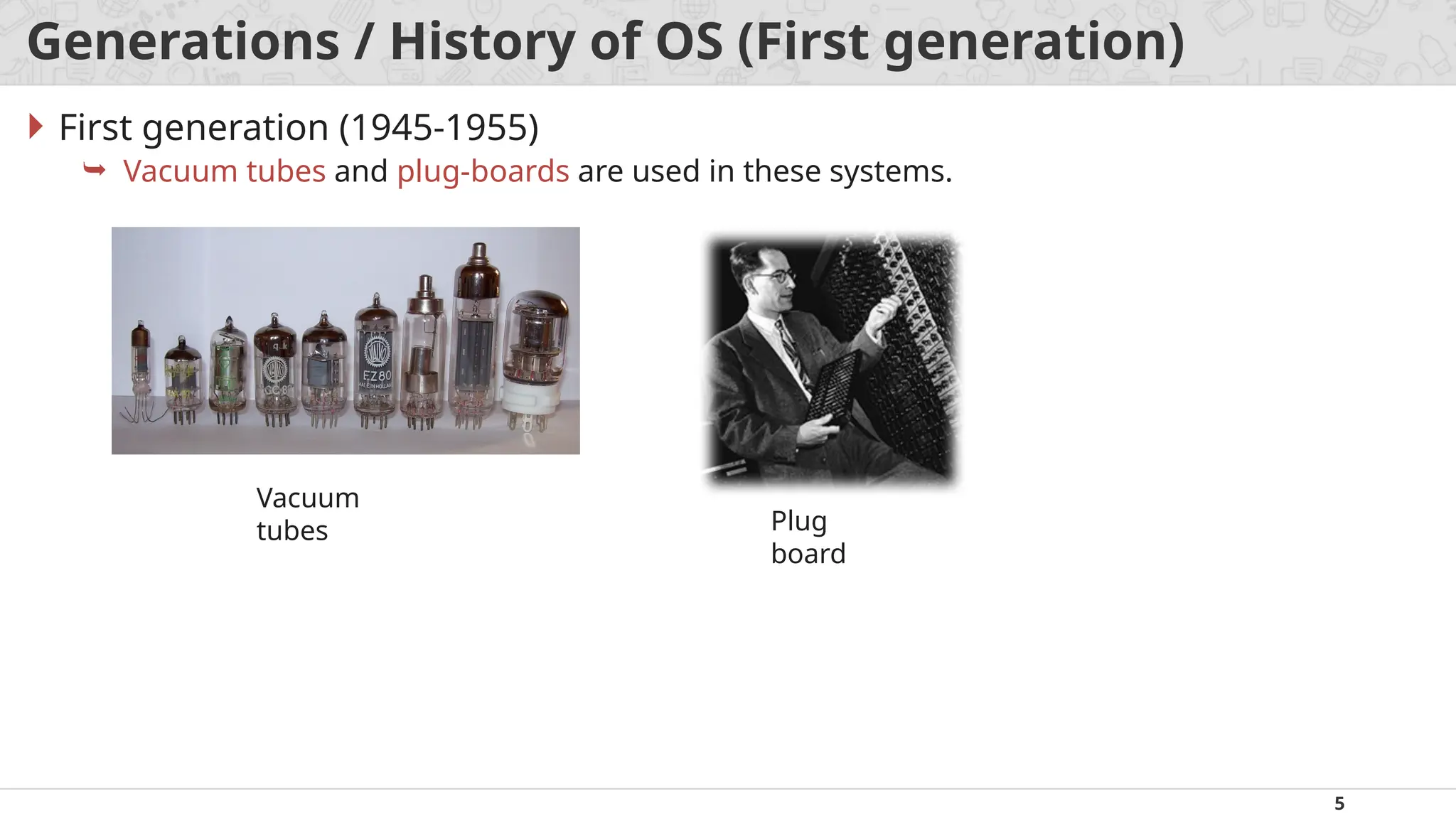
First generation (1945-1955)
Vacuum tubes and plug-boards are used in these systems.
Vacuum
tubes Plug
board
6.
6
Generations / Historyof OS (Second generation)
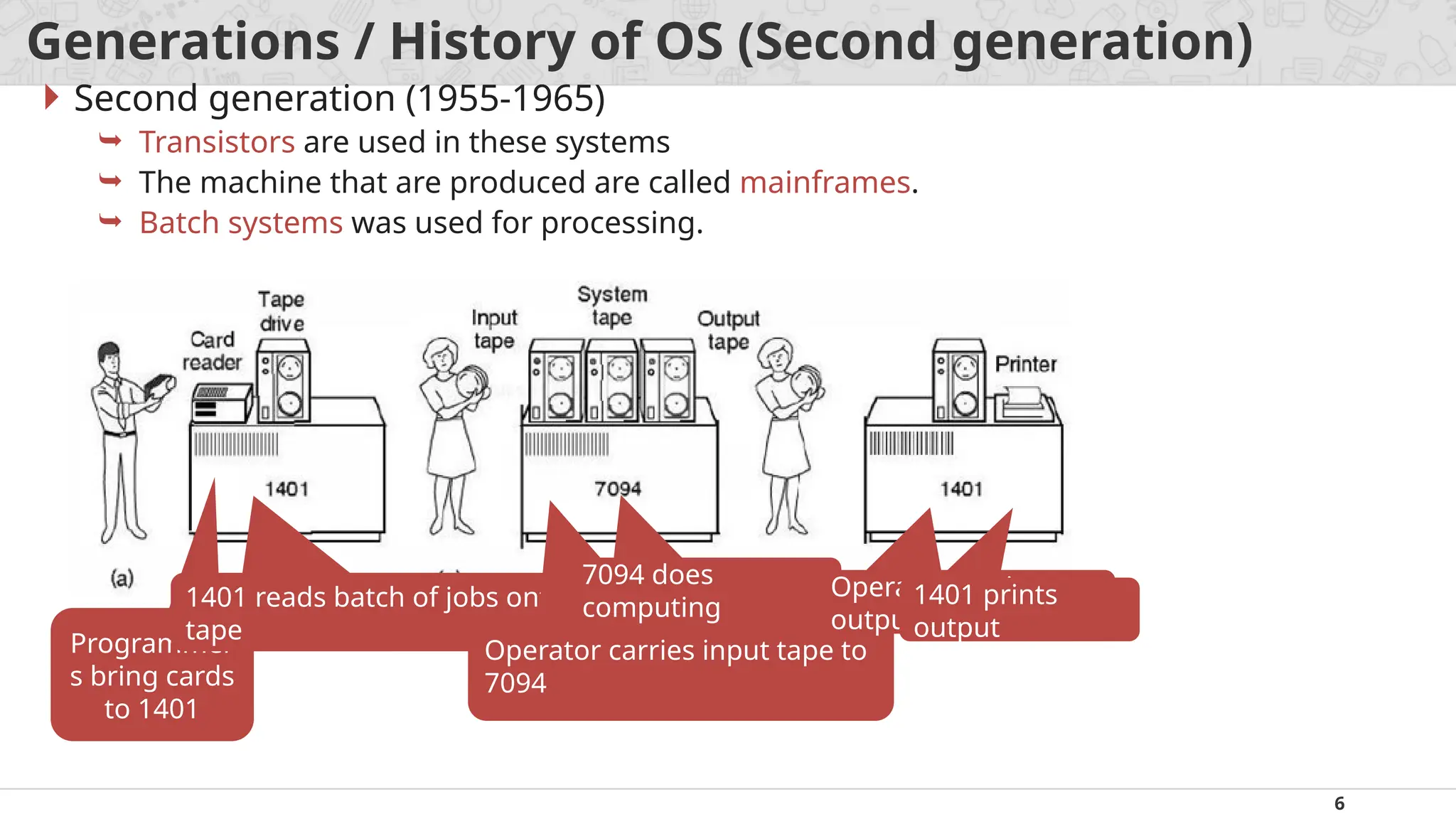
Second generation (1955-1965)
Transistors are used in these systems
The machine that are produced are called mainframes.
Batch systems was used for processing.
Programmer
s bring cards
to 1401
1401 reads batch of jobs onto
tape
Operator carries input tape to
7094
7094 does
computing
Operator carries
output tape to 1401
1401 prints
output
7.
7
Generations / Historyof OS (Third generation)
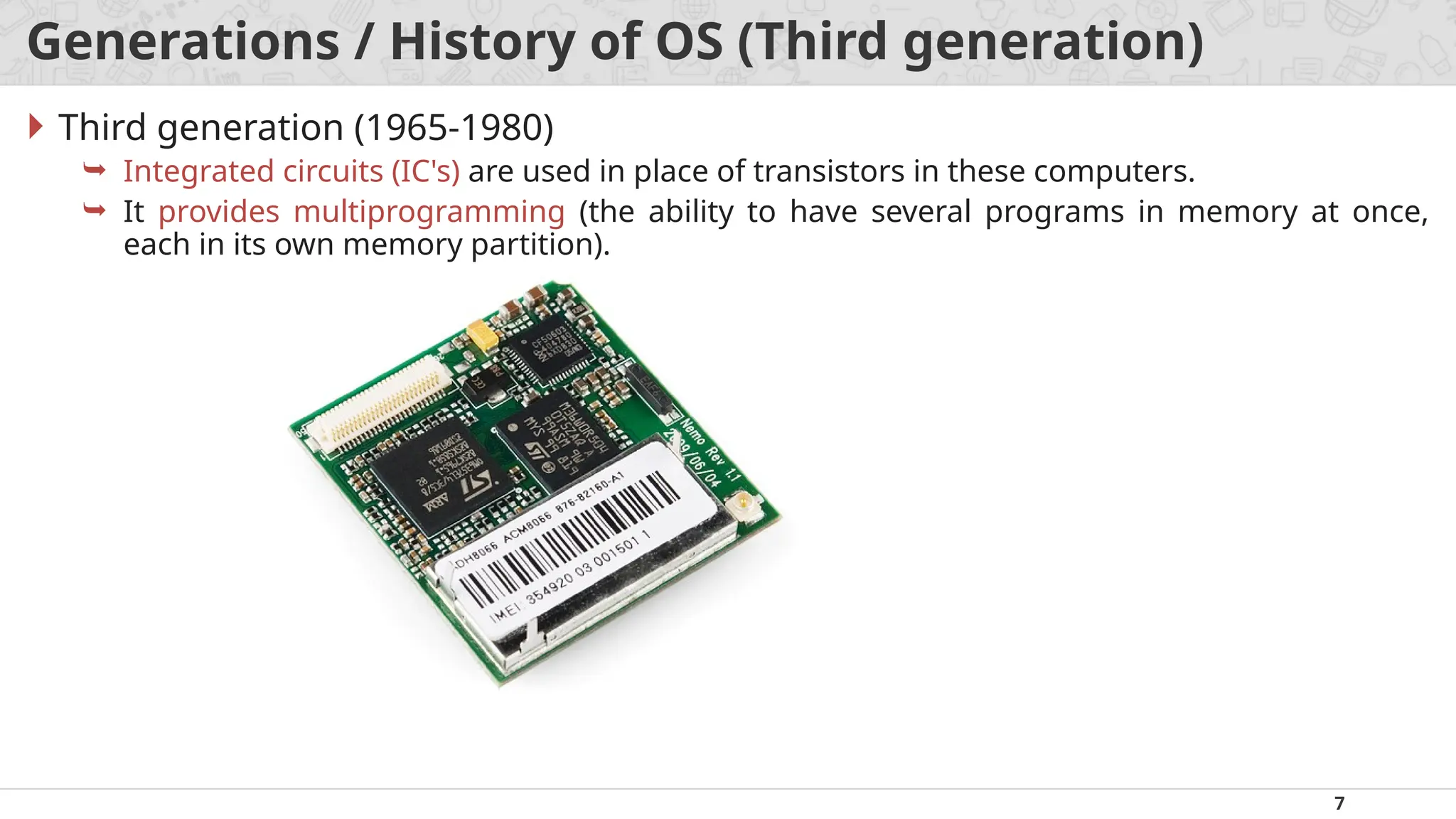
Third generation (1965-1980)
Integrated circuits (IC's) are used in place of transistors in these computers.
It provides multiprogramming (the ability to have several programs in memory at once,
each in its own memory partition).
8.
8
Generations / Historyof OS (Forth generation)
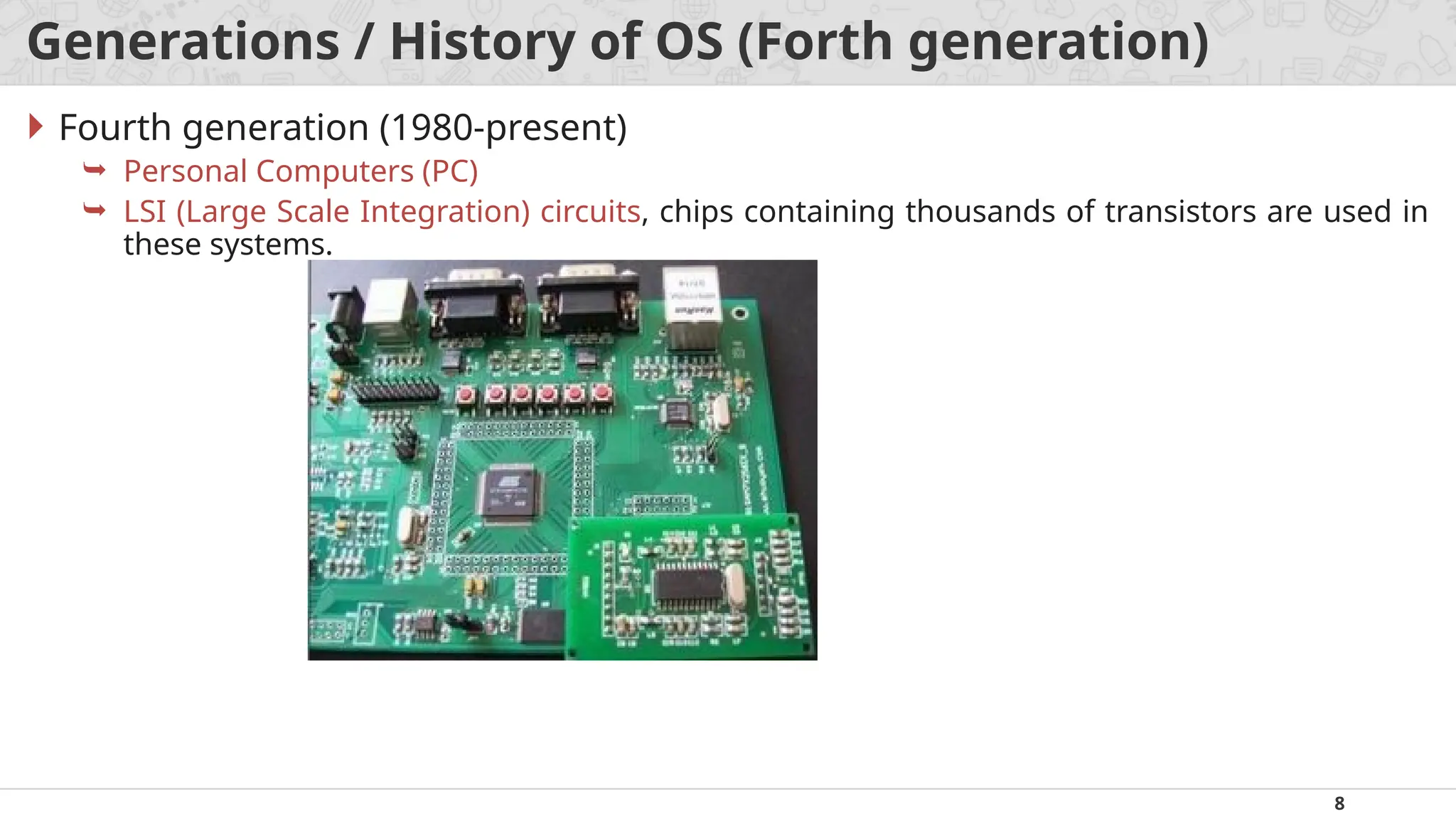
Fourth generation (1980-present)
Personal Computers (PC)
LSI (Large Scale Integration) circuits, chips containing thousands of transistors are used in
these systems.
9.
9
Services / Functions/ Tasks of Operating System (OS)
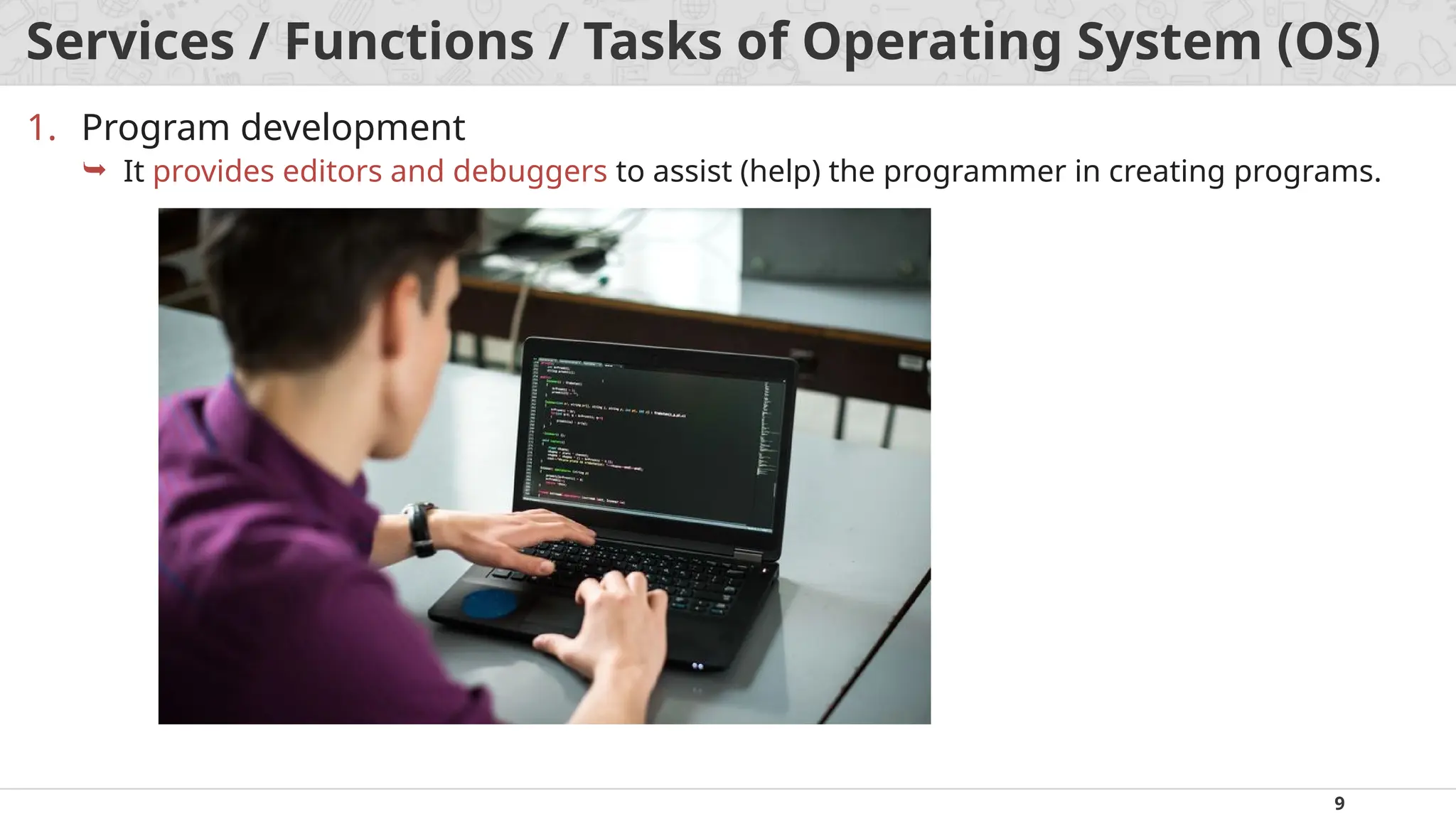
1. Program development
It provides editors and debuggers to assist (help) the programmer in creating programs.
10.
10
Services / Functions/ Tasks of Operating System (OS)
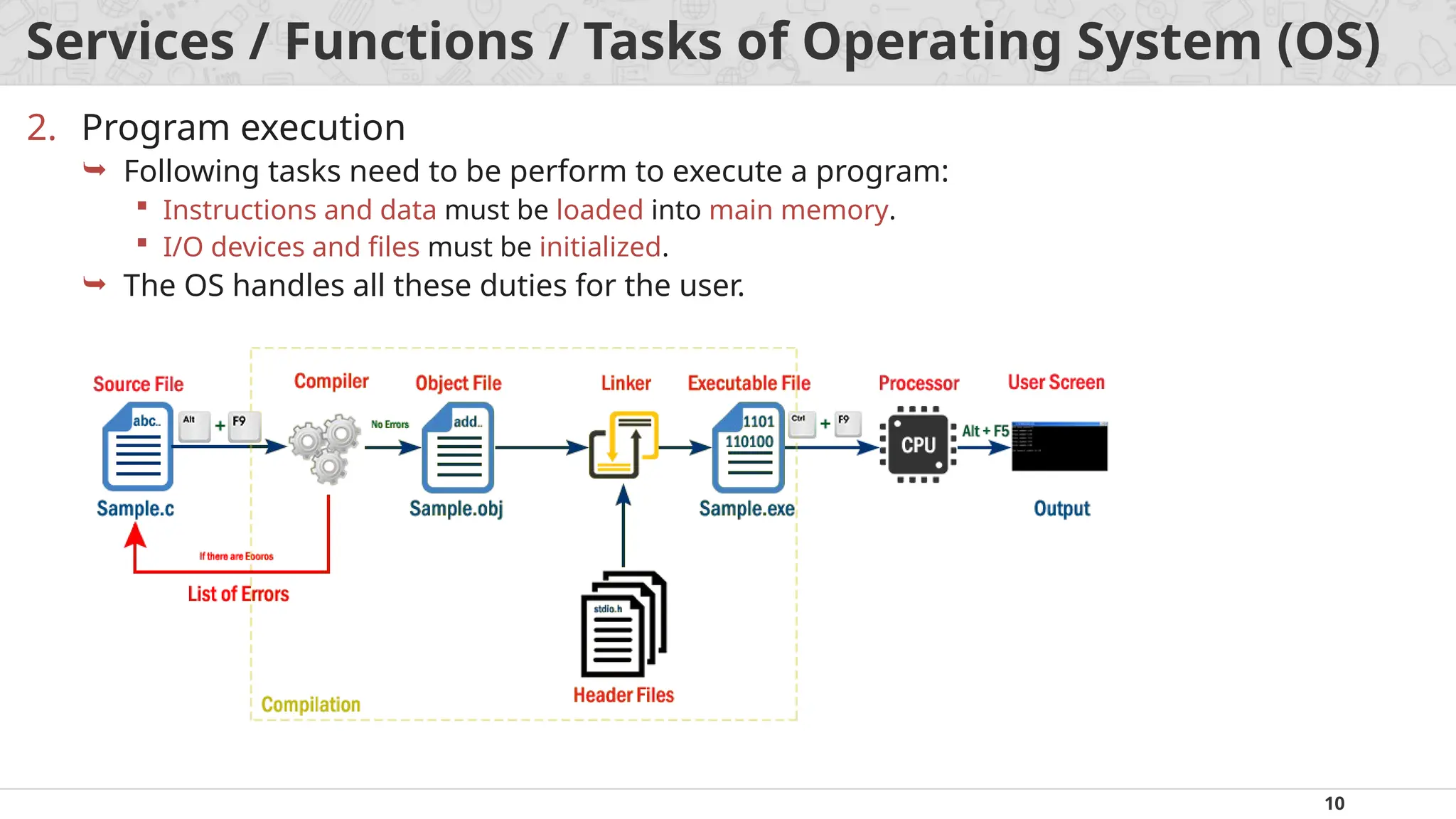
2. Program execution
Following tasks need to be perform to execute a program:
Instructions and data must be loaded into main memory.
I/O devices and files must be initialized.
The OS handles all these duties for the user.
11.
11
Services / Functions/ Tasks of Operating System (OS)
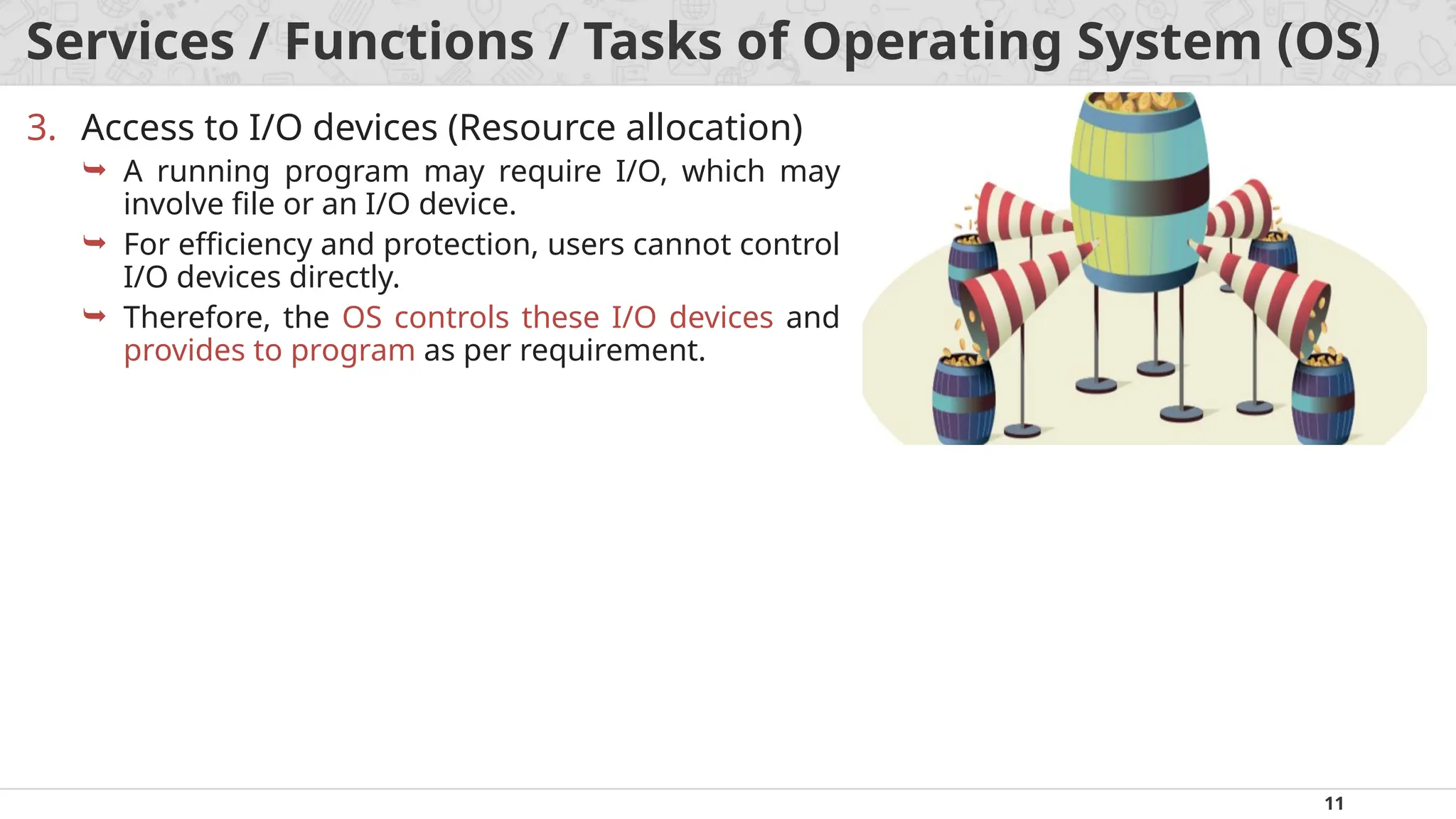
3. Access to I/O devices (Resource allocation)
A running program may require I/O, which may
involve file or an I/O device.
For efficiency and protection, users cannot control
I/O devices directly.
Therefore, the OS controls these I/O devices and
provides to program as per requirement.
12.
12
Services / Functions/ Tasks of Operating System (OS)
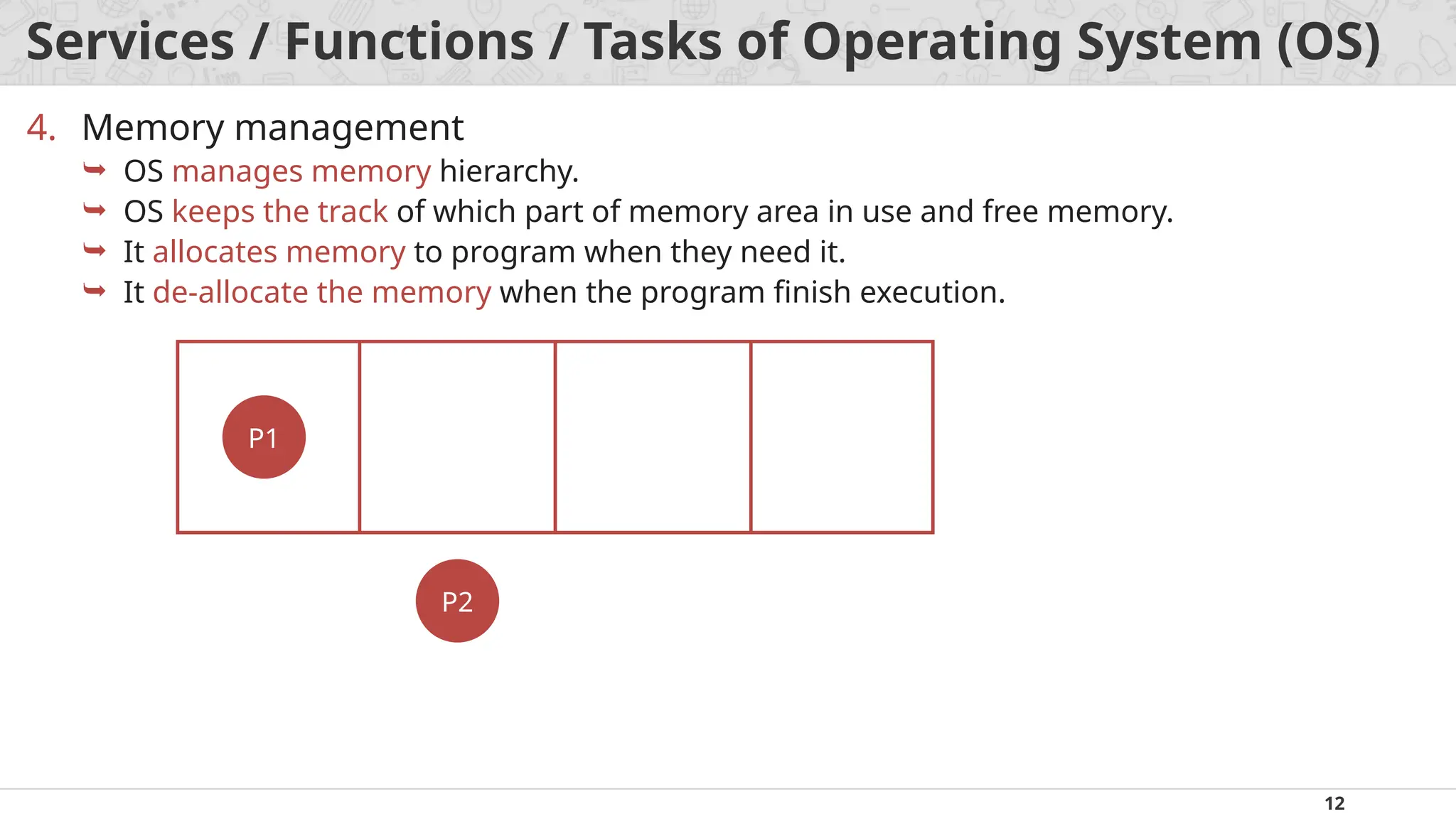
4. Memory management
OS manages memory hierarchy.
OS keeps the track of which part of memory area in use and free memory.
It allocates memory to program when they need it.
It de-allocate the memory when the program finish execution.
P2
P1
13.
13
Services / Functions/ Tasks of Operating System (OS)
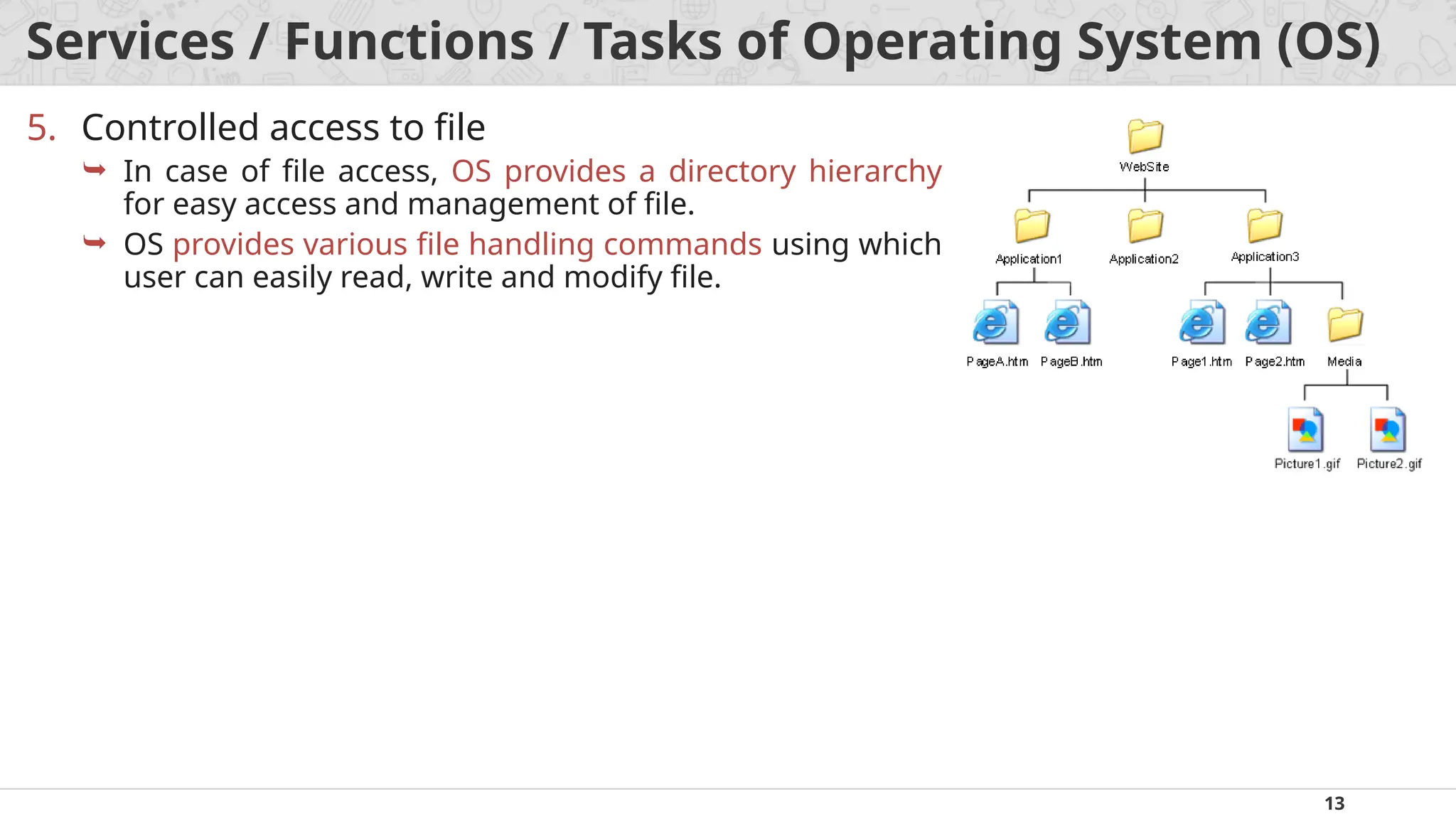
5. Controlled access to file
In case of file access, OS provides a directory hierarchy
for easy access and management of file.
OS provides various file handling commands using which
user can easily read, write and modify file.
14.
14
Services / Functions/ Tasks of Operating System (OS)
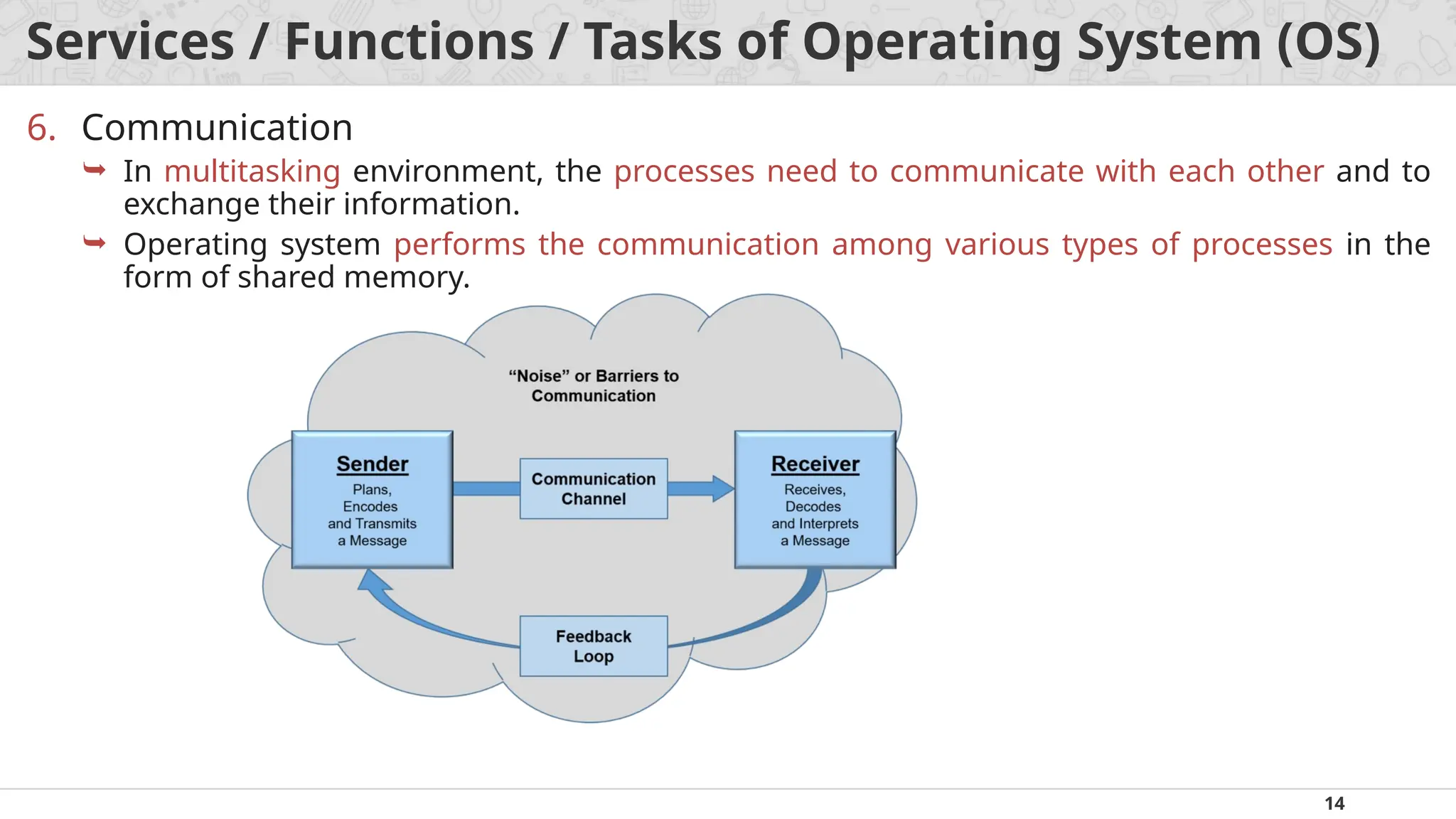
6. Communication
In multitasking environment, the processes need to communicate with each other and to
exchange their information.
Operating system performs the communication among various types of processes in the
form of shared memory.
15.
15
Services / Functions/ Tasks of Operating System (OS)
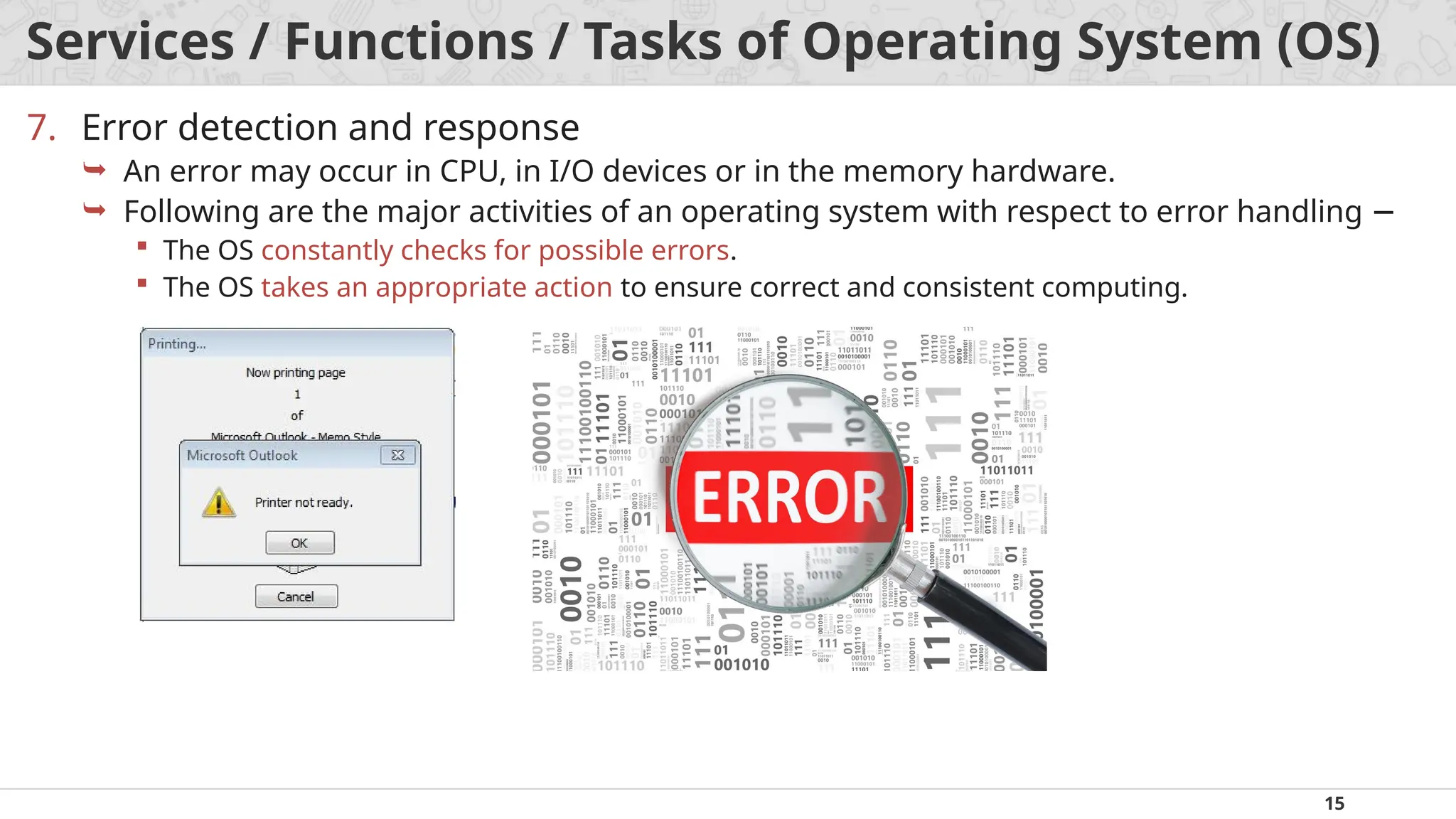
7. Error detection and response
An error may occur in CPU, in I/O devices or in the memory hardware.
Following are the major activities of an operating system with respect to error handling −
The OS constantly checks for possible errors.
The OS takes an appropriate action to ensure correct and consistent computing.
16.
16
Services / Functions/ Tasks of Operating System (OS)
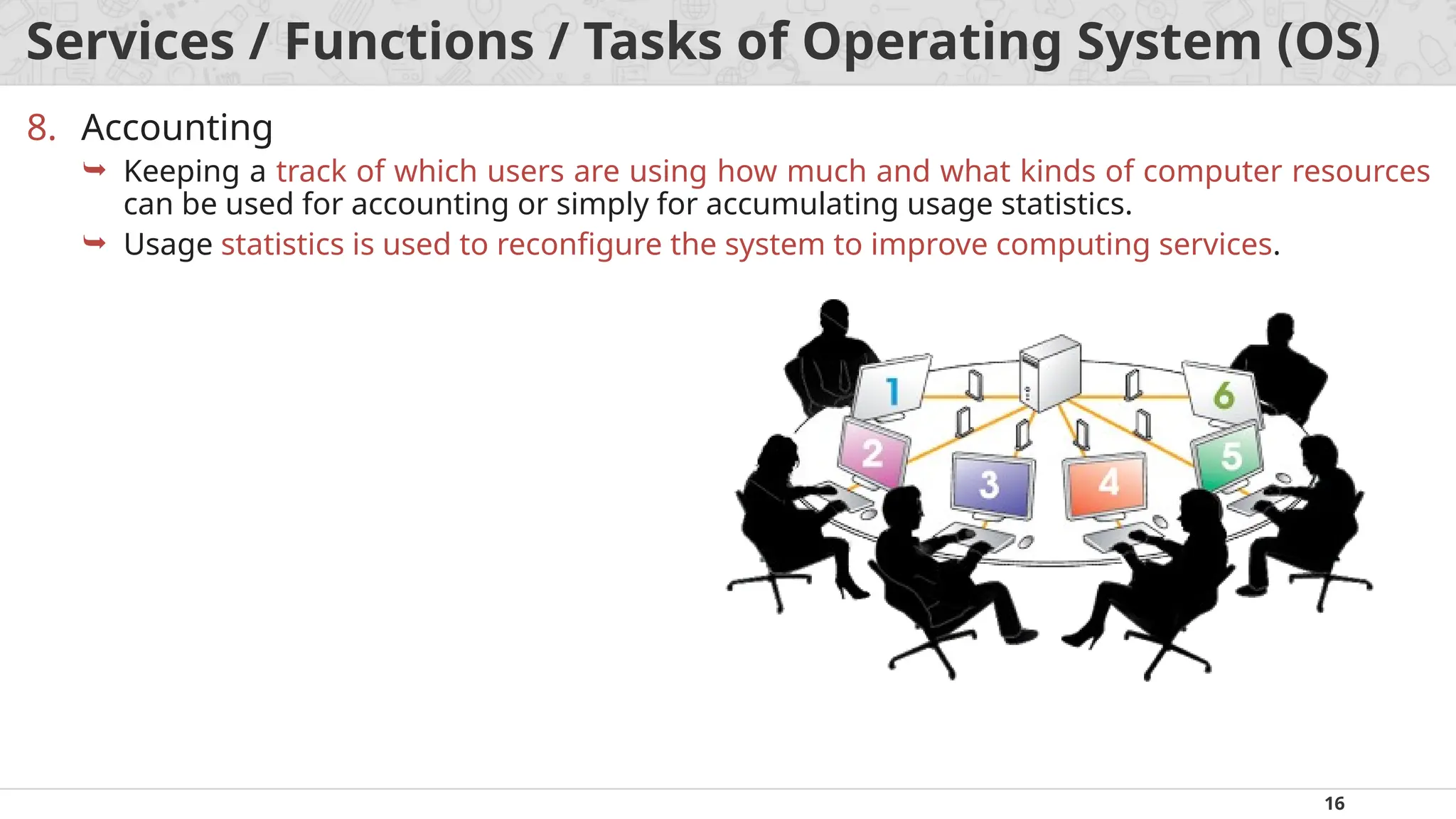
8. Accounting
Keeping a track of which users are using how much and what kinds of computer resources
can be used for accounting or simply for accumulating usage statistics.
Usage statistics is used to reconfigure the system to improve computing services.
17.
17
Services / Functions/ Tasks of Operating System (OS)
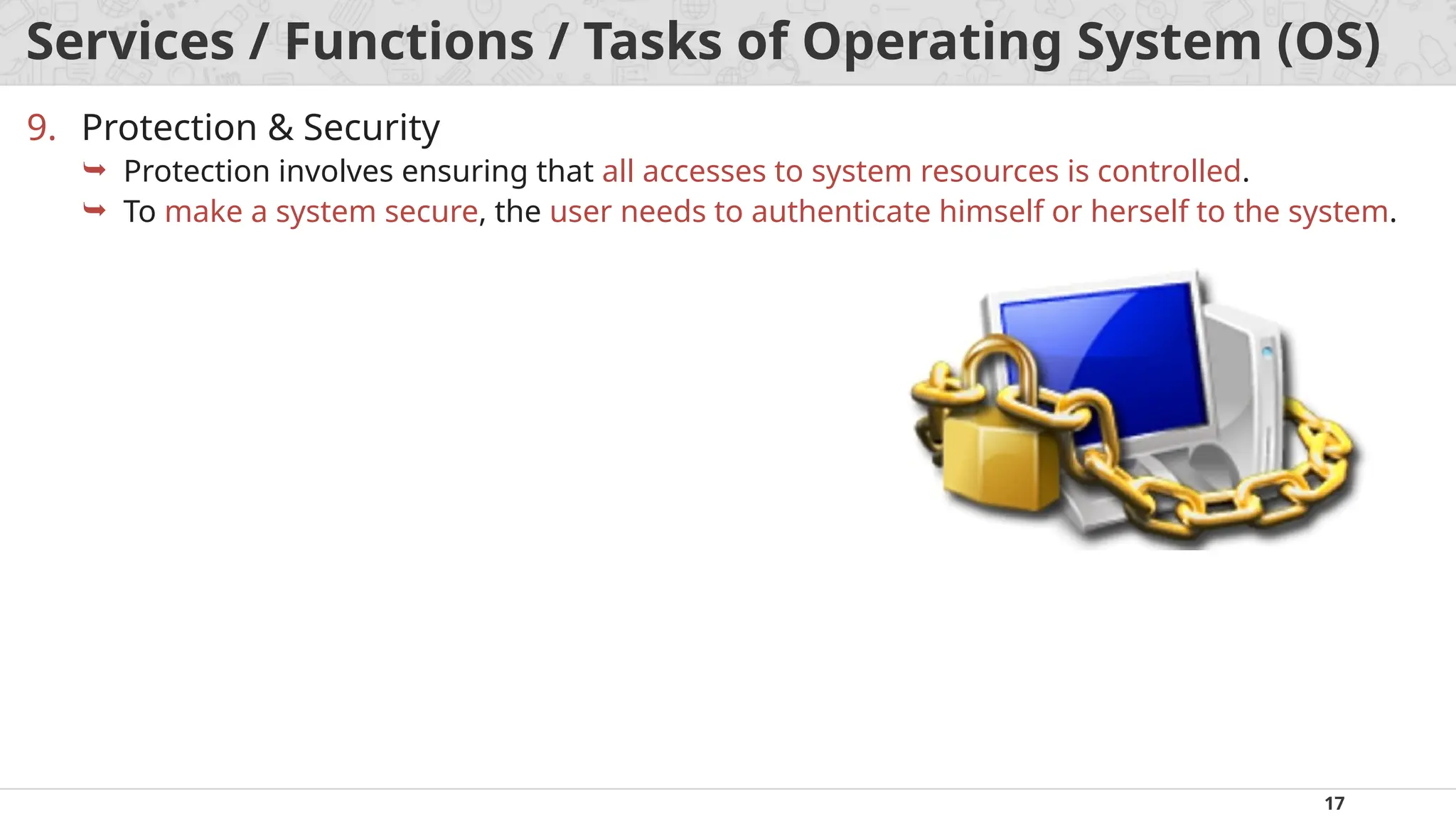
9. Protection & Security
Protection involves ensuring that all accesses to system resources is controlled.
To make a system secure, the user needs to authenticate himself or herself to the system.
18.
18
Types of OperatingSystems (OS)
1. Mainframe operating systems
OS found in room sized computers which are still found in major corporate data centers.
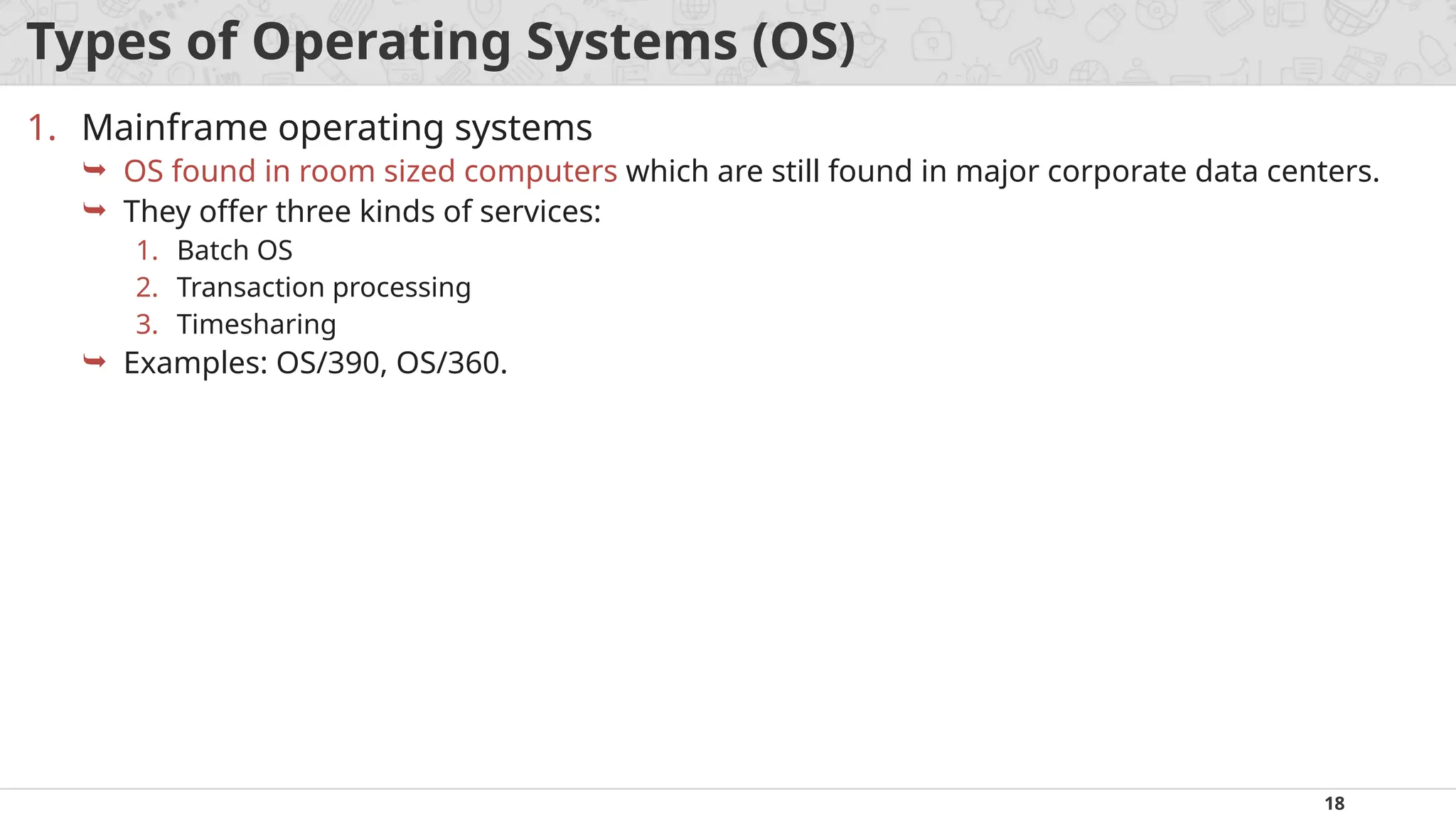
They offer three kinds of services:
1. Batch OS
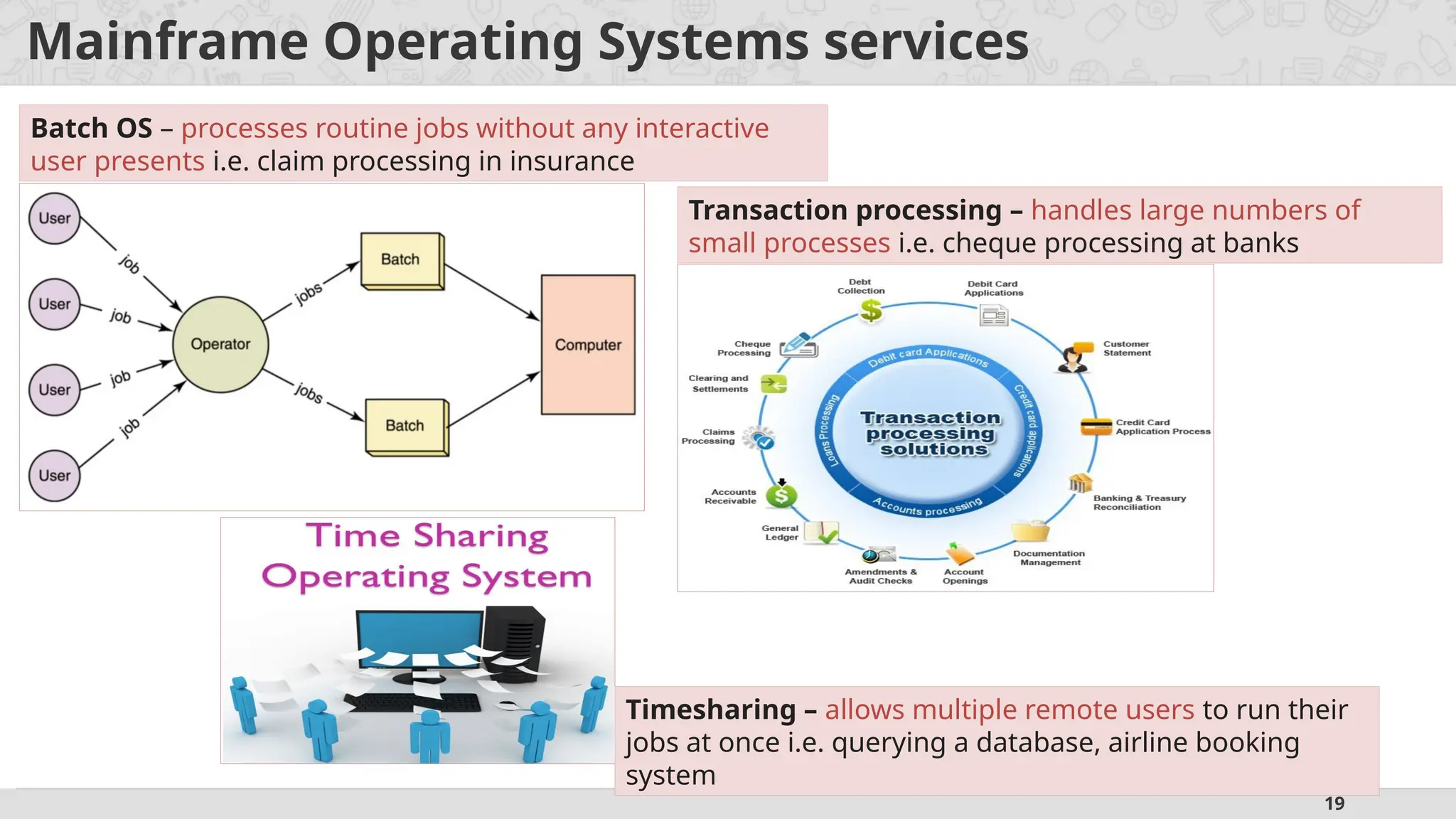
2. Transaction processing
3. Timesharing
Examples: OS/390, OS/360.
19.
19
Mainframe Operating Systemsservices
Batch OS – processes routine jobs without any interactive
user presents i.e. claim processing in insurance
Transaction processing – handles large numbers of
small processes i.e. cheque processing at banks
Timesharing – allows multiple remote users to run their
jobs at once i.e. querying a database, airline booking
system
20.
20
Types of OperatingSystems (OS)
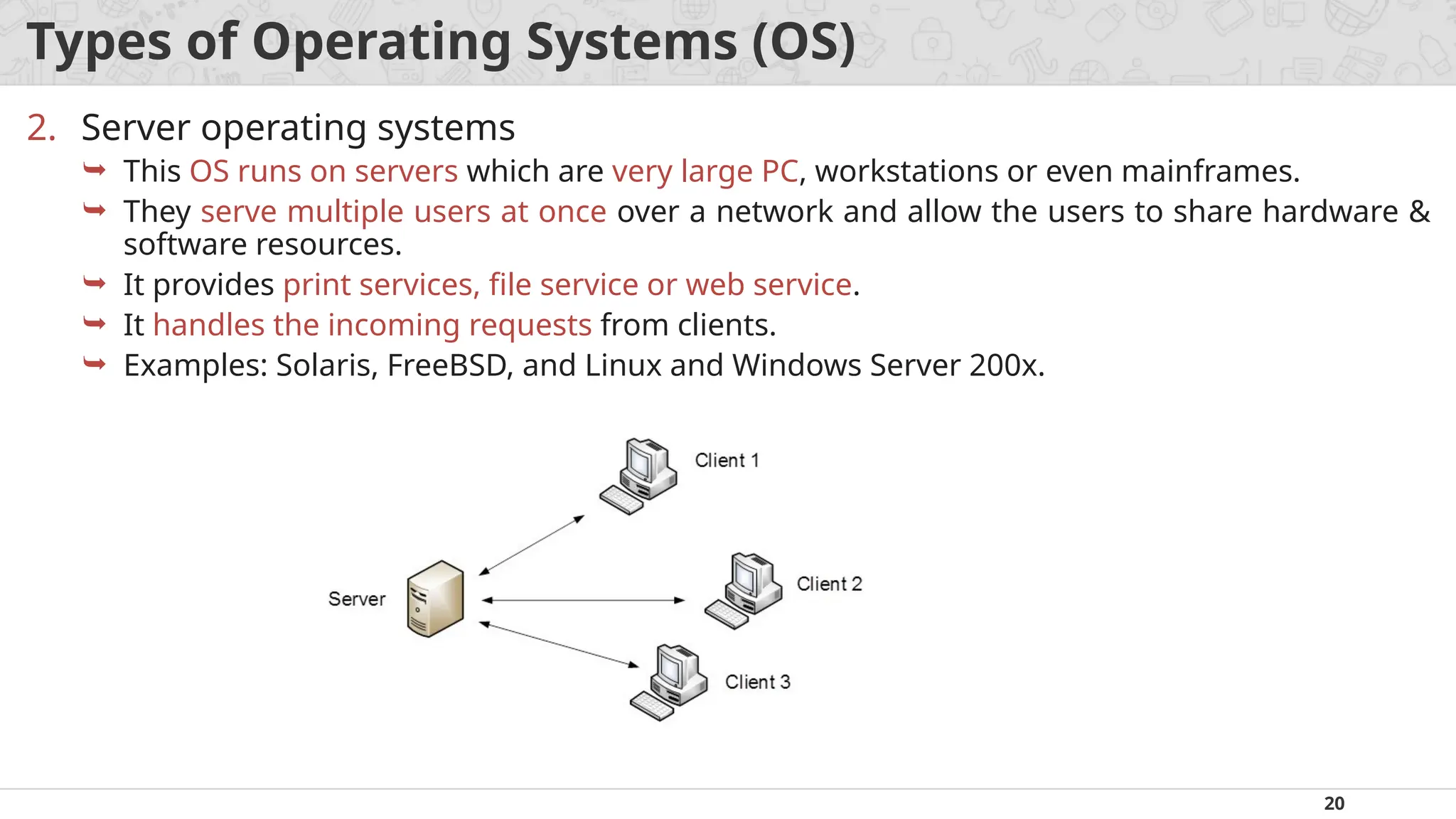
2. Server operating systems
This OS runs on servers which are very large PC, workstations or even mainframes.
They serve multiple users at once over a network and allow the users to share hardware &
software resources.
It provides print services, file service or web service.
It handles the incoming requests from clients.
Examples: Solaris, FreeBSD, and Linux and Windows Server 200x.
21.
21
Types of OperatingSystems (OS)
3. Multiprocessor operating systems
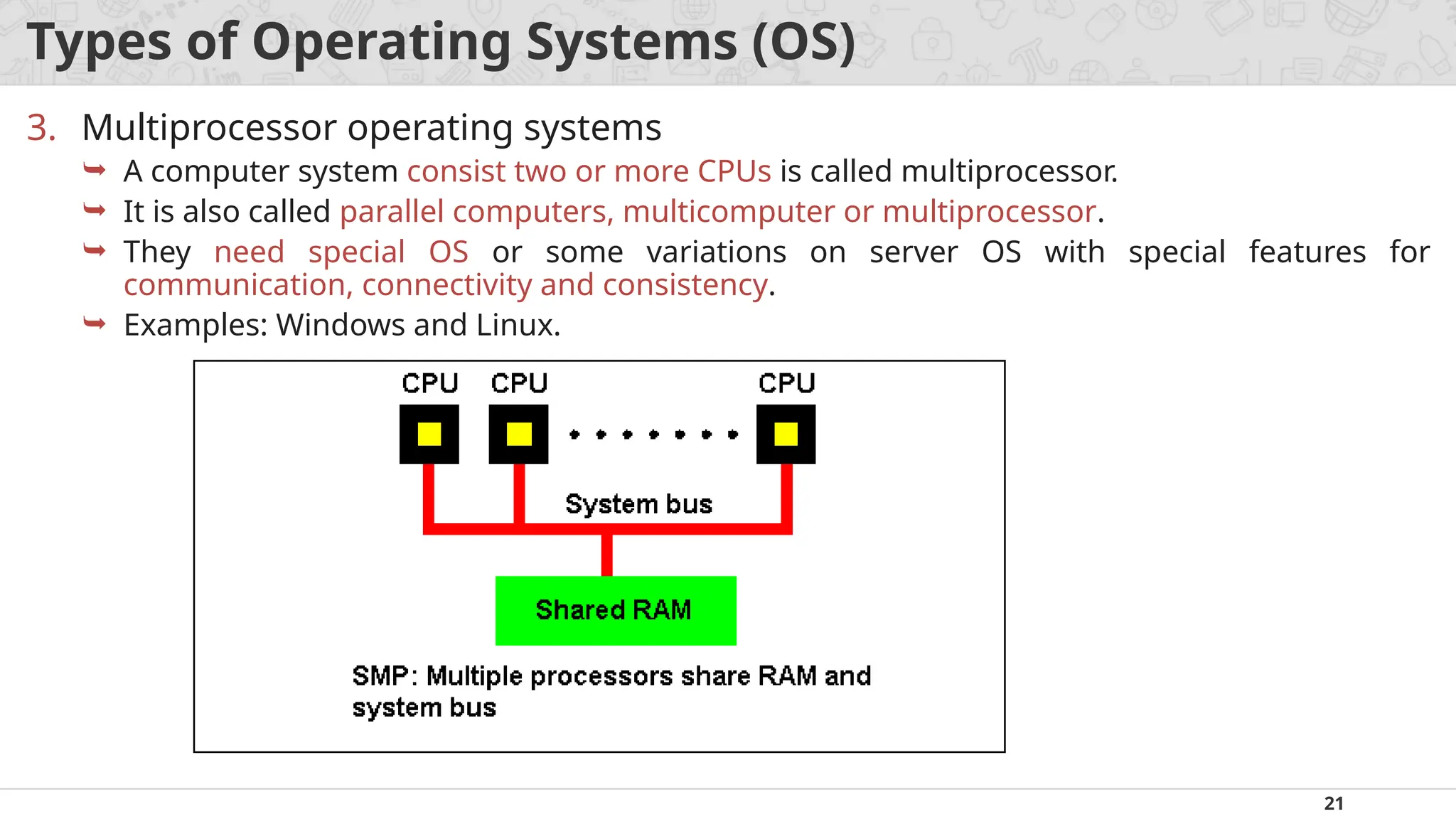
A computer system consist two or more CPUs is called multiprocessor.
It is also called parallel computers, multicomputer or multiprocessor.
They need special OS or some variations on server OS with special features for
communication, connectivity and consistency.
Examples: Windows and Linux.
22.
22
Types of OperatingSystems (OS)
4. Personal computer operating systems
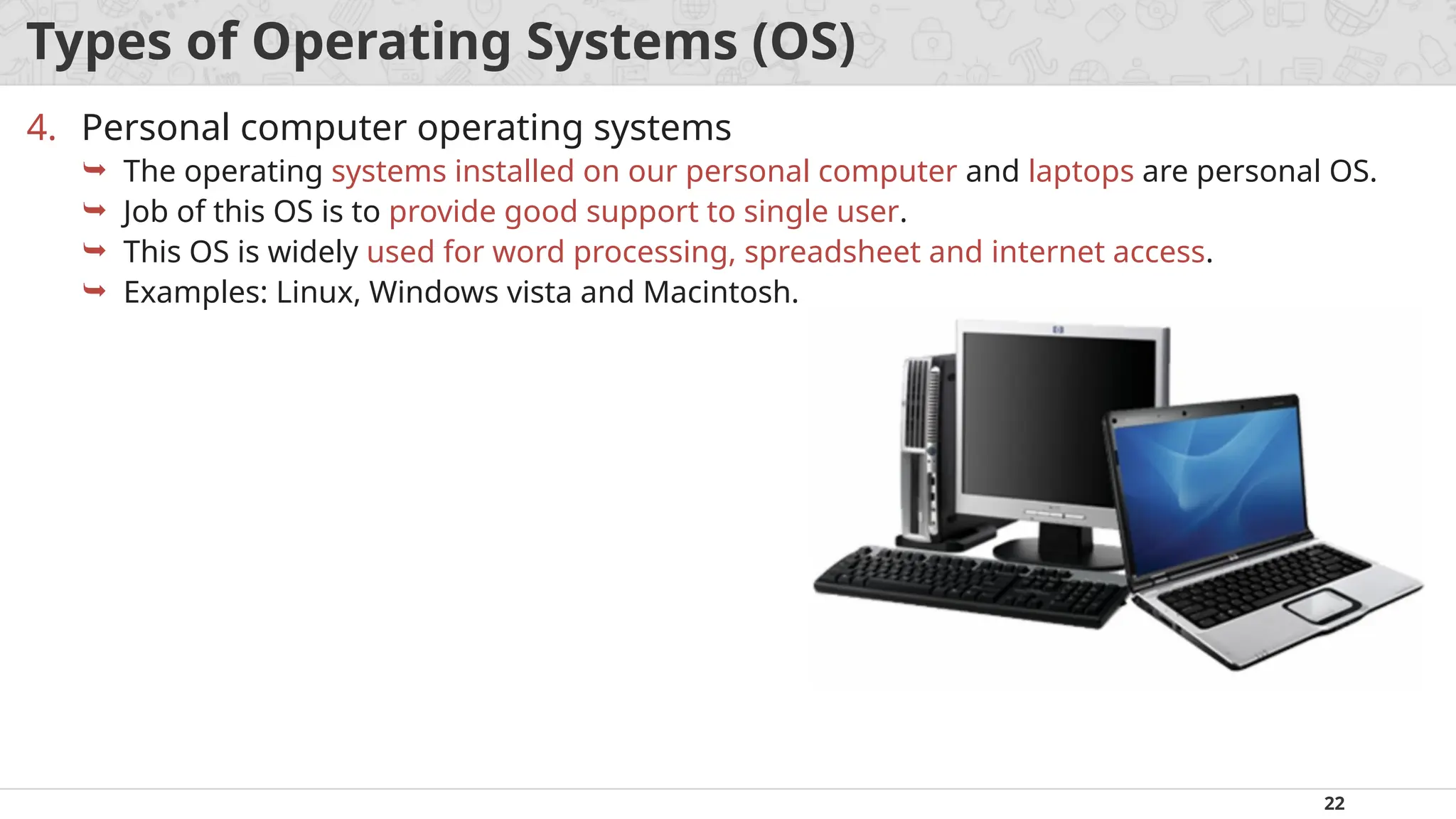
The operating systems installed on our personal computer and laptops are personal OS.
Job of this OS is to provide good support to single user.
This OS is widely used for word processing, spreadsheet and internet access.
Examples: Linux, Windows vista and Macintosh.
23.
23
Types of OperatingSystems (OS)
5. Handheld computer operating systems
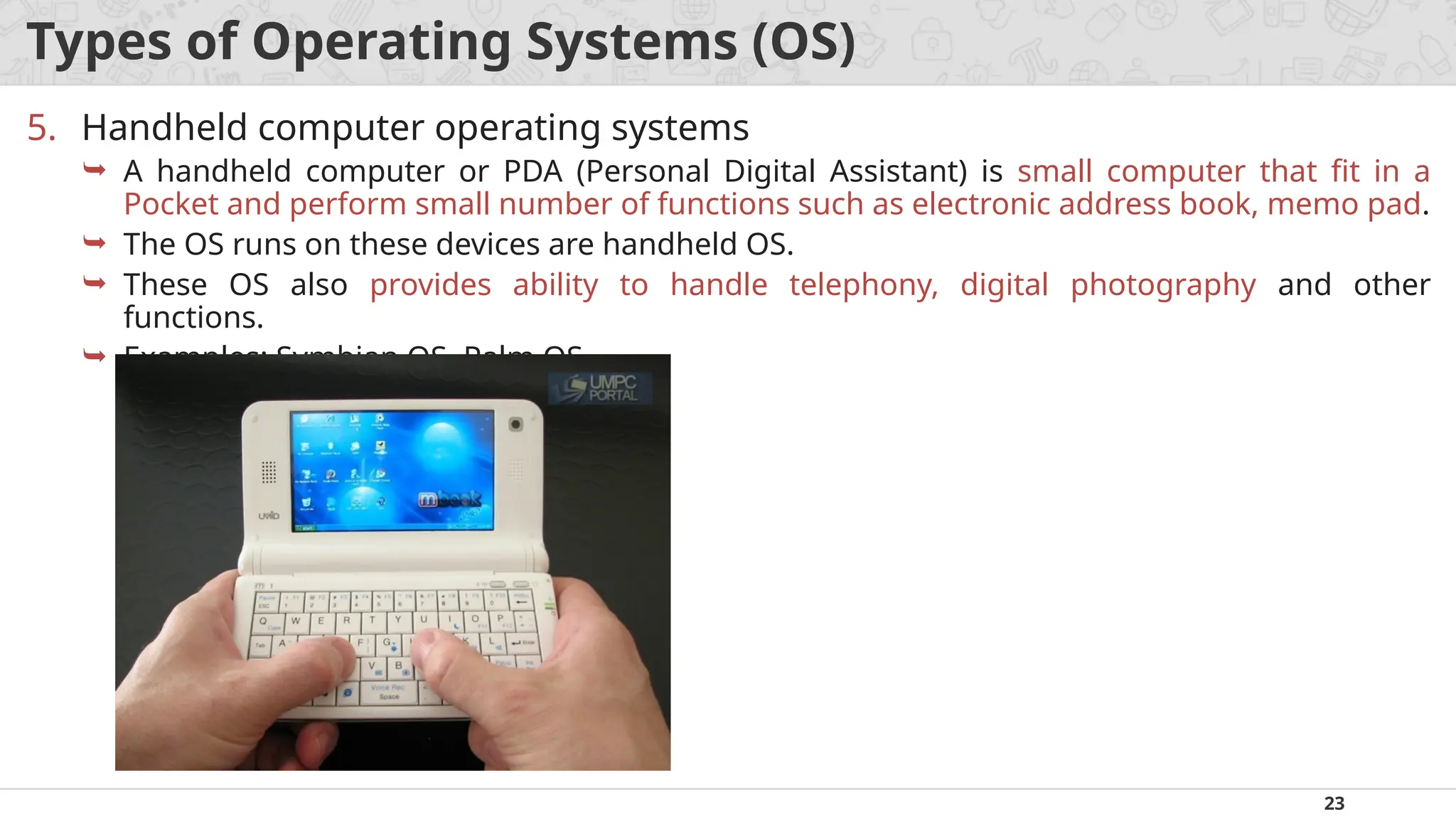
A handheld computer or PDA (Personal Digital Assistant) is small computer that fit in a
Pocket and perform small number of functions such as electronic address book, memo pad.
The OS runs on these devices are handheld OS.
These OS also provides ability to handle telephony, digital photography and other
functions.
Examples: Symbian OS, Palm OS.
24.
24
Types of OperatingSystems (OS)
6. Embedded operating systems
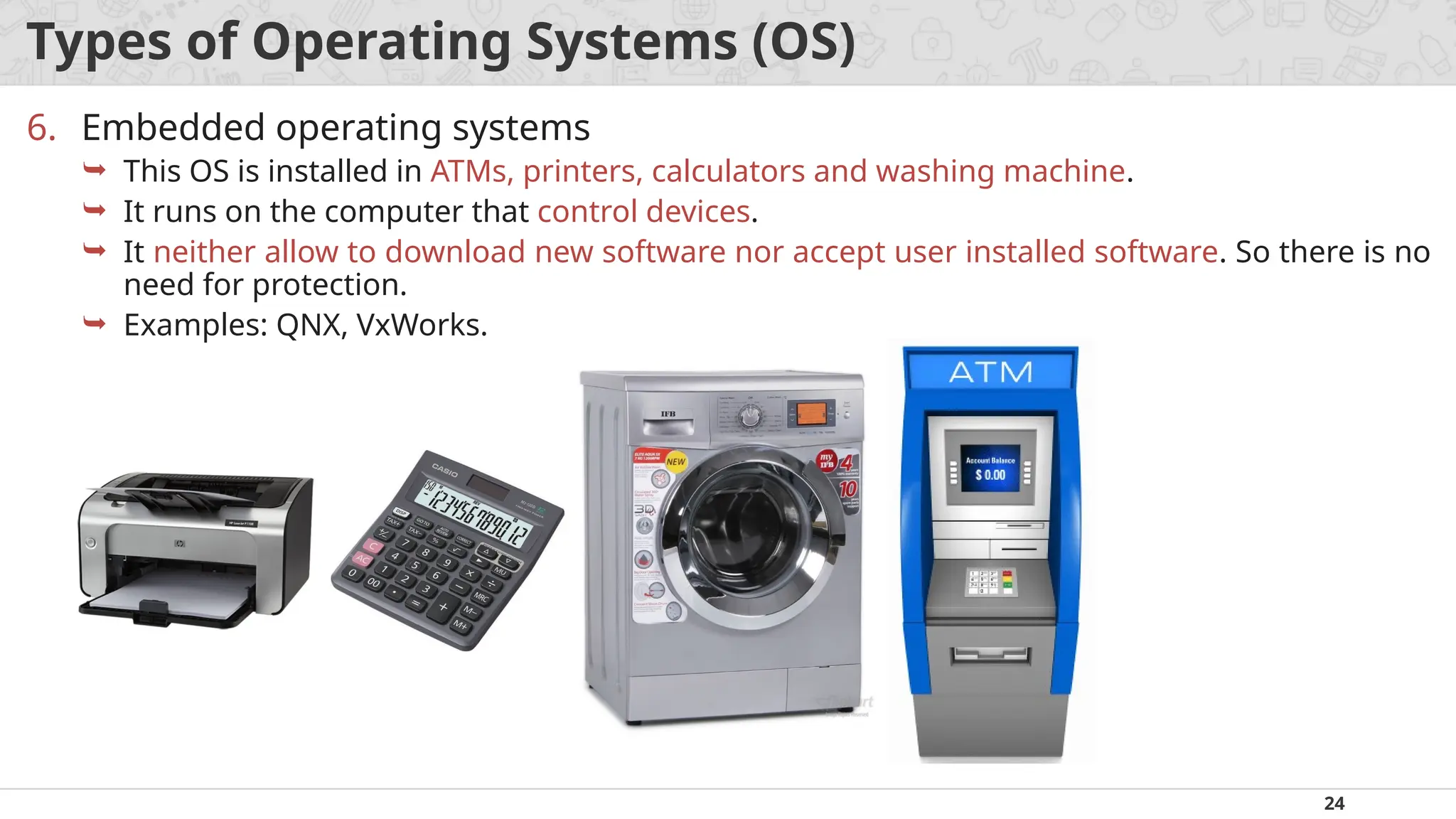
This OS is installed in ATMs, printers, calculators and washing machine.
It runs on the computer that control devices.
It neither allow to download new software nor accept user installed software. So there is no
need for protection.
Examples: QNX, VxWorks.
25.
25
Types of OperatingSystems (OS)
7. Sensor node operating systems
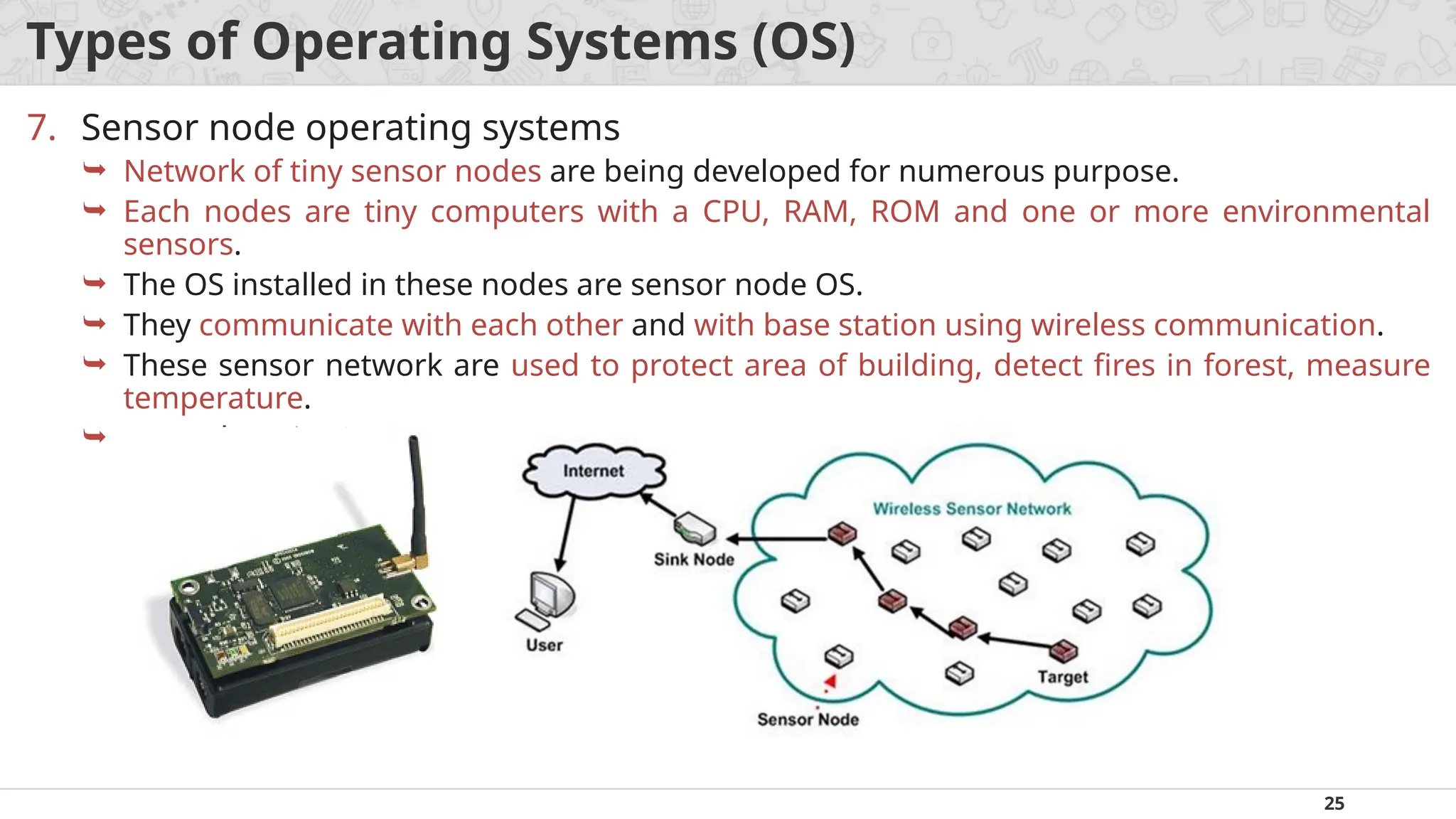
Network of tiny sensor nodes are being developed for numerous purpose.
Each nodes are tiny computers with a CPU, RAM, ROM and one or more environmental
sensors.
The OS installed in these nodes are sensor node OS.
They communicate with each other and with base station using wireless communication.
These sensor network are used to protect area of building, detect fires in forest, measure
temperature.
Examples: TinyOS.
26.
26
Types of OperatingSystems (OS)
8. Real time operating systems
These systems having time as a key parameter.
Real time OS has well defined fixed time constraints.
Processing must be done within defined time constraints otherwise system fails.
Two types of real time OS:
Hard real time – missing an occasional deadline can cause any permanent damage. Many of these
are found in industrial process control, car engine control system.
Soft real time – missing an occasional deadline does not cause any permanent damage. Used in
digital audio, multimedia system.
Examples: e-Cos.
27.
27
Types of OperatingSystems (OS)
9. Smart card operating systems
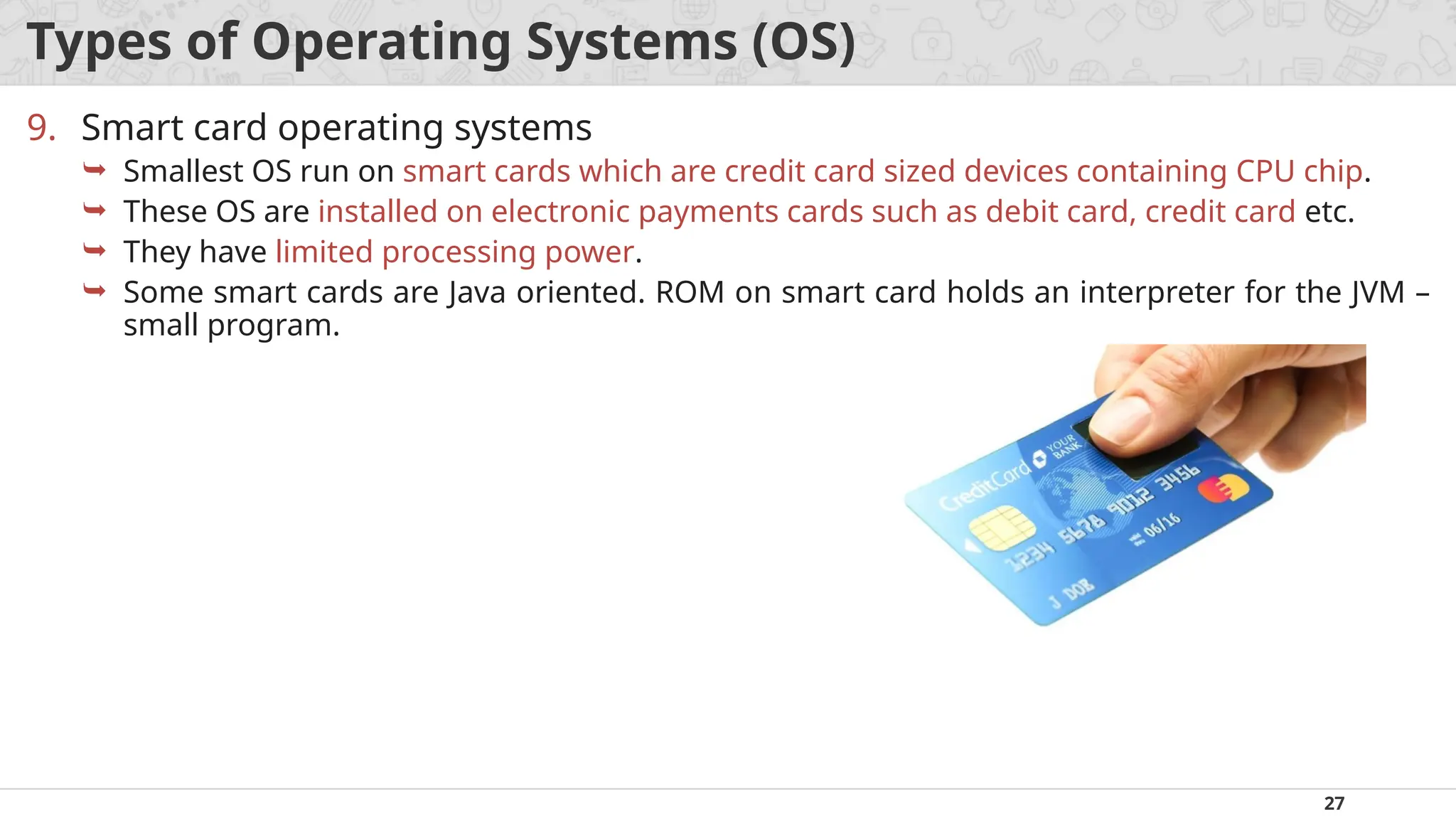
Smallest OS run on smart cards which are credit card sized devices containing CPU chip.
These OS are installed on electronic payments cards such as debit card, credit card etc.
They have limited processing power.
Some smart cards are Java oriented. ROM on smart card holds an interpreter for the JVM –
small program.
28.
28
What is Systemcalls?
A system call is a way for programs to interact with the operating system.
A system call is a mechanism that provides the interface between a process
and the operating system.
A computer program makes a system call when it makes a request to the
operating system's kernel.
It is a programmatic method in which a computer program requests a
service from the kernel of the OS.
System call provides the services of the operating system to the user
programs via Application Program Interface(API).
System calls are the only entry points for the kernel system.
29.
29
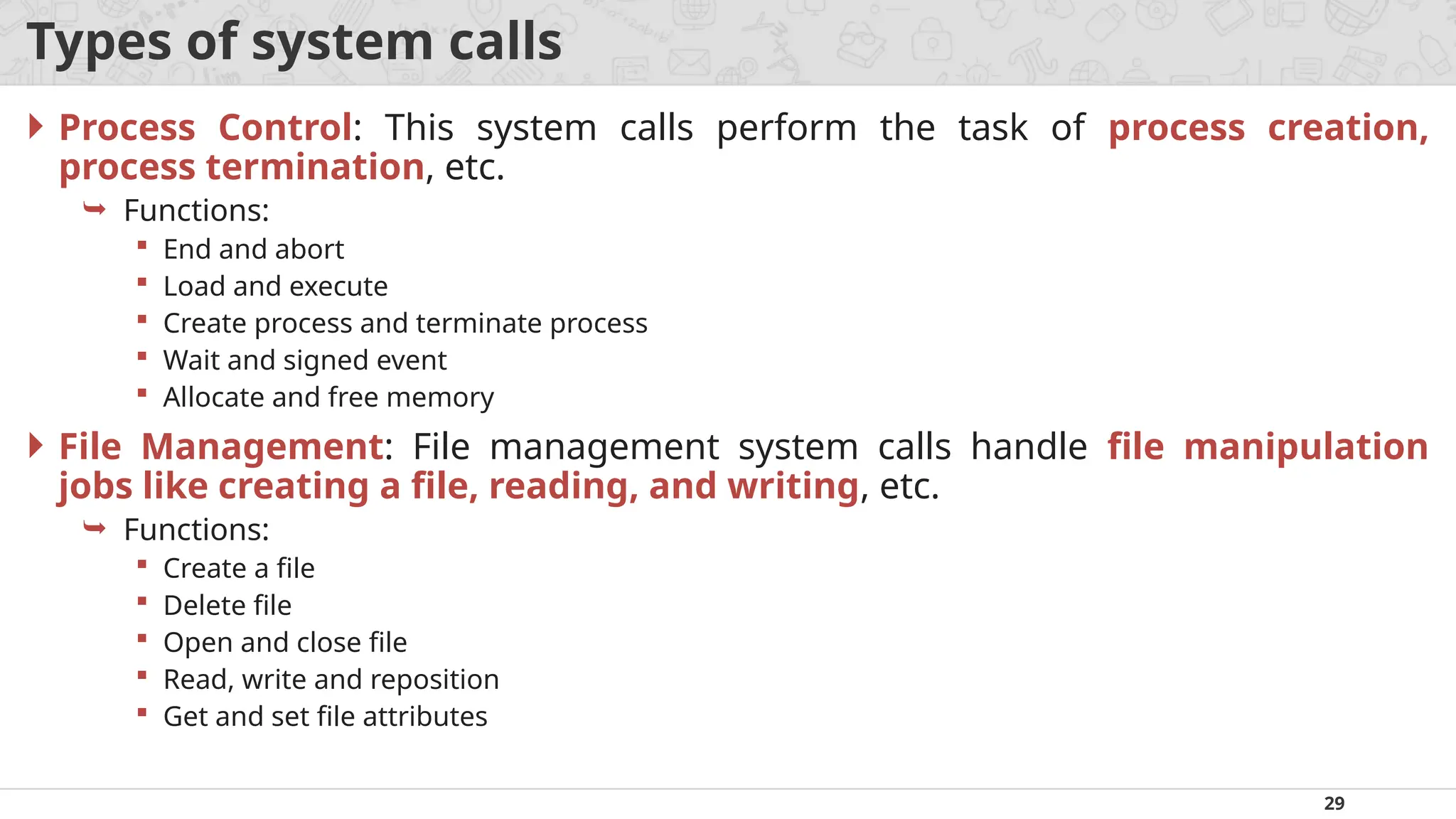
Types of systemcalls
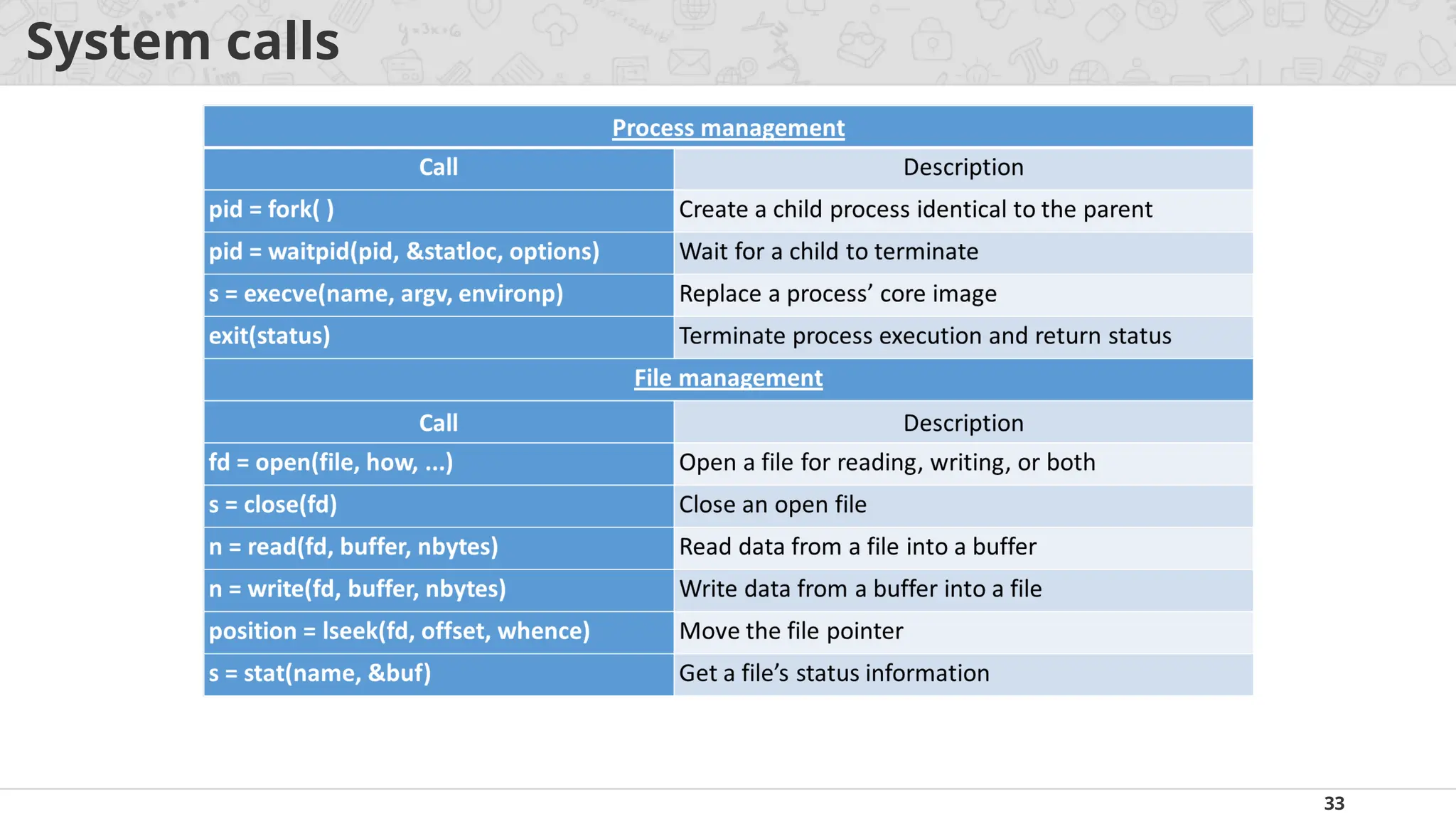
Process Control: This system calls perform the task of process creation,
process termination, etc.
Functions:
End and abort
Load and execute
Create process and terminate process
Wait and signed event
Allocate and free memory
File Management: File management system calls handle file manipulation
jobs like creating a file, reading, and writing, etc.
Functions:
Create a file
Delete file
Open and close file
Read, write and reposition
Get and set file attributes
30.
30
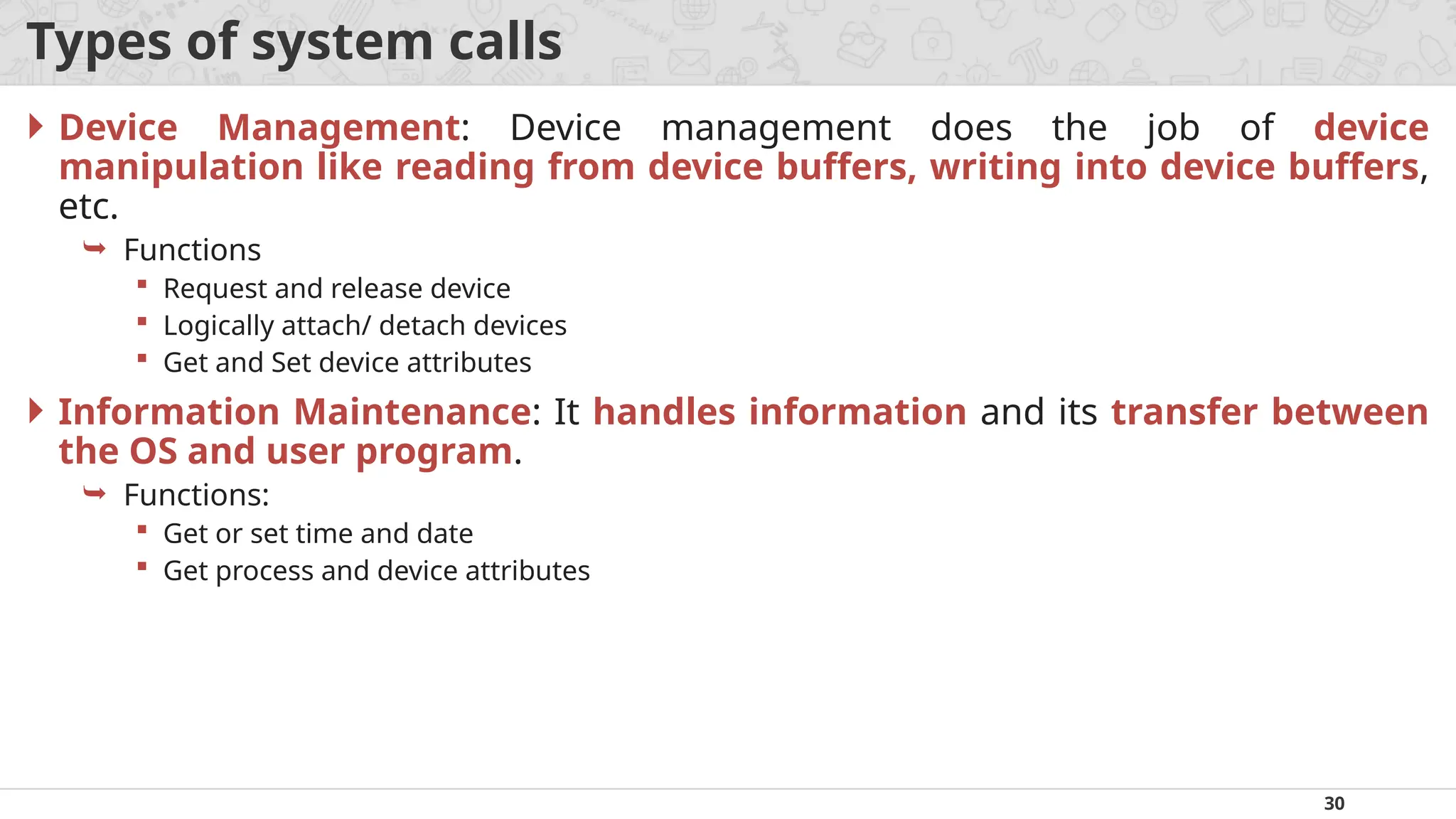
Types of systemcalls
Device Management: Device management does the job of device
manipulation like reading from device buffers, writing into device buffers,
etc.
Functions
Request and release device
Logically attach/ detach devices
Get and Set device attributes
Information Maintenance: It handles information and its transfer between
the OS and user program.
Functions:
Get or set time and date
Get process and device attributes
31.
31
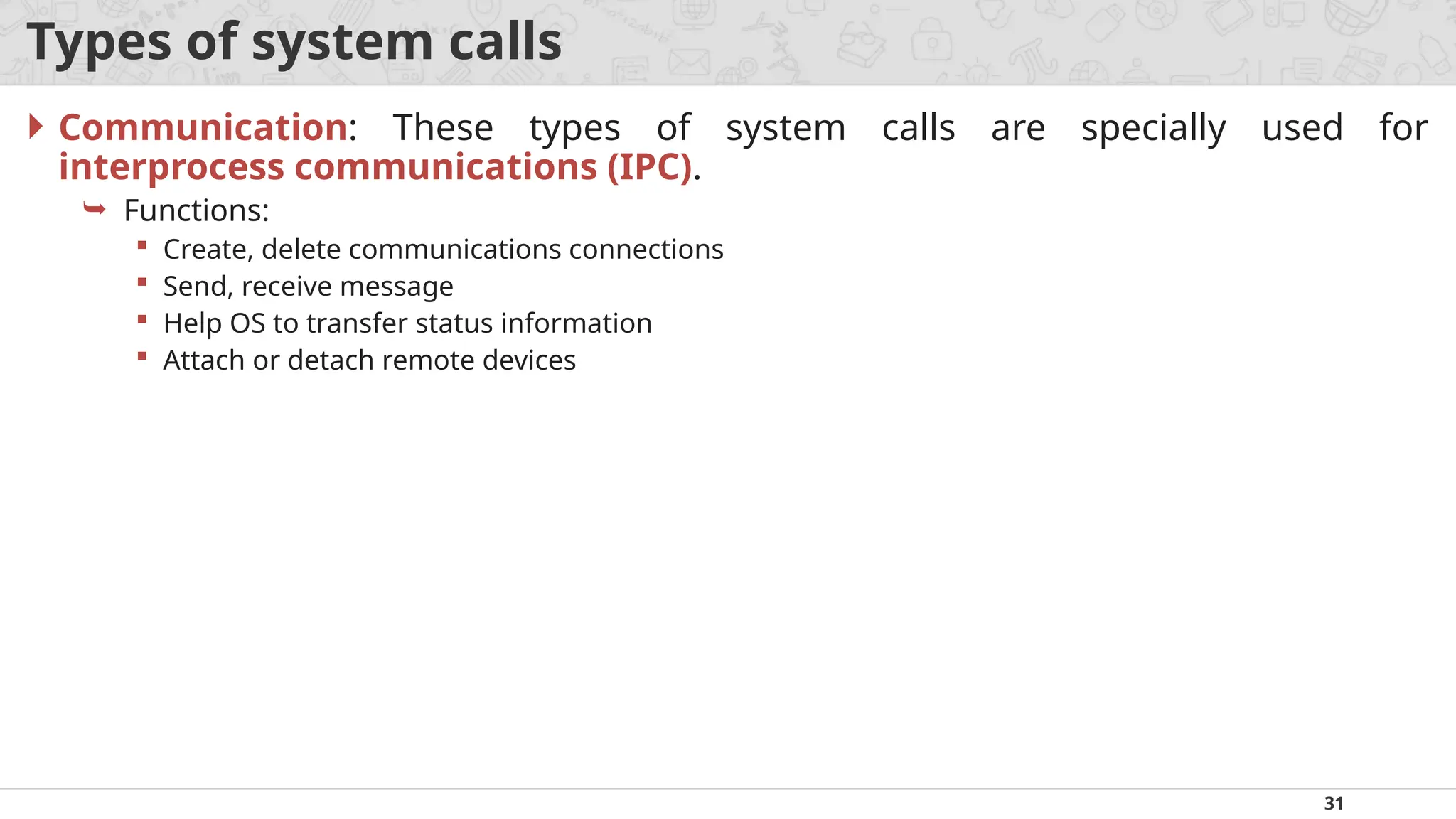
Types of systemcalls
Communication: These types of system calls are specially used for
interprocess communications (IPC).
Functions:
Create, delete communications connections
Send, receive message
Help OS to transfer status information
Attach or detach remote devices
34
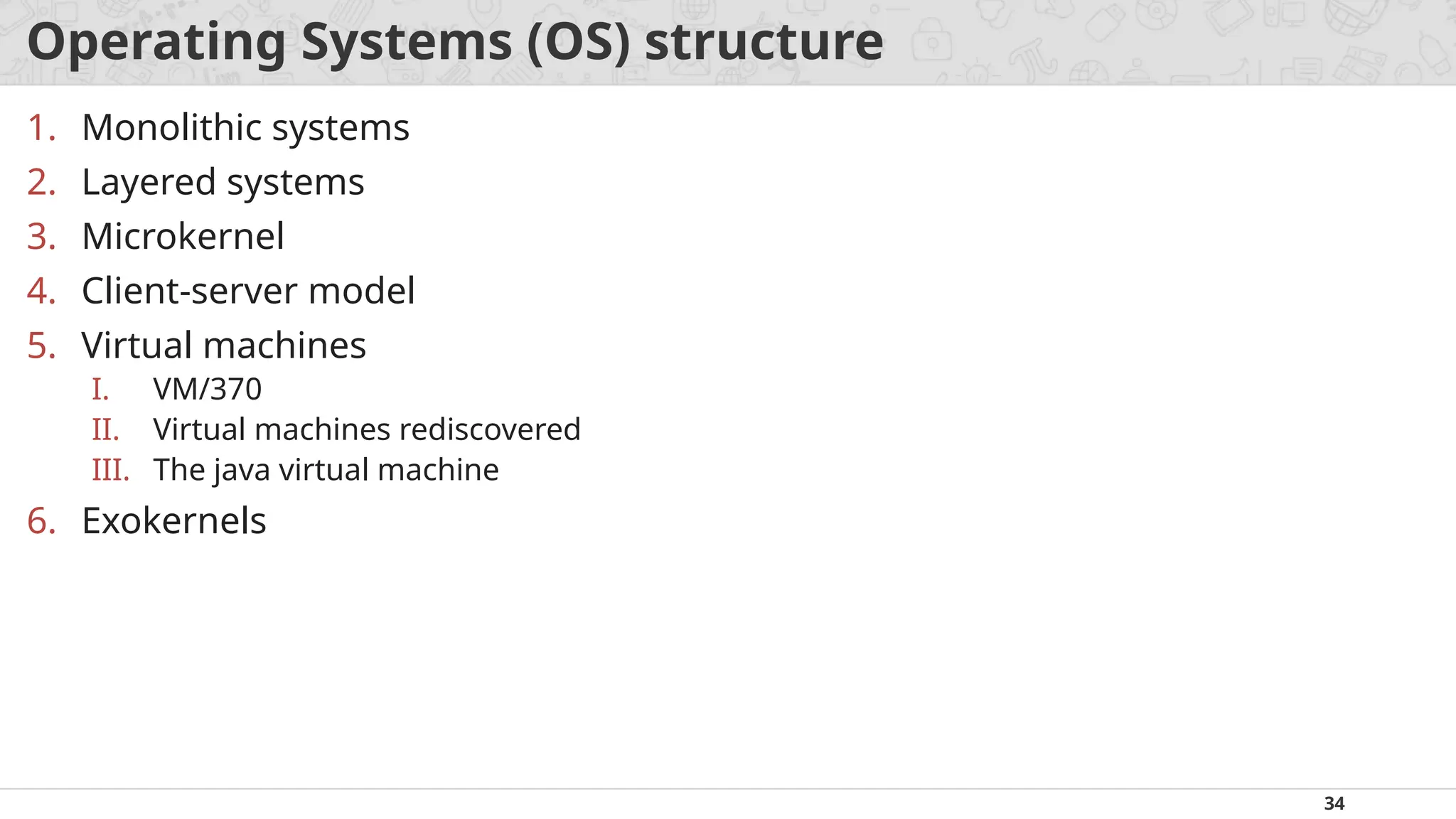
Operating Systems (OS)structure
1. Monolithic systems
2. Layered systems
3. Microkernel
4. Client-server model
5. Virtual machines
I. VM/370
II. Virtual machines rediscovered
III. The java virtual machine
6. Exokernels
35.
35
Monolithic systems
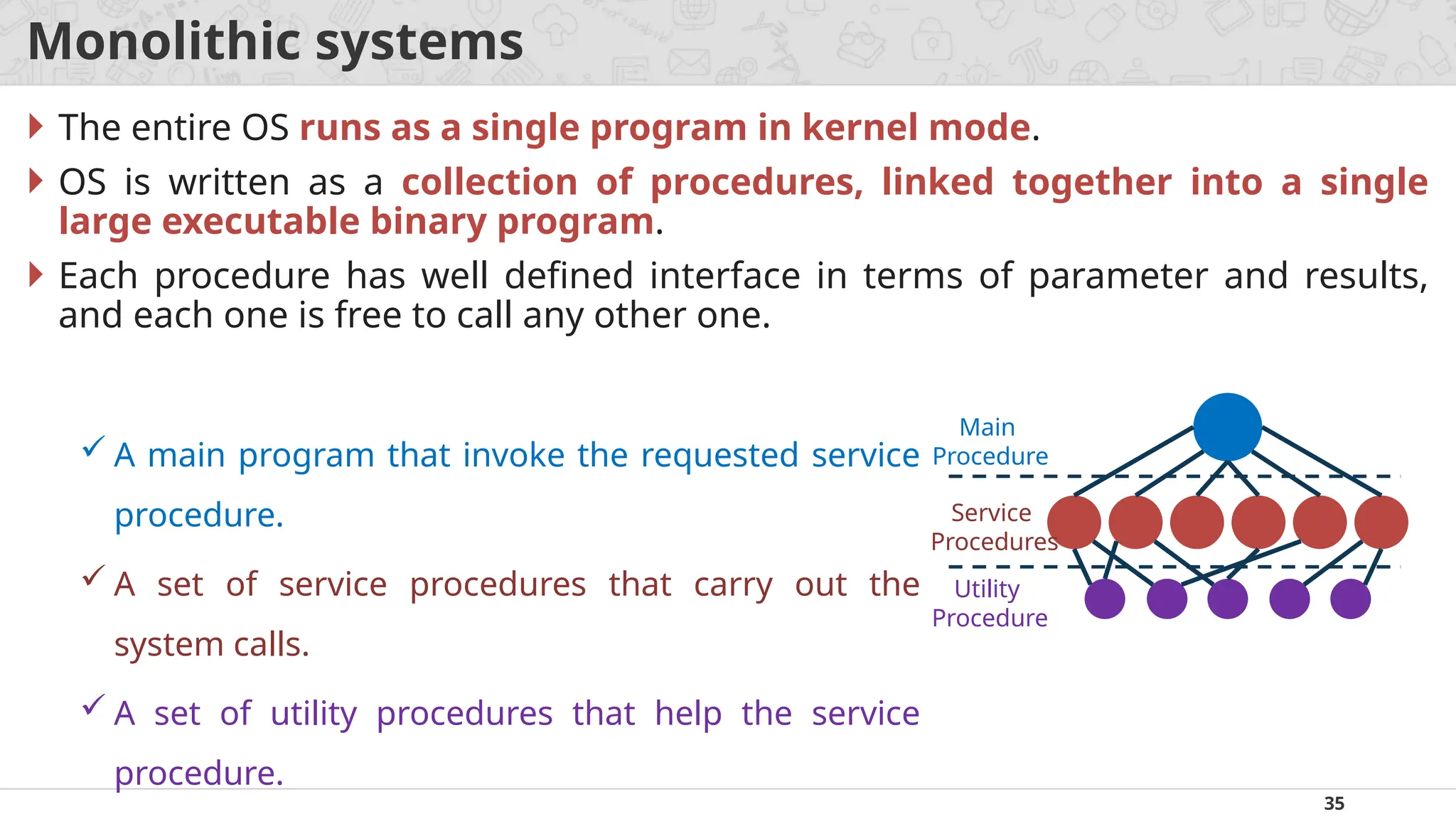
Theentire OS runs as a single program in kernel mode.
OS is written as a collection of procedures, linked together into a single
large executable binary program.
Each procedure has well defined interface in terms of parameter and results,
and each one is free to call any other one.
Main
Procedure
Service
Procedures
Utility
Procedure
A main program that invoke the requested service
procedure.
A set of service procedures that carry out the
system calls.
A set of utility procedures that help the service
procedure.
36.
36
Layered systems
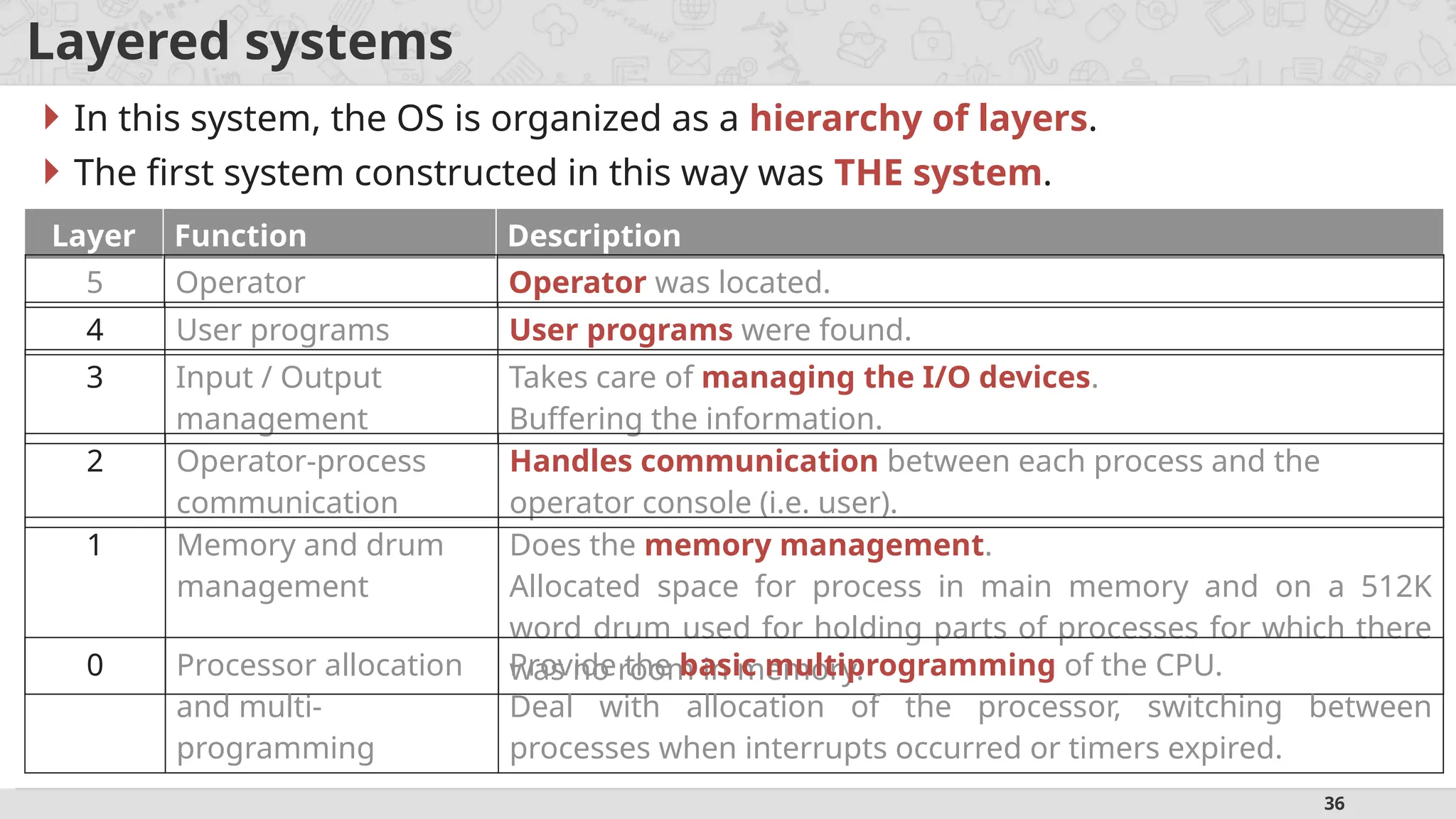
Inthis system, the OS is organized as a hierarchy of layers.
The first system constructed in this way was THE system.
Layer Function Description
5 Operator Operator was located.
4 User programs User programs were found.
3 Input / Output
management
Takes care of managing the I/O devices.
Buffering the information.
2 Operator-process
communication
Handles communication between each process and the
operator console (i.e. user).
1 Memory and drum
management
Does the memory management.
Allocated space for process in main memory and on a 512K
word drum used for holding parts of processes for which there
was no room in memory.
0 Processor allocation
and multi-
programming
Provide the basic multiprogramming of the CPU.
Deal with allocation of the processor, switching between
processes when interrupts occurred or timers expired.
37.
37
Microkernel
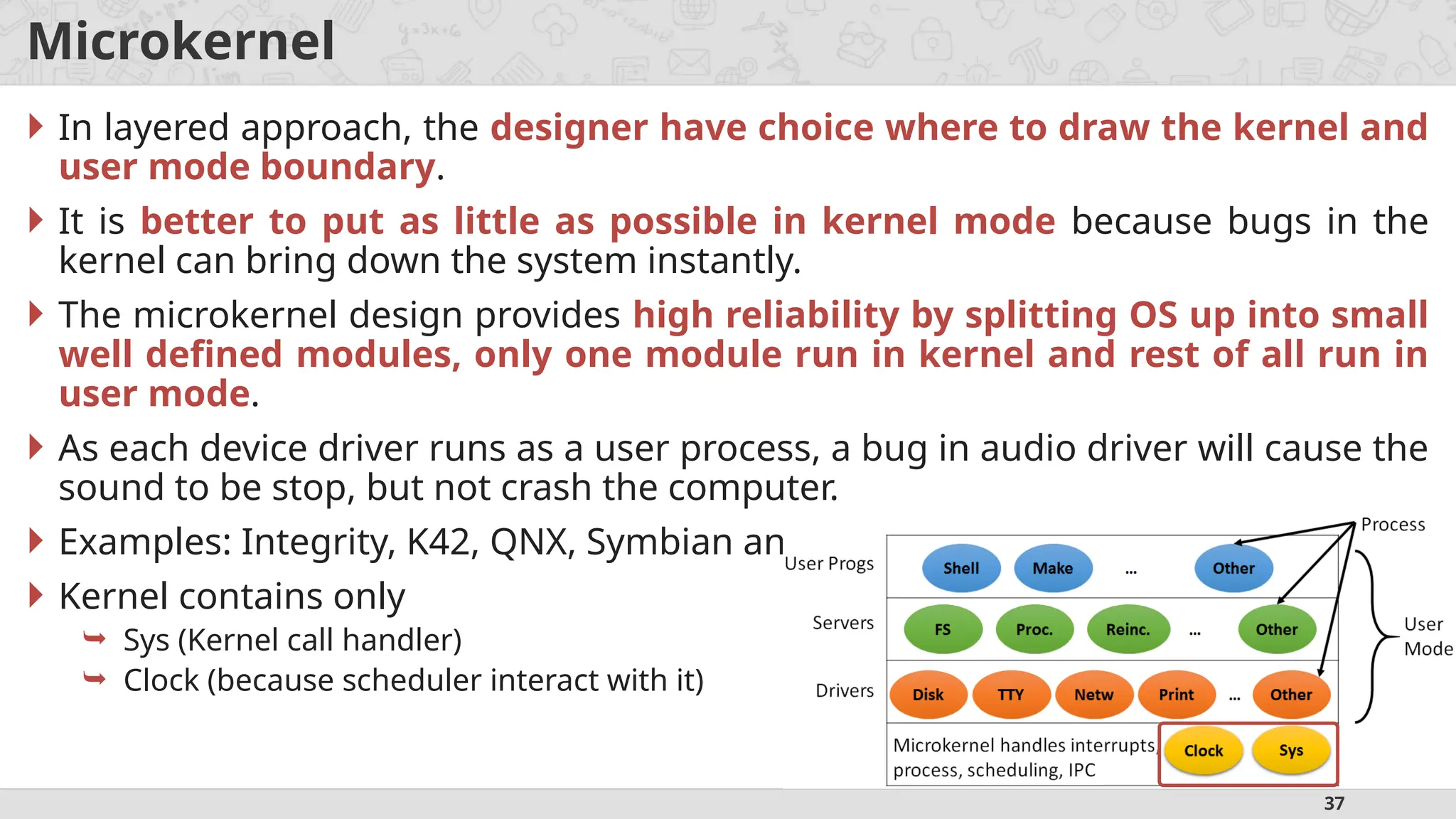
In layeredapproach, the designer have choice where to draw the kernel and
user mode boundary.
It is better to put as little as possible in kernel mode because bugs in the
kernel can bring down the system instantly.
The microkernel design provides high reliability by splitting OS up into small
well defined modules, only one module run in kernel and rest of all run in
user mode.
As each device driver runs as a user process, a bug in audio driver will cause the
sound to be stop, but not crash the computer.
Examples: Integrity, K42, QNX, Symbian and MINIX 3.
Kernel contains only
Sys (Kernel call handler)
Clock (because scheduler interact with it)
38.
38
Client-Server model
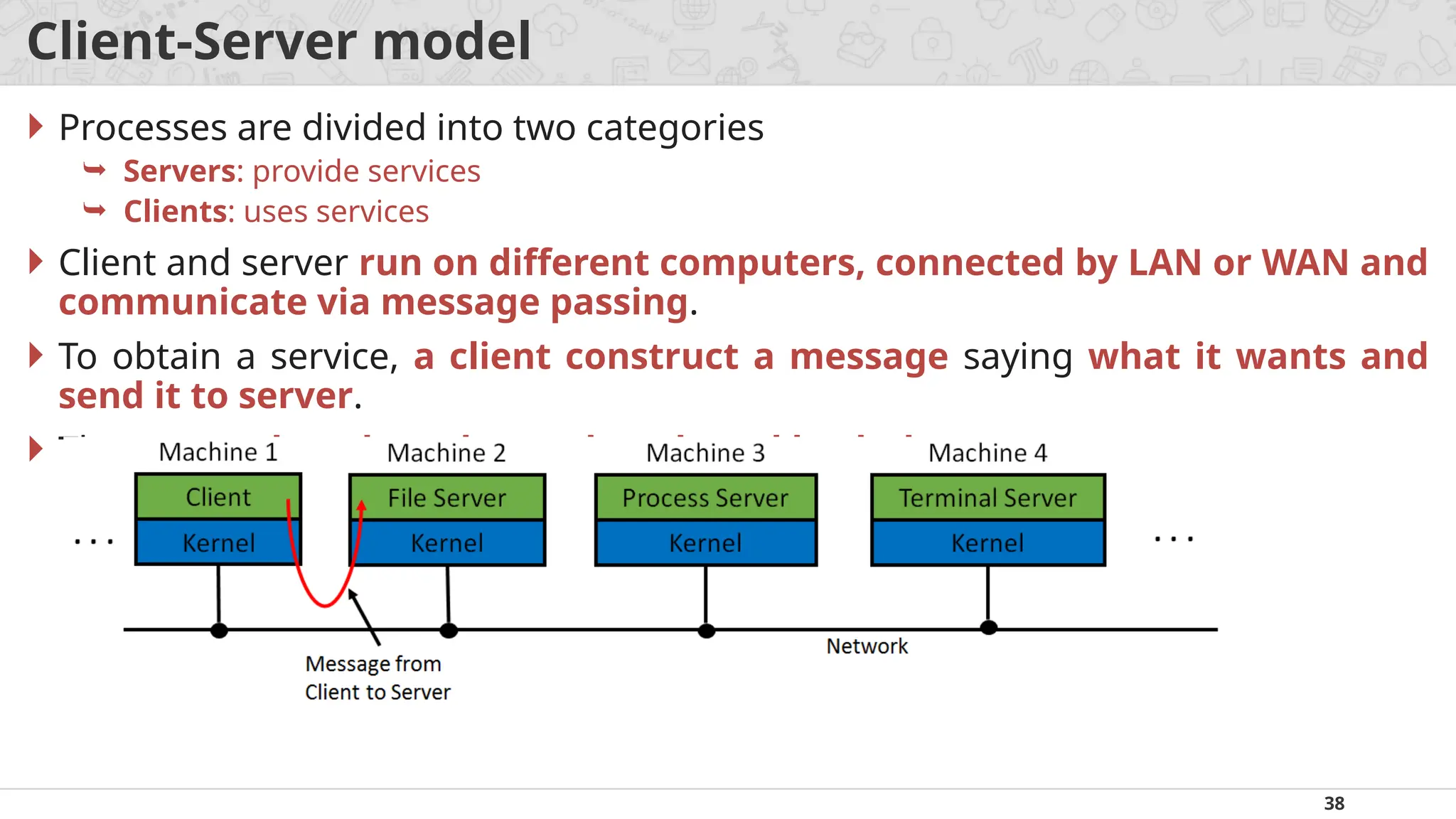
Processesare divided into two categories
Servers: provide services
Clients: uses services
Client and server run on different computers, connected by LAN or WAN and
communicate via message passing.
To obtain a service, a client construct a message saying what it wants and
send it to server.
The server then does the work and send back the answer.
39.
39
Virtual machines
Avirtual machine (VM) is a virtual environment that functions as a virtual
computer system with its own CPU, memory, network interface, and
storage, created on a physical hardware system.
The initial releases of OS/360 were strictly batch systems.
But many users wanted to be able to work interactively at a terminal, so OS
designers decided to write timesharing systems for it.
Types of Virtual machines are:
VM/370
Virtual Machines Rediscovered
The Java Virtual Machine
40.
40
Exokernels
Rather thancloning (copying) the actual machine, another strategy is
partitioning it (giving each user a subset of the resource).
For example one virtual machine might get disk blocks 0 to 1023, the next one
might get block 1024 to 2047, and so on.
Program running at the bottom layer (kernel mode) is called the exokernel.
Its job is to allocate resources to virtual machines and then continuously
check to make sure no machine is trying to use somebody else’s resources.
The advantage of the exokernel scheme is that it saves a layer of mapping.
42
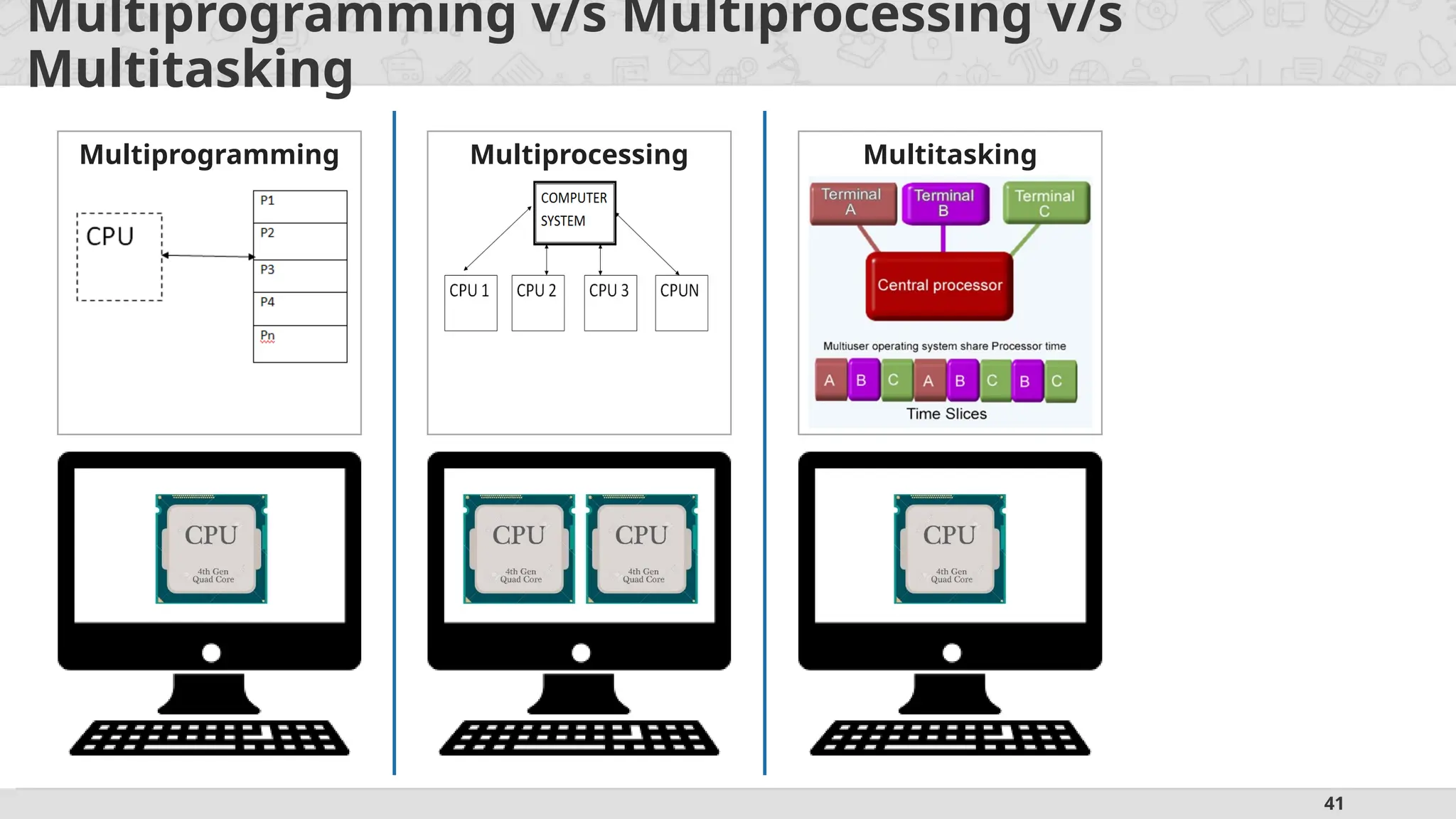
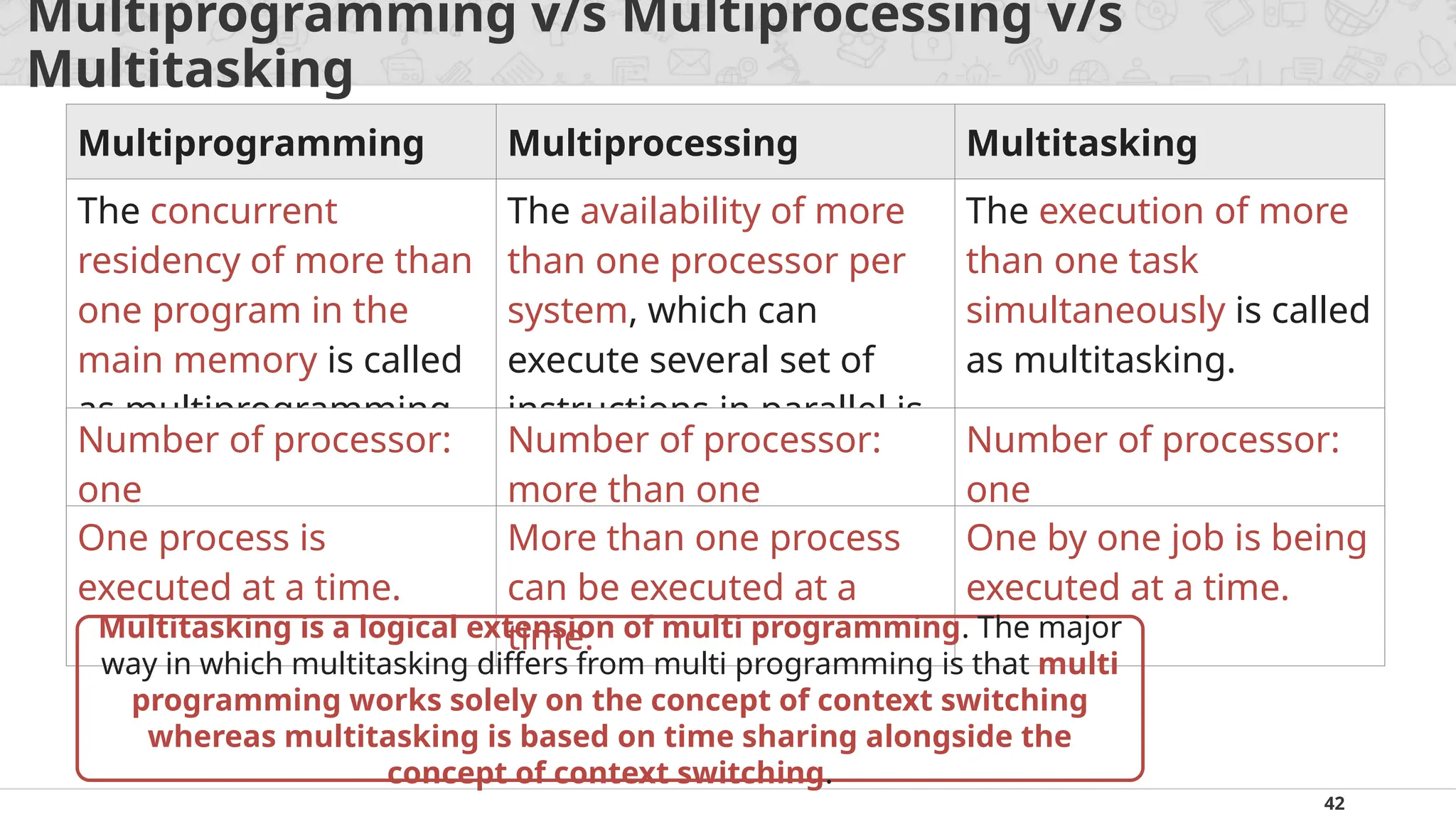
Multiprogramming v/s Multiprocessingv/s
Multitasking
Multiprogramming Multiprocessing Multitasking
The concurrent
residency of more than
one program in the
main memory is called
as multiprogramming.
The availability of more
than one processor per
system, which can
execute several set of
instructions in parallel is
called as multiprocessing
The execution of more
than one task
simultaneously is called
as multitasking.
Number of processor:
one
Number of processor:
more than one
Number of processor:
one
One process is
executed at a time.
More than one process
can be executed at a
time.
One by one job is being
executed at a time.
Multitasking is a logical extension of multi programming. The major
way in which multitasking differs from multi programming is that multi
programming works solely on the concept of context switching
whereas multitasking is based on time sharing alongside the
concept of context switching.
43.
43
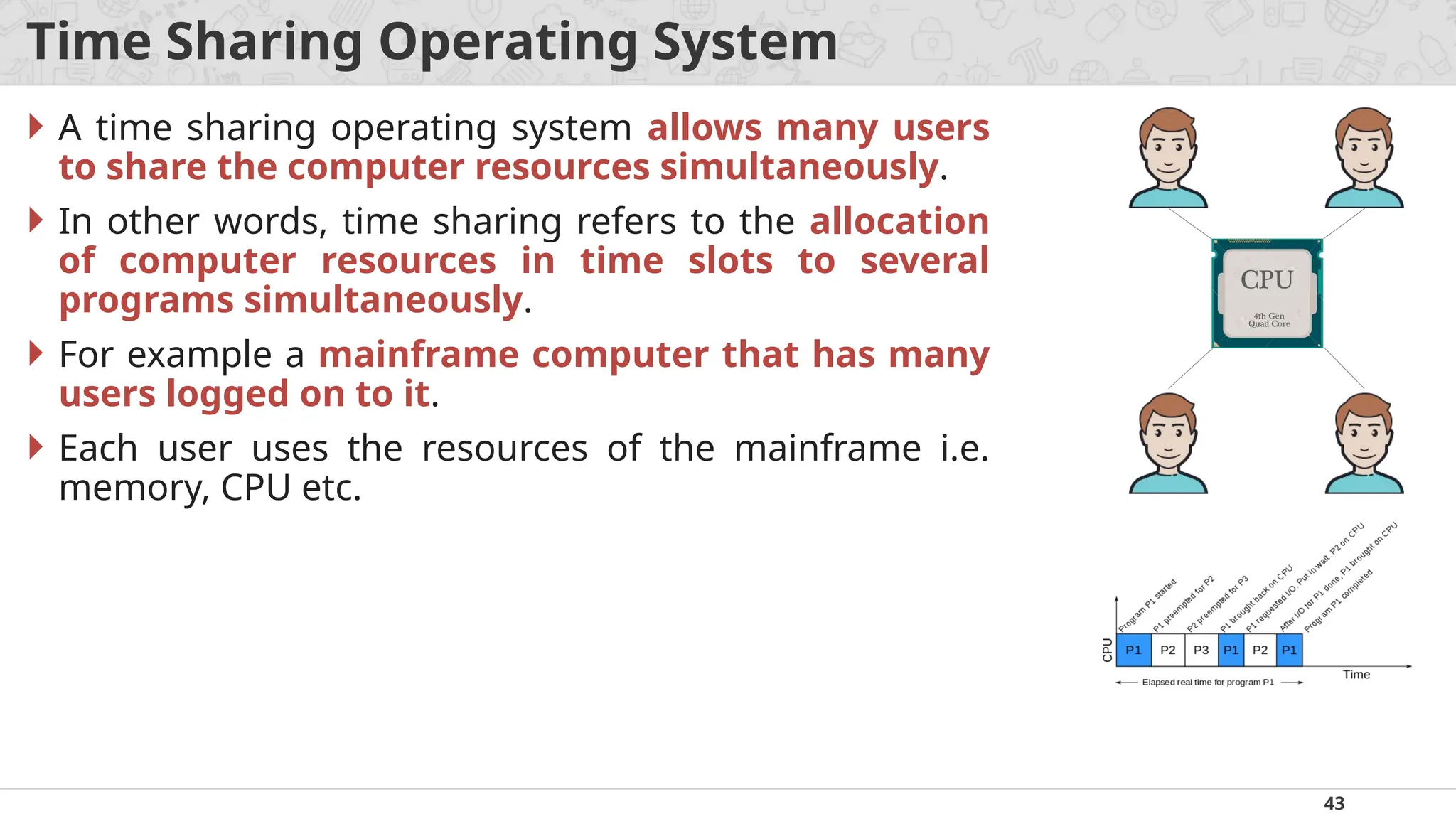
Time Sharing OperatingSystem
A time sharing operating system allows many users
to share the computer resources simultaneously.
In other words, time sharing refers to the allocation
of computer resources in time slots to several
programs simultaneously.
For example a mainframe computer that has many
users logged on to it.
Each user uses the resources of the mainframe i.e.
memory, CPU etc.
44.
44
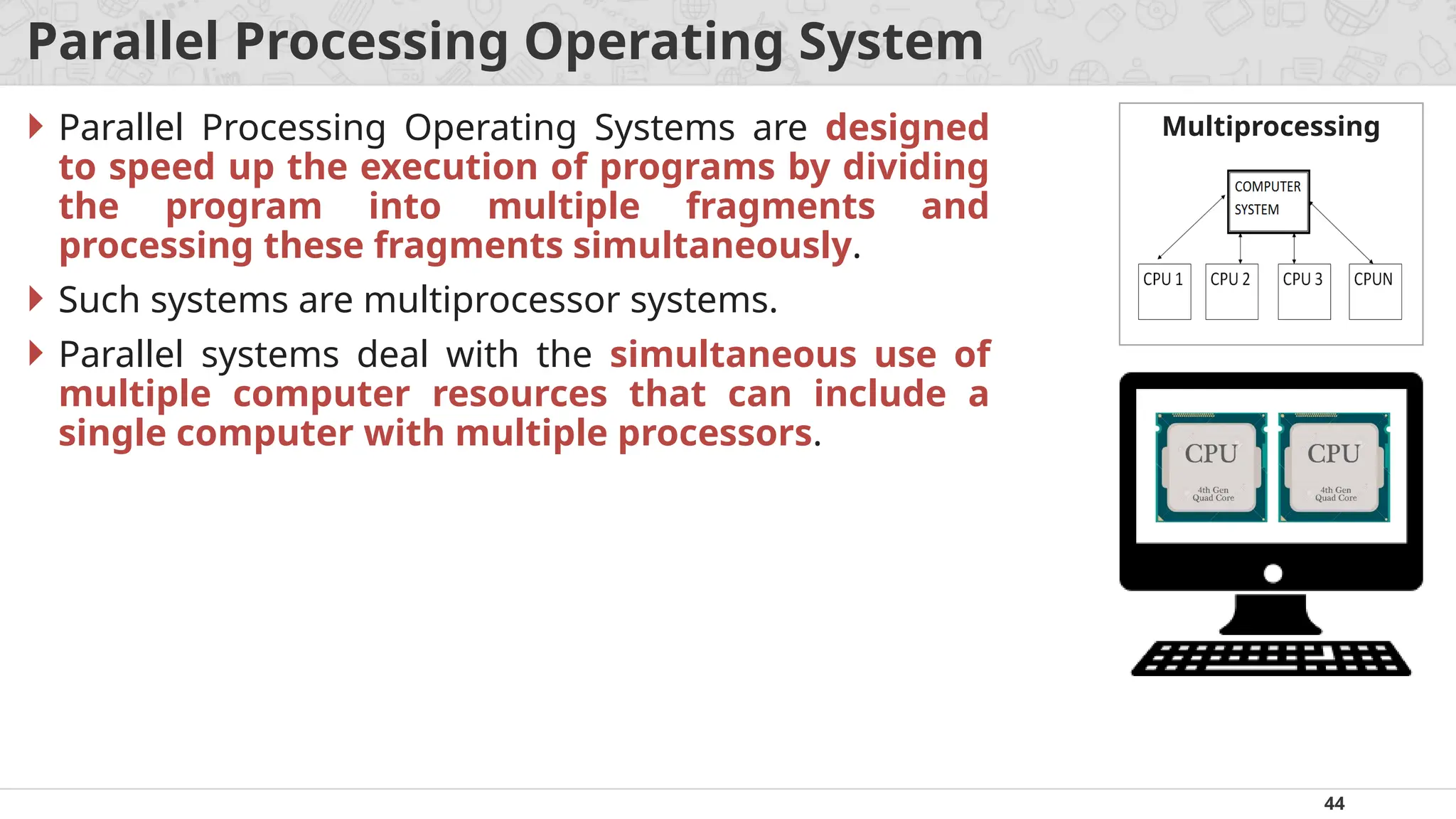
Parallel Processing OperatingSystem
Parallel Processing Operating Systems are designed
to speed up the execution of programs by dividing
the program into multiple fragments and
processing these fragments simultaneously.
Such systems are multiprocessor systems.
Parallel systems deal with the simultaneous use of
multiple computer resources that can include a
single computer with multiple processors.
Multiprocessing
45.
45
Distributed Operating System
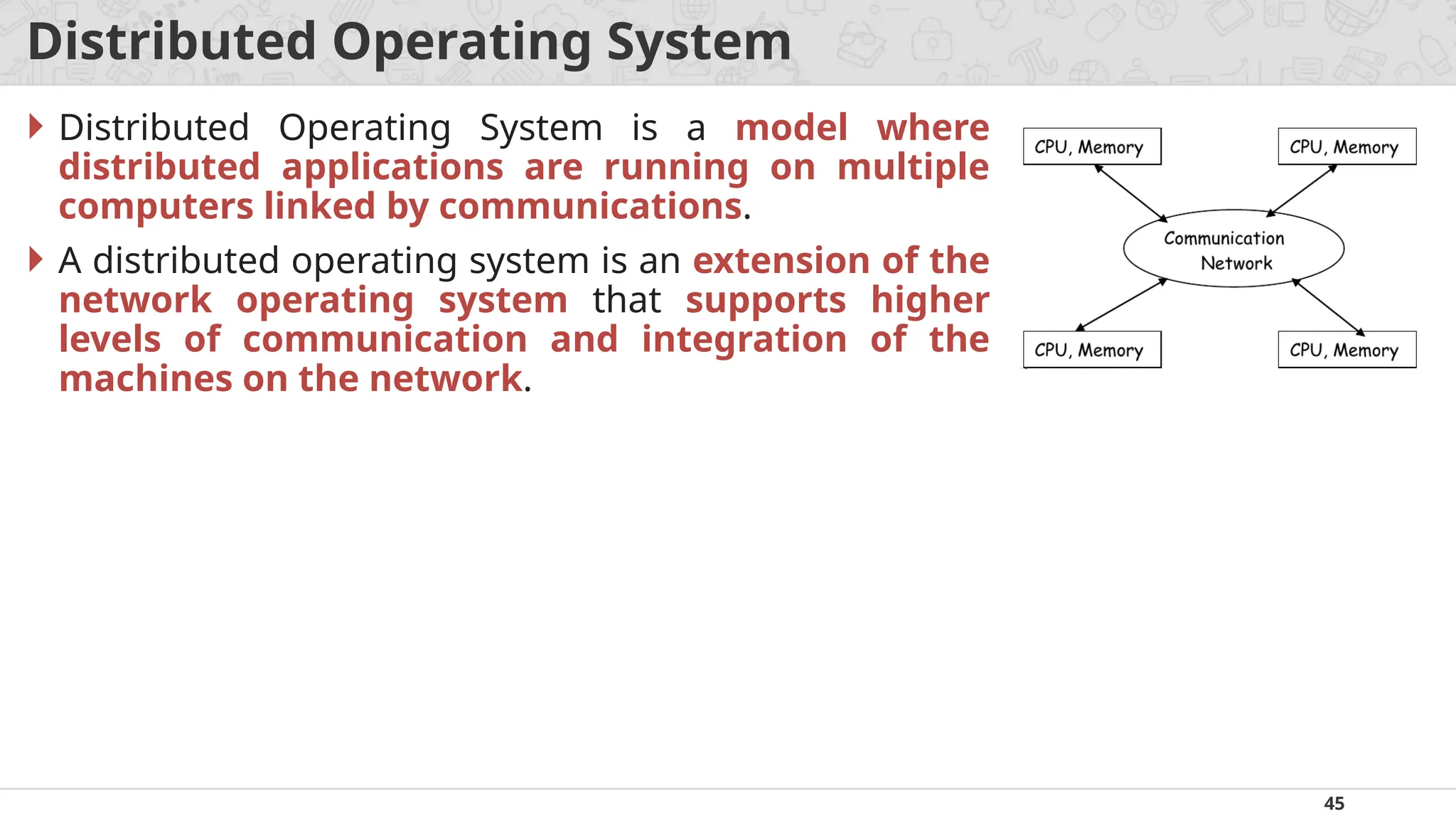
Distributed Operating System is a model where
distributed applications are running on multiple
computers linked by communications.
A distributed operating system is an extension of the
network operating system that supports higher
levels of communication and integration of the
machines on the network.