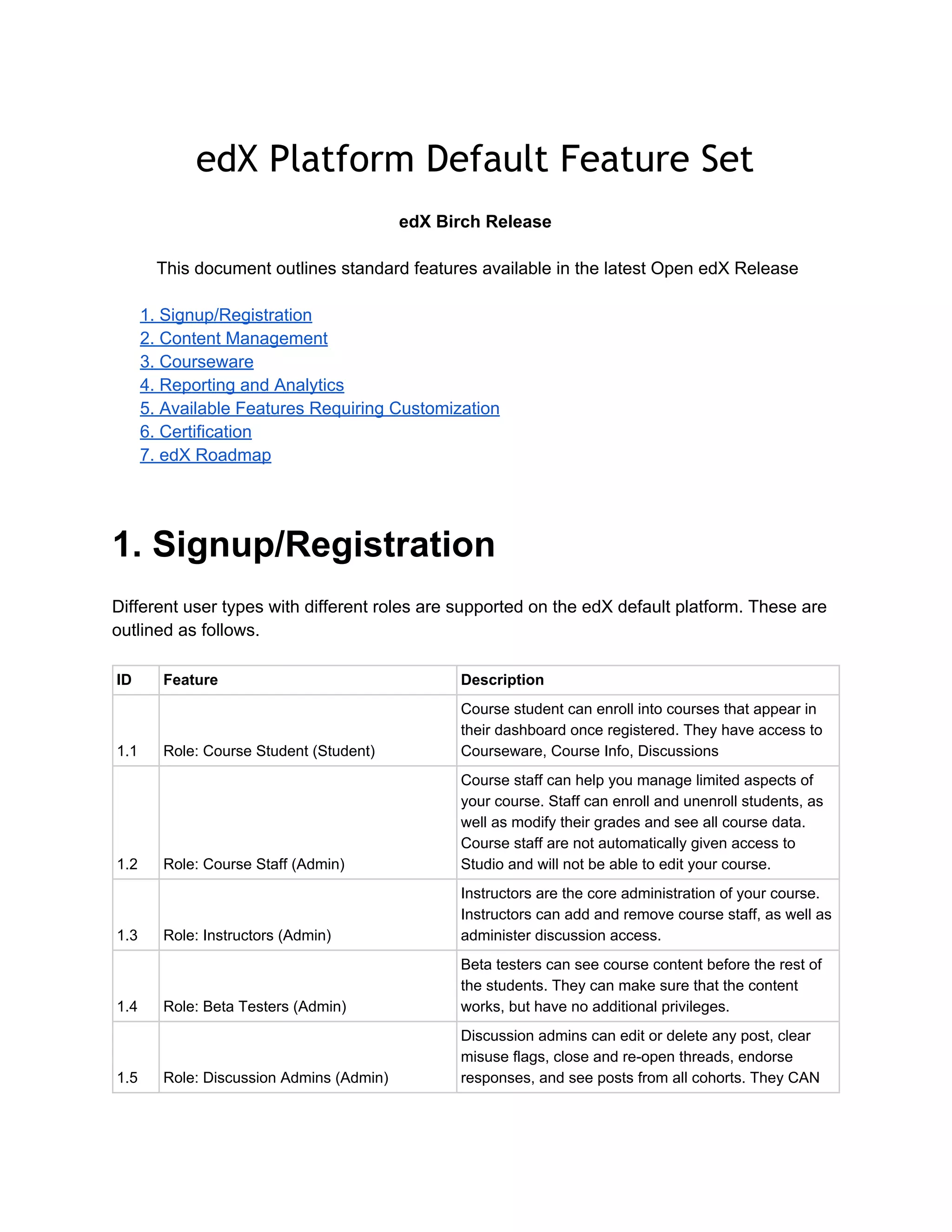
edX Platform Default Feature Set
 
edX Birch Release 
  
 This document outlines standard features available in the latest Open edX Release 
 
1. Signup/Registration 
2. Content Management 
3. Courseware 
4. Reporting and Analytics 
5. Available Features Requiring Customization 
6. Certification 
7. edX Roadmap 
 
1. Signup/Registration 
  
Different user types with different roles are supported on the edX default platform. These are 
outlined as follows. 
 
ID  Feature  Description 
1.1  Role: Course Student (Student) 
Course student can enroll into courses that appear in 
their dashboard once registered. They have access to 
Courseware, Course Info, Discussions 
1.2  Role: Course Staff (Admin) 
Course staff can help you manage limited aspects of 
your course. Staff can enroll and unenroll students, as 
well as modify their grades and see all course data. 
Course staff are not automatically given access to 
Studio and will not be able to edit your course. 
1.3  Role: Instructors (Admin) 
Instructors are the core administration of your course. 
Instructors can add and remove course staff, as well as 
administer discussion access. 
1.4  Role: Beta Testers (Admin) 
Beta testers can see course content before the rest of 
the students. They can make sure that the content 
works, but have no additional privileges. 
1.5  Role: Discussion Admins (Admin) 
Discussion admins can edit or delete any post, clear 
misuse flags, close and re­open threads, endorse 
responses, and see posts from all cohorts. They CAN 
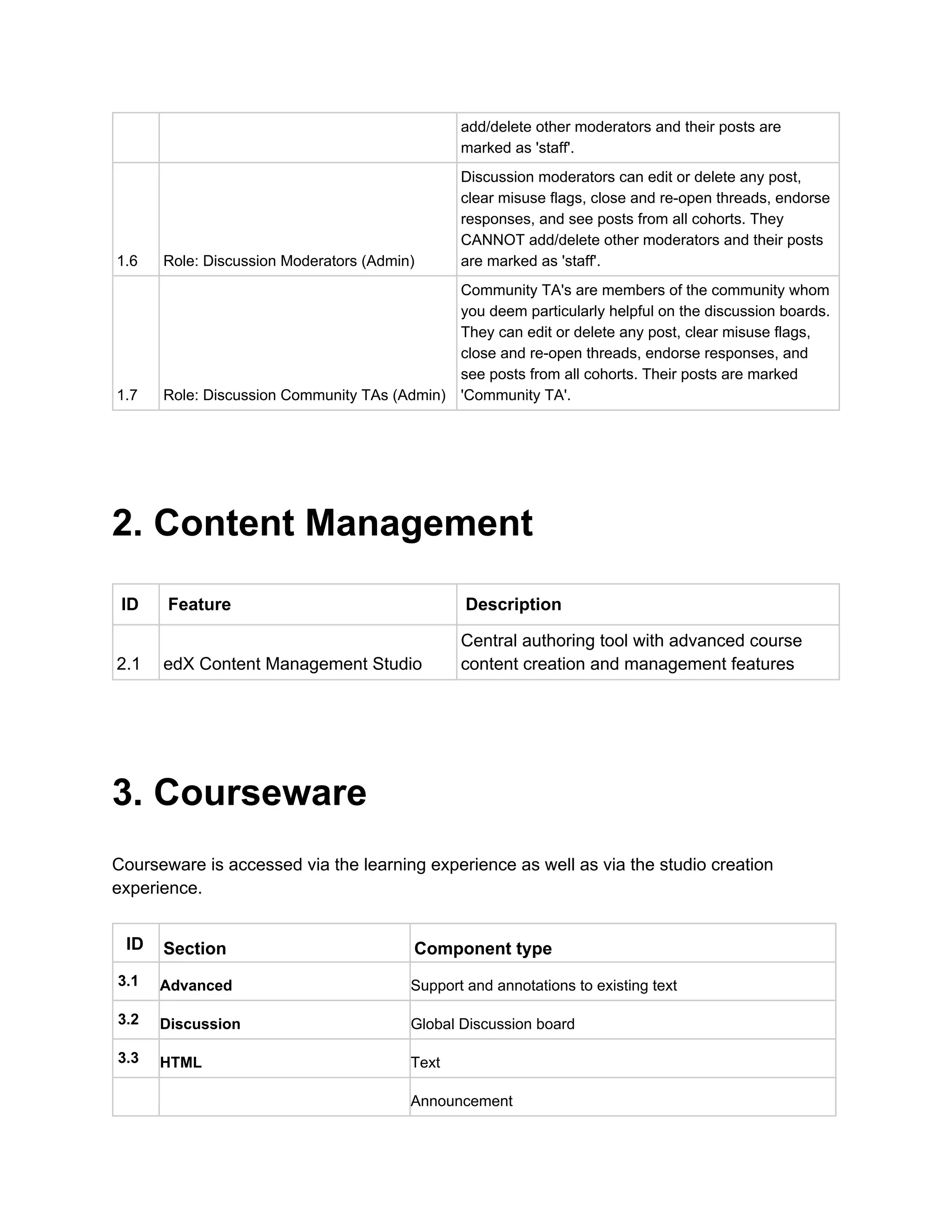
add/delete other moderators and their posts are 
marked as 'staff'. 
1.6  Role: Discussion Moderators (Admin) 
Discussion moderators can edit or delete any post, 
clear misuse flags, close and re­open threads, endorse 
responses, and see posts from all cohorts. They 
CANNOT add/delete other moderators and their posts 
are marked as 'staff'. 
1.7  Role: Discussion Community TAs (Admin) 
Community TA's are members of the community whom 
you deem particularly helpful on the discussion boards. 
They can edit or delete any post, clear misuse flags, 
close and re­open threads, endorse responses, and 
see posts from all cohorts. Their posts are marked 
'Community TA'. 
 
2. Content Management 
 
ID  Feature  Description 
2.1  edX Content Management Studio 
Central authoring tool with advanced course 
content creation and management features 
 
3. Courseware 
 
Courseware is accessed via the learning experience as well as via the studio creation 
experience.  
 
 ID  Section  Component type 
3.1  Advanced  Support and annotations to existing text 
3.2  Discussion  Global Discussion board 
3.3  HTML  Text 
     Announcement 
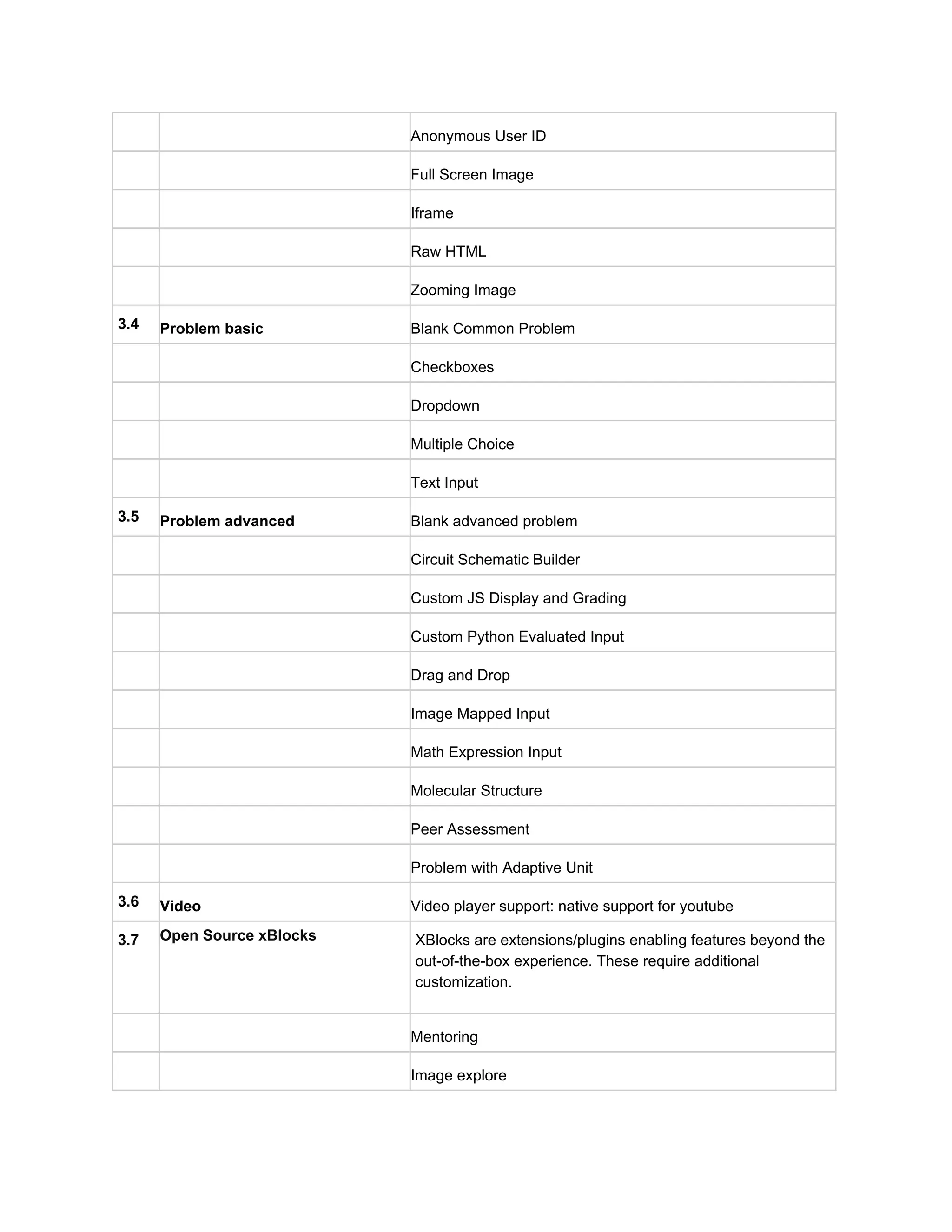
     Anonymous User ID 
     Full Screen Image 
     Iframe 
     Raw HTML 
     Zooming Image 
3.4  Problem basic  Blank Common Problem 
     Checkboxes 
     Dropdown 
     Multiple Choice 
     Text Input 
3.5  Problem advanced  Blank advanced problem 
     Circuit Schematic Builder 
     Custom JS Display and Grading 
     Custom Python Evaluated Input 
     Drag and Drop 
     Image Mapped Input 
     Math Expression Input 
     Molecular Structure 
     Peer Assessment 
     Problem with Adaptive Unit 
3.6  Video  Video player support: native support for youtube  
3.7  Open Source xBlocks  


XBlocks are extensions/plugins enabling features beyond the 
out­of­the­box experience. These require additional 
customization. 
     Mentoring 
     Image explore 
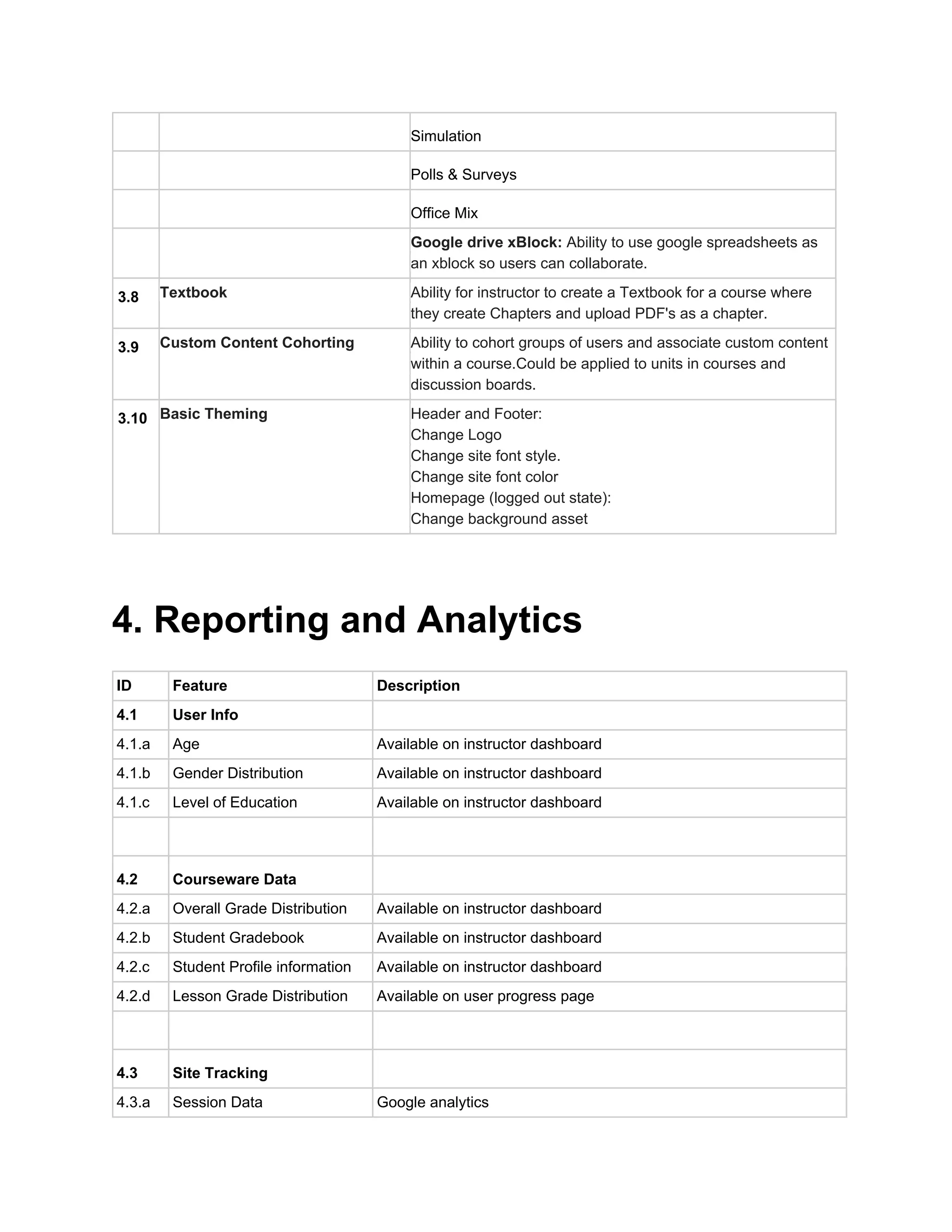
     Simulation 
     Polls & Surveys 
     Office Mix 
 
 
Google drive xBlock: ​Ability to use google spreadsheets as 
an xblock so users can collaborate.   
3.8  Textbook 
 
Ability for instructor to create a Textbook for a course where 
they create Chapters and upload PDF's as a chapter. 
3.9  Custom Content Cohorting 
 
 
Ability to cohort groups of users and associate custom content 
within a course.Could be applied to units in courses and 
discussion boards.  
3.10  Basic Theming 


Header and Footer: 
Change Logo 
Change site font style. 
Change site font color 
Homepage (logged out state): 
Change background asset 
  
 
4. Reporting and Analytics 
  
ID  Feature  Description 
4.1  User Info   
4.1.a  Age  Available on instructor dashboard 
4.1.b  Gender Distribution  Available on instructor dashboard 
4.1.c  Level of Education  Available on instructor dashboard 
     
4.2  Courseware Data   
4.2.a  Overall Grade Distribution  Available on instructor dashboard 
4.2.b  Student Gradebook  Available on instructor dashboard 
4.2.c  Student Profile information  Available on instructor dashboard 
4.2.d  Lesson Grade Distribution  Available on user progress page 
     
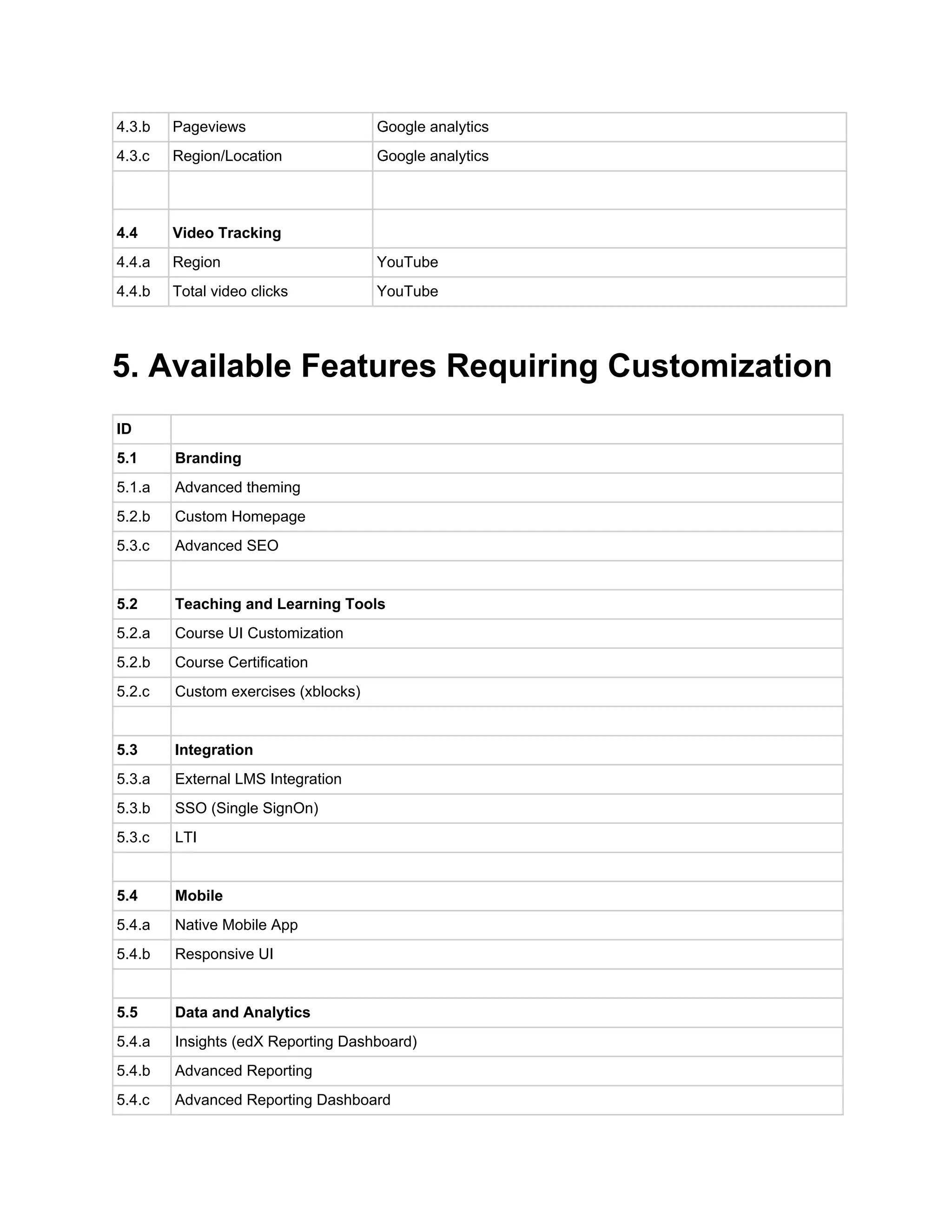
4.3  Site Tracking   
4.3.a  Session Data  Google analytics 
4.3.b  Pageviews  Google analytics 
4.3.c  Region/Location  Google analytics 
     
4.4  Video Tracking   
4.4.a  Region  YouTube 
4.4.b  Total video clicks  YouTube 
 
5. Available Features Requiring Customization 
 
ID   
5.1  Branding 
5.1.a  Advanced theming 
5.2.b  Custom Homepage 
5.3.c  Advanced SEO 
   
5.2  Teaching and Learning Tools 
5.2.a  Course UI Customization 
5.2.b  Course Certification 
5.2.c  Custom exercises (xblocks) 
   
5.3  Integration 
5.3.a  External LMS Integration 
5.3.b  SSO (Single SignOn) 
5.3.c  LTI 
   
5.4  Mobile 
5.4.a  Native Mobile App 
5.4.b  Responsive UI 
   
5.5  Data and Analytics 
5.4.a  Insights (edX Reporting Dashboard) 
5.4.b  Advanced Reporting 
5.4.c  Advanced Reporting Dashboard 
   
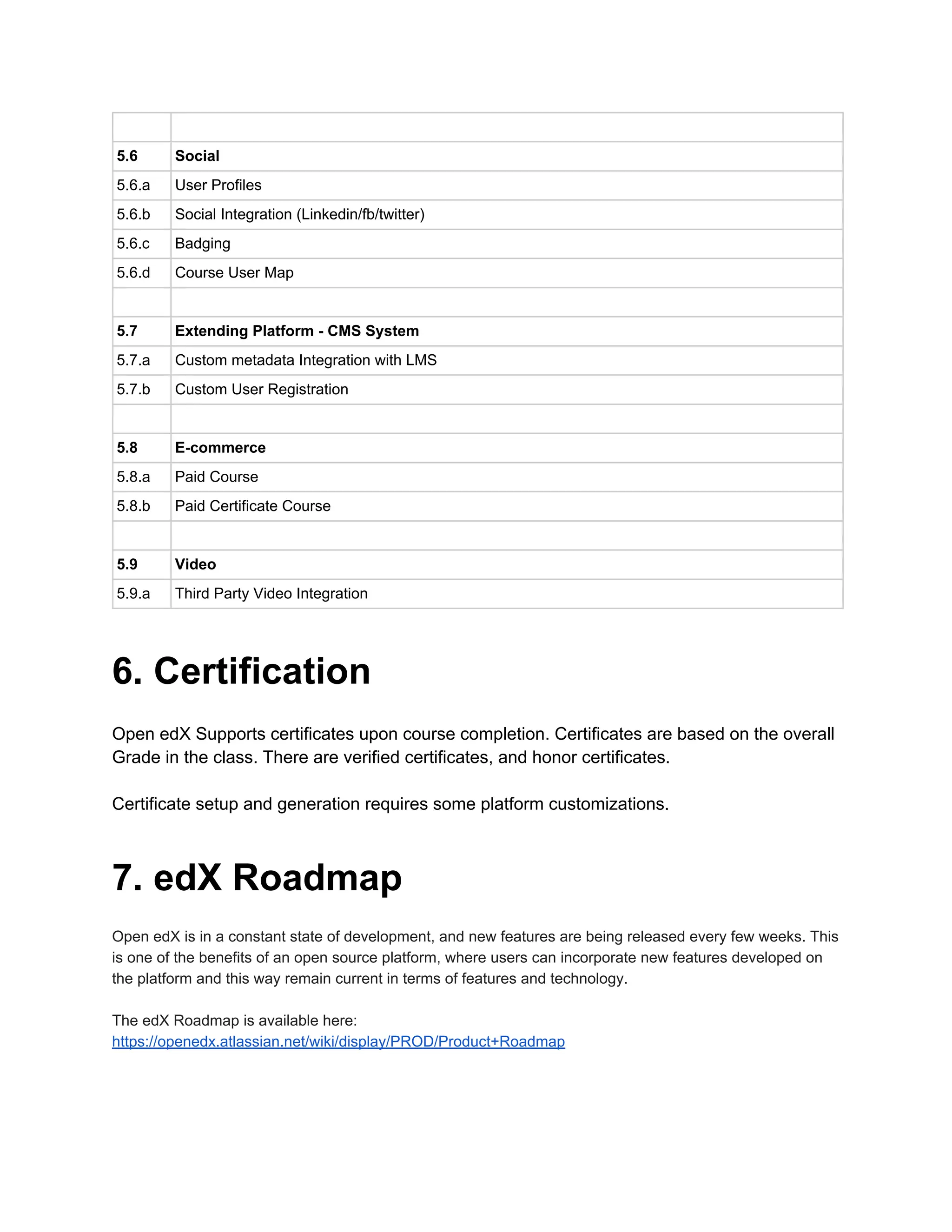
5.6  Social 
5.6.a  User Profiles 
5.6.b  Social Integration (Linkedin/fb/twitter) 
5.6.c  Badging 
5.6.d  Course User Map 
   
5.7  Extending Platform ­ CMS System 
5.7.a  Custom metadata Integration with LMS 
5.7.b  Custom User Registration 
   
5.8  E­commerce 
5.8.a  Paid Course 
5.8.b  Paid Certificate Course 
   
5.9  Video 
5.9.a  Third Party Video Integration 
 
6. Certification 
 
Open edX Supports certificates upon course completion. Certificates are based on the overall 
Grade in the class. There are verified certificates, and honor certificates. 
 
Certificate setup and generation requires some platform customizations. 
 
7. edX Roadmap 
 
Open edX is in a constant state of development, and new features are being released every few weeks. This 
is one of the benefits of an open source platform, where users can incorporate new features developed on 
the platform and this way remain current in terms of features and technology.  
 
The edX Roadmap is available here: 
https://openedx.atlassian.net/wiki/display/PROD/Product+Roadmap 

Open edX Birch Release Standard Features

  • 1.
      edX Platform DefaultFeature Set   edX Birch Release      This document outlines standard features available in the latest Open edX Release    1. Signup/Registration  2. Content Management  3. Courseware  4. Reporting and Analytics  5. Available Features Requiring Customization  6. Certification  7. edX Roadmap    1. Signup/Registration     Different user types with different roles are supported on the edX default platform. These are  outlined as follows.    ID  Feature  Description  1.1  Role: Course Student (Student)  Course student can enroll into courses that appear in  their dashboard once registered. They have access to  Courseware, Course Info, Discussions  1.2  Role: Course Staff (Admin)  Course staff can help you manage limited aspects of  your course. Staff can enroll and unenroll students, as  well as modify their grades and see all course data.  Course staff are not automatically given access to  Studio and will not be able to edit your course.  1.3  Role: Instructors (Admin)  Instructors are the core administration of your course.  Instructors can add and remove course staff, as well as  administer discussion access.  1.4  Role: Beta Testers (Admin)  Beta testers can see course content before the rest of  the students. They can make sure that the content  works, but have no additional privileges.  1.5  Role: Discussion Admins (Admin)  Discussion admins can edit or delete any post, clear  misuse flags, close and re­open threads, endorse  responses, and see posts from all cohorts. They CAN 
  • 2.
    add/delete other moderators and their posts are  marked as 'staff'.  1.6  Role: Discussion Moderators (Admin)  Discussion moderators can edit or delete any post,  clear misuse flags, close and re­open threads, endorse  responses, and see posts from all cohorts. They  CANNOT add/delete other moderators and their posts  are marked as 'staff'.  1.7  Role: Discussion Community TAs (Admin)  Community TA's are members of the community whom  you deem particularly helpful on the discussion boards.  They can edit or delete any post, clear misuse flags,  close and re­open threads, endorse responses, and  see posts from all cohorts. Their posts are marked  'Community TA'.    2. Content Management    ID Feature  Description  2.1  edX Content Management Studio  Central authoring tool with advanced course  content creation and management features    3. Courseware    Courseware is accessed via the learning experience as well as via the studio creation  experience.      ID  Section  Component type  3.1  Advanced  Support and annotations to existing text  3.2  Discussion  Global Discussion board  3.3  HTML  Text       Announcement 
  • 3.
         Anonymous User ID      Full Screen Image       Iframe       Raw HTML       Zooming Image  3.4  Problem basic  Blank Common Problem       Checkboxes       Dropdown       Multiple Choice       Text Input  3.5  Problem advanced  Blank advanced problem       Circuit Schematic Builder       Custom JS Display and Grading       Custom Python Evaluated Input       Drag and Drop       Image Mapped Input       Math Expression Input       Molecular Structure       Peer Assessment       Problem with Adaptive Unit  3.6  Video  Video player support: native support for youtube   3.7  Open Source xBlocks         XBlocks are extensions/plugins enabling features beyond the  out­of­the­box experience. These require additional  customization.       Mentoring       Image explore 
  • 4.
         Simulation      Polls & Surveys       Office Mix      Google drive xBlock: ​Ability to use google spreadsheets as  an xblock so users can collaborate.    3.8  Textbook    Ability for instructor to create a Textbook for a course where  they create Chapters and upload PDF's as a chapter.  3.9  Custom Content Cohorting      Ability to cohort groups of users and associate custom content  within a course.Could be applied to units in courses and  discussion boards.   3.10  Basic Theming            Header and Footer:  Change Logo  Change site font style.  Change site font color  Homepage (logged out state):  Change background asset       4. Reporting and Analytics     ID  Feature  Description  4.1  User Info    4.1.a  Age  Available on instructor dashboard  4.1.b  Gender Distribution  Available on instructor dashboard  4.1.c  Level of Education  Available on instructor dashboard        4.2  Courseware Data    4.2.a  Overall Grade Distribution  Available on instructor dashboard  4.2.b  Student Gradebook  Available on instructor dashboard  4.2.c  Student Profile information  Available on instructor dashboard  4.2.d  Lesson Grade Distribution  Available on user progress page        4.3  Site Tracking    4.3.a  Session Data  Google analytics 
  • 5.
    4.3.b  Pageviews  Google analytics  4.3.c Region/Location  Google analytics        4.4  Video Tracking    4.4.a  Region  YouTube  4.4.b  Total video clicks  YouTube    5. Available Features Requiring Customization    ID    5.1  Branding  5.1.a  Advanced theming  5.2.b  Custom Homepage  5.3.c  Advanced SEO      5.2  Teaching and Learning Tools  5.2.a  Course UI Customization  5.2.b  Course Certification  5.2.c  Custom exercises (xblocks)      5.3  Integration  5.3.a  External LMS Integration  5.3.b  SSO (Single SignOn)  5.3.c  LTI      5.4  Mobile  5.4.a  Native Mobile App  5.4.b  Responsive UI      5.5  Data and Analytics  5.4.a  Insights (edX Reporting Dashboard)  5.4.b  Advanced Reporting  5.4.c  Advanced Reporting Dashboard 
  • 6.
        5.6  Social  5.6.a User Profiles  5.6.b  Social Integration (Linkedin/fb/twitter)  5.6.c  Badging  5.6.d  Course User Map      5.7  Extending Platform ­ CMS System  5.7.a  Custom metadata Integration with LMS  5.7.b  Custom User Registration      5.8  E­commerce  5.8.a  Paid Course  5.8.b  Paid Certificate Course      5.9  Video  5.9.a  Third Party Video Integration    6. Certification    Open edX Supports certificates upon course completion. Certificates are based on the overall  Grade in the class. There are verified certificates, and honor certificates.    Certificate setup and generation requires some platform customizations.    7. edX Roadmap    Open edX is in a constant state of development, and new features are being released every few weeks. This  is one of the benefits of an open source platform, where users can incorporate new features developed on  the platform and this way remain current in terms of features and technology.     The edX Roadmap is available here:  https://openedx.atlassian.net/wiki/display/PROD/Product+Roadmap