MigratingYour Email to
the Cloud: How to Do It?
Dejan Foro CEO,
Exchangemaster GmbH
European Office 365 Connect Conference,
Haarlem, Netherlands 1.4.2014
Speaker introduction
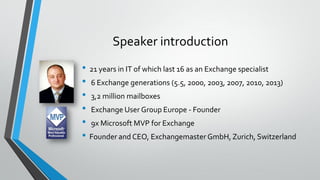
• 21 years in IT of which last 16 as an Exchange specialist
• 6 Exchange generations (5.5, 2000, 2003, 2007, 2010, 2013)
• 3,2 million mailboxes
• Exchange User Group Europe - Founder
• 9x Microsoft MVP for Exchange
• Founder and CEO, Exchangemaster GmbH, Zurich, Switzerland
Agenda
• Introduction
• Why office 365
• How to
• Plan
• Prepare
• Deploy
• Run
• Emphasis on new functionalities in SP1,Tools, and typical pitfalls you may
encounter
Presentation download
• This presentation will be available for download from
www.exchangemaster.net
Why Office 365?
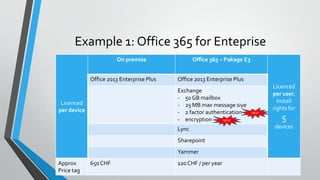
Example 1: Office 365 for Enteprise
Licenced
per device
On premise Office 365 – Pakage E3
Licenced
per user.
Install
rights for
5
devices
Office 2013 Enterprise Plus Office 2013 Enterprise Plus
Exchange
- 50 GB mailbox
- 25 MB max message siye
- 2 factor authentication
- encryption
Lync
Sharepoint
Yammer
Approx
Price tag
650 CHF 120 CHF / per year
NEW
NEW
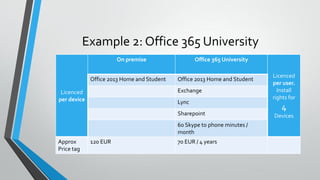
Example 2: Office 365 University
Licenced
per device
On premise Office 365 University
Licenced
per user.
Install
rights for
4
Devices
Office 2013 Home and Student Office 2013 Home and Student
Exchange
Lync
Sharepoint
60 Skype to phone minutes /
month
Approx
Price tag
120 EUR 70 EUR / 4 years
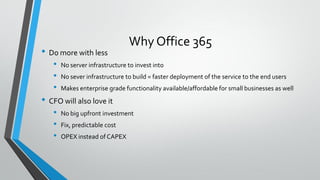
Why Office 365
• Do more with less
• No server infrastructure to invest into
• No sever infrastructure to build = faster deployment of the service to the end users
• Makes enterprise grade functionality available/affordable for small businesses as well
• CFO will also love it
• No big upfront investment
• Fix, predictable cost
• OPEX instead of CAPEX
Why Office 365
• CIO/CSO will love it
• High availability,
• Compliance,
• 2 forms authentication,
• Encryption
• Possibility to have delegated administration as well
PLAN
Plan your move to Office 365
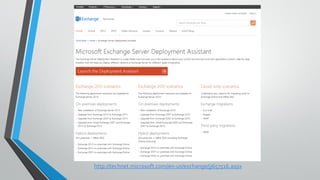
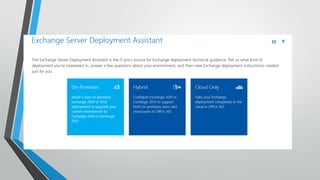
Essential tool for your deployment planning
• Microsoft Exchange Deployment Assistant
http://technet.microsoft.com/en-us/exchange/jj657516.aspx
Prepare yourself
• Sources of technical information:
• Technet
http://technet.microsoft.com/en-us/library/dn127064(v=office.14).aspx
http://technet.microsoft.com/en-us/library/jj200581(v=exchg.150).aspx
• IgniteWeb site
http://ignite.office.com/
• MicrosoftVirtual Academy
http://www.microsoftvirtualacademy.com/product-training/office-365
Typical Office 365 Deployment Scenarios
• Scenario 1:
• Small business
• Legacy IMAP mailboxes
• No existing Active Directory Infrastructure
• Office 365 solution:
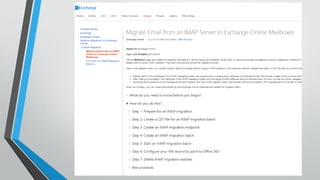
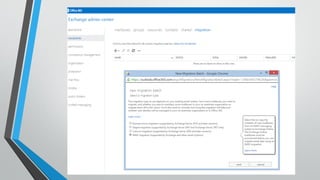
• Direct IMAP import via the Office 365
portal
• NoActive Directory necessary (Office 365
automatically generates one in the
background the Azure)
Typical Office 365 Deployment Scenarios
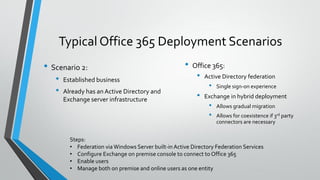
• Scenario 2:
• Established business
• Already has anActive Directory and
Exchange server infrastructure
• Office 365:
• Active Directory federation
• Single sign-on experience
• Exchange in hybrid deployment
• Allows gradual migration
• Allows for coexistence if 3rd party
connectors are necessary
Steps:
• Federation via Windows Server built-in Active Directory Federation Services
• Configure Exchange on premise console to connect to Office 365
• Enable users
• Manage both on premise and online users as one entity
Planning –Typical Questions
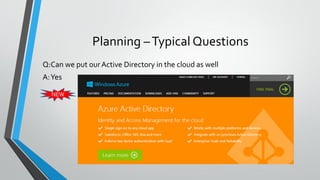
Q:Can we put ourActive Directory in the cloud as well
A:Yes
NEW
Planning –Typical Questions
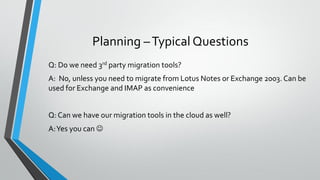
Q: Do we need 3rd party migration tools?
A: No, unless you need to migrate from Lotus Notes or Exchange 2003. Can be
used for Exchange and IMAP as convenience
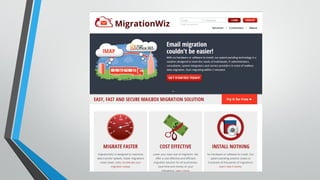
Q: Can we have our migration tools in the cloud as well?
A:Yes you can 
Planning –Typical Questions
• Q: Can we migrate from Exchange 2003 to Office 365 ?
• A1: Introduce Exchange 2010 and then migrate
• A2: Use 3rd party tools
Planning –Typical Questions
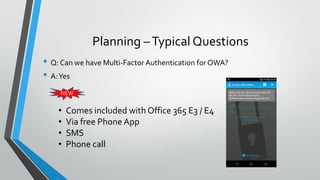
• Q: Can we have Multi-Factor Authentication forOWA?
• A:Yes
NEW
• Comes included with Office 365 E3 / E4
• Via free Phone App
• SMS
• Phone call
Planning –Typical Questions
• Q: Can we have mail encryption with Office 365?
• A:Yes
NEW
• Comes included with Office 365 E3 and E4
http://blogs.office.com/2013/11/21/introducing
-office-365-message-encryption-send-
encrypted-emails-to-anyone/
Planning –Typical Questions
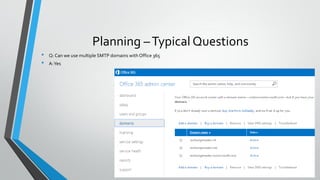
• Q: Can we use multiple SMTP domains with Office 365
• A:Yes
DEPLOY
Preparation of the existing on premise
environment
• Key to successful migration
• Cleaning up your AD
• Cleaning up your server configuration (both DomainControllers and Exchange servers)
• Cleaning up your Exchange organization
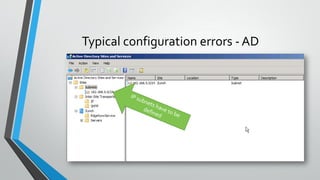
Typical configuration errors - AD
• Nice dead domain controllers
• List domain controllers ?
NETDOM QUERY DC
• List of domain controllers holding FSMO roles?
NETDOM QUERY FSMO
Windows 2008: NETDOM built in
Windows 2003 – in SupportTools
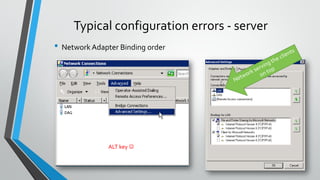
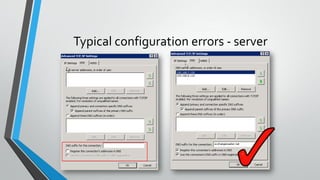
Typical configuration errors - server
• Network Adapter Binding order
ALT key 
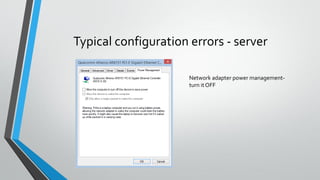
Typical configuration errors - server
Network adapter power management-
turn it OFF
Typical configuration errors - server
Preparing for deployment
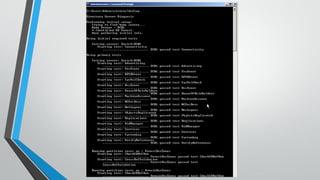
• DCDIAG – syntax examples
• DCDiag /s:SERVERNAME – check a specific domain controller
• DCDIAG /a – test all domain controllers in a site
• DCDIAG /e – test all domain controllers in the forest
http://technet.microsoft.com/en-us/library/cc731968(WS.10).aspx
Deployment preparation
• DCDIAG – Domain Controller DiagnosticsTool
• Windows Server 2003
• Windows Server 2003 Service Pack 2 32-bit SupportTools
http://www.microsoft.com/downloads/en/details.aspx?FamilyID=96a35011-fd83-419d-939b-9a772ea2df90
(version of the tool has to match windows server service pack(
• Windows 2008 &Windows 2008 R2
• Comes built in
Some possible diagnostics faults
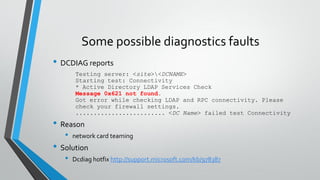
• DCDIAG reports
Testing server: <site><DCNAME>
Starting test: Connectivity
* Active Directory LDAP Services Check
Message 0x621 not found.
Got error while checking LDAP and RPC connectivity. Please
check your firewall settings.
......................... <DC Name> failed test Connectivity
• Reason
• network card teaming
• Solution
• Dcdiag hotfix http://support.microsoft.com/kb/978387
Some possible diagnostics faults
• Error
Starting test: NetLogons
[SERVER01] User credentials does not have permission to perform this
operation.
The account used for this test must have network logon privileges
for this machine's domain.
......................... SERVER01 failed test NetLogons
Starting test: ObjectsReplicated
......................... SERVER01 passed test ObjectsReplicated
Starting test: Replications
[Replications Check,SERVER01] DsReplicaGetInfo(PENDING_OPS, NULL)
failed, error 0x2105 "Replication access was denied."
......................... SERVER01 failed test Replications
Starting test: RidManager
......................... SERVER01 passed test RidManager
Starting test: Services
Could not open NTDS Service on SERVER01, error 0x5
"Access is denied."
......................... SERVER01 failed test Service
• Cause :
User Access Control
• Solution:
Right click on Command Prompt and select Run As Administrator
Deployment preparation
• Managing Antivirus Software onActive Directory Domain
Controllers http://technet.microsoft.com/en-
us/library/cc816917(WS.10).aspx
Preparing Exchange
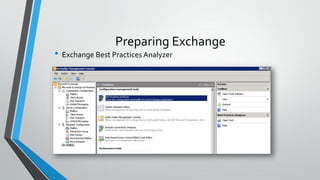
• Best Practices Analyzer (ExBPA)
• Comes built in with Ex2007 i Ex2010
• free
• Does thorough check of Exchange
• Can be downloaded from
http://www.microsoft.com/downloads/en/details.aspx?FamilyID=dbab201
f-4bee-4943-ac22-e2ddbd258df3&displaylang=en
Preparing Exchange
• Exchange Best Practices Analyzer
Preparing Exchange
Antivirus software configuration
„Virus scanning recommendations for Enterprise computers that are running
currently supported versions ofWindows”
http://support.microsoft.com/kb/822158/en-us
„File-Level Antivirus Scanning on Exchange 2010”
http://technet.microsoft.com/en-us/library/bb332342.aspx
Antivirus software on Exchange 2013
http://technet.microsoft.com/en-us/library/bb332342%28v=exchg.150%29.aspx
Preparing Exchange
• Defragmentation and database consistency checks
• ESEUTIL
• ISINTEG
Msexchange.org
Marc Grote:
“Using the Exchange tools ISINTEG and ESEUTIL to Ensure the
Health of your Information Store”
http://www.msexchange.org/tutorials/Exchange-ISINTEG-
ESEUTIL.html
TIP: working directory where the defragmentation is done has also to be
excluded from antivirus scanning.
Some Bizarre examples that can happen if you
don’t clean up before migration
• Story from the field
• “Exchange databases dismounting when it is raining outside”
RUN
Daily administration
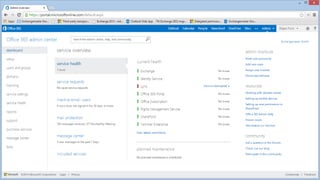
• Office 365 Admin Center
• http://portal.microsoftonline.com
• Via Powershell
• (check the session “PowerShell for Exchange administrators” tomorrow)
Mailbox migration failure
• Error: MigrationPermanentException: Active Directory Property -
‎'homeMDB‎' cannot be written
• Cause
• Permission inheritance is not enabled on the User object in Active Directory
• Solution in FAQ 000087
http://www.exchangemaster.net/index.php?option=com_content&task=view&id=165&Ite
mid=57&lang=en
Users first reaction after migration
to Outlook 2013
My e-mails are missing !!!
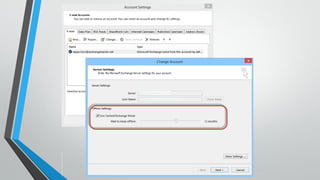
Outlook 2013 cashed mode configuration
• Can be configured via Group Policy orOffice customization tool
Configure Cached Exchange Mode in Outlook 2013
http://technet.microsoft.com/en-us/library/cc179175.aspx
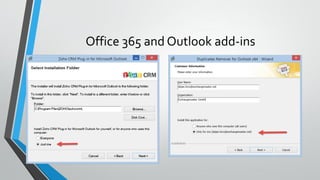
Office 365 and Outlook add-ins
•Remember:
• Office 365 is licensed PER USER
• Which means it is also installed for the current user not all
users
• Which means you should install the add-ins for the current
user not all users
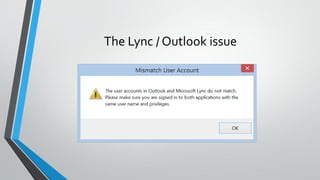
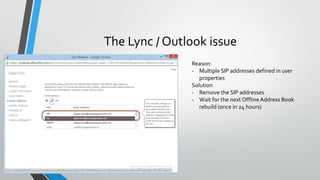
The Lync / Outlook issue
Reason:
- Multiple SIP addresses defined in user
properties
Solution
- Remove the SIP addresses
- Wait for the next OfflineAddress Book
rebuild (once in 24 hours)
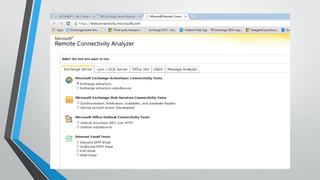
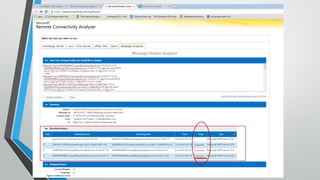
Troubleshooting connectivity and mail flow
•Remote ConnectivityAnalyzer
https://testconnectivity.microsoft.com/
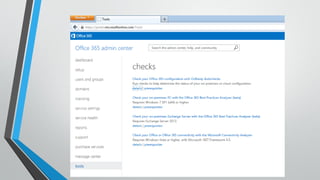
Connectivity checks
FAQ 000087 - ActiveSync reports HTTP 500 error
http://www.exchangemaster.net/index.php?option=co
m_content&task=view&id=165&Itemid=57&lang=en
Active Sync connectivity issues
Q&A
• Q&A session tomorrow
17:30 – 18:30
• You can send your questions in advance to
• dejan.foro@exchangemaster.net
Contact
Dejan Foro, CEO
dejan.foro@exchangemaster.net
Exchangemaster GmbH
www.exchangemaster.net
O365con14 - migrating your e-mail to the cloud

O365con14 - migrating your e-mail to the cloud

  • 2.
    MigratingYour Email to theCloud: How to Do It? Dejan Foro CEO, Exchangemaster GmbH European Office 365 Connect Conference, Haarlem, Netherlands 1.4.2014
  • 3.
    Speaker introduction • 21years in IT of which last 16 as an Exchange specialist • 6 Exchange generations (5.5, 2000, 2003, 2007, 2010, 2013) • 3,2 million mailboxes • Exchange User Group Europe - Founder • 9x Microsoft MVP for Exchange • Founder and CEO, Exchangemaster GmbH, Zurich, Switzerland
  • 4.
    Agenda • Introduction • Whyoffice 365 • How to • Plan • Prepare • Deploy • Run • Emphasis on new functionalities in SP1,Tools, and typical pitfalls you may encounter
  • 5.
    Presentation download • Thispresentation will be available for download from www.exchangemaster.net
  • 6.
  • 7.
    Example 1: Office365 for Enteprise Licenced per device On premise Office 365 – Pakage E3 Licenced per user. Install rights for 5 devices Office 2013 Enterprise Plus Office 2013 Enterprise Plus Exchange - 50 GB mailbox - 25 MB max message siye - 2 factor authentication - encryption Lync Sharepoint Yammer Approx Price tag 650 CHF 120 CHF / per year NEW NEW
  • 8.
    Example 2: Office365 University Licenced per device On premise Office 365 University Licenced per user. Install rights for 4 Devices Office 2013 Home and Student Office 2013 Home and Student Exchange Lync Sharepoint 60 Skype to phone minutes / month Approx Price tag 120 EUR 70 EUR / 4 years
  • 9.
    Why Office 365 •Do more with less • No server infrastructure to invest into • No sever infrastructure to build = faster deployment of the service to the end users • Makes enterprise grade functionality available/affordable for small businesses as well • CFO will also love it • No big upfront investment • Fix, predictable cost • OPEX instead of CAPEX
  • 10.
    Why Office 365 •CIO/CSO will love it • High availability, • Compliance, • 2 forms authentication, • Encryption • Possibility to have delegated administration as well
  • 11.
    PLAN Plan your moveto Office 365
  • 12.
    Essential tool foryour deployment planning • Microsoft Exchange Deployment Assistant http://technet.microsoft.com/en-us/exchange/jj657516.aspx
  • 13.
  • 16.
    Prepare yourself • Sourcesof technical information: • Technet http://technet.microsoft.com/en-us/library/dn127064(v=office.14).aspx http://technet.microsoft.com/en-us/library/jj200581(v=exchg.150).aspx • IgniteWeb site http://ignite.office.com/ • MicrosoftVirtual Academy http://www.microsoftvirtualacademy.com/product-training/office-365
  • 17.
    Typical Office 365Deployment Scenarios • Scenario 1: • Small business • Legacy IMAP mailboxes • No existing Active Directory Infrastructure • Office 365 solution: • Direct IMAP import via the Office 365 portal • NoActive Directory necessary (Office 365 automatically generates one in the background the Azure)
  • 19.
    Typical Office 365Deployment Scenarios • Scenario 2: • Established business • Already has anActive Directory and Exchange server infrastructure • Office 365: • Active Directory federation • Single sign-on experience • Exchange in hybrid deployment • Allows gradual migration • Allows for coexistence if 3rd party connectors are necessary Steps: • Federation via Windows Server built-in Active Directory Federation Services • Configure Exchange on premise console to connect to Office 365 • Enable users • Manage both on premise and online users as one entity
  • 20.
    Planning –Typical Questions Q:Canwe put ourActive Directory in the cloud as well A:Yes NEW
  • 21.
    Planning –Typical Questions Q:Do we need 3rd party migration tools? A: No, unless you need to migrate from Lotus Notes or Exchange 2003. Can be used for Exchange and IMAP as convenience Q: Can we have our migration tools in the cloud as well? A:Yes you can 
  • 23.
    Planning –Typical Questions •Q: Can we migrate from Exchange 2003 to Office 365 ? • A1: Introduce Exchange 2010 and then migrate • A2: Use 3rd party tools
  • 24.
    Planning –Typical Questions •Q: Can we have Multi-Factor Authentication forOWA? • A:Yes NEW • Comes included with Office 365 E3 / E4 • Via free Phone App • SMS • Phone call
  • 25.
    Planning –Typical Questions •Q: Can we have mail encryption with Office 365? • A:Yes NEW • Comes included with Office 365 E3 and E4 http://blogs.office.com/2013/11/21/introducing -office-365-message-encryption-send- encrypted-emails-to-anyone/
  • 26.
    Planning –Typical Questions •Q: Can we use multiple SMTP domains with Office 365 • A:Yes
  • 27.
  • 28.
    Preparation of theexisting on premise environment • Key to successful migration • Cleaning up your AD • Cleaning up your server configuration (both DomainControllers and Exchange servers) • Cleaning up your Exchange organization
  • 29.
  • 30.
    Typical configuration errors- AD • Nice dead domain controllers • List domain controllers ? NETDOM QUERY DC • List of domain controllers holding FSMO roles? NETDOM QUERY FSMO Windows 2008: NETDOM built in Windows 2003 – in SupportTools
  • 31.
    Typical configuration errors- server • Network Adapter Binding order ALT key 
  • 32.
    Typical configuration errors- server Network adapter power management- turn it OFF
  • 33.
  • 35.
    Preparing for deployment •DCDIAG – syntax examples • DCDiag /s:SERVERNAME – check a specific domain controller • DCDIAG /a – test all domain controllers in a site • DCDIAG /e – test all domain controllers in the forest http://technet.microsoft.com/en-us/library/cc731968(WS.10).aspx
  • 36.
    Deployment preparation • DCDIAG– Domain Controller DiagnosticsTool • Windows Server 2003 • Windows Server 2003 Service Pack 2 32-bit SupportTools http://www.microsoft.com/downloads/en/details.aspx?FamilyID=96a35011-fd83-419d-939b-9a772ea2df90 (version of the tool has to match windows server service pack( • Windows 2008 &Windows 2008 R2 • Comes built in
  • 37.
    Some possible diagnosticsfaults • DCDIAG reports Testing server: <site><DCNAME> Starting test: Connectivity * Active Directory LDAP Services Check Message 0x621 not found. Got error while checking LDAP and RPC connectivity. Please check your firewall settings. ......................... <DC Name> failed test Connectivity • Reason • network card teaming • Solution • Dcdiag hotfix http://support.microsoft.com/kb/978387
  • 38.
    Some possible diagnosticsfaults • Error Starting test: NetLogons [SERVER01] User credentials does not have permission to perform this operation. The account used for this test must have network logon privileges for this machine's domain. ......................... SERVER01 failed test NetLogons Starting test: ObjectsReplicated ......................... SERVER01 passed test ObjectsReplicated Starting test: Replications [Replications Check,SERVER01] DsReplicaGetInfo(PENDING_OPS, NULL) failed, error 0x2105 "Replication access was denied." ......................... SERVER01 failed test Replications Starting test: RidManager ......................... SERVER01 passed test RidManager Starting test: Services Could not open NTDS Service on SERVER01, error 0x5 "Access is denied." ......................... SERVER01 failed test Service • Cause : User Access Control • Solution: Right click on Command Prompt and select Run As Administrator
  • 39.
    Deployment preparation • ManagingAntivirus Software onActive Directory Domain Controllers http://technet.microsoft.com/en- us/library/cc816917(WS.10).aspx
  • 40.
    Preparing Exchange • BestPractices Analyzer (ExBPA) • Comes built in with Ex2007 i Ex2010 • free • Does thorough check of Exchange • Can be downloaded from http://www.microsoft.com/downloads/en/details.aspx?FamilyID=dbab201 f-4bee-4943-ac22-e2ddbd258df3&displaylang=en
  • 41.
    Preparing Exchange • ExchangeBest Practices Analyzer
  • 42.
    Preparing Exchange Antivirus softwareconfiguration „Virus scanning recommendations for Enterprise computers that are running currently supported versions ofWindows” http://support.microsoft.com/kb/822158/en-us „File-Level Antivirus Scanning on Exchange 2010” http://technet.microsoft.com/en-us/library/bb332342.aspx Antivirus software on Exchange 2013 http://technet.microsoft.com/en-us/library/bb332342%28v=exchg.150%29.aspx
  • 43.
    Preparing Exchange • Defragmentationand database consistency checks • ESEUTIL • ISINTEG Msexchange.org Marc Grote: “Using the Exchange tools ISINTEG and ESEUTIL to Ensure the Health of your Information Store” http://www.msexchange.org/tutorials/Exchange-ISINTEG- ESEUTIL.html TIP: working directory where the defragmentation is done has also to be excluded from antivirus scanning.
  • 44.
    Some Bizarre examplesthat can happen if you don’t clean up before migration • Story from the field • “Exchange databases dismounting when it is raining outside”
  • 46.
  • 47.
    Daily administration • Office365 Admin Center • http://portal.microsoftonline.com • Via Powershell • (check the session “PowerShell for Exchange administrators” tomorrow)
  • 49.
    Mailbox migration failure •Error: MigrationPermanentException: Active Directory Property - ‎'homeMDB‎' cannot be written • Cause • Permission inheritance is not enabled on the User object in Active Directory • Solution in FAQ 000087 http://www.exchangemaster.net/index.php?option=com_content&task=view&id=165&Ite mid=57&lang=en
  • 52.
    Users first reactionafter migration to Outlook 2013 My e-mails are missing !!!
  • 54.
    Outlook 2013 cashedmode configuration • Can be configured via Group Policy orOffice customization tool Configure Cached Exchange Mode in Outlook 2013 http://technet.microsoft.com/en-us/library/cc179175.aspx
  • 55.
    Office 365 andOutlook add-ins
  • 56.
    Office 365 andOutlook add-ins •Remember: • Office 365 is licensed PER USER • Which means it is also installed for the current user not all users • Which means you should install the add-ins for the current user not all users
  • 57.
    The Lync /Outlook issue
  • 58.
    The Lync /Outlook issue Reason: - Multiple SIP addresses defined in user properties Solution - Remove the SIP addresses - Wait for the next OfflineAddress Book rebuild (once in 24 hours)
  • 59.
    Troubleshooting connectivity andmail flow •Remote ConnectivityAnalyzer https://testconnectivity.microsoft.com/
  • 60.
  • 62.
    FAQ 000087 -ActiveSync reports HTTP 500 error http://www.exchangemaster.net/index.php?option=co m_content&task=view&id=165&Itemid=57&lang=en Active Sync connectivity issues
  • 63.
    Q&A • Q&A sessiontomorrow 17:30 – 18:30 • You can send your questions in advance to • dejan.foro@exchangemaster.net
  • 64.