

Deploying Exchange 2013 in
Hybrid Mode
Michael Van Horenbeeck
Technology Consultant – Xylos, Exchange Server MVP

@mvanhorenbeeck
www.pro-exchange.be
michaelvh.wordpress.com
Building a hybrid configuration

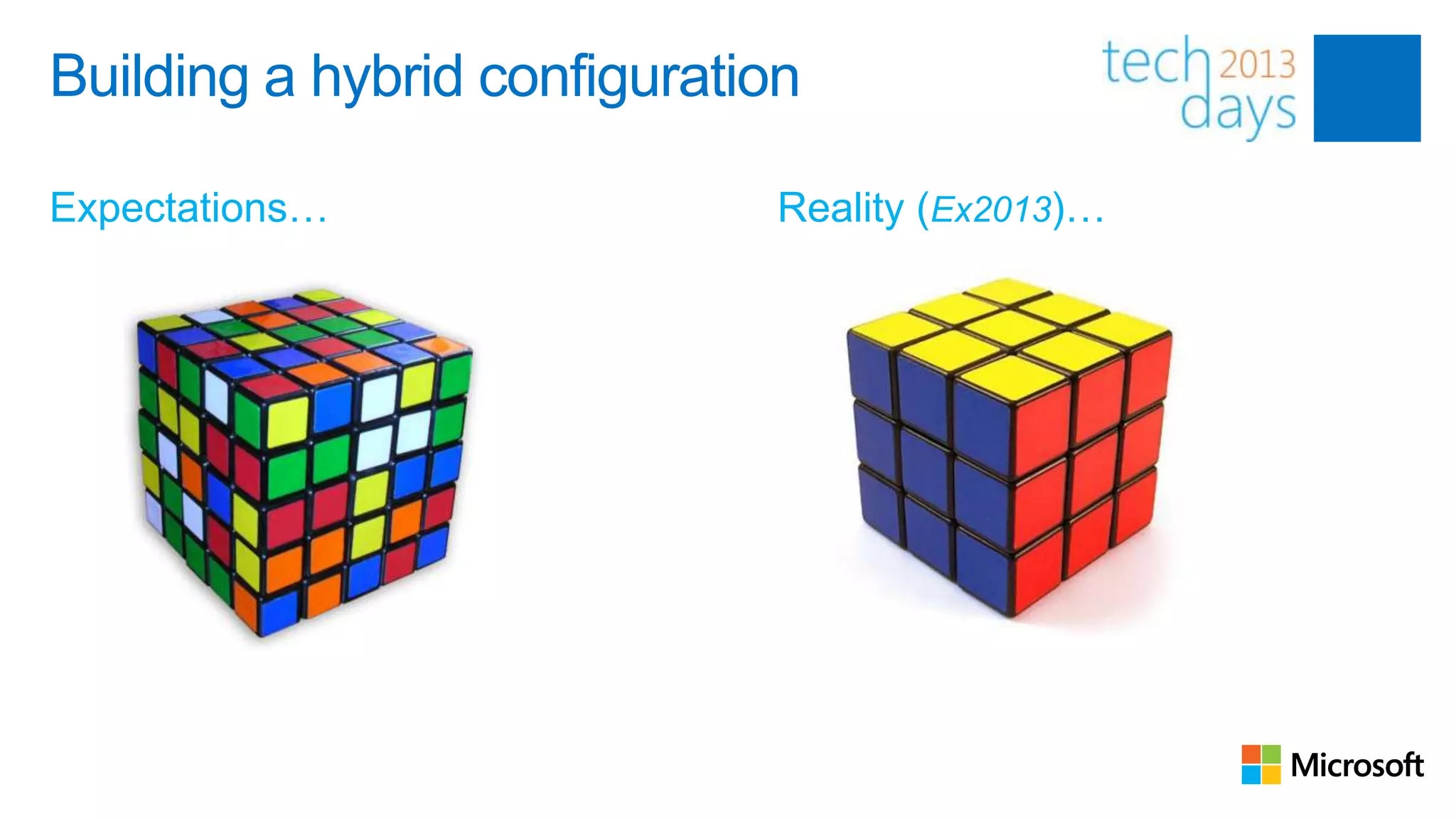
Expectations…                 Reality (Ex2013)…
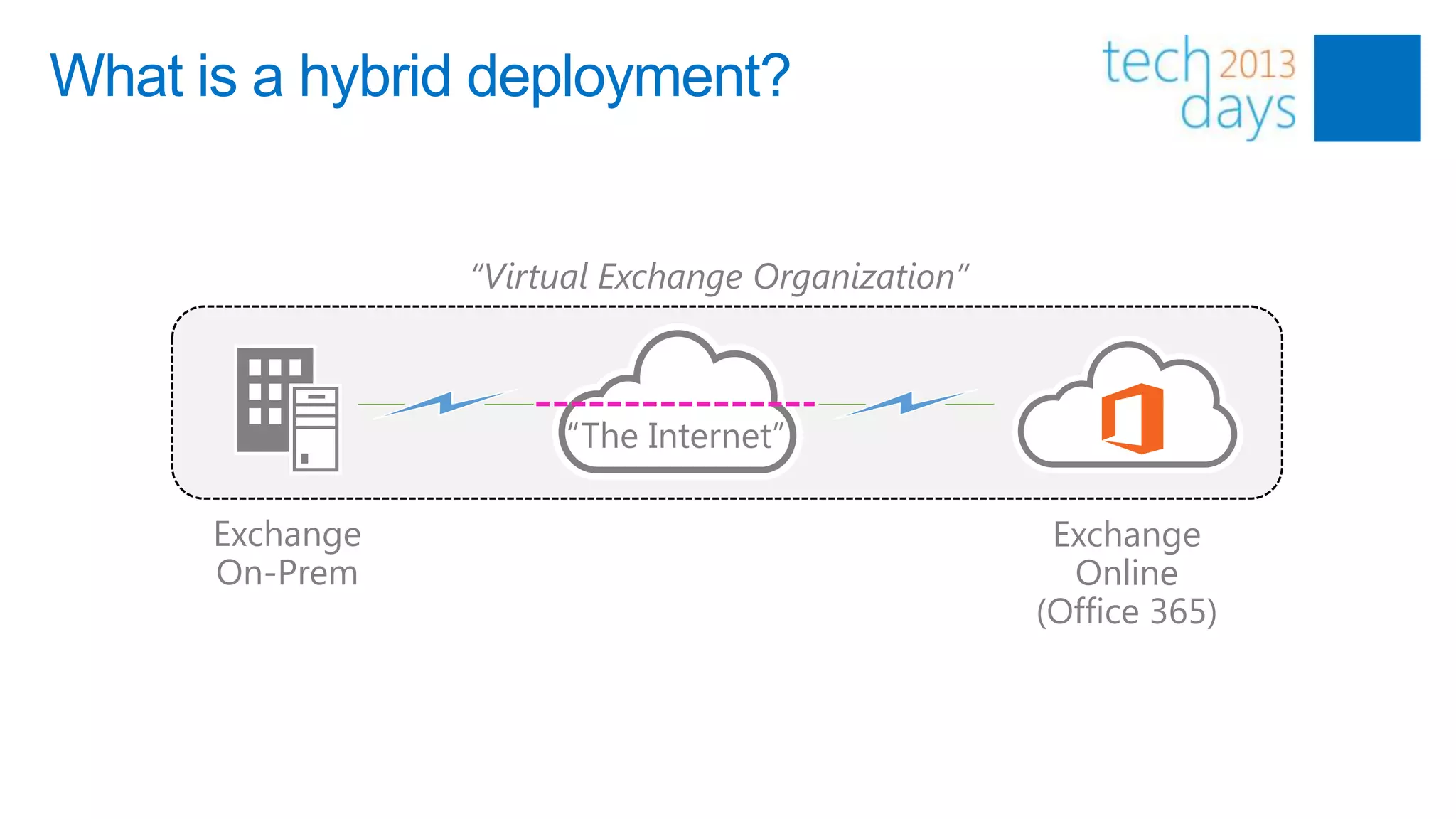
What is a hybrid deployment?


                 “Virtual Exchange Organization”


                       “The Internet”

      Exchange                                      Exchange
      On-Prem                                        Online
                                                   (Office 365)
Why hybrid?

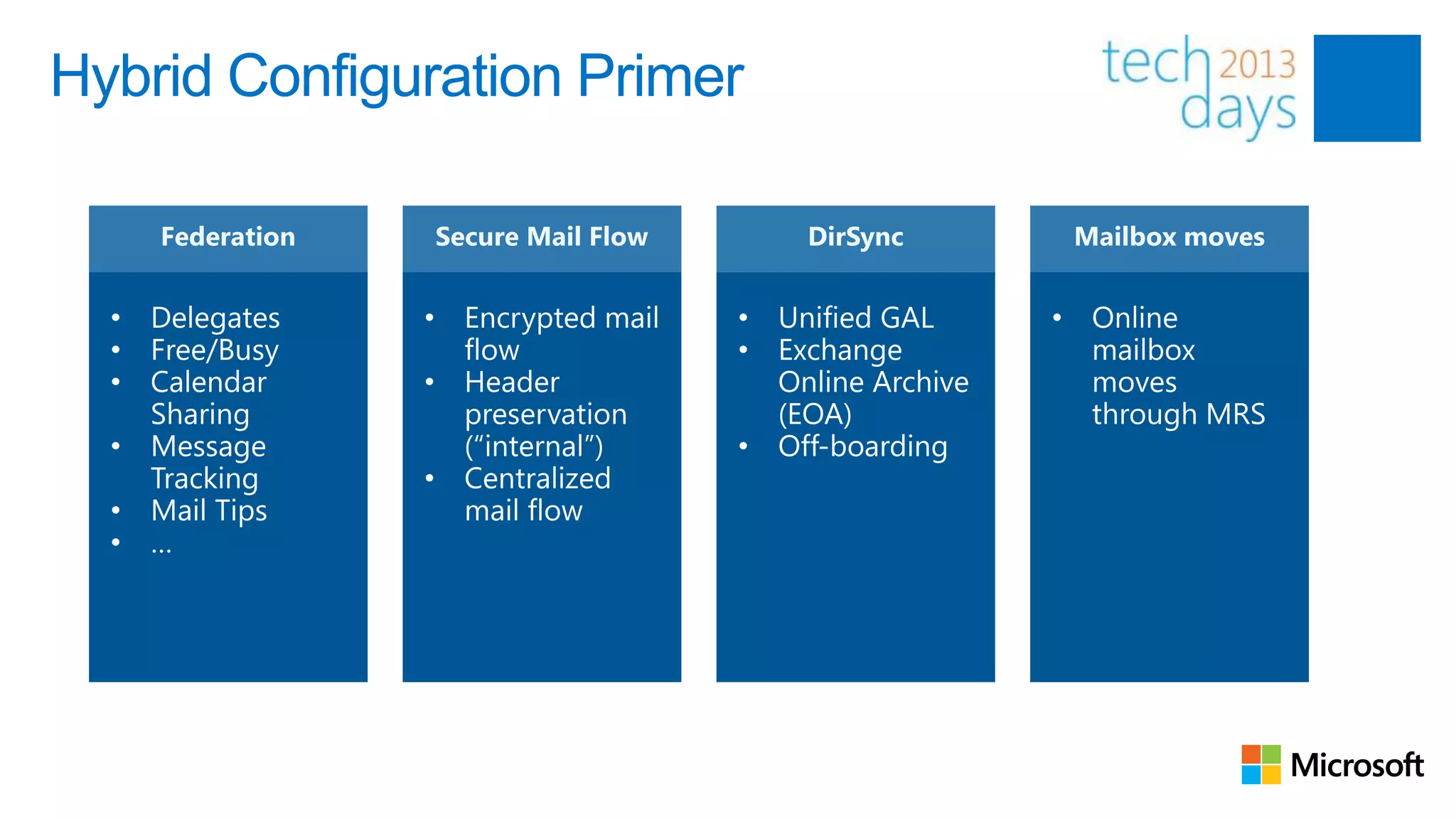
• Long-term coexistence
• Take advantages of features like e.g. Exchange Online Archiving
• Large migrations where cutover isn‟t possible (e.g. EX2010 +)
• Transparent mailbox moves (to or from Exchange Online)
    •     “Online” Mailbox Moves
    •     No OST resync!
•       Interaction with 3rd party applications
    •     e.g. Fax Solutions
Hybrid Configuration Primer
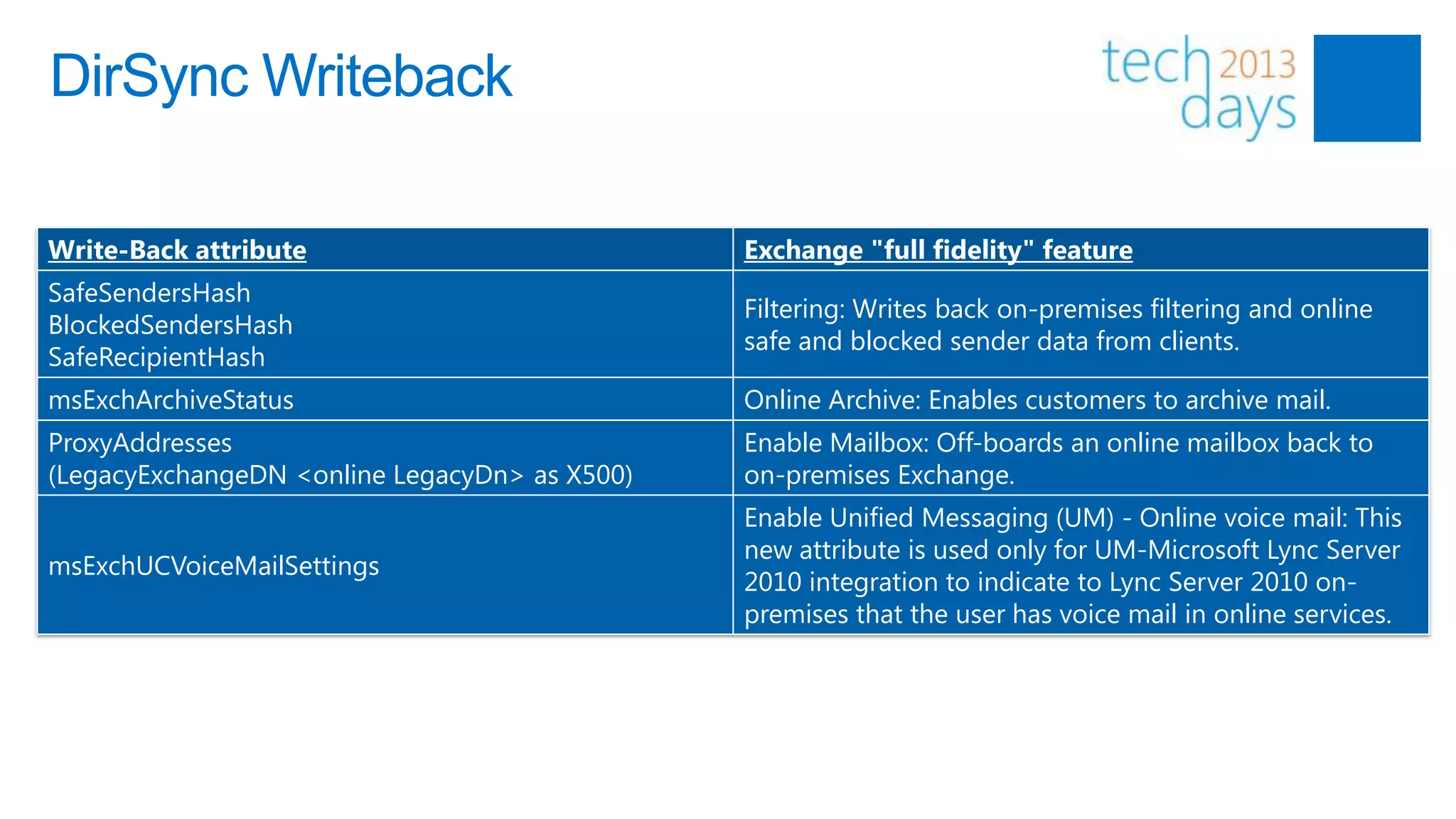
DirSync Writeback

Write-Back attribute                           Exchange "full fidelity" feature
SafeSendersHash
                                               Filtering: Writes back on-premises filtering and online
BlockedSendersHash
                                               safe and blocked sender data from clients.
SafeRecipientHash
msExchArchiveStatus                            Online Archive: Enables customers to archive mail.
ProxyAddresses                                 Enable Mailbox: Off-boards an online mailbox back to
(LegacyExchangeDN <online LegacyDn> as X500)   on-premises Exchange.
                                               Enable Unified Messaging (UM) - Online voice mail: This
                                               new attribute is used only for UM-Microsoft Lync Server
msExchUCVoiceMailSettings
                                               2010 integration to indicate to Lync Server 2010 on-
                                               premises that the user has voice mail in online services.
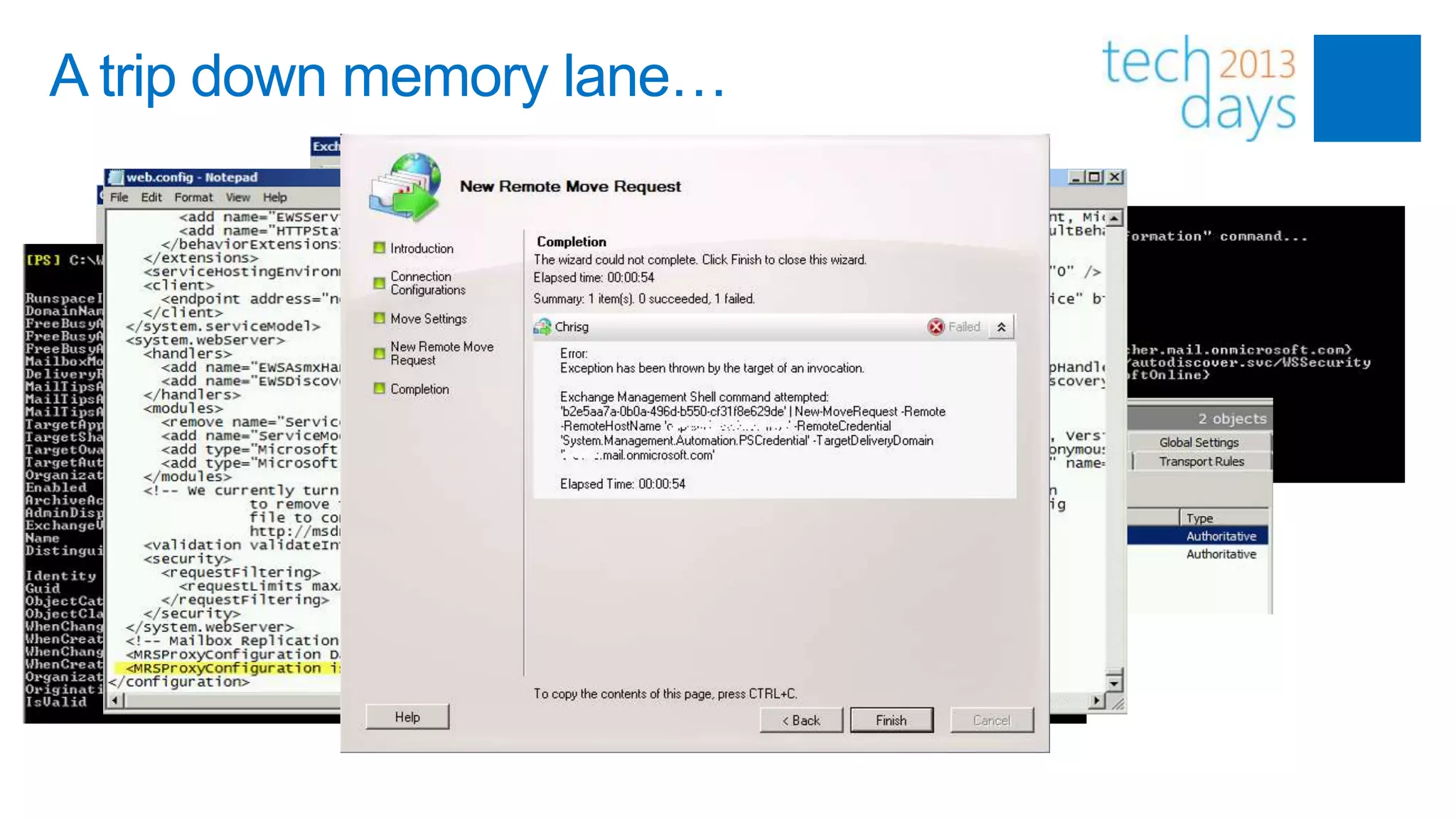
A trip down memory lane…
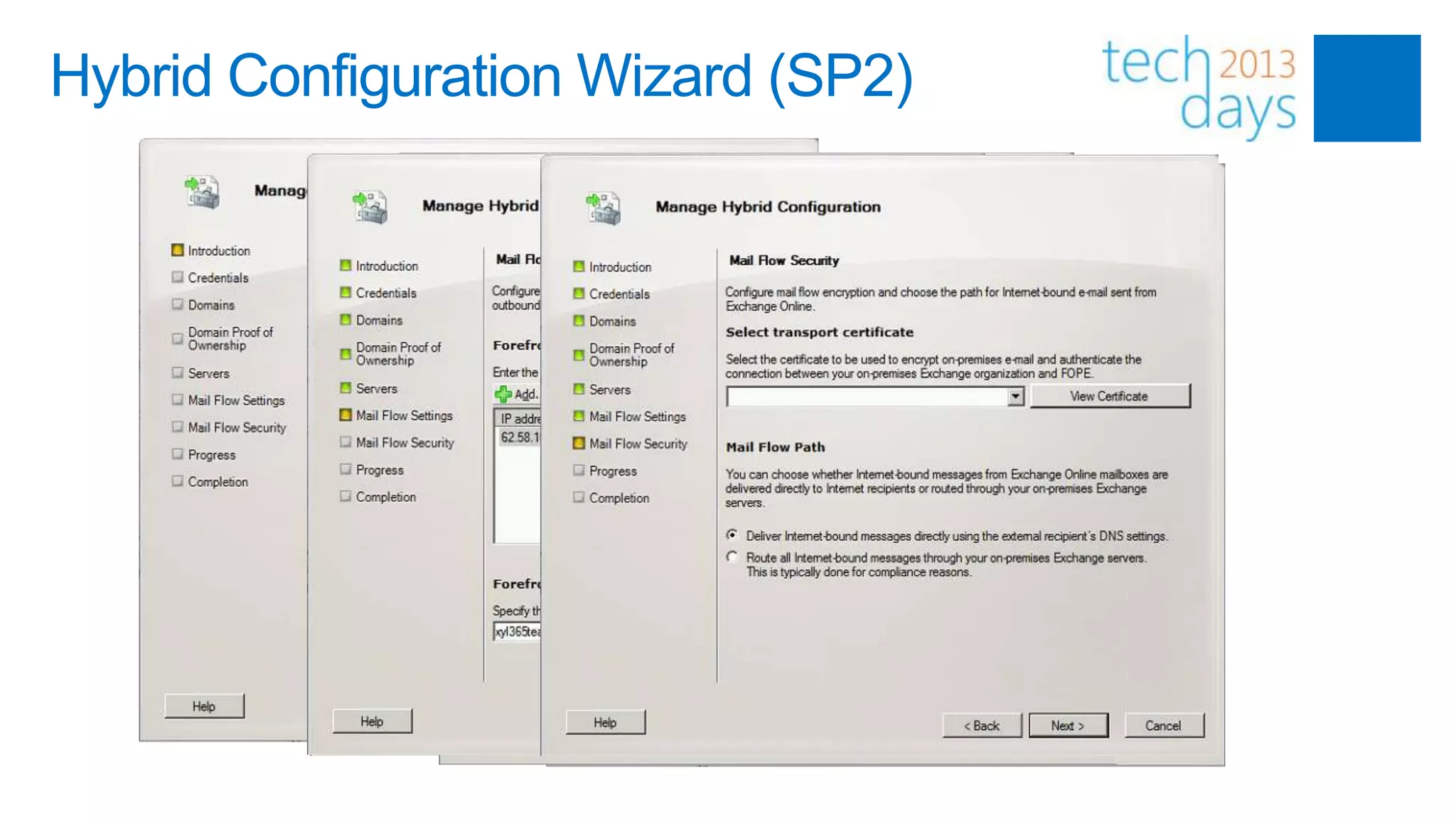
Hybrid Configuration Wizard (SP2)
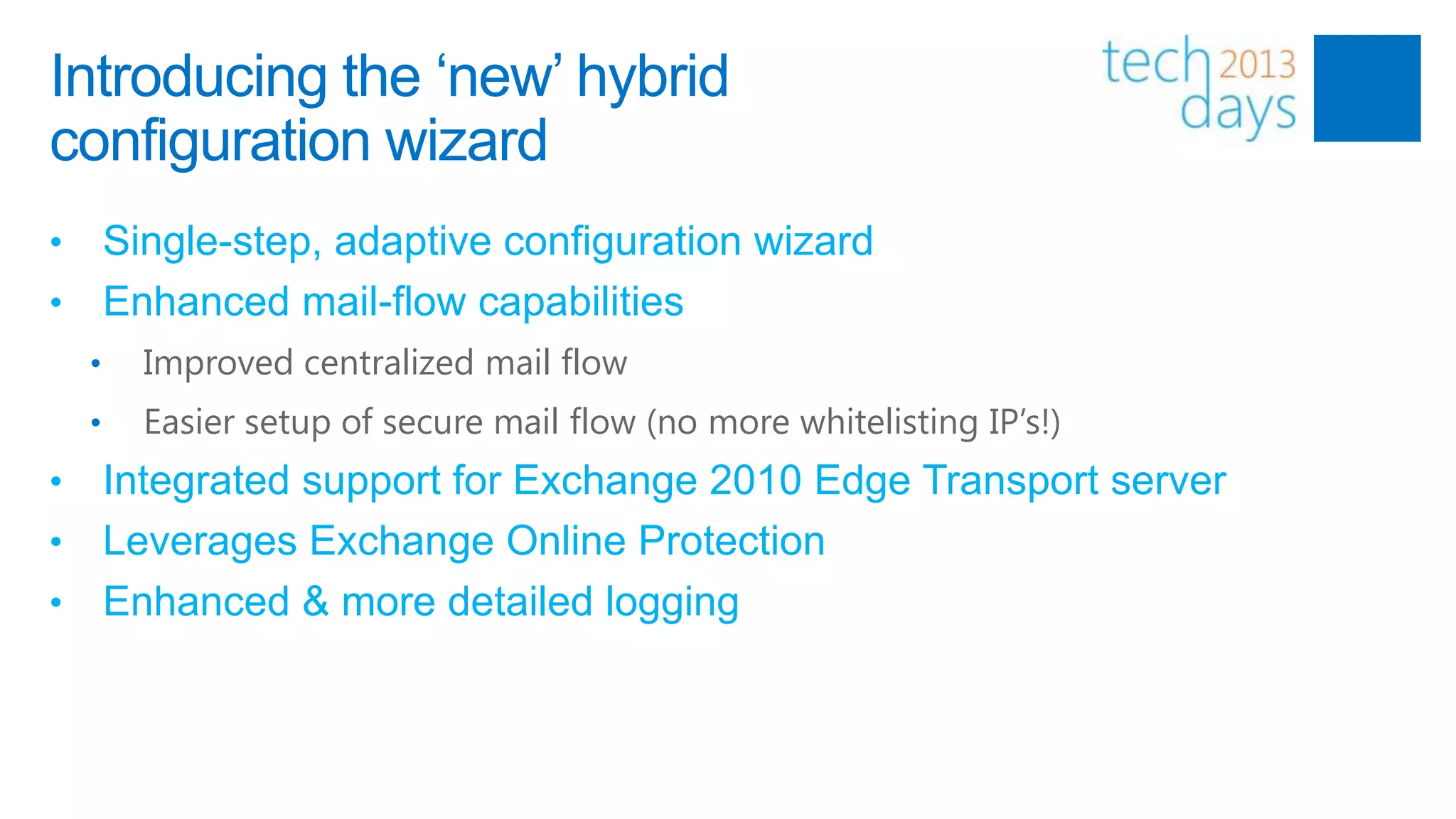
Introducing the „new‟ hybrid
configuration wizard
• Single-step, adaptive configuration wizard
• Enhanced mail-flow capabilities
    •   Improved centralized mail flow
    •   Easier setup of secure mail flow (no more whitelisting IP’s!)
• Integrated support for Exchange 2010 Edge Transport server
• Leverages Exchange Online Protection
• Enhanced & more detailed logging
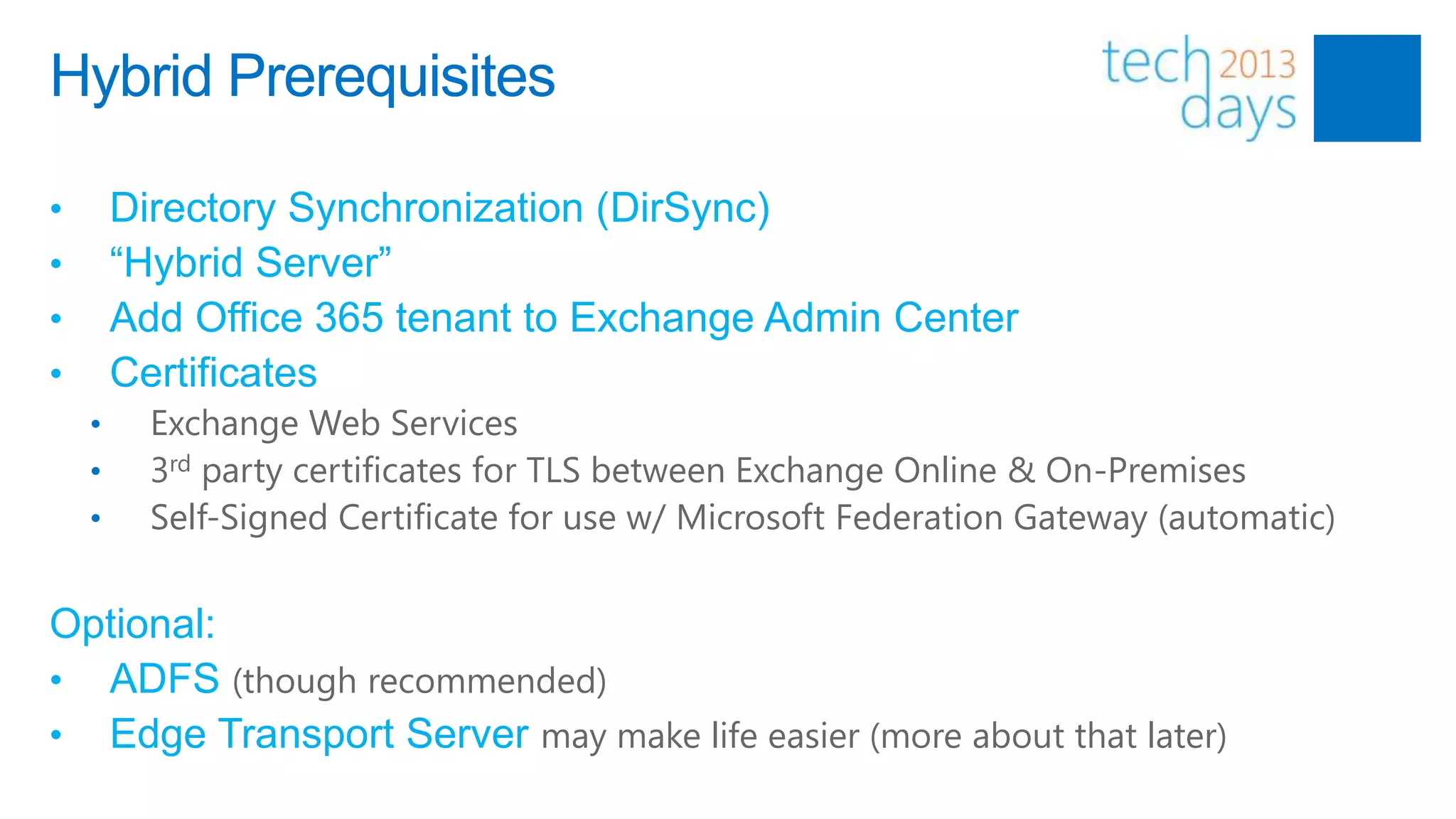
Hybrid Prerequisites

•       Directory Synchronization (DirSync)
•       “Hybrid Server”
•       Add Office 365 tenant to Exchange Admin Center
•       Certificates
    •     Exchange Web Services
    •     3rd party certificates for TLS between Exchange Online & On-Premises
    •     Self-Signed Certificate for use w/ Microsoft Federation Gateway (automatic)


Optional:
• ADFS (though recommended)
• Edge Transport Server may make life easier (more about that later)
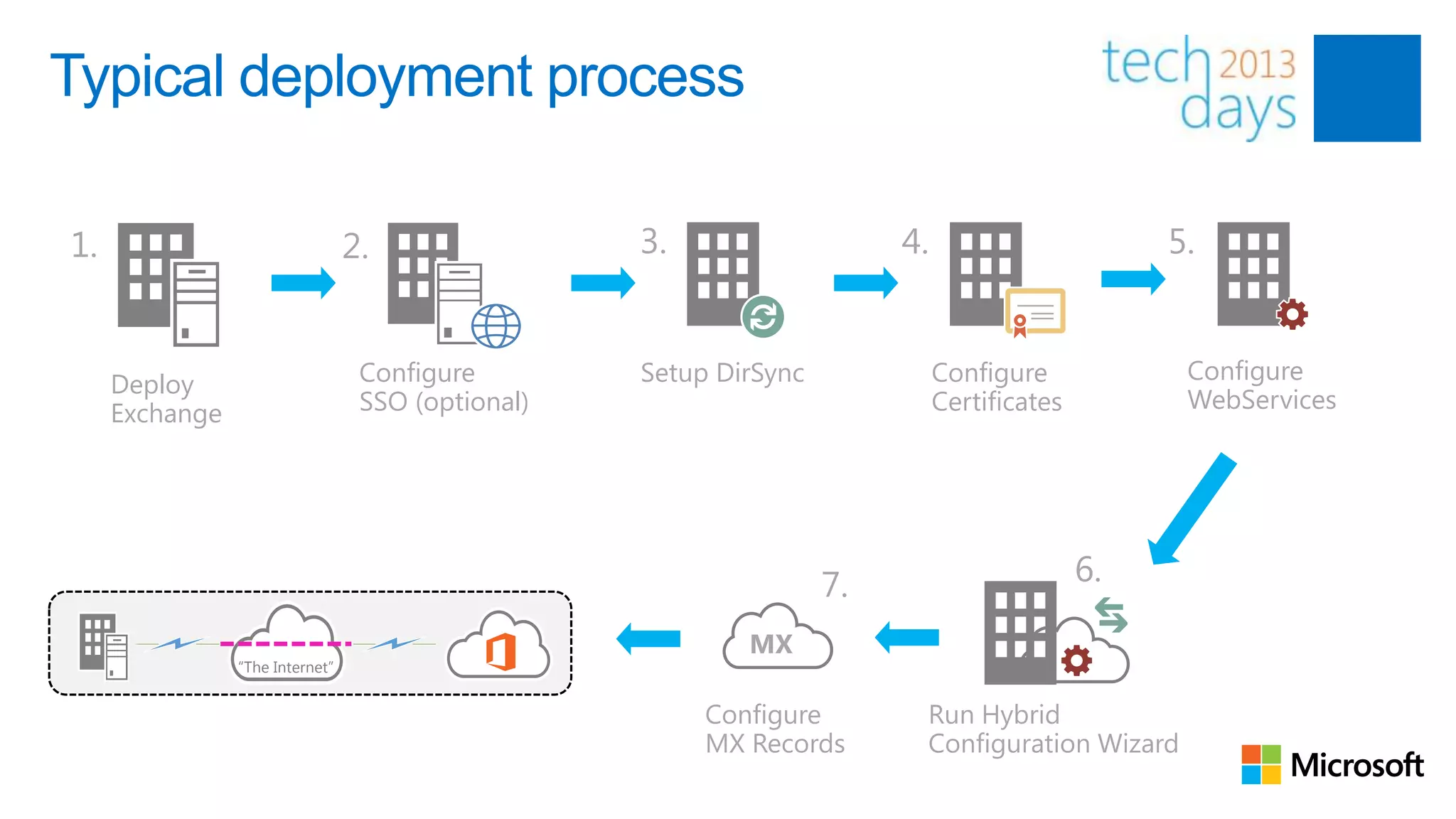
Typical deployment process

1.                               2.                3.                   4.                       5.


                                  Configure        Setup DirSync             Configure            Configure
     Deploy
                                  SSO (optional)                             Certificates         WebServices
     Exchange


                                                                   7.                       6.

                                                           MX
                “The Internet”


                                                        Configure        Run Hybrid
                                                        MX Records       Configuration Wizard
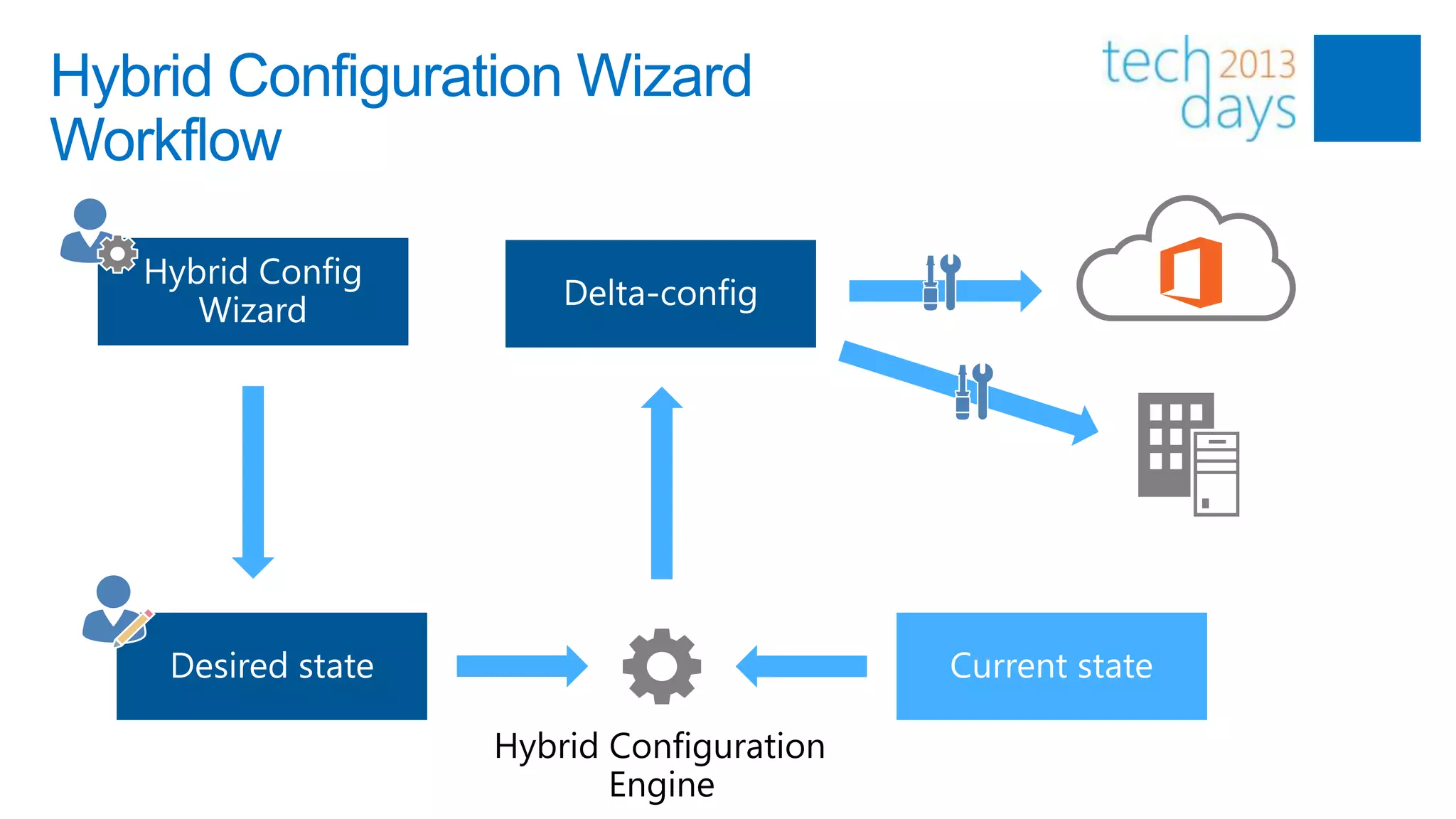
Hybrid Configuration Wizard
Workflow


                 Hybrid Configuration
                        Engine
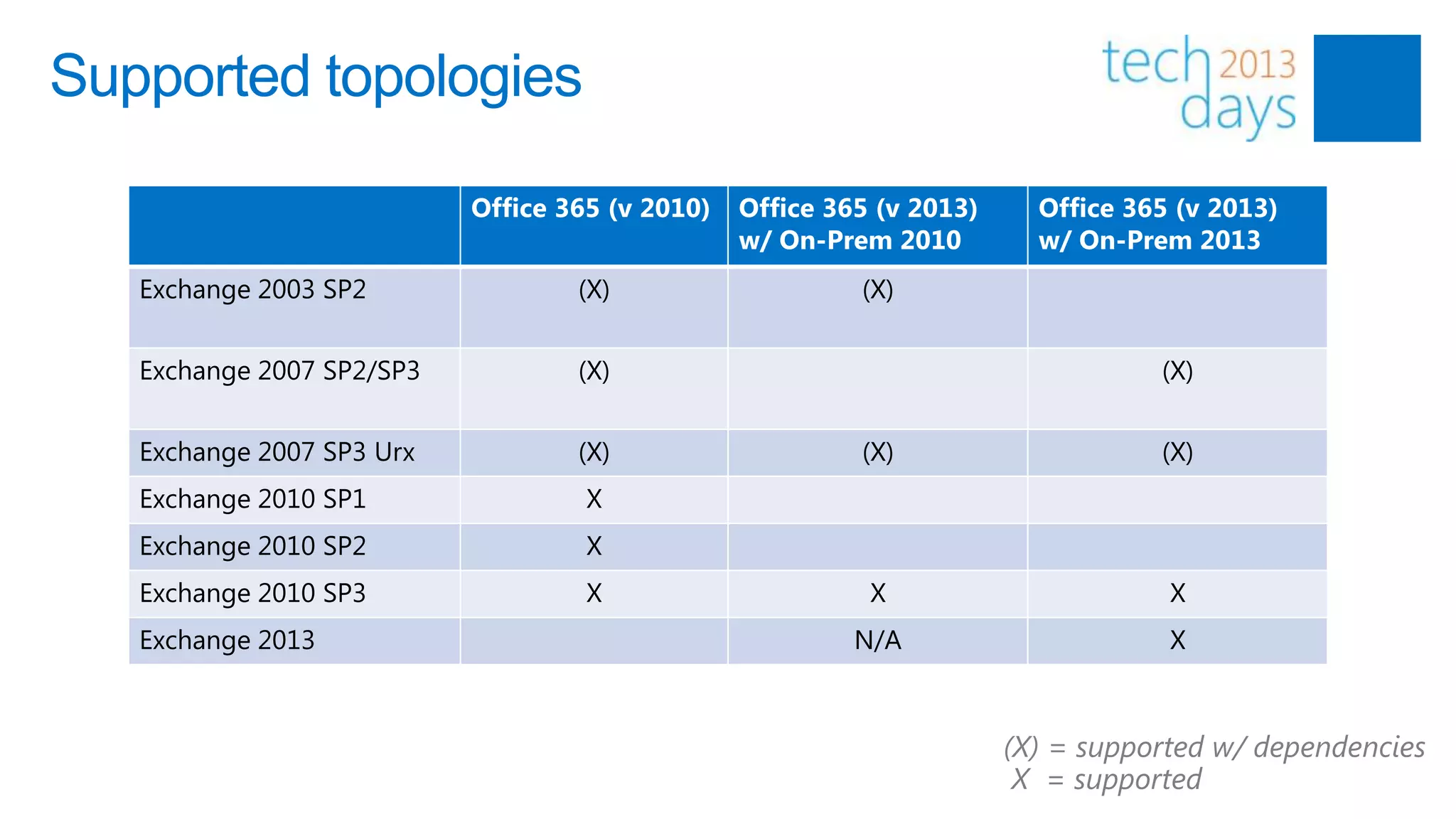
Supported topologies

                           Office 365 (v 2010)   Office 365 (v 2013)     Office 365 (v 2013)
                                                 w/ On-Prem 2010         w/ On-Prem 2013
   Exchange 2003 SP2               (X)                    (X)


   Exchange 2007 SP2/SP3           (X)                                            (X)


   Exchange 2007 SP3 Urx           (X)                    (X)                     (X)
   Exchange 2010 SP1                X
   Exchange 2010 SP2                X
   Exchange 2010 SP3                X                      X                       X
   Exchange 2013                                          N/A                      X


                                                                       (X) = supported w/ dependencies
                                                                        X = supported
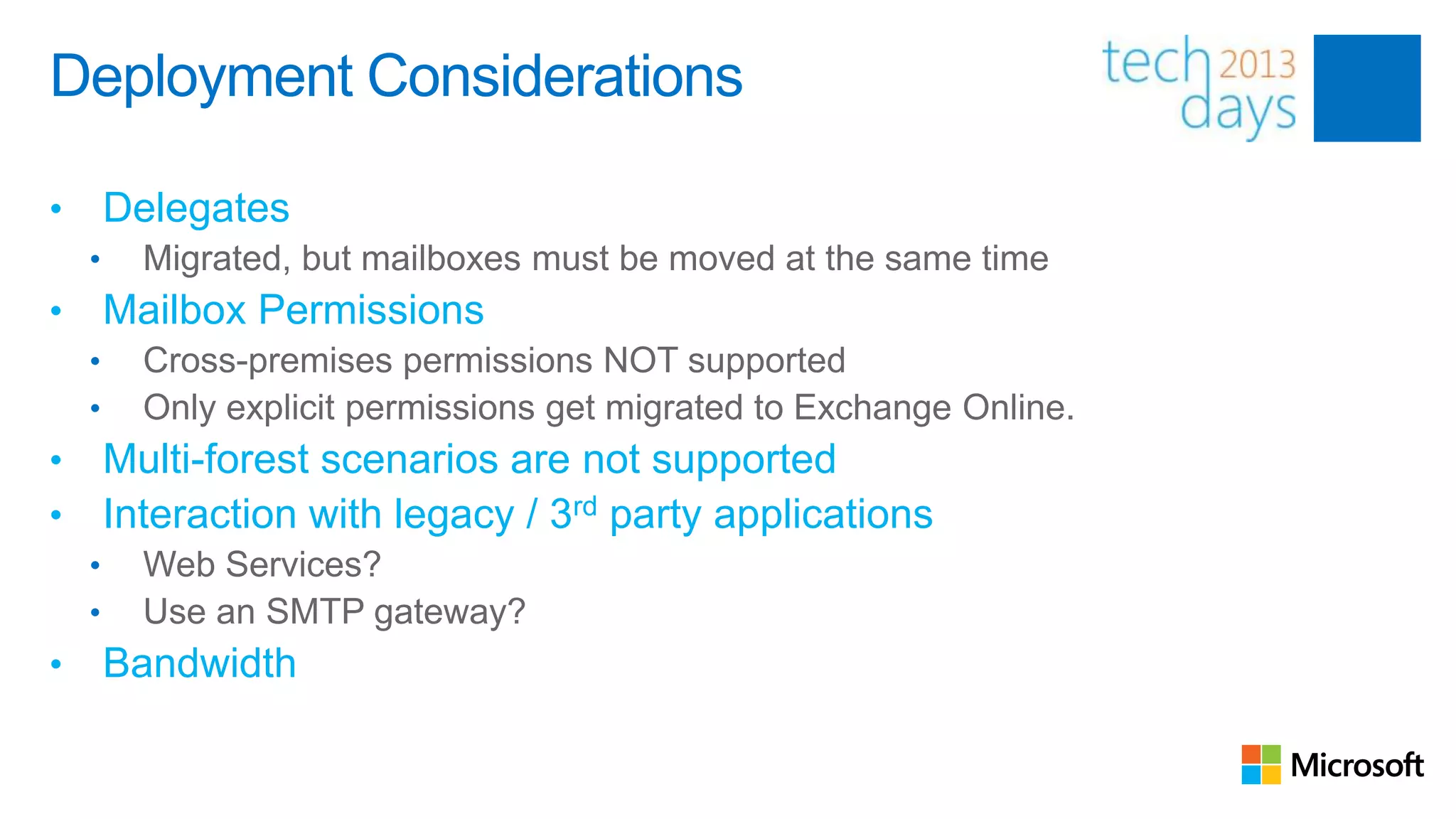
Deployment Considerations

•       Delegates
    •     Migrated, but mailboxes must be moved at the same time
•       Mailbox Permissions
    •     Cross-premises permissions NOT supported
    •     Only explicit permissions get migrated to Exchange Online.
•       Multi-forest scenarios are not supported
•       Interaction with legacy / 3rd party applications
    •     Web Services?
    •     Use an SMTP gateway?
•       Bandwidth
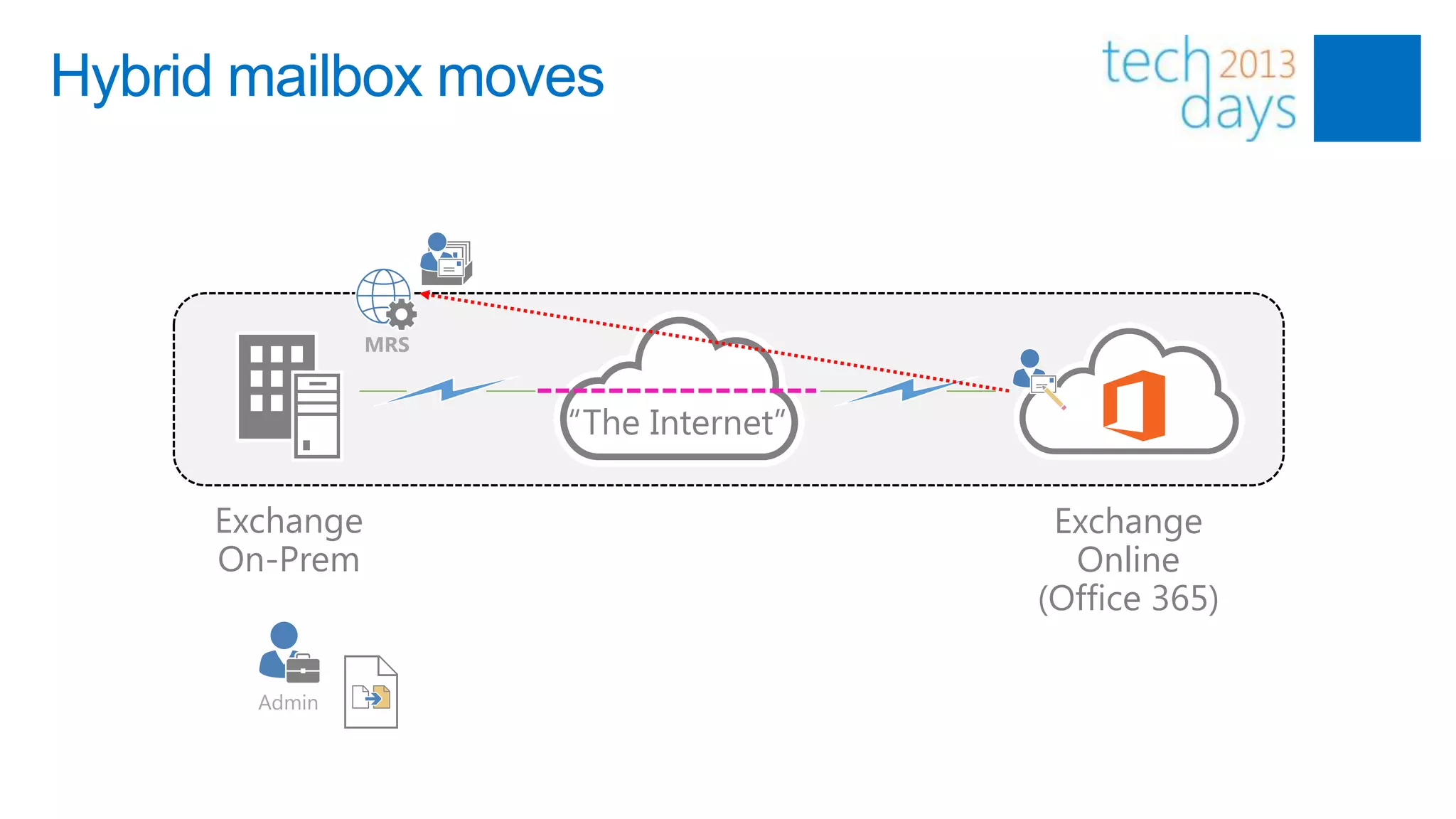
Hybrid mailbox moves


                MRS


                      “The Internet”

     Exchange                           Exchange
     On-Prem                             Online
                                       (Office 365)

       Admin
Mailbox moves: user experience

•   When using SSO, moves to Exchange online are fully transparent

•   Without SSO, users get a new password

•   Outlook profile is updated automatically through Autodiscover
Common mistakes/issues

•       Certificates
    •     Expired
    •     Not from a trusted source
    •     Missing/Wrong subject (alternative) name
• Single Sign-On
• Free/Busy not working
• Peers not recognized as “internal”
• Outlook-related (e.g. missing updates)
Troubleshooting

•       Hybrid Configuration Log Files
    •     <drive>:Program FilesMicrosoftExchange ServerV15LoggingUpdate-
          HybridConfiguration
•       Review Federation Information
    •     Get-FederationInformation –DomainName <domainname>
•       Review OrganizationRelationShips
    •     Get-OrganizationRelationShip | fl *
•       Troubleshoot connection issues (e.g. AutoDiscover/Web Services)
    •     Remote Connectivity Analyzer (www.testexchangeconnectivity.com)
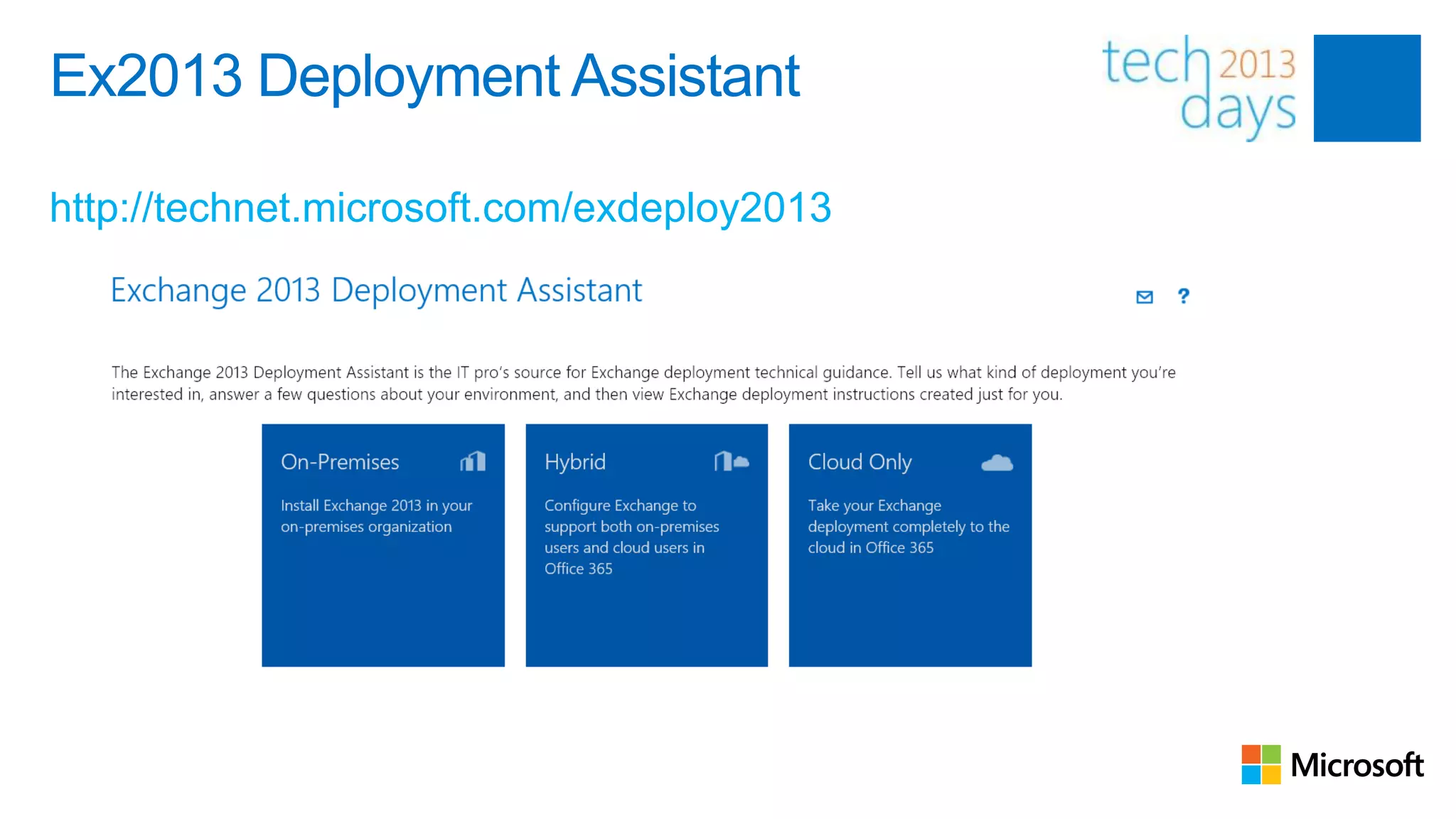
Ex2013 Deployment Assistant

http://technet.microsoft.com/exdeploy2013
Key takeaways

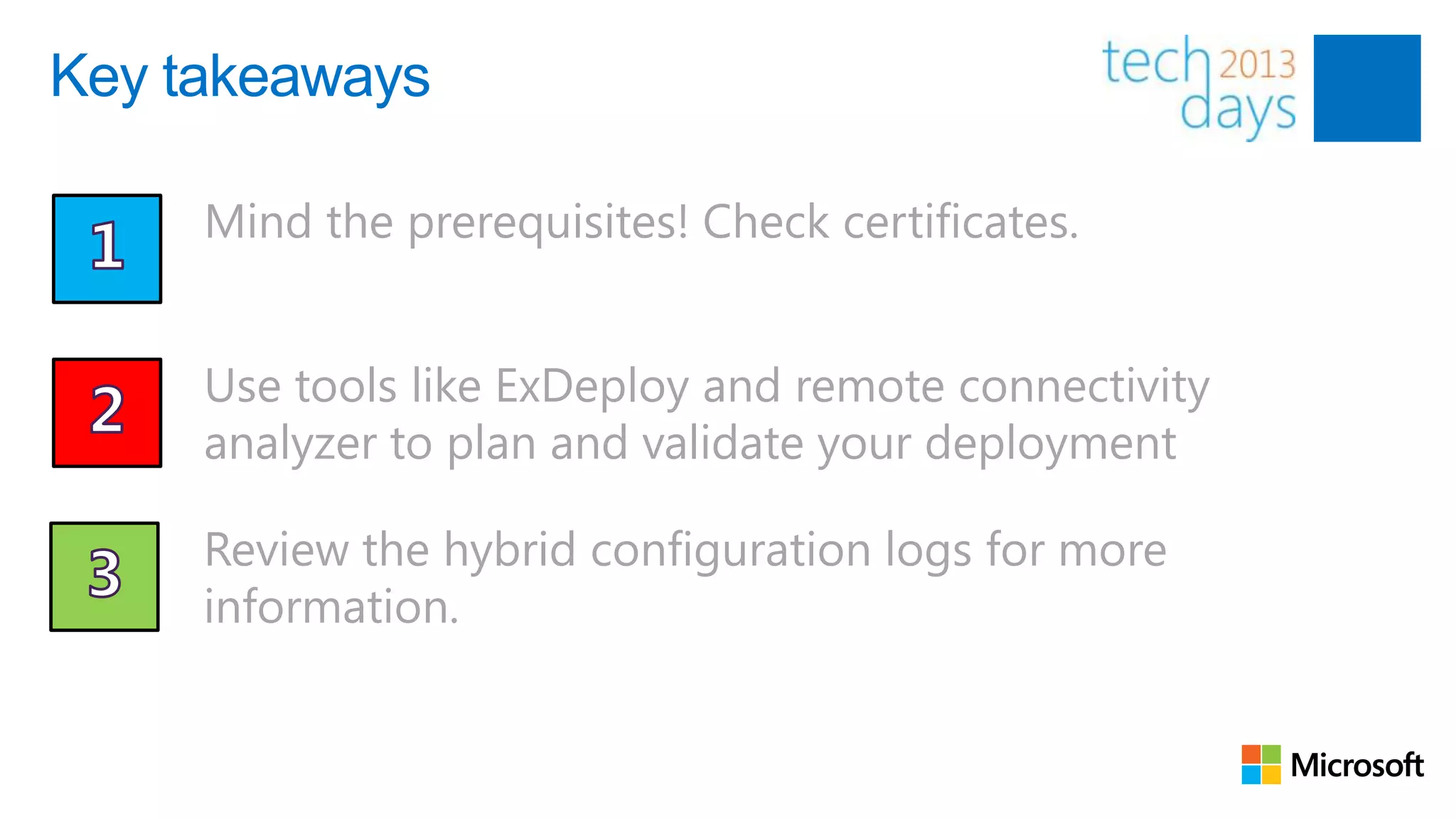
     Mind the prerequisites! Check certificates.


     Use tools like ExDeploy and remote connectivity
     analyzer to plan and validate your deployment

     Review the hybrid configuration logs for more
     information.
Related Sessions

•       Tuesday
    •    Office 365: Do’s and Don’ts (Ilse Van Criekinge)
    •    Troubleshooting Federation, ADFS and More (John Craddock)

•       Wednesday
    •    Office 365 ProPlus: Click-to-run deployment and management (Brian Shiers)
    •    Office 365 Identity Management Options (Jethro Seghers, Michael Van
         Horenbeeck)
The result

If you follow the advice from this session, you‟ll probably end up with
something like this ;-)


     THANK YOU!

Tech days 2013 - Deploying a hybrid configuration w/ Exchange 2013

  • 1.
    Deploying Exchange 2013in Hybrid Mode Michael Van Horenbeeck Technology Consultant – Xylos, Exchange Server MVP @mvanhorenbeeck www.pro-exchange.be michaelvh.wordpress.com
  • 2.
    Building a hybridconfiguration Expectations… Reality (Ex2013)…
  • 3.
    What is ahybrid deployment? “Virtual Exchange Organization” “The Internet” Exchange Exchange On-Prem Online (Office 365)
  • 4.
    Why hybrid? • Long-termcoexistence • Take advantages of features like e.g. Exchange Online Archiving • Large migrations where cutover isn‟t possible (e.g. EX2010 +) • Transparent mailbox moves (to or from Exchange Online) • “Online” Mailbox Moves • No OST resync! • Interaction with 3rd party applications • e.g. Fax Solutions
  • 5.
  • 6.
    DirSync Writeback Write-Back attribute Exchange "full fidelity" feature SafeSendersHash Filtering: Writes back on-premises filtering and online BlockedSendersHash safe and blocked sender data from clients. SafeRecipientHash msExchArchiveStatus Online Archive: Enables customers to archive mail. ProxyAddresses Enable Mailbox: Off-boards an online mailbox back to (LegacyExchangeDN <online LegacyDn> as X500) on-premises Exchange. Enable Unified Messaging (UM) - Online voice mail: This new attribute is used only for UM-Microsoft Lync Server msExchUCVoiceMailSettings 2010 integration to indicate to Lync Server 2010 on- premises that the user has voice mail in online services.
  • 8.
    A trip downmemory lane…
  • 9.
  • 10.
    Introducing the „new‟hybrid configuration wizard • Single-step, adaptive configuration wizard • Enhanced mail-flow capabilities • Improved centralized mail flow • Easier setup of secure mail flow (no more whitelisting IP’s!) • Integrated support for Exchange 2010 Edge Transport server • Leverages Exchange Online Protection • Enhanced & more detailed logging
  • 11.
    Hybrid Prerequisites • Directory Synchronization (DirSync) • “Hybrid Server” • Add Office 365 tenant to Exchange Admin Center • Certificates • Exchange Web Services • 3rd party certificates for TLS between Exchange Online & On-Premises • Self-Signed Certificate for use w/ Microsoft Federation Gateway (automatic) Optional: • ADFS (though recommended) • Edge Transport Server may make life easier (more about that later)
  • 12.
    Typical deployment process 1. 2. 3. 4. 5. Configure Setup DirSync Configure Configure Deploy SSO (optional) Certificates WebServices Exchange 7. 6. MX “The Internet” Configure Run Hybrid MX Records Configuration Wizard
  • 13.
    Hybrid Configuration Wizard Workflow Hybrid Configuration Engine
  • 15.
    Supported topologies Office 365 (v 2010) Office 365 (v 2013) Office 365 (v 2013) w/ On-Prem 2010 w/ On-Prem 2013 Exchange 2003 SP2 (X) (X) Exchange 2007 SP2/SP3 (X) (X) Exchange 2007 SP3 Urx (X) (X) (X) Exchange 2010 SP1 X Exchange 2010 SP2 X Exchange 2010 SP3 X X X Exchange 2013 N/A X (X) = supported w/ dependencies X = supported
  • 16.
    Deployment Considerations • Delegates • Migrated, but mailboxes must be moved at the same time • Mailbox Permissions • Cross-premises permissions NOT supported • Only explicit permissions get migrated to Exchange Online. • Multi-forest scenarios are not supported • Interaction with legacy / 3rd party applications • Web Services? • Use an SMTP gateway? • Bandwidth
  • 17.
    Hybrid mailbox moves MRS “The Internet” Exchange Exchange On-Prem Online (Office 365) Admin
  • 19.
    Mailbox moves: userexperience • When using SSO, moves to Exchange online are fully transparent • Without SSO, users get a new password • Outlook profile is updated automatically through Autodiscover
  • 20.
    Common mistakes/issues • Certificates • Expired • Not from a trusted source • Missing/Wrong subject (alternative) name • Single Sign-On • Free/Busy not working • Peers not recognized as “internal” • Outlook-related (e.g. missing updates)
  • 21.
    Troubleshooting • Hybrid Configuration Log Files • <drive>:Program FilesMicrosoftExchange ServerV15LoggingUpdate- HybridConfiguration • Review Federation Information • Get-FederationInformation –DomainName <domainname> • Review OrganizationRelationShips • Get-OrganizationRelationShip | fl * • Troubleshoot connection issues (e.g. AutoDiscover/Web Services) • Remote Connectivity Analyzer (www.testexchangeconnectivity.com)
  • 22.
  • 24.
    Key takeaways Mind the prerequisites! Check certificates. Use tools like ExDeploy and remote connectivity analyzer to plan and validate your deployment Review the hybrid configuration logs for more information.
  • 25.
    Related Sessions • Tuesday • Office 365: Do’s and Don’ts (Ilse Van Criekinge) • Troubleshooting Federation, ADFS and More (John Craddock) • Wednesday • Office 365 ProPlus: Click-to-run deployment and management (Brian Shiers) • Office 365 Identity Management Options (Jethro Seghers, Michael Van Horenbeeck)
  • 26.
    The result If youfollow the advice from this session, you‟ll probably end up with something like this ;-) THANK YOU!

Editor's Notes

  • #3 Image courtesy: the internet
  • #6 Build your on-premise Exchange environment; if already exists add Exchange 2013 into the organization.
  • #7 User updates Hybrid Configuration (Update-HybridConfiguration)Hybrid Configuration Engine reads the “new” desired stateConfig Engine compares current config On-Prem &lt;&gt; OnlineConfig Engine updates configuration with the differences between current and desired state
  • #8 Image courtesy: the internet