
SharePoint Best Practices
             ReadiDepth
                                Jeremy Thake
                    Senior Consultant, Readify


 Discover, Master, Influence                1
Agenda

•   Painting a picture
•   Team development
•   Deployment
•   Tools
•   Celebrity Deathmatch
SharePoint Best Practices - ReadiDepth

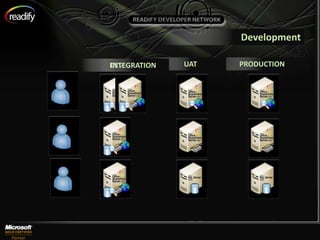
PAINTING A PICTURE
Development

DEV
INTEGRATION   UAT   PRODUCTION
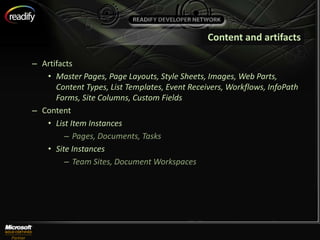
Content and artifacts

– Artifacts
   • Master Pages, Page Layouts, Style Sheets, Images, Web Parts,
      Content Types, List Templates, Event Receivers, Workflows, InfoPath
      Forms, Site Columns, Custom Fields
– Content
   • List Item Instances
        – Pages, Documents, Tasks
   • Site Instances
        – Team Sites, Document Workspaces
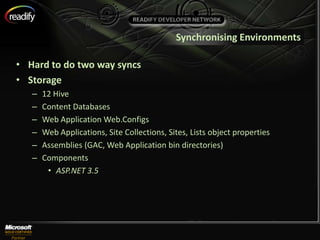
Synchronising Environments

• Hard to do two way syncs
• Storage
   –   12 Hive
   –   Content Databases
   –   Web Application Web.Configs
   –   Web Applications, Site Collections, Sites, Lists object properties
   –   Assemblies (GAC, Web Application bin directories)
   –   Components
        • ASP.NET 3.5
More than one way to skin a cat
•   Web User Interface
•   SharePoint Designer
•   Custom scripts
•   Solution Development
SharePoint Best Practices - ReadiDepth

TEAM DEVELOPMENT
Environments


• Need SharePoint running on development environment
• Visual Studio 2008 / SQL 2005
Source Control


• Team Foundation Server
   – Shared Check outs
   – Labelling
   – Branching
Code Analysis


• Disposing of SPWeb
• Iterating through object collections
Code Manageability


• Structure
Visual Studio Team Edition Load
                  Testing Tools
SharePoint Best Practices - ReadiDepth

DEPLOYMENT
Automated Build Scripts


• Powershell
Continuous Integration
Traps Avoid


• Moving artifacts and content to environments using:
   – Backup/Restore
   – SharePoint Designer Export/Import
SharePoint Development Best Practices - ReadiDepth

TOOLS
Content Deployment Wizard


• http://www.codeplex.com/SPDeploymentWizard
SharePoint Development Best Practices - ReadiDepth

DEMONSTRATION
Content Deployment Wizard to move
content into Dev Environment
STSDEV
SharePoint Development Best Practices - ReadiDepth

DEMONSTRATION
STSDEV to create workflow with InfoPath
integration
WSPBuilder
SharePoint Development Best Practices - ReadiDepth

DEMONSTRATION
WSPBuilder to create Web Part Solution
SP Deploy


• http://code.google.com/p/rapid-tools/
SharePoint Development Best Practices - ReadiDepth

DEMONSTRATION
SP Deploy to create Site Structure
SharePoint Inspector
SharePoint Development Best Practices - ReadiDepth

DEMONSTRATION
SharePoint Inspector for debugging
VSeWSS – Solution Generator
SharePoint Development Best Practices - ReadiDepth

DEMONSTRATION
Solution Generator to create SharePoint
List Template Solution
SharePoint Development Best Practices - ReadiDepth

CELEBRITY DEATHMATCH
SharePoint Designer vs Visual Studio
                         Workflows
SharePoint Lists vs SQL Database
                          Tables
InfoPath Forms vs ASP.NET Forms
Site Features vs Site Templates
Web.Config vs SharePoint Lists vs Web Service
                                Configuration Management


• Web.config
• SharePoint List
• Web Service / Database
SharePoint Development Best Practices - ReadiDepth

SUMMARY
Points to take away


• Nothing gets into an environment without a Solution WSP
  Package
• All artifacts are stored in source control
• Choose your weapons wisely
For more information

• Jeremy Thake’s blog
   – http://wss.made4the.net/
• Jeremy Thake’s Diigo Social bookmarks
   – http://www.diigo.com/user/jthake/
• Perth SharePoint User Group
   – Richard Greene – Implementing BDC
   – Tommy Segoro – Comparing Development Tools
   – Clinton Cherry – Semantic Search Add-on
A Readify Developer Network session
      By Jeremy Thake, Senior Consultant, Readify

        Email Address: jeremy.thake@readify.net
             RDN Website: www.readify.net/rdn


               Discover, Master, Influence     40

Share Point Best Practices