



Nuvola: a tale of migration to AWS
Ansible + AWS: victory is mine!
Who am I?
Matteo Moretti
Who I am?
CTO @
website: madisoft.it
tech blog: labs.madisoft.it
It’s a story
●It’s our story
●It’s about a migration
●We did it!
●We’ve learnt a lot
●We want to share it with you
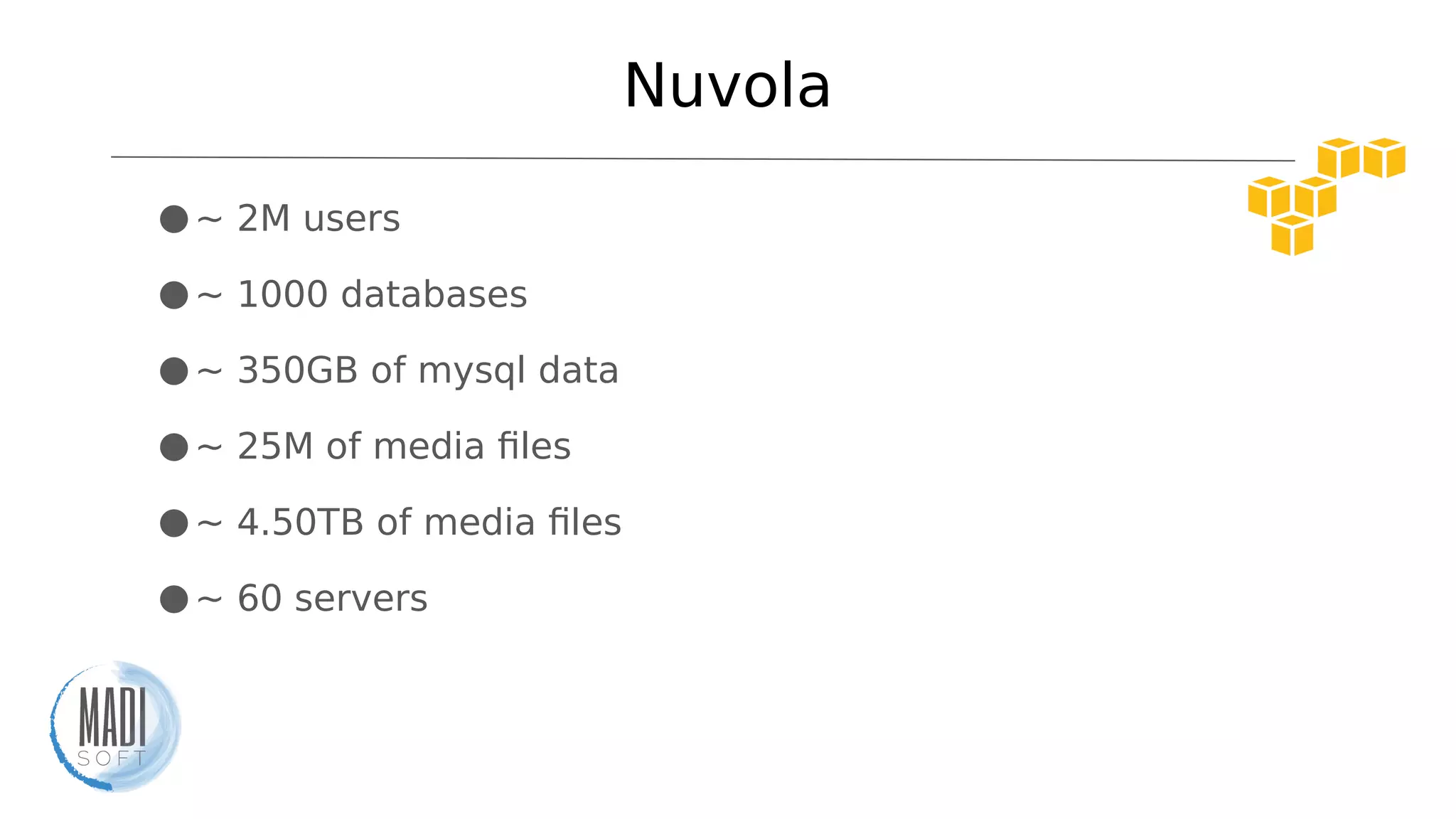
Nuvola
●~ 2M users
●~ 1000 databases
●~ 350GB of mysql data
●~ 25M of media files
●~ 4.50TB of media files
●~ 60 servers
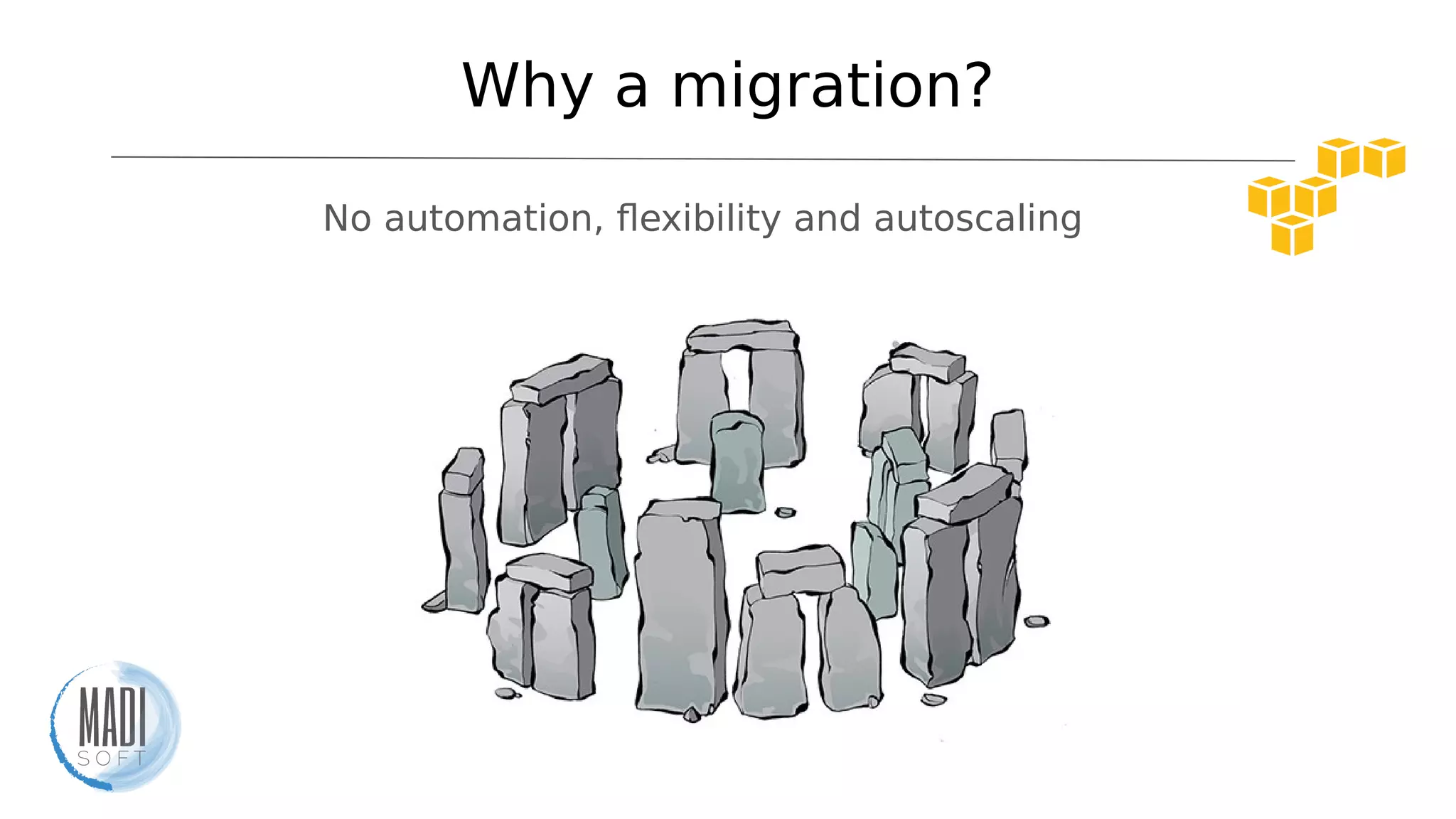
Why a migration?
No automation, flexibility and autoscaling
Need of change
●Flexibility
●Horizontal scaling
●Infrastructure as code
●Multiple environments
●All services by one provider
●Cost optimization
pixabay.com
Change is coming
isn’t it?
pixabay.com
Obstacles
●It’s a distributed app
●Learn an entire new ecosystem
●Causing no troubles for users
●Few weeks of time
Tools and solutions
AWS
●100% automation
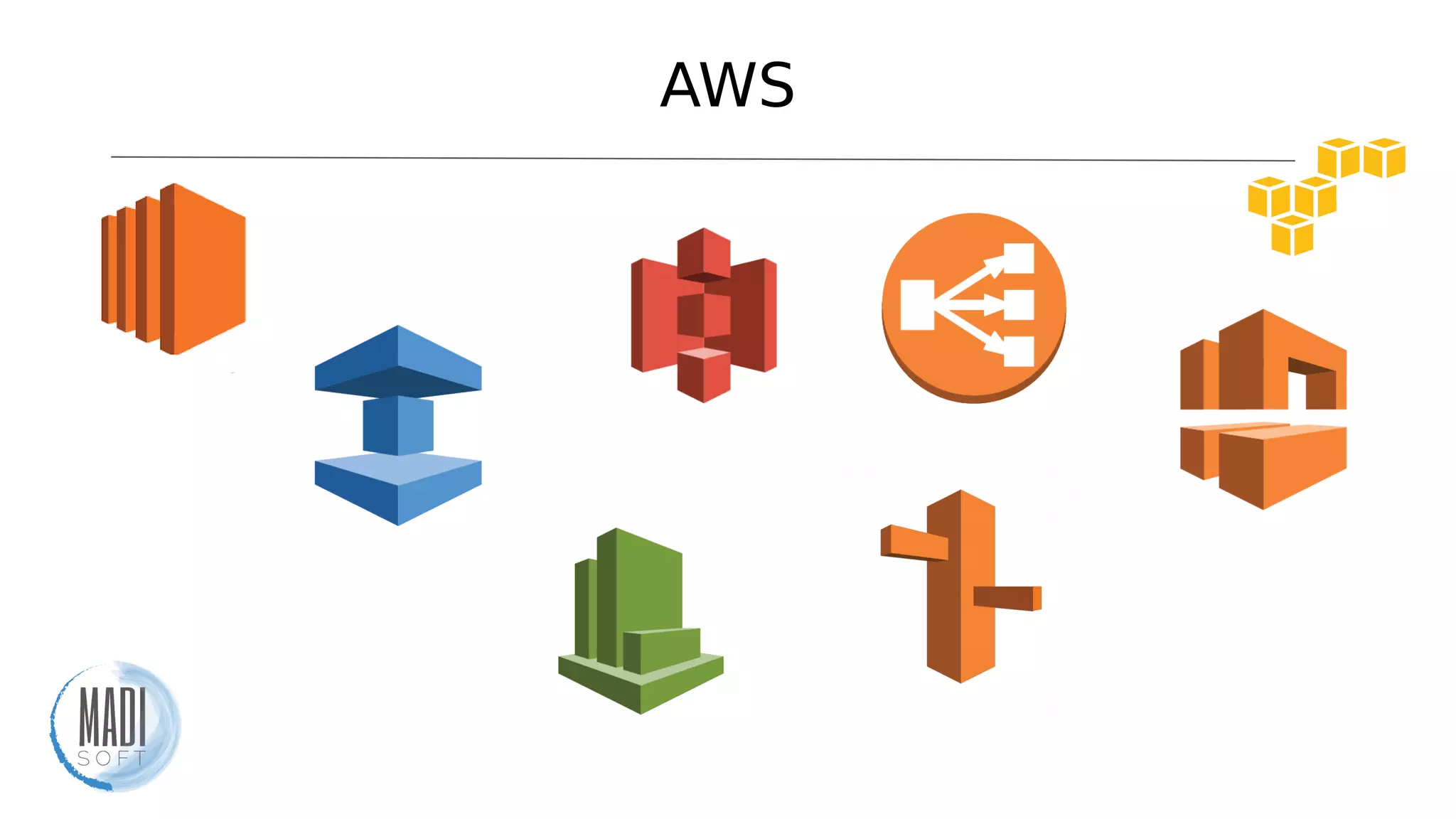
●Tons of services
●Very well integrated with Ansible
●IaaS services
●Autoscaling / Reserved instances / Spot instances
AWS
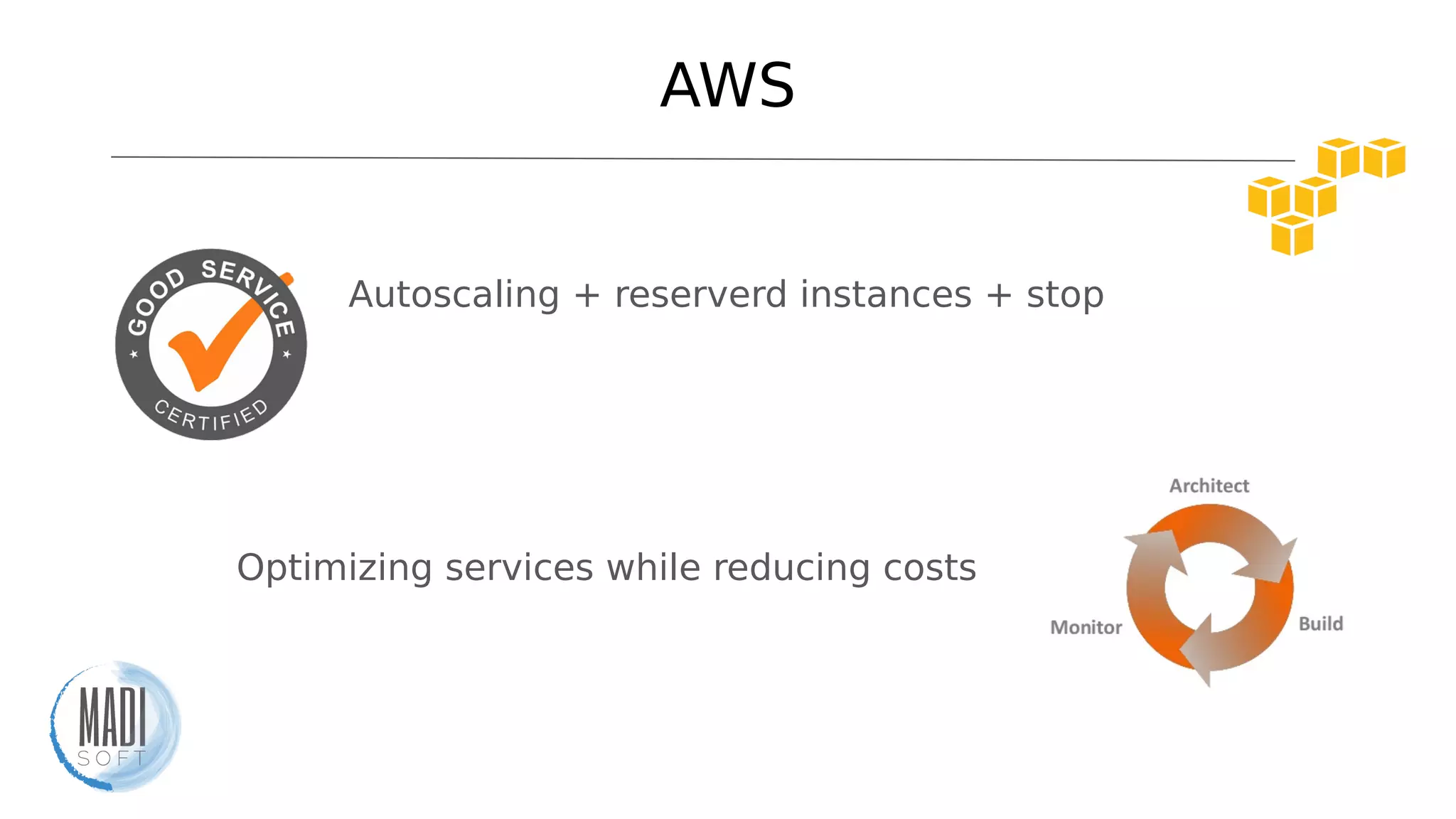
Autoscaling + reserverd instances + spot instances
Optimizing services while reducing costs
AWS
Ansible
●IT automation tool
●Easy lo learn
●No coding skills. It uses YAML
●No agents on target machines
●Ready-made AWS modules
●Can be easily idempotent
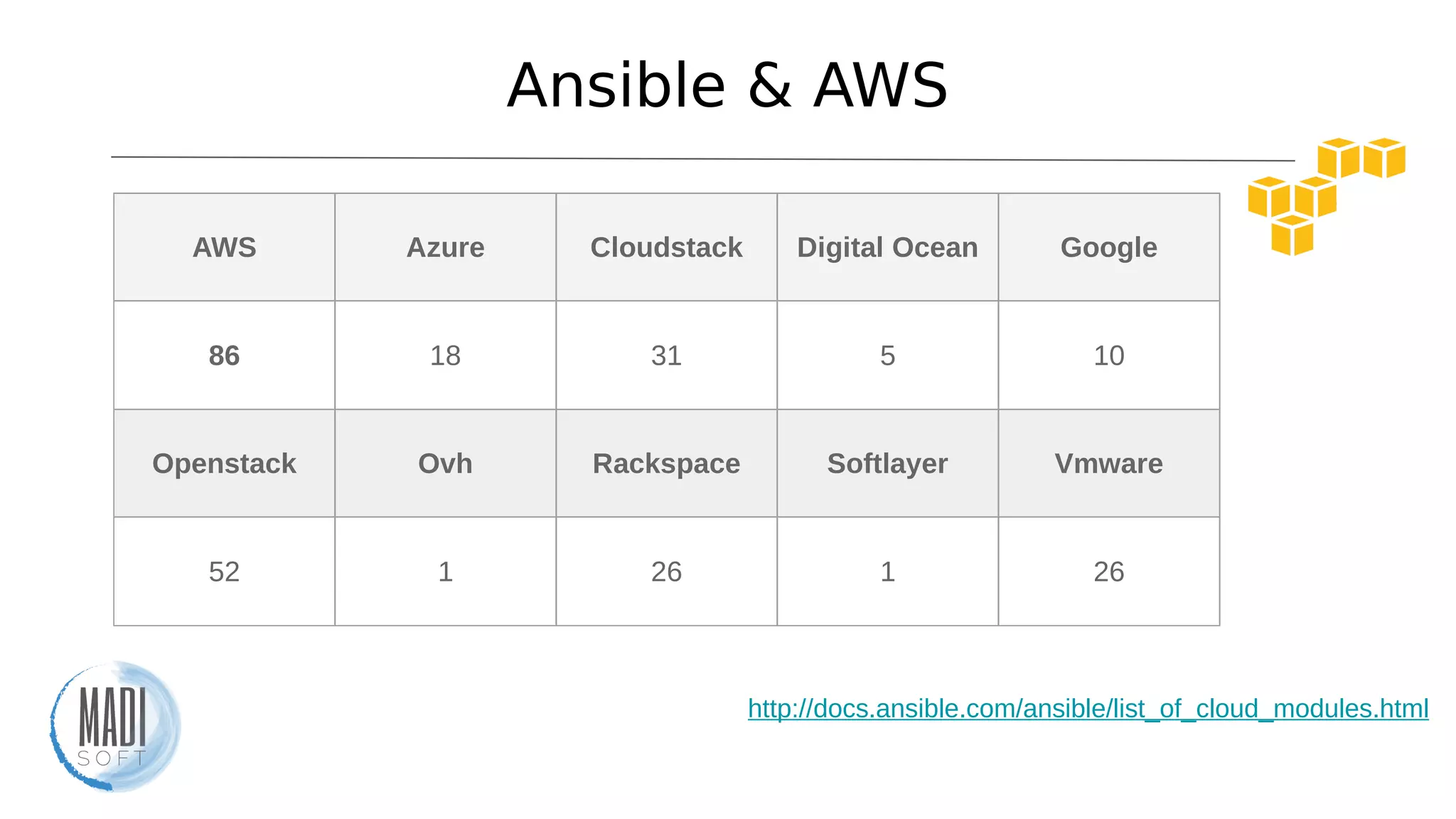
Ansible & AWS
AWS Azure Cloudstack Digital Ocean Google
86 18 31 5 10
Openstack Ovh Rackspace Softlayer Vmware
52 1 26 1 26
http://docs.ansible.com/ansible/list_of_cloud_modules.html
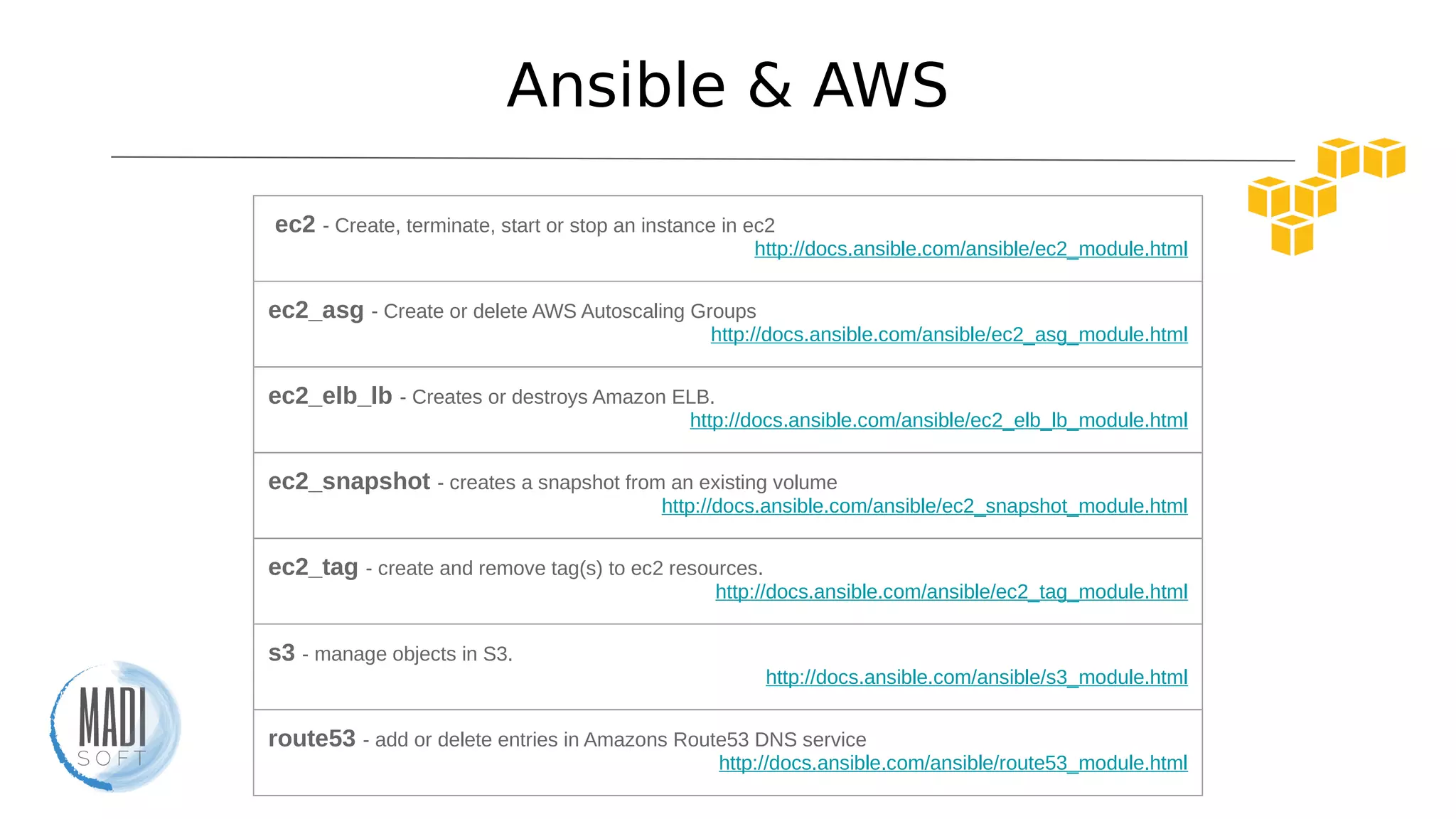
Ansible & AWS
ec2 - Create, terminate, start or stop an instance in ec2
http://docs.ansible.com/ansible/ec2_module.html
ec2_asg - Create or delete AWS Autoscaling Groups
http://docs.ansible.com/ansible/ec2_asg_module.html
ec2_elb_lb - Creates or destroys Amazon ELB.
http://docs.ansible.com/ansible/ec2_elb_lb_module.html
ec2_snapshot - creates a snapshot from an existing volume
http://docs.ansible.com/ansible/ec2_snapshot_module.html
ec2_tag - create and remove tag(s) to ec2 resources.
http://docs.ansible.com/ansible/ec2_tag_module.html
s3 - manage objects in S3.
http://docs.ansible.com/ansible/s3_module.html
route53 - add or delete entries in Amazons Route53 DNS service
http://docs.ansible.com/ansible/route53_module.html
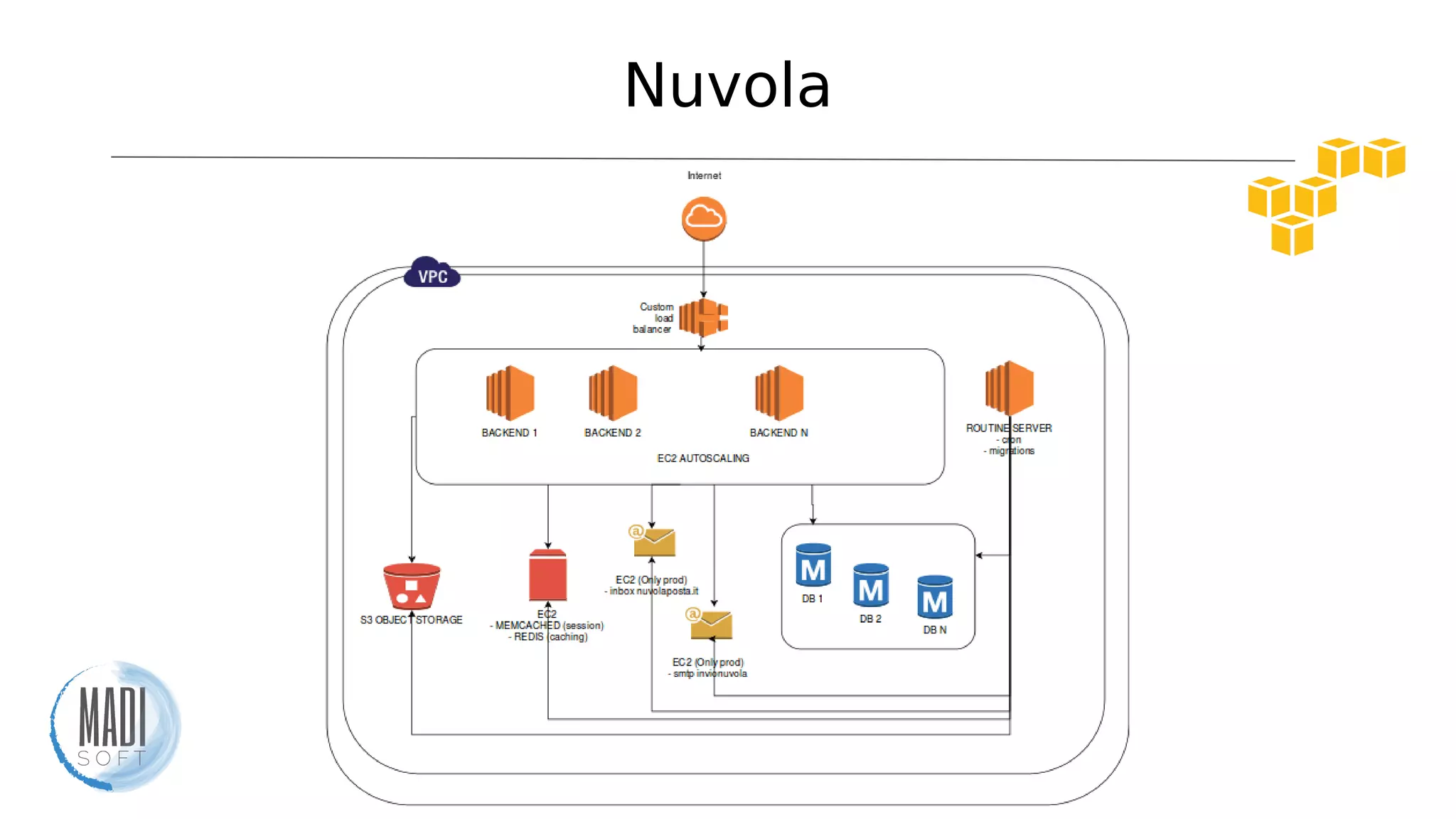
Nuvola
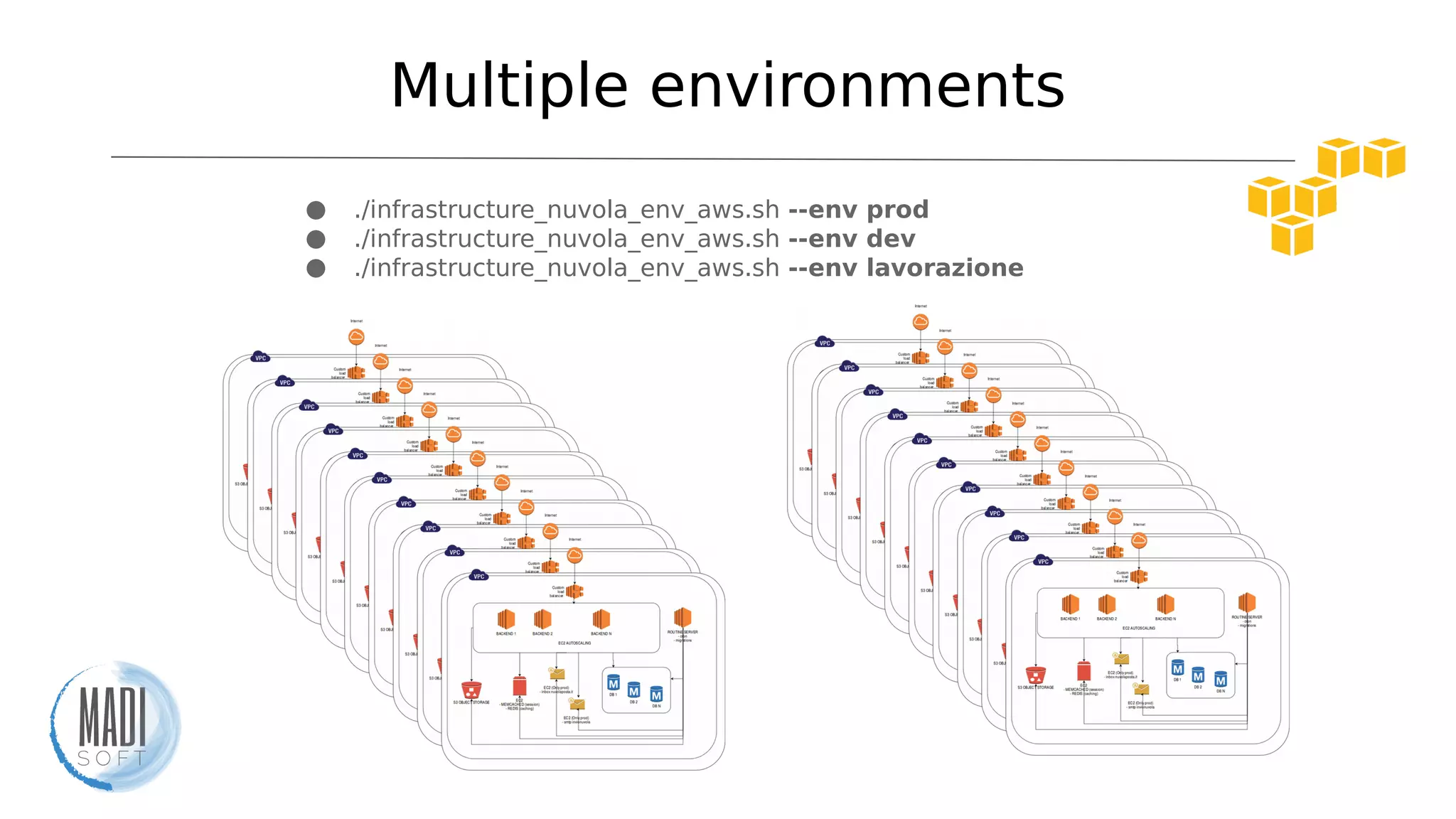
Multiple environments
● ./infrastructure_nuvola_env_aws.sh --env prod
● ./infrastructure_nuvola_env_aws.sh --env dev
● ./infrastructure_nuvola_env_aws.sh --env lavorazione
Infrastructure
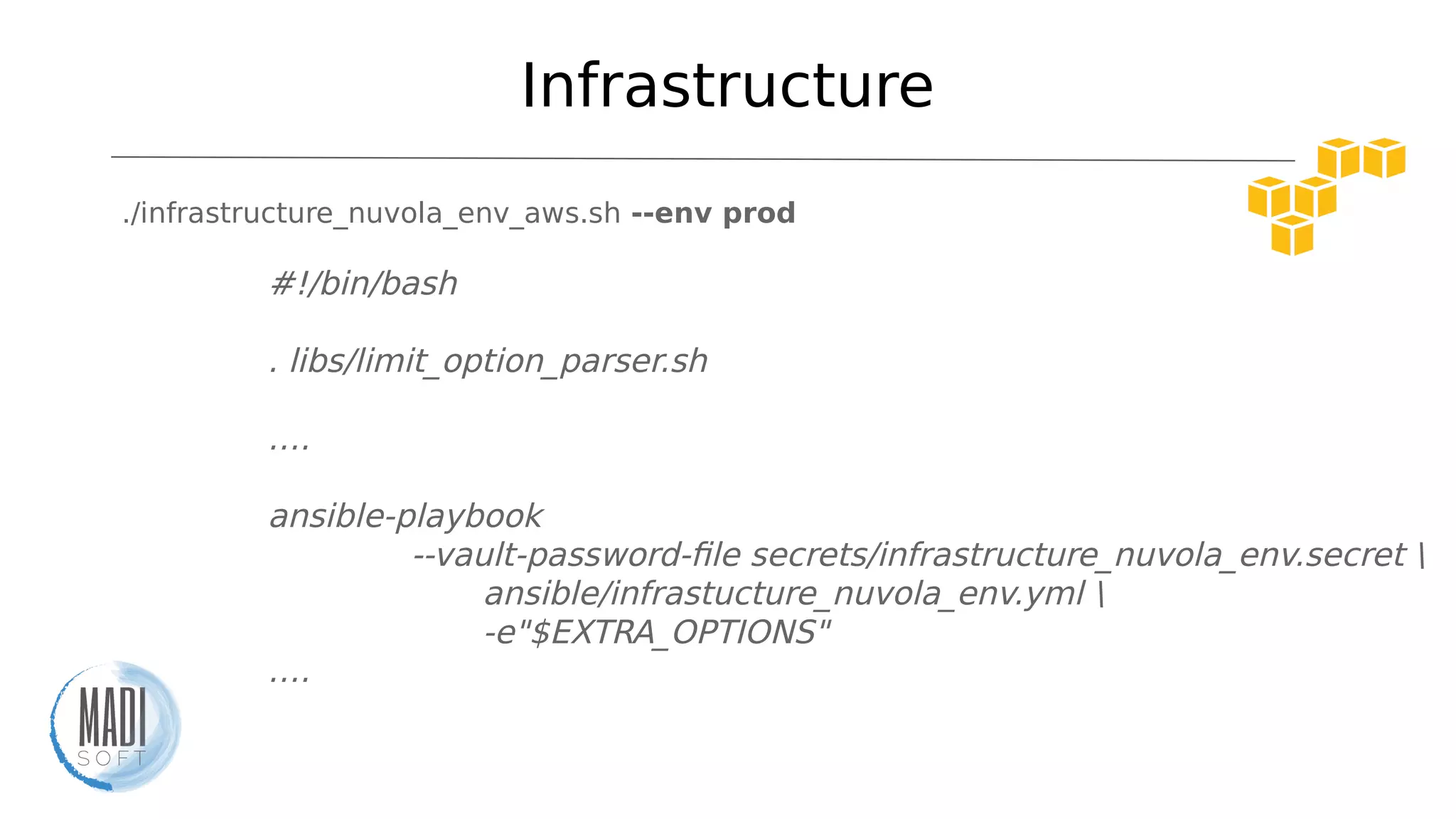
./infrastructure_nuvola_env_aws.sh --env prod
#!/bin/bash
. libs/limit_option_parser.sh
….
ansible-playbook
--vault-password-file secrets/infrastructure_nuvola_env.secret 
ansible/infrastucture_nuvola_env.yml 
-e"$EXTRA_OPTIONS"
….
Infrastructure playbook
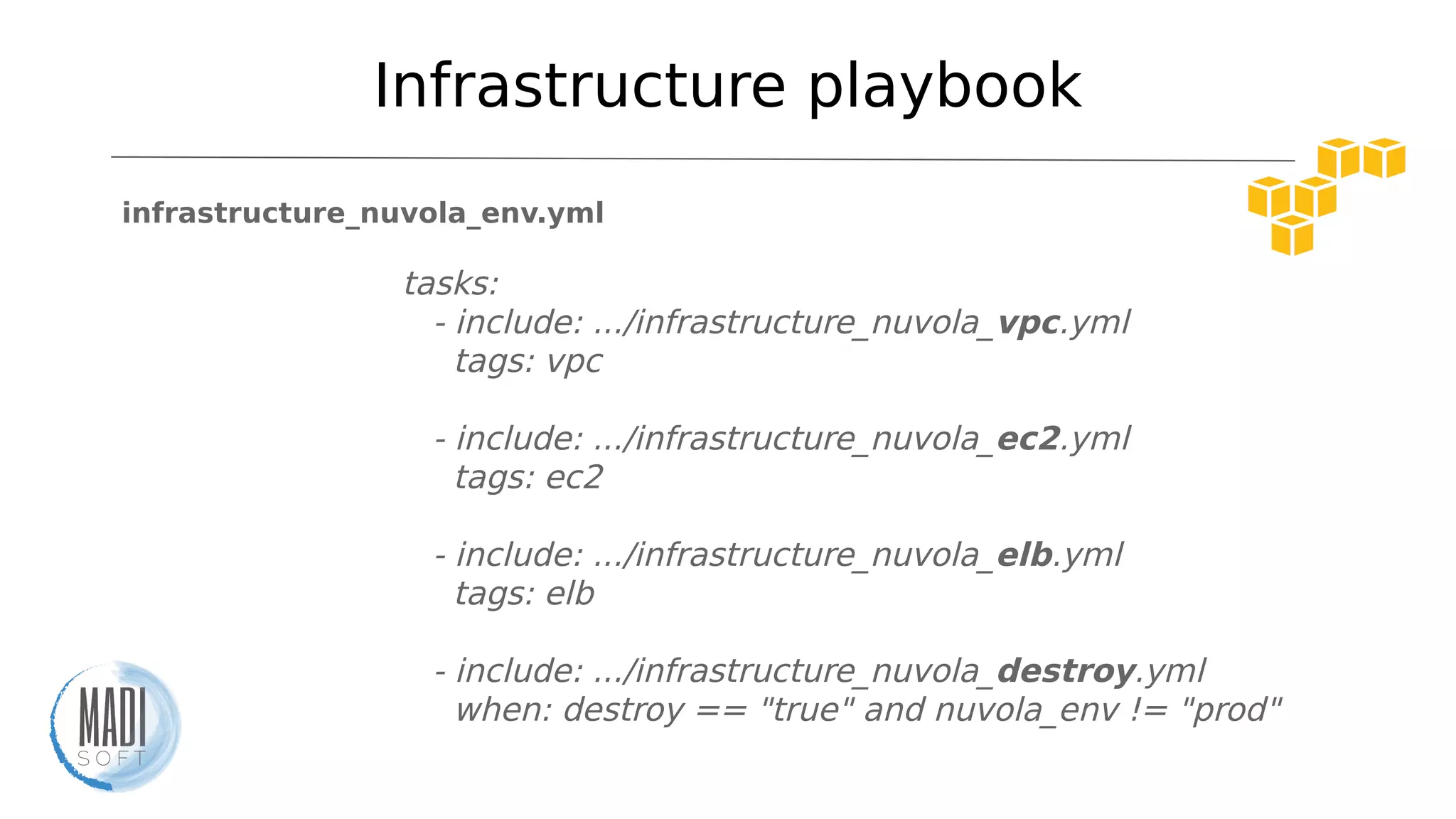
infrastructure_nuvola_env.yml
tasks:
- include: .../infrastructure_nuvola_vpc.yml
tags: vpc
- include: .../infrastructure_nuvola_ec2.yml
tags: ec2
- include: .../infrastructure_nuvola_elb.yml
tags: elb
- include: .../infrastructure_nuvola_destroy.yml
when: destroy == "true" and nuvola_env != "prod"
VPC
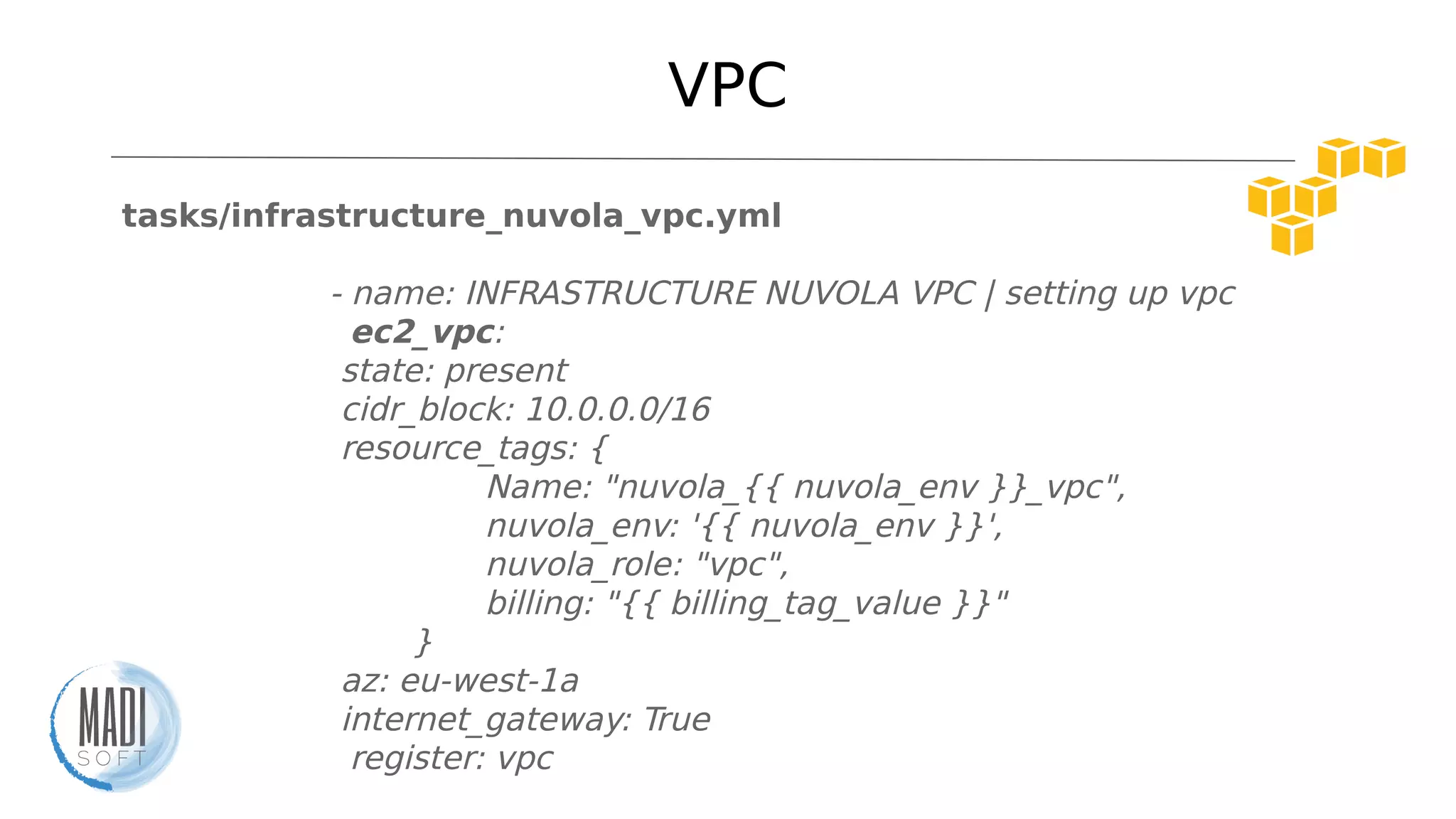
tasks/infrastructure_nuvola_vpc.yml
- name: INFRASTRUCTURE NUVOLA VPC | setting up vpc
ec2_vpc:
state: present
cidr_block: 10.0.0.0/16
resource_tags: {
Name: "nuvola_{{ nuvola_env }}_vpc",
nuvola_env: '{{ nuvola_env }}',
nuvola_role: "vpc",
billing: "{{ billing_tag_value }}"
}
az: eu-west-1a
internet_gateway: True
register: vpc
VPC
infrastructure_nuvola_vpc.yml
- name: INFRASTRUCTURE NUVOLA VPC | vpc peering route
ec2_vpc_route_table:
vpc_id: "{{ vpc['vpc']['id'] }}"
tags:
Name: "nuvola_{{ nuvola_env }}_to_nuvola_default"
subnets:
- "10.0.{{ ec2_vpc_subnet }}.0/24"
routes:
- dest: 0.0.0.0/0
gateway_id: "{{ vpc.igw_id }}"
http://docs.ansible.com/ansible/ec2_vpc_route_table_module.html
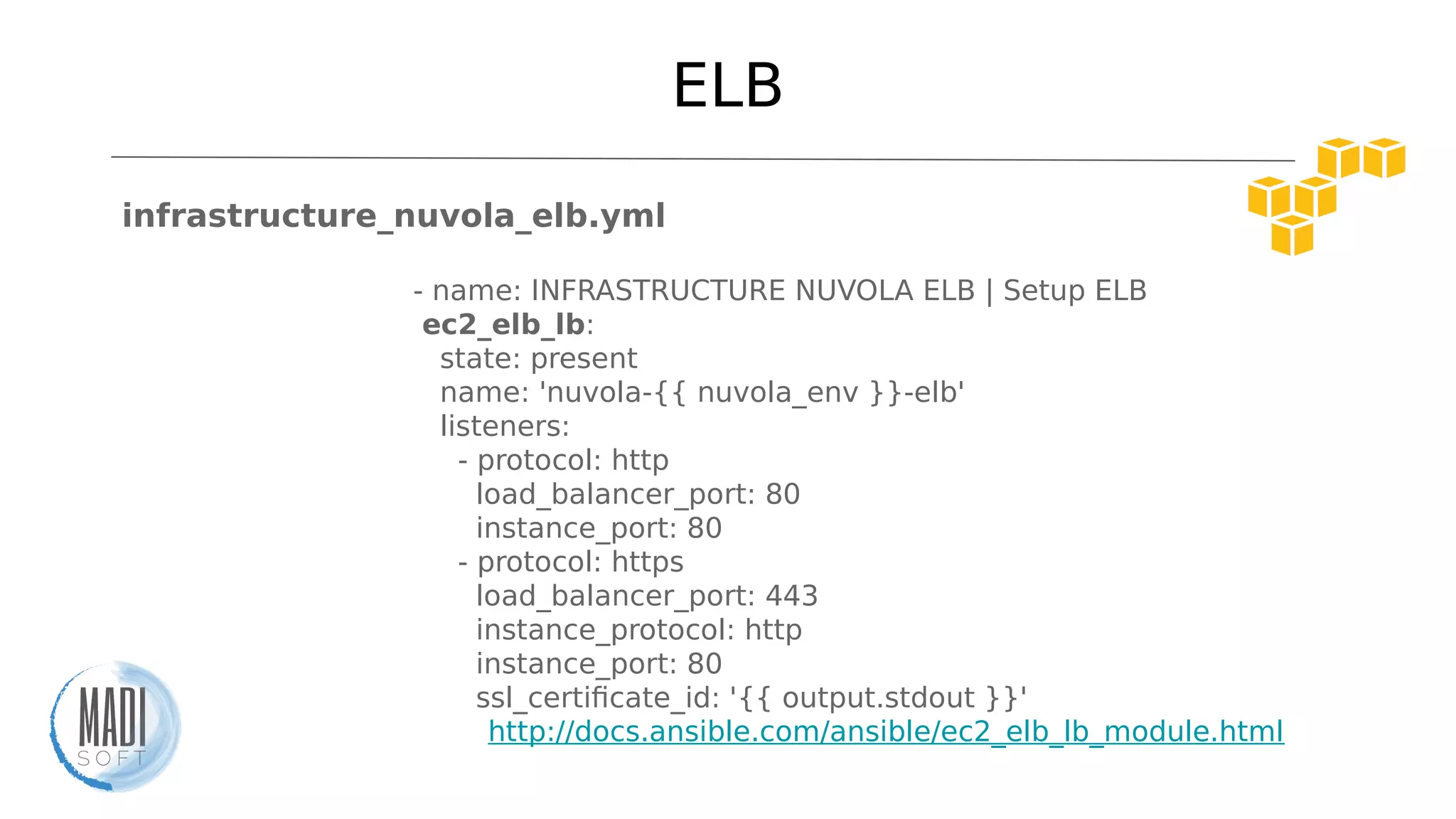
ELB
infrastructure_nuvola_elb.yml
- name: INFRASTRUCTURE NUVOLA ELB | Setup ELB
ec2_elb_lb:
state: present
name: 'nuvola-{{ nuvola_env }}-elb'
listeners:
- protocol: http
load_balancer_port: 80
instance_port: 80
- protocol: https
load_balancer_port: 443
instance_protocol: http
instance_port: 80
ssl_certificate_id: '{{ output.stdout }}'
http://docs.ansible.com/ansible/ec2_elb_lb_module.html
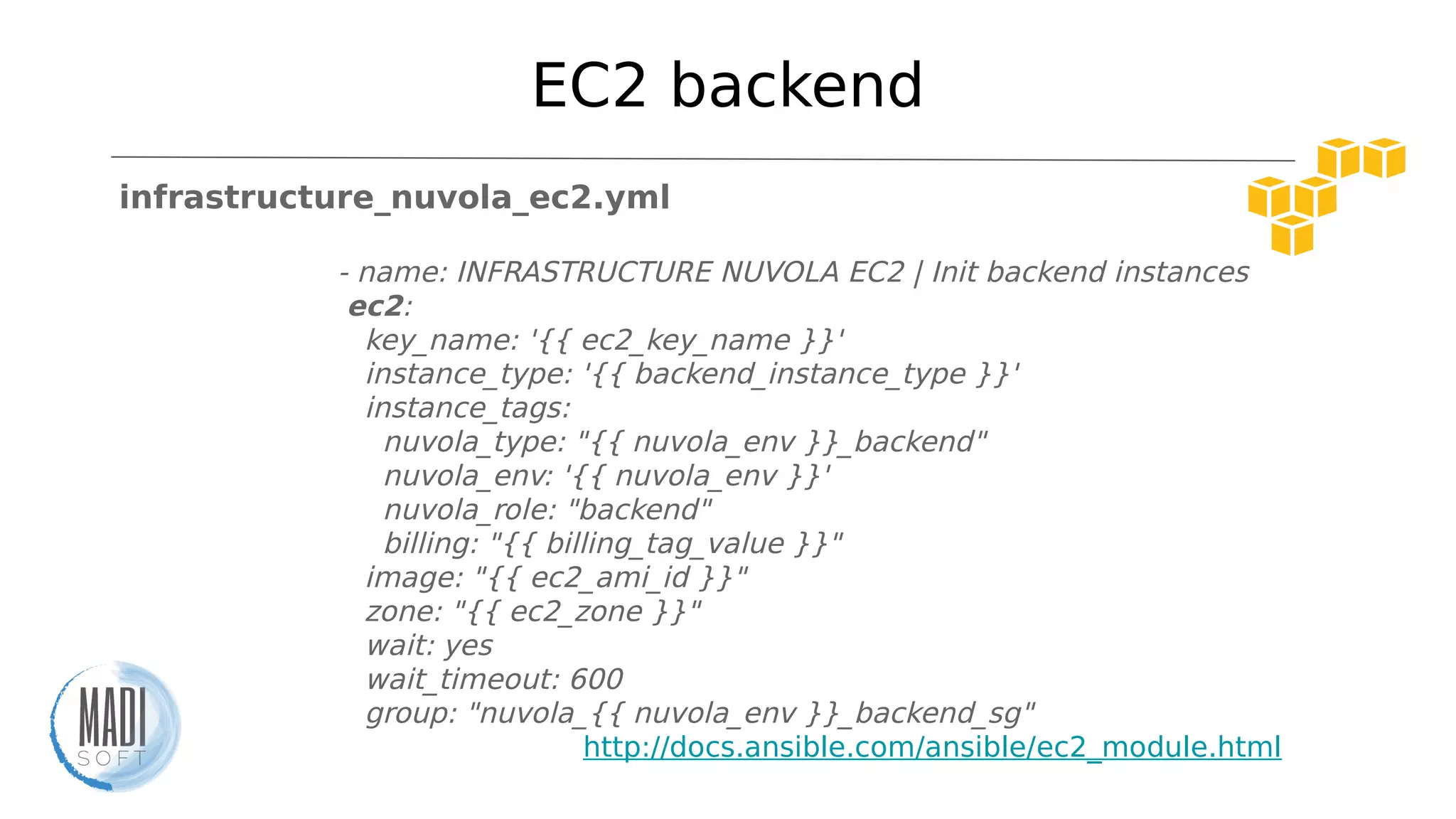
EC2 backend
infrastructure_nuvola_ec2.yml
- name: INFRASTRUCTURE NUVOLA EC2 | Init backend instances
ec2:
key_name: '{{ ec2_key_name }}'
instance_type: '{{ backend_instance_type }}'
instance_tags:
nuvola_type: "{{ nuvola_env }}_backend"
nuvola_env: '{{ nuvola_env }}'
nuvola_role: "backend"
billing: "{{ billing_tag_value }}"
image: "{{ ec2_ami_id }}"
zone: "{{ ec2_zone }}"
wait: yes
wait_timeout: 600
group: "nuvola_{{ nuvola_env }}_backend_sg"
http://docs.ansible.com/ansible/ec2_module.html
EC2 backend
infrastructure_nuvola_ec2.yml
count_tag:
nuvola_type: "{{ nuvola_env }}_backend"
exact_count: '{{ nuvola_backend_ec2_instances }}'
vpc_subnet_id: "{{ vpc['subnets'][0]['id'] }}"
assign_public_ip: yes
termination_protection: "{{ delete_lock }}"
volumes:
- device_name: /dev/sda1
volume_type: gp2
volume_size: "{{ ec2_volume_size_backend }}"
delete_on_termination: true
instance_profile_name: "{{ ec2_instance_role }}"
register: ec2_backend
http://docs.ansible.com/ansible/ec2_module.html
Provisioning
./provision_nuvola_backend.sh --limit "tag_nuvola_type_${ENV}_backend"
./provision_nuvola_dbserver.sh --limit "tag_nuvola_type_${ENV}_database"
./provision_nuvola_routine.sh --limit "tag_nuvola_type_${ENV}_routine"
if [ "$ENV" != "prod" ]; then
./nuvola-init-not-prod-env.sh --env ${ENV}
./deploy_nuvola.sh --limit "tag_nuvola_type_${ENV}_backend" --env $
{ENV}
fi
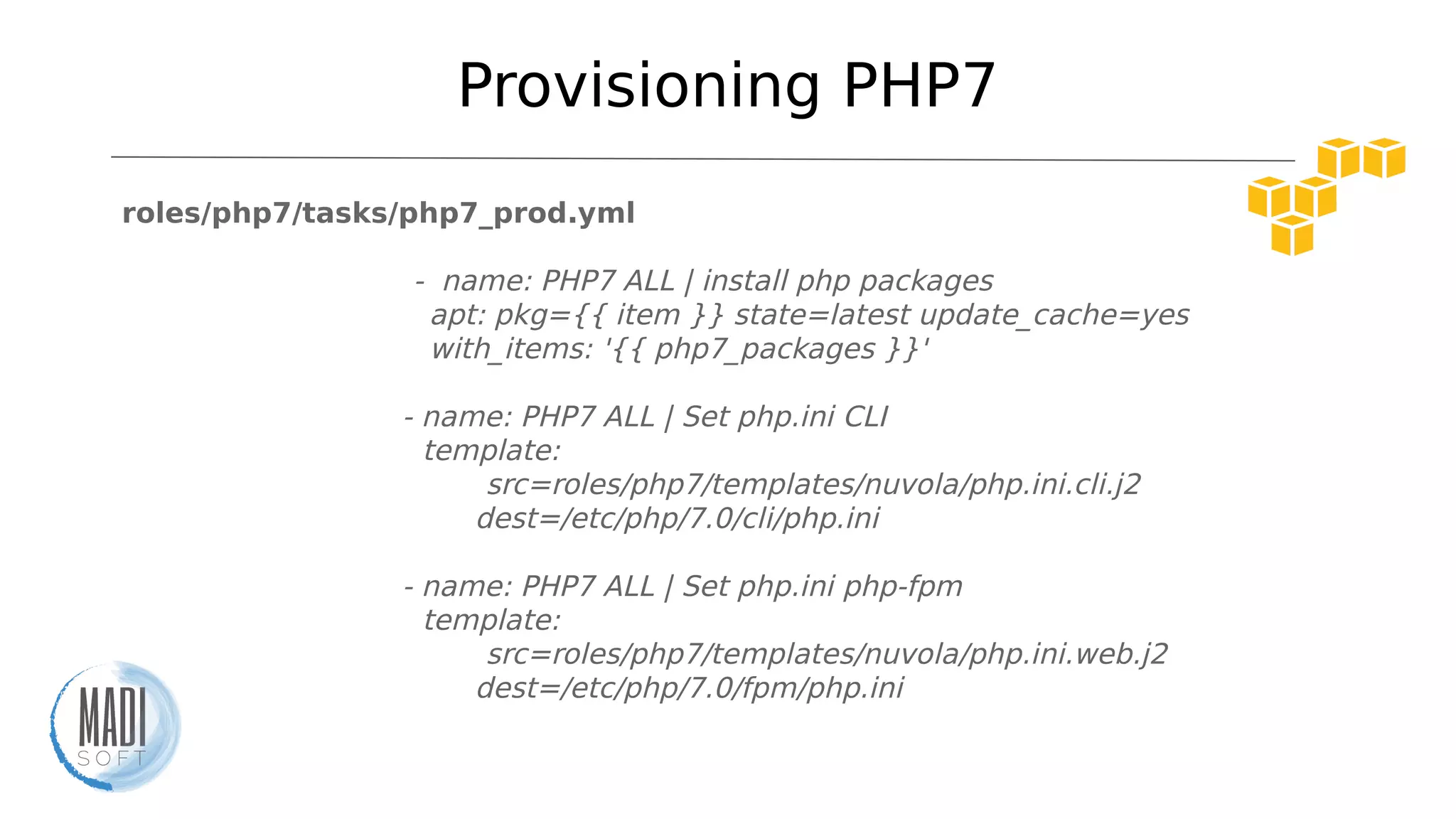
Provisioning PHP7
roles/php7/tasks/php7_prod.yml
- name: PHP7 ALL | install php packages
apt: pkg={{ item }} state=latest update_cache=yes
with_items: '{{ php7_packages }}'
- name: PHP7 ALL | Set php.ini CLI
template:
src=roles/php7/templates/nuvola/php.ini.cli.j2
dest=/etc/php/7.0/cli/php.ini
- name: PHP7 ALL | Set php.ini php-fpm
template:
src=roles/php7/templates/nuvola/php.ini.web.j2
dest=/etc/php/7.0/fpm/php.ini
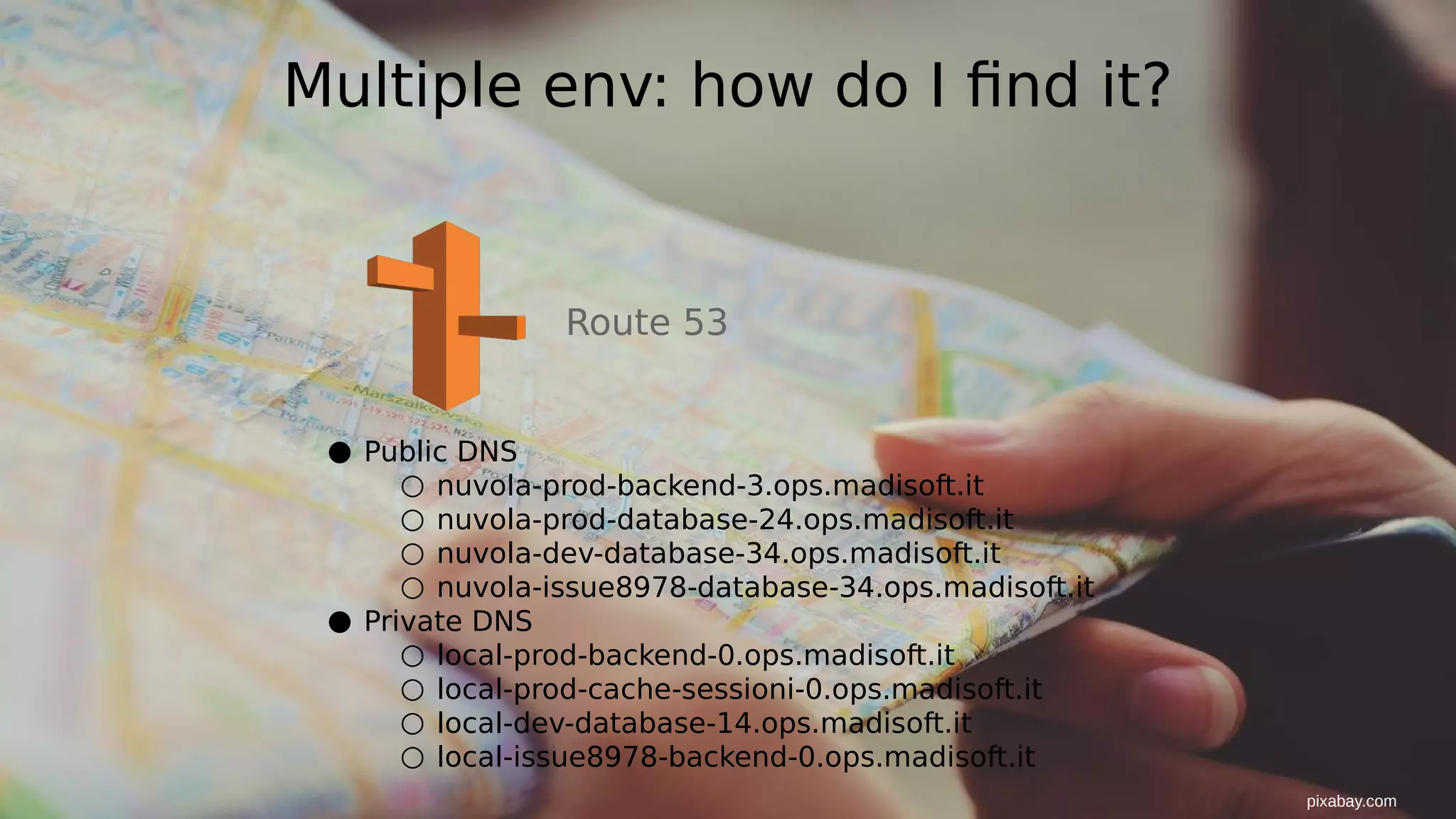
Multiple env: how do I find it?
Route 53
● Public DNS
○ nuvola-prod-backend-3.ops.madisoft.it
○ nuvola-prod-database-24.ops.madisoft.it
○ nuvola-dev-database-34.ops.madisoft.it
○ nuvola-issue8978-database-34.ops.madisoft.it
● Private DNS
○ local-prod-backend-0.ops.madisoft.it
○ local-prod-cache-sessioni-0.ops.madisoft.it
○ local-dev-database-14.ops.madisoft.it
○ local-issue8978-backend-0.ops.madisoft.it
pixabay.com
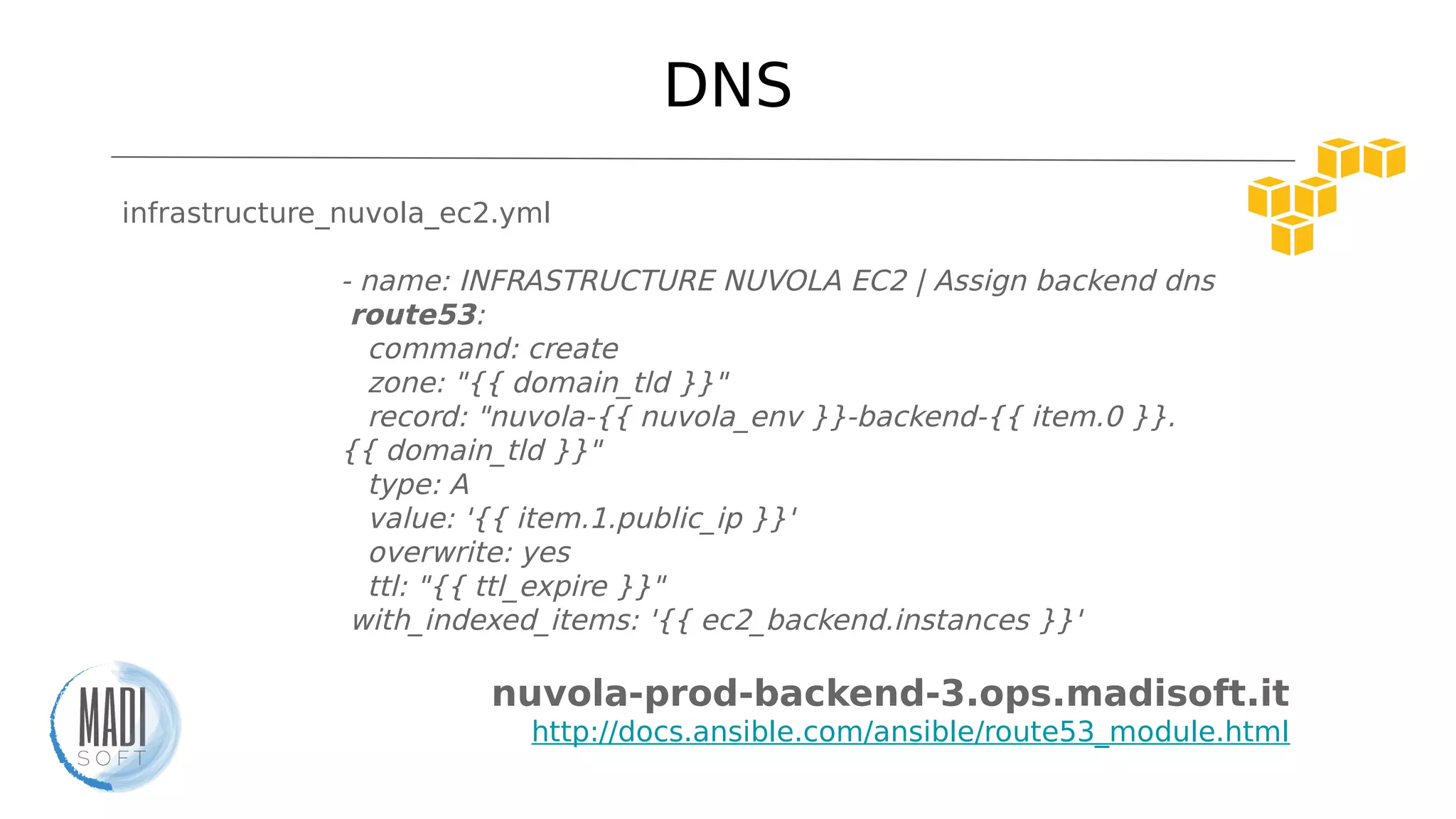
DNS
infrastructure_nuvola_ec2.yml
- name: INFRASTRUCTURE NUVOLA EC2 | Assign backend dns
route53:
command: create
zone: "{{ domain_tld }}"
record: "nuvola-{{ nuvola_env }}-backend-{{ item.0 }}.
{{ domain_tld }}"
type: A
value: '{{ item.1.public_ip }}'
overwrite: yes
ttl: "{{ ttl_expire }}"
with_indexed_items: '{{ ec2_backend.instances }}'
nuvola-prod-backend-3.ops.madisoft.it
http://docs.ansible.com/ansible/route53_module.html
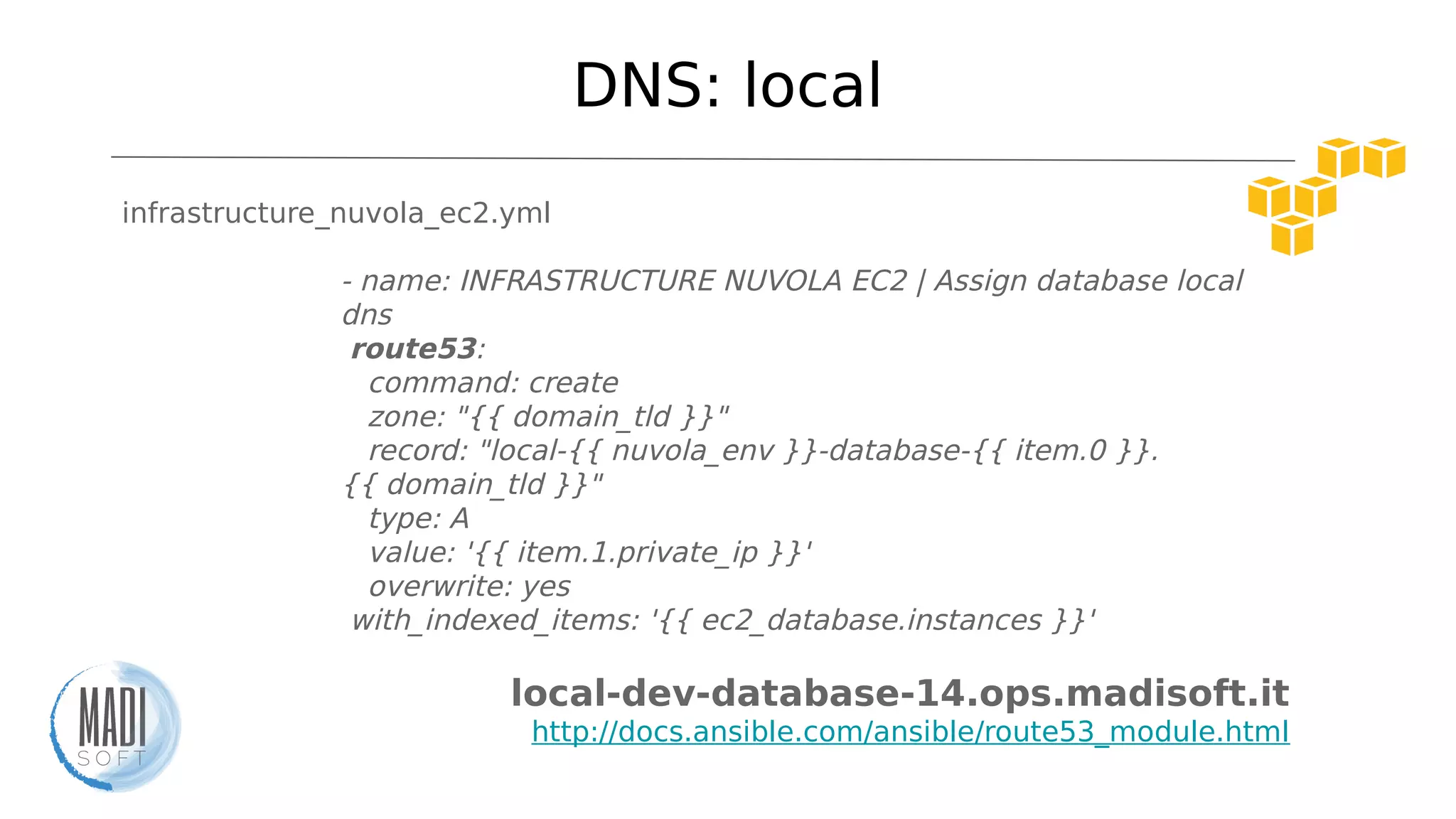
DNS: local
infrastructure_nuvola_ec2.yml
- name: INFRASTRUCTURE NUVOLA EC2 | Assign database local
dns
route53:
command: create
zone: "{{ domain_tld }}"
record: "local-{{ nuvola_env }}-database-{{ item.0 }}.
{{ domain_tld }}"
type: A
value: '{{ item.1.private_ip }}'
overwrite: yes
with_indexed_items: '{{ ec2_database.instances }}'
local-dev-database-14.ops.madisoft.it
http://docs.ansible.com/ansible/route53_module.html
DNS: local
infrastructure_nuvola_ec2.yml
- name: INFRASTRUCTURE NUVOLA EC2 | Assign database local
dns
route53:
command: create
zone: "{{ domain_tld }}"
record: "local-{{ nuvola_env }}-database-{{ item.0 }}.
{{ domain_tld }}"
type: A
value: '{{ item.1.private_ip }}'
overwrite: yes
with_indexed_items: '{{ ec2_database.instances }}'
local-dev-database-14.ops.madisoft.it
http://docs.ansible.com/ansible/route53_module.html
Ready to move?
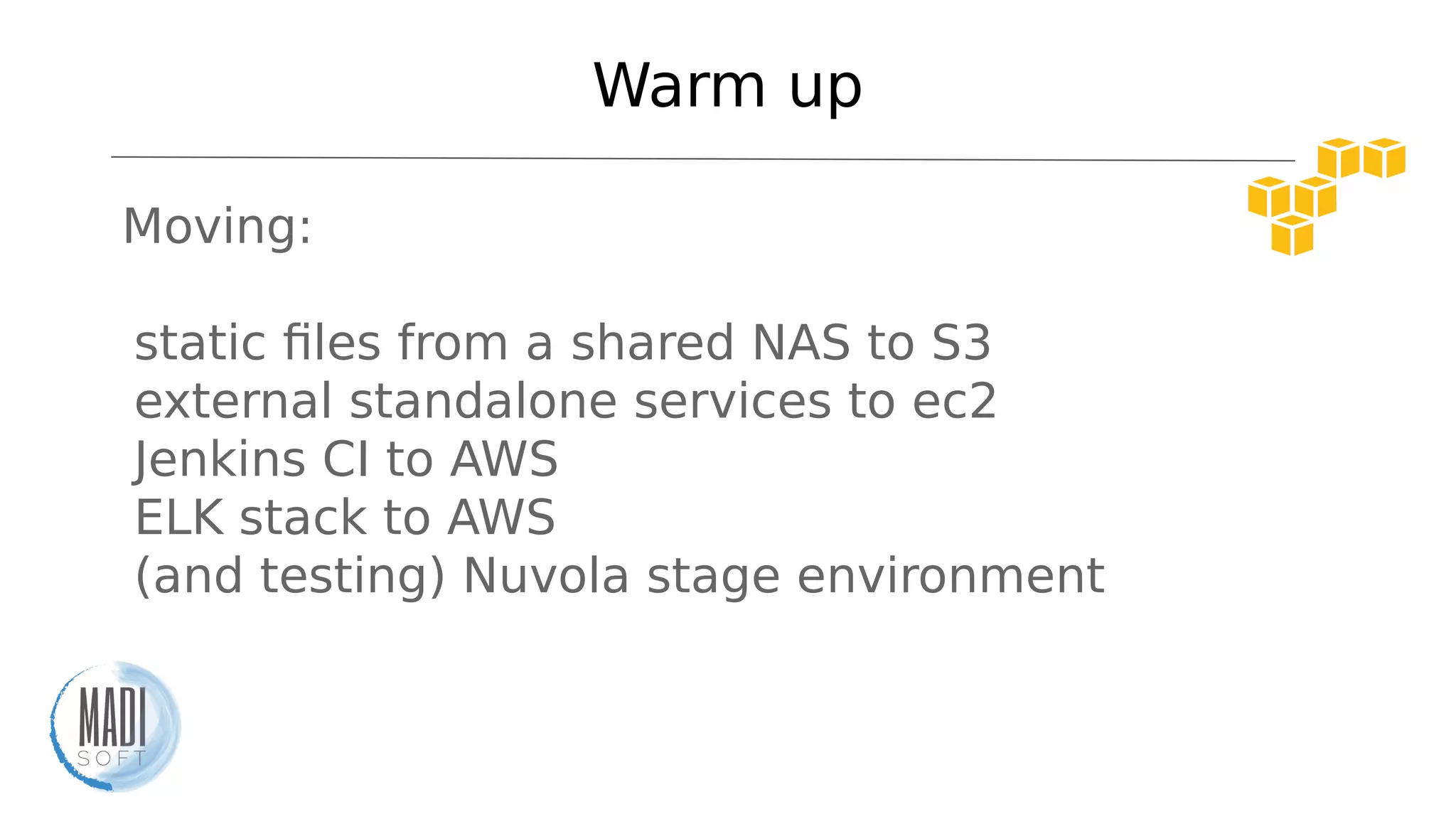
Warm up
Moving:
- static files from a shared NAS to S3
- external standalone services to ec2
- Jenkins CI to AWS
- ELK stack to AWS
- (and testing) Nuvola stage environment
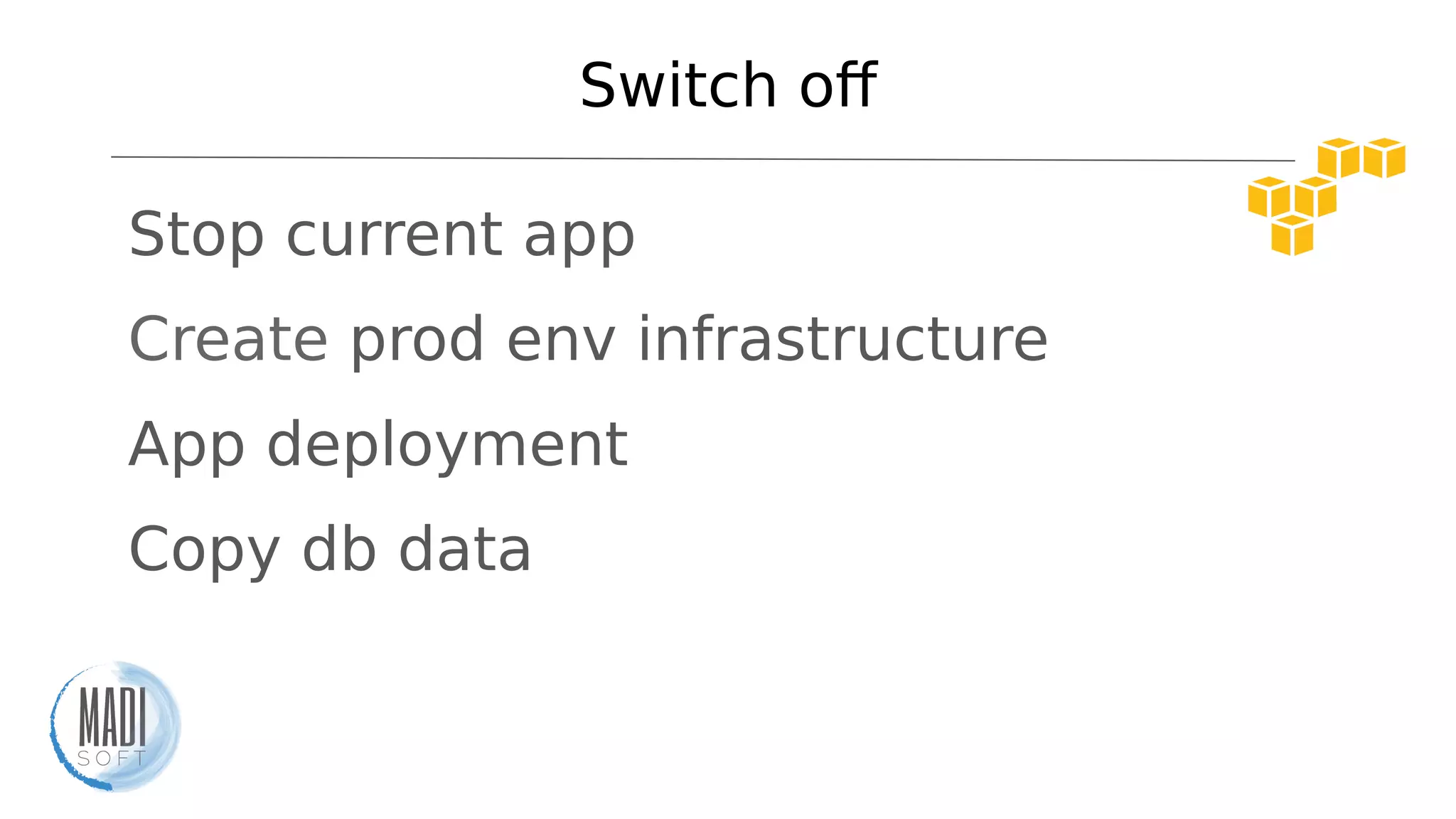
Switch of
- Stop current app
- Create prod env infrastructure
- App deployment
- Copy db data
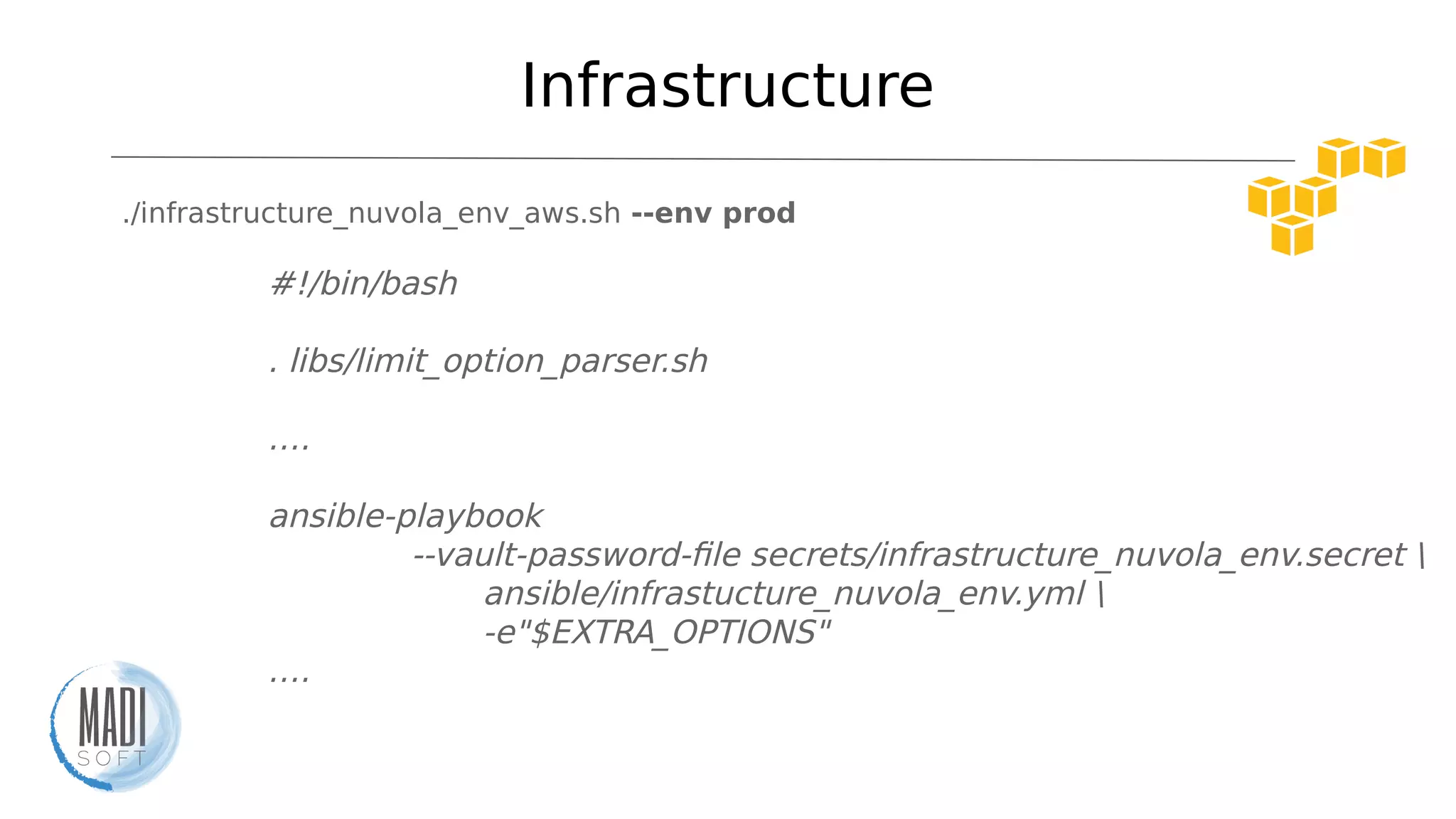
Infrastructure
./infrastructure_nuvola_env_aws.sh --env prod
#!/bin/bash
. libs/limit_option_parser.sh
….
ansible-playbook
--vault-password-file secrets/infrastructure_nuvola_env.secret 
ansible/infrastucture_nuvola_env.yml 
-e"$EXTRA_OPTIONS"
….
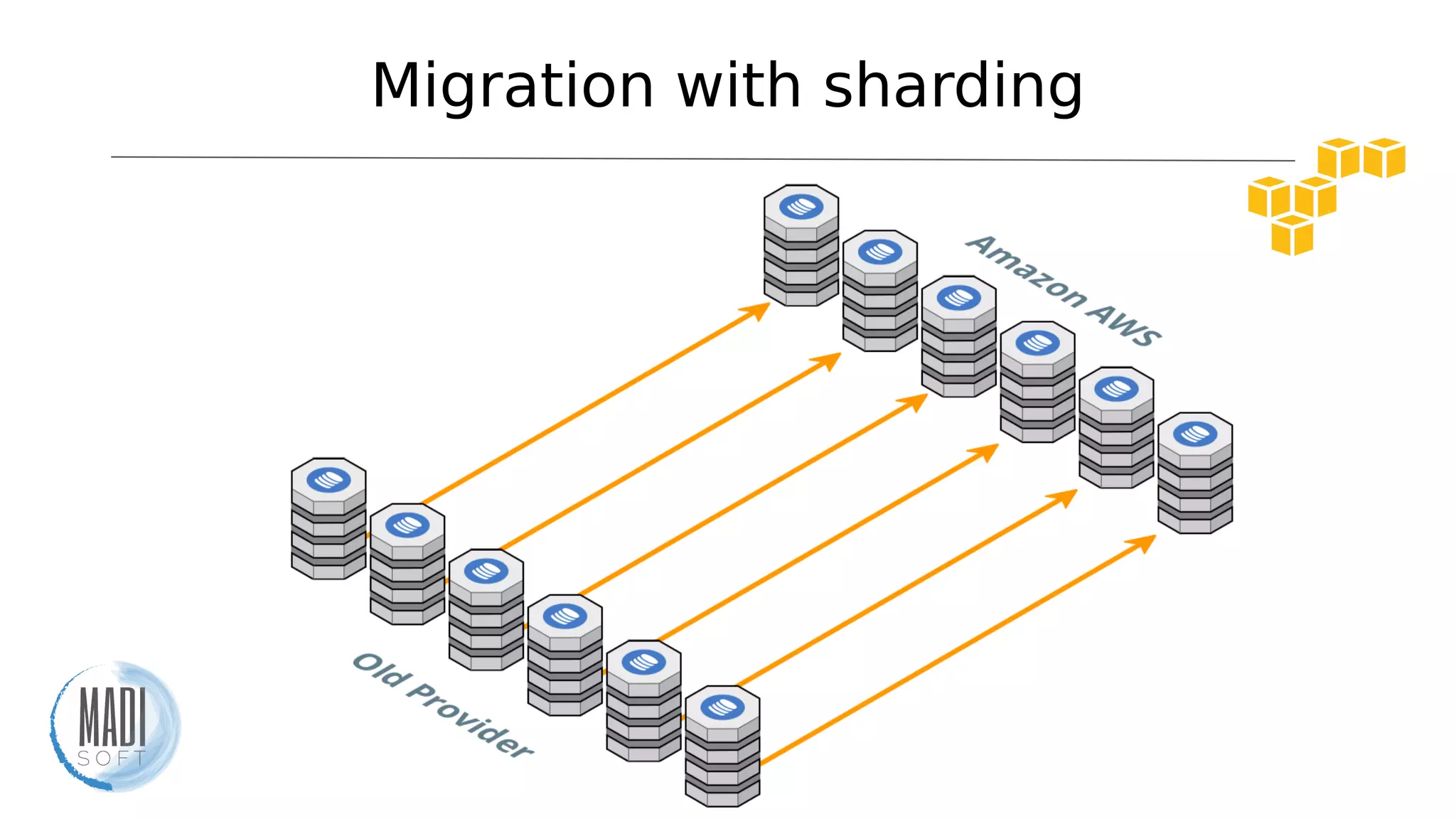
Migration with sharding
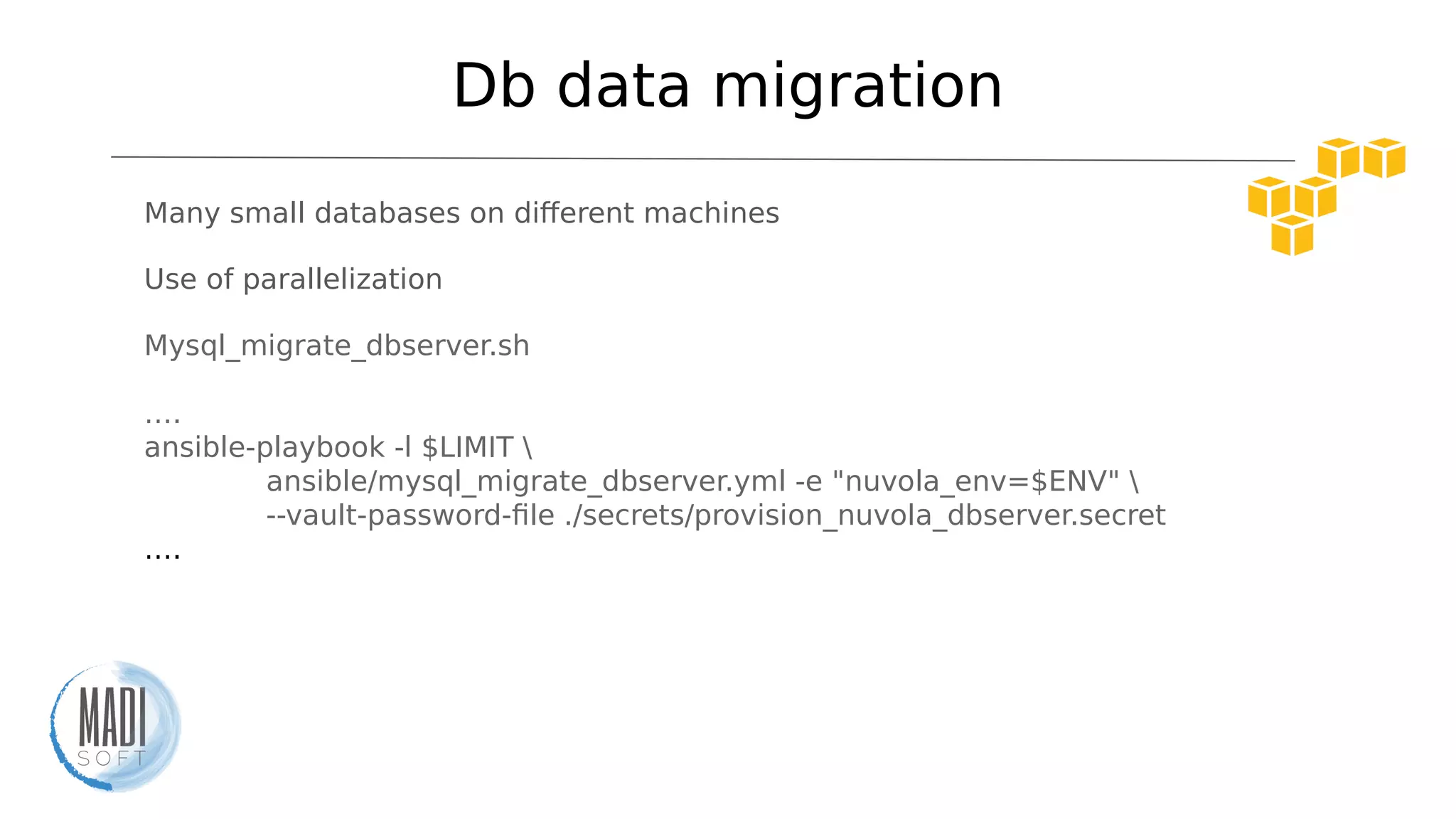
Db data migration
Many small databases on diferent machines
Use of parallelization
Mysql_migrate_dbserver.sh
….
ansible-playbook -l $LIMIT 
ansible/mysql_migrate_dbserver.yml -e "nuvola_env=$ENV" 
--vault-password-file ./secrets/provision_nuvola_dbserver.secret
….
App deploy
deploy_nuvola.sh
ansible-playbook
ansible/deploy_nuvola.yml
--extra-vars="nuvola_env=$ENV"
Switch of
Total time: ~ 50m
Achievement
Amazing
migration!
WE ARE
HIRING!(wanna join? ask us at the end of the talk or visit our website)
@mat_teo8
matteo.moretti@madisoft.it

Nuvola: a tale of migration to AWS

  • 1.
    Nuvola: a taleof migration to AWS Ansible + AWS: victory is mine!
  • 2.
  • 3.
    Who I am? CTO@ website: madisoft.it tech blog: labs.madisoft.it
  • 4.
    It’s a story ●It’sour story ●It’s about a migration ●We did it! ●We’ve learnt a lot ●We want to share it with you
  • 5.
    Nuvola ●~ 2M users ●~1000 databases ●~ 350GB of mysql data ●~ 25M of media files ●~ 4.50TB of media files ●~ 60 servers
  • 6.
    Why a migration? Noautomation, flexibility and autoscaling
  • 7.
    Need of change ●Flexibility ●Horizontalscaling ●Infrastructure as code ●Multiple environments ●All services by one provider ●Cost optimization
  • 8.
  • 9.
  • 10.
  • 11.
    Obstacles ●It’s a distributedapp ●Learn an entire new ecosystem ●Causing no troubles for users ●Few weeks of time
  • 12.
  • 13.
    AWS ●100% automation ●Tons ofservices ●Very well integrated with Ansible ●IaaS services ●Autoscaling / Reserved instances / Spot instances
  • 14.
    AWS Autoscaling + reserverdinstances + spot instances Optimizing services while reducing costs
  • 15.
  • 16.
    Ansible ●IT automation tool ●Easylo learn ●No coding skills. It uses YAML ●No agents on target machines ●Ready-made AWS modules ●Can be easily idempotent
  • 17.
    Ansible & AWS AWSAzure Cloudstack Digital Ocean Google 86 18 31 5 10 Openstack Ovh Rackspace Softlayer Vmware 52 1 26 1 26 http://docs.ansible.com/ansible/list_of_cloud_modules.html
  • 18.
    Ansible & AWS ec2- Create, terminate, start or stop an instance in ec2 http://docs.ansible.com/ansible/ec2_module.html ec2_asg - Create or delete AWS Autoscaling Groups http://docs.ansible.com/ansible/ec2_asg_module.html ec2_elb_lb - Creates or destroys Amazon ELB. http://docs.ansible.com/ansible/ec2_elb_lb_module.html ec2_snapshot - creates a snapshot from an existing volume http://docs.ansible.com/ansible/ec2_snapshot_module.html ec2_tag - create and remove tag(s) to ec2 resources. http://docs.ansible.com/ansible/ec2_tag_module.html s3 - manage objects in S3. http://docs.ansible.com/ansible/s3_module.html route53 - add or delete entries in Amazons Route53 DNS service http://docs.ansible.com/ansible/route53_module.html
  • 19.
  • 20.
    Multiple environments ● ./infrastructure_nuvola_env_aws.sh--env prod ● ./infrastructure_nuvola_env_aws.sh --env dev ● ./infrastructure_nuvola_env_aws.sh --env lavorazione
  • 21.
    Infrastructure ./infrastructure_nuvola_env_aws.sh --env prod #!/bin/bash .libs/limit_option_parser.sh …. ansible-playbook --vault-password-file secrets/infrastructure_nuvola_env.secret ansible/infrastucture_nuvola_env.yml -e"$EXTRA_OPTIONS" ….
  • 22.
    Infrastructure playbook infrastructure_nuvola_env.yml tasks: - include:.../infrastructure_nuvola_vpc.yml tags: vpc - include: .../infrastructure_nuvola_ec2.yml tags: ec2 - include: .../infrastructure_nuvola_elb.yml tags: elb - include: .../infrastructure_nuvola_destroy.yml when: destroy == "true" and nuvola_env != "prod"
  • 23.
    VPC tasks/infrastructure_nuvola_vpc.yml - name: INFRASTRUCTURENUVOLA VPC | setting up vpc ec2_vpc: state: present cidr_block: 10.0.0.0/16 resource_tags: { Name: "nuvola_{{ nuvola_env }}_vpc", nuvola_env: '{{ nuvola_env }}', nuvola_role: "vpc", billing: "{{ billing_tag_value }}" } az: eu-west-1a internet_gateway: True register: vpc
  • 24.
    VPC infrastructure_nuvola_vpc.yml - name: INFRASTRUCTURENUVOLA VPC | vpc peering route ec2_vpc_route_table: vpc_id: "{{ vpc['vpc']['id'] }}" tags: Name: "nuvola_{{ nuvola_env }}_to_nuvola_default" subnets: - "10.0.{{ ec2_vpc_subnet }}.0/24" routes: - dest: 0.0.0.0/0 gateway_id: "{{ vpc.igw_id }}" http://docs.ansible.com/ansible/ec2_vpc_route_table_module.html
  • 25.
    ELB infrastructure_nuvola_elb.yml - name: INFRASTRUCTURENUVOLA ELB | Setup ELB ec2_elb_lb: state: present name: 'nuvola-{{ nuvola_env }}-elb' listeners: - protocol: http load_balancer_port: 80 instance_port: 80 - protocol: https load_balancer_port: 443 instance_protocol: http instance_port: 80 ssl_certificate_id: '{{ output.stdout }}' http://docs.ansible.com/ansible/ec2_elb_lb_module.html
  • 26.
    EC2 backend infrastructure_nuvola_ec2.yml - name:INFRASTRUCTURE NUVOLA EC2 | Init backend instances ec2: key_name: '{{ ec2_key_name }}' instance_type: '{{ backend_instance_type }}' instance_tags: nuvola_type: "{{ nuvola_env }}_backend" nuvola_env: '{{ nuvola_env }}' nuvola_role: "backend" billing: "{{ billing_tag_value }}" image: "{{ ec2_ami_id }}" zone: "{{ ec2_zone }}" wait: yes wait_timeout: 600 group: "nuvola_{{ nuvola_env }}_backend_sg" http://docs.ansible.com/ansible/ec2_module.html
  • 27.
    EC2 backend infrastructure_nuvola_ec2.yml count_tag: nuvola_type: "{{nuvola_env }}_backend" exact_count: '{{ nuvola_backend_ec2_instances }}' vpc_subnet_id: "{{ vpc['subnets'][0]['id'] }}" assign_public_ip: yes termination_protection: "{{ delete_lock }}" volumes: - device_name: /dev/sda1 volume_type: gp2 volume_size: "{{ ec2_volume_size_backend }}" delete_on_termination: true instance_profile_name: "{{ ec2_instance_role }}" register: ec2_backend http://docs.ansible.com/ansible/ec2_module.html
  • 28.
    Provisioning ./provision_nuvola_backend.sh --limit "tag_nuvola_type_${ENV}_backend" ./provision_nuvola_dbserver.sh--limit "tag_nuvola_type_${ENV}_database" ./provision_nuvola_routine.sh --limit "tag_nuvola_type_${ENV}_routine" if [ "$ENV" != "prod" ]; then ./nuvola-init-not-prod-env.sh --env ${ENV} ./deploy_nuvola.sh --limit "tag_nuvola_type_${ENV}_backend" --env $ {ENV} fi
  • 29.
    Provisioning PHP7 roles/php7/tasks/php7_prod.yml - name:PHP7 ALL | install php packages apt: pkg={{ item }} state=latest update_cache=yes with_items: '{{ php7_packages }}' - name: PHP7 ALL | Set php.ini CLI template: src=roles/php7/templates/nuvola/php.ini.cli.j2 dest=/etc/php/7.0/cli/php.ini - name: PHP7 ALL | Set php.ini php-fpm template: src=roles/php7/templates/nuvola/php.ini.web.j2 dest=/etc/php/7.0/fpm/php.ini
  • 30.
    Multiple env: howdo I find it? Route 53 ● Public DNS ○ nuvola-prod-backend-3.ops.madisoft.it ○ nuvola-prod-database-24.ops.madisoft.it ○ nuvola-dev-database-34.ops.madisoft.it ○ nuvola-issue8978-database-34.ops.madisoft.it ● Private DNS ○ local-prod-backend-0.ops.madisoft.it ○ local-prod-cache-sessioni-0.ops.madisoft.it ○ local-dev-database-14.ops.madisoft.it ○ local-issue8978-backend-0.ops.madisoft.it pixabay.com
  • 31.
    DNS infrastructure_nuvola_ec2.yml - name: INFRASTRUCTURENUVOLA EC2 | Assign backend dns route53: command: create zone: "{{ domain_tld }}" record: "nuvola-{{ nuvola_env }}-backend-{{ item.0 }}. {{ domain_tld }}" type: A value: '{{ item.1.public_ip }}' overwrite: yes ttl: "{{ ttl_expire }}" with_indexed_items: '{{ ec2_backend.instances }}' nuvola-prod-backend-3.ops.madisoft.it http://docs.ansible.com/ansible/route53_module.html
  • 32.
    DNS: local infrastructure_nuvola_ec2.yml - name:INFRASTRUCTURE NUVOLA EC2 | Assign database local dns route53: command: create zone: "{{ domain_tld }}" record: "local-{{ nuvola_env }}-database-{{ item.0 }}. {{ domain_tld }}" type: A value: '{{ item.1.private_ip }}' overwrite: yes with_indexed_items: '{{ ec2_database.instances }}' local-dev-database-14.ops.madisoft.it http://docs.ansible.com/ansible/route53_module.html
  • 33.
    DNS: local infrastructure_nuvola_ec2.yml - name:INFRASTRUCTURE NUVOLA EC2 | Assign database local dns route53: command: create zone: "{{ domain_tld }}" record: "local-{{ nuvola_env }}-database-{{ item.0 }}. {{ domain_tld }}" type: A value: '{{ item.1.private_ip }}' overwrite: yes with_indexed_items: '{{ ec2_database.instances }}' local-dev-database-14.ops.madisoft.it http://docs.ansible.com/ansible/route53_module.html
  • 34.
  • 35.
    Warm up Moving: - staticfiles from a shared NAS to S3 - external standalone services to ec2 - Jenkins CI to AWS - ELK stack to AWS - (and testing) Nuvola stage environment
  • 36.
    Switch of - Stopcurrent app - Create prod env infrastructure - App deployment - Copy db data
  • 37.
    Infrastructure ./infrastructure_nuvola_env_aws.sh --env prod #!/bin/bash .libs/limit_option_parser.sh …. ansible-playbook --vault-password-file secrets/infrastructure_nuvola_env.secret ansible/infrastucture_nuvola_env.yml -e"$EXTRA_OPTIONS" ….
  • 38.
  • 39.
    Db data migration Manysmall databases on diferent machines Use of parallelization Mysql_migrate_dbserver.sh …. ansible-playbook -l $LIMIT ansible/mysql_migrate_dbserver.yml -e "nuvola_env=$ENV" --vault-password-file ./secrets/provision_nuvola_dbserver.secret ….
  • 40.
  • 41.
  • 42.
  • 43.
    WE ARE HIRING!(wanna join?ask us at the end of the talk or visit our website)
  • 44.