06/11/2010  
1
NTFS & INODE
This presentation was given at IIT,
University of Dhaka
By
Md. Rayhanur Rahman
And
Amit Seal Ami
As a part of class presentation
On 6th
November, 2010
06/11/2010  
2
FILE SYSTEM
06/11/2010  
3
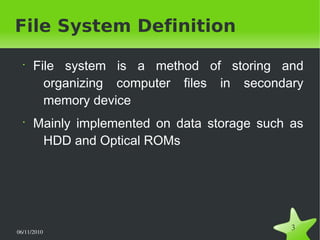
File System Definition
•
File system is a method of storing and
organizing computer files in secondary
memory device
•
Mainly implemented on data storage such as
HDD and Optical ROMs
06/11/2010  
4
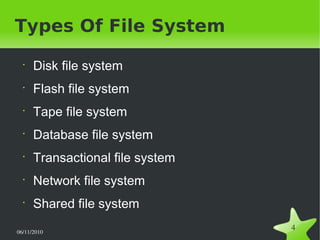
Types Of File System
•
Disk file system
•
Flash file system
•
Tape file system
•
Database file system
•
Transactional file system
•
Network file system
•
Shared file system
06/11/2010  
5
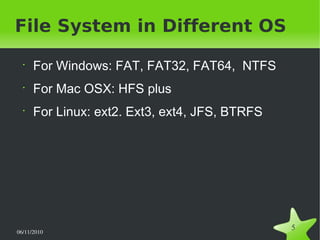
File System in Different OS
•
For Windows: FAT, FAT32, FAT64, NTFS
•
For Mac OSX: HFS plus
•
For Linux: ext2. Ext3, ext4, JFS, BTRFS
06/11/2010  
6
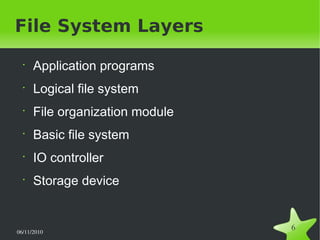
File System Layers
•
Application programs
•
Logical file system
•
File organization module
•
Basic file system
•
IO controller
•
Storage device
06/11/2010  
7
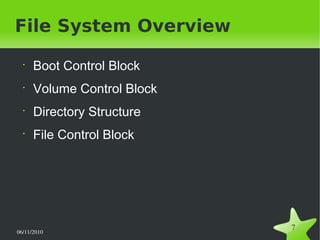
File System Overview
•
Boot Control Block
•
Volume Control Block
•
Directory Structure
•
File Control Block
06/11/2010  
8
NTFS
06/11/2010  
9
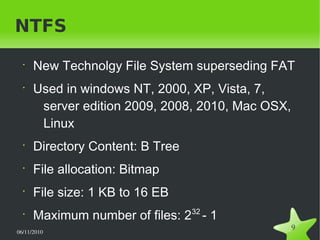
NTFS
•
New Technolgy File System superseding FAT
•
Used in windows NT, 2000, XP, Vista, 7,
server edition 2009, 2008, 2010, Mac OSX,
Linux
•
Directory Content: B Tree
•
File allocation: Bitmap
•
File size: 1 KB to 16 EB
•
Maximum number of files: 232
- 1
06/11/2010  
10
NTFS General Concept
•
Every structures in NTFS is considered as file
•
Control information of the structures and
volumes are stored in metadata files
•
Every filein NTFS system is a collection of
attributes
•
All files are stored in NTFS system by using
clusters
06/11/2010  
11
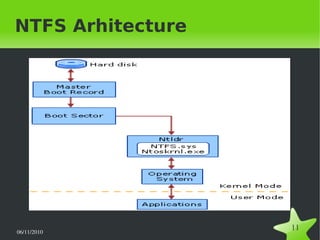
NTFS Arhitecture
06/11/2010  
12
Architecture Components
•
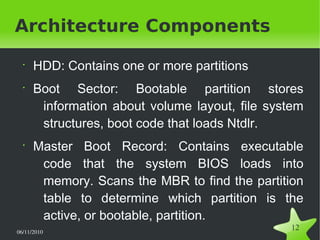
HDD: Contains one or more partitions
•
Boot Sector: Bootable partition stores
information about volume layout, file system
structures, boot code that loads Ntdlr.
•
Master Boot Record: Contains executable
code that the system BIOS loads into
memory. Scans the MBR to find the partition
table to determine which partition is the
active, or bootable, partition.
06/11/2010  
13
Architecture Components
(Continued)
•
NTLDR.DLL: Switches CPU to protected mode, starts
the file system, reads the contents of the Boot.ini
file. This information determines the startup options
and initial boot menu selections.
•
NTFS.SYS: system file driver for NTFS
•
NTOSKRNL.EXE: Extracts information about which
system device drivers to load and the load order.
•
Kernel mode & User Mode
06/11/2010  
14
Clusters
•
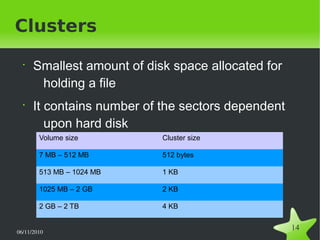
Smallest amount of disk space allocated for
holding a file
•
It contains number of the sectors dependent
upon hard disk
Volume size Cluster size
7 MB – 512 MB 512 bytes
513 MB – 1024 MB 1 KB
1025 MB – 2 GB 2 KB
2 GB – 2 TB 4 KB
06/11/2010  
15
NTFS Volume Component
•
NTFS boot sector
•
Master file table
•
File system data
•
Master file table copy
•
File area
06/11/2010  
16
Metadata
•
These are NTFS system files
•
Created when volume is created
• It contains data about data
06/11/2010  
17
Metadata Files
•
MFT & MFT2
•
Log file
•
Volume descriptor
•
Attribute descriptor list
•
Root directory
•
Volume boot code
•
Cluster allocation bitmap
•
Bad cluster lists
06/11/2010  
18
Master File Table
•
Contains information about every file & folder
in a volume
•
Starting point of the volume
•
It is something like relational database table
•
When a file or folder is created, an entry is
made in MFT containing its attributes list
06/11/2010  
19
NTFS Directories
Considered as file. When created, its entry is
added to the MFT. It contains
•
Header
•
Standard information attribute
•
File name attribute
•
Index root attribute
•
Index allocation attribute
•
Security descriptor attribute
06/11/2010  
20
NTFS Files
File is a collection of any kind of data. In NTFS, it
is implemented by combining various attributes.
They are:
•
Header
•
Standard information attributes
•
File name attributes
•
Data attributes
•
Security descriptor attributes
06/11/2010  
21
Some Key NTFS Features
•
NTFS Log
•
USN Journals
•
Hard links
•
Sparse files
•
File compression
•
Volume shadow copy
•
Transactional NTFS
•
Encrypting file
•
Volume mount points
•
Directory junctions
•
Symbolic links
06/11/2010  
22
General NTFS Security
Concept
•
Security is based on users/ user group
•
NTFS objects are protected by various NTFS
permissions
•
Permission records are kept in ACL
•
All security and permission issues are
managed by NTFS auditor
06/11/2010  
23
Access Control List
•
Stored in MFT's security descriptor attribute
•
It is of two types: SACL & DACL
•
ACL contains ACE's where the permissions
are stored
06/11/2010  
24
Standard Permissions &
Permissions Groups
•
Permissions: Read(R), Write(W), Delete(D),
Execute(X), Change Permissions(P), Take
Ownership(O)
•
Permission groups: No Access, List(R+X),
Read(R+X), Add(W+X), Add &
Read(R+W+X), Change(R+W+X+D), Full
Control
•
The creator user of a file has the full control
06/11/2010  
25
Permission Inheritance
•
Static Permission Inheritance
•
Dynamic Permission Inheritance
06/11/2010  
26
Permission Resolution &
Auditing
•
When a access is requested for an object,
ACEs are looked up to resolve the
permission of that object
•
NTFS auditor keeps track of all system events
& stores them in log file
06/11/2010  
27
INODE
06/11/2010  
28
A Look At UFS
•
Used in Unix and Unix Like OS
•
Also called Berkeley Fast File System or FFD
or BSD (Berkeley Software Distribution) Fast
File System
06/11/2010  
29
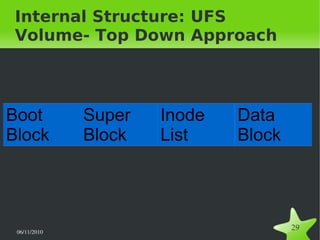
Internal Structure: UFS
Volume- Top Down Approach
Boot
Block
Super
Block
Inode
List
Data
Block
06/11/2010  
30
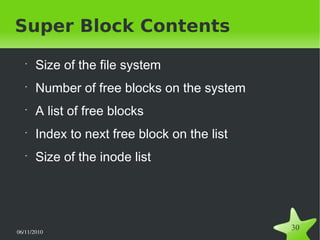
•
Size of the file system
•
Number of free blocks on the system
•
A list of free blocks
•
Index to next free block on the list
•
Size of the inode list
Super Block Contents
06/11/2010  
31
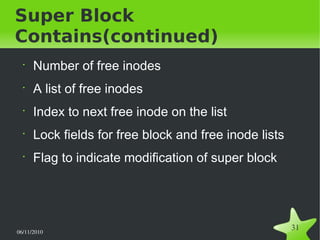
Super Block
Contains(continued)
•
Number of free inodes
•
A list of free inodes
•
Index to next free inode on the list
•
Lock fields for free block and free inode lists
•
Flag to indicate modification of super block
06/11/2010  
32
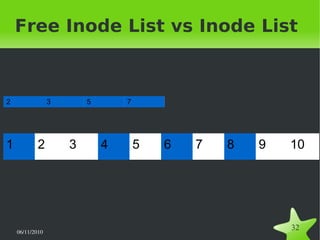
Free Inode List vs Inode List
1 2 3 4 5 6 7 8 9 10
2 3 5 7
06/11/2010  
33
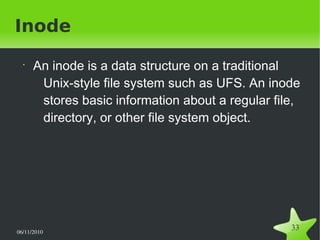
Inode
•
An inode is a data structure on a traditional
Unix-style file system such as UFS. An inode
stores basic information about a regular file,
directory, or other file system object.
06/11/2010  
34
How Inode Is Used
•
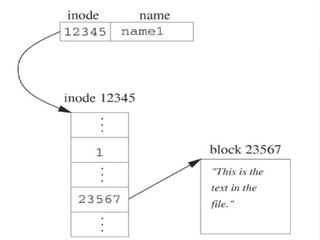
Inodes do not contain file names, only file
metadata.
•
Unix directories are lists of "link" structures,
which contains one filename and one inode
number.
•
The kernel must search a directory looking for
a particular filename and then convert the
filename to the correct corresponding inode
number.
06/11/2010  
35
06/11/2010  
36
Operations Related to Inode
•
Two cases
●
A file is created
●
A file is removed
06/11/2010  
37
When a file is created:
•
Kernel Searches the free inode list.
•
If a free inode is found, it is assigned to file.
•
If not found, it searches the inode list for free
inodes.
06/11/2010  
38
When a file is removed:
• Inode is removed as well. Possible scenarios:
● Free inode list in super block is empty
● Free inode list in super block is not empty
● Remembered inode number > freed 
inode
● Remembered inode number < freed 
inode
06/11/2010  
39
What if:
•
Two processes try to get the same inode?
●
When a process works with an inode, it is
locked by the lock flag.
06/11/2010  
40
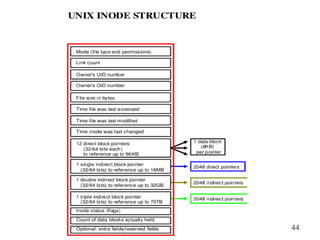
Inode Structure
•
Contains two types of data:
●
Information about file
●
Pointers to file.
06/11/2010  
41
Information about file:
•
Mode (file permissions and type)
•
Link Count
•
Owners GID
•
Owners UID
•
File Size (Bytes)
•
Time of last access
•
Time of last modification
•
Time inode was last changed
06/11/2010  
42
Pointers to Data block
•
Total pointers: 15
•
12 direct pointers to data blocks
●
Each data block is of 8 KB
●
Without indirect pointers, it can represent 76KB
data blocks.
•
3 indirect pointers
●
First indirect pointer (16MB)
●
Double indirect pointer (32GB)
●
Third indirect pointer (upto 70TB)
06/11/2010  
43
Indirect Pointers
•
One singly indirect pointer (a pointer that
points to a block of pointers that then point to
blocks of the file's data) - 2048KB
•
One doubly indirect pointer (a pointer that
points to a block of pointers that point to
other blocks of pointers that then point to
blocks of the file's data)
•
One triply indirect pointer (a pointer that
points to a block of pointers that point to
other blocks of pointers that point to other
06/11/2010  
44
06/11/2010  
45
References
•
How NTFS works
http://www.technet.microsoft.com/en-us/library/cc781134(WS.10).aspx
•
Pc Guide – Reference – New technology File System
http://www.pcguide.com/ref/hdd/file/ntfs/index.htm
•
NTFS.com
http://www.ntfs.com
•
NTFS – Wikipedia, The free encyclopedia
http://en.wikipedia.org/wiki/NTFS#Features
06/11/2010  
46
References
•
Unix Internals
http://www.angelfire.com/myband/binusoman/Unix.html
•
Inode pointer structure
http://en.wikipedia.org/wiki/Inode_pointer_structure
•
Inode
http://en.wikipedia.org/wiki/Inode
•
Unix File Systems Programming: Communication, Concurrency and Thread
By Kay A. Robbins, Steven Robbins, Prentice Hall

NTFS and Inode

  • 1.
    06/11/2010   1 NTFS &INODE This presentation was given at IIT, University of Dhaka By Md. Rayhanur Rahman And Amit Seal Ami As a part of class presentation On 6th November, 2010
  • 2.
  • 3.
    06/11/2010   3 File SystemDefinition • File system is a method of storing and organizing computer files in secondary memory device • Mainly implemented on data storage such as HDD and Optical ROMs
  • 4.
    06/11/2010   4 Types OfFile System • Disk file system • Flash file system • Tape file system • Database file system • Transactional file system • Network file system • Shared file system
  • 5.
    06/11/2010   5 File Systemin Different OS • For Windows: FAT, FAT32, FAT64, NTFS • For Mac OSX: HFS plus • For Linux: ext2. Ext3, ext4, JFS, BTRFS
  • 6.
    06/11/2010   6 File SystemLayers • Application programs • Logical file system • File organization module • Basic file system • IO controller • Storage device
  • 7.
    06/11/2010   7 File SystemOverview • Boot Control Block • Volume Control Block • Directory Structure • File Control Block
  • 8.
  • 9.
    06/11/2010   9 NTFS • New TechnolgyFile System superseding FAT • Used in windows NT, 2000, XP, Vista, 7, server edition 2009, 2008, 2010, Mac OSX, Linux • Directory Content: B Tree • File allocation: Bitmap • File size: 1 KB to 16 EB • Maximum number of files: 232 - 1
  • 10.
    06/11/2010   10 NTFS GeneralConcept • Every structures in NTFS is considered as file • Control information of the structures and volumes are stored in metadata files • Every filein NTFS system is a collection of attributes • All files are stored in NTFS system by using clusters
  • 11.
  • 12.
    06/11/2010   12 Architecture Components • HDD:Contains one or more partitions • Boot Sector: Bootable partition stores information about volume layout, file system structures, boot code that loads Ntdlr. • Master Boot Record: Contains executable code that the system BIOS loads into memory. Scans the MBR to find the partition table to determine which partition is the active, or bootable, partition.
  • 13.
    06/11/2010   13 Architecture Components (Continued) • NTLDR.DLL:Switches CPU to protected mode, starts the file system, reads the contents of the Boot.ini file. This information determines the startup options and initial boot menu selections. • NTFS.SYS: system file driver for NTFS • NTOSKRNL.EXE: Extracts information about which system device drivers to load and the load order. • Kernel mode & User Mode
  • 14.
    06/11/2010   14 Clusters • Smallest amountof disk space allocated for holding a file • It contains number of the sectors dependent upon hard disk Volume size Cluster size 7 MB – 512 MB 512 bytes 513 MB – 1024 MB 1 KB 1025 MB – 2 GB 2 KB 2 GB – 2 TB 4 KB
  • 15.
    06/11/2010   15 NTFS VolumeComponent • NTFS boot sector • Master file table • File system data • Master file table copy • File area
  • 16.
    06/11/2010   16 Metadata • These areNTFS system files • Created when volume is created • It contains data about data
  • 17.
    06/11/2010   17 Metadata Files • MFT& MFT2 • Log file • Volume descriptor • Attribute descriptor list • Root directory • Volume boot code • Cluster allocation bitmap • Bad cluster lists
  • 18.
    06/11/2010   18 Master FileTable • Contains information about every file & folder in a volume • Starting point of the volume • It is something like relational database table • When a file or folder is created, an entry is made in MFT containing its attributes list
  • 19.
    06/11/2010   19 NTFS Directories Consideredas file. When created, its entry is added to the MFT. It contains • Header • Standard information attribute • File name attribute • Index root attribute • Index allocation attribute • Security descriptor attribute
  • 20.
    06/11/2010   20 NTFS Files Fileis a collection of any kind of data. In NTFS, it is implemented by combining various attributes. They are: • Header • Standard information attributes • File name attributes • Data attributes • Security descriptor attributes
  • 21.
    06/11/2010   21 Some KeyNTFS Features • NTFS Log • USN Journals • Hard links • Sparse files • File compression • Volume shadow copy • Transactional NTFS • Encrypting file • Volume mount points • Directory junctions • Symbolic links
  • 22.
    06/11/2010   22 General NTFSSecurity Concept • Security is based on users/ user group • NTFS objects are protected by various NTFS permissions • Permission records are kept in ACL • All security and permission issues are managed by NTFS auditor
  • 23.
    06/11/2010   23 Access ControlList • Stored in MFT's security descriptor attribute • It is of two types: SACL & DACL • ACL contains ACE's where the permissions are stored
  • 24.
    06/11/2010   24 Standard Permissions& Permissions Groups • Permissions: Read(R), Write(W), Delete(D), Execute(X), Change Permissions(P), Take Ownership(O) • Permission groups: No Access, List(R+X), Read(R+X), Add(W+X), Add & Read(R+W+X), Change(R+W+X+D), Full Control • The creator user of a file has the full control
  • 25.
    06/11/2010   25 Permission Inheritance • StaticPermission Inheritance • Dynamic Permission Inheritance
  • 26.
    06/11/2010   26 Permission Resolution& Auditing • When a access is requested for an object, ACEs are looked up to resolve the permission of that object • NTFS auditor keeps track of all system events & stores them in log file
  • 27.
  • 28.
    06/11/2010   28 A LookAt UFS • Used in Unix and Unix Like OS • Also called Berkeley Fast File System or FFD or BSD (Berkeley Software Distribution) Fast File System
  • 29.
    06/11/2010   29 Internal Structure:UFS Volume- Top Down Approach Boot Block Super Block Inode List Data Block
  • 30.
    06/11/2010   30 • Size ofthe file system • Number of free blocks on the system • A list of free blocks • Index to next free block on the list • Size of the inode list Super Block Contents
  • 31.
    06/11/2010   31 Super Block Contains(continued) • Numberof free inodes • A list of free inodes • Index to next free inode on the list • Lock fields for free block and free inode lists • Flag to indicate modification of super block
  • 32.
    06/11/2010   32 Free InodeList vs Inode List 1 2 3 4 5 6 7 8 9 10 2 3 5 7
  • 33.
    06/11/2010   33 Inode • An inodeis a data structure on a traditional Unix-style file system such as UFS. An inode stores basic information about a regular file, directory, or other file system object.
  • 34.
    06/11/2010   34 How InodeIs Used • Inodes do not contain file names, only file metadata. • Unix directories are lists of "link" structures, which contains one filename and one inode number. • The kernel must search a directory looking for a particular filename and then convert the filename to the correct corresponding inode number.
  • 35.
  • 36.
    06/11/2010   36 Operations Relatedto Inode • Two cases ● A file is created ● A file is removed
  • 37.
    06/11/2010   37 When afile is created: • Kernel Searches the free inode list. • If a free inode is found, it is assigned to file. • If not found, it searches the inode list for free inodes.
  • 38.
    06/11/2010   38 When afile is removed: • Inode is removed as well. Possible scenarios: ● Free inode list in super block is empty ● Free inode list in super block is not empty ● Remembered inode number > freed  inode ● Remembered inode number < freed  inode
  • 39.
    06/11/2010   39 What if: • Twoprocesses try to get the same inode? ● When a process works with an inode, it is locked by the lock flag.
  • 40.
    06/11/2010   40 Inode Structure • Containstwo types of data: ● Information about file ● Pointers to file.
  • 41.
    06/11/2010   41 Information aboutfile: • Mode (file permissions and type) • Link Count • Owners GID • Owners UID • File Size (Bytes) • Time of last access • Time of last modification • Time inode was last changed
  • 42.
    06/11/2010   42 Pointers toData block • Total pointers: 15 • 12 direct pointers to data blocks ● Each data block is of 8 KB ● Without indirect pointers, it can represent 76KB data blocks. • 3 indirect pointers ● First indirect pointer (16MB) ● Double indirect pointer (32GB) ● Third indirect pointer (upto 70TB)
  • 43.
    06/11/2010   43 Indirect Pointers • Onesingly indirect pointer (a pointer that points to a block of pointers that then point to blocks of the file's data) - 2048KB • One doubly indirect pointer (a pointer that points to a block of pointers that point to other blocks of pointers that then point to blocks of the file's data) • One triply indirect pointer (a pointer that points to a block of pointers that point to other blocks of pointers that point to other
  • 44.
  • 45.
    06/11/2010   45 References • How NTFSworks http://www.technet.microsoft.com/en-us/library/cc781134(WS.10).aspx • Pc Guide – Reference – New technology File System http://www.pcguide.com/ref/hdd/file/ntfs/index.htm • NTFS.com http://www.ntfs.com • NTFS – Wikipedia, The free encyclopedia http://en.wikipedia.org/wiki/NTFS#Features
  • 46.
    06/11/2010   46 References • Unix Internals http://www.angelfire.com/myband/binusoman/Unix.html • Inodepointer structure http://en.wikipedia.org/wiki/Inode_pointer_structure • Inode http://en.wikipedia.org/wiki/Inode • Unix File Systems Programming: Communication, Concurrency and Thread By Kay A. Robbins, Steven Robbins, Prentice Hall