


NETWORKING AND ITS IMPORTANCE 
IN THE IT INDUSTRY 
SOHIT KUMAR
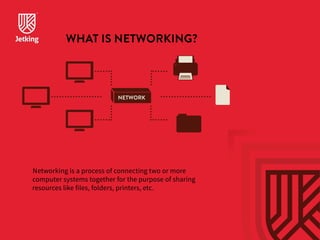
WHAT IS NETWORKING? 
NETWORK 
Networking is a process of connecting two or more 
computer systems together for the purpose of sharing 
resources like files, folders, printers, etc.
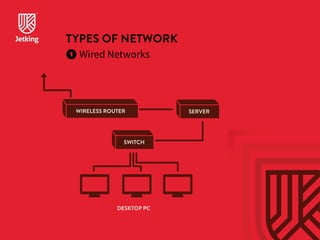
TYPES OF NETWORK 
 Wired Networks 
WIRELESS ROUTER SERVER 
SWITCH 
DESKTOP PC
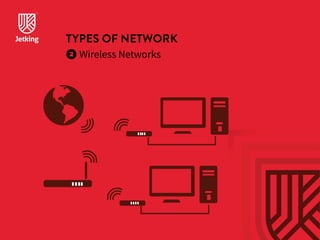
TYPES OF NETWORK 
 Wireless Networks
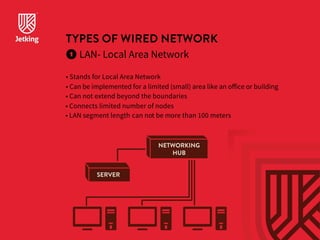
TYPES OF WIRED NETWORK 
LAN- Local Area Network 
• Stands for Local Area Network 
• Can be implemented for a limited (small) area like an office or building 
• Can n ot exten d beyon d th e boundaries 
• Connects limited number of nodes 
• LAN segment length can not be more than 100 meters 
NETWORKING 
HUB 
SERVER
TYPES OF WIRED NETWORK 
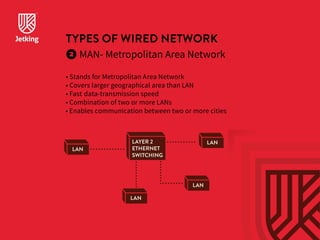
MAN- Metropolitan Area Network 
• Stands for Metropolitan Area Network 
• Covers larger geographical area than LAN 
• Fast data-transmission speed 
• Combination of two or more LANs 
• Enables communication between two or more cities 
LAN 
LAYER 2 
ETHERNET 
SWITCHING 
LAN 
LAN 
LAN
TYPES OF WIRED NETWORK 
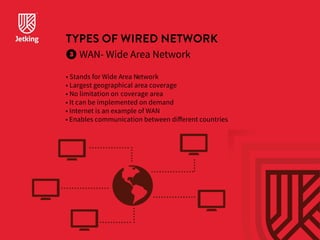
WAN- Wide Area Network 
• Stands for Wide Area Network 
• Largest geographical area coverage 
• No limitation on coverage area 
• It can be implemented on demand 
• Internet is an example of WAN 
• Enables communication between different countries
WIRELESS NETWORK 
• WLAN 
• WMAN 
• WWAN 
Refers to any type of computer network that uses 
wireless (radio waves) for network connections 
NETWORKING DEVICES 
• NIC 
• HUB 
• Switch 
• Router
NETWORKING DEVICES 
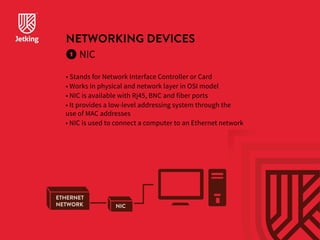
NIC 
• Stands for Network Interface Controller or Card 
• Works in physical and network layer in OSI model 
• NIC is available with Rj45, BNC and fiber ports 
• It provides a low-level addressing system through the 
use of MAC addresses 
• NIC is used to connect a computer to an Ethernet network 
NIC 
ETHERNET 
NETWORK
NETWORKING DEVICES 
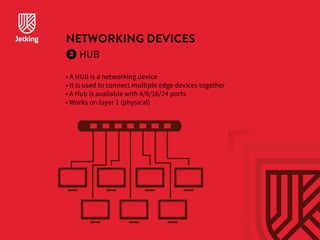
HUB 
• A HUB is a networking device 
• It is used to connect multiple edge devices together 
• A Hub is available with 4/8/16/24 ports 
• Works on layer 1 (physical)
NETWORKING DEVICES 
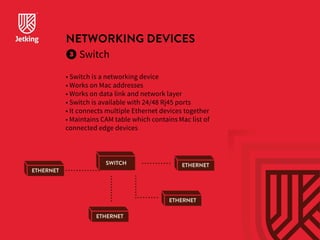
Switch 
• Switch is a networking device 
• Works on Mac addresse s 
• Works on data link and network layer 
• Switch is available with 24/48 Rj45 ports 
• It connects multiple Ethernet devices together 
• Maintains CAM table which contains Mac list of 
connected edge devices 
ETHERNET 
SWITCH ETHERNET 
ETHERNET 
ETHERNET
NETWORKING DEVICES 
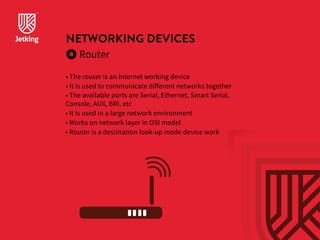
Router 
• The router is an internet working device 
• It is used to communicate different networks together 
• The available ports are Serial, Ethernet, Smart Serial, 
Console, AUX, BRI, etc 
• It is used in a large network environment 
• Works on network layer in OSI model 
• Router is a destination look-up mode device work
IMPORTANCE OF NETWORKING IN 
IT INDUSTRY 
• Centralized management 
• Resource sharing like files, folders, printers, etc 
• Centralized Data backup 
• Data confidentiality and security 
• Remote management 
• High availability of data
IMPORTANCE OF NETWORKING IN 
IT INDUSTRY 
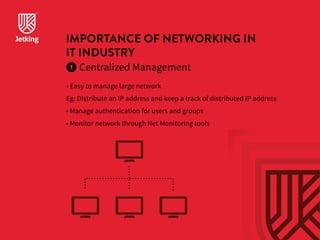
Centralized Management 
• Easy to manage large network 
Eg: Distribute an IP address and keep a track of distributed IP address 
• Manage authentication for users and groups 
• Monitor network through Net Monitoring tools
IMPORTANCE OF NETWORKING IN 
IT INDUSTRY 
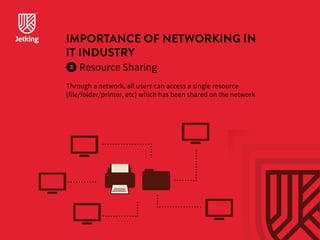
Resource Sharing 
Through a network, all users can access a single resource 
(file/folder/printer, etc) which has been shared on the network
IMPORTANCE OF NETWORKING IN 
IT INDUSTRY 
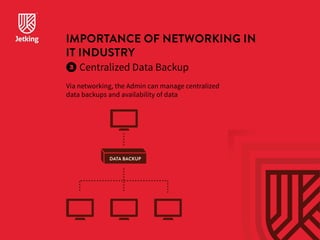
Centralized Data Backup 
Via networking, the Admin can manage centralized 
data backups and availability of data 
DATA BACKUP
IMPORTANCE OF NETWORKING IN 
IT INDUSTRY 
Data Confidentiality  Security 
Via networking, the Admin can manage User’s data 
confidentiality and security. The Admin can also manage data 
access permissions. 
DATA
IMPORTANCE OF NETWORKING IN 
IT INDUSTRY 
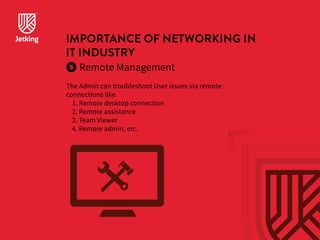
Remote Management 
The Admin can troubleshoot User issues via remote 
connections like 
1. Remote desktop connection 
2. Remote assistance 
3. Team Viewer 
4. Remote admin, etc.
THANK YOU

Networking and its importance in the IT industry

  • 1.
    NETWORKING AND ITSIMPORTANCE IN THE IT INDUSTRY SOHIT KUMAR
  • 2.
    WHAT IS NETWORKING? NETWORK Networking is a process of connecting two or more computer systems together for the purpose of sharing resources like files, folders, printers, etc.
  • 3.
    TYPES OF NETWORK Wired Networks WIRELESS ROUTER SERVER SWITCH DESKTOP PC
  • 4.
    TYPES OF NETWORK Wireless Networks
  • 5.
    TYPES OF WIREDNETWORK LAN- Local Area Network • Stands for Local Area Network • Can be implemented for a limited (small) area like an office or building • Can n ot exten d beyon d th e boundaries • Connects limited number of nodes • LAN segment length can not be more than 100 meters NETWORKING HUB SERVER
  • 6.
    TYPES OF WIREDNETWORK MAN- Metropolitan Area Network • Stands for Metropolitan Area Network • Covers larger geographical area than LAN • Fast data-transmission speed • Combination of two or more LANs • Enables communication between two or more cities LAN LAYER 2 ETHERNET SWITCHING LAN LAN LAN
  • 7.
    TYPES OF WIREDNETWORK WAN- Wide Area Network • Stands for Wide Area Network • Largest geographical area coverage • No limitation on coverage area • It can be implemented on demand • Internet is an example of WAN • Enables communication between different countries
  • 8.
    WIRELESS NETWORK •WLAN • WMAN • WWAN Refers to any type of computer network that uses wireless (radio waves) for network connections NETWORKING DEVICES • NIC • HUB • Switch • Router
  • 9.
    NETWORKING DEVICES NIC • Stands for Network Interface Controller or Card • Works in physical and network layer in OSI model • NIC is available with Rj45, BNC and fiber ports • It provides a low-level addressing system through the use of MAC addresses • NIC is used to connect a computer to an Ethernet network NIC ETHERNET NETWORK
  • 10.
    NETWORKING DEVICES HUB • A HUB is a networking device • It is used to connect multiple edge devices together • A Hub is available with 4/8/16/24 ports • Works on layer 1 (physical)
  • 11.
    NETWORKING DEVICES Switch • Switch is a networking device • Works on Mac addresse s • Works on data link and network layer • Switch is available with 24/48 Rj45 ports • It connects multiple Ethernet devices together • Maintains CAM table which contains Mac list of connected edge devices ETHERNET SWITCH ETHERNET ETHERNET ETHERNET
  • 12.
    NETWORKING DEVICES Router • The router is an internet working device • It is used to communicate different networks together • The available ports are Serial, Ethernet, Smart Serial, Console, AUX, BRI, etc • It is used in a large network environment • Works on network layer in OSI model • Router is a destination look-up mode device work
  • 13.
    IMPORTANCE OF NETWORKINGIN IT INDUSTRY • Centralized management • Resource sharing like files, folders, printers, etc • Centralized Data backup • Data confidentiality and security • Remote management • High availability of data
  • 14.
    IMPORTANCE OF NETWORKINGIN IT INDUSTRY Centralized Management • Easy to manage large network Eg: Distribute an IP address and keep a track of distributed IP address • Manage authentication for users and groups • Monitor network through Net Monitoring tools
  • 15.
    IMPORTANCE OF NETWORKINGIN IT INDUSTRY Resource Sharing Through a network, all users can access a single resource (file/folder/printer, etc) which has been shared on the network
  • 16.
    IMPORTANCE OF NETWORKINGIN IT INDUSTRY Centralized Data Backup Via networking, the Admin can manage centralized data backups and availability of data DATA BACKUP
  • 17.
    IMPORTANCE OF NETWORKINGIN IT INDUSTRY Data Confidentiality Security Via networking, the Admin can manage User’s data confidentiality and security. The Admin can also manage data access permissions. DATA
  • 18.
    IMPORTANCE OF NETWORKINGIN IT INDUSTRY Remote Management The Admin can troubleshoot User issues via remote connections like 1. Remote desktop connection 2. Remote assistance 3. Team Viewer 4. Remote admin, etc.
  • 19.