Network Security
 Network is a collection of computers and
devices.
 Allow user to share data , information with
other user.
 example of a network is the Internet, which
connects millions of people all over the world.
 network may be linked through cables,
telephone lines. common types of networks i:
Local Area Network (LAN) (home, school,
laboratory, or office)
 Security in general means freedom from risk
 Security is like the break in your car, it slows
you down but it also makes it possible for
you to go a lot faster.
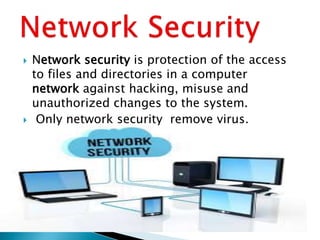
 Network security is protection of the access
to files and directories in a computer
network against hacking, misuse and
unauthorized changes to the system.
 Only network security remove virus.
 EXTERNAL ATTACKS
 Sniffing
 Spoofing
 phishing.
 Shared computer
1. SNIFFING. monitor every packets that crosses the network.
2. SPOFING. hide one's true identity on the network.(fake email,
fake i.p address)
3. Phishing:
Phishing is the process to gain sensitive information like
usernames, passwords and credit card information, frequently
for negative use.
4. Shared computer. sharing a computer with one or more
people..password, clear search history, logout completely
 . Employee theft:
Employee theft can be characterized as any
stealing, utilize or abuse of business benefit
without permission.
 Privilege abuse: abuse it to satisfy their
requirements or to destroy the organization
reputation.
 Equipment failure: in which any equipment
 can’t complete its intended task or reason. It
can also mean that the hardware has stopped
working.
 Virtual Private Network.
Provide access control and data encryption between
two different computer on network.
 Identify Management.
It is a term , related to how humans are identified
and authorized across computer network.
 Anti-Viruses Software.
necessary part of good security program.
Anti viruses only protect organization from malicious
programs.
 ACCESS CONTROL.
Service must be accessible to users.
Prevent un-authorized access to resources.
 Firewalls. Protecting an organization’s
internal from external attacks.
 Intrusion Detection. No longer would we
need to protect our files and system. We
could just identify when someone was doing
something wrong and stop them.
 Encryption. the process of converting
information or data into a code, especially to
prevent unauthorized access.
 Confidentiality
 Authentication
 Integrity
 Availability
 Keeping the data secret.
 No third party include.
 Only sender and receiver understand
message contents.
 Example
 Military (secret data, top secret data)
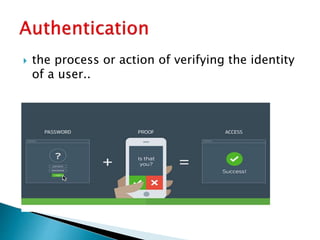
 the process or action of verifying the identity
of a user..
 Integrity ensure that data is protected against
any un-authorized or accidental change.
 availability means that when a user needs to
get to information, he or she has ability to do
this.
 Protect data
 Prevents cyber attack
 Centralized updates(timely update software
reduce the risk of attack)
Costly set-up. (Purchasing the
software, installing it etc can become costly
especially for smaller networks.
 Careless admin.( regularly to
keep a check on the malicious
users. But sometimes, he just
trusts the system and that is
when the attack happens)
Network Security

Network Security

  • 2.
  • 3.
     Network isa collection of computers and devices.  Allow user to share data , information with other user.  example of a network is the Internet, which connects millions of people all over the world.  network may be linked through cables, telephone lines. common types of networks i: Local Area Network (LAN) (home, school, laboratory, or office)
  • 4.
     Security ingeneral means freedom from risk  Security is like the break in your car, it slows you down but it also makes it possible for you to go a lot faster.
  • 5.
     Network securityis protection of the access to files and directories in a computer network against hacking, misuse and unauthorized changes to the system.  Only network security remove virus.
  • 6.
     EXTERNAL ATTACKS Sniffing  Spoofing  phishing.  Shared computer 1. SNIFFING. monitor every packets that crosses the network. 2. SPOFING. hide one's true identity on the network.(fake email, fake i.p address) 3. Phishing: Phishing is the process to gain sensitive information like usernames, passwords and credit card information, frequently for negative use. 4. Shared computer. sharing a computer with one or more people..password, clear search history, logout completely
  • 7.
     . Employeetheft: Employee theft can be characterized as any stealing, utilize or abuse of business benefit without permission.  Privilege abuse: abuse it to satisfy their requirements or to destroy the organization reputation.  Equipment failure: in which any equipment  can’t complete its intended task or reason. It can also mean that the hardware has stopped working.
  • 8.
     Virtual PrivateNetwork. Provide access control and data encryption between two different computer on network.  Identify Management. It is a term , related to how humans are identified and authorized across computer network.  Anti-Viruses Software. necessary part of good security program. Anti viruses only protect organization from malicious programs.  ACCESS CONTROL. Service must be accessible to users. Prevent un-authorized access to resources.
  • 9.
     Firewalls. Protectingan organization’s internal from external attacks.  Intrusion Detection. No longer would we need to protect our files and system. We could just identify when someone was doing something wrong and stop them.  Encryption. the process of converting information or data into a code, especially to prevent unauthorized access.
  • 10.
  • 11.
     Keeping thedata secret.  No third party include.  Only sender and receiver understand message contents.  Example  Military (secret data, top secret data)
  • 12.
     the processor action of verifying the identity of a user..
  • 13.
     Integrity ensurethat data is protected against any un-authorized or accidental change.
  • 14.
     availability meansthat when a user needs to get to information, he or she has ability to do this.
  • 15.
     Protect data Prevents cyber attack  Centralized updates(timely update software reduce the risk of attack)
  • 16.
    Costly set-up. (Purchasingthe software, installing it etc can become costly especially for smaller networks.  Careless admin.( regularly to keep a check on the malicious users. But sometimes, he just trusts the system and that is when the attack happens)