Central Management of
Network and Call Services
Mohammad Nazmul Hossain
Mohammad Ashiqur Rahman
Md Mhabub Hossain
Md Shahinul Haque Chowdhury
Advanced –Multimedia Communication
Abstract
• Make servers of web service, ftp service, VoIP
video call service
• Monitor & manage them centrally from a host
in private connection or from remote
connection.
• The remote connection can be established
through Secure Shell (SSH) connection which
will connect to the servers through Router (or
Routers).
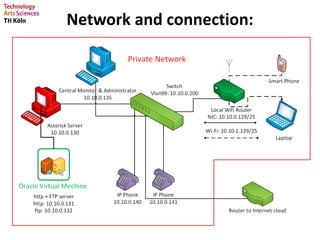
Network and connection:
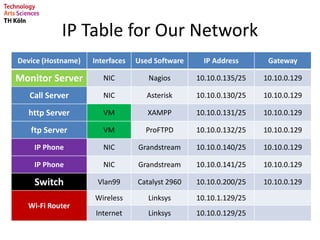
IP Table for Our Network
Device (Hostname) Interfaces Used Software IP Address Gateway
Monitor Server NIC Nagios 10.10.0.135/25 10.10.0.129
Call Server NIC Asterisk 10.10.0.130/25 10.10.0.129
http Server VM XAMPP 10.10.0.131/25 10.10.0.129
ftp Server VM ProFTPD 10.10.0.132/25 10.10.0.129
IP Phone NIC Grandstream 10.10.0.140/25 10.10.0.129
IP Phone NIC Grandstream 10.10.0.141/25 10.10.0.129
Switch Vlan99 Catalyst 2960 10.10.0.200/25 10.10.0.129
Wi-Fi Router
Wireless Linksys 10.10.1.129/25
Internet Linksys 10.10.0.129/25
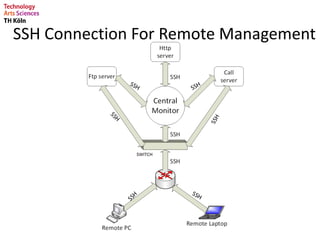
SSH Connection For Remote Management
Call Server
• We used Asterisk as call server.
• IP: 10.10.0.130 (call server IP)
• SIP.conf (Configuration file)
• Extensions.conf (Configuration file)
• We have video call service enabled
-We have used GXV3140 IP Multimedia Phone
Manager 2nd manager
IP:10.10.0.140 IP:10.10.0.141
We can use call server service by any
smart phone remotely using Antisip.
VoIP by antisip
HTTP Server
• We are using HTTP server to get the Web service.
• The HTTP server has setup using LAMPP
(Common name XAMPP) software
• XAMPP stand for
X = Any of the different operating systems
A = Apache
M = MySQL
P = PHP
P = Perl
Main Services (LAMPP)
• http server for Web service
• ProFTPD fo file transfer service
• MySQL Database
• Interpreters for scripting languages
HTTP Server
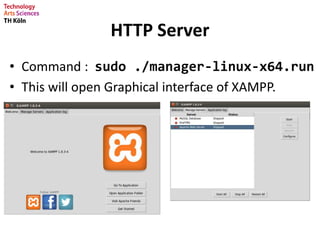
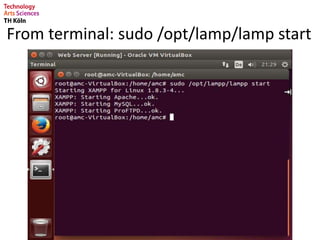
• Command : sudo ./manager-linux-x64.run
• This will open Graphical interface of XAMPP.
From terminal: sudo /opt/lamp/lamp start
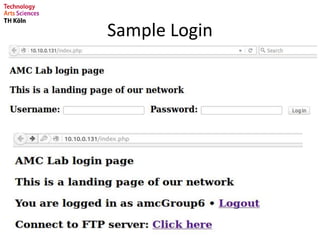
Sample Login
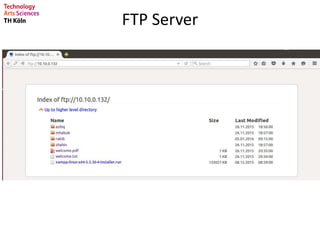
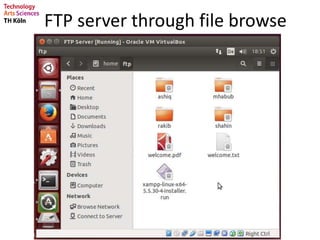
FTP Server
• ProFTPD is an open source software for file transfer
service Ubuntu or Linux based OS.
• We are using ProFTPD software for file transfer
service
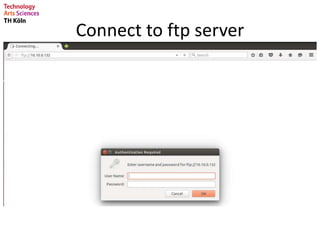
Connect to ftp server
FTP Server
FTP server through file browse
MONITOR
WHY??
• Network monitoring is the information
collection function of network management.
• Network monitoring provides the information
necessary for network management. It is
important to find network trends and locate
network problems quickly.
• Can automatically detect and respond to
threats and performance issues in real time,
as well as predict possible issues in the future.
There are generally three basic goals for
network monitoring:
• Performance monitoring
• Fault monitoring
• Account monitoring
Wireshark vs Nagios
• Wireshark: protocol analyzer.
• Nagios: Completely Monitor detect and
receive aterts.
IT manager with
Benefits of Nagios
• Allows to detect and resolve problems before
they have a negative effect on Networks.
• Can completely monitor and receive alerts for
Networks services, servers, switches and
applications, and even mitigate any future
issues.
• Fully flexible and scalable, and gives total
peace-of-mind that IT systems will continue
running without causing any interruptions.
Prerequisite for NAGIOS
• wget
• build-essential
• apache2
• apache2-utils
• php5-gd
• libgd2-xpm-dev
• libapache2-mod-php5
• postfix
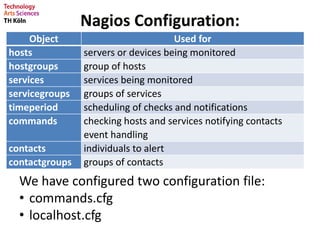
Nagios Configuration:
Object Used for
hosts servers or devices being monitored
hostgroups group of hosts
services services being monitored
servicegroups groups of services
timeperiod scheduling of checks and notifications
commands checking hosts and services notifying contacts
event handling
contacts individuals to alert
contactgroups groups of contacts
We have configured two configuration file:
• commands.cfg
• localhost.cfg
Localhost.cfg
Can be found in objects folder of Nagios
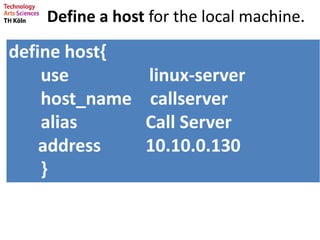
Define a host for the local machine.
define host{
use linux-server
host_name callserver
alias Call Server
address 10.10.0.130
}
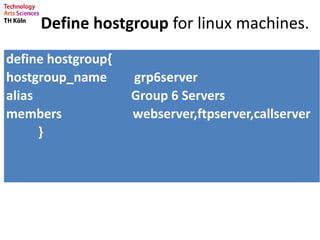
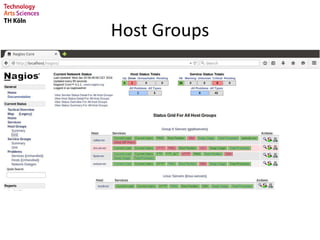
Define hostgroup for linux machines.
define hostgroup{
hostgroup_name grp6server
alias Group 6 Servers
members webserver,ftpserver,callserver
}
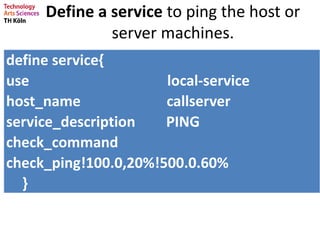
Define a service to ping the host or
server machines.
define service{
use local-service
host_name callserver
service_description PING
check_command
check_ping!100.0,20%!500.0.60%
}
Commands.cfg
Can be found in objects folder of Nagios
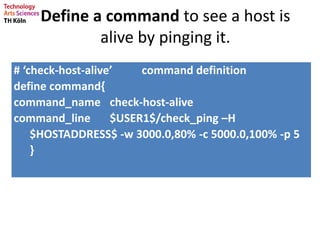
Define a command to see a host is
alive by pinging it.
# ‘check-host-alive’ command definition
define command{
command_name check-host-alive
command_line $USER1$/check_ping –H
$HOSTADDRESS$ -w 3000.0,80% -c 5000.0,100% -p 5
}
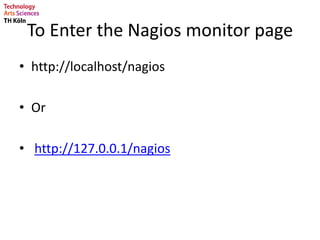
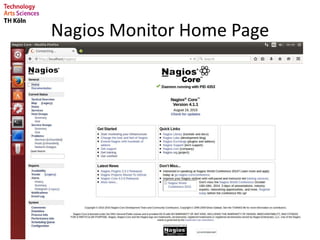
To Enter the Nagios monitor page
• http://localhost/nagios
• Or
• http://127.0.0.1/nagios
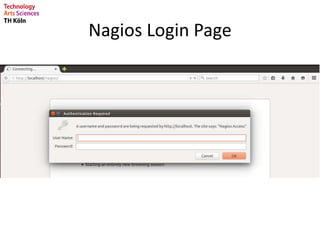
Nagios Login Page
Nagios Monitor Home Page
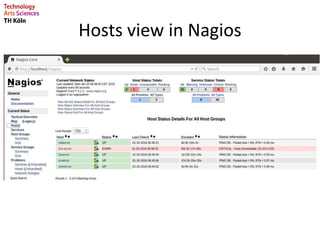
Hosts view in Nagios
Host Groups
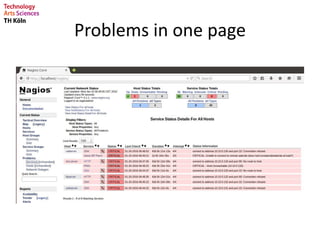
Problems in one page
IT manager without Nagios
IT Manager with Nagios
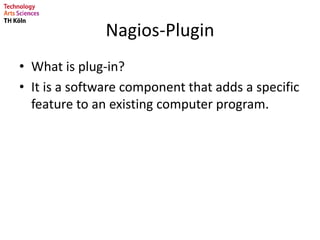
Nagios-Plugin
• What is plug-in?
• It is a software component that adds a specific
feature to an existing computer program.
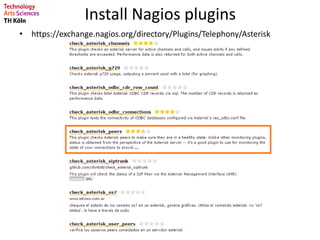
Install Nagios plugins
• https://exchange.nagios.org/directory/Plugins/Telephony/Asterisk
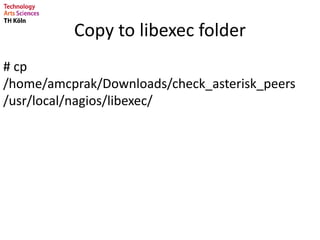
Copy to libexec folder
# cp
/home/amcprak/Downloads/check_asterisk_peers
/usr/local/nagios/libexec/
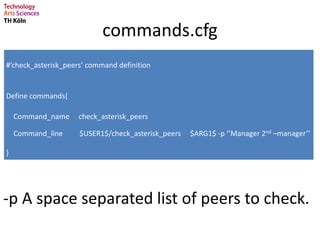
commands.cfg
#’check_asterisk_peers’ command definition
Define commands{
Command_name check_asterisk_peers
Command_line $USER1$/check_asterisk_peers $ARG1$ -p ‘’Manager 2nd –manager’’
}
-p A space separated list of peers to check.
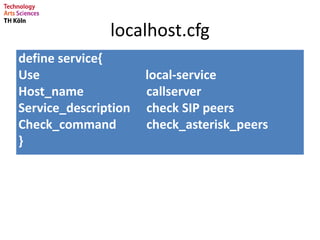
localhost.cfg
define service{
Use local-service
Host_name callserver
Service_description check SIP peers
Check_command check_asterisk_peers
}
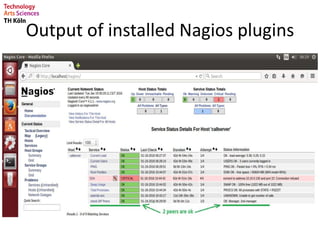
Output of installed Nagios plugins
NRPE Server
• Nagios Remote Plugin Executor
• Nagios cannot execute commands to remote
servers from remote connection.
• NRPE Server do this job remotely for Nagios.
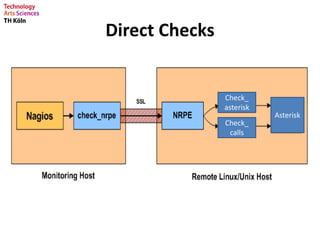
Direct Checks
Check_
asterisk
Check_
calls
Asterisk
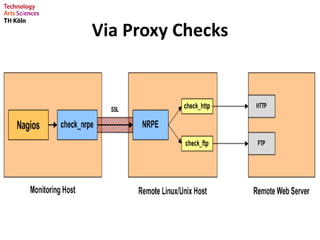
Via Proxy Checks
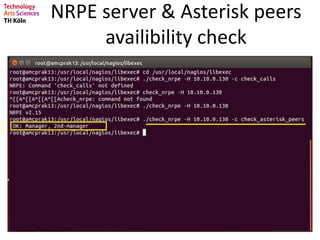
NRPE server & Asterisk peers
availibility check
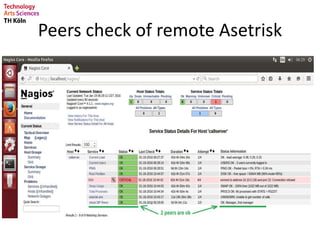
Peers check of remote Asetrisk
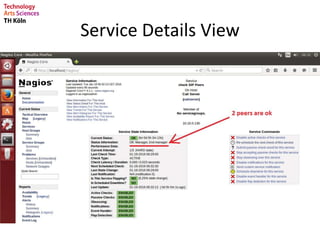
Service Details View
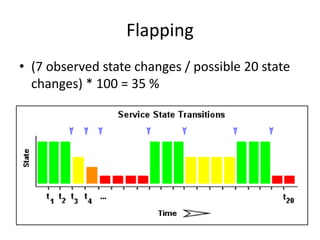
Flapping
• (7 observed state changes / possible 20 state
changes) * 100 = 35 %
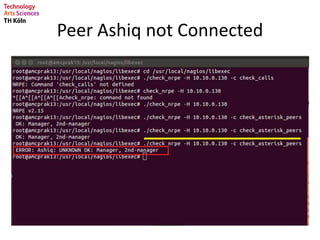
Peer Ashiq not Connected
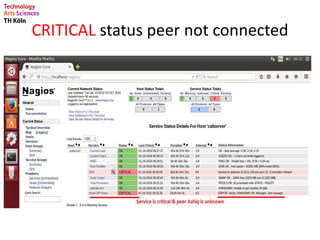
CRITICAL status peer not connected
TROUBLES
SHOOTS
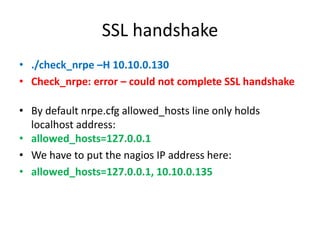
SSL handshake
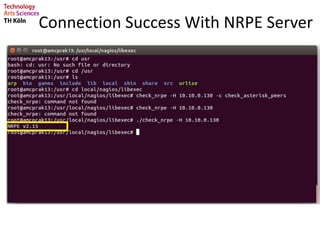
• ./check_nrpe –H 10.10.0.130
• Check_nrpe: error – could not complete SSL handshake
• By default nrpe.cfg allowed_hosts line only holds
localhost address:
• allowed_hosts=127.0.0.1
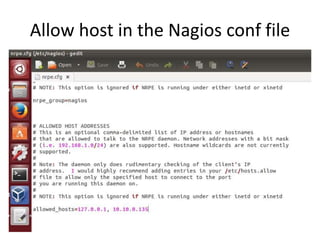
• We have to put the nagios IP address here:
• allowed_hosts=127.0.0.1, 10.10.0.135
Allow host in the Nagios conf file
Connection Success With NRPE Server
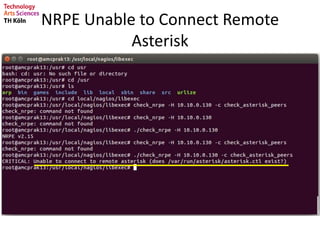
NRPE Unable to Connect Remote
Asterisk
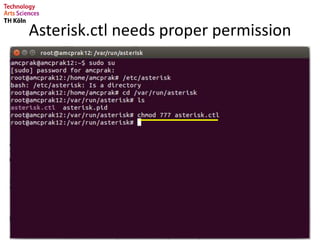
Asterisk.ctl needs proper permission
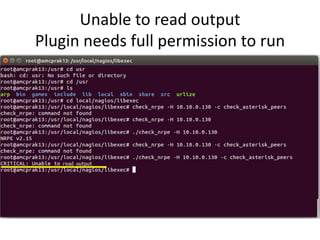
Unable to read output
Plugin needs full permission to run
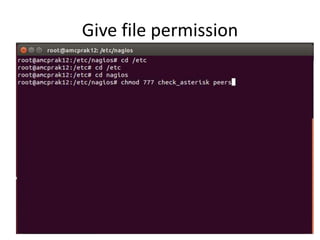
Give file permission
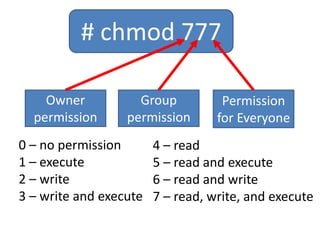
# chmod 777
Owner
permission
Group
permission
Permission
for Everyone
0 – no permission
1 – execute
2 – write
3 – write and execute
4 – read
5 – read and execute
6 – read and write
7 – read, write, and execute
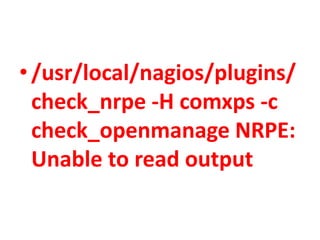
•/usr/local/nagios/plugins/
check_nrpe -H comxps -c
check_openmanage NRPE:
Unable to read output
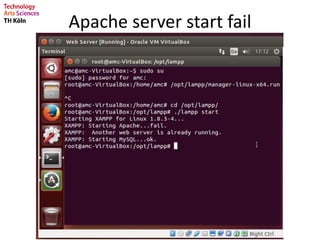
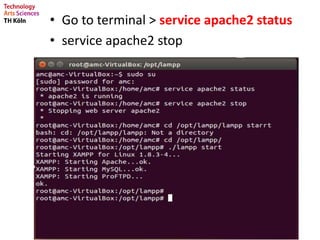
Apache server start fail
• Go to terminal > service apache2 status
• service apache2 stop
Thank You for
Your Attention
CENTRAL MANAGEMENT OF NETWORK AND CALL SERVICES

CENTRAL MANAGEMENT OF NETWORK AND CALL SERVICES

Editor's Notes

  • #12 After this command executed the XAMPP window will open. From “Manage servers” tab we can start or stop services.
  • #41 Gives user total peace-of mind that their IT systems will contunue running without causing interreption.