Positioning -- NCG CAM From


                      By,
                      P.Sathish Kumar
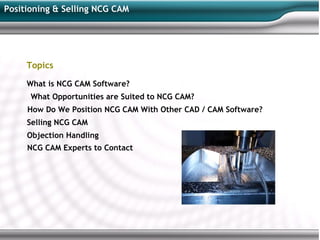
Positioning & Selling NCG CAM


     Topics

     What is NCG CAM Software?
      What Opportunities are Suited to NCG CAM?
     How Do We Position NCG CAM With Other CAD / CAM Software?
     Selling NCG CAM
     Objection Handling
     NCG CAM Experts to Contact
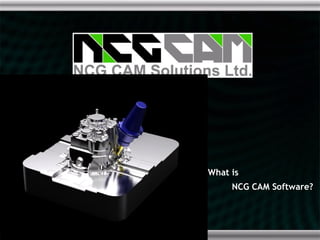
What is
     NCG CAM Software?
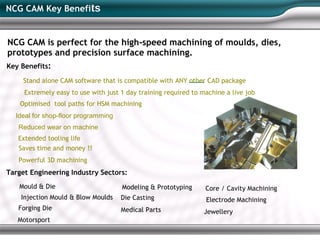
NCG CAM Key Benefits


NCG CAM is perfect for the high-speed machining of moulds, dies,
prototypes and precision surface machining.
Key Benefits:

     Stand alone CAM software that is compatible with ANY other CAD package
     Extremely easy to use with just 1 day training required to machine a live job
    Optimised tool paths for HSM machining
  Ideal for shop-floor programming
   Reduced wear on machine
   Extended tooling life
   Saves time and money !!
   Powerful 3D machining
Target Engineering Industry Sectors:
   Mould & Die                       Modeling & Prototyping      Core / Cavity Machining
    Injection Mould & Blow Moulds    Die Casting                 Electrode Machining
   Forging Die                       Medical Parts              Jewellery
   Motorsport
NCG CAM Product History


NC Graphics Company founded in 1977
    Main product was DEPOCAM launched in 1997
   Developed in collaboration with DEPO Gmbh
   to provide a “Complete HSM experience”
     Focus on high speed machining, ease of use, performance & reliability
     Window native standalone CAM system
     Developed by toolmakers for toolmakers

PTC Acquired NC Graphics in May 2007

         PTC rebrand DEPOCAM to Pro/TOOLMAKER

NCG CAM Solutions Ltd Established in June 2009
   Former NC Graphics staff regrouped to form new company
  NCG CAM Solutions purchased a copy of DEPOCAM source code from PTC to continue
  developing
  NCG rebrand DEPOCAM to NCG CAM
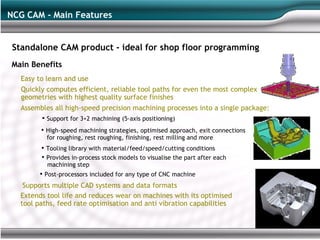
NCG CAM - Main Features


 Standalone CAM product - ideal for shop floor programming
Main Benefits
   Easy to learn and use
   Quickly computes efficient, reliable tool paths for even the most complex
   geometries with highest quality surface finishes
  Assembles all high-speed precision machining processes into a single package:
         • Support for 3+2 machining (5-axis positioning)
         • High-speed machining strategies, optimised approach, exit connections
           for roughing, rest roughing, finishing, rest milling and more
         • Tooling library with material/feed/speed/cutting conditions
         • Provides in-process stock models to visualise the part after each
           machining step
        • Post-processors included for any type of CNC machine
   Supports multiple CAD systems and data formats
  Extends tool life and reduces wear on machines with its optimised
  tool paths, feed rate optimisation and anti vibration capabilities
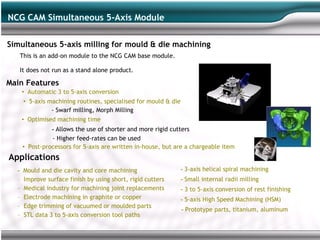
NCG CAM Simultaneous 5-Axis Module

Simultaneous 5-axis milling for mould & die machining
   This is an add-on module to the NCG CAM base module.

   It does not run as a stand alone product.

Main Features
      • Automatic 3 to 5-axis conversion
      • 5-axis machining routines, specialised for mould & die
                - Swarf milling, Morph Milling
      • Optimised machining time
                - Allows the use of shorter and more rigid cutters
                - Higher feed-rates can be used
      • Post-processors for 5-axis are written in-house, but are a chargeable item
Applications
  -   Mould and die cavity and core machining                    - 3-axis helical spiral machining
  –   Improve surface finish by using short, rigid cutters       - Small internal radii milling
  –   Medical industry for machining joint replacements          - 3 to 5-axis conversion of rest finishing
  –   Electrode machining in graphite or copper                  - 5-axis High Speed Machining (HSM)
  –   Edge trimming of vacuumed or moulded parts
                                                                 - Prototype parts, titanium, aluminum
  –   STL data 3 to 5-axis conversion tool paths
What Opportunities used
          to NCG CAM?
Situations Where NCG CAM is NOT a Good Fit?

NCG CAM is not suitable for Production Machining
  NCG CAM 2D / 2.5D machining is sufficient for Mould & Die,but not as advanced as needed for
  production machining.

NCG CAM does NOT have:
  - Wire modules
  - Lathe modules

Master CAM has 2D / 2.5D developed for production engineering - they also license technology from NCG
CAM for their 3D HSM add-on. You CAN NOT displace / compete with Master CAM with NCG CAM in a
production engineering environment - only if competing purely for 3D for mould & die.

Situations where NCG CAM 5-axis is NOT a good fit?
  - Impeller blades
  - Engine ports milling
         Lollipop cutters
  - Aerospace production
         5-axis simultaneous drilling
  - 5-axis form tool profiling
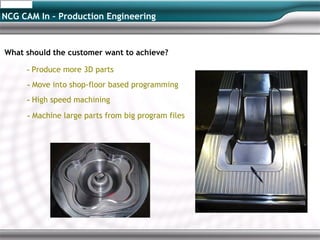
NCG CAM In – Production Engineering


What should the customer want to achieve?

     - Produce more 3D parts
     - Move into shop-floor based programming
     - High speed machining
     - Machine large parts from big program files
NCG CAM - Complement Other CAD / CAM Package


NCG CAM is a stand alone CAM package
     Can be used alongside ANY other CAD package, including Pro/ENGINEER and Solid Works

NCG CAM can also be sold to complement other CAD / CAM software
     EdgeCAM, GibbsCAM, SprutCAM, TopSolid, AlphaCAM, SmartCAM, Pro/NC

     These software packages target Production Machining so have strong 2D & 2.5D but
     weaker 3D. Many also include wire and lathe modules.

     NCG CAM is standalone, so no CAD has to be purchased with it, saving money too.

Opens many cross-selling opportunities
     Your existing users

     Other CAD users

     Other complementary CAD / CAM users
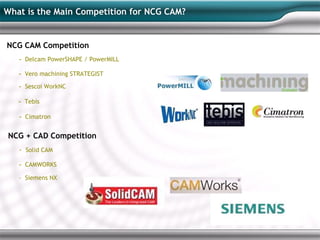
What is the Main Competition for NCG CAM?


NCG CAM Competition
   - Delcam PowerSHAPE / PowerMILL

   - Vero machining STRATEGIST
   - Sescoi WorkNC

   - Tebis

   - Cimatron

NCG + CAD Competition
   - Solid CAM

   - CAMWORKS
   - Siemens NX
Objection Handling –
           NCG CAM
Objection Handling


1. Is 2D cutter compensation supported ?

     Yes - diameter compensation is supported .

2. Why does the Datum creation seem complex ?

     Datum and curves can be created in any given CAD system and imported directly into NCG CAM.

     NCG CAM is a stand alone CAM system. Only the basic geometry capability required
     for the NC programmer on the shop floor to make small edits to the design is provided

3. Does NCG CAM support 2.5-axis machining?

     NCG CAM supports 2.5 surfaces, drilling and hole identification. NCG CAM specialises in 3D &
     high speed Machining, so the 2.5 functionality is not as strong as in production engineering focused s/w

4. Does NCG CAM support Turn Mill machines?

     NCG CAM does not support lathes, but it does support mill-turn machine tools, such as
     OKUMA MAC TURN and MAZAK INTERGREX. The criteria is that the machine must have a Y axis
Objection Handling


 5. Does NCG CAM support simultaneous 5-axis machining as standard?

     The base module of NCG CAM supports 3+2 axis (5- axis positional).

     There is an add-on simultaneous 5-axis module available. This is not a standalone
     product and does require the base module to work.

 6. Does the add-on simultaneous 5-axis module have simulation capability?

     Simulation is scheduled for the next major release of NCG CAM.

 7. Does NCG CAM come complete with post-processors? Is there a charge?

     3-axis post-processors are provided free of charge.

     5-axis post-processors are chargeable.
                              For more information contact


                                      NCG CAM, UK            : John Ellis (john@ncgcam.com)
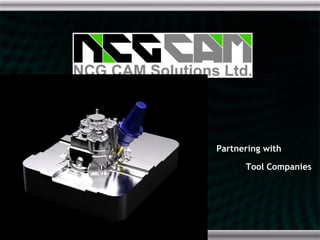
Partnering with

      Tool Companies
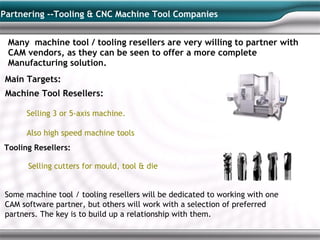
Partnering --Tooling & CNC Machine Tool Companies


 Many machine tool / tooling resellers are very willing to partner with
 CAM vendors, as they can be seen to offer a more complete
 Manufacturing solution.
Main Targets:
 Machine Tool Resellers:

      Selling 3 or 5-axis machine.

      Also high speed machine tools
Tooling Resellers:

      Selling cutters for mould, tool & die


Some machine tool / tooling resellers will be dedicated to working with one
CAM software partner, but others will work with a selection of preferred
partners. The key is to build up a relationship with them.
Experts to Contact
NCG CAM & REVO Experts to Contact


Sales / Marketing:
   Estelle Dunsmuir   estelle@ncgcam.com Tel: +44 (0) 1223 863911, +44 (0)1353 699840
Technical Support:
  John Ellis          john@ncgcam.com     Tel: +44 (0) 1223 441929


Sales / Marketing:
   Sathish


Website:              www.ncgcam.com

NCG CAM

  • 1.
    Positioning -- NCGCAM From By, P.Sathish Kumar
  • 2.
    Positioning & SellingNCG CAM Topics What is NCG CAM Software? What Opportunities are Suited to NCG CAM? How Do We Position NCG CAM With Other CAD / CAM Software? Selling NCG CAM Objection Handling NCG CAM Experts to Contact
  • 3.
    What is NCG CAM Software?
  • 4.
    NCG CAM KeyBenefits NCG CAM is perfect for the high-speed machining of moulds, dies, prototypes and precision surface machining. Key Benefits: Stand alone CAM software that is compatible with ANY other CAD package Extremely easy to use with just 1 day training required to machine a live job Optimised tool paths for HSM machining Ideal for shop-floor programming Reduced wear on machine Extended tooling life Saves time and money !! Powerful 3D machining Target Engineering Industry Sectors: Mould & Die Modeling & Prototyping Core / Cavity Machining Injection Mould & Blow Moulds Die Casting Electrode Machining Forging Die Medical Parts Jewellery Motorsport
  • 5.
    NCG CAM ProductHistory NC Graphics Company founded in 1977 Main product was DEPOCAM launched in 1997 Developed in collaboration with DEPO Gmbh to provide a “Complete HSM experience” Focus on high speed machining, ease of use, performance & reliability Window native standalone CAM system Developed by toolmakers for toolmakers PTC Acquired NC Graphics in May 2007 PTC rebrand DEPOCAM to Pro/TOOLMAKER NCG CAM Solutions Ltd Established in June 2009 Former NC Graphics staff regrouped to form new company NCG CAM Solutions purchased a copy of DEPOCAM source code from PTC to continue developing NCG rebrand DEPOCAM to NCG CAM
  • 6.
    NCG CAM -Main Features Standalone CAM product - ideal for shop floor programming Main Benefits Easy to learn and use Quickly computes efficient, reliable tool paths for even the most complex geometries with highest quality surface finishes Assembles all high-speed precision machining processes into a single package: • Support for 3+2 machining (5-axis positioning) • High-speed machining strategies, optimised approach, exit connections for roughing, rest roughing, finishing, rest milling and more • Tooling library with material/feed/speed/cutting conditions • Provides in-process stock models to visualise the part after each machining step • Post-processors included for any type of CNC machine Supports multiple CAD systems and data formats Extends tool life and reduces wear on machines with its optimised tool paths, feed rate optimisation and anti vibration capabilities
  • 7.
    NCG CAM Simultaneous5-Axis Module Simultaneous 5-axis milling for mould & die machining This is an add-on module to the NCG CAM base module. It does not run as a stand alone product. Main Features • Automatic 3 to 5-axis conversion • 5-axis machining routines, specialised for mould & die - Swarf milling, Morph Milling • Optimised machining time - Allows the use of shorter and more rigid cutters - Higher feed-rates can be used • Post-processors for 5-axis are written in-house, but are a chargeable item Applications - Mould and die cavity and core machining - 3-axis helical spiral machining – Improve surface finish by using short, rigid cutters - Small internal radii milling – Medical industry for machining joint replacements - 3 to 5-axis conversion of rest finishing – Electrode machining in graphite or copper - 5-axis High Speed Machining (HSM) – Edge trimming of vacuumed or moulded parts - Prototype parts, titanium, aluminum – STL data 3 to 5-axis conversion tool paths
  • 8.
  • 9.
    Situations Where NCGCAM is NOT a Good Fit? NCG CAM is not suitable for Production Machining NCG CAM 2D / 2.5D machining is sufficient for Mould & Die,but not as advanced as needed for production machining. NCG CAM does NOT have: - Wire modules - Lathe modules Master CAM has 2D / 2.5D developed for production engineering - they also license technology from NCG CAM for their 3D HSM add-on. You CAN NOT displace / compete with Master CAM with NCG CAM in a production engineering environment - only if competing purely for 3D for mould & die. Situations where NCG CAM 5-axis is NOT a good fit? - Impeller blades - Engine ports milling Lollipop cutters - Aerospace production 5-axis simultaneous drilling - 5-axis form tool profiling
  • 10.
    NCG CAM In– Production Engineering What should the customer want to achieve? - Produce more 3D parts - Move into shop-floor based programming - High speed machining - Machine large parts from big program files
  • 11.
    NCG CAM -Complement Other CAD / CAM Package NCG CAM is a stand alone CAM package Can be used alongside ANY other CAD package, including Pro/ENGINEER and Solid Works NCG CAM can also be sold to complement other CAD / CAM software EdgeCAM, GibbsCAM, SprutCAM, TopSolid, AlphaCAM, SmartCAM, Pro/NC These software packages target Production Machining so have strong 2D & 2.5D but weaker 3D. Many also include wire and lathe modules. NCG CAM is standalone, so no CAD has to be purchased with it, saving money too. Opens many cross-selling opportunities Your existing users Other CAD users Other complementary CAD / CAM users
  • 12.
    What is theMain Competition for NCG CAM? NCG CAM Competition - Delcam PowerSHAPE / PowerMILL - Vero machining STRATEGIST - Sescoi WorkNC - Tebis - Cimatron NCG + CAD Competition - Solid CAM - CAMWORKS - Siemens NX
  • 13.
  • 14.
    Objection Handling 1. Is2D cutter compensation supported ? Yes - diameter compensation is supported . 2. Why does the Datum creation seem complex ? Datum and curves can be created in any given CAD system and imported directly into NCG CAM. NCG CAM is a stand alone CAM system. Only the basic geometry capability required for the NC programmer on the shop floor to make small edits to the design is provided 3. Does NCG CAM support 2.5-axis machining? NCG CAM supports 2.5 surfaces, drilling and hole identification. NCG CAM specialises in 3D & high speed Machining, so the 2.5 functionality is not as strong as in production engineering focused s/w 4. Does NCG CAM support Turn Mill machines? NCG CAM does not support lathes, but it does support mill-turn machine tools, such as OKUMA MAC TURN and MAZAK INTERGREX. The criteria is that the machine must have a Y axis
  • 15.
    Objection Handling 5.Does NCG CAM support simultaneous 5-axis machining as standard? The base module of NCG CAM supports 3+2 axis (5- axis positional). There is an add-on simultaneous 5-axis module available. This is not a standalone product and does require the base module to work. 6. Does the add-on simultaneous 5-axis module have simulation capability? Simulation is scheduled for the next major release of NCG CAM. 7. Does NCG CAM come complete with post-processors? Is there a charge? 3-axis post-processors are provided free of charge. 5-axis post-processors are chargeable. For more information contact NCG CAM, UK : John Ellis (john@ncgcam.com)
  • 16.
    Partnering with Tool Companies
  • 17.
    Partnering --Tooling &CNC Machine Tool Companies Many machine tool / tooling resellers are very willing to partner with CAM vendors, as they can be seen to offer a more complete Manufacturing solution. Main Targets: Machine Tool Resellers: Selling 3 or 5-axis machine. Also high speed machine tools Tooling Resellers: Selling cutters for mould, tool & die Some machine tool / tooling resellers will be dedicated to working with one CAM software partner, but others will work with a selection of preferred partners. The key is to build up a relationship with them.
  • 18.
  • 19.
    NCG CAM &REVO Experts to Contact Sales / Marketing: Estelle Dunsmuir estelle@ncgcam.com Tel: +44 (0) 1223 863911, +44 (0)1353 699840 Technical Support: John Ellis john@ncgcam.com Tel: +44 (0) 1223 441929 Sales / Marketing: Sathish Website: www.ncgcam.com