SolidCAM
The Leaders in Integrated CAM
Our Mission


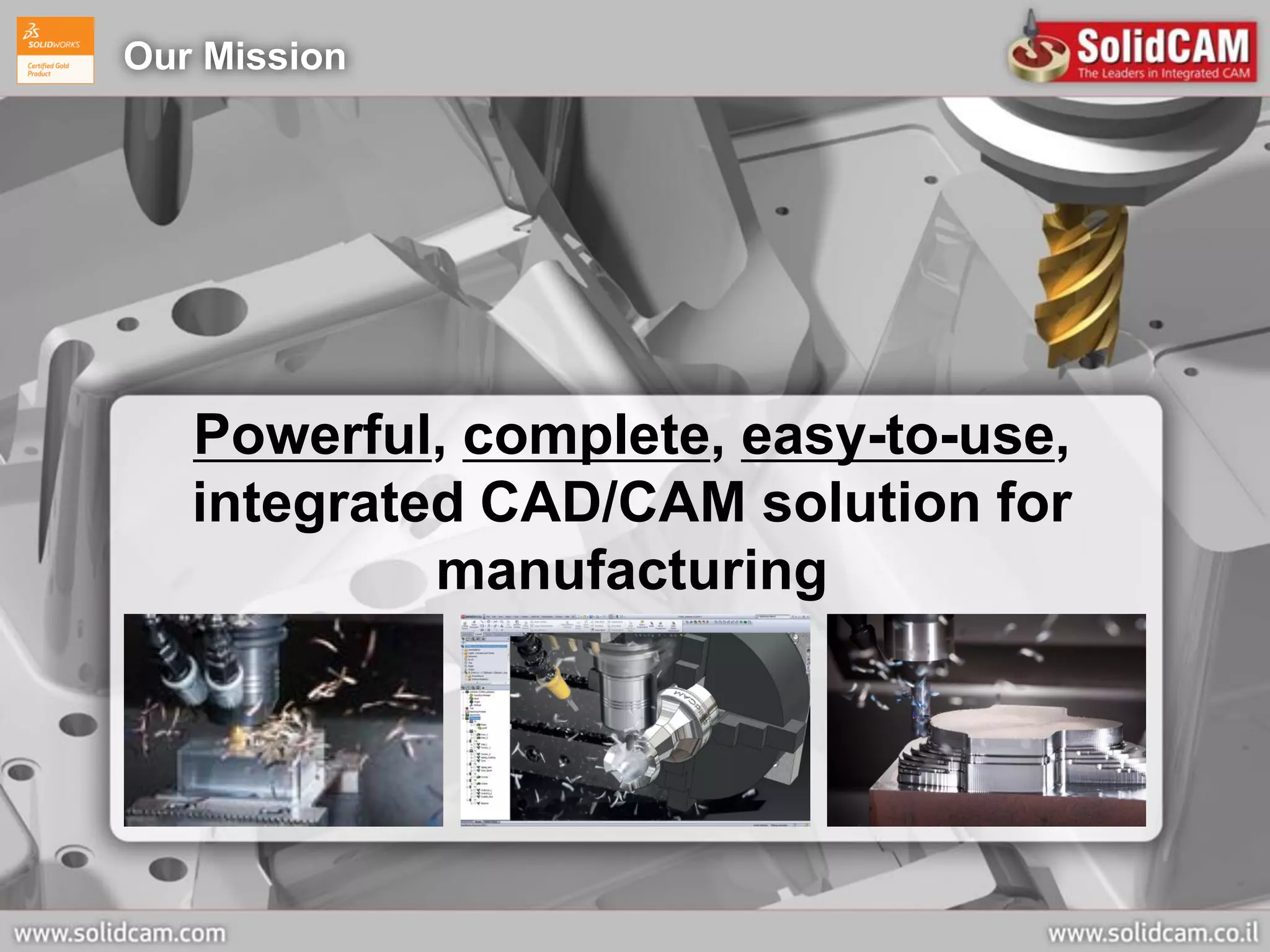
   Powerful, complete, easy-to-use,
   integrated CAD/CAM solution for
            manufacturing
SolidCAM Company Profile

 Founded 1984 - 28 years expertise in CAM development and applications
 SolidCAM Ltd. headquarters in Israel – 2 offices
 Europe:    SolidCAM GmbH, Germany – 5 offices
             Affiliated companies:
             SolidCAM UK, SolidCAM France,
             SolidCAM CZ, SolidCAM Slovenia

 America:   SolidCAM Inc. - U.S. – HQ & 5 locations
             SolidCAM Inc. – Canada
             Office in Brazil

 Asia-Pacific:
              SolidCAM Japan
              SolidCAM India – 3 offices
              SolidCAM China – 3 offices

             Affiliated companies:
             SolidCAM ANZ (Australia, New-Zealand)

 Worldwide CAM distributor network of more than 120 Resellers in 50 countries
 More than 16,500 seats installed
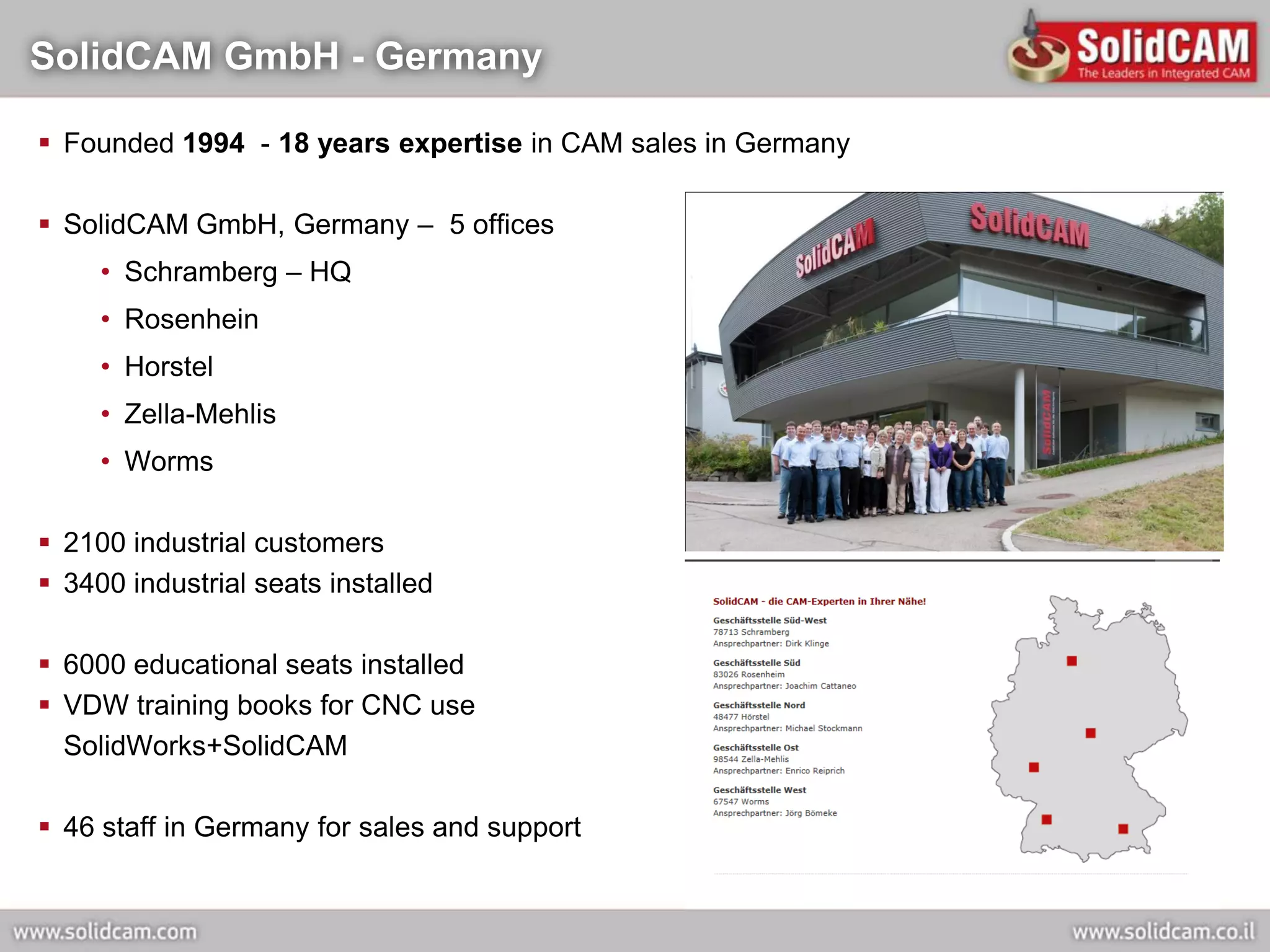
SolidCAM GmbH - Germany

 Founded 1994 - 18 years expertise in CAM sales in Germany

 SolidCAM GmbH, Germany – 5 offices
     • Schramberg – HQ
     • Rosenhein
     • Horstel
     • Zella-Mehlis
     • Worms

 2100 industrial customers
 3400 industrial seats installed

 6000 educational seats installed
 VDW training books for CNC use
  SolidWorks+SolidCAM

 46 staff in Germany for sales and support
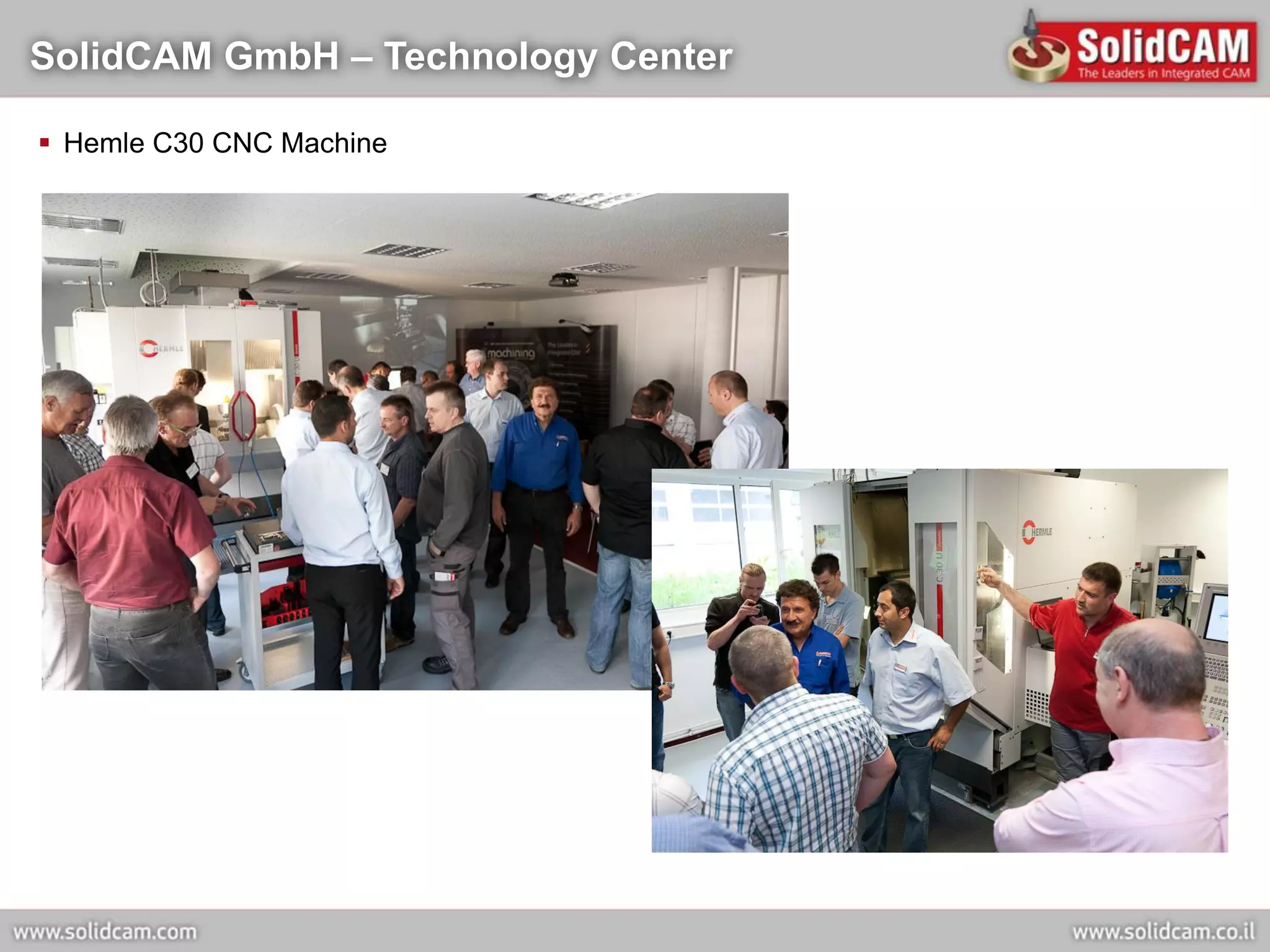
SolidCAM GmbH – Technology Center

 Hemle C30 CNC Machine
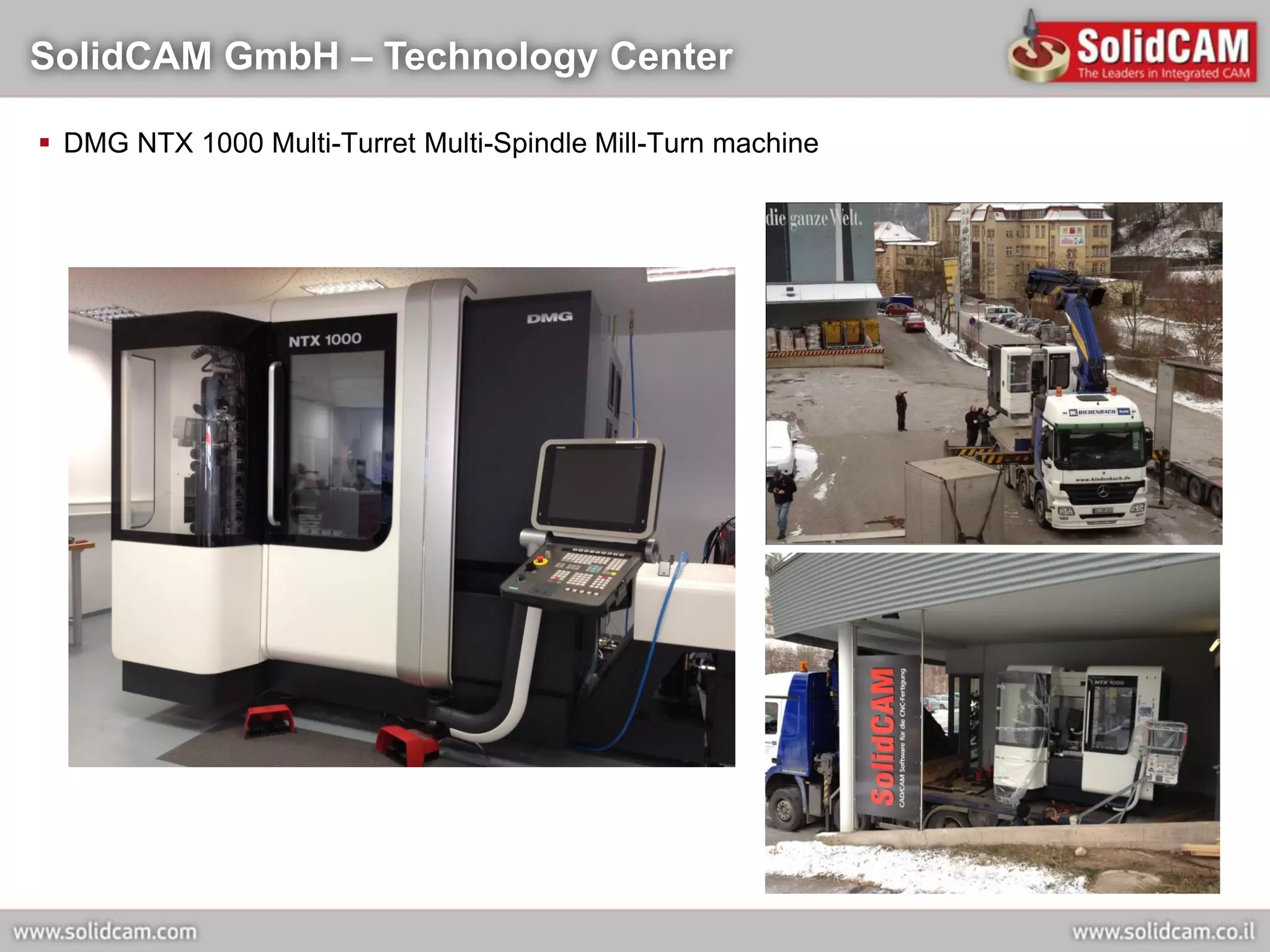
SolidCAM GmbH – Technology Center

 DMG NTX 1000 Multi-Turret Multi-Spindle Mill-Turn machine
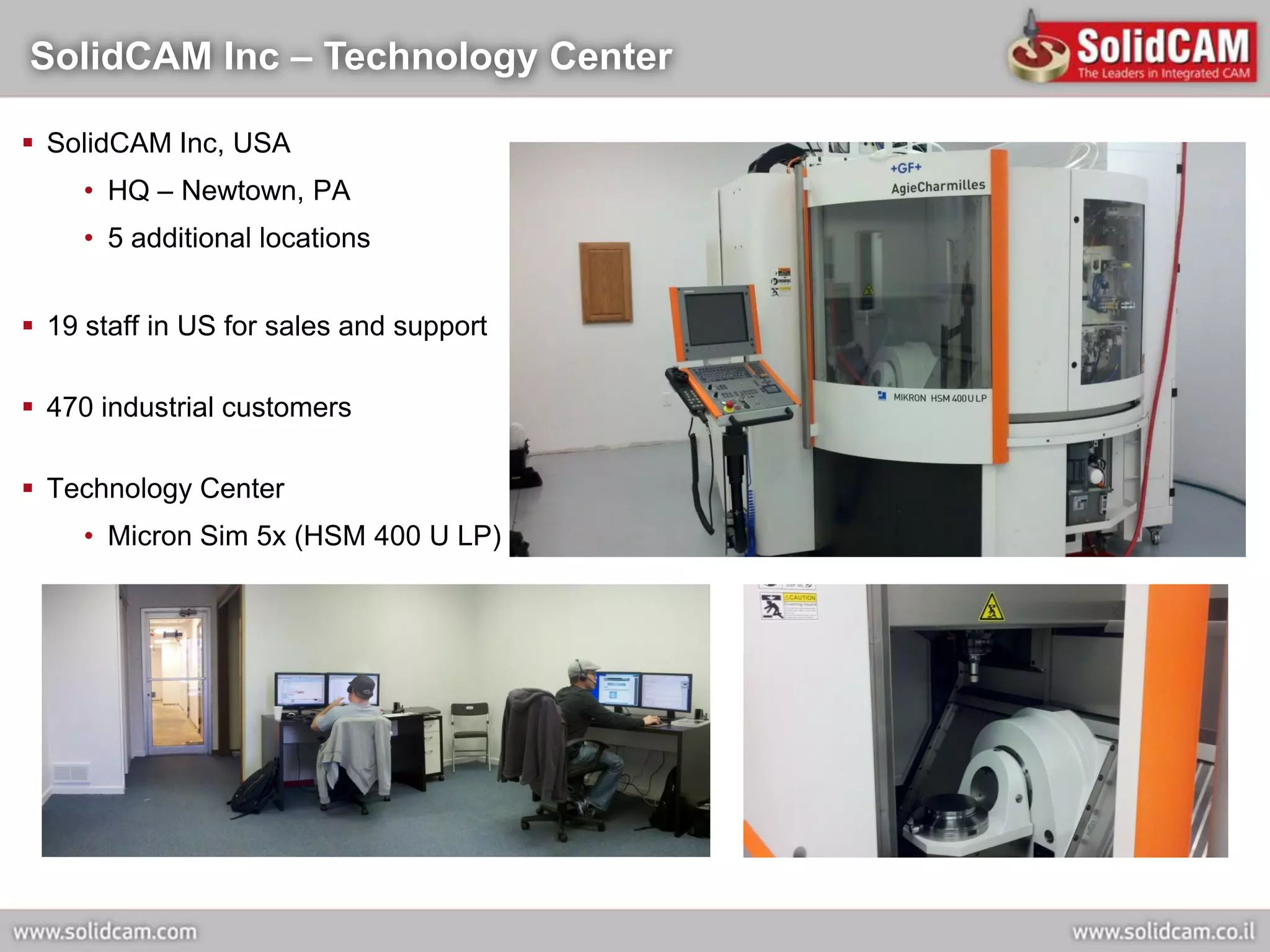
SolidCAM Inc – Technology Center

 SolidCAM Inc, USA
     • HQ – Newtown, PA
     • 5 additional locations


 19 staff in US for sales and support

 470 industrial customers

 Technology Center
     • Micron Sim 5x (HSM 400 U LP)
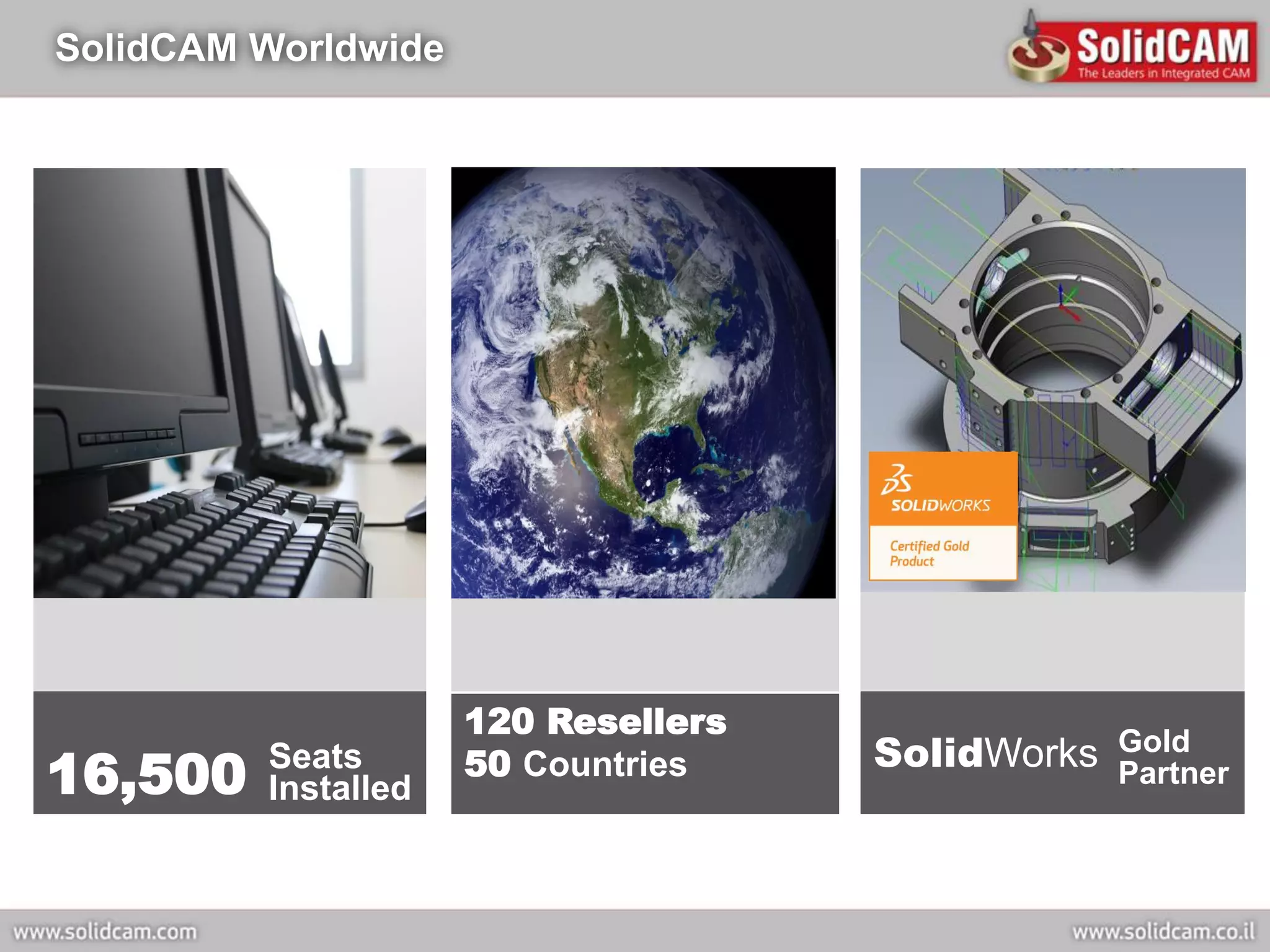
SolidCAM Worldwide


                     120 Resellers
                                     SolidWorks   Gold
16,500   Seats
         Installed
                     50 Countries                 Partner
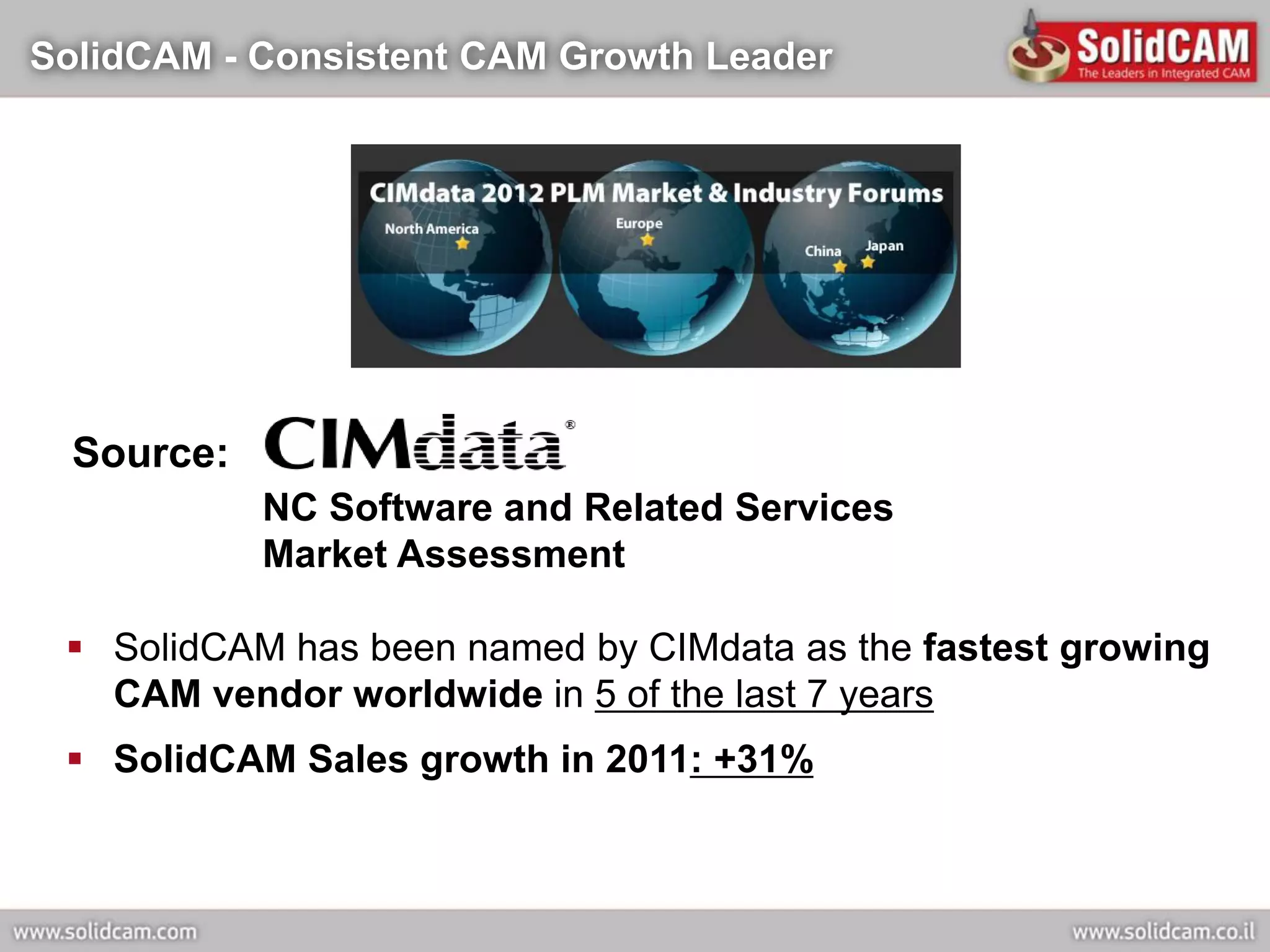
SolidCAM - Consistent CAM Growth Leader


  Source:
            NC Software and Related Services
            Market Assessment

  SolidCAM has been named by CIMdata as the fastest growing
   CAM vendor worldwide in 5 of the last 7 years
  SolidCAM Sales growth in 2011: +31%
SolidWorks Integration and Bundle Agreement


 Launch of SolidWorks integration at the SolidWorks World 2002
 Certified Gold product for SolidWorks2003 on Jan 2003
 OEM bundle agreement with SolidWorks on Jan 2003
 Worldwide distributor network augmented by SolidWorks resellers
  selling SolidCAM
 SolidCAM provides today the highest level of CAD integration
  and associativity in SolidWorks
Autodesk Inventor Integration


 Launch of Autodesk Inventor integration on Aug 2005
 Autodesk Inventor R10 Certification on Nov 2005
 Autodesk Inventor 2012 Certification in 2011
 Worldwide distributor network augmented by Autodesk Inventor
  resellers selling InventorCAM
 InventorCAM provides today the highest level of CAD
  integration and associativity in Inventor
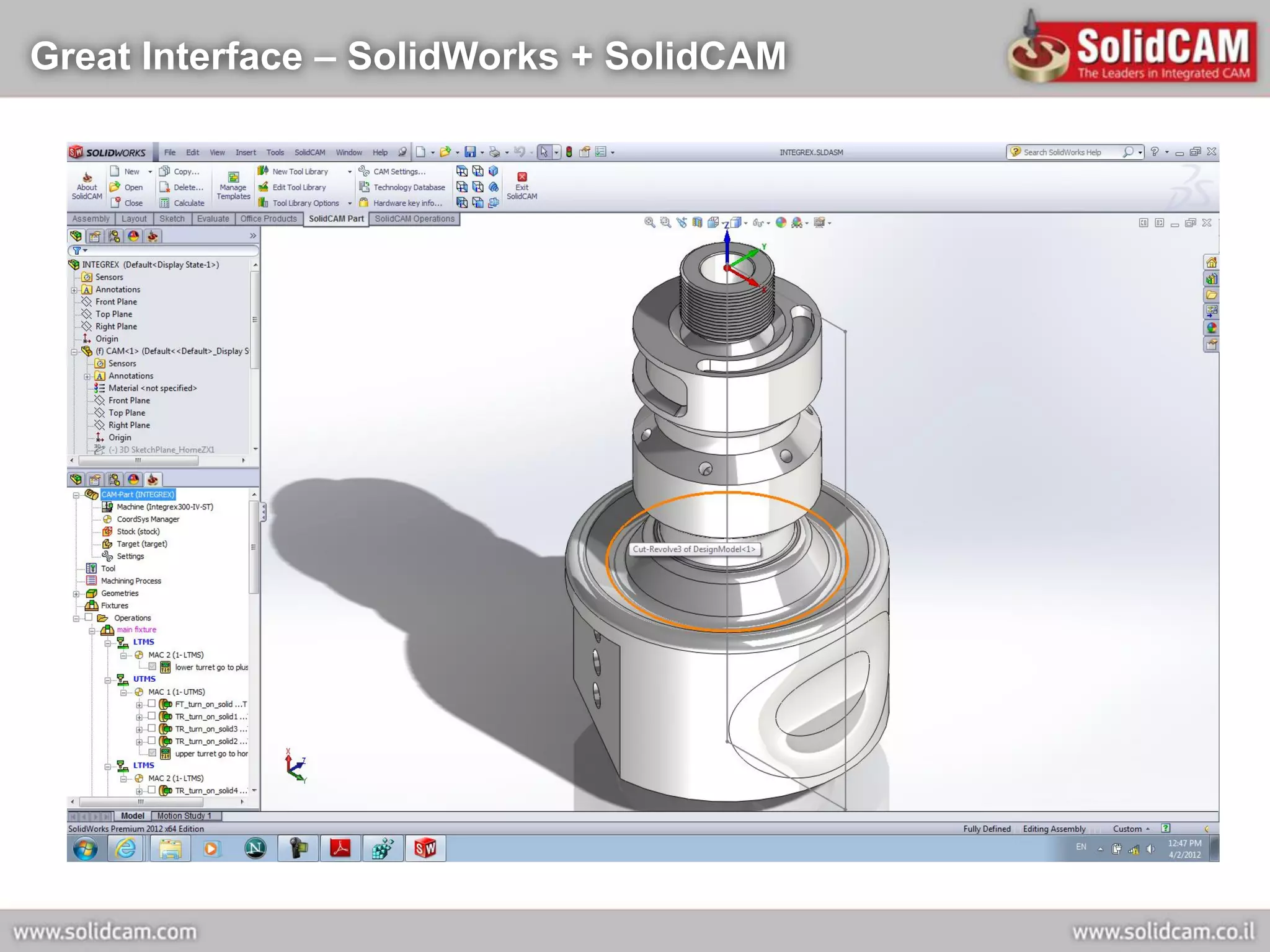
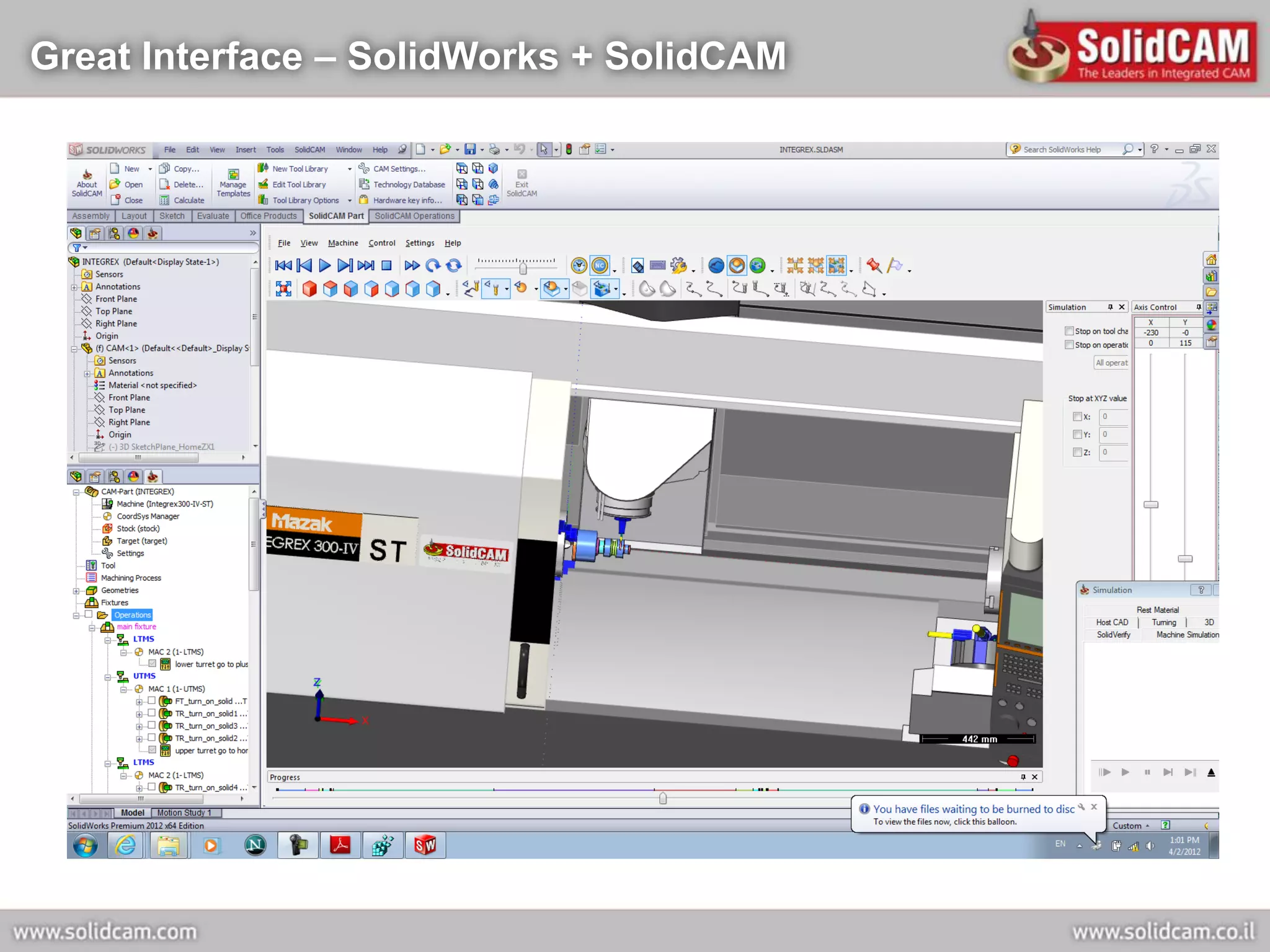
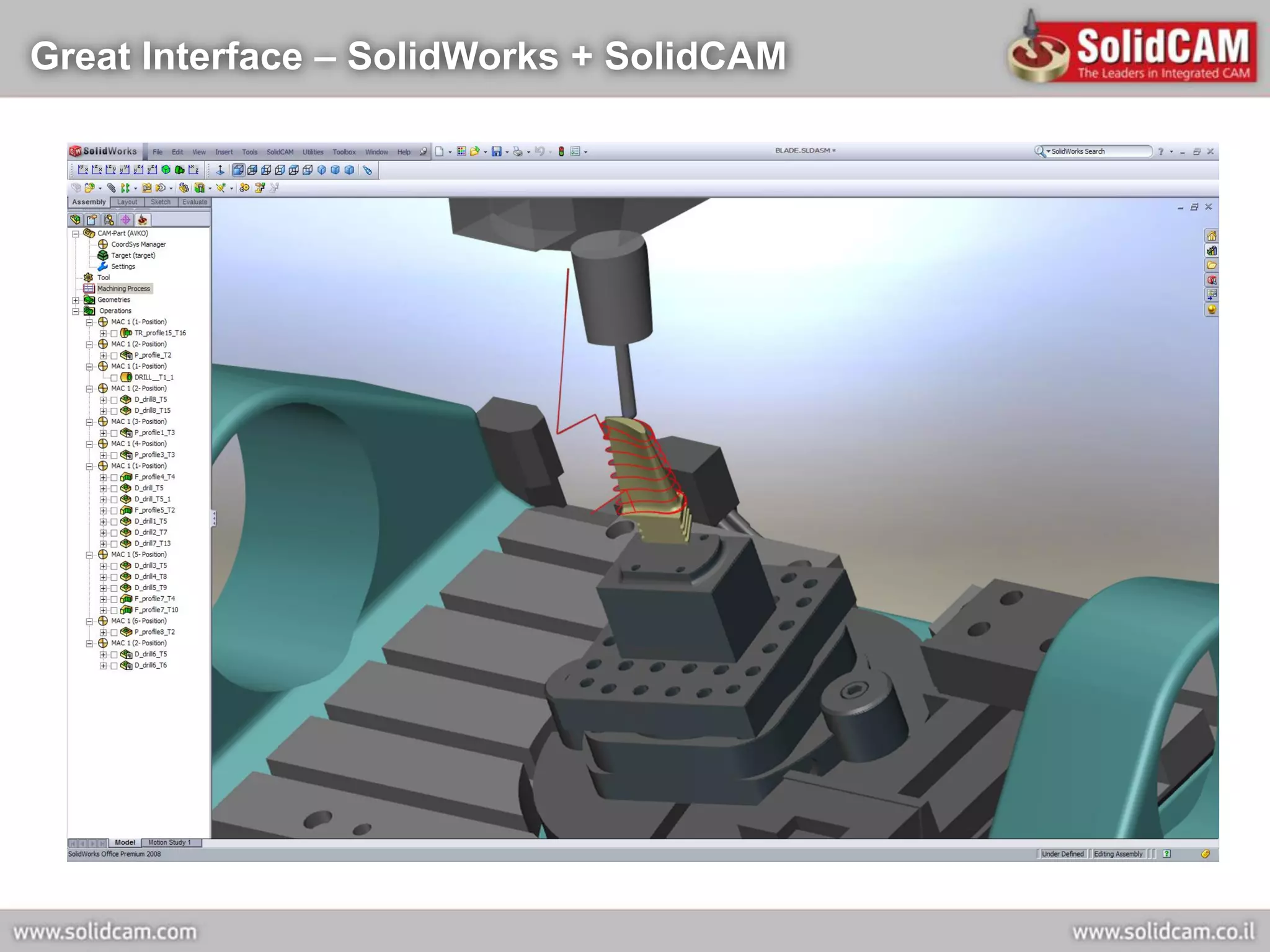
Great Interface – SolidWorks + SolidCAM
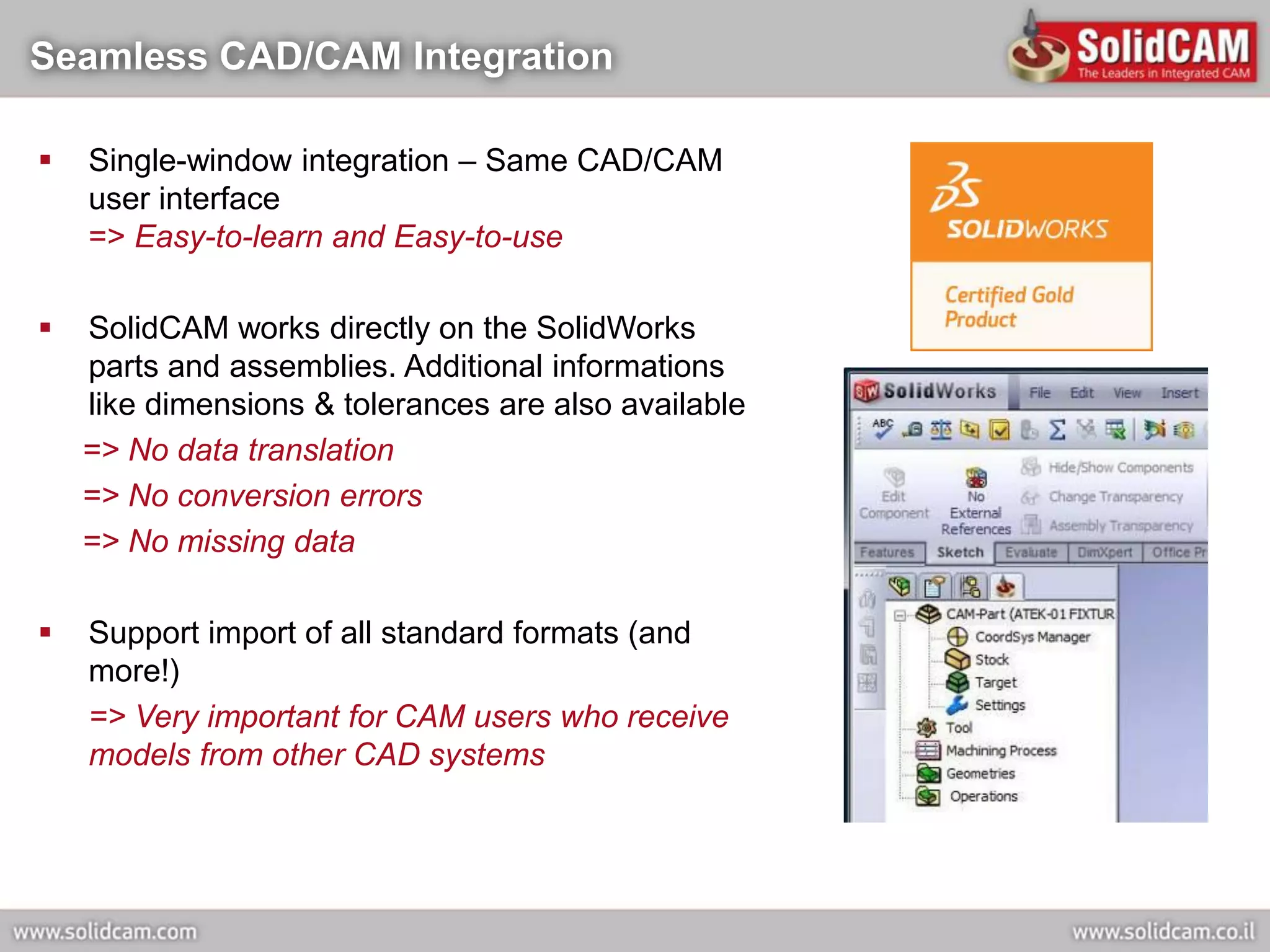
Seamless CAD/CAM Integration

   Single-window integration – Same CAD/CAM
    user interface
    => Easy-to-learn and Easy-to-use

   SolidCAM works directly on the SolidWorks
    parts and assemblies. Additional informations
    like dimensions & tolerances are also available
    => No data translation
    => No conversion errors
    => No missing data

   Support import of all standard formats (and
    more!)
    => Very important for CAM users who receive
    models from other CAD systems
The Most Associative CAM for SolidWorks


  SolidCAM, totally integrated inside SolidWorks,
   provides both types of associativity:
      Toolpath associativity.
      Related-components (fixtures, molds…) associativity.
  Changes to any part automatically update all
   toolpaths
  Changes to any part automatically update all related
   components
  SolidCAM provides user-control over the extent of
   the associativity
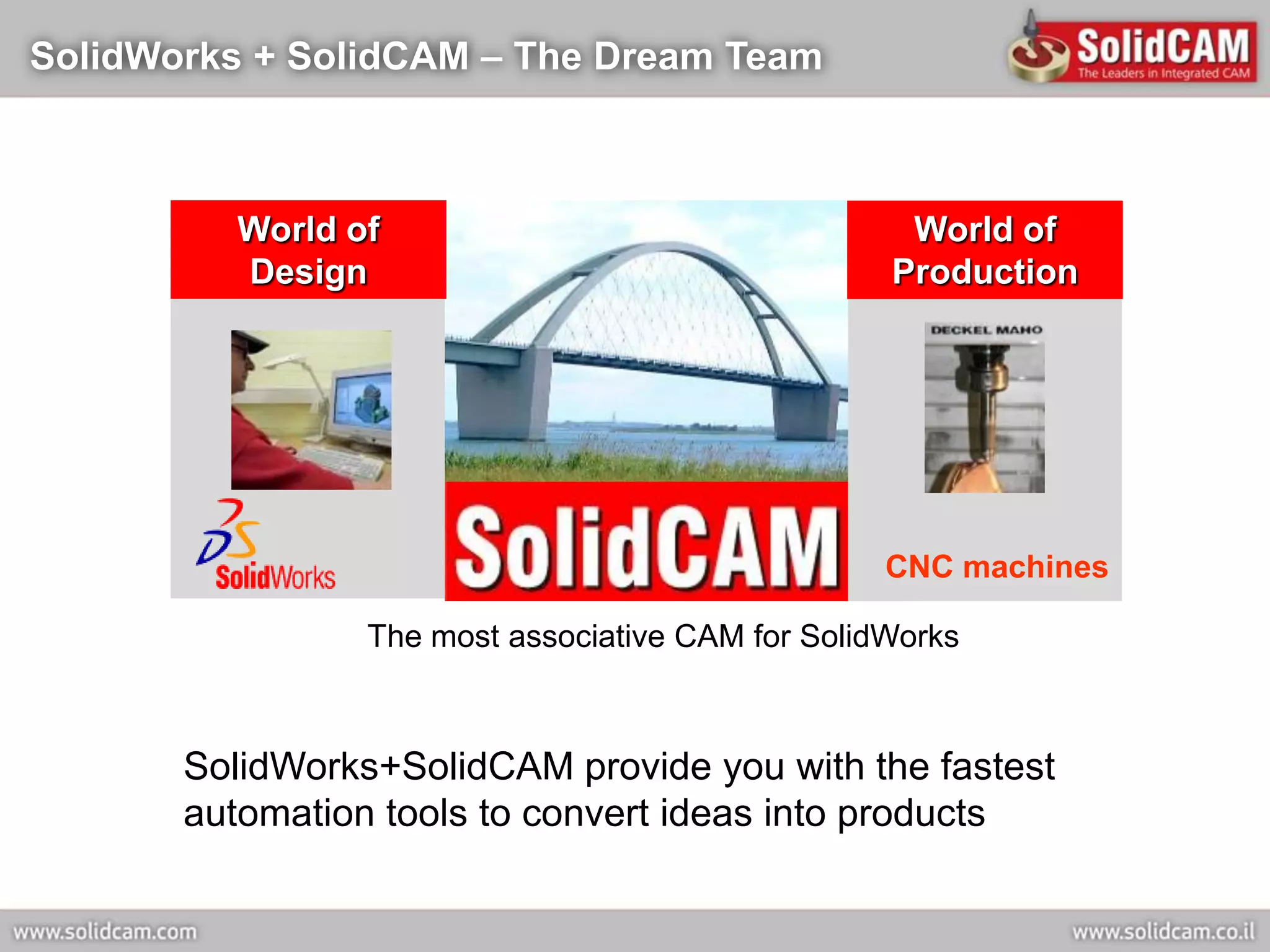
SolidWorks + SolidCAM – The Dream Team


         World of                                   World of
         Design                                    Production


                                                   CNC machines

                 The most associative CAM for SolidWorks


       SolidWorks+SolidCAM provide you with the fastest
       automation tools to convert ideas into products
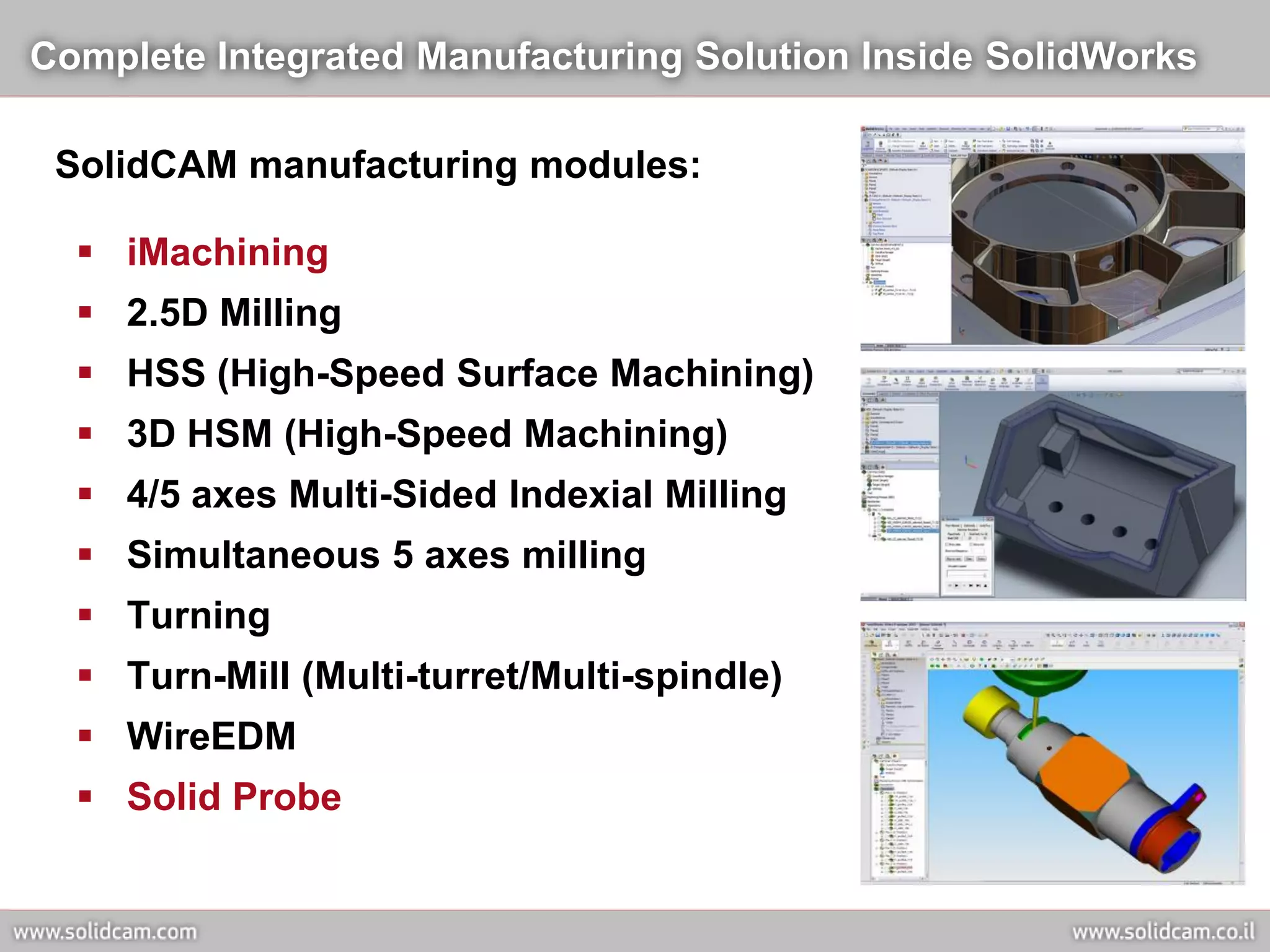
Complete Integrated Manufacturing Solution Inside SolidWorks

 SolidCAM manufacturing modules:

   iMachining
   2.5D Milling
   HSS (High-Speed Surface Machining)
   3D HSM (High-Speed Machining)
   4/5 axes Multi-Sided Indexial Milling
   Simultaneous 5 axes milling
   Turning
   Turn-Mill (Multi-turret/Multi-spindle)
   WireEDM
   Solid Probe
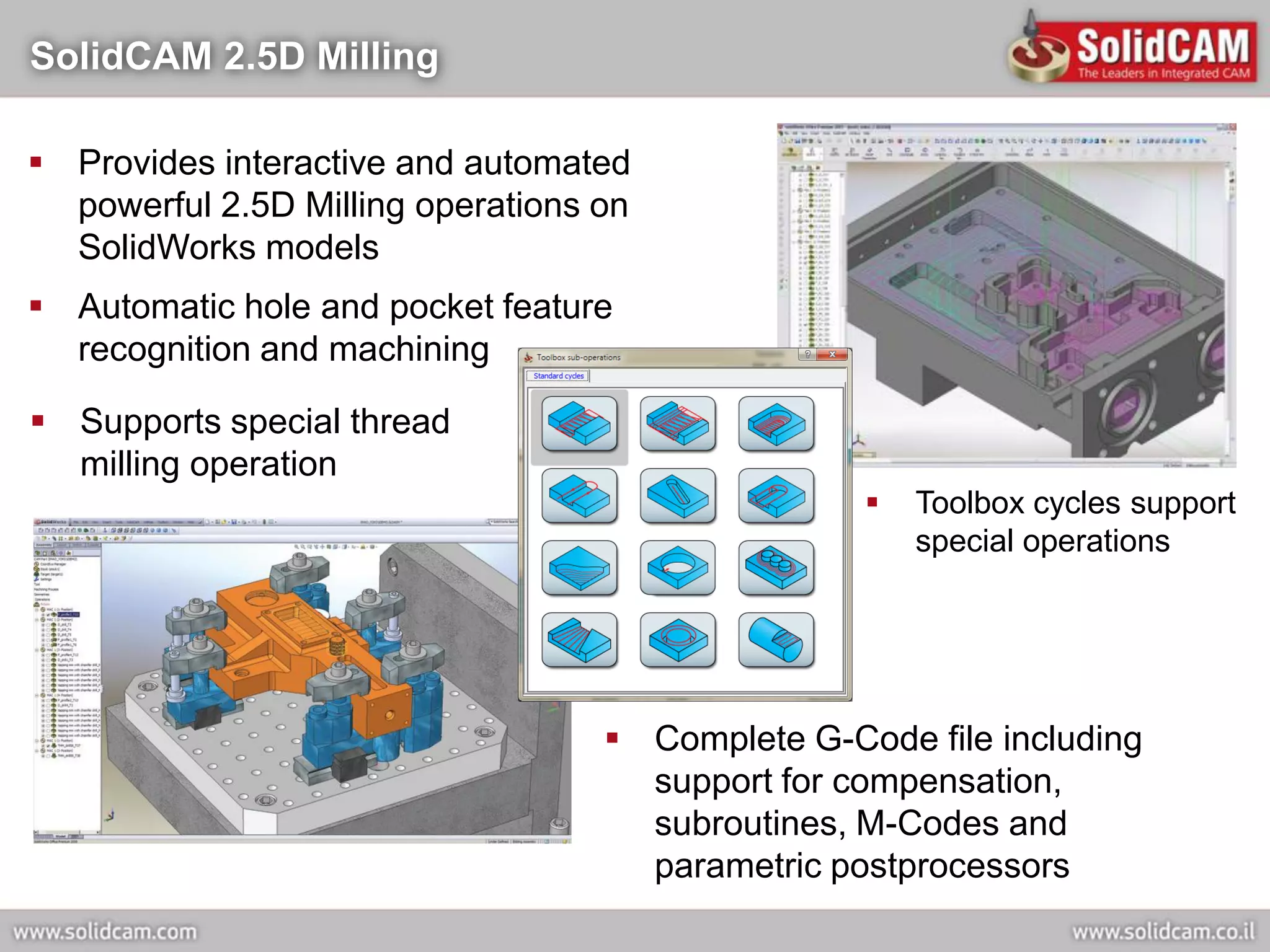
SolidCAM 2.5D Milling

 Provides interactive and automated
  powerful 2.5D Milling operations on
  SolidWorks models
 Automatic hole and pocket feature
  recognition and machining

 Supports special thread
  milling operation
                                                     Toolbox cycles support
                                                      special operations


                                    Complete G-Code file including
                                     support for compensation,
                                     subroutines, M-Codes and
                                     parametric postprocessors
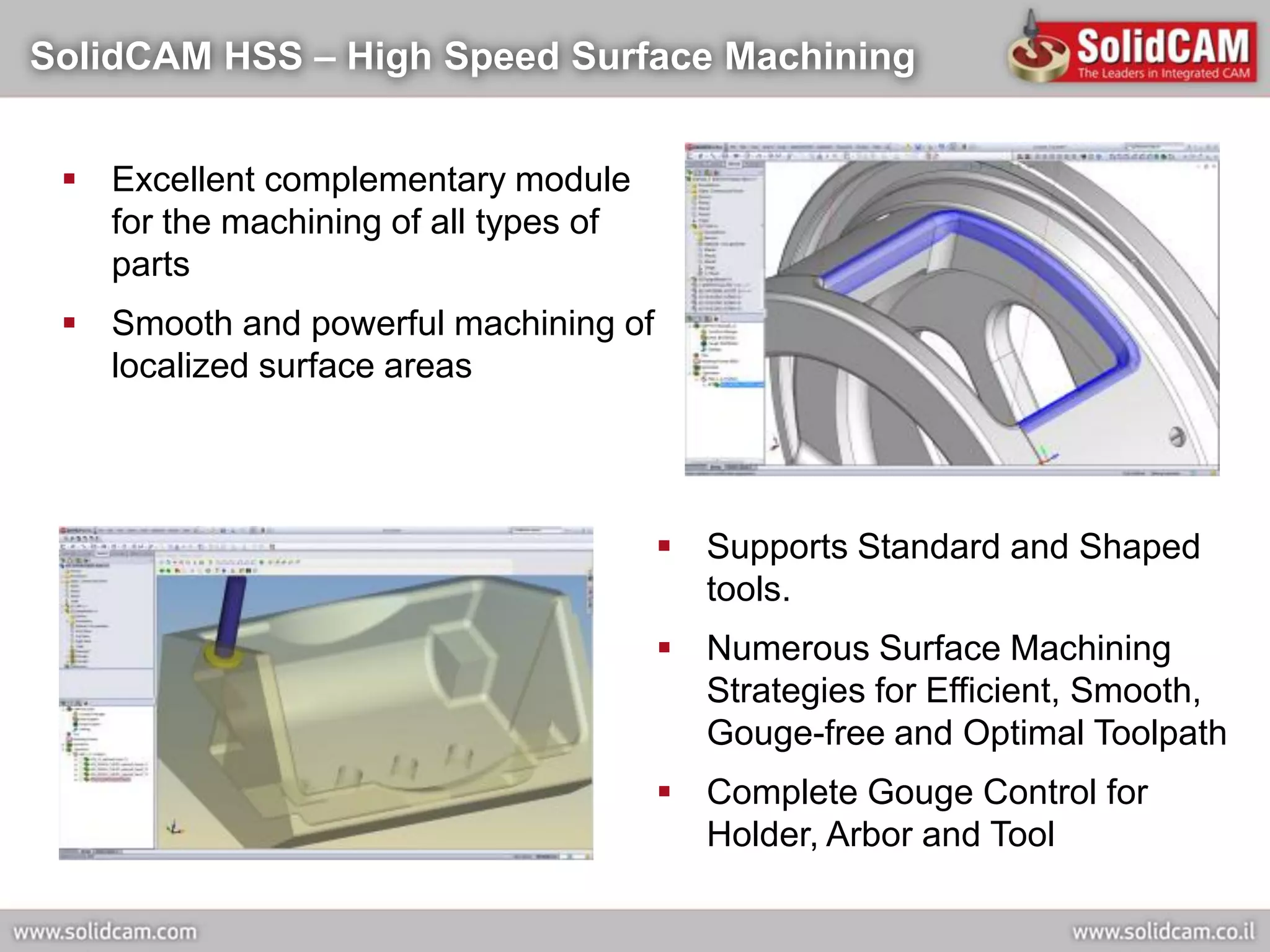
SolidCAM HSS – High Speed Surface Machining


  Excellent complementary module
   for the machining of all types of
   parts
  Smooth and powerful machining of
   localized surface areas


                                        Supports Standard and Shaped
                                         tools.
                                        Numerous Surface Machining
                                         Strategies for Efficient, Smooth,
                                         Gouge-free and Optimal Toolpath
                                        Complete Gouge Control for
                                         Holder, Arbor and Tool
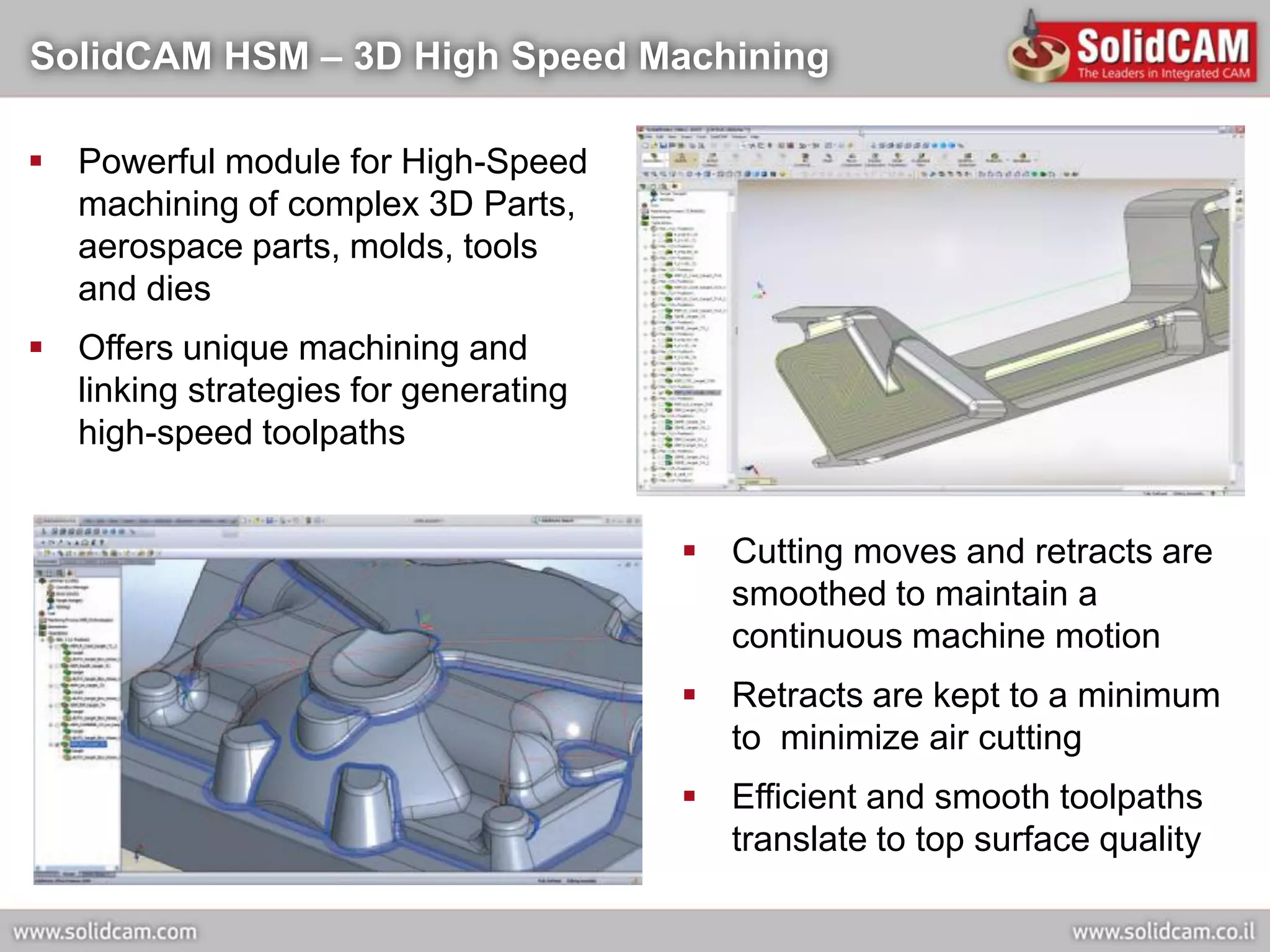
SolidCAM HSM – 3D High Speed Machining

 Powerful module for High-Speed
  machining of complex 3D Parts,
  aerospace parts, molds, tools
  and dies
 Offers unique machining and
  linking strategies for generating
  high-speed toolpaths


                                       Cutting moves and retracts are
                                        smoothed to maintain a
                                        continuous machine motion
                                       Retracts are kept to a minimum
                                        to minimize air cutting
                                       Efficient and smooth toolpaths
                                        translate to top surface quality
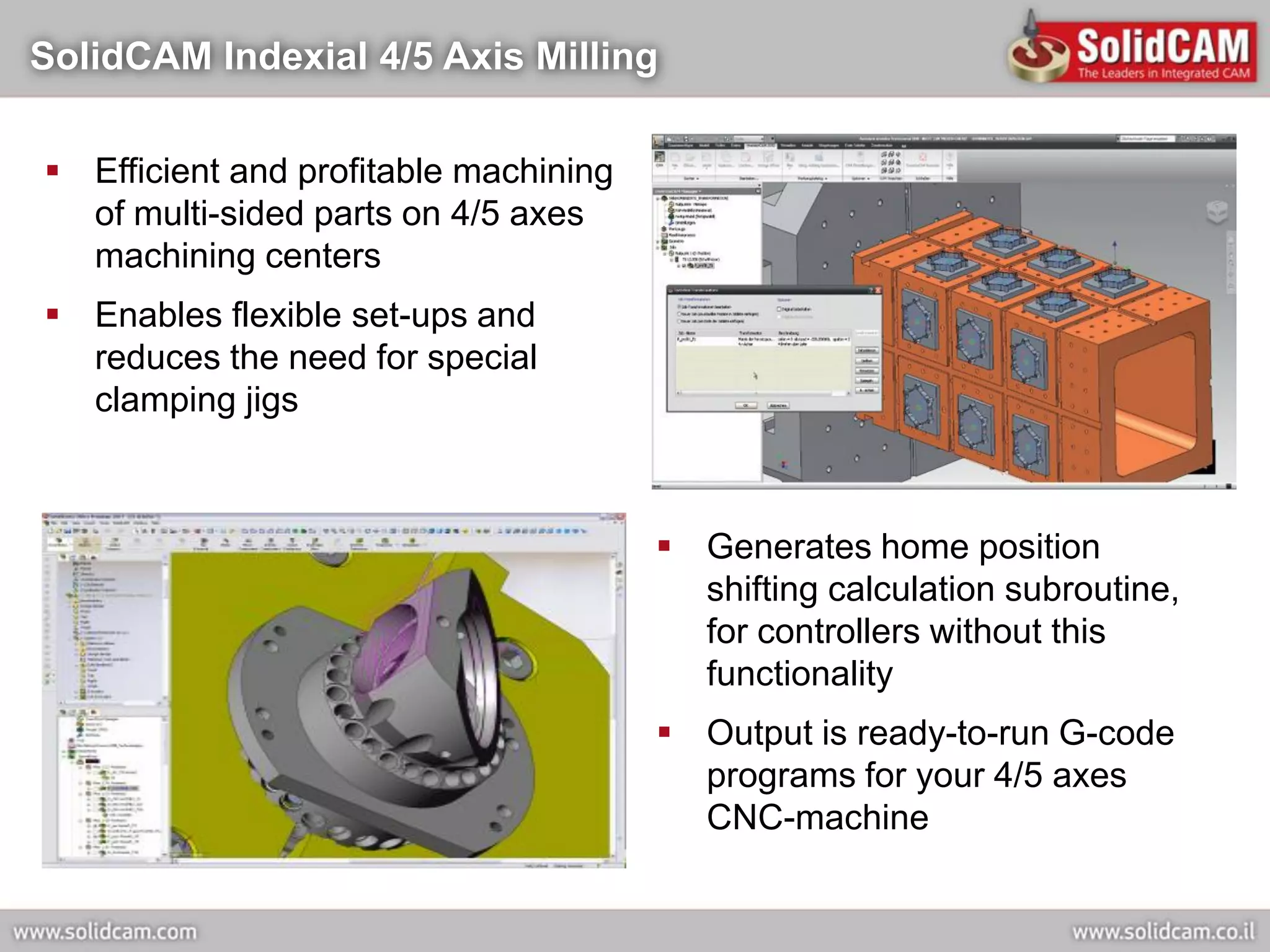
SolidCAM Indexial 4/5 Axis Milling

 Efficient and profitable machining
  of multi-sided parts on 4/5 axes
  machining centers
 Enables flexible set-ups and
  reduces the need for special
  clamping jigs


                                        Generates home position
                                         shifting calculation subroutine,
                                         for controllers without this
                                         functionality
                                        Output is ready-to-run G-code
                                         programs for your 4/5 axes
                                         CNC-machine
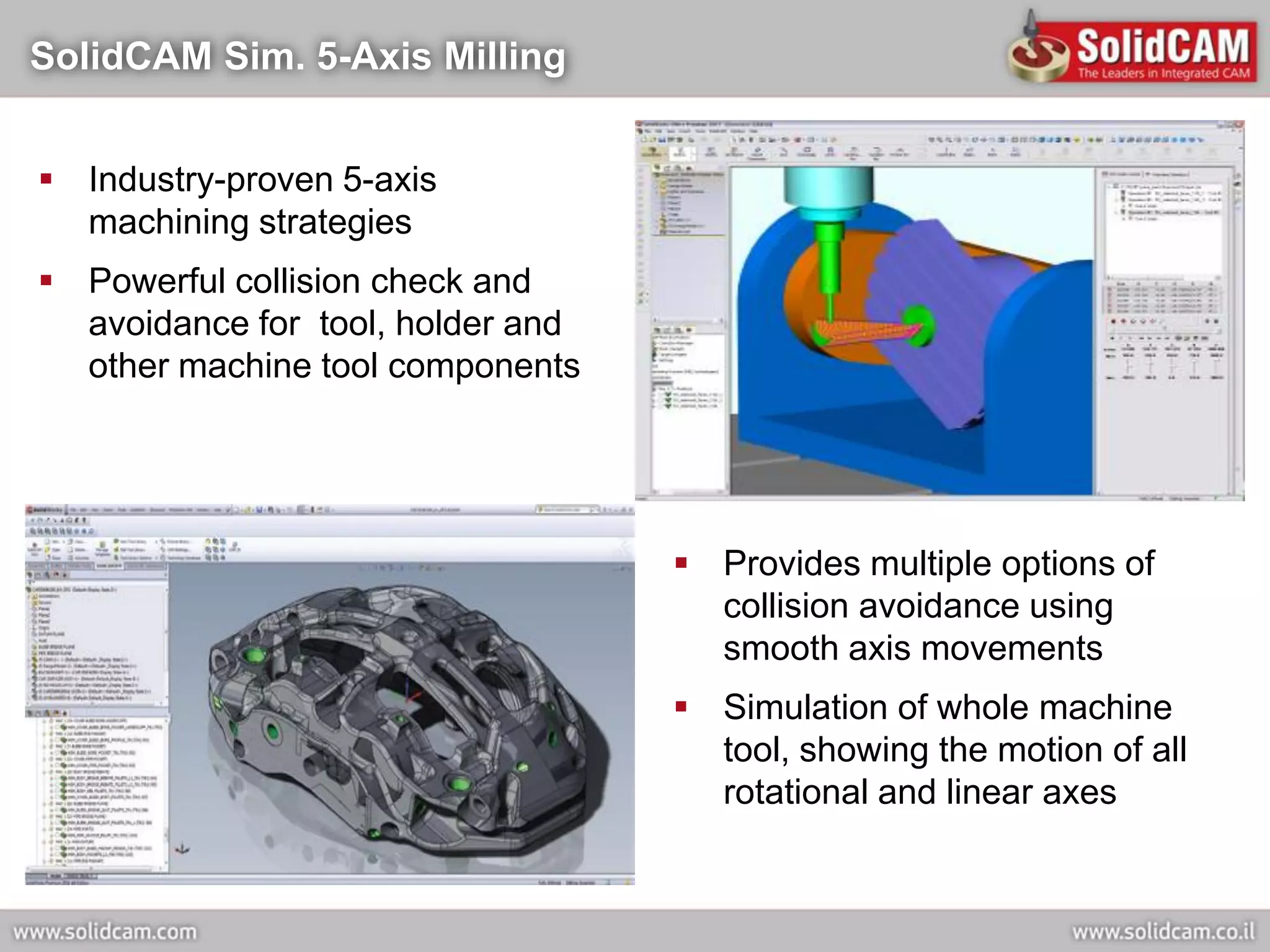
SolidCAM Sim. 5-Axis Milling


 Industry-proven 5-axis
  machining strategies
 Powerful collision check and
  avoidance for tool, holder and
  other machine tool components


                                    Provides multiple options of
                                     collision avoidance using
                                     smooth axis movements
                                    Simulation of whole machine
                                     tool, showing the motion of all
                                     rotational and linear axes
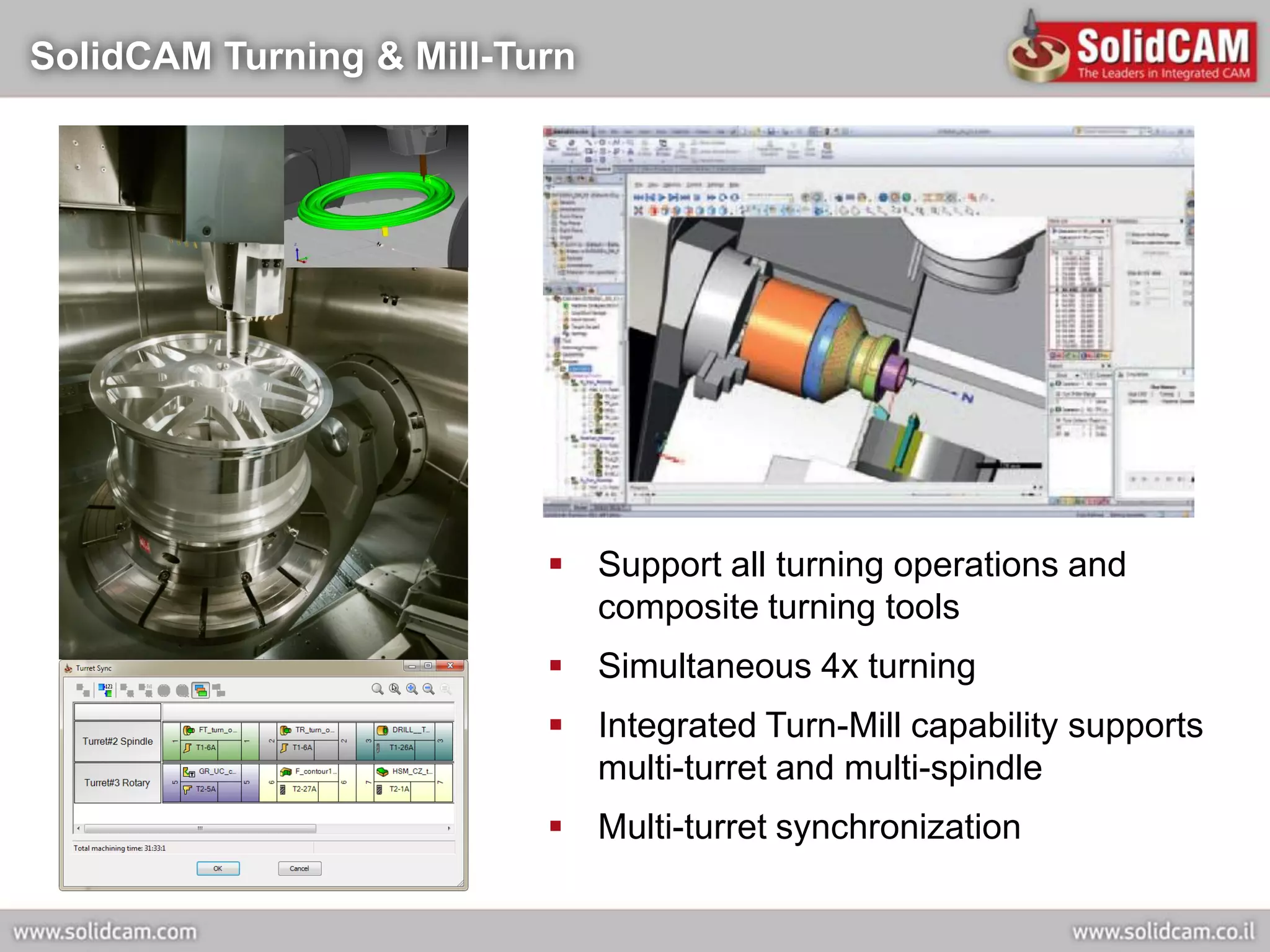
SolidCAM Turning & Mill-Turn


                           Support all turning operations and
                            composite turning tools
                           Simultaneous 4x turning
                           Integrated Turn-Mill capability supports
                            multi-turret and multi-spindle
                           Multi-turret synchronization
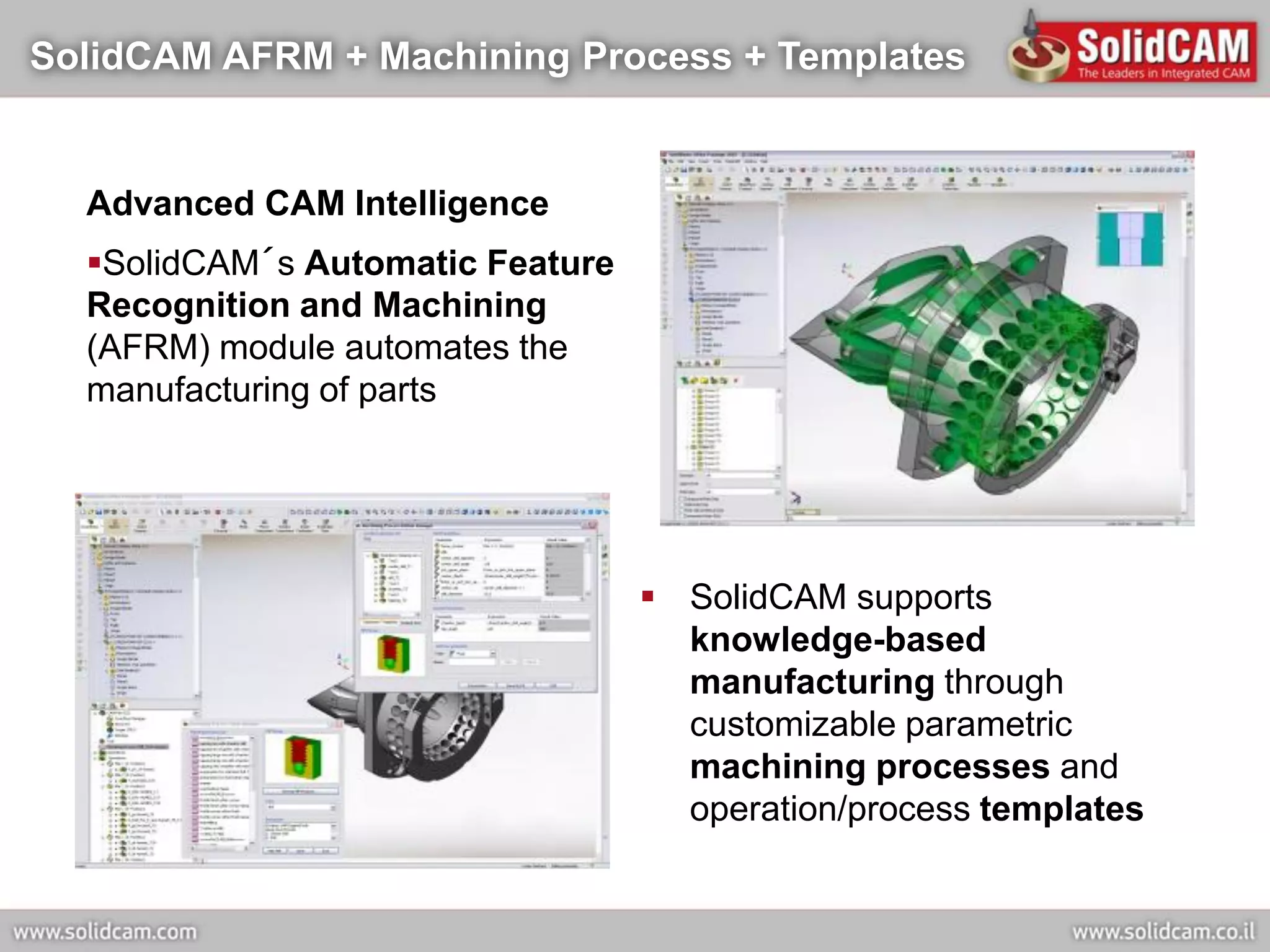
SolidCAM AFRM + Machining Process + Templates


  Advanced CAM Intelligence
  SolidCAM´s Automatic Feature
  Recognition and Machining
  (AFRM) module automates the
  manufacturing of parts


                                   SolidCAM supports
                                    knowledge-based
                                    manufacturing through
                                    customizable parametric
                                    machining processes and
                                    operation/process templates
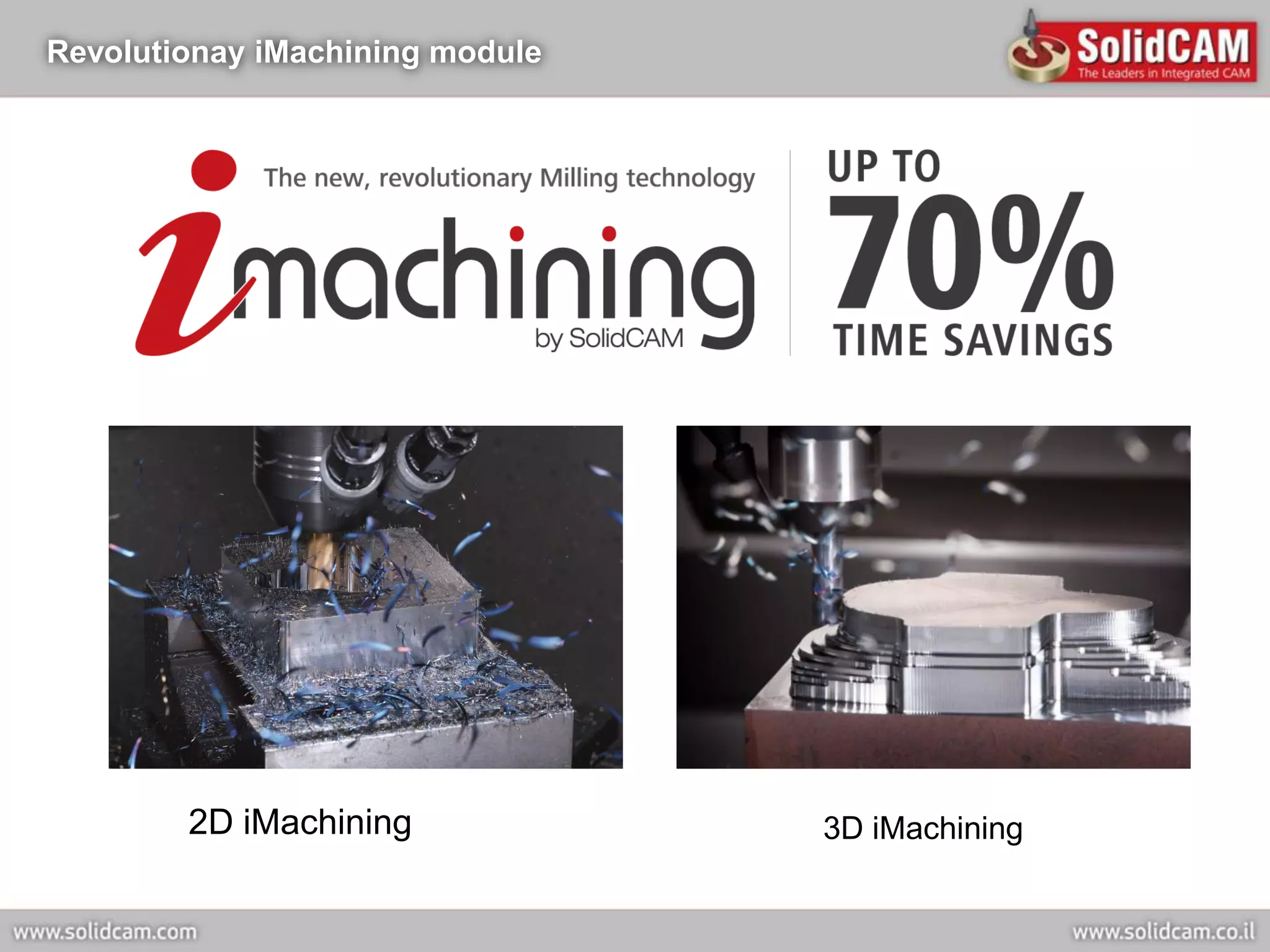
Revolutionay iMachining module


        2D iMachining            3D iMachining
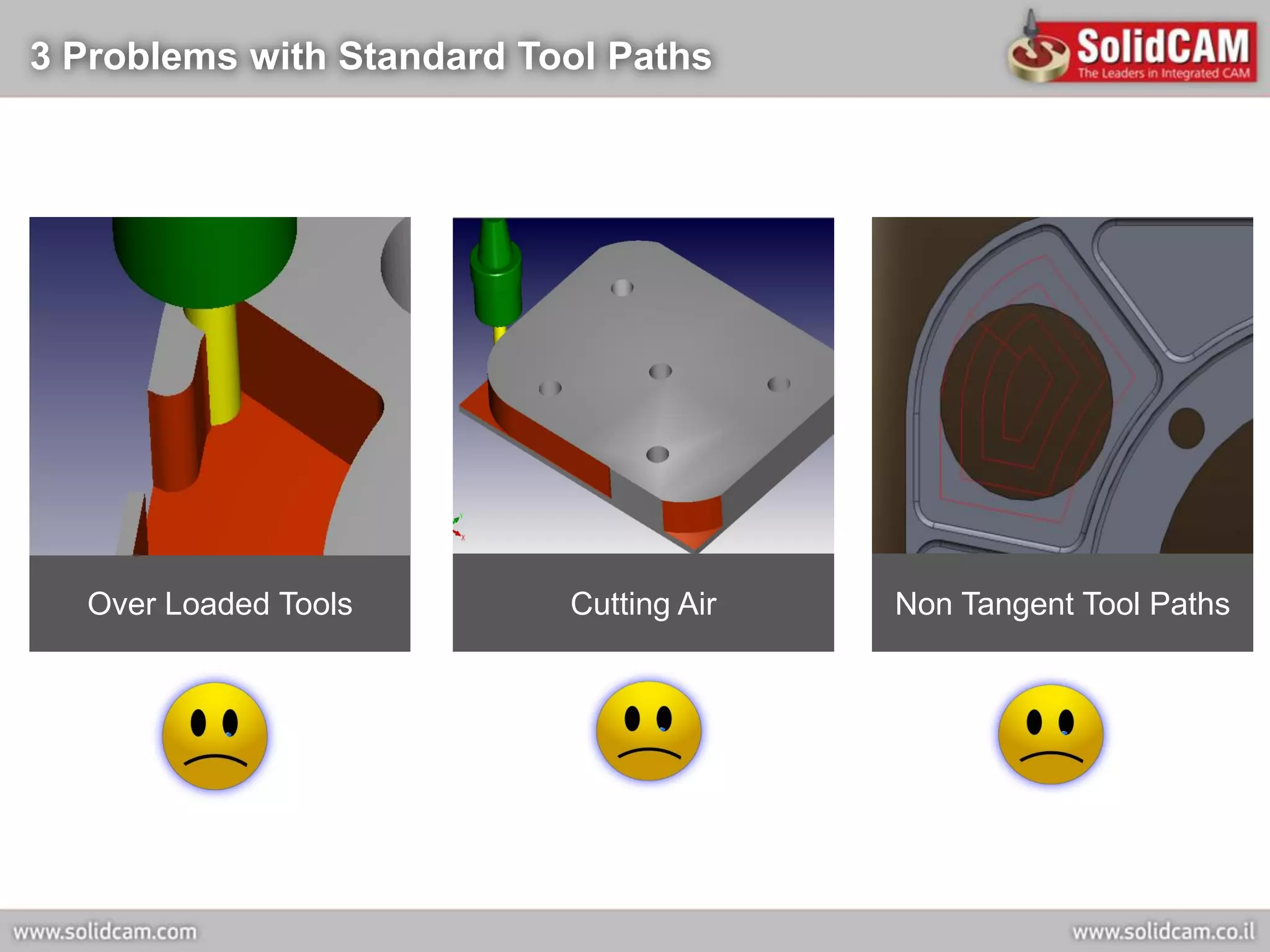
3 Problems with Standard Tool Paths


  Over Loaded Tools        Cutting Air   Non Tangent Tool Paths
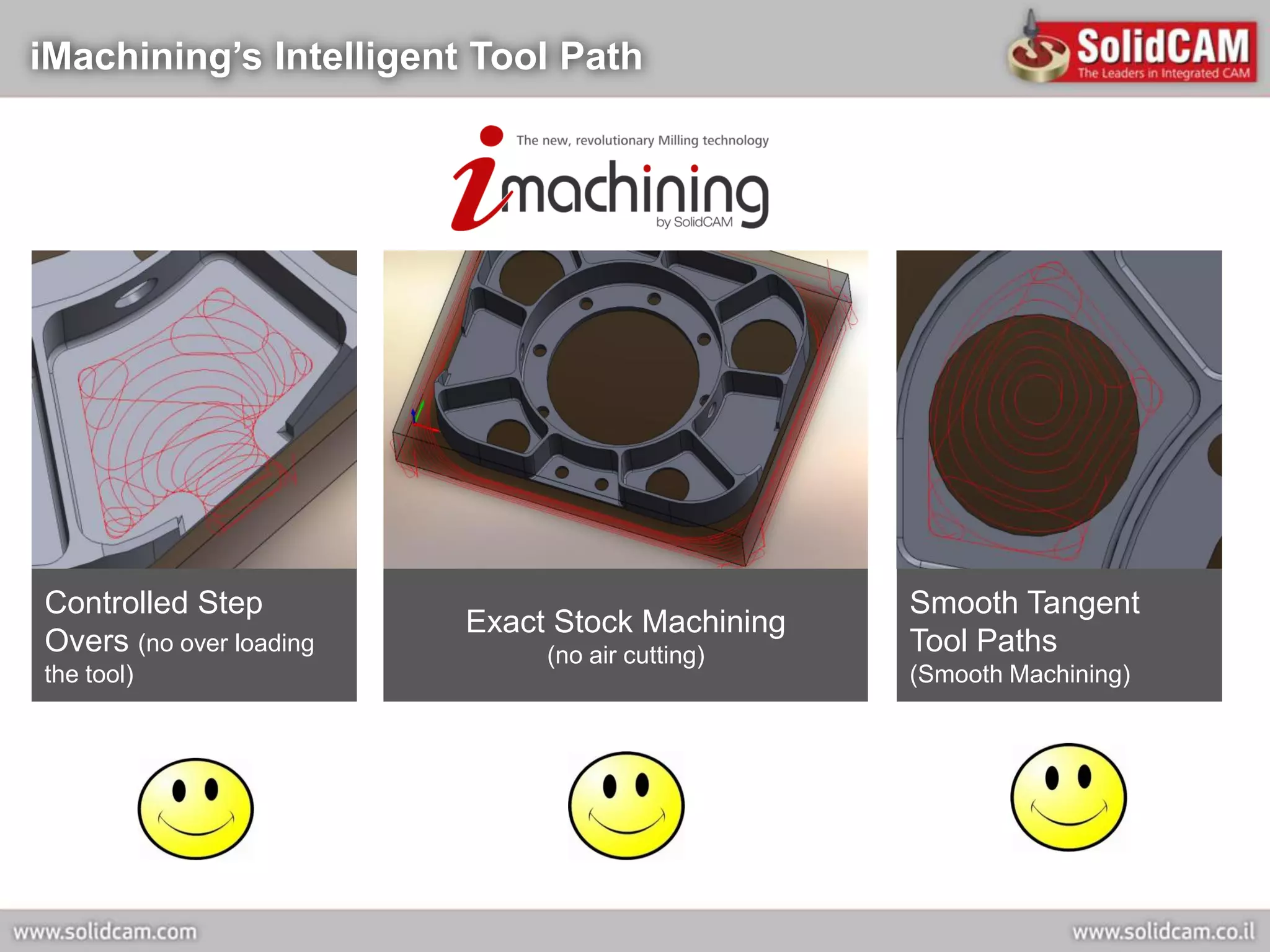
iMachining’s Intelligent Tool Path


Controlled Step                                  Smooth Tangent
                         Exact Stock Machining
Overs (no over loading        (no air cutting)   Tool Paths
the tool)                                        (Smooth Machining)
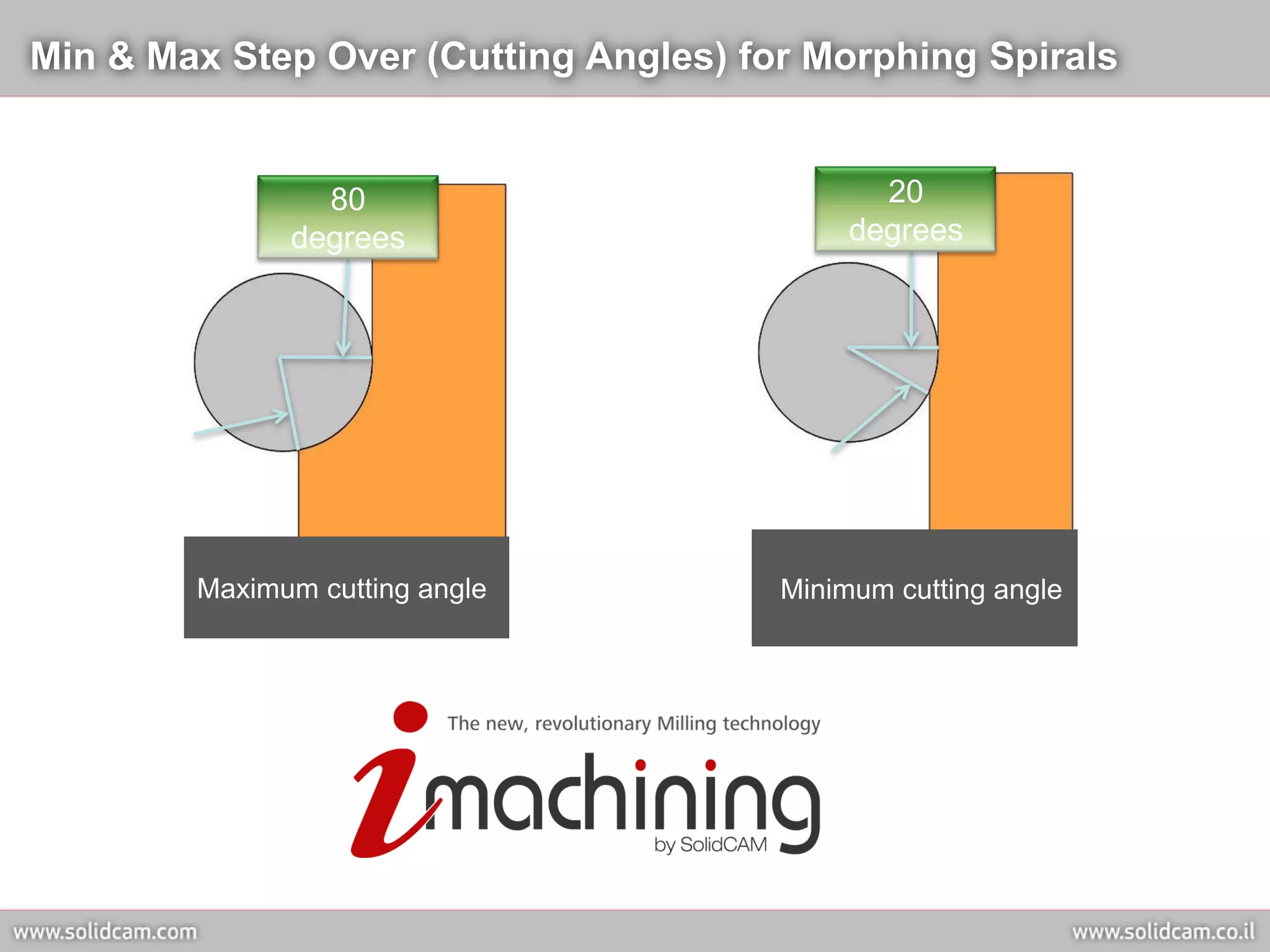
Min & Max Step Over (Cutting Angles) for Morphing Spirals


                80                            20
              degrees                       degrees


        Maximum cutting angle          Minimum cutting angle
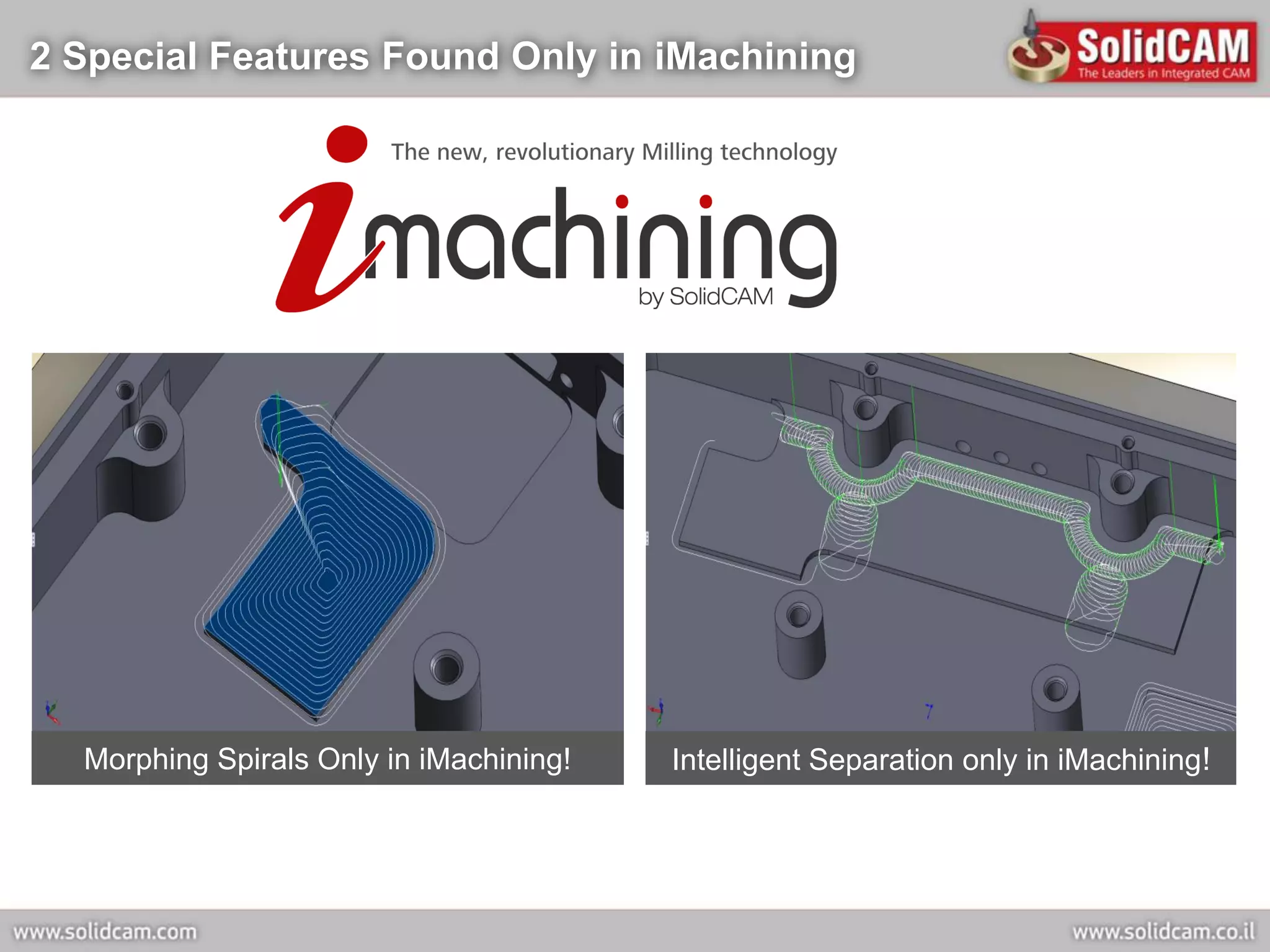
2 Special Features Found Only in iMachining


  Morphing Spirals Only in iMachining!   Intelligent Separation only in iMachining!
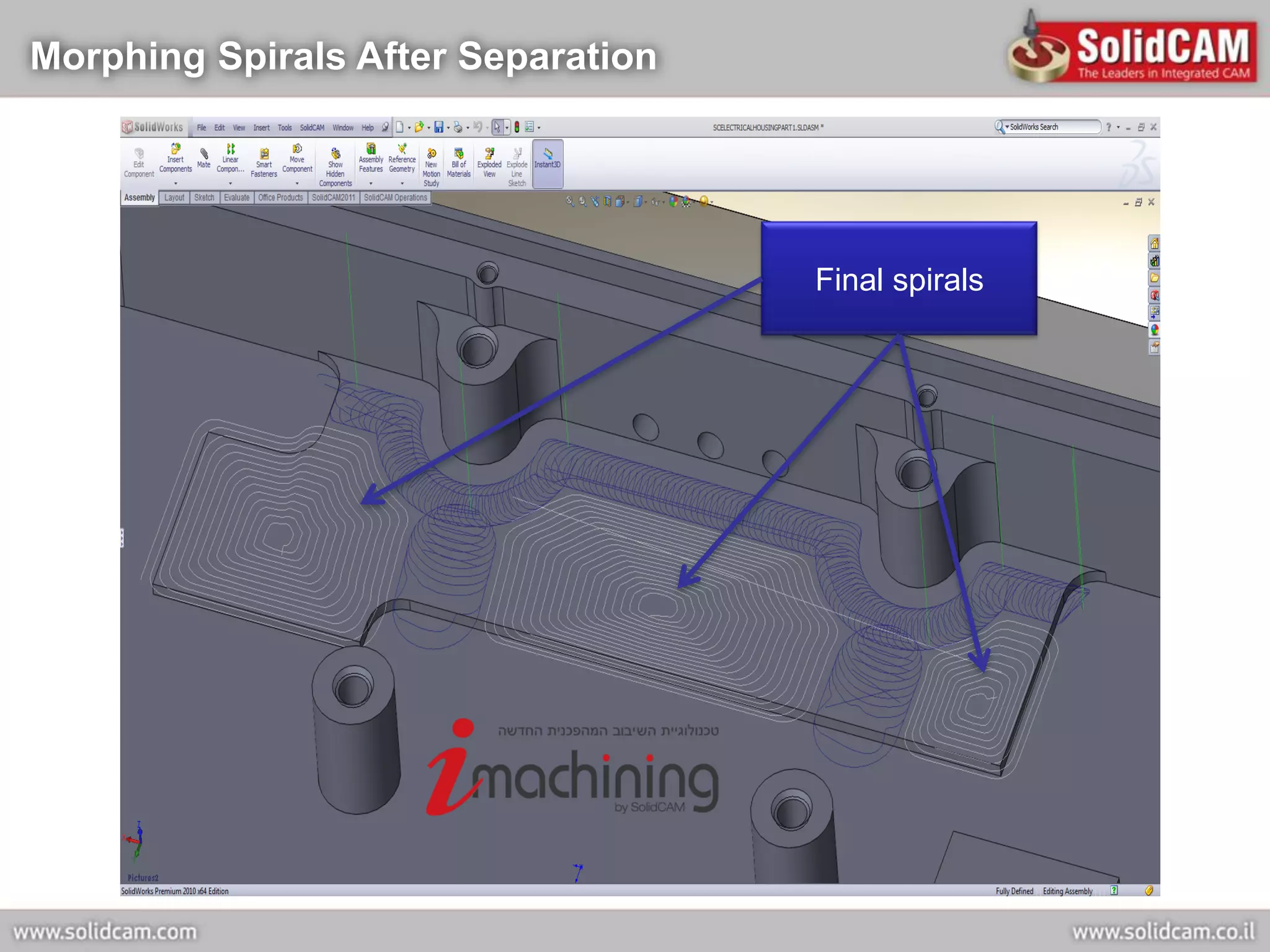
Morphing Spirals After Separation


                                    Final spirals
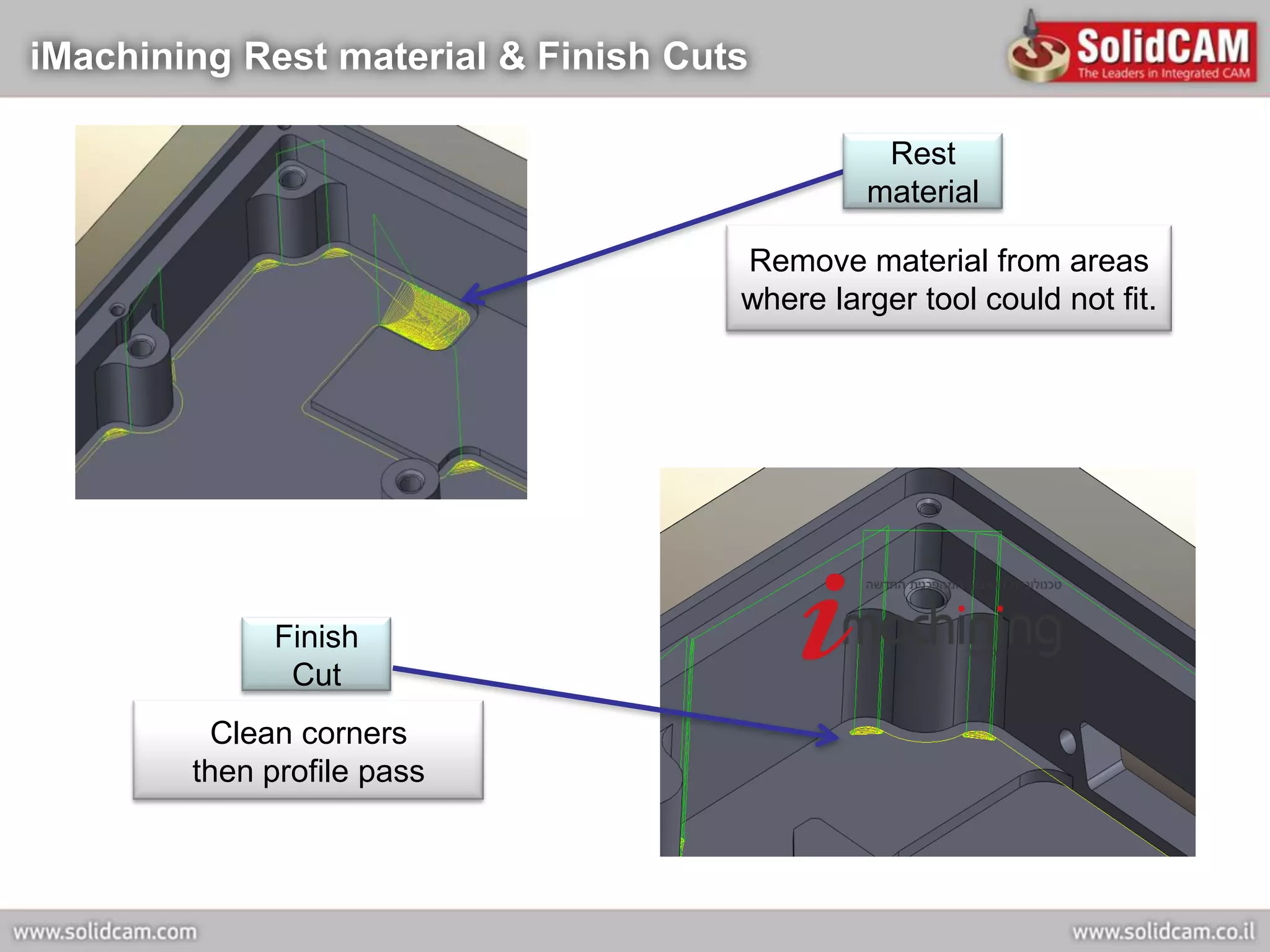
iMachining Rest material & Finish Cuts

                                               Rest
                                              material

                                     Remove material from areas
                                     where larger tool could not fit.


             Finish
              Cut
          Clean corners
        then profile pass
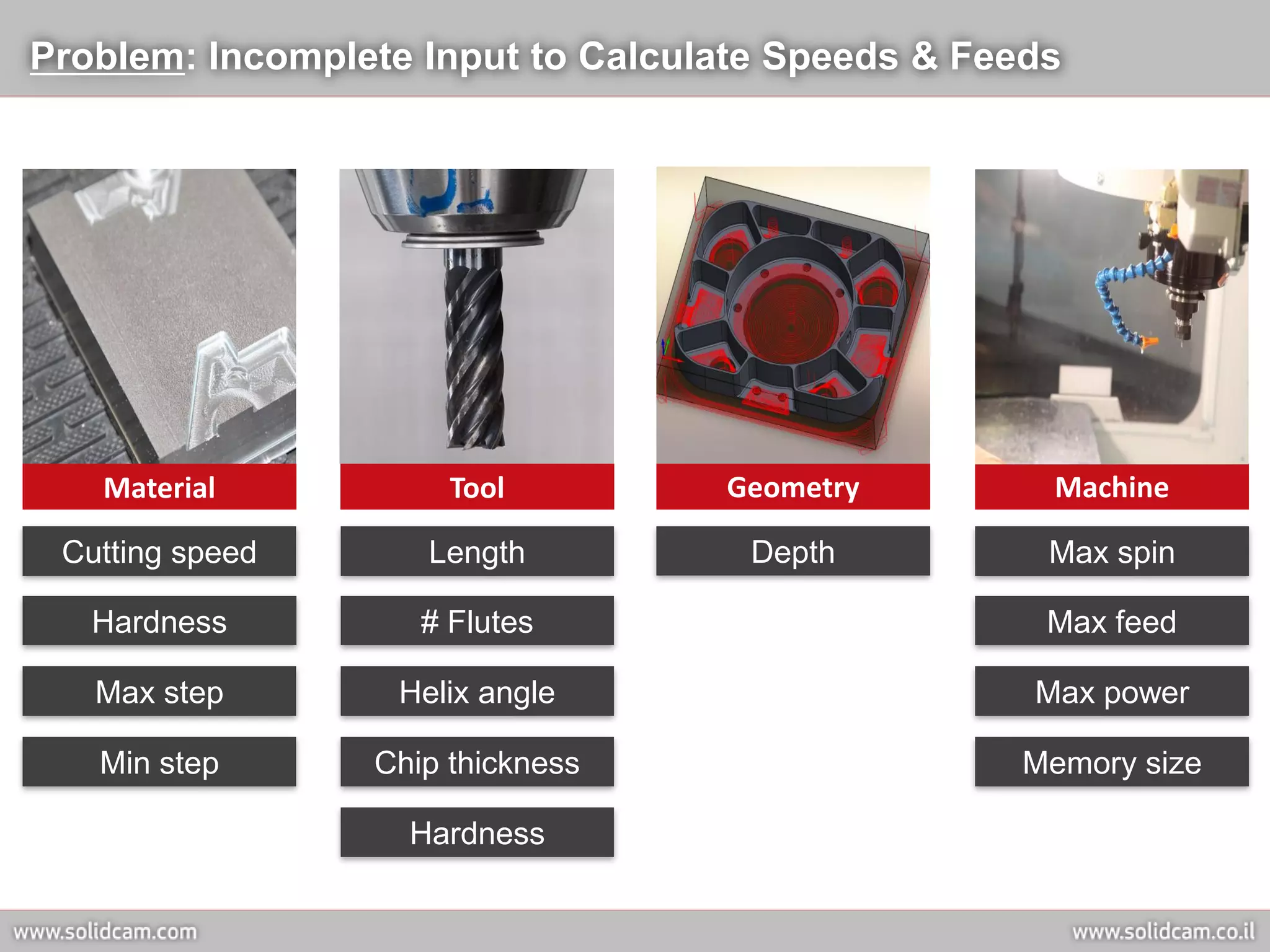
Problem: Incomplete Input to Calculate Speeds & Feeds


   Material           Tool         Geometry         Machine

 Cutting speed      Length           Depth          Max spin

   Hardness         # Flutes                        Max feed

   Max step       Helix angle                      Max power

   Min step      Chip thickness                   Memory size

                   Hardness
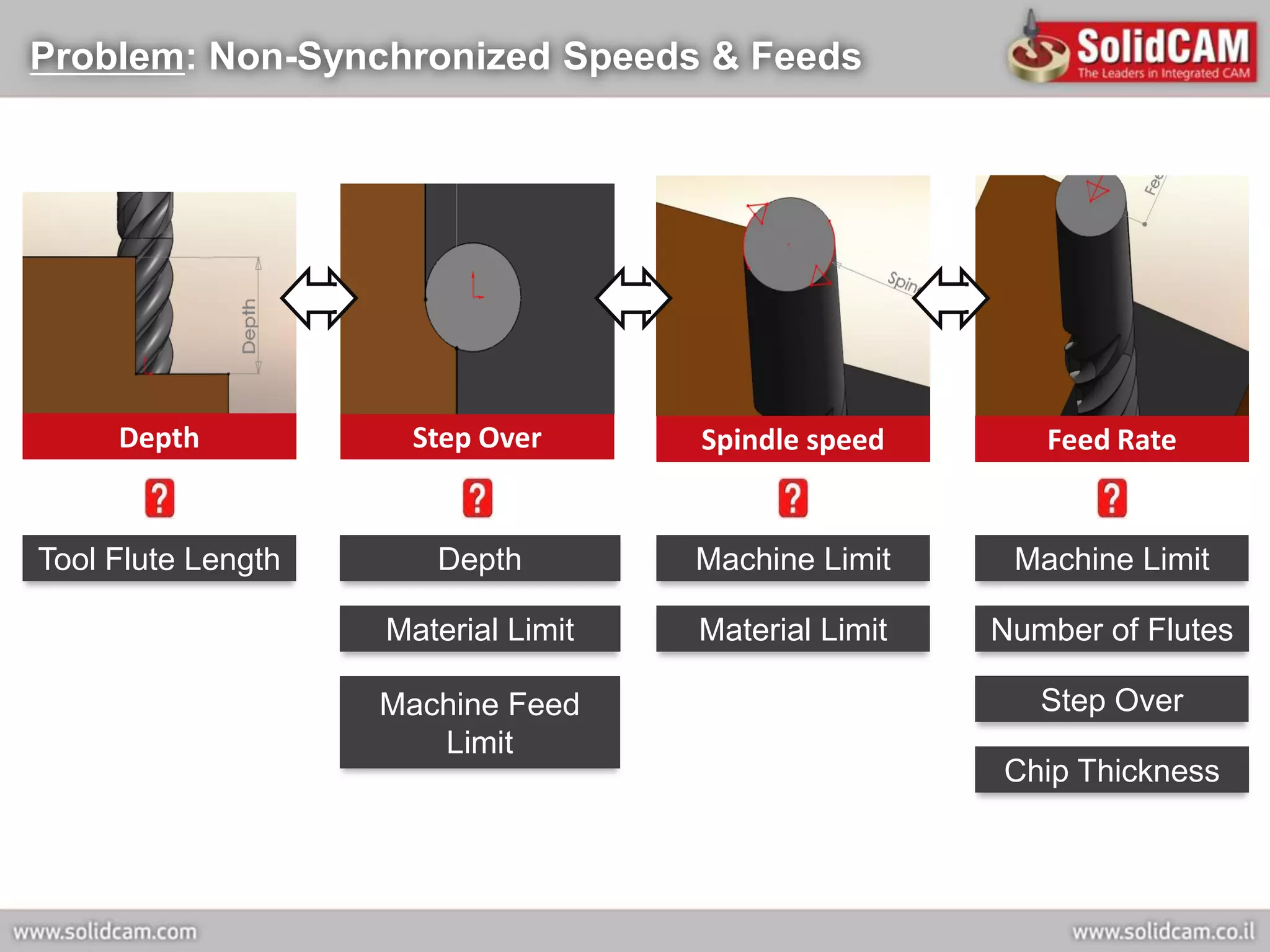
Problem: Non-Synchronized Speeds & Feeds


     Depth           Step Over       Spindle speed       Feed Rate


Tool Flute Length      Depth         Machine Limit     Machine Limit

                    Material Limit   Material Limit   Number of Flutes

                    Machine Feed                         Step Over
                       Limit
                                                      Chip Thickness
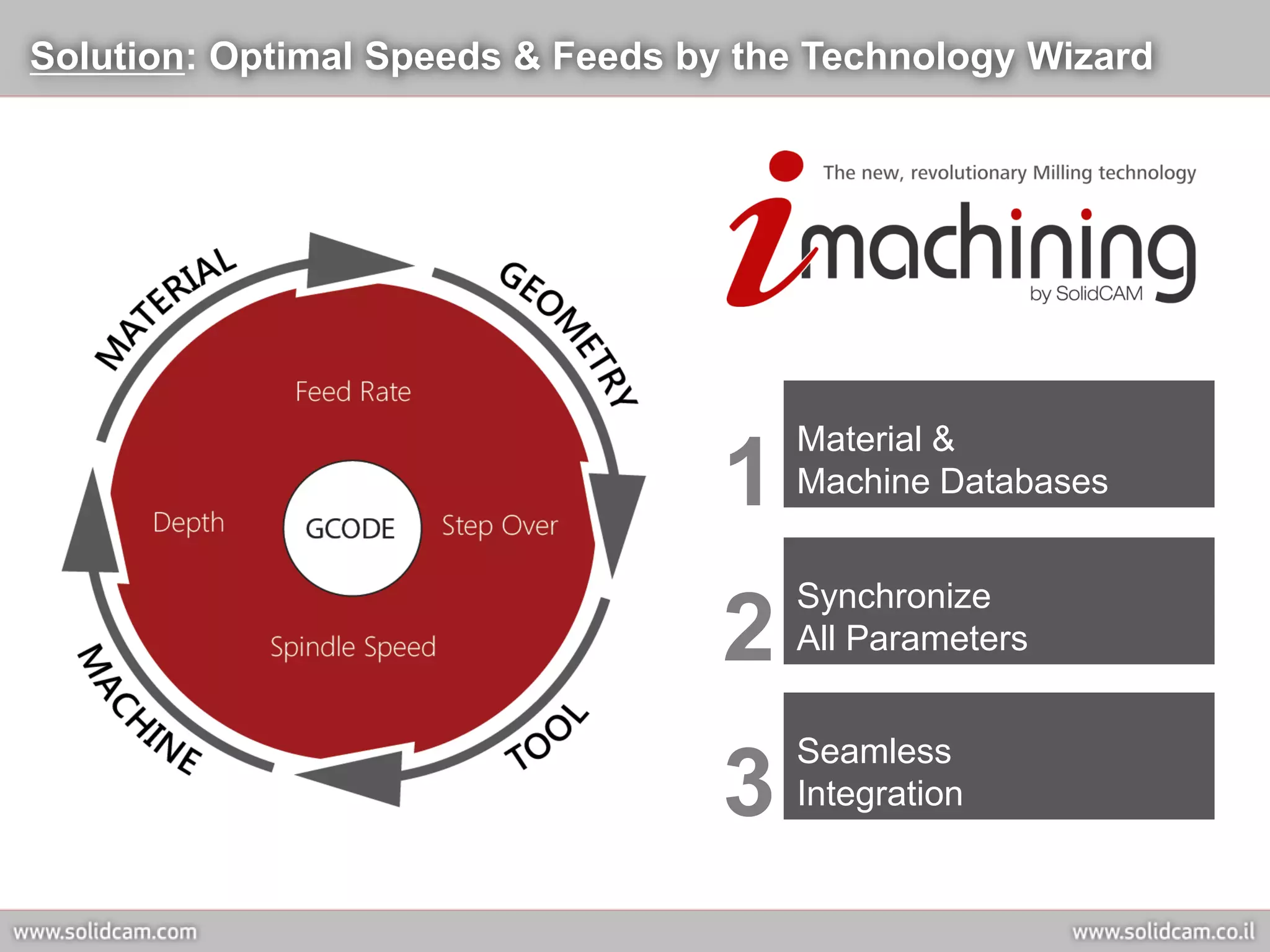
Solution: Optimal Speeds & Feeds by the Technology Wizard


                                       Material &
                                   1   Machine Databases


                                       Synchronize
                                   2   All Parameters


                                       Seamless
                                   3   Integration
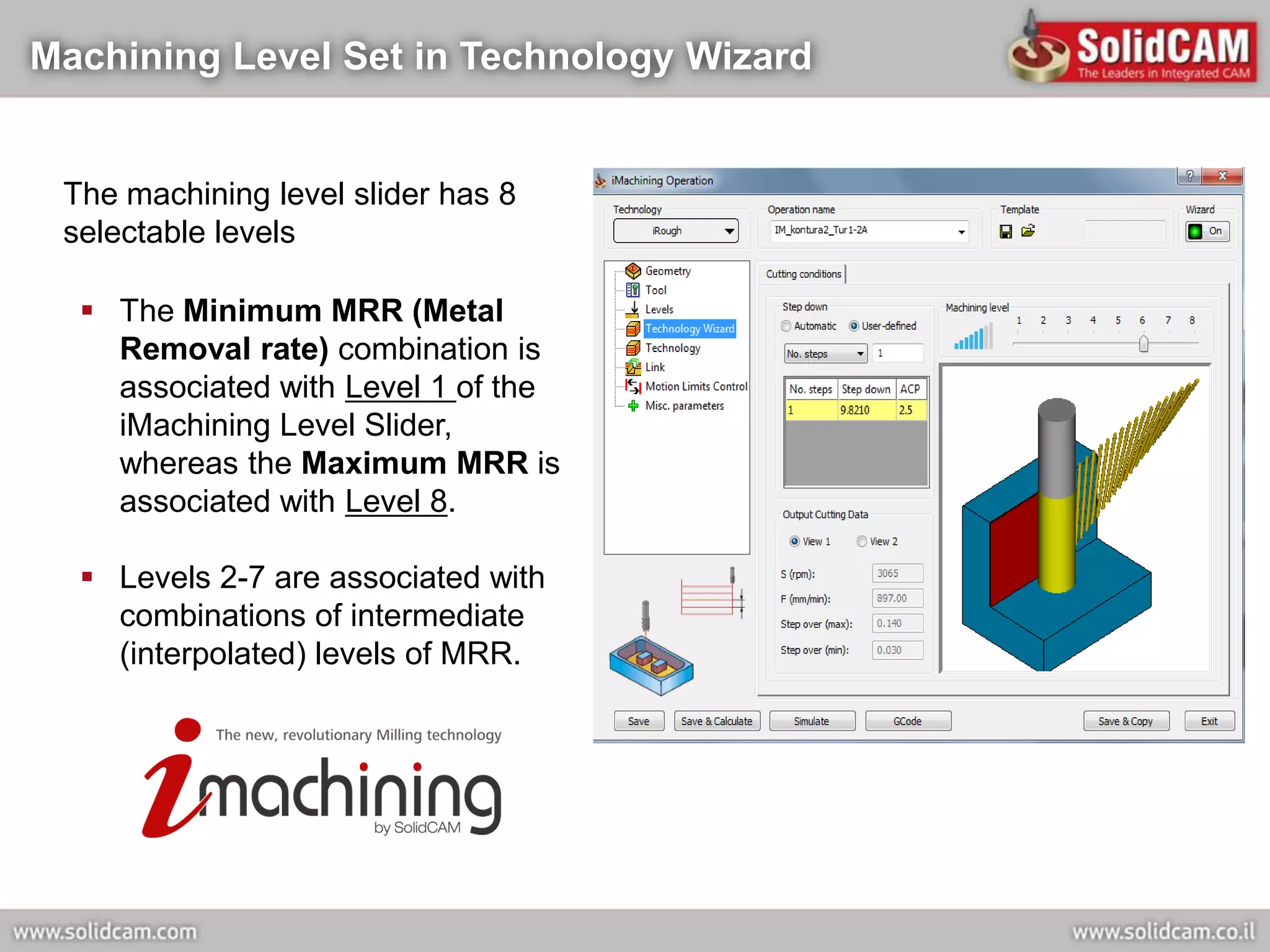
Machining Level Set in Technology Wizard


 The machining level slider has 8
 selectable levels

   The Minimum MRR (Metal
    Removal rate) combination is
    associated with Level 1 of the
    iMachining Level Slider,
    whereas the Maximum MRR is
    associated with Level 8.

   Levels 2-7 are associated with
    combinations of intermediate
    (interpolated) levels of MRR.
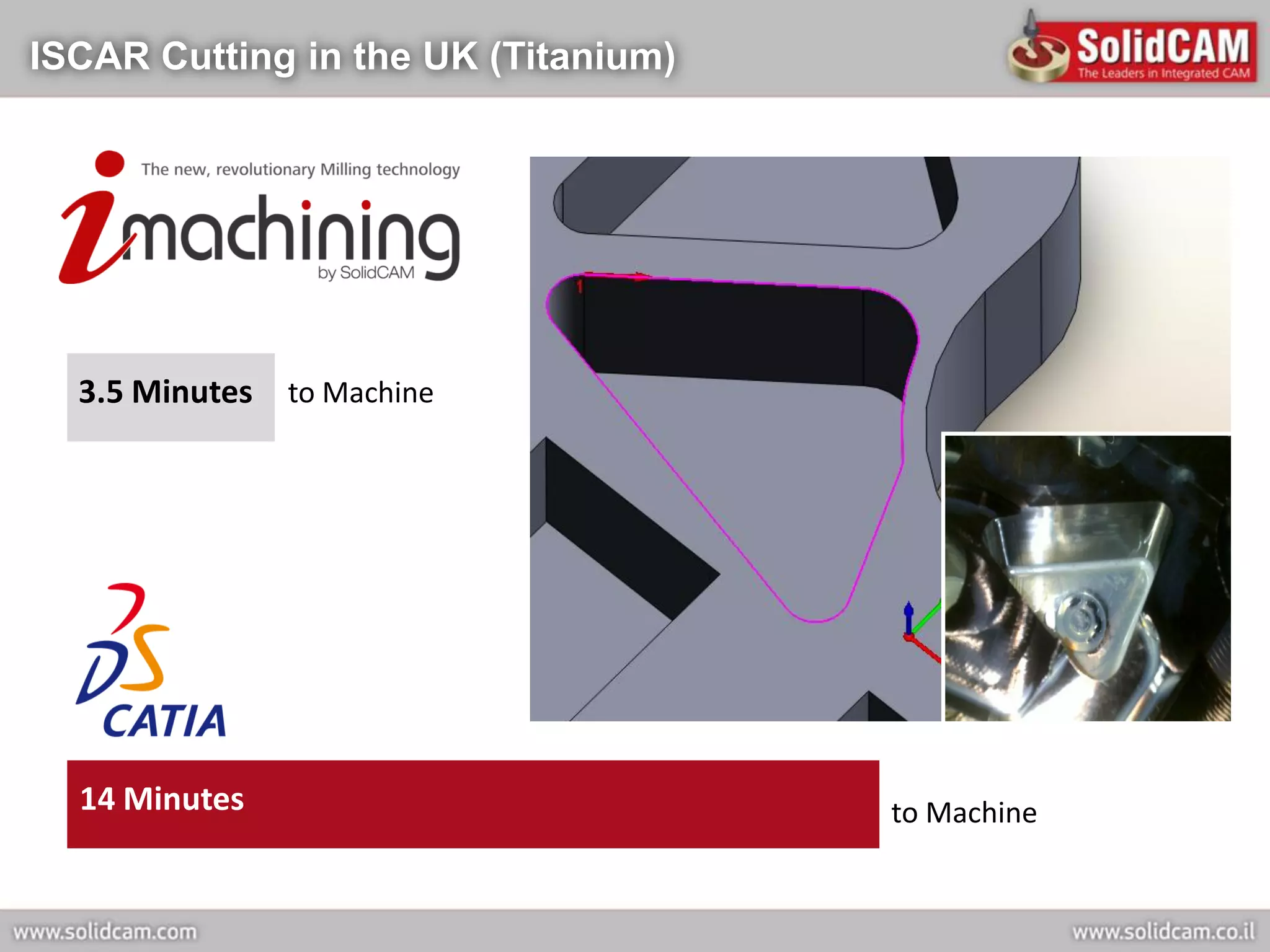
ISCAR Cutting in the UK (Titanium)


  3.5 Minutes to Machine


  14 Minutes                         to Machine
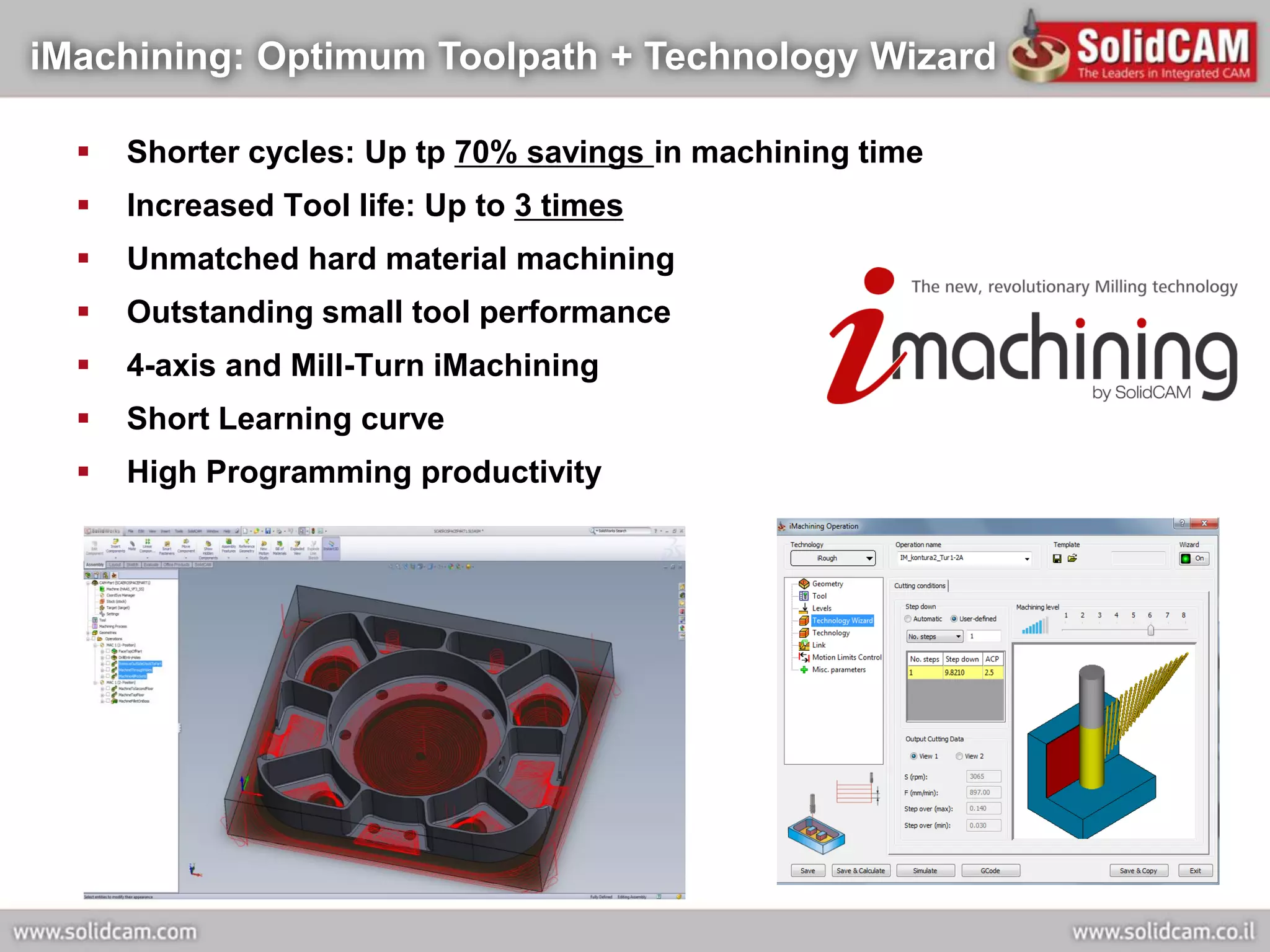
iMachining: Optimum Toolpath + Technology Wizard

     Shorter cycles: Up tp 70% savings in machining time
     Increased Tool life: Up to 3 times
     Unmatched hard material machining
     Outstanding small tool performance
     4-axis and Mill-Turn iMachining
     Short Learning curve
     High Programming productivity
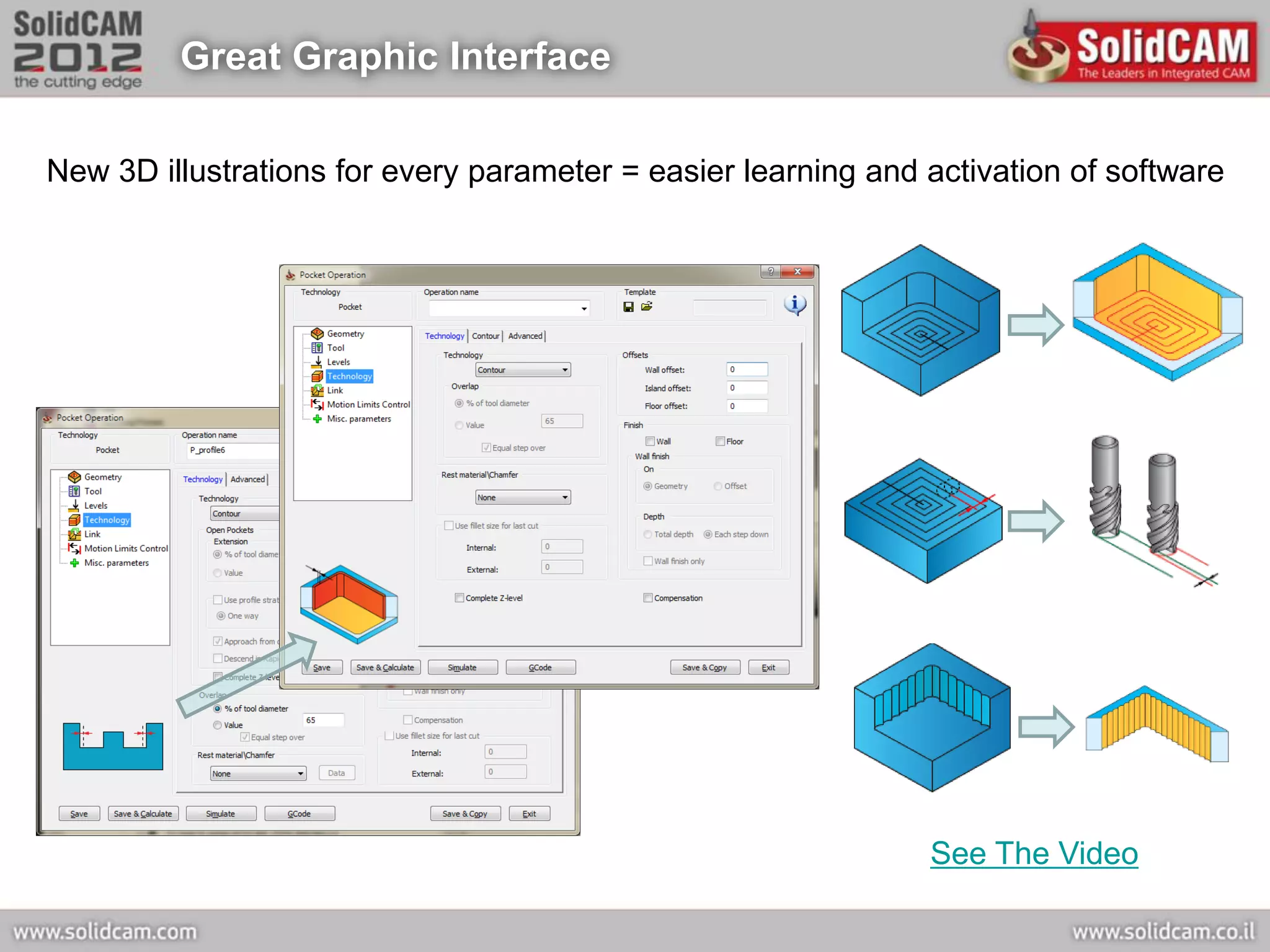
Great Graphic Interface

New 3D illustrations for every parameter = easier learning and activation of software


                                                               See The Video
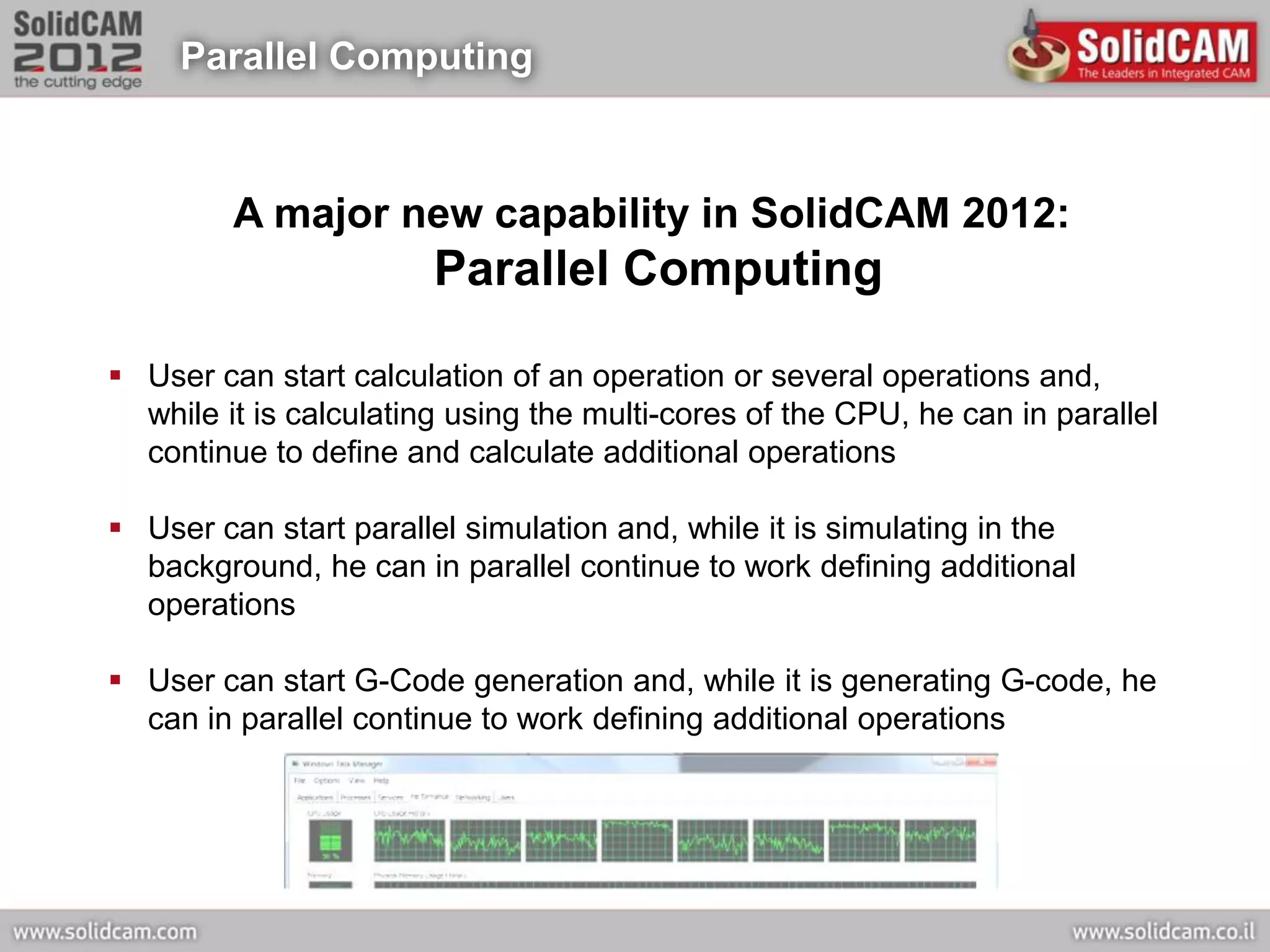
Parallel Computing


         A major new capability in SolidCAM 2012:
                        Parallel Computing

 User can start calculation of an operation or several operations and,
  while it is calculating using the multi-cores of the CPU, he can in parallel
  continue to define and calculate additional operations

 User can start parallel simulation and, while it is simulating in the
  background, he can in parallel continue to work defining additional
  operations

 User can start G-Code generation and, while it is generating G-code, he
  can in parallel continue to work defining additional operations
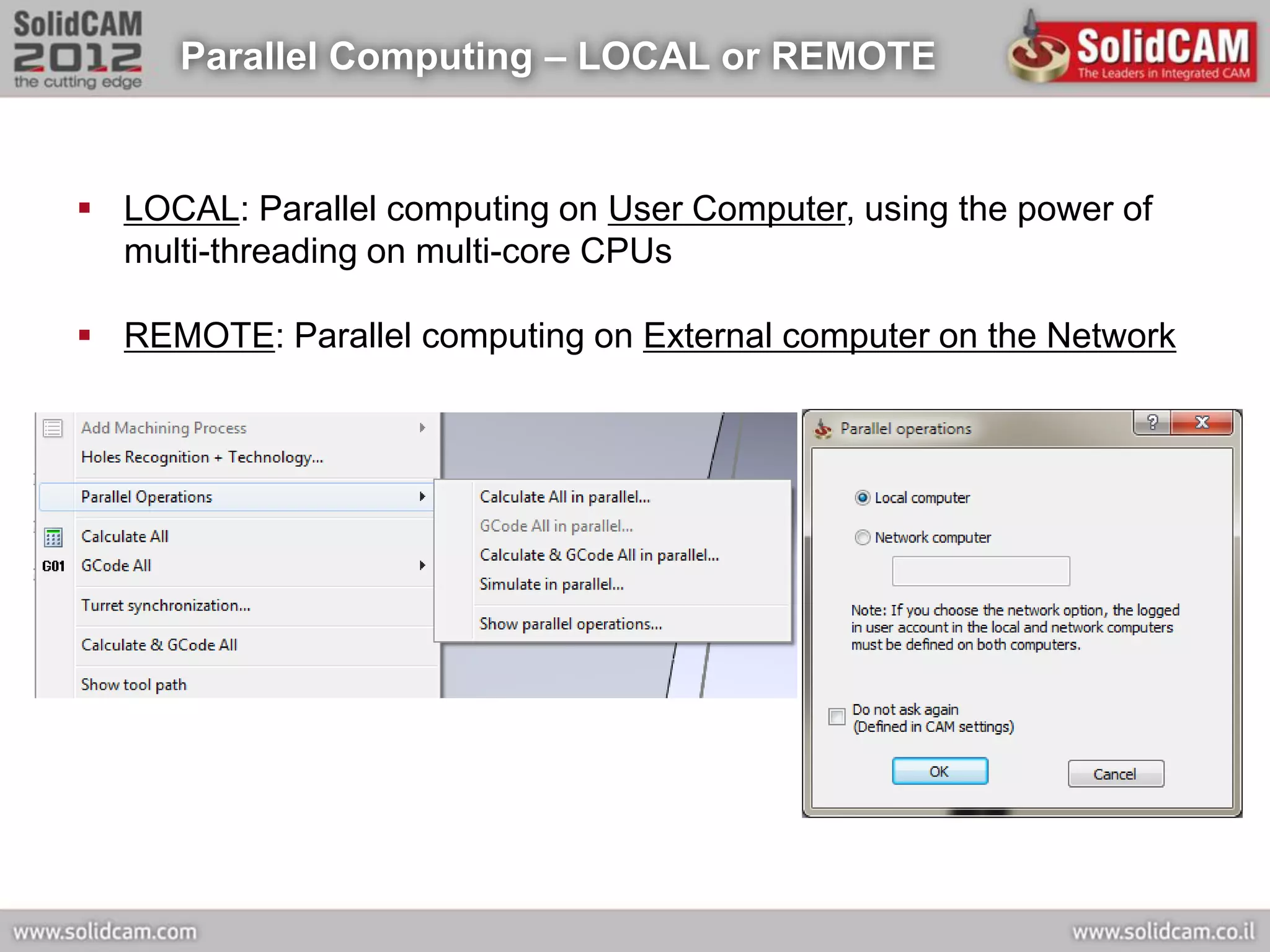
Parallel Computing – LOCAL or REMOTE


 LOCAL: Parallel computing on User Computer, using the power of
  multi-threading on multi-core CPUs

 REMOTE: Parallel computing on External computer on the Network
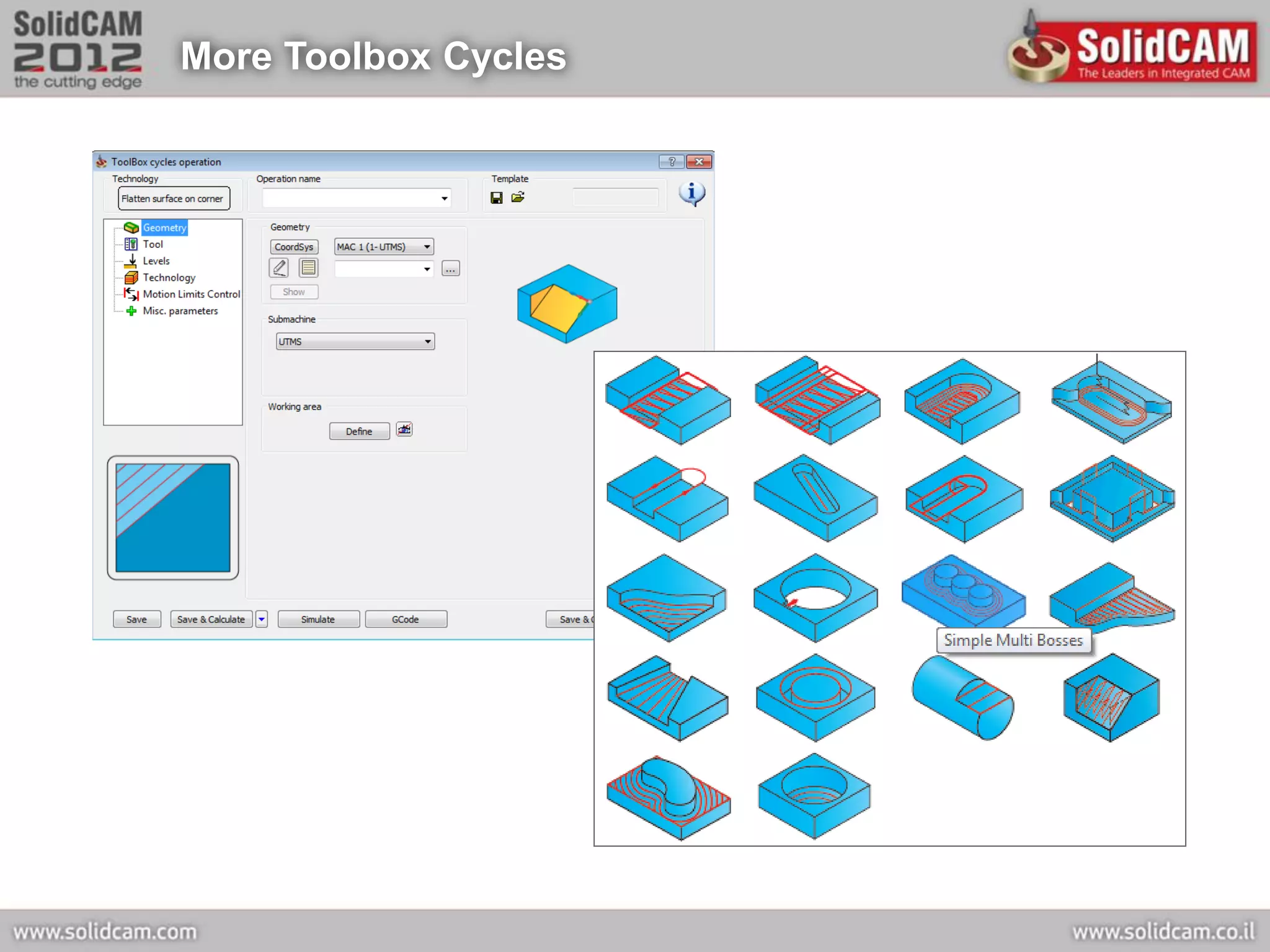
More Toolbox Cycles
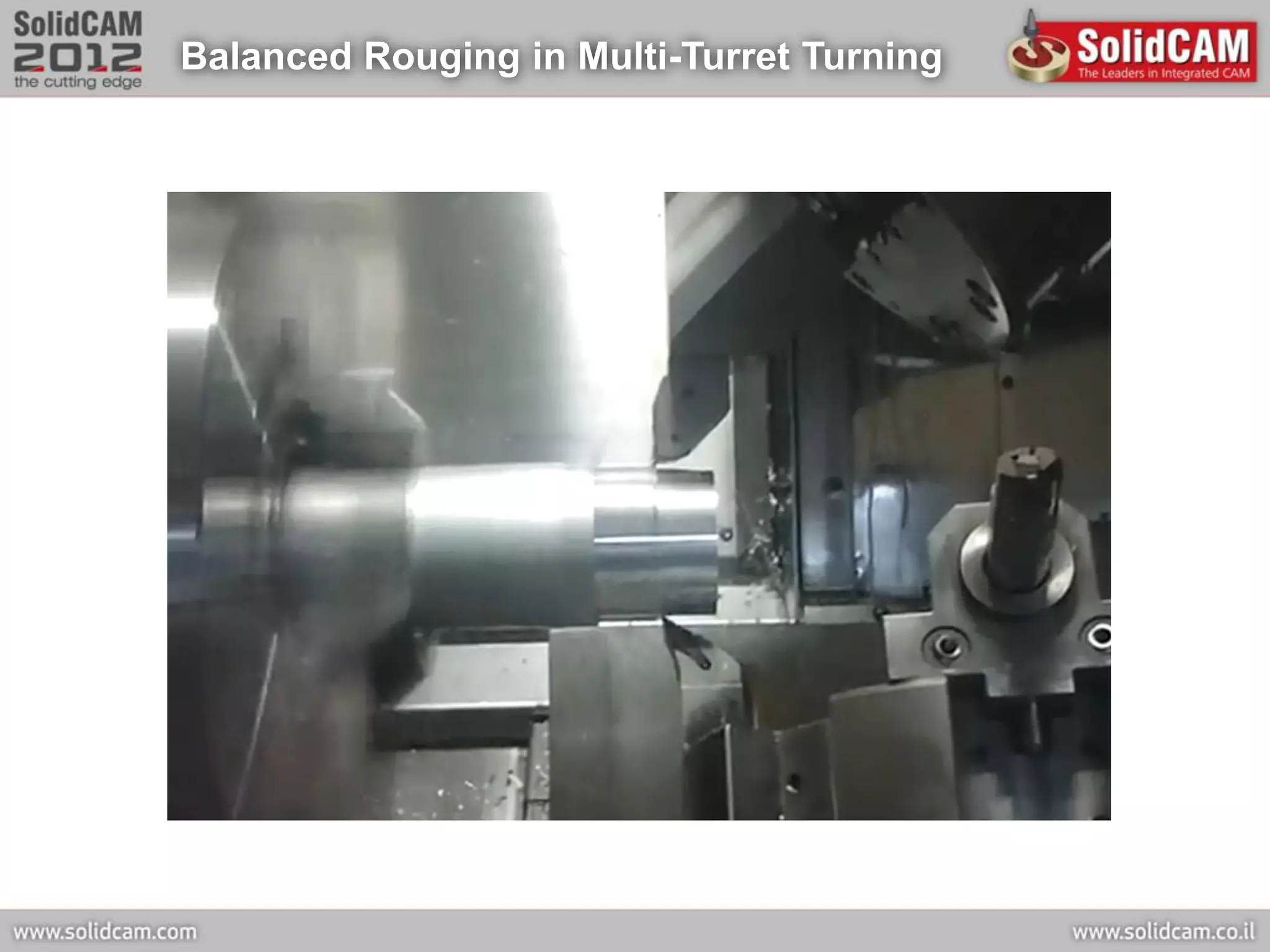
Balanced Rouging in Multi-Turret Turning
HSR/HSM New Operations


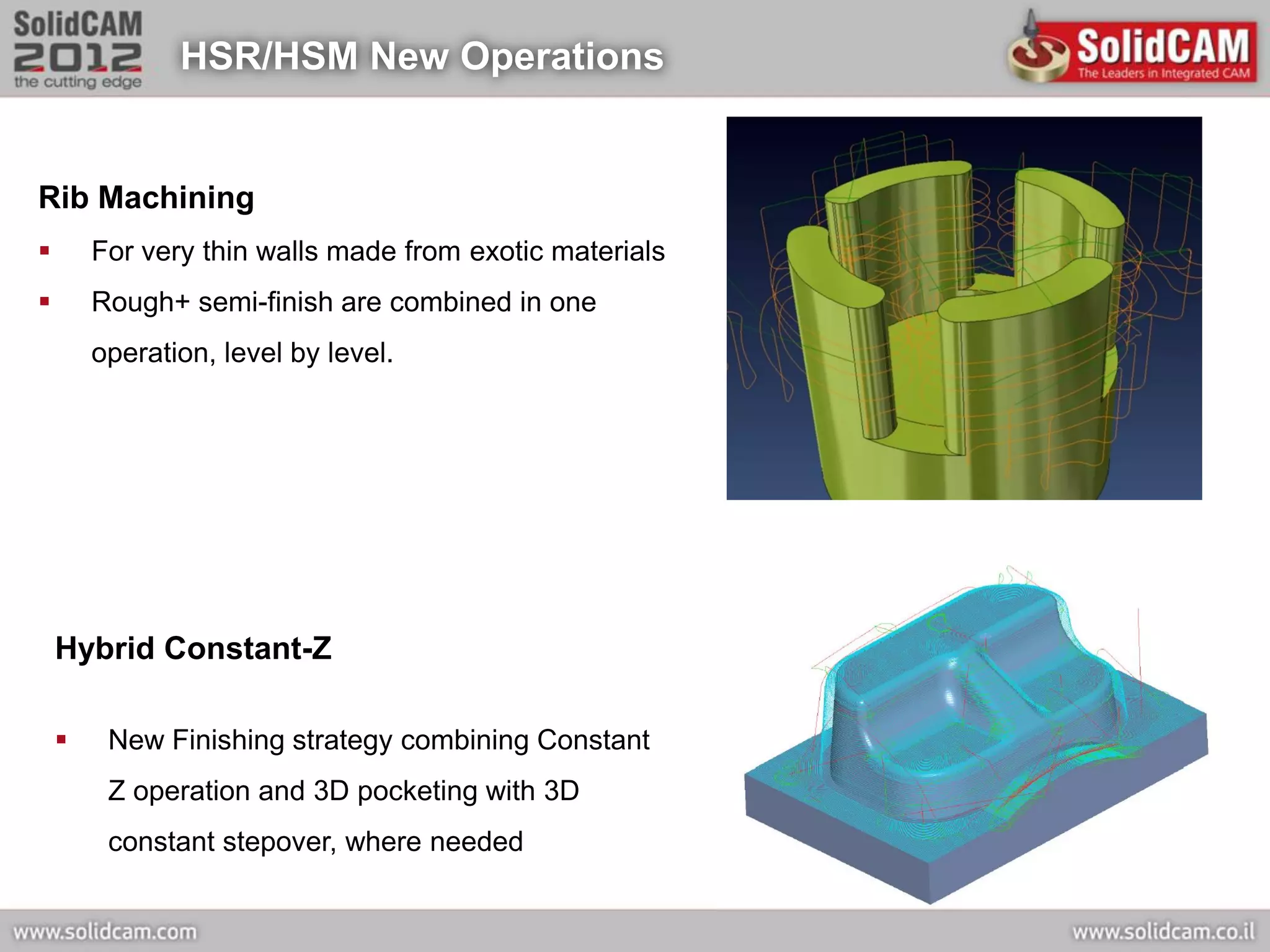
Rib Machining
       For very thin walls made from exotic materials
       Rough+ semi-finish are combined in one
        operation, level by level.


    Hybrid Constant-Z

        New Finishing strategy combining Constant
         Z operation and 3D pocketing with 3D
         constant stepover, where needed
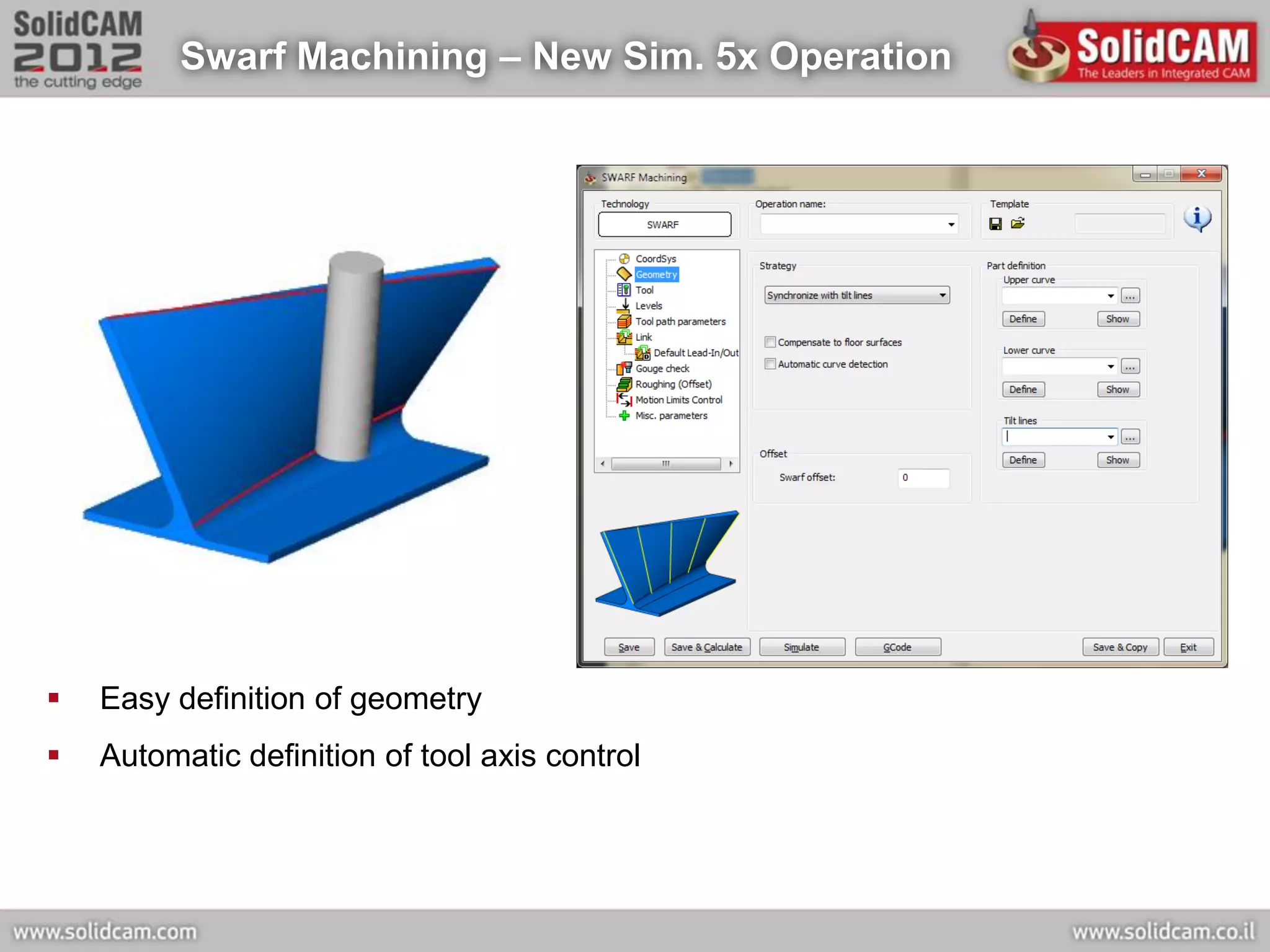
Swarf Machining – New Sim. 5x Operation


   Easy definition of geometry
   Automatic definition of tool axis control
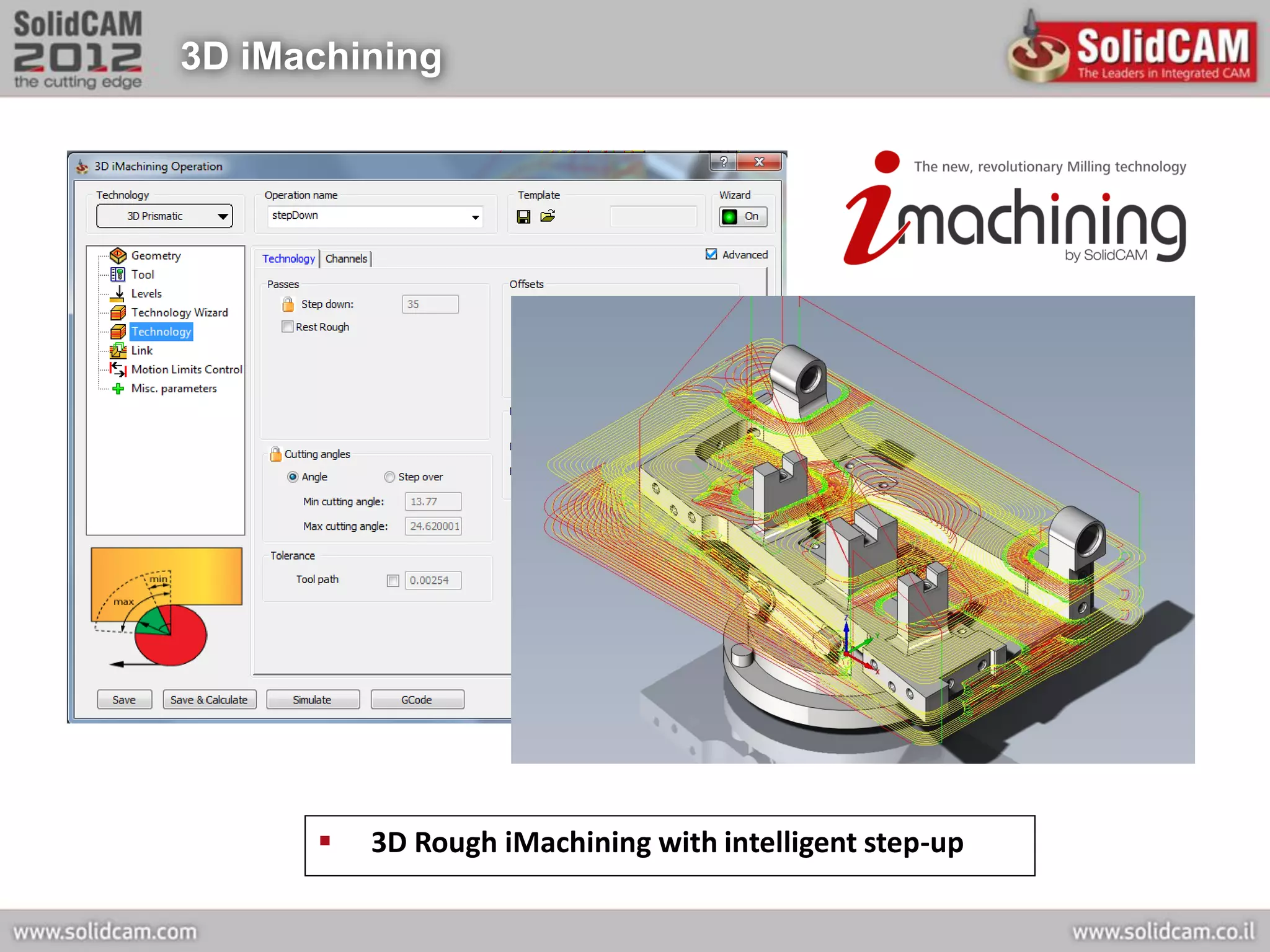
3D iMachining


         3D Rough iMachining with intelligent step-up
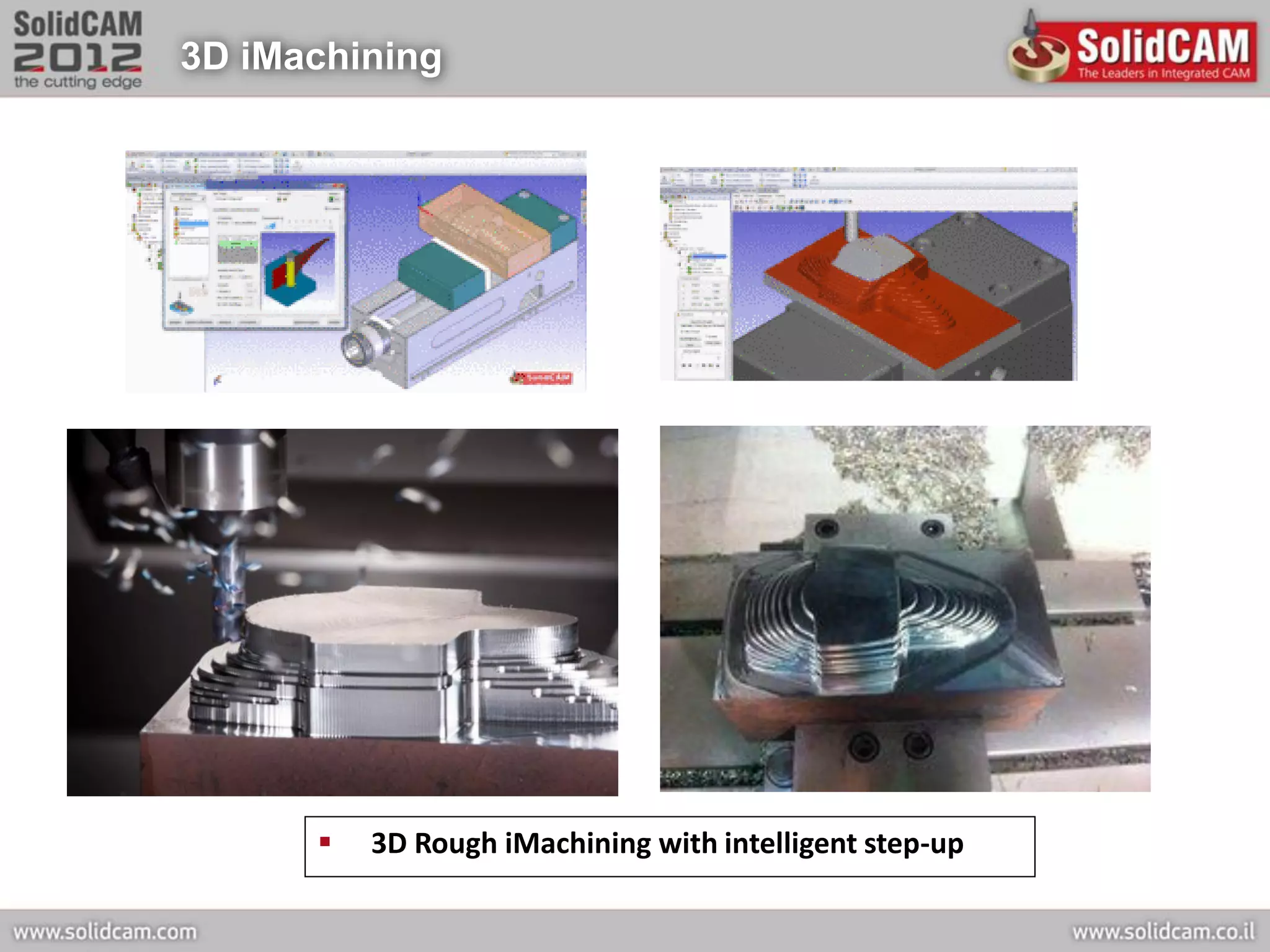
3D iMachining


         3D Rough iMachining with intelligent step-up
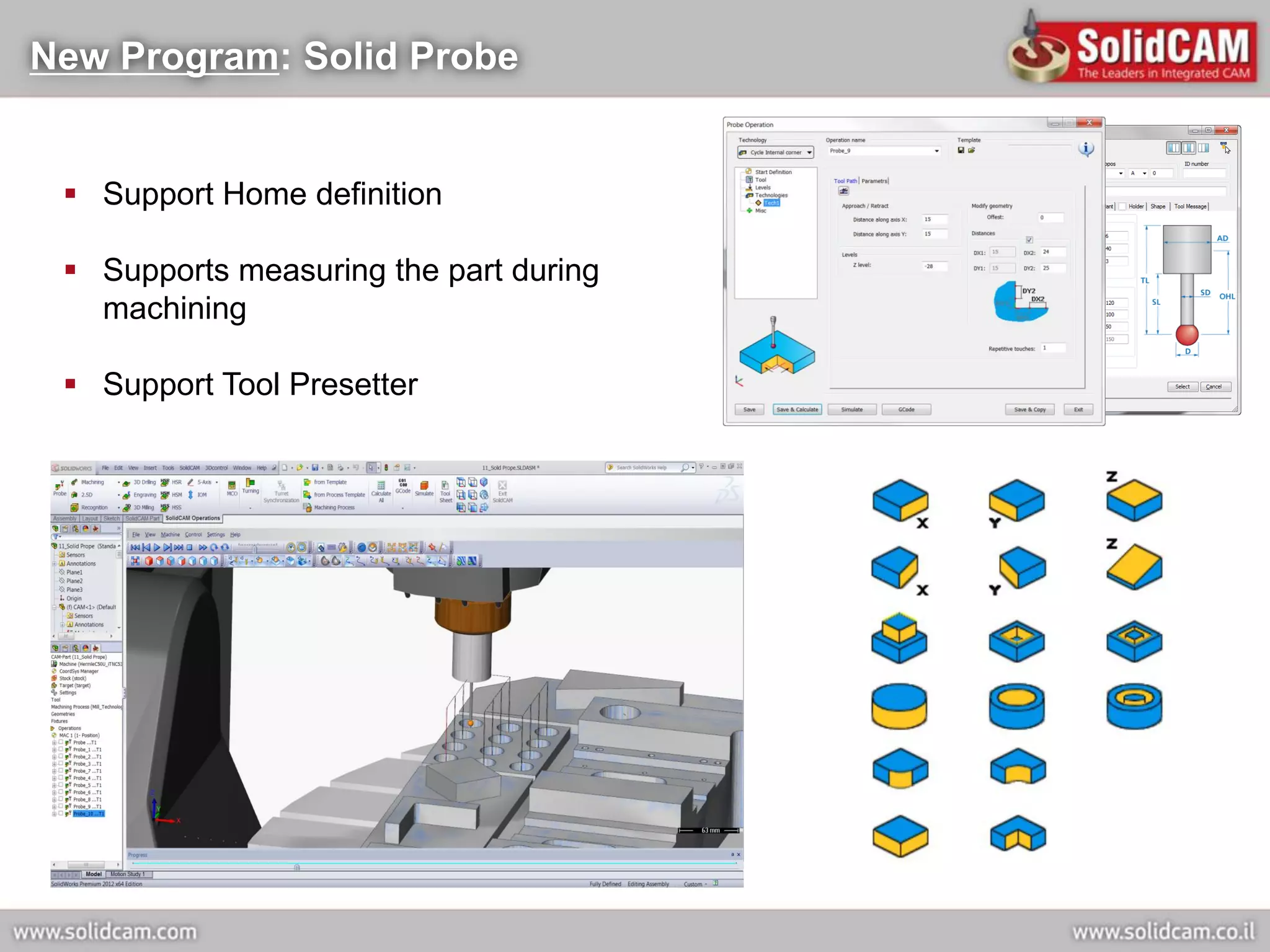
New Program: Solid Probe


  Support Home definition

  Supports measuring the part during
   machining

  Support Tool Presetter
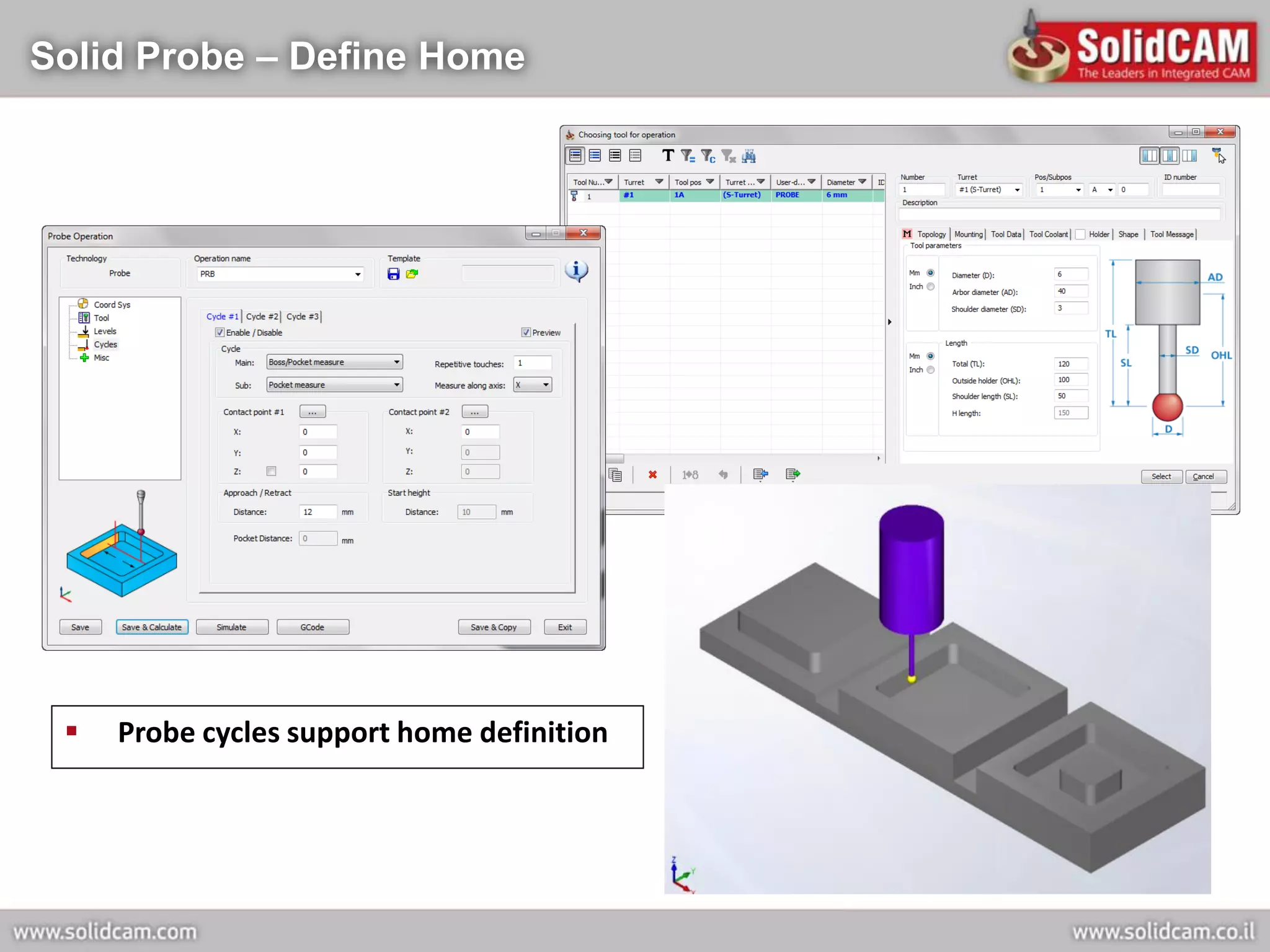
Solid Probe – Define Home


    Probe cycles support home definition
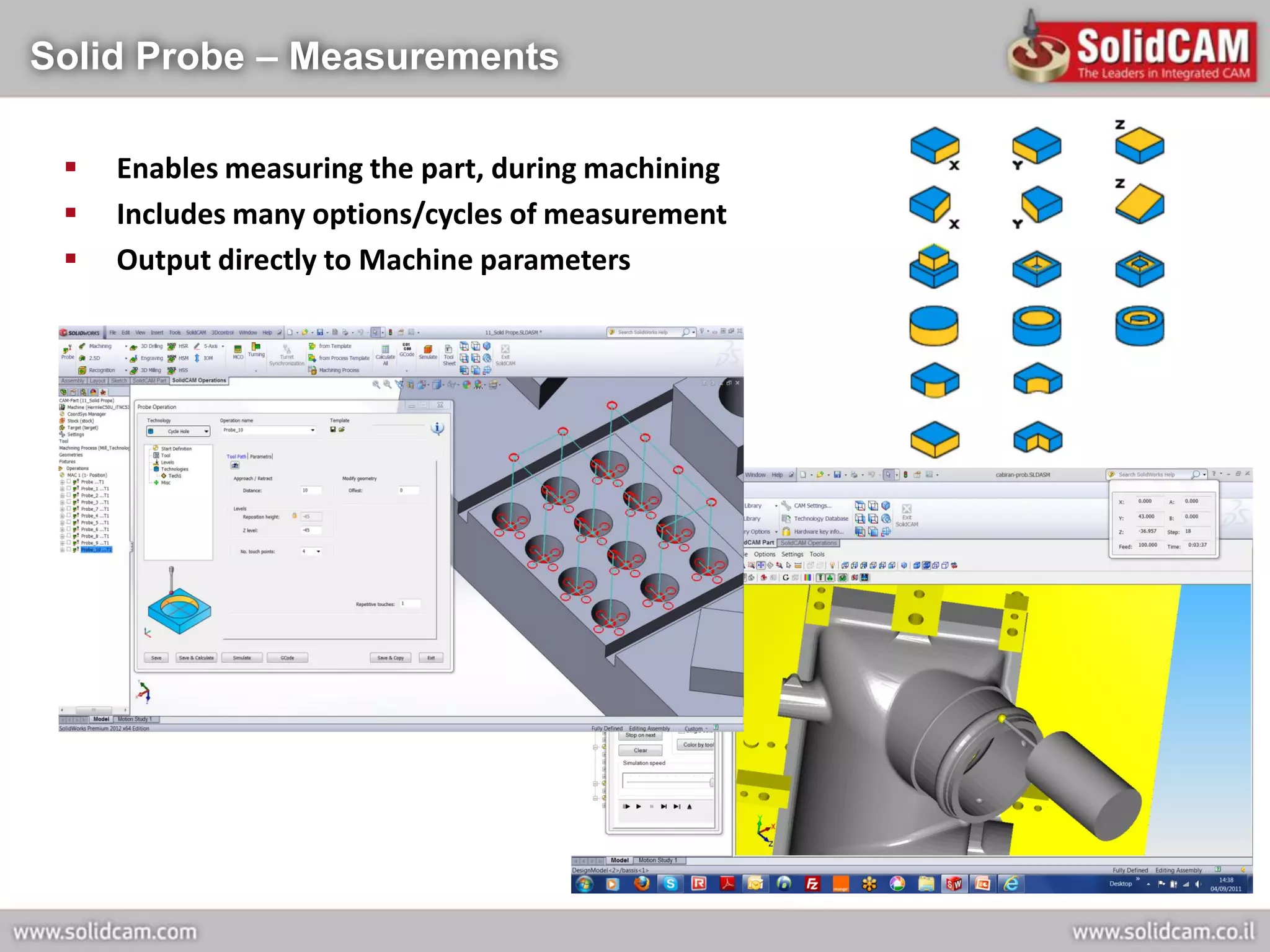
Solid Probe – Measurements

    Enables measuring the part, during machining
    Includes many options/cycles of measurement
    Output directly to Machine parameters
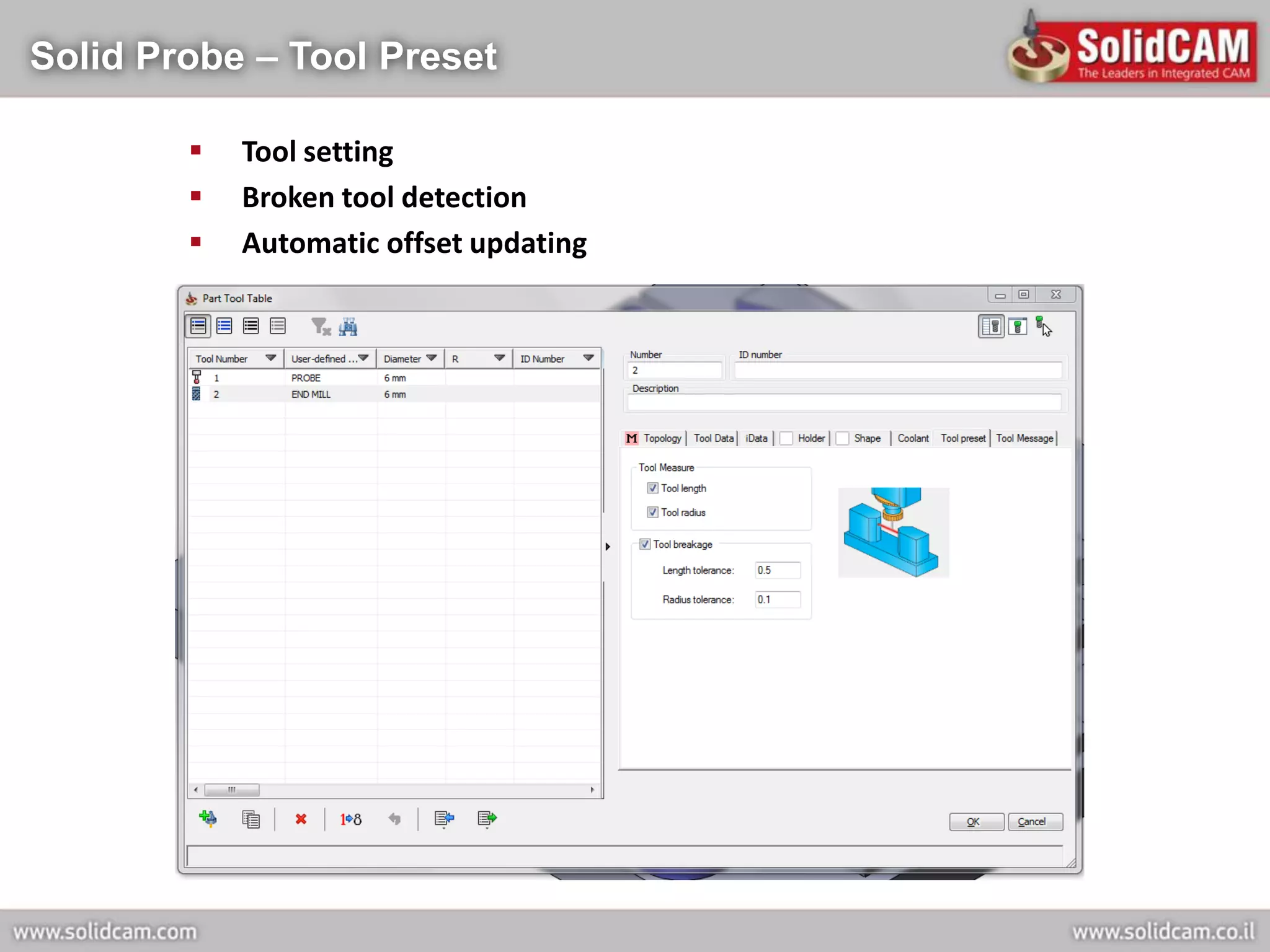
Solid Probe – Tool Preset

           Tool setting
           Broken tool detection
           Automatic offset updating
SolidCAM International Customers


 Automotive
 Aerospace and Shipbuilding
 Mold, tool & die
 Medical
 Consumer
 Electronics
 Mechanical manufacturing
 Military
 Optics
 Educational


   SolidCAM Customers include small Job Shops, medium-size Engineering and
   Manufacturing companies and large Aerospace and Automotive companies.
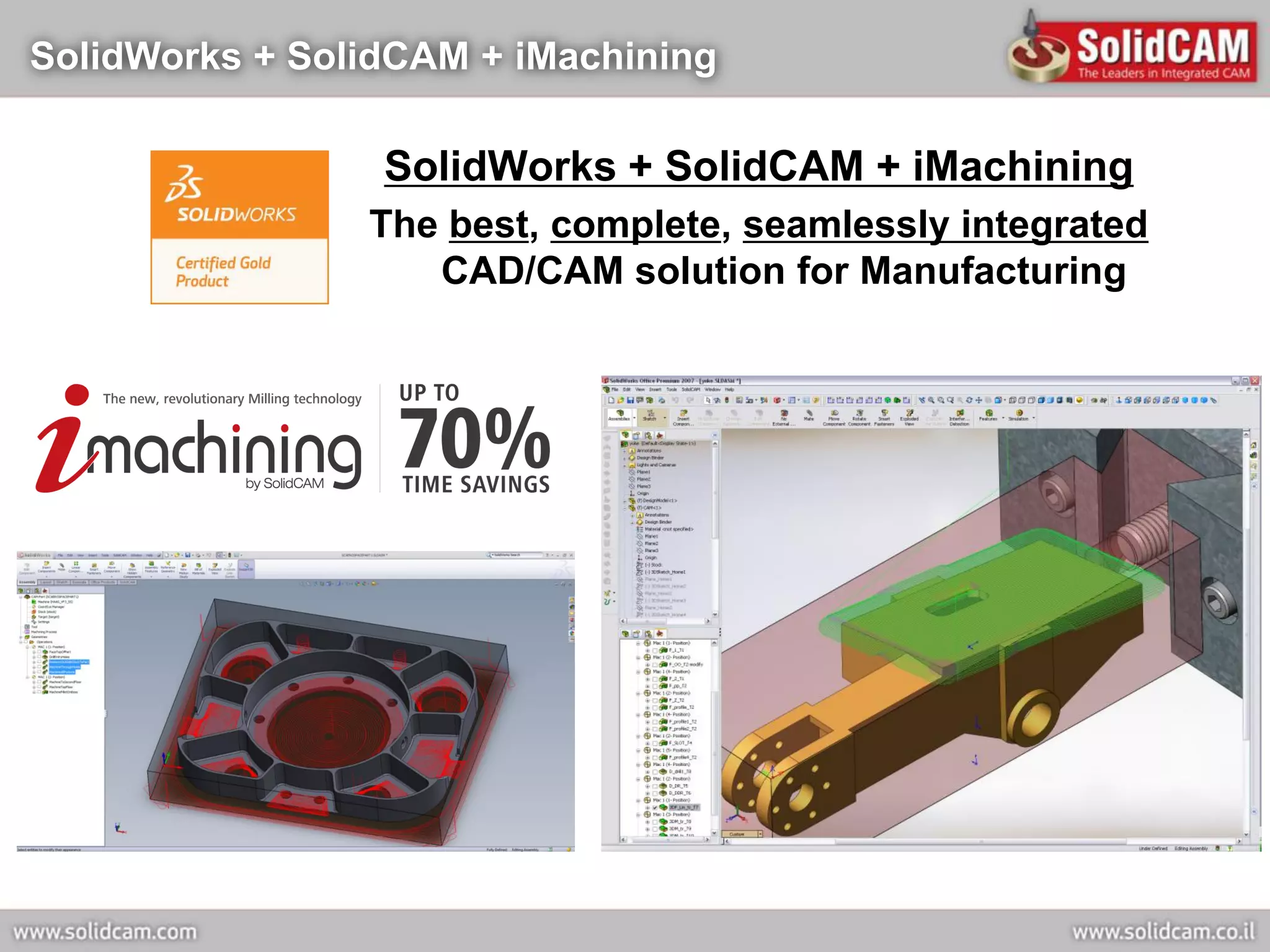
SolidWorks + SolidCAM + iMachining

                 SolidWorks + SolidCAM + iMachining
                The best, complete, seamlessly integrated
                   CAD/CAM solution for Manufacturing

Solid cam imachining_presentation_april _2012

  • 1.
  • 2.
    Our Mission Powerful, complete, easy-to-use, integrated CAD/CAM solution for manufacturing
  • 3.
    SolidCAM Company Profile Founded 1984 - 28 years expertise in CAM development and applications  SolidCAM Ltd. headquarters in Israel – 2 offices  Europe: SolidCAM GmbH, Germany – 5 offices Affiliated companies: SolidCAM UK, SolidCAM France, SolidCAM CZ, SolidCAM Slovenia  America: SolidCAM Inc. - U.S. – HQ & 5 locations SolidCAM Inc. – Canada Office in Brazil  Asia-Pacific: SolidCAM Japan SolidCAM India – 3 offices SolidCAM China – 3 offices Affiliated companies: SolidCAM ANZ (Australia, New-Zealand)  Worldwide CAM distributor network of more than 120 Resellers in 50 countries  More than 16,500 seats installed
  • 4.
    SolidCAM GmbH -Germany  Founded 1994 - 18 years expertise in CAM sales in Germany  SolidCAM GmbH, Germany – 5 offices • Schramberg – HQ • Rosenhein • Horstel • Zella-Mehlis • Worms  2100 industrial customers  3400 industrial seats installed  6000 educational seats installed  VDW training books for CNC use SolidWorks+SolidCAM  46 staff in Germany for sales and support
  • 5.
    SolidCAM GmbH –Technology Center  Hemle C30 CNC Machine
  • 6.
    SolidCAM GmbH –Technology Center  DMG NTX 1000 Multi-Turret Multi-Spindle Mill-Turn machine
  • 7.
    SolidCAM Inc –Technology Center  SolidCAM Inc, USA • HQ – Newtown, PA • 5 additional locations  19 staff in US for sales and support  470 industrial customers  Technology Center • Micron Sim 5x (HSM 400 U LP)
  • 8.
    SolidCAM Worldwide 120 Resellers SolidWorks Gold 16,500 Seats Installed 50 Countries Partner
  • 9.
    SolidCAM - ConsistentCAM Growth Leader Source: NC Software and Related Services Market Assessment  SolidCAM has been named by CIMdata as the fastest growing CAM vendor worldwide in 5 of the last 7 years  SolidCAM Sales growth in 2011: +31%
  • 10.
    SolidWorks Integration andBundle Agreement  Launch of SolidWorks integration at the SolidWorks World 2002  Certified Gold product for SolidWorks2003 on Jan 2003  OEM bundle agreement with SolidWorks on Jan 2003  Worldwide distributor network augmented by SolidWorks resellers selling SolidCAM  SolidCAM provides today the highest level of CAD integration and associativity in SolidWorks
  • 11.
    Autodesk Inventor Integration Launch of Autodesk Inventor integration on Aug 2005  Autodesk Inventor R10 Certification on Nov 2005  Autodesk Inventor 2012 Certification in 2011  Worldwide distributor network augmented by Autodesk Inventor resellers selling InventorCAM  InventorCAM provides today the highest level of CAD integration and associativity in Inventor
  • 12.
    Great Interface –SolidWorks + SolidCAM
  • 13.
    Great Interface –SolidWorks + SolidCAM
  • 14.
    Great Interface –SolidWorks + SolidCAM
  • 15.
    Seamless CAD/CAM Integration  Single-window integration – Same CAD/CAM user interface => Easy-to-learn and Easy-to-use  SolidCAM works directly on the SolidWorks parts and assemblies. Additional informations like dimensions & tolerances are also available => No data translation => No conversion errors => No missing data  Support import of all standard formats (and more!) => Very important for CAM users who receive models from other CAD systems
  • 16.
    The Most AssociativeCAM for SolidWorks  SolidCAM, totally integrated inside SolidWorks, provides both types of associativity:  Toolpath associativity.  Related-components (fixtures, molds…) associativity.  Changes to any part automatically update all toolpaths  Changes to any part automatically update all related components  SolidCAM provides user-control over the extent of the associativity
  • 17.
    SolidWorks + SolidCAM– The Dream Team World of World of Design Production CNC machines The most associative CAM for SolidWorks SolidWorks+SolidCAM provide you with the fastest automation tools to convert ideas into products
  • 18.
    Complete Integrated ManufacturingSolution Inside SolidWorks SolidCAM manufacturing modules:  iMachining  2.5D Milling  HSS (High-Speed Surface Machining)  3D HSM (High-Speed Machining)  4/5 axes Multi-Sided Indexial Milling  Simultaneous 5 axes milling  Turning  Turn-Mill (Multi-turret/Multi-spindle)  WireEDM  Solid Probe
  • 19.
    SolidCAM 2.5D Milling Provides interactive and automated powerful 2.5D Milling operations on SolidWorks models  Automatic hole and pocket feature recognition and machining  Supports special thread milling operation  Toolbox cycles support special operations  Complete G-Code file including support for compensation, subroutines, M-Codes and parametric postprocessors
  • 20.
    SolidCAM HSS –High Speed Surface Machining  Excellent complementary module for the machining of all types of parts  Smooth and powerful machining of localized surface areas  Supports Standard and Shaped tools.  Numerous Surface Machining Strategies for Efficient, Smooth, Gouge-free and Optimal Toolpath  Complete Gouge Control for Holder, Arbor and Tool
  • 21.
    SolidCAM HSM –3D High Speed Machining  Powerful module for High-Speed machining of complex 3D Parts, aerospace parts, molds, tools and dies  Offers unique machining and linking strategies for generating high-speed toolpaths  Cutting moves and retracts are smoothed to maintain a continuous machine motion  Retracts are kept to a minimum to minimize air cutting  Efficient and smooth toolpaths translate to top surface quality
  • 22.
    SolidCAM Indexial 4/5Axis Milling  Efficient and profitable machining of multi-sided parts on 4/5 axes machining centers  Enables flexible set-ups and reduces the need for special clamping jigs  Generates home position shifting calculation subroutine, for controllers without this functionality  Output is ready-to-run G-code programs for your 4/5 axes CNC-machine
  • 23.
    SolidCAM Sim. 5-AxisMilling  Industry-proven 5-axis machining strategies  Powerful collision check and avoidance for tool, holder and other machine tool components  Provides multiple options of collision avoidance using smooth axis movements  Simulation of whole machine tool, showing the motion of all rotational and linear axes
  • 24.
    SolidCAM Turning &Mill-Turn  Support all turning operations and composite turning tools  Simultaneous 4x turning  Integrated Turn-Mill capability supports multi-turret and multi-spindle  Multi-turret synchronization
  • 25.
    SolidCAM AFRM +Machining Process + Templates Advanced CAM Intelligence SolidCAM´s Automatic Feature Recognition and Machining (AFRM) module automates the manufacturing of parts  SolidCAM supports knowledge-based manufacturing through customizable parametric machining processes and operation/process templates
  • 26.
    Revolutionay iMachining module 2D iMachining 3D iMachining
  • 27.
    3 Problems withStandard Tool Paths Over Loaded Tools Cutting Air Non Tangent Tool Paths
  • 28.
    iMachining’s Intelligent ToolPath Controlled Step Smooth Tangent Exact Stock Machining Overs (no over loading (no air cutting) Tool Paths the tool) (Smooth Machining)
  • 29.
    Min & MaxStep Over (Cutting Angles) for Morphing Spirals 80 20 degrees degrees Maximum cutting angle Minimum cutting angle
  • 30.
    2 Special FeaturesFound Only in iMachining Morphing Spirals Only in iMachining! Intelligent Separation only in iMachining!
  • 31.
    Morphing Spirals AfterSeparation Final spirals
  • 32.
    iMachining Rest material& Finish Cuts Rest material Remove material from areas where larger tool could not fit. Finish Cut Clean corners then profile pass
  • 33.
    Problem: Incomplete Inputto Calculate Speeds & Feeds Material Tool Geometry Machine Cutting speed Length Depth Max spin Hardness # Flutes Max feed Max step Helix angle Max power Min step Chip thickness Memory size Hardness
  • 34.
    Problem: Non-Synchronized Speeds& Feeds Depth Step Over Spindle speed Feed Rate Tool Flute Length Depth Machine Limit Machine Limit Material Limit Material Limit Number of Flutes Machine Feed Step Over Limit Chip Thickness
  • 35.
    Solution: Optimal Speeds& Feeds by the Technology Wizard Material & 1 Machine Databases Synchronize 2 All Parameters Seamless 3 Integration
  • 36.
    Machining Level Setin Technology Wizard The machining level slider has 8 selectable levels  The Minimum MRR (Metal Removal rate) combination is associated with Level 1 of the iMachining Level Slider, whereas the Maximum MRR is associated with Level 8.  Levels 2-7 are associated with combinations of intermediate (interpolated) levels of MRR.
  • 37.
    ISCAR Cutting inthe UK (Titanium) 3.5 Minutes to Machine 14 Minutes to Machine
  • 38.
    iMachining: Optimum Toolpath+ Technology Wizard  Shorter cycles: Up tp 70% savings in machining time  Increased Tool life: Up to 3 times  Unmatched hard material machining  Outstanding small tool performance  4-axis and Mill-Turn iMachining  Short Learning curve  High Programming productivity
  • 39.
    Great Graphic Interface New3D illustrations for every parameter = easier learning and activation of software See The Video
  • 40.
    Parallel Computing A major new capability in SolidCAM 2012: Parallel Computing  User can start calculation of an operation or several operations and, while it is calculating using the multi-cores of the CPU, he can in parallel continue to define and calculate additional operations  User can start parallel simulation and, while it is simulating in the background, he can in parallel continue to work defining additional operations  User can start G-Code generation and, while it is generating G-code, he can in parallel continue to work defining additional operations
  • 41.
    Parallel Computing –LOCAL or REMOTE  LOCAL: Parallel computing on User Computer, using the power of multi-threading on multi-core CPUs  REMOTE: Parallel computing on External computer on the Network
  • 42.
  • 43.
    Balanced Rouging inMulti-Turret Turning
  • 44.
    HSR/HSM New Operations RibMachining  For very thin walls made from exotic materials  Rough+ semi-finish are combined in one operation, level by level. Hybrid Constant-Z  New Finishing strategy combining Constant Z operation and 3D pocketing with 3D constant stepover, where needed
  • 45.
    Swarf Machining –New Sim. 5x Operation  Easy definition of geometry  Automatic definition of tool axis control
  • 46.
    3D iMachining  3D Rough iMachining with intelligent step-up
  • 47.
    3D iMachining  3D Rough iMachining with intelligent step-up
  • 48.
    New Program: SolidProbe  Support Home definition  Supports measuring the part during machining  Support Tool Presetter
  • 49.
    Solid Probe –Define Home  Probe cycles support home definition
  • 50.
    Solid Probe –Measurements  Enables measuring the part, during machining  Includes many options/cycles of measurement  Output directly to Machine parameters
  • 51.
    Solid Probe –Tool Preset  Tool setting  Broken tool detection  Automatic offset updating
  • 52.
    SolidCAM International Customers Automotive  Aerospace and Shipbuilding  Mold, tool & die  Medical  Consumer  Electronics  Mechanical manufacturing  Military  Optics  Educational SolidCAM Customers include small Job Shops, medium-size Engineering and Manufacturing companies and large Aerospace and Automotive companies.
  • 53.
    SolidWorks + SolidCAM+ iMachining SolidWorks + SolidCAM + iMachining The best, complete, seamlessly integrated CAD/CAM solution for Manufacturing