HACKED
Ten tips on
what to do next.
MY SITE WAS
!
You wake up one morning, get
your coffee, open your browser,
and navigate to your website.
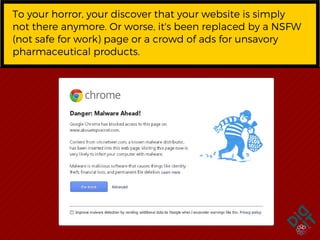
To your horror, your discover that your website is
simply not there anymore. Or worse, it's been
replaced by a NSFW (not safe for work) page or a
crowd of ads for unsavory pharmaceutical
products.
To your horror, your discover that your website is simply
not there anymore. Or worse, it's been replaced by a NSFW
(not safe for work) page or a crowd of ads for unsavory
pharmaceutical products.
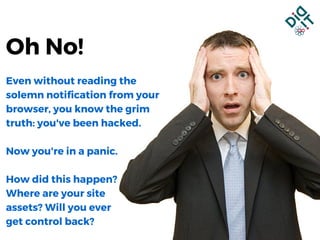
Even without reading the
solemn notification from your
browser, you know the grim
truth: you've been hacked.
Now you're in a panic.
How did this happen?
Where are your site
assets? Will you ever
get control back?
Oh No!
STEP 1
Calm down.
You can recover from this. You can contact a
professional service or fix it yourself.
Google even has an
that's ready to help you when you are ready.
8-step DIY recovery process
STEP 2
Let people know
you've been hacked.
Notify your host, webmaster, and, if you can,  your
customers. Now either clean up your local PC by
running anti-virus/anti-malware software, along with
your latest OS update, or, if you have doubts that
your machine is truly uninfected, commandeer a PC
that you're sure is clean.
STEP 3
Make sure.
Log into your hosting account to make sure you’ve
been hacked. Sometimes what you think is a hack is a
product of a service outage or maybe even a bad
plug-in that you might have installed. Your host will be
able to tell you if you were actually hacked and, if so,
begin to trace what caused it.
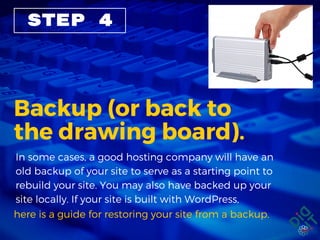
STEP 4
Backup (or back to
the drawing board).
In some cases, a good hosting company will have an
old backup of your site to serve as a starting point to
rebuild your site. You may also have backed up your
site locally. If your site is built with WordPress,
here is a guide for restoring your site from a backup.
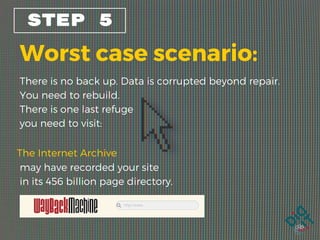
STEP 5
Worst case scenario:
There is no back up. Data is corrupted beyond repair.
You need to rebuild.
There is one last refuge
you need to visit:
The Internet Archive
may have recorded your site
in its 456 billion page directory. 

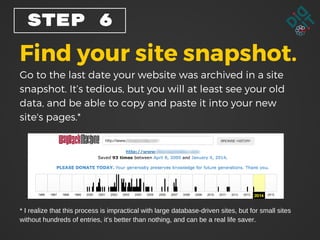
STEP 6
Find your site snapshot.
Go to the last date your website was archived in a site
snapshot. It’s tedious, but you will at least see your old
data, and be able to copy and paste it into your new
site's pages.*
* I realize that this process is impractical with large database-driven sites, but for small sites
without hundreds of entries, it’s better than nothing, and can be a real life saver. 

STEP 8
Get a secure username
and password.
Many hackers use "brute force" attacks that look for
the easiest method to break into your site’s control
panel, often by using the username “admin” and
password “password.” If you've failed to change the
default settings that came with your hosting setup,
you're just inviting the hackers to get you.
Use http://passwordsgenerator.net/ to create names
and passwords that are harder to crack.

STEP 9
Don't wait for the next
catastrophe to strike.
Always back up your website
on a regular schedule.
WordPress site users have a vast library of backup tools
to choose from. For the rest of us, logging on via FTP
and whacking your content to your local PC is a task
that you need to mark on your calendar and stick to.
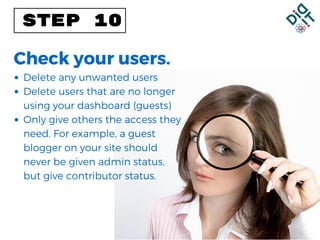
STEP 10
Check your users.
Delete any unwanted users
Delete users that are no longer
using your dashboard (guests)
Only give others the access they
need. For example, a guest
blogger on your site should
never be given admin status,
but give contributor status.
If this all seems to difficult, then by all means hire a
professional, or upgrade your hosting service to
include automatic backups, with managed security.
You may pay a premium for
this service, but it is totally
worth the peace of mind.
1. http://www.katalystcreativegroup.com/blog/140-5-critical-steps-if-your-
website-is-hacked.html
2. http://www.katalystcreativegroup.com/blog/137-how-can-i-protect-my-
site.html
3. http://www.elegantthemes.com/blog/tips-tricks/what-to-do-when-
your-wordpress-website-has-been-hacked
4. http://www.slideshare.net/michelebutcher/your-site-has-been-hacked-
now-what
SOURCES
A digital marketing leader since 1996, Didit provides
full-service online advertising and marketing services
with award-winning expertise and innovation.
Our full-service approach applies multi-faceted skill
sets, including SEO, PPC, CSEs, PLAs, Content
Marketing, and Social Media strategies that create a
holistic synergy of online marketing tools.

My Site Was Hacked!

  • 1.
    HACKED Ten tips on whatto do next. MY SITE WAS !
  • 2.
    You wake upone morning, get your coffee, open your browser, and navigate to your website.
  • 3.
    To your horror,your discover that your website is simply not there anymore. Or worse, it's been replaced by a NSFW (not safe for work) page or a crowd of ads for unsavory pharmaceutical products. To your horror, your discover that your website is simply not there anymore. Or worse, it's been replaced by a NSFW (not safe for work) page or a crowd of ads for unsavory pharmaceutical products.
  • 4.
    Even without readingthe solemn notification from your browser, you know the grim truth: you've been hacked. Now you're in a panic. How did this happen? Where are your site assets? Will you ever get control back? Oh No!
  • 5.
    STEP 1 Calm down. Youcan recover from this. You can contact a professional service or fix it yourself. Google even has an that's ready to help you when you are ready. 8-step DIY recovery process
  • 6.
    STEP 2 Let peopleknow you've been hacked. Notify your host, webmaster, and, if you can,  your customers. Now either clean up your local PC by running anti-virus/anti-malware software, along with your latest OS update, or, if you have doubts that your machine is truly uninfected, commandeer a PC that you're sure is clean.
  • 7.
    STEP 3 Make sure. Loginto your hosting account to make sure you’ve been hacked. Sometimes what you think is a hack is a product of a service outage or maybe even a bad plug-in that you might have installed. Your host will be able to tell you if you were actually hacked and, if so, begin to trace what caused it.
  • 8.
    STEP 4 Backup (orback to the drawing board). In some cases, a good hosting company will have an old backup of your site to serve as a starting point to rebuild your site. You may also have backed up your site locally. If your site is built with WordPress, here is a guide for restoring your site from a backup.
  • 9.
    STEP 5 Worst casescenario: There is no back up. Data is corrupted beyond repair. You need to rebuild. There is one last refuge you need to visit: The Internet Archive may have recorded your site in its 456 billion page directory. 

  • 10.
    STEP 6 Find yoursite snapshot. Go to the last date your website was archived in a site snapshot. It’s tedious, but you will at least see your old data, and be able to copy and paste it into your new site's pages.* * I realize that this process is impractical with large database-driven sites, but for small sites without hundreds of entries, it’s better than nothing, and can be a real life saver. 

  • 11.
    STEP 8 Get asecure username and password. Many hackers use "brute force" attacks that look for the easiest method to break into your site’s control panel, often by using the username “admin” and password “password.” If you've failed to change the default settings that came with your hosting setup, you're just inviting the hackers to get you. Use http://passwordsgenerator.net/ to create names and passwords that are harder to crack.

  • 12.
    STEP 9 Don't waitfor the next catastrophe to strike.
  • 13.
    Always back upyour website on a regular schedule. WordPress site users have a vast library of backup tools to choose from. For the rest of us, logging on via FTP and whacking your content to your local PC is a task that you need to mark on your calendar and stick to.
  • 14.
    STEP 10 Check yourusers. Delete any unwanted users Delete users that are no longer using your dashboard (guests) Only give others the access they need. For example, a guest blogger on your site should never be given admin status, but give contributor status.
  • 15.
    If this allseems to difficult, then by all means hire a professional, or upgrade your hosting service to include automatic backups, with managed security. You may pay a premium for this service, but it is totally worth the peace of mind.
  • 16.
    1. http://www.katalystcreativegroup.com/blog/140-5-critical-steps-if-your- website-is-hacked.html 2. http://www.katalystcreativegroup.com/blog/137-how-can-i-protect-my- site.html 3.http://www.elegantthemes.com/blog/tips-tricks/what-to-do-when- your-wordpress-website-has-been-hacked 4. http://www.slideshare.net/michelebutcher/your-site-has-been-hacked- now-what SOURCES
  • 17.
    A digital marketingleader since 1996, Didit provides full-service online advertising and marketing services with award-winning expertise and innovation. Our full-service approach applies multi-faceted skill sets, including SEO, PPC, CSEs, PLAs, Content Marketing, and Social Media strategies that create a holistic synergy of online marketing tools.